transmission FORD B MAX 2012 1.G Owners Manual
[x] Cancel search | Manufacturer: FORD, Model Year: 2012, Model line: B MAX, Model: FORD B MAX 2012 1.GPages: 256, PDF Size: 19.67 MB
Page 4 of 256
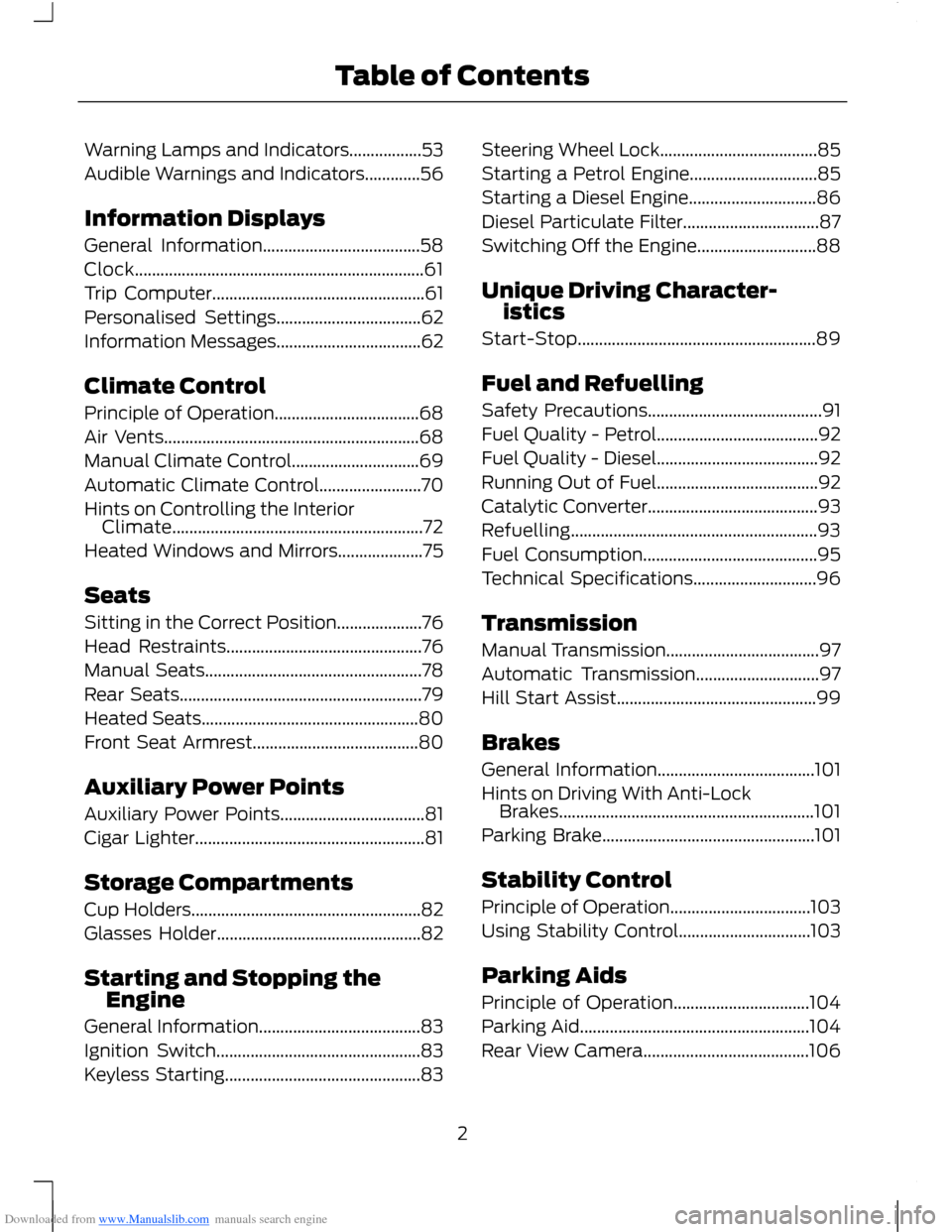
Downloaded from www.Manualslib.com manuals search engine Warning Lamps and Indicators.................53
Audible Warnings and Indicators.............56
Information Displays
General Information.....................................58
Clock....................................................................61
Trip Computer..................................................61
Personalised Settings..................................62
Information Messages..................................62
Climate Control
Principle of Operation..................................68
Air Vents............................................................68
Manual Climate Control..............................69
Automatic Climate Control........................70
Hints on Controlling the InteriorClimate...........................................................72
Heated Windows and Mirrors....................75
Seats
Sitting in the Correct Position....................76
Head Restraints..............................................76
Manual Seats...................................................78
Rear Seats.........................................................79
Heated Seats...................................................80
Front Seat Armrest.......................................80
Auxiliary Power Points
Auxiliary Power Points..................................81
Cigar Lighter......................................................81
Storage Compartments
Cup Holders......................................................82
Glasses Holder................................................82
Starting and Stopping theEngine
General Information......................................83
Ignition Switch................................................83
Keyless Starting..............................................83
Steering Wheel Lock.....................................85
Starting a Petrol Engine..............................85
Starting a Diesel Engine..............................86
Diesel Particulate Filter................................87
Switching Off the Engine............................88
Unique Driving Character-istics
Start-Stop........................................................89
Fuel and Refuelling
Safety Precautions.........................................91
Fuel Quality - Petrol......................................92
Fuel Quality - Diesel......................................92
Running Out of Fuel......................................92
Catalytic Converter........................................93
Refuelling..........................................................93
Fuel Consumption.........................................95
Technical Specifications.............................96
Transmission
Manual Transmission....................................97
Automatic Transmission.............................97
Hill Start Assist...............................................99
Brakes
General Information.....................................101
Hints on Driving With Anti-LockBrakes............................................................101
Parking Brake..................................................101
Stability Control
Principle of Operation.................................103
Using Stability Control...............................103
Parking Aids
Principle of Operation................................104
Parking Aid......................................................104
Rear View Camera.......................................106
2Table of Contents
Page 11 of 256
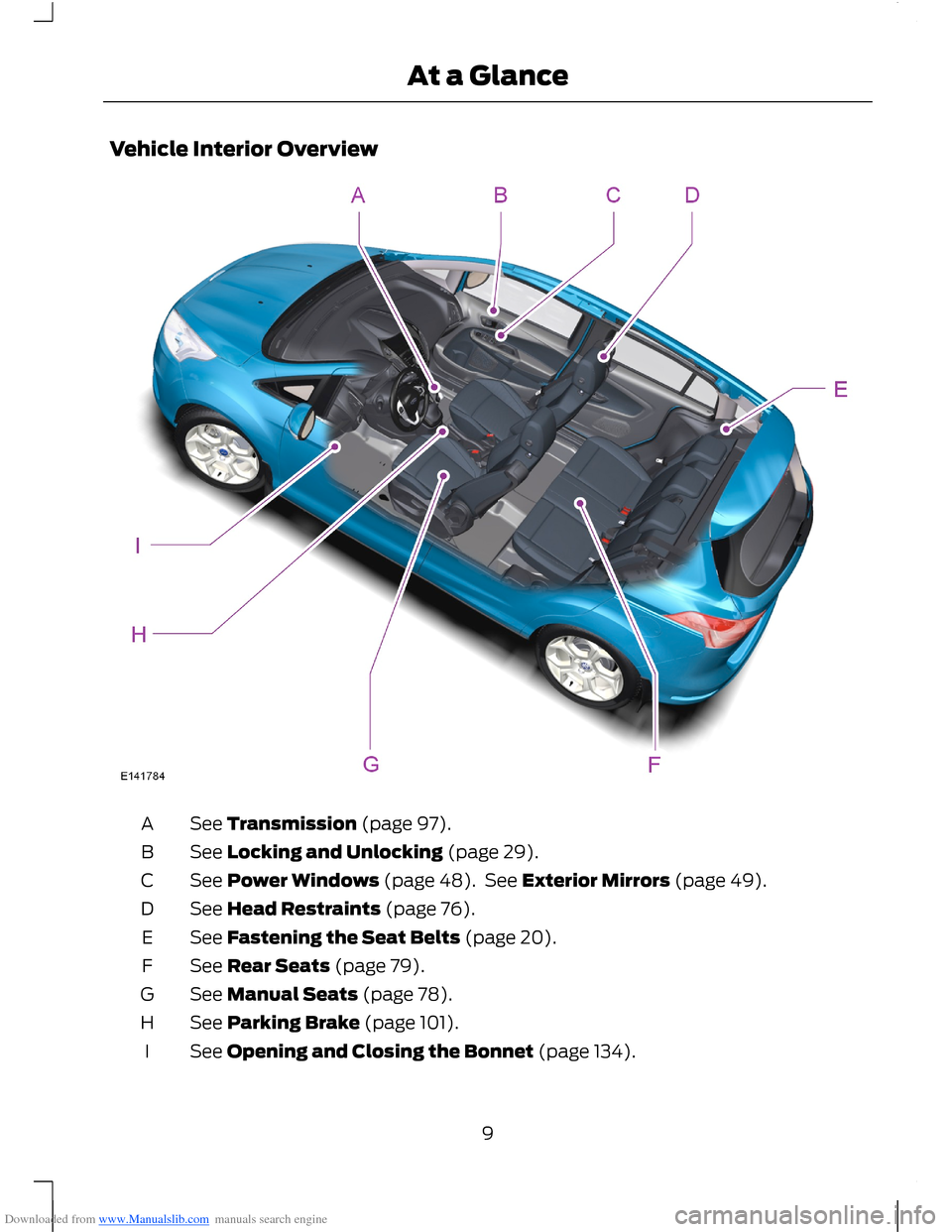
Downloaded from www.Manualslib.com manuals search engine Vehicle Interior Overview
See Transmission (page 97).A
See Locking and Unlocking (page 29).B
See Power Windows (page 48). See Exterior Mirrors (page 49).C
See Head Restraints (page 76).D
See Fastening the Seat Belts (page 20).E
See Rear Seats (page 79).F
See Manual Seats (page 78).G
See Parking Brake (page 101).H
See Opening and Closing the Bonnet (page 134).I
9At a Glance
Page 27 of 256
Downloaded from www.Manualslib.com manuals search engine GENERAL INFORMATION ON
RADIO FREQUENCIES
Note:Changes or modifications notexpressly approved by the party responsiblefor compliance could void the user’sauthority to operate the equipment.
The typical operating range for yourtransmitter is approximately 33 feet (10metres). A decrease in operating rangecould be caused by:
•weather conditions
•nearby radio towers
•structures around your vehicle
•other vehicles parked next to yourvehicle.
The radio frequency used by your remotecontrol can also be used by other shortdistance radio transmissions (e.g. amateurradios, medical equipment, wirelessheadphones, remote controls and alarmsystems). If the frequencies are jammed,you will not be able to use your remotecontrol. You can lock and unlock the doorswith the key.
Note:Make sure your vehicle is lockedbefore leaving it unattended.
Note:If you are in range, the remote controlwill operate if you press any buttonunintentionally.
REMOTE CONTROL
You can program a maximum of eightremote controls to your vehicle. Thisincludes any that were supplied with yourvehicle. The remote controls must remaininside your vehicle during the programmingprocedure. Fasten the front seat belts andclose all doors to make sure thatconflicting chimes do not sound duringprogramming.
Programming a New RemoteControl
1.Turn the ignition key from position 0 toposition II four times within sixseconds.
2.Turn the ignition to position 0. A tonesounds to indicate that it is nowpossible to program a remote control.
3.Press any button on a new remotecontrol within 10 seconds. A tone willsound as confirmation.
4.Repeat step three within 10 secondsfor each new remote control. Do notremove the key from the ignition whenpressing the button on the remotecontrol.
5.Switch the ignition back on (positionII) or wait for 10 seconds withoutprogramming another remote controlto end the key programming. Only theremote controls which you have justprogrammed are now able to lock andunlock your vehicle.
Reprogramming the UnlockingFunction
Note:When you press the unlock buttoneither all the doors are unlocked or only thedriver’s door and the tailgate are unlocked.Pressing the unlock button again unlocksall the doors.
Press and hold the unlock and lock buttonson the remote control simultaneously forat least four seconds with the ignition off.The direction indicators will flash twice toconfirm the change.
To return to the original unlocking function,repeat the process.
25Keys and Remote Controls
Page 47 of 256
Downloaded from www.Manualslib.com manuals search engine DAYTIME RUNNING LAMPS
WARNING
Always remember to switch yourheadlamps on in low light situationsor during inclement weather. Thesystem does not turn on the tail lamps andmay not provide adequate lighting duringthese conditions. Failure to switch theheadlamps on under these conditions mayresult in a collision.
The system switches the headlamps on inlow light situations.
To switch the system on:
1.Switch the ignition on.
2.Turn the lighting control to the off,autolamp or parking lamp position.
3.Make sure the transmission selectorlever is not in position P.
FRONT FOG LAMPS
WARNING
Only use the front fog lamps whenvisibility is considerably restricted byfog, snow or rain.
Note:If you switch autolamps on, you canonly switch the front fog lamps on onceautolamps has switched the headlamps on.
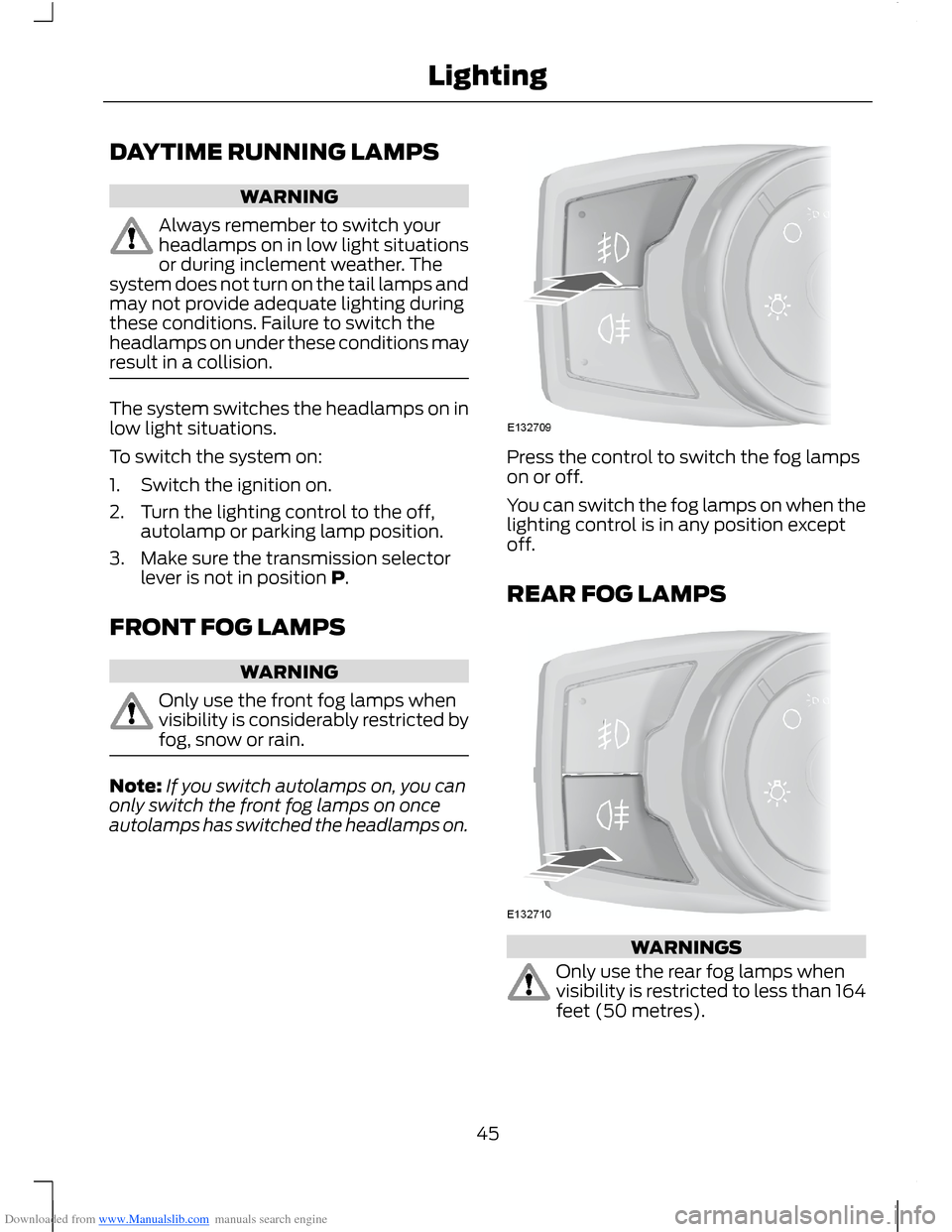
Press the control to switch the fog lampson or off.
You can switch the fog lamps on when thelighting control is in any position exceptoff.
REAR FOG LAMPS
WARNINGS
Only use the rear fog lamps whenvisibility is restricted to less than 164feet (50 metres).
45Lighting
Page 58 of 256
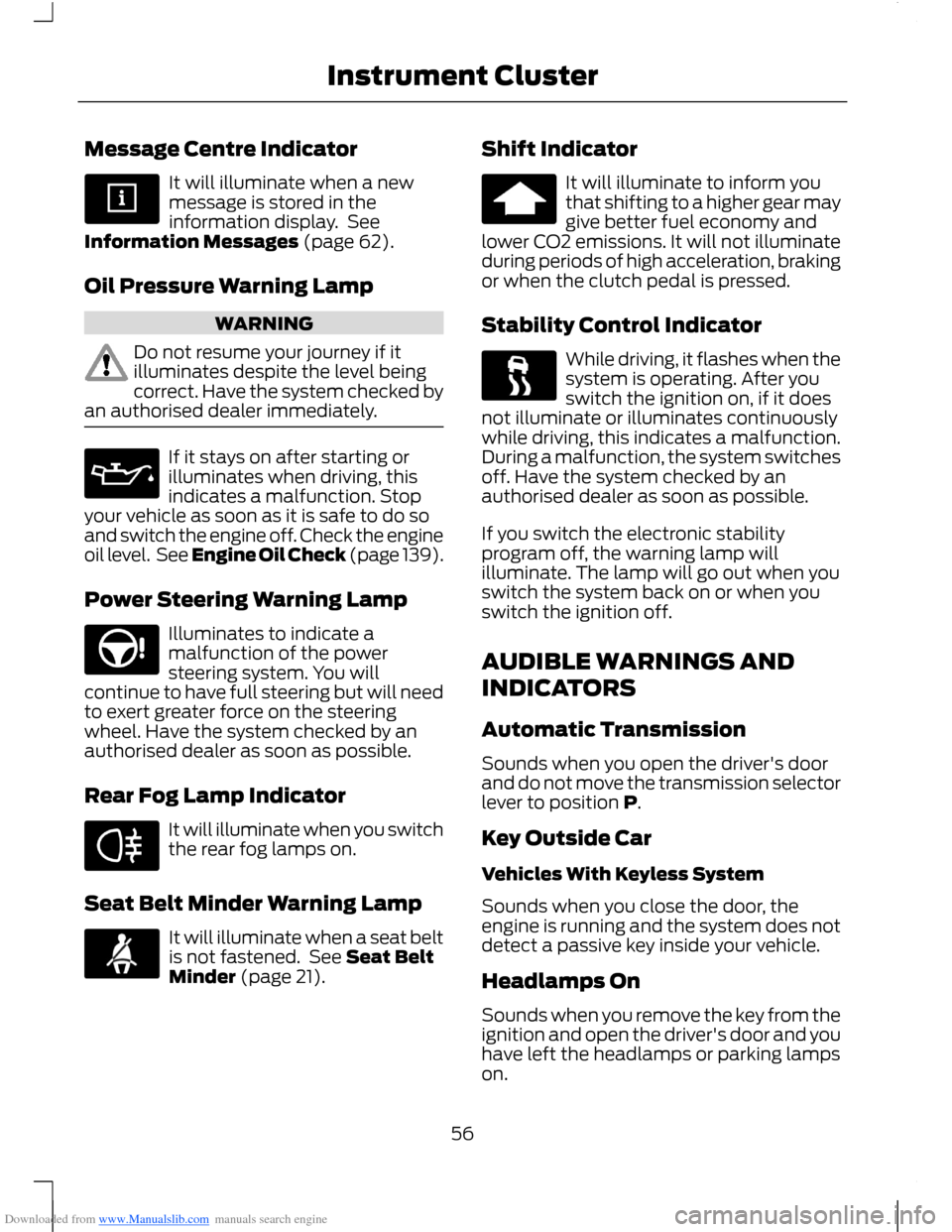
Downloaded from www.Manualslib.com manuals search engine Message Centre Indicator
It will illuminate when a newmessage is stored in theinformation display. SeeInformation Messages (page 62).
Oil Pressure Warning Lamp
WARNING
Do not resume your journey if itilluminates despite the level beingcorrect. Have the system checked byan authorised dealer immediately.
If it stays on after starting orilluminates when driving, thisindicates a malfunction. Stopyour vehicle as soon as it is safe to do soand switch the engine off. Check the engineoil level. See Engine Oil Check (page 139).
Power Steering Warning Lamp
Illuminates to indicate amalfunction of the powersteering system. You willcontinue to have full steering but will needto exert greater force on the steeringwheel. Have the system checked by anauthorised dealer as soon as possible.
Rear Fog Lamp Indicator
It will illuminate when you switchthe rear fog lamps on.
Seat Belt Minder Warning Lamp
It will illuminate when a seat beltis not fastened. See Seat BeltMinder (page 21).
Shift Indicator
It will illuminate to inform youthat shifting to a higher gear maygive better fuel economy andlower CO2 emissions. It will not illuminateduring periods of high acceleration, brakingor when the clutch pedal is pressed.
Stability Control Indicator
While driving, it flashes when thesystem is operating. After youswitch the ignition on, if it doesnot illuminate or illuminates continuouslywhile driving, this indicates a malfunction.During a malfunction, the system switchesoff. Have the system checked by anauthorised dealer as soon as possible.
If you switch the electronic stabilityprogram off, the warning lamp willilluminate. The lamp will go out when youswitch the system back on or when youswitch the ignition off.
AUDIBLE WARNINGS AND
INDICATORS
Automatic Transmission
Sounds when you open the driver's doorand do not move the transmission selectorlever to position P.
Key Outside Car
Vehicles With Keyless System
Sounds when you close the door, theengine is running and the system does notdetect a passive key inside your vehicle.
Headlamps On
Sounds when you remove the key from theignition and open the driver's door and youhave left the headlamps or parking lampson.
56Instrument Cluster
Page 68 of 256
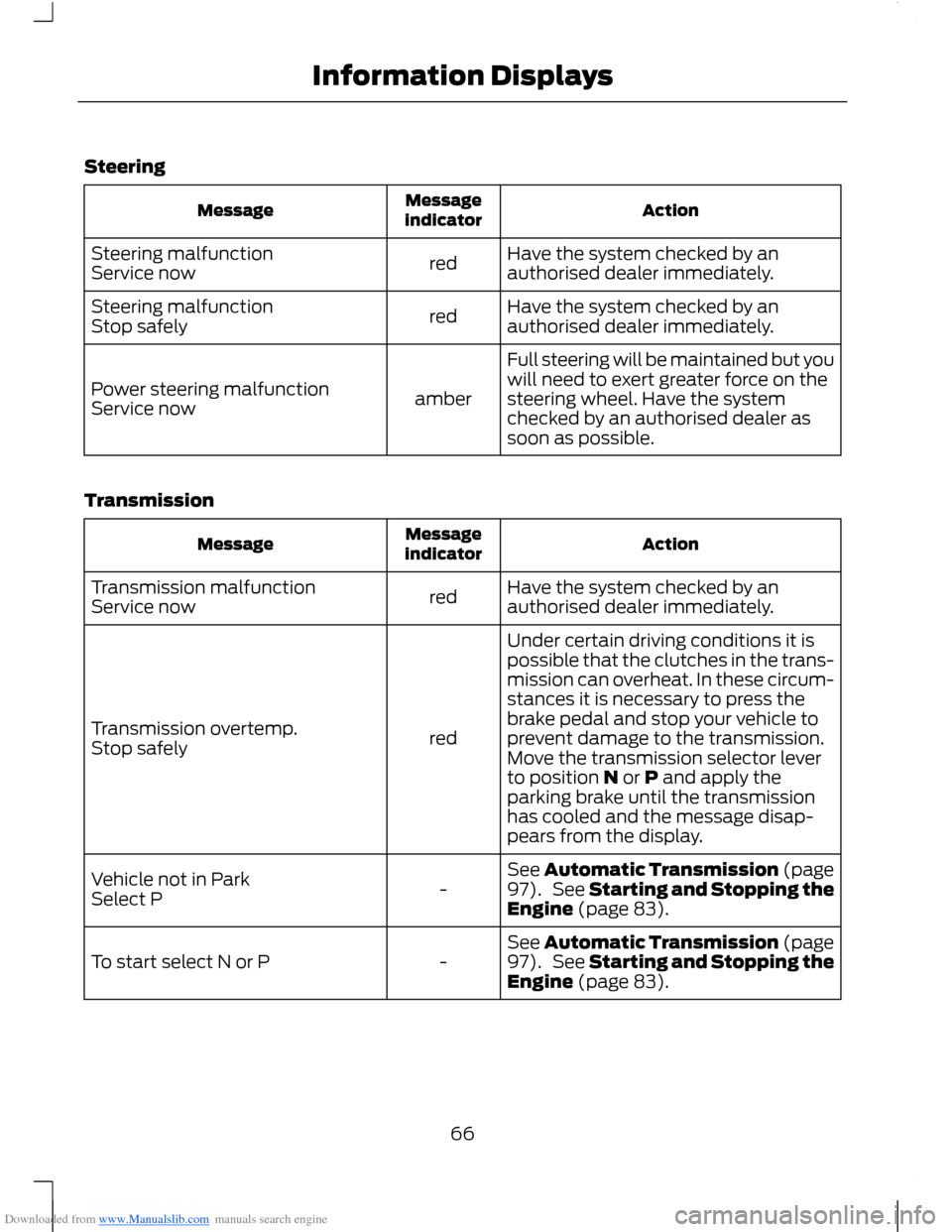
Downloaded from www.Manualslib.com manuals search engine Steering
ActionMessageindicatorMessage
Have the system checked by anauthorised dealer immediately.redSteering malfunctionService now
Have the system checked by anauthorised dealer immediately.redSteering malfunctionStop safely
Full steering will be maintained but youwill need to exert greater force on thesteering wheel. Have the systemchecked by an authorised dealer assoon as possible.
amberPower steering malfunctionService now
Transmission
ActionMessageindicatorMessage
Have the system checked by anauthorised dealer immediately.redTransmission malfunctionService now
Under certain driving conditions it ispossible that the clutches in the trans-mission can overheat. In these circum-stances it is necessary to press thebrake pedal and stop your vehicle toprevent damage to the transmission.Move the transmission selector leverto position N or P and apply theparking brake until the transmissionhas cooled and the message disap-pears from the display.
redTransmission overtemp.Stop safely
See Automatic Transmission (page97). See Starting and Stopping theEngine (page 83).-Vehicle not in ParkSelect P
See Automatic Transmission (page97). See Starting and Stopping theEngine (page 83).-To start select N or P
66Information Displays
Page 69 of 256
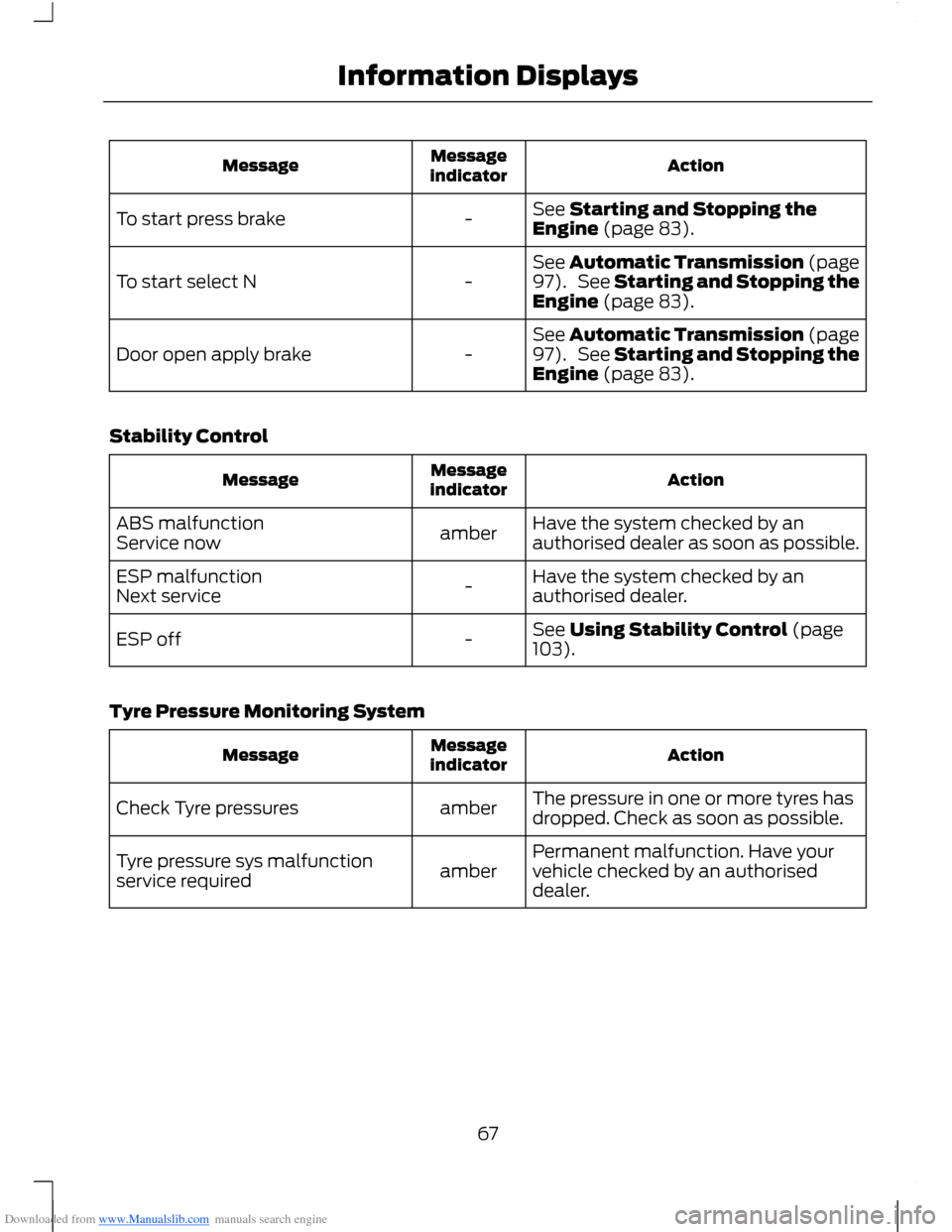
Downloaded from www.Manualslib.com manuals search engine ActionMessageindicatorMessage
See Starting and Stopping theEngine (page 83).-To start press brake
See Automatic Transmission (page97). See Starting and Stopping theEngine (page 83).-To start select N
See Automatic Transmission (page97). See Starting and Stopping theEngine (page 83).-Door open apply brake
Stability Control
ActionMessageindicatorMessage
Have the system checked by anauthorised dealer as soon as possible.amberABS malfunctionService now
Have the system checked by anauthorised dealer.-ESP malfunctionNext service
See Using Stability Control (page103).-ESP off
Tyre Pressure Monitoring System
ActionMessageindicatorMessage
The pressure in one or more tyres hasdropped. Check as soon as possible.amberCheck Tyre pressures
Permanent malfunction. Have yourvehicle checked by an authoriseddealer.amberTyre pressure sys malfunctionservice required
67Information Displays
Page 76 of 256
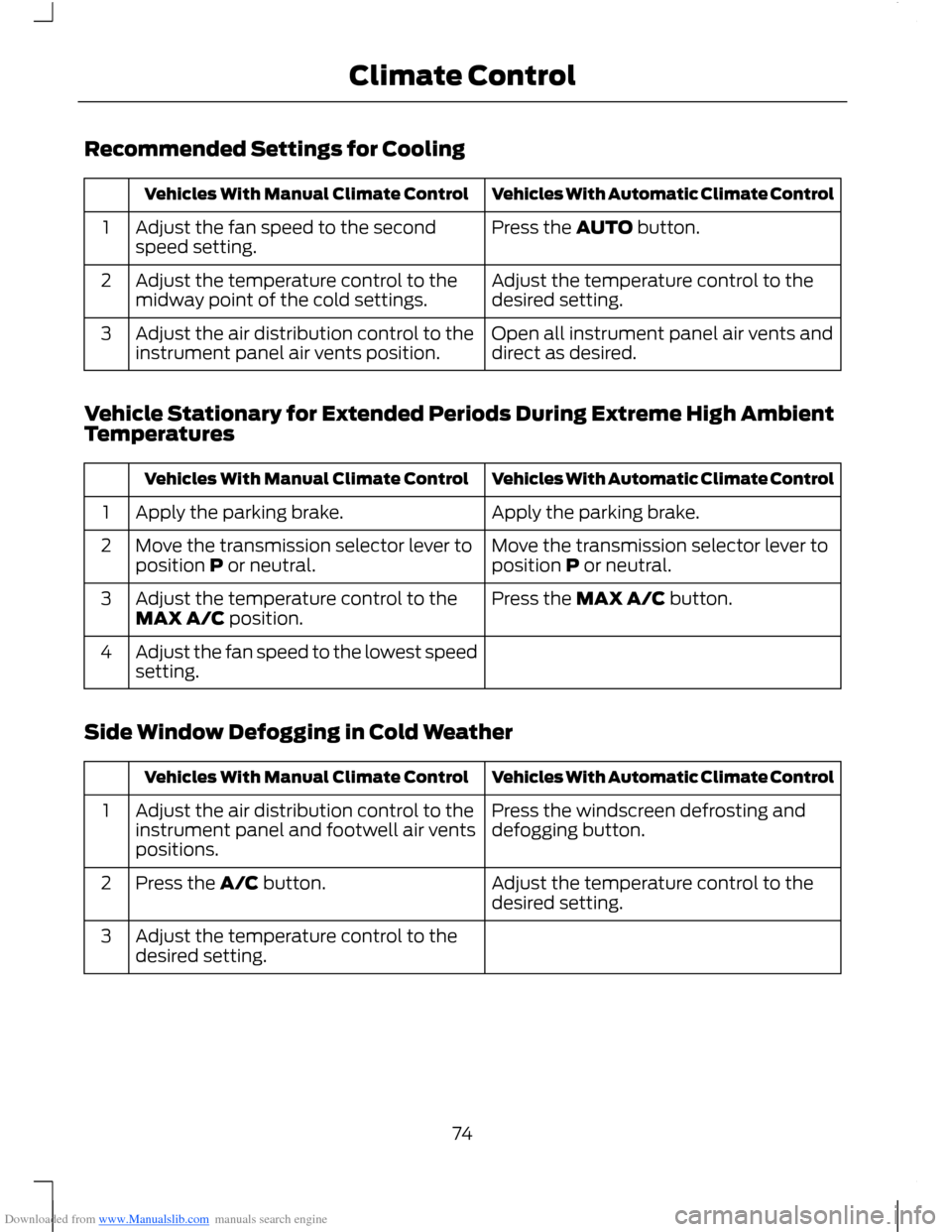
Downloaded from www.Manualslib.com manuals search engine Recommended Settings for Cooling
Vehicles With Automatic Climate ControlVehicles With Manual Climate Control
Press the AUTO button.Adjust the fan speed to the secondspeed setting.1
Adjust the temperature control to thedesired setting.Adjust the temperature control to themidway point of the cold settings.2
Open all instrument panel air vents anddirect as desired.Adjust the air distribution control to theinstrument panel air vents position.3
Vehicle Stationary for Extended Periods During Extreme High AmbientTemperatures
Vehicles With Automatic Climate ControlVehicles With Manual Climate Control
Apply the parking brake.Apply the parking brake.1
Move the transmission selector lever toposition P or neutral.Move the transmission selector lever toposition P or neutral.2
Press the MAX A/C button.Adjust the temperature control to theMAX A/C position.3
Adjust the fan speed to the lowest speedsetting.4
Side Window Defogging in Cold Weather
Vehicles With Automatic Climate ControlVehicles With Manual Climate Control
Press the windscreen defrosting anddefogging button.Adjust the air distribution control to theinstrument panel and footwell air ventspositions.
1
Adjust the temperature control to thedesired setting.Press the A/C button.2
Adjust the temperature control to thedesired setting.3
74Climate Control
Page 86 of 256
Downloaded from www.Manualslib.com manuals search engine Note:A valid key must be located insideyour vehicle to switch the ignition on andstart the engine.
Ignition On
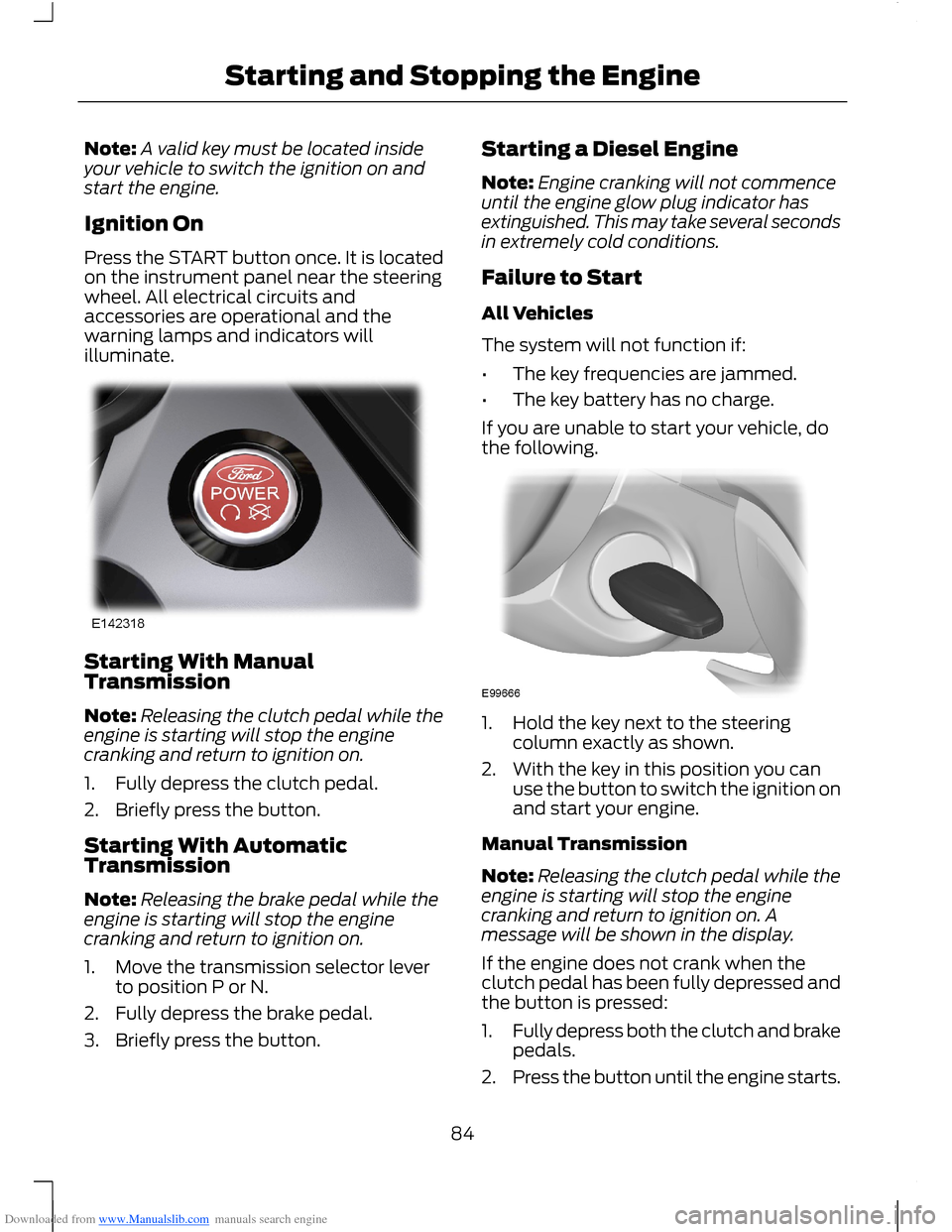
Press the START button once. It is locatedon the instrument panel near the steeringwheel. All electrical circuits andaccessories are operational and thewarning lamps and indicators willilluminate.
Starting With ManualTransmission
Note:Releasing the clutch pedal while theengine is starting will stop the enginecranking and return to ignition on.
1.Fully depress the clutch pedal.
2.Briefly press the button.
Starting With AutomaticTransmission
Note:Releasing the brake pedal while theengine is starting will stop the enginecranking and return to ignition on.
1.Move the transmission selector leverto position P or N.
2.Fully depress the brake pedal.
3.Briefly press the button.
Starting a Diesel Engine
Note:Engine cranking will not commenceuntil the engine glow plug indicator hasextinguished. This may take several secondsin extremely cold conditions.
Failure to Start
All Vehicles
The system will not function if:
•The key frequencies are jammed.
•The key battery has no charge.
If you are unable to start your vehicle, dothe following.
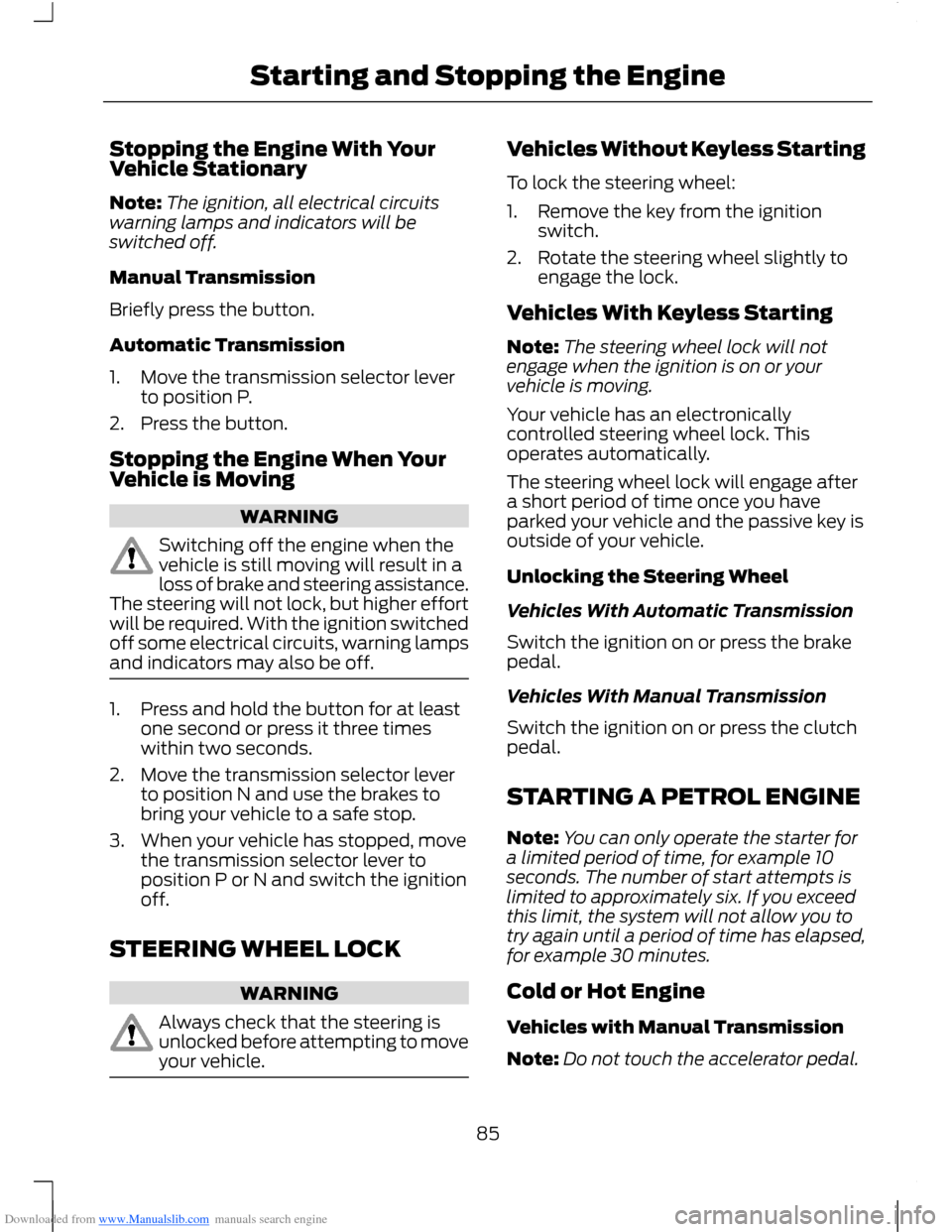
1.Hold the key next to the steeringcolumn exactly as shown.
2.With the key in this position you canuse the button to switch the ignition onand start your engine.
Manual Transmission
Note:Releasing the clutch pedal while theengine is starting will stop the enginecranking and return to ignition on. Amessage will be shown in the display.
If the engine does not crank when theclutch pedal has been fully depressed andthe button is pressed:
1.Fully depress both the clutch and brakepedals.
2.Press the button until the engine starts.
84Starting and Stopping the Engine
Page 87 of 256
Downloaded from www.Manualslib.com manuals search engine Stopping the Engine With YourVehicle Stationary
Note:The ignition, all electrical circuitswarning lamps and indicators will beswitched off.
Manual Transmission
Briefly press the button.
Automatic Transmission
1.Move the transmission selector leverto position P.
2.Press the button.
Stopping the Engine When YourVehicle is Moving
WARNING
Switching off the engine when thevehicle is still moving will result in aloss of brake and steering assistance.The steering will not lock, but higher effortwill be required. With the ignition switchedoff some electrical circuits, warning lampsand indicators may also be off.
1.Press and hold the button for at leastone second or press it three timeswithin two seconds.
2.Move the transmission selector leverto position N and use the brakes tobring your vehicle to a safe stop.
3.When your vehicle has stopped, movethe transmission selector lever toposition P or N and switch the ignitionoff.
STEERING WHEEL LOCK
WARNING
Always check that the steering isunlocked before attempting to moveyour vehicle.
Vehicles Without Keyless Starting
To lock the steering wheel:
1.Remove the key from the ignitionswitch.
2.Rotate the steering wheel slightly toengage the lock.
Vehicles With Keyless Starting
Note:The steering wheel lock will notengage when the ignition is on or yourvehicle is moving.
Your vehicle has an electronicallycontrolled steering wheel lock. Thisoperates automatically.
The steering wheel lock will engage aftera short period of time once you haveparked your vehicle and the passive key isoutside of your vehicle.
Unlocking the Steering Wheel
Vehicles With Automatic Transmission
Switch the ignition on or press the brakepedal.
Vehicles With Manual Transmission
Switch the ignition on or press the clutchpedal.
STARTING A PETROL ENGINE
Note:You can only operate the starter fora limited period of time, for example 10seconds. The number of start attempts islimited to approximately six. If you exceedthis limit, the system will not allow you totry again until a period of time has elapsed,for example 30 minutes.
Cold or Hot Engine
Vehicles with Manual Transmission
Note:Do not touch the accelerator pedal.
85Starting and Stopping the Engine