General Information FORD B MAX 2013 1.G User Guide
[x] Cancel search | Manufacturer: FORD, Model Year: 2013, Model line: B MAX, Model: FORD B MAX 2013 1.GPages: 298, PDF Size: 20.63 MB
Page 65 of 298
Downloaded from www.Manualslib.com manuals search engine GENERAL INFORMATION
WARNING
Driving while distracted can result inloss of vehicle control, crash andinjury. We strongly recommend thatyou use extreme caution when using anydevice that may take your focus off theroad. Your primary responsibility is the safeoperation of your vehicle. We recommendagainst the use of any hand-held devicewhile driving and encourage the use ofvoice-operated systems when possible.Make sure you are aware of all applicablelocal laws that may affect the use ofelectronic devices while driving.
Note:The information display will remainon for several minutes after you switch theignition off.
Device List
The icon changes to show the currentfunction in use.
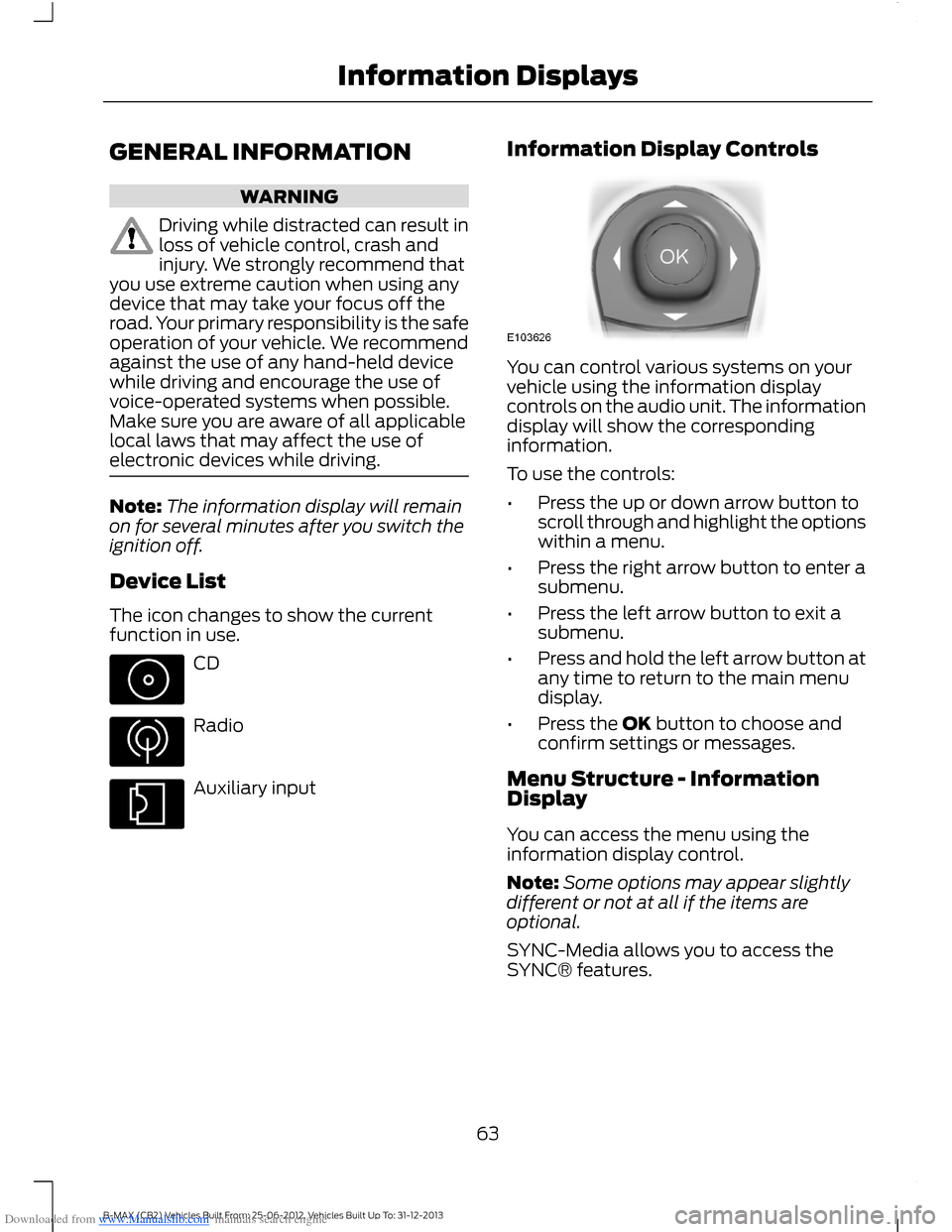
CD
Radio
Auxiliary input
Information Display Controls
You can control various systems on yourvehicle using the information displaycontrols on the audio unit. The informationdisplay will show the correspondinginformation.
To use the controls:
•Press the up or down arrow button toscroll through and highlight the optionswithin a menu.
•Press the right arrow button to enter asubmenu.
•Press the left arrow button to exit asubmenu.
•Press and hold the left arrow button atany time to return to the main menudisplay.
•Press the OK button to choose andconfirm settings or messages.
Menu Structure - InformationDisplay
You can access the menu using theinformation display control.
Note:Some options may appear slightlydifferent or not at all if the items areoptional.
SYNC-Media allows you to access theSYNC® features.
63B-MAX (CB2) Vehicles Built From: 25-06-2012, Vehicles Built Up To: 31-12-2013Information Displays
Page 68 of 298
Downloaded from www.Manualslib.com manuals search engine Menu
Active City Stop
Speed limit
Speed warning
Volume limit
Information
Clear all MyKeys
InformationMyKey active
System Check
All active warnings will display first ifapplicable. The system check menu mayappear different based upon equipmentoptions and current vehicle status. Pressthe up or down arrow button to scrollthrough the list.
CLOCK
Type 1
To adjust the clock, switch the ignition onand press buttons H or M on theinformation and entertainment display asnecessary.
Type 2
Note:Use the information display to adjustthe clock. See General Information (page63).
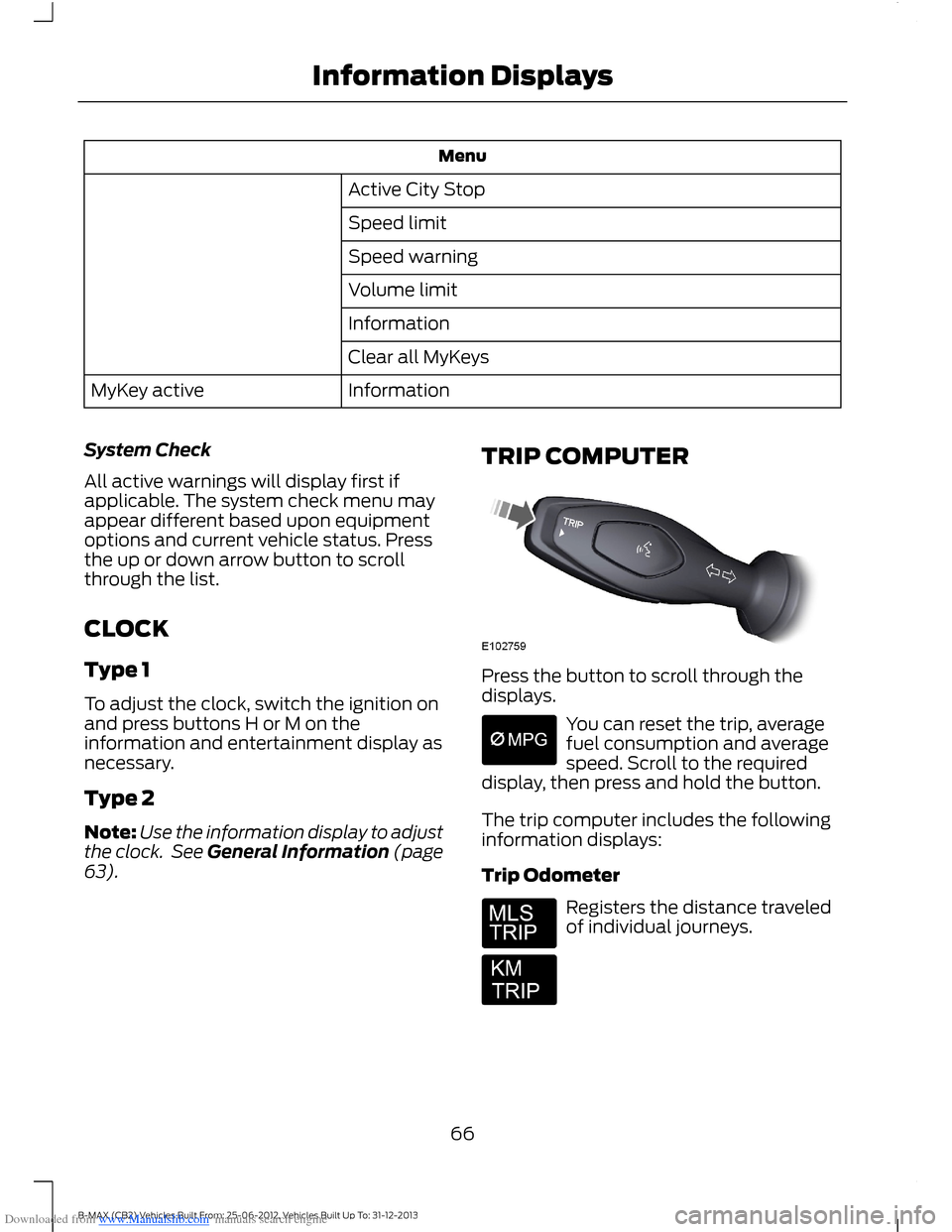
TRIP COMPUTER
Press the button to scroll through thedisplays.
You can reset the trip, averagefuel consumption and averagespeed. Scroll to the requireddisplay, then press and hold the button.
The trip computer includes the followinginformation displays:
Trip Odometer
Registers the distance traveledof individual journeys.
66B-MAX (CB2) Vehicles Built From: 25-06-2012, Vehicles Built Up To: 31-12-2013Information Displays
Page 77 of 298
Downloaded from www.Manualslib.com manuals search engine PRINCIPLE OF OPERATION
Outside Air
Keep the air intakes in front of thewindshield free from obstruction (such assnow or leaves) to allow the climatecontrol system to function effectively.
Recirculated Air
WARNING
Prolonged use of recirculated air maycause the windows to mist up. If thewindows mist up, follow the settingsfor demisting the windshield.
The air currently in the passengercompartment recirculates. Outside air doesnot enter your vehicle.
Heating
Heating performance depends on thetemperature of the engine coolant.
Air Conditioning
Note:The air conditioning operates onlywhen the temperature is above 39°F (4°C).
Note:When you use air conditioning, yourvehicle uses more fuel.
The system directs air through theevaporator for cooling. The evaporatorextracts humidity from the air to help keepthe windows free of mist. The systemdirects the resulting condensation to theoutside of your vehicle, which may causea small pool to form under your vehicle.This is normal.
General Information on Controllingthe Interior Climate
Fully close all the windows.
Warming the Interior
Direct the air toward your feet. In cold orhumid weather conditions, direct some ofthe air toward the windshield and the doorwindows.
Cooling the Interior
Direct the air toward your face.
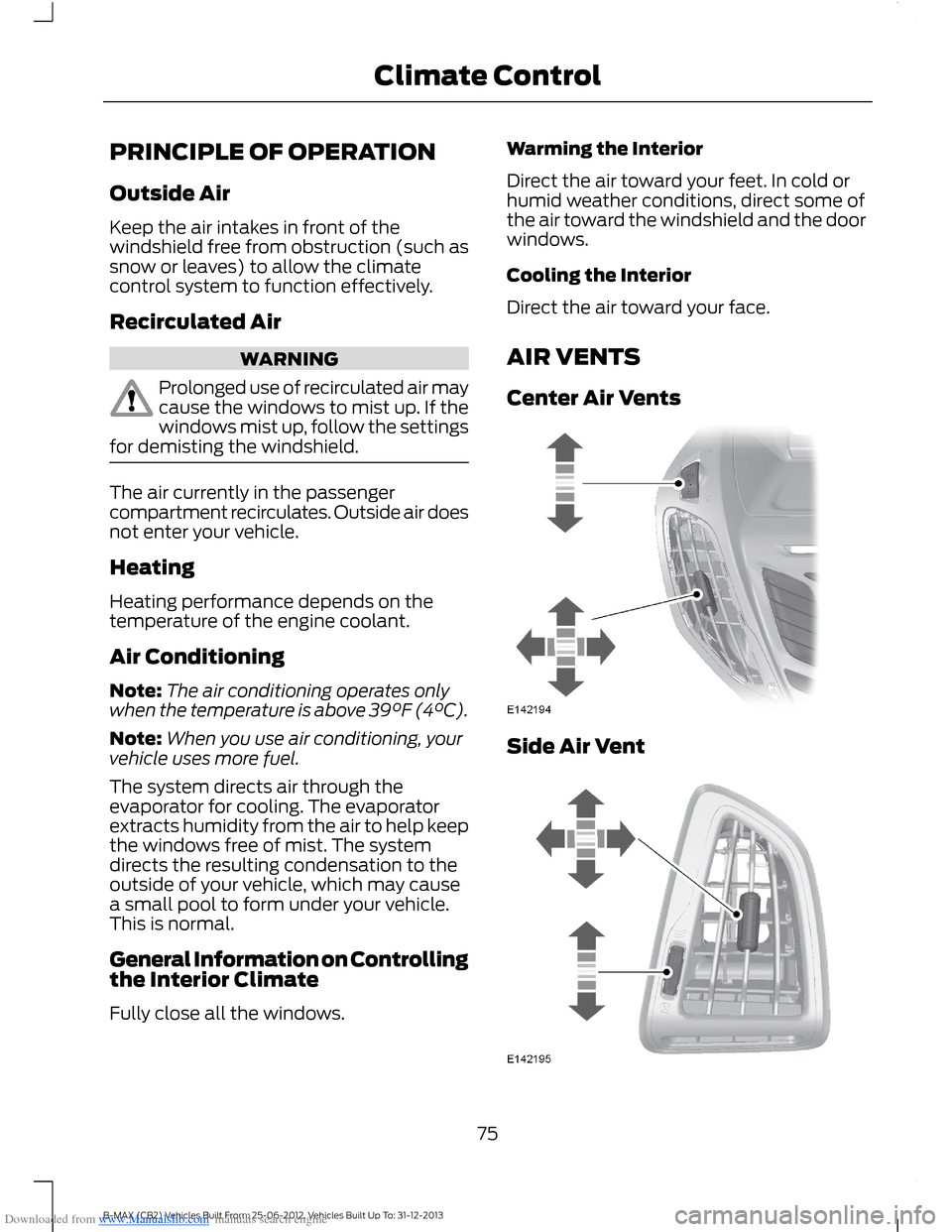
AIR VENTS
Center Air Vents
Side Air Vent
75B-MAX (CB2) Vehicles Built From: 25-06-2012, Vehicles Built Up To: 31-12-2013Climate Control
Page 92 of 298
Downloaded from www.Manualslib.com manuals search engine GENERAL INFORMATION
WARNINGS
Extended idling at high enginespeeds can produce very hightemperatures in the engine andexhaust system, creating the risk of fire orother damage.
Do not park, idle or drive your vehicleon dry grass or other dry groundcover. The emission system heats upthe engine compartment and exhaustsystem, creating the risk of fire.
Do not start the engine in a closedgarage or in other enclosed areas.Exhaust fumes can be toxic. Alwaysopen the garage door before you start theengine.
If you smell exhaust fumes insideyour vehicle, have your vehiclechecked by an authorized dealerimmediately. Do not drive your vehicle ifyou smell exhaust fumes.
If you disconnect the battery, your vehiclemay exhibit some unusual drivingcharacteristics for approximately 5 miles(8 kilometers) after you reconnect it. Thisis because the engine management systemmust realign itself with the engine. You candisregard any unusual drivingcharacteristics during this period.
The powertrain control system meets allCanadian interference-causing equipmentstandard requirements regulating theimpulse electrical field or radio noise.
When you start the engine, avoid pressingthe accelerator pedal before and duringoperation. Only use the accelerator pedalwhen you have difficulty starting theengine.
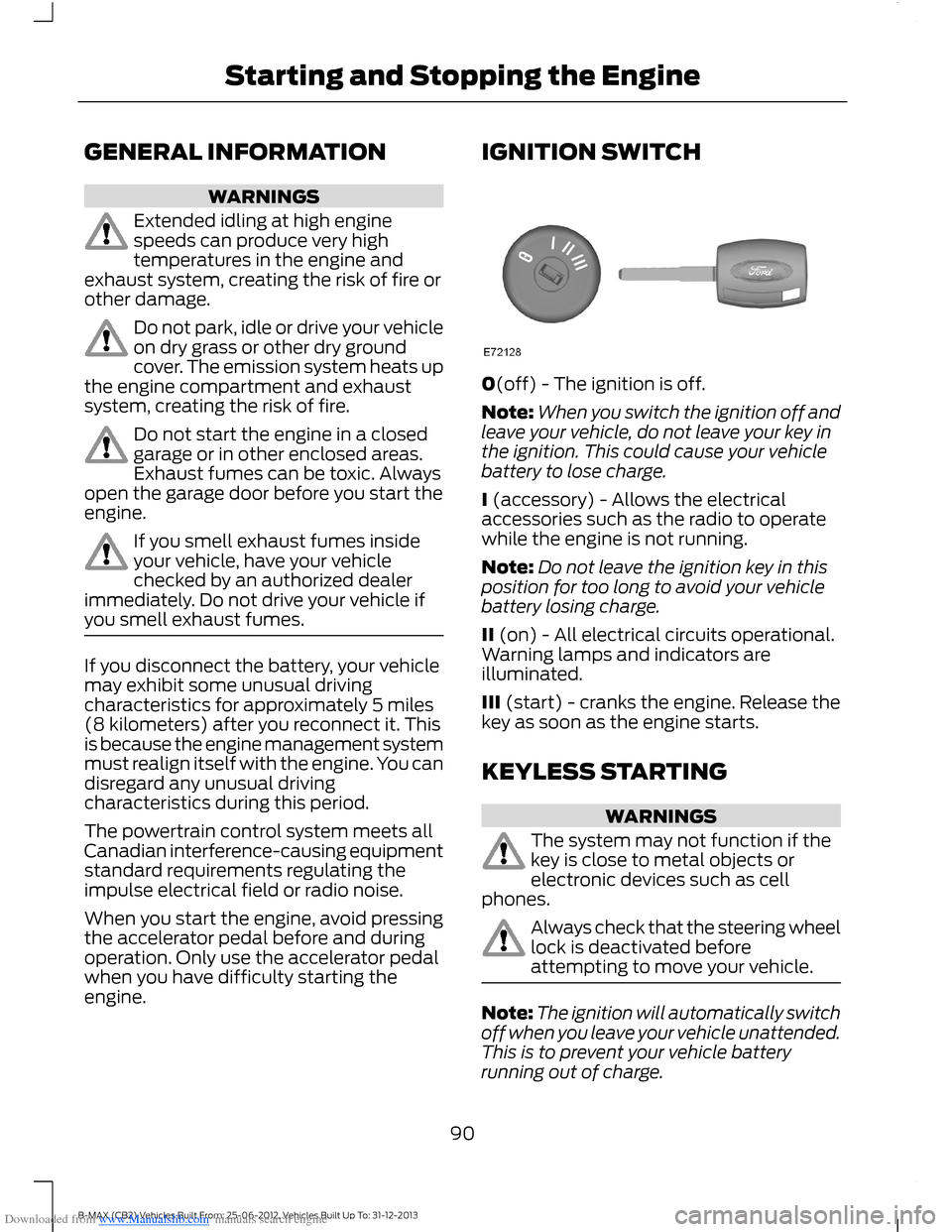
IGNITION SWITCH
0(off) - The ignition is off.
Note:When you switch the ignition off andleave your vehicle, do not leave your key inthe ignition. This could cause your vehiclebattery to lose charge.
I (accessory) - Allows the electricalaccessories such as the radio to operatewhile the engine is not running.
Note:Do not leave the ignition key in thisposition for too long to avoid your vehiclebattery losing charge.
II (on) - All electrical circuits operational.Warning lamps and indicators areilluminated.
III (start) - cranks the engine. Release thekey as soon as the engine starts.
KEYLESS STARTING
WARNINGS
The system may not function if thekey is close to metal objects orelectronic devices such as cellphones.
Always check that the steering wheellock is deactivated beforeattempting to move your vehicle.
Note:The ignition will automatically switchoff when you leave your vehicle unattended.This is to prevent your vehicle batteryrunning out of charge.
90B-MAX (CB2) Vehicles Built From: 25-06-2012, Vehicles Built Up To: 31-12-2013Starting and Stopping the Engine
Page 110 of 298
Downloaded from www.Manualslib.com manuals search engine Your vehicle comes with the systemalready enabled. If desired, you can disablethe feature: See General Information(page 63).
108B-MAX (CB2) Vehicles Built From: 25-06-2012, Vehicles Built Up To: 31-12-2013Transmission
Page 111 of 298
Downloaded from www.Manualslib.com manuals search engine GENERAL INFORMATION
WARNING
The system does not relieve you ofyour responsibility to drive with duecare and attention.
Note:Occasional brake noise is normal. Ifa metal-to-metal, continuous grinding orcontinuous squeal sound is present, thebrake linings may be worn-out. If the vehiclehas continuous vibration or shudder in thesteering wheel while braking, have yourvehicle checked by an authorized dealer.
Note:Brake dust may accumulate on thewheels, even under normal drivingconditions. Some dust is inevitable as thebrakes wear. See Cleaning the AlloyWheels (page 173).
Wet brakes result in reduced brakingefficiency. Gently press the brake pedal afew times when driving from a car wash orstanding water to dry the brakes.
Emergency Brake Assist
Emergency brake assist detects when youbrake heavily by measuring the rate atwhich you press the brake pedal. Itprovides maximum braking efficiency aslong as you press the pedal. Emergencybrake assist can reduce stopping distancesin critical situations.
Anti-lock Brake System
This system helps you maintain steeringcontrol and vehicle stability duringemergency stops by keeping the brakesfrom locking.
HINTS ON DRIVING WITH
ANTI-LOCK BRAKES
Note:When the system is operating, thebrake pedal will pulse and may travelfurther. Maintain pressure on the brakepedal. You may also hear a noise from thesystem. This is normal.
The anti-lock braking system will noteliminate the risks when:
•you drive too closely to the vehicle infront of you
•your vehicle is hydroplaning
•you take corners too fast
•the road surface is poor.
PARKING BRAKE
Vehicles With AutomaticTransmission
WARNING
Always set the parking brake fullyand leave your vehicle with thetransmission selector lever inposition P.
Note:If you park your vehicle on a hill andfacing uphill move the transmission selectorlever to position P and turn the steeringwheel away from the curb.
Note:If you park your vehicle on a hill andfacing downhill move the transmissionselector lever to position P and turn thesteering wheel toward the curb.
Vehicles With ManualTransmission
Note:If you park your vehicle on a hill andfacing uphill select first gear and turn thesteering wheel away from the curb.
109B-MAX (CB2) Vehicles Built From: 25-06-2012, Vehicles Built Up To: 31-12-2013Brakes
Page 113 of 298
Downloaded from www.Manualslib.com manuals search engine PRINCIPLE OF OPERATION
Electronic Stability Program
WARNING
The system does not relieve you ofyour responsibility to drive with duecare and attention. Failure to do socould result in loss of vehicle control,personal injury or death.
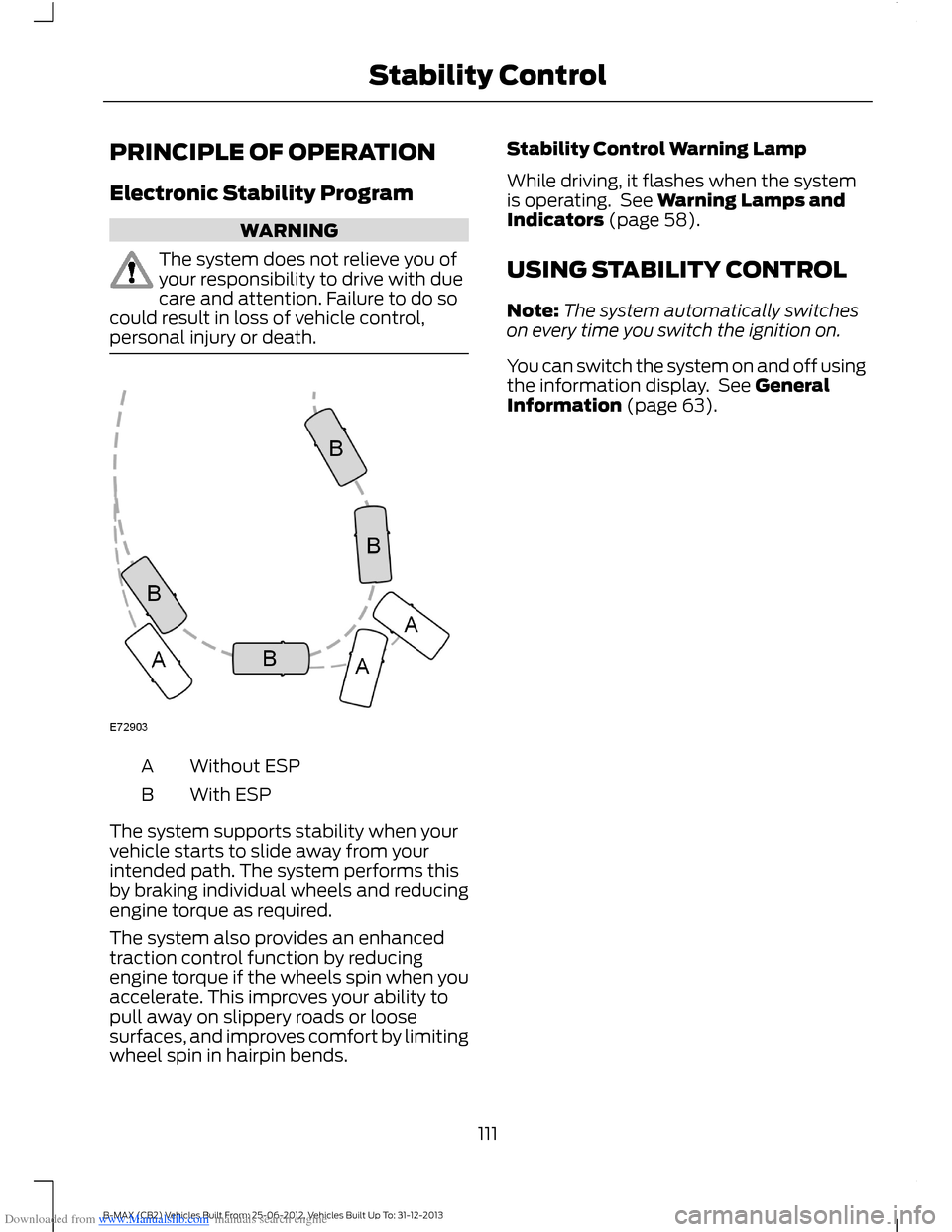
Without ESPA
With ESPB
The system supports stability when yourvehicle starts to slide away from yourintended path. The system performs thisby braking individual wheels and reducingengine torque as required.
The system also provides an enhancedtraction control function by reducingengine torque if the wheels spin when youaccelerate. This improves your ability topull away on slippery roads or loosesurfaces, and improves comfort by limitingwheel spin in hairpin bends.
Stability Control Warning Lamp
While driving, it flashes when the systemis operating. See Warning Lamps andIndicators (page 58).
USING STABILITY CONTROL
Note:The system automatically switcheson every time you switch the ignition on.
You can switch the system on and off usingthe information display. See GeneralInformation (page 63).
111B-MAX (CB2) Vehicles Built From: 25-06-2012, Vehicles Built Up To: 31-12-2013Stability Control
Page 121 of 298
Downloaded from www.Manualslib.com manuals search engine ACTIVE CITY STOP
General Information
WARNINGS
The system does not relieve you ofyour responsibility to drive with duecare and attention.
At all times you are responsible forcontrolling your vehicle, supervisingthe system and intervening ifrequired.
Never look directly into the sensorwith any type of object. There is a riskof eye injury.
If the sensor becomes blocked thesystem may not function.
To achieve full system performance,you must bed the braking system in.See Breaking-In (page 130).
The system performance may varydepending on your vehicle and roadconditions.
The system will not react to vehiclesdriving in a different direction.
The system will not react to bicycles,motorcycles, people or animals.
When the ignition is on the sensorwill constantly transmit a laserbeam.
The system will not operate duringharsh acceleration and steering.
In cold and severe weatherconditions the system may notfunction. Rain, snow, spray and icecan all influence the sensor.
Do not carry out windshield repairsin the immediate area surroundingthe sensor.
WARNINGS
If you install a windshield notapproved by us, the system may notfunction correctly.
If the engine stops after the systemhas been switched on, the hazardwarning flashers will turn on.
The system may not function whendriving around sharp curves.
Note:Keep the windshield free fromobstructions such as bird droppings, insects,snow or ice.
Note:Keep the hood free of ice and snow,otherwise the system may not functioncorrectly.
A sensor is mounted behind the interiorrear view mirror. It continuously monitorsconditions to decide when to intervene.
The system is designed to help you reducelow speed collisions into the rear ofanother vehicle. It will also help you reducethe impact damage or potentially avoidthe collision completely.
The system operates at speeds belowapproximately 19 mph (30 km/h) byapplying the brakes when the sensordetects that a collision is likely.
You must depress the brake pedal toobtain full braking force.
When the system is braking or hasautomatically applied the brakes, amessage will be shown in the informationdisplay.
Using Active City Stop
Switching the System Off and On
Note:The system automatically turns onevery time you switch the ignition on.
119B-MAX (CB2) Vehicles Built From: 25-06-2012, Vehicles Built Up To: 31-12-2013Driving Aids
Page 122 of 298
Downloaded from www.Manualslib.com manuals search engine In certain situations it is advisable todisable the system, for example:
•Driving off road when objects maycover the windshield.
•Driving through a car wash facility.
You can switch the system off and on usingthe information display. See GeneralInformation (page 63).
Active City Stop Relearning Procedure
Note:When you disconnect the battery, thesystem will go through a relearningprocedure. During this time the system willnot be available.
You must drive your vehicle above 31mph(50 km/h) in a straight line for theprocedure to complete. This proceduremay take several minutes.
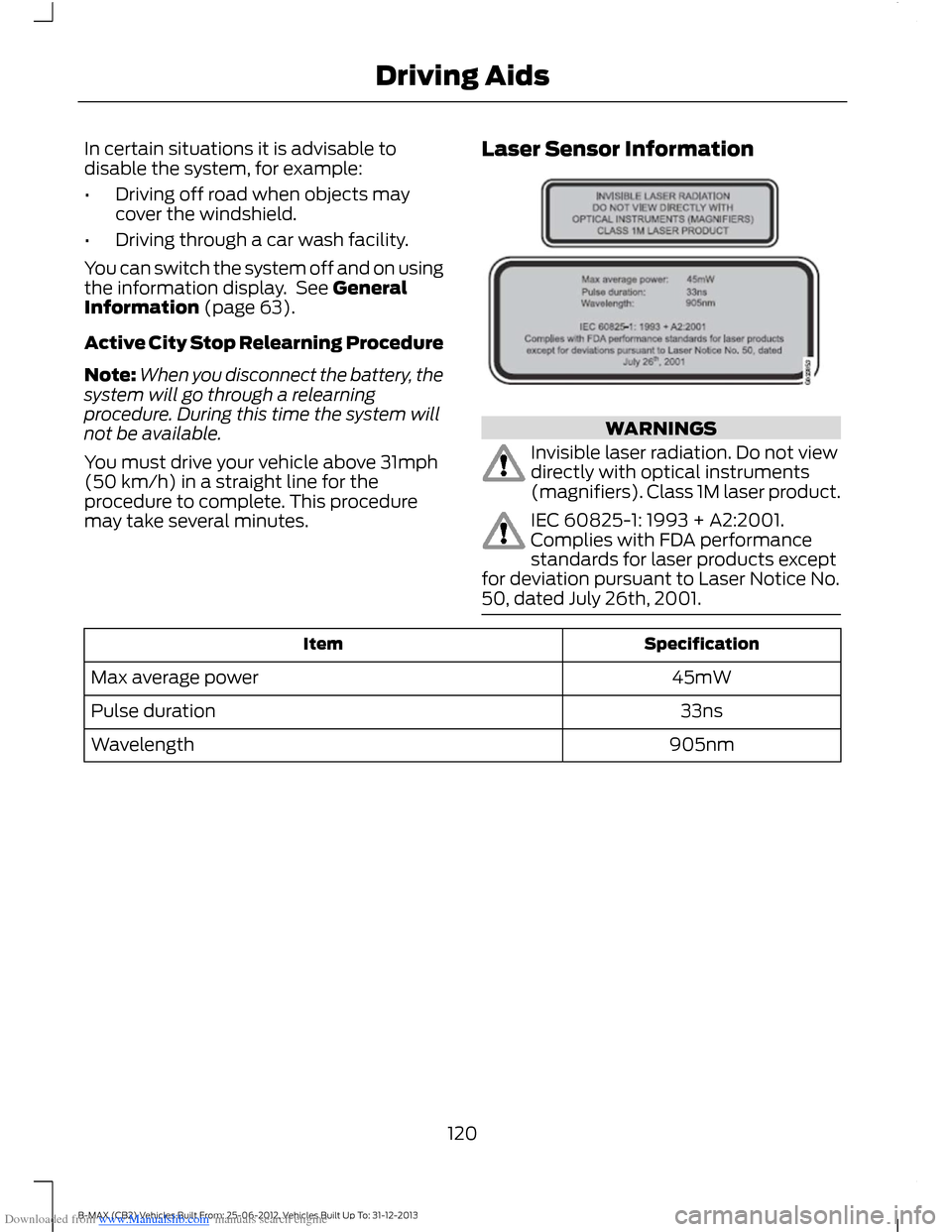
Laser Sensor Information
WARNINGS
Invisible laser radiation. Do not viewdirectly with optical instruments(magnifiers). Class 1M laser product.
IEC 60825-1: 1993 + A2:2001.Complies with FDA performancestandards for laser products exceptfor deviation pursuant to Laser Notice No.50, dated July 26th, 2001.
SpecificationItem
45mWMax average power
33nsPulse duration
905nmWavelength
120B-MAX (CB2) Vehicles Built From: 25-06-2012, Vehicles Built Up To: 31-12-2013Driving Aids
Page 123 of 298
Downloaded from www.Manualslib.com manuals search engine GENERAL INFORMATION
WARNINGS
Use load securing straps to anapproved standard, e.g. DIN.
Make sure that you secure all looseitems properly.
Place luggage and other loads as lowand as far forward as possible withinthe luggage or loadspace.
Do not drive with the liftgate or reardoor open. Exhaust fumes may enteryour vehicle.
Do not exceed the maximum frontand rear axle loads for your vehicle.See Vehicle Identification Plate(page 186).
Do not allow items to contact therear windows.
Note:When loading long objects in to yourvehicle, for example pipes, timber orfurniture be careful not to damage theinterior trim.
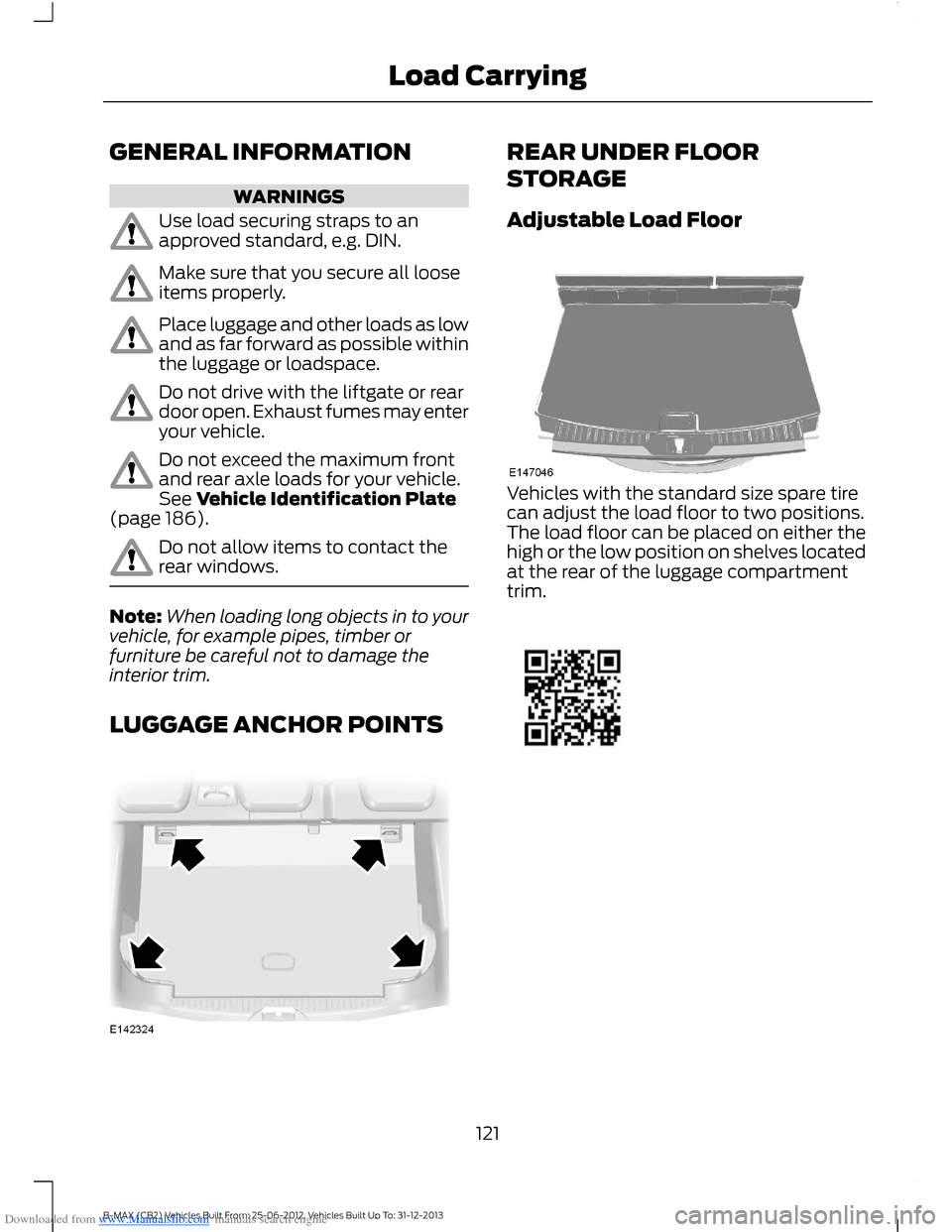
LUGGAGE ANCHOR POINTS
REAR UNDER FLOOR
STORAGE
Adjustable Load Floor
Vehicles with the standard size spare tirecan adjust the load floor to two positions.The load floor can be placed on either thehigh or the low position on shelves locatedat the rear of the luggage compartmenttrim.
121B-MAX (CB2) Vehicles Built From: 25-06-2012, Vehicles Built Up To: 31-12-2013Load Carrying