General Information FORD B MAX 2013 1.G Owner's Manual
[x] Cancel search | Manufacturer: FORD, Model Year: 2013, Model line: B MAX, Model: FORD B MAX 2013 1.GPages: 298, PDF Size: 20.63 MB
Page 154 of 298
Downloaded from www.Manualslib.com manuals search engine GENERAL INFORMATION
Have your vehicle serviced regularly to helpmaintain its roadworthiness and resalevalue. There is a large network of Fordauthorized repairers that are there to helpyou with their professional servicingexpertise. Authorized repairers are bestqualified to service your vehicle properlyand expertly, with a wide range of highlyspecialized tools.
In addition to regular servicing, werecommend that you carry out thefollowing checks.
WARNINGS
Switch the ignition off beforetouching or attempting adjustmentof any kind.
Do not touch the electronic ignitionsystem parts after you have switchedthe ignition on or when the engine isrunning. The system operates at highvoltage.
Keep your hands and clothing clearof the engine cooling fan. Undercertain conditions, the fan maycontinue to run for several minutes afteryou have switched the engine off.
Make sure that you fit filler capssecurely after carrying outmaintenance checks.
Daily Checks
•Exterior lamps.
•Interior lamps.
•Warning lamps and indicators.
Check When Refueling
•Engine oil level. See Engine Oil Check(page 157).
•Brake fluid level. See Brake andClutch Fluid Check (page 159).
•Washer fluid level. See Washer FluidCheck (page 159).
•Tire pressures (when cold). SeeTechnical Specifications (page 183).
•Tire condition. See Wheels and Tires(page 174).
Monthly Checks
•Engine coolant level (engine cold). SeeEngine Coolant Check (page 158).
•Pipes, hoses and reservoirs for leaks.
•Air conditioning operation.
•Parking brake operation.
•Horn operation.
•Tightness of lug nuts. See TechnicalSpecifications (page 183).
OPENING AND CLOSING THE
HOOD
Opening the Hood
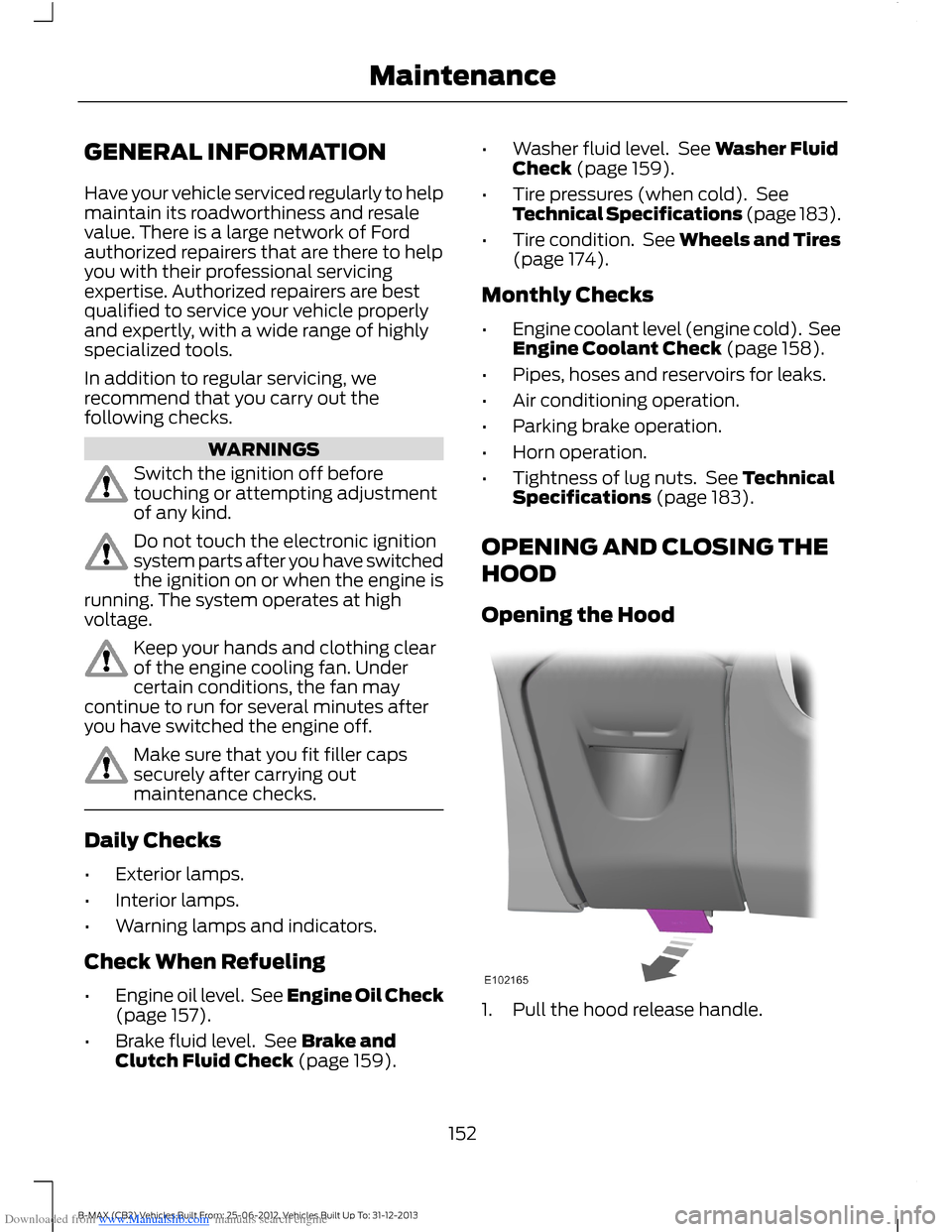
1.Pull the hood release handle.
152B-MAX (CB2) Vehicles Built From: 25-06-2012, Vehicles Built Up To: 31-12-2013Maintenance
Page 176 of 298
Downloaded from www.Manualslib.com manuals search engine GENERAL INFORMATION
A decal with tire pressure data is locatedin the driver’s door opening.
Check and set the tire pressure at theambient temperature in which you areintending to drive your vehicle and whenthe tires are cold.
Note:Check your tire pressures regularly tooptimize fuel economy.
Note:Use only approved wheel and tiresizes. Using other sizes could damage yourvehicle and will make the National TypeApproval invalid.
Note:If you change the diameter of the tiresfrom that fitted at the factory, thespeedometer may not display the correctspeed. Take your vehicle to an authorizeddealer to have the engine managementsystem reprogrammed.
Note:If you intend to change the size of thewheels from that fitted at the factory, checkthe suitability with an authorized dealer.
TEMPORARY MOBILITY KIT
Your vehicle may not have a spare tire.Therefore you will have a temporarymobility kit which will only repair onedamaged tire.
The kit is located in the spare wheel well.
General Information
WARNINGS
Depending on the type and extent oftire damage, some tires can only bepartially sealed or not sealed at all.Loss of tire pressure can affect vehiclehandling, leading to loss of vehicle control.
Do not use the kit on a previouslydamaged tire, for example when ithas been driven under inflated.
WARNINGS
Do not use the kit on run flat tires.
Do not try to seal damage to thetire’s sidewall.
The kit seals most tire punctures [with adiameter of up to ¼ inch (six millimeters)]to temporarily restore mobility.
You must observe the following rules whenusing the kit:
•Drive with caution and avoid makingsudden steering or driving manoeuvres,especially if your vehicle is heavilyladen or you are towing a trailer.
•The kit will provide you with anemergency temporary repair, enablingyou to continue your journey to the nextvehicle or tire dealer, or to drive amaximum distance of 125 miles(200 kilometers).
•Do not exceed a maximum speed of50 mph (80 km/h).
•Keep the kit out of the reach ofchildren.
•Only use the kit when the ambienttemperature is between -40°F(–40°C) and +158°F (+70°C).
Using the Kit
WARNINGS
Compressed air can act as anexplosive or propellant.
Never leave the kit unattended whilein use.
Do not keep the compressoroperating for more than 10 minutes.
You must only use the kit for thevehicle with which it was supplied.
174B-MAX (CB2) Vehicles Built From: 25-06-2012, Vehicles Built Up To: 31-12-2013Wheels and Tires
Page 192 of 298
Downloaded from www.Manualslib.com manuals search engine GENERAL INFORMATION
Radio Frequencies and Reception Factors
Radio reception factors
The further you travel away from an FM station, the weakerthe signal and the weaker the reception.Distance and Strength
Hills, mountains, tall buildings, bridges, tunnels, freewayoverpasses, parking garages, dense tree foliage andthunderstorms can interfere with the reception.
Terrain
When you pass near a radio transmission tower, a strongersignal can override a weaker signal and can cause interfer-ence in the audio system.
Station overload
CD and CD Player Information
Note:CD units play commercially pressed4.75-inch (12 centimeter) audio compactdiscs only. Due to technical incompatibility,certain recordable and re-recordablecompact discs may not function correctlywhen used in Ford CD players.
Note:Do not insert CDs with homemadepaper (adhesive) labels into the CD playeras the label may peel and cause the CD tobecome jammed. You should use apermanent felt tip marker rather thanadhesive labels on your homemade CDs.Ballpoint pens may damage CDs. Pleasecontact an authorized dealer for furtherinformation.
Note:Do not use any irregularly shapeddiscs or discs with a scratch protection filmattached.
Always handle discs by their edges only.Clean the disc with an approved CDcleaner only. Wipe it from the center of thedisc toward the edge. Do not clean in acircular motion.
Do not expose discs to direct sunlight orheat sources for extended periods.
MP3 and WMA Track and FolderStructure
Audio systems capable of recognizing andplaying MP3 and WMA individual tracksand folder structures work as follows:
•There are two different modes for MP3and WMA disc playback: MP3 andWMA track mode (system default) andMP3 and WMA folder mode.
•MP3 and WMA track mode ignores anyfolder structure on the MP3 and WMAdisc. The player numbers each MP3and WMA track on the disc (noted bythe .mp3 or .WMA file extension) fromT001 to a maximum of T255. Themaximum number of playable MP3 andWMA files may be less depending onthe structure of the CD and exactmodel of radio present.
190B-MAX (CB2) Vehicles Built From: 25-06-2012, Vehicles Built Up To: 31-12-2013Audio System
Page 201 of 298
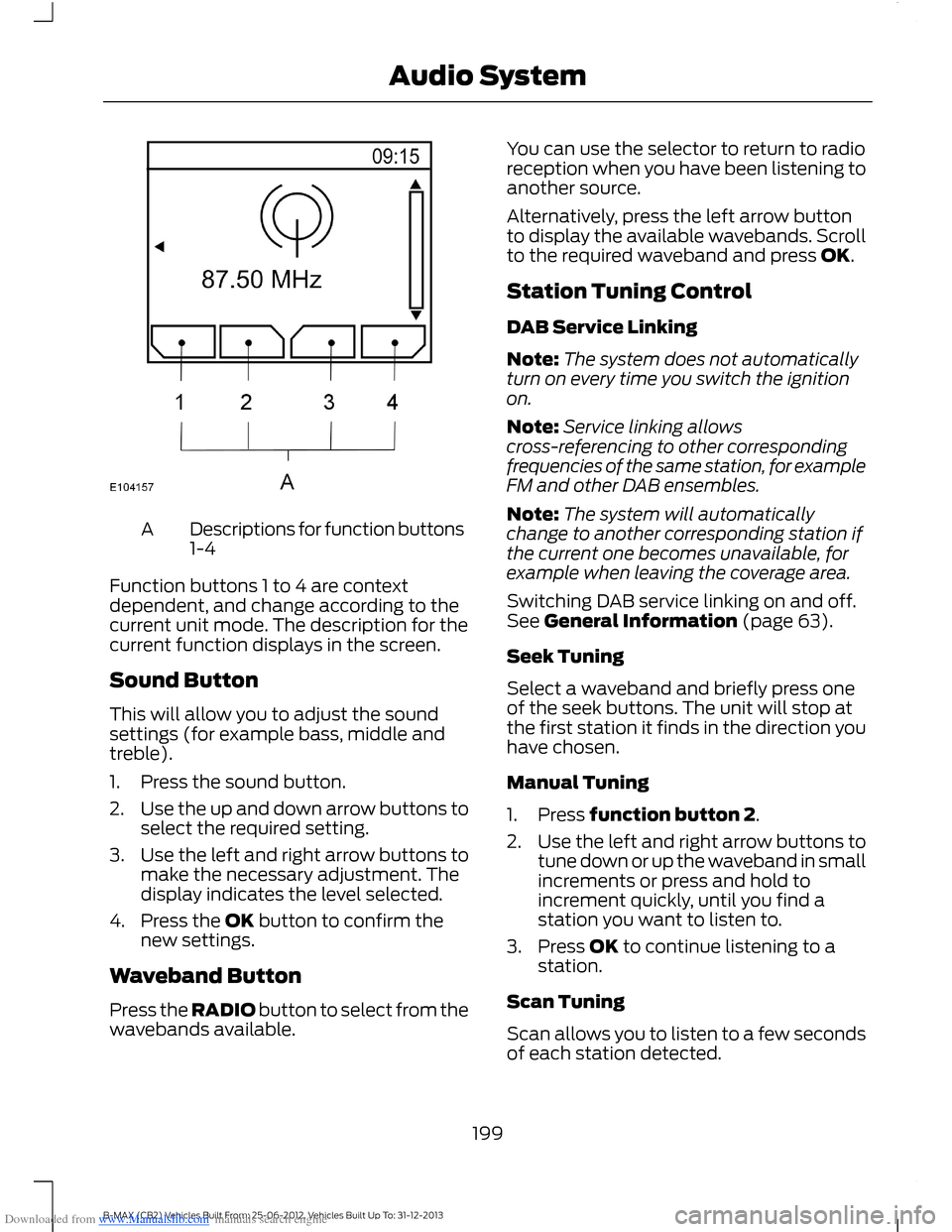
Downloaded from www.Manualslib.com manuals search engine Descriptions for function buttons1-4A
Function buttons 1 to 4 are contextdependent, and change according to thecurrent unit mode. The description for thecurrent function displays in the screen.
Sound Button
This will allow you to adjust the soundsettings (for example bass, middle andtreble).
1.Press the sound button.
2.Use the up and down arrow buttons toselect the required setting.
3.Use the left and right arrow buttons tomake the necessary adjustment. Thedisplay indicates the level selected.
4.Press the OK button to confirm thenew settings.
Waveband Button
Press the RADIO button to select from thewavebands available.
You can use the selector to return to radioreception when you have been listening toanother source.
Alternatively, press the left arrow buttonto display the available wavebands. Scrollto the required waveband and press OK.
Station Tuning Control
DAB Service Linking
Note:The system does not automaticallyturn on every time you switch the ignitionon.
Note:Service linking allowscross-referencing to other correspondingfrequencies of the same station, for exampleFM and other DAB ensembles.
Note:The system will automaticallychange to another corresponding station ifthe current one becomes unavailable, forexample when leaving the coverage area.
Switching DAB service linking on and off.See General Information (page 63).
Seek Tuning
Select a waveband and briefly press oneof the seek buttons. The unit will stop atthe first station it finds in the direction youhave chosen.
Manual Tuning
1.Press function button 2.
2.Use the left and right arrow buttons totune down or up the waveband in smallincrements or press and hold toincrement quickly, until you find astation you want to listen to.
3.Press OK to continue listening to astation.
Scan Tuning
Scan allows you to listen to a few secondsof each station detected.
199B-MAX (CB2) Vehicles Built From: 25-06-2012, Vehicles Built Up To: 31-12-2013Audio System
Page 212 of 298
Downloaded from www.Manualslib.com manuals search engine Seek down: Press the button to go to the next station down the radio frequencyband or the previous track on a CD, When in CD mode. In phone mode use thebutton to begin a phone call. An incoming phone call can be accepted.
V
RADIO: Press the button to select different radio bands, it will also cancel themenu or list browsing.W
CD: Press the button to change source to CD, it will also cancel the menu orlist browsing.X
Volume: Turn the dial to adjust the volume.Y
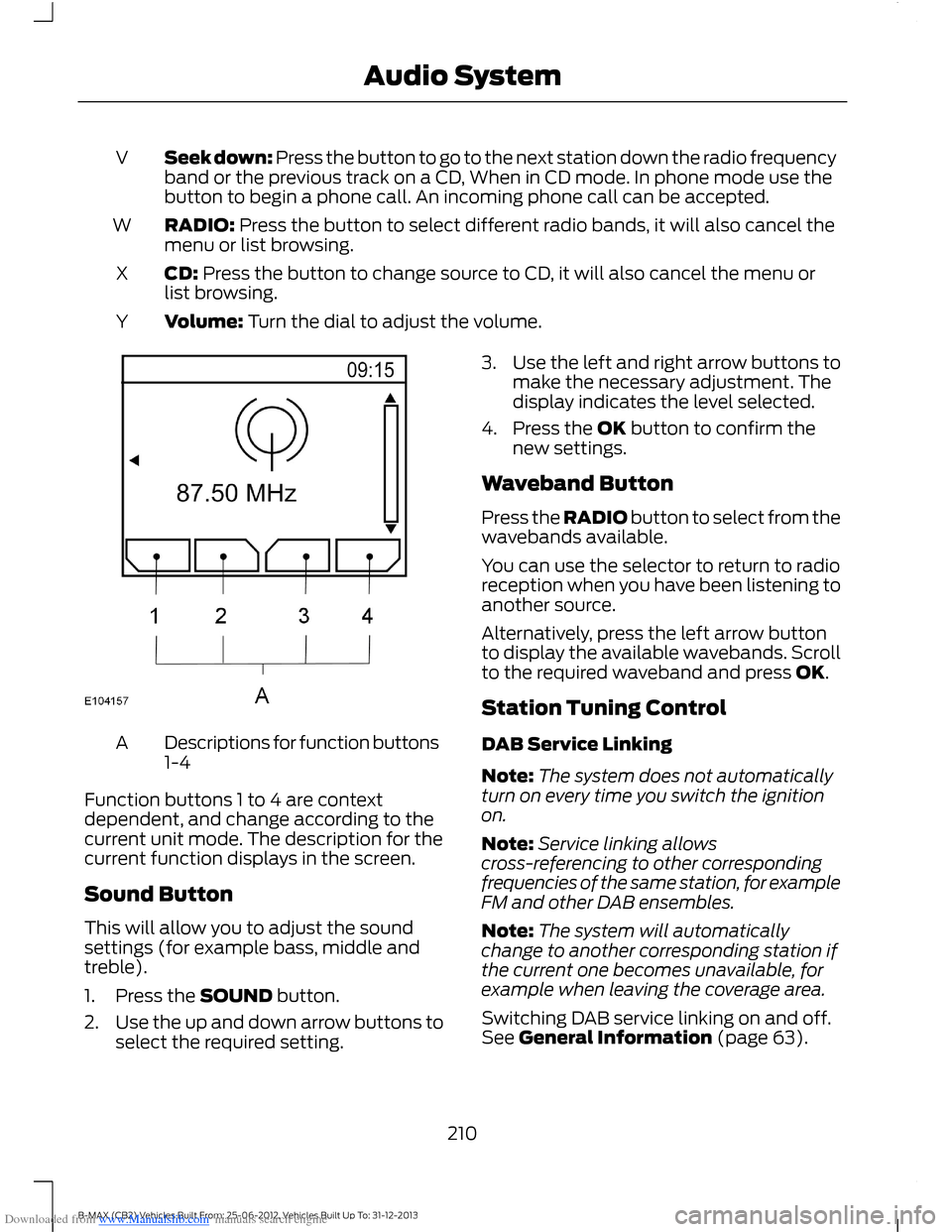
Descriptions for function buttons1-4A
Function buttons 1 to 4 are contextdependent, and change according to thecurrent unit mode. The description for thecurrent function displays in the screen.
Sound Button
This will allow you to adjust the soundsettings (for example bass, middle andtreble).
1.Press the SOUND button.
2.Use the up and down arrow buttons toselect the required setting.
3.Use the left and right arrow buttons tomake the necessary adjustment. Thedisplay indicates the level selected.
4.Press the OK button to confirm thenew settings.
Waveband Button
Press the RADIO button to select from thewavebands available.
You can use the selector to return to radioreception when you have been listening toanother source.
Alternatively, press the left arrow buttonto display the available wavebands. Scrollto the required waveband and press OK.
Station Tuning Control
DAB Service Linking
Note:The system does not automaticallyturn on every time you switch the ignitionon.
Note:Service linking allowscross-referencing to other correspondingfrequencies of the same station, for exampleFM and other DAB ensembles.
Note:The system will automaticallychange to another corresponding station ifthe current one becomes unavailable, forexample when leaving the coverage area.
Switching DAB service linking on and off.See General Information (page 63).
210B-MAX (CB2) Vehicles Built From: 25-06-2012, Vehicles Built Up To: 31-12-2013Audio System
Page 218 of 298
Downloaded from www.Manualslib.com manuals search engine Seek down: Press the button to go to the next station down the radio frequencyband or the previous track on a CD, when in CD mode. In phone mode use thebutton to begin a phone call. An incoming phone call can be accepted.
V
RADIO: Press the button to select different radio bands, it will also cancel themenu or list browsing.W
CD: Press the button to change source to CD, it will also cancel the menu orlist browsing.X
Volume: Turn the dial to adjust the volume.Y
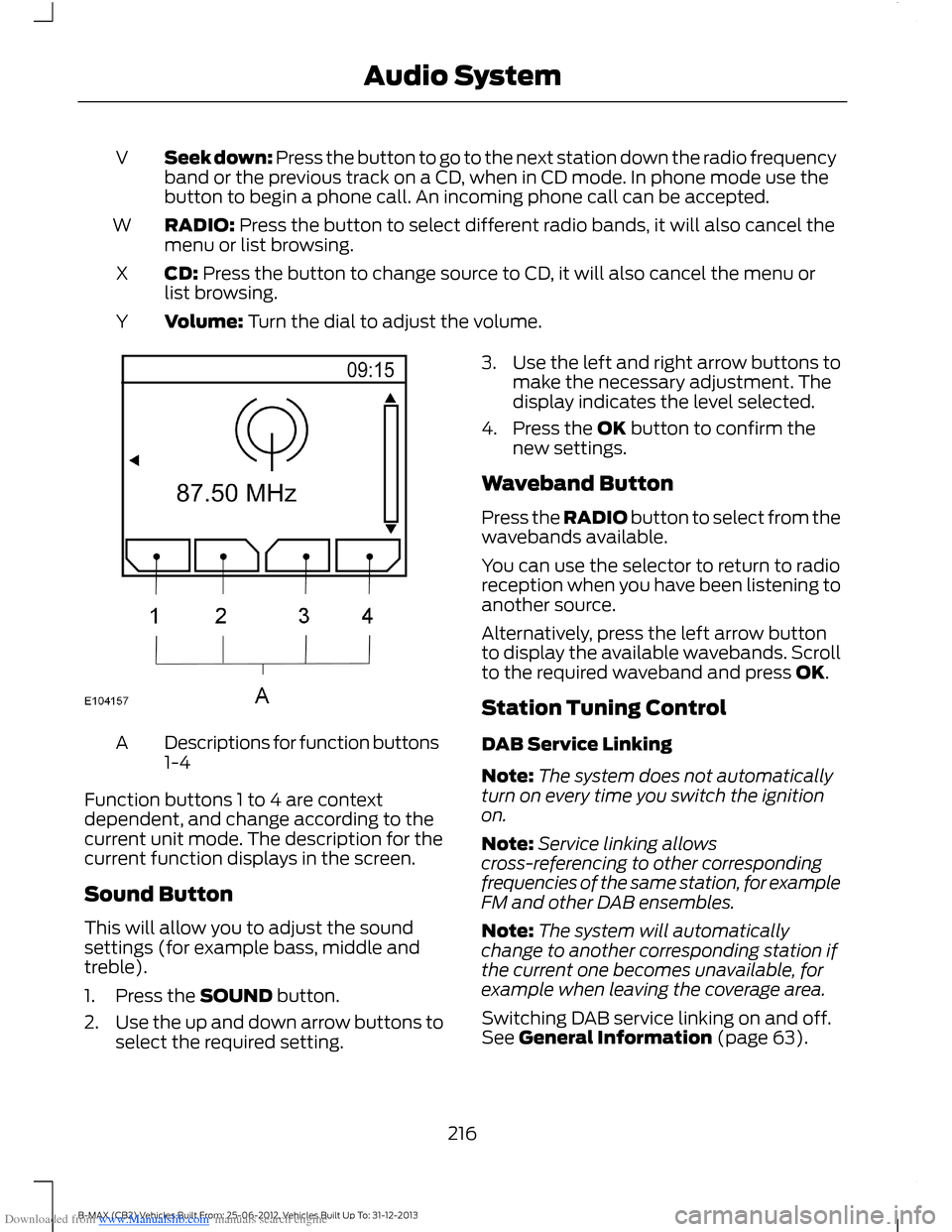
Descriptions for function buttons1-4A
Function buttons 1 to 4 are contextdependent, and change according to thecurrent unit mode. The description for thecurrent function displays in the screen.
Sound Button
This will allow you to adjust the soundsettings (for example bass, middle andtreble).
1.Press the SOUND button.
2.Use the up and down arrow buttons toselect the required setting.
3.Use the left and right arrow buttons tomake the necessary adjustment. Thedisplay indicates the level selected.
4.Press the OK button to confirm thenew settings.
Waveband Button
Press the RADIO button to select from thewavebands available.
You can use the selector to return to radioreception when you have been listening toanother source.
Alternatively, press the left arrow buttonto display the available wavebands. Scrollto the required waveband and press OK.
Station Tuning Control
DAB Service Linking
Note:The system does not automaticallyturn on every time you switch the ignitionon.
Note:Service linking allowscross-referencing to other correspondingfrequencies of the same station, for exampleFM and other DAB ensembles.
Note:The system will automaticallychange to another corresponding station ifthe current one becomes unavailable, forexample when leaving the coverage area.
Switching DAB service linking on and off.See General Information (page 63).
216B-MAX (CB2) Vehicles Built From: 25-06-2012, Vehicles Built Up To: 31-12-2013Audio System
Page 223 of 298
Downloaded from www.Manualslib.com manuals search engine Note:Radio stations stored on the presetbuttons may not always be available if youhave left the coverage area. The system willmute when this happens.
Radio Text
You can display extra information. Forexample; artist name. To switch this optionon, select a radio station and pressfunction button 3.
Note:Extra information may not always beavailable.
Service Linking
If you leave the coverage area of a DABradio station the system will automaticallyswitch to the corresponding FM radiostation.
You can switch this feature on and offusing the information display. See GeneralInformation (page 63).
Note:If a DAB radio station has nocorresponding FM radio station, the audiowill mute when attempting to switch.
Note:The system will display the FMsymbol when DAB and FM radio stationslink.
COMPACT DISC PLAYER -
VEHICLES WITH: AM/FM/CD
Compact Disc Playback
Note:During playback, the display indicatesthe disc, track and time that has elapsedsince the start of the track.
During radio reception, press the CD buttononce to start CD playback.
After a disc is loaded, playback will startimmediately.
Track Selection
•Press the seek down button once toreplay the current track. If pressedwithin two seconds of the start of atrack, the previous track will beselected.
•Press the up or down arrow buttons toselect the required track, then pressthe OK button.
Fast Forward and Reverse
Press and hold the seek down or upbuttons to search backward or forwardwithin the tracks on the disc.
Shuffle and Random
Random track playback, also known asshuffle, plays all tracks on the CD inrandom order.
1.Press the MENU button and select CDMODE.
2.Select SHUFFLE. This enables thefunction to be switched on or off.
When an MP3 CD is playing, optionsinclude SHUFFLE for the whole CD, or toplay all the tracks in the folder in a randomorder.
Repeat Compact Disc Tracks
1.Press the MENU button and select CDMODE.
2.Select REPEAT. This enables thefunction to be switched on or off. Thetrack will replay once ended.
When an MP3 or WMA CD is playing,options include REPEAT for the track, orto repeat all the tracks in the folder.
Compact Disc Track Scanning
The SCAN function allows you to previeweach track for approximately five seconds.
221B-MAX (CB2) Vehicles Built From: 25-06-2012, Vehicles Built Up To: 31-12-2013Audio System
Page 238 of 298
Downloaded from www.Manualslib.com manuals search engine Press the MENU button, select the navigation option and choose any of thefollowing options.
You CanWhen You Select
Set your route options.Route options
Customize the map display for your journey (for examplearrows on map, arrival times and map content).Map display
Customize display information for your journey (forexample signs, lanes and speed limits).Assistance options
Turn the hazard warning feature on or off.
Delete personal data (for example your home address).Personal data
Reset the navigation settings.Reset all settings
Storing Your Home Address
1.Press the NAV button.
2.Select the home address option.
3.Enter the required details using thearrow buttons.
4.Press the confirm function button.
Note:You can display the current homeaddress by pressing the information button.
Note:Your last destination willautomatically display if you go to changeyour home address.
Adding a Favorite
1.Press the NAV button.
2.Scroll to the destination input option.
3.Enter the required details using thearrow buttons.
4.Press the store function button.
Note:If you select store position, this willalso save the destination in your favorites.
Selecting a Favorite
1.Press the NAV button.
2.Select the favorites option.
3.Scroll to the required destination usingthe arrow buttons.
4.Press the OK button to startnavigation.
Adjusting the Navigation Voice Level
You can adjust the voice prompt levelduring an active voice prompt by using thevolume control.
Note:During active route guidance pressingthe information button will repeat the lastnavigation instruction.
Nav Audio Mixing
This feature allows you to adjust thevolume mix between the audio unit andnavigation voice level. See GeneralInformation (page 63).
Tolerant Destination Input
This function will search a number ofdestinations with a similar spelling to whatyou have entered. This is helpful if you areunsure on how to spell a destination.
1.Press the NAV button.
2.Scroll to the destination input option.
236B-MAX (CB2) Vehicles Built From: 25-06-2012, Vehicles Built Up To: 31-12-2013Navigation
Page 241 of 298
Downloaded from www.Manualslib.com manuals search engine GENERAL INFORMATION
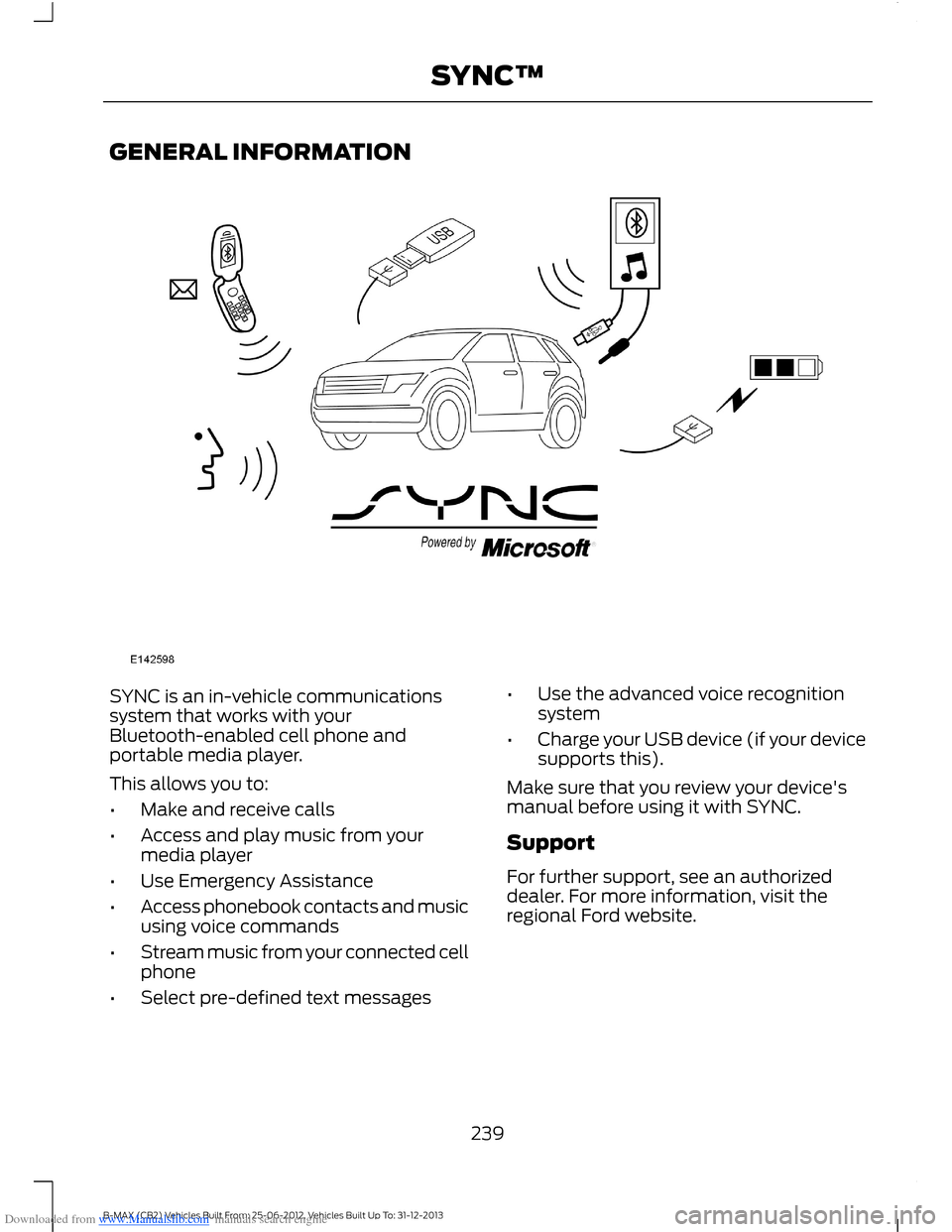
SYNC is an in-vehicle communicationssystem that works with yourBluetooth-enabled cell phone andportable media player.
This allows you to:
•Make and receive calls
•Access and play music from yourmedia player
•Use Emergency Assistance
•Access phonebook contacts and musicusing voice commands
•Stream music from your connected cellphone
•Select pre-defined text messages
•Use the advanced voice recognitionsystem
•Charge your USB device (if your devicesupports this).
Make sure that you review your device'smanual before using it with SYNC.
Support
For further support, see an authorizeddealer. For more information, visit theregional Ford website.
239B-MAX (CB2) Vehicles Built From: 25-06-2012, Vehicles Built Up To: 31-12-2013SYNC™
Page 242 of 298
Downloaded from www.Manualslib.com manuals search engine Safety Information
WARNING
Driving while distracted can result inloss of vehicle control, crash andinjury. We strongly recommend thatyou use extreme caution when using anydevice that may take your focus off theroad. Your primary responsibility is the safeoperation of your vehicle. We recommendagainst the use of any hand-held devicewhile driving and encourage the use ofvoice-operated systems when possible.Make sure you are aware of all applicablelocal laws that may affect the use ofelectronic devices while driving.
When using SYNC:
•Do not operate playing devices if thepower cords or cables are broken, splitor damaged. Carefully place cords andcables where you cannot step on themor they do not interfere with theoperation of pedals, seats,compartments or safe driving abilities.
•Do not leave playing devices in yourvehicle during extreme conditions as itcould cause them damage. Refer toyour device's manual for furtherinformation.
•Do not attempt to service or repair thesystem. See an authorized dealer.
Privacy Information
When a cell phone is connected to SYNC,the system creates a profile that is linkedto that cell phone. The system creates theprofile to offer you more mobile featuresand to operate more efficiently. Amongother things, this profile may contain dataabout your phonebook, text messages(read and unread) and call history. Thiswill include the history of calls when yourcell phone was not connected to thesystem. If you connect a media player, thesystem creates and retains an index of
supported media content. The system alsorecords a short development log ofapproximately 10 minutes of all recentsystem activity. The log profile and othersystem data may be used to improve thesystem and help diagnose any problemsthat may occur.
The cell phone profile, media player indexand development log will remain in thesystem unless deleted. They are generallyaccessible in your vehicle only when youconnect your cell phone or media player.If you no longer plan to use the system oryour vehicle, we recommend you completea master reset to erase all storedinformation. See Information Displays(page 63).
Special equipment is required to accesssystem data. Access to your vehicle'sSYNC module is also required. We will notaccess the system data for any purposeother than as described without consent.Examples where system data can beaccessed are for a court order, whererequired by law enforcement, othergovernment authorities or other thirdparties acting with lawful authority. Otherparties may seek to access the informationindependently of us. Further privacyinformation is available. See SYNC™Applications and Services (page 253).
USING VOICE RECOGNITION
This system helps you control manyfeatures using voice commands. Thisallows you to keep your hands on thesteering wheel and focus on what is aroundyou.
Helpful Hints
Make sure the interior of your vehicle is asquiet as possible. Wind noise from openwindows and road vibrations may preventthe system from correctly recognizingspoken commands.
240B-MAX (CB2) Vehicles Built From: 25-06-2012, Vehicles Built Up To: 31-12-2013SYNC™