lock FORD B MAX 2013 1.G Owner's Manual
[x] Cancel search | Manufacturer: FORD, Model Year: 2013, Model line: B MAX, Model: FORD B MAX 2013 1.GPages: 298, PDF Size: 20.63 MB
Page 44 of 298
Downloaded from www.Manualslib.com manuals search engine ADJUSTING THE STEERING
WHEEL
WARNING
Do not adjust the steering wheelwhen your vehicle is moving.
Note:Make sure that you are sitting in thecorrect position. See Sitting in the CorrectPosition (page 83).
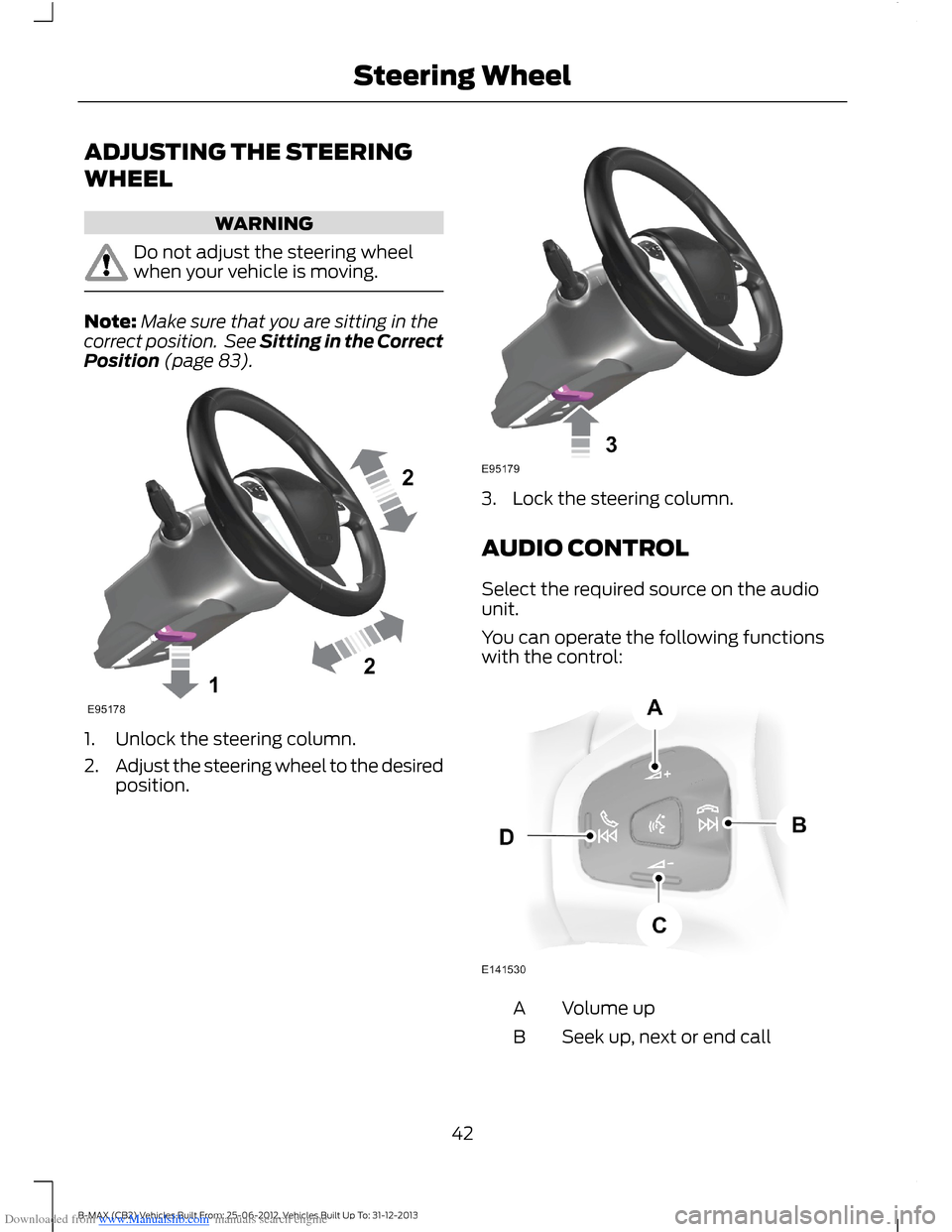
1.Unlock the steering column.
2.Adjust the steering wheel to the desiredposition.
3.Lock the steering column.
AUDIO CONTROL
Select the required source on the audiounit.
You can operate the following functionswith the control:
Volume upA
Seek up, next or end callB
42B-MAX (CB2) Vehicles Built From: 25-06-2012, Vehicles Built Up To: 31-12-2013Steering Wheel
Page 53 of 298
Downloaded from www.Manualslib.com manuals search engine Recommended Headlamp Leveling Switch Positions
Switch positionLoad in luggagecompartmentLoad
Second row seatsFront seats
0--1-2
1.5-32
2.5Max132
3.5Max1-1
1 See Vehicle Identification Plate (page 186).
DIRECTION INDICATORS
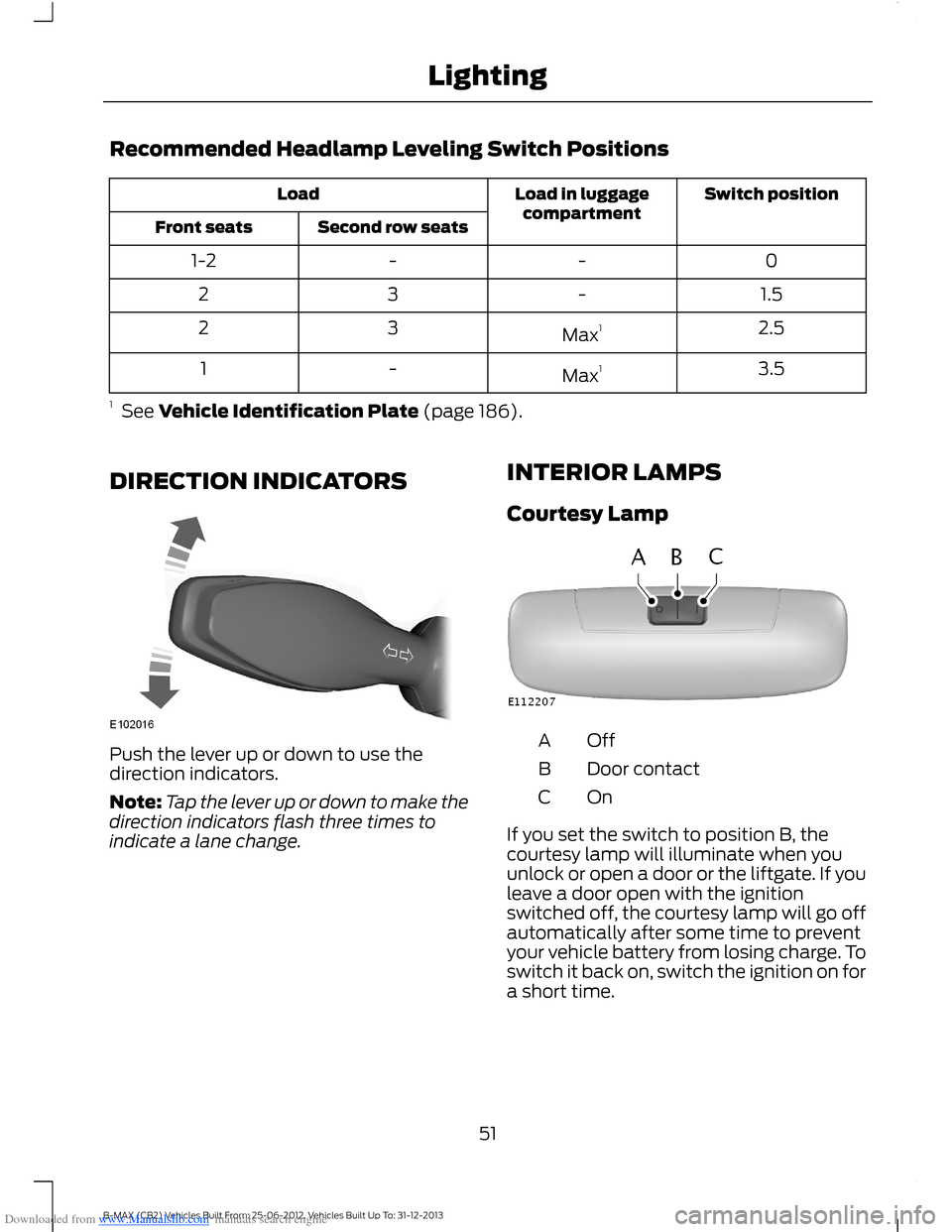
Push the lever up or down to use thedirection indicators.
Note:Tap the lever up or down to make thedirection indicators flash three times toindicate a lane change.
INTERIOR LAMPS
Courtesy Lamp
OffA
Door contactB
OnC
If you set the switch to position B, thecourtesy lamp will illuminate when youunlock or open a door or the liftgate. If youleave a door open with the ignitionswitched off, the courtesy lamp will go offautomatically after some time to preventyour vehicle battery from losing charge. Toswitch it back on, switch the ignition on fora short time.
51B-MAX (CB2) Vehicles Built From: 25-06-2012, Vehicles Built Up To: 31-12-2013Lighting
Page 55 of 298
Downloaded from www.Manualslib.com manuals search engine POWER WINDOWS
WARNINGS
Do not leave children unattended inyour vehicle and do not let them playwith the power windows. They mayseriously injure themselves.
When closing the power windows,you should verify they are free ofobstructions and make sure thatchildren and pets are not in the proximityof the window openings.
Note:You may hear a pulsing noise whenjust one of the windows is open. Lower theopposite window slightly to reduce thisnoise.
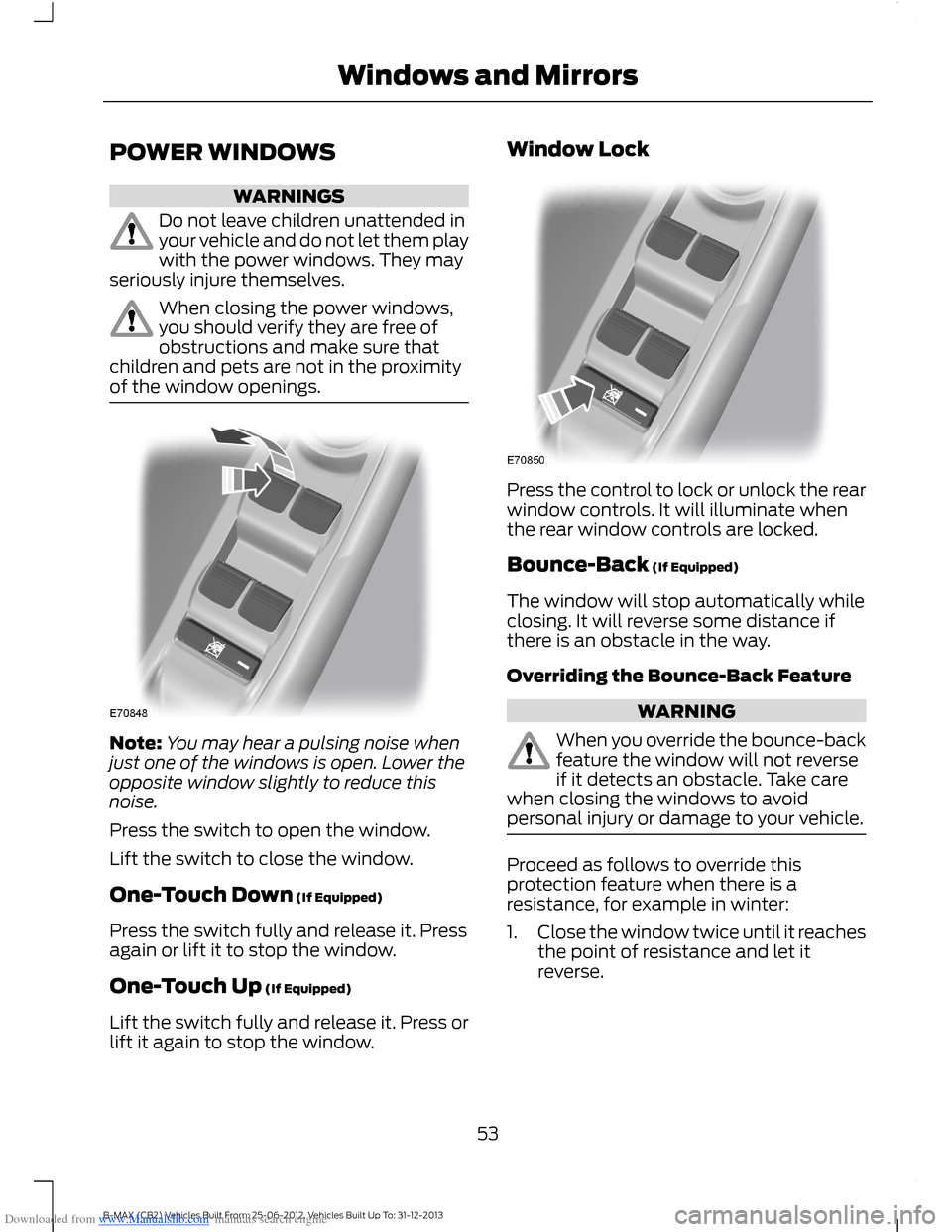
Press the switch to open the window.
Lift the switch to close the window.
One-Touch Down (If Equipped)
Press the switch fully and release it. Pressagain or lift it to stop the window.
One-Touch Up (If Equipped)
Lift the switch fully and release it. Press orlift it again to stop the window.
Window Lock
Press the control to lock or unlock the rearwindow controls. It will illuminate whenthe rear window controls are locked.
Bounce-Back (If Equipped)
The window will stop automatically whileclosing. It will reverse some distance ifthere is an obstacle in the way.
Overriding the Bounce-Back Feature
WARNING
When you override the bounce-backfeature the window will not reverseif it detects an obstacle. Take carewhen closing the windows to avoidpersonal injury or damage to your vehicle.
Proceed as follows to override thisprotection feature when there is aresistance, for example in winter:
1.Close the window twice until it reachesthe point of resistance and let itreverse.
53B-MAX (CB2) Vehicles Built From: 25-06-2012, Vehicles Built Up To: 31-12-2013Windows and Mirrors
Page 57 of 298
Downloaded from www.Manualslib.com manuals search engine The mirrors will fold automatically whenyou lock your vehicle with the key, theremote control or a keyless entry systemrequest. The mirrors will unfold when youunlock your vehicle with the key, theremote control, a keyless entry systemrequest, the driver's interior door handle orstarting the engine.
Manual Folding and Unfolding
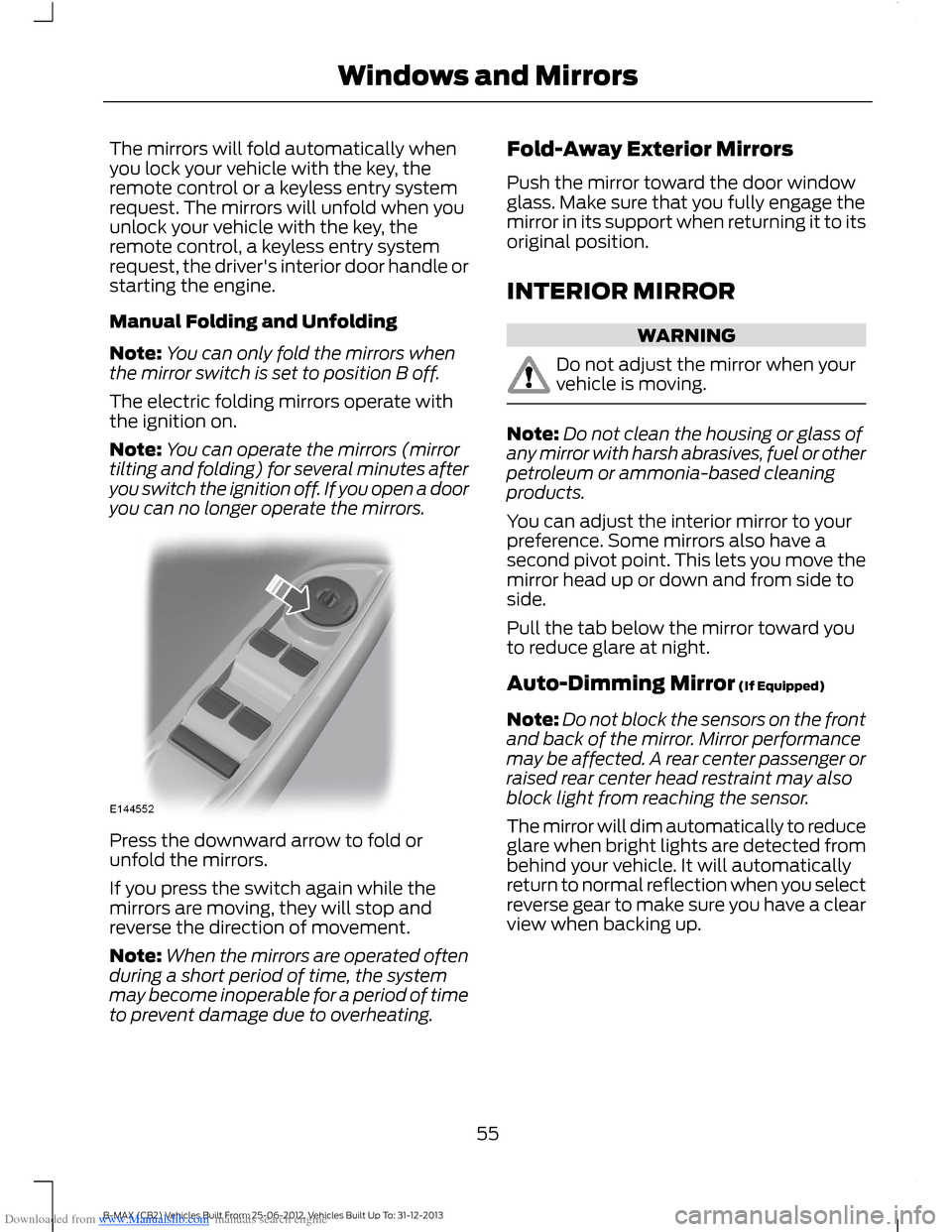
Note:You can only fold the mirrors whenthe mirror switch is set to position B off.
The electric folding mirrors operate withthe ignition on.
Note:You can operate the mirrors (mirrortilting and folding) for several minutes afteryou switch the ignition off. If you open a dooryou can no longer operate the mirrors.
Press the downward arrow to fold orunfold the mirrors.
If you press the switch again while themirrors are moving, they will stop andreverse the direction of movement.
Note:When the mirrors are operated oftenduring a short period of time, the systemmay become inoperable for a period of timeto prevent damage due to overheating.
Fold-Away Exterior Mirrors
Push the mirror toward the door windowglass. Make sure that you fully engage themirror in its support when returning it to itsoriginal position.
INTERIOR MIRROR
WARNING
Do not adjust the mirror when yourvehicle is moving.
Note:Do not clean the housing or glass ofany mirror with harsh abrasives, fuel or otherpetroleum or ammonia-based cleaningproducts.
You can adjust the interior mirror to yourpreference. Some mirrors also have asecond pivot point. This lets you move themirror head up or down and from side toside.
Pull the tab below the mirror toward youto reduce glare at night.
Auto-Dimming Mirror (If Equipped)
Note:Do not block the sensors on the frontand back of the mirror. Mirror performancemay be affected. A rear center passenger orraised rear center head restraint may alsoblock light from reaching the sensor.
The mirror will dim automatically to reduceglare when bright lights are detected frombehind your vehicle. It will automaticallyreturn to normal reflection when you selectreverse gear to make sure you have a clearview when backing up.
55B-MAX (CB2) Vehicles Built From: 25-06-2012, Vehicles Built Up To: 31-12-2013Windows and Mirrors
Page 58 of 298
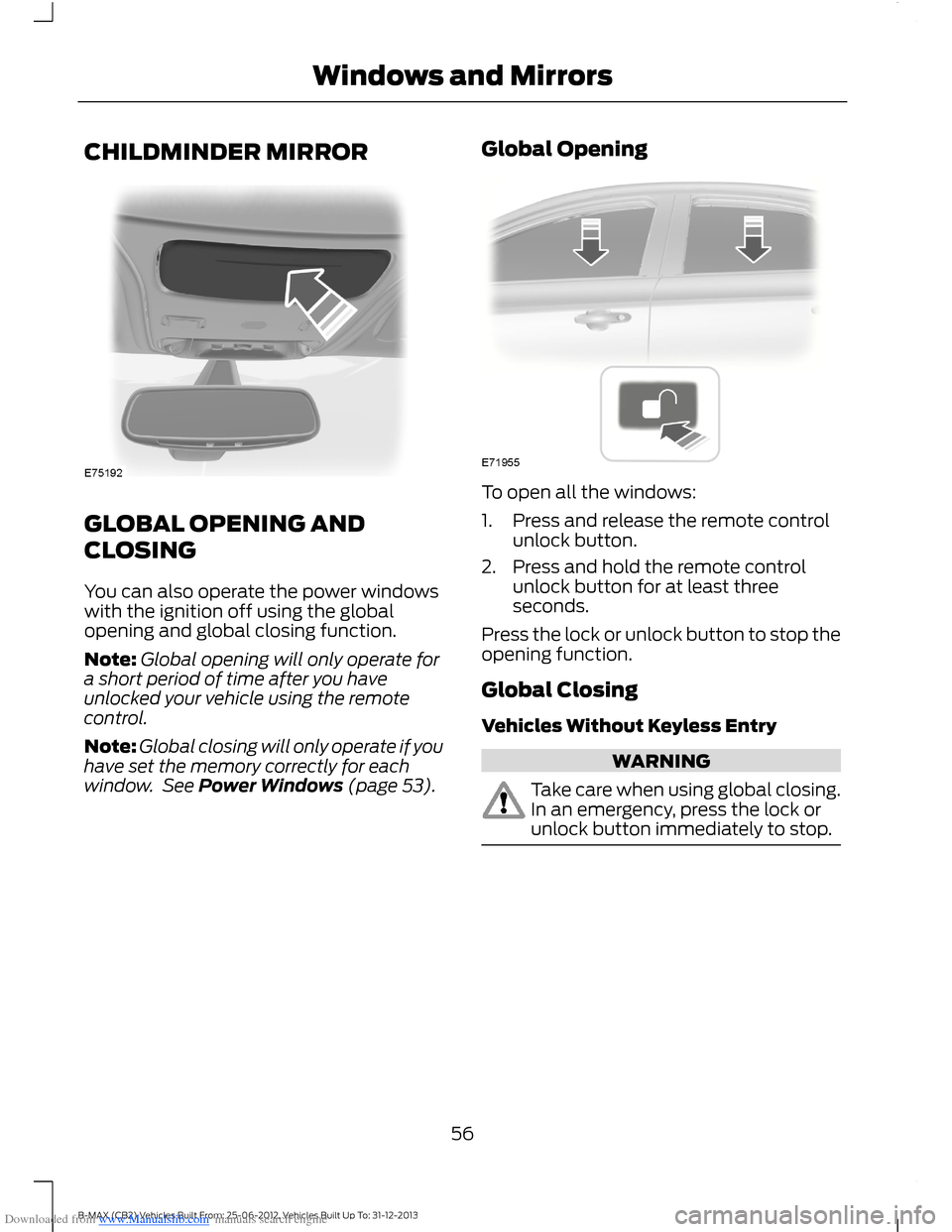
Downloaded from www.Manualslib.com manuals search engine CHILDMINDER MIRROR
GLOBAL OPENING AND
CLOSING
You can also operate the power windowswith the ignition off using the globalopening and global closing function.
Note:Global opening will only operate fora short period of time after you haveunlocked your vehicle using the remotecontrol.
Note:Global closing will only operate if youhave set the memory correctly for eachwindow. See Power Windows (page 53).
Global Opening
To open all the windows:
1.Press and release the remote controlunlock button.
2.Press and hold the remote controlunlock button for at least threeseconds.
Press the lock or unlock button to stop theopening function.
Global Closing
Vehicles Without Keyless Entry
WARNING
Take care when using global closing.In an emergency, press the lock orunlock button immediately to stop.
56B-MAX (CB2) Vehicles Built From: 25-06-2012, Vehicles Built Up To: 31-12-2013Windows and Mirrors
Page 59 of 298
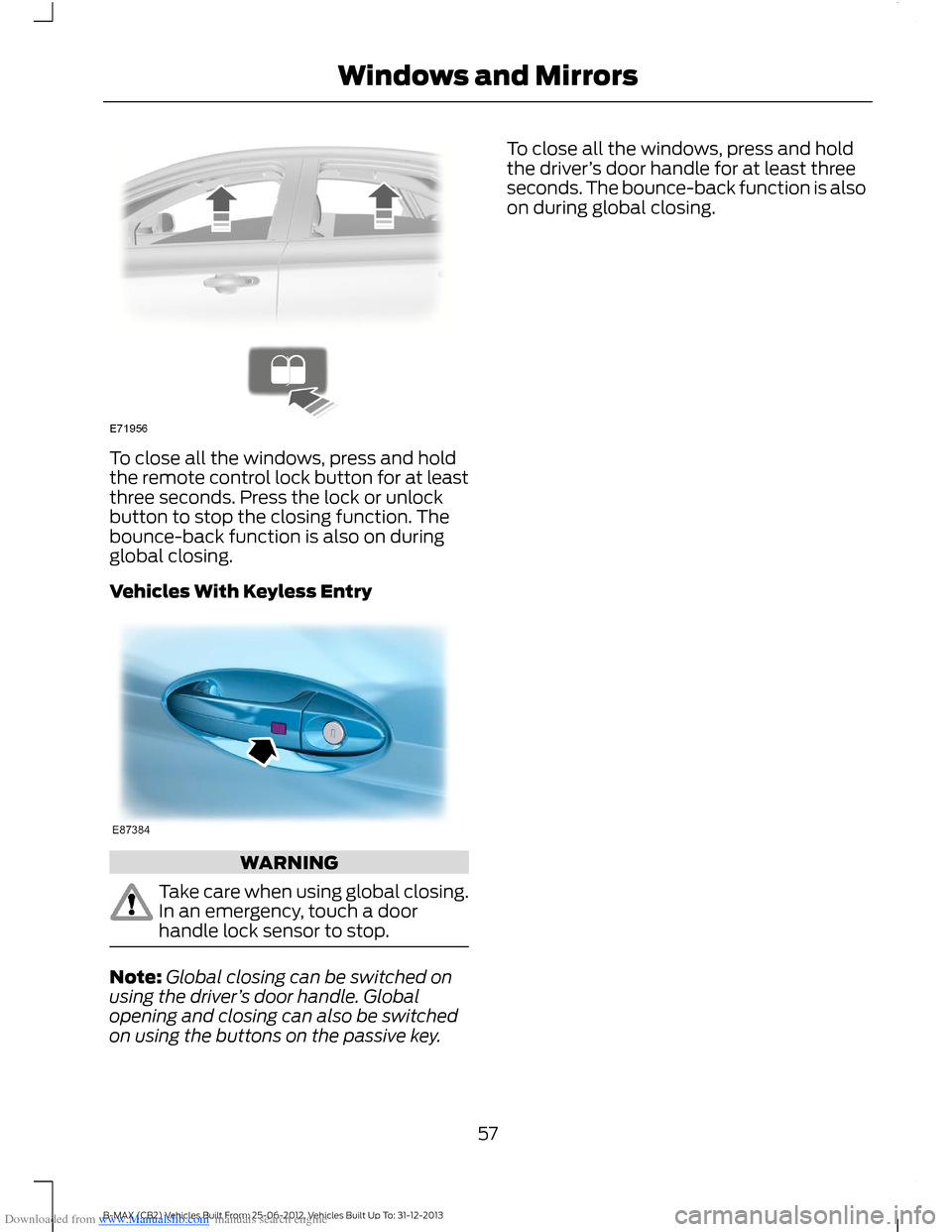
Downloaded from www.Manualslib.com manuals search engine To close all the windows, press and holdthe remote control lock button for at leastthree seconds. Press the lock or unlockbutton to stop the closing function. Thebounce-back function is also on duringglobal closing.
Vehicles With Keyless Entry
WARNING
Take care when using global closing.In an emergency, touch a doorhandle lock sensor to stop.
Note:Global closing can be switched onusing the driver’s door handle. Globalopening and closing can also be switchedon using the buttons on the passive key.
To close all the windows, press and holdthe driver’s door handle for at least threeseconds. The bounce-back function is alsoon during global closing.
57B-MAX (CB2) Vehicles Built From: 25-06-2012, Vehicles Built Up To: 31-12-2013Windows and Mirrors
Page 60 of 298
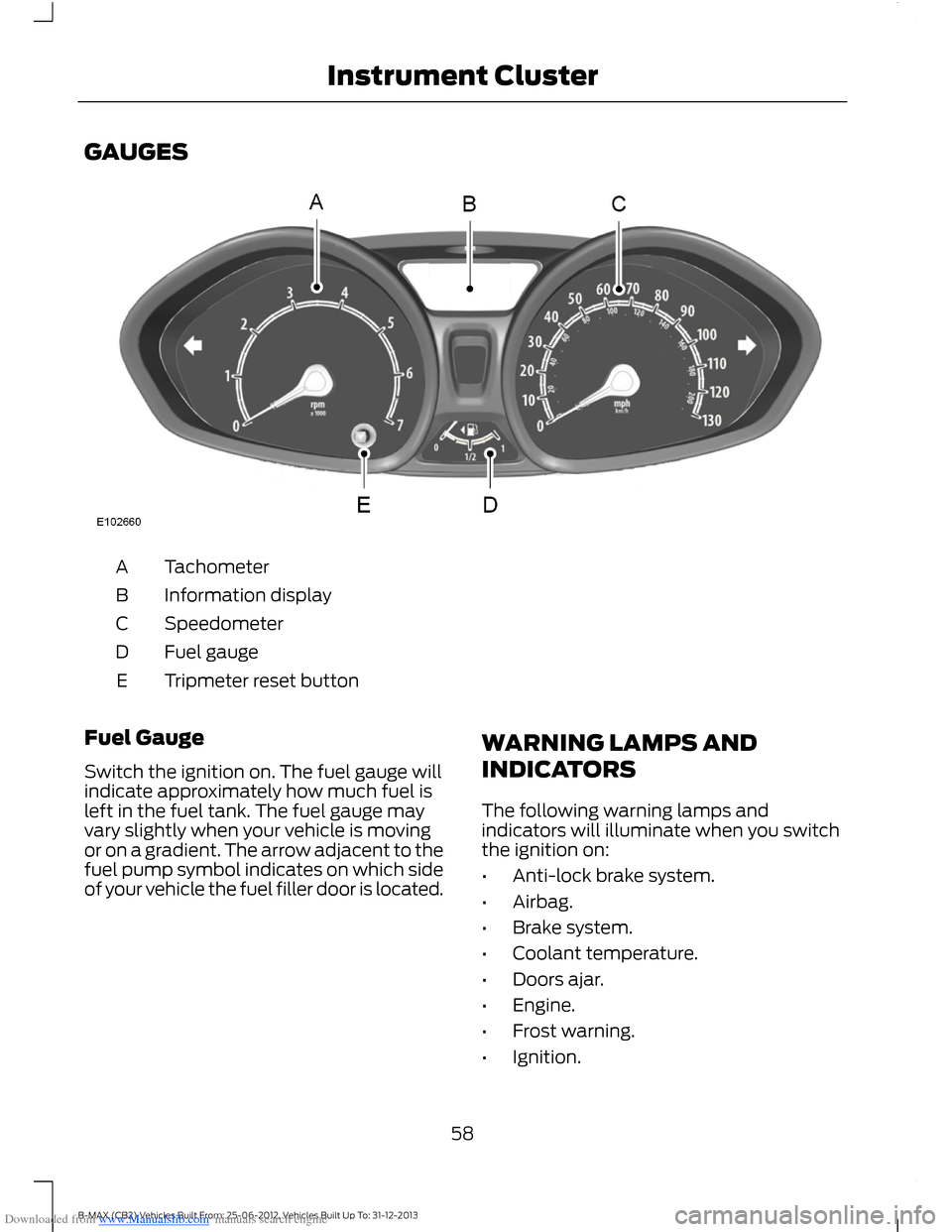
Downloaded from www.Manualslib.com manuals search engine GAUGES
TachometerA
Information displayB
SpeedometerC
Fuel gaugeD
Tripmeter reset buttonE
Fuel Gauge
Switch the ignition on. The fuel gauge willindicate approximately how much fuel isleft in the fuel tank. The fuel gauge mayvary slightly when your vehicle is movingor on a gradient. The arrow adjacent to thefuel pump symbol indicates on which sideof your vehicle the fuel filler door is located.
WARNING LAMPS AND
INDICATORS
The following warning lamps andindicators will illuminate when you switchthe ignition on:
•Anti-lock brake system.
•Airbag.
•Brake system.
•Coolant temperature.
•Doors ajar.
•Engine.
•Frost warning.
•Ignition.
58B-MAX (CB2) Vehicles Built From: 25-06-2012, Vehicles Built Up To: 31-12-2013Instrument Cluster
Page 61 of 298
Downloaded from www.Manualslib.com manuals search engine •Oil pressure.
•Power steering.
•Stability control.
When a warning lamp or indicator does notilluminate once you have switched theignition on, it indicates a malfunction. Havethe system checked by an authorizeddealer.
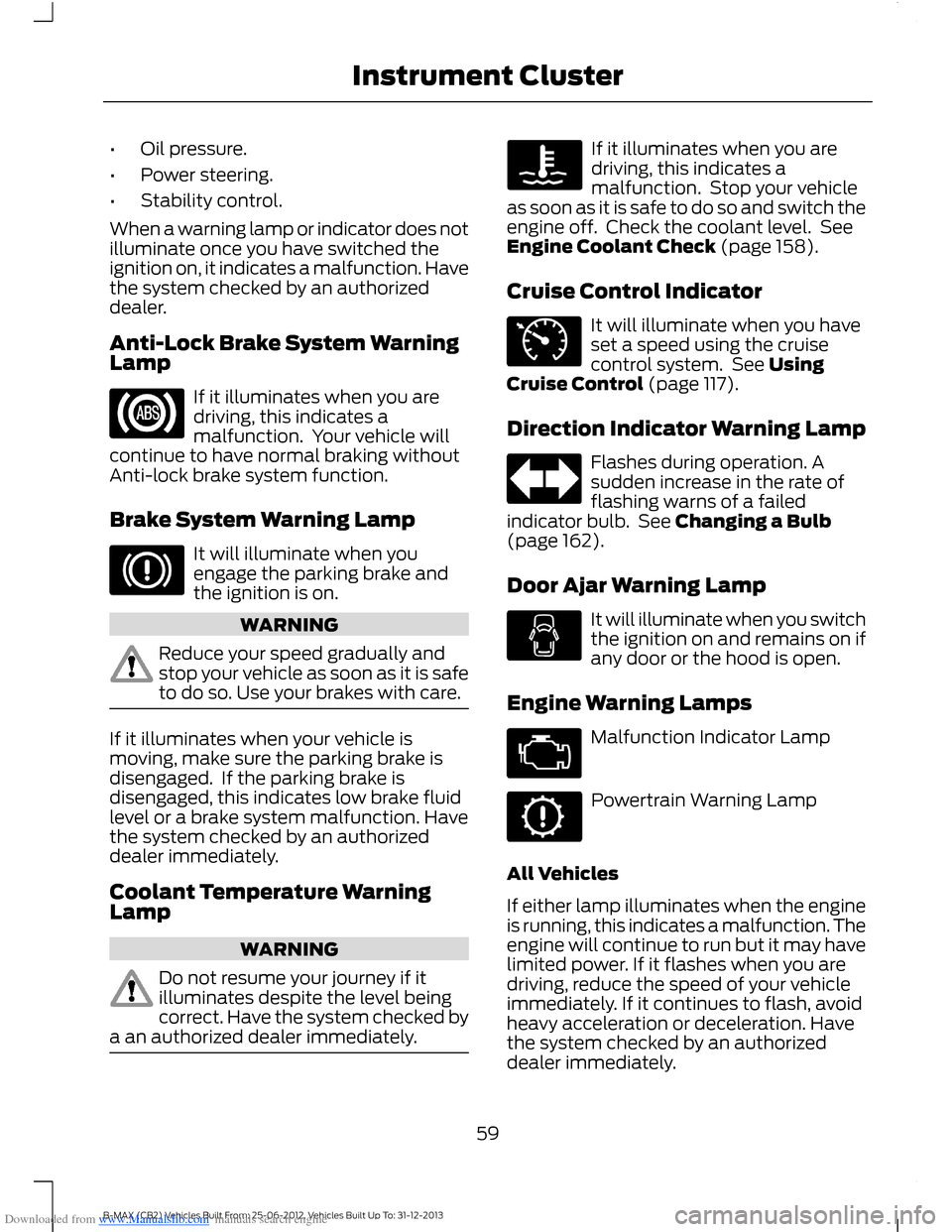
Anti-Lock Brake System WarningLamp
If it illuminates when you aredriving, this indicates amalfunction. Your vehicle willcontinue to have normal braking withoutAnti-lock brake system function.
Brake System Warning Lamp
It will illuminate when youengage the parking brake andthe ignition is on.
WARNING
Reduce your speed gradually andstop your vehicle as soon as it is safeto do so. Use your brakes with care.
If it illuminates when your vehicle ismoving, make sure the parking brake isdisengaged. If the parking brake isdisengaged, this indicates low brake fluidlevel or a brake system malfunction. Havethe system checked by an authorizeddealer immediately.
Coolant Temperature WarningLamp
WARNING
Do not resume your journey if itilluminates despite the level beingcorrect. Have the system checked bya an authorized dealer immediately.
If it illuminates when you aredriving, this indicates amalfunction. Stop your vehicleas soon as it is safe to do so and switch theengine off. Check the coolant level. SeeEngine Coolant Check (page 158).
Cruise Control Indicator
It will illuminate when you haveset a speed using the cruisecontrol system. See UsingCruise Control (page 117).
Direction Indicator Warning Lamp
Flashes during operation. Asudden increase in the rate offlashing warns of a failedindicator bulb. See Changing a Bulb(page 162).
Door Ajar Warning Lamp
It will illuminate when you switchthe ignition on and remains on ifany door or the hood is open.
Engine Warning Lamps
Malfunction Indicator Lamp
Powertrain Warning Lamp
All Vehicles
If either lamp illuminates when the engineis running, this indicates a malfunction. Theengine will continue to run but it may havelimited power. If it flashes when you aredriving, reduce the speed of your vehicleimmediately. If it continues to flash, avoidheavy acceleration or deceleration. Havethe system checked by an authorizeddealer immediately.
59B-MAX (CB2) Vehicles Built From: 25-06-2012, Vehicles Built Up To: 31-12-2013Instrument Cluster
Page 67 of 298
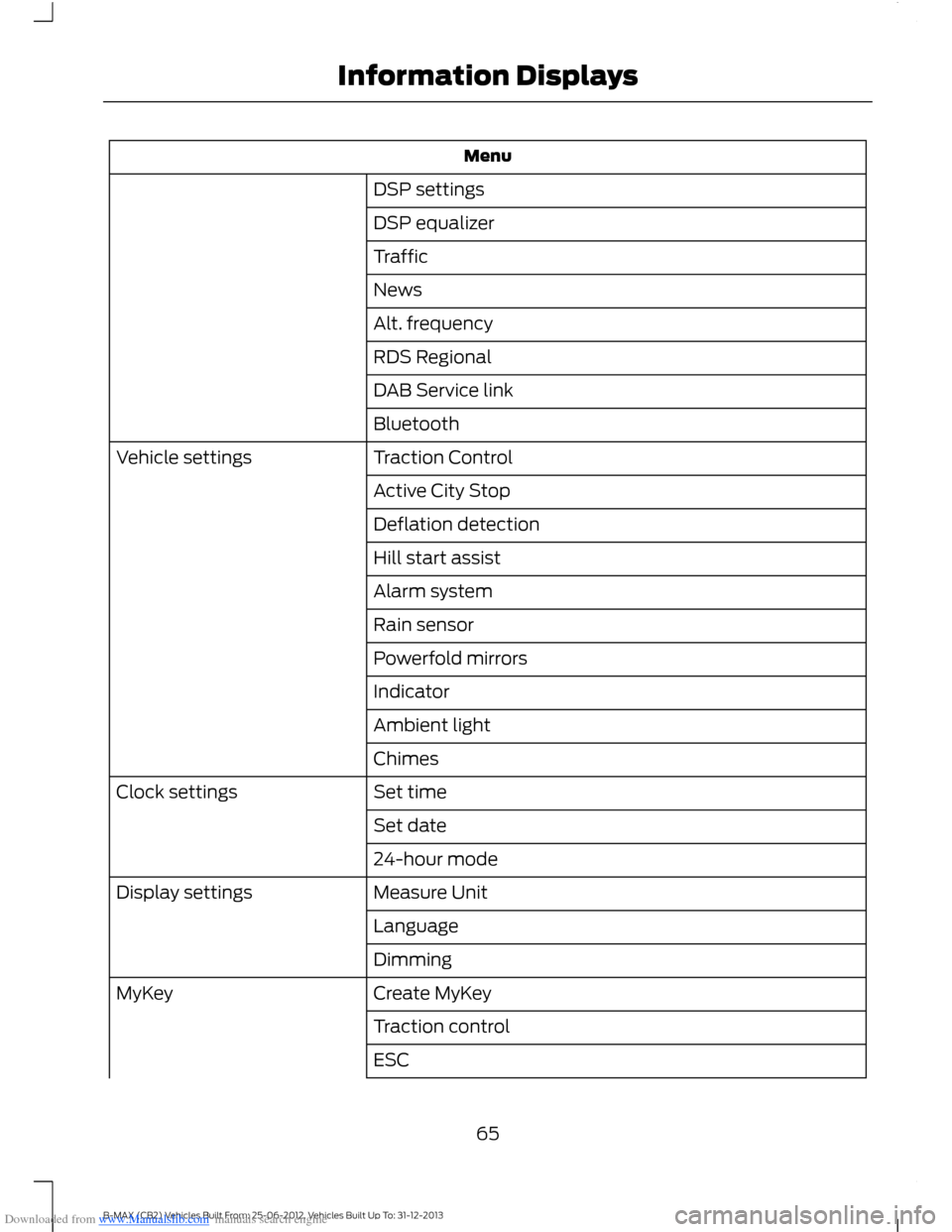
Downloaded from www.Manualslib.com manuals search engine Menu
DSP settings
DSP equalizer
Traffic
News
Alt. frequency
RDS Regional
DAB Service link
Bluetooth
Traction ControlVehicle settings
Active City Stop
Deflation detection
Hill start assist
Alarm system
Rain sensor
Powerfold mirrors
Indicator
Ambient light
Chimes
Set timeClock settings
Set date
24-hour mode
Measure UnitDisplay settings
Language
Dimming
Create MyKeyMyKey
Traction control
ESC
65B-MAX (CB2) Vehicles Built From: 25-06-2012, Vehicles Built Up To: 31-12-2013Information Displays
Page 68 of 298
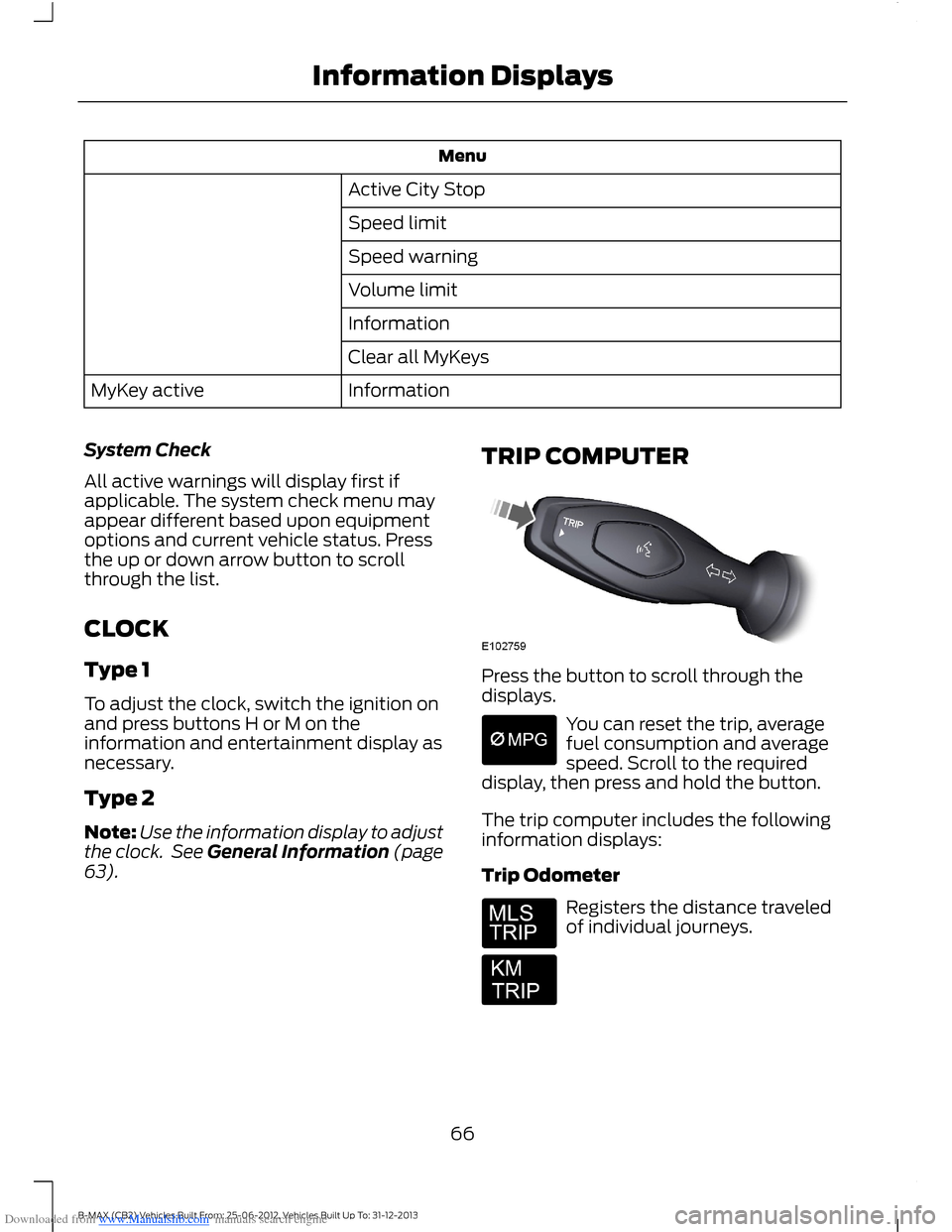
Downloaded from www.Manualslib.com manuals search engine Menu
Active City Stop
Speed limit
Speed warning
Volume limit
Information
Clear all MyKeys
InformationMyKey active
System Check
All active warnings will display first ifapplicable. The system check menu mayappear different based upon equipmentoptions and current vehicle status. Pressthe up or down arrow button to scrollthrough the list.
CLOCK
Type 1
To adjust the clock, switch the ignition onand press buttons H or M on theinformation and entertainment display asnecessary.
Type 2
Note:Use the information display to adjustthe clock. See General Information (page63).
TRIP COMPUTER
Press the button to scroll through thedisplays.
You can reset the trip, averagefuel consumption and averagespeed. Scroll to the requireddisplay, then press and hold the button.
The trip computer includes the followinginformation displays:
Trip Odometer
Registers the distance traveledof individual journeys.
66B-MAX (CB2) Vehicles Built From: 25-06-2012, Vehicles Built Up To: 31-12-2013Information Displays