safe FORD BRONCO 2022 Owners Manual
[x] Cancel search | Manufacturer: FORD, Model Year: 2022, Model line: BRONCO, Model: FORD BRONCO 2022Pages: 562, PDF Size: 73 MB
Page 395 of 562
WHAT IS THE TIRE PRESSURE
MONITORING SYSTEM
The tire pressure monitoringsystem measures the vehicle'stire pressures. A warning lampilluminates if one or more tires aresignificantly underinflated or if there is asystem malfunction.
TIRE PRESSURE MONITORING
SYSTEM OVERVIEW
WARNING: If the tire pressuremonitor sensor becomes damaged itmay not function.
WARNING: Under-inflation is themost common cause of tire failures andmay result in severe tire cracking, treadseparation or blowout, with unexpectedloss of vehicle control and increased riskof injury. Under-inflation increasessidewall flexing and rolling resistance,resulting in heat buildup and internaldamage to the tire. It also may result inunnecessary tire stress, irregular wear,loss of vehicle control and accidents. Atire can lose up to half of its air pressureand not appear to be flat!
WARNING: To determine therequired pressure(s) for your vehicle, seethe Safety Compliance CertificationLabel (on the door hinge pillar,door-latch post or the door edge thatmeets the door-latch post, next to thedriver seat) or the Tire Label on theB-Pillar or the edge of the driver door.
Each tire, including the spare (if provided),should be checked monthly when cold andinflated to the inflation pressurerecommended by the vehicle manufactureron the vehicle placard or tire inflationpressure label. (If your vehicle has tires ofa different size than the size indicated onthe vehicle placard or tire inflation pressurelabel, you should determine the proper tireinflation pressure for those tires).
As an added safety feature, your vehiclehas been equipped with a Tire PressureMonitoring System (TPMS) thatilluminates a low tire pressure telltalewhen one or more of your tires issignificantly under-inflated. Accordingly,when the low tire pressure telltaleilluminates, you should stop and checkyour tires as soon as possible, and inflatethem to the proper pressure. Driving on asignificantly under-inflated tire causes thetire to overheat and can lead to tire failure.Under-inflation also reduces fuel efficiencyand tire tread life, and may affect thevehicle’s handling and stopping ability.
Please note that the TPMS is not asubstitute for proper tire maintenance, andit is the driver’s responsibility to maintaincorrect tire pressure, even if under-inflationhas not reached the level to triggerillumination of the TPMS low tire pressuretelltale.
Your vehicle has also been equipped witha TPMS malfunction indicator to indicatewhen the system is not operating properly.The TPMS malfunction indicator iscombined with the low tire pressuretelltale. When the system detects amalfunction, the telltale will flash forapproximately one minute and then remaincontinuously illuminated. This sequencewill continue upon subsequent vehiclestart-ups as long as the malfunction exists.
391
2022 Bronco (TG1) Canada/United States of America, enUSA, Edition date: 202109, First-PrintingTire Pressure Monitoring System
Page 399 of 562
CHANGING A FLAT TIRE
Note:You should only use tire sealants inroadside emergencies as they may causedamage to the tire pressure monitoringsystem sensor.
Note:The tire pressure monitoring systemindicator light illuminates when the sparetire is in use. To restore the full function ofthe monitoring system, all road wheelsequipped with tire pressure monitoringsensors must be mounted on the vehicle.
If you get a flat tire when driving, do notapply the brake heavily. Instead, graduallydecrease your speed, hold the steeringwheel firmly, and slowly move to a safeplace on the side of the road.
Have your flat serviced by an authorizeddealer in order to prevent damage to thetire pressure monitoring system sensors.Replace the spare tire with a road tire assoon as possible. During repairing orreplacing of the flat tire, have theauthorized dealer inspect the tire pressuremonitoring system sensor for damage.
Tire Change Procedure
WARNING: Failure to follow theseguidelines could result in an increasedrisk of loss of vehicle control, injury ordeath.
WARNING: Do not get under avehicle that is supported by a jack.
WARNING: The jack supplied withthis vehicle is only intended for changinga flat tire in an emergency. Do notattempt to do any other work on yourvehicle when it is supported by the jack,as your vehicle could slip off the jack.Failure to follow this instruction couldresult in personal injury or death.
WARNING: To help prevent yourvehicle from moving when changing awheel, shift the transmission into park(P), set the parking brake and use anappropriate block or wheel chock tosecure the wheel diagonally opposite tothe wheel being changed. For example,when changing the front left wheel,place an appropriate block or wheelchock on the right rear wheel.
WARNING: Only use the jackprovided as original equipment with yourvehicle.
WARNING: Only use the specifiedjacking points. If you use any otherlocations you could damage vehiclecomponents, such as brake lines.
WARNING: Never place anythingbetween the vehicle jack and yourvehicle.
WARNING: Never place anythingbetween the vehicle jack and the ground.
WARNING: Do not attempt tochange a tire on the side of the vehicleclose to moving traffic. Pull far enoughoff the road to not obstruct the flow oftraffic and avoid the danger of being hitwhen operating the jack or changing thewheel.
WARNING: Do not attempt tochange a tire on the side of the vehicleclose to moving traffic. Pull far enoughoff the road to not obstruct the flow oftraffic and avoid the danger of being hitwhen operating the jack or changing thewheel.
395
2022 Bronco (TG1) Canada/United States of America, enUSA, Edition date: 202109, First-PrintingChanging a Road Wheel
Page 426 of 562
AUDIO SYSTEM
PRECAUTIONS
WARNING: Driving while distractedcan result in loss of vehicle control, crashand injury. We strongly recommend thatyou use extreme caution when using anydevice that may take your focus off theroad. Your primary responsibility is thesafe operation of your vehicle. Werecommend against the use of anyhand-held device while driving andencourage the use of voice-operatedsystems when possible. Make sure youare aware of all applicable local lawsthat may affect the use of electronicdevices while driving.
Listening to loud audio for long periods oftime could damage your hearing.
IDENTIFYING THE AUDIO UNIT
Depending on your vehicle options, thecontrols may look different from what yousee here.
SWITCHING THE AUDIO UNIT
ON AND OFF
Press the button on the volumecontrol.
SELECTING THE AUDIO
SOURCE
Audio Unit
Press to open the media sourcemenu.
You can press this multiple times tochange the audio source or scroll throughthe media sources.
Touchscreen
Press Sources on the touchscreen to openthe media source menu.
PLAYING OR PAUSING THE
AUDIO SOURCE
Audio Unit
Press the button to pauseplayback. Press again to resumeplayback.
Touchscreen
Press the button to pauseplayback. Press again to resumeplayback.
Note:Not all sources can be paused.
422
2022 Bronco (TG1) Canada/United States of America, enUSA, Edition date: 202109, First-PrintingAudio SystemE308144 E308143
Page 437 of 562
CENTER DISPLAY
PRECAUTIONS
WARNING: Driving while distractedcan result in loss of vehicle control, crashand injury. We strongly recommend thatyou use extreme caution when using anydevice that may take your focus off theroad. Your primary responsibility is thesafe operation of your vehicle. Werecommend against the use of anyhand-held device while driving andencourage the use of voice-operatedsystems when possible. Make sure youare aware of all applicable local lawsthat may affect the use of electronicdevices while driving.
CENTER DISPLAY
LIMITATIONS
Speed-restricted Features
For your safety, some features are notavailable while the vehicle is in motion ator above 5 mph (8 km/h). Settings thatare not critical while driving your vehicleare shown as restricted on your display.Some of these settings include:
•System updates.
•Personal profiles setup.
•Valet mode setup.
•Driver assistance settings.
Vehicle Settings
•MyKey setup.
•Door keypad code setup.
•Backup start passcode setup.
These restricted features becomeavailable when your vehicle is no longer inmotion.
STATUS BAR
The bar is on top of the display andindicates the status of your vehicle'sfeatures.
Audio System
Audio system muted.
Connected Device
Cell phone microphone muted.
Phone call in progress.
Media player connected.
Cell phone network signalstrength.
Cell phone roaming.
Text message received.
Unread email message.
Automatic crash notificationsystem off.
Cell phone battery status.
Vehicle Data
Wi-Fi available.
433
2022 Bronco (TG1) Canada/United States of America, enUSA, Edition date: 202109, First-PrintingCenter Display OverviewE353221 E353213 E353208 E335295 E353216 E335293 E353219
Page 442 of 562
PHONE PRECAUTIONS
WARNING: Driving while distractedcan result in loss of vehicle control, crashand injury. We strongly recommend thatyou use extreme caution when using anydevice that may take your focus off theroad. Your primary responsibility is thesafe operation of your vehicle. Werecommend against the use of anyhand-held device while driving andencourage the use of voice-operatedsystems when possible. Make sure youare aware of all applicable local lawsthat may affect the use of electronicdevices while driving.
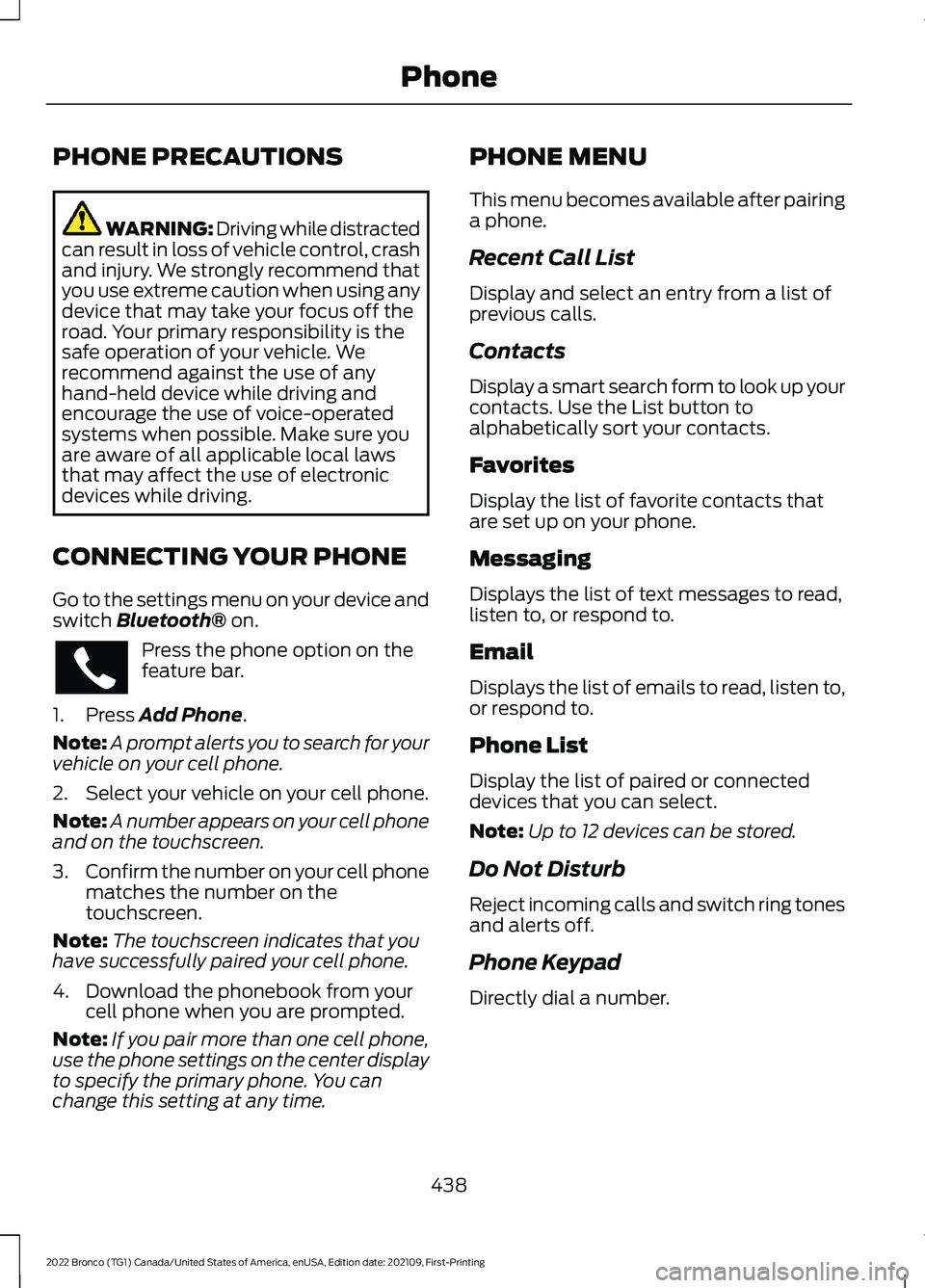
CONNECTING YOUR PHONE
Go to the settings menu on your device andswitch Bluetooth® on.
Press the phone option on thefeature bar.
1.Press Add Phone.
Note:A prompt alerts you to search for yourvehicle on your cell phone.
2.Select your vehicle on your cell phone.
Note:A number appears on your cell phoneand on the touchscreen.
3.Confirm the number on your cell phonematches the number on thetouchscreen.
Note:The touchscreen indicates that youhave successfully paired your cell phone.
4.Download the phonebook from yourcell phone when you are prompted.
Note:If you pair more than one cell phone,use the phone settings on the center displayto specify the primary phone. You canchange this setting at any time.
PHONE MENU
This menu becomes available after pairinga phone.
Recent Call List
Display and select an entry from a list ofprevious calls.
Contacts
Display a smart search form to look up yourcontacts. Use the List button toalphabetically sort your contacts.
Favorites
Display the list of favorite contacts thatare set up on your phone.
Messaging
Displays the list of text messages to read,listen to, or respond to.
Email
Displays the list of emails to read, listen to,or respond to.
Phone List
Display the list of paired or connecteddevices that you can select.
Note:Up to 12 devices can be stored.
Do Not Disturb
Reject incoming calls and switch ring tonesand alerts off.
Phone Keypad
Directly dial a number.
438
2022 Bronco (TG1) Canada/United States of America, enUSA, Edition date: 202109, First-PrintingPhone
Page 447 of 562
CONNECTING A BLUETOOTH®
DEVICE
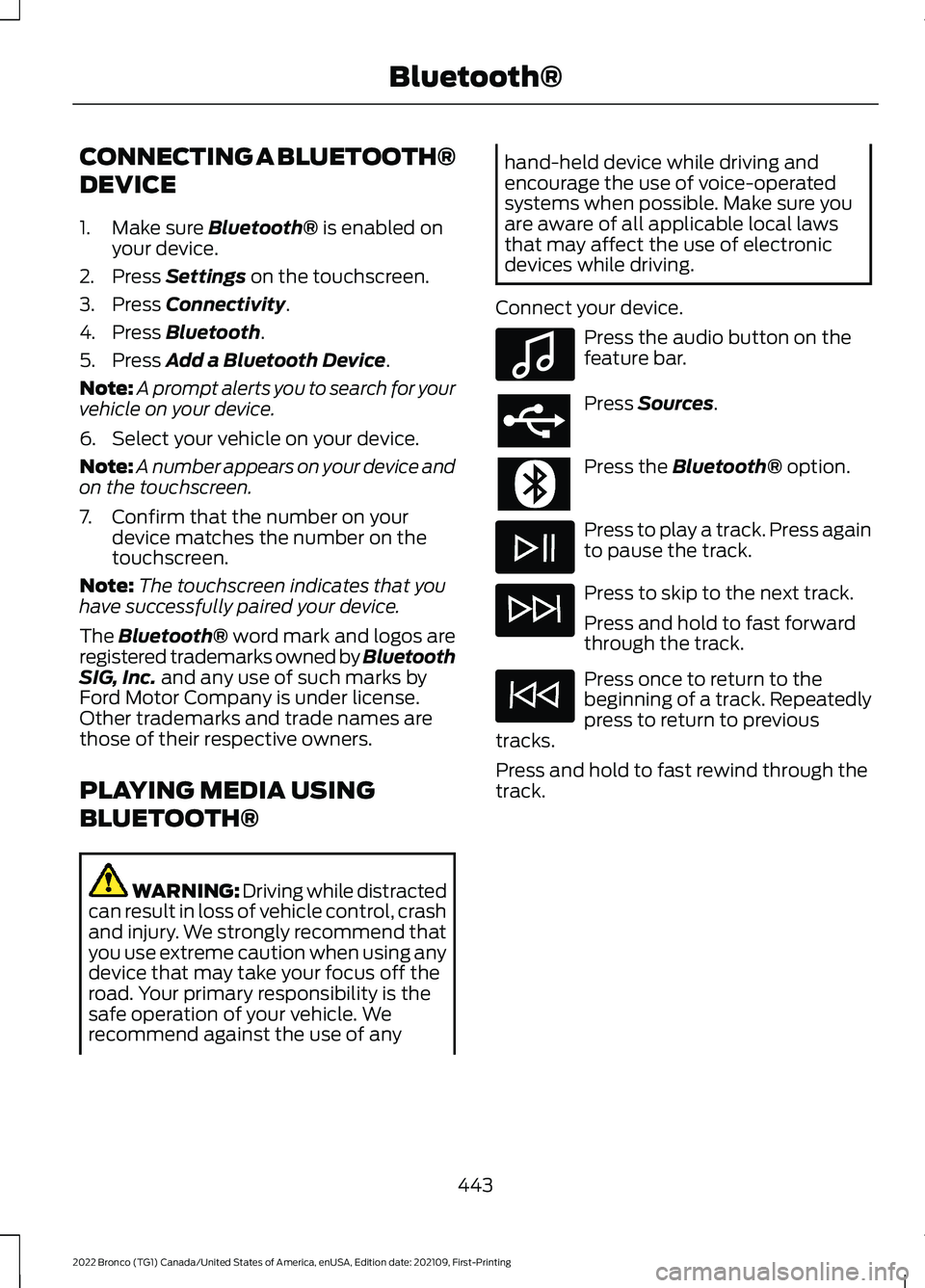
1.Make sure Bluetooth® is enabled onyour device.
2.Press Settings on the touchscreen.
3.Press Connectivity.
4.Press Bluetooth.
5.Press Add a Bluetooth Device.
Note:A prompt alerts you to search for yourvehicle on your device.
6.Select your vehicle on your device.
Note:A number appears on your device andon the touchscreen.
7.Confirm that the number on yourdevice matches the number on thetouchscreen.
Note:The touchscreen indicates that youhave successfully paired your device.
The Bluetooth® word mark and logos areregistered trademarks owned by BluetoothSIG, Inc. and any use of such marks byFord Motor Company is under license.Other trademarks and trade names arethose of their respective owners.
PLAYING MEDIA USING
BLUETOOTH®
WARNING: Driving while distractedcan result in loss of vehicle control, crashand injury. We strongly recommend thatyou use extreme caution when using anydevice that may take your focus off theroad. Your primary responsibility is thesafe operation of your vehicle. Werecommend against the use of any
hand-held device while driving andencourage the use of voice-operatedsystems when possible. Make sure youare aware of all applicable local lawsthat may affect the use of electronicdevices while driving.
Connect your device.
Press the audio button on thefeature bar.
Press Sources.
Press the Bluetooth® option.
Press to play a track. Press againto pause the track.
Press to skip to the next track.
Press and hold to fast forwardthrough the track.
Press once to return to thebeginning of a track. Repeatedlypress to return to previoustracks.
Press and hold to fast rewind through thetrack.
443
2022 Bronco (TG1) Canada/United States of America, enUSA, Edition date: 202109, First-PrintingBluetooth®E100027
Page 448 of 562
APP PRECAUTIONS
WARNING: Driving while distractedcan result in loss of vehicle control, crashand injury. We strongly recommend thatyou use extreme caution when using anydevice that may take your focus off theroad. Your primary responsibility is thesafe operation of your vehicle. Werecommend against the use of anyhand-held device while driving andencourage the use of voice-operatedsystems when possible. Make sure youare aware of all applicable local lawsthat may affect the use of electronicdevices while driving.
APP REQUIREMENTS
When you start an app through the systemfor the first time, you could be asked togrant certain permissions. You can reviewand change the permissions that you havegranted at any time when your vehicle isnot moving. We recommend that youcheck your data plan before using yourapps through the system. Using themcould result in additional charges. We alsorecommend that you check the appprovider's terms and conditions andprivacy policy before using their app. Makesure that you have an active account forapps that you want to use through thesystem. Some apps will work with nosetup. Others require you to configuresome personal settings before you can usethem.
ACCESSING APPS
Select the apps option on thefeature bar.
ENABLING APPS ON AN IOS
DEVICE
Select the apps option on thefeature bar.
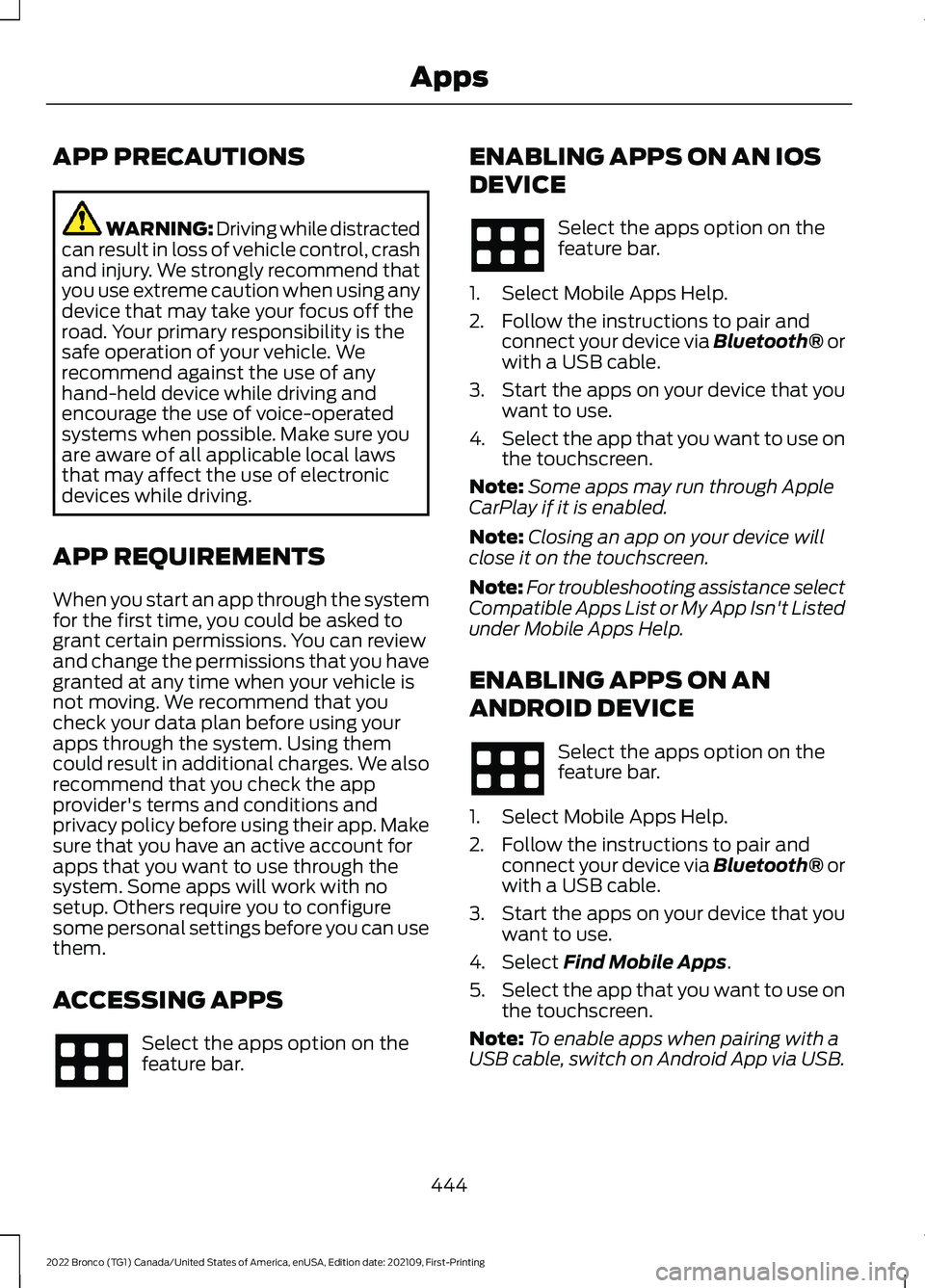
1.Select Mobile Apps Help.
2.Follow the instructions to pair andconnect your device via Bluetooth® orwith a USB cable.
3.Start the apps on your device that youwant to use.
4.Select the app that you want to use onthe touchscreen.
Note:Some apps may run through AppleCarPlay if it is enabled.
Note:Closing an app on your device willclose it on the touchscreen.
Note:For troubleshooting assistance selectCompatible Apps List or My App Isn't Listedunder Mobile Apps Help.
ENABLING APPS ON AN
ANDROID DEVICE
Select the apps option on thefeature bar.
1.Select Mobile Apps Help.
2.Follow the instructions to pair andconnect your device via Bluetooth® orwith a USB cable.
3.Start the apps on your device that youwant to use.
4.Select Find Mobile Apps.
5.Select the app that you want to use onthe touchscreen.
Note:To enable apps when pairing with aUSB cable, switch on Android App via USB.
444
2022 Bronco (TG1) Canada/United States of America, enUSA, Edition date: 202109, First-PrintingApps
Page 451 of 562
ACCESSING NAVIGATION
WARNING: Driving while distractedcan result in loss of vehicle control, crashand injury. We strongly recommend thatyou use extreme caution when using anydevice that may take your focus off theroad. Your primary responsibility is thesafe operation of your vehicle. Werecommend against the use of anyhand-held device while driving andencourage the use of voice-operatedsystems when possible. Make sure youare aware of all applicable local lawsthat may affect the use of electronicdevices while driving.
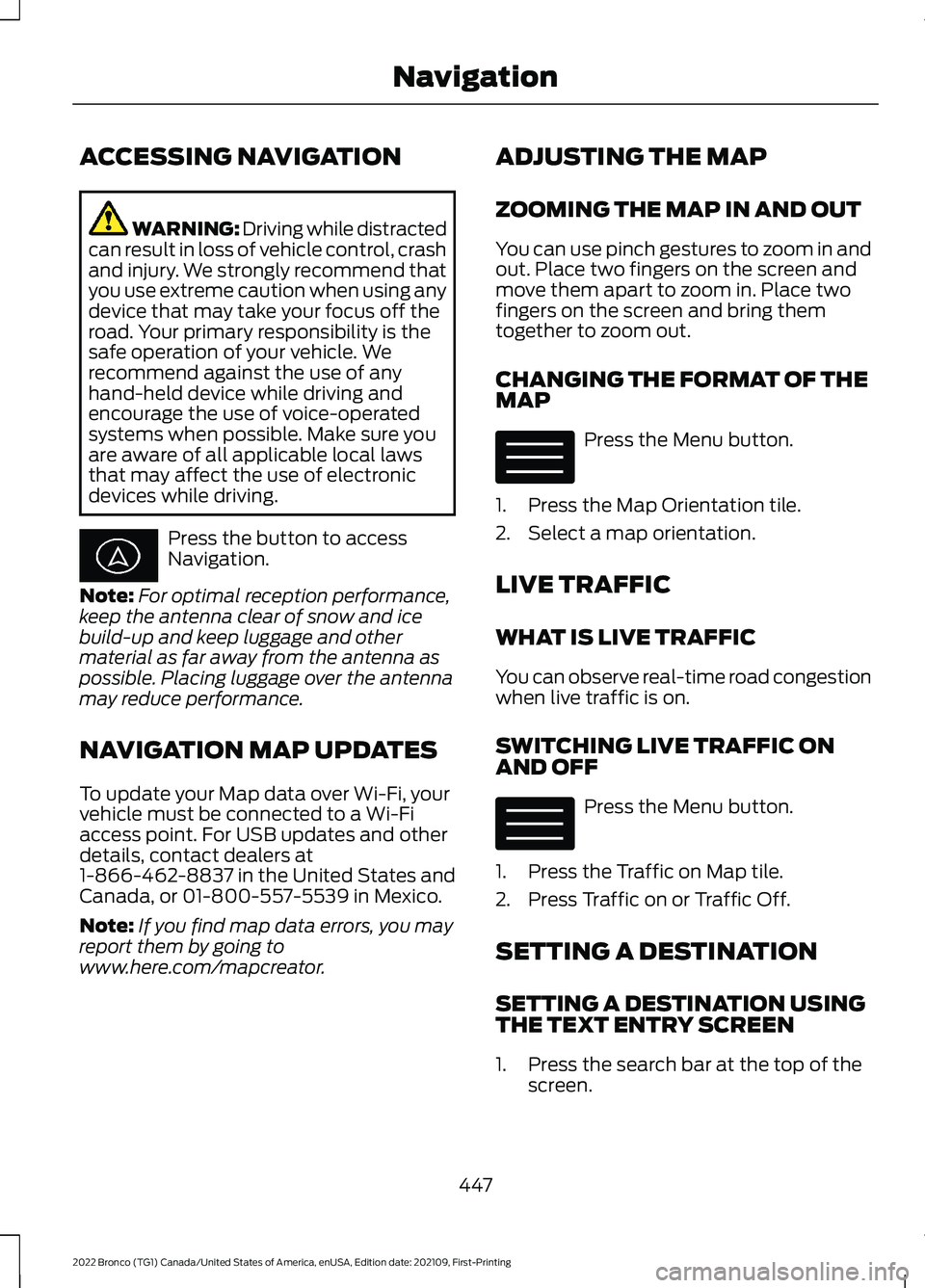
Press the button to accessNavigation.
Note:For optimal reception performance,keep the antenna clear of snow and icebuild-up and keep luggage and othermaterial as far away from the antenna aspossible. Placing luggage over the antennamay reduce performance.
NAVIGATION MAP UPDATES
To update your Map data over Wi-Fi, yourvehicle must be connected to a Wi-Fiaccess point. For USB updates and otherdetails, contact dealers at1-866-462-8837 in the United States andCanada, or 01-800-557-5539 in Mexico.
Note:If you find map data errors, you mayreport them by going towww.here.com/mapcreator.
ADJUSTING THE MAP
ZOOMING THE MAP IN AND OUT
You can use pinch gestures to zoom in andout. Place two fingers on the screen andmove them apart to zoom in. Place twofingers on the screen and bring themtogether to zoom out.
CHANGING THE FORMAT OF THEMAP
Press the Menu button.
1.Press the Map Orientation tile.
2.Select a map orientation.
LIVE TRAFFIC
WHAT IS LIVE TRAFFIC
You can observe real-time road congestionwhen live traffic is on.
SWITCHING LIVE TRAFFIC ONAND OFF
Press the Menu button.
1.Press the Traffic on Map tile.
2.Press Traffic on or Traffic Off.
SETTING A DESTINATION
SETTING A DESTINATION USINGTHE TEXT ENTRY SCREEN
1.Press the search bar at the top of thescreen.
447
2022 Bronco (TG1) Canada/United States of America, enUSA, Edition date: 202109, First-PrintingNavigation E328845 E328845
Page 456 of 562
For a complete listing of the accessoriesthat are available for your vehicle, pleasecontact your authorized dealer or visit theonline store web site:
Web Address (United States)
www.Accessories.Ford.com
Web Address (Canada)
www.Accessories.Ford.ca
We will repair or replace any properlyauthorized dealer-installed Ford OriginalAccessory found to be defective infactory-supplied materials or workmanshipduring the warranty period, as well as anycomponent damaged by the defectiveaccessories.
We will warrant your Ford OriginalAccessory through the warranty thatprovides the greatest benefit:
•24 months, unlimited mileage.
•The remainder of your new vehiclelimited warranty.
Contact an authorized dealer for detailsand a copy of the warranty.
Ford Licensed Accessories are theaccessory manufacturer's designs. Themanufacturer develops and thereforewarrants Ford Licensed Accessories, anddoes not design or test these accessoriesto Ford Motor Company engineeringrequirements.
Contact an authorized Ford dealer for themanufacturer’s limited warranty details,and request a copy of the Ford LicensedAccessories product limited warranty fromthe accessory manufacturer.
Most Ford Performance Parts are sold withno warranty, unless otherwise indicated.Check the Ford Performance Part website:www.performanceparts.ford.com orcontact the Ford Performance Partstech-line at (800) FORD788 for the latestlimited warranty information on specificproducts.
For maximum vehicle performance, keepthe following information in mind whenadding accessories or equipment to yourvehicle:
•When adding accessories, equipment,passengers and luggage to yourvehicle, do not exceed the total weightcapacity of the vehicle or of the frontor rear axle (GVWR or GAWR asindicated on the Safety ComplianceCertification label). Ask an authorizeddealer for specific weight information.
•The Federal CommunicationsCommission (FCC) and CanadianRadio TelecommunicationsCommission (CRTC) regulate the useof mobile communications systemsthat are equipped with radiotransmitters, for example two-wayradios, telephones and theft alarms.Any such equipment installed in yourvehicle should comply with FederalCommunications Commission (FCC)and Canadian RadioTelecommunications Commission(CRTC) regulations and should beinstalled only by an authorized dealer.
452
2022 Bronco (TG1) Canada/United States of America, enUSA, Edition date: 202109, First-PrintingAccessories
Page 458 of 562
WHAT ARE THE AUXILIARY
SWITCHES
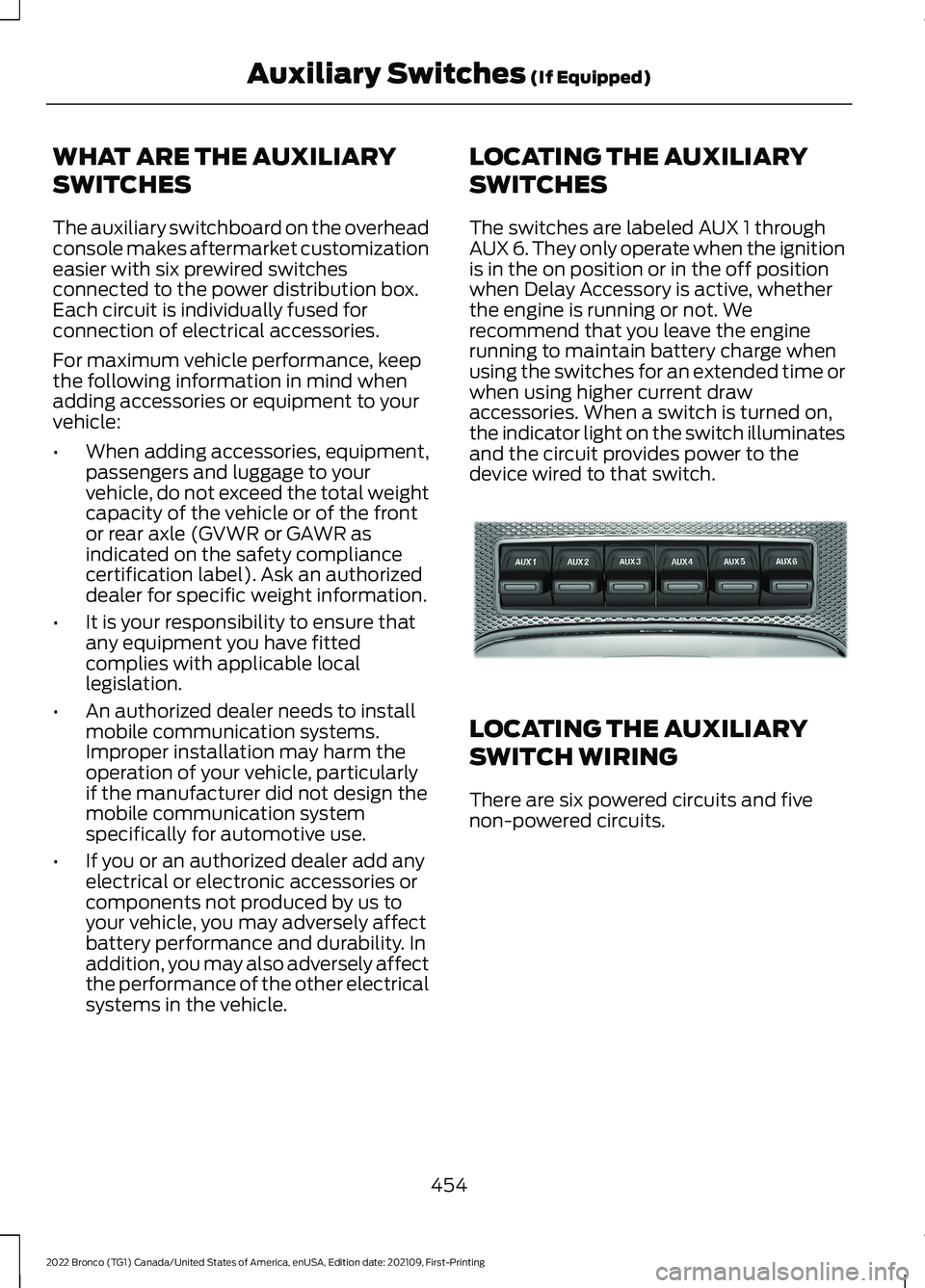
The auxiliary switchboard on the overheadconsole makes aftermarket customizationeasier with six prewired switchesconnected to the power distribution box.Each circuit is individually fused forconnection of electrical accessories.
For maximum vehicle performance, keepthe following information in mind whenadding accessories or equipment to yourvehicle:
•When adding accessories, equipment,passengers and luggage to yourvehicle, do not exceed the total weightcapacity of the vehicle or of the frontor rear axle (GVWR or GAWR asindicated on the safety compliancecertification label). Ask an authorizeddealer for specific weight information.
•It is your responsibility to ensure thatany equipment you have fittedcomplies with applicable locallegislation.
•An authorized dealer needs to installmobile communication systems.Improper installation may harm theoperation of your vehicle, particularlyif the manufacturer did not design themobile communication systemspecifically for automotive use.
•If you or an authorized dealer add anyelectrical or electronic accessories orcomponents not produced by us toyour vehicle, you may adversely affectbattery performance and durability. Inaddition, you may also adversely affectthe performance of the other electricalsystems in the vehicle.
LOCATING THE AUXILIARY
SWITCHES
The switches are labeled AUX 1 throughAUX 6. They only operate when the ignitionis in the on position or in the off positionwhen Delay Accessory is active, whetherthe engine is running or not. Werecommend that you leave the enginerunning to maintain battery charge whenusing the switches for an extended time orwhen using higher current drawaccessories. When a switch is turned on,the indicator light on the switch illuminatesand the circuit provides power to thedevice wired to that switch.
LOCATING THE AUXILIARY
SWITCH WIRING
There are six powered circuits and fivenon-powered circuits.
454
2022 Bronco (TG1) Canada/United States of America, enUSA, Edition date: 202109, First-PrintingAuxiliary Switches (If Equipped)E220728