door lock FORD BRONCO 2022 User Guide
[x] Cancel search | Manufacturer: FORD, Model Year: 2022, Model line: BRONCO, Model: FORD BRONCO 2022Pages: 562, PDF Size: 73 MB
Page 83 of 562
AUTOUNLOCK REQUIREMENTS
Autounlock unlocks all the doors when allof the following occur:
•The ignition is on, all the doors areclosed and your vehicle is moving at aspeed greater than 12 mph (20 km/h).
•Your vehicle comes to a stop.
•You open the driver door within 10minutes of switching the ignition off orto the accessory position.
SWITCHING AUTOUNLOCK ONAND OFF
1.Press Settings on the touchscreen.
2.Press Vehicle Settings.
3.Press Locks.
4.Switch Autounlock on or off.
AUTOLOCK
WHAT IS AUTOLOCK
Autolock is a locking feature that locksyour vehicle doors when you start driving.
AUTOLOCK REQUIREMENTS
Autolock locks all the doors when all of thefollowing occur:
•All doors are closed.
•The ignition is on.
•Your vehicle reaches a speed greaterthan 12 mph (20 km/h).
MISLOCK
WHAT IS MISLOCK
Mislock is a locking feature that warns youif your vehicle has not locked.
MISLOCK LIMITATIONS
When you press the lock button once, theturn signals do not flash if:
•Any door or the tailgate is open.
•The hood is open.
If you switch mislock off, the horn does notsound if you press the lock button on theremote control when a door is open.
SWITCHING MISLOCK ON ANDOFF
1.Press Settings on the touchscreen.
2.Press Vehicle Settings.
3.Press Locks.
4.Switch Mislock Chirp on or off.
DOORS AND LOCKS –
TROUBLESHOOTING
DOORS AND LOCKS – WARNINGLAMPS
Door Ajar Warning Lamp
It illuminates when you switchthe ignition on and remains on ifany door or the hood is open.
79
2022 Bronco (TG1) Canada/United States of America, enUSA, Edition date: 202109, First-PrintingDoors and LocksE249859
Page 84 of 562
DOORS AND LOCKS – INFORMATION MESSAGES
ActionMessage
Displays if a door is open. Fully close the door.Driver Door Ajar
Passenger Door Ajar
Rear Left Door Ajar
Rear Right Door Ajar
Displays if a hood is open. Fully close the hood.Hood Ajar
80
2022 Bronco (TG1) Canada/United States of America, enUSA, Edition date: 202109, First-PrintingDoors and Locks
Page 85 of 562
DOORS AND LOCKS –FREQUENTLY ASKED QUESTIONS
Can accessories such as steps orhandles be used with the latchassembly?
Do not use the door latch assembly toattach any accessory, such as handlesor steps, as this can cause damage toyour vehicle.
81
2022 Bronco (TG1) Canada/United States of America, enUSA, Edition date: 202109, First-PrintingDoors and Locks
Page 86 of 562
KEYLESS ENTRY LIMITATIONS
Make sure your remote control is within 3 ft(1 m) from the front door handles and thetailgate.
The system could not function if:
•The remote control remains stationaryfor about a minute.
•The vehicle battery has no charge.
•The remote control battery has nocharge.
•There is interference causing issueswith the remote control frequencies.
•The remote control is too close tometal objects or electronic devices, forexample keys or a cell phone.
KEYLESS ENTRY SETTINGS
Switching Keyless Entry On andOff
1.Switch the ignition on using an originalkey that has not been created as aMyKey.
2.Press Settings on the touchscreen.
3.Press Vehicle Settings.
4.Press Locks.
Reprogramming the UnlockingFunction
You can enable two-stage unlockingfunction allowing you to unlock only thedriver door when you touch the unlocksensor.
Press and hold both the lock and unlockbuttons on the remote control for fourseconds to disable or enable two-stageunlocking.
If you program the unlocking function sothat only the driver door unlocks, you canunlock all of the other doors from insideyour vehicle using the power door lockcontrol. You can unlock individual doorsby pulling the interior door handles onthose doors.
USING KEYLESS ENTRY
Unlocking the Doors
With your passive key within 5 ft (1.5 m) ofyour vehicle, touch the unlock sensor onthe back of the door handle for a briefperiod and then pull on the door handle tounlock, being careful not to touch the locksensor at the same time or pull on the doorhandle too quickly. The intelligent accesssystem requires a brief delay toauthenticate your passive key.
Locking the Doors
With your passive key within 3 ft (1 m) ofyour vehicle, touch the outer door handlelock sensor for approximately one secondto lock, being careful not to touch theunlock sensor on the back of the doorhandle at the same time. After locking, youcan immediately pull on the door handleto confirm locking occurred withoutinadvertently unlocking.
82
2022 Bronco (TG1) Canada/United States of America, enUSA, Edition date: 202109, First-PrintingKeyless Entry (If Equipped)E333747 E333746
Page 87 of 562
KEYLESS ENTRY –
TROUBLESHOOTING
KEYLESS ENTRY – FREQUENTLYASKED QUESTIONS
Why does the keyless entry system notfunction?
If the system does not function it maybe limited. See Keyless EntryLimitations (page 82). If the systemstill does not function use the remotecontrol or the key blade to lock andunlock your vehicle.
Why can I not lock my vehicle?
If you electronically lock your vehiclewith a rear door or the tailgate open,the system searches for a passive keyinside your vehicle after you close thelast door. If the system detects a key,all doors unlock indicating that a keyis inside. Your vehicle locks if anotherpassive key is within the detectionrange after you close the last door.
Why does the passive key not work?
The system deactivates passive keysleft inside your vehicle when you lockit. You cannot switch the ignition onusing a deactivated passive key. Pressthe unlock button on the remotecontrol to reactivate a passive key.
83
2022 Bronco (TG1) Canada/United States of America, enUSA, Edition date: 202109, First-PrintingKeyless Entry (If Equipped)
Page 88 of 562
OPENING THE TAILGATE
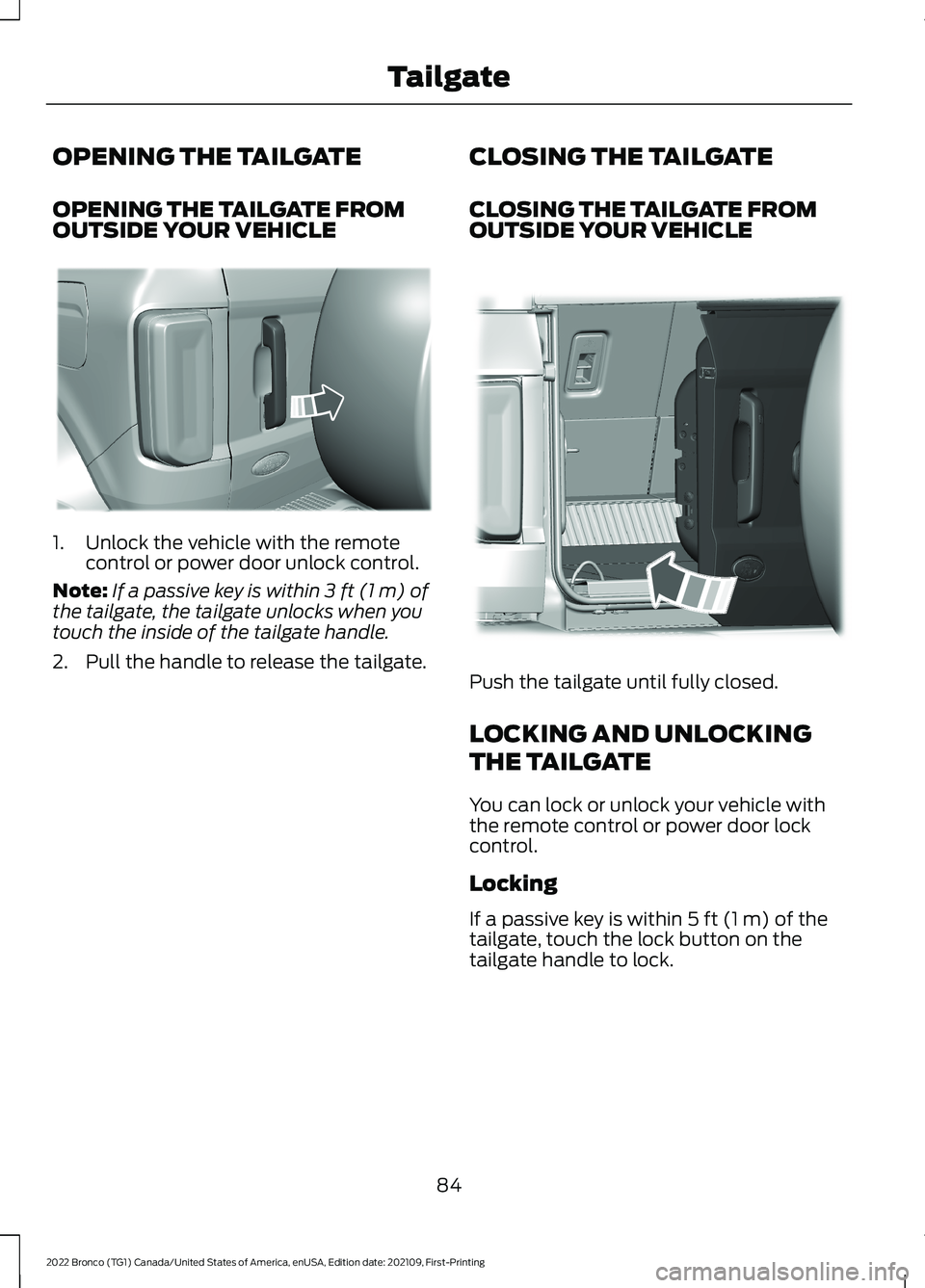
OPENING THE TAILGATE FROMOUTSIDE YOUR VEHICLE
1.Unlock the vehicle with the remotecontrol or power door unlock control.
Note:If a passive key is within 3 ft (1 m) ofthe tailgate, the tailgate unlocks when youtouch the inside of the tailgate handle.
2.Pull the handle to release the tailgate.
CLOSING THE TAILGATE
CLOSING THE TAILGATE FROMOUTSIDE YOUR VEHICLE
Push the tailgate until fully closed.
LOCKING AND UNLOCKING
THE TAILGATE
You can lock or unlock your vehicle withthe remote control or power door lockcontrol.
Locking
If a passive key is within 5 ft (1 m) of thetailgate, touch the lock button on thetailgate handle to lock.
84
2022 Bronco (TG1) Canada/United States of America, enUSA, Edition date: 202109, First-PrintingTailgateE323095 E323153
Page 89 of 562
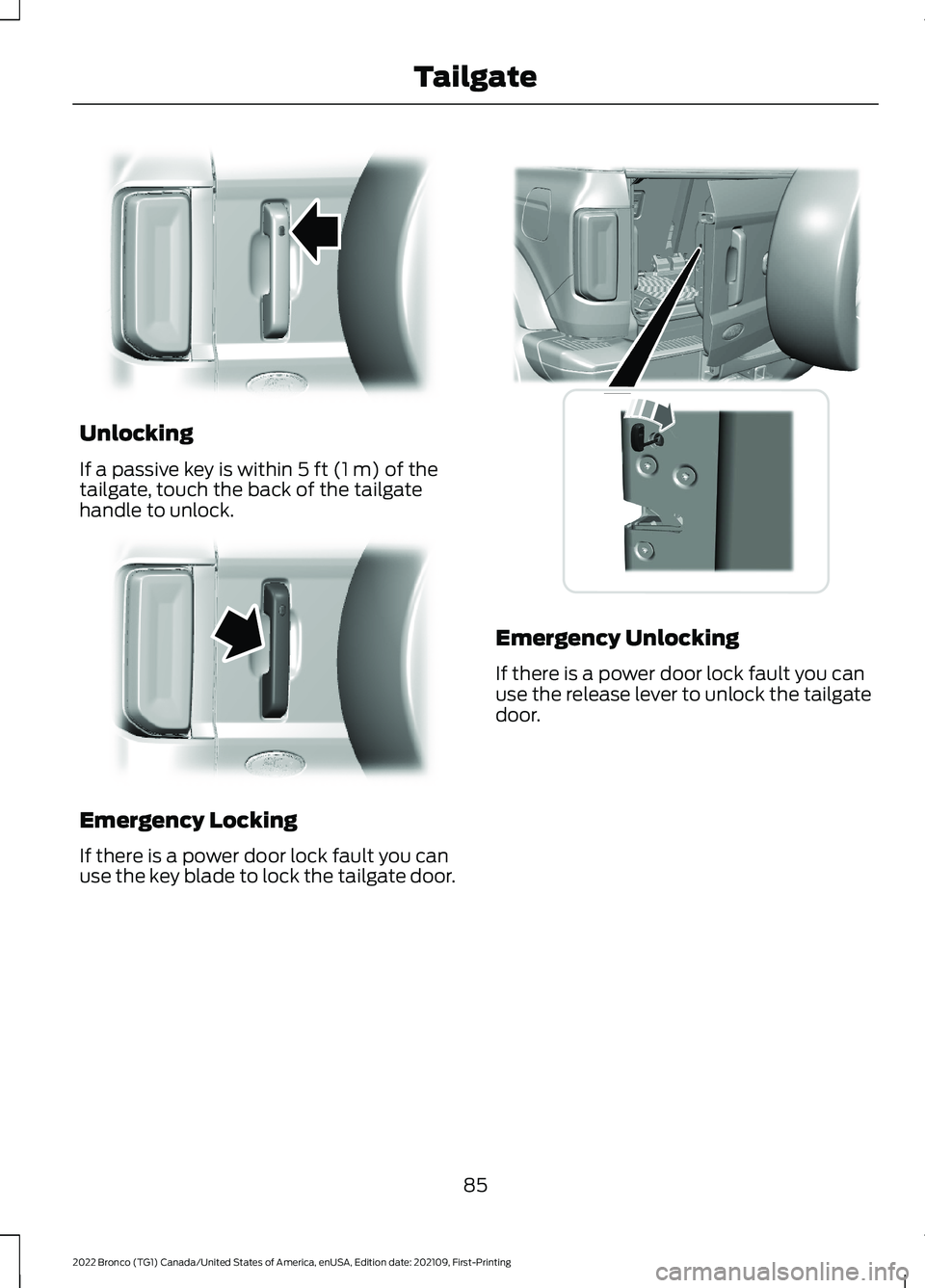
Unlocking
If a passive key is within 5 ft (1 m) of thetailgate, touch the back of the tailgatehandle to unlock.
Emergency Locking
If there is a power door lock fault you canuse the key blade to lock the tailgate door.
Emergency Unlocking
If there is a power door lock fault you canuse the release lever to unlock the tailgatedoor.
85
2022 Bronco (TG1) Canada/United States of America, enUSA, Edition date: 202109, First-PrintingTailgateE323094 E323096 E342916
Page 91 of 562
PASSIVE ANTI-THEFT
SYSTEM
WHAT IS THE PASSIVE ANTI-THEFT SYSTEM
The passive anti-theft system preventssomeone from starting the vehicle with anincorrectly coded key.
Note:Do not leave a duplicate coded keyin your vehicle. Always take the keys andlock all the doors when leaving your vehicle.
HOW DOES THE PASSIVE ANTI-THEFT SYSTEM WORK
The passive anti-theft system arms whenyou switch the ignition off.
It disarms when the ignition is switched onwith a correctly coded key.
Note:The system is not compatible withnon-Ford aftermarket remote start systems.
Note:Do not leave a duplicate coded keyin your vehicle. Always take the keys andlock all doors when leaving your vehicle.
SECURITY – TROUBLESHOOTING
SECURITY – INFORMATION MESSAGES
ActionMessage
The system has not detected a correctly coded key.No Key Detected
The system has malfunctioned. Have your vehicle checkedas soon as possible.Starting System Fault
Displays when the alarm has been triggered due to unauthor-ized entry.Vehicle Alarm To StopAlarm, Start Vehicle.
Alarm Announcement
87
2022 Bronco (TG1) Canada/United States of America, enUSA, Edition date: 202109, First-PrintingSecurity
Page 107 of 562
OPENING AND CLOSING THE
WINDOWS
WARNING: Do not leave childrenunattended in your vehicle and do notlet them play with the power windows.Failure to follow this instruction couldresult in personal injury.
WARNING: When closing thepower windows, verify they are free ofobstruction and make sure that childrenand pets are not in the proximity of thewindow openings.
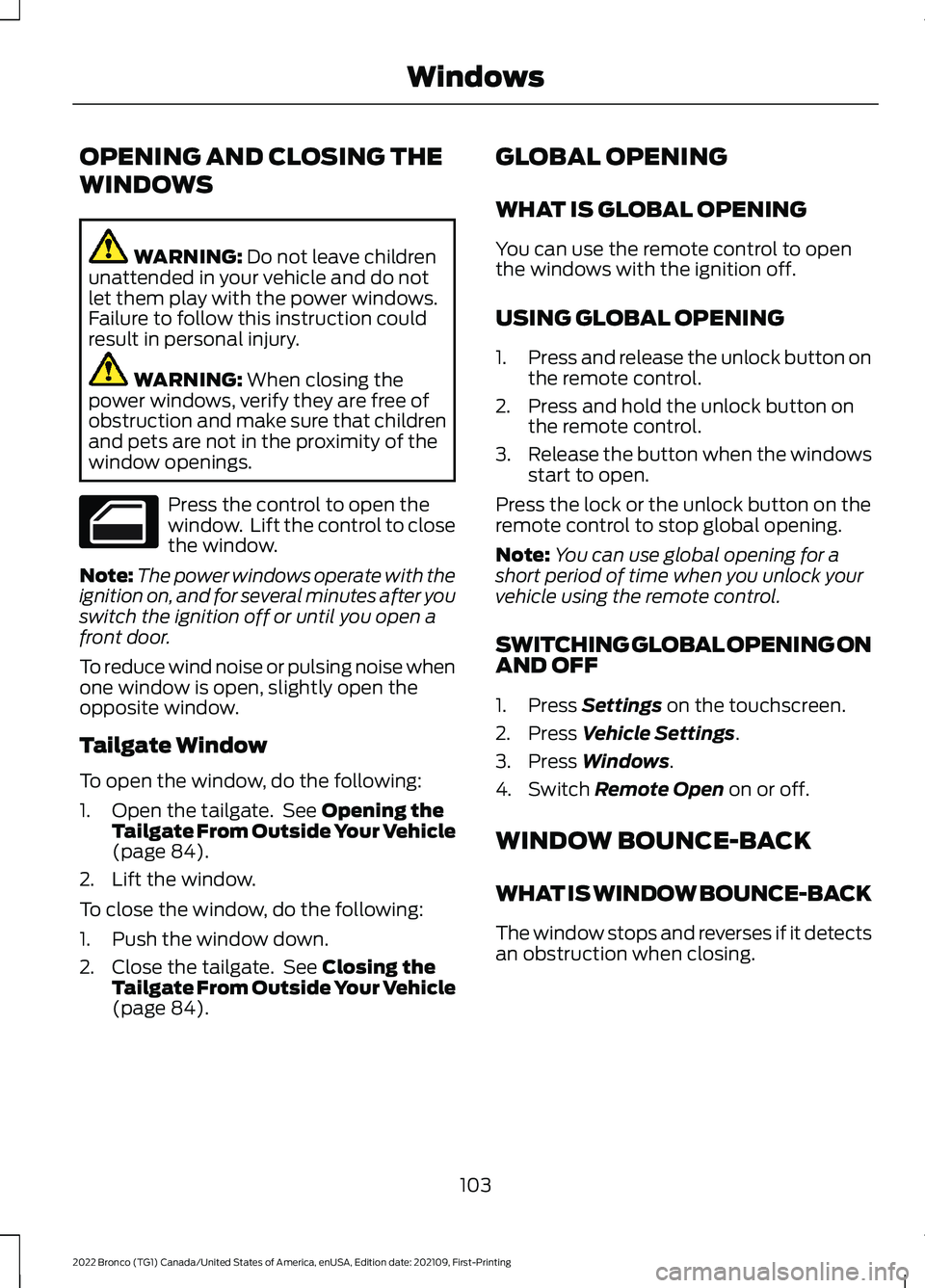
Press the control to open thewindow. Lift the control to closethe window.
Note:The power windows operate with theignition on, and for several minutes after youswitch the ignition off or until you open afront door.
To reduce wind noise or pulsing noise whenone window is open, slightly open theopposite window.
Tailgate Window
To open the window, do the following:
1.Open the tailgate. See Opening theTailgate From Outside Your Vehicle(page 84).
2.Lift the window.
To close the window, do the following:
1.Push the window down.
2.Close the tailgate. See Closing theTailgate From Outside Your Vehicle(page 84).
GLOBAL OPENING
WHAT IS GLOBAL OPENING
You can use the remote control to openthe windows with the ignition off.
USING GLOBAL OPENING
1.Press and release the unlock button onthe remote control.
2.Press and hold the unlock button onthe remote control.
3.Release the button when the windowsstart to open.
Press the lock or the unlock button on theremote control to stop global opening.
Note:You can use global opening for ashort period of time when you unlock yourvehicle using the remote control.
SWITCHING GLOBAL OPENING ONAND OFF
1.Press Settings on the touchscreen.
2.Press Vehicle Settings.
3.Press Windows.
4.Switch Remote Open on or off.
WINDOW BOUNCE-BACK
WHAT IS WINDOW BOUNCE-BACK
The window stops and reverses if it detectsan obstruction when closing.
103
2022 Bronco (TG1) Canada/United States of America, enUSA, Edition date: 202109, First-PrintingWindows
Page 113 of 562
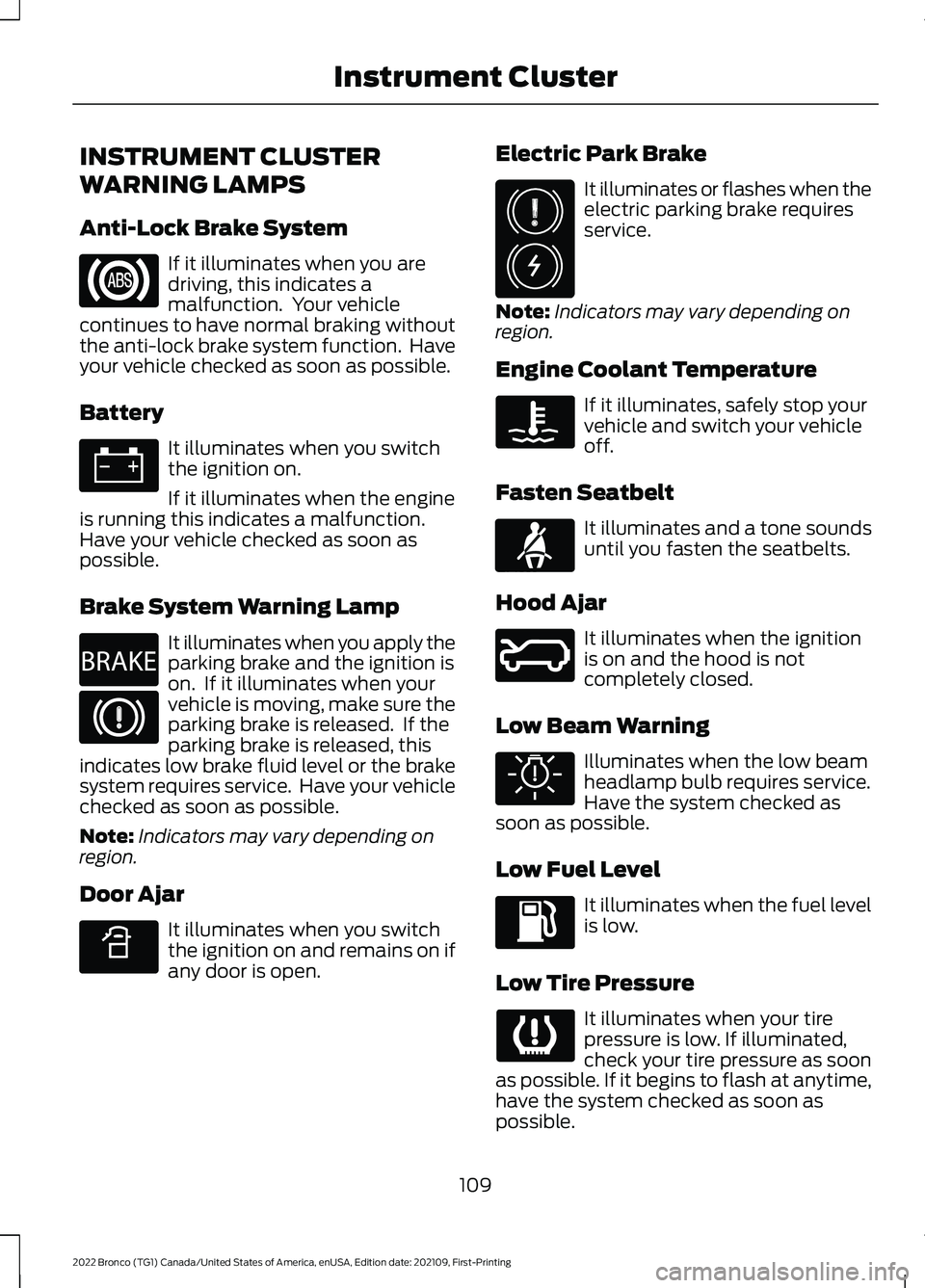
INSTRUMENT CLUSTER
WARNING LAMPS
Anti-Lock Brake System
If it illuminates when you aredriving, this indicates amalfunction. Your vehiclecontinues to have normal braking withoutthe anti-lock brake system function. Haveyour vehicle checked as soon as possible.
Battery
It illuminates when you switchthe ignition on.
If it illuminates when the engineis running this indicates a malfunction.Have your vehicle checked as soon aspossible.
Brake System Warning Lamp
It illuminates when you apply theparking brake and the ignition ison. If it illuminates when yourvehicle is moving, make sure theparking brake is released. If theparking brake is released, thisindicates low brake fluid level or the brakesystem requires service. Have your vehiclechecked as soon as possible.
Note:Indicators may vary depending onregion.
Door Ajar
It illuminates when you switchthe ignition on and remains on ifany door is open.
Electric Park Brake
It illuminates or flashes when theelectric parking brake requiresservice.
Note:Indicators may vary depending onregion.
Engine Coolant Temperature
If it illuminates, safely stop yourvehicle and switch your vehicleoff.
Fasten Seatbelt
It illuminates and a tone soundsuntil you fasten the seatbelts.
Hood Ajar
It illuminates when the ignitionis on and the hood is notcompletely closed.
Low Beam Warning
Illuminates when the low beamheadlamp bulb requires service.Have the system checked assoon as possible.
Low Fuel Level
It illuminates when the fuel levelis low.
Low Tire Pressure
It illuminates when your tirepressure is low. If illuminated,check your tire pressure as soonas possible. If it begins to flash at anytime,have the system checked as soon aspossible.
109
2022 Bronco (TG1) Canada/United States of America, enUSA, Edition date: 202109, First-PrintingInstrument Cluster E270480 E340898 E325775 E71880 E324249 E325579