ECO mode FORD BRONCO 2023 User Guide
[x] Cancel search | Manufacturer: FORD, Model Year: 2023, Model line: BRONCO, Model: FORD BRONCO 2023Pages: 642, PDF Size: 14.71 MB
Page 69 of 642
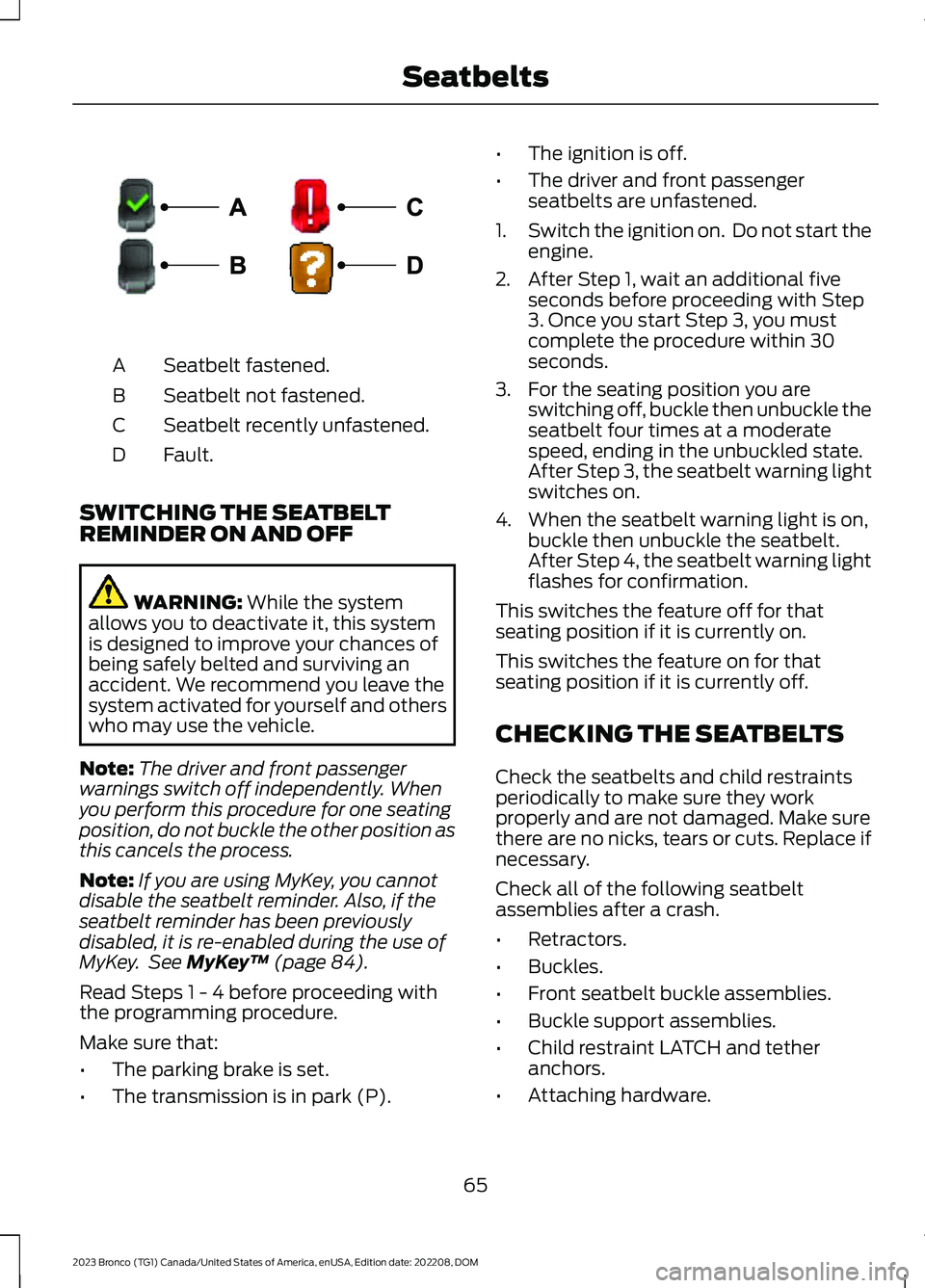
Seatbelt fastened.A
Seatbelt not fastened.B
Seatbelt recently unfastened.C
Fault.D
SWITCHING THE SEATBELTREMINDER ON AND OFF
WARNING: While the systemallows you to deactivate it, this systemis designed to improve your chances ofbeing safely belted and surviving anaccident. We recommend you leave thesystem activated for yourself and otherswho may use the vehicle.
Note:The driver and front passengerwarnings switch off independently. Whenyou perform this procedure for one seatingposition, do not buckle the other position asthis cancels the process.
Note:If you are using MyKey, you cannotdisable the seatbelt reminder. Also, if theseatbelt reminder has been previouslydisabled, it is re-enabled during the use ofMyKey. See MyKey™ (page 84).
Read Steps 1 - 4 before proceeding withthe programming procedure.
Make sure that:
•The parking brake is set.
•The transmission is in park (P).
•The ignition is off.
•The driver and front passengerseatbelts are unfastened.
1.Switch the ignition on. Do not start theengine.
2.After Step 1, wait an additional fiveseconds before proceeding with Step3. Once you start Step 3, you mustcomplete the procedure within 30seconds.
3.For the seating position you areswitching off, buckle then unbuckle theseatbelt four times at a moderatespeed, ending in the unbuckled state.After Step 3, the seatbelt warning lightswitches on.
4.When the seatbelt warning light is on,buckle then unbuckle the seatbelt.After Step 4, the seatbelt warning lightflashes for confirmation.
This switches the feature off for thatseating position if it is currently on.
This switches the feature on for thatseating position if it is currently off.
CHECKING THE SEATBELTS
Check the seatbelts and child restraintsperiodically to make sure they workproperly and are not damaged. Make surethere are no nicks, tears or cuts. Replace ifnecessary.
Check all of the following seatbeltassemblies after a crash.
•Retractors.
•Buckles.
•Front seatbelt buckle assemblies.
•Buckle support assemblies.
•Child restraint LATCH and tetheranchors.
•Attaching hardware.
65
2023 Bronco (TG1) Canada/United States of America, enUSA, Edition date: 202208, DOMSeatbeltsE274703
Page 70 of 642
Read the child restraint manufacturer'sinstructions for additional inspection andmaintenance information specific to thechild restraint.
We recommend that all seatbeltassemblies in use in vehicles involved in acrash be replaced. However, if the crashwas minor and an authorized dealer findsthat the belts do not show damage andcontinue to operate properly, they do notneed to be replaced. Seatbelt assembliesnot in use during a crash should also bechecked and replaced if either damage orimproper operation is noted.
Properly care for seatbelts. See Cleaningthe Interior (page 426).
SEATBELT EXTENSIONS
WARNING: Persons who fit intothe vehicle's seatbelt should not use anextension. Unnecessary use could resultin serious personal injury in the event ofa crash.
WARNING: Only use extensionsprovided free of charge by our dealers.The dealer will provide an extensiondesigned specifically for this vehicle,model year and seating position. The useof an extension intended for anothervehicle, model year or seating positionmay not offer you the full protection ofyour vehicle's seatbelt restraint system.
WARNING: Never use seatbeltextensions to install child restraints.
WARNING: Do not use extensionsto change the way the seatbelt fitsacross the torso, over the lap or to makethe seatbelt buckle easier to reach.
If, because of body size or driving position,it is not possible to properly fasten theseatbelt over your lap and shoulder, anextension that is compatible with theseatbelts is available free of charge fromour dealers. Only use our seatbeltextensions made by the original equipmentseatbelt manufacturer with our seatbelts.Ask your authorized dealer if your extensionis compatible with your vehicle restraintsystem.
66
2023 Bronco (TG1) Canada/United States of America, enUSA, Edition date: 202208, DOMSeatbelts
Page 120 of 642
ADJUSTING THE EXTERIOR
MIRRORS
WARNING: Do not adjust themirrors when your vehicle is moving. Thiscould result in the loss of control of yourvehicle, serious personal injury or death.
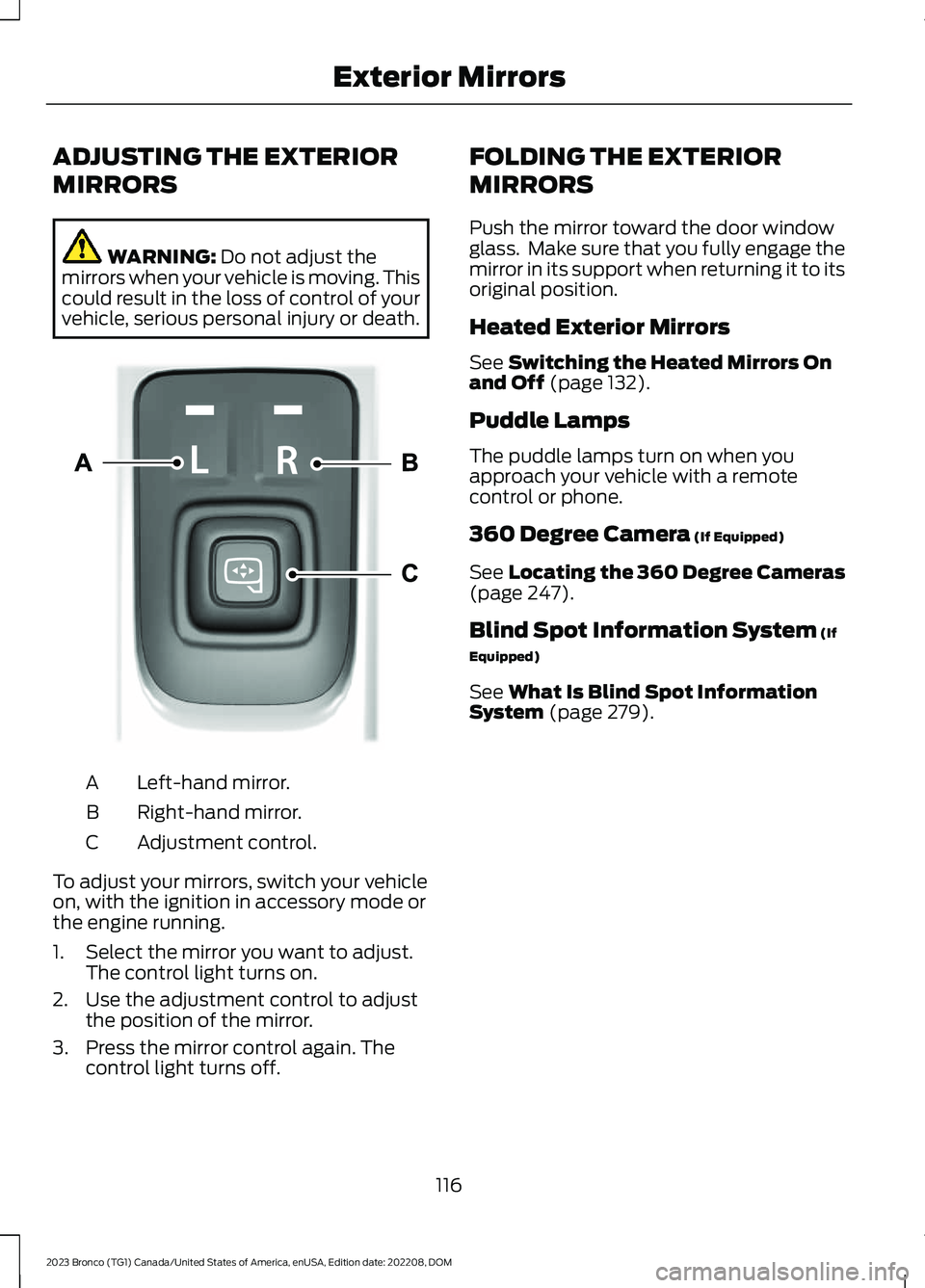
Left-hand mirror.A
Right-hand mirror.B
Adjustment control.C
To adjust your mirrors, switch your vehicleon, with the ignition in accessory mode orthe engine running.
1.Select the mirror you want to adjust.The control light turns on.
2.Use the adjustment control to adjustthe position of the mirror.
3.Press the mirror control again. Thecontrol light turns off.
FOLDING THE EXTERIOR
MIRRORS
Push the mirror toward the door windowglass. Make sure that you fully engage themirror in its support when returning it to itsoriginal position.
Heated Exterior Mirrors
See Switching the Heated Mirrors Onand Off (page 132).
Puddle Lamps
The puddle lamps turn on when youapproach your vehicle with a remotecontrol or phone.
360 Degree Camera (If Equipped)
See Locating the 360 Degree Cameras(page 247).
Blind Spot Information System (If
Equipped)
See What Is Blind Spot InformationSystem (page 279).
116
2023 Bronco (TG1) Canada/United States of America, enUSA, Edition date: 202208, DOMExterior MirrorsE328042
Page 133 of 642
WHAT IS REMOTE START
Remote Start System
The system allows you to remotely startyour vehicle and to adjust the interiortemperature according to the settings thatyou chose.
REMOTE START
PRECAUTIONS
WARNING: Do not start the enginein a closed garage or in other enclosedareas. Exhaust fumes are toxic. Alwaysopen the garage door before you startthe engine. Failure to follow thisinstruction could result in personal injuryor death.
REMOTE START LIMITATIONS
Remote start does not work under thefollowing conditions:
•The alarm horn is sounding.
•The hood is open.
•The transmission is not in park (P).
•The ignition is on.
•The battery voltage is below theminimum operating voltage.
•Remote start is not enabled.
Note:Do not use remote start if the fuellevel is low.
ENABLING REMOTE START
1.Press Settings on the touchscreen.
2.Press Vehicle.
3.Press Remote Start Setup.
4.Switch Remote Start on or off.
Note:To remote start with FordPass, makesure that the modem is enabled. SeeConnecting FordPass to the Modem(page 483).
REMOTELY STARTING AND
STOPPING THE VEHICLE
Remotely Starting the Vehicle
Press the button on the remotecontrol.
Within three seconds, press thebutton on the remote control.
Within three seconds, press thebutton again.
Note:You can also use FordPass to startthe vehicle.
Note:The vehicle doors lock when yousuccessfully remote start your vehicle.
Note:The turn signal lamps flash twice.
Note:The parking lamps turn on when thevehicle is running.
Note:The horn sounds if the system failsto start.
Note:All other vehicle systems remain offwhen you have remotely started the vehicle.
Note:The vehicle remains secured whenyou have remotely started the vehicle. Avalid key must be inside your vehicle toswitch the ignition on and drive your vehicle.
Remotely Stopping the Vehicle
Within three seconds, press thebutton on the remote control.
Within three seconds, press thebutton again.
129
2023 Bronco (TG1) Canada/United States of America, enUSA, Edition date: 202208, DOMRemote Start (If Equipped)E138623 E138625 E138625
Page 135 of 642
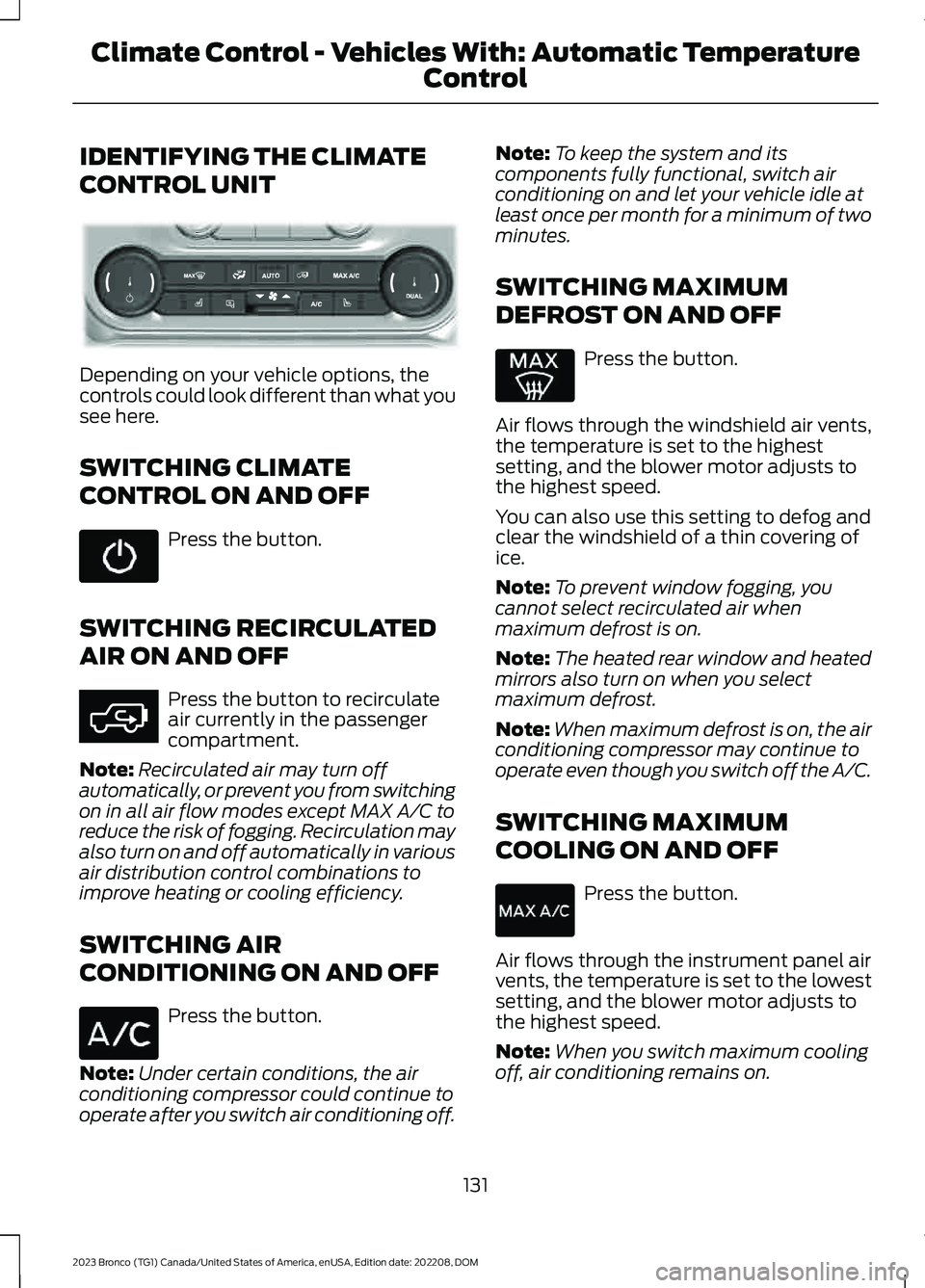
IDENTIFYING THE CLIMATE
CONTROL UNIT
Depending on your vehicle options, thecontrols could look different than what yousee here.
SWITCHING CLIMATE
CONTROL ON AND OFF
Press the button.
SWITCHING RECIRCULATED
AIR ON AND OFF
Press the button to recirculateair currently in the passengercompartment.
Note:Recirculated air may turn offautomatically, or prevent you from switchingon in all air flow modes except MAX A/C toreduce the risk of fogging. Recirculation mayalso turn on and off automatically in variousair distribution control combinations toimprove heating or cooling efficiency.
SWITCHING AIR
CONDITIONING ON AND OFF
Press the button.
Note:Under certain conditions, the airconditioning compressor could continue tooperate after you switch air conditioning off.
Note:To keep the system and itscomponents fully functional, switch airconditioning on and let your vehicle idle atleast once per month for a minimum of twominutes.
SWITCHING MAXIMUM
DEFROST ON AND OFF
Press the button.
Air flows through the windshield air vents,the temperature is set to the highestsetting, and the blower motor adjusts tothe highest speed.
You can also use this setting to defog andclear the windshield of a thin covering ofice.
Note:To prevent window fogging, youcannot select recirculated air whenmaximum defrost is on.
Note:The heated rear window and heatedmirrors also turn on when you selectmaximum defrost.
Note:When maximum defrost is on, the airconditioning compressor may continue tooperate even though you switch off the A/C.
SWITCHING MAXIMUM
COOLING ON AND OFF
Press the button.
Air flows through the instrument panel airvents, the temperature is set to the lowestsetting, and the blower motor adjusts tothe highest speed.
Note:When you switch maximum coolingoff, air conditioning remains on.
131
2023 Bronco (TG1) Canada/United States of America, enUSA, Edition date: 202208, DOMClimate Control - Vehicles With: Automatic Temperature
Control E358353 E363177
Page 138 of 642
SWITCHING DUAL MODE ON ANDOFF
Press the button to activate theselection screen.
Press the button.
Note:When dual mode is off, setting thetemperature using the driver side controls,sets the temperature for both sides.
Note:Setting the temperature using thepassenger side controls, sets the passengertemperature and switches dual mode on.
CLIMATE CONTROL HINTS
General Hints
•Prolonged use of recirculated air maycause the windows to fog up.
•You may feel a small amount of airfrom the footwell air vents regardlessof the air distribution setting.
•To reduce humidity build-up inside yourvehicle, do not drive with the systemswitched off or with recirculated airalways switched on.
•Do not place objects under the frontseats as this may interfere with theairflow to the rear seats.
•Remove any snow, ice or leaves fromthe air intake area at the base of thewindshield.
•To improve the time to reach acomfortable temperature in hotweather, drive with the windows openuntil you feel cold air through the airvents.
Automatic Climate Control
•Adjusting the settings when yourvehicle interior is extremely hot or coldis not necessary. Automatic mode isbest recommended to maintain settemperature.
•The system adjusts to heat or cool theinterior to the temperature you selectas quickly as possible.
•For the system to function efficiently,the instrument panel and side air ventsshould be fully open.
•If you press AUTO during cold outsidetemperatures, the system directs airflow to the windshield and side windowair vents.In addition, the blower motormay run at a slower speed until theengine warms up.
•If you press AUTO during hottemperatures and the inside of thevehicle is hot, the system usesrecirculated air to maximize interiorcooling. Blower motor speed may alsoreduce until the air cools.
Quickly Heating the Interior
1.Press AUTO.
2.Adjust the temperature function to thesetting you prefer.
Recommended Settings forHeating
1.Press AUTO.
2.Adjust the temperature function to thesetting you prefer. Use 72°F (22°C) asa starting point, then adjust the settingas necessary.
Quickly Cooling the Interior
1.Press MAX A/C.
2.Drive with the windows open for a shortperiod of time.
134
2023 Bronco (TG1) Canada/United States of America, enUSA, Edition date: 202208, DOMClimate Control - Vehicles With: Automatic Temperature
ControlE265283 E265280
Page 140 of 642
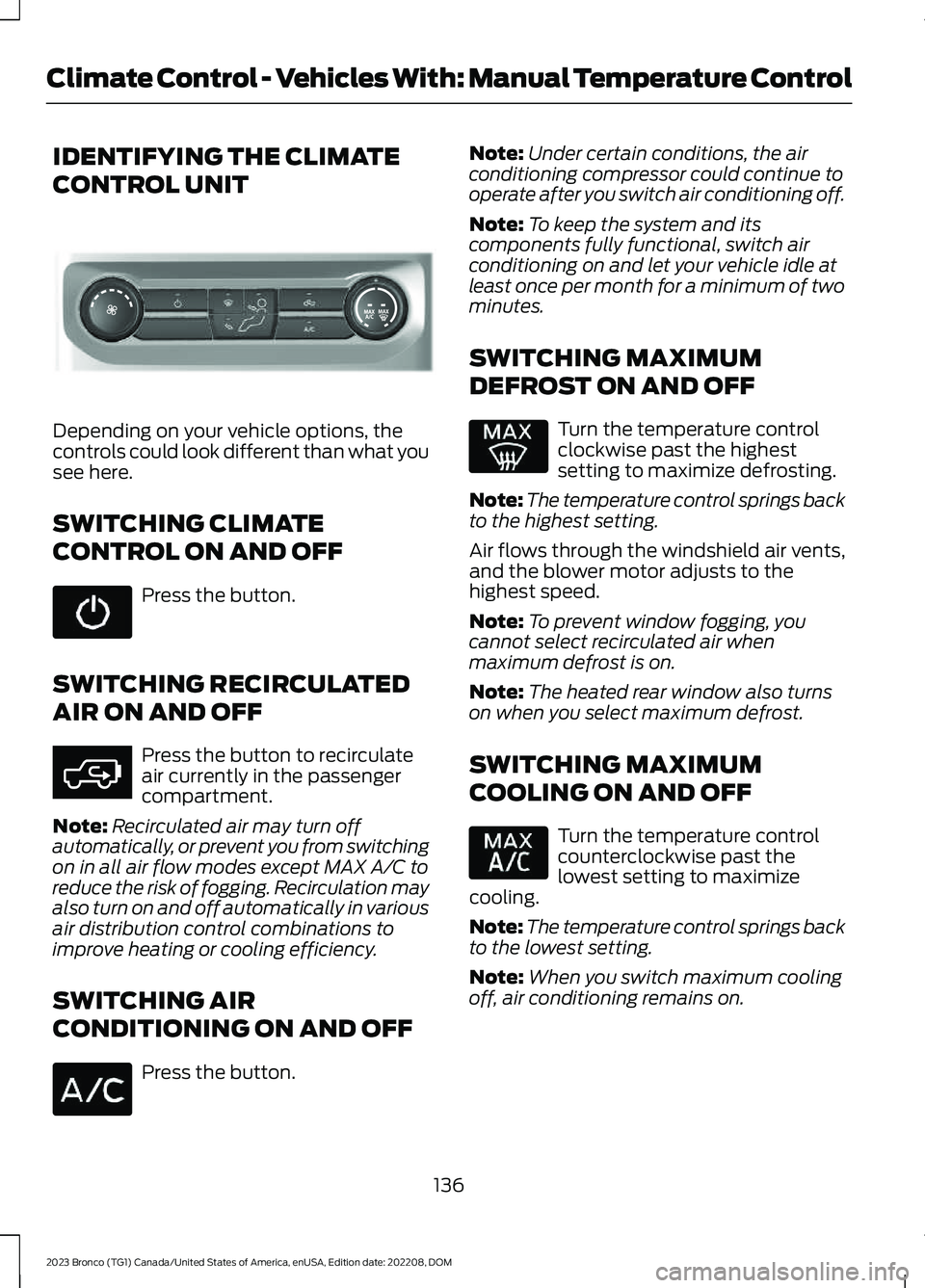
IDENTIFYING THE CLIMATE
CONTROL UNIT
Depending on your vehicle options, thecontrols could look different than what yousee here.
SWITCHING CLIMATE
CONTROL ON AND OFF
Press the button.
SWITCHING RECIRCULATED
AIR ON AND OFF
Press the button to recirculateair currently in the passengercompartment.
Note:Recirculated air may turn offautomatically, or prevent you from switchingon in all air flow modes except MAX A/C toreduce the risk of fogging. Recirculation mayalso turn on and off automatically in variousair distribution control combinations toimprove heating or cooling efficiency.
SWITCHING AIR
CONDITIONING ON AND OFF
Press the button.
Note:Under certain conditions, the airconditioning compressor could continue tooperate after you switch air conditioning off.
Note:To keep the system and itscomponents fully functional, switch airconditioning on and let your vehicle idle atleast once per month for a minimum of twominutes.
SWITCHING MAXIMUM
DEFROST ON AND OFF
Turn the temperature controlclockwise past the highestsetting to maximize defrosting.
Note:The temperature control springs backto the highest setting.
Air flows through the windshield air vents,and the blower motor adjusts to thehighest speed.
Note:To prevent window fogging, youcannot select recirculated air whenmaximum defrost is on.
Note:The heated rear window also turnson when you select maximum defrost.
SWITCHING MAXIMUM
COOLING ON AND OFF
Turn the temperature controlcounterclockwise past thelowest setting to maximizecooling.
Note:The temperature control springs backto the lowest setting.
Note:When you switch maximum coolingoff, air conditioning remains on.
136
2023 Bronco (TG1) Canada/United States of America, enUSA, Edition date: 202208, DOMClimate Control - Vehicles With: Manual Temperature ControlE308141 E363177
Page 165 of 642
WHAT IS THE WIRELESS
ACCESSORY CHARGER
The wireless accessory charger allows youto charge one compatible Qi wirelesscharging device on the charging area.
WIRELESS ACCESSORY
CHARGER PRECAUTIONS
WARNING: Wireless chargingdevices can affect the operation ofimplanted medical devices, includingcardiac pacemakers. If you have anyimplanted medical devices, werecommend that you consult with yourphysician.
Keep the charging area clean and removeforeign objects prior to charging a device.
Do not place items with a magnetic stripor radio-frequency identification chip, forexample passports, parking tickets,transportation passes or credit cards, nearthe charging area when charging a device.Damage could occur to the magnetic stripor radio-frequency identification chip.
Do not place metal objects, for exampleremote controls, coins and candywrappers, on or near the charging areawhen charging a device. Metal objects mayheat up and degrade the chargingperformance, in addition to causinginterruptions in charging.
Charging could be interrupted, degraded,or could stop if any of the following occur:
•The system detects a foreign object.
•The device is misaligned on thecharging area.
•The device moves on the activecharging area when the vehicle is inmotion.
•The vehicle ambient temperature is toohigh.
•You attempt to charge a non-Qicompatible device on the wirelesscharger.
Note:During charging, the device and thecharger could heat up, this is normal. If thebattery gets hotter than usual, the devicemay stop charging.
LOCATING THE WIRELESS
ACCESSORY CHARGER
The charging area is on thecenter console or in the mediabin below the instrument panel.
CHARGING A WIRELESS
DEVICE
Place the device on the center of thecharging surface with the charging sidedown. The charging stops after your devicereaches a full charge.
You can use the charger when the vehicleis in accessory mode, when the vehicle isrunning, or when SYNC is on.
Displays on the status bar whenwireless charging is in progress.
Note:The charging performance may beaffected if your device is in a case. It may benecessary to remove the case to wirelesslycharge your device.
Note:Software and firmware updates mayaffect device compatibility, including theuse of unofficial software or firmware.Customers should verify chargingfunctionality with their specific devicesin-vehicle.
161
2023 Bronco (TG1) Canada/United States of America, enUSA, Edition date: 202208, DOMWireless Accessory Charger (If Equipped)E297549 E263583
Page 168 of 642
STARTING AND STOPPING
THE ENGINE – PRECAUTIONS
WARNING: Extended idling at highengine speeds can produce very hightemperatures in the engine and exhaustsystem, creating the risk of fire or otherdamage.
WARNING: Do not park, idle ordrive your vehicle on dry grass or otherdry ground cover. The emission systemheats up the engine compartment andexhaust system, creating the risk of fire.
WARNING: Do not start the enginein a closed garage or in other enclosedareas. Exhaust fumes are toxic. Alwaysopen the garage door before you startthe engine. Failure to follow thisinstruction could result in personal injuryor death.
WARNING: Exhaust leaks mayresult in entry of harmful and potentiallylethal fumes into the passengercompartment. If you smell exhaustfumes inside your vehicle, have yourvehicle inspected immediately. Do notdrive if you smell exhaust fumes.
The powertrain control system meets allCanadian interference-causing equipmentstandard requirements regulating theimpulse electrical field or radio noise.
Note: If you use your vehicle regularlyabove the altitude of 7,500 ft (2,286 m) andunder the temperature of -4.0°F (-20°C),it is recommended to use the alternativeengine oil. See Capacities andSpecifications (page 461).
If you stop your vehicle and leave theengine idling for long periods, werecommend that you do one of thefollowing:
•Open the windows at least 1 in(2.5 cm).
•Set your climate control to outside air.
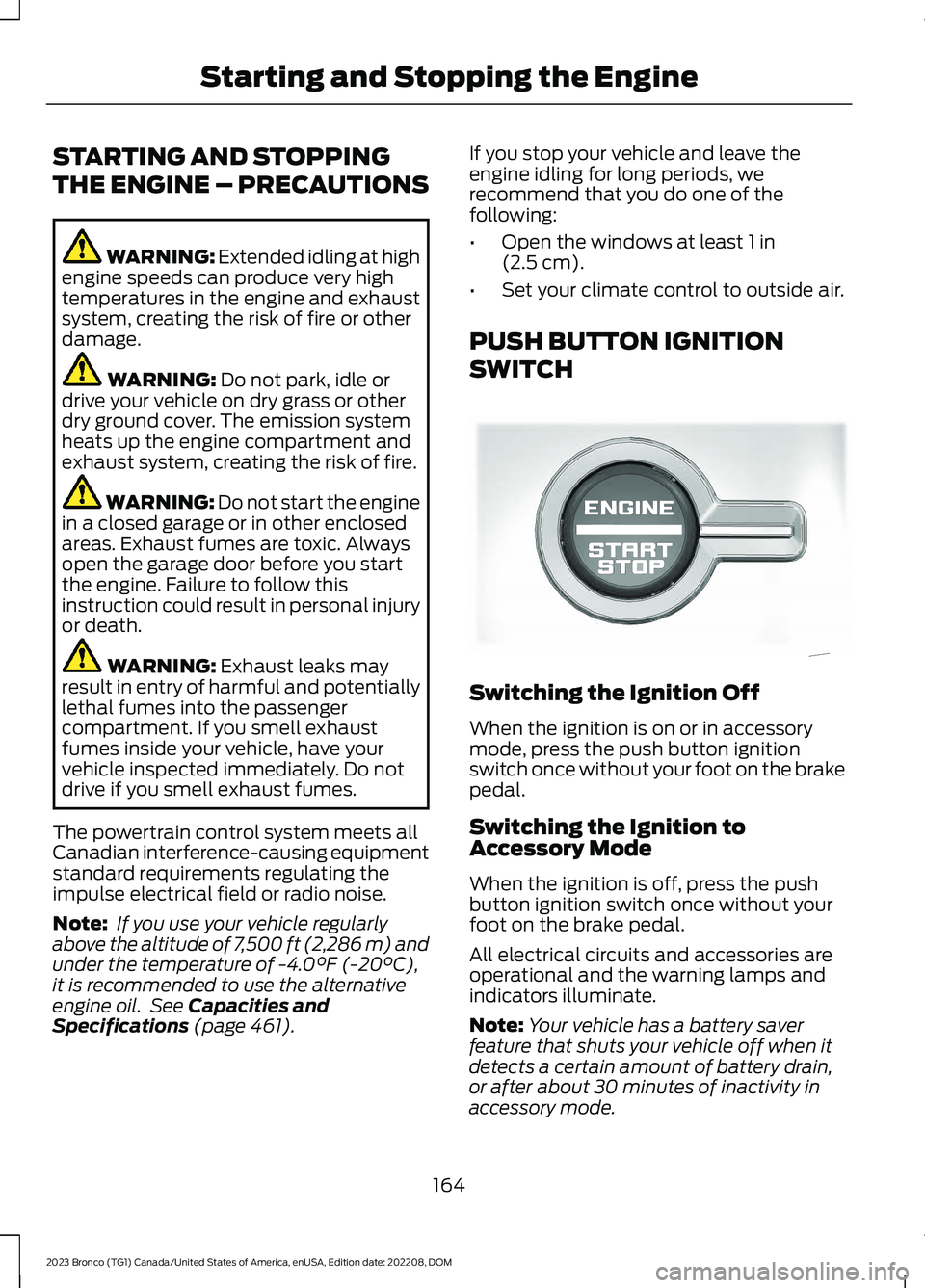
PUSH BUTTON IGNITION
SWITCH
Switching the Ignition Off
When the ignition is on or in accessorymode, press the push button ignitionswitch once without your foot on the brakepedal.
Switching the Ignition toAccessory Mode
When the ignition is off, press the pushbutton ignition switch once without yourfoot on the brake pedal.
All electrical circuits and accessories areoperational and the warning lamps andindicators illuminate.
Note:Your vehicle has a battery saverfeature that shuts your vehicle off when itdetects a certain amount of battery drain,or after about 30 minutes of inactivity inaccessory mode.
164
2023 Bronco (TG1) Canada/United States of America, enUSA, Edition date: 202208, DOMStarting and Stopping the EngineE340581
Page 195 of 642
MANUAL (M)
In manual (M) you can select a specificgear. See Manually Shifting Gears (page191).
Note:We recommend using this mode fordriving on hilly or mountainous roads orwhen towing a trailer. See Towing a Trailer(page 307).
SPORT (S)
In sport (S) your vehicle holds gears longer.
Note:We recommend using this mode fora sportier feel or when driving on hilly ormountainous roads.
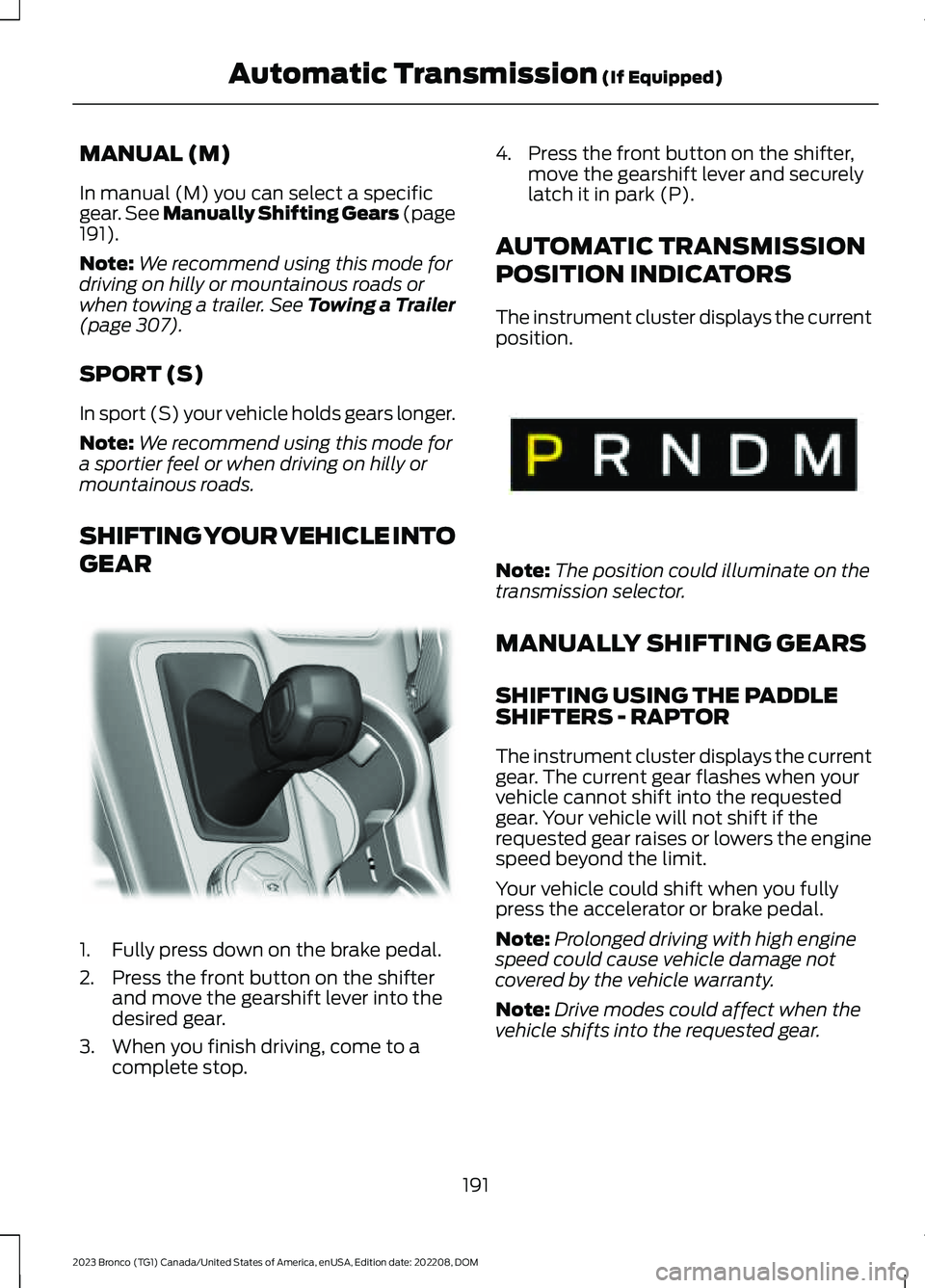
SHIFTING YOUR VEHICLE INTO
GEAR
1.Fully press down on the brake pedal.
2.Press the front button on the shifterand move the gearshift lever into thedesired gear.
3.When you finish driving, come to acomplete stop.
4.Press the front button on the shifter,move the gearshift lever and securelylatch it in park (P).
AUTOMATIC TRANSMISSION
POSITION INDICATORS
The instrument cluster displays the currentposition.
Note:The position could illuminate on thetransmission selector.
MANUALLY SHIFTING GEARS
SHIFTING USING THE PADDLESHIFTERS - RAPTOR
The instrument cluster displays the currentgear. The current gear flashes when yourvehicle cannot shift into the requestedgear. Your vehicle will not shift if therequested gear raises or lowers the enginespeed beyond the limit.
Your vehicle could shift when you fullypress the accelerator or brake pedal.
Note:Prolonged driving with high enginespeed could cause vehicle damage notcovered by the vehicle warranty.
Note:Drive modes could affect when thevehicle shifts into the requested gear.
191
2023 Bronco (TG1) Canada/United States of America, enUSA, Edition date: 202208, DOMAutomatic Transmission (If Equipped)E324063 E341776