battery FORD BRONCO 2023 User Guide
[x] Cancel search | Manufacturer: FORD, Model Year: 2023, Model line: BRONCO, Model: FORD BRONCO 2023Pages: 642, PDF Size: 14.71 MB
Page 87 of 642
Programming is now complete. With yourfoot on the brake pedal, press the pushbutton ignition switch to verify the remotecontrol functions operate and your vehiclestarts with the new remote control.
If programming was not successful, wait10 seconds and repeat Steps 1 through 7.If you are still unsuccessful, take yourvehicle to an authorized dealer.
KEYS AND REMOTE CONTROLS – TROUBLESHOOTING
KEYS AND REMOTE CONTROLS – INFORMATION MESSAGES
ActionMessage
Displays when the remote control battery requires replacing.Key Battery Low ReplaceSoon
83
2023 Bronco (TG1) Canada/United States of America, enUSA, Edition date: 202208, DOMKeys and Remote Controls
Page 95 of 642
WHAT IS KEYLESS ENTRY
The system allows you to lock and unlockyour vehicle without taking the passive keyout of your pocket or purse.
KEYLESS ENTRY LIMITATIONS
Make sure your remote control is within 3 ft(1 m) from the front door handles and thetailgate.
The system could not function if:
•The remote control remains stationaryfor about a minute.
•The vehicle battery has no charge.
•The remote control battery has nocharge.
•There is interference causing issueswith the remote control frequencies.
•The remote control is too close tometal objects or electronic devices, forexample keys or a cell phone.
KEYLESS ENTRY SETTINGS
Switching Keyless Entry On andOff
1.Switch the ignition on using an originalkey that has not been created as aMyKey.
2.Press Settings on the touchscreen.
3.Press Vehicle Settings.
4.Press Locks.
Reprogramming the UnlockingFunction
You can enable two-stage unlockingfunction allowing you to unlock only thedriver door when you touch the unlocksensor.
Press and hold both the lock and unlockbuttons on the remote control for fourseconds to disable or enable two-stageunlocking.
If you program the unlocking function sothat only the driver door unlocks, you canunlock all of the other doors from insideyour vehicle using the power door lockcontrol. You can unlock individual doorsby pulling the interior door handles onthose doors.
USING KEYLESS ENTRY
Unlocking the Doors
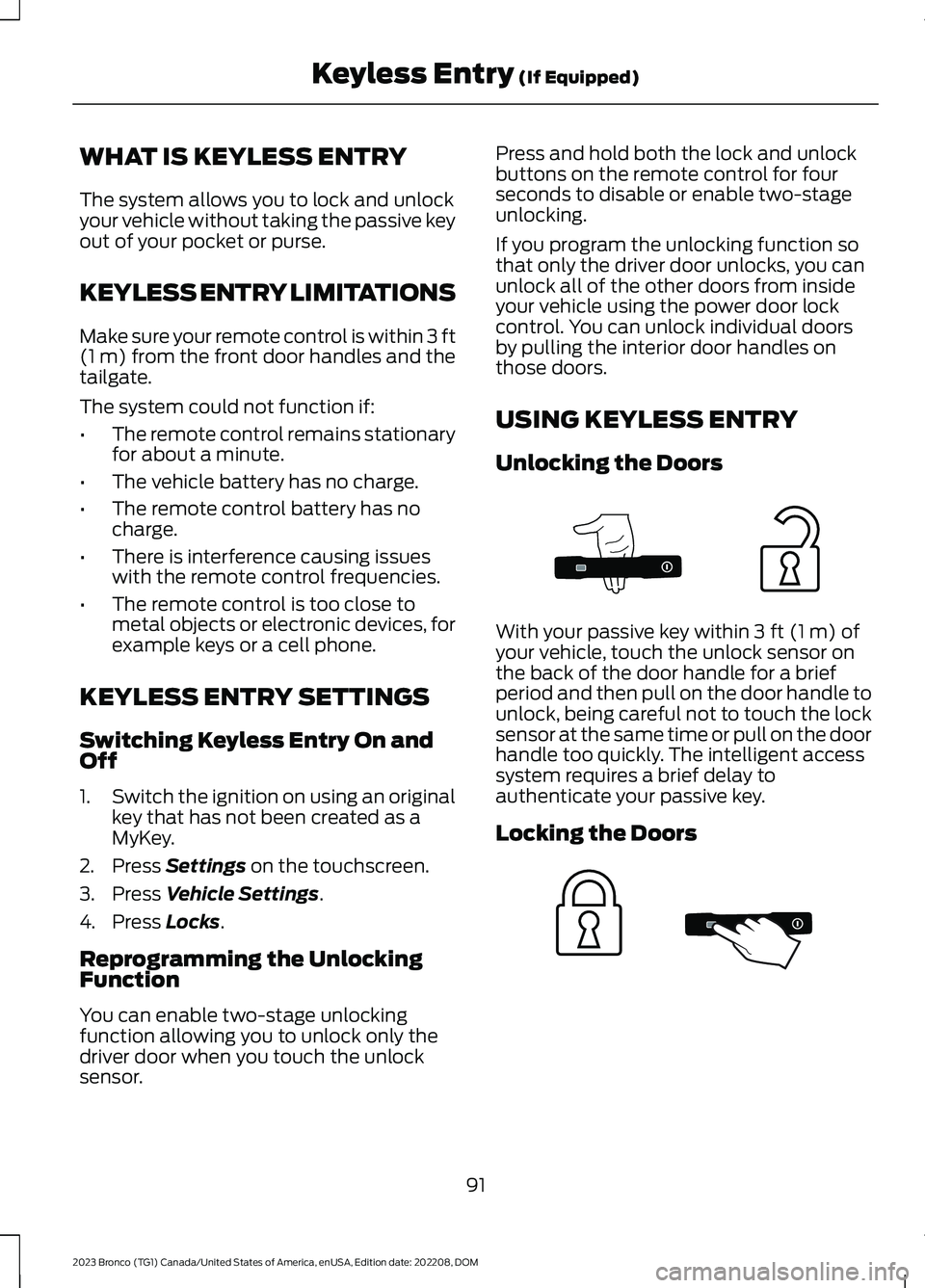
With your passive key within 3 ft (1 m) ofyour vehicle, touch the unlock sensor onthe back of the door handle for a briefperiod and then pull on the door handle tounlock, being careful not to touch the locksensor at the same time or pull on the doorhandle too quickly. The intelligent accesssystem requires a brief delay toauthenticate your passive key.
Locking the Doors
91
2023 Bronco (TG1) Canada/United States of America, enUSA, Edition date: 202208, DOMKeyless Entry (If Equipped)E333747 E333746
Page 109 of 642
How long may it take for theacceptable condensation to becleared?
•Clearing time may take as long as 48hours under dry weather conditions.
How much condensation isunacceptable?
•A water puddle inside the lamp.Streaks, drip marks or large dropletspresent on the interior of the lens.
What should I do if unacceptablecondensation is present?
•Have your vehicle checked as soon aspossible.
Why do my headlamps turn offwhen I have them switched onwhen I switch my vehicle off?
•The battery saver turns the headlampsoff after a short period of time after youswitch your vehicle off.
AUTOLAMPS
WHAT ARE AUTOLAMPS
WARNING: The system does notrelieve you of your responsibility to drivewith due care and attention. You mayneed to override the system if it does notturn the headlamps on in low visibilityconditions, for example daytime fog.
Autolamps turn the headlamps on in lowlight situations or when the windshieldwipers operate.
AUTOLAMP SETTINGS
1.Press Settings on the touchscreen.
2.Press Vehicle Settings.
3.Press Lighting.
4.Press Autolamp Delay.
5.Press a setting.
EXTERIOR LAMPS
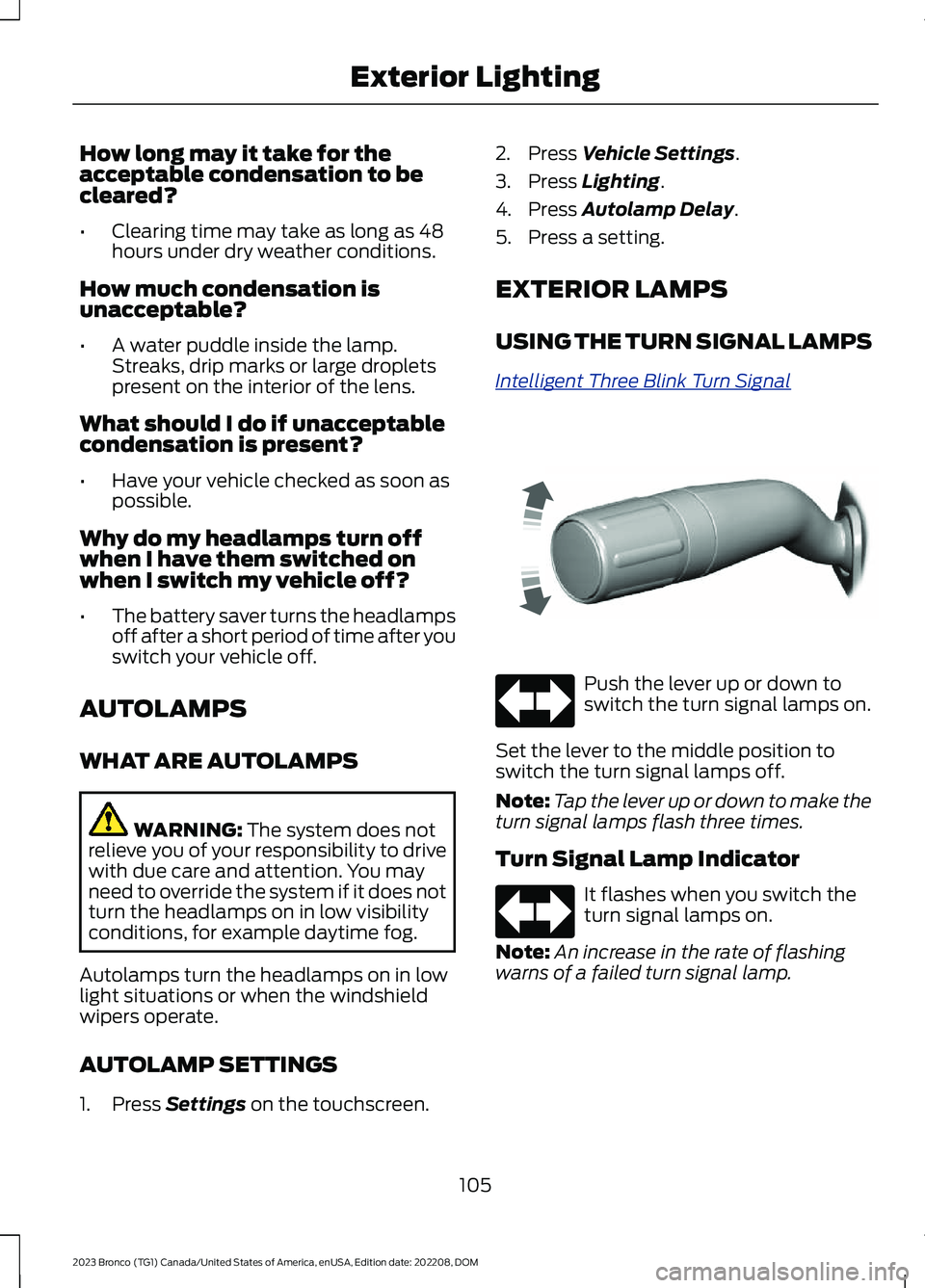
USING THE TURN SIGNAL LAMPS
Intelligent Three Blink Turn Signal
Push the lever up or down toswitch the turn signal lamps on.
Set the lever to the middle position toswitch the turn signal lamps off.
Note:Tap the lever up or down to make theturn signal lamps flash three times.
Turn Signal Lamp Indicator
It flashes when you switch theturn signal lamps on.
Note:An increase in the rate of flashingwarns of a failed turn signal lamp.
105
2023 Bronco (TG1) Canada/United States of America, enUSA, Edition date: 202208, DOMExterior LightingE311431 E67018 E67018
Page 111 of 642
Front Fog Lamps Indicator
It illuminates when you switchthe front fog lamps on.
SWITCHING THE SPOT LAMPS ONAND OFF (If Equipped)
The spot lamp buttons are near the lightingcontrol.
Press the button to switch on theleft-hand spot lamp.
Press the button to switch on theright-hand spot lamp.
Move the position of the exterior mirrorsto adjust the aim.
Note:Make sure you switch your vehicle on,with the vehicle in accessory mode orrunning.
Note:The spot lamps turn off after 6 mph(10 km/h).
Note:The spot lamps illuminate the areain front of and to the side of your vehicle.
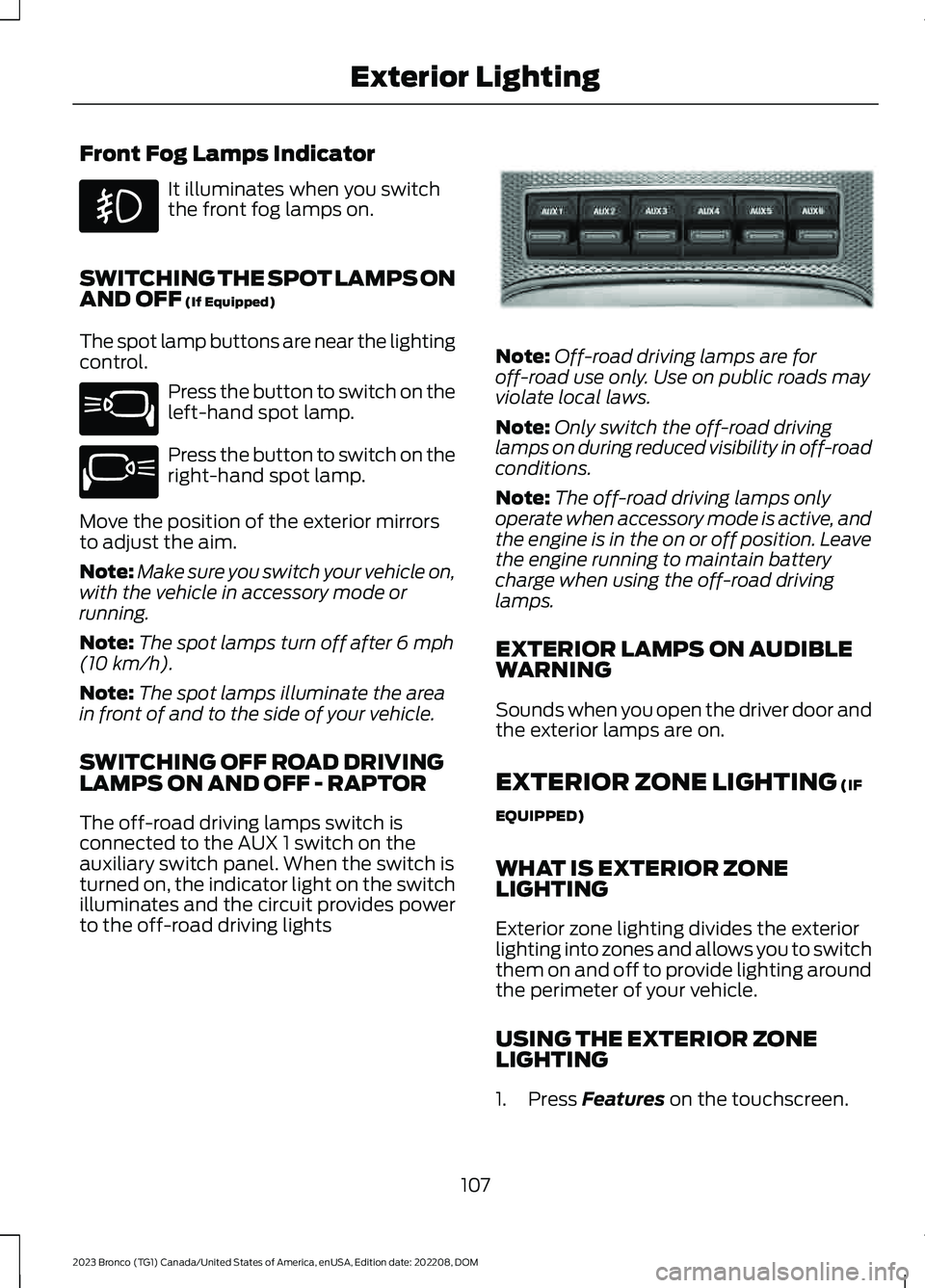
SWITCHING OFF ROAD DRIVINGLAMPS ON AND OFF - RAPTOR
The off-road driving lamps switch isconnected to the AUX 1 switch on theauxiliary switch panel. When the switch isturned on, the indicator light on the switchilluminates and the circuit provides powerto the off-road driving lights
Note:Off-road driving lamps are foroff-road use only. Use on public roads mayviolate local laws.
Note:Only switch the off-road drivinglamps on during reduced visibility in off-roadconditions.
Note:The off-road driving lamps onlyoperate when accessory mode is active, andthe engine is in the on or off position. Leavethe engine running to maintain batterycharge when using the off-road drivinglamps.
EXTERIOR LAMPS ON AUDIBLEWARNING
Sounds when you open the driver door andthe exterior lamps are on.
EXTERIOR ZONE LIGHTING (IF
EQUIPPED)
WHAT IS EXTERIOR ZONELIGHTING
Exterior zone lighting divides the exteriorlighting into zones and allows you to switchthem on and off to provide lighting aroundthe perimeter of your vehicle.
USING THE EXTERIOR ZONELIGHTING
1.Press Features on the touchscreen.
107
2023 Bronco (TG1) Canada/United States of America, enUSA, Edition date: 202208, DOMExterior Lighting E340436 E340437 E220728
Page 116 of 642
ADJUSTING THE INSTRUMENT
PANEL LIGHTING
BRIGHTNESS
The instrument lighting dimmer buttonsare on the lighting control.
Repeatedly press one of thebuttons to adjust the brightness.
AMBIENT LIGHTING (IF EQUIPPED)
SWITCHING AMBIENT LIGHTINGON AND OFF
1.Press Settings on the touchscreen.
2.Press Vehicle Settings.
3.Press Ambient Light.
4.Switch Ambient Light on or off.
ADJUSTING AMBIENT LIGHTING
Drag the slider left or right.
INTERIOR LIGHTING –
TROUBLESHOOTING
INTERIOR LIGHTING –FREQUENTLY ASKED QUESTIONS
Why do my courtesy lamps or interiorlamps turn off when I have themswitched on when I switch my vehicleoff?
The battery saver turns the courtesylamps and interior lamps off after ashort period of time after you switchyour vehicle off.
112
2023 Bronco (TG1) Canada/United States of America, enUSA, Edition date: 202208, DOMInterior LightingE291299 E296433
Page 124 of 642
INSTRUMENT CLUSTER
WARNING LAMPS
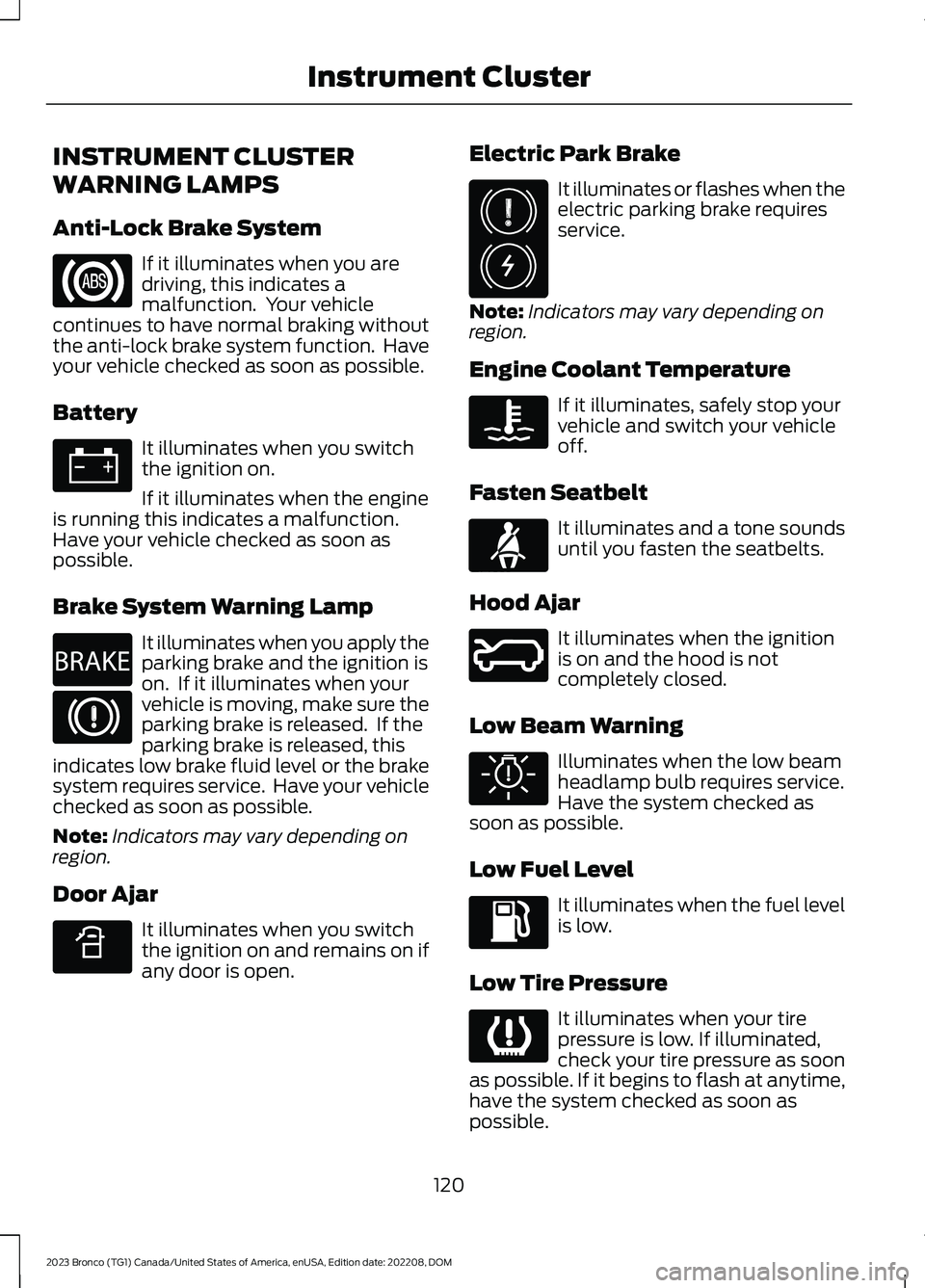
Anti-Lock Brake System
If it illuminates when you aredriving, this indicates amalfunction. Your vehiclecontinues to have normal braking withoutthe anti-lock brake system function. Haveyour vehicle checked as soon as possible.
Battery
It illuminates when you switchthe ignition on.
If it illuminates when the engineis running this indicates a malfunction.Have your vehicle checked as soon aspossible.
Brake System Warning Lamp
It illuminates when you apply theparking brake and the ignition ison. If it illuminates when yourvehicle is moving, make sure theparking brake is released. If theparking brake is released, thisindicates low brake fluid level or the brakesystem requires service. Have your vehiclechecked as soon as possible.
Note:Indicators may vary depending onregion.
Door Ajar
It illuminates when you switchthe ignition on and remains on ifany door is open.
Electric Park Brake
It illuminates or flashes when theelectric parking brake requiresservice.
Note:Indicators may vary depending onregion.
Engine Coolant Temperature
If it illuminates, safely stop yourvehicle and switch your vehicleoff.
Fasten Seatbelt
It illuminates and a tone soundsuntil you fasten the seatbelts.
Hood Ajar
It illuminates when the ignitionis on and the hood is notcompletely closed.
Low Beam Warning
Illuminates when the low beamheadlamp bulb requires service.Have the system checked assoon as possible.
Low Fuel Level
It illuminates when the fuel levelis low.
Low Tire Pressure
It illuminates when your tirepressure is low. If illuminated,check your tire pressure as soonas possible. If it begins to flash at anytime,have the system checked as soon aspossible.
120
2023 Bronco (TG1) Canada/United States of America, enUSA, Edition date: 202208, DOMInstrument ClusterE67020 E67021 E270480 E67024 E340898 E325775 E103308 E71880 E324249 E325579 E139232
Page 133 of 642
WHAT IS REMOTE START
Remote Start System
The system allows you to remotely startyour vehicle and to adjust the interiortemperature according to the settings thatyou chose.
REMOTE START
PRECAUTIONS
WARNING: Do not start the enginein a closed garage or in other enclosedareas. Exhaust fumes are toxic. Alwaysopen the garage door before you startthe engine. Failure to follow thisinstruction could result in personal injuryor death.
REMOTE START LIMITATIONS
Remote start does not work under thefollowing conditions:
•The alarm horn is sounding.
•The hood is open.
•The transmission is not in park (P).
•The ignition is on.
•The battery voltage is below theminimum operating voltage.
•Remote start is not enabled.
Note:Do not use remote start if the fuellevel is low.
ENABLING REMOTE START
1.Press Settings on the touchscreen.
2.Press Vehicle.
3.Press Remote Start Setup.
4.Switch Remote Start on or off.
Note:To remote start with FordPass, makesure that the modem is enabled. SeeConnecting FordPass to the Modem(page 483).
REMOTELY STARTING AND
STOPPING THE VEHICLE
Remotely Starting the Vehicle
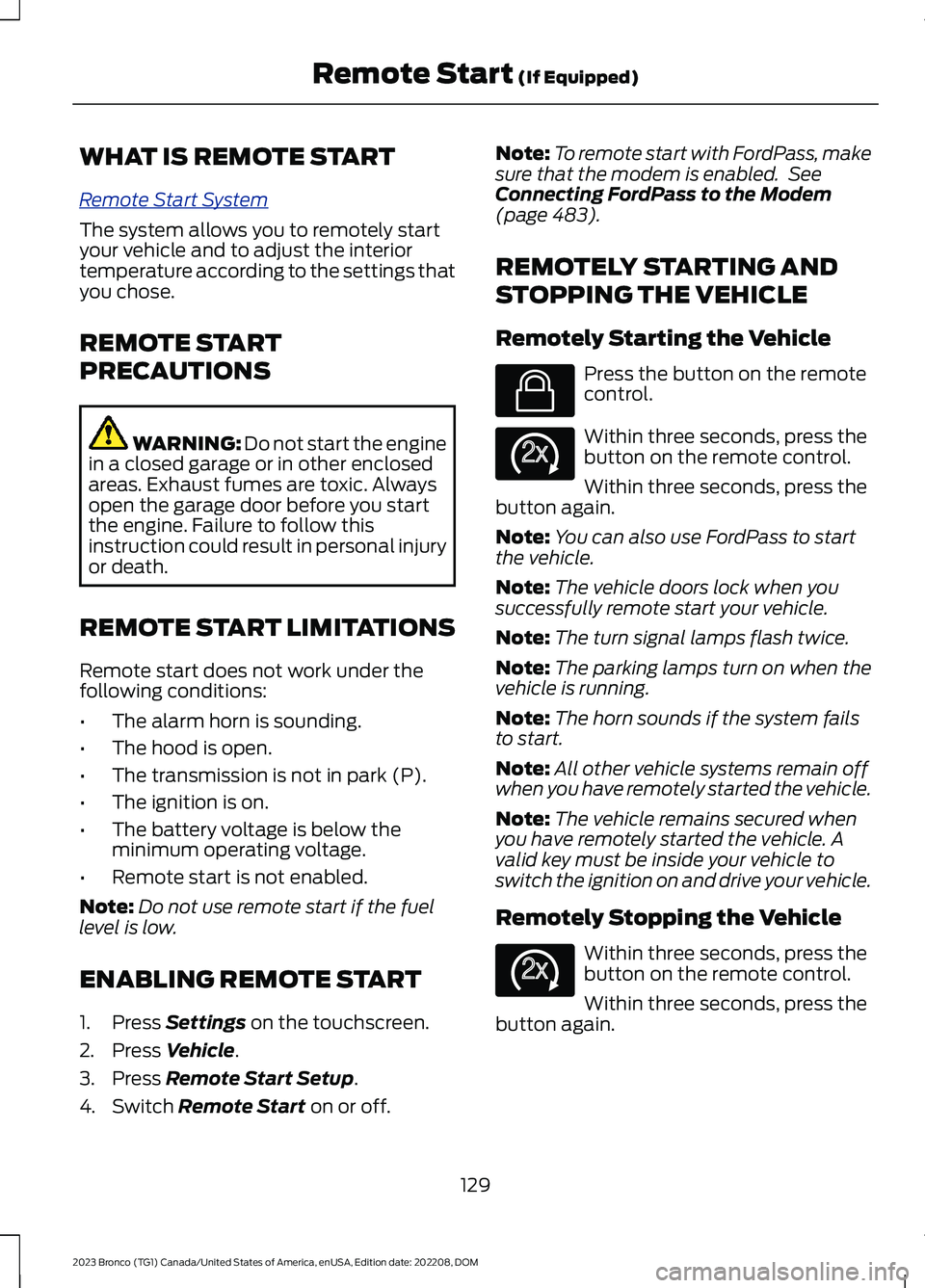
Press the button on the remotecontrol.
Within three seconds, press thebutton on the remote control.
Within three seconds, press thebutton again.
Note:You can also use FordPass to startthe vehicle.
Note:The vehicle doors lock when yousuccessfully remote start your vehicle.
Note:The turn signal lamps flash twice.
Note:The parking lamps turn on when thevehicle is running.
Note:The horn sounds if the system failsto start.
Note:All other vehicle systems remain offwhen you have remotely started the vehicle.
Note:The vehicle remains secured whenyou have remotely started the vehicle. Avalid key must be inside your vehicle toswitch the ignition on and drive your vehicle.
Remotely Stopping the Vehicle
Within three seconds, press thebutton on the remote control.
Within three seconds, press thebutton again.
129
2023 Bronco (TG1) Canada/United States of America, enUSA, Edition date: 202208, DOMRemote Start (If Equipped)E138623 E138625 E138625
Page 157 of 642
This equipment complies with FCCradiation exposure limits set forth for anuncontrolled environment. End Users mustfollow the specific operating instructionsfor satisfying RF exposure compliance. Thistransmitter must be at least 8 in (20 cm)from the user and must not be co-locatedor operating in conjunction with any otherantenna or transmitter.
PROGRAMMING THE GARAGE
DOOR OPENER
To clear all stored codes in the garage dooropener in your vehicle, use the clearfunction. To override one button, use thereprogram function.
Note:Make sure that the garage door andsecurity device are free from obstructionwhen you are programming. Do not programthe system with the vehicle in the garage.
Clearing the Garage Door Opener
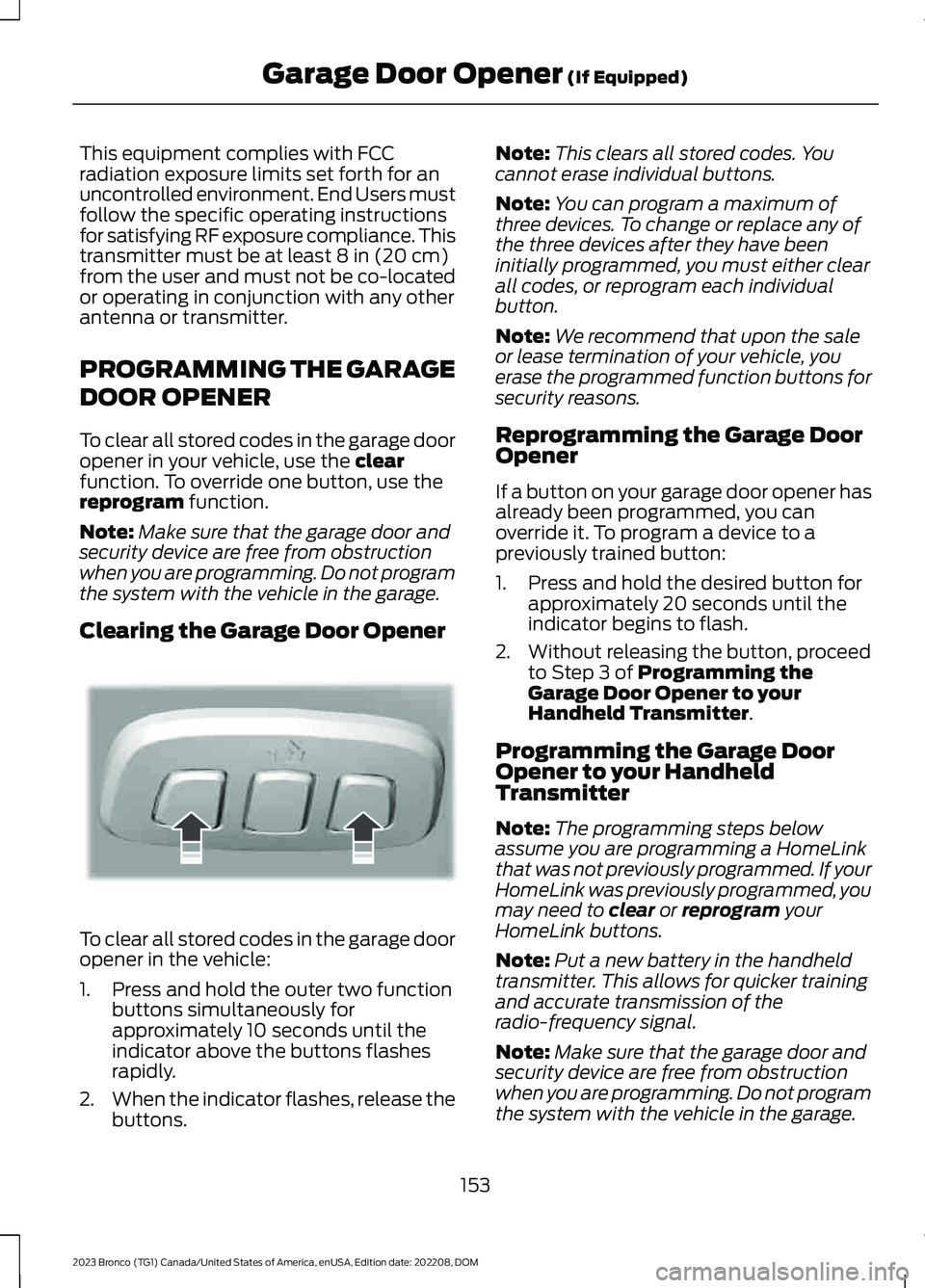
To clear all stored codes in the garage dooropener in the vehicle:
1.Press and hold the outer two functionbuttons simultaneously forapproximately 10 seconds until theindicator above the buttons flashesrapidly.
2.When the indicator flashes, release thebuttons.
Note:This clears all stored codes. Youcannot erase individual buttons.
Note:You can program a maximum ofthree devices. To change or replace any ofthe three devices after they have beeninitially programmed, you must either clearall codes, or reprogram each individualbutton.
Note:We recommend that upon the saleor lease termination of your vehicle, youerase the programmed function buttons forsecurity reasons.
Reprogramming the Garage DoorOpener
If a button on your garage door opener hasalready been programmed, you canoverride it. To program a device to apreviously trained button:
1.Press and hold the desired button forapproximately 20 seconds until theindicator begins to flash.
2.Without releasing the button, proceedto Step 3 of Programming theGarage Door Opener to yourHandheld Transmitter.
Programming the Garage DoorOpener to your HandheldTransmitter
Note:The programming steps belowassume you are programming a HomeLinkthat was not previously programmed. If yourHomeLink was previously programmed, youmay need to clear or reprogram yourHomeLink buttons.
Note:Put a new battery in the handheldtransmitter. This allows for quicker trainingand accurate transmission of theradio-frequency signal.
Note:Make sure that the garage door andsecurity device are free from obstructionwhen you are programming. Do not programthe system with the vehicle in the garage.
153
2023 Bronco (TG1) Canada/United States of America, enUSA, Edition date: 202208, DOMGarage Door Opener (If Equipped)E188213
Page 164 of 642
WHAT IS THE POWER OUTLET
The power outlet can power devices usinga 12 V outlet adapter.
POWER OUTLET
PRECAUTIONS
WARNING: Do not plug optionalelectrical accessories into the cigarlighter socket. Incorrect use of the cigarlighter can cause damage not coveredby the vehicle warranty, and can resultin fire or serious injury.
When you switch the vehicle on, you canuse the socket to power 12 V applianceswith a maximum current rating of 20 A. Donot use the power point over the vehiclecapacity of 12 V DC 240 W or a fuse couldblow. Do not plug in any device thatsupplies power to the vehicle through thepower points. This could result in damageto vehicle systems. Do not hang anyaccessory from the accessory plug. Alwayskeep the power point caps closed whennot in use. Do not insert objects other thanan accessory plug into the power point.
To prevent the battery from running out ofcharge:
•Do not use the power point longer thannecessary when the vehicle is off.
•Do not leave devices plugged inovernight or when you park your vehiclefor extended periods.
LOCATING THE POWER
OUTLETS
Power outlets may be in the followinglocations:
•On the lower instrument panel.
•Inside the center console.
•On the front of the center console.
•On the rear of the center console.
•In the cargo area.
•On the passenger side floor panel.
•3rd row on the quarter trim panels.
160
2023 Bronco (TG1) Canada/United States of America, enUSA, Edition date: 202208, DOMPower Outlet - Vehicles With: 12V Power Outlet
Page 165 of 642
WHAT IS THE WIRELESS
ACCESSORY CHARGER
The wireless accessory charger allows youto charge one compatible Qi wirelesscharging device on the charging area.
WIRELESS ACCESSORY
CHARGER PRECAUTIONS
WARNING: Wireless chargingdevices can affect the operation ofimplanted medical devices, includingcardiac pacemakers. If you have anyimplanted medical devices, werecommend that you consult with yourphysician.
Keep the charging area clean and removeforeign objects prior to charging a device.
Do not place items with a magnetic stripor radio-frequency identification chip, forexample passports, parking tickets,transportation passes or credit cards, nearthe charging area when charging a device.Damage could occur to the magnetic stripor radio-frequency identification chip.
Do not place metal objects, for exampleremote controls, coins and candywrappers, on or near the charging areawhen charging a device. Metal objects mayheat up and degrade the chargingperformance, in addition to causinginterruptions in charging.
Charging could be interrupted, degraded,or could stop if any of the following occur:
•The system detects a foreign object.
•The device is misaligned on thecharging area.
•The device moves on the activecharging area when the vehicle is inmotion.
•The vehicle ambient temperature is toohigh.
•You attempt to charge a non-Qicompatible device on the wirelesscharger.
Note:During charging, the device and thecharger could heat up, this is normal. If thebattery gets hotter than usual, the devicemay stop charging.
LOCATING THE WIRELESS
ACCESSORY CHARGER
The charging area is on thecenter console or in the mediabin below the instrument panel.
CHARGING A WIRELESS
DEVICE
Place the device on the center of thecharging surface with the charging sidedown. The charging stops after your devicereaches a full charge.
You can use the charger when the vehicleis in accessory mode, when the vehicle isrunning, or when SYNC is on.
Displays on the status bar whenwireless charging is in progress.
Note:The charging performance may beaffected if your device is in a case. It may benecessary to remove the case to wirelesslycharge your device.
Note:Software and firmware updates mayaffect device compatibility, including theuse of unofficial software or firmware.Customers should verify chargingfunctionality with their specific devicesin-vehicle.
161
2023 Bronco (TG1) Canada/United States of America, enUSA, Edition date: 202208, DOMWireless Accessory Charger (If Equipped)E297549 E263583