key battery FORD BRONCO 2023 User Guide
[x] Cancel search | Manufacturer: FORD, Model Year: 2023, Model line: BRONCO, Model: FORD BRONCO 2023Pages: 642, PDF Size: 14.71 MB
Page 333 of 642
Vehicles Sold in Canada: GettingRoadside Assistance
To fully assist you should you have avehicle concern, Ford Motor Company ofCanada, Limited offers a complimentaryroadside assistance program. Thisprogram is eligible within Canada or thecontinental United States.
The service is available 24 hours a day,seven days a week.
This program is separate from the NewVehicle Limited Warranty, but the coverageis concurrent with the powertrain coverageperiod of your vehicle. Canadian roadsidecoverage and benefits may differ from theU.S. coverage.
If you require more information, please callus in Canada at 1-800-665-2006, or visitour website at www.ford.ca.
SWITCHING THE HAZARD
FLASHERS ON AND OFF
The hazard flasher button is onthe instrument panel. Press thebutton to switch the hazardflashers on if your vehicle is creating asafety hazard for other road users.
When you switch the hazard flashers on,all front and rear direction indicators flash.
Note:The hazard flashers operate whenthe ignition is in any position, or if the key isnot in the ignition. The battery loses chargeand could have insufficient power to restartyour vehicle.
Press the button again to switch them off.
JUMP STARTING THE VEHICLE
JUMP STARTING PRECAUTIONS
WARNING: Batteries normallyproduce explosive gases which cancause personal injury. Therefore, do notallow flames, sparks or lightedsubstances to come near the battery.When working near the battery, alwaysshield your face and protect your eyes.Always provide correct ventilation.
WARNING: Keep batteries out ofreach of children. Batteries containsulfuric acid. Avoid contact with skin,eyes or clothing. Shield your eyes whenworking near the battery to protectagainst possible splashing of acidsolution. In case of acid contact with skinor eyes, flush immediately with water fora minimum of 15 minutes and get promptmedical attention. If acid is swallowed,call a physician immediately.
WARNING: Use only adequatelysized cables with insulated clamps.
WARNING: Make sure that thecables are clear of any moving parts andfuel delivery system parts.
WARNING: Connect batteries withonly the same nominal voltage.
WARNING: If the engine is runningwhile the hood is open, stay clear ofmoving engine components. Failure tofollow this warning could result in seriouspersonal injury or death.
Do not attempt to push-start an automatictransmission vehicle. This could causetransmission damage.
329
2023 Bronco (TG1) Canada/United States of America, enUSA, Edition date: 202208, DOMCrash and Breakdown InformationE75790
Page 502 of 642
CENTER DISPLAY
PRECAUTIONS
WARNING: Driving while distractedcan result in loss of vehicle control, crashand injury. We strongly recommend thatyou use extreme caution when using anydevice that may take your focus off theroad. Your primary responsibility is thesafe operation of your vehicle. Werecommend against the use of anyhand-held device while driving andencourage the use of voice-operatedsystems when possible. Make sure youare aware of all applicable local lawsthat may affect the use of electronicdevices while driving.
CENTER DISPLAY
LIMITATIONS
Speed-restricted Features
For your safety, some features are notavailable while the vehicle is in motion ator above 5 mph (8 km/h). Settings thatare not critical while driving your vehicleare shown as restricted on your display.Some of these settings include:
•Software updates.
•Personal profiles setup.
•Valet mode setup.
•Driver assistance settings.
•MyKey setup.
•Door keypad code setup.
These restricted features becomeavailable when your vehicle is no longer inmotion.
STATUS BAR
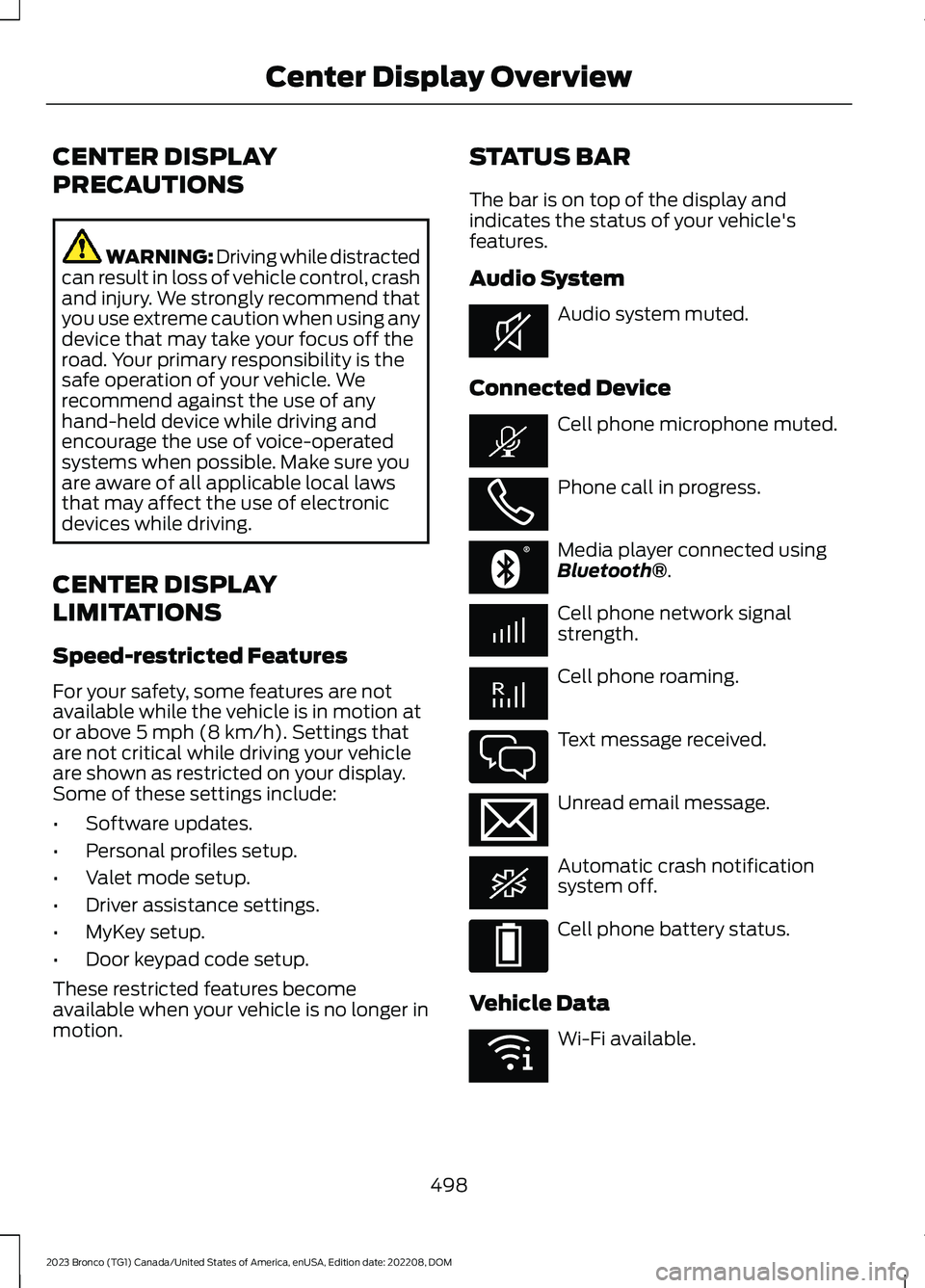
The bar is on top of the display andindicates the status of your vehicle'sfeatures.
Audio System
Audio system muted.
Connected Device
Cell phone microphone muted.
Phone call in progress.
Media player connected usingBluetooth®.
Cell phone network signalstrength.
Cell phone roaming.
Text message received.
Unread email message.
Automatic crash notificationsystem off.
Cell phone battery status.
Vehicle Data
Wi-Fi available.
498
2023 Bronco (TG1) Canada/United States of America, enUSA, Edition date: 202208, DOMCenter Display OverviewE353221 E353213 E353208 E335295 E353216 E335293 E353219
Page 511 of 642
MAKING AND RECEIVING A
PHONE CALL
Making Calls
To call a number in your contacts,select:
Action and DescriptionMenu Item
You can then select thename of the contact youwant to call. Any numbersstored for that contactdisplay along with anystored contact photos. Youcan then select thenumber that you want tocall. The system begins thecall.
Contacts
To call a number from your recent calls,select:
Action and DescriptionMenu Item
You can then select anentry that you want to call.The system begins the call.
Recent CallList
To call a number from your favorites,select:
Action and DescriptionMenu Item
You can then select anentry that you want to call.The system begins the call.
Favorites
To call a number that is not stored inyour phone, select:
Action and DescriptionMenu Item
Select the digits of thenumber you wish to call.PhoneKeypad
The system begins the call.Call
Pressing the backspace button deletes thelast digit you typed.
Receiving Calls
During an incoming call, an audible tonesounds. Caller information appears in thedisplay if it is available.
To accept the call, select:
Menu Item
Accept
Note:You can also accept the call bypressing the phone button on the steeringwheel.
To reject the call, select:
Menu Item
Reject
Ignore the call by doing nothing. Thesystem logs it as a missed call.
During a Phone Call
During a phone call, the contacts nameand number display on the screen alongwith the call duration.
The phone status items are also visible:
•Signal Strength.
•Battery.
You can select any of the following duringan active phone call:
507
2023 Bronco (TG1) Canada/United States of America, enUSA, Edition date: 202208, DOMPhone
Page 521 of 642
This introduces new features and providesupdates to the vehicle's software systems.Make sure to switch Automatic Updateson, set a recurring update schedule andconnect your vehicle to Wi-Fi. Updatescould take longer when not connected toWi-Fi or could not download at all. SeeConnecting the Vehicle to a Wi-FiNetwork (page 483). See Connecting theVehicle to a Wi-Fi Network (page 483).
Your vehicle may be able to receivedrivable software updates, non-drivablesoftware updates or both. Drivablesoftware updates happen during normalvehicle usage and require limited inputfrom you. You are notified on yourtouchscreen and connected device priorto a non-drivable update.
Most updates complete in less than 30minutes, although some updates couldtake up to a few hours. Check yourtouchscreen or connected device for themost accurate estimated update time.
You are notified of the status of the vehiclesoftware update in the touchscreen andon your connected device. See SoftwareUpdate Indicators (page 518).
Vehicle Software UpdateRequirements
Non-drivable software updates do notinstall if any of the following occur:
•Your vehicle is running.
•Your vehicle is switched on.
•Your vehicle is not parked.
•The 12 V battery charge is too low.
•The hazard indicators are switched on.
•The alarm is sounding.
•The doors are open.
•The parking lamps are switched on.
•You are pressing the brake pedal.
•An emergency call is in process.
•Your vehicle is in limp home mode.
Vehicle Software UpdateLimitations
Once you begin a non-drivable softwareupdate, you cannot:
•Cancel the update.
•Lock, unlock or enter your vehicleunless you have a key blade.
•You can open the doors using themechanical latch if child locks arenot on.
•Drive your vehicle.
•Start your vehicle.
•Use the remote control to lock, unlockor start your vehicle.
•Use the alarm, central locks or doortones.
•Use the electronic door locks.
•Charge your vehicle.
•Charging resumes once the updatecompletes.
SOFTWARE UPDATE
SETTINGS
To access the Software Updates menu:
1.Press Settings on the touchscreen.
2.Press Software Updates.
You can do the following in the SoftwareUpdates menu:
•Switch Automatic Updates on and off.
•Schedule and install software updates.
•View software update details.
Press the button next to a menuoption for more information.
517
2023 Bronco (TG1) Canada/United States of America, enUSA, Edition date: 202208, DOMVehicle Software UpdatesE366956
Page 619 of 642
1
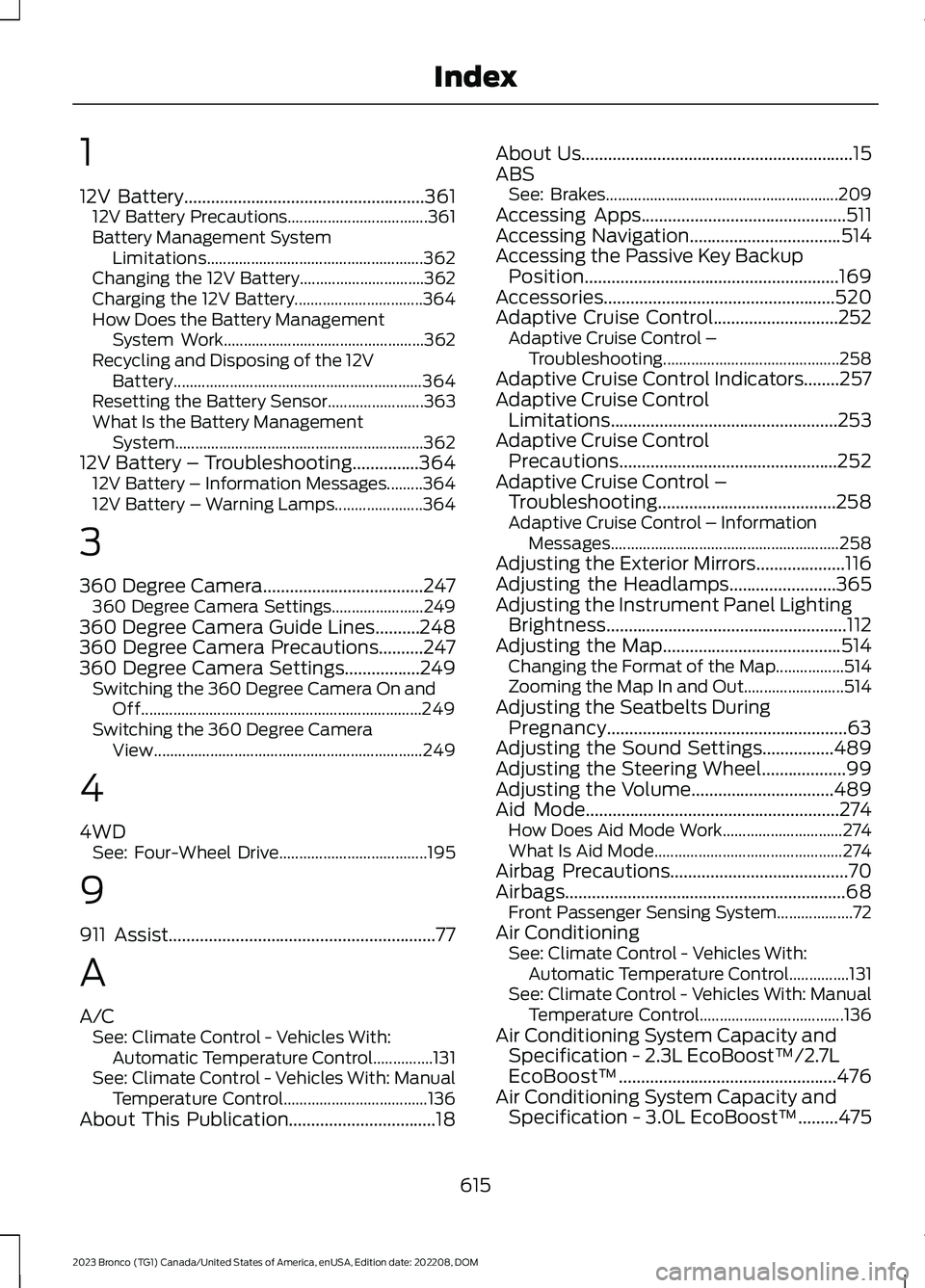
12V Battery......................................................36112V Battery Precautions...................................361Battery Management SystemLimitations......................................................362Changing the 12V Battery...............................362Charging the 12V Battery................................364How Does the Battery ManagementSystem Work..................................................362Recycling and Disposing of the 12VBattery..............................................................364Resetting the Battery Sensor........................363What Is the Battery ManagementSystem..............................................................36212V Battery – Troubleshooting...............36412V Battery – Information Messages.........36412V Battery – Warning Lamps......................364
3
360 Degree Camera....................................247360 Degree Camera Settings.......................249360 Degree Camera Guide Lines..........248360 Degree Camera Precautions..........247360 Degree Camera Settings.................249Switching the 360 Degree Camera On andOff......................................................................249Switching the 360 Degree CameraView...................................................................249
4
4WDSee: Four-Wheel Drive.....................................195
9
911 Assist............................................................77
A
A/CSee: Climate Control - Vehicles With:Automatic Temperature Control...............131See: Climate Control - Vehicles With: ManualTemperature Control....................................136About This Publication.................................18
About Us.............................................................15ABSSee: Brakes..........................................................209Accessing Apps..............................................511Accessing Navigation..................................514Accessing the Passive Key BackupPosition.........................................................169Accessories....................................................520Adaptive Cruise Control............................252Adaptive Cruise Control –Troubleshooting............................................258Adaptive Cruise Control Indicators........257Adaptive Cruise ControlLimitations...................................................253Adaptive Cruise ControlPrecautions.................................................252Adaptive Cruise Control –Troubleshooting........................................258Adaptive Cruise Control – InformationMessages.........................................................258Adjusting the Exterior Mirrors....................116Adjusting the Headlamps........................365Adjusting the Instrument Panel LightingBrightness......................................................112Adjusting the Map........................................514Changing the Format of the Map.................514Zooming the Map In and Out.........................514Adjusting the Seatbelts DuringPregnancy......................................................63Adjusting the Sound Settings................489Adjusting the Steering Wheel...................99Adjusting the Volume................................489Aid Mode.........................................................274How Does Aid Mode Work..............................274What Is Aid Mode...............................................274Airbag Precautions........................................70Airbags...............................................................68Front Passenger Sensing System...................72Air ConditioningSee: Climate Control - Vehicles With:Automatic Temperature Control...............131See: Climate Control - Vehicles With: ManualTemperature Control....................................136Air Conditioning System Capacity andSpecification - 2.3L EcoBoost™/2.7LEcoBoost™.................................................476Air Conditioning System Capacity andSpecification - 3.0L EcoBoost™.........475
615
2023 Bronco (TG1) Canada/United States of America, enUSA, Edition date: 202208, DOMIndex
Page 622 of 642
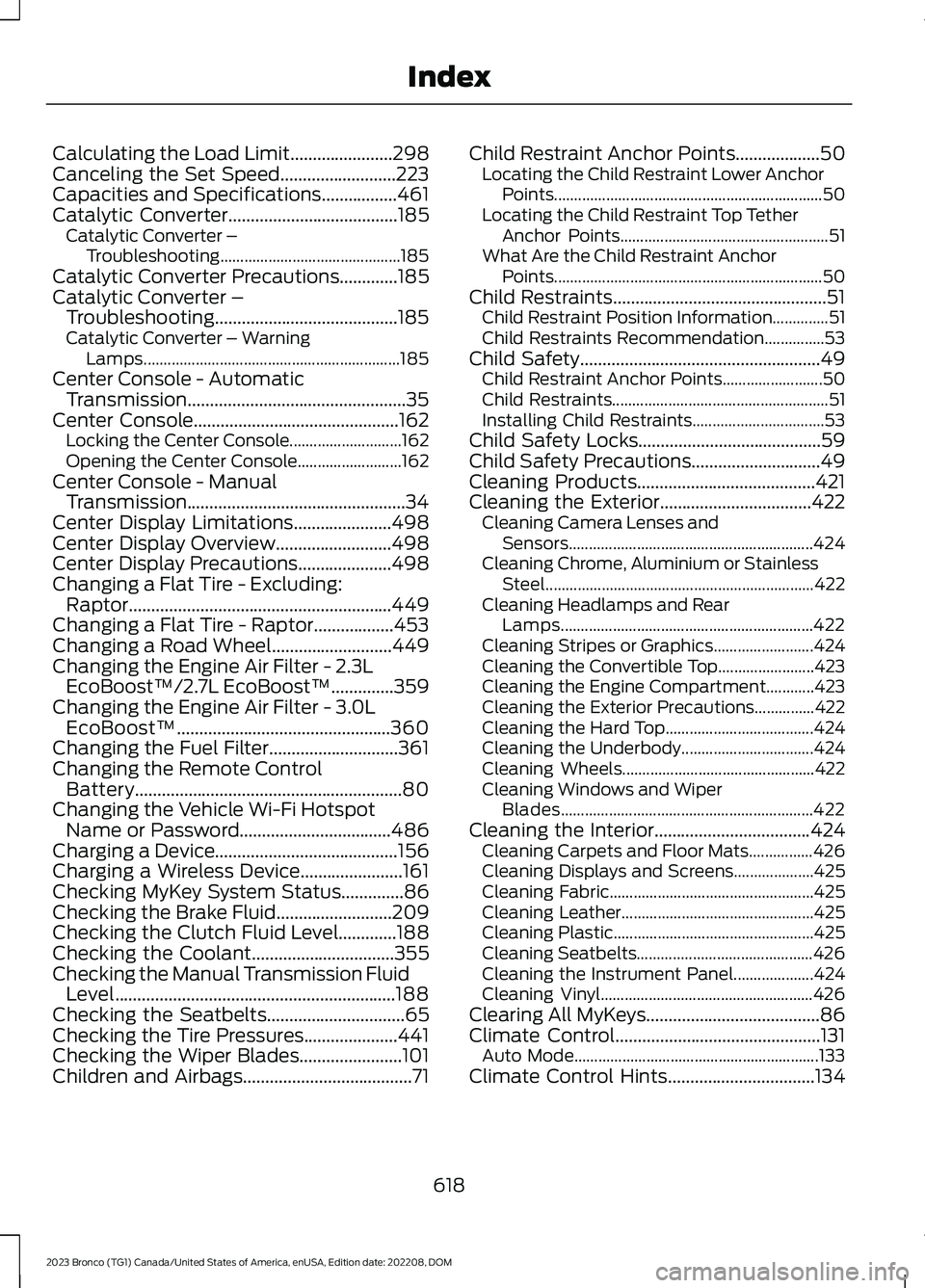
Calculating the Load Limit.......................298Canceling the Set Speed..........................223Capacities and Specifications.................461Catalytic Converter......................................185Catalytic Converter –Troubleshooting.............................................185Catalytic Converter Precautions.............185Catalytic Converter –Troubleshooting.........................................185Catalytic Converter – WarningLamps................................................................185Center Console - AutomaticTransmission.................................................35Center Console..............................................162Locking the Center Console............................162Opening the Center Console..........................162Center Console - ManualTransmission.................................................34Center Display Limitations......................498Center Display Overview..........................498Center Display Precautions.....................498Changing a Flat Tire - Excluding:Raptor...........................................................449Changing a Flat Tire - Raptor..................453Changing a Road Wheel...........................449Changing the Engine Air Filter - 2.3LEcoBoost™/2.7L EcoBoost™..............359Changing the Engine Air Filter - 3.0LEcoBoost™................................................360Changing the Fuel Filter.............................361Changing the Remote ControlBattery............................................................80Changing the Vehicle Wi-Fi HotspotName or Password..................................486Charging a Device.........................................156Charging a Wireless Device.......................161Checking MyKey System Status..............86Checking the Brake Fluid..........................209Checking the Clutch Fluid Level.............188Checking the Coolant................................355Checking the Manual Transmission FluidLevel...............................................................188Checking the Seatbelts...............................65Checking the Tire Pressures.....................441Checking the Wiper Blades.......................101Children and Airbags......................................71
Child Restraint Anchor Points...................50Locating the Child Restraint Lower AnchorPoints...................................................................50Locating the Child Restraint Top TetherAnchor Points....................................................51What Are the Child Restraint AnchorPoints...................................................................50Child Restraints................................................51Child Restraint Position Information..............51Child Restraints Recommendation...............53Child Safety......................................................49Child Restraint Anchor Points.........................50Child Restraints......................................................51Installing Child Restraints.................................53Child Safety Locks.........................................59Child Safety Precautions.............................49Cleaning Products........................................421Cleaning the Exterior..................................422Cleaning Camera Lenses andSensors.............................................................424Cleaning Chrome, Aluminium or StainlessSteel...................................................................422Cleaning Headlamps and RearLamps...............................................................422Cleaning Stripes or Graphics.........................424Cleaning the Convertible Top........................423Cleaning the Engine Compartment............423Cleaning the Exterior Precautions...............422Cleaning the Hard Top.....................................424Cleaning the Underbody.................................424Cleaning Wheels................................................422Cleaning Windows and WiperBlades...............................................................422Cleaning the Interior...................................424Cleaning Carpets and Floor Mats................426Cleaning Displays and Screens....................425Cleaning Fabric...................................................425Cleaning Leather................................................425Cleaning Plastic..................................................425Cleaning Seatbelts............................................426Cleaning the Instrument Panel....................424Cleaning Vinyl.....................................................426Clearing All MyKeys.......................................86Climate Control..............................................131Auto Mode.............................................................133Climate Control Hints.................................134
618
2023 Bronco (TG1) Canada/United States of America, enUSA, Edition date: 202208, DOMIndex
Page 629 of 642
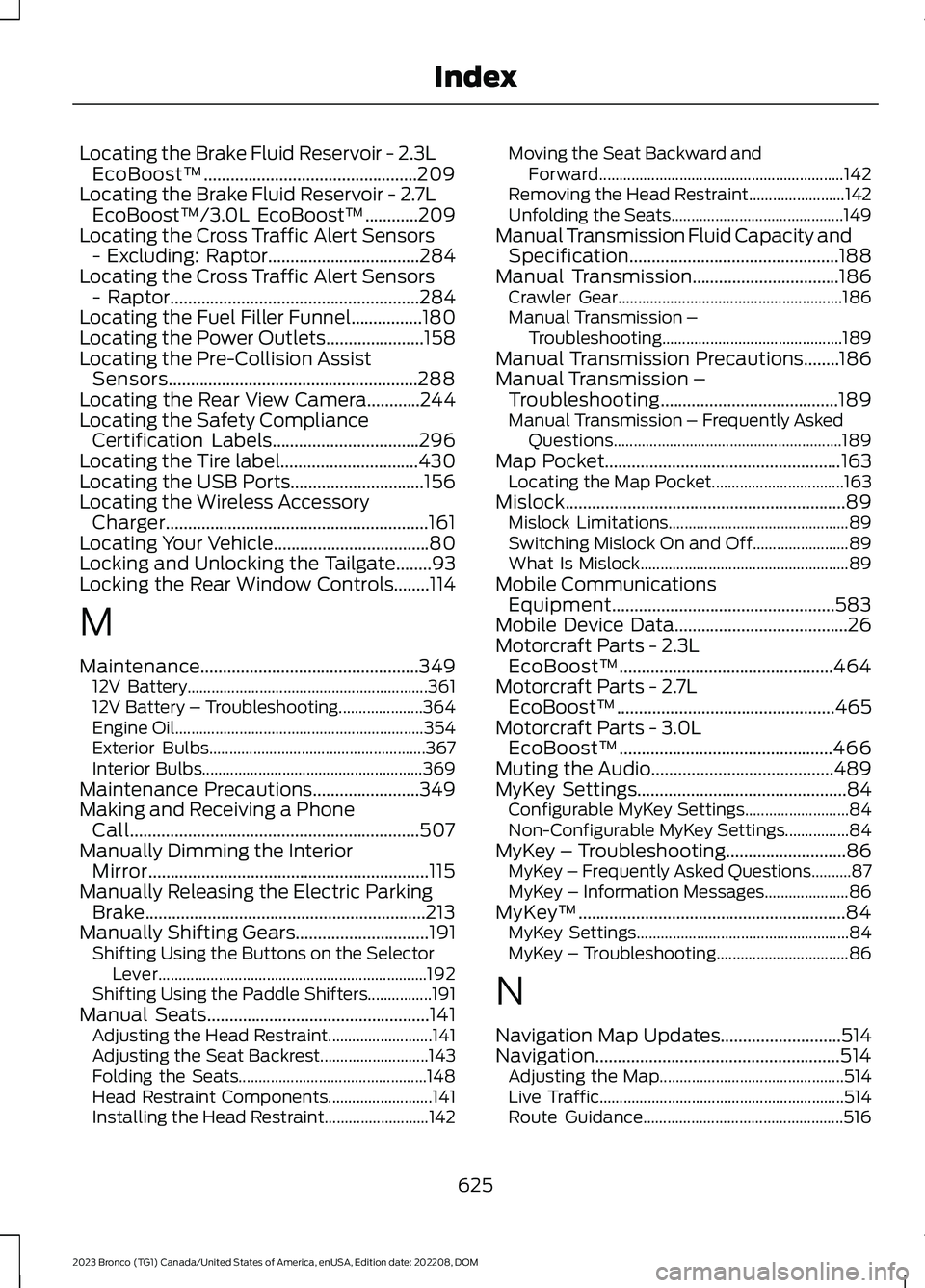
Locating the Brake Fluid Reservoir - 2.3LEcoBoost™................................................209Locating the Brake Fluid Reservoir - 2.7LEcoBoost™/3.0L EcoBoost™............209Locating the Cross Traffic Alert Sensors- Excluding: Raptor..................................284Locating the Cross Traffic Alert Sensors- Raptor........................................................284Locating the Fuel Filler Funnel................180Locating the Power Outlets......................158Locating the Pre-Collision AssistSensors........................................................288Locating the Rear View Camera............244Locating the Safety ComplianceCertification Labels.................................296Locating the Tire label...............................430Locating the USB Ports..............................156Locating the Wireless AccessoryCharger...........................................................161Locating Your Vehicle...................................80Locking and Unlocking the Tailgate........93Locking the Rear Window Controls........114
M
Maintenance.................................................34912V Battery............................................................36112V Battery – Troubleshooting.....................364Engine Oil..............................................................354Exterior Bulbs......................................................367Interior Bulbs.......................................................369Maintenance Precautions........................349Making and Receiving a PhoneCall.................................................................507Manually Dimming the InteriorMirror...............................................................115Manually Releasing the Electric ParkingBrake...............................................................213Manually Shifting Gears..............................191Shifting Using the Buttons on the SelectorLever...................................................................192Shifting Using the Paddle Shifters................191Manual Seats..................................................141Adjusting the Head Restraint..........................141Adjusting the Seat Backrest...........................143Folding the Seats...............................................148Head Restraint Components..........................141Installing the Head Restraint..........................142
Moving the Seat Backward andForward.............................................................142Removing the Head Restraint........................142Unfolding the Seats...........................................149Manual Transmission Fluid Capacity andSpecification...............................................188Manual Transmission.................................186Crawler Gear........................................................186Manual Transmission –Troubleshooting.............................................189Manual Transmission Precautions........186Manual Transmission –Troubleshooting........................................189Manual Transmission – Frequently AskedQuestions.........................................................189Map Pocket.....................................................163Locating the Map Pocket.................................163Mislock...............................................................89Mislock Limitations.............................................89Switching Mislock On and Off........................89What Is Mislock....................................................89Mobile CommunicationsEquipment..................................................583Mobile Device Data.......................................26Motorcraft Parts - 2.3LEcoBoost™................................................464Motorcraft Parts - 2.7LEcoBoost™.................................................465Motorcraft Parts - 3.0LEcoBoost™................................................466Muting the Audio.........................................489MyKey Settings...............................................84Configurable MyKey Settings..........................84Non-Configurable MyKey Settings................84MyKey – Troubleshooting...........................86MyKey – Frequently Asked Questions..........87MyKey – Information Messages.....................86MyKey™............................................................84MyKey Settings.....................................................84MyKey – Troubleshooting.................................86
N
Navigation Map Updates...........................514Navigation.......................................................514Adjusting the Map..............................................514Live Traffic.............................................................514Route Guidance..................................................516
625
2023 Bronco (TG1) Canada/United States of America, enUSA, Edition date: 202208, DOMIndex
Page 632 of 642
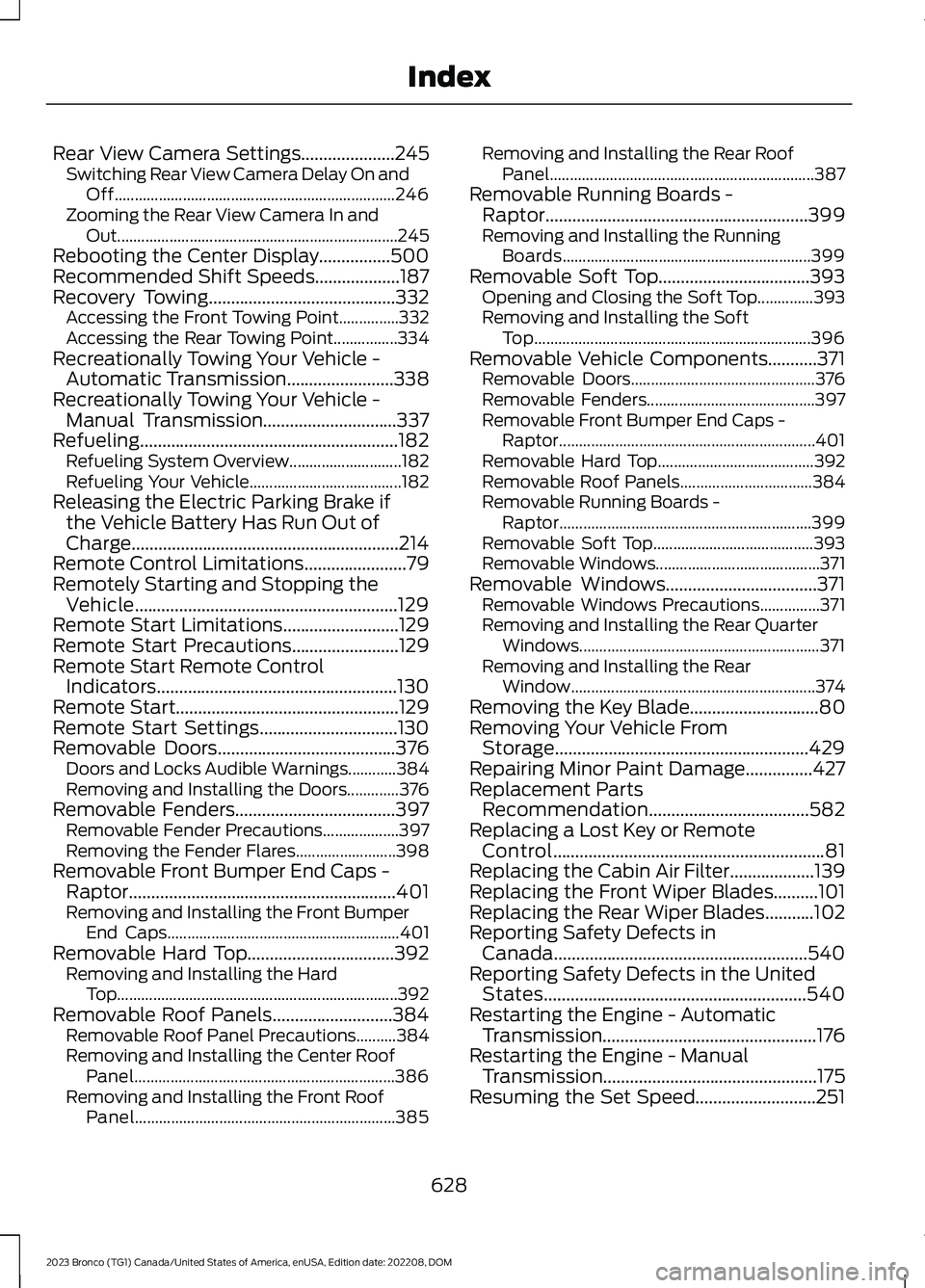
Rear View Camera Settings.....................245Switching Rear View Camera Delay On andOff......................................................................246Zooming the Rear View Camera In andOut......................................................................245Rebooting the Center Display................500Recommended Shift Speeds...................187Recovery Towing..........................................332Accessing the Front Towing Point...............332Accessing the Rear Towing Point................334Recreationally Towing Your Vehicle -Automatic Transmission........................338Recreationally Towing Your Vehicle -Manual Transmission..............................337Refueling..........................................................182Refueling System Overview............................182Refueling Your Vehicle......................................182Releasing the Electric Parking Brake ifthe Vehicle Battery Has Run Out ofCharge............................................................214Remote Control Limitations.......................79Remotely Starting and Stopping theVehicle...........................................................129Remote Start Limitations..........................129Remote Start Precautions........................129Remote Start Remote ControlIndicators......................................................130Remote Start..................................................129Remote Start Settings...............................130Removable Doors........................................376Doors and Locks Audible Warnings............384Removing and Installing the Doors.............376Removable Fenders....................................397Removable Fender Precautions...................397Removing the Fender Flares.........................398Removable Front Bumper End Caps -Raptor............................................................401Removing and Installing the Front BumperEnd Caps..........................................................401Removable Hard Top.................................392Removing and Installing the HardTop......................................................................392Removable Roof Panels...........................384Removable Roof Panel Precautions..........384Removing and Installing the Center RoofPanel.................................................................386Removing and Installing the Front RoofPanel.................................................................385
Removing and Installing the Rear RoofPanel..................................................................387Removable Running Boards -Raptor...........................................................399Removing and Installing the RunningBoards..............................................................399Removable Soft Top..................................393Opening and Closing the Soft Top..............393Removing and Installing the SoftTop.....................................................................396Removable Vehicle Components...........371Removable Doors..............................................376Removable Fenders..........................................397Removable Front Bumper End Caps -Raptor................................................................401Removable Hard Top.......................................392Removable Roof Panels.................................384Removable Running Boards -Raptor...............................................................399Removable Soft Top........................................393Removable Windows.........................................371Removable Windows..................................371Removable Windows Precautions...............371Removing and Installing the Rear QuarterWindows............................................................371Removing and Installing the RearWindow.............................................................374Removing the Key Blade.............................80Removing Your Vehicle FromStorage.........................................................429Repairing Minor Paint Damage...............427Replacement PartsRecommendation....................................582Replacing a Lost Key or RemoteControl.............................................................81Replacing the Cabin Air Filter...................139Replacing the Front Wiper Blades..........101Replacing the Rear Wiper Blades...........102Reporting Safety Defects inCanada.........................................................540Reporting Safety Defects in the UnitedStates...........................................................540Restarting the Engine - AutomaticTransmission................................................176Restarting the Engine - ManualTransmission................................................175Resuming the Set Speed...........................251
628
2023 Bronco (TG1) Canada/United States of America, enUSA, Edition date: 202208, DOMIndex