lock FORD BRONCO SPORT 2021 Workshop Manual
[x] Cancel search | Manufacturer: FORD, Model Year: 2021, Model line: BRONCO SPORT, Model: FORD BRONCO SPORT 2021Pages: 471, PDF Size: 7 MB
Page 142 of 471
5. If you have folding head restraints,
make sure they do not interfere with
the seat cushion when folded. This
allows the seat backrest to be properly
stowed.
Unfolding the Seat Backrest WARNING: Do not place cargo or
any objects behind the seat backrest
before returning it to the original position.
Pull on the seat backrest to make sure
that it has fully latched after returning
the seat backrest to its original position.
An unlatched seat may become
dangerous if you stop suddenly or have
a crash.
Pull the seat backrest up to unfold it. When
raising the seat backrest, make sure the
seat latch engages.
HEATED SEATS
(IF EQUIPPED) WARNING: Use caution when using
the heated seat if you are unable to feel
pain to your skin because of advanced
age, chronic illness, diabetes, spinal cord
injury, medication, alcohol use,
exhaustion or other physical conditions.
The heated seat could cause burns even
at low temperatures, especially if used
for long periods of time. Failure to follow
this instruction could result in personal
injury. WARNING:
Do not place anything
on the seat that blocks the heat, for
example a seat cover or a cushion. This
could cause the seat to overheat. Failure
to follow this instruction could result in
personal injury. WARNING:
Do not poke sharp
objects into the seat cushion or seat
backrest. This could damage the heated
seat element and cause it to overheat.
Failure to follow this instruction could
result in personal injury.
Do not:
• Place heavy objects on the seat.
• Operate the heated seat if water or any
other liquid spills on the seat. Allow the
seat to dry thoroughly.
The engine must be running to use this
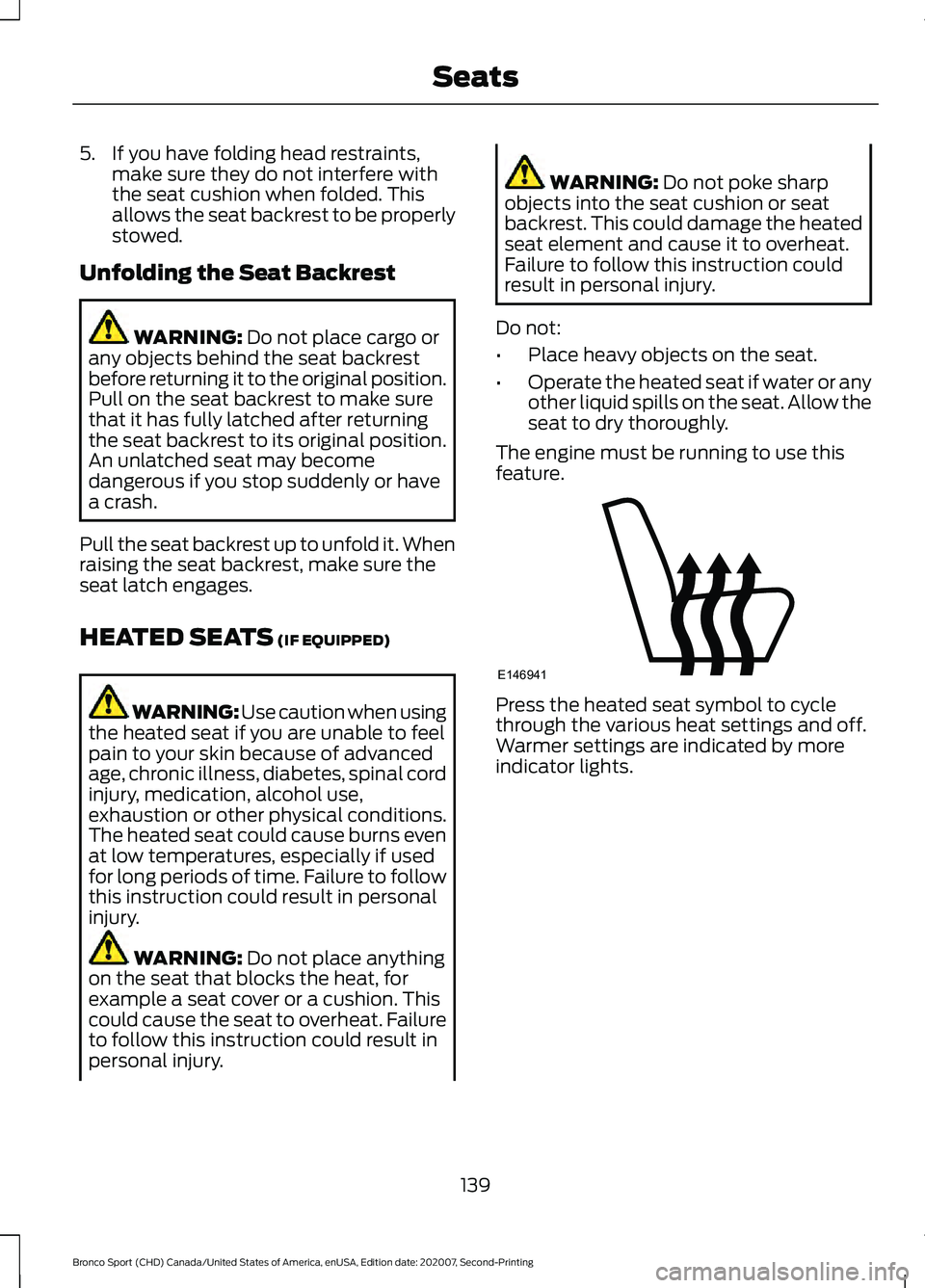
feature. Press the heated seat symbol to cycle
through the various heat settings and off.
Warmer settings are indicated by more
indicator lights.
139
Bronco Sport (CHD) Canada/United States of America, enUSA, Edition date: 202007, Second-Printing SeatsE146941
Page 154 of 471
Stopping the Engine When Your
Vehicle is Stationary
Vehicles with an Ignition Key
1. Shift into park (P).
2. Apply the parking brake.
3. Turn the key to the off position.
Vehicles with Keyless Start
1. Shift into park (P).
2. Apply the parking brake.
3. Press the push button ignition switch.
Note:
The ignition, all electrical circuits and
all warning lamps and indicators will be
turned off.
Stopping the Engine When Your
Vehicle is Moving WARNING: Switching off the
engine when your vehicle is still moving
results in a significant decrease in
braking assistance. Higher effort is
required to apply the brakes and to stop
your vehicle. A significant decrease in
steering assistance could also occur. The
steering does not lock, but higher effort
could be required to steer your vehicle.
When you switch the ignition off, some
electrical circuits, for example airbags,
also turn off. If you unintentionally switch
the ignition off, shift into neutral (N) and
restart the engine.
Vehicles with an Ignition Key
1. Shift into neutral and use the brakes to
bring your vehicle to a safe stop.
2. When your vehicle has stopped, shift into park (P) and switch the ignition
off.
3. Apply the parking brake. Vehicles with Keyless Start
1.
Shift into neutral and use the brakes to
bring your vehicle to a safe stop.
2. When your vehicle has stopped, shift into park (P).
3. Press and hold the push button ignition
switch, or press it three times within
two seconds.
4. Apply the parking brake.
Guarding Against Exhaust Fumes WARNING:
Exhaust leaks may
result in entry of harmful and potentially
lethal fumes into the passenger
compartment. If you smell exhaust
fumes inside your vehicle, have your
vehicle inspected immediately. Do not
drive if you smell exhaust fumes.
Important Ventilating Information
If you stop your vehicle and then leave the
engine idling for long periods, we
recommend that you do one of the
following:
• Open the windows at least 1 in (3 cm).
• Set your climate control to outside air.
ENGINE BLOCK HEATER
(IF
EQUIPPED) WARNING:
Failure to follow engine
block heater instructions could result in
property damage or serious personal
injury. WARNING: Do not use your heater
with ungrounded electrical systems or
two-pronged adapters. There is a risk of
electrical shock.
151
Bronco Sport (CHD) Canada/United States of America, enUSA, Edition date: 202007, Second-Printing Starting and Stopping the Engine
Page 155 of 471
WARNING: Do not fully close the
hood, or allow it to drop under its own
weight when using the engine block
heater. This could damage the power
cable and may cause an electrical short
resulting in fire, injury and property
damage.
Note: The heater is most effective when
outdoor temperatures are below
0°F
(-18°C).
The heater acts as a starting aid by
warming the engine coolant. This allows
the climate control system to respond
quickly. The equipment includes a heater
element, installed in the engine block and
a wire harness. You can connect the
system to a grounded 120-volt AC
electrical source.
We recommend that you do the following
for a safe and correct operation:
• Use a 16-gauge outdoor extension cord
that is product certified by
Underwriter ’s Laboratory (UL) or
Canadian Standards Association
(CSA). This extension cord must be
suitable for use outdoors, in cold
temperatures, and be clearly marked
Suitable for Use with Outdoor
Appliances. Do not use an indoor
extension cord outdoors. This could
result in an electric shock or become a
fire hazard.
• Use as short an extension cord as
possible.
• Do not use multiple extension cords.
• Make sure that when in operation, the
extension cord plug and heater cord
plug connections are free and clear of
water. This could cause an electric
shock or fire. •
If the block heater cord is under the
hood, Do Not remove the wiring from
its original location. Do Not close the
hood on the extension wiring.
• Make sure your vehicle is parked in a
clean area, clear of combustibles.
• Make sure the heater, heater cord and
extension cord are firmly connected.
• Check for heat anywhere in the
electrical hookup once the system has
been operating for approximately 30
minutes.
• Make sure the system is unplugged and
properly stowed before starting and
driving your vehicle. Make sure the
protective cover seals the prongs of the
block heater cord plug when not in use.
• Make sure the heater system is
checked for proper operation before
winter.
Using the Engine Block Heater
Make sure the receptacle terminals are
clean and dry prior to use. Clean them with
a dry cloth if necessary.
The heater uses 0.4 to 1.0 kilowatt-hours
of energy per hour of use. The system does
not have a thermostat. It achieves
maximum temperature after
approximately three hours of operation.
Using the heater longer than three hours
does not improve system performance and
unnecessarily uses electricity.
152
Bronco Sport (CHD) Canada/United States of America, enUSA, Edition date: 202007, Second-Printing Starting and Stopping the Engine
Page 170 of 471
2. Rotate the outer ring of the
transmission selector clockwise from
park (P), until the desired gear
illuminates on the transmission
selector.
3. Release the brake pedal and the transmission remains in the selected
gear.
The instrument cluster also displays the
current gear.
Park (P)
In park (P), no power transmits to the
driven wheels and the transmission locks.
You can start the engine with the
transmission in this position.
Shift into park (P) only when your vehicle
is stationary.
Note: The electric parking brake could
automatically apply when you shift into park
(P). See Electric Parking Brake (page 177).
Reverse (R)
Shift into reverse (R) only when your
vehicle is stationary and the engine is at
idle speed.
Neutral (N) WARNING:
In neutral (N) your
vehicle has the ability to roll freely. If you
intend to leave your vehicle, make sure
you apply the parking brake.
In neutral (N), no power transmits to the
driven wheels but the transmission does
not lock. You can start the engine with the
transmission in this position.
Drive (D)
Drive (D) is the normal driving position for
the best fuel economy. Manual (M)
(If Equipped)
With your vehicle in drive (D), press the
manual (M) button to activate manual
mode.
In manual (M), you can upshift or
downshift using the paddle shifters.
Low(L)
(If Equipped)
With your vehicle in drive (D), press the low
(L) button to activate low mode.
• Provides maximum engine braking.
• You can shift the transmission into low
(L) at any vehicle speed.
• Is not for use under extended or normal
driving conditions and results in lower
fuel economy.
SelectShift
(If Equipped)
Use this feature to upshift or downshift
using the paddle shifters.
You can only use this feature in drive (D)
or manual (M).
The current gear flashes when you cannot
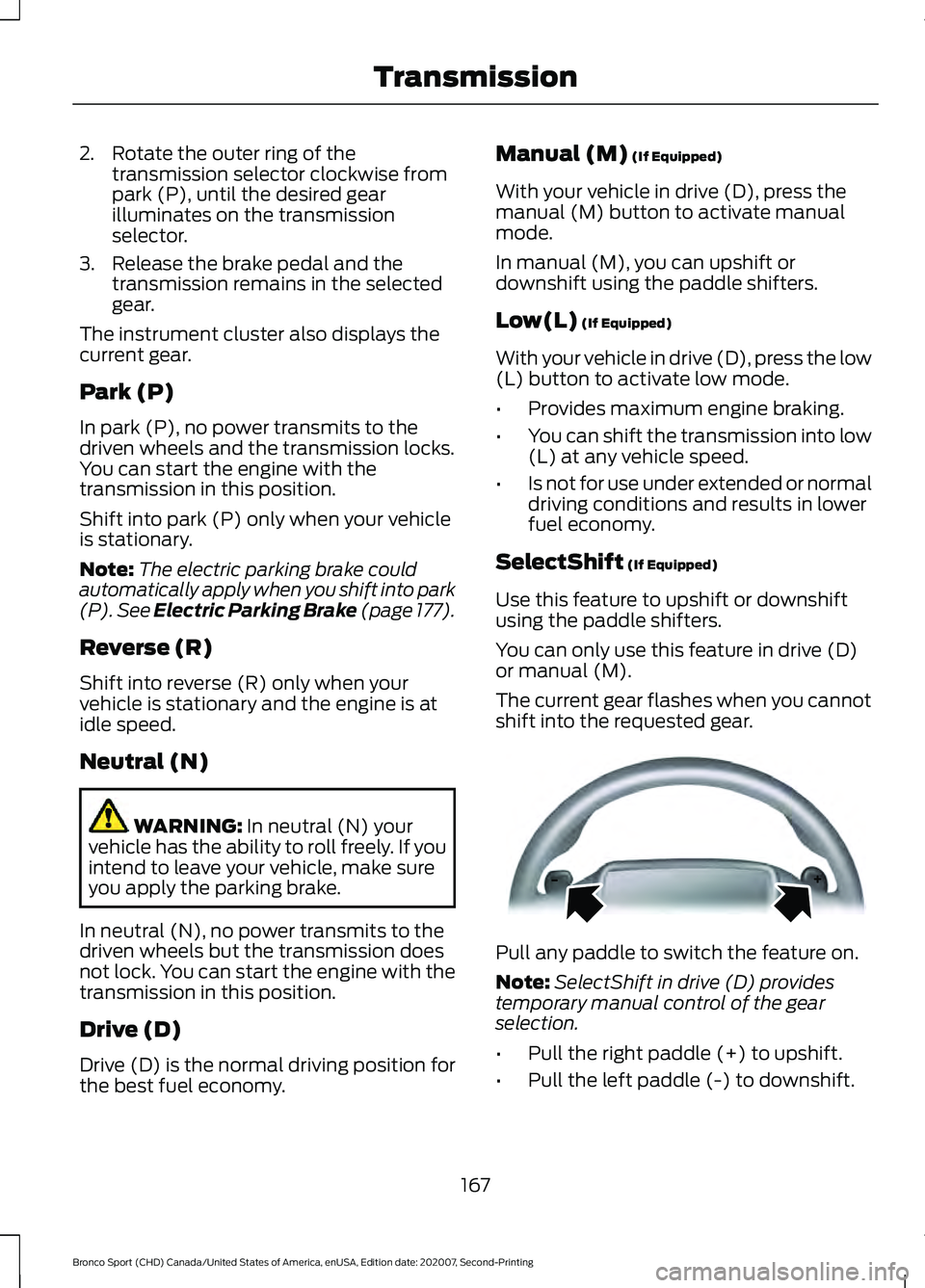
shift into the requested gear. Pull any paddle to switch the feature on.
Note:
SelectShift in drive (D) provides
temporary manual control of the gear
selection.
• Pull the right paddle (+) to upshift.
• Pull the left paddle (-) to downshift.
167
Bronco Sport (CHD) Canada/United States of America, enUSA, Edition date: 202007, Second-Printing TransmissionE144821
Page 172 of 471
Manual Park Release
WARNING: When doing this
procedure, you need to take the
transmission out of park (P) which
means your vehicle can roll freely. To
avoid unwanted vehicle movement,
always fully apply the parking brake prior
to doing this procedure. Use wheel
chocks if appropriate. WARNING:
If the parking brake is
fully released, but the brake warning
lamp remains illuminated, the brakes
may not be working properly. Have your
vehicle checked as soon as possible. WARNING:
Do not drive your
vehicle until you verify that the
stoplamps are working.
Use the manual park release to move your
transmission from the park (P) position in
the event of an electrical malfunction or
emergency.
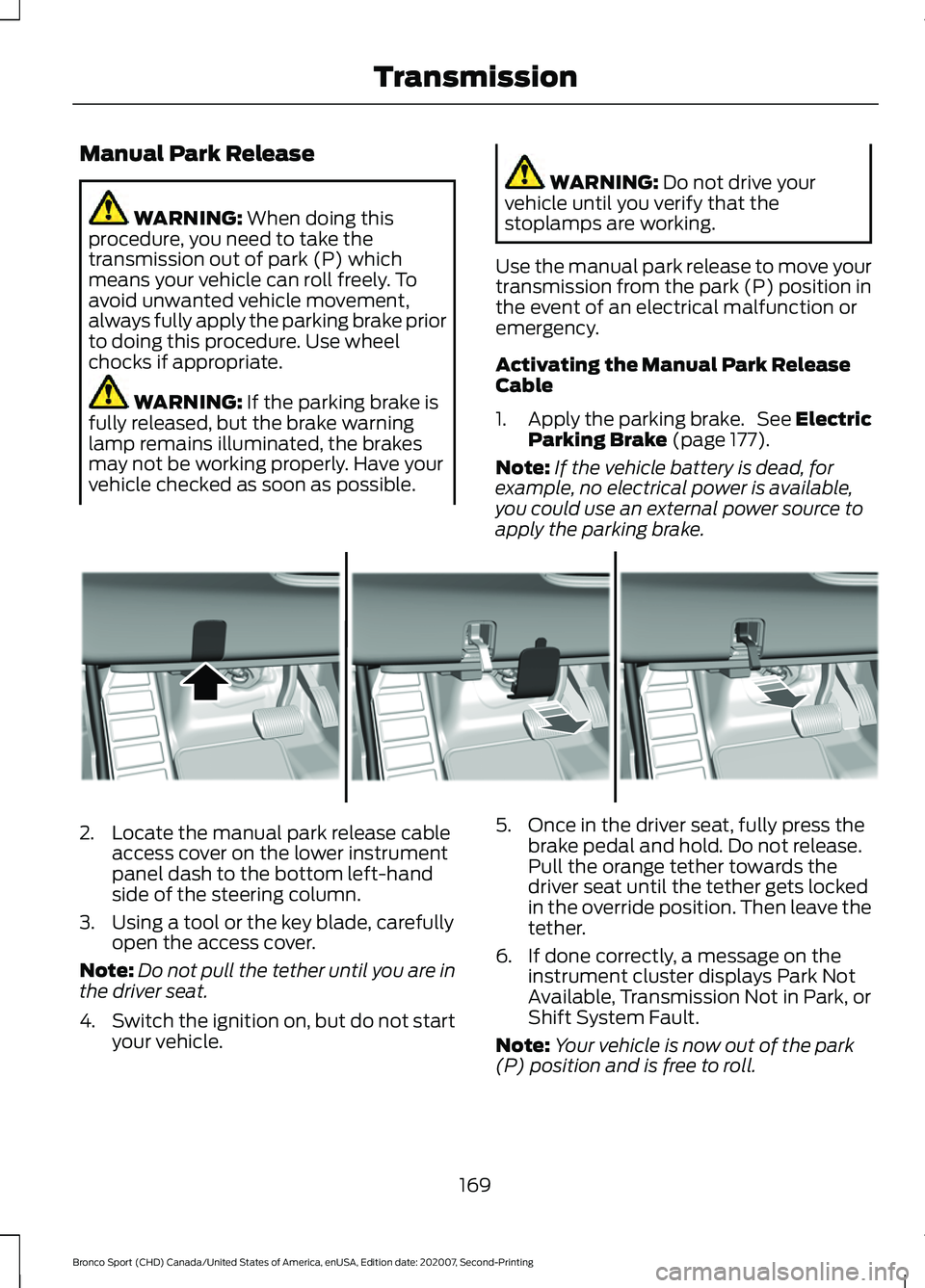
Activating the Manual Park Release
Cable
1. Apply the parking brake. See Electric
Parking Brake
(page 177).
Note: If the vehicle battery is dead, for
example, no electrical power is available,
you could use an external power source to
apply the parking brake. 2. Locate the manual park release cable
access cover on the lower instrument
panel dash to the bottom left-hand
side of the steering column.
3. Using a tool or the key blade, carefully open the access cover.
Note: Do not pull the tether until you are in
the driver seat.
4. Switch the ignition on, but do not start
your vehicle. 5. Once in the driver seat, fully press the
brake pedal and hold. Do not release.
Pull the orange tether towards the
driver seat until the tether gets locked
in the override position. Then leave the
tether.
6. If done correctly, a message on the instrument cluster displays Park Not
Available, Transmission Not in Park, or
Shift System Fault.
Note: Your vehicle is now out of the park
(P) position and is free to roll.
169
Bronco Sport (CHD) Canada/United States of America, enUSA, Edition date: 202007, Second-Printing TransmissionE307867
Page 175 of 471
PRINCIPLE OF OPERATION
This system is a proactive system. It has
the ability to anticipate wheel slip and
transfer torque to the rear wheels before
slip occurs. Even when wheel slip is not
present, the system is continuously making
adjustments to the torque distribution, in
an attempt to improve straight line and
cornering behavior, both on and off road.
The system automatically turns on every
time you switch the ignition on.
If any component requires maintenance,
a message appears in the information
display.
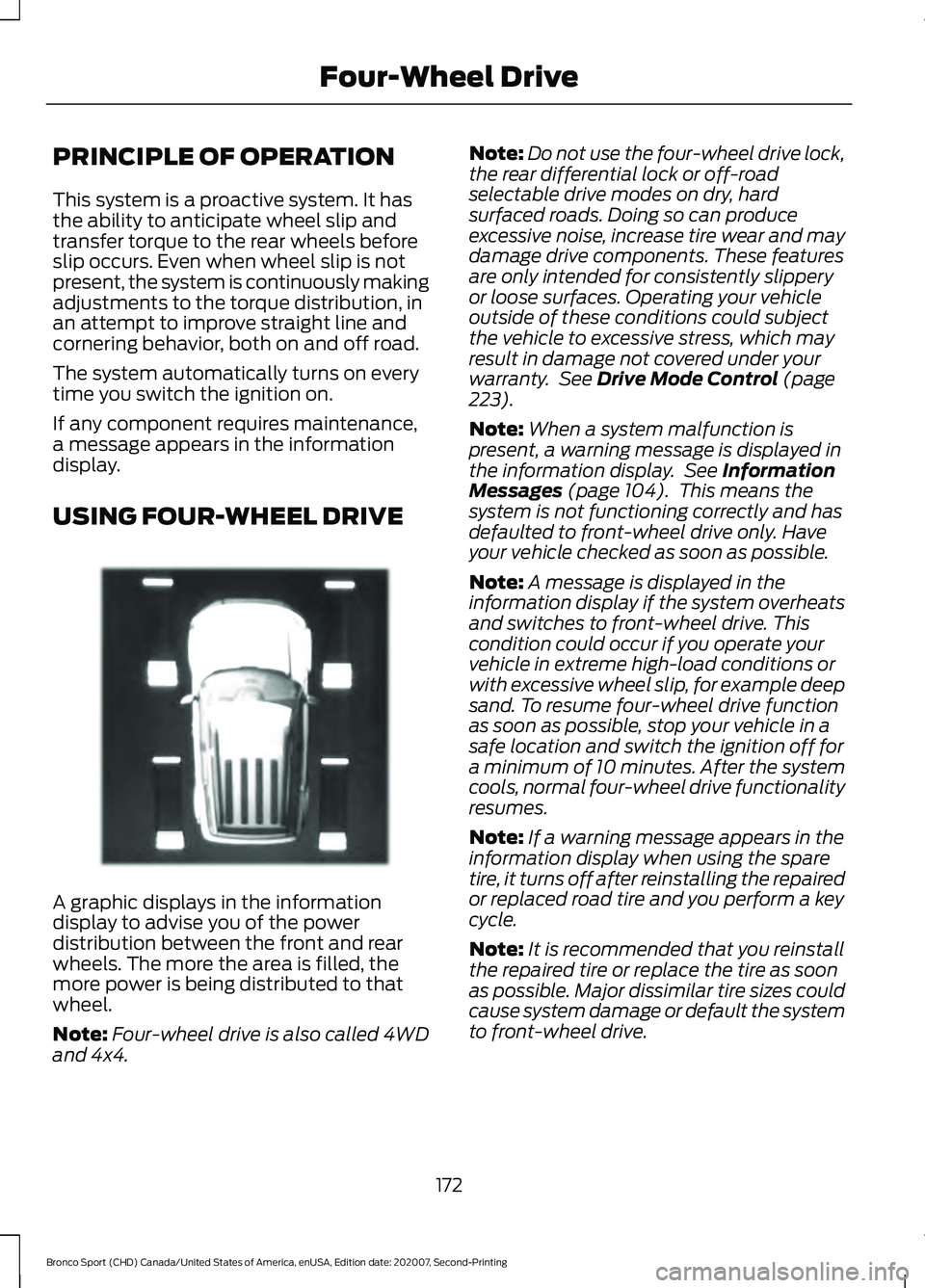
USING FOUR-WHEEL DRIVE
A graphic displays in the information
display to advise you of the power
distribution between the front and rear
wheels. The more the area is filled, the
more power is being distributed to that
wheel.
Note:
Four-wheel drive is also called 4WD
and 4x4. Note:
Do not use the four-wheel drive lock,
the rear differential lock or off-road
selectable drive modes on dry, hard
surfaced roads. Doing so can produce
excessive noise, increase tire wear and may
damage drive components. These features
are only intended for consistently slippery
or loose surfaces. Operating your vehicle
outside of these conditions could subject
the vehicle to excessive stress, which may
result in damage not covered under your
warranty. See Drive Mode Control (page
223).
Note: When a system malfunction is
present, a warning message is displayed in
the information display. See
Information
Messages (page 104). This means the
system is not functioning correctly and has
defaulted to front-wheel drive only. Have
your vehicle checked as soon as possible.
Note: A message is displayed in the
information display if the system overheats
and switches to front-wheel drive. This
condition could occur if you operate your
vehicle in extreme high-load conditions or
with excessive wheel slip, for example deep
sand. To resume four-wheel drive function
as soon as possible, stop your vehicle in a
safe location and switch the ignition off for
a minimum of 10 minutes. After the system
cools, normal four-wheel drive functionality
resumes.
Note: If a warning message appears in the
information display when using the spare
tire, it turns off after reinstalling the repaired
or replaced road tire and you perform a key
cycle.
Note: It is recommended that you reinstall
the repaired tire or replace the tire as soon
as possible. Major dissimilar tire sizes could
cause system damage or default the system
to front-wheel drive.
172
Bronco Sport (CHD) Canada/United States of America, enUSA, Edition date: 202007, Second-Printing Four-Wheel DriveE331897
Page 177 of 471
Four-Wheel Drive Lock (If Equipped)
The four-wheel drive lock increases
four-wheel drive performance by
preventing the front and rear axles from
disconnecting. You can activate and
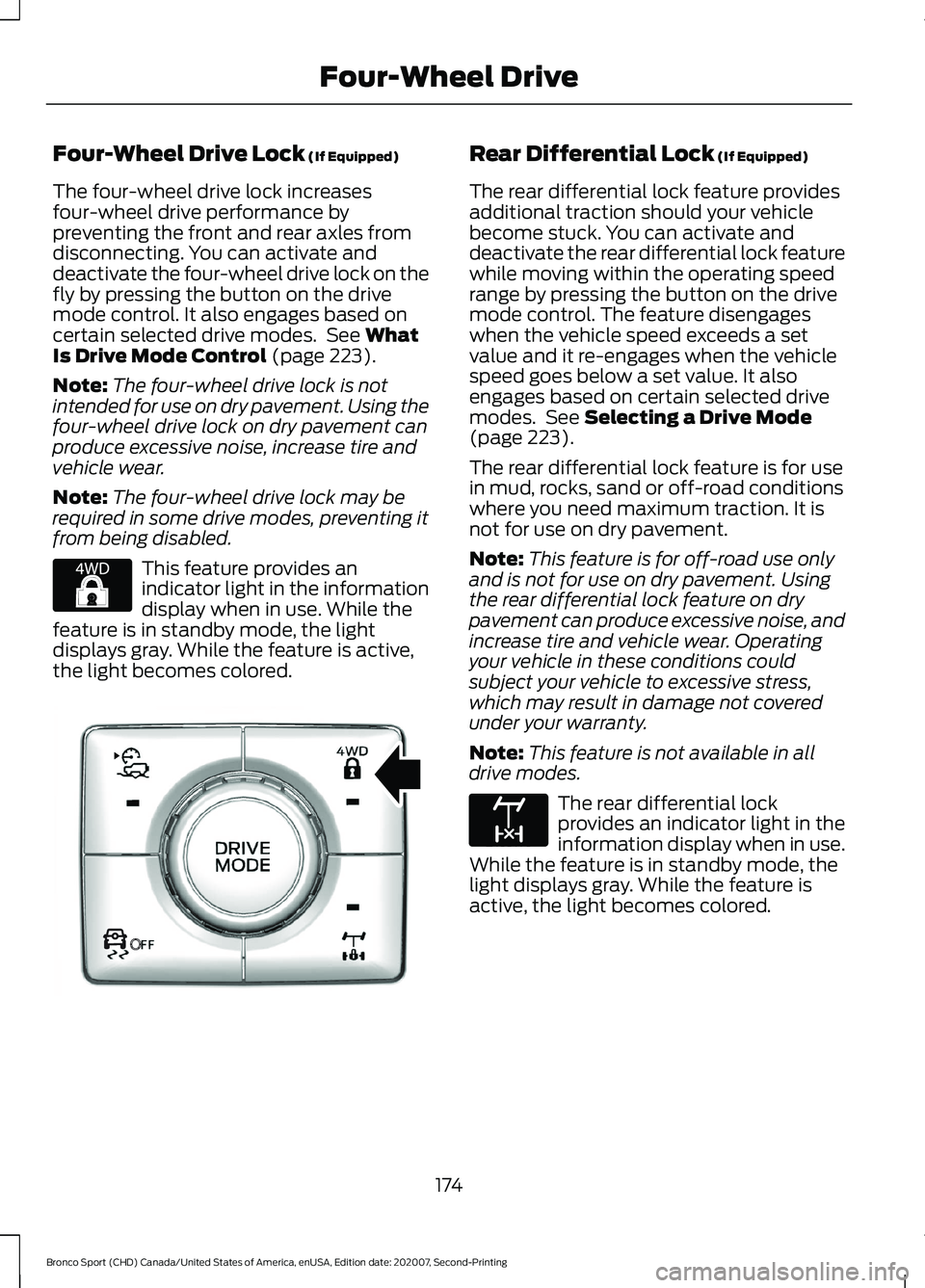
deactivate the four-wheel drive lock on the
fly by pressing the button on the drive
mode control. It also engages based on
certain selected drive modes. See
What
Is Drive Mode Control (page 223).
Note: The four-wheel drive lock is not
intended for use on dry pavement. Using the
four-wheel drive lock on dry pavement can
produce excessive noise, increase tire and
vehicle wear.
Note: The four-wheel drive lock may be
required in some drive modes, preventing it
from being disabled. This feature provides an
indicator light in the information
display when in use. While the
feature is in standby mode, the light
displays gray. While the feature is active,
the light becomes colored. Rear Differential Lock
(If Equipped)
The rear differential lock feature provides
additional traction should your vehicle
become stuck. You can activate and
deactivate the rear differential lock feature
while moving within the operating speed
range by pressing the button on the drive
mode control. The feature disengages
when the vehicle speed exceeds a set
value and it re-engages when the vehicle
speed goes below a set value. It also
engages based on certain selected drive
modes. See
Selecting a Drive Mode
(page 223).
The rear differential lock feature is for use
in mud, rocks, sand or off-road conditions
where you need maximum traction. It is
not for use on dry pavement.
Note: This feature is for off-road use only
and is not for use on dry pavement. Using
the rear differential lock feature on dry
pavement can produce excessive noise, and
increase tire and vehicle wear. Operating
your vehicle in these conditions could
subject your vehicle to excessive stress,
which may result in damage not covered
under your warranty.
Note: This feature is not available in all
drive modes. The rear differential lock
provides an indicator light in the
information display when in use.
While the feature is in standby mode, the
light displays gray. While the feature is
active, the light becomes colored.
174
Bronco Sport (CHD) Canada/United States of America, enUSA, Edition date: 202007, Second-Printing Four-Wheel DriveE327288 OE327287 E163170
Page 179 of 471
GENERAL INFORMATION
Note:
Occasional brake noise is normal. If
a metal-to-metal, continuous grinding or
continuous squeal sound is present, the
brake linings could be worn-out and have
your vehicle checked. If the vehicle has
continuous vibration or shudder in the
steering wheel while braking, have your
vehicle checked.
Note: Brake dust may accumulate on the
wheels, even under normal driving
conditions. Some dust is inevitable as the
brakes wear and does not contribute to
brake noise. Wet brakes result in reduced
braking efficiency. Gently press the brake
pedal a few times when driving from a car
wash or standing water to dry the brakes.
See Cleaning the Wheels (page 294).
Brake Over Accelerator
In the event the accelerator pedal
becomes stuck or entrapped, apply steady
and firm pressure to the brake pedal to
slow the vehicle and reduce engine power.
If you experience this condition, apply the
brakes and bring your vehicle to a safe
stop. Switch the engine off, move the
transmission to park (P) and apply the
parking brake. Inspect the accelerator
pedal and the area around it for any items
or debris that may be obstructing its
movement. If none are found and the
condition persists, have your vehicle towed
to have your vehicle checked.
Emergency Brake Assist
Emergency brake assist detects when you
brake heavily by measuring the rate at
which you press the brake pedal. It
provides maximum braking efficiency as
long as you press the pedal. Emergency
brake assist can reduce stopping distances
in critical situations. Anti-Lock Brake System
This system helps you maintain steering
control during emergency stops by keeping
the brakes from locking. If the light does not momentarily
illuminate, continues to flash or
remains on when you switch the
ignition on, the anti-lock brake system
could be disabled. Have the system
checked. If the anti-lock brake system is
disabled, normal braking is still effective.
Brake Lamps
See
Warning Lamps and Indicators
(page 95). If the light does not momentarily
illuminate, continues to flash or
remains on when you switch the
ignition on or apply the parking
brake, have the system checked.
If the brake warning lamp
illuminates with the parking brake released,
have the system checked immediately.
Note: Indicators vary depending on region.
HINTS ON DRIVING WITH
ANTI-LOCK BRAKES
The anti-lock braking system does not
eliminate the risks when:
• You drive too closely to the vehicle in
front of you.
• Your vehicle is hydroplaning.
• You take corners too fast.
• The road surface is poor.
Note: If the system activates, the brake
pedal may pulse and may travel further.
Maintain pressure on the brake pedal. You
may also hear a noise from the system. This
is normal.
176
Bronco Sport (CHD) Canada/United States of America, enUSA, Edition date: 202007, Second-Printing Brakes E270480
Page 187 of 471
WHAT IS TRAIL CONTROL
WARNING: The system does not
control speed in low traction conditions
or extremely steep slopes. The system
is designed to be an aid and does not
relieve you of your responsibility to drive
with due care and attention. Failure to
follow this instruction could result in
personal injury. WARNING:
The system does not
replace the parking brake. When you
leave your vehicle, always apply the
parking brake and shift the transmission
into park (P) for automatic transmission
or first gear for manual transmission.
Trail control lets you focus on steering
during low-speed and off-road use by
controlling your vehicle's acceleration and
braking.
You can use trail control under the
following speeds:
• 20 mph (32 km/h)
in four-wheel drive
or four-wheel drive lock.
• 5 mph (8 km/h)
in reverse (R).
You may hear a noise from the anti-lock
brake system pump motor when you use
the system. This is normal.
SWITCHING TRAIL CONTROL
ON AND OFF Press the button on the console.
The system switches off if you press the
button again or exceed 42 mph (68 km/h). SETTING THE TRAIL CONTROL
SPEED
Note:
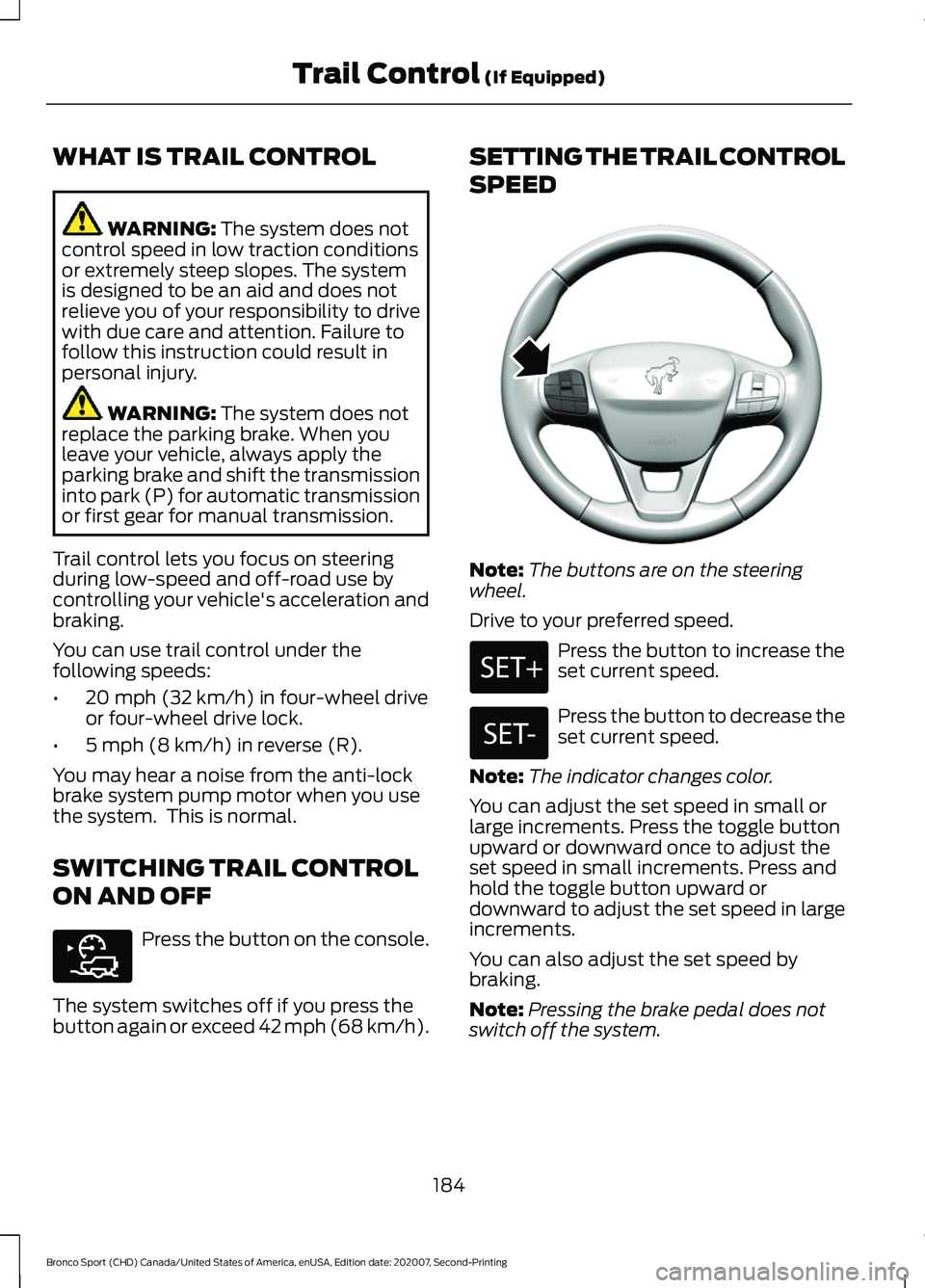
The buttons are on the steering
wheel.
Drive to your preferred speed. Press the button to increase the
set current speed.
Press the button to decrease the
set current speed.
Note: The indicator changes color.
You can adjust the set speed in small or
large increments. Press the toggle button
upward or downward once to adjust the
set speed in small increments. Press and
hold the toggle button upward or
downward to adjust the set speed in large
increments.
You can also adjust the set speed by
braking.
Note: Pressing the brake pedal does not
switch off the system.
184
Bronco Sport (CHD) Canada/United States of America, enUSA, Edition date: 202007, Second-Printing Trail Control
(If Equipped)E318506 E318924
Page 189 of 471
PRINCIPLE OF OPERATION
WARNING: To help avoid personal
injury, always use caution when in
reverse (R) and when using the sensing
system. WARNING:
The system may not
detect objects with surfaces that absorb
reflection. Always drive with due care
and attention. Failure to take care may
result in a crash. WARNING: Traffic control systems,
inclement weather, air brakes, external
motors and fans may affect the correct
operation of the sensing system. This
may cause reduced performance or false
alerts. WARNING:
The system may not
detect small or moving objects,
particularly those close to the ground. WARNING:
If damage occurs in the
immediate area surrounding the sensor,
have your vehicle checked as soon as
possible. WARNING:
The parking aid system
can only assist you to detect objects
when your vehicle is moving at parking
speeds. To help avoid personal injury you
must take care when using the parking
aid system. WARNING:
In cold and severe
weather conditions the system may not
function. Rain, snow and spray can all
limit sensor performance. WARNING:
The system may not
function if the sensor is blocked. Note:
If your vehicle has MyKey ™, the
sensing system cannot be switched off
when a MyKey ™ is present.
See Principle
of Operation (page 59).
Note: Do not clean the sensors with sharp
objects.
Note: If your vehicle sustains damage to
the bumper or fascia and you leave it
misaligned or bent, the sensing zone may
be altered causing inaccurate measurement
of obstacles or false alerts.
Note: Certain add-on devices installed
around the bumper or fascia may create
false alerts. For example, large trailer
hitches, bike or surfboard racks, license plate
brackets, bumper covers or any other device
that may block the normal detection zone
of the system. Remove the add-on device
to prevent false alerts.
Note: When you connect a trailer to your
vehicle, the rear parking aid may detect the
trailer and therefore provide an alert. Disable
the rear parking aid when you connect a
trailer to prevent the alert.
The sensing system warns you of obstacles
within a certain range of your vehicle. The
system turns on when you switch the
ignition on.
You can switch the system off through the
information display menu or from the
pop-up message that appears once you
shift the transmission into reverse (R). See
General Information
(page 99). If your
vehicle has a parking aid button, you can
switch the system off by pressing the
button. The system turns on when you
switch the ignition on.
If a fault is present in the system, a warning
message appears in the information
display. See
Information Messages
(page 104).
186
Bronco Sport (CHD) Canada/United States of America, enUSA, Edition date: 202007, Second-Printing Parking Aids