headlamp FORD BRONCO SPORT 2022 Owners Manual
[x] Cancel search | Manufacturer: FORD, Model Year: 2022, Model line: BRONCO SPORT, Model: FORD BRONCO SPORT 2022Pages: 494, PDF Size: 8.74 MB
Page 5 of 494
Liftgate
Opening the Liftgate
....................................73
Closing the Liftgate .......................................
73
Opening and Closing the Liftgate Window .........................................................
74
Security
Passive Anti-Theft System ........................
75
Anti-Theft Alarm ...........................................
75
Steering Wheel
Adjusting the Steering Wheel ...................
77
Audio Control ...................................................
77
Voice Control ...................................................
78
Cruise Control - Vehicles With: Lane Centering ......................................................
78
Cruise Control - Vehicles With: Cruise Control ...........................................................
78
Information Display Control ......................
78
Horn ....................................................................
78
Switching the Heated Steering Wheel On and Off ...................................................
79
Wipers and Washers
Windshield Wipers .......................................
80
Autowipers ......................................................
80
Windshield Washers .....................................
81
Rear Window Wiper and Washers ..........
82
Lighting
General Information .....................................
83
Lighting Control .............................................
83
Autolamps .......................................................
84
Instrument Lighting Dimmer ....................
84
Headlamp Exit Delay ...................................
85
Daytime Running Lamps - Vehicles With: Configurable Daytime Running Lamps
........................................................................\
..
85
Daytime Running Lamps - Vehicles With: Daytime Running Lamps (DRL) ..........
85
Front Fog Lamps ...........................................
85Cornering Lamps
..........................................
86
Direction Indicators ......................................
86
Interior Lamps ................................................
87
Ambient Lighting ...........................................
87
Rear Floodlamps ..........................................
88
Automatic High Beam Control
What Is Automatic High Beam Control ........................................................................\
..
89
Switching Automatic High Beam Control On and Off ..................................................
89
Automatic High Beam Control Indicators ........................................................................\
..
89
Overriding Automatic High Beam Control ........................................................................\
..
90
Windows and Mirrors
Power Windows ..............................................
91
Global Opening and Closing .....................
92
Exterior Mirrors ...............................................
92
Interior Mirror ..................................................
93
Sun Visors ........................................................
93
Moonroof .........................................................
94
Instrument Cluster
Gauges - Vehicles With: 4.2 Inch Instrument Cluster Display Screen
........................................................................\
..
95
Gauges - Vehicles With: 6.5 Inch Instrument Cluster Display Screen
........................................................................\
..
96
Warning Lamps and Indicators ................
97
Audible Warnings and Indicators ...........
101
Information Displays
General Information ...................................
102
Personalized Settings ...............................
106
Information Messages ...............................
107
2
2022 Bronco Sport (CHD) Canada/United States of America, enUSA, Edition date: 202107, First-Printing Table of Contents
Page 10 of 494
Maintenance
General Information
..................................282
Opening and Closing the Hood .............
282
Under Hood Overview - 1.5L EcoBoost™ ........................................................................\
283
Under Hood Overview - 2.0L EcoBoost™ ........................................................................\
284
Engine Oil Dipstick - 1.5L EcoBoost™ ........................................................................\
285
Engine Oil Dipstick - 2.0L EcoBoost™ ........................................................................\
285
Engine Oil Check .........................................
285
Oil Change Indicator Reset .....................
286
Changing the Engine Air Filter ...............
286
Engine Coolant Check ...............................
287
Automatic Transmission Fluid Check ........................................................................\
.
291
Brake Fluid Check .......................................
292
Power Steering Fluid Check ....................
293
Changing the 12V Battery ........................
293
Adjusting the Headlamps .......................
295
Washer Fluid Check ...................................
296
Fuel Filter .......................................................
296
Checking the Wiper Blades .....................
297
Changing the Front Wiper Blades ........
297
Changing the Rear Wiper Blades ..........
297
Changing a Bulb .........................................
298
Vehicle Care
General Information .................................
300
Cleaning Products .....................................
300
Cleaning the Exterior ..................................
301
Waxing ............................................................
302
Cleaning the Engine ...................................
302
Cleaning the Windows and Wiper Blades ........................................................................\
303
Cleaning the Interior ..................................
303
Cleaning the Instrument Panel and Instrument Cluster Lens ......................
304
Repairing Minor Paint Damage .............
305
Cleaning the Wheels .................................
305Vehicle Storage
...........................................
305
Wheels and Tires
General Information ..................................
308
Tire Care ..........................................................
310
Using Snow Chains ....................................
323
Tire Pressure Monitoring System ..........
324
Changing a Road Wheel ..........................
329
Technical Specifications ..........................
335
Capacities and Specifications
Engine Specifications - 1.5L EcoBoost™ ........................................................................\
336
Engine Specifications - 2.0L EcoBoost™ ........................................................................\
336
Motorcraft Parts - 1.5L EcoBoost™ ......
337
Motorcraft Parts - 2.0L EcoBoost™ .....
338
Bulb Specification Chart .........................
338
Engine Oil Capacity and Specification - 2.0L EcoBoost™ ....................................
340
Engine Oil Capacity and Specification - 1.5L EcoBoost™ .......................................
341
Cooling System Capacity and Specification - 2.0L EcoBoost™ ......
343
Cooling System Capacity and Specification - 1.5L EcoBoost™ .......
344
Fuel Tank Capacity ....................................
344
Air Conditioning System Capacity and Specification - 2.0L EcoBoost™ ......
345
Air Conditioning System Capacity and Specification - 1.5L EcoBoost™ .......
346
Washer Fluid Specification .....................
346
Brake Fluid Specification .........................
347
Vehicle Identification
Vehicle Identification Number ..............
348
Connected Vehicle
What Is a Connected Vehicle .................
349
Connected Vehicle Requirements .......
349
7
2022 Bronco Sport (CHD) Canada/United States of America, enUSA, Edition date: 202107, First-Printing Table of Contents
Page 15 of 494
Your vehicle has electronic control units
that have data recording functionality and
the ability to permanently or temporarily
store data. This data could include
information on the condition and status of
your vehicle, vehicle maintenance
requirements, events and malfunctions.
The types of data that can be recorded are
described in this section. Some of the data
recorded is stored in event logs or error
logs.
Note:
Error logs are reset following a service
or repair.
Note: We may provide information in
response to requests from law enforcement,
other government authorities and third
parties acting with lawful authority or
through a legal process. Such information
could be used by them in legal proceedings.
Data recorded includes, for example:
• Operating states of system
components, for example, fuel level,
tire pressure and battery charge level.
• Vehicle and component status, for
example, wheel speed, deceleration,
lateral acceleration and seatbelt
status.
• Events or errors in essential systems,
for example, headlamps and brakes.
• System responses to driving situations,
for example, airbag deployment and
stability control.
• Environmental conditions, for example,
temperature.
Some of this data, when used in
combination with other information, for
example, an accident report, damage to a
vehicle or eyewitness statements, could
be associated with a specific person. Service Data
Service data recorders in your vehicle are
capable of collecting and storing
diagnostic information about your vehicle.
This potentially includes information about
the performance or status of various
systems and modules in the vehicle, such
as engine, throttle, steering or brake
systems. In order to properly diagnose and
service your vehicle, Ford Motor Company
(Ford of Canada in Canada), and service
and repair facilities may access or share
among them vehicle diagnostic
information received through a direct
connection to your vehicle when
diagnosing or servicing your vehicle.
Additionally, Ford Motor Company (Ford
of Canada, in Canada) may, where
permitted by law, use vehicle diagnostic
information for vehicle improvement or
with other information we may have about
you, for example, your contact information,
to offer you products or services that may
interest you. Data may be provided to our
service providers such as part suppliers
that may help diagnose malfunctions, and
who are similarly obligated to protect data.
We retain this data only as long as
necessary to perform these functions or to
comply with law. We may provide
information where required in response to
official requests to law enforcement or
other government authorities or third
parties acting with lawful authority or court
order, and such information may be used
in legal proceedings. For U.S. only (if
equipped), if you choose to use connected
apps and services, you consent that certain
diagnostic information may also be
accessed electronically by Ford Motor
Company and Ford authorized service
facilities, and that the diagnostic
information may be used to provide
services to you, personalizing your
experience, troubleshoot, and to improve
products and services and offer you
products and services that may interest
12
2022 Bronco Sport (CHD) Canada/United States of America, enUSA, Edition date: 202107, First-Printing Introduction
Page 73 of 494
•
You shift into any gear putting your
vehicle in motion.
• Your vehicle reaches a speed greater
than 4 mph (7 km/h).
Autolock repeats when:
• You open, then close any door while
the ignition is on and your vehicle speed
is
4 mph (7 km/h) or lower.
• Your vehicle reaches a speed greater
than
4 mph (7 km/h).
Autounlock
Autounlock unlocks all the doors when:
• The ignition is on, all the doors are
closed, and your vehicle has been
moving at a speed greater than
7 mph
(12 km/h).
• Your vehicle comes to a stop and you
switch the ignition off or to the
accessory position.
• You open the driver door within 10
minutes of switching the ignition off or
to accessory.
Note: The doors do not autounlock if you
electronically lock your vehicle after you
switch the ignition off and before you open
the driver door.
Enabling or Disabling Autounlock
To enable or disable autounlock, see an
authorized dealer.
Auto Relock
If you press the unlock button on the
remote control and do not open a door
within 45 seconds, your vehicle locks and
the alarm arms.
Illuminated Entry
The interior lamps and some exterior
lamps illuminate when you unlock the
doors with the remote control. The illuminated entry system turns off the
lights if:
•
The ignition is on.
• You press the remote control lock
button.
• After 25 seconds of illumination.
The lights do not turn off if:
• You turn them on with the lamp
control.
• Any door is open.
Illuminated Exit
The interior lamps and some exterior
lamps illuminate when all doors are closed
and you switch the ignition off.
The lamps turn off if all the doors remain
closed and:
• More than 25 seconds have elapsed.
• You lock your vehicle from the outside.
Battery Saver
If you leave the courtesy lamps, interior
lamps or headlamps on, the battery saver
shuts them off 10 minutes after you switch
the ignition off.
Accessory Mode Battery Saver for
Passive Keys
If you leave the ignition on after leaving
your vehicle, it turns off 15 minutes after
you close all of the doors.
KEYLESS ENTRY
(IF EQUIPPED)
SECURICODE™ KEYLESS ENTRY
KEYPAD
The keypad is located near the driver
window. It is invisible until touched and
then it lights up so you can see and touch
the appropriate buttons.
70
2022 Bronco Sport (CHD) Canada/United States of America, enUSA, Edition date: 202107, First-Printing Doors and Locks
Page 84 of 494
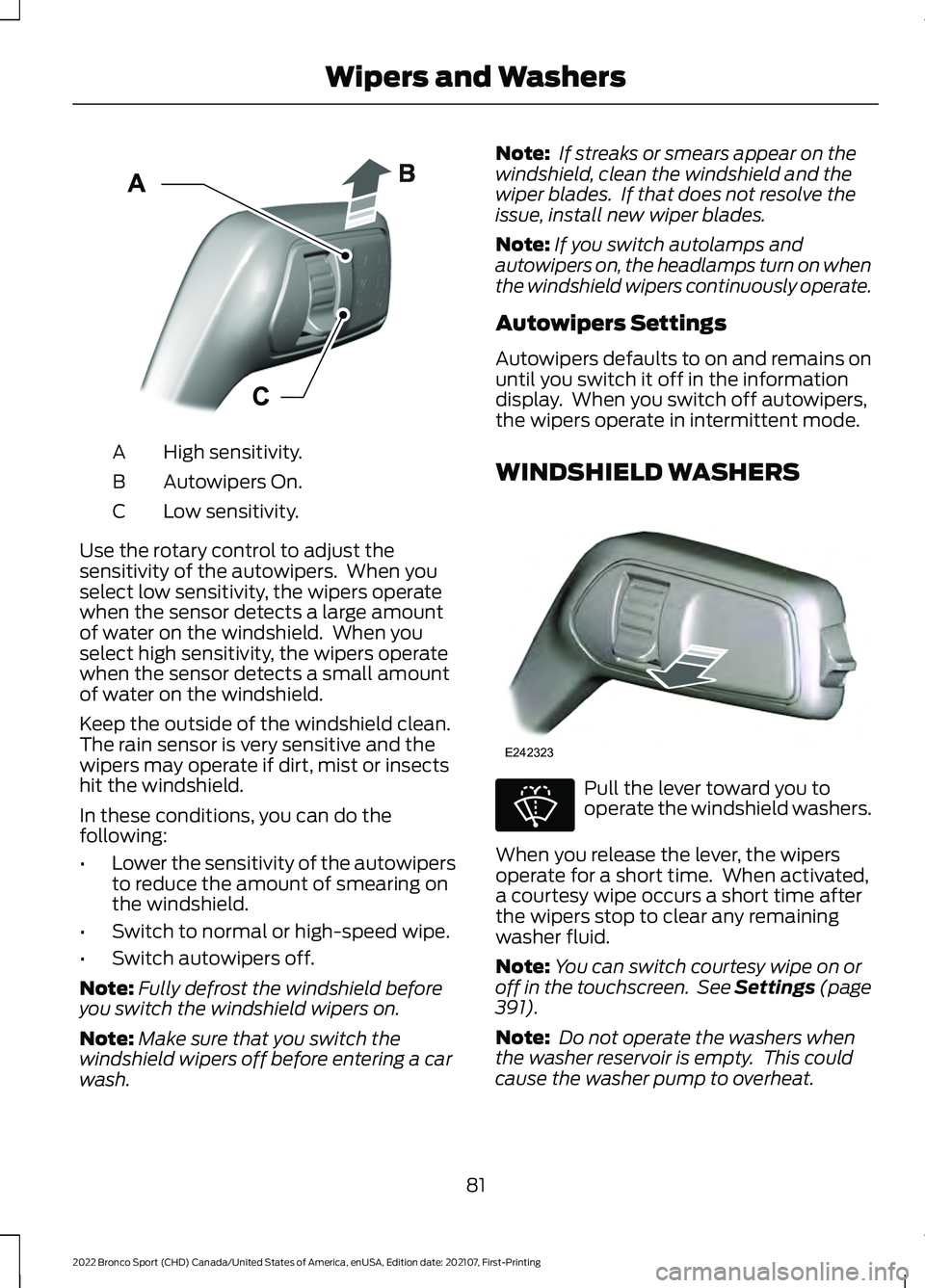
High sensitivity.
A
Autowipers On.
B
Low sensitivity.
C
Use the rotary control to adjust the
sensitivity of the autowipers. When you
select low sensitivity, the wipers operate
when the sensor detects a large amount
of water on the windshield. When you
select high sensitivity, the wipers operate
when the sensor detects a small amount
of water on the windshield.
Keep the outside of the windshield clean.
The rain sensor is very sensitive and the
wipers may operate if dirt, mist or insects
hit the windshield.
In these conditions, you can do the
following:
• Lower the sensitivity of the autowipers
to reduce the amount of smearing on
the windshield.
• Switch to normal or high-speed wipe.
• Switch autowipers off.
Note: Fully defrost the windshield before
you switch the windshield wipers on.
Note: Make sure that you switch the
windshield wipers off before entering a car
wash. Note:
If streaks or smears appear on the
windshield, clean the windshield and the
wiper blades. If that does not resolve the
issue, install new wiper blades.
Note: If you switch autolamps and
autowipers on, the headlamps turn on when
the windshield wipers continuously operate.
Autowipers Settings
Autowipers defaults to on and remains on
until you switch it off in the information
display. When you switch off autowipers,
the wipers operate in intermittent mode.
WINDSHIELD WASHERS Pull the lever toward you to
operate the windshield washers.
When you release the lever, the wipers
operate for a short time. When activated,
a courtesy wipe occurs a short time after
the wipers stop to clear any remaining
washer fluid.
Note: You can switch courtesy wipe on or
off in the touchscreen. See Settings (page
391).
Note: Do not operate the washers when
the washer reservoir is empty. This could
cause the washer pump to overheat.
81
2022 Bronco Sport (CHD) Canada/United States of America, enUSA, Edition date: 202107, First-Printing Wipers and WashersE295997 E242323 E270967
Page 86 of 494
GENERAL INFORMATION
Condensation in the Exterior Front
Lamps and Rear Lamps
Exterior front lamps and rear lamps have
vents to accommodate normal changes
in air pressure.
Condensation can be a natural by-product
of this design. When moist air enters the
lamp assembly through the vents, there is
a possibility that condensation can occur
when the temperature is cold. When
normal condensation occurs, a fine mist
can form on the interior of the lens. The
fine mist eventually clears and exits
through the vents during normal operation.
Clearing time may take as long as 48 hours
under dry weather conditions.
The headlamps could contain an internal
fan to assist with cooling and clearing
condensation. The fan could start or
continue to operate for a short period of
time after your vehicle is off.
Examples of acceptable condensation are:
•
The presence of a fine mist (no streaks,
drip marks or large droplets).
• A fine mist covers less than 50% of the
lens.
Examples of unacceptable condensation
are:
• A water puddle inside the lamp.
• Streaks, drip marks or large droplets
present on the interior of the lens.
If you see any unacceptable condensation,
have your vehicle checked by an authorized
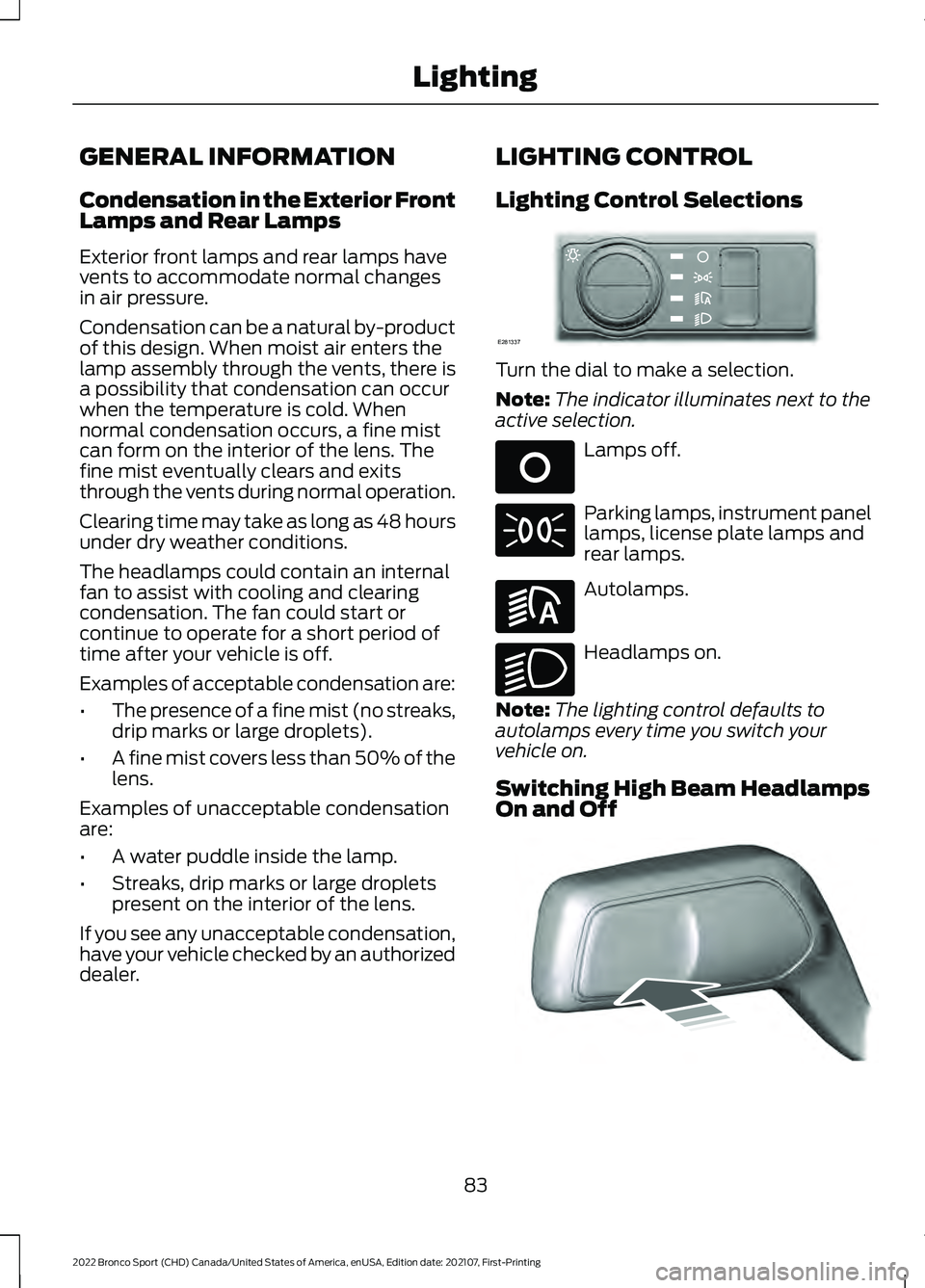
dealer. LIGHTING CONTROL
Lighting Control Selections Turn the dial to make a selection.
Note:
The indicator illuminates next to the
active selection. Lamps off.
Parking lamps, instrument panel
lamps, license plate lamps and
rear lamps.
Autolamps.
Headlamps on.
Note: The lighting control defaults to
autolamps every time you switch your
vehicle on.
Switching High Beam Headlamps
On and Off 83
2022 Bronco Sport (CHD) Canada/United States of America, enUSA, Edition date: 202107, First-Printing LightingE281337 E265031 E281240 E270968 E248603
Page 87 of 494
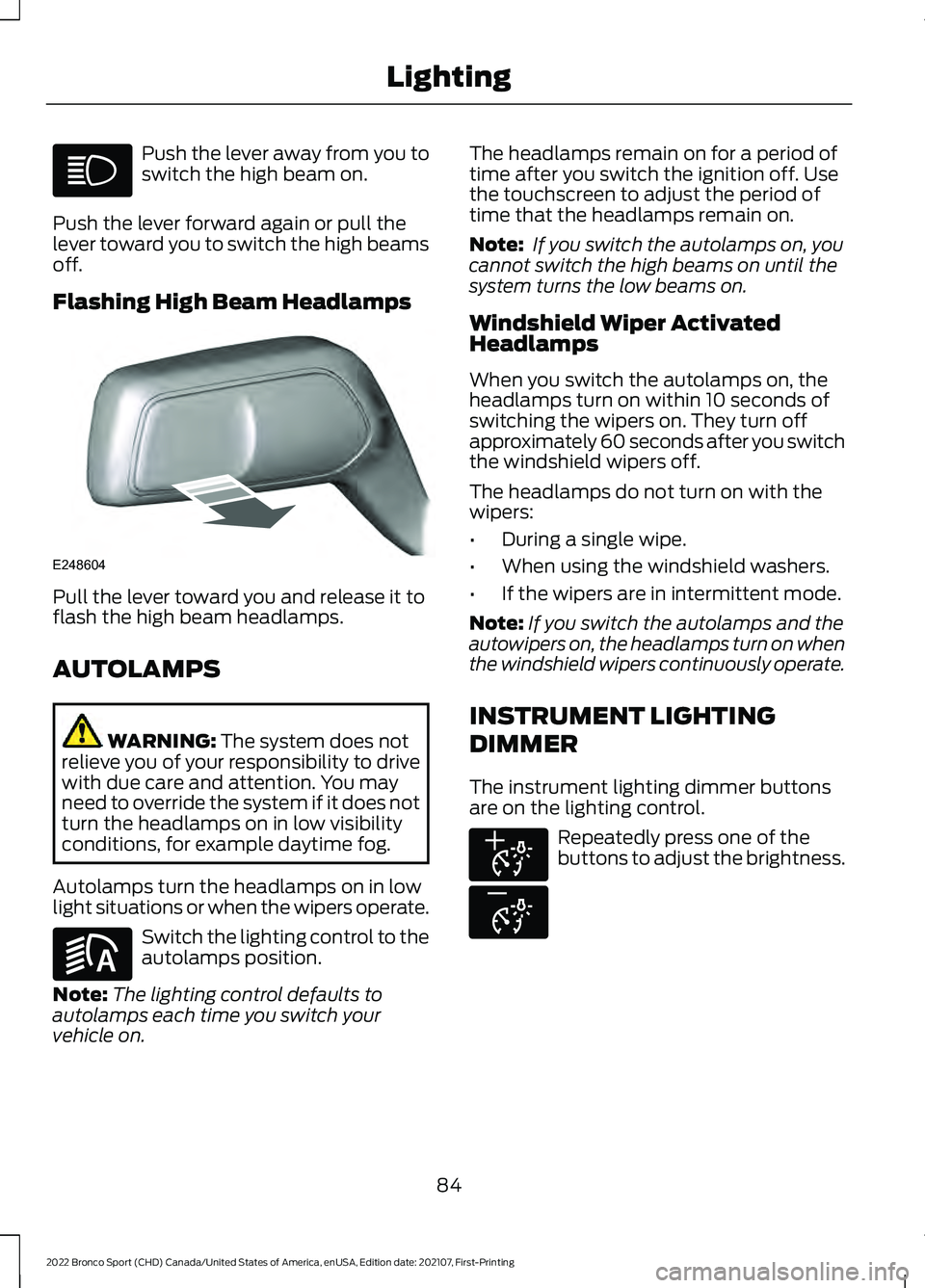
Push the lever away from you to
switch the high beam on.
Push the lever forward again or pull the
lever toward you to switch the high beams
off.
Flashing High Beam Headlamps Pull the lever toward you and release it to
flash the high beam headlamps.
AUTOLAMPS
WARNING: The system does not
relieve you of your responsibility to drive
with due care and attention. You may
need to override the system if it does not
turn the headlamps on in low visibility
conditions, for example daytime fog.
Autolamps turn the headlamps on in low
light situations or when the wipers operate. Switch the lighting control to the
autolamps position.
Note: The lighting control defaults to
autolamps each time you switch your
vehicle on. The headlamps remain on for a period of
time after you switch the ignition off. Use
the touchscreen to adjust the period of
time that the headlamps remain on.
Note:
If you switch the autolamps on, you
cannot switch the high beams on until the
system turns the low beams on.
Windshield Wiper Activated
Headlamps
When you switch the autolamps on, the
headlamps turn on within 10 seconds of
switching the wipers on. They turn off
approximately 60 seconds after you switch
the windshield wipers off.
The headlamps do not turn on with the
wipers:
• During a single wipe.
• When using the windshield washers.
• If the wipers are in intermittent mode.
Note: If you switch the autolamps and the
autowipers on, the headlamps turn on when
the windshield wipers continuously operate.
INSTRUMENT LIGHTING
DIMMER
The instrument lighting dimmer buttons
are on the lighting control. Repeatedly press one of the
buttons to adjust the brightness.
84
2022 Bronco Sport (CHD) Canada/United States of America, enUSA, Edition date: 202107, First-Printing Lighting E248604 E281240 E291299 E296433
Page 88 of 494
HEADLAMP EXIT DELAY
After you switch the ignition off, you can
switch the headlamps on by pulling the
direction indicator lever toward you. You
will hear a short tone. The headlamps will
switch off automatically after three
minutes with any door open or 30 seconds
after the last door has been closed. You
can cancel this feature by pulling the
direction indicator lever toward you again
or switching the ignition on.
DAYTIME RUNNING LAMPS -
VEHICLES WITH:
CONFIGURABLE DAYTIME
RUNNING LAMPS
WARNING: The daytime running
lamps system does not activate the rear
lamps and may not provide adequate
lighting during low visibility driving
conditions. Make sure you switch the
headlamps on, as appropriate, during all
low visibility conditions. Failure to do so
may result in a crash.
Switch the daytime running lamps on or
off using the touchscreen:
1. Select
Settings. See Settings (page
391).
2. Select
Vehicle.
3. Select
Lighting.
The daytime running lamps turn on when:
1. The lamps are on in the information display.
2. You switch the ignition on.
3. The transmission is not in park (P) for vehicles with automatic transmissions
or you release the parking brake for
vehicles with manual transmissions. 4.
The lighting control is in the autolamps
position.
5. The headlamps are off.
The other lighting control switch positions
do not turn on the daytime running lamps.
If the daytime running lamps are off in the
information display, the lamps stay off in
all switch positions.
DAYTIME RUNNING LAMPS -
VEHICLES WITH: DAYTIME
RUNNING LAMPS (DRL) WARNING:
The daytime running
lamps system does not activate the rear
lamps and may not provide adequate
lighting during low visibility driving
conditions. Make sure you switch the
headlamps on, as appropriate, during all
low visibility conditions. Failure to do so
may result in a crash.
The system turns the lamps on in daylight
conditions.
To switch the system on, switch the
lighting control to any position except
headlamps.
FRONT FOG LAMPS
(IF EQUIPPED)
Switching the Front Fog Lamps On
or Off
Only switch the front fog lamps on during
reduced visibility.
85
2022 Bronco Sport (CHD) Canada/United States of America, enUSA, Edition date: 202107, First-Printing Lighting
Page 89 of 494
You can switch the front fog lamps on if
any of the following occur:
•
You set the lighting control to the
parking lamps position.
• You set the lighting control to the
headlamps position.
• You set the lighting control to the
autolamps position and the headlamps
are on.
The front fog lamp button is on the lighting
control. Press the button to switch the
front fog lamps on or off.
Note: The brightness of the daytime running
lamps may decrease when the front fog
lamps are switched on.
Front Fog Lamp Indicator It illuminates when you switch
the front fog lamps on.
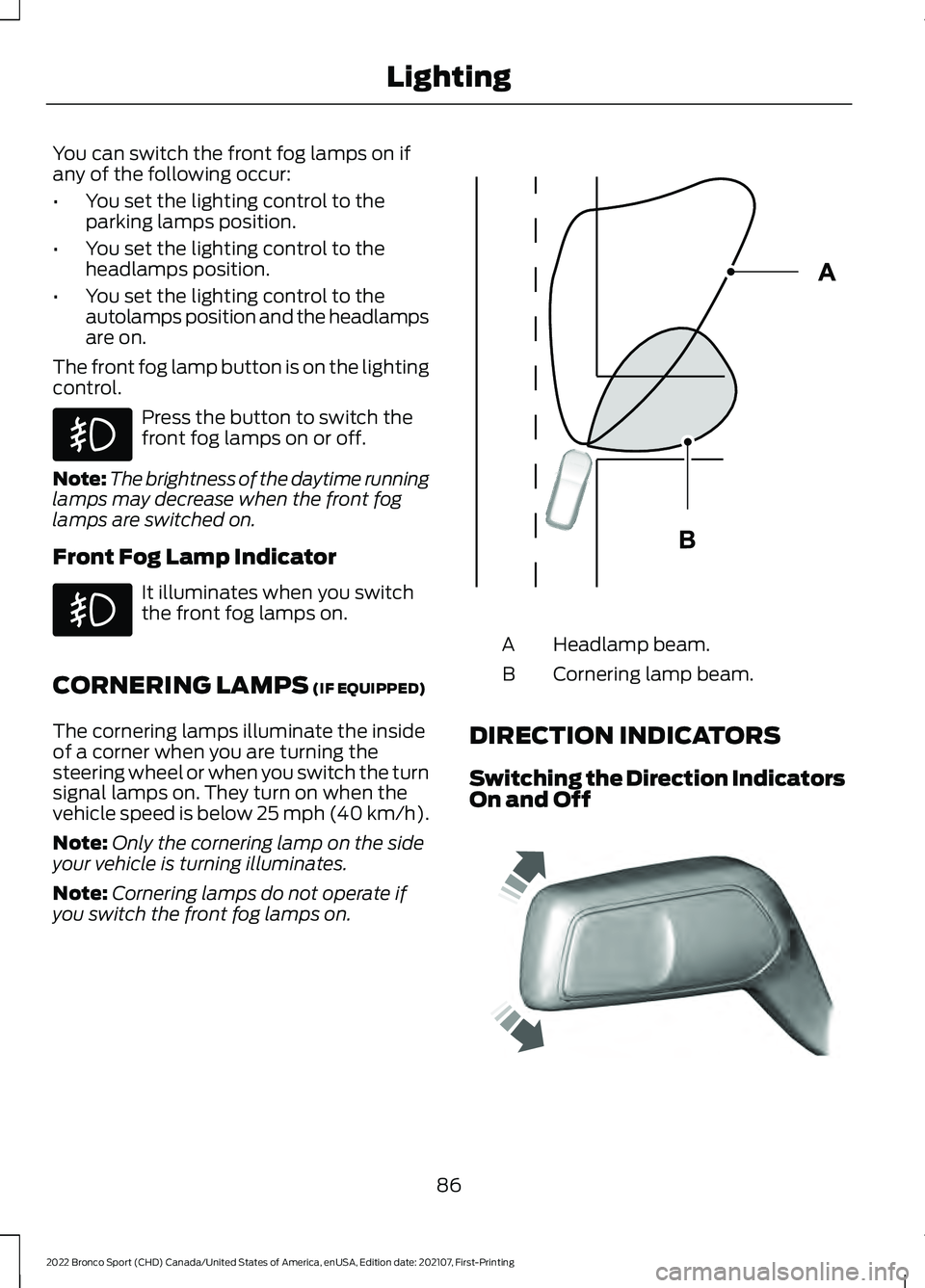
CORNERING LAMPS (IF EQUIPPED)
The cornering lamps illuminate the inside
of a corner when you are turning the
steering wheel or when you switch the turn
signal lamps on. They turn on when the
vehicle speed is below 25 mph (40 km/h).
Note: Only the cornering lamp on the side
your vehicle is turning illuminates.
Note: Cornering lamps do not operate if
you switch the front fog lamps on. Headlamp beam.
A
Cornering lamp beam.
B
DIRECTION INDICATORS
Switching the Direction Indicators
On and Off 86
2022 Bronco Sport (CHD) Canada/United States of America, enUSA, Edition date: 202107, First-Printing Lighting E327599 E242676
Page 92 of 494
WHAT IS AUTOMATIC HIGH
BEAM CONTROL
The system turns on high beams if it is dark
enough and no other traffic is present. If it
detects an approaching vehicle
’s
headlamps or tail lamps, or street lighting
ahead, the system turns the high beams
off. Low beams remain on.
A camera sensor, centrally mounted
behind the windshield of your vehicle,
continuously monitors conditions to turn
the high beams on and off.
SWITCHING AUTOMATIC HIGH
BEAM CONTROL ON AND OFF WARNING: Do not use the system
in poor visibility, for example fog, heavy
rain, spray or snow.
1. Press
Settings.
2. Press
Vehicle.
3. Press
Lighting.
Activating the Automatic High
Beam Control Switch the lighting control to the
autolamps position. See
Autolamps
(page 84).
Note: The lighting control defaults to
autolamps each time you switch your
vehicle on.
When active, the high beams turn on if all
of the following occur:
• The ambient light level is low enough.
• There is no traffic in front of your
vehicle.
• The vehicle speed is greater than
approximately
32 mph (51 km/h). When active, the high beams turn off if any
of the following occur:
•
The ambient light level is high enough
that the system does not require high
beams.
• The system detects an approaching
vehicle's headlamps or tail lamps.
• The system detects severe rain, snow
or fog.
• The camera is blocked.
• The vehicle speed falls below
approximately
27 mph (44 km/h).
Note: The deactivation speed is lower on
curves.
Note: There could be a delay in high beam
reactivation in certain curvy road situations.
Note: If there is a blocked sensor, the
system may not operate properly. Keep the
windshield free from obstruction or damage.
Note: The system may not operate properly
in cold or inclement conditions. You can
switch on the high beams by overriding the
system.
Note: If the system detects a blockage, for
example bird droppings, bug splatter, snow
or ice, the system goes into low beam mode
until you clear the blockage. If there is a
blocked camera, a message may appear in
the information display.
Note: Using much larger tires or adding
vehicle accessories such as snowplows can
modify your vehicle's ride height and
degrade automatic high beam control
performance.
AUTOMATIC HIGH BEAM
CONTROL INDICATORS The indicator illuminates to
confirm when the system is
ready to assist.
89
2022 Bronco Sport (CHD) Canada/United States of America, enUSA, Edition date: 202107, First-Printing Automatic High Beam ControlE281240