reset FORD BRONCO SPORT 2023 User Guide
[x] Cancel search | Manufacturer: FORD, Model Year: 2023, Model line: BRONCO SPORT, Model: FORD BRONCO SPORT 2023Pages: 516, PDF Size: 14.27 MB
Page 113 of 516
Note: When viewing this screen you canreset your average fuel economy. Hold OKto reset fuel history and average fueleconomy.
Trip 1 and 2
Provides trip timer, trip average fueleconomy and total trip distance traveled.For hybrid vehicles, the trip also shows thedistance traveled on electric power only.
INFORMATION MESSAGES
Depending on your vehicle options andinstrument cluster type, not all messagesdisplay or are available.
Note:The system abbreviates or shortenscertain messages.
Press the OK button to acknowledge andremove some messages from theinformation display. The system removesother messages after a short time.
You need to confirm certain messagesbefore you can access the menus.
Adaptive Cruise Control
DetailsMessage
A radar malfunction is preventing the adaptive cruise from engaging.Adaptive CruiseMalfunction
Front Sensor NotAligned
Conditions exist such that the adaptive cruise cannot properlyfunction.Adaptive CruiseNot Available
Bad weather, ice, mud or water is causing poor radar visibility andis blocking the radar sensor. You can typically clean the sensor toresolve.
Adaptive CruiseNot AvailableSensor BlockedSee Manual
Displays when automatic braking disables.Normal CruiseActive AdaptiveBraking Off
Displays when the adaptive cruise system reinstates control to thedriver.Adaptive Cruise -Driver ResumeControl
Displays when the vehicle speed is too slow to activate the adaptivecruise.Adaptive CruiseSpeed Too Low toActivate
109
2023 Bronco Sport (CHD) Canada/United States of America, enUSA, Edition date: 202208, First-PrintingInformation DisplaysE222314
Page 117 of 516
DetailsMessage
The liftgate or liftgate glass is not completely closed.Liftgate or liftglassajar
The hood is not completely closed.Hood Ajar
The factory keypad code appears in the information display afterthe system resets the keypad. See Passive Anti-Theft System(page 77).
Factory KeypadCode {X X X X X}
Driver Alert
DetailsMessage
Stop and rest as soon as it is safe to do so.Driver AlertWarning Rest Now
Take a rest soon.Driver AlertWarning RestSuggested
Four-Wheel Drive
DetailsMessage
The four-wheel drive system temporarily turns off to protect itselffrom overheating.4WD TemporarilyDisabled
The four-wheel drive system is locking up the torque transfer clutchto help reduce clutch temperature.4WD TemporarilyLocked
The four-wheel drive system temporarily turns off to protect itselffrom overheating or if you are using the temporary spare tire.4WD Off
The four-wheel drive system will resume normal function and clearthis message after driving a short distance with the road tire re-installed or after the system cools.
4WD Restored
The four-wheel drive system is not properly operating. If the warningstays on or continues to come on, have the system checked as soonas possible.
4WD Fault ServiceRequired
Displays when the power transfer unit fluid requires service.Change 4WDPower TransferUnit Lube
113
2023 Bronco Sport (CHD) Canada/United States of America, enUSA, Edition date: 202208, First-PrintingInformation Displays
Page 118 of 516
DetailsMessage
Displays when you have the power transfer unit fluid changed andreset to new.4WD PowerTransfer Unit LubeSet to New
The selected drive mode does not allow you to turn on the reardifferential lock feature.Rear DifferentialLock Not Availablein Current DriveMode
The selected drive mode requires your vehicle to be in four-wheeldrive.4WD LockRequired in CurrentDrive Mode
Fuel
DetailsMessage
An early reminder of a low fuel condition.Fuel Level Low
The fuel fill inlet may not be properly closed.Check Fuel FillInlet
Wait for up to 15 seconds while the fuel system depressurizes.Fuel Door Opening
The fuel system has finished depressurizing and you can begin torefuel.Fuel Door Open
A reminder to close the fuel door. Failure to follow this instructioncan cause the check engine light to illuminate.Close Fuel Door toAvoid ""CheckEngine"" Light
There is an error in attempting to refill your vehicle.Refuel Error SeeManual
Hill Start Assist
DetailsMessage
Hill start assist is not available. Have the system checked as soonas possible. See Hill Start Assist (page 195).Hill Start AssistNot Available
114
2023 Bronco Sport (CHD) Canada/United States of America, enUSA, Edition date: 202208, First-PrintingInformation Displays
Page 130 of 516
EXTENDING THE REMOTE
START DURATION
To extend the remote start duration duringremote start, do the following:
Press the button on the remotecontrol.
Within three seconds, press thebutton on the remote control.
Within three seconds, press thebutton again.
If the duration is set to 15 minutes, theduration extends by another 15 minutes.This provides a total of 30 minutes.
Note:Remote start can only be extendedonce.
Note:A maximum of two remote starts, orone remote start with an extension, areallowed. To reset the restart procedureswitch the vehicle to on, then to off.
REMOTE START REMOTE
CONTROL INDICATORS
Remote Control Feedback
An LED on the remote control providesstatus feedback of remote start or stopcommands.
StatusLED
Remote startsuccessful.Solid green.
Remote stopsuccessful.Solid red.
Request failed orstatus not received.Blinking red.
Status incomplete.Blinking green.
REMOTE START SETTINGS
Climate Control Settings
1.Press Settings on the touchscreen.
2.Press Vehicle Settings.
3.Press Remote Start Setup.
4.Press Climate Control.
5.Press Auto or Last settings.
Note:If you switch the auto mode on, thesystem attempts to heat or cool the interiorto 72°F (22°C). When you switch the vehicleon, the climate control system returns tothe last used settings.
Note:If you switch the last settings on, thesystem remembers the last used settings.
Heated Seat Settings (If Equipped)
1.Press Settings on the touchscreen.
2.Press Vehicle Settings.
3.Press Remote Start Setup.
4.Press Seats.
5.Press Auto or Off.
Note:If you switch the heated seat settingson, the heated seats turn on during coldweather.
Note:You cannot adjust the heated seatsettings when you remotely start yourvehicle.
Heated Steering Wheel Settings (If
Equipped)
1.Press Settings on the touchscreen.
2.Press Vehicle Settings.
3.Press Remote Start Setup.
4.Press Seats and Steering Wheel.
5.Press Auto or Off.
Note:If you switch the heated steeringwheel settings on, the heated steering wheelturns on during cold weather.
126
2023 Bronco Sport (CHD) Canada/United States of America, enUSA, Edition date: 202208, First-PrintingRemote Start (If Equipped)E138623 E138625
Page 138 of 516
SWITCHING THE HEATED
WIPER PARK ON AND OFF (IF
EQUIPPED)
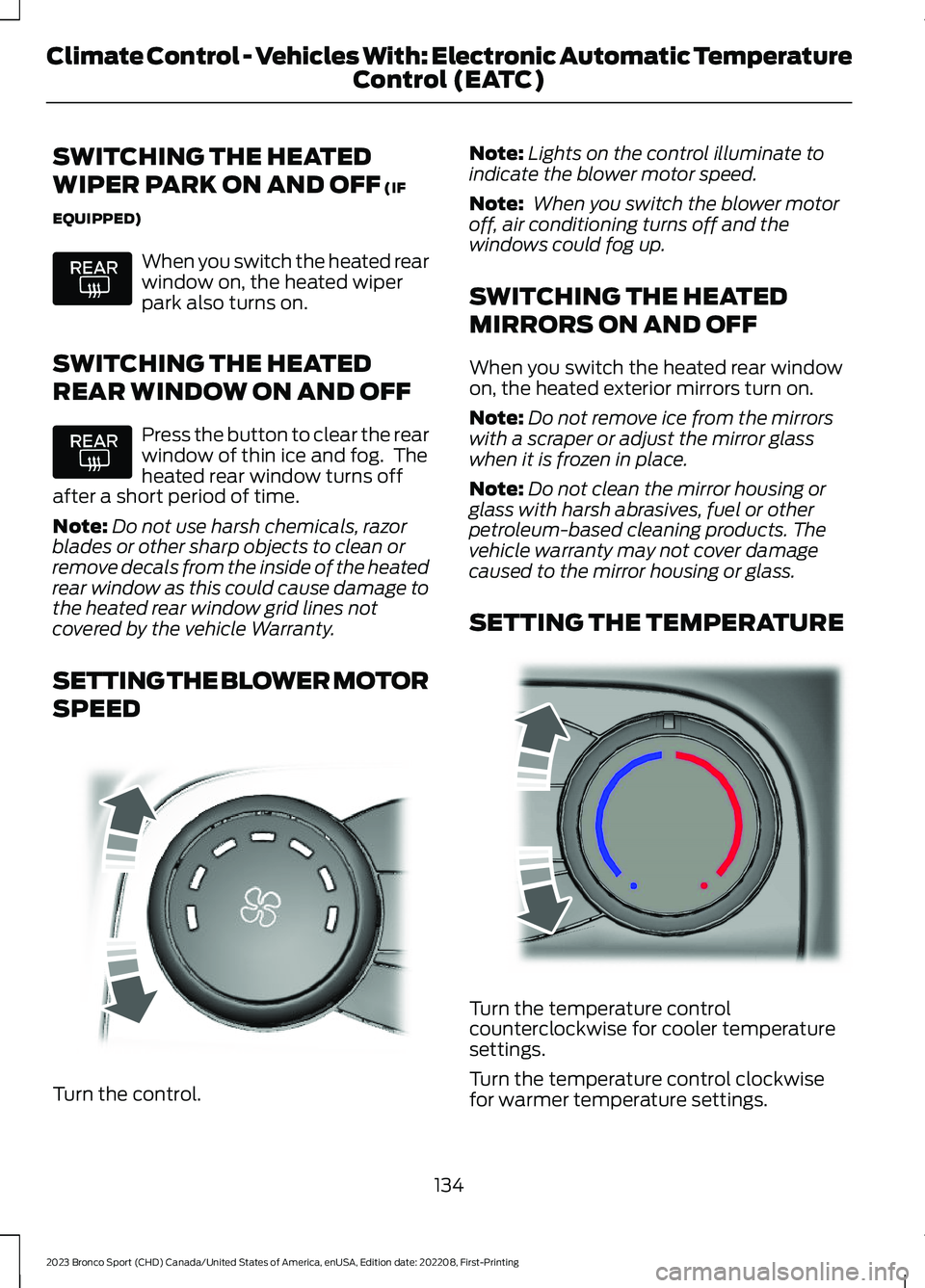
When you switch the heated rearwindow on, the heated wiperpark also turns on.
SWITCHING THE HEATED
REAR WINDOW ON AND OFF
Press the button to clear the rearwindow of thin ice and fog. Theheated rear window turns offafter a short period of time.
Note:Do not use harsh chemicals, razorblades or other sharp objects to clean orremove decals from the inside of the heatedrear window as this could cause damage tothe heated rear window grid lines notcovered by the vehicle Warranty.
SETTING THE BLOWER MOTOR
SPEED
Turn the control.
Note:Lights on the control illuminate toindicate the blower motor speed.
Note: When you switch the blower motoroff, air conditioning turns off and thewindows could fog up.
SWITCHING THE HEATED
MIRRORS ON AND OFF
When you switch the heated rear windowon, the heated exterior mirrors turn on.
Note:Do not remove ice from the mirrorswith a scraper or adjust the mirror glasswhen it is frozen in place.
Note:Do not clean the mirror housing orglass with harsh abrasives, fuel or otherpetroleum-based cleaning products. Thevehicle warranty may not cover damagecaused to the mirror housing or glass.
SETTING THE TEMPERATURE
Turn the temperature controlcounterclockwise for cooler temperaturesettings.
Turn the temperature control clockwisefor warmer temperature settings.
134
2023 Bronco Sport (CHD) Canada/United States of America, enUSA, Edition date: 202208, First-PrintingClimate Control - Vehicles With: Electronic Automatic TemperatureControl (EATC) E317606 E244106
Page 142 of 516
SWITCHING THE HEATED
WIPER PARK ON AND OFF (IF
EQUIPPED)
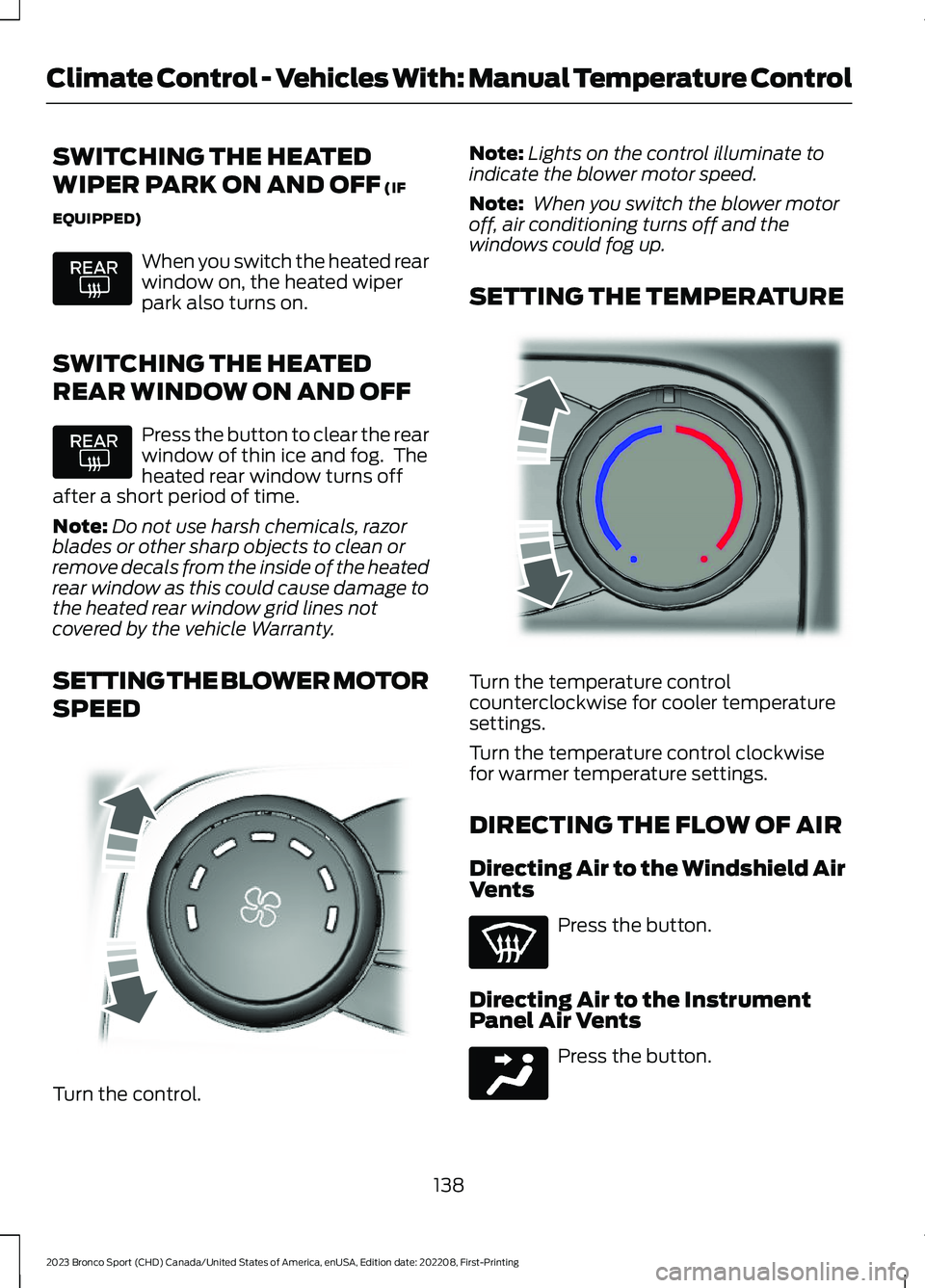
When you switch the heated rearwindow on, the heated wiperpark also turns on.
SWITCHING THE HEATED
REAR WINDOW ON AND OFF
Press the button to clear the rearwindow of thin ice and fog. Theheated rear window turns offafter a short period of time.
Note:Do not use harsh chemicals, razorblades or other sharp objects to clean orremove decals from the inside of the heatedrear window as this could cause damage tothe heated rear window grid lines notcovered by the vehicle Warranty.
SETTING THE BLOWER MOTOR
SPEED
Turn the control.
Note:Lights on the control illuminate toindicate the blower motor speed.
Note: When you switch the blower motoroff, air conditioning turns off and thewindows could fog up.
SETTING THE TEMPERATURE
Turn the temperature controlcounterclockwise for cooler temperaturesettings.
Turn the temperature control clockwisefor warmer temperature settings.
DIRECTING THE FLOW OF AIR
Directing Air to the Windshield AirVents
Press the button.
Directing Air to the InstrumentPanel Air Vents
Press the button.
138
2023 Bronco Sport (CHD) Canada/United States of America, enUSA, Edition date: 202208, First-PrintingClimate Control - Vehicles With: Manual Temperature Control E317606 E244106 E244097
Page 147 of 516
Installing the Head Restraint
Align the steel stems into the guide sleevesand push the head restraint down until itlocks.
Tilting the Front Seat HeadRestraint (If Equipped)
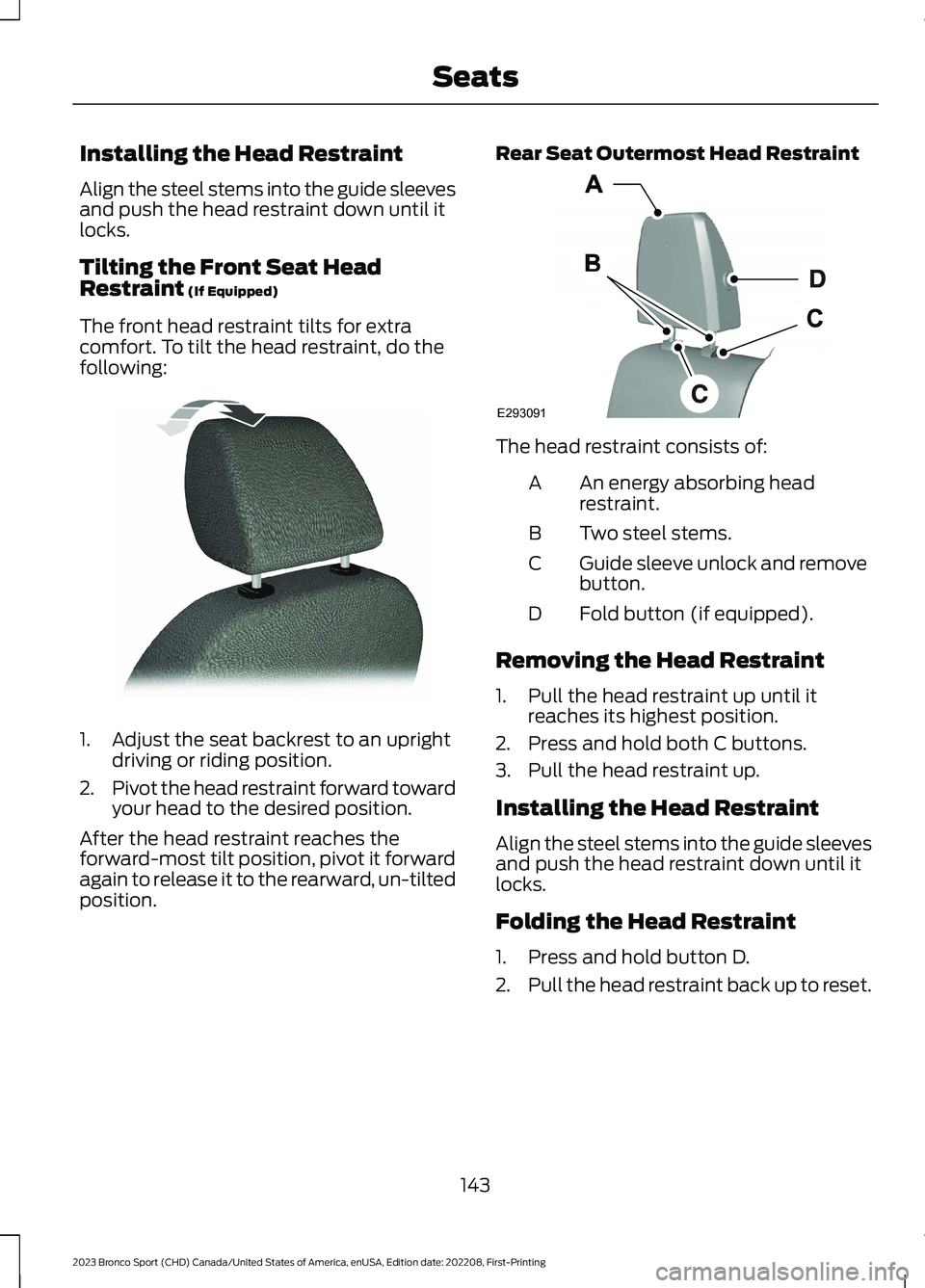
The front head restraint tilts for extracomfort. To tilt the head restraint, do thefollowing:
1.Adjust the seat backrest to an uprightdriving or riding position.
2.Pivot the head restraint forward towardyour head to the desired position.
After the head restraint reaches theforward-most tilt position, pivot it forwardagain to release it to the rearward, un-tiltedposition.
Rear Seat Outermost Head Restraint
The head restraint consists of:
An energy absorbing headrestraint.A
Two steel stems.B
Guide sleeve unlock and removebutton.C
Fold button (if equipped).D
Removing the Head Restraint
1.Pull the head restraint up until itreaches its highest position.
2.Press and hold both C buttons.
3.Pull the head restraint up.
Installing the Head Restraint
Align the steel stems into the guide sleevesand push the head restraint down until itlocks.
Folding the Head Restraint
1.Press and hold button D.
2.Pull the head restraint back up to reset.
143
2023 Bronco Sport (CHD) Canada/United States of America, enUSA, Edition date: 202208, First-PrintingSeatsE144727 E293091
Page 153 of 516
WHAT IS THE REAR
OCCUPANT ALERT SYSTEM
The rear occupant alert system monitorsvehicle conditions and notifies you to checkfor rear seat occupants when you switchthe ignition off.
HOW DOES THE REAR
OCCUPANT ALERT SYSTEM
WORK
The system monitors when rear doors havebeen opened and closed to indicate thepotential presence of an occupant in therear seat.
A message displays in the information andentertainment display screen and anaudible warning sounds when you switchthe ignition off after any of the followingconditions have been met:
•A rear door is opened or closed whilethe ignition is on.
•You switch the ignition on within 15minutes of a rear door opening andclosing.
•You switch the ignition on within 15minutes of the alert having displayedor sounded.
REAR OCCUPANT ALERT
SYSTEM PRECAUTIONS
WARNING: On hot days, thetemperature inside the vehicle can risevery quickly. Exposure of people oranimals to these high temperatures foreven a short time can cause death orserious heat related injuries, includingbrain damage. Small children areparticularly at risk.
WARNING: Do not leave childrenor pets unattended in your vehicle.Failure to follow this instruction couldresult in personal injury or death.
REAR OCCUPANT ALERT
SYSTEM LIMITATIONS
The system does not function if any dooris removed.
The system does not detect the presenceof objects or passengers in the rear seat.It monitors when rear doors are openedand closed.
Note:It is possible to receive an alert whenthere is no rear seat occupant, but alertconditions are met.
Note:It is possible to receive no alert whenthere is an occupant in the rear seat, if alertconditions are not met. For example, if a rearseat occupant does not enter the vehiclethrough a rear door.
Note:The audible warning does not soundwhen the front door is opened before youswitch the ignition off.
SWITCHING REAR OCCUPANT
ALERT SYSTEM ON AND OFF
1.Press Settings on the touchscreen.
2.Press Vehicle.
3.Switch Rear Occupant Alert on or off.
Note:The default setting is on.
Note:Performing a master reset causes thesystem to switch on again.
149
2023 Bronco Sport (CHD) Canada/United States of America, enUSA, Edition date: 202208, First-PrintingRear Occupant Alert System (If Equipped)
Page 155 of 516
HOW DOES THE MEMORY
FUNCTION WORK
The memory function recalls the positionof these features:
•Driver seat.
•Power mirrors.
MEMORY FUNCTION
PRECAUTIONS
WARNING: Before activating thememory seat, make sure that the areaimmediately surrounding the seat is clearof obstructions and that all occupantsare clear of moving parts.
WARNING: Do not use the memoryfunction when your vehicle is moving.
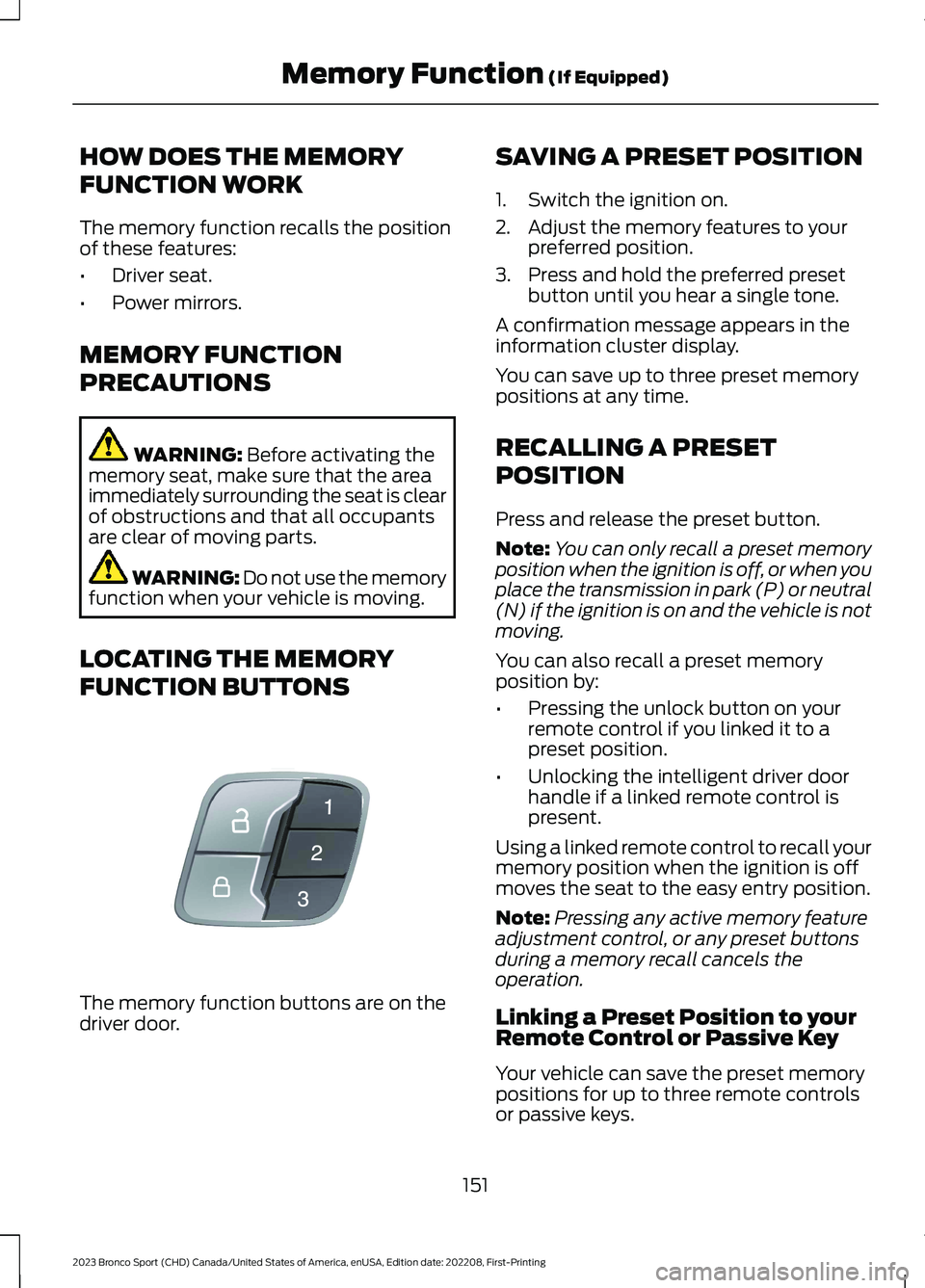
LOCATING THE MEMORY
FUNCTION BUTTONS
The memory function buttons are on thedriver door.
SAVING A PRESET POSITION
1.Switch the ignition on.
2.Adjust the memory features to yourpreferred position.
3.Press and hold the preferred presetbutton until you hear a single tone.
A confirmation message appears in theinformation cluster display.
You can save up to three preset memorypositions at any time.
RECALLING A PRESET
POSITION
Press and release the preset button.
Note:You can only recall a preset memoryposition when the ignition is off, or when youplace the transmission in park (P) or neutral(N) if the ignition is on and the vehicle is notmoving.
You can also recall a preset memoryposition by:
•Pressing the unlock button on yourremote control if you linked it to apreset position.
•Unlocking the intelligent driver doorhandle if a linked remote control ispresent.
Using a linked remote control to recall yourmemory position when the ignition is offmoves the seat to the easy entry position.
Note:Pressing any active memory featureadjustment control, or any preset buttonsduring a memory recall cancels theoperation.
Linking a Preset Position to yourRemote Control or Passive Key
Your vehicle can save the preset memorypositions for up to three remote controlsor passive keys.
151
2023 Bronco Sport (CHD) Canada/United States of America, enUSA, Edition date: 202208, First-PrintingMemory Function (If Equipped)E142554
Page 156 of 516
1.With the ignition on, move the memoryfeatures to the position you prefer.
2.Press and hold a preset button for fiveseconds. A tone sounds after twoseconds. Continue holding until youhear a second tone.
3.Within three seconds, press the lockbutton on the remote control you arelinking.
To unlink a remote control, follow thesame procedure – except in Step 3, pressthe unlock button on the remote control.
Note:If more than one linked remotecontrol or intelligent access key is in range,the memory function moves to the settingsof the first key to initiate a memory recall.
152
2023 Bronco Sport (CHD) Canada/United States of America, enUSA, Edition date: 202208, First-PrintingMemory Function (If Equipped)