key FORD BRONCO SPORT 2023 Service Manual
[x] Cancel search | Manufacturer: FORD, Model Year: 2023, Model line: BRONCO SPORT, Model: FORD BRONCO SPORT 2023Pages: 516, PDF Size: 14.27 MB
Page 174 of 516
WHAT IS AUTO-START-STOP
The system helps reduce fuel consumptionby stopping and restarting the engine whenyour vehicle has stopped. The enginerestarts when you release the brake pedal.
In some situations, your vehicle couldrestart before you release the brake pedal,for example:
•To maintain interior comfort.
•To recharge the battery.
AUTO-START-STOP
PRECAUTIONS
WARNING: Apply the parkingbrake, shift into park (P), switch theignition off and remove the key beforeyou leave your vehicle. Failure to followthis instruction could result in personalinjury or death.
WARNING: Apply the parkingbrake, shift into park (P), switch theignition off and remove the key beforeyou open the hood or have any serviceor repair work completed. If you do notswitch the ignition off, the engine couldrestart at any time. Failure to follow thisinstruction could result in personal injuryor death.
SWITCHING AUTO-START-
STOP ON AND OFF
The system turns on when you switch theignition on.
Press the switch to switch thesystem off.
Note:OFF illuminates in the switch.
Press the switch again to switch thesystem back on.
Note: The system is designed to turn off ifit detects a malfunction. If the systemmalfunctions, have your vehicle checked assoon as possible.
STOPPING THE ENGINE
Press the Auto-Start-Stop button locatedon the center console to switch the systemoff. The button will illuminate. Deactivatingusing the button lasts only one key cycle.Press the button again to restoreAuto-Start-Stop function.
Note:If the Shift to P, Restart Enginemessage appears and the amberAuto-Start-Stop indicator light is flashing,automatic restart is not available. You mustrestart the vehicle manually. SeeInformation Displays (page 104).
If Auto Start Stop stops your engine,shifting from drive (D) to reverse (R) willnot restart your engine unless you arepressing the brake pedal. When the PressBrake to Start Engine message appears,you must press the brake pedal within 60seconds or you will have to shift to park(P) and manually restart.
RESTARTING THE ENGINE
Release the brake pedal or press theaccelerator pedal.
A message appears in the informationdisplay if the system requires you to takeaction.
170
2023 Bronco Sport (CHD) Canada/United States of America, enUSA, Edition date: 202208, First-PrintingAuto-Start-StopE121377
Page 184 of 516
On-Board Diagnostics (OBD-II)
Your vehicle has a computer known as theon-board diagnostics system (OBD-II) thatmonitors the engine’s emission controlsystem. The system protects theenvironment by making sure that yourvehicle continues to meet governmentemission standards. The OBD-II systemalso assists a service technician in properlyservicing your vehicle.
When the service engine soonindicator illuminates, the OBD-IIsystem has detected amalfunction. Temporary malfunctions maycause the service engine soon indicator toilluminate. Examples are:
1.Your vehicle has run out of fuel—theengine may misfire or run poorly.
2.Poor fuel quality or water in thefuel—the engine may misfire or runpoorly.
3.The fuel fill inlet may not have closedproperly. See Refueling (page 176).
4.Driving through deep water—theelectrical system may be wet.
You can correct these temporarymalfunctions by filling the fuel tank withgood quality fuel, properly closing the fuelfill inlet or letting the electrical system dryout. After three driving cycles without theseor any other temporary malfunctionspresent, the service engine soon indicatorshould stay off the next time you start theengine. A driving cycle consists of a coldengine startup followed by mixed city andhighway driving. No additional vehicleservice is required.
If the service engine soon indicator remainson, have your vehicle serviced at the firstavailable opportunity. Although somemalfunctions detected by the OBD-II maynot have symptoms that are apparent,continued driving with the service enginesoon indicator on can result in increasedemissions, lower fuel economy, reducedengine and transmission smoothness andlead to more costly repairs.
Readiness for Inspection andMaintenance (I/M) Testing
Some state and provincial and localgovernments may haveInspection/Maintenance (I/M) programsto inspect the emission control equipmenton your vehicle. Failure to pass thisinspection could prevent you from gettinga vehicle registration.
If the service engine soonindicator is on or the bulb doesnot work, your vehicle may needservice. See On-Board Diagnostics.
Your vehicle may not pass the I/M test ifthe service engine soon indicator is on ornot working properly (bulb is burned out),or if the OBD-II system has determinedthat some of the emission control systemshave not been properly checked. In thiscase, the vehicle is not ready for I/Mtesting.
If the vehicle’s engine or transmission hasjust been serviced, or the battery hasrecently run down or been replaced, theOBD-II system may indicate that thevehicle is not ready for I/M testing. Todetermine if the vehicle is ready for I/Mtesting, turn the ignition key to the onposition for 15 seconds without crankingthe engine. If the service engine soonindicator blinks eight times, it means thatthe vehicle is not ready for I/M testing; ifthe service engine soon indicator stays onsolid, it means that your vehicle is readyfor I/M testing.
180
2023 Bronco Sport (CHD) Canada/United States of America, enUSA, Edition date: 202208, First-PrintingEngine Emission ControlE67028 E67028
Page 186 of 516
AUTOMATIC TRANSMISSION
WARNING: Do not apply the brakepedal and accelerator pedalsimultaneously. Applying both pedalssimultaneously for more than a fewseconds limits vehicle performance,which may result in difficulty maintainingspeed in traffic and could lead to seriousinjury.
WARNING: When your vehicle isstationary, keep the brake pedal fullypressed when shifting gears. Failure tofollow this instruction could result inpersonal injury, death or propertydamage.
WARNING: Apply the parkingbrake, shift into park (P), switch theignition off and remove the key beforeyou leave your vehicle. Failure to followthis instruction could result in personalinjury or death.
Understanding the Shift Positionsof Your Automatic Transmission
Putting your vehicle in or out of gear:
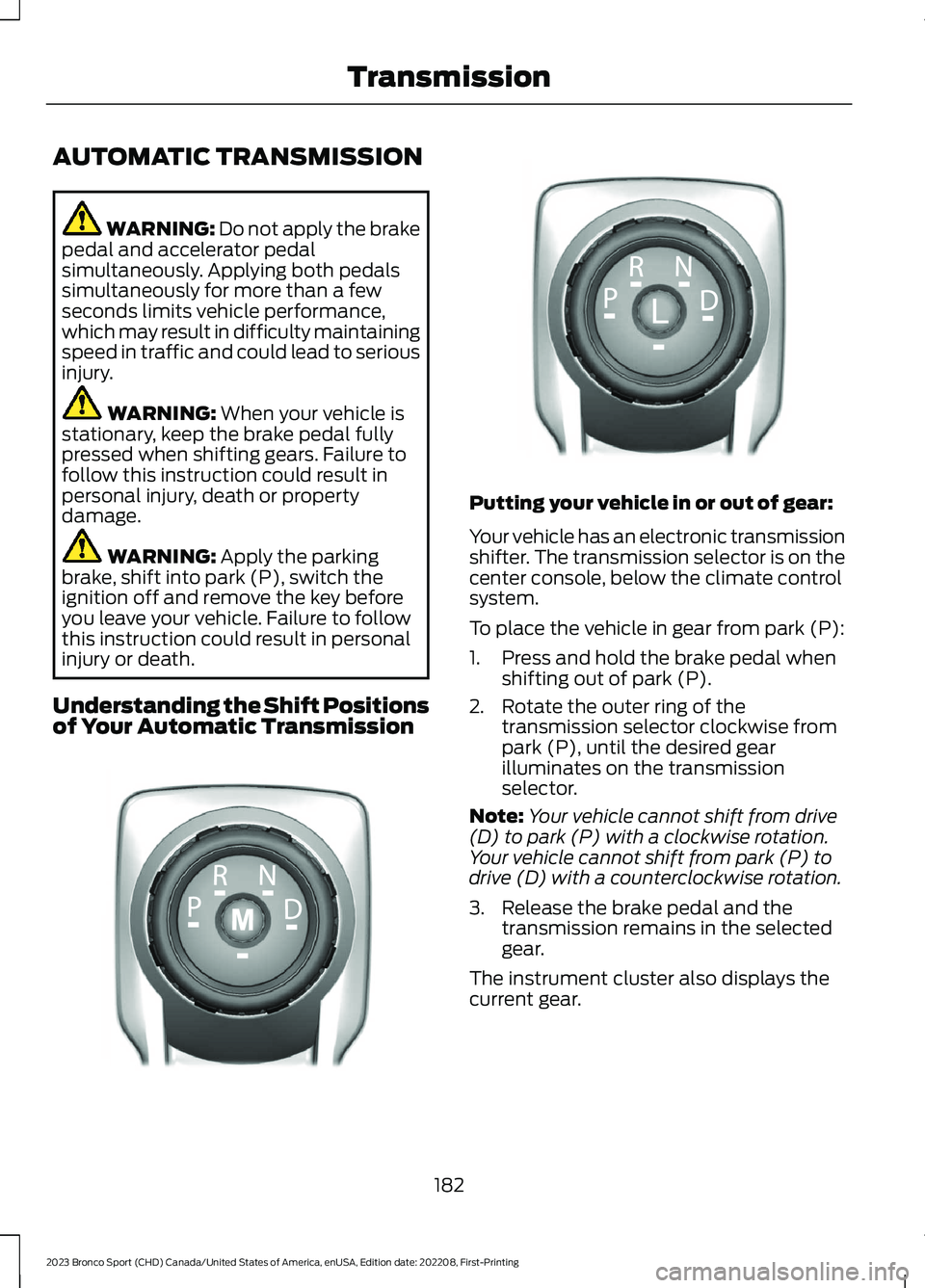
Your vehicle has an electronic transmissionshifter. The transmission selector is on thecenter console, below the climate controlsystem.
To place the vehicle in gear from park (P):
1.Press and hold the brake pedal whenshifting out of park (P).
2.Rotate the outer ring of thetransmission selector clockwise frompark (P), until the desired gearilluminates on the transmissionselector.
Note:Your vehicle cannot shift from drive(D) to park (P) with a clockwise rotation.Your vehicle cannot shift from park (P) todrive (D) with a counterclockwise rotation.
3.Release the brake pedal and thetransmission remains in the selectedgear.
The instrument cluster also displays thecurrent gear.
182
2023 Bronco Sport (CHD) Canada/United States of America, enUSA, Edition date: 202208, First-PrintingTransmissionE322797 LE349178
Page 187 of 516
Park (P)
WARNING: Shift into park (P) onlywhen your vehicle is stationary.
In park (P) power is not transmitted to thedriven wheels.
Note:A tone sounds if you attempt to exityour vehicle without the vehicle in park (P).
Note:Your vehicle may not shift out of park(P) if the 12 V battery has run out of charge.
Note:Your vehicle may not shift out of park(P) if a fuse is blown.
Note:Your vehicle may not shift out of park(P) unless the key or remote control is insideyour vehicle.
Note:The electronic parking brake couldapply when you power your vehicle on withthe selector in park (P).
Note:The electronic parking brake couldapply if you shift to park (P) without fullypressing the brake pedal.
Note:The electronic parking brake couldapply if you shift to park (P) on a slope.
Note:Do not manually release the parkingbrake when the selector is in park (P).
Note:Your vehicle could shift into park (P)if you attempt to exit your vehicle withoutthe vehicle in park (P). See How DoesAutomatic Return to Park (P) Work.
Note:A tone could sound when you selectpark (P).
Automatic Return to Park
What is Automatic Return to Park (P)
Your vehicle shifts into park (P) if youattempt to exit your vehicle without thetransmission in park (P).
How Does Automatic Return to Park (P)Work
Your vehicle shifts into park (P) when yourvehicle is stationary and any of thefollowing occur:
•You switch the vehicle off.
•You open the driver door with the driverseatbelt unfastened.
•You unfasten the driver seatbelt whenthe driver door is open.
Note:Do not use automatic return to park(P) when your vehicle is moving, except inan emergency. See Starting and Stoppingthe Engine (page 165).
Automatic Return to Park (P) Limitations
Automatic return to park (P) may not workif the door ajar sensor or seatbelt sensorare malfunctioning.
See an authorized dealer if any of thefollowing occur:
•Seatbelt indicator illuminates or tonesounds with the seatbelt fastened.
•Door ajar indicator does not illuminatewith the driver door open.
•Door ajar indicator illuminates with thedriver door closed.
•Transmission not in park messageappears, with the driver door closed,after you shift out of park (P).
Reverse (R)
WARNING: Shift into reverse (R)only when your vehicle is stationary.
In reverse (R) power is transmitted to thedriven wheels.
183
2023 Bronco Sport (CHD) Canada/United States of America, enUSA, Edition date: 202208, First-PrintingTransmission
Page 193 of 516
PRINCIPLE OF OPERATION
This system is a proactive system. It hasthe ability to anticipate wheel slip andtransfer torque to the rear wheels beforeslip occurs. Even when wheel slip is notpresent, the system is continuouslyadjusting to the torque distribution, in anattempt to improve straight line andcornering behavior, both on and off road.
The system automatically turns on everytime you switch the ignition on.
If any component requires maintenance,a message appears in the instrumentcluster display.
USING FOUR-WHEEL DRIVE
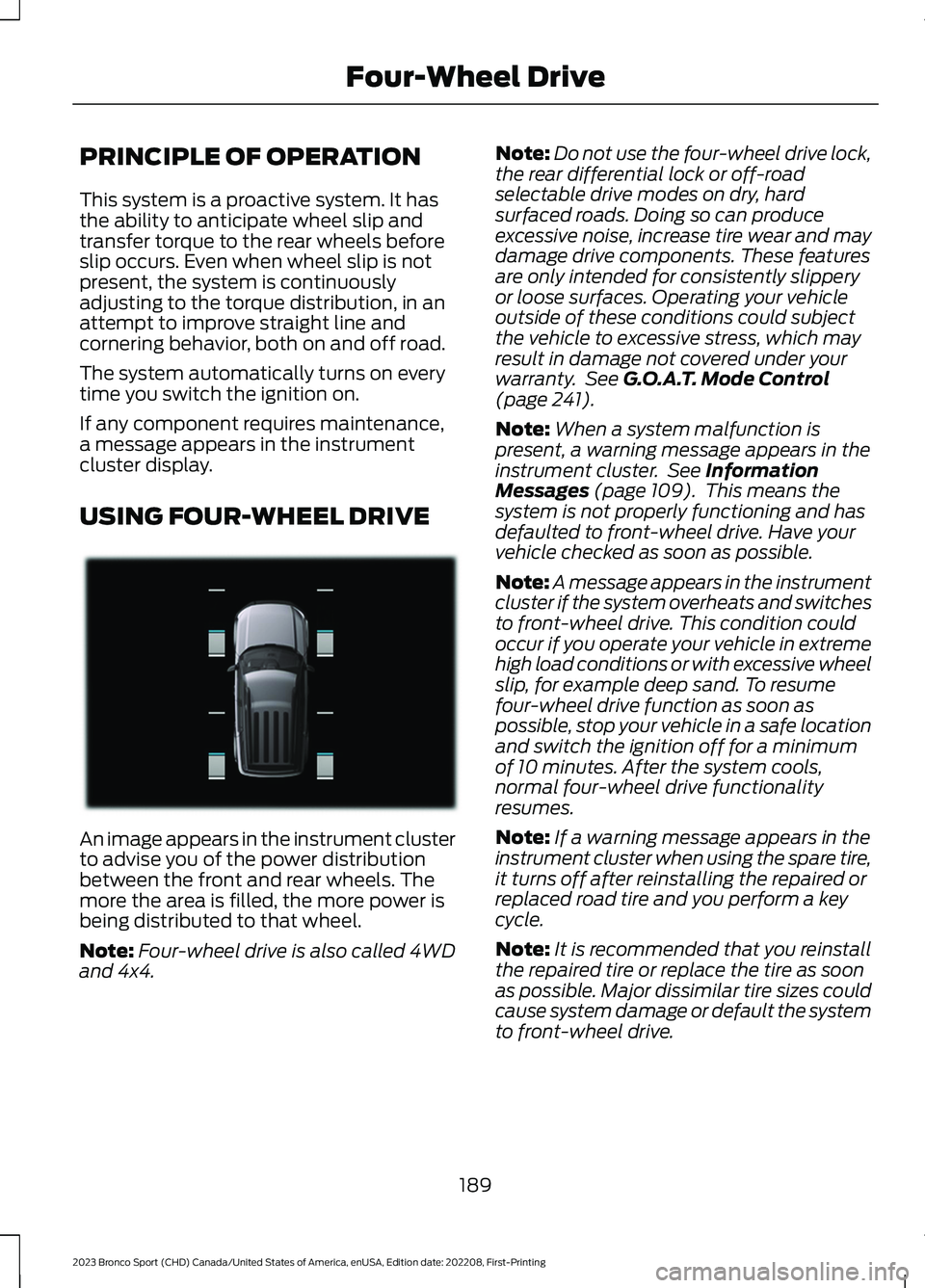
An image appears in the instrument clusterto advise you of the power distributionbetween the front and rear wheels. Themore the area is filled, the more power isbeing distributed to that wheel.
Note:Four-wheel drive is also called 4WDand 4x4.
Note:Do not use the four-wheel drive lock,the rear differential lock or off-roadselectable drive modes on dry, hardsurfaced roads. Doing so can produceexcessive noise, increase tire wear and maydamage drive components. These featuresare only intended for consistently slipperyor loose surfaces. Operating your vehicleoutside of these conditions could subjectthe vehicle to excessive stress, which mayresult in damage not covered under yourwarranty. See G.O.A.T. Mode Control(page 241).
Note:When a system malfunction ispresent, a warning message appears in theinstrument cluster. See InformationMessages (page 109). This means thesystem is not properly functioning and hasdefaulted to front-wheel drive. Have yourvehicle checked as soon as possible.
Note:A message appears in the instrumentcluster if the system overheats and switchesto front-wheel drive. This condition couldoccur if you operate your vehicle in extremehigh load conditions or with excessive wheelslip, for example deep sand. To resumefour-wheel drive function as soon aspossible, stop your vehicle in a safe locationand switch the ignition off for a minimumof 10 minutes. After the system cools,normal four-wheel drive functionalityresumes.
Note:If a warning message appears in theinstrument cluster when using the spare tire,it turns off after reinstalling the repaired orreplaced road tire and you perform a keycycle.
Note:It is recommended that you reinstallthe repaired tire or replace the tire as soonas possible. Major dissimilar tire sizes couldcause system damage or default the systemto front-wheel drive.
189
2023 Bronco Sport (CHD) Canada/United States of America, enUSA, Edition date: 202208, First-PrintingFour-Wheel DriveE331897
Page 207 of 516
PRINCIPLE OF OPERATION
WARNING: To help avoid personalinjury, always use caution when inreverse (R) and when using the sensingsystem.
WARNING: The system may notdetect objects with surfaces that absorbreflection. Always drive with due careand attention. Failure to take care mayresult in a crash.
WARNING: Traffic control systems,fluorescent lamps, inclement weather,air brakes, external motors and fans mayaffect the correct operation of thesensing system. This may cause reducedperformance or false alerts.
WARNING: The system may notdetect small or moving objects,particularly those close to the ground.
WARNING: If damage occurs in theimmediate area surrounding the sensor,have your vehicle checked as soon aspossible.
WARNING: The parking aid systemcan only assist you to detect objectswhen your vehicle is moving at parkingspeeds. To help avoid personal injury youmust take care when using the parkingaid system.
WARNING: In cold and severeweather conditions the system may notfunction. Rain, snow and spray can alllimit sensor performance.
WARNING: The system may notfunction if the sensor is blocked.
Note:If your vehicle has MyKey™, thesensing system cannot be switched offwhen a MyKey™ is present. See Principleof Operation (page 203).
Note:Do not clean the sensors with sharpobjects.
Note:If your vehicle sustains damage tothe bumper or fascia and you leave itmisaligned or bent, the sensing zone couldbe altered causing inaccurate measurementof obstacles or false alerts.
Note:Add-on devices such as large trailerhitches, bike or surfboard racks, license platebrackets, or bumper covers installed aroundthe bumper or facia can block the normaldetection zone of the system causing falsealerts. Remove the add-on devices toprevent false alerts.
Note:When you connect a trailer to yourvehicle, the rear parking aid could detect thetrailer and therefore provide an alert. Disablethe rear parking aid when you connect atrailer to prevent the alert.
The sensing system warns you of obstacleswithin a certain range of your vehicle. Thesystem turns on when you switch theignition on.
You can switch the system offby shifting into reverse (R) andpressing the button on the rearview camera display screen.
If a fault is present in the system, a warningmessage appears in the informationdisplay. See Information Messages(page 109).
203
2023 Bronco Sport (CHD) Canada/United States of America, enUSA, Edition date: 202208, First-PrintingParking Aids (If Equipped)E139213
Page 224 of 516
Activating Lane Centering
The system only activates when all of thefollowing occur:
•You have adaptive cruise control withstop-and-go on.
•The vehicle is centered in the lane.
•Your hands are on the steering wheelat all times.
•The system detects both lanemarkings.
Note:If it does not detect valid lanemarkings, the system stays inactive untilvalid markings are available.
You can override the system at any timeby steering your vehicle.
When the system is active and thedirection indicator is switched on, thesystem immediately cancels. The systemremains in standby mode as long as thedirection indicator is engaged. The systemautomatically re-activates once the vehicleis centered in a lane and the directionindicator is switched off.
If you drive off-center within the lane, thesystem sets and maintains that preferredlane position. The system providescontinuous assistance steering torqueinput toward the preferred position.
Note:The system can only set preferredlane positions within the lane.
Note:If the system cancels, the preferredposition erases. On the next activation, thesystem provides continuous assistancesteering torque input toward the lane center.
System Alerts and AutomaticCancellation
You must keep your hands on the steeringwheel at all times.
When the system is active and detects nosteering activity for a certain period of time,the system alerts you to put your hands onthe steering wheel. If you do not react tothe warnings the system cancels and slowsyour vehicle down to idle speeds whilemaintaining steering control.
The system also alerts you if your vehiclecrosses lane markings without detectedsteering activity.
Note:The system may detect a light gripor touch on the steering wheel as hands-offdriving.
When the system cancels due to anexternal condition, for example, no lanemarkings are available and your hands arenot on the steering wheel, the systemimmediately alerts you to take control ofthe vehicle. If you ignore this alert, thesystem slows the vehicle while maintainingsteering control.
If your vehicle starts to slowdown, you must contribute tothe steering control and pressand release the button to regain fullsystem performance.
Automatic cancellation can also occur if:
•The lane becomes too wide or toonarrow.
•The system cannot detect valid lanemarkings.
•Lane markings are crossed.
Note:The system disables until the nextkey cycle if your vehicle slows down due todriver inactivity twice within a key cycle.
220
2023 Bronco Sport (CHD) Canada/United States of America, enUSA, Edition date: 202208, First-PrintingAdaptive Cruise Control (If Equipped)
Page 228 of 516
DRIVER ALERT
WARNING: You are responsible forcontrolling your vehicle at all times. Thesystem is designed to be an aid and doesnot relieve you of your responsibility todrive with due care and attention. Failureto follow this instruction could result inthe loss of control of your vehicle,personal injury or death.
WARNING: The system may notfunction if the sensor is blocked.
WARNING: Take regular restbreaks if you feel tired. Do not wait forthe system to warn you.
WARNING: Certain driving stylesmay result in the system warning youeven if you are not feeling tired.
WARNING: In cold and severeweather conditions the system may notfunction. Rain, snow and spray can alllimit sensor performance.
WARNING: The system will notoperate if the sensor cannot track theroad lane markings.
WARNING: If damage occurs in theimmediate area surrounding the sensor,have your vehicle checked as soon aspossible.
WARNING: The system may notcorrectly operate if your vehicle is fittedwith a suspension kit not approved byus.
Note:Keep the windshield free fromobstructions. For example, bird droppings,insects and snow or ice.
Note:If the camera is blocked or if thewindshield is damaged, the system may notfunction.
Note:The system remembers the lastsetting when you start your vehicle, unlessit detects a MyKey™.
Note:If enabled in the menu, the systemactivates at speeds above 40 mph(64 km/h).
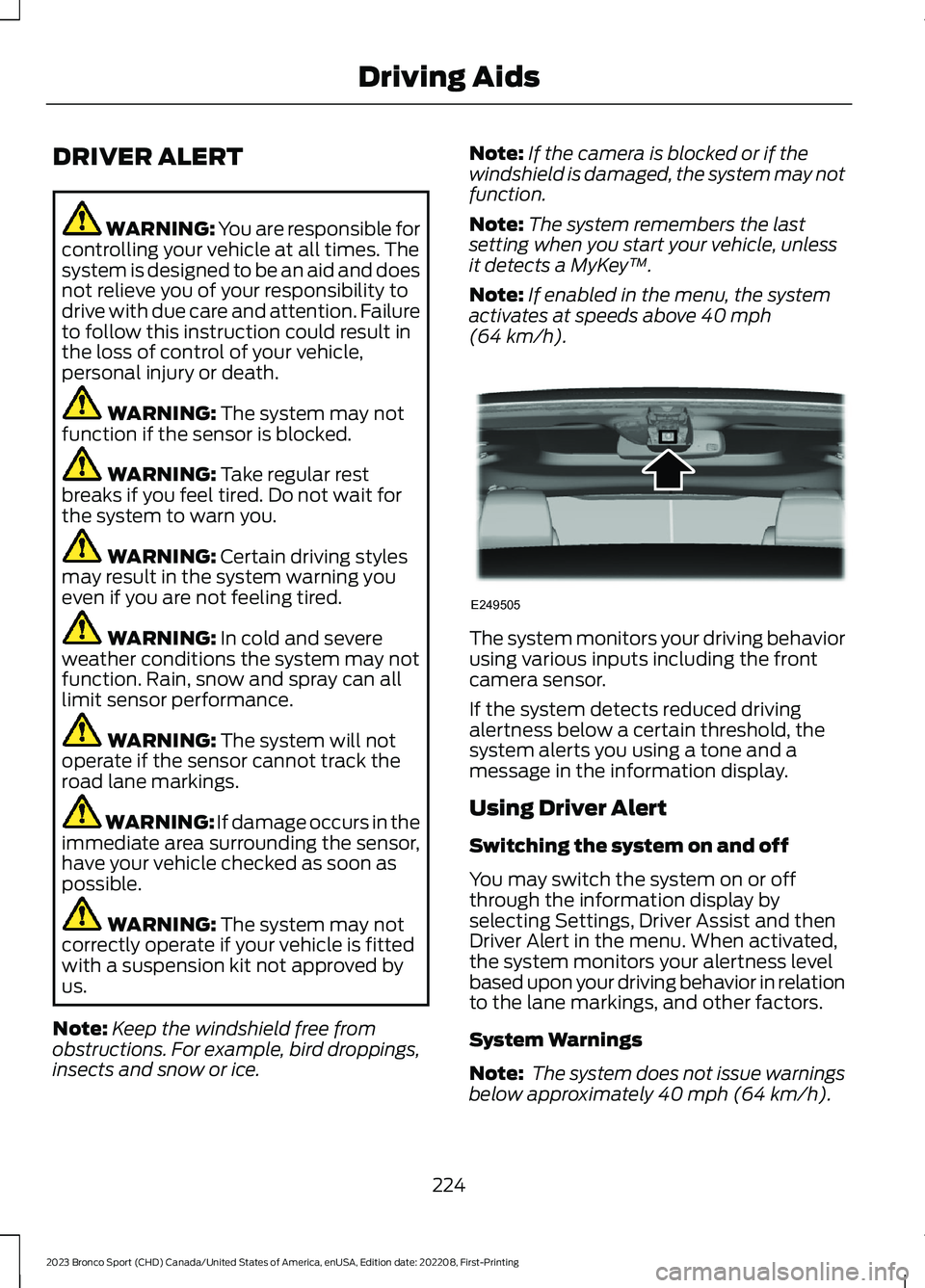
The system monitors your driving behaviorusing various inputs including the frontcamera sensor.
If the system detects reduced drivingalertness below a certain threshold, thesystem alerts you using a tone and amessage in the information display.
Using Driver Alert
Switching the system on and off
You may switch the system on or offthrough the information display byselecting Settings, Driver Assist and thenDriver Alert in the menu. When activated,the system monitors your alertness levelbased upon your driving behavior in relationto the lane markings, and other factors.
System Warnings
Note: The system does not issue warningsbelow approximately 40 mph (64 km/h).
224
2023 Bronco Sport (CHD) Canada/United States of America, enUSA, Edition date: 202208, First-PrintingDriving AidsE249505
Page 230 of 516
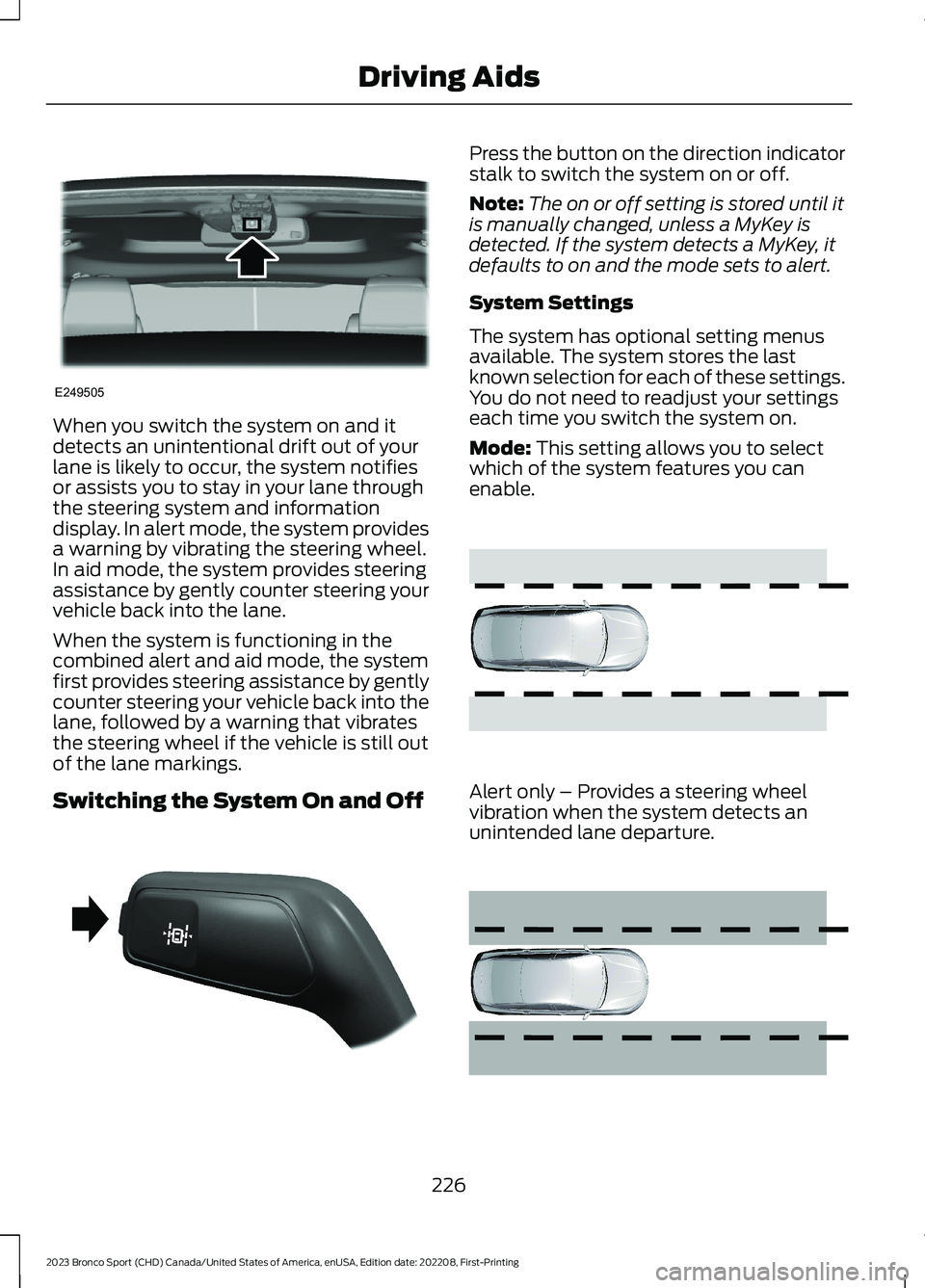
When you switch the system on and itdetects an unintentional drift out of yourlane is likely to occur, the system notifiesor assists you to stay in your lane throughthe steering system and informationdisplay. In alert mode, the system providesa warning by vibrating the steering wheel.In aid mode, the system provides steeringassistance by gently counter steering yourvehicle back into the lane.
When the system is functioning in thecombined alert and aid mode, the systemfirst provides steering assistance by gentlycounter steering your vehicle back into thelane, followed by a warning that vibratesthe steering wheel if the vehicle is still outof the lane markings.
Switching the System On and Off
Press the button on the direction indicatorstalk to switch the system on or off.
Note:The on or off setting is stored until itis manually changed, unless a MyKey isdetected. If the system detects a MyKey, itdefaults to on and the mode sets to alert.
System Settings
The system has optional setting menusavailable. The system stores the lastknown selection for each of these settings.You do not need to readjust your settingseach time you switch the system on.
Mode: This setting allows you to selectwhich of the system features you canenable.
Alert only – Provides a steering wheelvibration when the system detects anunintended lane departure.
226
2023 Bronco Sport (CHD) Canada/United States of America, enUSA, Edition date: 202208, First-PrintingDriving AidsE249505 E288067 E165515 E165516
Page 267 of 516
When climbing a steep slope or hill, startin a lower gear rather than downshifting toa lower gear from a higher gear. Thisreduces strain on the engine and thepossibility of stalling.
If your vehicle stalls, do not try to turnaround because this could cause yourvehicle to roll over. It is better to reverseback to a safe location.
Do not drive over the crest of a hill withoutseeing what conditions are on the otherside. Do not drive in reverse over a hillwithout the aid of an observer.
If the vehicle is unable to make it up thehill, do not attempt to turn back down theslope.
Apply the accelerator just enough for thewheels to climb the hill.
Note:Too much acceleration can causethe tires to slip, spin or lose traction,resulting in loss of vehicle control.
Descending A Hill:
•Use the same gear you would use toclimb the hill.
•Do not descend in neutral.
•Disengage overdrive.
•Avoid sudden and excessive braking.
Note:The front wheels have to be turningin order to steer your vehicle.
When descending a steep hill in a manualtransmission vehicle do not leave thevehicle in gear with the clutch depressed.This could cause damage to your driveline.
Driving Through Water
WARNING: Do not attempt tocross a deep, fast flowing body of water.Failure to follow this instruction couldresult in the loss of control of yourvehicle, personal injury or death.
As the water depth increases, you mustreduce your vehicle speed to avoidpotential vehicle damage.
The key to a safe crossing is the waterdepth, current and bottom of the water'scondition. On soft bottoms, the vehiclesinks in, effectively increasing the waterlevel on the vehicle. Make sure to considerthis when determining the depth of water.
Determine the depth and speed of thecurrent before attempting a water crossing.
Be aware that obstacles and debris maybe beneath the water’s surface.
Note:Cross flowing water at an angleheading slightly upstream.
Note:You should tread lightly and avoiddamage to the environment.
Drive slowly when crossing water. Proceedwith a constant slow speed lightly pressingon the accelerator.
Drive through the water very slowly whenentering, then build up momentum. Keepyour vehicle moving at a steady pace.
Note:Do not try to accelerate through thewater crossing.
When driving too fast in water or throughdeep water, the engine, transmission,transfer case, axles, electrical componentsor vehicle interior could ingest water. Watercan cause permanent damage that yourvehicle warranty may not cover. SeeDriving Through Water Limitations(page 265).
Note:Failure to follow the recommendedspeeds can result in vehicle damage.
Never stop or shut a vehicle off whencrossing deep water unless your vehicleingested water into the engine air intake.If the engine stalls, do not attempt torestart it.
263
2023 Bronco Sport (CHD) Canada/United States of America, enUSA, Edition date: 202208, First-PrintingDriving Hints