mirror FORD BRONCO SPORT 2023 Owners Manual
[x] Cancel search | Manufacturer: FORD, Model Year: 2023, Model line: BRONCO SPORT, Model: FORD BRONCO SPORT 2023Pages: 516, PDF Size: 14.27 MB
Page 6 of 516
Clearing All MyKeys......................................67
Checking MyKey System Status.............68
Using MyKey With Remote StartSystems........................................................68
MyKey – Troubleshooting..........................68
Doors and Locks
Locking and Unlocking................................70
Keyless Entry...................................................72
Liftgate
Opening the Liftgate....................................75
Closing the Liftgate.......................................75
Opening and Closing the LiftgateWindow.........................................................76
Security
Passive Anti-Theft System.........................77
Anti-Theft Alarm............................................77
Steering Wheel
Adjusting the Steering Wheel...................79
Audio Control..................................................79
Voice Control..................................................80
Cruise Control - Vehicles With: AdaptiveCruise Control............................................80
Cruise Control - Vehicles With: CruiseControl..........................................................80
Information Display Control.....................80
Horn...................................................................80
Switching the Heated Steering WheelOn and Off....................................................81
Wipers and Washers
Windshield Wipers........................................82
Autowipers......................................................82
Windshield Washers....................................83
Rear Window Wiper and Washers.........84
Lighting
General Information.....................................85
Lighting Control.............................................85
Autolamps.......................................................86
Instrument Lighting Dimmer....................86
Headlamp Exit Delay...................................86
Daytime Running Lamps - Vehicles With:Configurable Daytime Running Lamps...........................................................................87
Daytime Running Lamps - Vehicles With:Daytime Running Lamps (DRL)..........87
Front Fog Lamps...........................................87
Cornering Lamps..........................................88
Direction Indicators......................................88
Interior Lamps................................................89
Ambient Lighting..........................................89
Rear Floodlamps..........................................90
Automatic High Beam Control
What Is Automatic High Beam Control...........................................................................91
Switching Automatic High Beam ControlOn and Off....................................................91
Automatic High Beam Control Indicators..........................................................................92
Overriding Automatic High Beam Control..........................................................................92
Windows and Mirrors
Power Windows.............................................93
Global Opening and Closing.....................94
Exterior Mirrors...............................................94
Interior Mirror..................................................95
Sun Visors........................................................95
Moonroof.........................................................96
Instrument Cluster
Gauges - Vehicles With: 4.2 InchInstrument Cluster Display Screen...........................................................................97
Gauges - Vehicles With: 6.5 InchInstrument Cluster Display Screen..........................................................................98
2
2023 Bronco Sport (CHD) Canada/United States of America, enUSA, Edition date: 202208, First-PrintingTable of Contents
Page 7 of 516
Warning Lamps and Indicators...............99
Audible Warnings and Indicators..........103
Information Displays
General Information...................................104
Personalized Settings...............................108
Information Messages..............................109
Remote Start
What Is Remote Start................................125
Remote Start Precautions........................125
Remote Start Limitations.........................125
Enabling Remote Start..............................125
Remotely Starting and Stopping theVehicle.........................................................125
Extending the Remote Start Duration.........................................................................126
Remote Start Remote Control Indicators.........................................................................126
Remote Start Settings...............................126
Climate Control - VehiclesWith: Dual AutomaticTemperature Control(DATC)
Identifying the Climate Control Unit.....128
Switching Climate Control On and Off.........................................................................128
Switching Recirculated Air On and Off.........................................................................128
Switching Air Conditioning On and Off.........................................................................128
Switching Maximum Defrost On and Off.........................................................................128
Switching Maximum Cooling On and Off.........................................................................128
Switching the Heated Wiper Park On andOff.................................................................129
Switching the Heated Rear Window Onand Off........................................................129
Setting the Blower Motor Speed...........129
Switching the Heated Mirrors On and Off.........................................................................129
Setting the Temperature..........................129
Directing the Flow of Air............................129
Auto Mode.....................................................130
Climate Control Hints..................................131
Climate Control - VehiclesWith: Electronic AutomaticTemperature Control(EATC)
Identifying the Climate Control Unit.....133
Switching Climate Control On and Off.........................................................................133
Switching Recirculated Air On and Off.........................................................................133
Switching Air Conditioning On and Off.........................................................................133
Switching Maximum Defrost On and Off.........................................................................133
Switching Maximum Cooling On and Off.........................................................................133
Switching the Heated Wiper Park On andOff.................................................................134
Switching the Heated Rear Window Onand Off........................................................134
Setting the Blower Motor Speed...........134
Switching the Heated Mirrors On and Off.........................................................................134
Setting the Temperature..........................134
Directing the Flow of Air............................135
Auto Mode......................................................135
Climate Control Hints................................135
Climate Control - VehiclesWith: Manual TemperatureControl
Identifying the Climate Control Unit......137
Switching Climate Control On and Off.........................................................................137
Switching Recirculated Air On and Off.........................................................................137
3
2023 Bronco Sport (CHD) Canada/United States of America, enUSA, Edition date: 202208, First-PrintingTable of Contents
Page 30 of 516
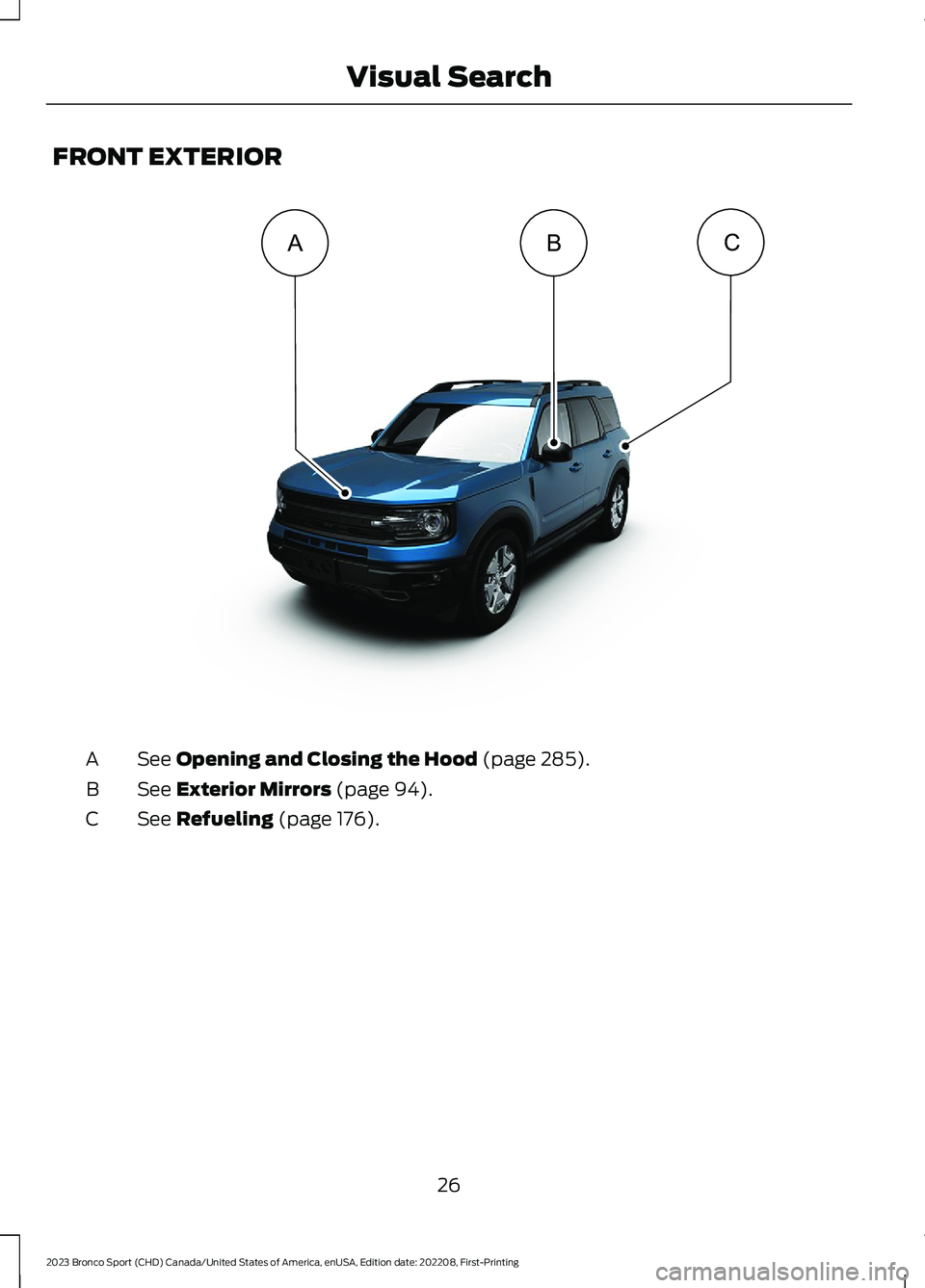
FRONT EXTERIOR
See Opening and Closing the Hood (page 285).A
See Exterior Mirrors (page 94).B
See Refueling (page 176).C
26
2023 Bronco Sport (CHD) Canada/United States of America, enUSA, Edition date: 202208, First-PrintingVisual SearchBCA E360939
Page 97 of 516
POWER WINDOWS
WARNING: Do not leave childrenunattended in your vehicle and do notlet them play with the power windows.Failure to follow this instruction couldresult in personal injury.
WARNING: When closing thepower windows, verify they are free ofobstruction and make sure that childrenand pets are not in the proximity of thewindow openings.
Press the control to open thewindow. Lift the control to closethe window.
To reduce wind noise or pulsing noise whenjust one window is open, slightly open theopposite window.
One-Touch Down (If Equipped)
Press the switch fully and release it. Pressagain or lift it to stop the window.
One-Touch Up (If Equipped)
Lift the switch fully and release it. Press orlift it again to stop the window.
Resetting One-Touch Up
Start the engine.
1.Lift and hold the window switch untilyou fully close the door window.Continue to hold the switch for a fewseconds after you close the window.
2.Release the window switch.
3.Press and hold the window switch untilyou fully open the door window.
4.Release the window switch.
5.Lift and hold the window switch untilyou fully close the window.
6.Test for correct window operation bycarrying out the one-touch down andone-touch up features.
Rear Window Lock
Press the control to lock orunlock the rear window controls.It illuminates when you lock therear window controls.
Bounce-Back (If Equipped)
The window stops and reverses if it detectsan obstruction.
Overriding the Bounce-Back Feature
WARNING: If you overridebounce-back, the window does notreverse if it detects an obstacle. Takecare when closing the windows to avoidpersonal injury or damage to yourvehicle.
Pull up the window switch and hold withina few seconds of the window reaching thebounce-back position. The window travelsup with no bounce-back protection. Thewindow stops if you release the switchbefore the window fully closes.
Resetting Bounce-Back
WARNING: Bounce-back is off untilyou reset the memory. Take care whenclosing the windows to avoid personalinjury or damage to your vehicle.
If you have disconnected the battery, youmust reset the bounce-back memoryseparately for each window.
1.Lift and hold the switch until thewindow is fully closed.
2.Release the switch.
93
2023 Bronco Sport (CHD) Canada/United States of America, enUSA, Edition date: 202208, First-PrintingWindows and Mirrors
Page 98 of 516
3.Lift and hold the switch again for a fewseconds.
4.Release the switch.
5.Lift and hold the switch again for a fewseconds.
6.Release the switch.
7.Press and hold the switch until thewindow is fully open.
8.Lift and hold the switch until thewindow is fully closed.
9.Release the switch.
10.Open the window and then try toclose it using one-touch close.
Note:Repeat the procedure if the windowdoes not close when you use one-touch.
Accessory Delay
You can use the window controls forseveral minutes after switching off theignition or until opening either front door.
GLOBAL OPENING AND
CLOSING (IF EQUIPPED)
You can use the remote control to openthe windows with the ignition off.
Note:You can enable or disable this featurein the information display or see anauthorized dealer. See GeneralInformation (page 104).
Note:To operate this feature, accessorydelay must not be active.
Opening the Windows
You can only open the windows for a shorttime after you unlock your vehicle with theremote control. After you unlock yourvehicle, press and hold the remote controlunlock button to open the windows.Release the button once movement starts.Press the lock or unlock button to stopmovement.
Closing the Windows
WARNING: When closing thepower windows, verify they are free ofobstruction and make sure that childrenand pets are not in the proximity of thewindow openings.
To close the windows, press and hold theremote control lock button. Release thebutton once movement starts. Press thelock or unlock button to stop movement.
EXTERIOR MIRRORS
Power Exterior Mirrors
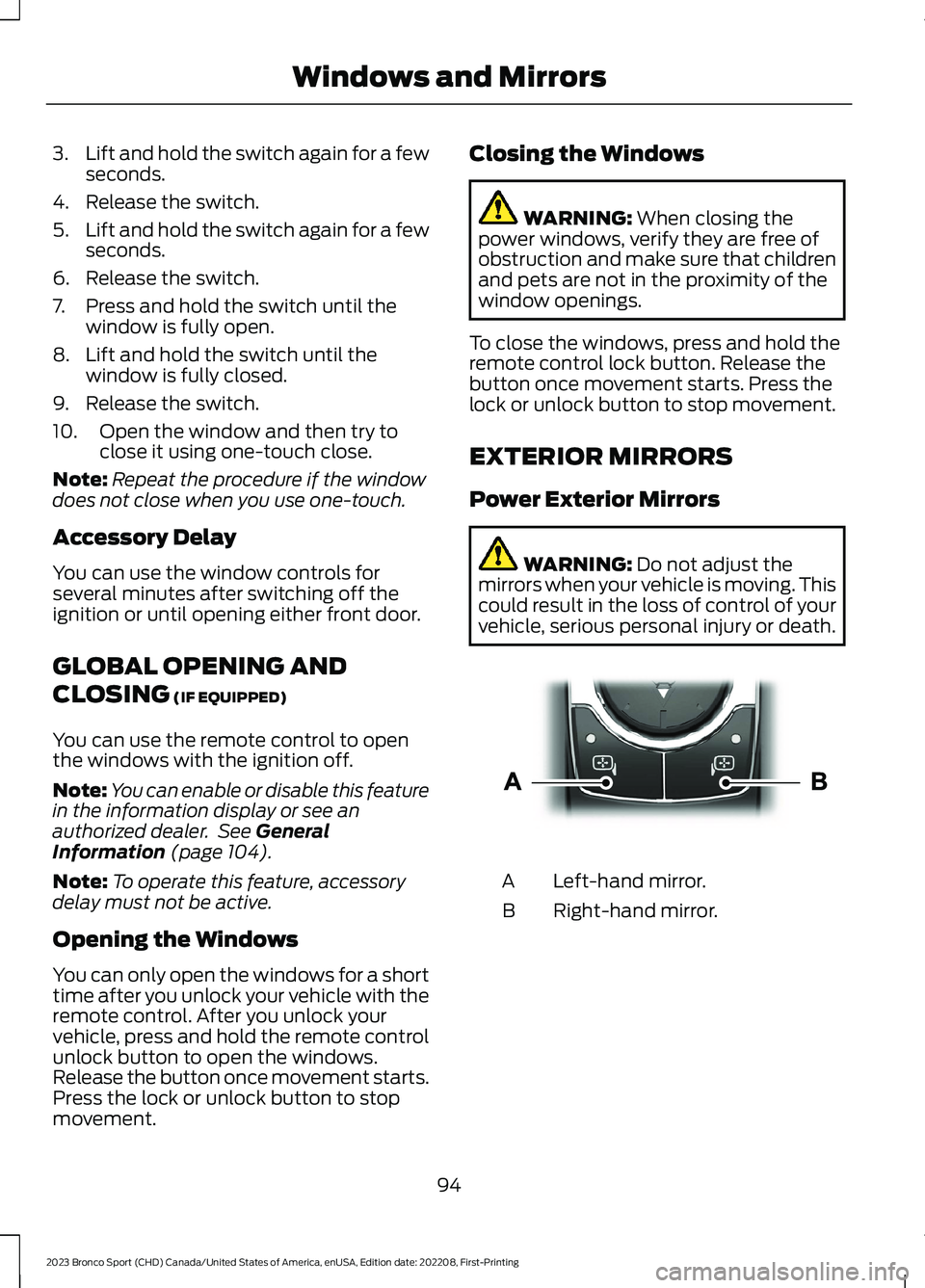
WARNING: Do not adjust themirrors when your vehicle is moving. Thiscould result in the loss of control of yourvehicle, serious personal injury or death.
Left-hand mirror.A
Right-hand mirror.B
94
2023 Bronco Sport (CHD) Canada/United States of America, enUSA, Edition date: 202208, First-PrintingWindows and MirrorsE303926
Page 99 of 516
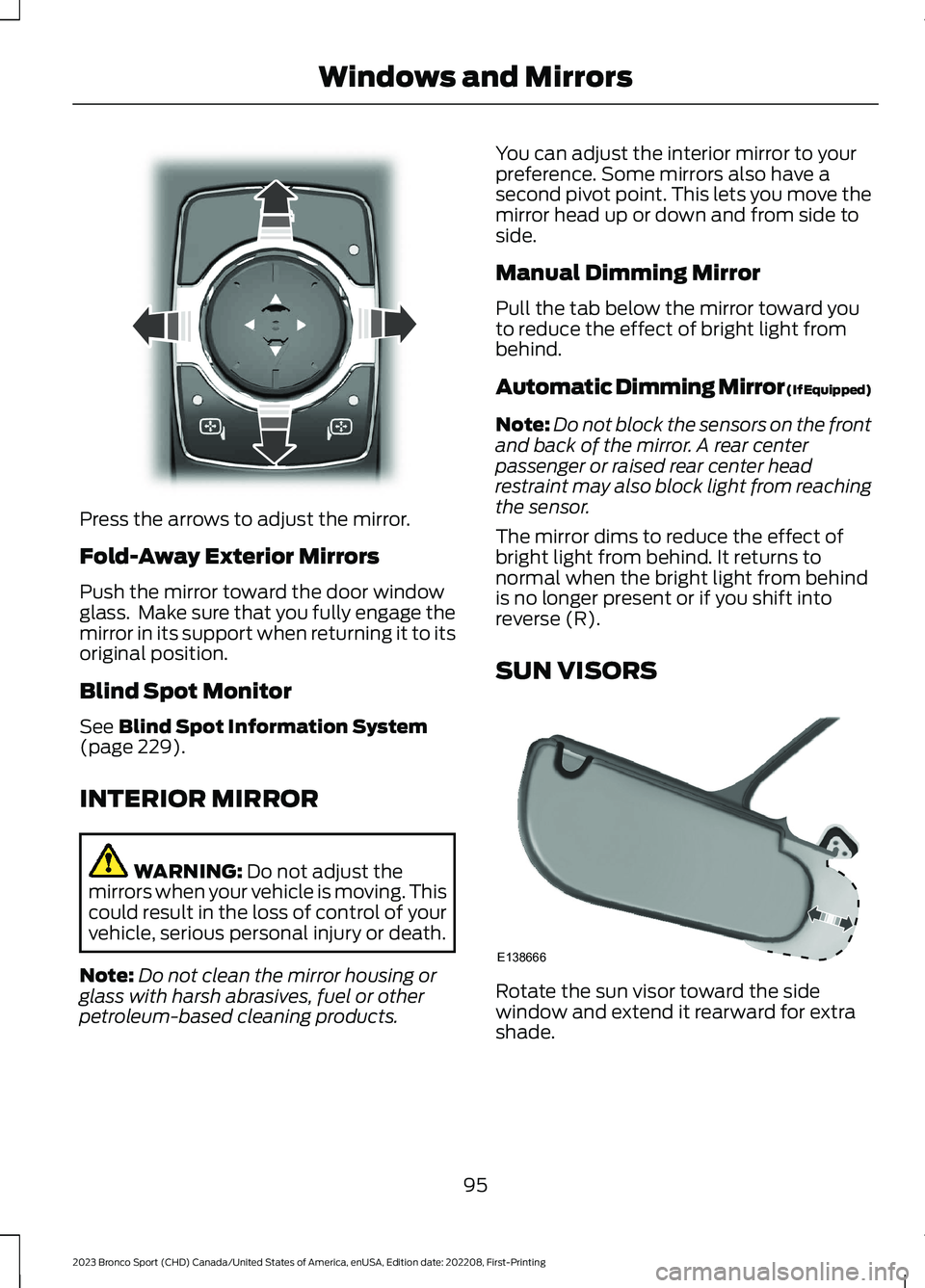
Press the arrows to adjust the mirror.
Fold-Away Exterior Mirrors
Push the mirror toward the door windowglass. Make sure that you fully engage themirror in its support when returning it to itsoriginal position.
Blind Spot Monitor
See Blind Spot Information System(page 229).
INTERIOR MIRROR
WARNING: Do not adjust themirrors when your vehicle is moving. Thiscould result in the loss of control of yourvehicle, serious personal injury or death.
Note:Do not clean the mirror housing orglass with harsh abrasives, fuel or otherpetroleum-based cleaning products.
You can adjust the interior mirror to yourpreference. Some mirrors also have asecond pivot point. This lets you move themirror head up or down and from side toside.
Manual Dimming Mirror
Pull the tab below the mirror toward youto reduce the effect of bright light frombehind.
Automatic Dimming Mirror (If Equipped)
Note:Do not block the sensors on the frontand back of the mirror. A rear centerpassenger or raised rear center headrestraint may also block light from reachingthe sensor.
The mirror dims to reduce the effect ofbright light from behind. It returns tonormal when the bright light from behindis no longer present or if you shift intoreverse (R).
SUN VISORS
Rotate the sun visor toward the sidewindow and extend it rearward for extrashade.
95
2023 Bronco Sport (CHD) Canada/United States of America, enUSA, Edition date: 202208, First-PrintingWindows and MirrorsE303927 E138666
Page 100 of 516
Illuminated Vanity Mirror (If Equipped)
Lift the cover to switch the lamp on.
MOONROOF (IF EQUIPPED)
WARNING: Do not leave childrenunattended in your vehicle and do notlet them play with the moonroof. Failureto follow this instruction could result inpersonal injury.
WARNING: When closing themoonroof, verify that it is free ofobstruction and make sure that childrenand pets are not in the proximity of theroof opening.
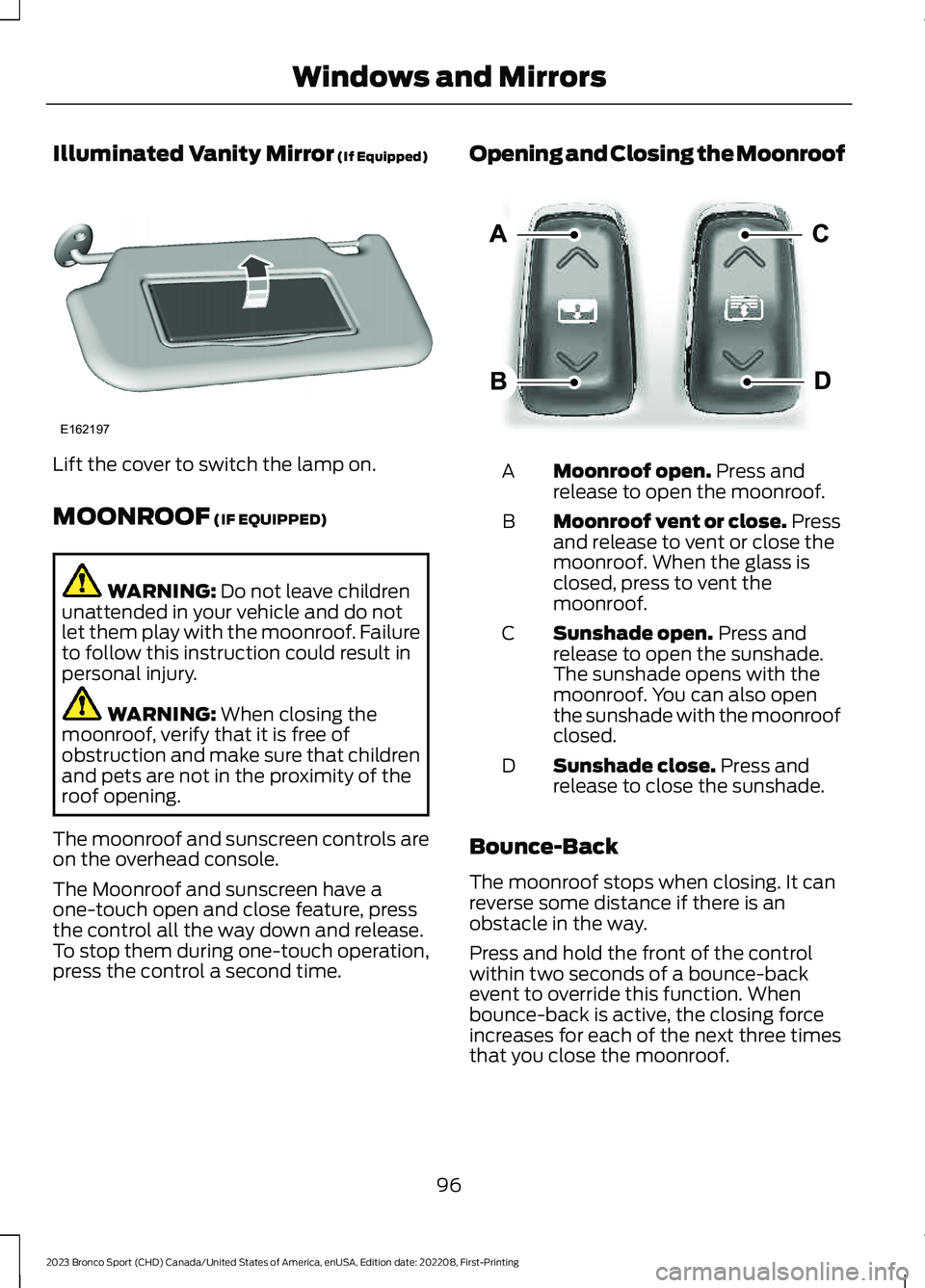
The moonroof and sunscreen controls areon the overhead console.
The Moonroof and sunscreen have aone-touch open and close feature, pressthe control all the way down and release.To stop them during one-touch operation,press the control a second time.
Opening and Closing the Moonroof
Moonroof open. Press andrelease to open the moonroof.A
Moonroof vent or close. Pressand release to vent or close themoonroof. When the glass isclosed, press to vent themoonroof.
B
Sunshade open. Press andrelease to open the sunshade.The sunshade opens with themoonroof. You can also openthe sunshade with the moonroofclosed.
C
Sunshade close. Press andrelease to close the sunshade.D
Bounce-Back
The moonroof stops when closing. It canreverse some distance if there is anobstacle in the way.
Press and hold the front of the controlwithin two seconds of a bounce-backevent to override this function. Whenbounce-back is active, the closing forceincreases for each of the next three timesthat you close the moonroof.
96
2023 Bronco Sport (CHD) Canada/United States of America, enUSA, Edition date: 202208, First-PrintingWindows and MirrorsE162197 E303933
Page 133 of 516
SWITCHING THE HEATED
WIPER PARK ON AND OFF
When you switch the heated rearwindow on, the heated wiperpark also turns on.
SWITCHING THE HEATED
REAR WINDOW ON AND OFF
Press the button to clear the rearwindow of thin ice and fog. Theheated rear window turns offafter a short period of time.
Note:Do not use harsh chemicals, razorblades or other sharp objects to clean orremove decals from the inside of the heatedrear window as this could cause damage tothe heated rear window grid lines notcovered by the vehicle Warranty.
SETTING THE BLOWER MOTOR
SPEED
Note:Lights on the control illuminate toindicate the blower motor speed.
Note: When you switch the blower motoroff, air conditioning turns off and thewindows could fog up.
SWITCHING THE HEATED
MIRRORS ON AND OFF (IF
EQUIPPED)
When you switch the heated rear windowon, the heated exterior mirrors turn on.
Note:Do not remove ice from the mirrorswith a scraper or adjust the mirror glasswhen it is frozen in place.
Note:Do not clean the mirror housing orglass with harsh abrasives, fuel or otherpetroleum-based cleaning products. Thevehicle warranty may not cover damagecaused to the mirror housing or glass.
SETTING THE TEMPERATURE
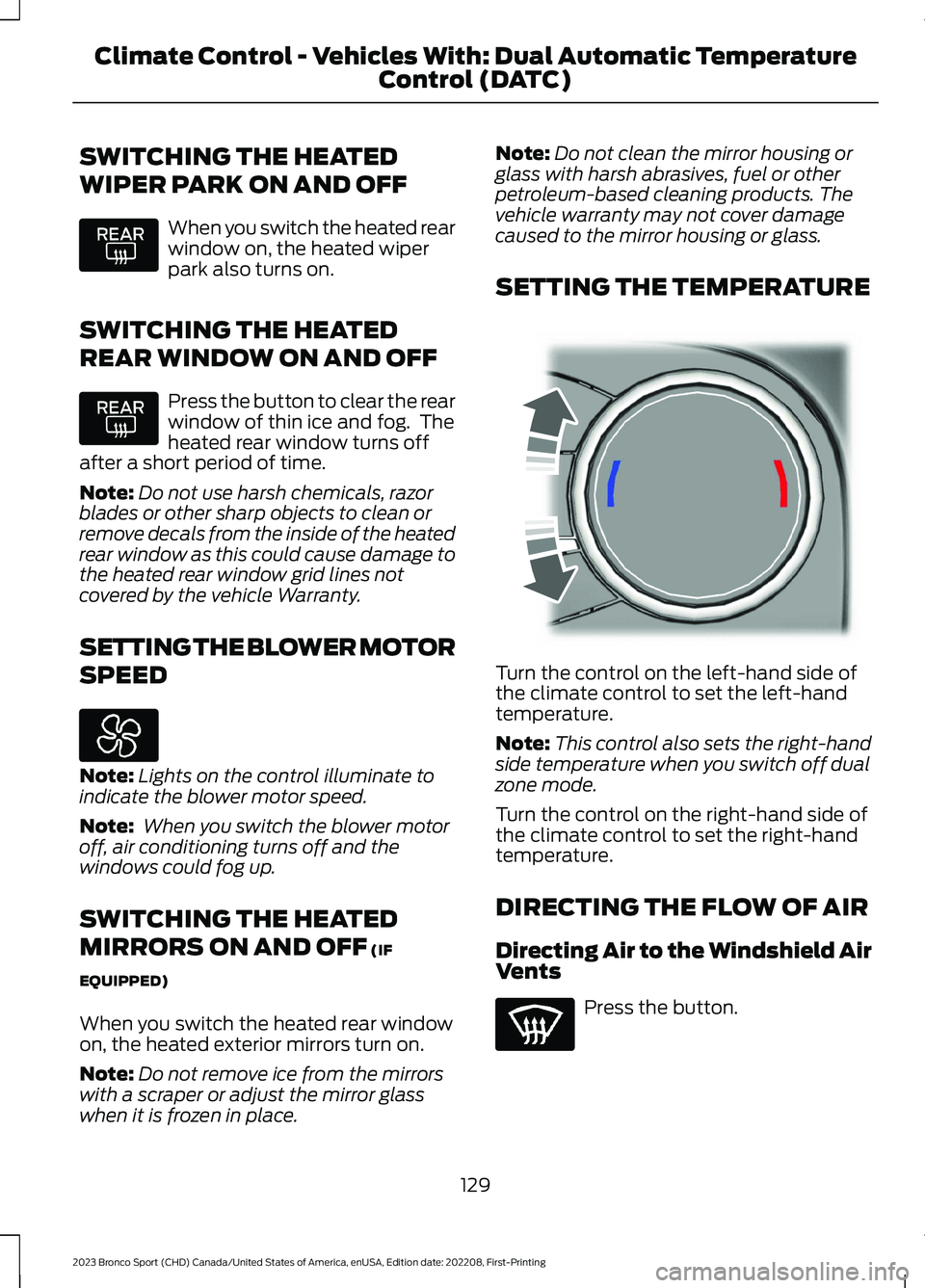
Turn the control on the left-hand side ofthe climate control to set the left-handtemperature.
Note:This control also sets the right-handside temperature when you switch off dualzone mode.
Turn the control on the right-hand side ofthe climate control to set the right-handtemperature.
DIRECTING THE FLOW OF AIR
Directing Air to the Windshield AirVents
Press the button.
129
2023 Bronco Sport (CHD) Canada/United States of America, enUSA, Edition date: 202208, First-PrintingClimate Control - Vehicles With: Dual Automatic TemperatureControl (DATC) E244115
Page 138 of 516
SWITCHING THE HEATED
WIPER PARK ON AND OFF (IF
EQUIPPED)
When you switch the heated rearwindow on, the heated wiperpark also turns on.
SWITCHING THE HEATED
REAR WINDOW ON AND OFF
Press the button to clear the rearwindow of thin ice and fog. Theheated rear window turns offafter a short period of time.
Note:Do not use harsh chemicals, razorblades or other sharp objects to clean orremove decals from the inside of the heatedrear window as this could cause damage tothe heated rear window grid lines notcovered by the vehicle Warranty.
SETTING THE BLOWER MOTOR
SPEED
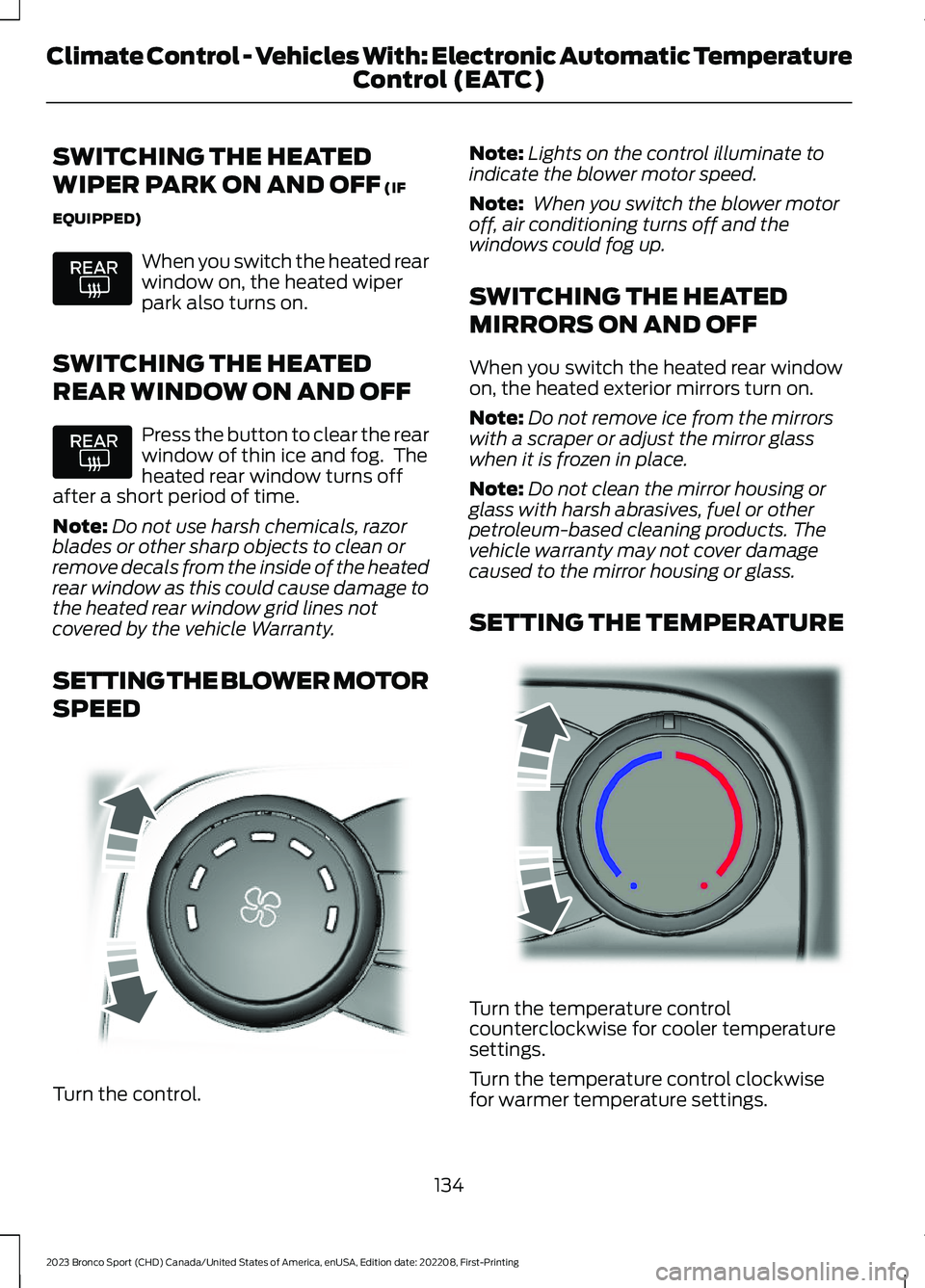
Turn the control.
Note:Lights on the control illuminate toindicate the blower motor speed.
Note: When you switch the blower motoroff, air conditioning turns off and thewindows could fog up.
SWITCHING THE HEATED
MIRRORS ON AND OFF
When you switch the heated rear windowon, the heated exterior mirrors turn on.
Note:Do not remove ice from the mirrorswith a scraper or adjust the mirror glasswhen it is frozen in place.
Note:Do not clean the mirror housing orglass with harsh abrasives, fuel or otherpetroleum-based cleaning products. Thevehicle warranty may not cover damagecaused to the mirror housing or glass.
SETTING THE TEMPERATURE
Turn the temperature controlcounterclockwise for cooler temperaturesettings.
Turn the temperature control clockwisefor warmer temperature settings.
134
2023 Bronco Sport (CHD) Canada/United States of America, enUSA, Edition date: 202208, First-PrintingClimate Control - Vehicles With: Electronic Automatic TemperatureControl (EATC) E317606 E244106
Page 155 of 516
HOW DOES THE MEMORY
FUNCTION WORK
The memory function recalls the positionof these features:
•Driver seat.
•Power mirrors.
MEMORY FUNCTION
PRECAUTIONS
WARNING: Before activating thememory seat, make sure that the areaimmediately surrounding the seat is clearof obstructions and that all occupantsare clear of moving parts.
WARNING: Do not use the memoryfunction when your vehicle is moving.
LOCATING THE MEMORY
FUNCTION BUTTONS
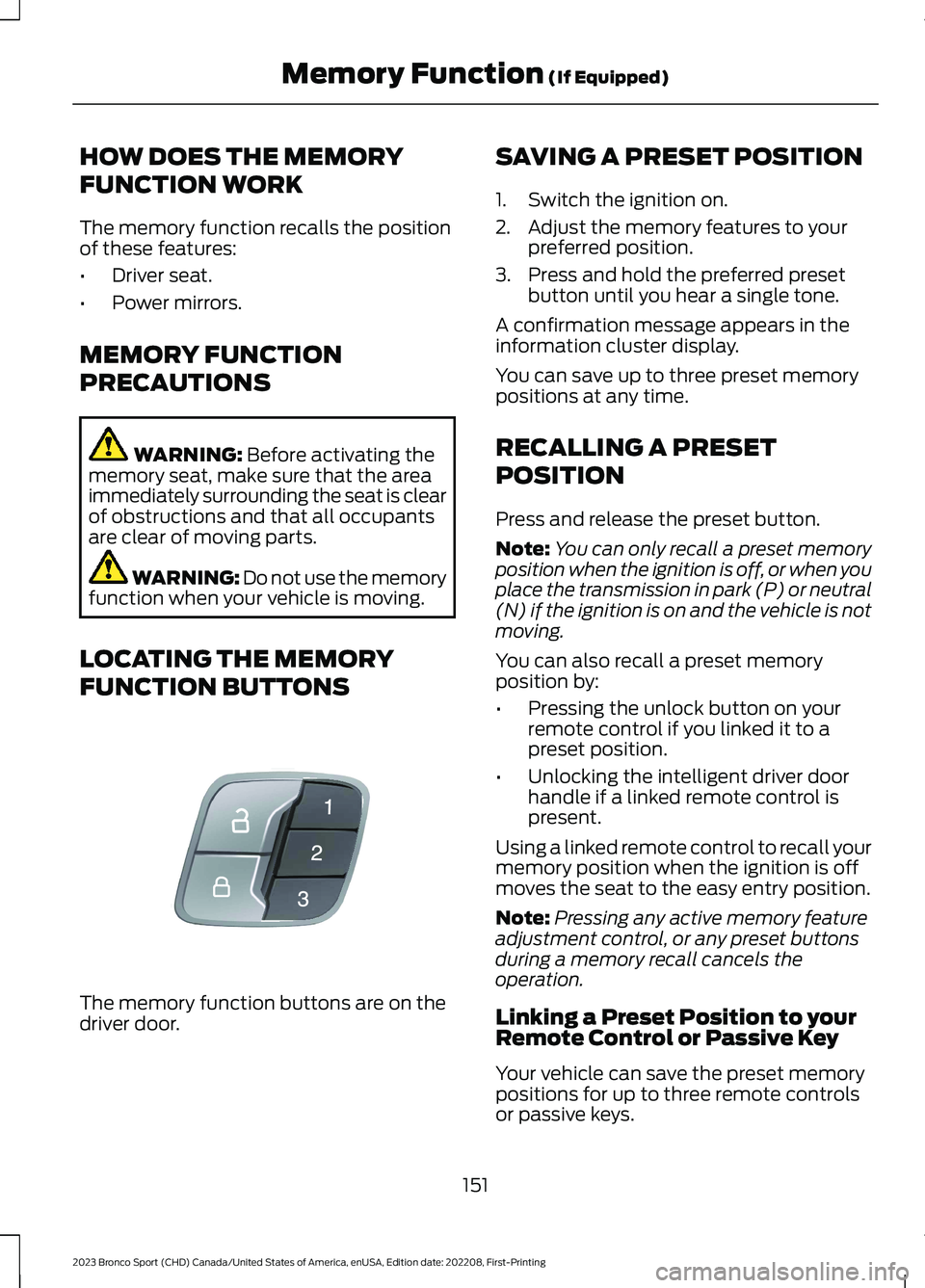
The memory function buttons are on thedriver door.
SAVING A PRESET POSITION
1.Switch the ignition on.
2.Adjust the memory features to yourpreferred position.
3.Press and hold the preferred presetbutton until you hear a single tone.
A confirmation message appears in theinformation cluster display.
You can save up to three preset memorypositions at any time.
RECALLING A PRESET
POSITION
Press and release the preset button.
Note:You can only recall a preset memoryposition when the ignition is off, or when youplace the transmission in park (P) or neutral(N) if the ignition is on and the vehicle is notmoving.
You can also recall a preset memoryposition by:
•Pressing the unlock button on yourremote control if you linked it to apreset position.
•Unlocking the intelligent driver doorhandle if a linked remote control ispresent.
Using a linked remote control to recall yourmemory position when the ignition is offmoves the seat to the easy entry position.
Note:Pressing any active memory featureadjustment control, or any preset buttonsduring a memory recall cancels theoperation.
Linking a Preset Position to yourRemote Control or Passive Key
Your vehicle can save the preset memorypositions for up to three remote controlsor passive keys.
151
2023 Bronco Sport (CHD) Canada/United States of America, enUSA, Edition date: 202208, First-PrintingMemory Function (If Equipped)E142554