towing FORD C MAX 2011 2.G User Guide
[x] Cancel search | Manufacturer: FORD, Model Year: 2011, Model line: C MAX, Model: FORD C MAX 2011 2.GPages: 296, PDF Size: 7.87 MB
Page 173 of 296
Downloaded from www.Manualslib.com manuals search engine Driving with a trailer
WARNING
If any of the conditions below cannot
be met, do not use the tow bar and
have it checked by a properly trained
technician. Before starting your journey, make sure
that the tow ball arm is properly locked.
Check that:
•
there is no warning tone when the
locking procedure has been completed
• the handwheel is in its housing and that
there is no gap
• you have locked the handwheel
(anti-clockwise) and removed the key
• the tow ball arm is locked. It must not
move when jerked.
Maintenance CAUTIONS
The towing hitch and control unit are
maintenance-free. Do not grease or
oil them.
Only the manufacturer should carry
out repairs or dismantle the towing
hitch.
If you use a high pressure spray to
wash your vehicle, do not direct the
spray onto the swivel joint of the tow
ball arm. 171
Towing
Page 185 of 296
Downloaded from www.Manualslib.com manuals search engine TOWING POINTS
Towing eye location
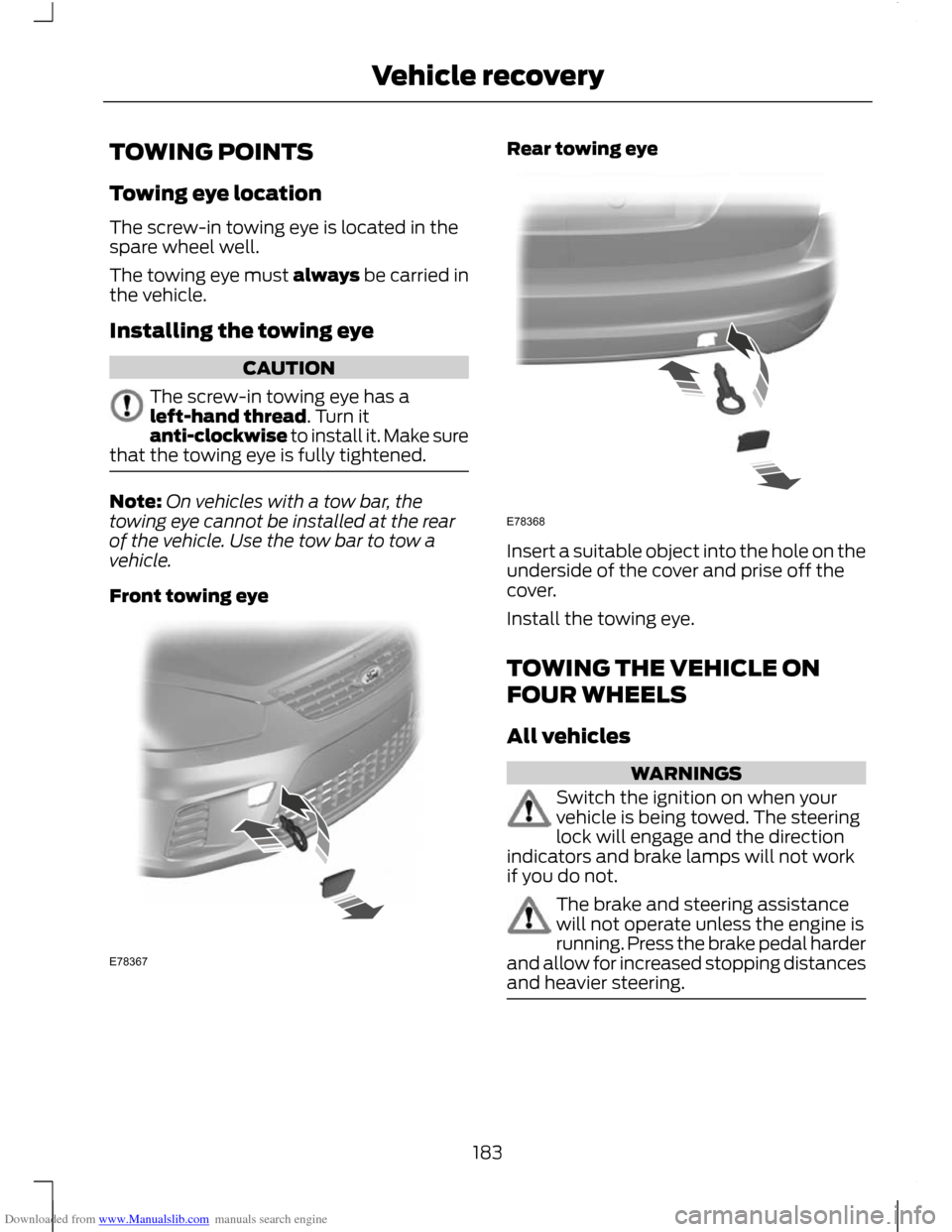
The screw-in towing eye is located in the
spare wheel well.
The towing eye must always be carried in
the vehicle.
Installing the towing eye
CAUTION
The screw-in towing eye has a
left-hand thread. Turn it
anti-clockwise to install it. Make sure
that the towing eye is fully tightened. Note:
On vehicles with a tow bar, the
towing eye cannot be installed at the rear
of the vehicle. Use the tow bar to tow a
vehicle.
Front towing eye Rear towing eye
Insert a suitable object into the hole on the
underside of the cover and prise off the
cover.
Install the towing eye.
TOWING THE VEHICLE ON
FOUR WHEELS
All vehicles
WARNINGS
Switch the ignition on when your
vehicle is being towed. The steering
lock will engage and the direction
indicators and brake lamps will not work
if you do not. The brake and steering assistance
will not operate unless the engine is
running. Press the brake pedal harder
and allow for increased stopping distances
and heavier steering. 183
Vehicle recoveryE78367 E78368
Page 186 of 296
Downloaded from www.Manualslib.com manuals search engine CAUTIONS
Too much tension in the tow rope
could cause damage to your vehicle
or the vehicle that is towing.
Select neutral when your vehicle is
being towed.
In the event of a breakdown or
mechanical failure do not use
individual axle carriers. Your vehicle
must be recovered with either ALL wheels
on the ground or transported with ALL
wheels lifted clear of the ground on a level
platform. Drive off slowly and smoothly without
jerking the vehicle that is towing.
Vehicles with automatic
transmission
CAUTIONS
If a speed of 20 km/h (12 mph) and a
distance of 20 kilometres (12 miles)
is to be exceeded ALL wheels must
be lifted clear of the ground. It is recommended not to tow with the
drive wheels on the ground. However,
if it is required to move the vehicle
from a dangerous location, do not tow your
vehicle faster than 20 km/h (12 mph) or
further than 20 kilometres (12 miles). Do not tow your vehicle backwards.
In the event of a mechanical failure of
the transmission do not use individual
axle carriers.
ALL wheels must be
lifted clear of the ground on a level
platform. Do not tow your vehicle if the ambient
temperature is below 0°C (32°F).
184
Vehicle recovery
Page 202 of 296
Downloaded from www.Manualslib.com manuals search engine Note:
Vehicles with a tyre repair kit are not
equipped with a vehicle jack or a wheel
brace.
It is recommended to use a workshop type
hydraulic jack for changing between
summer and winter tyres.
Note: Use a jack with a minimum lifting
capacity of 1.5 tonnes and a lifting plate with
a minimum diameter of 80 millimetres (3.1
inches). Vehicles without tyre repair kit
Your vehicle jack, wheel brace, screw-in
towing eye and wheel trim remover are
located in the spare wheel well.
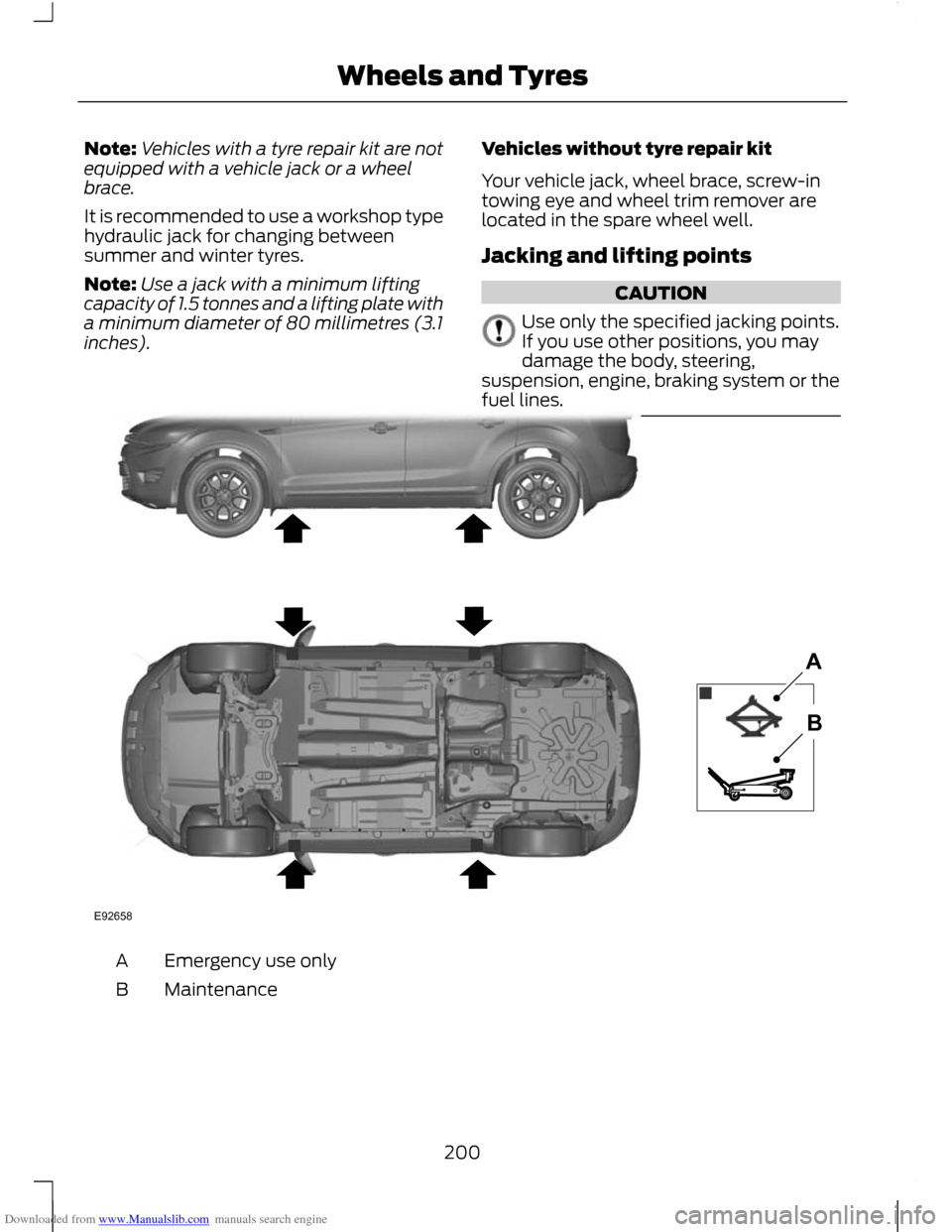
Jacking and lifting points CAUTION
Use only the specified jacking points.
If you use other positions, you may
damage the body, steering,
suspension, engine, braking system or the
fuel lines. Emergency use only
A
Maintenance
B
200
Wheels and TyresE92658AB
Page 203 of 296
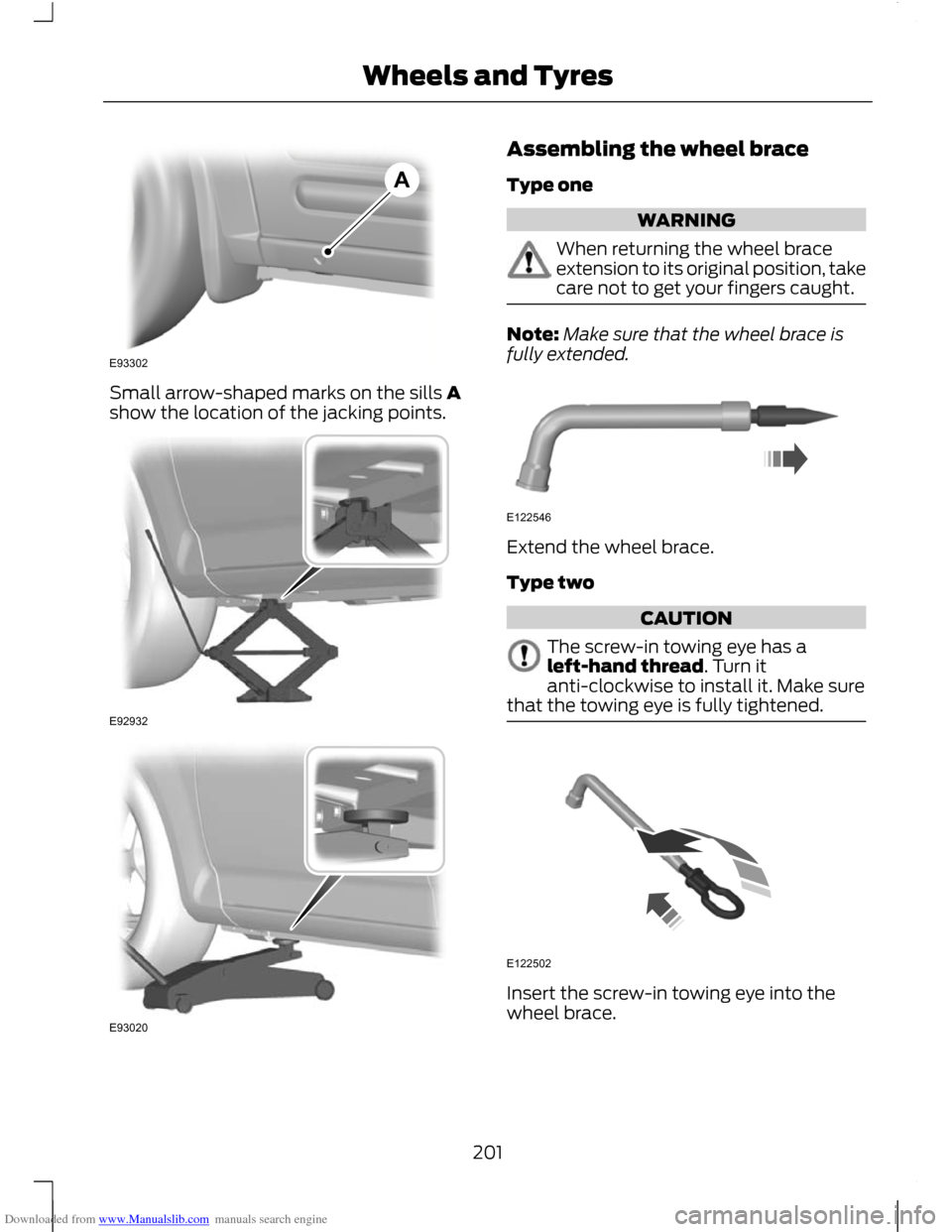
Downloaded from www.Manualslib.com manuals search engine Small arrow-shaped marks on the sills A
show the location of the jacking points. Assembling the wheel brace
Type one
WARNING
When returning the wheel brace
extension to its original position, take
care not to get your fingers caught.
Note:
Make sure that the wheel brace is
fully extended. Extend the wheel brace.
Type two
CAUTION
The screw-in towing eye has a
left-hand thread. Turn it
anti-clockwise to install it. Make sure
that the towing eye is fully tightened. Insert the screw-in towing eye into the
wheel brace.
201
Wheels and TyresE93302A E92932 E93020 E122546 E122502
Page 206 of 296
Downloaded from www.Manualslib.com manuals search engine WARNING
Have the wheel nuts checked for
tightness and the tyre pressure
checked as soon as possible.
TYRE REPAIR KIT
Your vehicle may not have a spare tyre. In
this case it will have an emergency tyre
repair kit that can be used to repair one
flat tyre.
The tyre repair kit is located in the spare
wheel well.
General information
WARNINGS
Depending on the type and extent of
tyre damage, some tyres can only be
partially sealed or not sealed at all.
Loss of tyre pressure can affect vehicle
handling, leading to loss of vehicle control. Do not use the tyre repair kit if the
tyre has already been damaged as a
result of being driven under inflated.
Do not use the tyre repair kit on run
flat tyres.
Do not try to seal damage other than
that located within the visible tread
of the tyre.
Do not try to seal damage to the
tyre
’s sidewall. The tyre repair kit seals most tyre
punctures [with a diameter of up to six
millimetres (1/4 inch)] to temporarily
restore mobility.
Observe the following rules when using the
kit: •
Drive with caution and avoid
making sudden steering or driving
manoeuvres, especially if the vehicle
is heavily loaded or you are towing a
trailer.
• The kit will provide you with an
emergency temporary repair, enabling
you to continue your journey to the next
vehicle or tyre dealer, or to drive a
maximum distance of 200 kilometres
(125 miles).
• Do not exceed a maximum speed of
80 km/h (50 mph) .
• Keep the kit out of the reach of
children.
• Only use the kit when the ambient
temperature is between – 30°C (-22°F)
and +70°C (+158°F).
Using the tyre repair kit WARNINGS
Compressed air can act as an
explosive or propellant.
Never leave the tyre repair kit
unattended while in use.
CAUTION
Do not keep the compressor operating
for more than 10 minutes.
Note:
Use the tyre repair kit only for the
vehicle with which it was supplied.
• Park your vehicle at the roadside so
that you do not obstruct the flow of
traffic and so that you are able to use
the kit without being in danger.
• Apply the parking brake, even if you
have parked on a level road, to make
sure that the vehicle will not move.
• Do not attempt to remove foreign
objects like nails or screws penetrating
the tyre.
204
Wheels and Tyres
Page 219 of 296
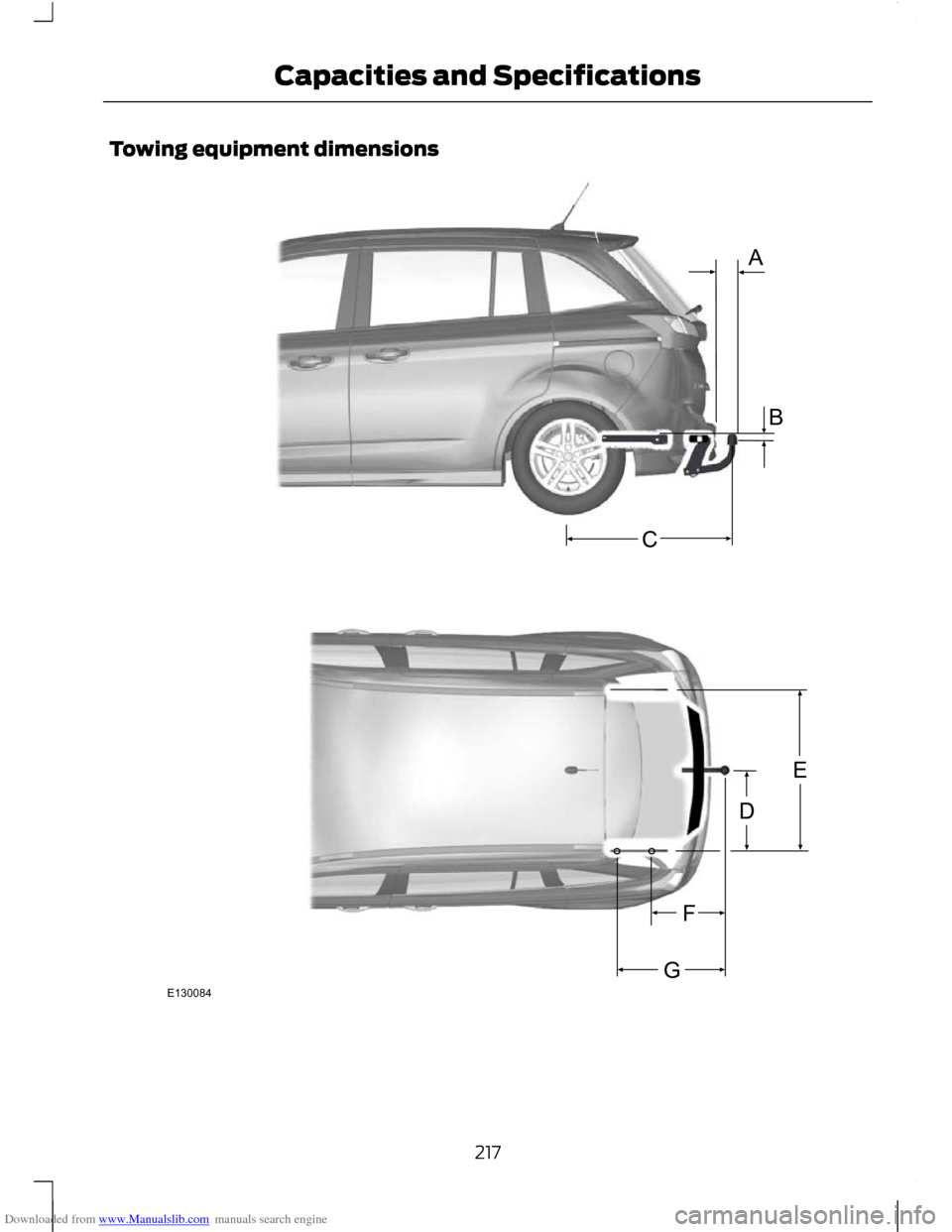
Downloaded from www.Manualslib.com manuals search engine Towing equipment dimensions
217
Capacities and SpecificationsABGFECDE130084
Page 277 of 296
Downloaded from www.Manualslib.com manuals search engine ROUTE OPTIONS MENU
You can set a number of options which
alter the way a route is planned.
Using the up, down, left and right arrow
buttons, you can select from the list which
road features are to be avoided or included
in the route by turning the feature on or off.
Route
Eco
This option will prioritise the most
economical route to the destination.
Fast
This option will prioritise the fastest route
to the destination.
Short
This option will prioritise the shortest route
to the destination..
Always ask
Use this feature to make sure that you are
always given the choice of route type
selection for your journey.
Driver
Leisurely
This option will prioritise the route for a
leisurely driver to the destination.
Normal
This option will prioritise the route for a
normal driver to the destination.
Fast
This option will prioritise the route for a
fast driver to the destination.
Eco settings
Trailer
Use this feature to change the economy
settings of your journey relating to whether
or not you are towing a trailer and if so the
size of trailer being towed.
Roof box
Use this feature to change the economy
settings of your journey relating to the use
of a roof box.
Dynamic
When switched on, and if the unit is
receiving a valid traffic message channel
(TMC) signal, the route will be
automatically updated to take into
account real time traffic incidents or
congestion.
Note:
This feature can be useful in avoiding
delays or hold ups on journeys.
Motorway
When switched on the system will look for
motorways on your route and
automatically update your route distance
and timings.
Note: This feature can be useful in avoiding
delays or hold ups on journeys.
Ferry/motorail
When switched on the system will look for
ferry crossings and motorail facilities on
your route and automatically update your
route distance and timings.
Toll
When switched on the system will look for
toll roads on your route and automatically
update your route distance and timings.
275
Navigation system
Page 285 of 296
Downloaded from www.Manualslib.com manuals search engine A
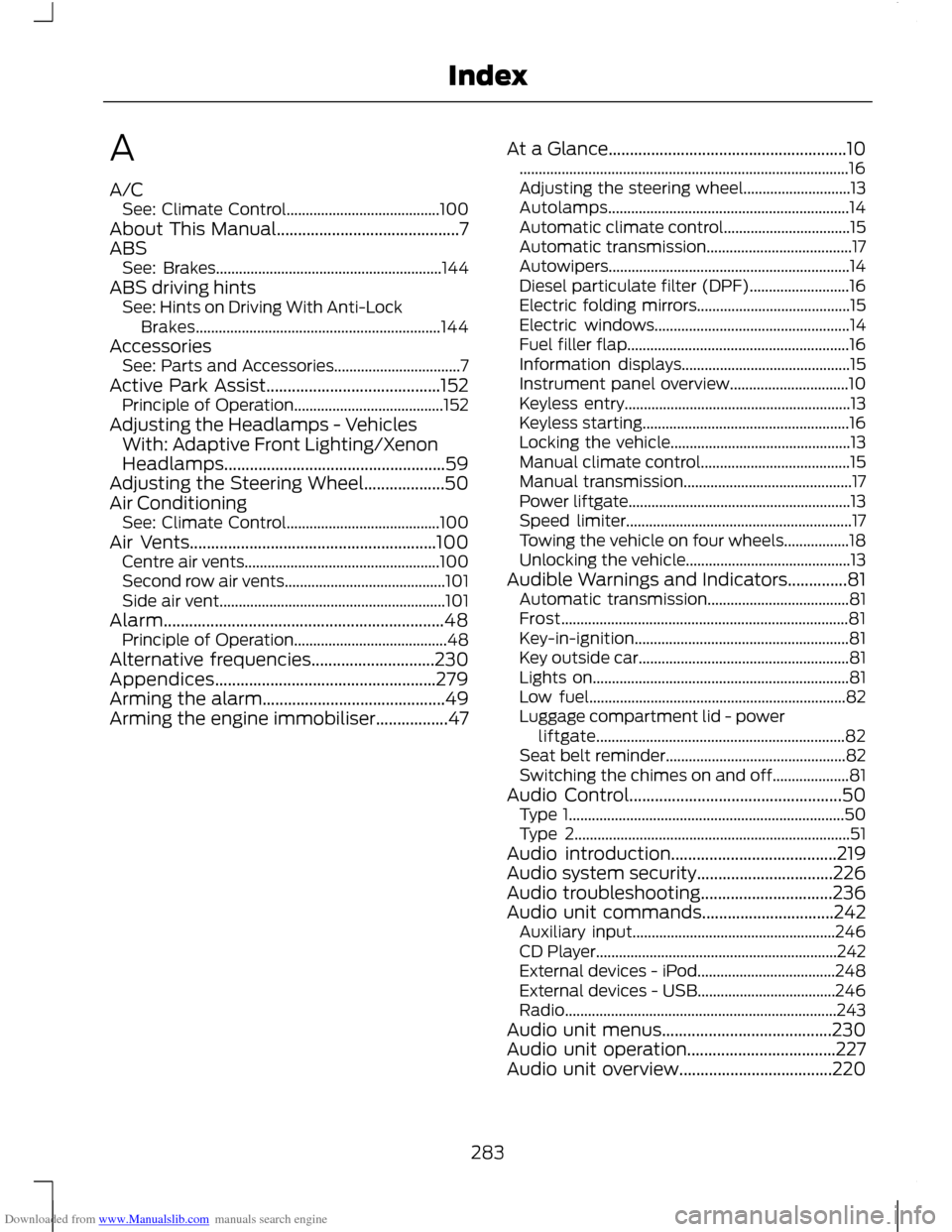
A/C
See: Climate Control........................................ 100
About This Manual...........................................7
ABS See: Brakes........................................................... 144
ABS driving hints See: Hints on Driving With Anti-Lock
Brakes................................................................ 144
Accessories See: Parts and Accessories................................. 7
Active Park Assist.........................................152 Principle of Operation....................................... 152
Adjusting the Headlamps - Vehicles With: Adaptive Front Lighting/Xenon
Headlamps....................................................59
Adjusting the Steering Wheel...................50
Air Conditioning See: Climate Control........................................ 100
Air Vents..........................................................100 Centre air vents................................................... 100
Second row air vents.......................................... 101
Side air vent........................................................... 101
Alarm..................................................................48 Principle of Operation........................................ 48
Alternative frequencies.............................230
Appendices....................................................279
Arming the alarm...........................................49
Arming the engine immobiliser.................47 At a Glance........................................................10
........................................................................\
.............. 16
Adjusting the steering wheel............................ 13
Autolamps............................................................... 14
Automatic climate control................................. 15
Automatic transmission...................................... 17
Autowipers............................................................... 14
Diesel particulate filter (DPF).......................... 16
Electric folding mirrors........................................ 15
Electric windows................................................... 14
Fuel filler flap.......................................................... 16
Information displays............................................ 15
Instrument panel overview............................... 10
Keyless entry........................................................... 13
Keyless starting...................................................... 16
Locking the vehicle............................................... 13
Manual climate control....................................... 15
Manual transmission............................................ 17
Power liftgate.......................................................... 13
Speed limiter........................................................... 17
Towing the vehicle on four wheels.................18
Unlocking the vehicle........................................... 13
Audible Warnings and Indicators..............81 Automatic transmission..................................... 81
Frost........................................................................\
... 81
Key-in-ignition........................................................ 81
Key outside car....................................................... 81
Lights on................................................................... 81
Low fuel................................................................... 82
Luggage compartment lid - power liftgate................................................................. 82
Seat belt reminder............................................... 82
Switching the chimes on and off.................... 81
Audio Control..................................................50 Type 1........................................................................\
50
Type 2........................................................................\
51
Audio introduction.......................................219
Audio system security................................226
Audio troubleshooting...............................236
Audio unit commands...............................242 Auxiliary input..................................................... 246
CD Player............................................................... 242
External devices - iPod.................................... 248
External devices - USB.................................... 246
Radio ....................................................................... 243
Audio unit menus........................................230
Audio unit operation...................................227
Audio unit overview....................................220
283
Index
Page 292 of 296
Downloaded from www.Manualslib.com manuals search engine S
Safety Precautions......................................136
Satellite Navigation Unit Holder.............126
Adjusting the holder.......................................... 126
Seat belt height adjustment......................33
Seat belt reminder.........................................33 Deactivating the seat belt reminder..............33
Grand C-MAX only............................................... 33
Seat belts See: Fastening the seat belts.......................... 29
Seats.................................................................109
Security code.................................................226
Shuffle/random............................................232 Type 1...................................................................... 232
Type 2 and 3......................................................... 232
Sitting in the Correct Position.................109
Snow Chains See: Using Snow Chains................................. 208
Sound button.................................................227
Speed Control See: Cruise Control............................................ 158
Speed Limiter................................................160 Principle of Operation...................................... 160
Stability Control............................................145 Principle of Operation....................................... 145
Starter Switch See: Ignition Switch............................................ 127
Starting a Diesel Engine.............................128 Cold or hot engine.............................................. 128
Starting and Stopping the Engine..........127 General Information........................................... 127
Starting a Petrol Engine.............................128 Cold or hot engine.............................................. 128
Engine idle speed after starting.................... 128
Flooded engine.................................................... 128
Start-Stop.......................................................133 Principle of Operation....................................... 133
Station preset buttons..............................228
Station tuning control.................................227 DAB service linking............................................. 227
Manual tuning...................................................... 227
Scan tuning........................................................... 227
Seek tuning........................................................... 227
Steering Wheel Lock....................................127 Vehicles with keyless starting......................... 127
Vehicles without keyless starting.................. 127
Steering Wheel...............................................50 Storage compartments..............................124
Rear storage compartment............................ 124
Sun Shades......................................................121 Roof........................................................................\
... 121
Side windows........................................................ 121
Switching Off the Engine............................131 Vehicles with a turbocharger........................... 131
Symbols Glossary.............................................7 Symbols in this handbook................................... 7
Symbols on your vehicle....................................... 7
System settings............................................272 Audio settings...................................................... 273
Clock settings...................................................... 274
Menu structure - Information and entertainment display - All
vehicles..............................................................273
Menu structure - Information and entertainment display - Vehicles with
navigation system......................................... 272
T
Technical Specifications See: Capacities and Specifications.............216
Telephone commands..............................249 Create a phonebook......................................... 252
Main settings....................................................... 253
Phone..................................................................... 249
Phone functions................................................ 250
Telephone controls.....................................238 Remote control.................................................. 238
Telephone setup...........................................237 Bond another Bluetooth phone................... 238
Making a phone an active phone................238
Phonebook........................................................... 237
Phonebook categories..................................... 238
Telephone.......................................................237 General Information.......................................... 237
Telephone See: Using the telephone............................... 238
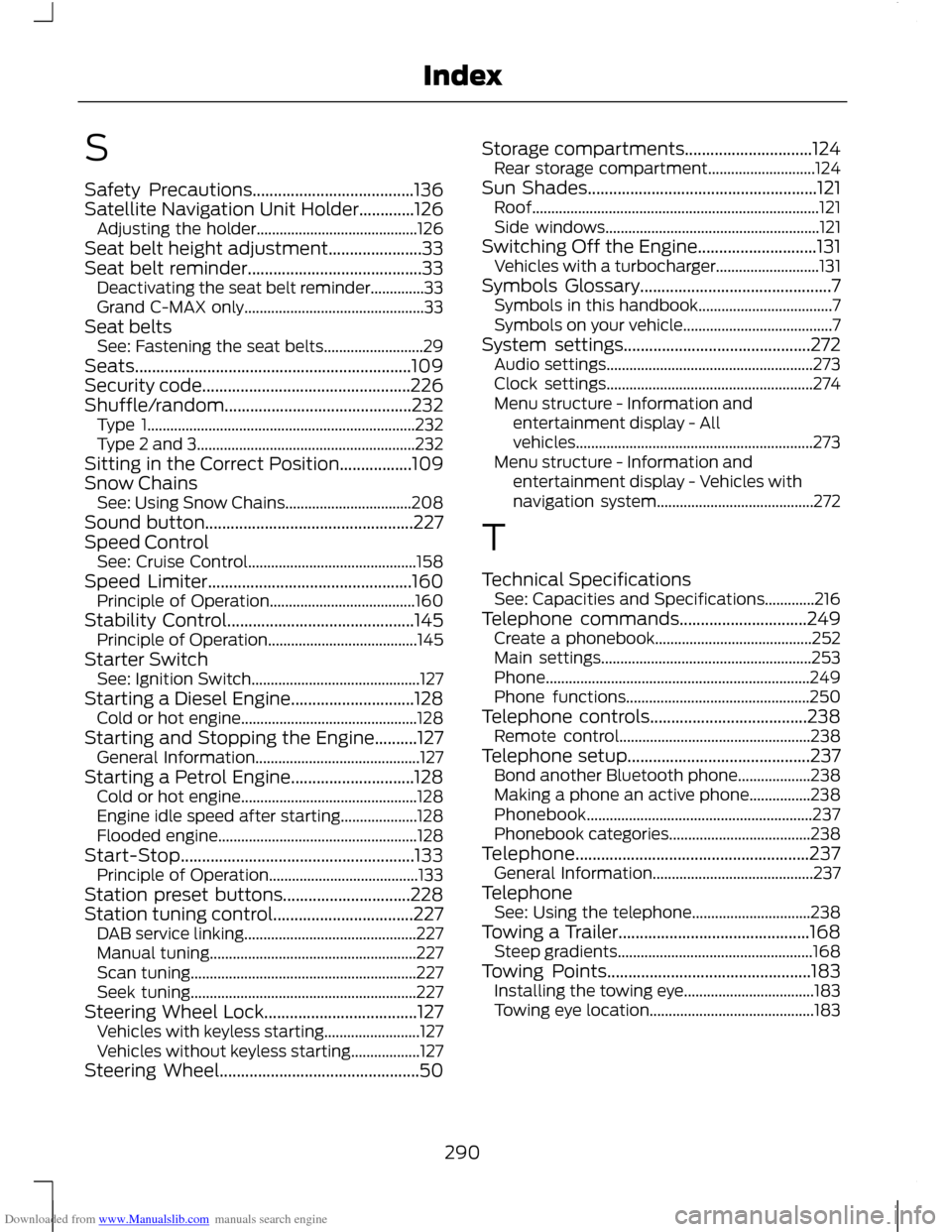
Towing a Trailer.............................................168 Steep gradients................................................... 168
Towing Points................................................183 Installing the towing eye.................................. 183
Towing eye location........................................... 183
290
Index