AUX FORD C MAX 2011 2.G Owner's Manual
[x] Cancel search | Manufacturer: FORD, Model Year: 2011, Model line: C MAX, Model: FORD C MAX 2011 2.GPages: 296, PDF Size: 7.87 MB
Page 248 of 296
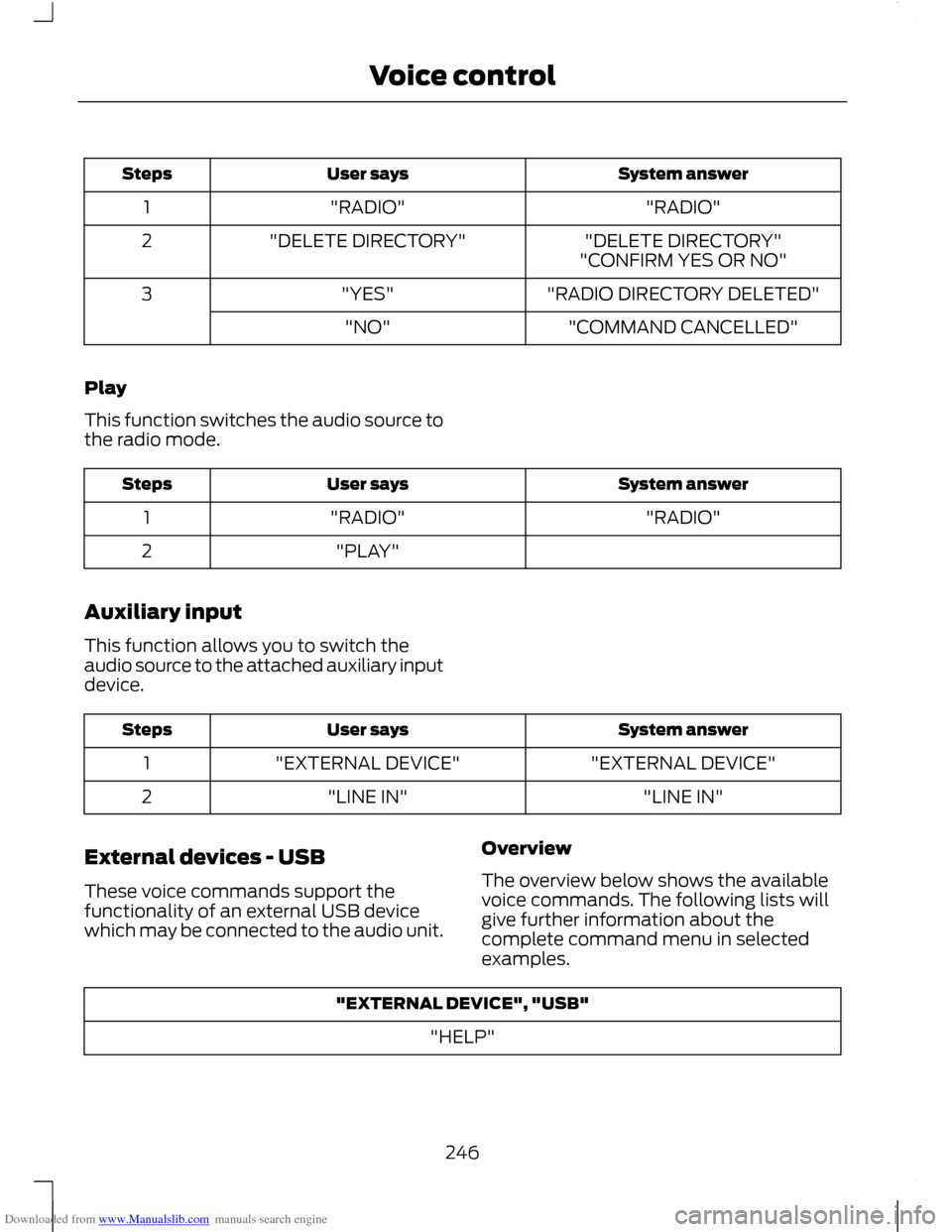
Downloaded from www.Manualslib.com manuals search engine System answer
User says
Steps
"RADIO"
"RADIO"
1
"DELETE DIRECTORY"
"DELETE DIRECTORY"
2
"CONFIRM YES OR NO"
"RADIO DIRECTORY DELETED"
"YES"
3
"COMMAND CANCELLED"
"NO"
Play
This function switches the audio source to
the radio mode. System answer
User says
Steps
"RADIO"
"RADIO"
1
"PLAY"
2
Auxiliary input
This function allows you to switch the
audio source to the attached auxiliary input
device. System answer
User says
Steps
"EXTERNAL DEVICE"
"EXTERNAL DEVICE"
1
"LINE IN"
"LINE IN"
2
External devices - USB
These voice commands support the
functionality of an external USB device
which may be connected to the audio unit. Overview
The overview below shows the available
voice commands. The following lists will
give further information about the
complete command menu in selected
examples."EXTERNAL DEVICE", "USB"
"HELP"
246
Voice control
Page 259 of 296
Downloaded from www.Manualslib.com manuals search engine GENERAL INFORMATION
CAUTIONS
Take care when handling external
devices with exposed electrical
connectors (such as the USB plug).
Always replace the protective cap/shield
when possible. There may be a risk of
electrostatic discharge causing damage
to the device. Do not touch or handle the USB
socket in the vehicle. Cover the socket
when not in use.
Only use USB Mass-Storage device
compliant devices.
Always switch your audio unit to a
different source (for example the
radio) before unplugging the USB
device. Do not install or connect USB hubs or
splitters.
Note:
The system is only designed to
recognize and read suitable audio files from
a USB device that conforms to the USB
Mass-Storage device class or an iPod. Not
all available USB devices can be guaranteed
to function with the system.
Note: It is possible to connect compatible
devices with a trailing USB lead as well as
those that plug into the vehicle USB socket
directly (for example USB memory sticks
and pen drives).
Note: Some USB devices with a higher
power consumption may not be compatible
(for example some larger hard drives).
Note: Access time to read the files on the
external device will vary depending upon
factors such as the file structure, size and
device content. The system supports a range of external
devices, to fully integrate with your audio
unit via the USB and auxiliary input
sockets. Once connected, control of the
external device is possible via the audio
unit.
A list of typical compatible devices are
shown below:
•
USB memory sticks
• USB portable hard drives
• Some MP3 players with USB
connection
• iPod media players (refer to
www.ford-mobile
-connectivity.com for latest
compatibility list).
The system is USB 2.0 full speed
compatible, USB 1.1 host compliant and
supports FAT 16/32 file systems.
Information on audio file
structures for external devices
USB
Create only a single partition on the USB
device.
If playlists are created, they must contain
correct file paths referenced to the USB
device. It is recommended to create the
playlist after the audio files have been
transferred to the USB device.
Playlists must be created in .m3u format.
Audio files must be in .mp3 format.
Do not exceed the following limits:
• 1000 items per folder (files, folders and
playlists)
• 5000 folders per USB device (including
playlists)
• 8 subfolder levels.
257
Connectivity
Page 260 of 296
Downloaded from www.Manualslib.com manuals search engine To enable voice control for custom
playlists and folders, follow the procedure
below:
•
Create folders named with the
structure "Ford<*>" where <*> is a
number 1-10. For example "Ford3"
without an extension.
• Create playlists named with the
structure "Ford<*>.m3u" where <*>
is a number 1-10. For example
"Ford5.m3u" without any space
between "Ford" and the number.
Thereafter, custom folders and playlists
will be selectable with voice control. See
Audio unit commands (page 242).
iPod
To enable voice control for custom
playlists, create playlists named with the
structure "Ford<*>" where <*> is a
number 1-10. For example "Ford7" without
any space between "Ford" and the
number.
Thereafter, playlists will be selectable with
voice control. See Audio unit commands
(page 242).
CONNECTING AN EXTERNAL
DEVICE WARNING
Make sure the external device is
securely mounted within the vehicle,
and that trailing connections do not
obstruct any of the driving controls. External devices may be connected using
the auxiliary input socket and the USB port.
See Auxiliary input (AUX IN) socket
(page 125). See USB port (page 125). Connection
Plug in the device, and if necessary secure
it to prevent movement within the vehicle.
Connecting an iPod
For optimum convenience and audio
quality, we recommend that you purchase
a dedicated single connection lead
available from your dealer.
Alternatively, it is possible to connect your
iPod using the standard iPod USB cable
and a separate 3.5mm audio jack lead. If
using this method preset the iPod volume
to maximum and turn off any equalizer
settings before making the connections:
•
Connect the headphone output of the
iPod to the AUX IN socket.
• Connect the USB cable from the iPod
to the vehicle USB socket.
CONNECTING AN EXTERNAL
DEVICE - VEHICLES WITH:
BLUETOOTH
Connecting a Bluetooth audio
device CAUTION
As various standards exist,
manufacturers are able to implement
a variety of profiles in their Bluetooth
devices. Because of this, an incompatibility
can occur between the Bluetooth device
and the system, which in some cases may
limit system functionality. To avoid this
situation, only recommended devices
should be used.
Please visit the website
www.ford-mobile-connectivity.com
for full details. 258
Connectivity
Page 261 of 296
Downloaded from www.Manualslib.com manuals search engine Bonding the device
To connect the device to the system follow
the same procedure as for Bluetooth hands
free phones. See Bluetooth setup (page
237).
Operating the device
Note:
The seek buttons and file information
will only work on certain phones and
devices.
Select Bluetooth audio as the active
source.
1. Select AUX.
2. Press the up and down arrow buttons to select the desired function.
3. Press the OK button.
Tracks can be accessed by skipping
forwards and backwards using the steering
wheel controls, or directly from the audio
unit controls.
Audio control
Press the seek up and down keys to skip
backwards and forwards through tracks.
Press and hold the seek keys to enable fast
rewind/fast forward through track content.
Press the INFO button or function button
4 to display the following:
• Title.
• Artist.
• Album.
• File name.
USING A USB DEVICE
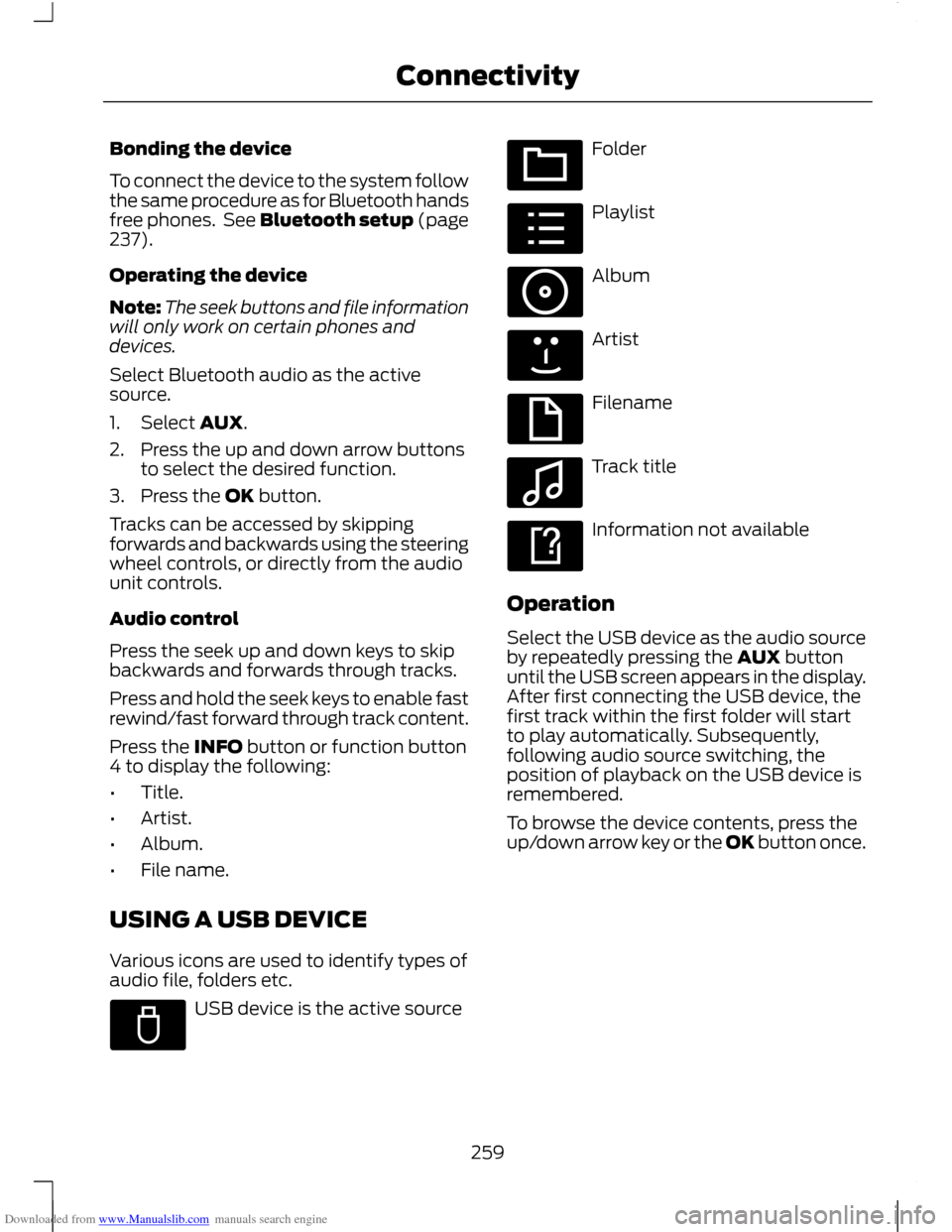
Various icons are used to identify types of
audio file, folders etc. USB device is the active source Folder
Playlist
Album
Artist
Filename
Track title
Information not available
Operation
Select the USB device as the audio source
by repeatedly pressing the AUX button
until the USB screen appears in the display.
After first connecting the USB device, the
first track within the first folder will start
to play automatically. Subsequently,
following audio source switching, the
position of playback on the USB device is
remembered.
To browse the device contents, press the
up/down arrow key or the OK button once.
259
ConnectivityE100029 E100022 E100023 E100024 E100025 E100026 E100027 E100028
Page 262 of 296
Downloaded from www.Manualslib.com manuals search engine The display will show the track
information, together with other important
information described below:
•
A vertical scroll bar on the right side of
the display shows the current position
of the folder view.
• ">" after an entry indicates a further
level down is readable (for example a
folder named after an album, with
individual album tracks within that
folder).
• "<" before the list indicates that a
further level up is readable.
• Icons to the left of track/folder text
indicate the type of file/folder. Refer
to the list for an explanation of these
icons.
To navigate the USB device contents, use
the up/down arrow keys to scroll through
lists, and the left/right keys to move up or
down within the folder hierarchy. Once your
desired track, playlist or folder is
highlighted, press the OK button to select
playback.
Note: If you wish to jump to the top level
of the USB device contents, press and hold
the left arrow key.
Audio control
Press the seek up and down keys to skip
backwards and forwards through tracks.
Press and hold the seek keys to enable fast
rewind/fast forward through track content.
Use the function buttons to enable shuffle,
repeat and scan with respect to the whole
device, folders and playlists.
Press the INFO button or function button
4 to display the following:
• title
• artist
• album •
folder name
• file name.
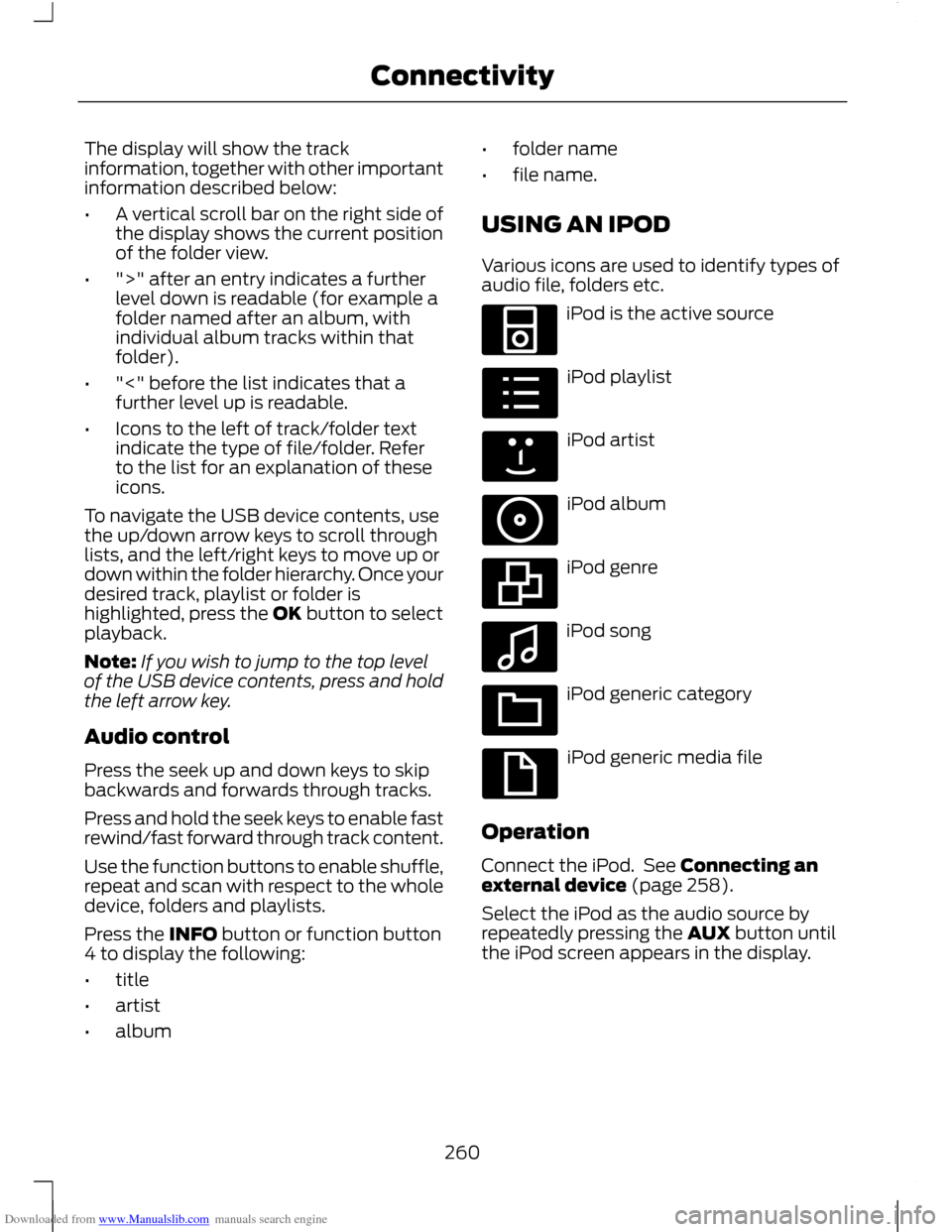
USING AN IPOD
Various icons are used to identify types of
audio file, folders etc. iPod is the active source
iPod playlist
iPod artist
iPod album
iPod genre
iPod song
iPod generic category
iPod generic media file
Operation
Connect the iPod. See Connecting an
external device (page 258).
Select the iPod as the audio source by
repeatedly pressing the AUX button until
the iPod screen appears in the display.
260
ConnectivityE100030 E100031 E100032 E100033 E100034 E100035 E100036 E100037
Page 271 of 296
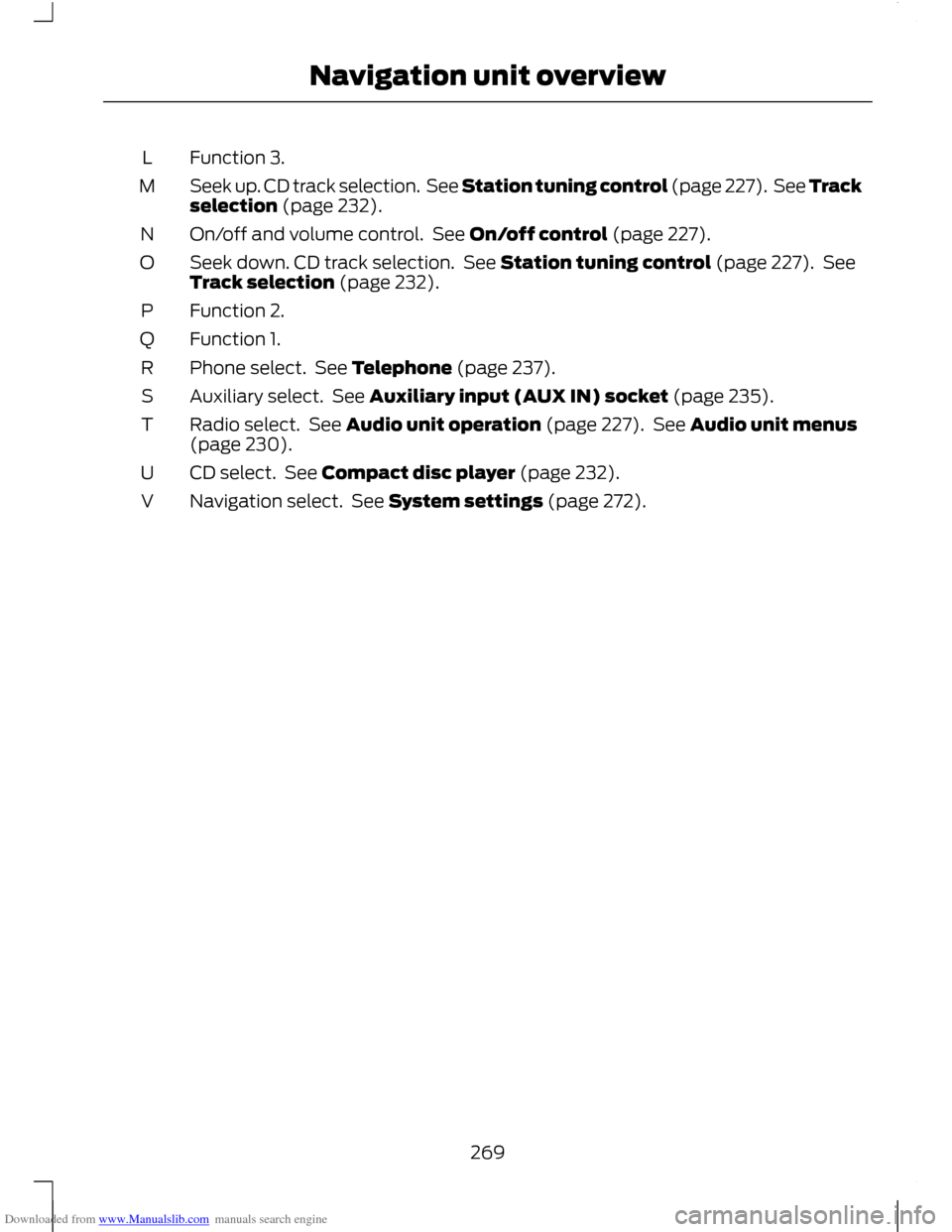
Downloaded from www.Manualslib.com manuals search engine Function 3.
L
Seek up. CD track selection. See Station tuning control (page 227). See Track
selection (page 232).
M
On/off and volume control. See On/off control (page 227).
N
Seek down. CD track selection. See Station tuning control (page 227). See
Track selection (page 232).
O
Function 2.
P
Function 1.
Q
Phone select. See Telephone (page 237).
R
Auxiliary select. See Auxiliary input (AUX IN) socket (page 235).
S
Radio select. See Audio unit operation (page 227). See Audio unit menus
(page 230).
T
CD select. See Compact disc player (page 232).
U
Navigation select. See System settings (page 272).
V
269
Navigation unit overview
Page 273 of 296
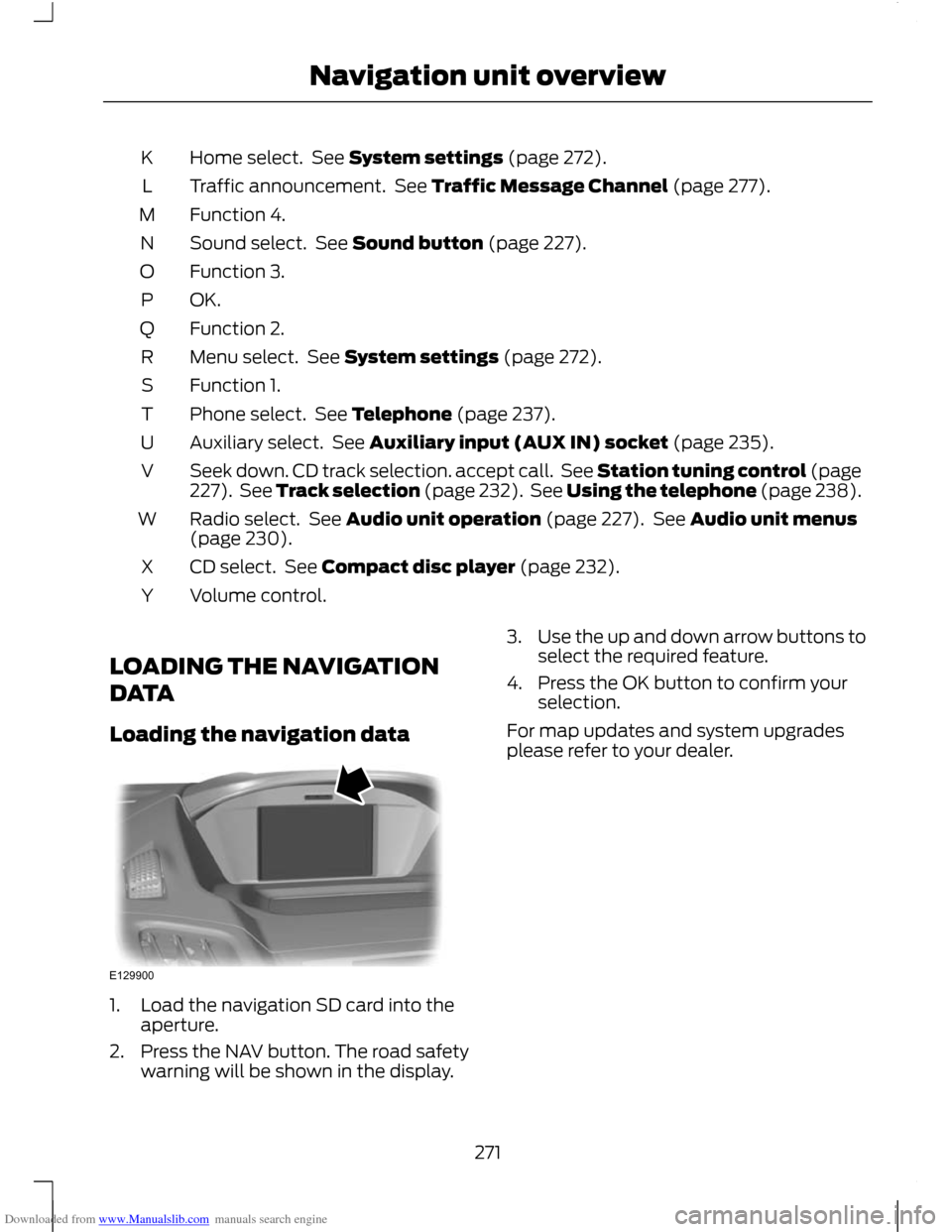
Downloaded from www.Manualslib.com manuals search engine Home select. See System settings (page 272).
K
Traffic announcement. See Traffic Message Channel (page 277).
L
Function 4.
M
Sound select. See Sound button (page 227).
N
Function 3.
O
OK.P
Function 2.
Q
Menu select. See System settings (page 272).
R
Function 1.
S
Phone select. See Telephone (page 237).
T
Auxiliary select. See Auxiliary input (AUX IN) socket (page 235).
U
Seek down. CD track selection. accept call. See Station tuning control (page
227). See Track selection (page 232). See Using the telephone (page 238).
V
Radio select. See Audio unit operation (page 227). See Audio unit menus
(page 230).
W
CD select. See Compact disc player (page 232).
X
Volume control.
Y
LOADING THE NAVIGATION
DATA
Loading the navigation data 1. Load the navigation SD card into the
aperture.
2. Press the NAV button. The road safety warning will be shown in the display. 3.
Use the up and down arrow buttons to
select the required feature.
4. Press the OK button to confirm your selection.
For map updates and system upgrades
please refer to your dealer.
271
Navigation unit overviewE129900
Page 285 of 296
Downloaded from www.Manualslib.com manuals search engine A
A/C
See: Climate Control........................................ 100
About This Manual...........................................7
ABS See: Brakes........................................................... 144
ABS driving hints See: Hints on Driving With Anti-Lock
Brakes................................................................ 144
Accessories See: Parts and Accessories................................. 7
Active Park Assist.........................................152 Principle of Operation....................................... 152
Adjusting the Headlamps - Vehicles With: Adaptive Front Lighting/Xenon
Headlamps....................................................59
Adjusting the Steering Wheel...................50
Air Conditioning See: Climate Control........................................ 100
Air Vents..........................................................100 Centre air vents................................................... 100
Second row air vents.......................................... 101
Side air vent........................................................... 101
Alarm..................................................................48 Principle of Operation........................................ 48
Alternative frequencies.............................230
Appendices....................................................279
Arming the alarm...........................................49
Arming the engine immobiliser.................47 At a Glance........................................................10
........................................................................\
.............. 16
Adjusting the steering wheel............................ 13
Autolamps............................................................... 14
Automatic climate control................................. 15
Automatic transmission...................................... 17
Autowipers............................................................... 14
Diesel particulate filter (DPF).......................... 16
Electric folding mirrors........................................ 15
Electric windows................................................... 14
Fuel filler flap.......................................................... 16
Information displays............................................ 15
Instrument panel overview............................... 10
Keyless entry........................................................... 13
Keyless starting...................................................... 16
Locking the vehicle............................................... 13
Manual climate control....................................... 15
Manual transmission............................................ 17
Power liftgate.......................................................... 13
Speed limiter........................................................... 17
Towing the vehicle on four wheels.................18
Unlocking the vehicle........................................... 13
Audible Warnings and Indicators..............81 Automatic transmission..................................... 81
Frost........................................................................\
... 81
Key-in-ignition........................................................ 81
Key outside car....................................................... 81
Lights on................................................................... 81
Low fuel................................................................... 82
Luggage compartment lid - power liftgate................................................................. 82
Seat belt reminder............................................... 82
Switching the chimes on and off.................... 81
Audio Control..................................................50 Type 1........................................................................\
50
Type 2........................................................................\
51
Audio introduction.......................................219
Audio system security................................226
Audio troubleshooting...............................236
Audio unit commands...............................242 Auxiliary input..................................................... 246
CD Player............................................................... 242
External devices - iPod.................................... 248
External devices - USB.................................... 246
Radio ....................................................................... 243
Audio unit menus........................................230
Audio unit operation...................................227
Audio unit overview....................................220
283
Index
Page 286 of 296
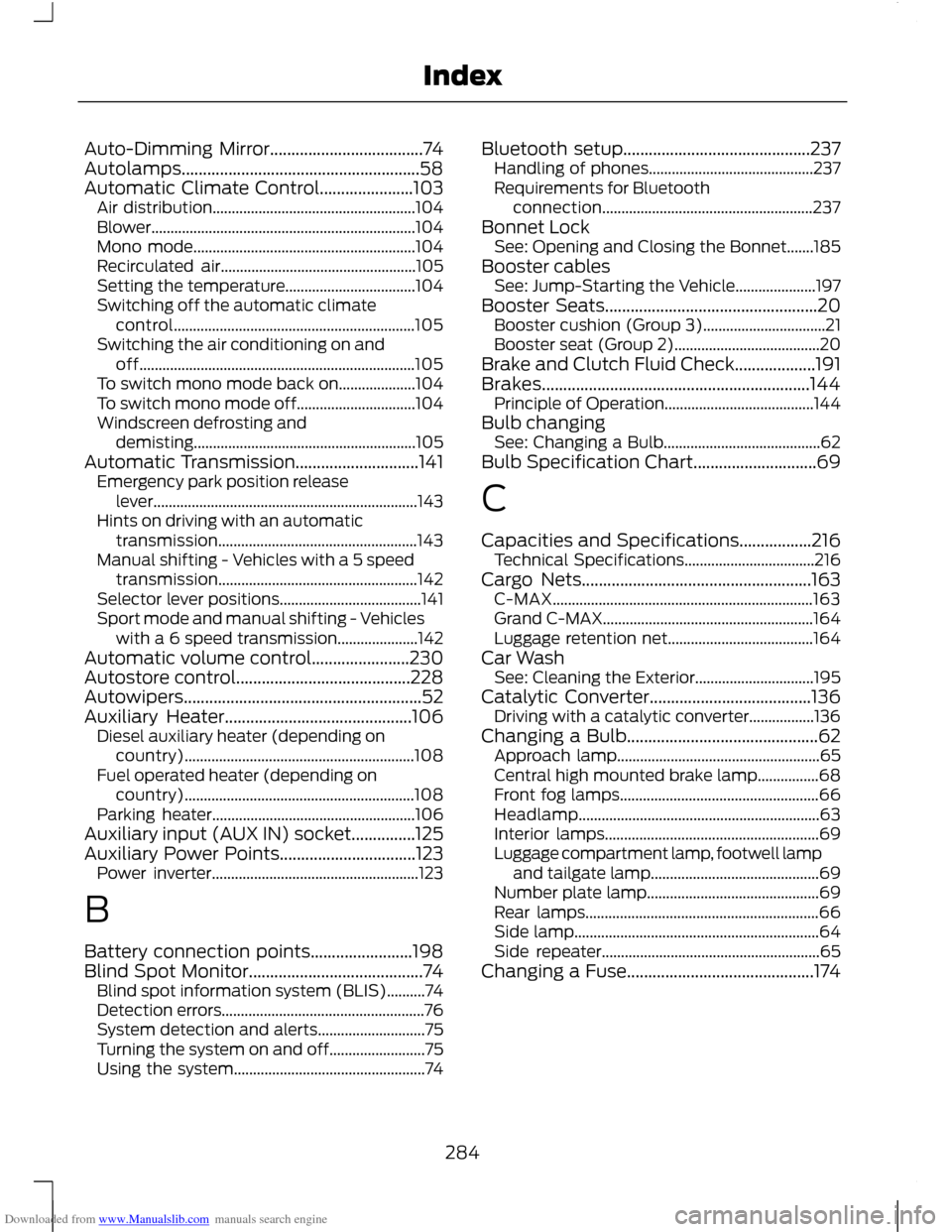
Downloaded from www.Manualslib.com manuals search engine Auto-Dimming Mirror....................................74
Autolamps........................................................58
Automatic Climate Control......................103
Air distribution..................................................... 104
Blower..................................................................... 104
Mono mode.......................................................... 104
Recirculated air................................................... 105
Setting the temperature.................................. 104
Switching off the automatic climate control............................................................... 105
Switching the air conditioning on and off........................................................................\
105
To switch mono mode back on.................... 104
To switch mono mode off............................... 104
Windscreen defrosting and demisting.......................................................... 105
Automatic Transmission.............................141 Emergency park position release
lever..................................................................... 143
Hints on driving with an automatic transmission.................................................... 143
Manual shifting - Vehicles with a 5 speed transmission.................................................... 142
Selector lever positions..................................... 141
Sport mode and manual shifting - Vehicles with a 6 speed transmission..................... 142
Automatic volume control.......................230
Autostore control.........................................228
Autowipers........................................................52
Auxiliary Heater............................................106 Diesel auxiliary heater (depending on
country)............................................................ 108
Fuel operated heater (depending on country)............................................................ 108
Parking heater..................................................... 106
Auxiliary input (AUX IN) socket...............125
Auxiliary Power Points................................123 Power inverter...................................................... 123
B
Battery connection points........................198
Blind Spot Monitor.........................................74 Blind spot information system (BLIS)..........74
Detection errors..................................................... 76
System detection and alerts............................ 75
Turning the system on and off......................... 75
Using the system.................................................. 74Bluetooth setup............................................237
Handling of phones........................................... 237
Requirements for Bluetooth connection....................................................... 237
Bonnet Lock See: Opening and Closing the Bonnet.......185
Booster cables See: Jump-Starting the Vehicle..................... 197
Booster Seats..................................................20 Booster cushion (Group 3)................................ 21
Booster seat (Group 2)...................................... 20
Brake and Clutch Fluid Check...................191
Brakes...............................................................144 Principle of Operation....................................... 144
Bulb changing See: Changing a Bulb......................................... 62
Bulb Specification Chart.............................69
C
Capacities and Specifications.................216 Technical Specifications.................................. 216
Cargo Nets......................................................163 C-MAX.................................................................... 163
Grand C-MAX....................................................... 164
Luggage retention net...................................... 164
Car Wash See: Cleaning the Exterior............................... 195
Catalytic Converter......................................136 Driving with a catalytic converter.................136
Changing a Bulb.............................................62 Approach lamp..................................................... 65
Central high mounted brake lamp................68
Front fog lamps.................................................... 66
Headlamp............................................................... 63
Interior lamps........................................................ 69
Luggage compartment lamp, footwell lamp and tailgate lamp............................................ 69
Number plate lamp............................................. 69
Rear lamps............................................................. 66
Side lamp................................................................ 64
Side repeater......................................................... 65
Changing a Fuse............................................174
284
Index
Page 288 of 296
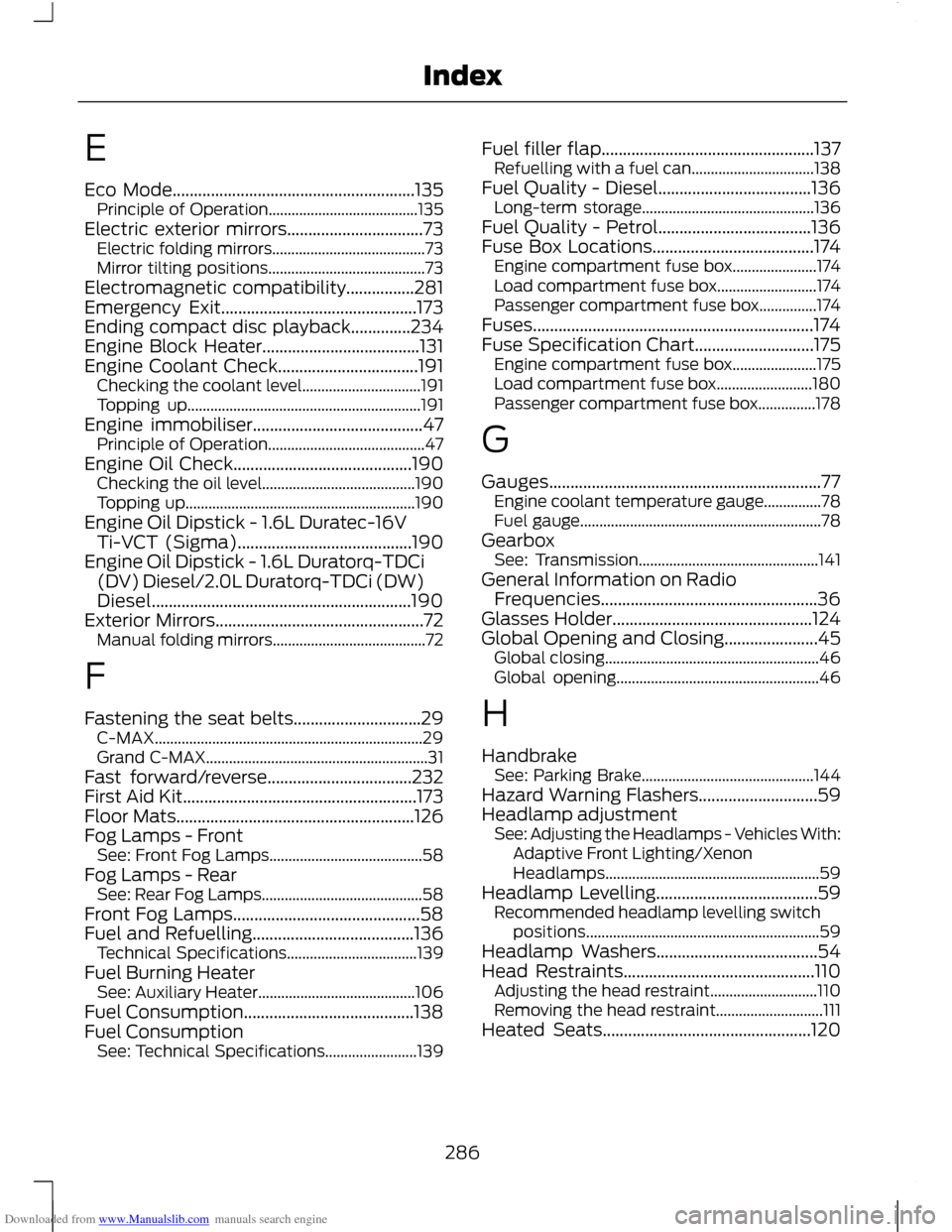
Downloaded from www.Manualslib.com manuals search engine E
Eco Mode.........................................................135
Principle of Operation....................................... 135
Electric exterior mirrors................................73 Electric folding mirrors........................................ 73
Mirror tilting positions......................................... 73
Electromagnetic compatibility................281
Emergency Exit..............................................173
Ending compact disc playback..............234
Engine Block Heater.....................................131
Engine Coolant Check.................................191 Checking the coolant level............................... 191
Topping up............................................................. 191
Engine immobiliser........................................47 Principle of Operation......................................... 47
Engine Oil Check..........................................190 Checking the oil level........................................ 190
Topping up............................................................ 190
Engine Oil Dipstick - 1.6L Duratec-16V Ti-VCT (Sigma).........................................190
Engine Oil Dipstick - 1.6L Duratorq-TDCi (DV) Diesel/2.0L Duratorq-TDCi (DW)
Diesel.............................................................190
Exterior Mirrors.................................................72 Manual folding mirrors........................................ 72
F
Fastening the seat belts..............................29 C-MAX...................................................................... 29
Grand C-MAX.......................................................... 31
Fast forward/reverse..................................232
First Aid Kit.......................................................173
Floor Mats........................................................126
Fog Lamps - Front See: Front Fog Lamps........................................ 58
Fog Lamps - Rear See: Rear Fog Lamps.......................................... 58
Front Fog Lamps............................................58
Fuel and Refuelling......................................136 Technical Specifications.................................. 139
Fuel Burning Heater See: Auxiliary Heater......................................... 106
Fuel Consumption........................................138
Fuel Consumption See: Technical Specifications........................ 139Fuel filler flap..................................................137
Refuelling with a fuel can................................ 138
Fuel Quality - Diesel....................................136 Long-term storage............................................. 136
Fuel Quality - Petrol....................................136
Fuse Box Locations......................................174 Engine compartment fuse box...................... 174
Load compartment fuse box.......................... 174
Passenger compartment fuse box...............174
Fuses..................................................................174
Fuse Specification Chart............................175 Engine compartment fuse box...................... 175
Load compartment fuse box......................... 180
Passenger compartment fuse box...............178
G
Gauges................................................................77 Engine coolant temperature gauge...............78
Fuel gauge............................................................... 78
Gearbox See: Transmission............................................... 141
General Information on Radio Frequencies...................................................36
Glasses Holder...............................................124
Global Opening and Closing......................45 Global closing........................................................ 46
Global opening..................................................... 46
H
Handbrake See: Parking Brake............................................. 144
Hazard Warning Flashers............................59
Headlamp adjustment See: Adjusting the Headlamps - Vehicles With:
Adaptive Front Lighting/Xenon
Headlamps........................................................ 59
Headlamp Levelling......................................59 Recommended headlamp levelling switch
positions............................................................. 59
Headlamp Washers......................................54
Head Restraints.............................................110 Adjusting the head restraint............................ 110
Removing the head restraint............................ 111
Heated Seats.................................................120
286
Index