AUX FORD C MAX 2011 2.G User Guide
[x] Cancel search | Manufacturer: FORD, Model Year: 2011, Model line: C MAX, Model: FORD C MAX 2011 2.GPages: 296, PDF Size: 7.87 MB
Page 125 of 296
Downloaded from www.Manualslib.com manuals search engine Note:
You can use the socket to power 12
volt appliances that have a maximum
current rating of 15 Amperes. Use only Ford
accessory connectors or connectors
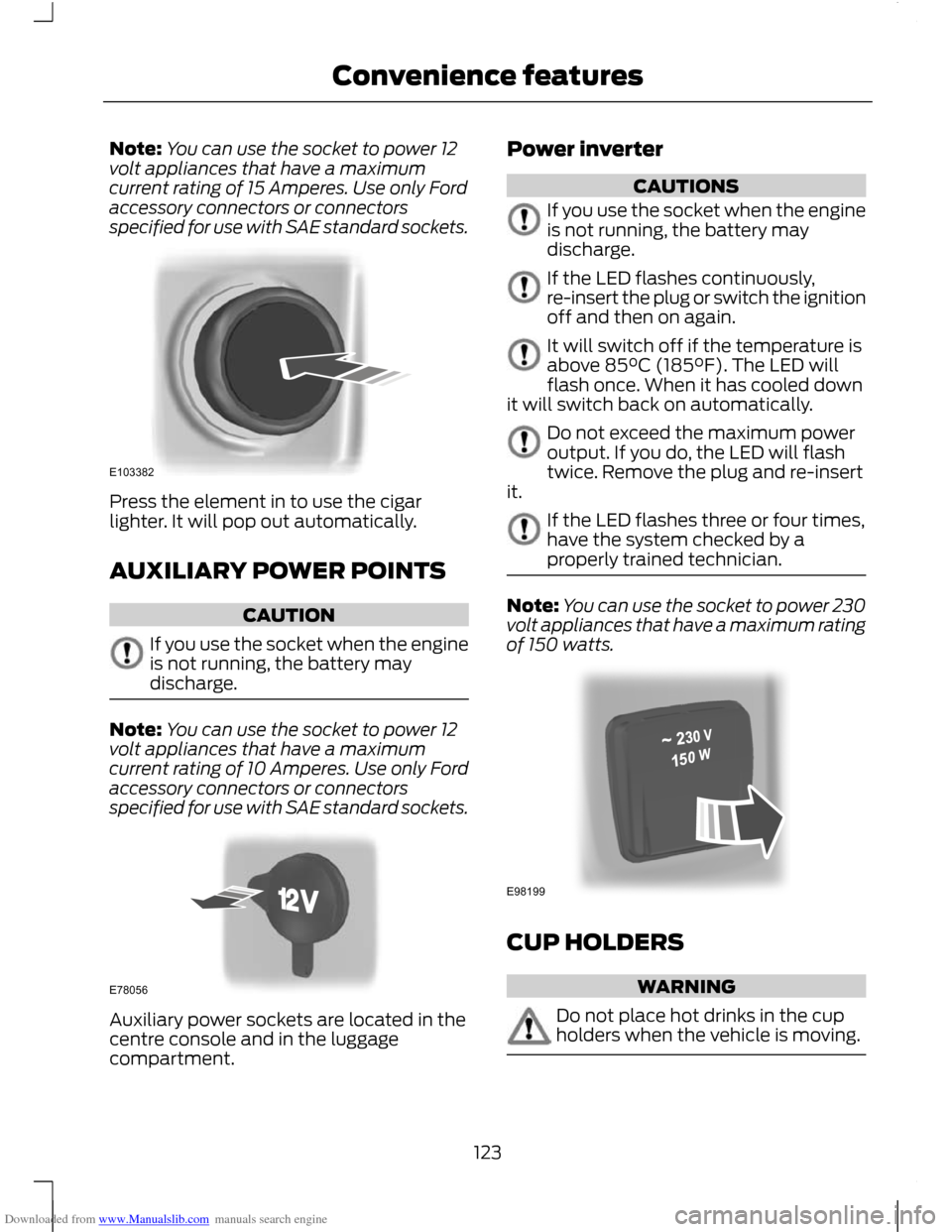
specified for use with SAE standard sockets. Press the element in to use the cigar
lighter. It will pop out automatically.
AUXILIARY POWER POINTS
CAUTION
If you use the socket when the engine
is not running, the battery may
discharge.
Note:
You can use the socket to power 12
volt appliances that have a maximum
current rating of 10 Amperes. Use only Ford
accessory connectors or connectors
specified for use with SAE standard sockets. Auxiliary power sockets are located in the
centre console and in the luggage
compartment. Power inverter CAUTIONS
If you use the socket when the engine
is not running, the battery may
discharge.
If the LED flashes continuously,
re-insert the plug or switch the ignition
off and then on again.
It will switch off if the temperature is
above 85°C (185°F). The LED will
flash once. When it has cooled down
it will switch back on automatically. Do not exceed the maximum power
output. If you do, the LED will flash
twice. Remove the plug and re-insert
it. If the LED flashes three or four times,
have the system checked by a
properly trained technician.
Note:
You can use the socket to power 230
volt appliances that have a maximum rating
of 150 watts. CUP HOLDERS
WARNING
Do not place hot drinks in the cup
holders when the vehicle is moving.
123
Convenience featuresE103382 E78056 E98199
Page 127 of 296
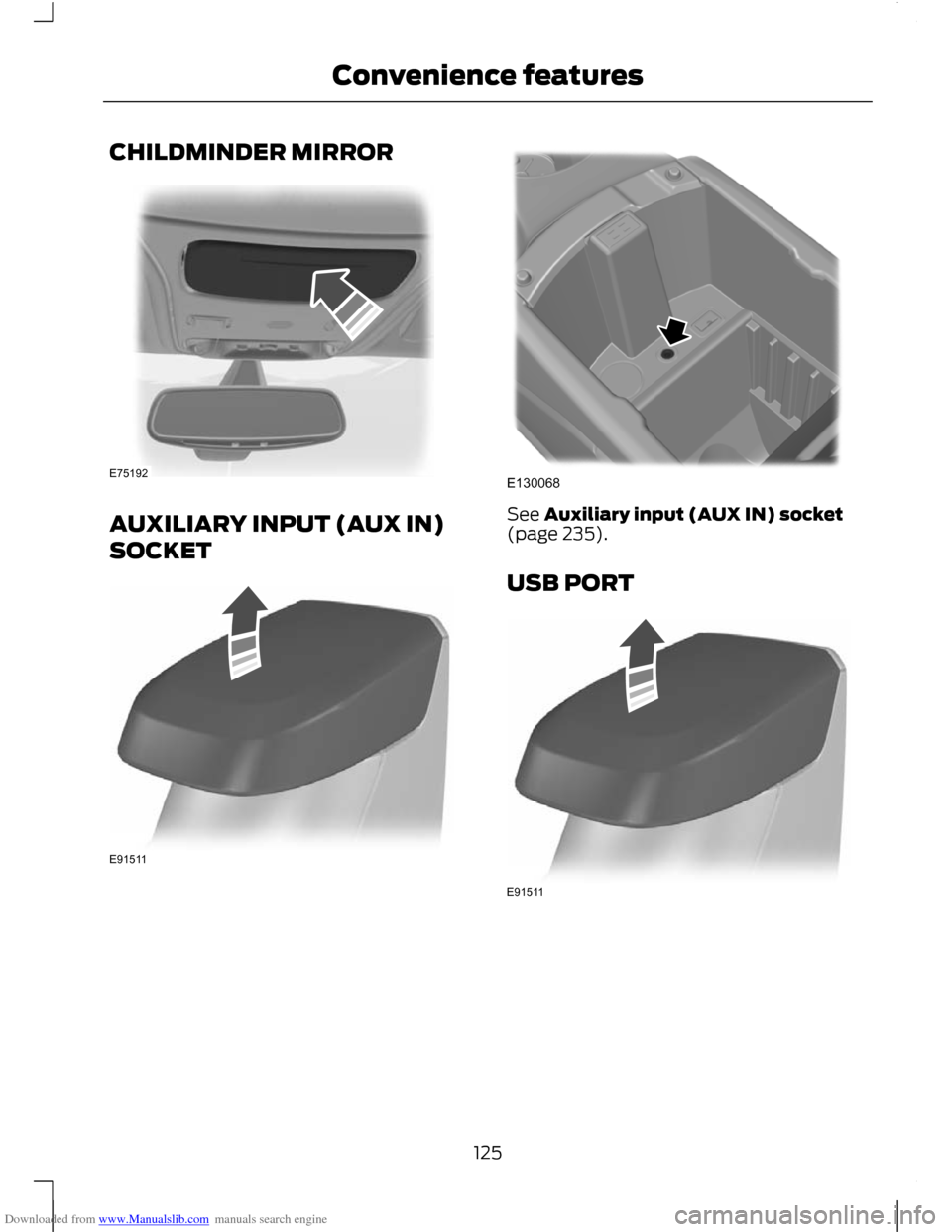
Downloaded from www.Manualslib.com manuals search engine CHILDMINDER MIRROR
AUXILIARY INPUT (AUX IN)
SOCKET See Auxiliary input (AUX IN) socket
(page 235).
USB PORT
125
Convenience featuresE75192 E91511 E130068 E91511
Page 170 of 296
Downloaded from www.Manualslib.com manuals search engine TOWING A TRAILER
WARNINGS
Do not exceed 100 km/h (62 mph).
The rear tyre pressures must be
increased by 0.2 bar (3 psi) above
specification. See Technical
Specifications (page 209). Do not exceed the maximum gross
train weight stated on the vehicle
identification plate. See Vehicle
identification (page 214). CAUTION
Do not exceed the maximum
permissible nose weight, i.e. vertical
weight on the tow ball, of 75
kilogrammes (165 pounds). Note:
Not all vehicles are suitable or
approved to have tow bars fitted. Check
with your dealer first.
Place loads as low and central to the
axle(s) of the trailer as possible. If you are
towing with an unladen vehicle, the load
in the trailer should be placed toward the
nose, within the maximum nose load, as
this gives the best stability.
The stability of the vehicle to trailer
combination is very much dependant on
the quality of the trailer.
In high altitude regions above 1000 metres
(3281 feet), the stipulated maximum
permitted gross train weight must be
reduced by 10% for every additional 1000
metres (3281 feet).
Steep gradients WARNING
The overrun brake on a trailer is not
controlled by ABS. Change down a gear before you reach a
steep downhill gradient.
RETRACTABLE TOW BALL
CAUTION
Only move the tow ball arm with your
hand. Never use your foot or auxiliary
tools as damage to the mechanism
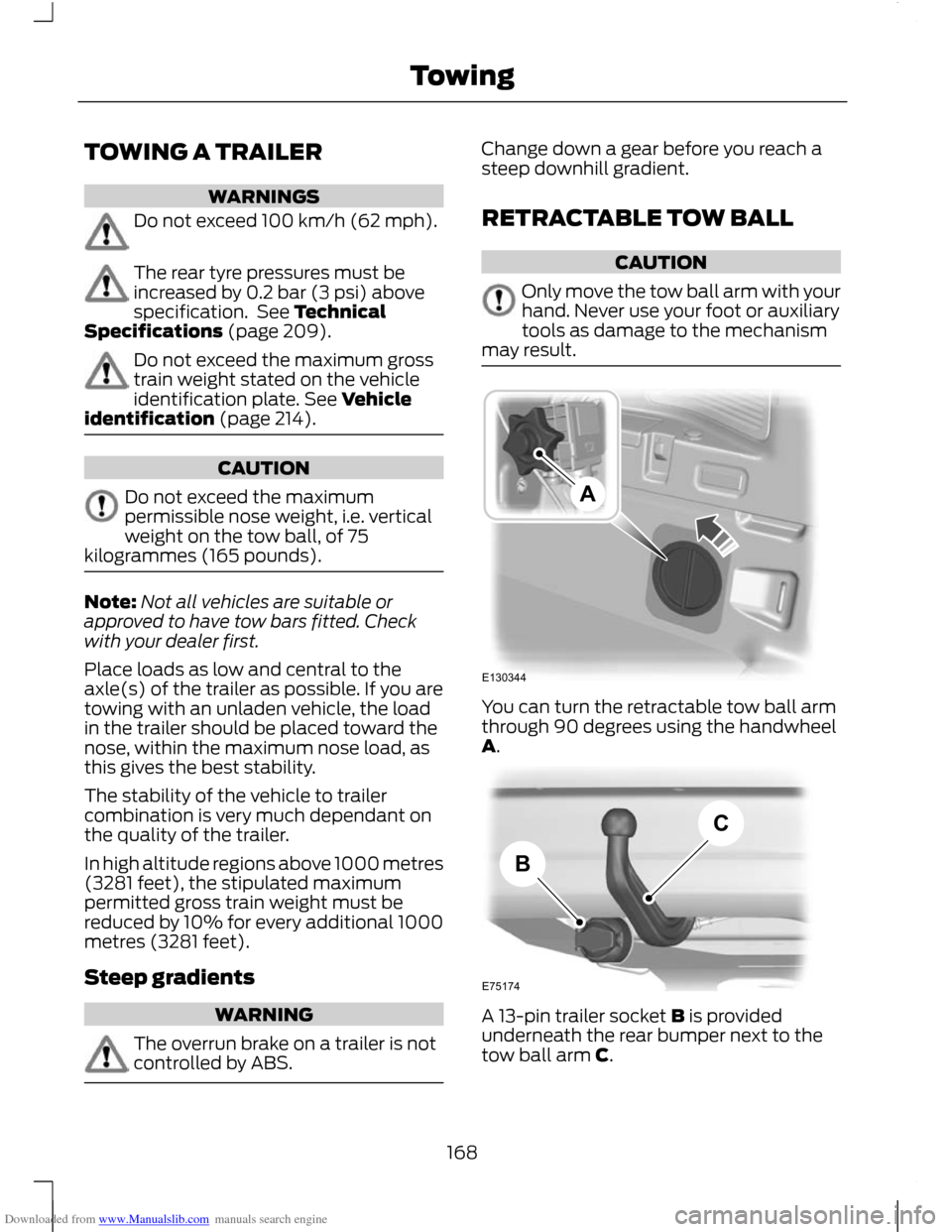
may result. You can turn the retractable tow ball arm
through 90 degrees using the handwheel
A.
A 13-pin trailer socket B is provided
underneath the rear bumper next to the
tow ball arm C.
168
TowingE130344A E75174BC
Page 208 of 296
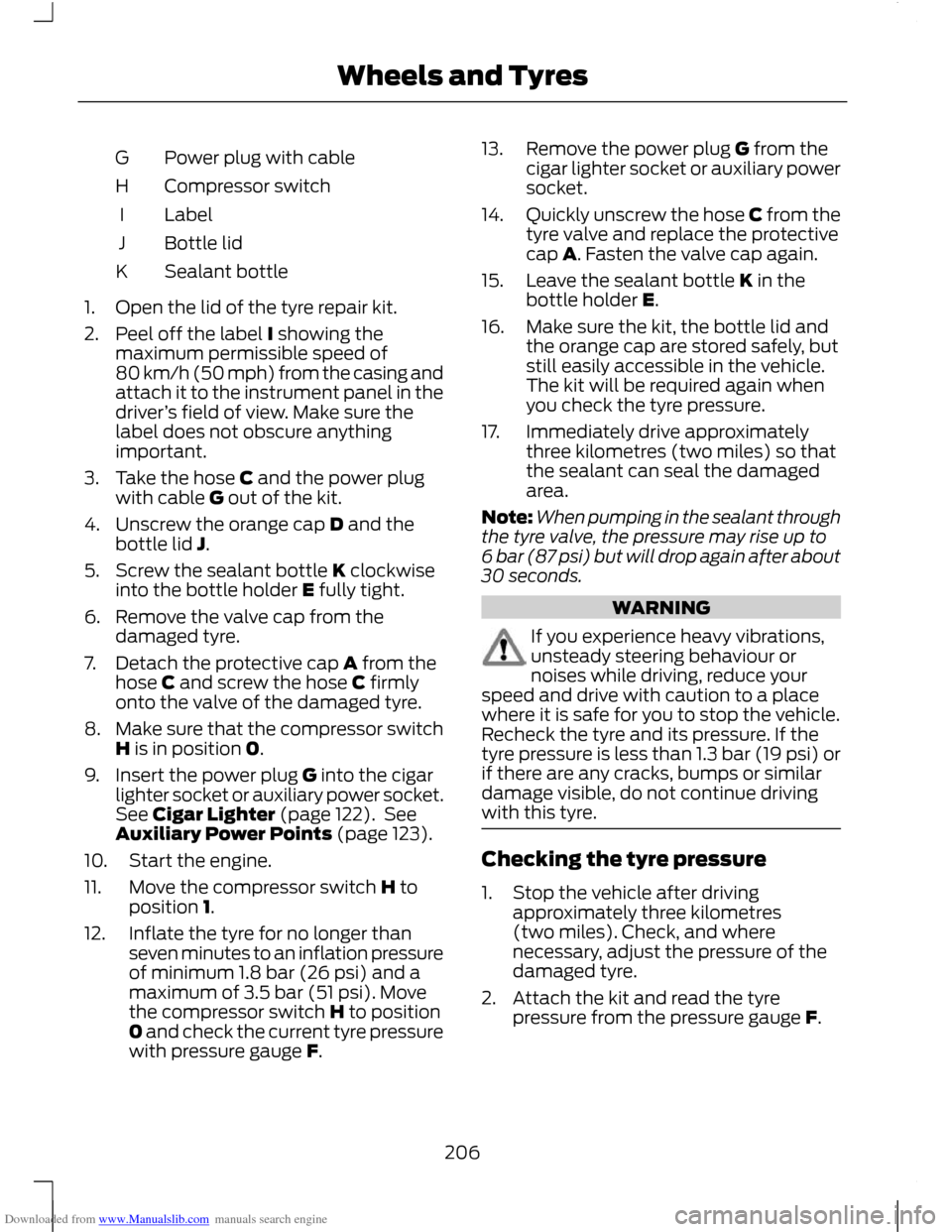
Downloaded from www.Manualslib.com manuals search engine Power plug with cable
G
Compressor switch
H
Label
I
Bottle lid
J
Sealant bottle
K
1. Open the lid of the tyre repair kit.
2. Peel off the label I showing the maximum permissible speed of
80 km/h (50 mph) from the casing and
attach it to the instrument panel in the
driver ’s field of view. Make sure the
label does not obscure anything
important.
3. Take the hose C and the power plug with cable G out of the kit.
4. Unscrew the orange cap D and the bottle lid J.
5. Screw the sealant bottle K clockwise into the bottle holder E fully tight.
6. Remove the valve cap from the damaged tyre.
7. Detach the protective cap A from the hose C and screw the hose C firmly
onto the valve of the damaged tyre.
8. Make sure that the compressor switch
H is in position 0.
9. Insert the power plug G into the cigar lighter socket or auxiliary power socket.
See Cigar Lighter (page 122). See
Auxiliary Power Points (page 123).
10. Start the engine.
11. Move the compressor switch H to position 1.
12. Inflate the tyre for no longer than seven minutes to an inflation pressure
of minimum 1.8 bar (26 psi) and a
maximum of 3.5 bar (51 psi). Move
the compressor switch H to position
0 and check the current tyre pressure
with pressure gauge F. 13. Remove the power plug G from the
cigar lighter socket or auxiliary power
socket.
14. Quickly unscrew the hose C from the
tyre valve and replace the protective
cap A. Fasten the valve cap again.
15. Leave the sealant bottle K in the bottle holder E.
16. Make sure the kit, the bottle lid and the orange cap are stored safely, but
still easily accessible in the vehicle.
The kit will be required again when
you check the tyre pressure.
17. Immediately drive approximately three kilometres (two miles) so that
the sealant can seal the damaged
area.
Note: When pumping in the sealant through
the tyre valve, the pressure may rise up to
6 bar (87 psi) but will drop again after about
30 seconds. WARNING
If you experience heavy vibrations,
unsteady steering behaviour or
noises while driving, reduce your
speed and drive with caution to a place
where it is safe for you to stop the vehicle.
Recheck the tyre and its pressure. If the
tyre pressure is less than 1.3 bar (19 psi) or
if there are any cracks, bumps or similar
damage visible, do not continue driving
with this tyre. Checking the tyre pressure
1. Stop the vehicle after driving
approximately three kilometres
(two miles). Check, and where
necessary, adjust the pressure of the
damaged tyre.
2. Attach the kit and read the tyre pressure from the pressure gauge F.
206
Wheels and Tyres
Page 222 of 296
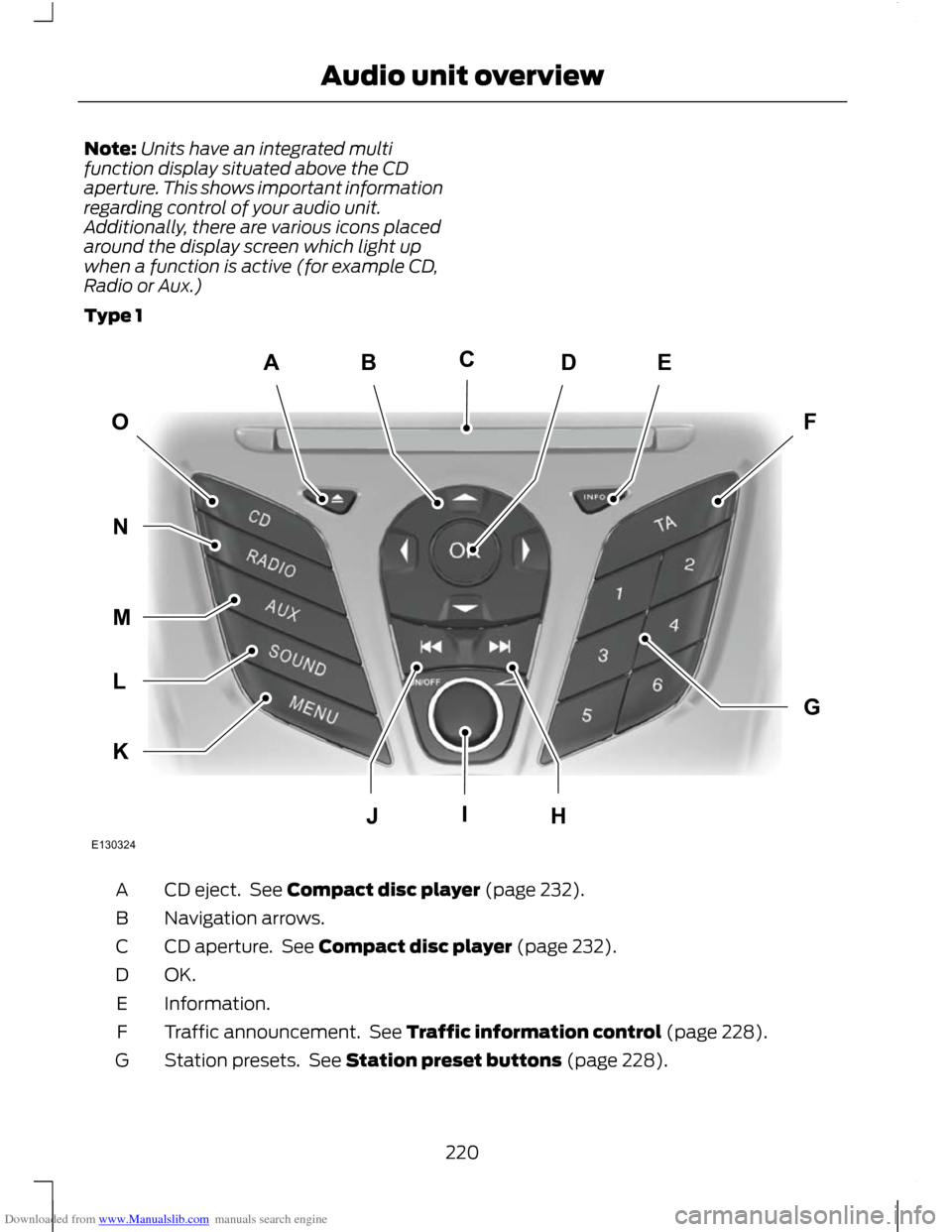
Downloaded from www.Manualslib.com manuals search engine Note:
Units have an integrated multi
function display situated above the CD
aperture. This shows important information
regarding control of your audio unit.
Additionally, there are various icons placed
around the display screen which light up
when a function is active (for example CD,
Radio or Aux.)
Type 1 CD eject. See Compact disc player (page 232).
A
Navigation arrows.
B
CD aperture. See Compact disc player (page 232).
C
OK.D
Information.
E
Traffic announcement. See Traffic information control (page 228).
F
Station presets. See Station preset buttons (page 228).
G
220
Audio unit overviewABEDFOGKLMNJHICE130324
Page 223 of 296
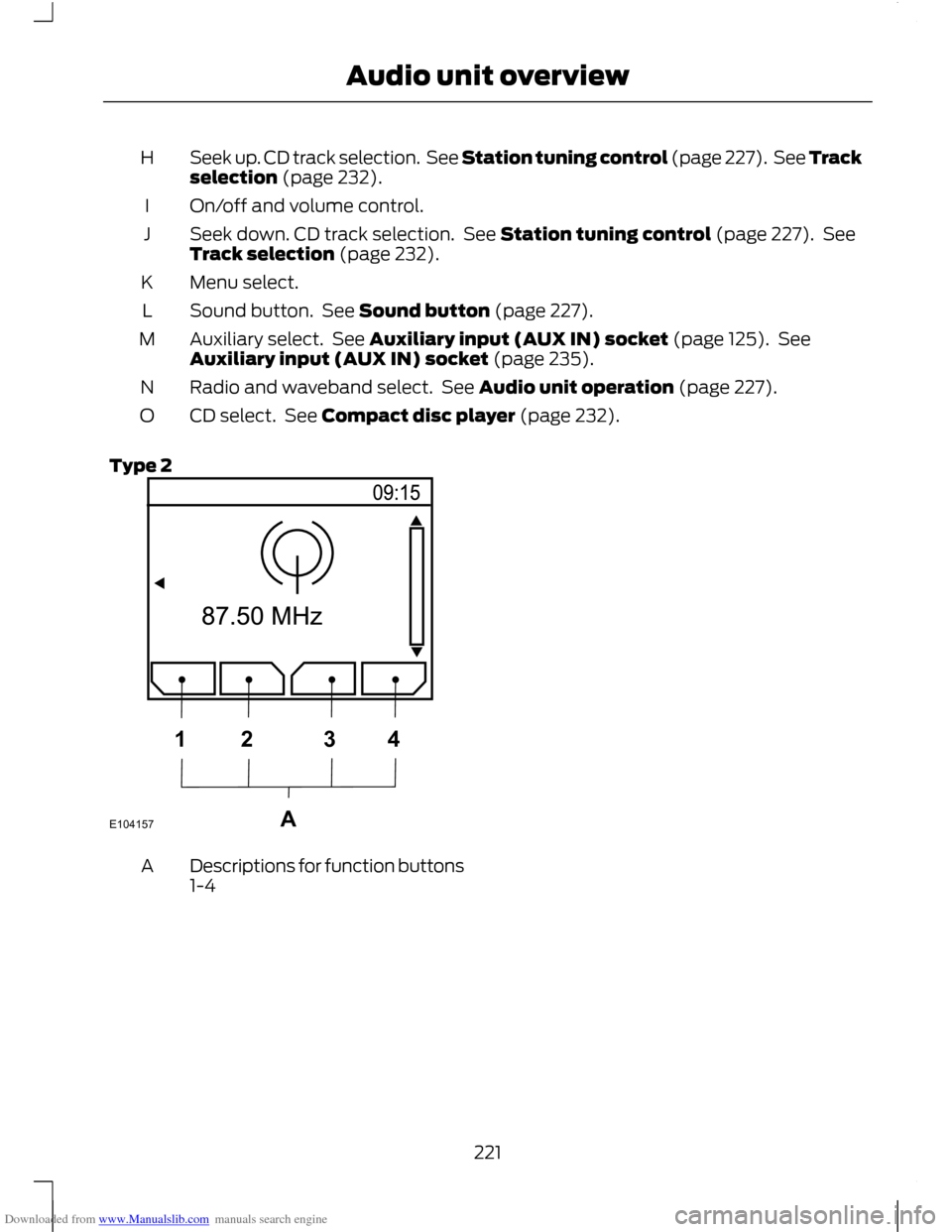
Downloaded from www.Manualslib.com manuals search engine Seek up. CD track selection. See Station tuning control (page 227). See Track
selection (page 232).
H
On/off and volume control.
I
Seek down. CD track selection. See Station tuning control (page 227). See
Track selection (page 232).
J
Menu select.
K
Sound button. See Sound button (page 227).
L
Auxiliary select. See Auxiliary input (AUX IN) socket (page 125). See
Auxiliary input (AUX IN) socket (page 235).
M
Radio and waveband select. See Audio unit operation (page 227).
N
CD select. See Compact disc player (page 232).
O
Type 2 Descriptions for function buttons
1-4
A
221
Audio unit overviewE104157A1234
Page 225 of 296
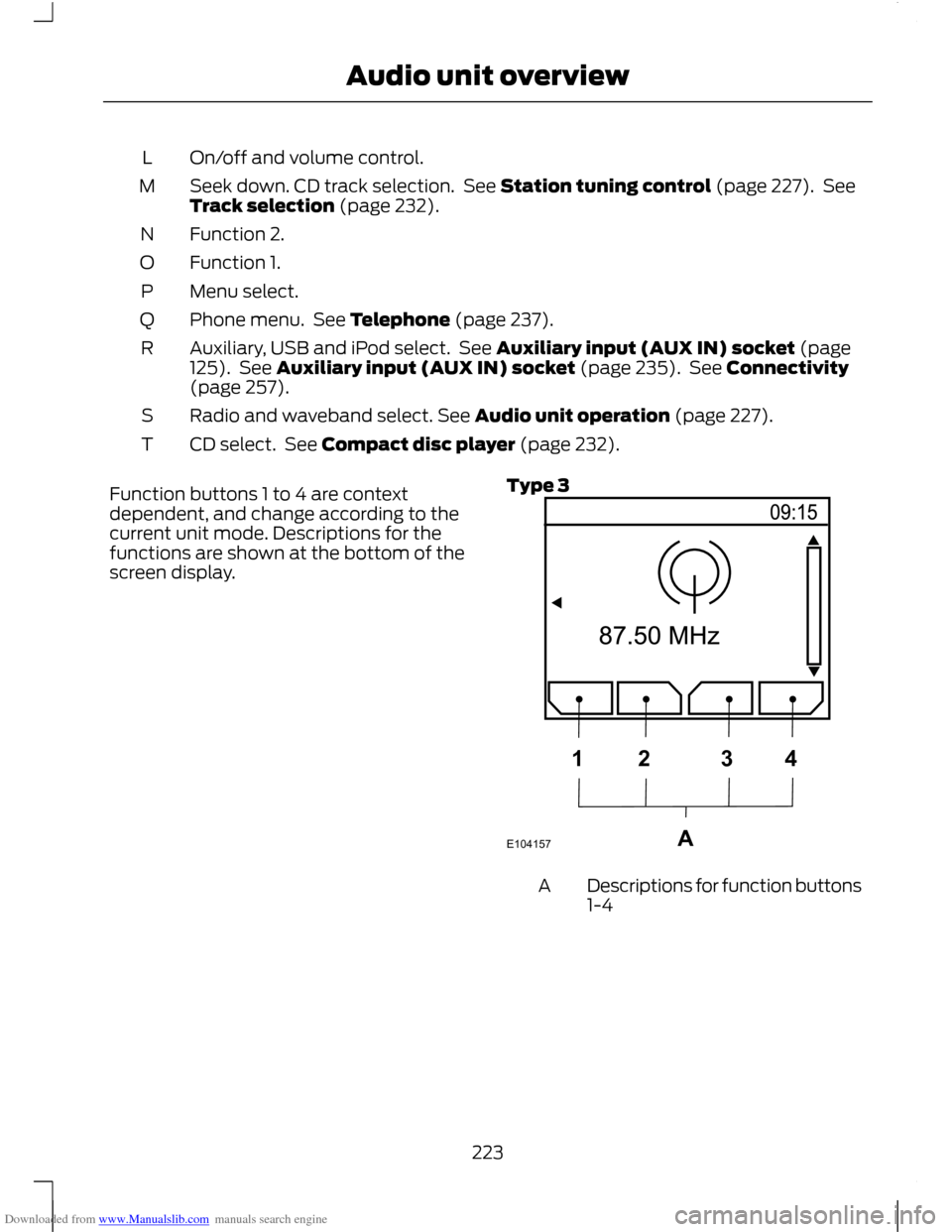
Downloaded from www.Manualslib.com manuals search engine On/off and volume control.
L
Seek down. CD track selection. See Station tuning control (page 227). See
Track selection (page 232).
M
Function 2.
N
Function 1.
O
Menu select.
P
Phone menu. See Telephone (page 237).
Q
Auxiliary, USB and iPod select. See Auxiliary input (AUX IN) socket (page
125). See Auxiliary input (AUX IN) socket (page 235). See Connectivity
(page 257).
R
Radio and waveband select. See Audio unit operation (page 227).
S
CD select. See Compact disc player (page 232).
T
Function buttons 1 to 4 are context
dependent, and change according to the
current unit mode. Descriptions for the
functions are shown at the bottom of the
screen display. Type 3 Descriptions for function buttons
1-4
A
223
Audio unit overviewE104157A1234
Page 227 of 296
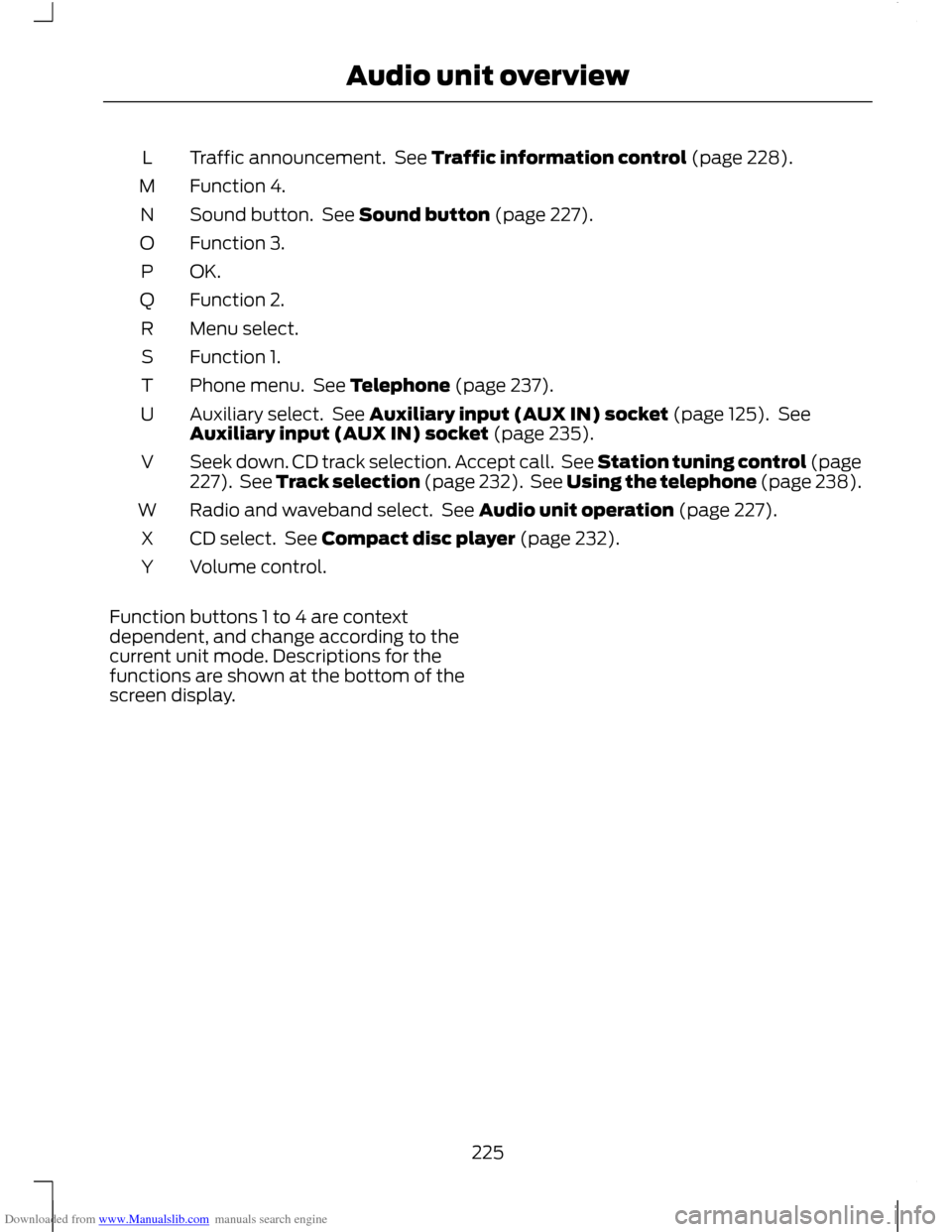
Downloaded from www.Manualslib.com manuals search engine Traffic announcement. See Traffic information control (page 228).
L
Function 4.
M
Sound button. See Sound button (page 227).
N
Function 3.
O
OK.P
Function 2.
Q
Menu select.
R
Function 1.
S
Phone menu. See Telephone (page 237).
T
Auxiliary select. See Auxiliary input (AUX IN) socket (page 125). See
Auxiliary input (AUX IN) socket (page 235).
U
Seek down. CD track selection. Accept call. See Station tuning control (page
227). See Track selection (page 232). See Using the telephone (page 238).
V
Radio and waveband select. See Audio unit operation (page 227).
W
CD select. See Compact disc player (page 232).
X
Volume control.
Y
Function buttons 1 to 4 are context
dependent, and change according to the
current unit mode. Descriptions for the
functions are shown at the bottom of the
screen display.
225
Audio unit overview
Page 237 of 296
Downloaded from www.Manualslib.com manuals search engine Note:
For optimum performance when
using any auxiliary device set the volume on
the device high. This will reduce audio
interference when charging the device via
the vehicle power supply socket.
When fitted the Auxiliary input (AUX IN)
socket permits an auxiliary device, such as
an MP3 player, to be linked into the vehicle
audio system. Output can be played
through the vehicle speakers.
To connect an auxiliary device, plug it into
the AUX IN socket using a 3.5 mm
conventional audio jack connector.
Select the auxiliary input via the AUX
button and playback will be heard through
the vehicle speakers. LINE IN or LINE IN
ACTIVE will appear in the vehicle audio
unit display. Volume, treble and bass can
be adjusted on the vehicle audio unit as
normal.
The vehicle audio unit buttons can also be
used to restore playback from the vehicle
audio unit, while the auxiliary device
remains connected.
235
Auxiliary input (AUX IN) socket
Page 241 of 296
Downloaded from www.Manualslib.com manuals search engine Note:
You can exit the phone menu by
pressing any source button CD, RADIO or
AUX.
Note: When referred to, the use of the
up/down arrow buttons, seek up and seek
down buttons, and the OK button can be
used on either the steering wheel or the
audio unit.
This chapter describes the phone functions
of the audio unit.
An active phone must be present.
Even if connected to the audio unit, your
phone can still be used in the usual way.
Making a call
Dialling a number using voice control
Phone numbers can be dialled using voice
control. See Telephone commands
(page 249).
Dialling a number using the address
book
1. Press the PHONE button.
2. Press the up/down arrow buttons until
PHONEBOOK is shown.
3. Press the OK button.
Note: You can also use the telephone
keypad to select the first letter of the entry
you are looking for. Press the relevant
number that corresponds to the letter
repeatedly until the required letter is
displayed.
4. Press the up/down arrow buttons to select the desired phone number.
Note: Press and hold the up/down arrow
buttons to search forwards or backwards
within the phonebook.
5. Press the OK button to dial the selected phone number. Dialling a number using the telephone
keypad
1. Press the PHONE button.
2. Dial the number using the telephone
keypad on the audio unit.
3. Press the OK button.
Note: If you enter an incorrect digit whilst
entering a phone number, press function
button 3 to erase the last digit. A long press
will erase the complete string of digits.
Ending a call
Calls can be ended by:
• pressing the seek up button
• pressing the OK button
• pressing function button 4.
Redialling a number
1. Press the PHONE button.
2. Press the up/down arrow buttons until
CALL LISTS is displayed.
3. Press the OK button.
Note: If the active phone does not provide
a call out list, the last outgoing call
number/entry can be redialled.
4. Press the up/down buttons to select the desired call list.
5. Press the OK button.
6. Press the up/down buttons to select the desired phone number.
7. Press the OK button.
Redialling the last dialled number
1. Press the PHONE button.
2. Press the up/down arrow buttons until
REDIAL is displayed.
3. Press the OK button.
239
Telephone