light FORD C MAX ENERGI 2016 Owner's Manual
[x] Cancel search | Manufacturer: FORD, Model Year: 2016, Model line: C MAX ENERGI, Model: FORD C MAX ENERGI 2016Pages: 395, PDF Size: 6.78 MB
Page 81 of 395
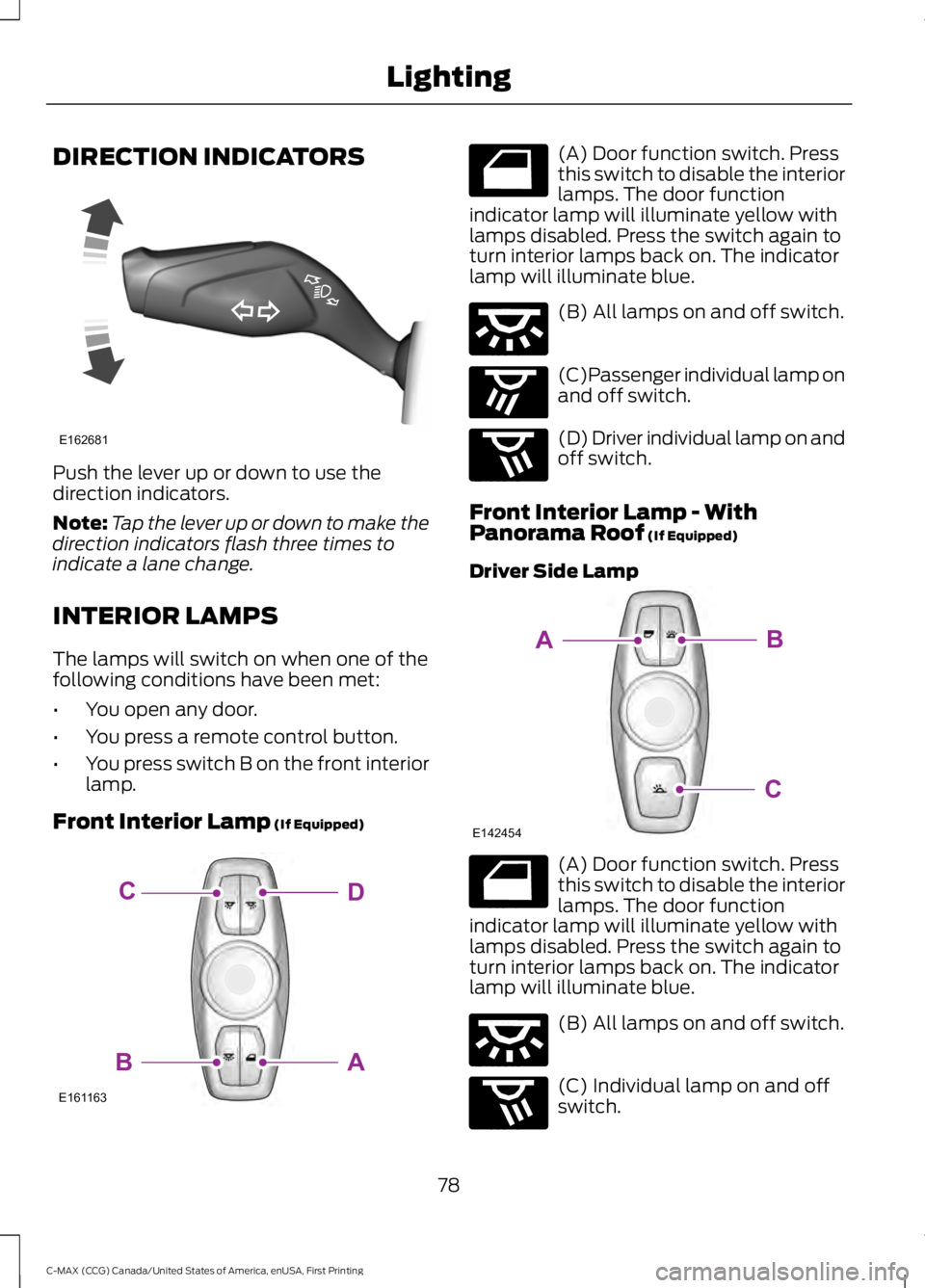
DIRECTION INDICATORS
Push the lever up or down to use thedirection indicators.
Note:Tap the lever up or down to make thedirection indicators flash three times toindicate a lane change.
INTERIOR LAMPS
The lamps will switch on when one of thefollowing conditions have been met:
•You open any door.
•You press a remote control button.
•You press switch B on the front interiorlamp.
Front Interior Lamp (If Equipped)
(A) Door function switch. Pressthis switch to disable the interiorlamps. The door functionindicator lamp will illuminate yellow withlamps disabled. Press the switch again toturn interior lamps back on. The indicatorlamp will illuminate blue.
(B) All lamps on and off switch.
(C)Passenger individual lamp onand off switch.
(D) Driver individual lamp on andoff switch.
Front Interior Lamp - WithPanorama Roof (If Equipped)
Driver Side Lamp
(A) Door function switch. Pressthis switch to disable the interiorlamps. The door functionindicator lamp will illuminate yellow withlamps disabled. Press the switch again toturn interior lamps back on. The indicatorlamp will illuminate blue.
(B) All lamps on and off switch.
(C) Individual lamp on and offswitch.
78
C-MAX (CCG) Canada/United States of America, enUSA, First Printing
LightingE162681 E161163
DC
AB E160819 E160816 E160817 E160818 E142454
BA
C E160819 E160816 E160818
Page 82 of 395
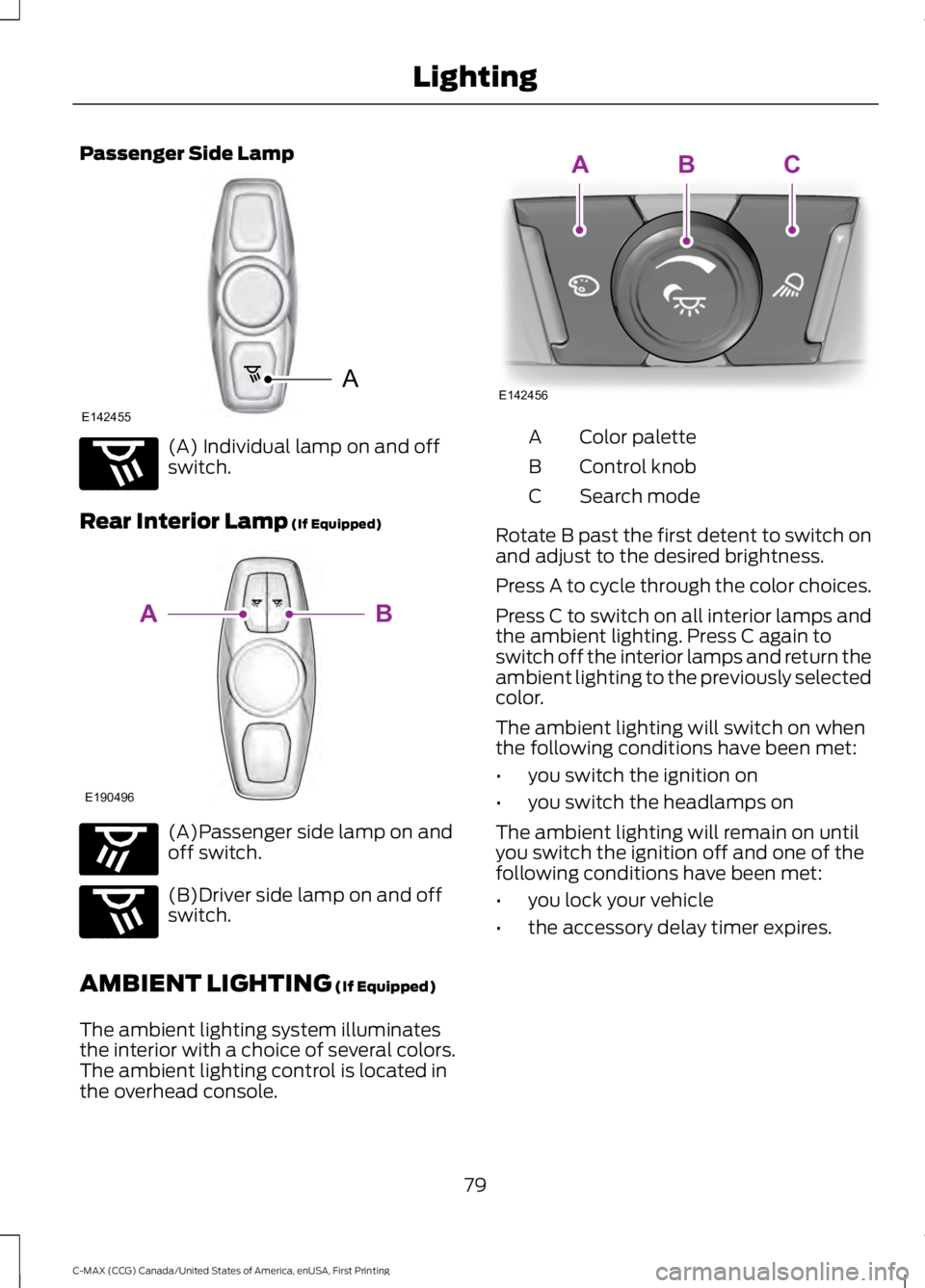
Passenger Side Lamp
(A) Individual lamp on and offswitch.
Rear Interior Lamp (If Equipped)
(A)Passenger side lamp on andoff switch.
(B)Driver side lamp on and offswitch.
AMBIENT LIGHTING (If Equipped)
The ambient lighting system illuminatesthe interior with a choice of several colors.The ambient lighting control is located inthe overhead console.
Color paletteA
Control knobB
Search modeC
Rotate B past the first detent to switch onand adjust to the desired brightness.
Press A to cycle through the color choices.
Press C to switch on all interior lamps andthe ambient lighting. Press C again toswitch off the interior lamps and return theambient lighting to the previously selectedcolor.
The ambient lighting will switch on whenthe following conditions have been met:
•you switch the ignition on
•you switch the headlamps on
The ambient lighting will remain on untilyou switch the ignition off and one of thefollowing conditions have been met:
•you lock your vehicle
•the accessory delay timer expires.
79
C-MAX (CCG) Canada/United States of America, enUSA, First Printing
LightingA
E142455 E160818 E190496
B
A E160817 E160818 E142456
ABC
Page 83 of 395
POWER WINDOWS
WARNINGS
Do not leave children unattended inyour vehicle and do not let them playwith the power windows. They mayseriously injure themselves.
When closing the power windows,you should verify they are free ofobstructions and make sure thatchildren and pets are not in the proximityof the window openings.
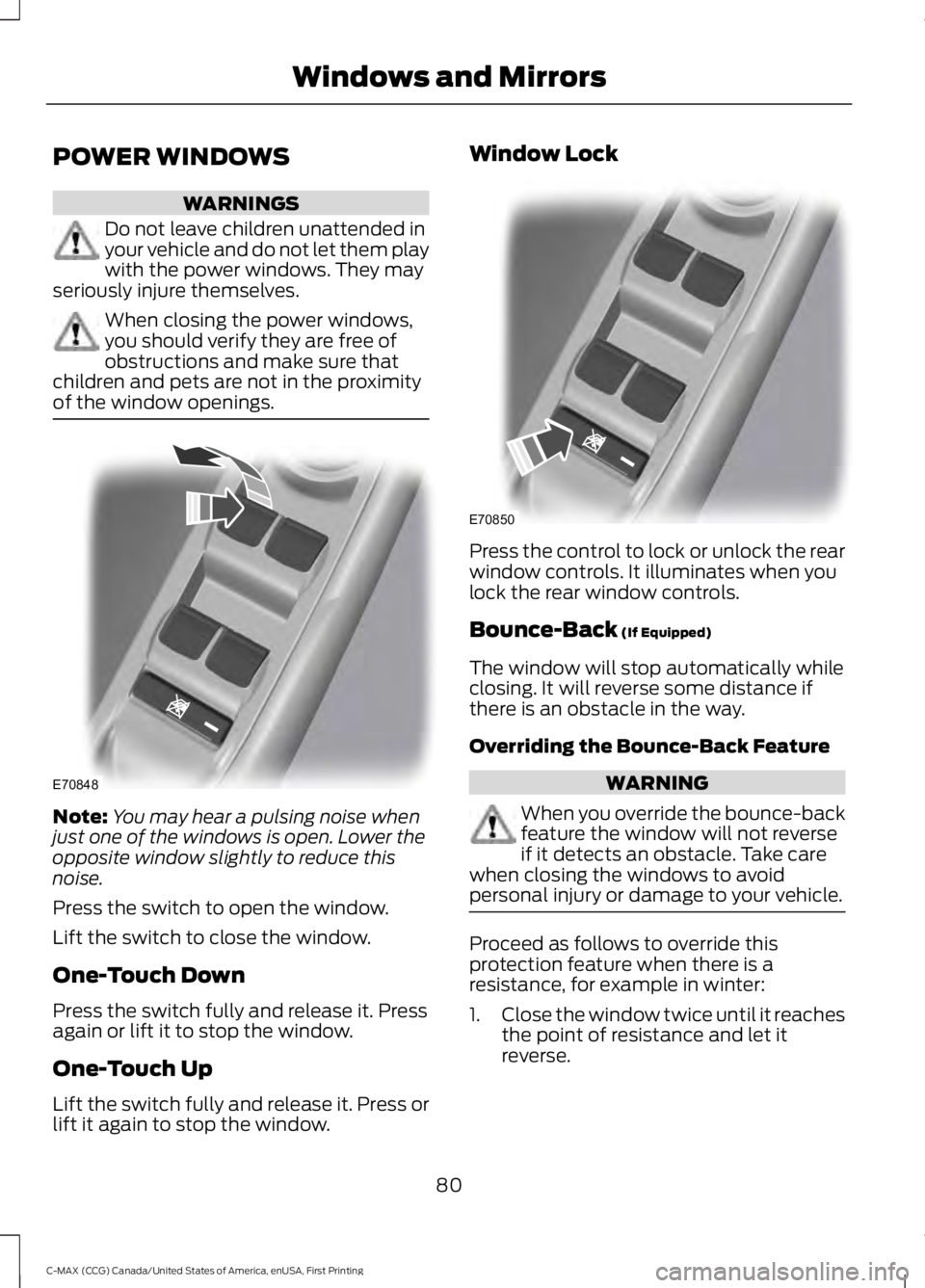
Note:You may hear a pulsing noise whenjust one of the windows is open. Lower theopposite window slightly to reduce thisnoise.
Press the switch to open the window.
Lift the switch to close the window.
One-Touch Down
Press the switch fully and release it. Pressagain or lift it to stop the window.
One-Touch Up
Lift the switch fully and release it. Press orlift it again to stop the window.
Window Lock
Press the control to lock or unlock the rearwindow controls. It illuminates when youlock the rear window controls.
Bounce-Back (If Equipped)
The window will stop automatically whileclosing. It will reverse some distance ifthere is an obstacle in the way.
Overriding the Bounce-Back Feature
WARNING
When you override the bounce-backfeature the window will not reverseif it detects an obstacle. Take carewhen closing the windows to avoidpersonal injury or damage to your vehicle.
Proceed as follows to override thisprotection feature when there is aresistance, for example in winter:
1.Close the window twice until it reachesthe point of resistance and let itreverse.
80
C-MAX (CCG) Canada/United States of America, enUSA, First Printing
Windows and MirrorsE70848 E70850
Page 86 of 395
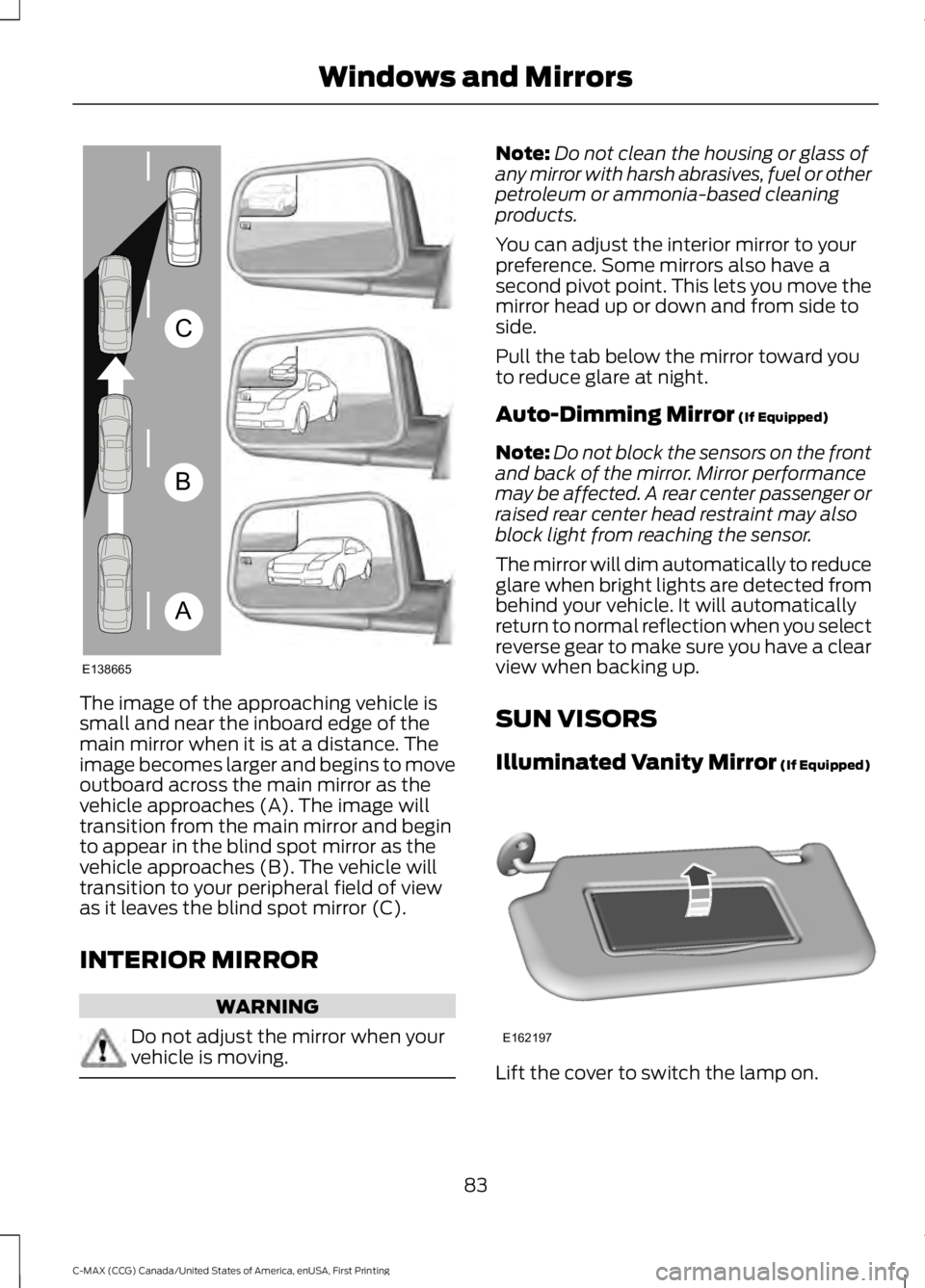
The image of the approaching vehicle issmall and near the inboard edge of themain mirror when it is at a distance. Theimage becomes larger and begins to moveoutboard across the main mirror as thevehicle approaches (A). The image willtransition from the main mirror and beginto appear in the blind spot mirror as thevehicle approaches (B). The vehicle willtransition to your peripheral field of viewas it leaves the blind spot mirror (C).
INTERIOR MIRROR
WARNING
Do not adjust the mirror when yourvehicle is moving.
Note:Do not clean the housing or glass ofany mirror with harsh abrasives, fuel or otherpetroleum or ammonia-based cleaningproducts.
You can adjust the interior mirror to yourpreference. Some mirrors also have asecond pivot point. This lets you move themirror head up or down and from side toside.
Pull the tab below the mirror toward youto reduce glare at night.
Auto-Dimming Mirror (If Equipped)
Note:Do not block the sensors on the frontand back of the mirror. Mirror performancemay be affected. A rear center passenger orraised rear center head restraint may alsoblock light from reaching the sensor.
The mirror will dim automatically to reduceglare when bright lights are detected frombehind your vehicle. It will automaticallyreturn to normal reflection when you selectreverse gear to make sure you have a clearview when backing up.
SUN VISORS
Illuminated Vanity Mirror (If Equipped)
Lift the cover to switch the lamp on.
83
C-MAX (CCG) Canada/United States of America, enUSA, First Printing
Windows and MirrorsA
B
C
E138665 E162197
Page 89 of 395
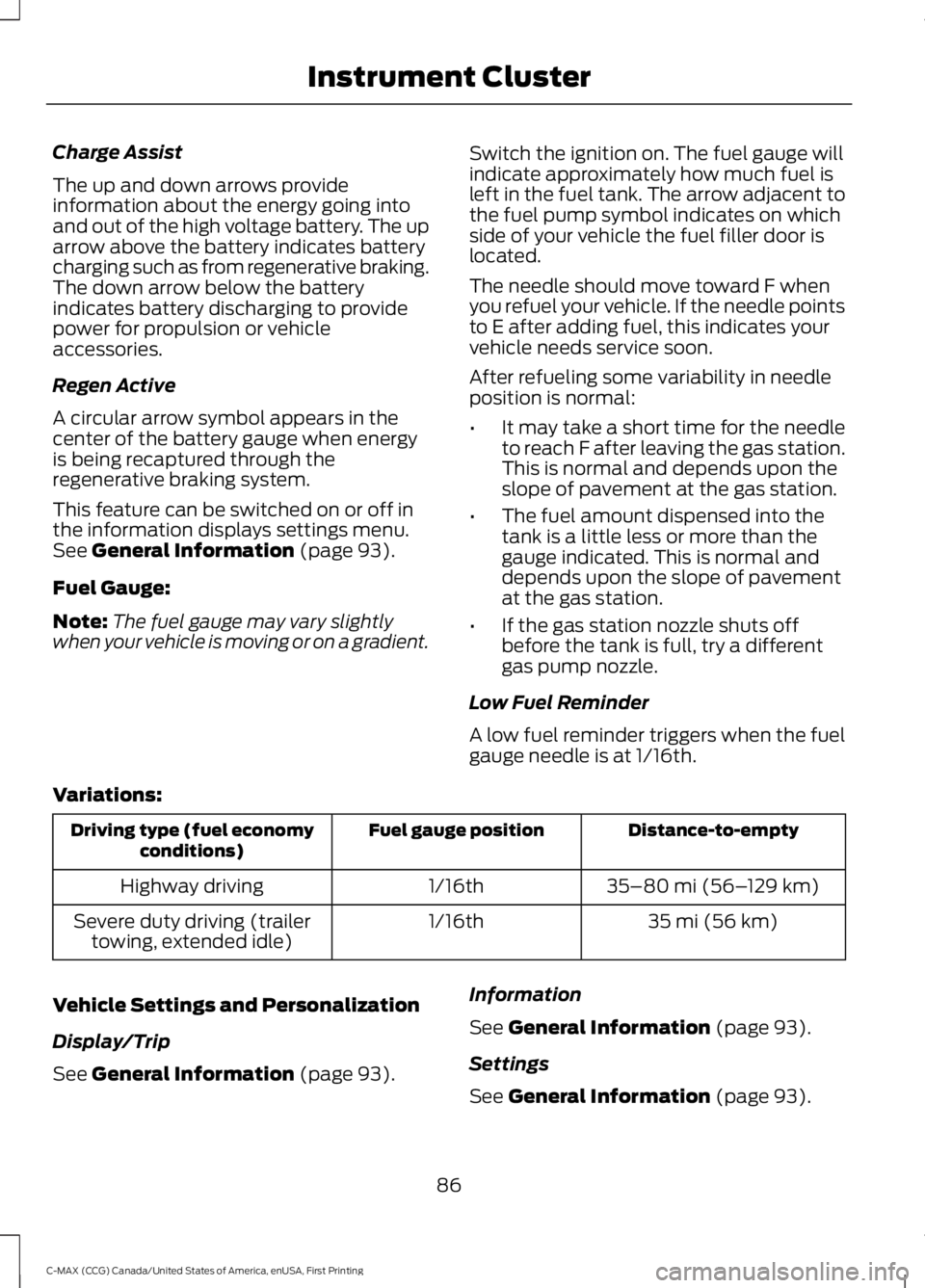
Charge Assist
The up and down arrows provideinformation about the energy going intoand out of the high voltage battery. The uparrow above the battery indicates batterycharging such as from regenerative braking.The down arrow below the batteryindicates battery discharging to providepower for propulsion or vehicleaccessories.
Regen Active
A circular arrow symbol appears in thecenter of the battery gauge when energyis being recaptured through theregenerative braking system.
This feature can be switched on or off inthe information displays settings menu.See General Information (page 93).
Fuel Gauge:
Note:The fuel gauge may vary slightlywhen your vehicle is moving or on a gradient.
Switch the ignition on. The fuel gauge willindicate approximately how much fuel isleft in the fuel tank. The arrow adjacent tothe fuel pump symbol indicates on whichside of your vehicle the fuel filler door islocated.
The needle should move toward F whenyou refuel your vehicle. If the needle pointsto E after adding fuel, this indicates yourvehicle needs service soon.
After refueling some variability in needleposition is normal:
•It may take a short time for the needleto reach F after leaving the gas station.This is normal and depends upon theslope of pavement at the gas station.
•The fuel amount dispensed into thetank is a little less or more than thegauge indicated. This is normal anddepends upon the slope of pavementat the gas station.
•If the gas station nozzle shuts offbefore the tank is full, try a differentgas pump nozzle.
Low Fuel Reminder
A low fuel reminder triggers when the fuelgauge needle is at 1/16th.
Variations:
Distance-to-emptyFuel gauge positionDriving type (fuel economyconditions)
35–80 mi (56–129 km)1/16thHighway driving
35 mi (56 km)1/16thSevere duty driving (trailertowing, extended idle)
Vehicle Settings and Personalization
Display/Trip
See General Information (page 93).
Information
See General Information (page 93).
Settings
See General Information (page 93).
86
C-MAX (CCG) Canada/United States of America, enUSA, First Printing
Instrument Cluster
Page 91 of 395
The amount of energy being used whiledriving is affected by:
•Mild or aggressive acceleration orbraking.
•Your vehicle speed.
•Your use of accessories such as climatecontrol.
•The ambient temperature and otherweather conditions.
•City or highway driving.
•Road grades.
Note:It is normal for vehicle rangeestimates to vary due to changes in averageenergy usage. This is why you will typicallysee different range estimates each time youfill up your fuel tank or fully charge yourbattery.
Trip Efficiency Leaves
Trip Efficiency Leaves display uponshutting off your Hybrid vehicle. For Energivehicles the trip efficiency leaves aredisplayed only when the vehicle operatesin Hybrid for the entire trip. The number ofleaves represent the average for the lasttrip. A new trip begins each time you startyour vehicle (when the Ready to Drivemessage comes on). Corresponding TripSummary data displays on the leftinformation display.
Next Full Charge
The Next Full Charge display is shownupon shutting off your Energi vehiclewhenever your vehicle operates in Plug-inPower Mode for a portion of your trip.
Miles or kilometers per full charge
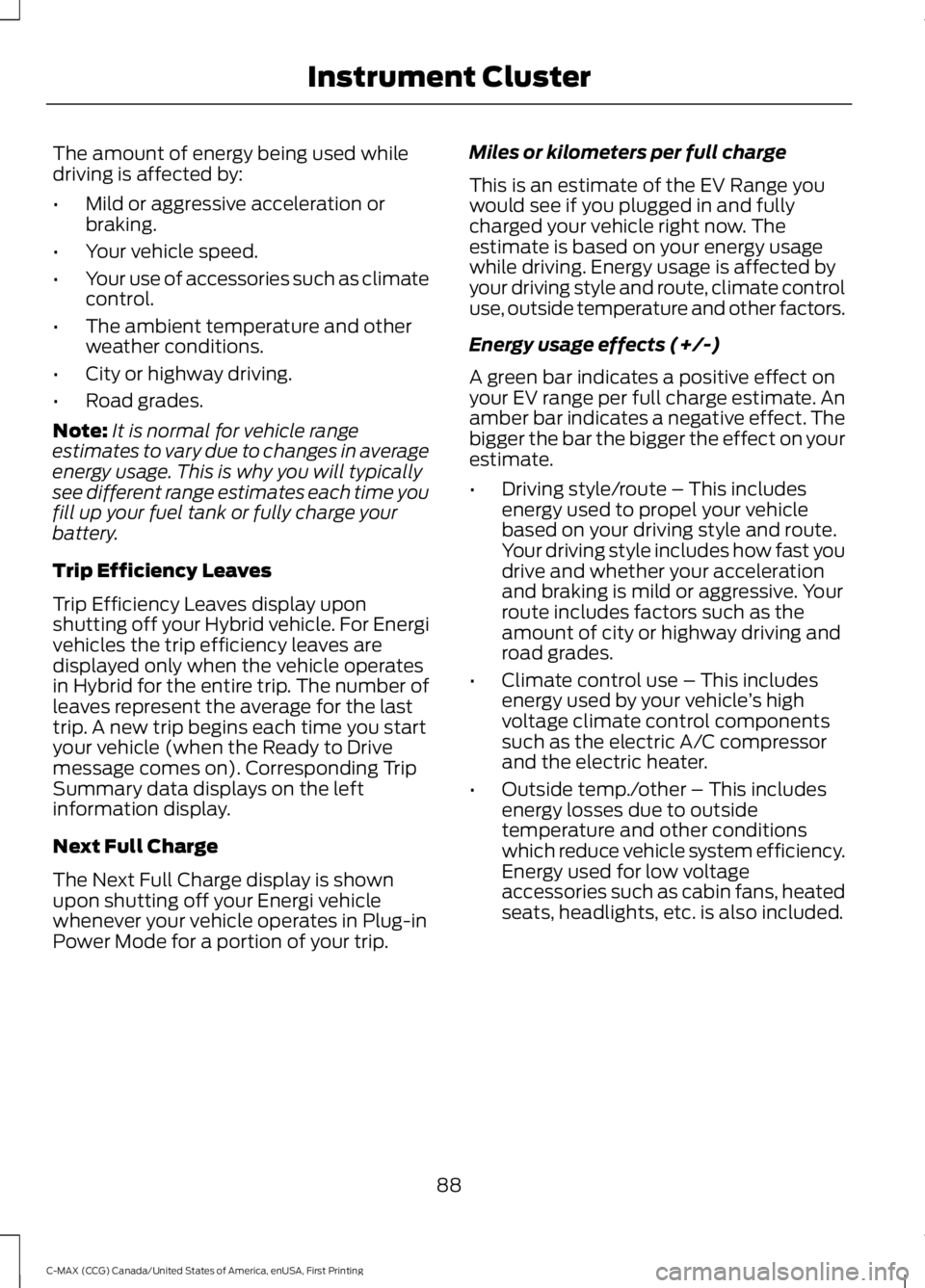
This is an estimate of the EV Range youwould see if you plugged in and fullycharged your vehicle right now. Theestimate is based on your energy usagewhile driving. Energy usage is affected byyour driving style and route, climate controluse, outside temperature and other factors.
Energy usage effects (+/-)
A green bar indicates a positive effect onyour EV range per full charge estimate. Anamber bar indicates a negative effect. Thebigger the bar the bigger the effect on yourestimate.
•Driving style/route – This includesenergy used to propel your vehiclebased on your driving style and route.Your driving style includes how fast youdrive and whether your accelerationand braking is mild or aggressive. Yourroute includes factors such as theamount of city or highway driving androad grades.
•Climate control use – This includesenergy used by your vehicle’s highvoltage climate control componentssuch as the electric A/C compressorand the electric heater.
•Outside temp./other – This includesenergy losses due to outsidetemperature and other conditionswhich reduce vehicle system efficiency.Energy used for low voltageaccessories such as cabin fans, heatedseats, headlights, etc. is also included.
88
C-MAX (CCG) Canada/United States of America, enUSA, First Printing
Instrument Cluster
Page 92 of 395
WARNING LAMPS AND
INDICATORS
The following warning lamps andindicators will alert you to a vehiclecondition that may become serious. Somelamps will light when you start your vehicleto make sure they work. If any lampsremain on after starting your vehicle, referto the respective system warning lamp forfurther information.
Note:Some warning indicators appear inthe information display and function thesame as a warning lamp but do not displaywhen you start your vehicle.
Anti-Lock Braking System
If it lights when you are driving,this indicates a malfunction. Youwill continue to have normalbraking (without anti-lock braking system)unless the brake system warning lamp alsolights. Have the system checked by anauthorized dealer.
Battery
If it lights while driving, thisindicates a malfunction. Switchoff all unnecessary electricalequipment and have the system checkedby an authorized dealer immediately.
Brake System
Lights when you engage theparking brake with the ignitionon.
If it lights when you are driving, check thatyou do not have the parking brakeengaged. If you do not have the parkingbrake engaged, this indicates low brakefluid level or a brake system malfunction.Have the system checked immediately byan authorized dealer.
WARNING
Driving your vehicle with the warninglamp on is dangerous. A significantdecrease in braking performancemay occur. It will take you longer to stopyour vehicle. Have your vehicle checked byyour authorized dealer immediately. Drivingextended distances with the parking brakeengaged can cause brake failure and therisk of personal injury.
Cruise Control (If Equipped)
Lights when you switch on thisfeature.
Direction Indicator
Lights when you switch on theleft or right direction indicator orhazard warning flasher. If theindicators stay on or flash faster, check fora burned out bulb. See Changing a Bulb(page 232).
Door Ajar
Displays when the ignition is onand any door is not completelyclosed.
EcoSelect
Lights when you switch on thisfeature. See Hybrid VehicleOperation (page 135).
Engine and Motor CoolantTemperature
Lights when the engine or motorcoolant temperature is high.Stop the vehicle as soon aspossible, switch off the engine and let cool.
89
C-MAX (CCG) Canada/United States of America, enUSA, First Printing
Instrument Cluster E144522 E71340 E194390
Page 93 of 395
Engine Oil
If it lights with the engine runningor while you are driving, thisindicates a malfunction. Stopyour vehicle as soon as it is safe to do soand switch off the engine. Check the engineoil level. See Engine Oil Check (page 222).
Note:Do not resume your journey if it lightsdespite the level being correct. Have thesystem checked by an authorized dealerimmediately.
EV Now
Lights when you select thisfeature on. See Plug-In HybridVehicle Operation (page 137).
EV Later
Lights when you select thisfeature on. See Plug-In HybridVehicle Operation (page 137).
Fasten Safety Belt
It will light and a tone will soundto remind you to fasten yoursafety belt. See SeatbeltReminder (page 31).
Front Airbag
If it fails to light when you startyour vehicle, continues to flashor remains on, this indicates amalfunction. Have the system checked byan authorized dealer.
Front Fog Lamps (If Equipped)
Lights when you switch the frontfog lamps on.
High Beam
Lights when you switch the highbeam headlamps on. It will flashwhen you use the headlampflasher.
Liftgate Ajar
Lights when the liftgate is notcompletely closed.
Low Battery (If Equipped)
Lights when the battery level islow. You may also see amessage suggesting you reduceyour usage of the climate system.
Low Fuel Level
Lights when the fuel level is lowor the fuel tank is nearly empty.Refuel as soon as possible.
Low Tire Pressure Warning
Lights when your tire pressure islow. If the lamp remains on withthe engine running or whendriving, check your tire pressure as soon aspossible.
It also lights momentarily when you switchon the ignition to confirm the lamp isfunctional. If it does not light when youswitch on the ignition, or begins to flash atany time, have the system checked by anauthorized dealer.
Overdrive Cancel and Grade Assist
(If Equipped)
Lights when the overdrivefunction in the transmissionturns off and the grade assistturns on.
90
C-MAX (CCG) Canada/United States of America, enUSA, First Printing
Instrument Cluster E144814 E151263 E162453 E144691 E162456
Page 94 of 395
Parking Lamps
Lights when you switch theparking lamps on.
Powertrain Fault
Lights when the system detectsa powertrain or high-voltagecharge system fault. If theindicator stays on or continues to come on,contact an authorized dealer as soon aspossible.
Note:If your vehicle detects certain faults,it will not allow you to operate theaccelerator pedal. If this happens, press thebrake pedal and release it. This will activatelimp home vehicle operation. In limp homevehicle operation, your vehicle willaccelerate in a controlled manner up to amaximum speed of 35 mph (56 km/h) ona flat surface. If you apply the brake pedalor move the transmission to neutral (N) youcan override your vehicle’s acceleration.
Ready to Drive
Lights after your switch yourvehicle on and it is ready to drive.A corresponding message maydisplay stating ready to drive.
Service Engine Soon
If the service engine soonindicator light stays on after youswitch on the engine, thisindicates that the On-Board Diagnosticssystem (OBD) has detected a malfunctionof the vehicle emissions control system.Refer to On-Board diagnostics (OBD) inthe Fuel and Refueling chapter for moreinformation about having your vehicleserviced. See Emission Control System(page 150).
If the light is blinking, engine misfire isoccurring which could damage yourcatalytic converter. Drive in a moderatefashion (avoid heavy acceleration anddeceleration) and have your vehicleserviced immediately.
WARNING
Under engine misfire conditions,excessive exhaust temperaturescould damage the catalyticconverter, the fuel system, interior floorcoverings or other vehicle components,possibly causing a fire. Have an authorizeddealer service your vehicle immediately.
The service engine soon indicator lightswhen you first switch on the ignition priorto engine start to check the bulb and toindicate whether the vehicle is ready forInspection and Maintenance testing.
Normally, the service engine soon light willstay on until you switch on the engine, thenturn itself off if no malfunctions arepresent. However, if after 15 seconds theservice engine soon light blinks eight times,it means that the vehicle is not ready forInspection and Maintenance testing. SeeEmission Control System (page 150).
Stability Control
Lights when the system is active.If it remains on or does not lightwhen you switch the ignition on,this indicates a malfunction. During amalfunction, the system will turn off. Havethe system checked by an authorizeddealer immediately. See Using StabilityControl (page 169).
91
C-MAX (CCG) Canada/United States of America, enUSA, First Printing
Instrument Cluster E144692 E138639
Page 95 of 395
Stability Control Off
Lights when you switch thesystem off. It will go out whenyou switch the system back onor when you switch the ignition off. SeeUsing Stability Control (page 169).
Stop Safely
Indicates an electricalcomponent fault or failure thatwill cause the vehicle toshutdown or enter into a limited operatingmode. A message may also display.
Vehicle Plugged in (If Equipped)
Lights after you plug in yourvehicle. A correspondingmessage may display afterattempting to start the vehicle.
AUDIBLE WARNINGS AND
INDICATORS
Key in Ignition Warning Chime
Sounds when you open the driver's doorand you have left the key in the ignition.
Engine On Warning Chime
A warning chime will sound when any dooris opened if the vehicle exceeds a relativelylow speed.
Keyless Warning Alert (If Equipped)
Sounds the horn twice when you exit thevehicle and the keyless vehicle is in RUN,indicating the vehicle is still on.
Headlamps On Warning Chime
Sounds when you remove the key from theignition and open the driver's door and youhave left the headlamps or parking lampson.
Parking Brake On Warning Chime
Sounds when you have left the parkingbrake on and drive your vehicle. If thewarning chime remains on after you havereleased the parking brake, have thesystem checked by your authorized dealerimmediately.
Automatic Transmission WarningChime
Sounds when you have not moved thetransmission selector lever to position P.A message will be shown in the display.
92
C-MAX (CCG) Canada/United States of America, enUSA, First Printing
Instrument Cluster E144693 E144694