steering wheel FORD C MAX ENERGI 2016 Owner's Guide
[x] Cancel search | Manufacturer: FORD, Model Year: 2016, Model line: C MAX ENERGI, Model: FORD C MAX ENERGI 2016Pages: 395, PDF Size: 6.78 MB
Page 273 of 395
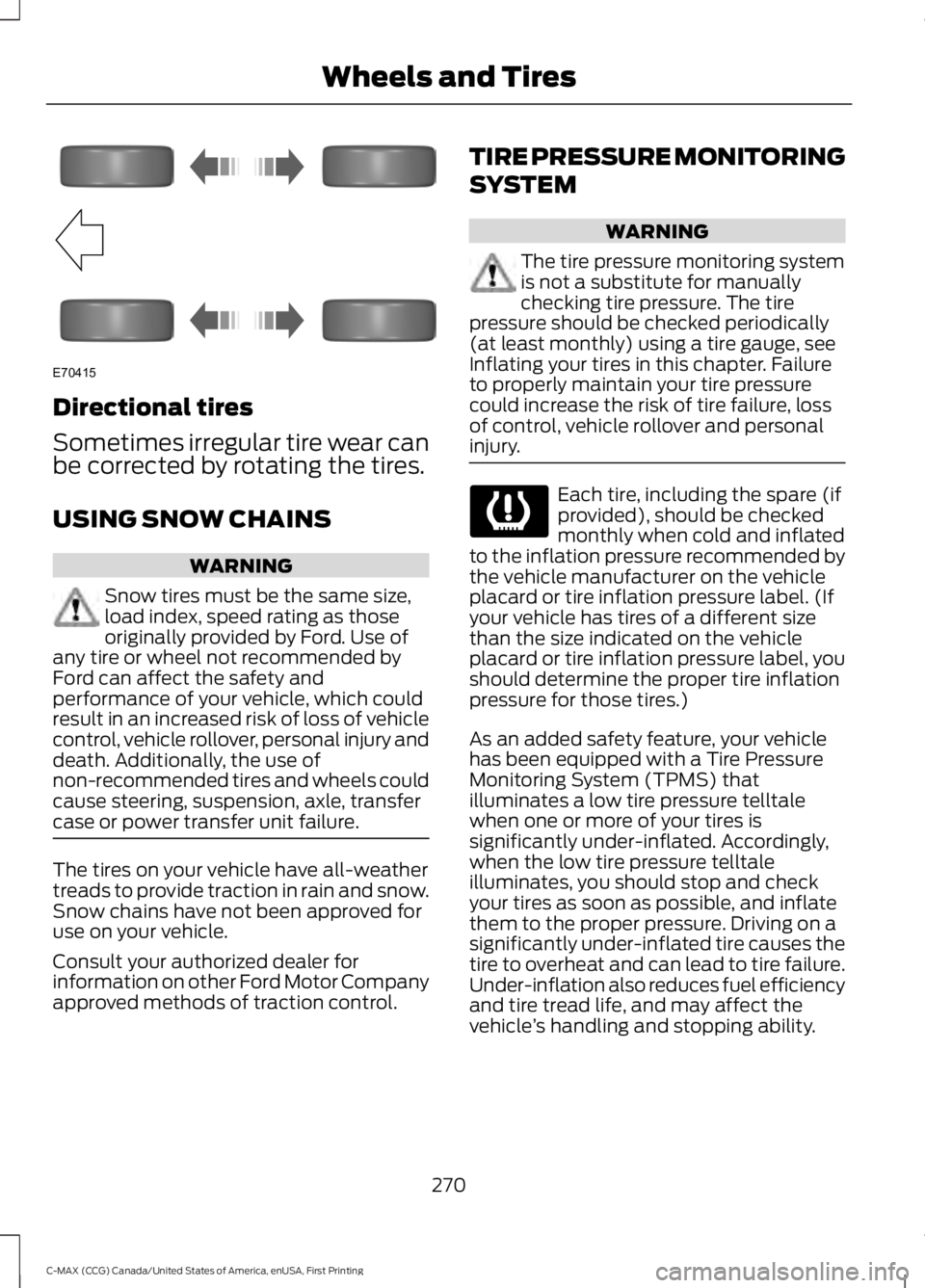
Directional tires
Sometimes irregular tire wear canbe corrected by rotating the tires.
USING SNOW CHAINS
WARNING
Snow tires must be the same size,load index, speed rating as thoseoriginally provided by Ford. Use ofany tire or wheel not recommended byFord can affect the safety andperformance of your vehicle, which couldresult in an increased risk of loss of vehiclecontrol, vehicle rollover, personal injury anddeath. Additionally, the use ofnon-recommended tires and wheels couldcause steering, suspension, axle, transfercase or power transfer unit failure.
The tires on your vehicle have all-weathertreads to provide traction in rain and snow.Snow chains have not been approved foruse on your vehicle.
Consult your authorized dealer forinformation on other Ford Motor Companyapproved methods of traction control.
TIRE PRESSURE MONITORING
SYSTEM
WARNING
The tire pressure monitoring systemis not a substitute for manuallychecking tire pressure. The tirepressure should be checked periodically(at least monthly) using a tire gauge, seeInflating your tires in this chapter. Failureto properly maintain your tire pressurecould increase the risk of tire failure, lossof control, vehicle rollover and personalinjury.
Each tire, including the spare (ifprovided), should be checkedmonthly when cold and inflatedto the inflation pressure recommended bythe vehicle manufacturer on the vehicleplacard or tire inflation pressure label. (Ifyour vehicle has tires of a different sizethan the size indicated on the vehicleplacard or tire inflation pressure label, youshould determine the proper tire inflationpressure for those tires.)
As an added safety feature, your vehiclehas been equipped with a Tire PressureMonitoring System (TPMS) thatilluminates a low tire pressure telltalewhen one or more of your tires issignificantly under-inflated. Accordingly,when the low tire pressure telltaleilluminates, you should stop and checkyour tires as soon as possible, and inflatethem to the proper pressure. Driving on asignificantly under-inflated tire causes thetire to overheat and can lead to tire failure.Under-inflation also reduces fuel efficiencyand tire tread life, and may affect thevehicle’s handling and stopping ability.
270
C-MAX (CCG) Canada/United States of America, enUSA, First Printing
Wheels and TiresE70415
Page 302 of 395
System data cannot be accessed withoutspecial equipment and access to thevehicle's SYNC module. Ford MotorCompany and Ford of Canada will notaccess the system data for any purposeother than as described absent consent, acourt order, or where required by lawenforcement, other governmentauthorities, or other third parties actingwith lawful authority. Other parties mayseek to access the informationindependently of Ford Motor Company andFord of Canada. For further privacyinformation, see the sections on 911 Assist,Vehicle Health Report, and Traffic,Directions and Information.
USING VOICE RECOGNITION
This system helps you control manyfeatures using voice commands. Thisallows you to keep your hands on thewheel and focus on what is in front of you.
Helpful Hints
•Make sure the interior of your vehicle isas quiet as possible. Wind noise fromopen windows and road vibrations mayprevent the system from correctlyrecognizing spoken commands.
•After pressing the voice button, waituntil after the tone sounds andListening appears before saying acommand. Any command spokenbefore this does not register with thesystem.
•Speak naturally, without long pausesbetween words.
•At any time, you can interrupt thesystem while it is speaking by pressingthe voice button.
Initiating a Voice Session
Initiate a voice session bypressing the voice button on thesteering wheel controls. SeeUsing Voice Recognition (page 299).
When prompted you can say any of the following:
If you want the system to carry out the followingVoice command
Stream audio from your phone.Bluetooth Audio
Cancel the requested action.Cancel
Access mobile applications.mobile (apps | applica-tions)
Make calls.Phone
Access the device connected to your USB port.USB [1]
Run a vehicle health report.Vehicle Health (Report)
299
C-MAX (CCG) Canada/United States of America, enUSA, First Printing
SYNC™E142599
Page 303 of 395
If you want the system to carry out the followingVoice command
Adjust the level of voice interaction and feedback.Voice Settings | VoicePreferences
Hear a list of voice commands available in the current mode.Help
You can say any of the voice commands that appear within open and close brackets thatare separated by |. For example, where (cancel | stop | exit) appears you say; cancel orstop or exit.
You must say any of the voice commands that appear outside of open and close brackets.For example, where mobile (apps | applications) appears, you must say mobile followedby either apps or applications.
You do not need to say words that appear within square brackets. For example, for where(USB [stick] | iPOD | MP3 [player]) appears, you can say USB or USB stick.
Note:SYNC Services and Vehicle health report are only available in the United States ofAmerica.
System Interaction and Feedback
The system provides feedback throughaudible tones, prompts, questions andspoken confirmations depending on thesituation and the chosen level ofinteraction (voice settings). You cancustomize the voice recognition system toprovide more or less instruction andfeedback.
The default setting is to a higher level ofinteraction in order to help you learn to usethe system. You can change these settingsat any time.
Adjusting the Interaction Level
Initiate a voice session bypressing the voice button on thesteering wheel controls. SeeUsing Voice Recognition (page 299).
When prompted say the following:
If you want the system to carry out the followingVoice command
Voice Settings | Voice Preferences
Followed by either of the following:
Provide more detailed interaction and guidance.Interaction ModeStandard
Provide less audible interaction and more tone prompts.Interaction ModeAdvanced
The system defaults to the standard interaction mode.
300
C-MAX (CCG) Canada/United States of America, enUSA, First Printing
SYNC™E142599
Page 320 of 395
•A connected Bluetooth-enabled phonemust have adequate network coverage,battery power and signal strength.
•The vehicle must have battery powerand be located in the U.S., Canada orin a territory in which 911 is theemergency number.
In the Event of a Crash
Not all crashes will deploy an airbag oractivate the fuel pump shut-off (thetriggers for 911 Assist). If a connected cellphone sustains damage or loses itsconnection to SYNC during a crash, SYNCwill search for and try to connect to apreviously paired cell phone; SYNC willthen attempt to call the emergencyservices.
Before making the call:
•SYNC provides a short window of time(about 10 seconds) to cancel the call.If you fail to cancel the call, SYNCattempts to dial 911.
•SYNC says the following, or a similarmessage: "SYNC will attempt to call911, to cancel the call, press Cancel onyour screen or press and hold thephone button on your steering wheel."
If you do not cancel the call, and SYNCmakes a successful call, a pre-recordedmessage plays for the 911 operator, andthen the occupant(s) in your vehicle is ableto talk with the operator. Be prepared toprovide your name, phone number andlocation immediately, because not all 911systems are capable of receiving thisinformation electronically.
911 Assist May Not Work If
•Your cellular phone or 911 Assisthardware sustains damage in a crash.
•The vehicle's battery or the SYNCsystem has no power.
•The phone(s) thrown from your vehicleare the ones paired and connected tothe system.
911 Assist Privacy Notice
When you turn on 911 Assist, it maydisclose to emergency services that yourvehicle has been in a crash involving thedeployment of an airbag or activation ofthe fuel pump shut-off. Certain versions orupdates to 911 Assist may also be capableof electronically or verbally disclosing to911 operators your vehicle location or otherdetails about your vehicle or crash to assist911 operators to provide the mostappropriate emergency services. If you donot want to disclose this information, donot turn the feature on.
Vehicle Health Report (IfEquipped, United States Only)
WARNING
Always follow scheduledmaintenance instructions, regularlyinspect your vehicle, and seek repairfor any damage or problem you suspect.Vehicle Health Report supplements, butcannot replace, normal maintenance andvehicle inspection. Vehicle Health Reportonly monitors certain systemselectronically monitored by your vehicleand will not monitor or report the statusof any other system, (such as brake liningwear). Failure to perform scheduledmaintenance and regularly inspect yourvehicle may result in vehicle damage andserious injury.
Note:This feature is only available in theUnited States.
317
C-MAX (CCG) Canada/United States of America, enUSA, First Printing
SYNC™
Page 326 of 395
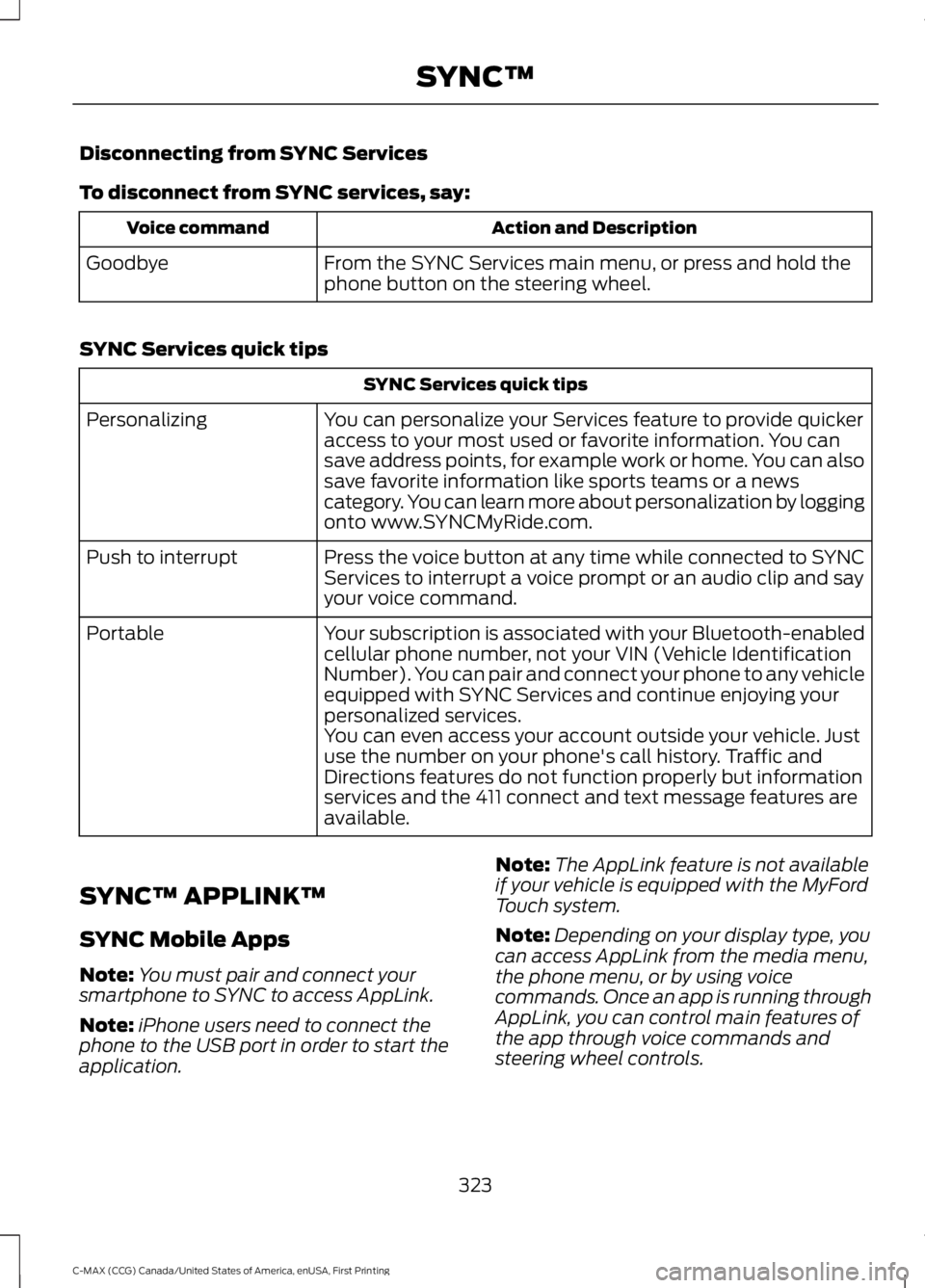
Disconnecting from SYNC Services
To disconnect from SYNC services, say:
Action and DescriptionVoice command
From the SYNC Services main menu, or press and hold thephone button on the steering wheel.Goodbye
SYNC Services quick tips
SYNC Services quick tips
You can personalize your Services feature to provide quickeraccess to your most used or favorite information. You cansave address points, for example work or home. You can alsosave favorite information like sports teams or a newscategory. You can learn more about personalization by loggingonto www.SYNCMyRide.com.
Personalizing
Press the voice button at any time while connected to SYNCServices to interrupt a voice prompt or an audio clip and sayyour voice command.
Push to interrupt
Your subscription is associated with your Bluetooth-enabledcellular phone number, not your VIN (Vehicle IdentificationNumber). You can pair and connect your phone to any vehicleequipped with SYNC Services and continue enjoying yourpersonalized services.
Portable
You can even access your account outside your vehicle. Justuse the number on your phone's call history. Traffic andDirections features do not function properly but informationservices and the 411 connect and text message features areavailable.
SYNC™ APPLINK™
SYNC Mobile Apps
Note:You must pair and connect yoursmartphone to SYNC to access AppLink.
Note:iPhone users need to connect thephone to the USB port in order to start theapplication.
Note:The AppLink feature is not availableif your vehicle is equipped with the MyFordTouch system.
Note:Depending on your display type, youcan access AppLink from the media menu,the phone menu, or by using voicecommands. Once an app is running throughAppLink, you can control main features ofthe app through voice commands andsteering wheel controls.
323
C-MAX (CCG) Canada/United States of America, enUSA, First Printing
SYNC™
Page 356 of 395
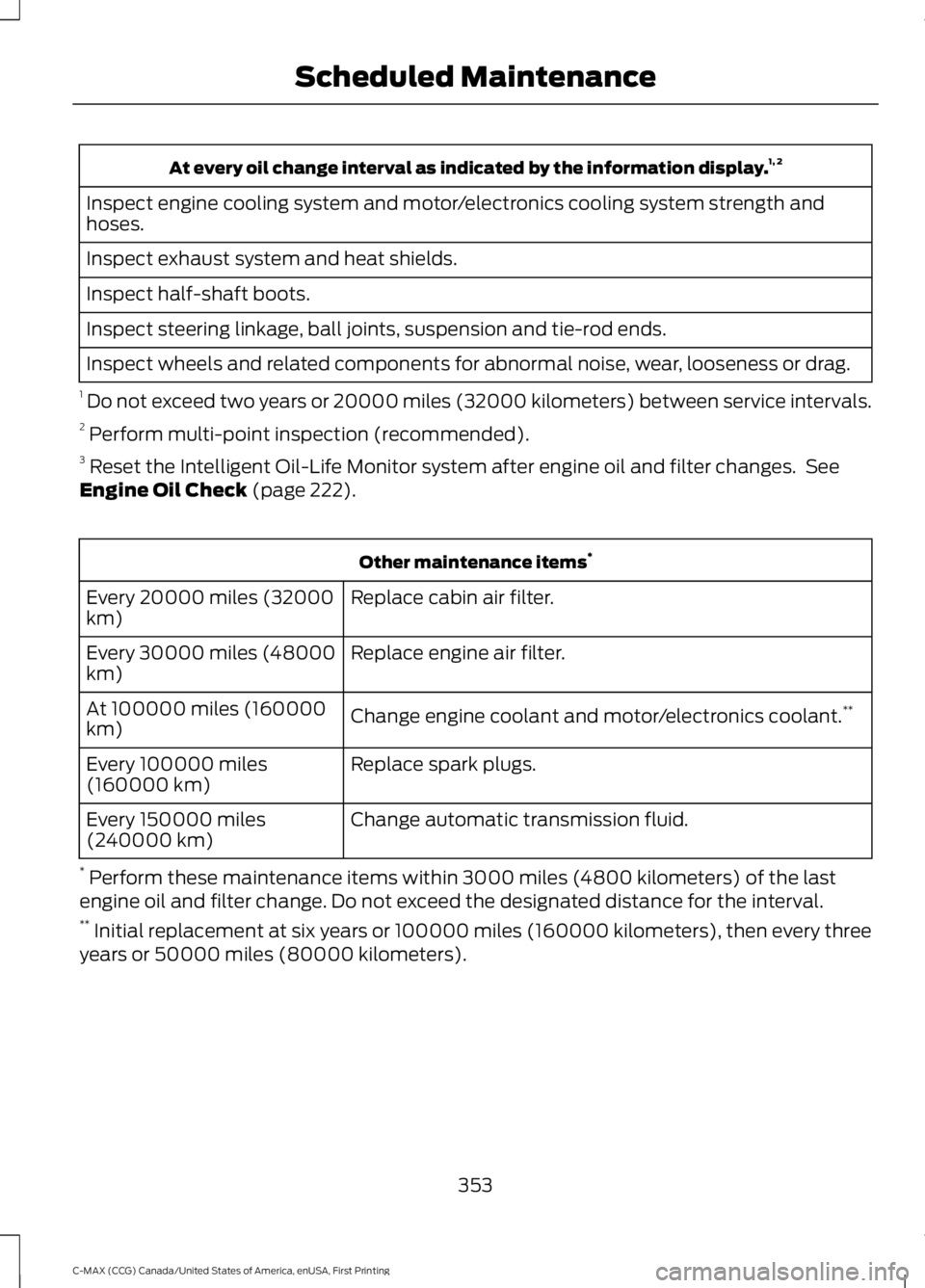
At every oil change interval as indicated by the information display.1, 2
Inspect engine cooling system and motor/electronics cooling system strength andhoses.
Inspect exhaust system and heat shields.
Inspect half-shaft boots.
Inspect steering linkage, ball joints, suspension and tie-rod ends.
Inspect wheels and related components for abnormal noise, wear, looseness or drag.
1 Do not exceed two years or 20000 miles (32000 kilometers) between service intervals.2 Perform multi-point inspection (recommended).3 Reset the Intelligent Oil-Life Monitor system after engine oil and filter changes. SeeEngine Oil Check (page 222).
Other maintenance items*
Replace cabin air filter.Every 20000 miles (32000km)
Replace engine air filter.Every 30000 miles (48000km)
Change engine coolant and motor/electronics coolant.**At 100000 miles (160000km)
Replace spark plugs.Every 100000 miles(160000 km)
Change automatic transmission fluid.Every 150000 miles(240000 km)
* Perform these maintenance items within 3000 miles (4800 kilometers) of the lastengine oil and filter change. Do not exceed the designated distance for the interval.** Initial replacement at six years or 100000 miles (160000 kilometers), then every threeyears or 50000 miles (80000 kilometers).
353
C-MAX (CCG) Canada/United States of America, enUSA, First Printing
Scheduled Maintenance
Page 386 of 395
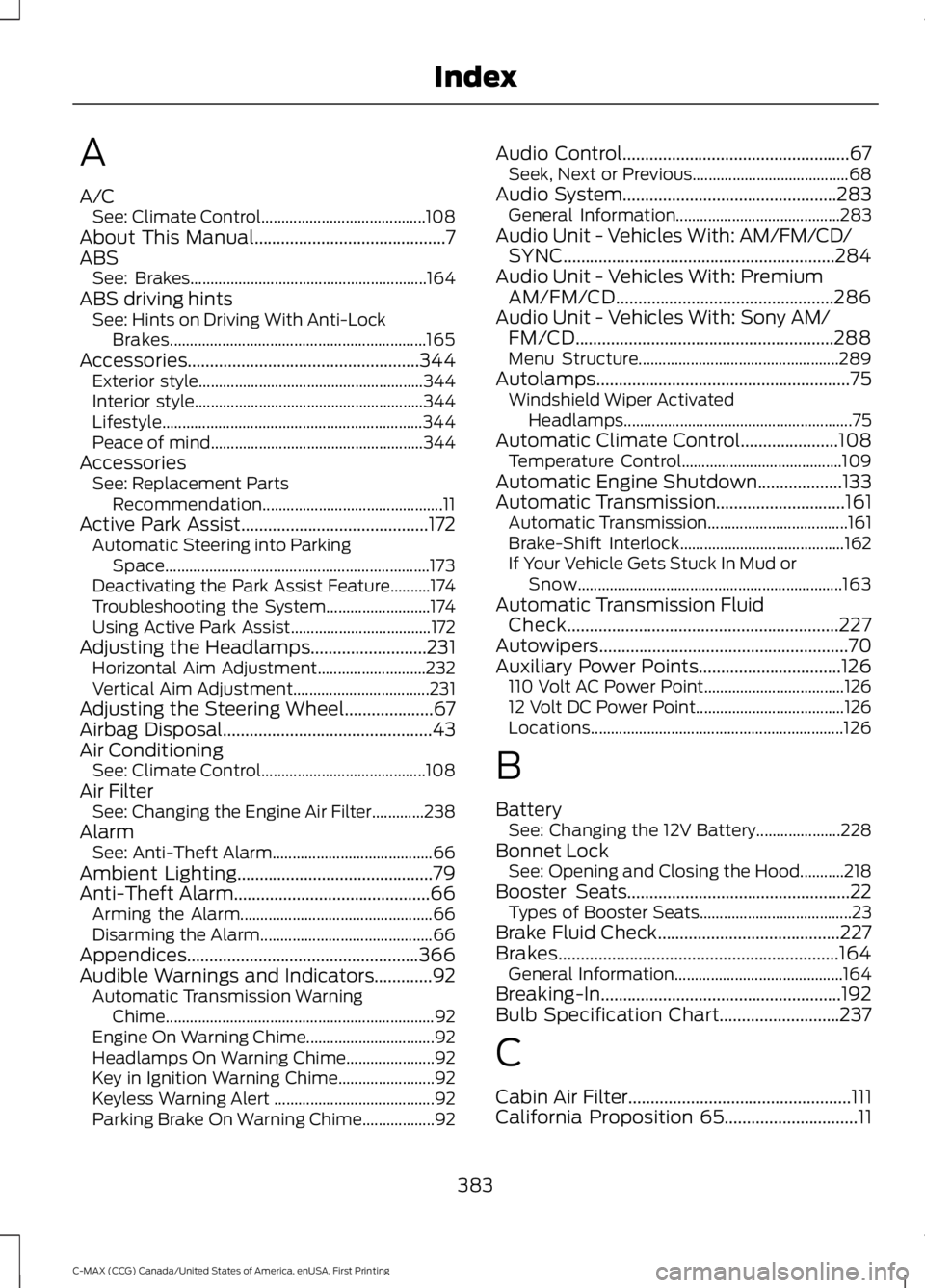
A
A/CSee: Climate Control.........................................108About This Manual...........................................7ABSSee: Brakes...........................................................164ABS driving hintsSee: Hints on Driving With Anti-LockBrakes................................................................165Accessories....................................................344Exterior style........................................................344Interior style.........................................................344Lifestyle.................................................................344Peace of mind.....................................................344AccessoriesSee: Replacement PartsRecommendation.............................................11Active Park Assist..........................................172Automatic Steering into ParkingSpace..................................................................173Deactivating the Park Assist Feature..........174Troubleshooting the System..........................174Using Active Park Assist...................................172Adjusting the Headlamps..........................231Horizontal Aim Adjustment...........................232Vertical Aim Adjustment..................................231Adjusting the Steering Wheel....................67Airbag Disposal...............................................43Air ConditioningSee: Climate Control.........................................108Air FilterSee: Changing the Engine Air Filter.............238AlarmSee: Anti-Theft Alarm........................................66Ambient Lighting............................................79Anti-Theft Alarm............................................66Arming the Alarm................................................66Disarming the Alarm...........................................66Appendices....................................................366Audible Warnings and Indicators.............92Automatic Transmission WarningChime...................................................................92Engine On Warning Chime................................92Headlamps On Warning Chime......................92Key in Ignition Warning Chime........................92Keyless Warning Alert ........................................92Parking Brake On Warning Chime..................92
Audio Control...................................................67Seek, Next or Previous.......................................68Audio System................................................283General Information.........................................283Audio Unit - Vehicles With: AM/FM/CD/SYNC.............................................................284Audio Unit - Vehicles With: PremiumAM/FM/CD.................................................286Audio Unit - Vehicles With: Sony AM/FM/CD..........................................................288Menu Structure..................................................289Autolamps.........................................................75Windshield Wiper ActivatedHeadlamps.........................................................75Automatic Climate Control......................108Temperature Control........................................109Automatic Engine Shutdown...................133Automatic Transmission.............................161Automatic Transmission...................................161Brake-Shift Interlock.........................................162If Your Vehicle Gets Stuck In Mud orSnow..................................................................163Automatic Transmission FluidCheck.............................................................227Autowipers........................................................70Auxiliary Power Points................................126110 Volt AC Power Point...................................12612 Volt DC Power Point.....................................126Locations...............................................................126
B
BatterySee: Changing the 12V Battery.....................228Bonnet LockSee: Opening and Closing the Hood...........218Booster Seats..................................................22Types of Booster Seats......................................23Brake Fluid Check.........................................227Brakes...............................................................164General Information..........................................164Breaking-In......................................................192Bulb Specification Chart...........................237
C
Cabin Air Filter..................................................111California Proposition 65..............................11
383
C-MAX (CCG) Canada/United States of America, enUSA, First Printing
Index
Page 392 of 395
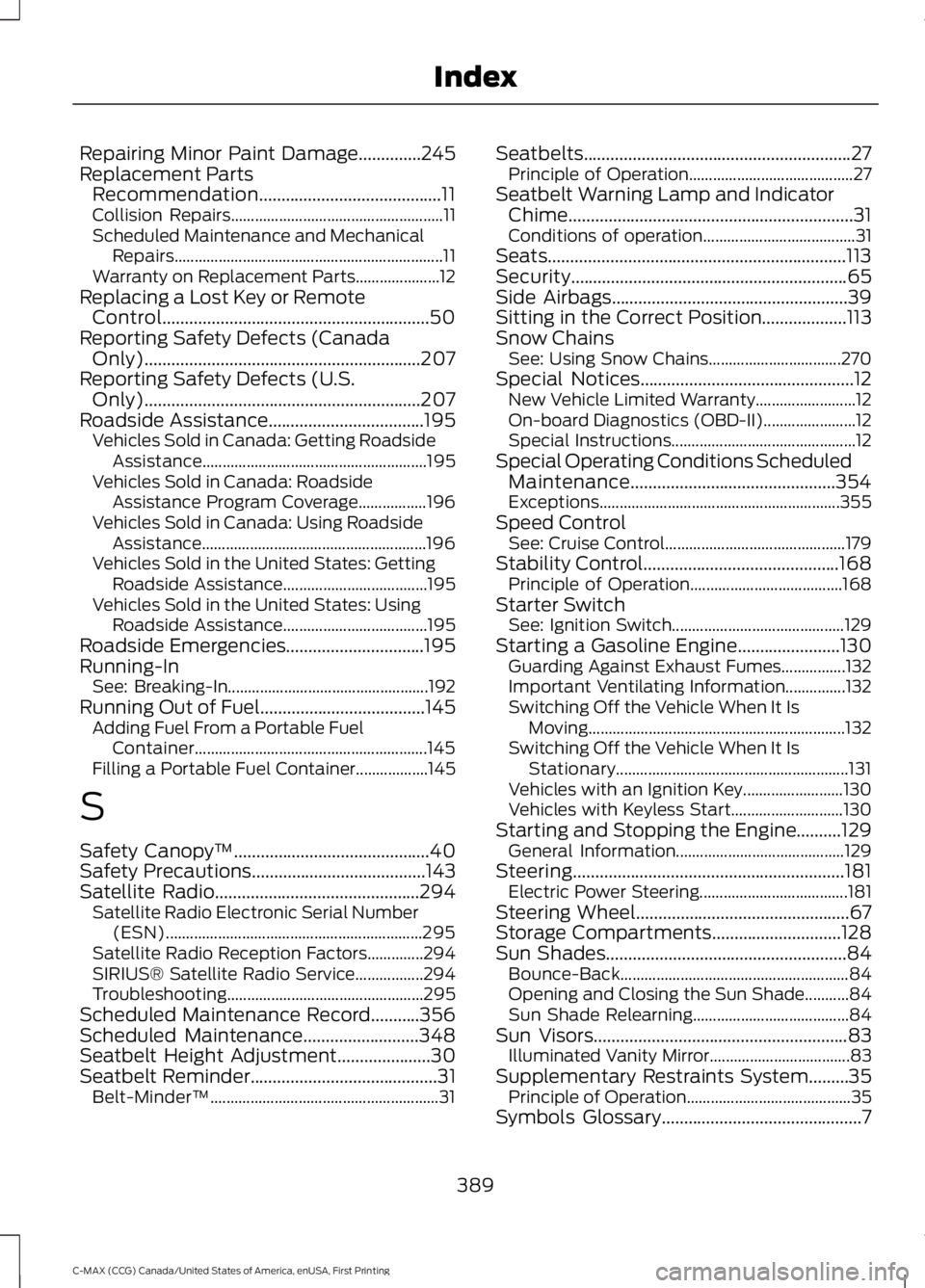
Repairing Minor Paint Damage..............245Replacement PartsRecommendation.........................................11Collision Repairs.....................................................11Scheduled Maintenance and MechanicalRepairs...................................................................11Warranty on Replacement Parts.....................12Replacing a Lost Key or RemoteControl............................................................50Reporting Safety Defects (CanadaOnly)..............................................................207Reporting Safety Defects (U.S.Only)..............................................................207Roadside Assistance...................................195Vehicles Sold in Canada: Getting RoadsideAssistance........................................................195Vehicles Sold in Canada: RoadsideAssistance Program Coverage.................196Vehicles Sold in Canada: Using RoadsideAssistance........................................................196Vehicles Sold in the United States: GettingRoadside Assistance....................................195Vehicles Sold in the United States: UsingRoadside Assistance....................................195Roadside Emergencies...............................195Running-InSee: Breaking-In..................................................192Running Out of Fuel.....................................145Adding Fuel From a Portable FuelContainer..........................................................145Filling a Portable Fuel Container..................145
S
Safety Canopy™............................................40Safety Precautions.......................................143Satellite Radio..............................................294Satellite Radio Electronic Serial Number(ESN)................................................................295Satellite Radio Reception Factors..............294SIRIUS® Satellite Radio Service.................294Troubleshooting.................................................295Scheduled Maintenance Record...........356Scheduled Maintenance..........................348Seatbelt Height Adjustment.....................30Seatbelt Reminder..........................................31Belt-Minder™.........................................................31
Seatbelts............................................................27Principle of Operation.........................................27Seatbelt Warning Lamp and IndicatorChime................................................................31Conditions of operation......................................31Seats...................................................................113Security..............................................................65Side Airbags.....................................................39Sitting in the Correct Position...................113Snow ChainsSee: Using Snow Chains.................................270Special Notices................................................12New Vehicle Limited Warranty.........................12On-board Diagnostics (OBD-II).......................12Special Instructions..............................................12Special Operating Conditions ScheduledMaintenance..............................................354Exceptions............................................................355Speed ControlSee: Cruise Control.............................................179Stability Control............................................168Principle of Operation......................................168Starter SwitchSee: Ignition Switch...........................................129Starting a Gasoline Engine.......................130Guarding Against Exhaust Fumes................132Important Ventilating Information...............132Switching Off the Vehicle When It IsMoving................................................................132Switching Off the Vehicle When It IsStationary..........................................................131Vehicles with an Ignition Key.........................130Vehicles with Keyless Start............................130Starting and Stopping the Engine..........129General Information..........................................129Steering.............................................................181Electric Power Steering.....................................181Steering Wheel................................................67Storage Compartments.............................128Sun Shades......................................................84Bounce-Back.........................................................84Opening and Closing the Sun Shade...........84Sun Shade Relearning.......................................84Sun Visors.........................................................83Illuminated Vanity Mirror...................................83Supplementary Restraints System.........35Principle of Operation.........................................35Symbols Glossary.............................................7
389
C-MAX (CCG) Canada/United States of America, enUSA, First Printing
Index