warning FORD C MAX ENERGI 2016 Owner's Guide
[x] Cancel search | Manufacturer: FORD, Model Year: 2016, Model line: C MAX ENERGI, Model: FORD C MAX ENERGI 2016Pages: 395, PDF Size: 6.78 MB
Page 51 of 395
Intelligent Access Key (Type 2)
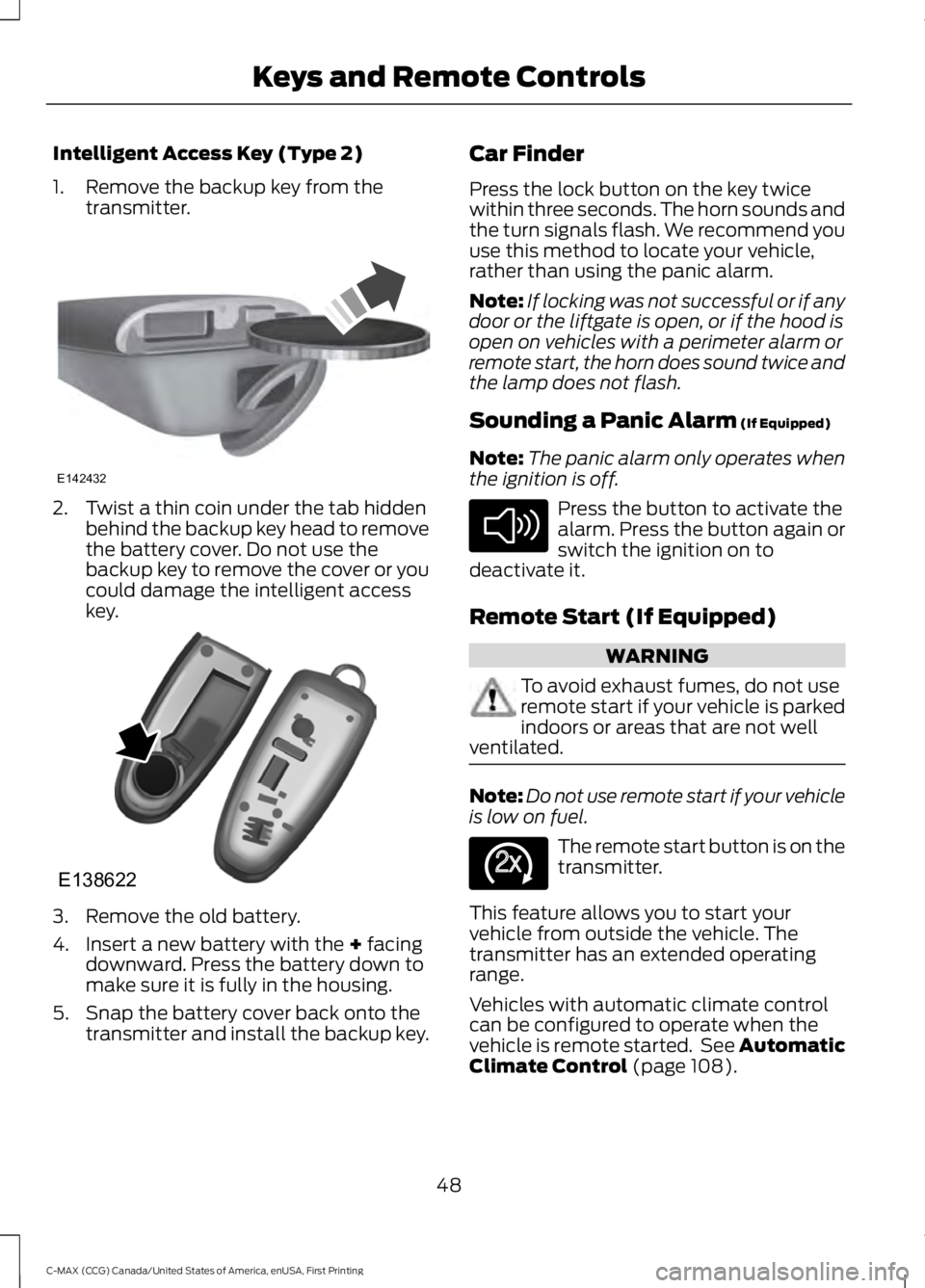
1. Remove the backup key from thetransmitter.
2. Twist a thin coin under the tab hiddenbehind the backup key head to removethe battery cover. Do not use thebackup key to remove the cover or youcould damage the intelligent accesskey.
3. Remove the old battery.
4. Insert a new battery with the + facingdownward. Press the battery down tomake sure it is fully in the housing.
5. Snap the battery cover back onto thetransmitter and install the backup key.
Car Finder
Press the lock button on the key twicewithin three seconds. The horn sounds andthe turn signals flash. We recommend youuse this method to locate your vehicle,rather than using the panic alarm.
Note:If locking was not successful or if anydoor or the liftgate is open, or if the hood isopen on vehicles with a perimeter alarm orremote start, the horn does sound twice andthe lamp does not flash.
Sounding a Panic Alarm (If Equipped)
Note:The panic alarm only operates whenthe ignition is off.
Press the button to activate thealarm. Press the button again orswitch the ignition on todeactivate it.
Remote Start (If Equipped)
WARNING
To avoid exhaust fumes, do not useremote start if your vehicle is parkedindoors or areas that are not wellventilated.
Note:Do not use remote start if your vehicleis low on fuel.
The remote start button is on thetransmitter.
This feature allows you to start yourvehicle from outside the vehicle. Thetransmitter has an extended operatingrange.
Vehicles with automatic climate controlcan be configured to operate when thevehicle is remote started. See AutomaticClimate Control (page 108).
48
C-MAX (CCG) Canada/United States of America, enUSA, First Printing
Keys and Remote ControlsE142432 E138622 E138624 E138625
Page 54 of 395
PRINCIPLE OF OPERATION
MyKey allows you to program keys withrestricted driving modes to promote gooddriving habits. All but one of the keysprogrammed to the vehicle can beactivated with these restricted modes.
Any keys that have not been programmedare referred to as administrator keys oradmin keys. These can be used to:
•Create a MyKey.
•Program configurable MyKey settings.
•Clear all MyKey features.
When you have programmed a MyKey, youcan access the following information usingthe information display:
•How many admin keys and MyKeys areprogrammed to your vehicle.
•The total distance your vehicle hastraveled using a MyKey.
Note:All MyKeys are programmed to thesame settings. You cannot program themindividually.
Note:For vehicles with push-button start,when both a MyKey and an admin remotetransmitter are present, the admin remotetransmitter will be recognized by the vehiclewhile switching the ignition on to start thevehicle.
Non-configurable Settings
The following settings cannot be changedby an admin key user:
•Seat belt reminder or Belt Minder. Youcannot disable this feature. The audiosystem will mute when the front seatpassengers' safety belts are notfastened.
•Early low fuel. The low-fuel warningactivates earlier, giving the MyKey usermore time to refuel.
•Driver assist features, if equipped onyour vehicle, are forced on: parking aid.
Configurable Settings
With an admin key, you can configurecertain MyKey settings when you firstcreate a MyKey and before you recycle thekey or restart the vehicle. You can alsochange the settings afterward with anadmin key.
•A vehicle speed limit can be set.Warnings will be shown in the displayfollowed by an audible tone when yourvehicle reaches the set speed. Youcannot override the set speed by fullydepressing the accelerator pedal or bysetting cruise control.
WARNING
Do not set MyKey maximum speedlimit to a limit that will prevent thedriver from maintaining a safe speedconsidering posted speed limits andprevailing road conditions. The driver isalways responsible to drive in accordancewith local laws and prevailing conditions.Failure to do so could result in accident orinjury.
51
C-MAX (CCG) Canada/United States of America, enUSA, First Printing
MyKey™
Page 59 of 395
LOCKING AND UNLOCKING
You can use the power door lock controlor the remote control to lock and unlockyour vehicle.
Power Door Locks
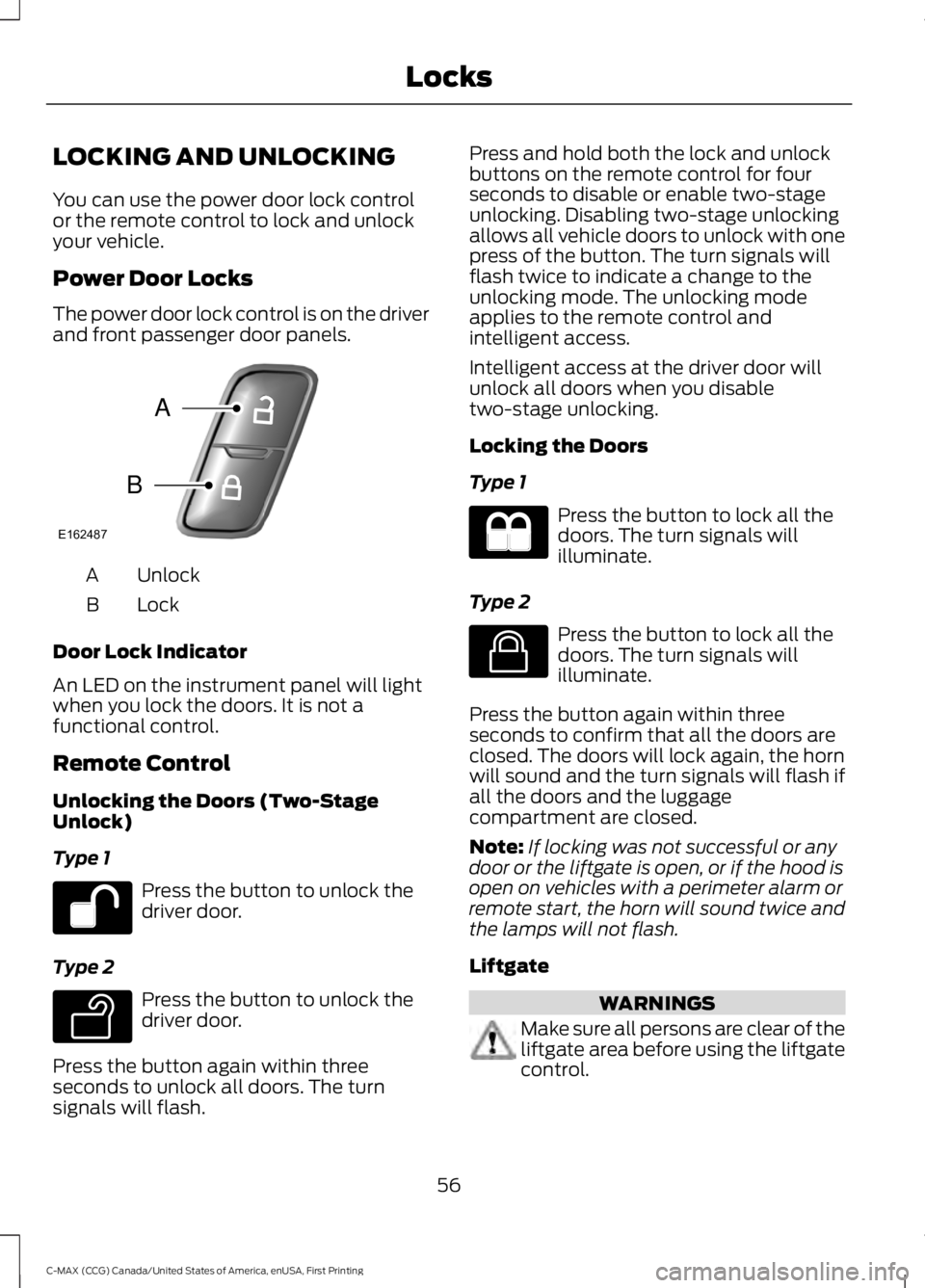
The power door lock control is on the driverand front passenger door panels.
UnlockA
LockB
Door Lock Indicator
An LED on the instrument panel will lightwhen you lock the doors. It is not afunctional control.
Remote Control
Unlocking the Doors (Two-StageUnlock)
Type 1
Press the button to unlock thedriver door.
Type 2
Press the button to unlock thedriver door.
Press the button again within threeseconds to unlock all doors. The turnsignals will flash.
Press and hold both the lock and unlockbuttons on the remote control for fourseconds to disable or enable two-stageunlocking. Disabling two-stage unlockingallows all vehicle doors to unlock with onepress of the button. The turn signals willflash twice to indicate a change to theunlocking mode. The unlocking modeapplies to the remote control andintelligent access.
Intelligent access at the driver door willunlock all doors when you disabletwo-stage unlocking.
Locking the Doors
Type 1
Press the button to lock all thedoors. The turn signals willilluminate.
Type 2
Press the button to lock all thedoors. The turn signals willilluminate.
Press the button again within threeseconds to confirm that all the doors areclosed. The doors will lock again, the hornwill sound and the turn signals will flash ifall the doors and the luggagecompartment are closed.
Note:If locking was not successful or anydoor or the liftgate is open, or if the hood isopen on vehicles with a perimeter alarm orremote start, the horn will sound twice andthe lamps will not flash.
Liftgate
WARNINGS
Make sure all persons are clear of theliftgate area before using the liftgatecontrol.
56
C-MAX (CCG) Canada/United States of America, enUSA, First Printing
LocksE162487
A
B E138629 E138623
Page 60 of 395
WARNINGS
Make sure to close and latch theliftgate to prevent drawing exhaustfumes into your vehicle. This will alsoprevent passengers and cargo from fallingout. If you must drive with the liftgate open,keep the vents or windows open so outsideair comes into your vehicle. Failure tofollow this warning could result in seriouspersonal injury.
Note:Be careful when opening or closingthe liftgate in a garage or other enclosedarea to avoid damaging the liftgate.
Press twice within three secondsto:
•unlatch a manual liftgate
•open, close or stop the movement ofa power liftgate. See Power Liftgate(page 61).
Mechanical Key
Turn the top of the key toward the front ofyour vehicle once to lock all doors.
Turn the top of the key toward the rear ofyour vehicle once to unlock the driver dooronly.
Locking the Doors Individually
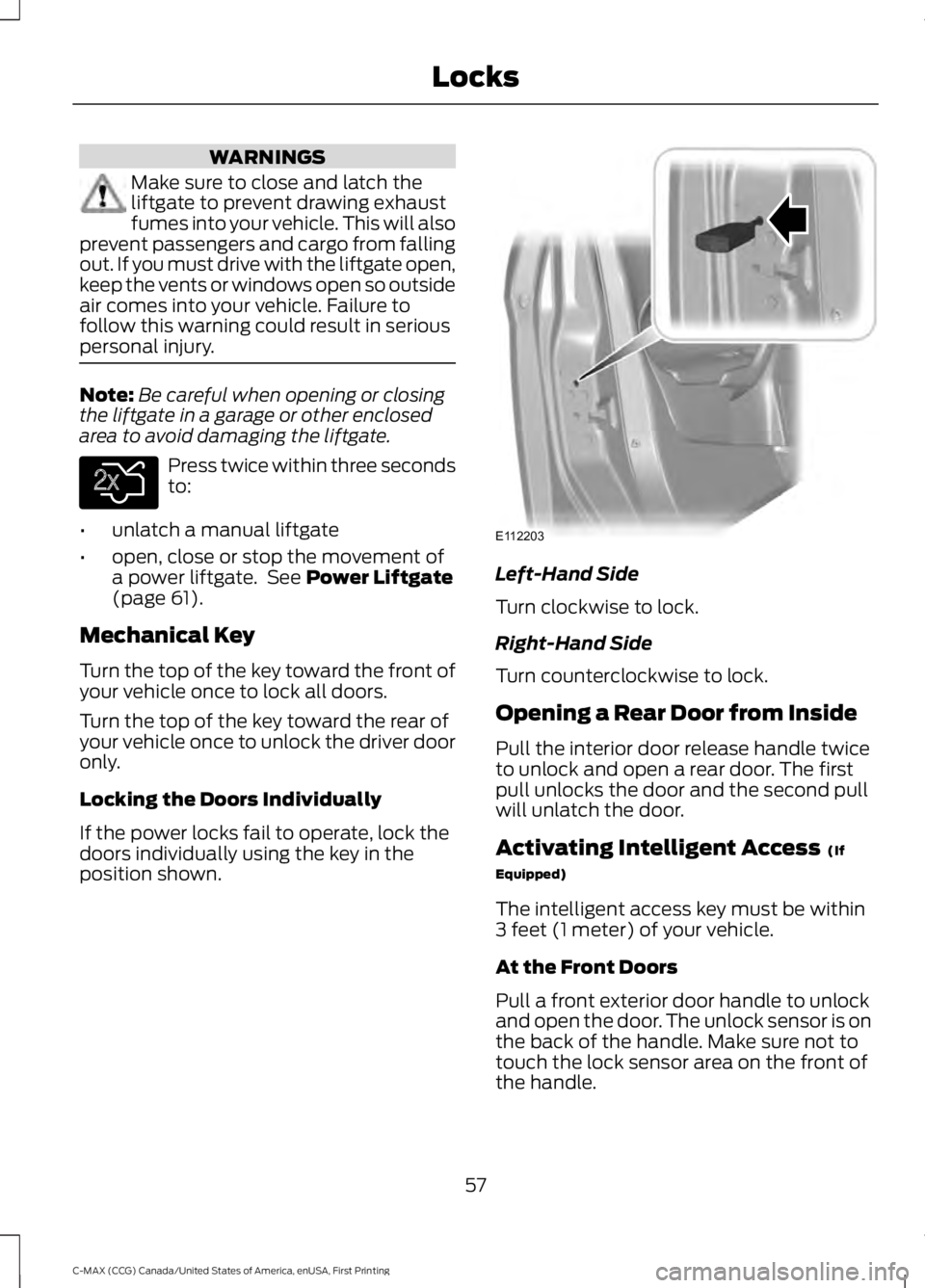
If the power locks fail to operate, lock thedoors individually using the key in theposition shown.
Left-Hand Side
Turn clockwise to lock.
Right-Hand Side
Turn counterclockwise to lock.
Opening a Rear Door from Inside
Pull the interior door release handle twiceto unlock and open a rear door. The firstpull unlocks the door and the second pullwill unlatch the door.
Activating Intelligent Access (If
Equipped)
The intelligent access key must be within3 feet (1 meter) of your vehicle.
At the Front Doors
Pull a front exterior door handle to unlockand open the door. The unlock sensor is onthe back of the handle. Make sure not totouch the lock sensor area on the front ofthe handle.
57
C-MAX (CCG) Canada/United States of America, enUSA, First Printing
LocksE138630 E112203
Page 63 of 395
The lamps will turn off if all the doorsremain closed and:
•25 seconds elapse, or
•you lock your vehicle from the outside.
Battery Saver
If you leave the courtesy lamps or domelamps on and switch the ignition off, thebattery saver shuts them off after sometime.
Accessory Mode Battery Saver forIntelligent Access Keys (If Equipped)
If you leave the ignition on after leavingyour vehicle, it will shut off 15 minutes afteryou close all of the doors.
MANUAL LIFTGATE
WARNINGS
It is extremely dangerous to ride in acargo area, inside or outside of avehicle. In a crash, people riding inthese areas are more likely to be seriouslyinjured or killed. Do not allow people to ridein any area of your vehicle that is notequipped with seats and safety belts. Besure everyone in your vehicle is in a seatand using a safety belt properly. Failure tofollow this warning could result in seriouspersonal injury or death.
Make sure to close and latch theliftgate to prevent drawing exhaustfumes into your vehicle. This will alsoprevent passengers and cargo from fallingout. If you must drive with the liftgate open,keep the vents or windows open so outsideair comes into your vehicle. Failure tofollow this warning could result in seriouspersonal injury.
Note:Be careful when opening or closingthe liftgate in a garage or other enclosedarea to avoid damaging the liftgate.
Note:Do not hang anything, for example abike rack, from the glass or liftgate. Thiscould damage the liftgate and itscomponents.
Note:Do not leave the liftgate open whiledriving. This could damage the liftgate andits components.
Opening the Liftgate
Manually
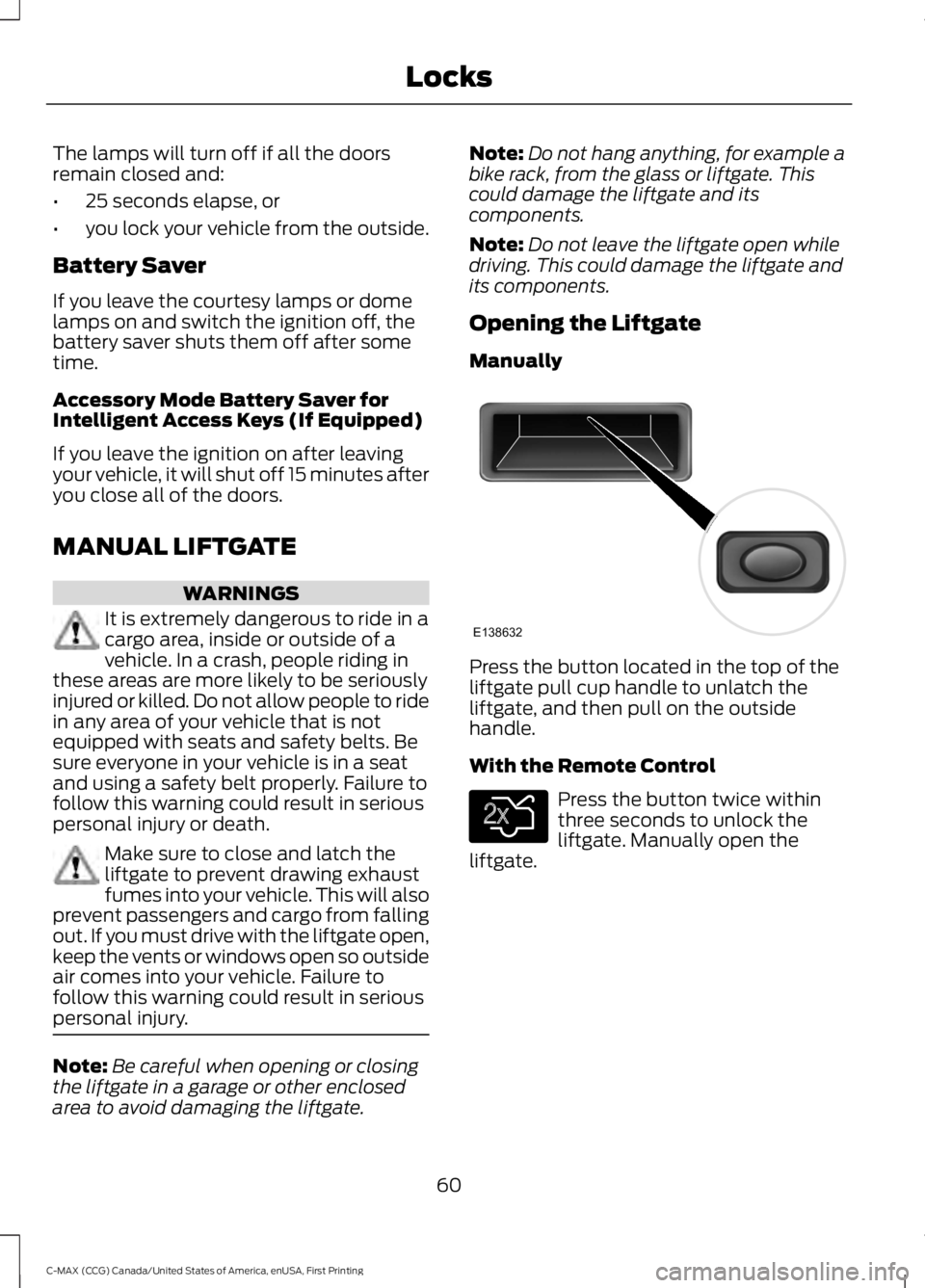
Press the button located in the top of theliftgate pull cup handle to unlatch theliftgate, and then pull on the outsidehandle.
With the Remote Control
Press the button twice withinthree seconds to unlock theliftgate. Manually open theliftgate.
60
C-MAX (CCG) Canada/United States of America, enUSA, First Printing
LocksE138632 E138630
Page 64 of 395
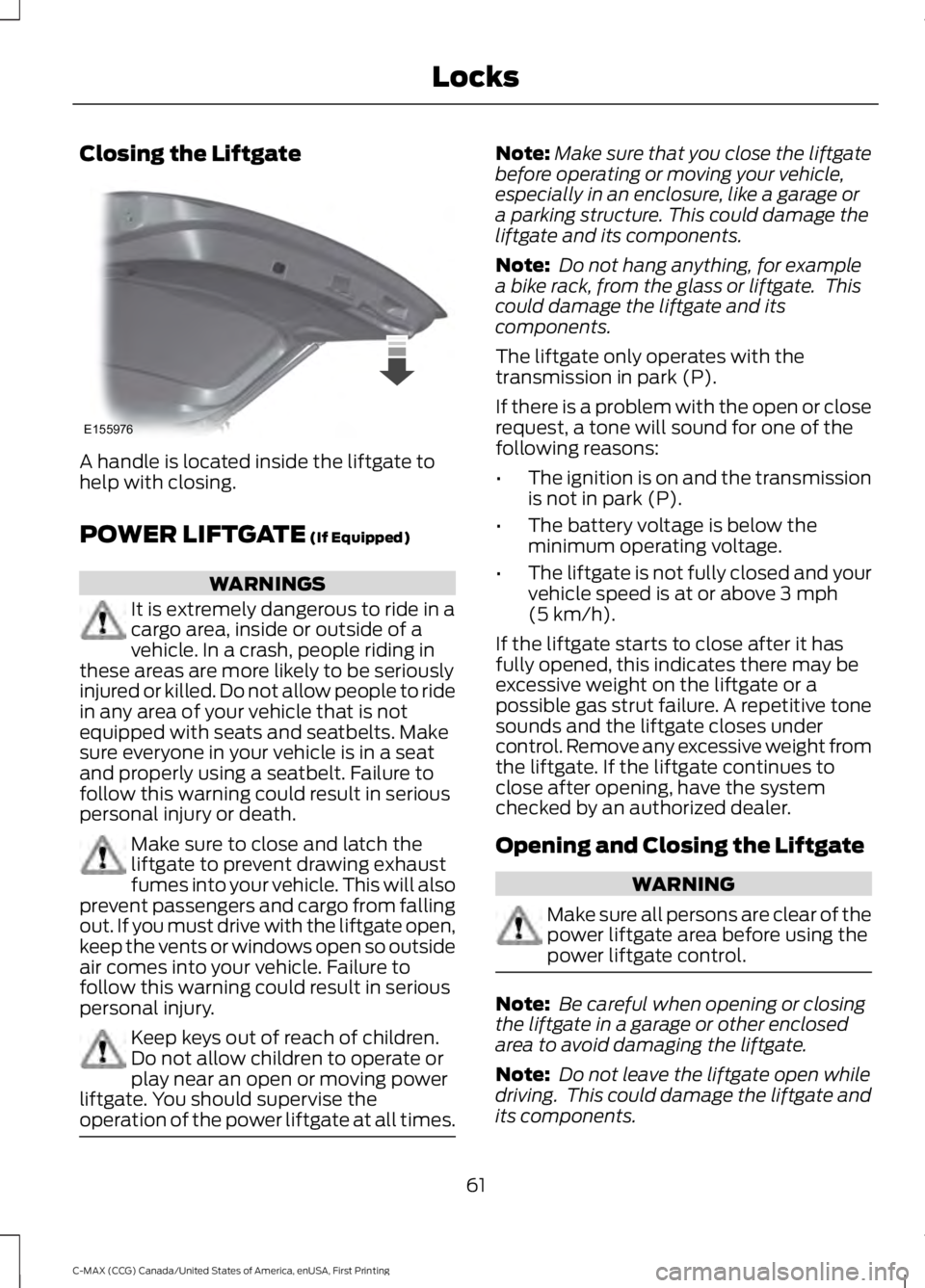
Closing the Liftgate
A handle is located inside the liftgate tohelp with closing.
POWER LIFTGATE (If Equipped)
WARNINGS
It is extremely dangerous to ride in acargo area, inside or outside of avehicle. In a crash, people riding inthese areas are more likely to be seriouslyinjured or killed. Do not allow people to ridein any area of your vehicle that is notequipped with seats and seatbelts. Makesure everyone in your vehicle is in a seatand properly using a seatbelt. Failure tofollow this warning could result in seriouspersonal injury or death.
Make sure to close and latch theliftgate to prevent drawing exhaustfumes into your vehicle. This will alsoprevent passengers and cargo from fallingout. If you must drive with the liftgate open,keep the vents or windows open so outsideair comes into your vehicle. Failure tofollow this warning could result in seriouspersonal injury.
Keep keys out of reach of children.Do not allow children to operate orplay near an open or moving powerliftgate. You should supervise theoperation of the power liftgate at all times.
Note:Make sure that you close the liftgatebefore operating or moving your vehicle,especially in an enclosure, like a garage ora parking structure. This could damage theliftgate and its components.
Note: Do not hang anything, for examplea bike rack, from the glass or liftgate. Thiscould damage the liftgate and itscomponents.
The liftgate only operates with thetransmission in park (P).
If there is a problem with the open or closerequest, a tone will sound for one of thefollowing reasons:
•The ignition is on and the transmissionis not in park (P).
•The battery voltage is below theminimum operating voltage.
•The liftgate is not fully closed and yourvehicle speed is at or above 3 mph(5 km/h).
If the liftgate starts to close after it hasfully opened, this indicates there may beexcessive weight on the liftgate or apossible gas strut failure. A repetitive tonesounds and the liftgate closes undercontrol. Remove any excessive weight fromthe liftgate. If the liftgate continues toclose after opening, have the systemchecked by an authorized dealer.
Opening and Closing the Liftgate
WARNING
Make sure all persons are clear of thepower liftgate area before using thepower liftgate control.
Note: Be careful when opening or closingthe liftgate in a garage or other enclosedarea to avoid damaging the liftgate.
Note: Do not leave the liftgate open whiledriving. This could damage the liftgate andits components.
61
C-MAX (CCG) Canada/United States of America, enUSA, First Printing
LocksE155976
Page 65 of 395
From the Instrument Panel
Press the button on theinstrument panel.
With the Remote Control
Press the button twice withinthree seconds.
With the Outside Control Button
Opening the Liftgate
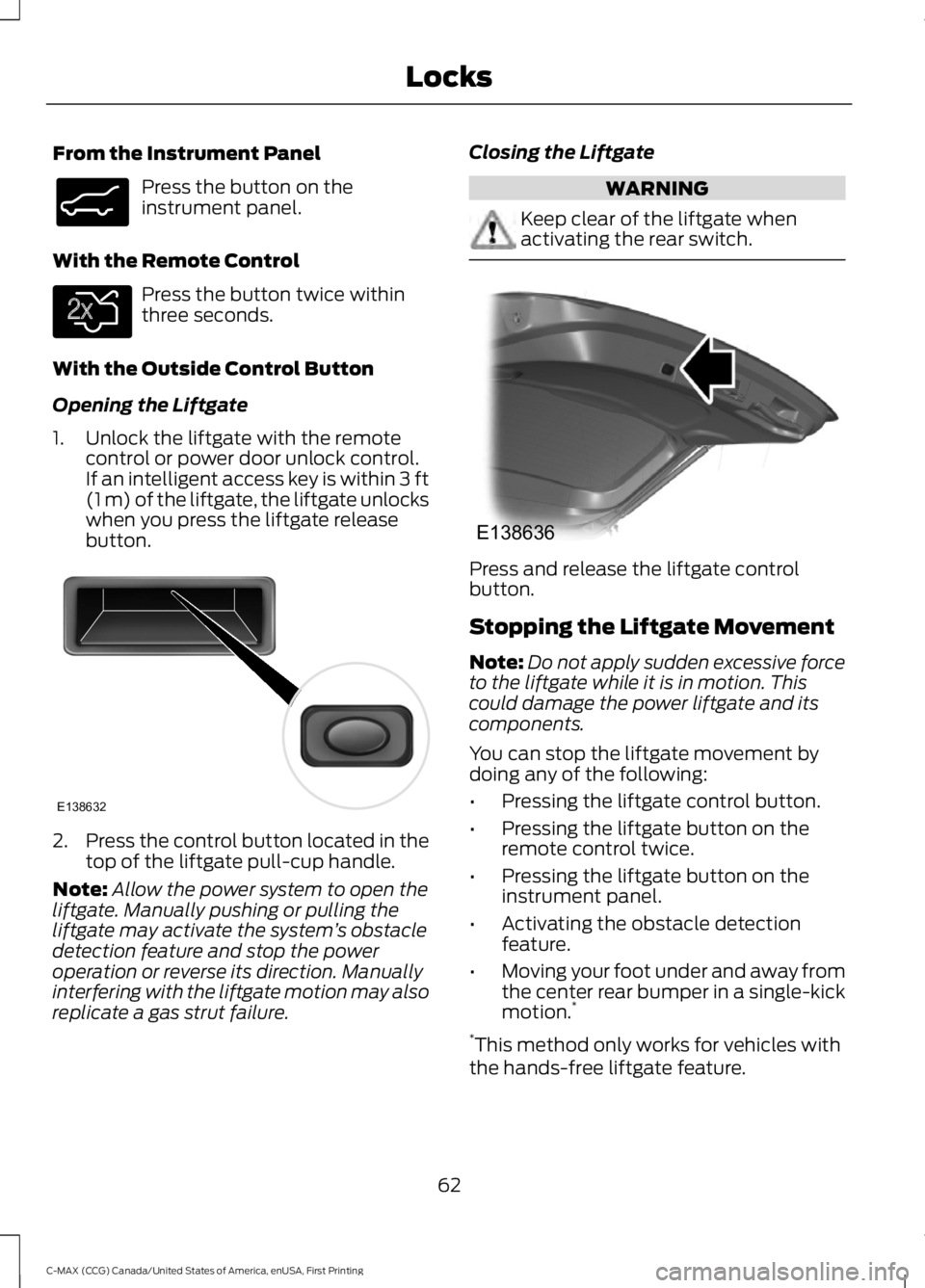
1. Unlock the liftgate with the remotecontrol or power door unlock control.If an intelligent access key is within 3 ft(1 m) of the liftgate, the liftgate unlockswhen you press the liftgate releasebutton.
2.Press the control button located in thetop of the liftgate pull-cup handle.
Note:Allow the power system to open theliftgate. Manually pushing or pulling theliftgate may activate the system’s obstacledetection feature and stop the poweroperation or reverse its direction. Manuallyinterfering with the liftgate motion may alsoreplicate a gas strut failure.
Closing the Liftgate
WARNING
Keep clear of the liftgate whenactivating the rear switch.
Press and release the liftgate controlbutton.
Stopping the Liftgate Movement
Note:Do not apply sudden excessive forceto the liftgate while it is in motion. Thiscould damage the power liftgate and itscomponents.
You can stop the liftgate movement bydoing any of the following:
•Pressing the liftgate control button.
•Pressing the liftgate button on theremote control twice.
•Pressing the liftgate button on theinstrument panel.
•Activating the obstacle detectionfeature.
•Moving your foot under and away fromthe center rear bumper in a single-kickmotion.*
*This method only works for vehicles withthe hands-free liftgate feature.
62
C-MAX (CCG) Canada/United States of America, enUSA, First Printing
LocksE138633 E138630 E138632 E138636
Page 66 of 395
Setting the Liftgate Open Height
1. Open the liftgate.
2.Stop the liftgate movement by pressingthe control button on the liftgate whenit reaches the desired height.
Note:Once the liftgate has stoppedmoving, you can also manually move it tothe desired height.
3. Press and hold the liftgate controlbutton on the liftgate until you hear atone, indicating programming iscomplete.
Note: You can only use the liftgate controlbutton to program the height.
Note: You cannot program the height if theliftgate position is too low.
The new open liftgate height is recalledwhen the power liftgate is opened. Tochange the programmed height, repeat theabove procedure. Once you open thepower liftgate, you can manually move itto a different height.
Note:The system recalls the newprogrammed height until you reprogram it,even if you disconnect the battery.
When operating the power liftgate afteryou have programmed a lower height thanfully open, you can fully open the liftgateby manually pushing it upward to themaximum open position.
Obstacle Detection
When Closing
The system stops when it detects anobstacle. A tone sounds and the systemreverses to open. Once you remove theobstacle, you can power close the liftgate.
Note:Entering your vehicle while theliftgate is closing can cause your vehicle tobounce and activate obstacle detection. Toprevent this, let the power liftgate closecompletely before you enter your vehicle.Before driving off, check the instrumentcluster for a liftgate or door ajar message orwarning indicator. Failure to do this couldresult in unintentionally leaving the liftgateopen while driving.
When Opening
The system stops when it detects anobstacle and a tone sounds. Once youremove the obstacle, you can continue tooperate the liftgate.
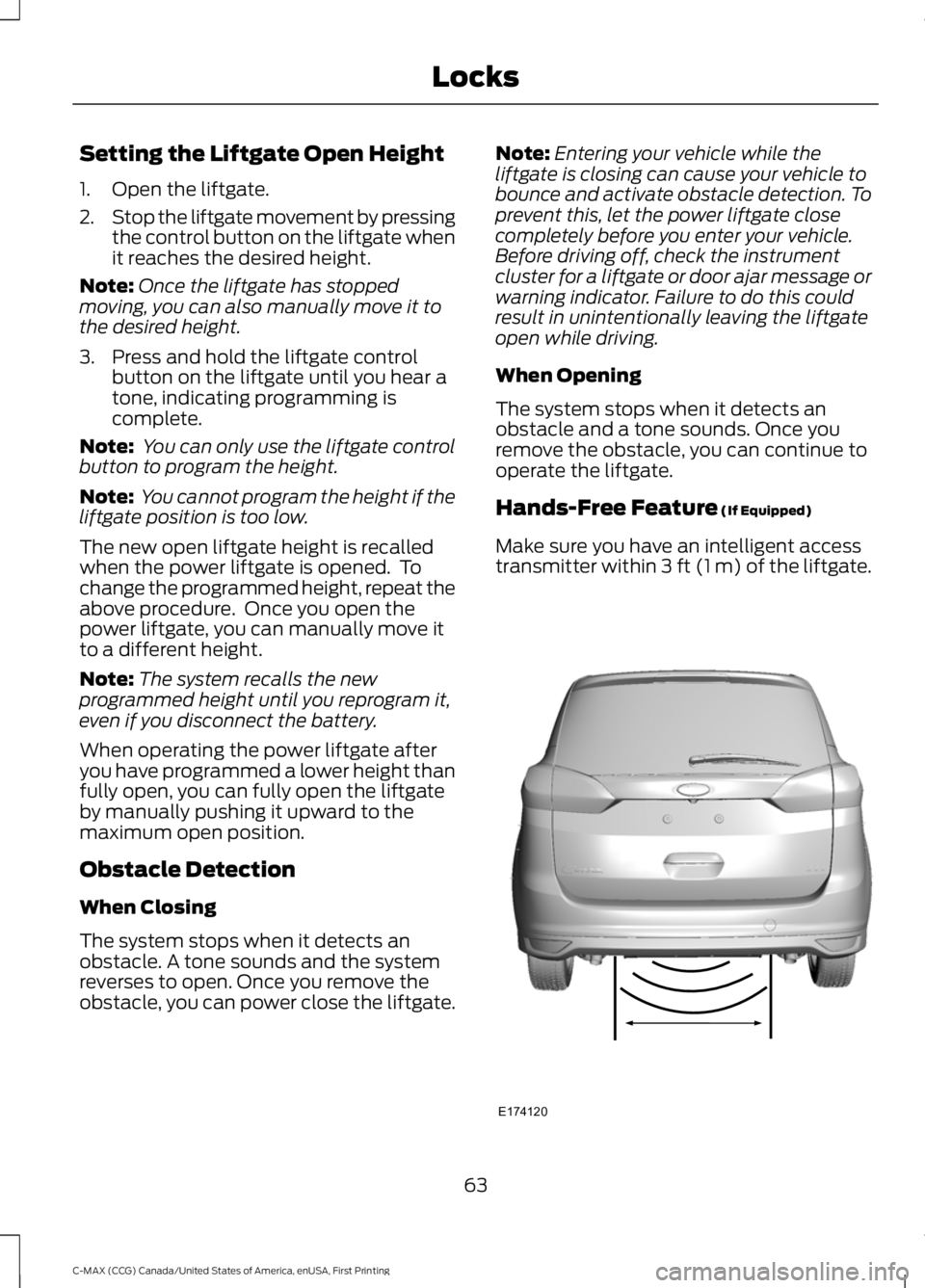
Hands-Free Feature (If Equipped)
Make sure you have an intelligent accesstransmitter within 3 ft (1 m) of the liftgate.
63
C-MAX (CCG) Canada/United States of America, enUSA, First Printing
LocksE174120
Page 70 of 395
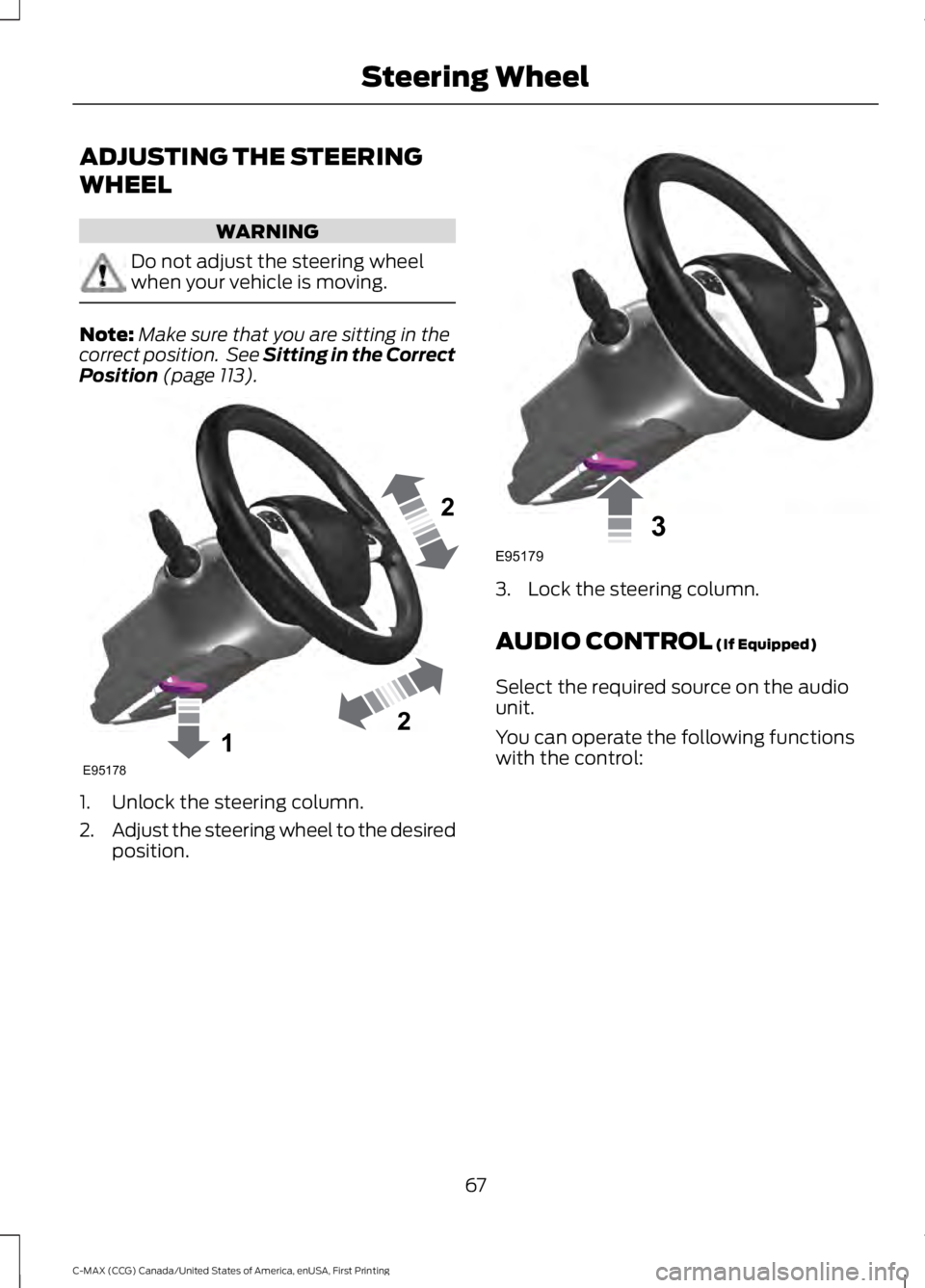
ADJUSTING THE STEERING
WHEEL
WARNING
Do not adjust the steering wheelwhen your vehicle is moving.
Note:Make sure that you are sitting in thecorrect position. See Sitting in the CorrectPosition (page 113).
1. Unlock the steering column.
2.Adjust the steering wheel to the desiredposition.
3. Lock the steering column.
AUDIO CONTROL (If Equipped)
Select the required source on the audiounit.
You can operate the following functionswith the control:
67
C-MAX (CCG) Canada/United States of America, enUSA, First Printing
Steering Wheel122E95178 3E95179
Page 78 of 395
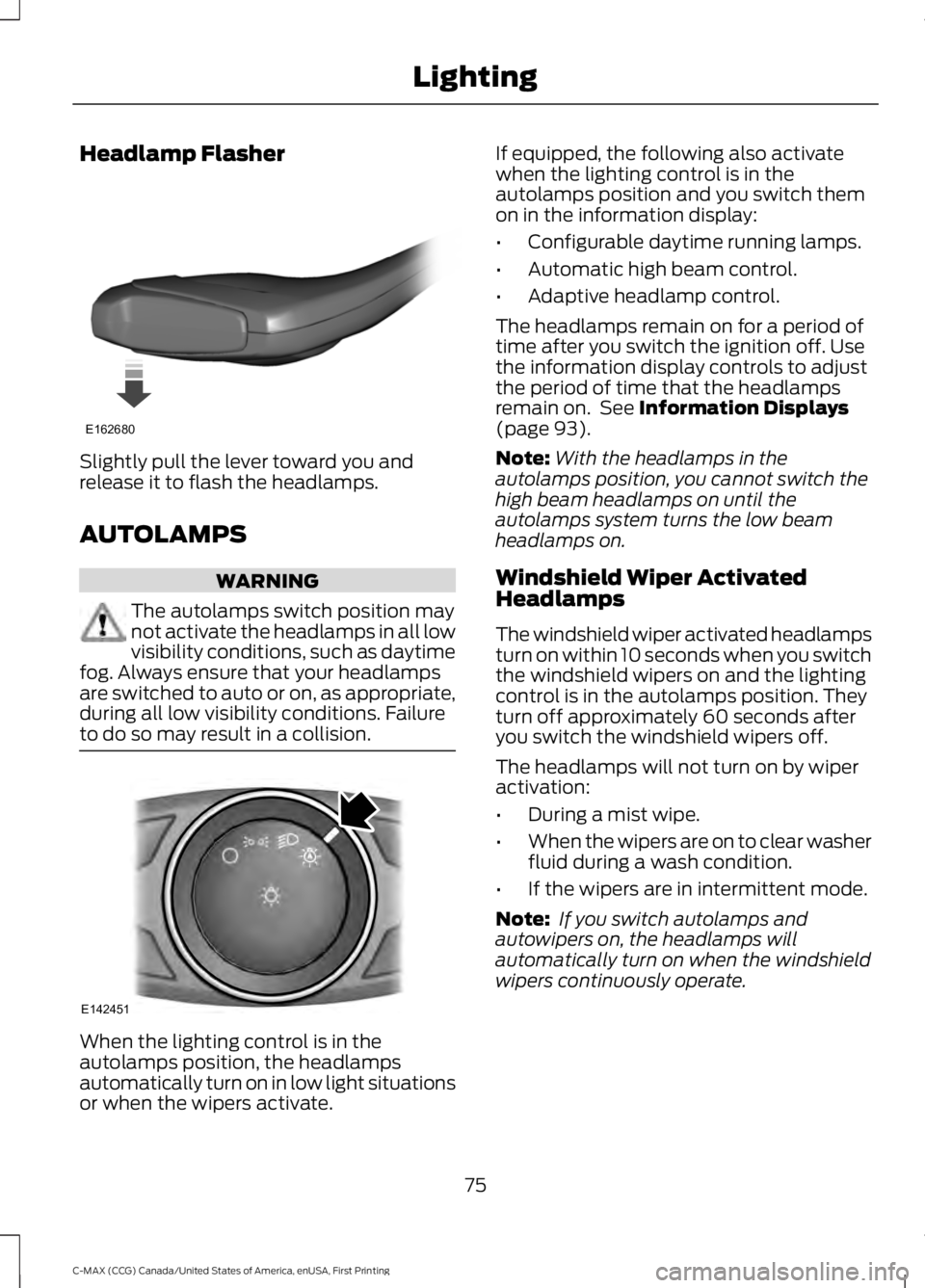
Headlamp Flasher
Slightly pull the lever toward you andrelease it to flash the headlamps.
AUTOLAMPS
WARNING
The autolamps switch position maynot activate the headlamps in all lowvisibility conditions, such as daytimefog. Always ensure that your headlampsare switched to auto or on, as appropriate,during all low visibility conditions. Failureto do so may result in a collision.
When the lighting control is in theautolamps position, the headlampsautomatically turn on in low light situationsor when the wipers activate.
If equipped, the following also activatewhen the lighting control is in theautolamps position and you switch themon in the information display:
•Configurable daytime running lamps.
•Automatic high beam control.
•Adaptive headlamp control.
The headlamps remain on for a period oftime after you switch the ignition off. Usethe information display controls to adjustthe period of time that the headlampsremain on. See Information Displays(page 93).
Note:With the headlamps in theautolamps position, you cannot switch thehigh beam headlamps on until theautolamps system turns the low beamheadlamps on.
Windshield Wiper ActivatedHeadlamps
The windshield wiper activated headlampsturn on within 10 seconds when you switchthe windshield wipers on and the lightingcontrol is in the autolamps position. Theyturn off approximately 60 seconds afteryou switch the windshield wipers off.
The headlamps will not turn on by wiperactivation:
•During a mist wipe.
•When the wipers are on to clear washerfluid during a wash condition.
•If the wipers are in intermittent mode.
Note: If you switch autolamps andautowipers on, the headlamps willautomatically turn on when the windshieldwipers continuously operate.
75
C-MAX (CCG) Canada/United States of America, enUSA, First Printing
LightingE162680 E142451