automatic transmission FORD C MAX ENERGI 2017 User Guide
[x] Cancel search | Manufacturer: FORD, Model Year: 2017, Model line: C MAX ENERGI, Model: FORD C MAX ENERGI 2017Pages: 497, PDF Size: 7.64 MB
Page 167 of 497
When the system is active, your vehicle willremain stationary on the slope for two tothree seconds after you release the brakepedal. This allows you time to move yourfoot from the brake to the acceleratorpedal. The brakes release automaticallywhen the engine has sufficient torque toprevent your vehicle from rolling down thegrade. This is an advantage when pullingaway on a slope, for example from a carpark ramp, traffic lights or when reversinguphill into a parking space.
The system will activate automatically onany slope that will cause significant vehiclerollback. For vehicles with a manualtransmission, you can switch this featureoff using the information display. SeeInformation Displays (page 92). Thesystem will remain on or off depending onhow it was last set.
Note:There is no warning lamp to indicatethe system is either on or off.
Note:If your vehicle is equipped with AutoHold, Hill Start Assist will not be availablewhile Auto Hold is active.
Using Hill Start Assist
1. Bring your vehicle to a completestandstill. Keep the brake pedalpressed and select an uphill gear (forexample, first (1) when facing uphill orreverse (R) when facing downhill).
2. If the sensors detect that your vehicleis on a slope, the system will activateautomatically.
3. When you remove your foot from thebrake pedal, your vehicle will remainon the slope without rolling away forabout two or three seconds. This holdtime will automatically be extended ifyou are in the process of driving off.
4. Drive off in the normal manner. Thebrakes will release automatically.
Switching the System On and Off
You can switch this feature on or off if yourvehicle is equipped with a manualtransmission and an information display.See General Information (page 92). Thesystem remembers the last setting whenyou start your vehicle.
If your vehicle is not equipped with amanual transmission and an informationdisplay, you cannot turn the system on oroff. When you switch the ignition on, thesystem automatically turns on.
164
C-MAX Energi / C-MAX Hybrid (CCG) Canada/United States of America, enUSA, First Printing
Brakes
Page 171 of 497
PRINCIPLE OF OPERATION
WARNINGS
To help avoid personal injury, pleaseread and understand the limitationsof the system as contained in thissection. Sensing is only an aid for some(generally large and fixed) objects whenmoving on a flat surface at parking speeds.Certain objects with surfaces that absorbultrasonic waves, surrounding vehicle'sparking aid systems, traffic controlsystems, fluorescent lamps, inclementweather, air brakes, and external motorsand fans may also affect the function ofthe sensing system; this may includereduced performance or a false activation.
To help avoid personal injury, alwaysuse caution when in reverse (R) andwhen using the sensing system.
This system is not designed toprevent contact with small or movingobjects. The system is designed toprovide a warning to assist the driver indetecting large stationary objects to avoiddamaging your vehicle. The system maynot detect smaller objects, particularlythose close to the ground.
Certain add-on devices such as largetrailer hitches, bike or surfboard racksand any device that may block thenormal detection zone of the system, maycreate false beeps.
Note:Keep the sensors, located on thebumper or fascia, free from snow, ice andlarge accumulations of dirt. If the sensorsare covered, the system’s accuracy can beaffected. Do not clean the sensors withsharp objects.
Note:If your vehicle sustains damage tothe bumper or fascia, leaving it misalignedor bent, the sensing zone may be alteredcausing inaccurate measurement ofobstacles or false alarms.
Note:The sensing system cannot be turnedoff when a MyKey is present. See Principleof Operation (page 52).
Note:If you attach certain add-on devicessuch as a trailer or bike rack, the rear sensingsystem may detect that add-on device andtherefore provide warnings. It is suggestedthat you disable the rear sensing systemwhen you attach an add-on device to yourvehicle to prevent these warnings.
The sensing system warns the driver ofobstacles within a certain range of yourvehicle. The system turns on automaticallywhenever you switch the ignition on.
You can turn the system on oroff by pressing the parking aidbutton. If your vehicle does nothave a parking aid button, the system canbe switched off through the informationdisplay menu or from the pop-up messagethat appears once you shift thetransmission into reverse (R). See GeneralInformation (page 92).
If a fault is present in the system, a warningmessage appears in the informationdisplay. See Information Messages(page 101).
REAR PARKING AID
The rear parking aid sensors automaticallyturn on when you shift into reverse (R).
As your vehicle moves closer to theobstacle, the rate of the audible warningincreases. When the obstacle is less than12 in (30 cm) away, the warning soundscontinuously. If the system detects anobject farther than 12 in (30 cm) from thecorners of the bumper, the tone sounds foronly three seconds. If the system detectsan approaching object the warning soundsagain.
168
C-MAX Energi / C-MAX Hybrid (CCG) Canada/United States of America, enUSA, First Printing
Parking AidsE139213
Page 172 of 497
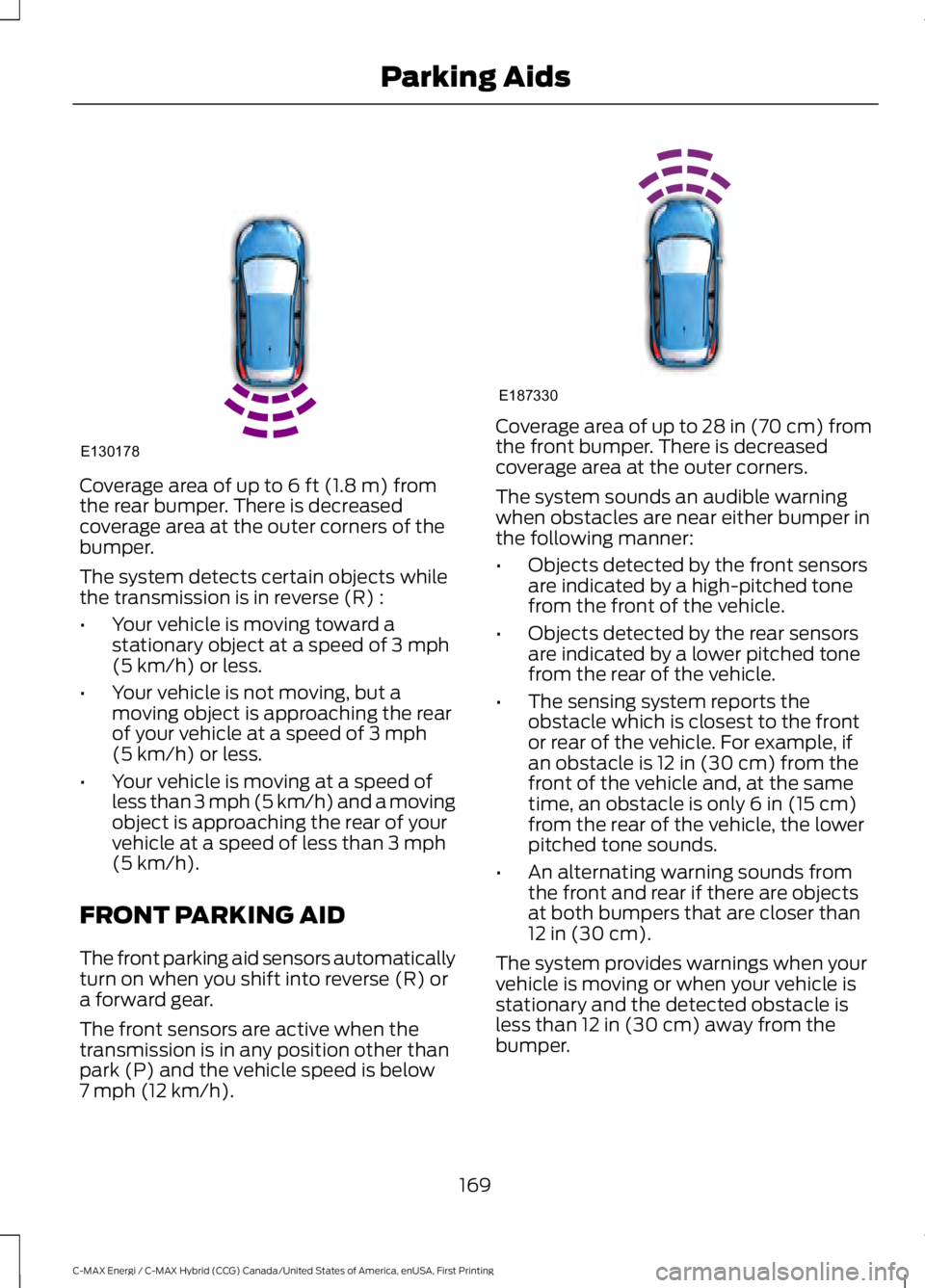
Coverage area of up to 6 ft (1.8 m) fromthe rear bumper. There is decreasedcoverage area at the outer corners of thebumper.
The system detects certain objects whilethe transmission is in reverse (R) :
•Your vehicle is moving toward astationary object at a speed of 3 mph(5 km/h) or less.
•Your vehicle is not moving, but amoving object is approaching the rearof your vehicle at a speed of 3 mph(5 km/h) or less.
•Your vehicle is moving at a speed ofless than 3 mph (5 km/h) and a movingobject is approaching the rear of yourvehicle at a speed of less than 3 mph(5 km/h).
FRONT PARKING AID
The front parking aid sensors automaticallyturn on when you shift into reverse (R) ora forward gear.
The front sensors are active when thetransmission is in any position other thanpark (P) and the vehicle speed is below7 mph (12 km/h).
Coverage area of up to 28 in (70 cm) fromthe front bumper. There is decreasedcoverage area at the outer corners.
The system sounds an audible warningwhen obstacles are near either bumper inthe following manner:
•Objects detected by the front sensorsare indicated by a high-pitched tonefrom the front of the vehicle.
•Objects detected by the rear sensorsare indicated by a lower pitched tonefrom the rear of the vehicle.
•The sensing system reports theobstacle which is closest to the frontor rear of the vehicle. For example, ifan obstacle is 12 in (30 cm) from thefront of the vehicle and, at the sametime, an obstacle is only 6 in (15 cm)from the rear of the vehicle, the lowerpitched tone sounds.
•An alternating warning sounds fromthe front and rear if there are objectsat both bumpers that are closer than12 in (30 cm).
The system provides warnings when yourvehicle is moving or when your vehicle isstationary and the detected obstacle isless than 12 in (30 cm) away from thebumper.
169
C-MAX Energi / C-MAX Hybrid (CCG) Canada/United States of America, enUSA, First Printing
Parking AidsE130178 E187330
Page 173 of 497
ACTIVE PARK ASSIST (If Equipped)
WARNINGS
You must remain in your vehiclewhen the system turns on. At alltimes, you are responsible forcontrolling your vehicle, supervising thesystem and intervening, if required. Failureto take care may result in the loss ofcontrol of your vehicle, serious personalinjury or death.
The sensors may not detect objectsin heavy rain or other conditions thatcause interference.
Active park assist does not apply thebrakes under any circumstances.
Note:The driver is always responsible forcontrolling the vehicle, supervising thesystem and intervening if required.
Note:The Blind Spot Information Systemdoes not detect traffic alongside or behindyour vehicle during an active park assistmaneuver.
The system detects an available parallelparking space and automatically steersthe vehicle into the space (hands-free)while you control the accelerator, gearshiftand brakes. The system visually andaudibly instructs you to park the vehicle.
The system may not correctly operate inany of the following conditions:
•You use a spare tire or a tiresignificantly worn more than the othertires.
•One or more tires are improperlyinflated.
•You try to park on a tight curve.
•Something passes between the frontbumper and the parking space (forexample, a pedestrian or cyclist).
•The edge of the neighboring parkingvehicle is high off the ground (forexample, a bus, tow truck or flatbedtruck).
•The weather conditions are poor (forexample, heavy rain, snow, fog and soforth).
Note:Keep the sensors, located on thebumper or fascia, free from snow, ice andlarge accumulations of dirt. Covered sensorscan affect the system's accuracy. Do notclean the sensors with sharp objects.
Note:The sensors may not detect objectswith surfaces that absorb ultrasonic wavesor cause ultrasonic interference (forexample, motorcycle exhaust, truck airbrakes or horns).
Using Active Park Assist
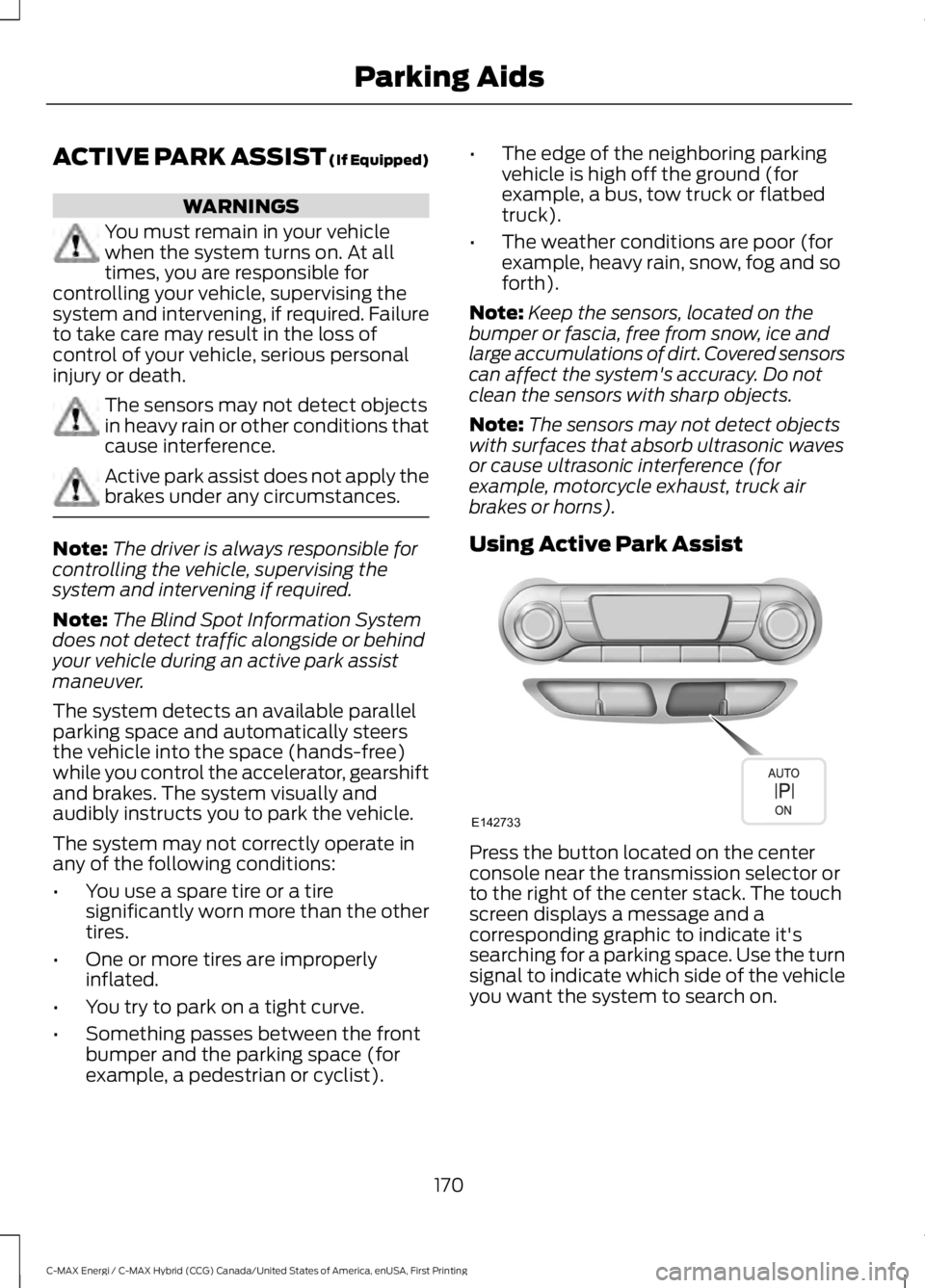
Press the button located on the centerconsole near the transmission selector orto the right of the center stack. The touchscreen displays a message and acorresponding graphic to indicate it'ssearching for a parking space. Use the turnsignal to indicate which side of the vehicleyou want the system to search on.
170
C-MAX Energi / C-MAX Hybrid (CCG) Canada/United States of America, enUSA, First Printing
Parking AidsE142733
Page 174 of 497
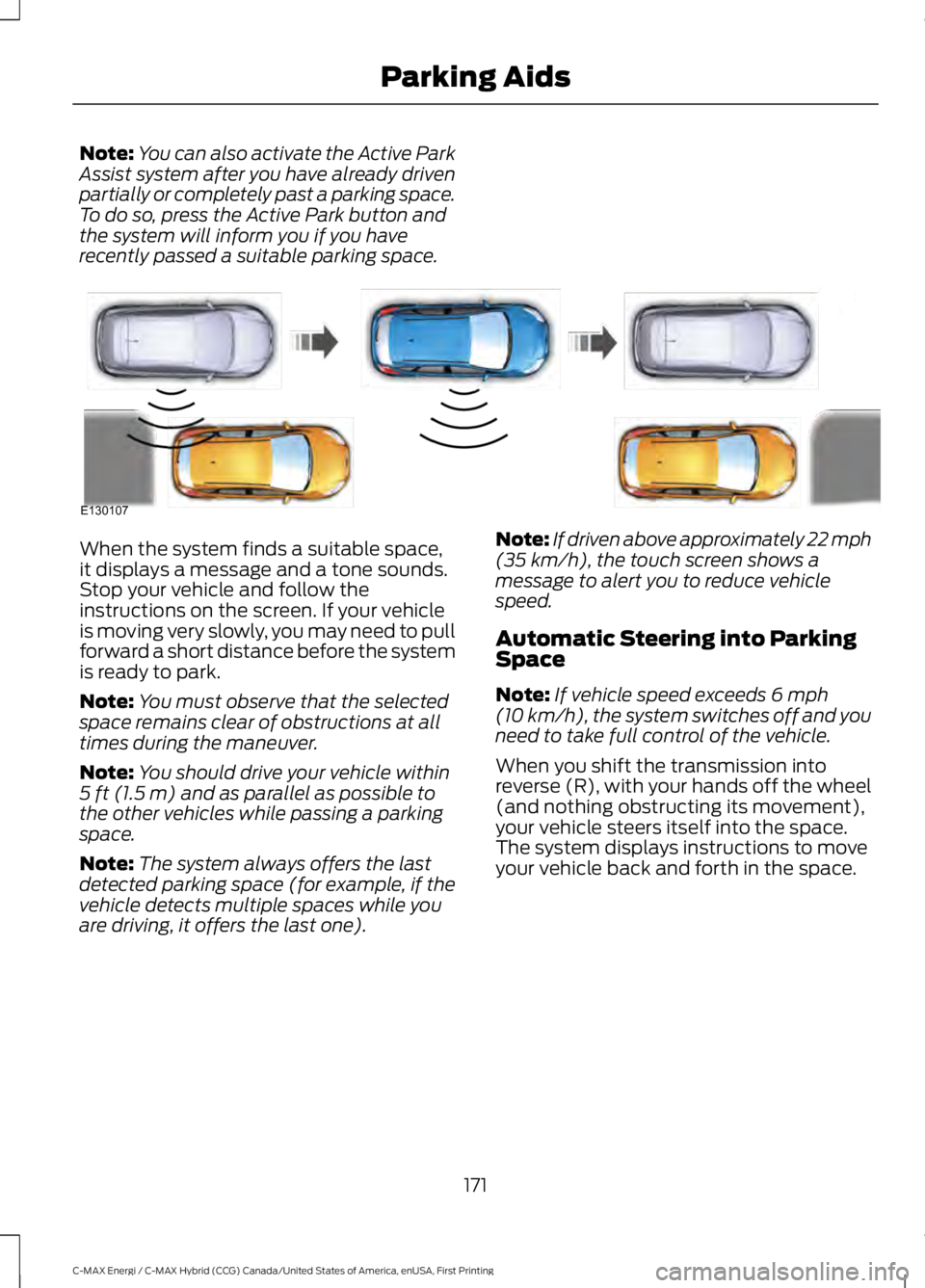
Note:You can also activate the Active ParkAssist system after you have already drivenpartially or completely past a parking space.To do so, press the Active Park button andthe system will inform you if you haverecently passed a suitable parking space.
When the system finds a suitable space,it displays a message and a tone sounds.Stop your vehicle and follow theinstructions on the screen. If your vehicleis moving very slowly, you may need to pullforward a short distance before the systemis ready to park.
Note:You must observe that the selectedspace remains clear of obstructions at alltimes during the maneuver.
Note:You should drive your vehicle within5 ft (1.5 m) and as parallel as possible tothe other vehicles while passing a parkingspace.
Note:The system always offers the lastdetected parking space (for example, if thevehicle detects multiple spaces while youare driving, it offers the last one).
Note:If driven above approximately 22 mph(35 km/h), the touch screen shows amessage to alert you to reduce vehiclespeed.
Automatic Steering into ParkingSpace
Note:If vehicle speed exceeds 6 mph(10 km/h), the system switches off and youneed to take full control of the vehicle.
When you shift the transmission intoreverse (R), with your hands off the wheel(and nothing obstructing its movement),your vehicle steers itself into the space.The system displays instructions to moveyour vehicle back and forth in the space.
171
C-MAX Energi / C-MAX Hybrid (CCG) Canada/United States of America, enUSA, First Printing
Parking AidsE130107
Page 179 of 497
The fixed and active guidelines fade in andout depending on the steering wheelposition. The active guidelines are notshown when the steering wheel positionis straight.
Always use caution while reversing.Objects in the red zone are closest to yourvehicle and objects in the green zone arefarther away. Objects are getting closer toyour vehicle as they move from the greenzone to the yellow or red zones. Use theside view mirrors and rear view mirror toget better coverage on both sides and rearof your vehicle.
Enhanced Park Aids
Note:The reverse sensing system is noteffective at speeds above 6 mph (10 km/h)and may not detect certain angular ormoving objects.
The system uses red, yellow and greenhighlights that appear on top of the videoimage when the sensing systems detectan object. The alert highlights all objectsdetected.
Selectable settings for this feature are ONand OFF.
Manual Zoom
WARNING
When manual zoom is on, the fullarea behind your vehicle may notshow. Be aware of your surroundingswhen using the manual zoom feature.
Note:Manual zoom is only available whenthe transmission is in reverse (R).
Note:When manual zoom is enabled, onlythe centerline is shown.
This allows you to get a closer view of anobject behind your vehicle. The zoomedimage keeps the bumper in the image toprovide a reference. The zoom is onlyactive while the transmission is in reverse(R). When the transmission is shifted outof reverse (R), the feature automaticallyturns off and must be reset when it is usedagain.
Selectable settings for this feature are +and -. The default setting for the manualzoom is OFF.
Rear Camera Delay (If Equipped)
When you shift the transmission out ofreverse (R) and into any gear while the rearcamera delay is active, the camera imagedisplays until:
•Your vehicle speed sufficientlyincreases.
•You shift your vehicle into park (P).
Selectable settings for this feature are ONand OFF. The default setting for the rearcamera delay is OFF.
176
C-MAX Energi / C-MAX Hybrid (CCG) Canada/United States of America, enUSA, First Printing
Parking Aids
Page 182 of 497
BLIND SPOT INFORMATION
SYSTEM (If Equipped)
WARNING
To help avoid injuries, NEVER use theBlind Spot Information System as areplacement for using the interiorand exterior mirrors or looking over yourshoulder before changing lanes. The BlindSpot Information System is not areplacement for careful driving.
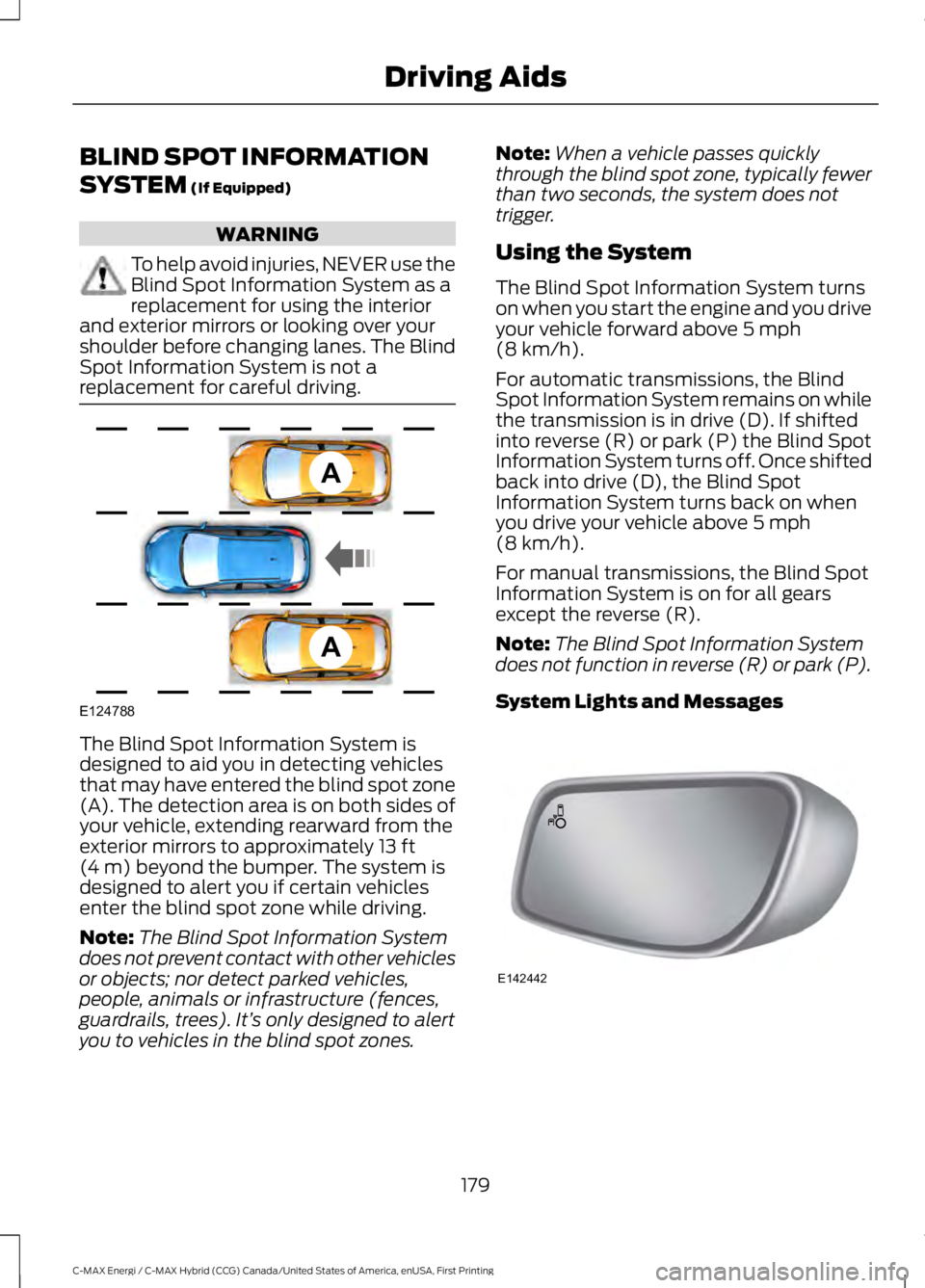
The Blind Spot Information System isdesigned to aid you in detecting vehiclesthat may have entered the blind spot zone(A). The detection area is on both sides ofyour vehicle, extending rearward from theexterior mirrors to approximately 13 ft(4 m) beyond the bumper. The system isdesigned to alert you if certain vehiclesenter the blind spot zone while driving.
Note:The Blind Spot Information Systemdoes not prevent contact with other vehiclesor objects; nor detect parked vehicles,people, animals or infrastructure (fences,guardrails, trees). It’s only designed to alertyou to vehicles in the blind spot zones.
Note:When a vehicle passes quicklythrough the blind spot zone, typically fewerthan two seconds, the system does nottrigger.
Using the System
The Blind Spot Information System turnson when you start the engine and you driveyour vehicle forward above 5 mph(8 km/h).
For automatic transmissions, the BlindSpot Information System remains on whilethe transmission is in drive (D). If shiftedinto reverse (R) or park (P) the Blind SpotInformation System turns off. Once shiftedback into drive (D), the Blind SpotInformation System turns back on whenyou drive your vehicle above 5 mph(8 km/h).
For manual transmissions, the Blind SpotInformation System is on for all gearsexcept the reverse (R).
Note:The Blind Spot Information Systemdoes not function in reverse (R) or park (P).
System Lights and Messages
179
C-MAX Energi / C-MAX Hybrid (CCG) Canada/United States of America, enUSA, First Printing
Driving AidsA
A
E124788 E142442
Page 186 of 497
Zone coverage also decreases whenparking at shallow angles. Here, the leftsensor is mostly obstructed; zone coverageon that side is severely limited.
System Lights, Messages andAudible Alerts
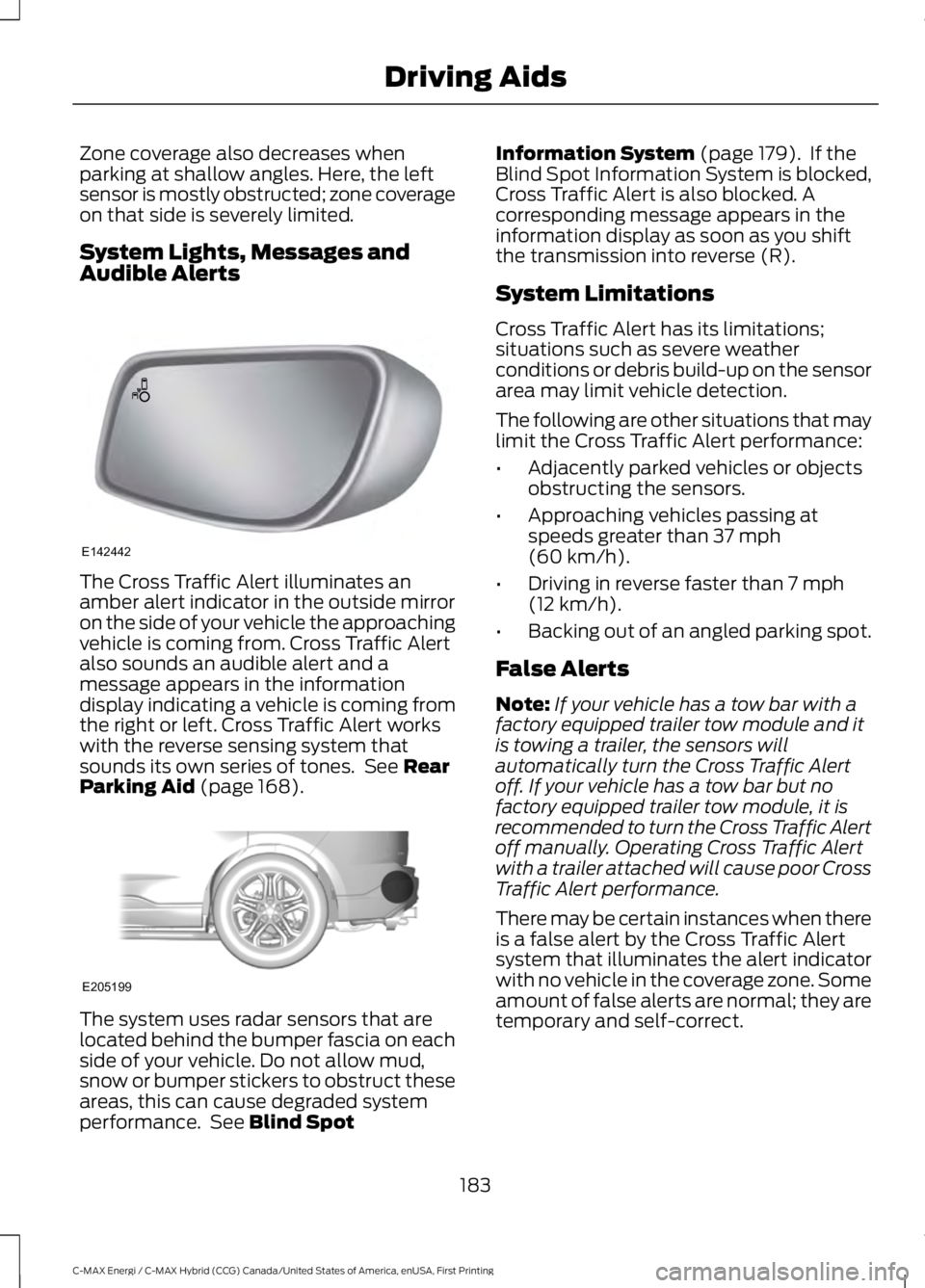
The Cross Traffic Alert illuminates anamber alert indicator in the outside mirroron the side of your vehicle the approachingvehicle is coming from. Cross Traffic Alertalso sounds an audible alert and amessage appears in the informationdisplay indicating a vehicle is coming fromthe right or left. Cross Traffic Alert workswith the reverse sensing system thatsounds its own series of tones. See RearParking Aid (page 168).
The system uses radar sensors that arelocated behind the bumper fascia on eachside of your vehicle. Do not allow mud,snow or bumper stickers to obstruct theseareas, this can cause degraded systemperformance. See Blind Spot
Information System (page 179). If theBlind Spot Information System is blocked,Cross Traffic Alert is also blocked. Acorresponding message appears in theinformation display as soon as you shiftthe transmission into reverse (R).
System Limitations
Cross Traffic Alert has its limitations;situations such as severe weatherconditions or debris build-up on the sensorarea may limit vehicle detection.
The following are other situations that maylimit the Cross Traffic Alert performance:
•Adjacently parked vehicles or objectsobstructing the sensors.
•Approaching vehicles passing atspeeds greater than 37 mph(60 km/h).
•Driving in reverse faster than 7 mph(12 km/h).
•Backing out of an angled parking spot.
False Alerts
Note:If your vehicle has a tow bar with afactory equipped trailer tow module and itis towing a trailer, the sensors willautomatically turn the Cross Traffic Alertoff. If your vehicle has a tow bar but nofactory equipped trailer tow module, it isrecommended to turn the Cross Traffic Alertoff manually. Operating Cross Traffic Alertwith a trailer attached will cause poor CrossTraffic Alert performance.
There may be certain instances when thereis a false alert by the Cross Traffic Alertsystem that illuminates the alert indicatorwith no vehicle in the coverage zone. Someamount of false alerts are normal; they aretemporary and self-correct.
183
C-MAX Energi / C-MAX Hybrid (CCG) Canada/United States of America, enUSA, First Printing
Driving AidsE142442 E205199
Page 195 of 497
TOWING A TRAILER
WARNING
Your vehicle is not approvedfor trailer towing. Never towa trailer with your vehicle.
TOWING THE VEHICLE ON
FOUR WHEELS
Emergency Towing
WARNING
If your vehicle has a steering wheellock make sure the ignition is in theaccessory or on position when beingtowed.
If your vehicle becomes inoperable(without access to wheel dollies,car-hauling trailer, or flatbed transportvehicle), it can be flat-towed (all wheelson the ground, regardless of the powertrainand transmission configuration) under thefollowing conditions:
•Tow only in the forward direction.
•The transmission in position N. If youcannot move the transmission into N,you may need to override it. SeeAutomatic Transmission (page 159).
•Maximum speed is 35 mph (56 km/h).
•Maximum distance is 50 miles (80kilometers).
Recreational Towing
Note: Put your climate control system inrecirculated air mode to prevent exhaustfumes from entering the vehicle. SeeClimate Control (page 109).
Follow these guidelines if you have a needfor recreational (RV) towing. An exampleof recreational towing would be towingyour vehicle behind a motorhome. Wedesigned these guidelines to preventdamage to your transmission.
You can tow your vehicle with all fourwheels on the ground or with the frontwheels off the ground by using a tow dolly.If you are using a tow dolly follow theinstructions specified by the equipmentprovider.
If you tow your vehicle with all four wheelson the ground:
•Tow only in the forward direction.
•Release the parking brake.
•Shift the transmission into N.
Vehicles with Push Button Start
1. Start the vehicle by pressing the brakepedal, and then pressing the ENGINESTART/STOP button until the vehiclestarts.
2. Press the brake pedal and shift thetransmission into position N.
3. Turn the vehicle off by pressing theENGINE START/STOP button once.(Trip Summary appears in the leftinstrument cluster screen when thevehicle is off.)
Note:You can remove the key fob from thevehicle while towing.
Vehicles with Ignition Key
1. Start the vehicle by pressing the brakepedal, and then turning the ignition keyuntil the vehicle starts.
2. Press the brake pedal and shift thetransmission into position N.
192
C-MAX Energi / C-MAX Hybrid (CCG) Canada/United States of America, enUSA, First Printing
Towing
Page 202 of 497
Note:When you try to restart your vehicleafter a fuel shutoff, the vehicle makes surethat the electrical system is safe to restart.Once your vehicle determines that theelectrical system is safe, then the vehiclewill allow you to restart.
Note:In the event that your vehicle doesnot restart after your third attempt, contactan authorized dealer.
JUMP STARTING THE VEHICLE
WARNINGS
The gases around the battery canexplode if exposed to flames, sparksor lit cigarettes. An explosion couldresult in injury or vehicle damage.
Batteries contain sulfuric acid whichcan burn skin, eyes and clothing, ifcontacted.
Do not attempt to push-start yourautomatic transmission vehicle. Automatictransmissions do not have push-startcapability. Attempting to push-start avehicle with an automatic transmissionmay cause transmission damage.
Preparing Your Vehicle
Note:Use only a 12-volt supply to start yourvehicle.
Note:Do not disconnect the battery of thedisabled vehicle as this could damage thevehicle's electrical system.
1. Park the booster vehicle close to thehood of the disabled vehicle makingsure the two vehicles do not touch. Setthe parking brake on both vehicles andstay clear of the engine cooling fan andother moving parts.
2.Check all battery terminals and removeany excessive corrosion before youattach the battery cables. Ensure thatvent caps are tight and level.
3.Turn the heater fan on in both vehiclesto protect from any electrical surges.Turn all other accessories off.
Connecting the Jumper Cables
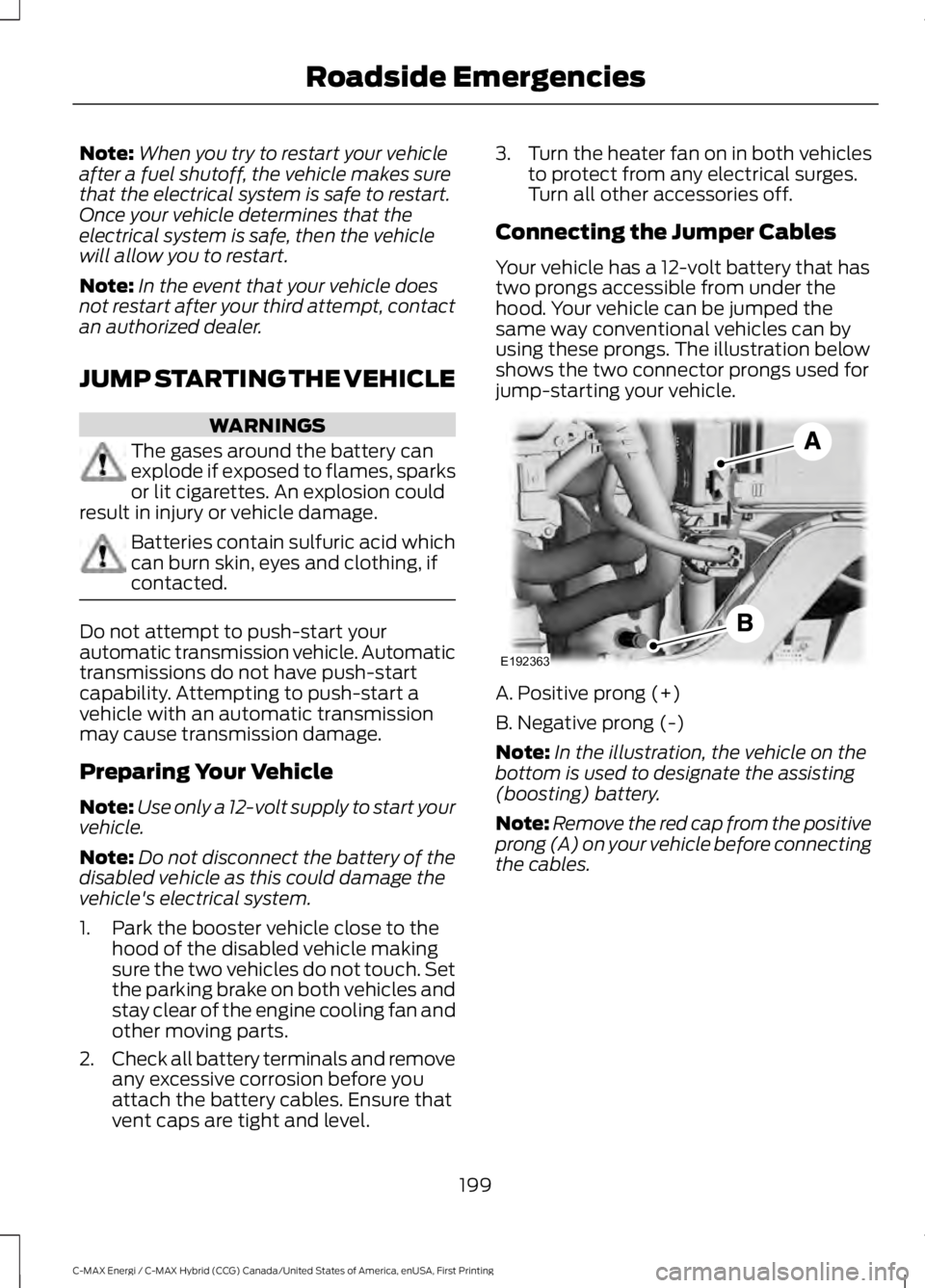
Your vehicle has a 12-volt battery that hastwo prongs accessible from under thehood. Your vehicle can be jumped thesame way conventional vehicles can byusing these prongs. The illustration belowshows the two connector prongs used forjump-starting your vehicle.
A. Positive prong (+)
B. Negative prong (-)
Note:In the illustration, the vehicle on thebottom is used to designate the assisting(boosting) battery.
Note:Remove the red cap from the positiveprong (A) on your vehicle before connectingthe cables.
199
C-MAX Energi / C-MAX Hybrid (CCG) Canada/United States of America, enUSA, First Printing
Roadside EmergenciesE192363