charging FORD C MAX ENERGI 2017 Owner's Guide
[x] Cancel search | Manufacturer: FORD, Model Year: 2017, Model line: C MAX ENERGI, Model: FORD C MAX ENERGI 2017Pages: 497, PDF Size: 7.64 MB
Page 412 of 497
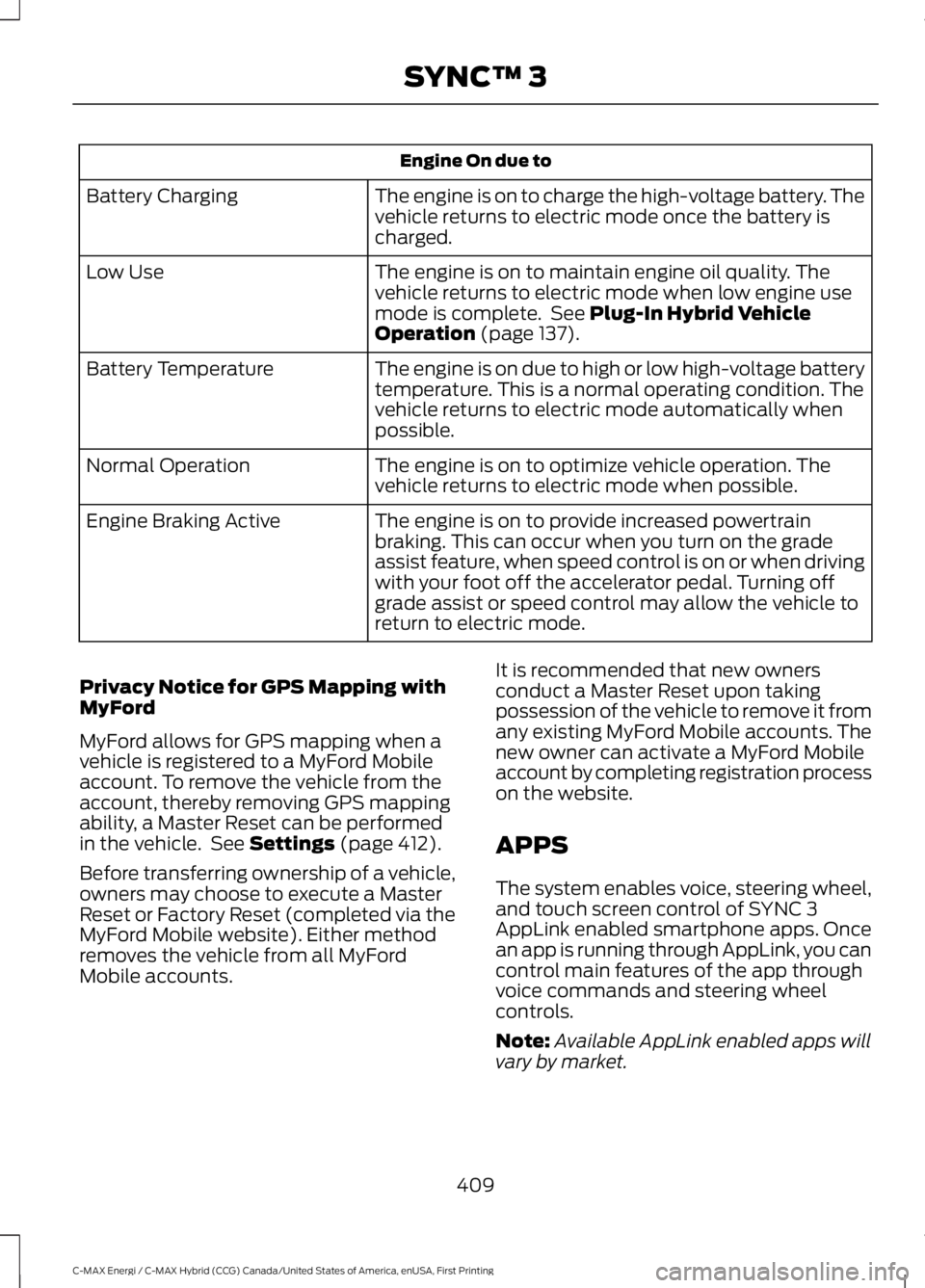
Engine On due to
The engine is on to charge the high-voltage battery. Thevehicle returns to electric mode once the battery ischarged.
Battery Charging
The engine is on to maintain engine oil quality. Thevehicle returns to electric mode when low engine usemode is complete. See Plug-In Hybrid VehicleOperation (page 137).
Low Use
The engine is on due to high or low high-voltage batterytemperature. This is a normal operating condition. Thevehicle returns to electric mode automatically whenpossible.
Battery Temperature
The engine is on to optimize vehicle operation. Thevehicle returns to electric mode when possible.Normal Operation
The engine is on to provide increased powertrainbraking. This can occur when you turn on the gradeassist feature, when speed control is on or when drivingwith your foot off the accelerator pedal. Turning offgrade assist or speed control may allow the vehicle toreturn to electric mode.
Engine Braking Active
Privacy Notice for GPS Mapping withMyFord
MyFord allows for GPS mapping when avehicle is registered to a MyFord Mobileaccount. To remove the vehicle from theaccount, thereby removing GPS mappingability, a Master Reset can be performedin the vehicle. See Settings (page 412).
Before transferring ownership of a vehicle,owners may choose to execute a MasterReset or Factory Reset (completed via theMyFord Mobile website). Either methodremoves the vehicle from all MyFordMobile accounts.
It is recommended that new ownersconduct a Master Reset upon takingpossession of the vehicle to remove it fromany existing MyFord Mobile accounts. Thenew owner can activate a MyFord Mobileaccount by completing registration processon the website.
APPS
The system enables voice, steering wheel,and touch screen control of SYNC 3AppLink enabled smartphone apps. Oncean app is running through AppLink, you cancontrol main features of the app throughvoice commands and steering wheelcontrols.
Note:Available AppLink enabled apps willvary by market.
409
C-MAX Energi / C-MAX Hybrid (CCG) Canada/United States of America, enUSA, First Printing
SYNC™ 3
Page 426 of 497
Door Keypad Code
Select this button to add or erase apersonal door keypad code. To add orerase a personal code, you first need to
enter the five-digit factory set code. Youcan find this code on the owner's walletcard in the glove box or from yourauthorized dealer.
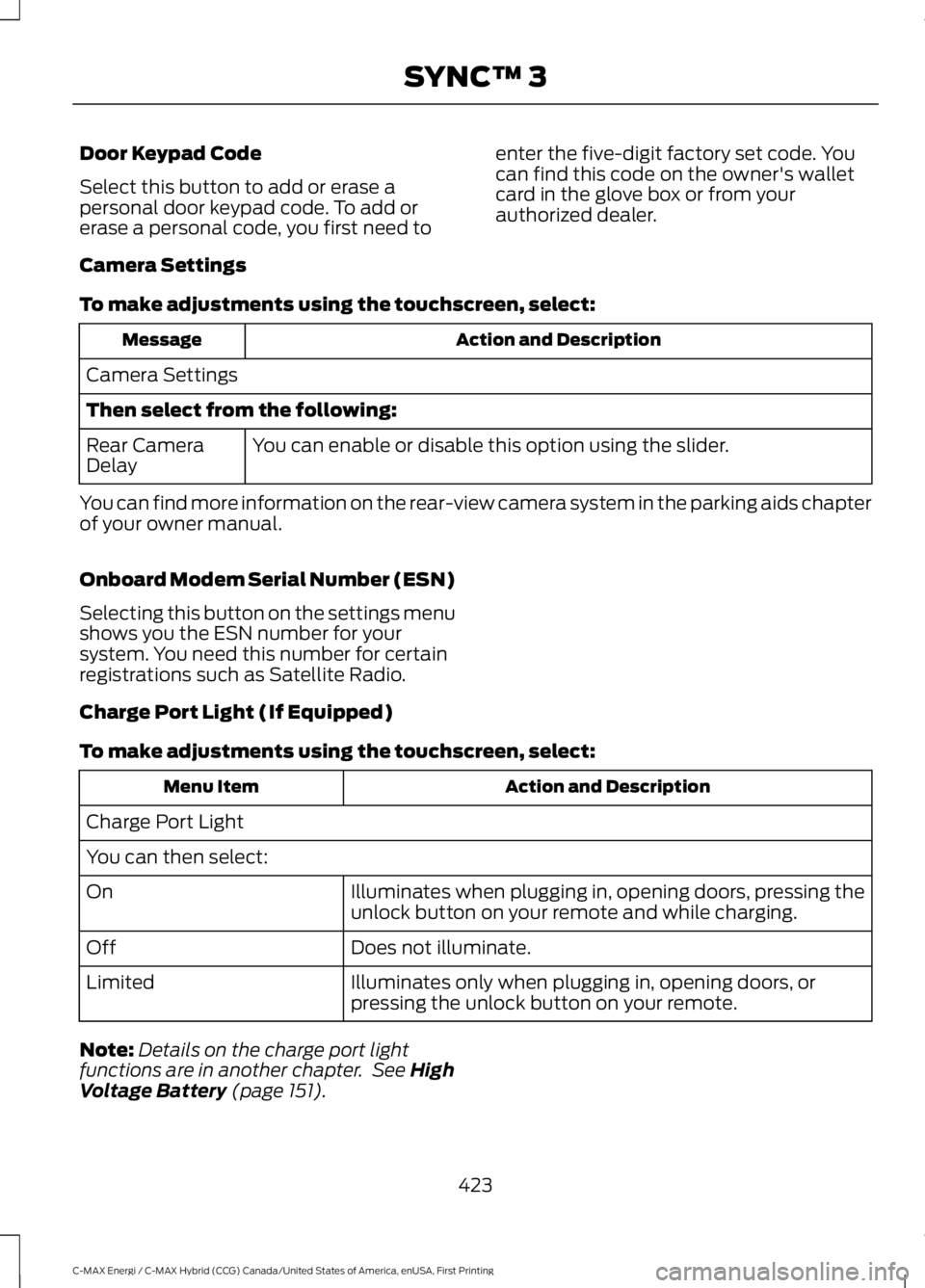
Camera Settings
To make adjustments using the touchscreen, select:
Action and DescriptionMessage
Camera Settings
Then select from the following:
You can enable or disable this option using the slider.Rear CameraDelay
You can find more information on the rear-view camera system in the parking aids chapterof your owner manual.
Onboard Modem Serial Number (ESN)
Selecting this button on the settings menushows you the ESN number for yoursystem. You need this number for certainregistrations such as Satellite Radio.
Charge Port Light (If Equipped)
To make adjustments using the touchscreen, select:
Action and DescriptionMenu Item
Charge Port Light
You can then select:
Illuminates when plugging in, opening doors, pressing theunlock button on your remote and while charging.On
Does not illuminate.Off
Illuminates only when plugging in, opening doors, orpressing the unlock button on your remote.Limited
Note:Details on the charge port lightfunctions are in another chapter. See HighVoltage Battery (page 151).
423
C-MAX Energi / C-MAX Hybrid (CCG) Canada/United States of America, enUSA, First Printing
SYNC™ 3
Page 489 of 497
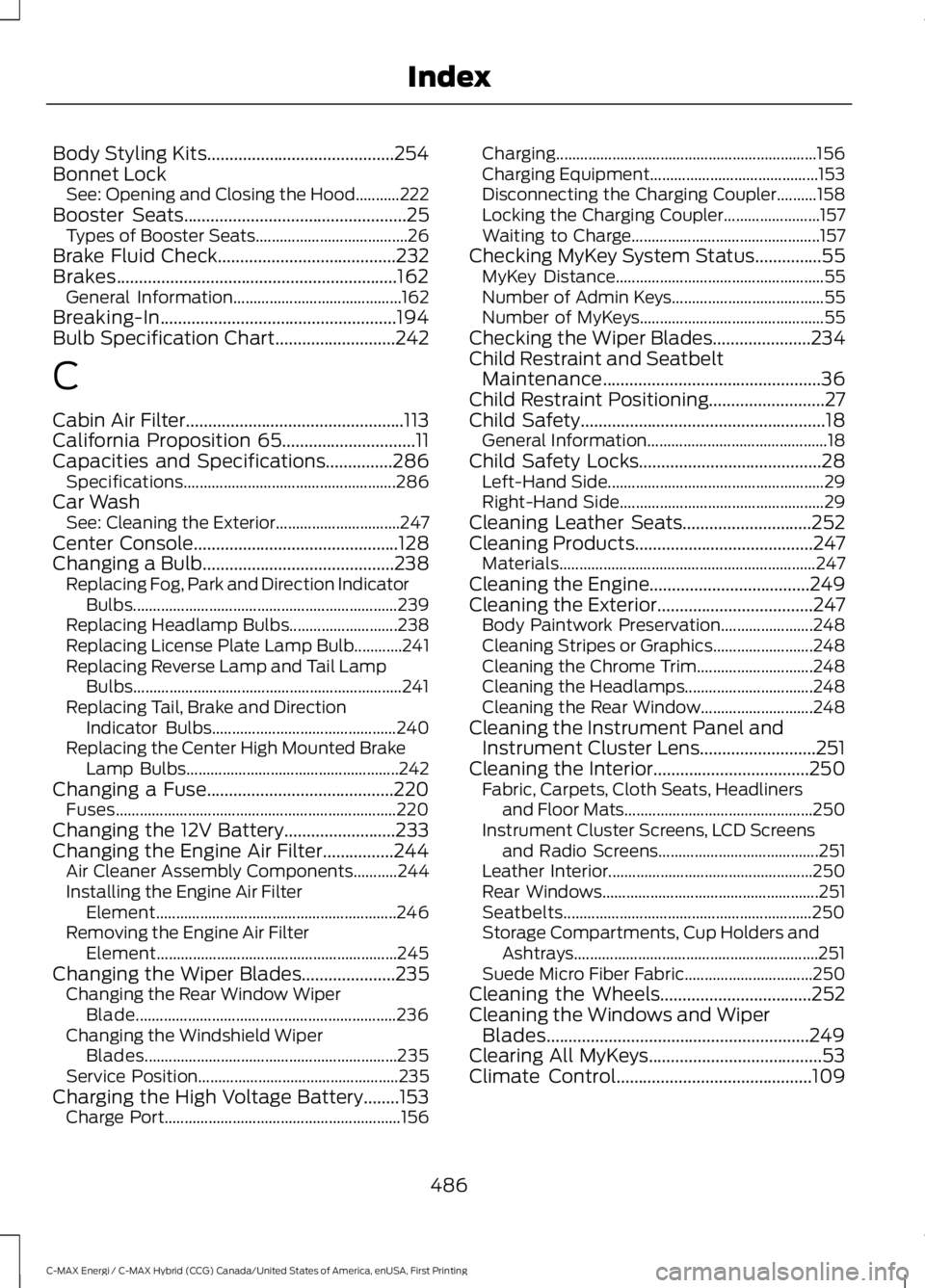
Body Styling Kits..........................................254Bonnet LockSee: Opening and Closing the Hood...........222Booster Seats..................................................25Types of Booster Seats......................................26Brake Fluid Check........................................232Brakes...............................................................162General Information..........................................162Breaking-In.....................................................194Bulb Specification Chart...........................242
C
Cabin Air Filter.................................................113California Proposition 65..............................11Capacities and Specifications...............286Specifications.....................................................286Car WashSee: Cleaning the Exterior...............................247Center Console..............................................128Changing a Bulb...........................................238Replacing Fog, Park and Direction IndicatorBulbs..................................................................239Replacing Headlamp Bulbs...........................238Replacing License Plate Lamp Bulb............241Replacing Reverse Lamp and Tail LampBulbs...................................................................241Replacing Tail, Brake and DirectionIndicator Bulbs..............................................240Replacing the Center High Mounted BrakeLamp Bulbs.....................................................242Changing a Fuse..........................................220Fuses......................................................................220Changing the 12V Battery.........................233Changing the Engine Air Filter................244Air Cleaner Assembly Components...........244Installing the Engine Air FilterElement............................................................246Removing the Engine Air FilterElement............................................................245Changing the Wiper Blades.....................235Changing the Rear Window WiperBlade.................................................................236Changing the Windshield WiperBlades...............................................................235Service Position..................................................235Charging the High Voltage Battery........153Charge Port...........................................................156
Charging.................................................................156Charging Equipment..........................................153Disconnecting the Charging Coupler..........158Locking the Charging Coupler........................157Waiting to Charge...............................................157Checking MyKey System Status...............55MyKey Distance....................................................55Number of Admin Keys......................................55Number of MyKeys..............................................55Checking the Wiper Blades......................234Child Restraint and SeatbeltMaintenance.................................................36Child Restraint Positioning..........................27Child Safety.......................................................18General Information.............................................18Child Safety Locks.........................................28Left-Hand Side......................................................29Right-Hand Side...................................................29Cleaning Leather Seats.............................252Cleaning Products........................................247Materials................................................................247Cleaning the Engine....................................249Cleaning the Exterior...................................247Body Paintwork Preservation.......................248Cleaning Stripes or Graphics.........................248Cleaning the Chrome Trim.............................248Cleaning the Headlamps................................248Cleaning the Rear Window............................248Cleaning the Instrument Panel andInstrument Cluster Lens..........................251Cleaning the Interior...................................250Fabric, Carpets, Cloth Seats, Headlinersand Floor Mats...............................................250Instrument Cluster Screens, LCD Screensand Radio Screens........................................251Leather Interior...................................................250Rear Windows......................................................251Seatbelts..............................................................250Storage Compartments, Cup Holders andAshtrays.............................................................251Suede Micro Fiber Fabric................................250Cleaning the Wheels..................................252Cleaning the Windows and WiperBlades...........................................................249Clearing All MyKeys.......................................53Climate Control............................................109
486
C-MAX Energi / C-MAX Hybrid (CCG) Canada/United States of America, enUSA, First Printing
Index
Page 492 of 497
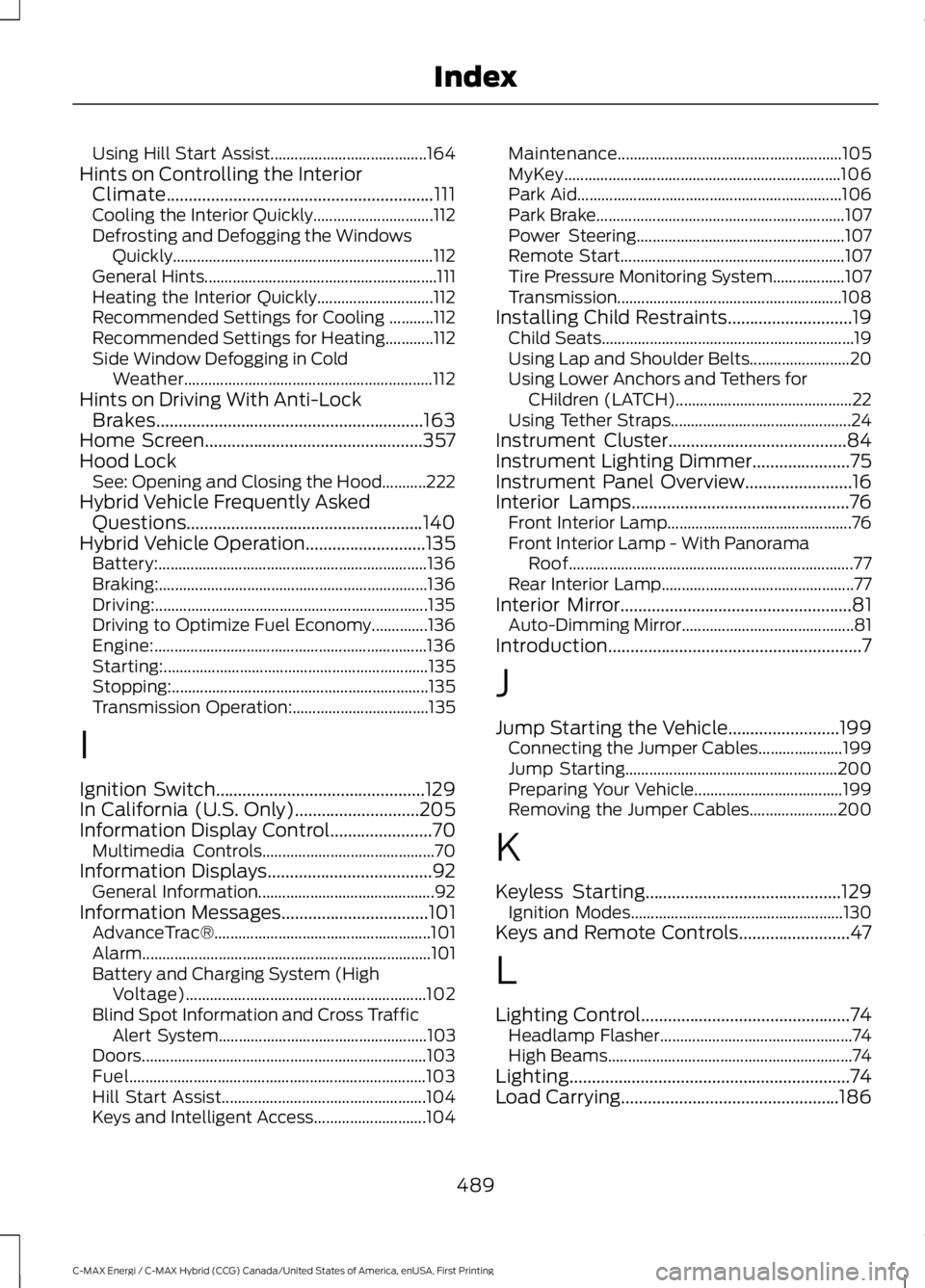
Using Hill Start Assist.......................................164Hints on Controlling the InteriorClimate............................................................111Cooling the Interior Quickly..............................112Defrosting and Defogging the WindowsQuickly.................................................................112General Hints..........................................................111Heating the Interior Quickly.............................112Recommended Settings for Cooling ...........112Recommended Settings for Heating............112Side Window Defogging in ColdWeather..............................................................112Hints on Driving With Anti-LockBrakes............................................................163Home Screen.................................................357Hood LockSee: Opening and Closing the Hood...........222Hybrid Vehicle Frequently AskedQuestions.....................................................140Hybrid Vehicle Operation...........................135Battery:...................................................................136Braking:...................................................................136Driving:....................................................................135Driving to Optimize Fuel Economy..............136Engine:....................................................................136Starting:..................................................................135Stopping:................................................................135Transmission Operation:..................................135
I
Ignition Switch...............................................129In California (U.S. Only)............................205Information Display Control.......................70Multimedia Controls...........................................70Information Displays.....................................92General Information............................................92Information Messages.................................101AdvanceTrac®......................................................101Alarm........................................................................101Battery and Charging System (HighVoltage)............................................................102Blind Spot Information and Cross TrafficAlert System....................................................103Doors.......................................................................103Fuel..........................................................................103Hill Start Assist...................................................104Keys and Intelligent Access............................104
Maintenance........................................................105MyKey.....................................................................106Park Aid..................................................................106Park Brake..............................................................107Power Steering....................................................107Remote Start........................................................107Tire Pressure Monitoring System..................107Transmission........................................................108Installing Child Restraints............................19Child Seats...............................................................19Using Lap and Shoulder Belts.........................20Using Lower Anchors and Tethers forCHildren (LATCH)............................................22Using Tether Straps.............................................24Instrument Cluster........................................84Instrument Lighting Dimmer......................75Instrument Panel Overview........................16Interior Lamps.................................................76Front Interior Lamp..............................................76Front Interior Lamp - With PanoramaRoof.......................................................................77Rear Interior Lamp................................................77Interior Mirror....................................................81Auto-Dimming Mirror...........................................81Introduction.........................................................7
J
Jump Starting the Vehicle.........................199Connecting the Jumper Cables.....................199Jump Starting.....................................................200Preparing Your Vehicle.....................................199Removing the Jumper Cables......................200
K
Keyless Starting............................................129Ignition Modes.....................................................130Keys and Remote Controls.........................47
L
Lighting Control...............................................74Headlamp Flasher................................................74High Beams.............................................................74Lighting...............................................................74Load Carrying.................................................186
489
C-MAX Energi / C-MAX Hybrid (CCG) Canada/United States of America, enUSA, First Printing
Index