tow FORD C MAX ENERGI 2017 Repair Manual
[x] Cancel search | Manufacturer: FORD, Model Year: 2017, Model line: C MAX ENERGI, Model: FORD C MAX ENERGI 2017Pages: 497, PDF Size: 7.64 MB
Page 392 of 497
SiriusXM Traffic and Travel Link
SiriusXM Traffic and Travel Link is availableon vehicles equipped with navigation andonly in select markets. You must activateand subscribe to receive SiriusXM Trafficand Travel Link information. It helps youlocate the best gas prices, find movielistings, get current traffic alerts, view theweather map, get accurate ski conditionsand see current sports scores. See Apps(page 409).
The system calculates a reasonableefficient route based on available speedlimits, traffic, and road conditions. You mayknow a local short cut that is more efficientat a given time than the route provided bySYNC 3, but you should expect a slightdifference in minutes or miles with theSYNC 3 route.
Navigation Map Updates
Annual navigation map updates areavailable for purchase through yourdealership, by calling 1-866-462-8837 inthe United States and Canada or01-800-557-5539 in Mexico. You can alsovisit:
Website
www.navigation.com/sync
You need to specify the make and modelof your vehicle to determine if there is anupdate available.
HERE is the digital map provider for thenavigation application. If you find map dataerrors, you may report them directly toHERE by going towww.here.com/mapcreator. HEREevaluates all reported map errors andresponds with the result of theirinvestigation by e-mail.
Map coverage includes the USA (includingPuerto Rico and the US Virgin Islands),Canada and Mexico.
ELECTRIC VEHICLE
INFORMATION
The power flow information for your Hybridvehicle is available through the Appssection of the touch screen.
389
C-MAX Energi / C-MAX Hybrid (CCG) Canada/United States of America, enUSA, First Printing
SYNC™ 3
Page 409 of 497
DescriptionItemCallout
This indicates which mode is active within the vehiclesystem.Power FlowA
Action and DescriptionMenu Item
The electric motor andgasoline engine arepowering the vehicle.
Status: Hybrid Drive
The hybrid system isstoring power in the high-voltage battery.
Status: Charging HVBattery
The vehicle is either atrest, or sharing very littlepower between the elec-tric system parts.
Status: Idle
The vehicle is driving inelectric mode (the poweris coming from the elec-tric motor). The gasolineengine is off in this mode.
Status: Electric Drive
The high-voltage batterycharging from the char-ging station is complete.
Status: Charge Complete
Shows the direction of power flow between thewheels and the electric motor.Motor-to-Wheel FlowB
Represents the hybrid electric motor. The higher themotor power is, the larger the circle around this node.Any time the vehicle is ready to be driven, the motornode illuminates.
Electric MotorC
Shows the direction of power flow between the high-voltage battery and the electric motor. Flow towardthe motor indicates the battery is providing power toaccelerate the vehicle (discharging the battery). Flowtoward the battery indicates the electric motor isproviding power to the battery (charging the battery).
1Battery-to-Motor FlowD
Appears when you plug your vehicle into the chargingstation. When charging the high voltage battery fromthe charging station, you can see flow from the plugto the battery on the screen.
PlugE
406
C-MAX Energi / C-MAX Hybrid (CCG) Canada/United States of America, enUSA, First Printing
SYNC™ 3
Page 414 of 497
App Permissions
The system organizes the App permissionsinto groups. You can grant these grouppermissions individually. You can changea permission group status any time whennot driving, by using the settings menu.While in the settings menu, you can alsosee the data included in each group.
When you launch an app using SYNC 3,the system may ask you to grant certainpermissions, for example Vehicleinformation, Driving characteristics, GPSand Speed, and/or Push notifications. Youcan enable all groups or none of themduring the initial app permissions prompts.The settings menu offers individual grouppermission control.
Note:You are only prompted to grantpermissions the first time you use an appwith SYNC 3.
Note:If you disable group permissions,apps will still be enabled to work with SYNC3 unless you deactivate All Apps in thesettings menu.
SiriusXM Traffic and Travel Link (If
Equipped)
WARNING
Driving while distracted can result inloss of vehicle control, crash andinjury. We strongly recommend thatyou use extreme caution when using anydevice that may take your focus off theroad. Your primary responsibility is the safeoperation of your vehicle. We recommendagainst the use of any hand-held devicewhile driving and encourage the use ofvoice-operated systems when possible.Make sure you are aware of all applicablelocal laws that may affect the use ofelectronic devices while driving.
Note:SiriusXM Traffic and Travel Link maynot be available in all markets.
Note:In order to use SiriusXM Traffic andTravel Link, your vehicle must havenavigation.
Note:A paid subscription is required toaccess and use these features. Go towww.siriusxm.com/travellink for moreinformation.
Note:Visit www.siriusxm.com/traffic andclick on Coverage map and details for acomplete listing of all traffic areas coveredby SiriusXM Traffic and Travel Link.
Note:Neither Sirius nor Ford is responsiblefor any errors or inaccuracies in the SiriusXMTraffic and Travel Link services or its use invehicles.
When you subscribe to SiriusXM Trafficand Travel Link, it can help you locate thebest gas prices, find movie listings, getcurrent traffic alerts, view the currentweather map, get accurate ski conditionsand see scores to current sports games.
411
C-MAX Energi / C-MAX Hybrid (CCG) Canada/United States of America, enUSA, First Printing
SYNC™ 3
Page 442 of 497
PROTECT YOURSELF FROM THE RISINGCOST OF VEHICLE REPAIRS WITH A FORDPROTECT EXTENDED SERVICE PLAN.
Ford Protect Extended ServicePlans (U.S. Only)
Ford Protect Extended Service Plan meanspeace of mind. It’s the extended serviceplan backed by Ford Motor Company, andprovides more protection beyond the NewVehicle Limited Warranty coverage. Whenyou visit your Ford Dealer, Insist on FordProtect Extended Service Plans!
Ford Protect Can Quickly Pay for Itself
One trip to the Service Center could easilyexceed the price of your Ford ProtectExtended Service Plan. With Ford Protectyou minimize your risk for unexpectedrepair bills and rising repair costs.
Up to 1,000+ Covered VehicleComponents
There are four mechanical Ford ProtectExtended Service Plans with differentlevels of coverage. Ask your authorizeddealer for details.
1. PremiumCARE - Our mostcomprehensive coverage. With over1,000 covered components, this planis so complete it’s probably easier tolist what’s not covered.
2. ExtraCARE - Covers 113 components,and includes many high-tech items.
3. BaseCARE - Covers 84 components.
4. PowertrainCARE - Covers 29 criticalcomponents.
Ford Protect Extended Service Plans arehonored by all authorized Ford dealers inthe U.S., Canada and Mexico.
That means you get:
•Reliable, quality service at any Ford orLincoln dealership.
•Repairs performed by factory trainedtechnicians, using genuine parts.
Rental Car Reimbursement
1st day Rental Benefit
If you bring your car into your dealer forservice, we’ll give you a loaner to use forthe day.
Extended Rental Benefits
If your vehicle is kept overnight for coveredrepairs, you are eligible for rental carcoverage, including warranty repairs, andField Service Actions.
Roadside Assistance
Exclusive 24/7 roadside assistance,including:
•Towing, flat-tire change and batteryjump starts.
•Out of fuel and lock-out assistance.
•Travel expense reimbursement forlodging, meals and rental car.
•Assistance for taxi, shuttle, rental carcoverage or other transportation.
Transferable Coverage
If you sell your vehicle before your FordProtect Extended Service plan coverageexpires, you can transfer any remainingcoverage to the new owner. Which shouldgive you and your potential buyer a littlemore peace of mind.
439
C-MAX Energi / C-MAX Hybrid (CCG) Canada/United States of America, enUSA, First Printing
Ford Protect
Page 443 of 497
Less Cost to Properly Maintain YourVehicle
Ford Protect Extended Service Plan alsooffers a Premium Maintenance Plan thatcovers all scheduled maintenance, andselected wear items. The coverage isprepaid, so you never have to worry aboutthe cost of your vehicle’s maintenance.
Covered maintenance includes:
•Windshield wiper blades.
•Spark plugs.
•The clutch disc.
•Brake pads and linings.
•Shock absorbers.
•Struts.
•Engine Belts.
•Engine coolant hoses, clamps ando-rings.
•Diesel exhaust fluid replenishment.
•Cabin air filter replacement every20,000 mi (32,000 km) (electricvehicles only).
Interest Free Finance Options
Just a 10% down payment will provide youwith an affordable, no interest, no feepayment program allowing you all thesecurity and benefits Ford ProtectExtended Service Plan has to offer whilepaying over time. You are pre-approvedwith no credit check or hassles. To learnmore, call our Ford Protect ExtendedService Plan specialists at 800-367-3377.
Ford Protect Extended Service PlanP.O. Box 321067Detroit, MI 48232
Ford Protect Extended ServicePlan (CANADA ONLY)
You can get more protection for yourvehicle by purchasing a Ford ProtectExtended Service Plan. Ford ProtectExtended Service Plan is the only servicecontract backed by Ford Motor Companyof Canada, Limited. Depending on the planyou purchase, Ford Protect ExtendedService Plan provides benefits such as:
•Rental reimbursement.
•Coverage for certain maintenance andwear items.
•Protection against repair costs afteryour New Vehicle Limited WarrantyCoverage expires.
•Roadside Assistance benefits.
There are several Ford Protect ExtendedService Plans available in various time,distance and deductible combinations.Each plan is tailored to fit your own drivingneeds, including reimbursement for towingand rental. When you purchase FordProtect Extended Service Plan, you receiveadded peace-of-mind protectionthroughout Canada, the United States andMexico, provided by a network ofparticipating authorized Ford MotorCompany dealers.
Note:Repairs performed outside ofCanada, the United States and Mexico arenot eligible for Ford Protect ExtendedService Plan coverage.
This information is subject to change. Formore information; visit your local Ford ofCanada dealer or www.ford.ca to find theFord Protect Extended Service Plan thatis right for you.
440
C-MAX Energi / C-MAX Hybrid (CCG) Canada/United States of America, enUSA, First Printing
Ford Protect
Page 448 of 497
NORMAL SCHEDULED
MAINTENANCE
Intelligent Oil-Life Monitor™ (If
Equipped)
Your vehicle is equipped with an IntelligentOil-Life Monitor that determines when youshould change the engine oil based on howyour vehicle is used. By using severalimportant factors in its calculations, themonitor helps reduce the cost of owningyour vehicle and reduces environmental
waste at the same time.
This means you do not have to rememberto change the oil on a mileage-basedschedule. Your vehicle lets you know whenan oil change is due by displaying amessage in the information display.
The following table provides examples ofvehicle use and its impact on oil changeintervals. It is a guideline only. Actual oilchange intervals depend on several factorsand generally decrease with severity ofuse.
When to expect the message prompting you to change your oil
Vehicle use and exampleMiles (kilometers)
Normal
7500-10000(12000-16000)
Normal commuting with highway drivingNo, or moderate, load or towingFlat to moderately hilly roadsNo extended idling
Severe
5000-7499(8000-11999)
Moderate to heavy load or towingMountainous or off-road conditionsExtended idlingExtended hot or cold operation
Extreme3000-4999(4000-7999)Maximum load or towingExtreme hot or cold operation
Normal Maintenance Intervals
At every oil change interval as indicated by the information display.1, 2
Change engine oil and filter.3
Inspect automatic transmission fluid level. Consult dealer for requirements.
Inspect brake pads, rotors, hoses and parking brake.
445
C-MAX Energi / C-MAX Hybrid (CCG) Canada/United States of America, enUSA, First Printing
Scheduled Maintenance
Page 473 of 497
conferred by implication, statute,inducement, estoppel or otherwise, andTeleNav and its suppliers and licensorshereby reserve all of their respective rightsother than the licenses explicitly grantedin this Agreement.
8.3
By using the TeleNav Software, youconsent to receive from TeleNav allcommunications, including notices,agreements, legally required disclosuresor other information in connection with theTeleNav Software (collectively, "Notices")electronically. TeleNav may provide suchNotices by posting them on TeleNav'sWebsite or by downloading such Noticesto your wireless device. If you desire towithdraw your consent to receive Noticeselectronically, you must discontinue youruse of the TeleNav Software.
8.4
TeleNav's or your failure to requireperformance of any provision shall notaffect that party's right to requireperformance at any time thereafter, norshall a waiver of any breach or default ofthis Agreement constitute a waiver of anysubsequent breach or default or a waiverof the provision itself.
8.5
If any provision herein is heldunenforceable, then such provision will bemodified to reflect the intention of theparties, and the remaining provisions ofthis Agreement will remain in full force andeffect.
8.6
The headings in this Agreement are forconvenience of reference only, will not bedeemed to be a part of this Agreement,and will not be referred to in connectionwith the construction or interpretation ofthis Agreement. As used in this Agreement,the words "include" and "including" andvariations thereof, will not be deemed tobe terms of limitation, but rather will bedeemed to be followed by the words"without limitation".
9. Other Vendors Terms and Conditions
•The Telenav Software utilizes map andother data licensed to Telenav by thirdparty vendors for the benefit of you andother end users. This Agreementincludes end-user terms applicable tothese companies (included at the endof this Agreement), and thus your useof the Telenav Software is also subjectto such terms. You agree to complywith the following additional terms andconditions, which are applicable toTelenav’s third party vendor licensors::
9.1 End User Terms Required by HERENorth America, LLC
The data (“Data”) is provided for yourpersonal, internal use only and not forresale. It is protected by copyright, and issubject to the following terms andconditions which are agreed to by you, onthe one hand, and Telenav (“Telenav”) andits licensors (including their licensors andsuppliers) on the other hand.
© 2013 HERE. All rights reserved.
The Data for areas of Canada includesinformation taken with permission fromCanadian authorities, including: © HerMajesty the Queen in Right of Canada, ©Queen's Printer for Ontario, © Canada PostCorporation, GeoBase®, © Department ofNatural Resources Canada.
470
C-MAX Energi / C-MAX Hybrid (CCG) Canada/United States of America, enUSA, First Printing
Appendices
Page 488 of 497
A
A/CSee: Climate Control.........................................109About This Manual...........................................7ABSSee: Brakes............................................................162ABS driving hintsSee: Hints on Driving With Anti-LockBrakes................................................................163Accessories....................................................437Exterior style........................................................437Interior style..........................................................437Lifestyle..................................................................437Peace of mind.....................................................437AccessoriesSee: Replacement PartsRecommendation............................................12Active Park Assist.........................................170Automatic Steering into ParkingSpace...................................................................171Deactivating the Park Assist Feature...........172Troubleshooting the System..........................173Using Active Park Assist...................................170Adjusting the Headlamps.........................236Horizontal Aim Adjustment............................237Vertical Aim Adjustment.................................236Adjusting the Steering Wheel...................68Airbag Disposal..............................................46Air ConditioningSee: Climate Control.........................................109Air FilterSee: Changing the Engine Air Filter.............244AlarmSee: Anti-Theft Alarm.........................................67Ambient Lighting.............................................77Anti-Theft Alarm............................................67Arming the Alarm.................................................67Disarming the Alarm...........................................67Appendices....................................................459Apps.................................................................409.................................................................................409SiriusXM Traffic and Travel Link.....................411At a Glance........................................................16Audible Warnings and Indicators..............91Automatic Transmission WarningChime...................................................................91Engine On Warning Chime.................................91
Headlamps On Warning Chime.......................91Key in Ignition Warning Chime.........................91Keyless Warning Alert .........................................91Parking Brake On Warning Chime...................91Audio Control..................................................68Seek, Next or Previous.......................................69Audio System................................................289General Information.........................................289Audio Unit - Vehicles With: AM/FM/CD/Satellite Radio...........................................298Audio Unit - Vehicles With: AM/FM/CD..................................................................290Audio Unit - Vehicles With: PremiumAM/FM/CD..................................................293Audio Unit - Vehicles With: Sony AM/FM/CD...........................................................294Menu Structure..................................................296Autolamps.........................................................74Windshield Wiper ActivatedHeadlamps.........................................................75Automatic Climate Control......................109Dual Zone Temperature Control.....................111Single Zone Temperature Control.................110Smart Zone.............................................................111Temperature Control..........................................110Automatic Engine Shutdown...................133Automatic Transmission...........................159Brake-Shift Interlock.........................................160If Your Vehicle Gets Stuck In Mud orSnow...................................................................161Understanding the Shift Positions of yourAutomatic Transmission.............................159Automatic Transmission FluidCheck.............................................................232Autowipers.........................................................71Auxiliary Power Points................................126110 Volt AC Power Point...................................12612 Volt DC Power Point.....................................126Locations...............................................................126
B
BatterySee: Changing the 12V Battery......................233Blind Spot Information System...............179Switching the System Off and On................181System Errors......................................................180Using the System................................................179
485
C-MAX Energi / C-MAX Hybrid (CCG) Canada/United States of America, enUSA, First Printing
Index
Page 496 of 497
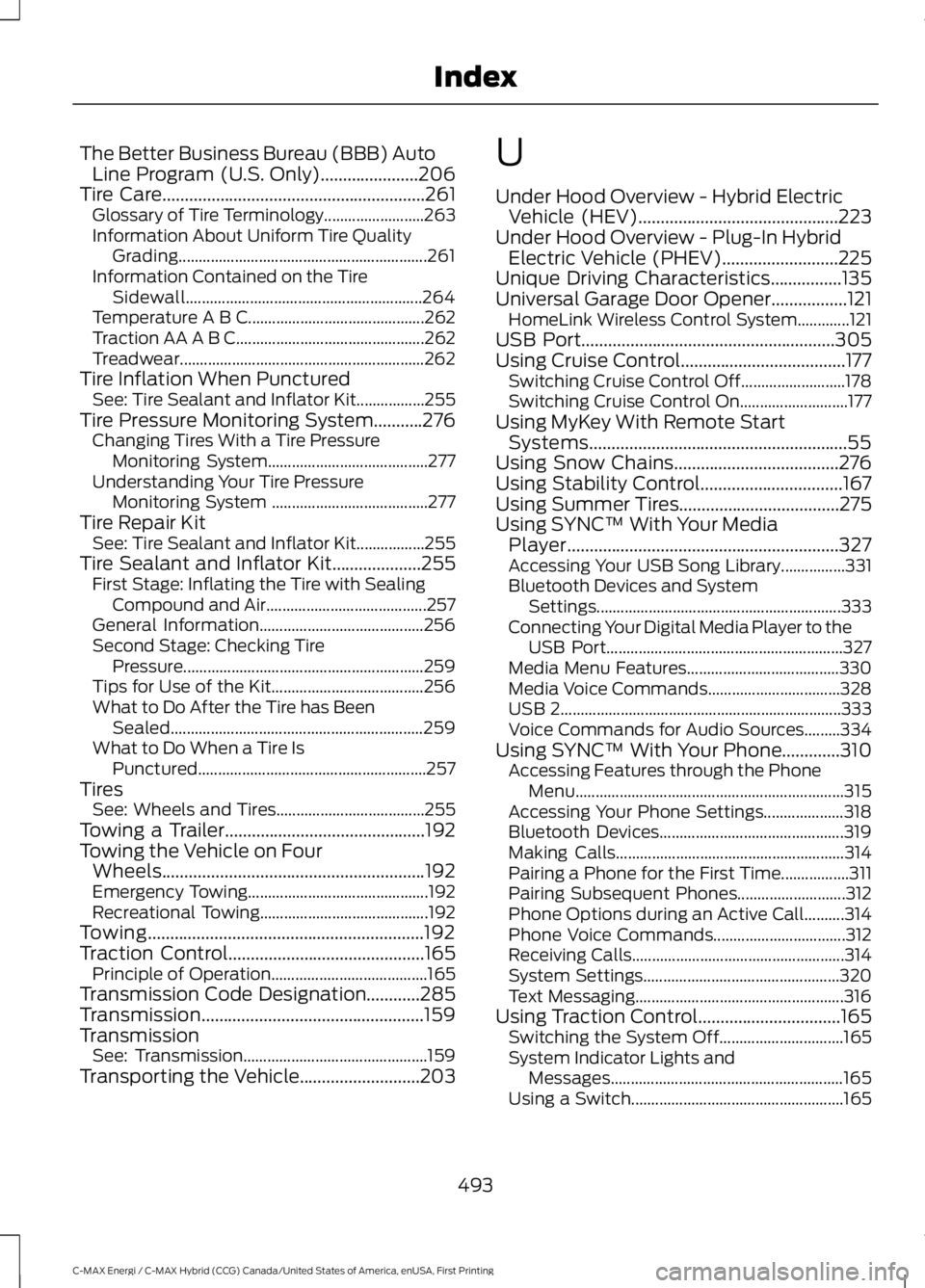
The Better Business Bureau (BBB) AutoLine Program (U.S. Only)......................206Tire Care...........................................................261Glossary of Tire Terminology.........................263Information About Uniform Tire QualityGrading..............................................................261Information Contained on the TireSidewall...........................................................264Temperature A B C............................................262Traction AA A B C...............................................262Treadwear.............................................................262Tire Inflation When PuncturedSee: Tire Sealant and Inflator Kit.................255Tire Pressure Monitoring System...........276Changing Tires With a Tire PressureMonitoring System........................................277Understanding Your Tire PressureMonitoring System .......................................277Tire Repair KitSee: Tire Sealant and Inflator Kit.................255Tire Sealant and Inflator Kit....................255First Stage: Inflating the Tire with SealingCompound and Air........................................257General Information.........................................256Second Stage: Checking TirePressure............................................................259Tips for Use of the Kit......................................256What to Do After the Tire has BeenSealed...............................................................259What to Do When a Tire IsPunctured.........................................................257TiresSee: Wheels and Tires.....................................255Towing a Trailer.............................................192Towing the Vehicle on FourWheels...........................................................192Emergency Towing.............................................192Recreational Towing..........................................192Towing..............................................................192Traction Control............................................165Principle of Operation.......................................165Transmission Code Designation............285Transmission..................................................159TransmissionSee: Transmission..............................................159Transporting the Vehicle...........................203
U
Under Hood Overview - Hybrid ElectricVehicle (HEV).............................................223Under Hood Overview - Plug-In HybridElectric Vehicle (PHEV)..........................225Unique Driving Characteristics................135Universal Garage Door Opener.................121HomeLink Wireless Control System.............121USB Port.........................................................305Using Cruise Control.....................................177Switching Cruise Control Off..........................178Switching Cruise Control On...........................177Using MyKey With Remote StartSystems..........................................................55Using Snow Chains.....................................276Using Stability Control................................167Using Summer Tires....................................275Using SYNC™ With Your MediaPlayer.............................................................327Accessing Your USB Song Library................331Bluetooth Devices and SystemSettings.............................................................333Connecting Your Digital Media Player to theUSB Port...........................................................327Media Menu Features......................................330Media Voice Commands.................................328USB 2......................................................................333Voice Commands for Audio Sources.........334Using SYNC™ With Your Phone.............310Accessing Features through the PhoneMenu...................................................................315Accessing Your Phone Settings....................318Bluetooth Devices..............................................319Making Calls.........................................................314Pairing a Phone for the First Time.................311Pairing Subsequent Phones...........................312Phone Options during an Active Call..........314Phone Voice Commands.................................312Receiving Calls.....................................................314System Settings.................................................320Text Messaging....................................................316Using Traction Control................................165Switching the System Off...............................165System Indicator Lights andMessages..........................................................165Using a Switch.....................................................165
493
C-MAX Energi / C-MAX Hybrid (CCG) Canada/United States of America, enUSA, First Printing
Index