radio controls FORD C MAX ENERGI 2017 Owners Manual
[x] Cancel search | Manufacturer: FORD, Model Year: 2017, Model line: C MAX ENERGI, Model: FORD C MAX ENERGI 2017Pages: 497, PDF Size: 7.64 MB
Page 4 of 497
Introduction
About This Manual...........................................7
Symbols Glossary.............................................7
Data Recording..................................................9
California Proposition 65..............................11
Perchlorate.........................................................11
Ford Credit..........................................................11
Replacement PartsRecommendation.......................................12
Special Notices................................................12
Mobile CommunicationsEquipment.....................................................13
Export Unique Options..................................13
Environment
Protecting the Environment........................15
At a Glance
Instrument Panel Overview........................16
Child Safety
General Information.......................................18
Installing Child Restraints............................19
Booster Seats..................................................25
Child Restraint Positioning..........................27
Child Safety Locks.........................................28
Seatbelts
Principle of Operation..................................30
Fastening the Seatbelts................................31
Seatbelt Height Adjustment......................33
Seatbelt Warning Lamp and IndicatorChime.............................................................33
Seatbelt Reminder........................................34
Child Restraint and SeatbeltMaintenance................................................36
Seatbelt Extension........................................36
Personal Safety System™
Personal Safety System™..........................37
Supplementary RestraintsSystem
Principle of Operation..................................38
Driver and Passenger Airbags...................39
Front Passenger Sensing System............40
Side Airbags.....................................................42
Driver Knee Airbag.........................................43
Safety Canopy™............................................43
Crash Sensors and Airbag Indicator.......45
Airbag Disposal..............................................46
Keys and Remote Controls
General Information on RadioFrequencies..................................................47
Remote Control...............................................47
Replacing a Lost Key or RemoteControl............................................................51
MyKey™
Principle of Operation...................................52
Creating a MyKey............................................53
Clearing All MyKeys.......................................53
Checking MyKey System Status...............55
Using MyKey With Remote StartSystems.........................................................55
MyKey Troubleshooting...............................55
Doors and Locks
Locking and Unlocking.................................57
Manual Liftgate................................................61
Power Liftgate.................................................62
Security
Passive Anti-Theft System........................66
Anti-Theft Alarm............................................67
Steering Wheel
Adjusting the Steering Wheel...................68
Audio Control..................................................68
Voice Control...................................................69
1
C-MAX Energi / C-MAX Hybrid (CCG) Canada/United States of America, enUSA, First Printing
Table of Contents
Page 50 of 497
GENERAL INFORMATION ON
RADIO FREQUENCIES
This device complies with Part 15 of theFCC Rules and with Industry Canadalicense-exempt RSS standard(s).Operation is subject to the following twoconditions: (1) This device may not causeharmful interference, and (2) This devicemust accept any interference received,including interference that may causeundesired operation.
Note:Changes or modifications notexpressively approved by the partyresponsible for compliance could void theuser's authority to operate the equipment.The term IC before the radio certificationnumber only signifies that Industry Canadatechnical specifications were met.
The typical operating range for yourtransmitter is approximately 33 ft (10 m).Vehicles with the remote start feature willhave a greater range.
One of the following could cause adecrease in operating range:
•Weather conditions.
•Nearby radio towers.
•Structures around the vehicle.
•Other vehicles parked next to yourvehicle.
The radio frequency used by your remotecontrol can also be used by other radiotransmitters, for example amateur radios,medical equipment, wireless headphones,wireless remote controls, cell phones,battery chargers and alarm systems. If thefrequencies are jammed, you will not beable to use your remote control. You canlock and unlock the doors with the key.
Note:Make sure to lock your vehicle beforeleaving it unattended.
Note:If you are in range, the remote controlwill operate if you press any buttonunintentionally.
Note:The remote control contains sensitiveelectrical components. Exposure to moistureor impact may cause permanent damage.
Intelligent Access (If Equipped)
The system uses a radio frequency signalto communicate with your vehicle andauthorize your vehicle to unlock when oneof the following conditions are met:
•You activate the front exterior doorhandle switch.
•You press the luggage compartmentbutton.
•You press a button on the transmitter.
If excessive radio frequency interferenceis present in the area or if the transmitterbattery is low, you may need tomechanically unlock your door. You canuse the mechanical key blade in yourintelligent access key to open the driverdoor in this situation. See RemoteControl (page 47).
REMOTE CONTROL
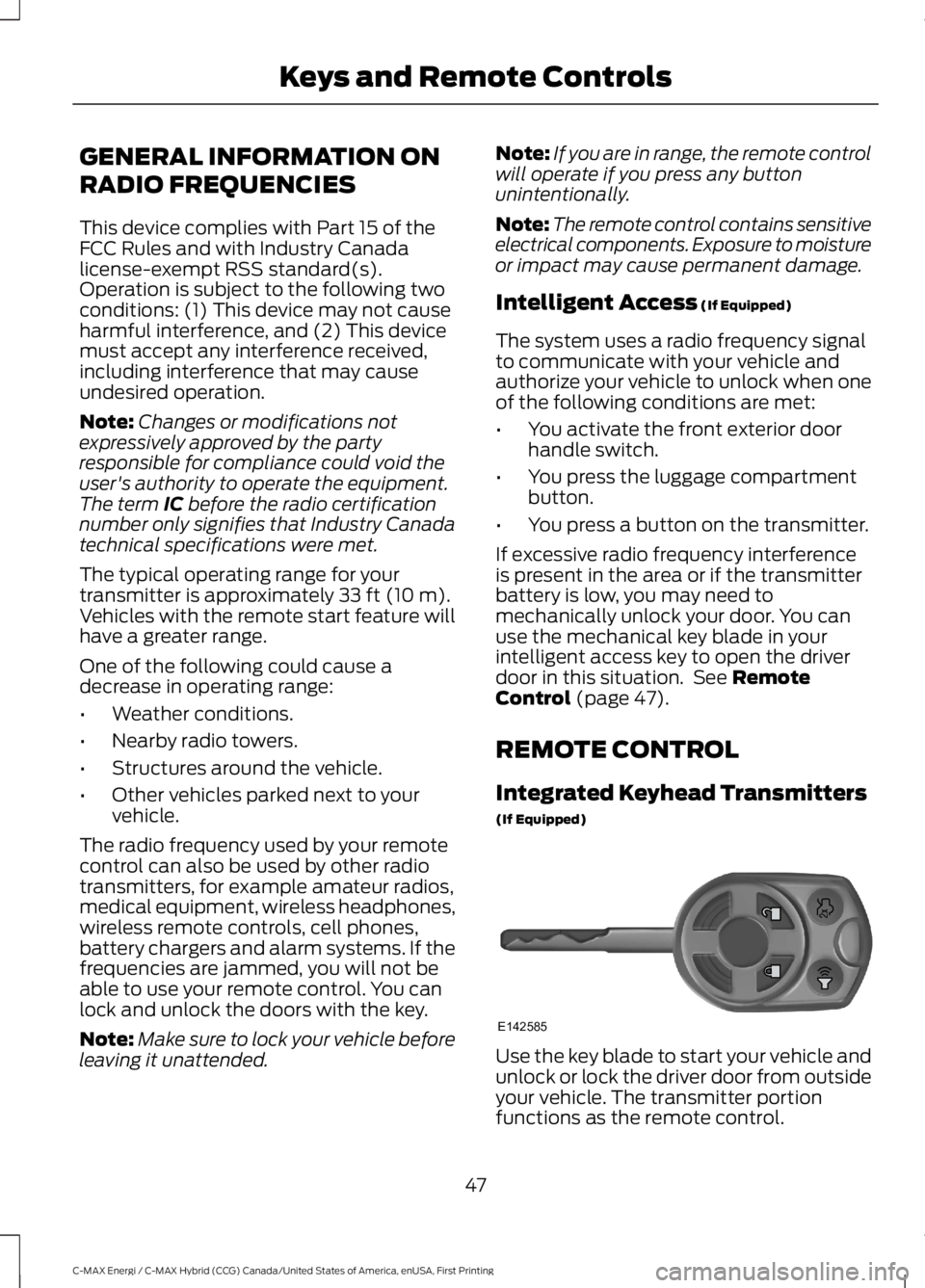
Integrated Keyhead Transmitters
(If Equipped)
Use the key blade to start your vehicle andunlock or lock the driver door from outsideyour vehicle. The transmitter portionfunctions as the remote control.
47
C-MAX Energi / C-MAX Hybrid (CCG) Canada/United States of America, enUSA, First Printing
Keys and Remote ControlsE142585
Page 54 of 497
Note:If you remote start your vehicle withan intelligent access transmitter, you mustpress the START/STOP button on theinstrument panel once while applying thebrake pedal before driving your vehicle.
The power windows do not work duringremote start and the radio does not turnon automatically.
The parking lamps remain on and thevehicle runs for 5, 10, or 15 minutes,depending on the setting.
Extending the Vehicle Run Time
Repeat Steps 1 and 2 with the vehicle stillrunning to extend the run time for anotherremote start duration. If the duration is setto last 10 minutes, the duration extends byanother 10 minutes. For example, if thevehicle had been running from the firstremote start for five minutes, the vehiclecontinues to run now for a total of 20minutes. You can extend the remote startup to a maximum of 30 minutes.
Wait at least five seconds before remotestarting after a vehicle shutdown.
Turning the Vehicle Off After RemoteStarting
Press the button once. Theparking lamps turns off.
You may have to be closer to thevehicle than when starting due to groundreflection and the added noise of therunning vehicle.
You can disable or enable the remote startsystem through the information display.See General Information (page 92).
REPLACING A LOST KEY OR
REMOTE CONTROL
Replacement keys or remote controls canbe purchased from an authorized dealer.Authorized dealers can program remotecontrols for your vehicle. See PassiveAnti-Theft System (page 66).
51
C-MAX Energi / C-MAX Hybrid (CCG) Canada/United States of America, enUSA, First Printing
Keys and Remote ControlsE138625
Page 124 of 497
HomeLink Wireless ControlSystem
WARNINGS
Make sure that the garage door andsecurity device are free fromobstruction when you areprogramming. Do not program the systemwith the vehicle in the garage.
Do not use the system with anygarage door opener that does nothave the safety stop and reversefeature as required by U.S. Federal SafetyStandards (this includes any garage dooropener manufactured before April 1, 1982).A garage door opener which cannot detectan object, signaling the door to stop andreverse, does not meet current federalsafety standards. Using a garage dooropener without these features increasesthe risk of serious injury or death.
Note:Make sure you keep the originalremote control transmitter for use in othervehicles as well as for future systemprogramming.
Note:We recommend that upon the saleor lease termination of your vehicle, youerase the programmed function buttons forsecurity reasons. See Erasing the FunctionButton Codes.
Note:You can program a maximum ofthree devices. To change or replace any ofthe three devices after it has been initiallyprogrammed, you must first erase thecurrent settings. See Erasing the FunctionButton Codes.
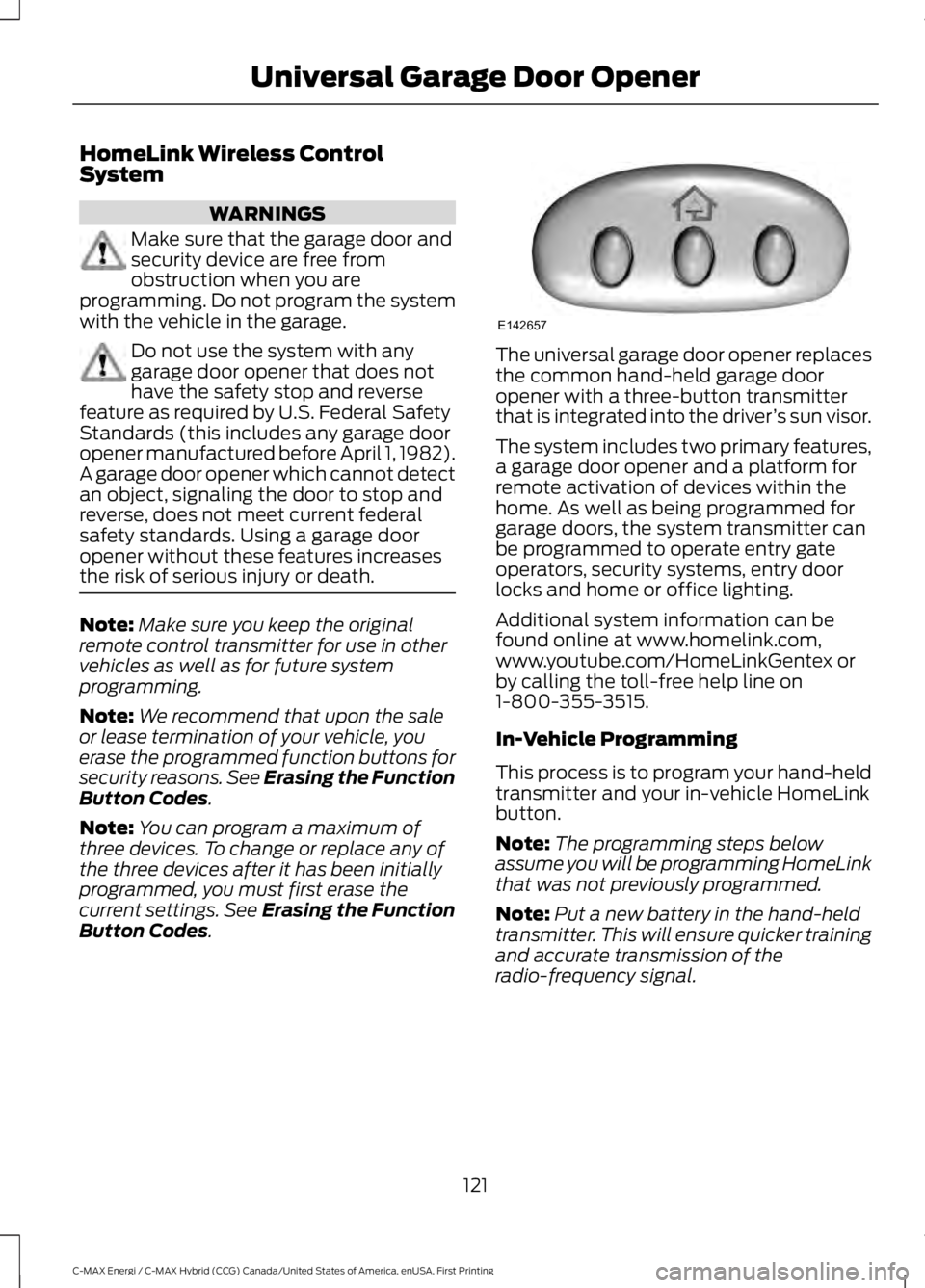
The universal garage door opener replacesthe common hand-held garage dooropener with a three-button transmitterthat is integrated into the driver’s sun visor.
The system includes two primary features,a garage door opener and a platform forremote activation of devices within thehome. As well as being programmed forgarage doors, the system transmitter canbe programmed to operate entry gateoperators, security systems, entry doorlocks and home or office lighting.
Additional system information can befound online at www.homelink.com,www.youtube.com/HomeLinkGentex orby calling the toll-free help line on1-800-355-3515.
In-Vehicle Programming
This process is to program your hand-heldtransmitter and your in-vehicle HomeLinkbutton.
Note:The programming steps belowassume you will be programming HomeLinkthat was not previously programmed.
Note:Put a new battery in the hand-heldtransmitter. This will ensure quicker trainingand accurate transmission of theradio-frequency signal.
121
C-MAX Energi / C-MAX Hybrid (CCG) Canada/United States of America, enUSA, First Printing
Universal Garage Door OpenerE142657
Page 296 of 497
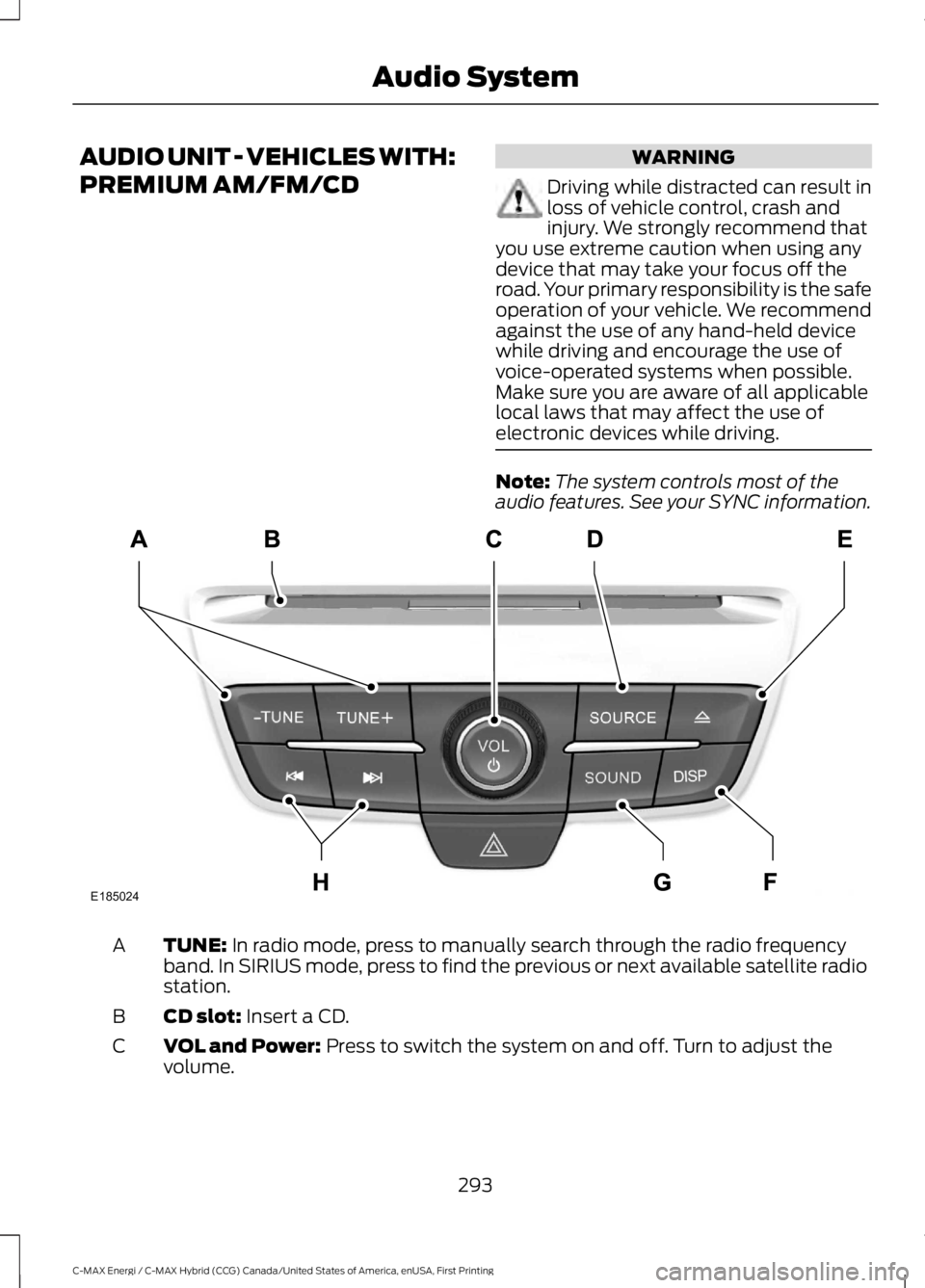
AUDIO UNIT - VEHICLES WITH:
PREMIUM AM/FM/CD
WARNING
Driving while distracted can result inloss of vehicle control, crash andinjury. We strongly recommend thatyou use extreme caution when using anydevice that may take your focus off theroad. Your primary responsibility is the safeoperation of your vehicle. We recommendagainst the use of any hand-held devicewhile driving and encourage the use ofvoice-operated systems when possible.Make sure you are aware of all applicablelocal laws that may affect the use ofelectronic devices while driving.
Note:The system controls most of theaudio features. See your SYNC information.
TUNE: In radio mode, press to manually search through the radio frequencyband. In SIRIUS mode, press to find the previous or next available satellite radiostation.
A
CD slot: Insert a CD.B
VOL and Power: Press to switch the system on and off. Turn to adjust thevolume.C
293
C-MAX Energi / C-MAX Hybrid (CCG) Canada/United States of America, enUSA, First Printing
Audio SystemE185024
Page 297 of 497
SOURCE: Press to access different audio modes, for example AM, FM andMedia, and Satellite Radio.D
Eject: Press to eject a CD.E
DISP: Press to switch the display screen on and off.F
SOUND: Press to access settings for Treble, Midrange, Bass, Fade or Balance.Use the up and down arrow buttons to select the various settings. When youmake your selection, press the left and right arrow buttons to change thesettings. Press OK to set or press MENU to exit. Sound settings can be set foreach audio source independently.
G
Seek, Fast Forward and Reverse: In radio mode, select a frequency bandand press this button. The system stops at the first station it finds in thatdirection. In SIRIUS mode, press to select the next or previous satellite radiostation. If a specific category is selected (such as jazz, rock or news), press tofind the next or previous in the selected category. In Media mode, press to selectthe previous or next track. Press and hold to move quickly backward or forwardthrough the current track.
H
AUDIO UNIT - VEHICLES WITH:
SONY AM/FM/CD
WARNING
Driving while distracted can result inloss of vehicle control, crash andinjury. We strongly recommend thatyou use extreme caution when using anydevice that may take your focus off theroad. Your primary responsibility is the safeoperation of your vehicle. We recommendagainst the use of any hand-held devicewhile driving and encourage the use ofvoice-operated systems when possible.Make sure you are aware of all applicablelocal laws that may affect the use ofelectronic devices while driving.
Note:The CD slot is directly above thetouchscreen.
Note:The touchscreen system controlsmost of the audio features. See your SYNCinformation.
294
C-MAX Energi / C-MAX Hybrid (CCG) Canada/United States of America, enUSA, First Printing
Audio System
Page 353 of 497
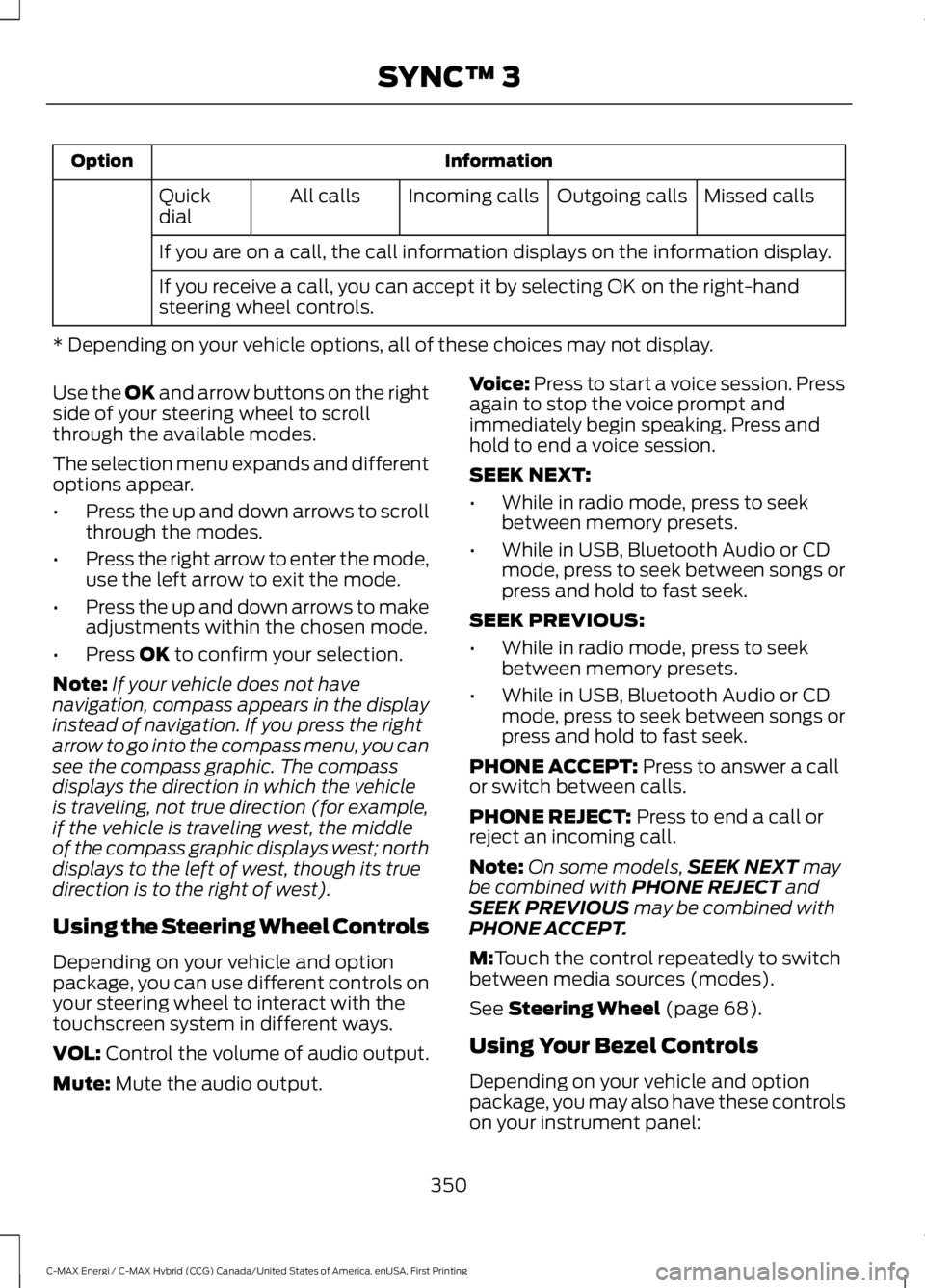
InformationOption
Missed callsOutgoing callsIncoming callsAll callsQuickdial
If you are on a call, the call information displays on the information display.
If you receive a call, you can accept it by selecting OK on the right-handsteering wheel controls.
* Depending on your vehicle options, all of these choices may not display.
Use the OK and arrow buttons on the rightside of your steering wheel to scrollthrough the available modes.
The selection menu expands and differentoptions appear.
•Press the up and down arrows to scrollthrough the modes.
•Press the right arrow to enter the mode,use the left arrow to exit the mode.
•Press the up and down arrows to makeadjustments within the chosen mode.
•Press OK to confirm your selection.
Note:If your vehicle does not havenavigation, compass appears in the displayinstead of navigation. If you press the rightarrow to go into the compass menu, you cansee the compass graphic. The compassdisplays the direction in which the vehicleis traveling, not true direction (for example,if the vehicle is traveling west, the middleof the compass graphic displays west; northdisplays to the left of west, though its truedirection is to the right of west).
Using the Steering Wheel Controls
Depending on your vehicle and optionpackage, you can use different controls onyour steering wheel to interact with thetouchscreen system in different ways.
VOL: Control the volume of audio output.
Mute: Mute the audio output.
Voice: Press to start a voice session. Pressagain to stop the voice prompt andimmediately begin speaking. Press andhold to end a voice session.
SEEK NEXT:
•While in radio mode, press to seekbetween memory presets.
•While in USB, Bluetooth Audio or CDmode, press to seek between songs orpress and hold to fast seek.
SEEK PREVIOUS:
•While in radio mode, press to seekbetween memory presets.
•While in USB, Bluetooth Audio or CDmode, press to seek between songs orpress and hold to fast seek.
PHONE ACCEPT: Press to answer a callor switch between calls.
PHONE REJECT: Press to end a call orreject an incoming call.
Note:On some models,SEEK NEXT maybe combined with PHONE REJECT andSEEK PREVIOUS may be combined withPHONE ACCEPT.
M:Touch the control repeatedly to switchbetween media sources (modes).
See Steering Wheel (page 68).
Using Your Bezel Controls
Depending on your vehicle and optionpackage, you may also have these controlson your instrument panel:
350
C-MAX Energi / C-MAX Hybrid (CCG) Canada/United States of America, enUSA, First Printing
SYNC™ 3
Page 369 of 497
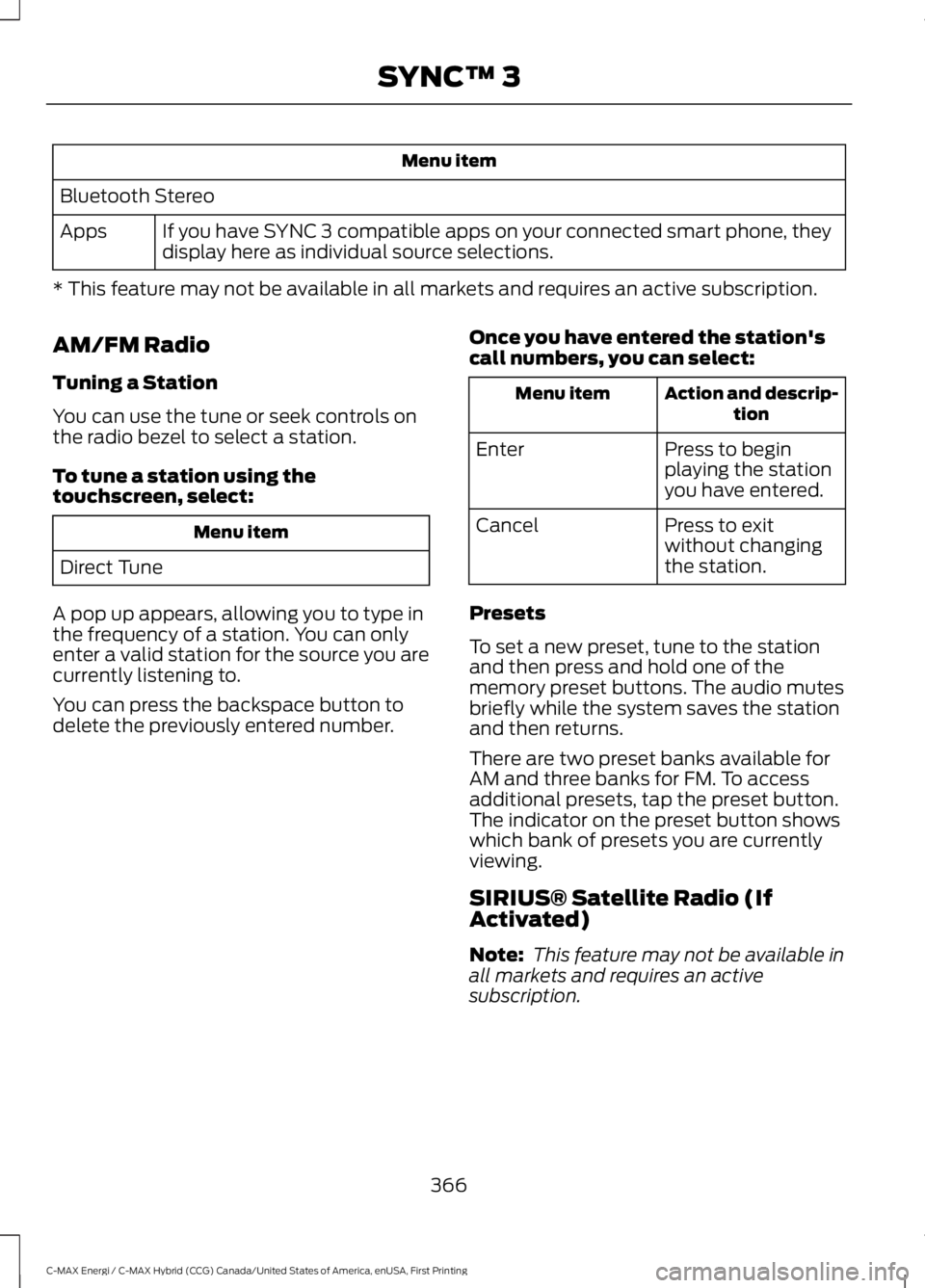
Menu item
Bluetooth Stereo
If you have SYNC 3 compatible apps on your connected smart phone, theydisplay here as individual source selections.Apps
* This feature may not be available in all markets and requires an active subscription.
AM/FM Radio
Tuning a Station
You can use the tune or seek controls onthe radio bezel to select a station.
To tune a station using thetouchscreen, select:
Menu item
Direct Tune
A pop up appears, allowing you to type inthe frequency of a station. You can onlyenter a valid station for the source you arecurrently listening to.
You can press the backspace button todelete the previously entered number.
Once you have entered the station'scall numbers, you can select:
Action and descrip-tionMenu item
Press to beginplaying the stationyou have entered.
Enter
Press to exitwithout changingthe station.
Cancel
Presets
To set a new preset, tune to the stationand then press and hold one of thememory preset buttons. The audio mutesbriefly while the system saves the stationand then returns.
There are two preset banks available forAM and three banks for FM. To accessadditional presets, tap the preset button.The indicator on the preset button showswhich bank of presets you are currentlyviewing.
SIRIUS® Satellite Radio (IfActivated)
Note: This feature may not be available inall markets and requires an activesubscription.
366
C-MAX Energi / C-MAX Hybrid (CCG) Canada/United States of America, enUSA, First Printing
SYNC™ 3
Page 490 of 497
Collision, Damage or Fire Event..............201Guidance for Ford Motor Company Electricand Hybrid-Electric Vehicles EquippedWith High Voltage Batteries......................201Coolant CheckSee: Engine Coolant Check............................228Crash Sensors and Airbag Indicator........45Creating a MyKey............................................53Programming/Changing ConfigurableSettings...............................................................53Cross Traffic Alert..........................................181False Alerts...........................................................183Switching the System Off and On...............184System Errors.......................................................184System Lights, Messages and AudibleAlerts..................................................................183System Limitations............................................183Using the System................................................181Cruise Control.................................................69Principle of Operation........................................177Cruise controlSee: Using Cruise Control.................................177Customer Assistance.................................204
D
Data Recording..................................................9Event Data Recording..........................................10Service Data Recording........................................9Daytime Running Lamps.............................76Digital Radio.................................................300HD Radio Reception and StationTroubleshooting.............................................301Direction Indicators........................................76Doors and Locks..............................................57Driver and Passenger Airbags...................39Children and Airbags..........................................39Proper Driver and Front Passenger SeatingAdjustment........................................................39Driver Knee Airbag.........................................43Driving Aids......................................................179Driving Hints...................................................194Driving Through Water................................195DRLSee: Daytime Running Lamps.........................76
E
Economical Driving......................................194EcoSelect.........................................................139Electric Vehicle Information....................389Charge Settings...................................................391Power Flow..........................................................405Emission Control System..........................149On-Board Diagnostics (OBD-II)...................149Readiness for Inspection and Maintenance(I/M) Testing...................................................150End User License Agreement.................459VEHICLE SOFTWARE END USER LICENSEAGREEMENT (EULA) ................................459Engine Block Heater.....................................132Using the Engine Block Heater......................133Engine Coolant Check...............................228Adding Coolant...................................................228Coolant Change.................................................230Engine Coolant TemperatureManagement...................................................231Fail-Safe Cooling...............................................230Recycled Coolant...............................................229Severe Climates.................................................230Engine ImmobilizerSee: Passive Anti-Theft System....................66Engine Oil Check..........................................226Adding Engine Oil..............................................226Low Engine Use...................................................227Operating in Cold Climates and ShortDriving Cycles..................................................227Engine Oil Dipstick......................................226Engine Specifications................................282Entertainment..............................................365AM/FM Radio......................................................366Apps........................................................................374Bluetooth Stereo or USB.................................373CD.............................................................................372HD Radio™ Information (IfAvailable)........................................................369SIRIUS® Satellite Radio (IfActivated).......................................................366Sources..................................................................365Supported Media Players, Formats andMetadata Information.................................374USB Ports..............................................................374Environment......................................................15
487
C-MAX Energi / C-MAX Hybrid (CCG) Canada/United States of America, enUSA, First Printing
Index
Page 495 of 497
Satellite Radio..............................................303Satellite Radio Electronic Serial Number(ESN)................................................................304Satellite Radio Reception Factors..............303SIRIUS® Satellite Radio Service.................303Troubleshooting................................................304Scheduled Maintenance Record...........449Scheduled Maintenance...........................441Seatbelt Extension........................................36Seatbelt Height Adjustment......................33Seatbelt Reminder........................................34Belt-Minder™........................................................34Seatbelts...........................................................30Principle of Operation........................................30Seatbelt Warning Lamp and IndicatorChime...............................................................33Conditions of operation.....................................34Seats...................................................................114Security..............................................................66Settings............................................................412911 Assist................................................................417Ambient Lighting...............................................422Bluetooth...............................................................414Clock........................................................................414Display...................................................................424General...................................................................421Media Player.........................................................413Mobile Apps........................................................420Navigation.............................................................418Phone......................................................................414Radio........................................................................417Sound......................................................................412Valet Mode...........................................................424Vehicle....................................................................422Voice Control.......................................................424Wi-Fi........................................................................422Side Airbags.....................................................42Sitting in the Correct Position...................114Snow ChainsSee: Using Snow Chains..................................276Special Notices................................................12New Vehicle Limited Warranty.........................12On Board Diagnostics Data LinkConnector............................................................13Special Instructions..............................................12Special Operating Conditions ScheduledMaintenance...............................................447Exceptions...........................................................448
Speed ControlSee: Cruise Control.............................................177Stability Control............................................166Principle of Operation......................................166Starter SwitchSee: Ignition Switch...........................................129Starting a Gasoline Engine.......................130Guarding Against Exhaust Fumes................132Important Ventilating Information...............132Switching Off the Vehicle When It IsMoving................................................................132Switching Off the Vehicle When It IsStationary..........................................................131Vehicles with an Ignition Key.........................130Vehicles with Keyless Start............................130Starting and Stopping the Engine..........129General Information..........................................129Steering............................................................184Electric Power Steering....................................184Steering Wheel...............................................68Storage Compartments.............................128Sun Shades......................................................82Bounce-Back.........................................................82Opening and Closing the Sun Shade...........82Sun Shade Relearning........................................82Sun Visors.........................................................82Illuminated Vanity Mirror...................................82Supplementary Restraints System.........38Principle of Operation........................................38Symbols Glossary.............................................7SYNC™ 3........................................................344General Information.........................................344SYNC™ 3 Troubleshooting......................425SYNC™ Applications and Services.......322911 Assist...............................................................322SYNC Mobile Apps............................................324SYNC™...........................................................306General Information.........................................306SYNC™ Troubleshooting.........................336
T
TailgateSee: Manual Liftgate............................................61See: Power Liftgate.............................................62Technical SpecificationsSee: Capacities and Specifications............282
492
C-MAX Energi / C-MAX Hybrid (CCG) Canada/United States of America, enUSA, First Printing
Index