remote control FORD C-MAY HYBRID 2018 Owner's Manual
[x] Cancel search | Manufacturer: FORD, Model Year: 2018, Model line: C-MAY HYBRID, Model: FORD C-MAY HYBRID 2018Pages: 475, PDF Size: 8.09 MB
Page 112 of 475
Heated Rear Window
Press the button to clear the
heated rear window of thin ice
and fog. The heated rear
window turns off after a short period of
time. Press the button again to switch it
off.
Note: Do not use razor blades or other
sharp objects to clean or remove decals
from the inside of the heated rear window.
The vehicle warranty does not cover
damage caused to the heated rear window
grid lines.
Heated Exterior Mirrors (If Equipped)
When you switch the heated rear window
on, the heated exterior mirrors turn on.
Note: Do not remove ice from the mirrors
with a scraper or adjust the mirror glass
when it is frozen in place.
Note: Do not clean the mirror housing or
glass with harsh abrasives, fuel or other
petroleum-based cleaning products.
CABIN AIR FILTER
The cabin air filter is under the instrument
panel in the passenger footwell area or
under the center console on the passenger
side.
The system filters airborne particles such
as dust, spores and pollen in the air
supplied to and recirculated in the interior
of your vehicle.
Make sure you have a cabin air filter
installed at all times. Running the system
without a filter in place could degrade or
damage the system. Your vehicle cabin air filter gives you and
your passengers the following benefits:
•
It improves your driving comfort by
reducing particle concentration.
• It improves the interior compartment
cleanliness.
• It protects the climate control
components from particle deposits.
Change the air filter element at the proper
intervals.
For additional cabin air filter information,
or to replace the filter, see an authorized
dealer.
REMOTE START
(If Equipped)
The climate control system adjusts the
cabin temperature during remote start.
You cannot adjust the system during
remote start operation. Switch on the
ignition to return the system to its previous
settings. You can now make adjustments.
You need to switch on certain
vehicle-dependent features, such as:
• Heated seats.
• Heated mirrors.
• Heated rear window.
• Heated steering wheel.
You can adjust the settings using the
information display controls. See
Information Displays
(page 92).
Automatic Settings
You can set the climate control to operate
in AUTO mode through the information
display setting: Remote Start > Climate
Control > Heater-A/C > Auto. The climate
control system automatically sets the
interior temperature to 72°F (22°C).
109
C-MAX / C-MAX Hybrid (CCG) Canada/United States of America, enUSA, Edition date: 201707, Second Printing Climate ControlE72507
Page 113 of 475

In hot weather, the system is set to 72°F
(22°C). Cooled seats are set to high (if
available, and selected to AUTO in the
information display).
In cold weather, the system is set to 72°F
(22°C). The rear defroster and heated
mirrors automatically turn on.
Last Settings
You can set the climate control to operate
using the last climate control settings
through the information display setting:
Remote Start > Climate Control >
Heater
–A/C > Last Settings. The climate
control system automatically uses the
settings last selected before you turned
off the vehicle.
Heated and Cooled Devices
Heated devices typically switch on during
cold weather, and cooled devices during
hot weather.
110
C-MAX / C-MAX Hybrid (CCG) Canada/United States of America, enUSA, Edition date: 201707, Second Printing Climate Control
Page 121 of 475
(If Equipped)
HomeLink Wireless Control
System
WARNINGS
Make sure that the garage door and
security device are free from
obstruction when you are
programming. Do not program the system
with the vehicle in the garage. Do not use the system with any
garage door opener that does not
have the safety stop and reverse
feature as required by U.S. Federal Safety
Standards (this includes any garage door
opener manufactured before April 1, 1982).
A garage door opener which cannot detect
an object, signaling the door to stop and
reverse, does not meet current federal
safety standards. Using a garage door
opener without these features increases
the risk of serious injury or death. Note:
Make sure you keep the original
remote control transmitter for use in other
vehicles as well as for future system
programming.
Note: We recommend that upon the sale
or lease termination of your vehicle, you
erase the programmed function buttons for
security reasons. See Erasing the Function
Button Codes later in this section.
Note: You can program a maximum of
three devices. To change or replace any of
the three devices after it has been initially
programmed, you must first erase the
current settings. See Erasing the Function
Button Codes
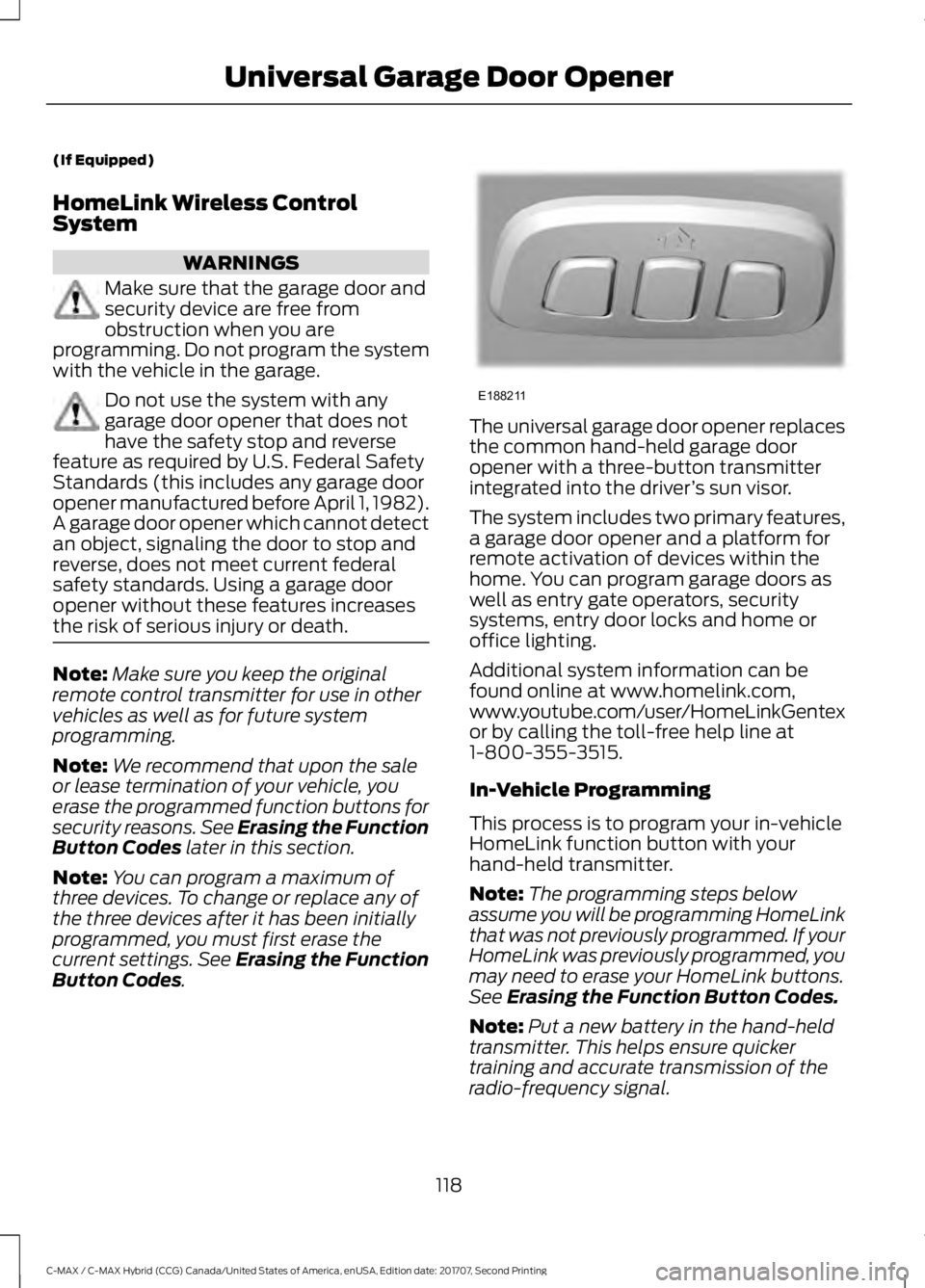
. The universal garage door opener replaces
the common hand-held garage door
opener with a three-button transmitter
integrated into the driver
’s sun visor.
The system includes two primary features,
a garage door opener and a platform for
remote activation of devices within the
home. You can program garage doors as
well as entry gate operators, security
systems, entry door locks and home or
office lighting.
Additional system information can be
found online at www.homelink.com,
www.youtube.com/user/HomeLinkGentex
or by calling the toll-free help line at
1-800-355-3515.
In-Vehicle Programming
This process is to program your in-vehicle
HomeLink function button with your
hand-held transmitter.
Note: The programming steps below
assume you will be programming HomeLink
that was not previously programmed. If your
HomeLink was previously programmed, you
may need to erase your HomeLink buttons.
See Erasing the Function Button Codes.
Note: Put a new battery in the hand-held
transmitter. This helps ensure quicker
training and accurate transmission of the
radio-frequency signal.
118
C-MAX / C-MAX Hybrid (CCG) Canada/United States of America, enUSA, Edition date: 201707, Second Printing Universal Garage Door OpenerE188211
Page 195 of 475
•
As with any vehicle fire, do not inhale
smoke, vapors or gas from the vehicle,
as they may be hazardous.
• Stay out of the roadway and stay out
of the way of any oncoming traffic
while awaiting the arrival of emergency
responders.
Post-Incident
• Do not store a severely damaged
vehicle with a lithium-ion battery inside
a structure or within 49 ft (15 m) of any
structure or vehicle.
• Make sure that passenger and luggage
compartments remain ventilated.
• Call emergency assistance if you
observe leaking fluids, sparks, smoke
or flames, or hear gurgling or bubbling
from the high-voltage battery.
POST-CRASH ALERT SYSTEM
The system flashes the direction indicators
and sounds the horn (intermittently) in the
event of a serious impact that deploys an
airbag (front, side, side curtain or Safety
Canopy) or the seatbelt pretensioners.
The horn and indicators turn off when:
• You press the hazard control button.
• You press the panic button on the
remote entry transmitter (if equipped).
• Your vehicle runs out of power.
• Sounding of the horn is only enabled
in specific markets. TRANSPORTING THE VEHICLE
If you need to have your vehicle towed,
contact a professional towing service or,
if you are a member of a roadside
assistance program, your roadside
assistance service provider.
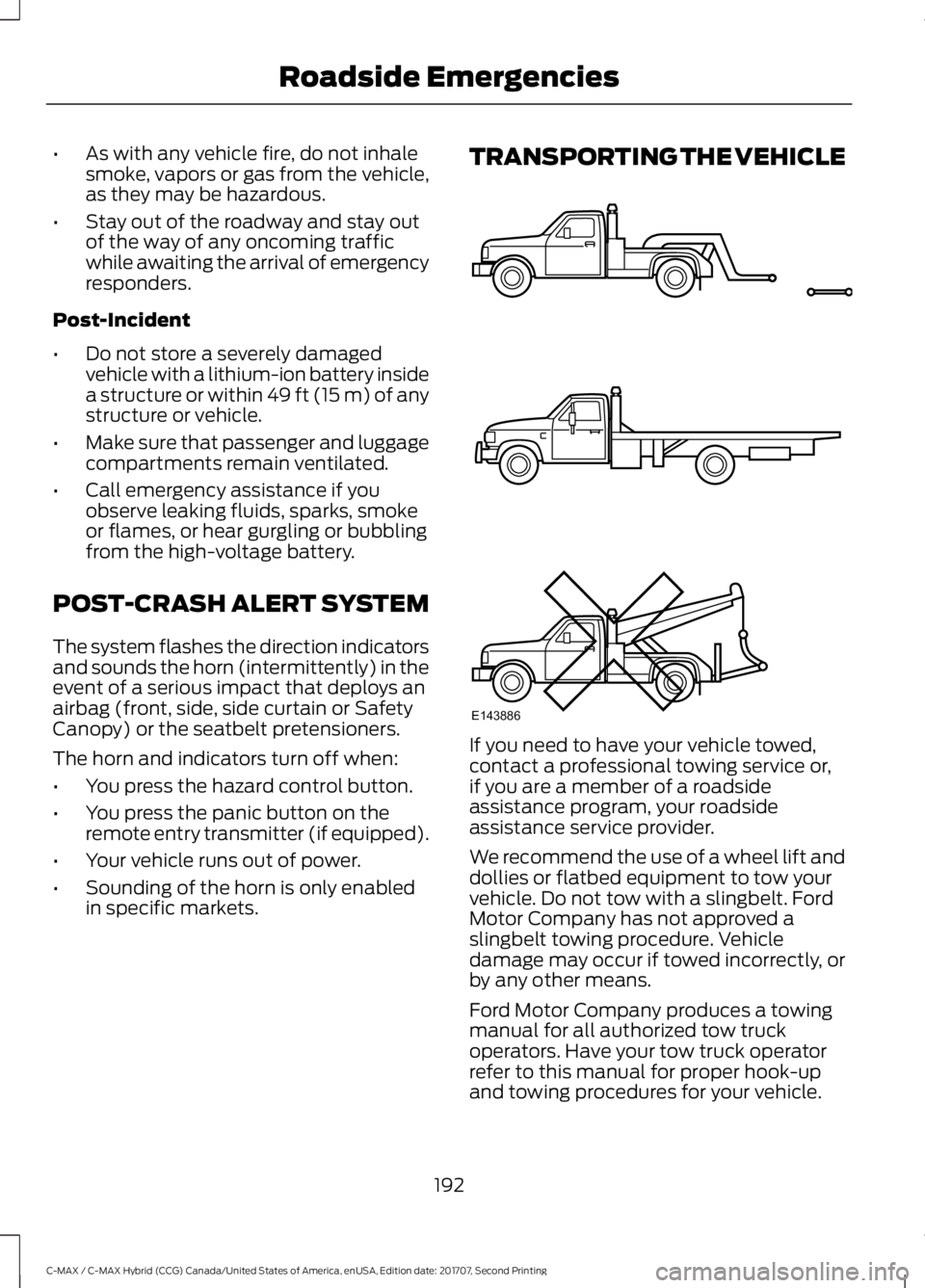
We recommend the use of a wheel lift and
dollies or flatbed equipment to tow your
vehicle. Do not tow with a slingbelt. Ford
Motor Company has not approved a
slingbelt towing procedure. Vehicle
damage may occur if towed incorrectly, or
by any other means.
Ford Motor Company produces a towing
manual for all authorized tow truck
operators. Have your tow truck operator
refer to this manual for proper hook-up
and towing procedures for your vehicle.
192
C-MAX / C-MAX Hybrid (CCG) Canada/United States of America, enUSA, Edition date: 201707, Second Printing Roadside EmergenciesE143886
Page 209 of 475
Protected components
Fuse amp rating
Fuse or relay number
Cigar lighter.
20A
F61
Second row power point.
Autowiper module.
5A
F62
Autodimming rear view mirror.
Not used (spare).
10A
F63
Not used.
—
F64
Liftgate release.
10A
F65
Driver door unlock supply.
20A
F66
Multi-function display.
7.5A
F67
GPS module.
Sync.
Not used (spare).
15A
F68
Instrument cluster.
5A
F69
Central lock and unlock supply.
20A
F70
Climate control module.
7.5A
F71
Steering wheel module.
7.5A
F72
Data link connector.
7.5A
F73
OBD II supply.
Headlamp supply.
15A
F74
Fog lamp supply.
15A
F75
Reversing lamp supply.
10A
F76
Washer pump.
20A
F77
Ignition switch, Start button.
5A
F78
Radio.
15A
F79
Hazard light switch.
Not used (spare).
20A
F80
Power sun shade.
5A
F81
Remote receiver antenna.
Washer pump ground.
20A
F82
Central locking ground.
20A
F83
206
C-MAX / C-MAX Hybrid (CCG) Canada/United States of America, enUSA, Edition date: 201707, Second Printing Fuses
Page 265 of 475
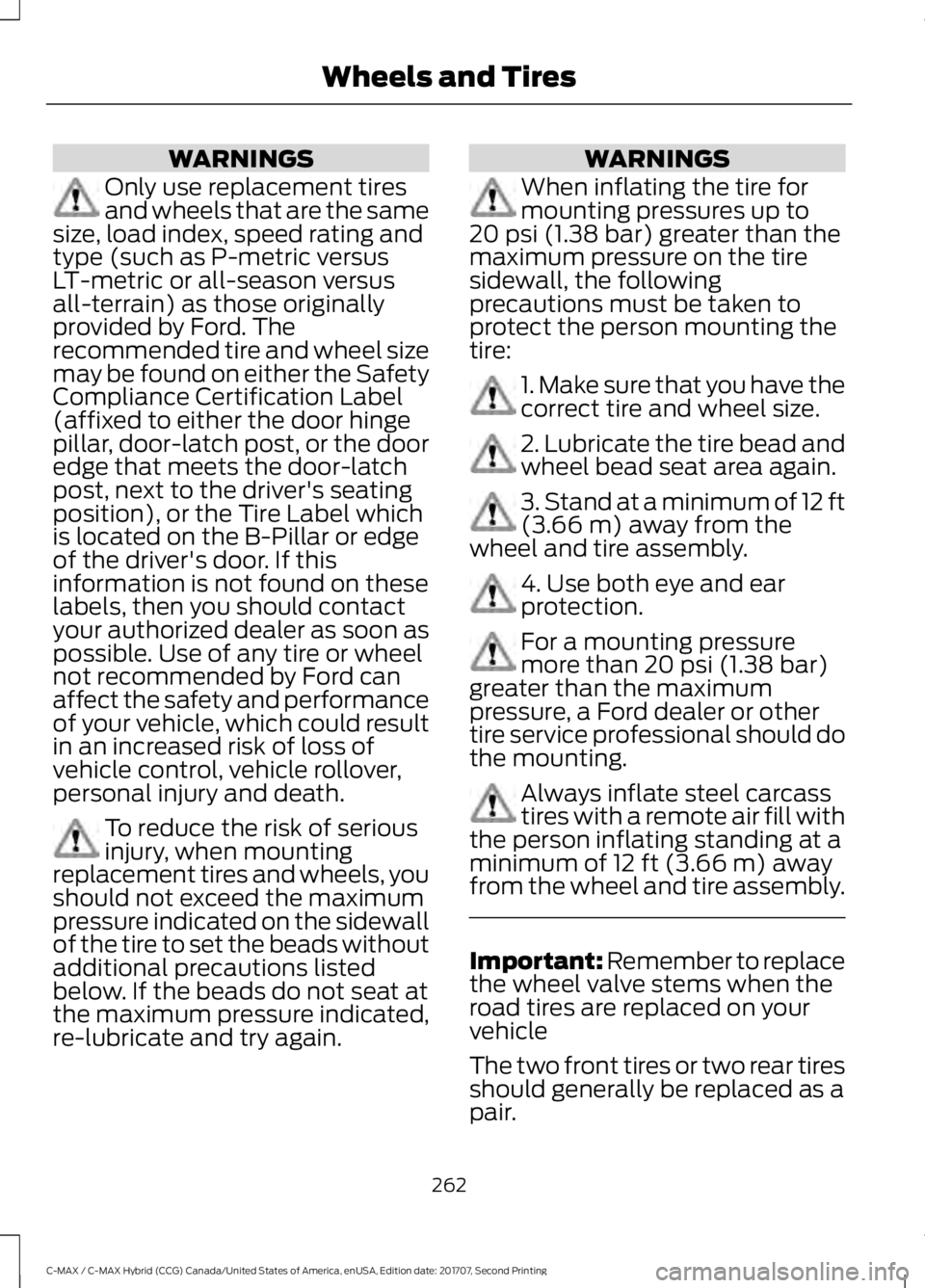
WARNINGS
Only use replacement tires
and wheels that are the same
size, load index, speed rating and
type (such as P-metric versus
LT-metric or all-season versus
all-terrain) as those originally
provided by Ford. The
recommended tire and wheel size
may be found on either the Safety
Compliance Certification Label
(affixed to either the door hinge
pillar, door-latch post, or the door
edge that meets the door-latch
post, next to the driver's seating
position), or the Tire Label which
is located on the B-Pillar or edge
of the driver's door. If this
information is not found on these
labels, then you should contact
your authorized dealer as soon as
possible. Use of any tire or wheel
not recommended by Ford can
affect the safety and performance
of your vehicle, which could result
in an increased risk of loss of
vehicle control, vehicle rollover,
personal injury and death. To reduce the risk of serious
injury, when mounting
replacement tires and wheels, you
should not exceed the maximum
pressure indicated on the sidewall
of the tire to set the beads without
additional precautions listed
below. If the beads do not seat at
the maximum pressure indicated,
re-lubricate and try again. WARNINGS
When inflating the tire for
mounting pressures up to
20 psi (1.38 bar) greater than the
maximum pressure on the tire
sidewall, the following
precautions must be taken to
protect the person mounting the
tire: 1. Make sure that you have the
correct tire and wheel size.
2. Lubricate the tire bead and
wheel bead seat area again.
3. Stand at a minimum of 12 ft
(3.66 m)
away from the
wheel and tire assembly. 4. Use both eye and ear
protection.
For a mounting pressure
more than
20 psi (1.38 bar)
greater than the maximum
pressure, a Ford dealer or other
tire service professional should do
the mounting. Always inflate steel carcass
tires with a remote air fill with
the person inflating standing at a
minimum of
12 ft (3.66 m) away
from the wheel and tire assembly. Important: Remember to replace
the wheel valve stems when the
road tires are replaced on your
vehicle
The two front tires or two rear tires
should generally be replaced as a
pair.
262
C-MAX / C-MAX Hybrid (CCG) Canada/United States of America, enUSA, Edition date: 201707, Second Printing Wheels and Tires
Page 470 of 475

High Voltage Battery Cut-Off
Switch............................................................149
........................................................................\
........... 149
High Voltage Battery....................................147 General Information........................................... 147
Hill Start Assist..............................................154 Switching the System On and Off...............155
Using Hill Start Assist........................................ 155
Hints on Controlling the Interior Climate ..........................................................108
Defogging the Side Windows in Cold
Weather............................................................ 108
General Hints....................................................... 108
Quickly Cooling the Interior............................ 108
Quickly Heating the Interior........................... 108
Recommended Settings for Cooling..........108
Recommended Settings for Heating..........108
Hints on Driving With Anti-Lock Brakes............................................................154
Home Screen
................................................344
Hood Lock See: Opening and Closing the Hood............212
Hybrid Vehicle Frequently Asked Questions......................................................133
Hybrid Vehicle Operation
............................131
Battery:.................................................................... 132
Braking:................................................................... 132
Driving:..................................................................... 131
Driving to Optimize Fuel Economy...............132
Engine:..................................................................... 132
Starting:................................................................... 131
Stopping:................................................................. 131
Transmission Operation:................................... 131
I
Ignition Switch
...............................................125
In California (U.S. Only).............................195
Information Display Control.......................70
Information Displays.....................................92 General Information............................................ 92
Information Messages
.................................99
AdvanceTrac®...................................................... 99
Alarm........................................................................\
99
Battery and Charging System (High Voltage)............................................................ 100
Blind Spot Information and Cross Traffic Alert System................................................... 100Doors......................................................................
100
Fuel........................................................................\
.. 100
Hill Start Assist..................................................... 101
Keys and Intelligent Access............................. 101
Maintenance........................................................ 102
MyKey......................................................................103
Park Aid.................................................................. 103
Park Brake............................................................. 104
Power Steering.................................................... 104
Remote Start....................................................... 104
Tire Pressure Monitoring System.................104
Traction Control.................................................. 105
Transmission........................................................ 105
Installing Child Restraints............................19 Child Seats............................................................... 19
Using Lap and Shoulder Belts......................... 20
Using Lower Anchors and Tethers for CHildren (LATCH)............................................ 22
Using Tether Straps............................................. 24
Instrument Cluster
........................................85
Instrument Lighting Dimmer......................75
Vehicles With Front Fog Lamps...................... 76
Vehicles Without Front Fog Lamps...............76
Instrument Panel Overview........................16
Interior Lamps
..................................................77
Front Interior Lamp.............................................. 77
Front Interior Lamp - With Panorama Roof...................................................................... 78
Rear Interior Lamp............................................... 78
Interior Mirror
...................................................82
Automatic Dimming Mirror............................... 82
Manual Dimming Mirror..................................... 82
Introduction.........................................................7
J
Jump Starting the Vehicle.........................188 Connecting the Jumper Cables..................... 188
Jump Starting...................................................... 190
Preparing Your Vehicle..................................... 188
Removing the Jumper Cables....................... 190
K
Keyless Starting.............................................125 Ignition Modes..................................................... 126
Keys and Remote Controls.........................47
467
C-MAX / C-MAX Hybrid (CCG) Canada/United States of America, enUSA, Edition date: 201707, Second Printing Index
Page 471 of 475
L
Liftgate...............................................................62
Lighting Control...............................................74
Headlamp Flasher................................................ 75
Headlamp High Beam........................................ 74
Lighting...............................................................74 General Information............................................ 74
Load Carrying
..................................................175
Load Limit........................................................176 Special Loading Instructions for Owners of
Pick-up Trucks and Utility-type
Vehicles............................................................. 180
Vehicle Loading - with and without a Trailer.................................................................. 176
Load Retaining Fixtures
..............................176
Luggage Anchor Points..................................... 176
Locking and Unlocking
.................................57
Activating Intelligent Access........................... 58
Autolock.................................................................. 60
Battery Saver.......................................................... 61
Illuminated Entry................................................. 60
Illuminated Exit..................................................... 60
Mechanical Key..................................................... 58
Opening a Rear Door from Inside.................. 58
Power Door Locks................................................. 57
Remote Control..................................................... 57
Smart Unlocks For Integrated Keyhead Transmitter........................................................ 59
Smart Unlocks For Intelligent Access Keys ........................................................................\
........ 59
Luggage Covers..............................................175 Removing the Shade......................................... 175
M
Maintenance...................................................212 General Information........................................... 212
Manual Liftgate
...............................................62
Closing the Liftgate............................................. 62
Opening the Liftgate........................................... 62
Manual Seats
..................................................113
Moving the Seat Backward and
Forward.............................................................. 113
Recline Adjustment............................................ 114
Message Center See: Information Displays................................. 92Mirrors
See: Heated Windows and Mirrors..............108
See: Windows and Mirrors................................ 79
Mobile Communications Equipment.......13
Motorcraft Parts............................................271
MyKey Troubleshooting...............................55
MyKey ™
.............................................................52
Principle of Operation......................................... 52
N
Navigation
......................................................368
cityseeker.............................................................. 375
Destination Mode.............................................. 370
Map Mode............................................................ 369
Navigation Map Updates................................ 376
Navigation Menu................................................ 373
SiriusXM Traffic and Travel Link................... 376
SYNC AppLink..................................................... 375
Waypoints............................................................. 374
Normal Scheduled Maintenance...........418 Intelligent Oil-Life Monitor™......................... 418
Normal Maintenance Intervals..................... 419
O
Oil Change Indicator Reset.......................216 Resetting the Oil Life Monitoring
System............................................................... 216
Oil Check See: Engine Oil Check....................................... 215
Opening and Closing the Hood...............212 Closing the Hood ................................................. 213
Opening the Hood.............................................. 212
Ordering Additional Owner's Literature......................................................198
Obtaining a French Owner ’s Manual..........199
Overhead Console........................................124
P
Parking Aids....................................................159 Principle of Operation....................................... 159
Parking Brake
.................................................154
Passive Anti-Theft System........................66 SecuriLock®........................................................... 66
PATS See: Passive Anti-Theft System.................... 66
468
C-MAX / C-MAX Hybrid (CCG) Canada/United States of America, enUSA, Edition date: 201707, Second Printing Index
Page 472 of 475
Perchlorate.........................................................11
Personal Safety System
™..........................37
How Does the Personal Safety System
Work?................................................................... 37
Phone...............................................................363 During a Phone Call.......................................... 366
Making Calls........................................................ 365
Pairing Your Cell Phone for the First Time................................................................... 363
Phone Menu........................................................ 364
Receiving Calls................................................... 366
Smartphone Connectivity.............................. 367
Text Messaging................................................... 367
Post-Crash Alert System...........................192
Power Door Locks See: Locking and Unlocking.............................. 57
Power Liftgate
.................................................63
Obstacle Detection............................................. 65
Opening and Closing the Liftgate.................. 63
Setting the Liftgate Open Height.................. 64
Stopping the Liftgate Movement.................. 64
Power Seats
.....................................................114
Power Lumbar...................................................... 116
Power Steering Fluid Check......................221
Power Windows
..............................................79
Accessory Delay................................................... 80
Bounce-Back......................................................... 79
One-Touch Down................................................. 79
One-Touch Up....................................................... 79
Window Lock......................................................... 79
Protecting the Environment........................15
R
Rear Parking Aid
............................................159
Obstacle Distance Indicator.......................... 160
Rear Seat Armrest
.........................................117
Rear Seats........................................................116 Folding the Seat Backrest ............................... 116
Unfolding the Seat Backrest........................... 116
Rear Under Floor Storage..........................175
Rear View Camera.......................................165 Using the Rear View Camera System.........165
Rear View Camera See: Rear View Camera.................................... 165
Rear Window Wiper and Washers...........72 Rear Window Washer......................................... 73Refueling..........................................................138
Capless System................................................... 139
Remote Control...............................................47 Car Finder................................................................ 49
Integrated Keyhead Transmitters .................. 47
Intelligent Access Key........................................ 48
Remote Start......................................................... 50
Replacing the Battery......................................... 48
Sounding a Panic Alarm.................................... 50
Remote Start.................................................109 Automatic Settings........................................... 109
Heated and Cooled Devices............................ 110
Last Settings......................................................... 110
Removing a Headlamp..............................226
Repairing Minor Paint Damage..............240
Replacement Parts Recommendation........................................12
Collision Repairs.................................................... 12
Scheduled Maintenance and Mechanical Repairs.................................................................. 12
Warranty on Replacement Parts..................... 12
Replacing a Lost Key or Remote Control..............................................................51
Reporting Safety Defects (Canada Only)
..............................................................199
Reporting Safety Defects (U.S. Only)
..............................................................199
Roadside Assistance..................................186 Vehicles Sold in Canada: Getting Roadside
Assistance........................................................ 187
Vehicles Sold in Canada: Roadside Assistance Program Coverage.................. 187
Vehicles Sold in Canada: Using Roadside Assistance........................................................ 187
Vehicles Sold in the United States: Getting Roadside Assistance.................................... 186
Vehicles Sold in the United States: Using Roadside Assistance.................................... 186
Roadside Emergencies
..............................186
Running-In See: Breaking-In.................................................. 183
Running Out of Fuel.....................................137 Adding Fuel From a Portable Fuel
Container.......................................................... 138
Filling a Portable Fuel Container................... 137
469
C-MAX / C-MAX Hybrid (CCG) Canada/United States of America, enUSA, Edition date: 201707, Second Printing Index
Page 474 of 475
T
Technical Specifications
See: Capacities and Specifications............270
The Better Business Bureau (BBB) Auto Line Program (U.S. Only).......................196
Tire Care..........................................................250 Glossary of Tire Terminology......................... 252
Information About Uniform Tire Quality Grading............................................................. 250
Information Contained on the Tire Sidewall............................................................ 253
Temperature A B C............................................. 251
Traction AA A B C................................................ 251
Treadwear.............................................................. 251
Tire Inflation When Punctured See: Tire Sealant and Inflator Kit.................244
Tire Pressure Monitoring System...........265 Changing Tires With a Tire Pressure
Monitoring System....................................... 266
Understanding Your Tire Pressure Monitoring System ...................................... 266
Tire Repair Kit See: Tire Sealant and Inflator Kit.................244
Tire Sealant and Inflator Kit....................244 First Stage: Inflating the Tire with Sealing
Compound and Air....................................... 246
General Information......................................... 245
Second Stage: Checking Tire Pressure........................................................... 248
Tips for Use of the Kit....................................... 245
What to Do After the Tire has Been Sealed............................................................... 248
What to Do When a Tire Is Punctured........................................................ 246
Tires See: Wheels and Tires..................................... 244
Towing a Trailer..............................................181
Towing the Vehicle on Four Wheels............................................................181
Emergency Towing.............................................. 181
Recreational Towing........................................... 181
Towing...............................................................181
Traction Control............................................156
Principle of Operation....................................... 156
Transmission Code Designation
.............273
Transmission..................................................150
Transporting the Vehicle............................192 U
Under Hood Overview
.................................213
Unique Driving Characteristics.................131
Universal Garage Door Opener
................118
HomeLink Wireless Control System............118
USB Port
.........................................................293
Using Cruise Control...................................168 Switching Cruise Control Off......................... 168
Switching Cruise Control On.......................... 168
Switching to ECO Cruise.................................. 169
Using MyKey With Remote Start Systems..........................................................55
Using Snow Chains
.....................................264
Using Stability Control...............................158
Using SYNC™ With Your Media Player
..............................................................315
Accessing Your USB Song Library................319
Bluetooth Devices and System
Settings.............................................................. 321
Connecting Your Digital Media Player to the USB Port............................................................ 315
Media Menu Features....................................... 318
Media Voice Commands................................. 316
USB 2....................................................................... 321
Voice Commands for Audio Sources..........322
Using SYNC™ With Your Phone
............298
Accessing Features through the Phone
Menu.................................................................. 303
Accessing Your Phone Settings................... 306
Bluetooth Devices............................................. 307
Making Calls........................................................ 302
Pairing a Phone for the First Time..............299
Pairing Subsequent Phones......................... 300
Phone Options during an Active Call.........302
Phone Voice Commands............................... 300
Receiving Calls................................................... 302
System Settings................................................ 308
Text Messaging.................................................. 304
Using Traction Control................................156 Switching the System Off............................... 156
System Indicator Lights and Messages.......................................................... 156
Using a Switch..................................................... 156
Using the Information Display Controls............................................................. 156
Using Voice Recognition
...........................296
Audio Voice Commands................................. 346
471
C-MAX / C-MAX Hybrid (CCG) Canada/United States of America, enUSA, Edition date: 201707, Second Printing Index