lock FORD E-150 2002 User Guide
[x] Cancel search | Manufacturer: FORD, Model Year: 2002, Model line: E-150, Model: FORD E-150 2002Pages: 256, PDF Size: 3.52 MB
Page 40 of 256
To deactivate autoset and return to your audio system’s manually set
memory stations, press the AM/FM control again.
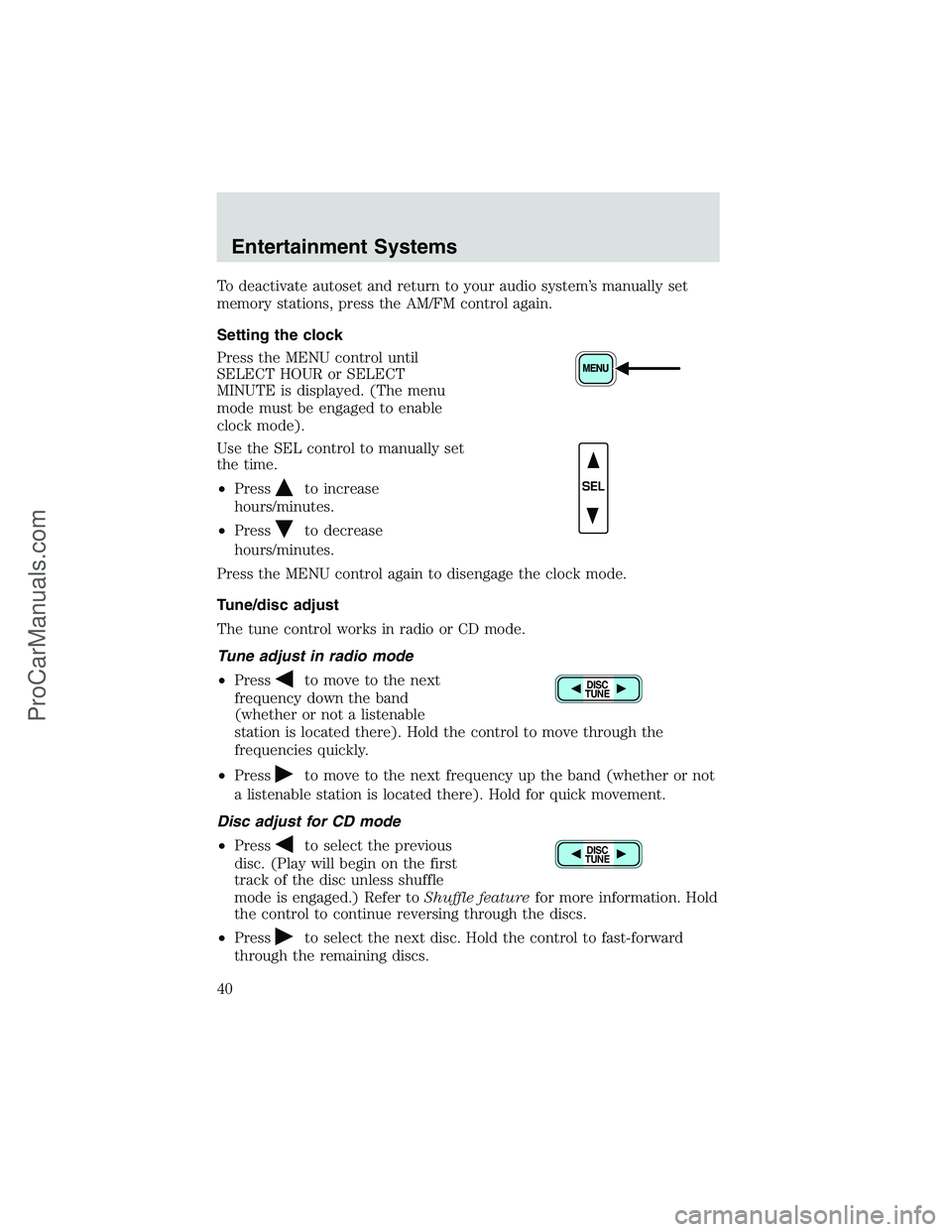
Setting the clock
Press the MENU control until
SELECT HOUR or SELECT
MINUTE is displayed. (The menu
mode must be engaged to enable
clock mode).
Use the SEL control to manually set
the time.
•Press
to increase
hours/minutes.
•Press
to decrease
hours/minutes.
Press the MENU control again to disengage the clock mode.
Tune/disc adjust
The tune control works in radio or CD mode.
Tune adjust in radio mode
•Press
to move to the next
frequency down the band
(whether or not a listenable
station is located there). Hold the control to move through the
frequencies quickly.
•Press
to move to the next frequency up the band (whether or not
a listenable station is located there). Hold for quick movement.
Disc adjust for CD mode
•Press
to select the previous
disc. (Play will begin on the first
track of the disc unless shuffle
mode is engaged.) Refer toShuffle featurefor more information. Hold
the control to continue reversing through the discs.
•Press
to select the next disc. Hold the control to fast-forward
through the remaining discs.
SEL
DISC
TUNE
DISC
TUNE
Entertainment Systems
40
ProCarManuals.com
Page 43 of 256
If a CD is ejected and not removed from the door of the CD player, the
player will automatically reload the CD. This feature may be used when
the ignition is ON or OFF.
Auto eject
Press and momentarily hold the EJ
control to engage auto eject. All CDs
which are present in the player will
be ejected one at a time. If a CD is ejected and not removed from the
door of the CD player, the player will automatically reload the CD. This
feature may be used when the ignition is ON or OFF.
Shuffle feature
Press the SHUF control until the
desired shuffle mode is displayed.
The audio system will then engage
the desired shuffle mode.
When engaged, the shuffle feature has two different modes: SHUFFLE
DISC and SHUFFLE TRK.
SHUFFLE DISC randomly plays tracks from all the discs presently in the
audio system.
SHUFFLE TRK plays all the tracks on the current disc in random order.
Compression feature
The compression feature operates in CD mode and brings soft and loud
CD passages together for a more consistent listening level.
Press the COMP control until COMP
ON is displayed.
Menu mode
The MENU control allows you to
access many different features
within your audio system. There are
three sets of menus available
depending upon which mode or feature is activated.
While in FM mode, two menus are available.If RDS is turned OFF, you
can access the following:
•SELECT HOURS—Refer toSetting the clock.
•SELECT MINUTES—Refer toSetting the clock.
•RDS OFF—Refer toRadio data system feature.
EJ
Entertainment Systems
43
ProCarManuals.com
Page 44 of 256
If RDS is turned ON, you can access the following:
•TRAFFIC ON/OFF-Refer toTraffic announcements.
•FIND type-Refer toProgram type.
•SHOW (NAME, TYPE, NONE)- Refer toRadio data system feature.
•RDS ON—Refer toRadio data system feature.
•SELECT HOURS—Refer toSetting the clock.
•SELECT MINUTES—Refer toSetting the clock.
When in CD mode, you can access: SELECT HOURS, SELECT MINUTES
or COMP ON/OFF.
SELECT HOURS, SELECT MINUTES—Allows you to adjust the hours
and minutes. Refer toSetting the clock.
TRAFFIC ON/OFF—Traffic announcements can be programmed as local
or distant. Refer toTraffic announcements.
RDS ON/OFF—This feature allows your audio system to receive text
information from RDS-equipped FM radio stations. Refer toRadio Data
System feature.
FIND type—Allows you to select your desired FM program type and
search for that selection.
SHOW—Allows you to select from NAME (displays the name of the
radio station), TYPE (displays the RDS program type: rock, jazz, etc.), or
NONE (deactivates the RDS display).
Radio data system (RDS) feature
This feature allows your audio
system to receive text information
from RDS-equipped FM radio
stations.
To activate RDS:
•When in FM mode, press the MENU control until RDS OFF displays.
•Press the SEL control to engage this feature (RDS ON).
RDS features:
Once the RDS feature is on, press the MENU control to scroll through
the following selections:
Traffic announcements
This feature allows you to hear traffic announcements while in CD mode.
These announcements are broadcast by traffic capable RDS stations.
SEL+MENU
Entertainment Systems
44
ProCarManuals.com
Page 71 of 256
Operating tips
•In humid weather, place the climate control system in Defrost (
)
before driving. This will reduce fogging on your windshield. Once the
windshield has been cleared, select any desired position.
•To reduce humidity buildup inside the vehicle, do not drive with the
climate control system in the OFF position.
•Under normal weather conditions, your vehicle’s climate control
system should be left in any position other than OFF position when
the vehicle is parked. This allows the vehicle to“breathe”through the
outside air inlet duct.
•Under snowy or dirty weather conditions, your vehicle’s climate
control system should be left in the OFF position when the vehicle is
parked. This allows the climate control system to be free from
contamination of outside pollutants.
•Do not place objects under the front seat which may interfere with
the airflow to the rear seats (if equipped).
•Remove any snow, ice, or leaves from the air intake area (at the base
of the windshield and underneath the hood).
•Do not place objects over the defroster outlets. These objects may
block airflow and reduce your visibility through the windshield. Avoid
placing small objects on top of the instrument panel. These objects
can fall into the defroster outlets and block airflow, in addition to,
damaging your climate control system.
Do not place objects on top of the instrument panel, as these
objects may become projectiles in a collision or sudden stop.
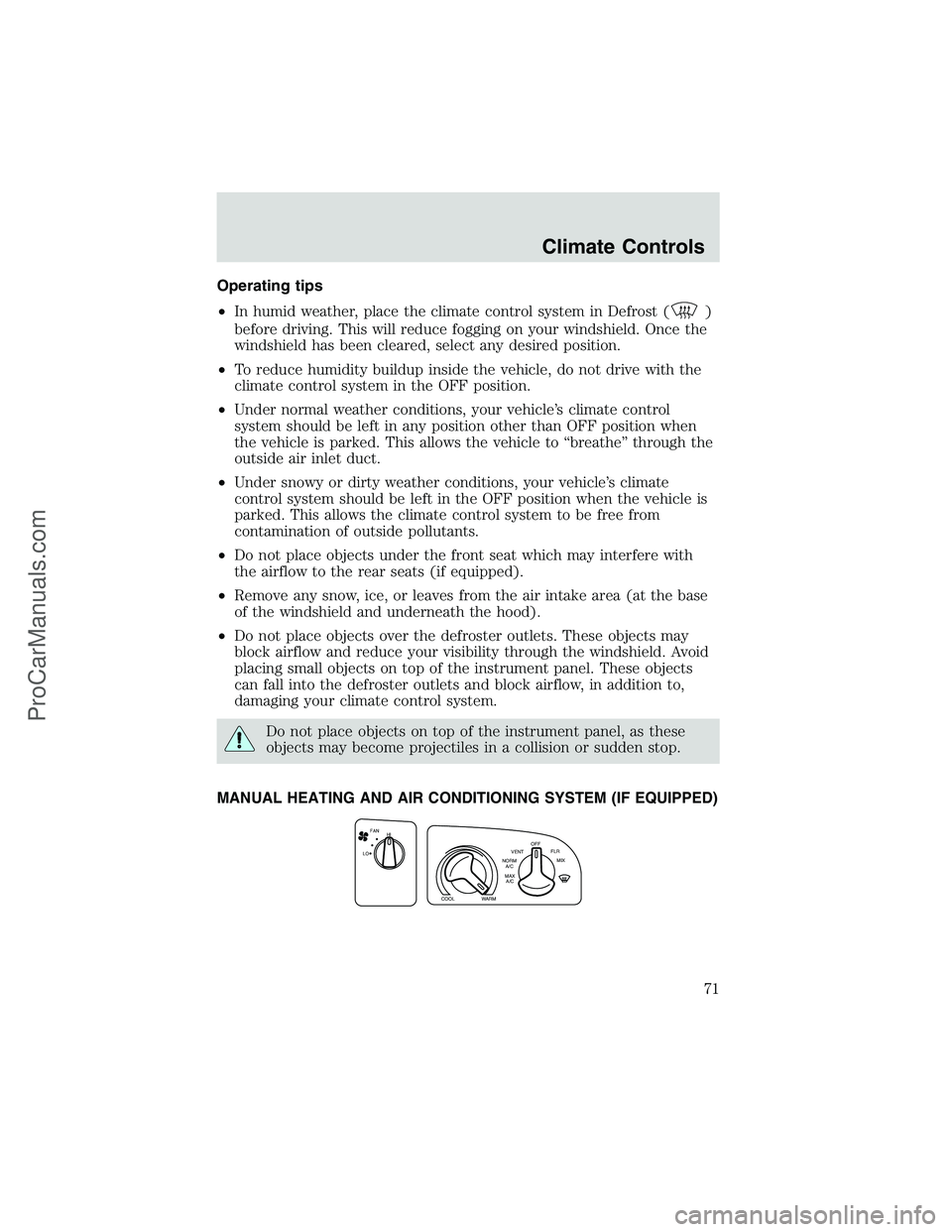
MANUAL HEATING AND AIR CONDITIONING SYSTEM (IF EQUIPPED)
FAN
LOHI
COOLWARM
MAX
A/C NORM
A/CVENTOFF
FLR
MIX
Climate Controls
71
ProCarManuals.com
Page 74 of 256
•Under normal weather conditions, your vehicle’s climate control
system should be left in any position other than the MAX A/C or OFF
when the vehicle is parked. This allows the vehicle to“breathe”
through the outside air inlet duct.
•Under snowy or dirty weather conditions, your vehicle’s climate
control system should be left in the OFF position when the vehicle is
parked. This allows the climate control system to be free from
contamination of outside pollutants.
•If your vehicle has been parked with the windows closed during warm
weather conditions, the air conditioner will perform more efficiently in
cooling the vehicle if driven for two or three minutes with the
windows open. This will force most of the hot, stale air out of the
vehicle. Once the vehicle has been“aired out”, operate the climate
control system as desired.
•Do not put objects under the front seat which may interfere with the
airflow to the rear seats (if equipped).
•Remove any snow, ice or leaves from the air intake area (at the
bottom of the windshield and underneath the hood).
•Do not place objects over the defroster outlets. These objects can
block airflow and reduce visibility through your windshield. Avoid
placing small objects on top of the instrument panel. These objects
may fall down into the defroster outlets and block airflow, in addition
to, damaging the climate control system.
To aid in side window defogging/demisting in cold weather conditions:
1. Select the position that distributes air through the Panel and Floor.
2. Set the temperature control to full heat.
3. Set the fan speed to full fan.
4. Direct the outer panel vents towards the side windows.
5. To increase airflow to the outer panel vents, close the central panel
vents.
Do not place objects on top of the instrument panel as these
objects may become projectiles in a collision or sudden stop.
Climate Controls
74
ProCarManuals.com
Page 77 of 256
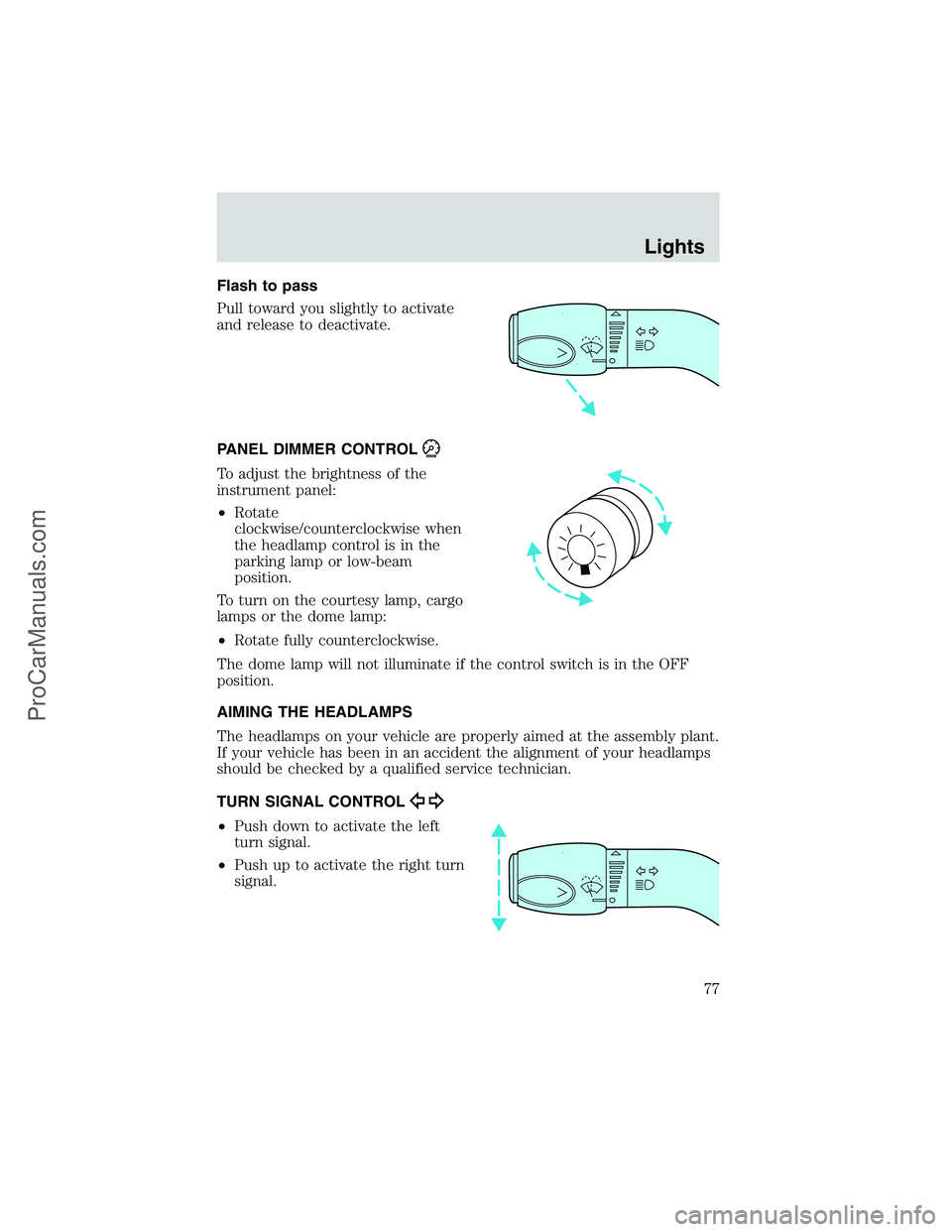
Flash to pass
Pull toward you slightly to activate
and release to deactivate.
PANEL DIMMER CONTROL
To adjust the brightness of the
instrument panel:
•Rotate
clockwise/counterclockwise when
the headlamp control is in the
parking lamp or low-beam
position.
To turn on the courtesy lamp, cargo
lamps or the dome lamp:
•Rotate fully counterclockwise.
The dome lamp will not illuminate if the control switch is in the OFF
position.
AIMING THE HEADLAMPS
The headlamps on your vehicle are properly aimed at the assembly plant.
If your vehicle has been in an accident the alignment of your headlamps
should be checked by a qualified service technician.
TURN SIGNAL CONTROL
•Push down to activate the left
turn signal.
•Push up to activate the right turn
signal.
Lights
77
ProCarManuals.com
Page 78 of 256
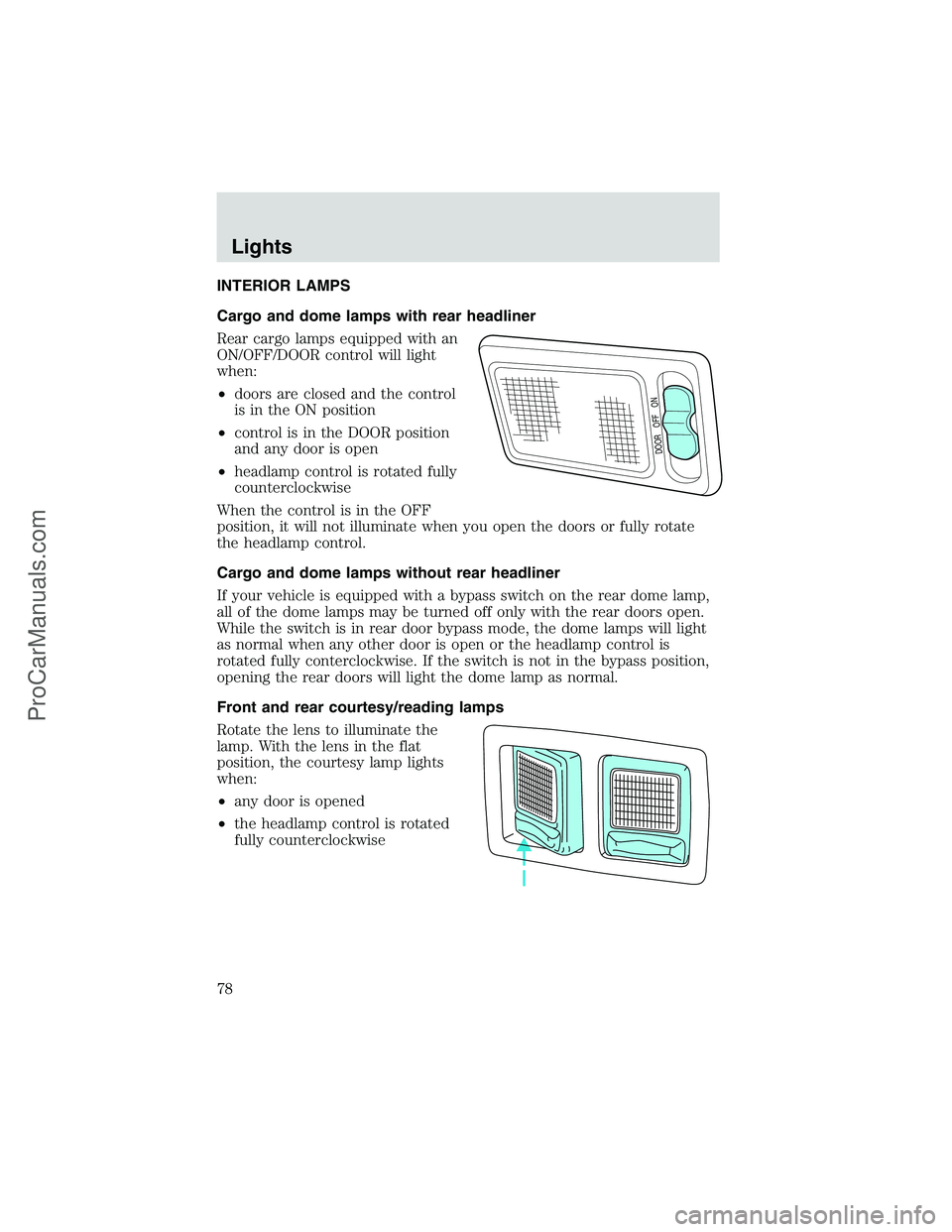
INTERIOR LAMPS
Cargo and dome lamps with rear headliner
Rear cargo lamps equipped with an
ON/OFF/DOOR control will light
when:
•doors are closed and the control
is in the ON position
•control is in the DOOR position
and any door is open
•headlamp control is rotated fully
counterclockwise
When the control is in the OFF
position, it will not illuminate when you open the doors or fully rotate
the headlamp control.
Cargo and dome lamps without rear headliner
If your vehicle is equipped with a bypass switch on the rear dome lamp,
all of the dome lamps may be turned off only with the rear doors open.
While the switch is in rear door bypass mode, the dome lamps will light
as normal when any other door is open or the headlamp control is
rotated fully conterclockwise. If the switch is not in the bypass position,
opening the rear doors will light the dome lamp as normal.
Front and rear courtesy/reading lamps
Rotate the lens to illuminate the
lamp. With the lens in the flat
position, the courtesy lamp lights
when:
•any door is opened
•the headlamp control is rotated
fully counterclockwise
DOOR OFF ON
Lights
78
ProCarManuals.com
Page 80 of 256
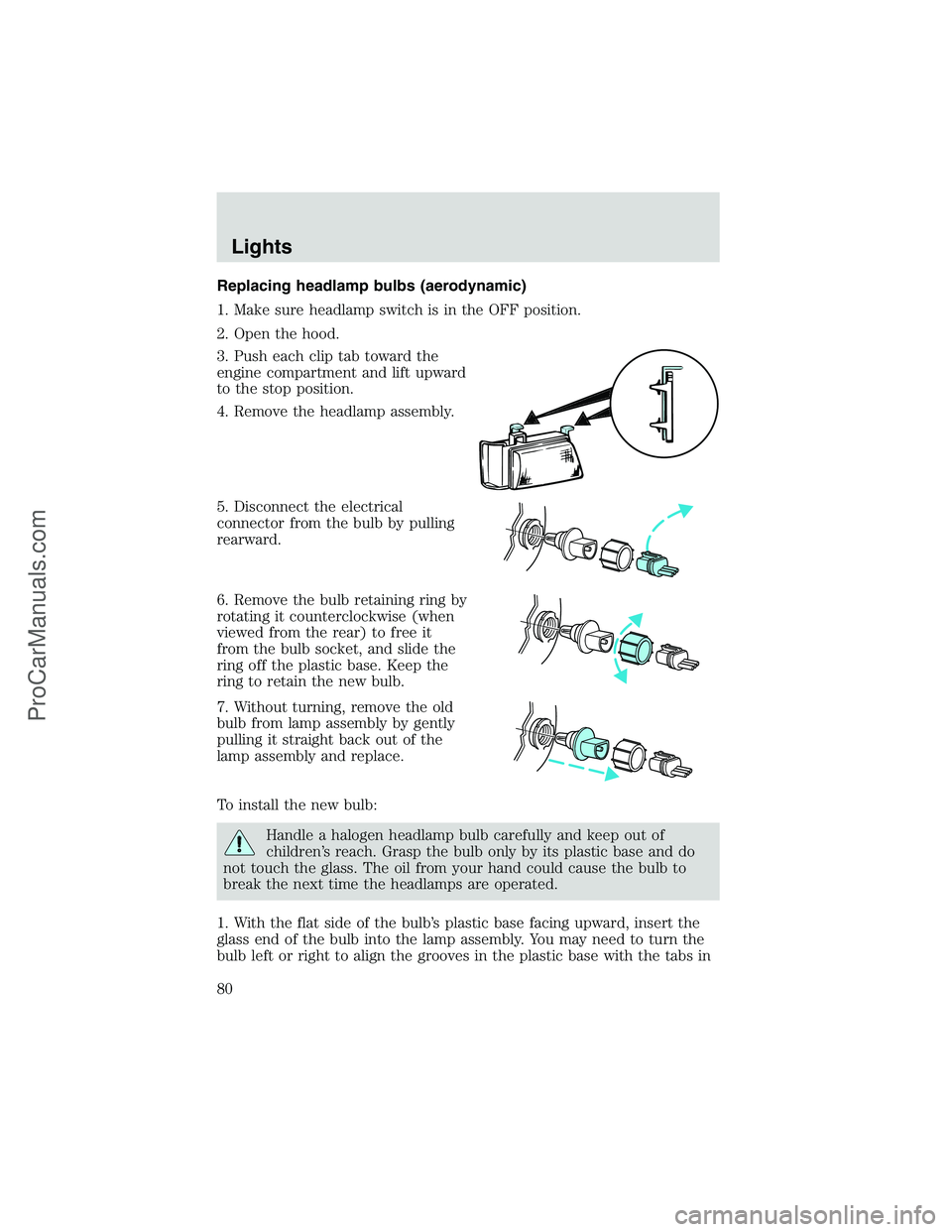
Replacing headlamp bulbs (aerodynamic)
1. Make sure headlamp switch is in the OFF position.
2. Open the hood.
3. Push each clip tab toward the
engine compartment and lift upward
to the stop position.
4. Remove the headlamp assembly.
5. Disconnect the electrical
connector from the bulb by pulling
rearward.
6. Remove the bulb retaining ring by
rotating it counterclockwise (when
viewed from the rear) to free it
from the bulb socket, and slide the
ring off the plastic base. Keep the
ring to retain the new bulb.
7. Without turning, remove the old
bulb from lamp assembly by gently
pulling it straight back out of the
lamp assembly and replace.
To install the new bulb:
Handle a halogen headlamp bulb carefully and keep out of
children’s reach. Grasp the bulb only by its plastic base and do
not touch the glass. The oil from your hand could cause the bulb to
break the next time the headlamps are operated.
1. With the flat side of the bulb’s plastic base facing upward, insert the
glass end of the bulb into the lamp assembly. You may need to turn the
bulb left or right to align the grooves in the plastic base with the tabs in
Lights
80
ProCarManuals.com
Page 81 of 256
the lamp assembly. When the grooves are aligned, push the bulb into the
socket until the plastic base contacts the rear of the lamp assembly.
2. Install the bulb retaining ring over the plastic base until it contacts the
rear of the lamp assembly by rotating clockwise until you feel a“stop.”
3. Install the electrical connector into the rear of the plastic base until it
snaps, locking it into position.
4. Install the headlamp assembly into the vehicle and secure it with the
clip tabs.
5. Turn the headlamps on and make sure they work properly. If the
headlamp was correctly aligned before you changed the bulb, you should
not need to align it again.
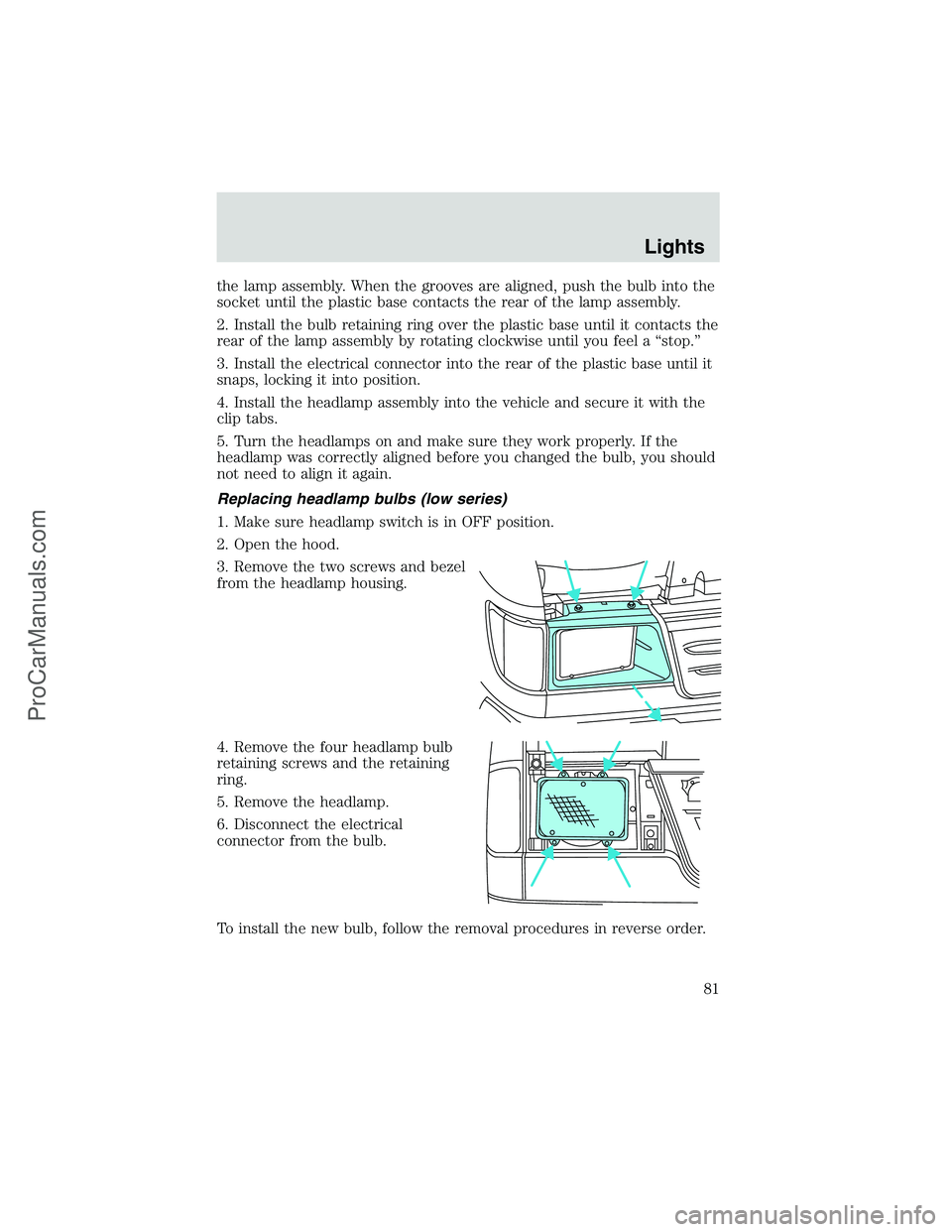
Replacing headlamp bulbs (low series)
1. Make sure headlamp switch is in OFF position.
2. Open the hood.
3. Remove the two screws and bezel
from the headlamp housing.
4. Remove the four headlamp bulb
retaining screws and the retaining
ring.
5. Remove the headlamp.
6. Disconnect the electrical
connector from the bulb.
To install the new bulb, follow the removal procedures in reverse order.
Lights
81
ProCarManuals.com
Page 82 of 256
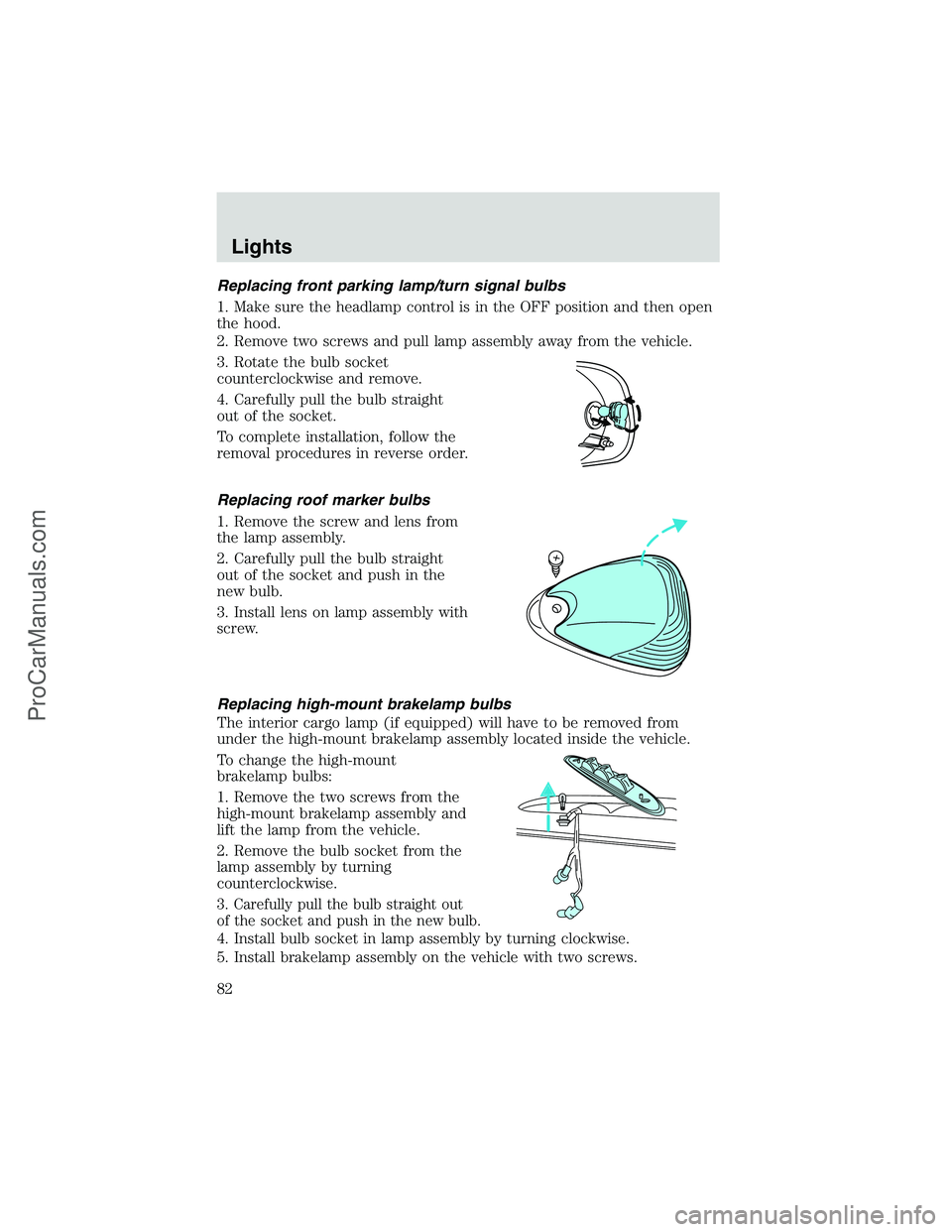
Replacing front parking lamp/turn signal bulbs
1. Make sure the headlamp control is in the OFF position and then open
the hood.
2. Remove two screws and pull lamp assembly away from the vehicle.
3. Rotate the bulb socket
counterclockwise and remove.
4. Carefully pull the bulb straight
out of the socket.
To complete installation, follow the
removal procedures in reverse order.
Replacing roof marker bulbs
1. Remove the screw and lens from
the lamp assembly.
2. Carefully pull the bulb straight
out of the socket and push in the
new bulb.
3. Install lens on lamp assembly with
screw.
Replacing high-mount brakelamp bulbs
The interior cargo lamp (if equipped) will have to be removed from
under the high-mount brakelamp assembly located inside the vehicle.
To change the high-mount
brakelamp bulbs:
1. Remove the two screws from the
high-mount brakelamp assembly and
lift the lamp from the vehicle.
2. Remove the bulb socket from the
lamp assembly by turning
counterclockwise.
3. Carefully pull the bulb straight out
of the socket and push in the new bulb.
4. Install bulb socket in lamp assembly by turning clockwise.
5. Install brakelamp assembly on the vehicle with two screws.
Lights
82
ProCarManuals.com