battery FORD E SERIES 2019 Owners Manual
[x] Cancel search | Manufacturer: FORD, Model Year: 2019, Model line: E SERIES, Model: FORD E SERIES 2019Pages: 329, PDF Size: 2.92 MB
Page 2 of 329
The information contained in this publication was correct at the time of going to print. In the interest ofcontinuous development, we reserve the right to change specifications, design or equipment at any timewithout notice or obligation. No part of this publication may be reproduced, transmitted, stored in aretrieval system or translated into any language in any form by any means without our written permission.Errors and omissions excepted.© Ford Motor Company 2019
All rights reserved.Part Number: 201804 20190222213557
California Proposition 65
WARNING: Operating, servicing and
maintaining a passenger vehicle or off-highway
motor vehicle can expose you to chemicals
including engine exhaust, carbon monoxide,
phthalates, and lead, which are known to the
State of California to cause cancer and birth
defects or other reproductive harm. To minimize
exposure, avoid breathing exhaust, do not idle the
engine except as necessary, service your vehicle
in a well-ventilated area and wear gloves or wash
your hands frequently when servicing your vehicle.
For more information go to
www.P65Warnings.ca.gov/passenger-vehicle.
WARNING: Battery posts, terminals and
related accessories contain lead and lead
compounds, chemicals known to the State of
California to cause cancer and reproductive harm.
Wash your hands after handling.
Page 6 of 329
Driving Through Water................................117
Floor Mats........................................................117
Roadside Emergencies
Roadside Assistance...................................119
Hazard Flashers...........................................120
Fuel Shutoff...................................................120
Jump Starting the Vehicle.........................121
Transporting the Vehicle...........................123
Customer Assistance
Getting the Services You Need...............124
In California (U.S. Only).............................125
The Better Business Bureau (BBB) AutoLine Program (U.S. Only).....................126
Utilizing the Mediation/ArbitrationProgram (Canada Only)........................127
Getting Assistance Outside the U.S. andCanada.........................................................127
Ordering Additional Owner's Literature.........................................................................129
Reporting Safety Defects (U.S. Only).........................................................................129
Reporting Safety Defects (Canada Only).........................................................................129
Fuses
Fuse Specification Chart............................131
Changing a Fuse..........................................139
Maintenance
General Information....................................141
Opening and Closing the Hood...............141
Under Hood Overview...............................142
Engine Oil Dipstick......................................143
Engine Oil Check..........................................143
Oil Change Indicator Reset......................144
Engine Coolant Check...............................144
Automatic Transmission Fluid Check.........................................................................149
Brake Fluid Check........................................152
Power Steering Fluid Check.....................152
Washer Fluid Check....................................153
Changing the 12V Battery.........................153
Checking the Wiper Blades......................155
Changing the Wiper Blades.....................155
Adjusting the Headlamps........................156
Removing a Headlamp..............................157
Changing a Bulb...........................................157
Changing the Engine Air Filter................159
Vehicle Care
General Information...................................160
Cleaning Products......................................160
Cleaning the Exterior.................................160
Waxing.............................................................162
Cleaning the Engine....................................162
Cleaning the Windows and Wiper Blades.........................................................................162
Cleaning the Interior...................................163
Cleaning the Instrument Panel andInstrument Cluster Lens.......................163
Cleaning Leather Seats.............................164
Repairing Minor Paint Damage..............165
Cleaning the Wheels..................................165
Vehicle Storage............................................165
Wheels and Tires
General Information...................................168
Tire Care..........................................................169
Using Snow Chains.....................................187
Tire Pressure Monitoring System..........188
Changing a Road Wheel...........................192
Technical Specifications..........................196
Capacities and Specifications
Engine Specifications - 6.2L...................198
Engine Specifications - 6.8L...................198
Motorcraft Parts - 6.2L..............................199
Motorcraft Parts - 6.8L............................200
3
E-Series (TE4) Canada/United States of America, enUSA, Edition date: 201804, Second-Printing
Table of Contents
Page 8 of 329
ABOUT THIS MANUAL
Thank you for choosing Ford. Werecommend that you take some time toget to know your vehicle by reading thismanual. The more that you know aboutyour vehicle, the greater the safety andpleasure you will get from driving it.
WARNING: Driving whiledistracted can result in loss of vehiclecontrol, crash and injury. We stronglyrecommend that you use extremecaution when using any device that maytake your focus off the road. Yourprimary responsibility is the safeoperation of your vehicle. Werecommend against the use of anyhand-held device while driving andencourage the use of voice-operatedsystems when possible. Make sure youare aware of all applicable local lawsthat may affect the use of electronicdevices while driving.
Note: This manual describes productfeatures and options available throughoutthe range of available models, sometimeseven before they are generally available. Itmay describe options not fitted to thevehicle you have purchased.
Note: Some of the illustrations in thismanual may show features as used indifferent models, so may appear differentto you on your vehicle.
Note: Always use and operate your vehiclein line with all applicable laws andregulations.
Note: Pass on this manual when sellingyour vehicle. It is an integral part of yourvehicle.
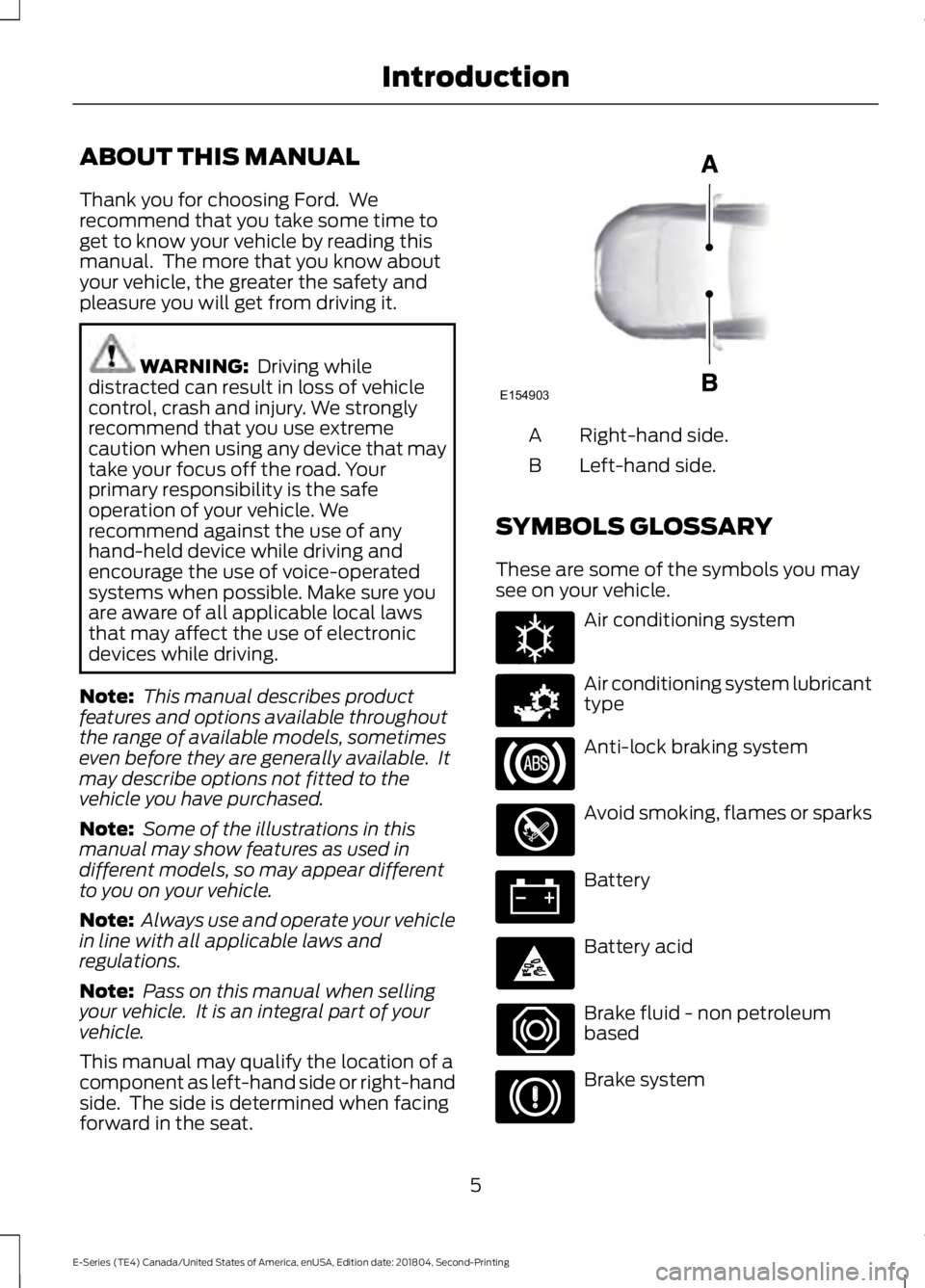
This manual may qualify the location of acomponent as left-hand side or right-handside. The side is determined when facingforward in the seat.
Right-hand side.A
Left-hand side.B
SYMBOLS GLOSSARY
These are some of the symbols you maysee on your vehicle.
Air conditioning system
Air conditioning system lubricanttype
Anti-lock braking system
Avoid smoking, flames or sparks
Battery
Battery acid
Brake fluid - non petroleumbased
Brake system
5
E-Series (TE4) Canada/United States of America, enUSA, Edition date: 201804, Second-Printing
IntroductionE154903 E162384 E231157
Page 11 of 329
Your vehicle has electronic control unitsthat have data recording functionality andthe ability to permanently or temporarilystore data. This data could includeinformation on the condition and status ofyour vehicle, vehicle maintenancerequirements, events and malfunctions.The types of data that can be recorded aredescribed in this section. Some of the datarecorded is stored in event logs or errorlogs.
Note:Error logs are reset following a serviceor repair.
Note:We may provide information inresponse to requests from law enforcement,other government authorities and thirdparties acting with lawful authority orthrough a legal process. Such informationcould be used by them in legal proceedings.
Data recorded includes, for example:
•Operating states of systemcomponents, for example fuel level,tire pressure and battery charge level.
•Vehicle and component status, forexample wheel speed, deceleration,lateral acceleration and seatbeltstatus.
•Events or errors in essential systems,for example headlamps and brakes.
•System responses to driving situations,for example airbag deployment andstability control.
•Environmental conditions, for exampletemperature.
Some of this data, when used incombination with other information, forexample an accident report, damage to avehicle or eyewitness statements, couldbe associated with a specific person.
Service Data
Service data recorders in your vehicle arecapable of collecting and storingdiagnostic information about your vehicle.This potentially includes information aboutthe performance or status of varioussystems and modules in the vehicle, suchas engine, throttle, steering or brakesystems. In order to properly diagnose andservice your vehicle, Ford Motor Company(Ford of Canada in Canada), and serviceand repair facilities may access or shareamong them vehicle diagnosticinformation received through a directconnection to your vehicle whendiagnosing or servicing your vehicle.Additionally, Ford Motor Company (Fordof Canada, in Canada) may, wherepermitted by law, use vehicle diagnosticinformation for vehicle improvement orwith other information we may have aboutyou, (for example, your contactinformation), to offer you products orservices that may interest you. Data maybe provided to our service providers suchas part suppliers that may help diagnosemalfunctions, and who are similarlyobligated to protect data. We retain thisdata only as long as necessary to performthese functions or to comply with law. Wemay provide information where requiredin response to official requests to lawenforcement or other governmentauthorities or third parties acting withlawful authority or court order, and suchinformation may be used in legalproceedings. For U.S. only (if equipped), ifyou choose to use connected apps andservices, you consent that certaindiagnostic information may also beaccessed electronically by Ford MotorCompany and Ford authorized servicefacilities, and that the diagnosticinformation may be used to provideservices to you, personalizing yourexperience, troubleshoot, and to improveproducts and services and offer you
8
E-Series (TE4) Canada/United States of America, enUSA, Edition date: 201804, Second-Printing
Introduction
Page 43 of 329
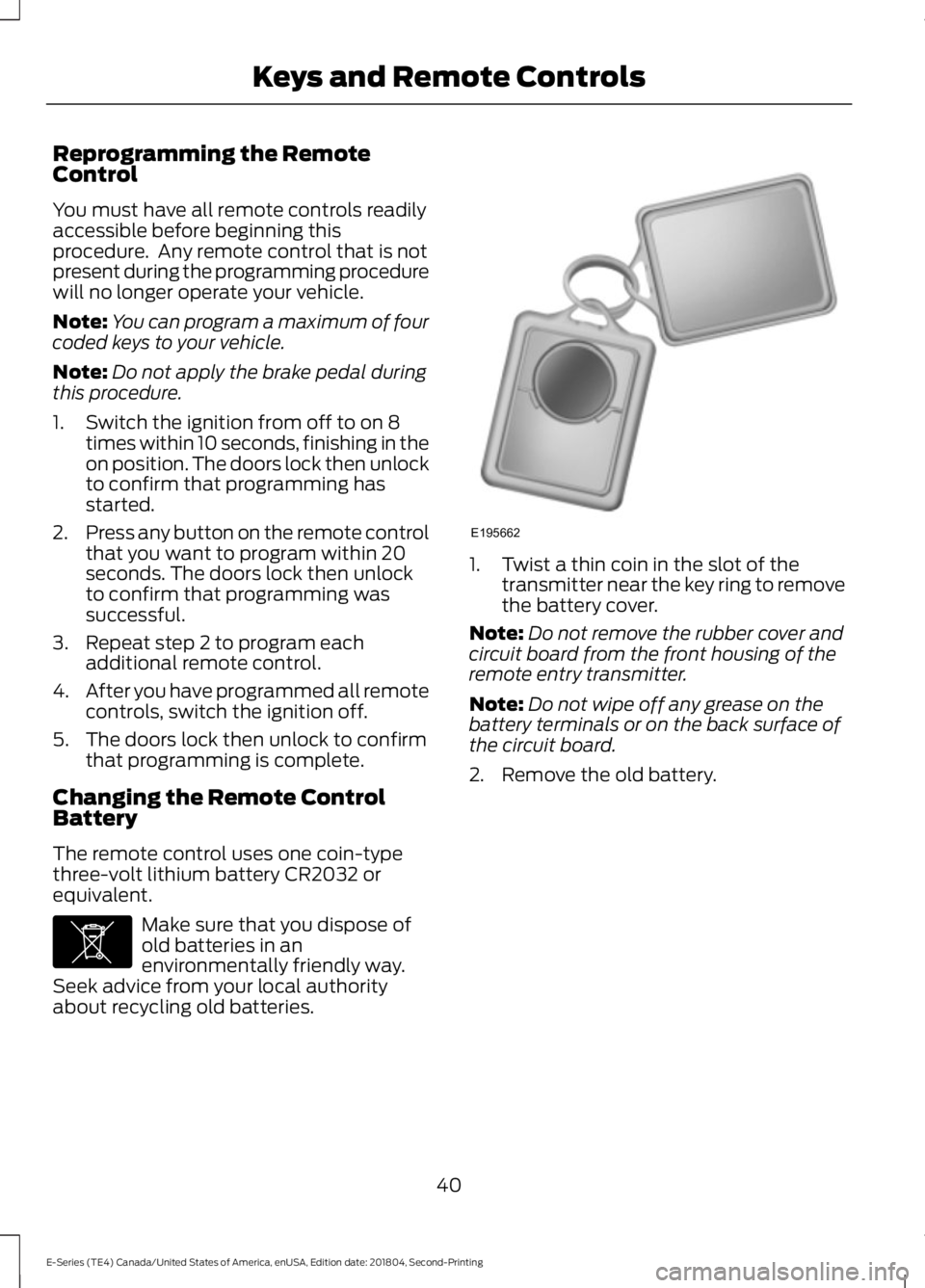
Reprogramming the RemoteControl
You must have all remote controls readilyaccessible before beginning thisprocedure. Any remote control that is notpresent during the programming procedurewill no longer operate your vehicle.
Note:You can program a maximum of fourcoded keys to your vehicle.
Note:Do not apply the brake pedal duringthis procedure.
1. Switch the ignition from off to on 8times within 10 seconds, finishing in theon position. The doors lock then unlockto confirm that programming hasstarted.
2.Press any button on the remote controlthat you want to program within 20seconds. The doors lock then unlockto confirm that programming wassuccessful.
3. Repeat step 2 to program eachadditional remote control.
4.After you have programmed all remotecontrols, switch the ignition off.
5. The doors lock then unlock to confirmthat programming is complete.
Changing the Remote ControlBattery
The remote control uses one coin-typethree-volt lithium battery CR2032 orequivalent.
Make sure that you dispose ofold batteries in anenvironmentally friendly way.Seek advice from your local authorityabout recycling old batteries.
1. Twist a thin coin in the slot of thetransmitter near the key ring to removethe battery cover.
Note:Do not remove the rubber cover andcircuit board from the front housing of theremote entry transmitter.
Note:Do not wipe off any grease on thebattery terminals or on the back surface ofthe circuit board.
2. Remove the old battery.
40
E-Series (TE4) Canada/United States of America, enUSA, Edition date: 201804, Second-Printing
Keys and Remote ControlsE107998 E195662
Page 44 of 329
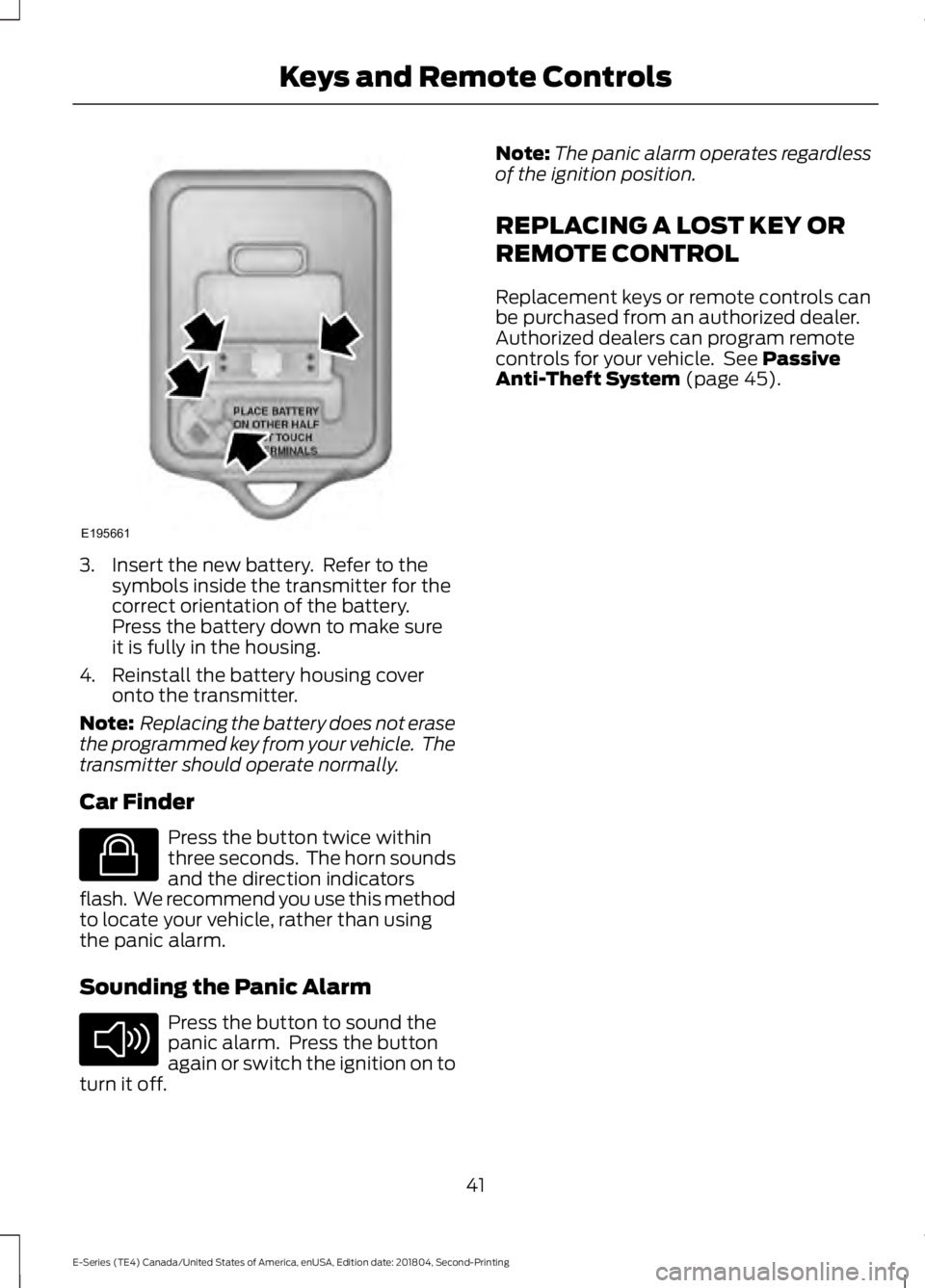
3. Insert the new battery. Refer to thesymbols inside the transmitter for thecorrect orientation of the battery.Press the battery down to make sureit is fully in the housing.
4. Reinstall the battery housing coveronto the transmitter.
Note: Replacing the battery does not erasethe programmed key from your vehicle. Thetransmitter should operate normally.
Car Finder
Press the button twice withinthree seconds. The horn soundsand the direction indicatorsflash. We recommend you use this methodto locate your vehicle, rather than usingthe panic alarm.
Sounding the Panic Alarm
Press the button to sound thepanic alarm. Press the buttonagain or switch the ignition on toturn it off.
Note:The panic alarm operates regardlessof the ignition position.
REPLACING A LOST KEY OR
REMOTE CONTROL
Replacement keys or remote controls canbe purchased from an authorized dealer.Authorized dealers can program remotecontrols for your vehicle. See PassiveAnti-Theft System (page 45).
41
E-Series (TE4) Canada/United States of America, enUSA, Edition date: 201804, Second-Printing
Keys and Remote ControlsE195661 E138623 E138624
Page 53 of 329
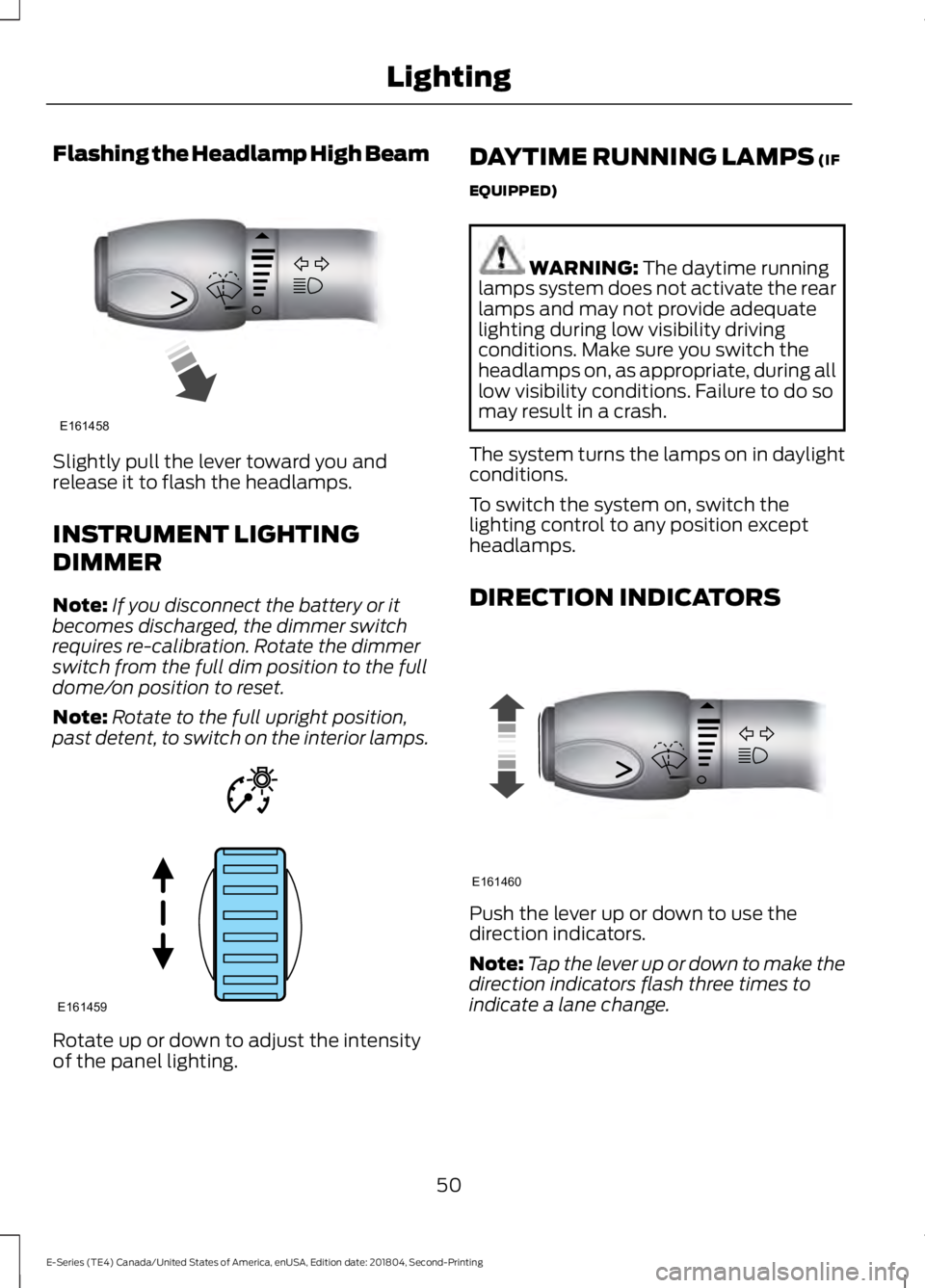
Flashing the Headlamp High Beam
Slightly pull the lever toward you andrelease it to flash the headlamps.
INSTRUMENT LIGHTING
DIMMER
Note:If you disconnect the battery or itbecomes discharged, the dimmer switchrequires re-calibration. Rotate the dimmerswitch from the full dim position to the fulldome/on position to reset.
Note:Rotate to the full upright position,past detent, to switch on the interior lamps.
Rotate up or down to adjust the intensityof the panel lighting.
DAYTIME RUNNING LAMPS (IF
EQUIPPED)
WARNING: The daytime runninglamps system does not activate the rearlamps and may not provide adequatelighting during low visibility drivingconditions. Make sure you switch theheadlamps on, as appropriate, during alllow visibility conditions. Failure to do somay result in a crash.
The system turns the lamps on in daylightconditions.
To switch the system on, switch thelighting control to any position exceptheadlamps.
DIRECTION INDICATORS
Push the lever up or down to use thedirection indicators.
Note:Tap the lever up or down to make thedirection indicators flash three times toindicate a lane change.
50
E-Series (TE4) Canada/United States of America, enUSA, Edition date: 201804, Second-Printing
LightingE161458 E161459 E161460
Page 56 of 329
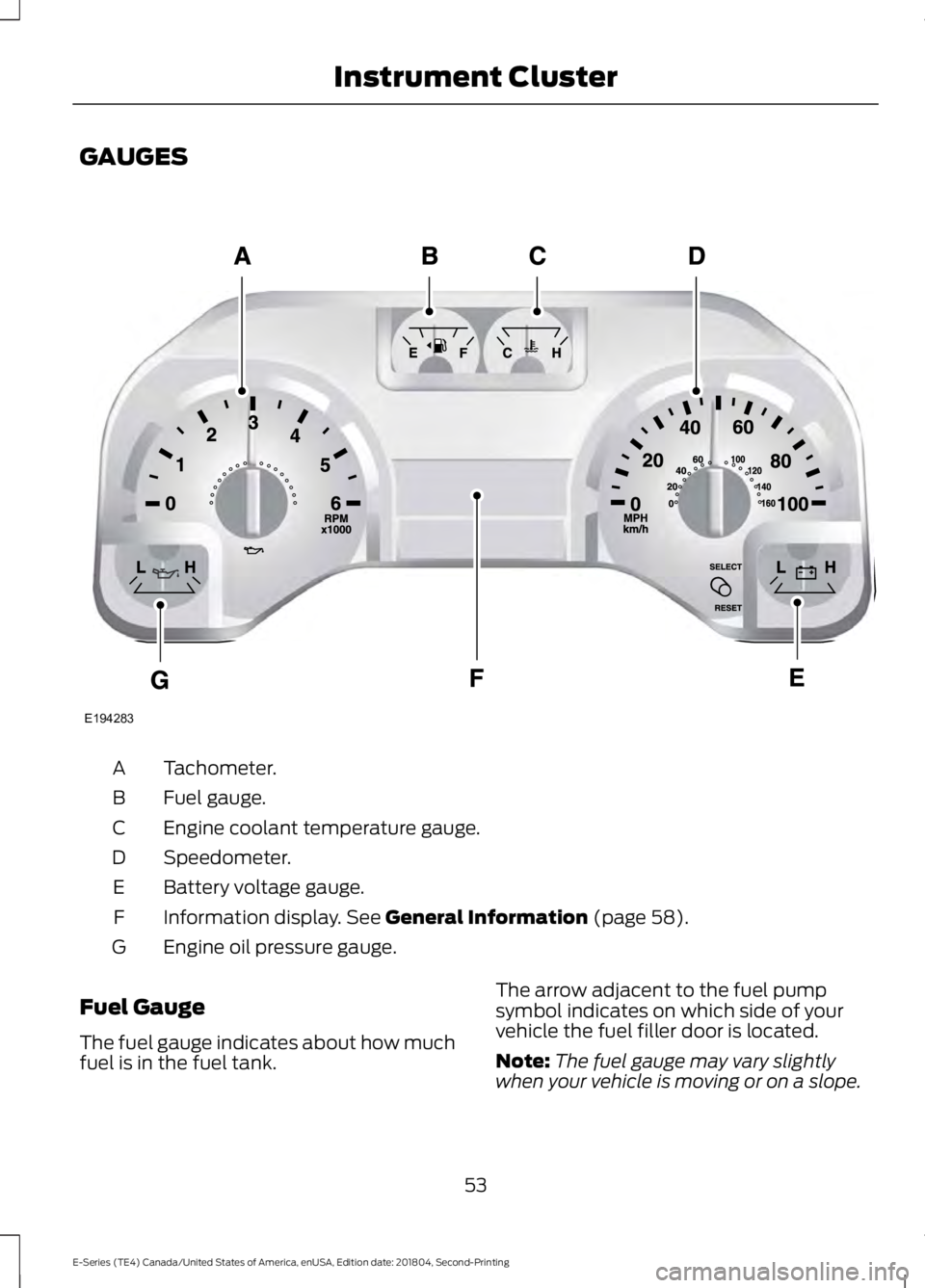
GAUGES
Tachometer.A
Fuel gauge.B
Engine coolant temperature gauge.C
Speedometer.D
Battery voltage gauge.E
Information display. See General Information (page 58).F
Engine oil pressure gauge.G
Fuel Gauge
The fuel gauge indicates about how muchfuel is in the fuel tank.
The arrow adjacent to the fuel pumpsymbol indicates on which side of yourvehicle the fuel filler door is located.
Note:The fuel gauge may vary slightlywhen your vehicle is moving or on a slope.
53
E-Series (TE4) Canada/United States of America, enUSA, Edition date: 201804, Second-Printing
Instrument ClusterE194283
Page 57 of 329
Low Fuel Reminder
A low fuel level reminder displays andsounds when the distance to emptyreaches 50 mi (80 km), 25 mi (40 km),10 mi (20 km) and 0 mi (0 km).
Note:The low fuel reminder can appear atdifferent fuel gauge positions depending onfuel economy conditions. This variation isnormal.
Engine Coolant TemperatureGauge
Indicates engine coolant temperature. Atnormal operating temperature, the levelindicator will be in the normal range. If theengine coolant temperature exceeds thenormal range, stop the vehicle as soon assafely possible, switch off the engine andlet the engine cool.
WARNING: Do not remove thecoolant reservoir cap when the coolingsystem is hot. Wait 10 minutes for thecooling system to cool down. Cover thecoolant reservoir cap with a thick clothto prevent the possibility of scalding andslowly remove the cap. Failure to followthis instruction could result in personalinjury.
Battery Voltage Gauge
Indicates the battery voltage when theignition is in the on position. If the pointermoves and stays outside the normaloperating range, have an authorized dealercheck the vehicle’s electrical system assoon as possible.
Information Display
Odometer
Located in the bottom of the informationdisplay, the gauge registers the distanceyour vehicle travels.
Trip Computer
See Information Displays (page 58).
Vehicle Settings and Personalization
See Information Displays (page 58).
Engine Oil Pressure Gauge
Indicates the engine oil pressure. Theneedle should stay in the normal operatingrange. If the needle falls below the normalrange, stop the vehicle and switch off theengine. Check the engine oil level and addoil if needed. If the oil level is correct, havean authorized dealer check the system.
WARNING LAMPS AND
INDICATORS
The following warning lamps andindicators alert you to a vehicle conditionthat may become serious. Some lampsilluminate when you start your vehicle tomake sure they work. If any lamps remainon after starting your vehicle, refer to therespective system warning lamp for furtherinformation.
Note:Some warning indicators appear inthe information display and operate thesame as a warning lamp but do notilluminate when you start your vehicle.
Airbag Warning Lamp
If it does not illuminate when youswitch the ignition on, continuesto flash or remains on when theengine is running, this indicates amalfunction. Have your vehicle checkedas soon as possible.
54
E-Series (TE4) Canada/United States of America, enUSA, Edition date: 201804, Second-Printing
Instrument ClusterE67017
Page 58 of 329
Anti-Lock Brake System WarningLamp
If it illuminates when you aredriving, this indicates amalfunction. Your vehiclecontinues to have normal braking withoutthe anti-lock brake system function. Haveyour vehicle checked as soon as possible.
Anti-Theft System
Flashes when the SecuriLockPassive Anti-theft Systemactivates.
Battery
If it illuminates while driving, itindicates a malfunction. Switchoff all unnecessary electricalequipment and have an authorized dealercheck the system immediately.
Brake System Warning Lamp
WARNING: Driving your vehiclewith the warning lamp on is dangerous.A significant decrease in brakingperformance may occur. It may take youlonger to stop your vehicle. Have yourvehicle checked as soon as possible.Driving extended distances with theparking brake engaged can cause brakefailure and the risk of personal injury.
Note:Indicators vary depending on region.
This lamp is a dual function lamp and willilluminate when:
•You apply the parking brake with theignition on.
•Your vehicle has a brake fault or lowbrake fluid level, regardless of parkingbrake position.
If the lamp illuminates while youare moving, you may have theparking brake applied. Be surethat the parking brake is off.Have your vehicle checked assoon as possible if the lampcontinues to illuminate.
Check Fuel Cap
Displays when you do notproperly install the fuel cap.Continued driving with this lighton may cause the service engine soonwarning light to come on.
Cruise Control Indicator (If Equipped)
It illuminates when you switchthe system on.
See Using Cruise Control(page 96).
Direction Indicator
Illuminates when you switch onthe left or right directionindicator or the hazard warningflasher. If the indicators stay on or flashfaster, check for a burned out bulb.
Engine Coolant TemperatureWarning Lamp
If it illuminates when your vehicleis moving, this indicates that theengine is overheating. Stop yourvehicle as soon as it is safe to do so andswitch the engine off. Have your vehiclechecked as soon as possible.
Engine Oil
It illuminates when you switchthe ignition on.
55
E-Series (TE4) Canada/United States of America, enUSA, Edition date: 201804, Second-Printing
Instrument Cluster E144845 E144522 E71340