lock FORD E SERIES 2023 Service Manual
[x] Cancel search | Manufacturer: FORD, Model Year: 2023, Model line: E SERIES, Model: FORD E SERIES 2023Pages: 292, PDF Size: 6.81 MB
Page 117 of 292
Possible causes and actions for the blocked sensor message displaying:
ActionCause
Clean the grille surface in front of the radaror remove the object causing the obstruc-tion.
The surface of the radar is dirty orobstructed
Wait a short time. It may take severalminutes for the radar to detect that it is freefrom obstruction.
The surface of the radar is clean but themessage remains in the display.
Do not use the system in these conditionsbecause it may not detect any vehiclesahead.
Heavy rain or snow is interfering with theradar signals
Do not use the system in these conditionsbecause it may not detect any vehiclesahead.
Water, snow or ice on the surface of theroad may interfere with the radar signals.
Wait a short time or switch to normal cruisecontrol.You are in a desert or remote area with noother vehicles and no roadside objects.
Due to the nature of radar technology, it is possible to get a blockage warning with noactual block. A false blocked condition either self-clears, or clears after you restart yourvehicle.
Switching to Normal CruiseControl
WARNING: Normal cruise controlwill not brake when your vehicle isapproaching slower vehicles. Always beaware of which mode you have selectedand apply the brakes when necessary.
The cruise control indicator lightreplaces the adaptive cruisecontrol indicator light if youselect normal cruise control. The gapsetting does not display, and the systemdoes not respond to lead vehicles.Automatic braking remains active tomaintain set speed.
You can change from adaptive cruisecontrol to normal cruise control throughthe information display.
114
2023 E-Series (TE4) Canada/United States of America, enUSA, Edition date: 202111, First-PrintingCruise Control (If Equipped)E71340
Page 118 of 292
DRIVER ALERT
WARNING: You are responsible forcontrolling your vehicle at all times. Thesystem is designed to be an aid and doesnot relieve you of your responsibility todrive with due care and attention. Failureto follow this instruction could result inthe loss of control of your vehicle,personal injury or death.
WARNING: The system may notfunction if the sensor is blocked.
WARNING: Take regular restbreaks if you feel tired. Do not wait forthe system to warn you.
WARNING: Certain driving stylesmay result in the system warning youeven if you are not feeling tired.
WARNING: In cold and severeweather conditions the system may notfunction. Rain, snow and spray can alllimit sensor performance.
WARNING: The system will notoperate if the sensor cannot track theroad lane markings.
WARNING: If damage occurs in theimmediate area surrounding the sensor,have your vehicle checked as soon aspossible.
WARNING: The system may notcorrectly operate if your vehicle is fittedwith a suspension kit not approved byus.
Note:Keep the windshield free fromobstructions. For example, bird droppings,insects and snow or ice.
Note:If you have a blocked camera ordamaged windshield, the system may notfunction.
Note:The system remembers the lastsetting when you start your vehicle, unlessit detects a MyKey™.
Note:If enabled in the menu, the systemactivates at speeds above 40 mph(64 km/h).
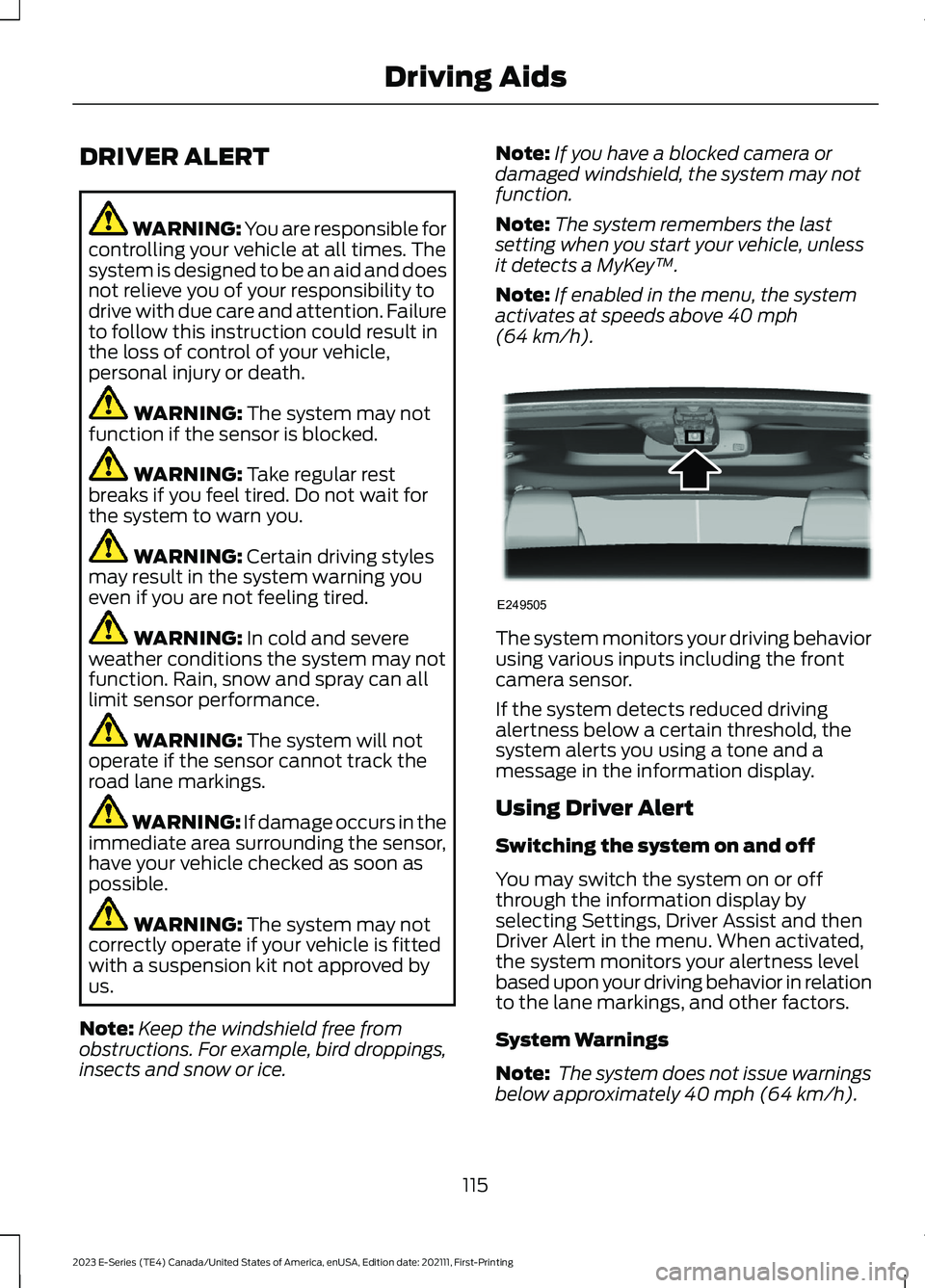
The system monitors your driving behaviorusing various inputs including the frontcamera sensor.
If the system detects reduced drivingalertness below a certain threshold, thesystem alerts you using a tone and amessage in the information display.
Using Driver Alert
Switching the system on and off
You may switch the system on or offthrough the information display byselecting Settings, Driver Assist and thenDriver Alert in the menu. When activated,the system monitors your alertness levelbased upon your driving behavior in relationto the lane markings, and other factors.
System Warnings
Note: The system does not issue warningsbelow approximately 40 mph (64 km/h).
115
2023 E-Series (TE4) Canada/United States of America, enUSA, Edition date: 202111, First-PrintingDriving AidsE249505
Page 119 of 292
The warning system is in two stages. Atfirst the system issues a temporary warningthat you need to take a rest. This messageonly appears for a short time. If the systemdetects further reduction in drivingalertness, another warning could be issuedwhich remains in the information displayfor a longer time. Press OK on the steeringwheel control to clear the warning. Whenactive the system runs in the backgroundand only issues a warning if required.
Resetting the System
You can reset the system by either:
•Switching the ignition off and on.
•Stopping the vehicle and then openingand closing the driver door.
LANE KEEPING SYSTEM (IF
EQUIPPED)
WARNING: You are responsible forcontrolling your vehicle at all times. Thesystem is designed to be an aid and doesnot relieve you of your responsibility todrive with due care and attention. Failureto follow this instruction could result inthe loss of control of your vehicle,personal injury or death.
WARNING: Always drive with duecare and attention when using andoperating the controls and features onyour vehicle.
WARNING: In cold and severeweather conditions the system may notfunction. Rain, snow and spray can alllimit sensor performance.
WARNING: The system will notoperate if the sensor cannot track theroad lane markings.
WARNING: The sensor mayincorrectly track lane markings as otherstructures or objects. This can result ina false or missed warning.
WARNING: Large contrasts inoutside lighting can limit sensorperformance.
WARNING: The system may notoperate properly if the sensor is blocked.Keep the windshield free fromobstruction.
WARNING: If damage occurs in theimmediate area surrounding the sensor,have your vehicle checked as soon aspossible.
WARNING: The system may notcorrectly operate if your vehicle is fittedwith a suspension kit not approved byus.
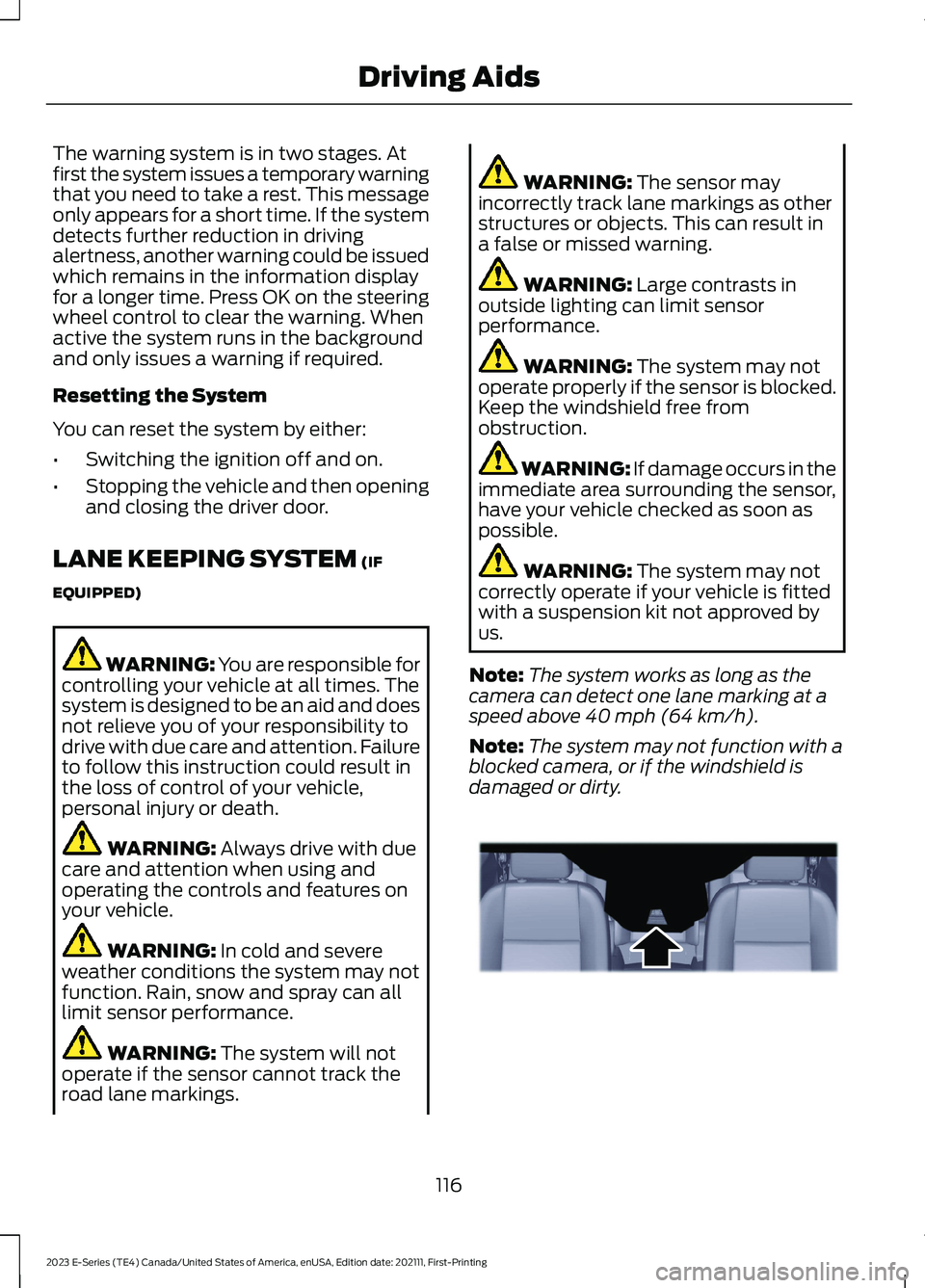
Note:The system works as long as thecamera can detect one lane marking at aspeed above 40 mph (64 km/h).
Note:The system may not function with ablocked camera, or if the windshield isdamaged or dirty.
116
2023 E-Series (TE4) Canada/United States of America, enUSA, Edition date: 202111, First-PrintingDriving AidsE243054
Page 121 of 292
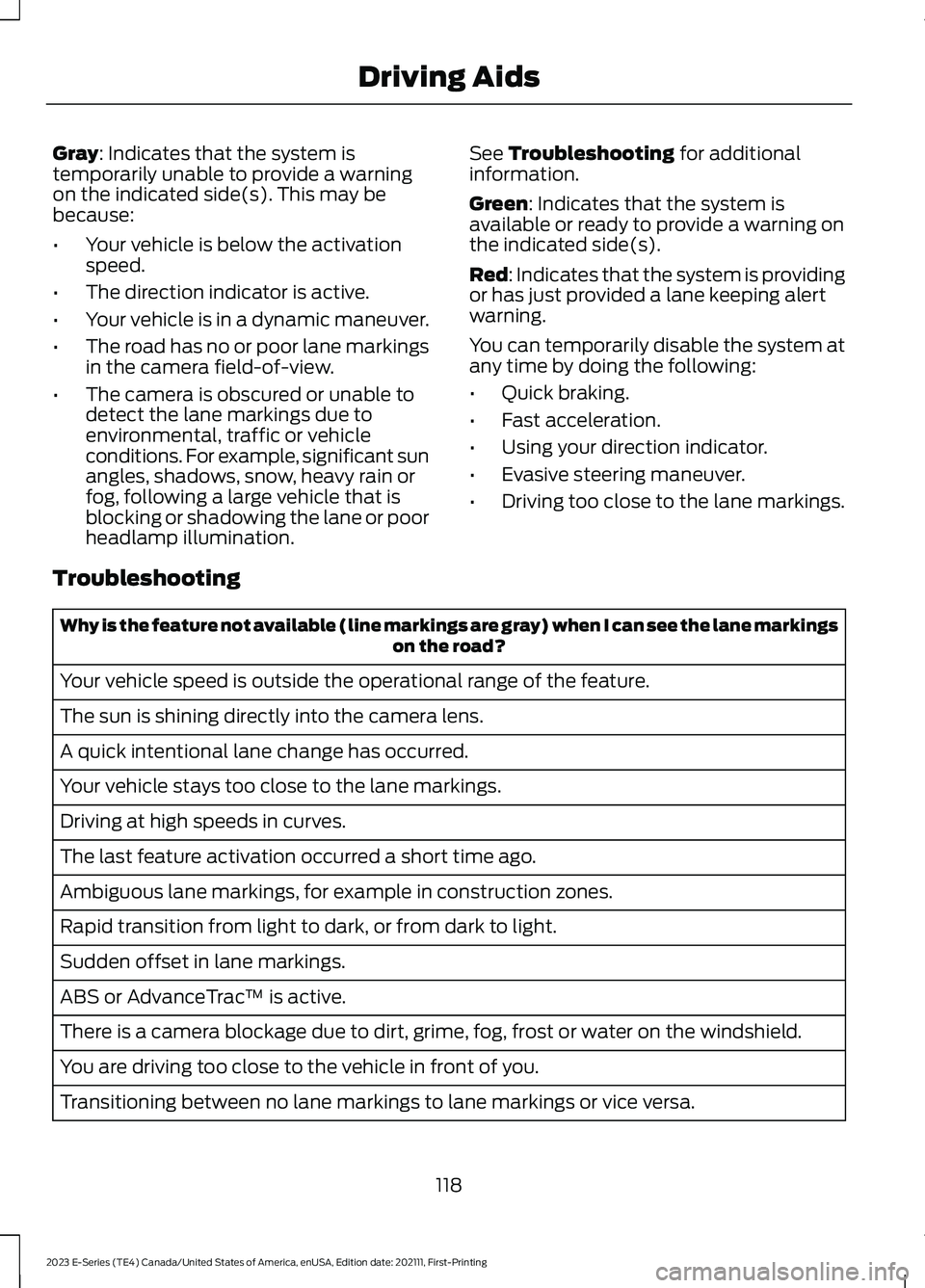
Gray: Indicates that the system istemporarily unable to provide a warningon the indicated side(s). This may bebecause:
•Your vehicle is below the activationspeed.
•The direction indicator is active.
•Your vehicle is in a dynamic maneuver.
•The road has no or poor lane markingsin the camera field-of-view.
•The camera is obscured or unable todetect the lane markings due toenvironmental, traffic or vehicleconditions. For example, significant sunangles, shadows, snow, heavy rain orfog, following a large vehicle that isblocking or shadowing the lane or poorheadlamp illumination.
See Troubleshooting for additionalinformation.
Green: Indicates that the system isavailable or ready to provide a warning onthe indicated side(s).
Red: Indicates that the system is providingor has just provided a lane keeping alertwarning.
You can temporarily disable the system atany time by doing the following:
•Quick braking.
•Fast acceleration.
•Using your direction indicator.
•Evasive steering maneuver.
•Driving too close to the lane markings.
Troubleshooting
Why is the feature not available (line markings are gray) when I can see the lane markingson the road?
Your vehicle speed is outside the operational range of the feature.
The sun is shining directly into the camera lens.
A quick intentional lane change has occurred.
Your vehicle stays too close to the lane markings.
Driving at high speeds in curves.
The last feature activation occurred a short time ago.
Ambiguous lane markings, for example in construction zones.
Rapid transition from light to dark, or from dark to light.
Sudden offset in lane markings.
ABS or AdvanceTrac™ is active.
There is a camera blockage due to dirt, grime, fog, frost or water on the windshield.
You are driving too close to the vehicle in front of you.
Transitioning between no lane markings to lane markings or vice versa.
118
2023 E-Series (TE4) Canada/United States of America, enUSA, Edition date: 202111, First-PrintingDriving Aids
Page 122 of 292
Why is the feature not available (line markings are gray) when I can see the lane markingson the road?
There is standing water on the road.
Faint lane markings, for example partial yellow lane markings on concrete roads.
Lane width is too narrow or too wide.
The camera has not been calibrated after a windshield replacement.
Driving on tight roads or on uneven roads.
Vehicle accessories are blocking the camera, for example a snow plow.
STEERING
Hydraulic Power Steering
To help prevent damage to the powersteering system:
•Do not hold the steering wheel at itsfurthest turning points for more thanthree to five seconds when the engineis running.
•Avoid continuously steering back andforth with elevated engine RPM as thismay overheat the system. If trying tofree a stuck vehicle, pause betweenattempts to allow the power steeringsystem to cool or seek assistance.Typical steering and driving maneuversallow the system to cool.
•Do not operate the vehicle if the powersteering pump fluid level is below theMIN mark on the reservoir.
•Some noise is normal during operation.If excessive, check for low powersteering pump fluid level beforeseeking service by your dealer.
•Heavy or uneven efforts may be causedby low power steering fluid. Check forlow power steering pump fluid levelbefore seeking service by your dealer.
•Do not fill the power steering pumpreservoir above the MAX mark on thereservoir, as this may result in leaksfrom the reservoir.
If the power steering system breaks downor if you switch the engine off, you cansteer the vehicle manually, but it takesmore effort.
If you have any steering componentsserviced or replaced, install new fasteners.Many fasteners have coatings with threadadhesive, or have prevailing torquefeatures you cannot reuse. Do not reuse abolt or nut. Torque fasteners tospecifications.
Steering Tips
If the steering wanders or pulls, check for:
•An improperly inflated tire.
•Uneven tire wear.
•Loose or worn suspensioncomponents.
•Loose or worn steering components.
•Improper vehicle alignment.
119
2023 E-Series (TE4) Canada/United States of America, enUSA, Edition date: 202111, First-PrintingDriving Aids
Page 125 of 292
Adjusting the Pre-Collision AssistSettings
You can adjust the following settings byusing the information display controls. SeeGeneral Information (page 65).
•You can change alert and distancealert sensitivity to one of three possiblesettings.
•You can switch distance indication andalert on or off.
•If required, you can switch activebraking on or off.
•If required, you can switch the entirepre-collision assist feature on or off.
Note:Active braking automatically turnson every time you switch the ignition on.
Note:We recommend that you switch thesystem off if you install a snowplow orsimilar object in such a way that it mayblock the radar sensor. Your vehicleremembers the selected setting across keycycles.
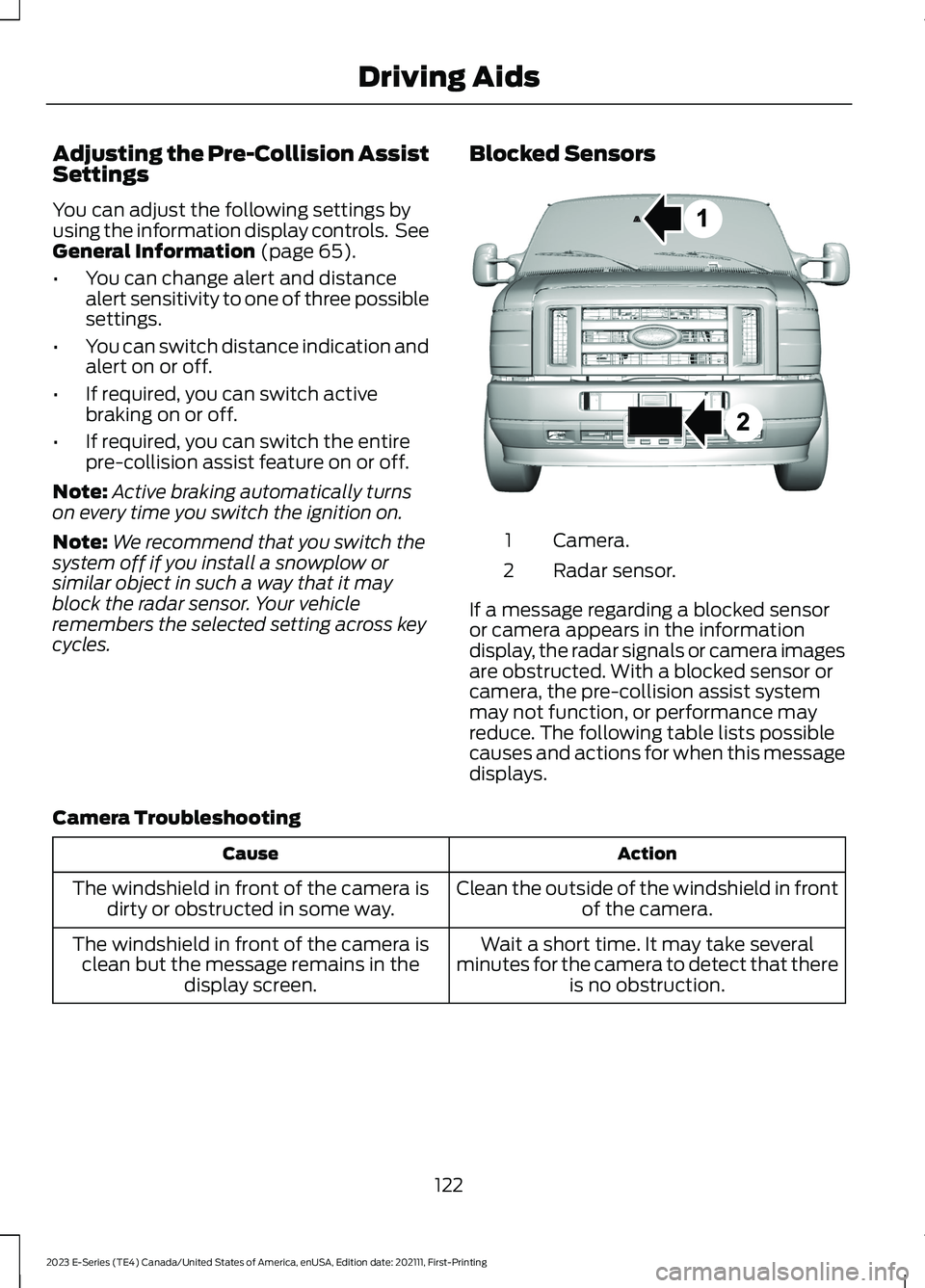
Blocked Sensors
Camera.1
Radar sensor.2
If a message regarding a blocked sensoror camera appears in the informationdisplay, the radar signals or camera imagesare obstructed. With a blocked sensor orcamera, the pre-collision assist systemmay not function, or performance mayreduce. The following table lists possiblecauses and actions for when this messagedisplays.
Camera Troubleshooting
ActionCause
Clean the outside of the windshield in frontof the camera.The windshield in front of the camera isdirty or obstructed in some way.
Wait a short time. It may take severalminutes for the camera to detect that thereis no obstruction.
The windshield in front of the camera isclean but the message remains in thedisplay screen.
122
2023 E-Series (TE4) Canada/United States of America, enUSA, Edition date: 202111, First-PrintingDriving AidsE310549
Page 135 of 292
1.Park the loaded vehicle, without thetrailer, on a level surface.
2.Measure the height to the top of yourvehicle's front wheel opening on thefender. This is H1.
3.Attach the loaded trailer to your vehiclewithout the weight-distributing barsconnected.
4.Measure the height to the top of yourvehicle's front wheel opening on thefender a second time. This is H2.
5.Install and adjust the tension in theweight-distributing bars so that theheight of your vehicle's front wheelopening on the fender is approximatelyhalfway down from H2, toward H1.
6.Check that the trailer is level or slightlynose down toward your vehicle. If not,adjust the ball height accordingly andrepeat Steps 2-6.
When the trailer is level or slightly nosedown toward the vehicle:
•Lock the bar tension adjuster in place.
•Check that the trailer tongue securelyattaches and locks onto the hitch.
•Install safety chains, lighting and trailerbrake controls as required by law or thetrailer manufacturer.
Safety Chains
Note:Do not attach safety chains to thebumper.
Always connect the safety chains to theframe or hook retainers of your vehiclehitch.
To connect the safety chains, cross thechains under the trailer tongue and allowenough slack for turning tight corners. Donot allow the chains to drag on the ground.
Trailer Brakes
WARNING: Do not connect atrailer's hydraulic brake system directlyto your vehicle's brake system. Yourvehicle may not have enough brakingpower and your chances of having acollision greatly increase.
Electric brakes and manual, automatic orsurge-type trailer brakes are safe if youinstall them properly and adjust them tothe manufacturer's specifications. Thetrailer brakes must meet local and federalregulations.
The rating for the tow vehicle's brakingsystem operation is at the gross vehicleweight rating, not the gross combinedweight rating.
Separate functioning brake systemsare required for safe control of towedvehicles and trailers weighing morethan 1500 lb (680 kg) when loaded.
Integrated Trailer Brake Controller (IfEquipped)
WARNING: Use the integratedtrailer brake controller to properly adjustthe trailer brakes and check allconnections before towing a trailer.Failure to follow this instruction couldresult in the loss of control of yourvehicle, personal injury or death.
Note:The Ford trailer brake controller hasbeen verified to be compatible with trailershaving electric-actuated drum brakes (oneto four axles) and electric-over-hydraulicbrakes. It will not activate hydraulicsurge-style trailer brakes. It is theresponsibility of the customer to ensure thatthe trailer brakes are adjusted appropriately,functioning normally and all electricconnections are properly made.
132
2023 E-Series (TE4) Canada/United States of America, enUSA, Edition date: 202111, First-PrintingTowing
Page 137 of 292
•Stoplamps: Using the manual controllever illuminates both the trailer brakelamps and your vehicle brake lampsexcept the center high mountedstoplamp, if you make the properelectrical connection to the trailer.Pressing your vehicle brake pedal alsoilluminates both trailer and vehiclebrake lamps.
Procedure for Adjusting Gain
Note:Only perform this procedure in atraffic-free environment at speeds ofapproximately 20-25 mph (30-40 km/h).
The gain setting sets the trailer brakecontroller for the specific towing condition.You should change the setting as towingconditions change. Changes to towingconditions include trailer load, vehicle load,road conditions and weather.
Set the gain to provide the maximumtrailer braking assistance while makingsure the trailer wheels do not lock whenusing the brakes. Locked trailer wheelsmay lead to trailer instability.
1.Make sure the trailer brakes are in goodworking condition, functioning normallyand properly adjusted. See your trailerdealer if necessary.
2.Connect the trailer and make theelectrical connections according to thetrailer manufacturer's instructions.
3.When you plug in a trailer with electricor electric-over-hydraulic brakes, amessage confirming connectionappears in the information display.
4.Use the gain adjustment (+ and -)buttons to increase or decrease thegain setting to the desired startingpoint. A gain setting of 6.0 is a goodstarting point for heavier loads.
5.In a traffic-free environment, tow thetrailer on a dry, level surface at a speedof 20-25 mph (30-40 km/h) andsqueeze the manual control levercompletely.
6.If the trailer wheels lock up, indicatedby squealing tires, reduce the gainsetting. If the trailer wheels turn freely,increase the gain setting. Repeat Steps5 and 6 until the gain setting is at apoint just below trailer wheel lock-up.If towing a heavier trailer, trailer wheellock-up may not be attainable evenwith the maximum gain setting of 10.
Explanation of Information DisplayWarning Messages
Note:An authorized dealer can diagnosethe trailer brake controller to determineexactly which trailer fault has occurred.However, your Ford warranty does not coverthis diagnosis if the fault is with the trailer.
A message indicating a trailer brakemodule fault may display in response tofaults sensed by the trailer brake controller,accompanied by a single tone. If thismessage appears, contact an authorizeddealer as soon as possible for diagnosisand repair. The controller may stillfunction, but performance may bedegraded.
A message indicating a trailer wiring faultmay display when there is a short circuiton the electric brake output wire. If thismessage displays, accompanied by asingle tone, with no trailer connected, theproblem is with your vehicle wiringbetween the trailer brake controller andthe 7-pin connector at the bumper. If themessage only displays with a trailerconnected, the problem is with the trailer
134
2023 E-Series (TE4) Canada/United States of America, enUSA, Edition date: 202111, First-PrintingTowing
Page 138 of 292
wiring. Consult your trailer dealer forassistance. This can be a short to ground(such as a chaffed wire), short to voltage(such as a pulled pin on trailer emergencybreakaway battery) or the trailer brakesmay be drawing too much current.
Points to Remember
Note:Do not attempt removal of the trailerbrake controller without consulting theWorkshop Manual. Damage to the unit mayresult.
•Adjust gain setting before using thetrailer brake controller for the first time.
•Adjust gain setting, see Procedure forAdjusting Gain, whenever road,weather and trailer or vehicle loadingconditions change from when the gainwas initially set.
•Only use the manual control lever forproper adjustment of the gain duringtrailer setup. Misuse, such asapplication during trailer sway, couldcause instability of trailer or towvehicle.
•Avoid towing in adverse weatherconditions. The trailer brake controllerdoes not provide anti-lock control ofthe trailer wheels. Trailer wheels canlock up on slippery surfaces, resultingin reduced stability of trailer and towvehicle.
•The trailer brake controller is equippedwith a feature that reduces output atvehicle speeds below 11 mph (18 km/h)so trailer and vehicle braking is not jerkyor harsh. This feature is only availablewhen applying the brakes using yourvehicle's brake pedal, not thecontroller.
•The controller interacts with the brakecontrol system and powertrain controlsystem of your vehicle to provide thebest performance on different roadconditions.
•Your vehicle's brake system and thetrailer brake system workindependently of each other. Changingthe gain setting on the controller doesnot affect the operation of yourvehicle's brakes whether you attach atrailer or not.
•When you switch the engine off, thecontroller output is disabled and thedisplay and module shut down. Thecontroller module and display turn onwhen you switch the ignition on.
•The trailer brake controller is only afactory-installed or dealer-installeditem. Ford is not responsible forwarranty or performance of thecontroller due to misuse or customerinstallation.
Trailer Lamps
WARNING: Never connect anytrailer lamp wiring to the vehicle's taillamp wiring; this may damage theelectrical system resulting in fire. Contactyour authorized dealer as soon aspossible for assistance in proper trailertow wiring installation. Additionalelectrical equipment may be required.
Trailer lamps are required on most towedvehicles. Make sure all running lights, brakelights, direction indicators and hazard lightsare working.
Before Towing a Trailer
Practice turning, stopping and backing upto get the feel of your vehicle-trailercombination before starting on a trip.When turning, make wider turns so thetrailer wheels clear curbs and otherobstacles.
135
2023 E-Series (TE4) Canada/United States of America, enUSA, Edition date: 202111, First-PrintingTowing
Page 140 of 292
TOWING THE VEHICLE ON
FOUR WHEELS
Emergency Towing
WARNING: If your vehicle has asteering wheel lock make sure theignition is in the accessory or on positionwhen being towed.
You can flat-tow (all wheels on theground, regardless of the powertrain ortransmission configuration) your disabledvehicle (without access to wheel dolliesor vehicle transport trailer) under thefollowing conditions:
•Your vehicle is facing forward so youtow it in a forward direction.
•You shift into neutral (N). If you cannotshift into neutral (N), you may need tooverride the transmission. SeeTransmission (page 96).
•Maximum speed is 35 mph (56 km/h).
•Maximum distance is 50 mi (80 km).
Recreational Towing
Note: Put your climate control system inrecirculated air mode to prevent exhaustfumes from entering the vehicle. SeeClimate Control (page 74).
Follow these guidelines if you have a needfor recreational vehicle towing. An exampleof recreational towing would be towingyour vehicle behind a motorhome. Theseguidelines are to make sure you do notdamage the transmission during towing.
Do not tow your vehicle with any wheelson the ground, as vehicle or transmissiondamage may occur. It is recommended totow your vehicle with all four wheels offthe ground, for example when using avehicle transport trailer. Otherwise, youcannot tow your vehicle.
137
2023 E-Series (TE4) Canada/United States of America, enUSA, Edition date: 202111, First-PrintingTowing