instrument cluster FORD E SERIES 2024 User Guide
[x] Cancel search | Manufacturer: FORD, Model Year: 2024, Model line: E SERIES, Model: FORD E SERIES 2024Pages: 303, PDF Size: 6.95 MB
Page 67 of 303
Traction Control Indicator
It flashes during a tractioncontrol event.
If it does not illuminate when you switchthe ignition on, or remains on when theengine is running, this indicates amalfunction. Have your vehicle checkedas soon as possible.
Traction Control System Off
It will illuminate when the driverdisables traction control.
Tow Haul Indicator
Illuminates when the driveractivates the tow/haul feature.If the light flashes steadily, havean authorized dealer check the systemimmediately, damage to the transmissioncould occur.
AUDIBLE WARNINGS AND
INDICATORS
Headlamps On Warning Chime
Sounds when you remove the key from theignition and open the driver's door and youhave left the headlamps or parking lampson.
Key in Ignition Warning Chime
Sounds when you open the driver's doorand you have left the key in the ignition.
Parking Brake On Warning Chime
Sounds when you have left the parkingbrake on and drive your vehicle. If thewarning chime remains on after you havereleased the parking brake, have thesystem checked by your authorized dealerimmediately.
63
2024 E-Series (TE4) Canada/United States of America, enUSA, Edition date: 202210, First-PrintingInstrument ClusterE138639 E130458 E246592
Page 72 of 303
INFORMATION MESSAGES
Note: Not all messages will display or beavailable depending on your vehicle optionsand instrument cluster type. Theinformation display may abbreviate orshorten certain messages.
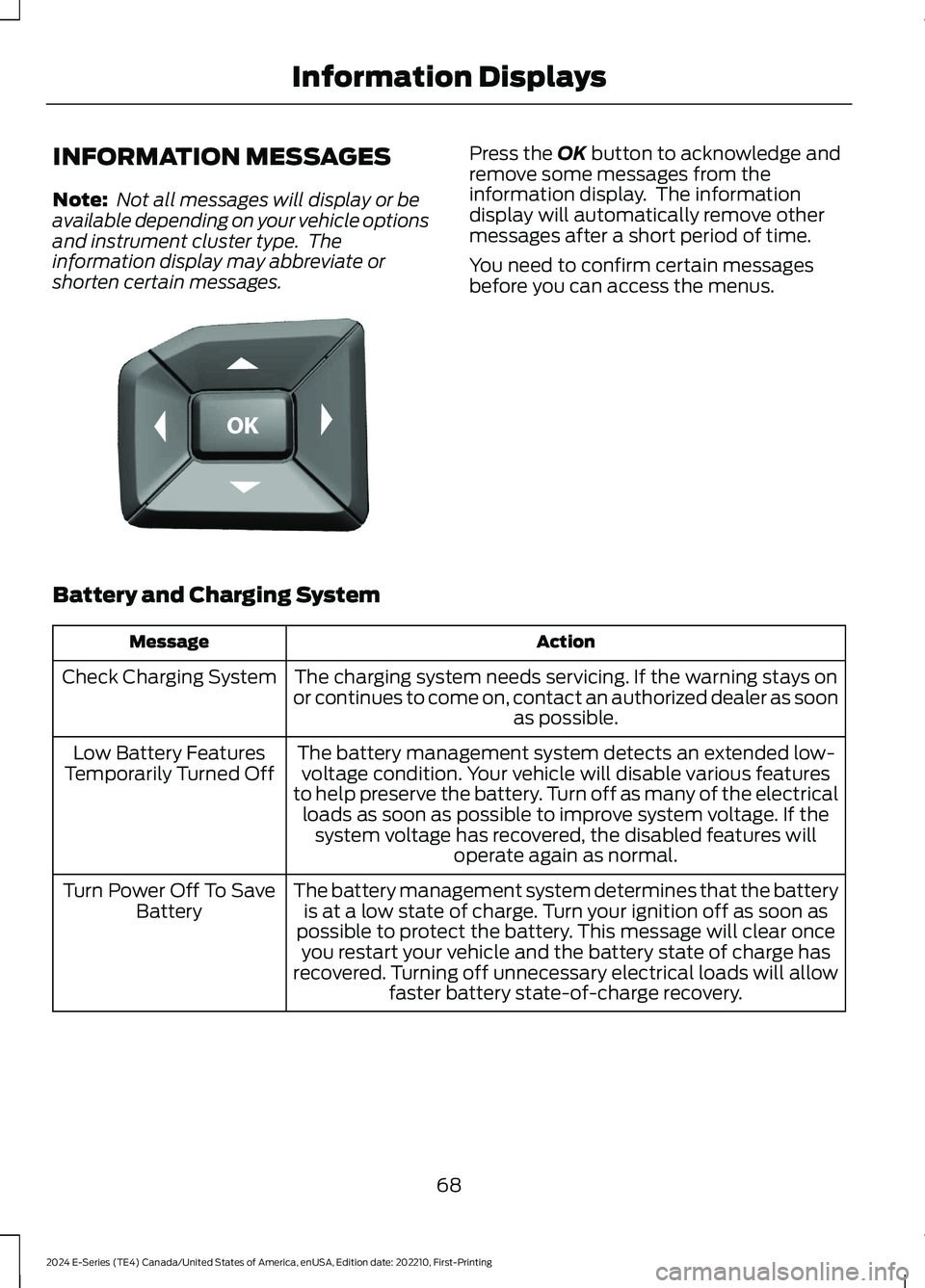
Press the OK button to acknowledge andremove some messages from theinformation display. The informationdisplay will automatically remove othermessages after a short period of time.
You need to confirm certain messagesbefore you can access the menus.
Battery and Charging System
ActionMessage
The charging system needs servicing. If the warning stays onor continues to come on, contact an authorized dealer as soonas possible.
Check Charging System
The battery management system detects an extended low-voltage condition. Your vehicle will disable various featuresto help preserve the battery. Turn off as many of the electricalloads as soon as possible to improve system voltage. If thesystem voltage has recovered, the disabled features willoperate again as normal.
Low Battery FeaturesTemporarily Turned Off
The battery management system determines that the batteryis at a low state of charge. Turn your ignition off as soon aspossible to protect the battery. This message will clear onceyou restart your vehicle and the battery state of charge hasrecovered. Turning off unnecessary electrical loads will allowfaster battery state-of-charge recovery.
Turn Power Off To SaveBattery
68
2024 E-Series (TE4) Canada/United States of America, enUSA, Edition date: 202210, First-PrintingInformation DisplaysE184451
Page 93 of 303
Fuel Filler Cap
WARNING: The fuel system maybe under pressure. If you hear a hissingsound near the fuel filler inlet, do notrefuel until the sound stops. Otherwise,fuel may spray out, which could causeserious personal injury.
Note:If you must replace the fuel filler cap,replace it with a fuel filler cap that isdesigned for your vehicle. The customerwarranty may be void for any damage to thefuel tank or fuel system if the correctgenuine Ford, Motorcraft or other certifiedfuel filler cap is not used.
Your vehicle has a threaded fuel filler cap.When fueling your vehicle:
1.Put your vehicle in park (P).
2.Switch the engine off.
3.Carefully turn the fuel filler capcounterclockwise until it spins off.
4.Pull to remove the cap from the fuelfiller pipe and place on the fuel doorhanging hook if equipped.
5.When the nozzle shuts off, wait at leastfive seconds, then slightly raise the fuelpump nozzle and slowly remove it.
6.Install the fuel filler cap by rotating itclockwise until it clicks.
If the Check Fuel Cap light or a Check FuelCap message appears in the instrumentcluster and stays on after you start theengine, you may not have installed the fuelfiller properly.
If the fuel cap light remains on, at the nextopportunity, safely pull off of the road,remove the fuel filler cap, align the capproperly and reinstall it. The check fuel caplight or Check fuel cap message may notreset immediately. It may take severaldriving cycles for the indicators to turn off.A driving cycle consists of an enginestart-up (after four or more hours with theengine off) followed by normal city andhighway driving.
FUEL CONSUMPTION
Advertised Capacity
The advertised capacity is the maximumamount of fuel that you can add to the fueltank after running out of fuel. Included inthe advertised capacity is an emptyreserve. The empty reserve is anunspecified amount of fuel that remainsin the fuel tank when the fuel gaugeindicates empty.
Note:The amount of fuel in the emptyreserve varies and should not be relied uponto increase driving range.
Fuel Economy
Your vehicle calculates fuel economyfigures through the trip computer averagefuel function. See General Information(page 64).
The first 1,000 mi (1,500 km) of driving isthe break-in period of the engine. A moreaccurate measurement is obtained after2,000 mi (3,000 km).
Impacting Fuel Economy
•Incorrect tire inflation pressures.
•Fully loading your vehicle.
•Carrying unnecessary weight.
89
2024 E-Series (TE4) Canada/United States of America, enUSA, Edition date: 202210, First-PrintingFuel and Refueling
Page 100 of 303
Tow/Haul Mode
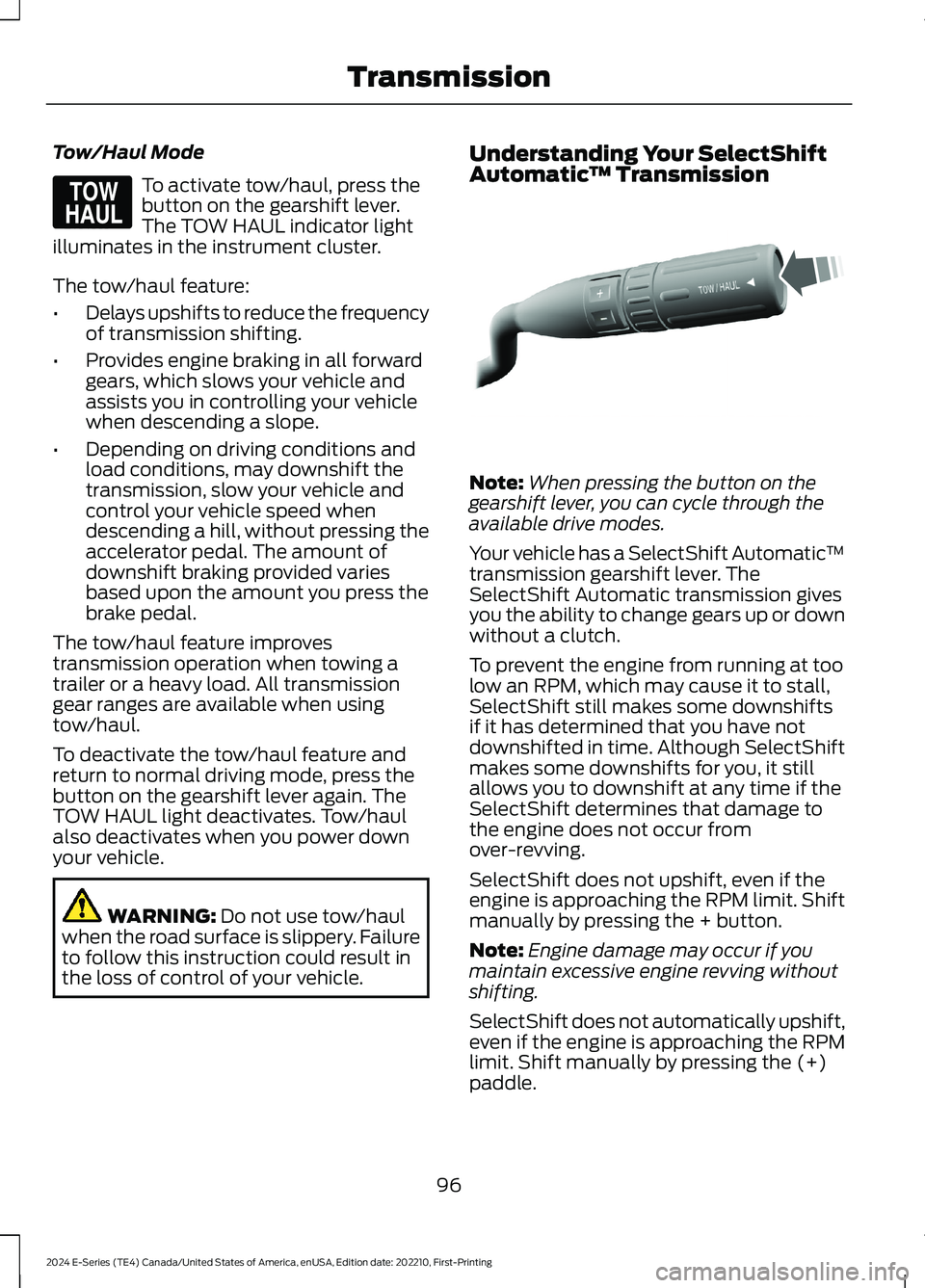
To activate tow/haul, press thebutton on the gearshift lever.The TOW HAUL indicator lightilluminates in the instrument cluster.
The tow/haul feature:
•Delays upshifts to reduce the frequencyof transmission shifting.
•Provides engine braking in all forwardgears, which slows your vehicle andassists you in controlling your vehiclewhen descending a slope.
•Depending on driving conditions andload conditions, may downshift thetransmission, slow your vehicle andcontrol your vehicle speed whendescending a hill, without pressing theaccelerator pedal. The amount ofdownshift braking provided variesbased upon the amount you press thebrake pedal.
The tow/haul feature improvestransmission operation when towing atrailer or a heavy load. All transmissiongear ranges are available when usingtow/haul.
To deactivate the tow/haul feature andreturn to normal driving mode, press thebutton on the gearshift lever again. TheTOW HAUL light deactivates. Tow/haulalso deactivates when you power downyour vehicle.
WARNING: Do not use tow/haulwhen the road surface is slippery. Failureto follow this instruction could result inthe loss of control of your vehicle.
Understanding Your SelectShiftAutomatic™ Transmission
Note:When pressing the button on thegearshift lever, you can cycle through theavailable drive modes.
Your vehicle has a SelectShift Automatic™transmission gearshift lever. TheSelectShift Automatic transmission givesyou the ability to change gears up or downwithout a clutch.
To prevent the engine from running at toolow an RPM, which may cause it to stall,SelectShift still makes some downshiftsif it has determined that you have notdownshifted in time. Although SelectShiftmakes some downshifts for you, it stillallows you to downshift at any time if theSelectShift determines that damage tothe engine does not occur fromover-revving.
SelectShift does not upshift, even if theengine is approaching the RPM limit. Shiftmanually by pressing the + button.
Note:Engine damage may occur if youmaintain excessive engine revving withoutshifting.
SelectShift does not automatically upshift,even if the engine is approaching the RPMlimit. Shift manually by pressing the (+)paddle.
96
2024 E-Series (TE4) Canada/United States of America, enUSA, Edition date: 202210, First-PrintingTransmissionE161509 E318028
Page 101 of 303
Progressive Range Selection - PRS
(If Equipped)
Progressive Range Selection gives you theability to lockout gears from the automaticshifting range. This may provide you withan improved driving experience. Forexample, in slippery conditions or whenexperiencing a steep grade.
With the gearshift lever in drive (D), pressthe – button to active PRS. The instrumentcluster indicates the available and selectedgears.
All available gears display with the currentgear indicated. Press the – button again tolock out gears beginning with the highestgear. Example: press the – button twice tolock out 6th and 5th gears. Only theavailable gears display, and thetransmission automatically shifts betweenthe available gears. Press the + button tounlock gears to allow the transmission toshift to higher gears. The transmissionshifts within the gear range you select.
Automatic Transmission AdaptiveLearning
This feature may increase durability andprovide consistent shift feel over the lifeof your vehicle. A new vehicle ortransmission may have firm shifts, softshifts, or both. This is normal and does notaffect function or durability of thetransmission. Over time, the adaptivelearning process fully updates transmissionoperation.
Brake-Shift Interlock
WARNING: Do not drive yourvehicle until you verify that thestoplamps are working.
WARNING: When doing thisprocedure, you need to take thetransmission out of park (P) whichmeans your vehicle can roll freely. Toavoid unwanted vehicle movement,apply the parking brake prior to doingthis procedure. Use wheel chocks ifappropriate.
WARNING: If the parking brake isfully released, but the brake warninglamp remains illuminated, the brakesmay not be working properly. Have yourvehicle checked as soon as possible.
Your vehicle has a brake-shift interlockfeature that prevents the gearshift leverfrom moving from park (P) when theignition is in the 3 (on) position and thebrake pedal is not pressed.
If you cannot move the gearshift lever outof park (P) position with the ignition in the3 (on) position and the brake pedalpressed, a malfunction may have occurred.It is possible that a fuse has blown or yourvehicle’s brake lamps are not operatingproperly. See Fuse Specification Chart(page 150).
If the fuse is not blown and the brakelamps are working properly, the followingprocedure allows you to move the gearshiftlever from park (P):
1.Apply the parking brake. Switch theignition key to 1 (off), then remove thekey.
2.Move the steering column to the fulldown and full rearward position,toward the driver seat.
3.Remove the gearshift lever boot.
97
2024 E-Series (TE4) Canada/United States of America, enUSA, Edition date: 202210, First-PrintingTransmission
Page 106 of 303
PRINCIPLE OF OPERATION
The traction control system helps avoiddrive wheel spin and loss of traction.
If your vehicle begins to slide, the systemapplies the brakes to individual wheelsand, when needed, reduces engine powerat the same time. If the wheels spin whenaccelerating on slippery or loose surfaces,the system reduces engine power in orderto increase traction.
USING TRACTION CONTROL
WARNING: Operating your vehiclewith the traction control disabled couldlead to an increased risk of loss of vehiclecontrol, vehicle rollover, personal injuryand death.
The system automatically turns on eachtime you switch the ignition on.
If your vehicle is stuck in mud or snow,switch traction control off to allow thewheels to spin.
Switching the System Off
The button for the tractioncontrol system is located on theinstrument panel.
When you switch the system off, the TCSoff lamp illuminates in the instrumentcluster.
Use the switch again to return the tractioncontrol system to normal operation.
System Indicator Lights andMessages
The traction control lighttemporarily illuminates onengine start-up and flasheswhen a driving condition activates thesystem.
The traction control off lighttemporarily illuminates onengine start-up and stays onwhen the traction control system isswitched off or a problem occurs in thesystem.
102
2024 E-Series (TE4) Canada/United States of America, enUSA, Edition date: 202210, First-PrintingTraction ControlE194301 E138639 E225466
Page 113 of 303
WARNING: The system only warnsof vehicles detected by the radar sensor.In some cases there may be no warningor a delayed warning. Apply the brakeswhen necessary. Failure to follow thisinstruction could result in personal injuryor death.
Note:When you are following a vehicle andyou switch on a direction indicator, adaptivecruise control may provide a smalltemporary acceleration to help you pass.
Note:The brakes may emit noise whenapplied by the system.
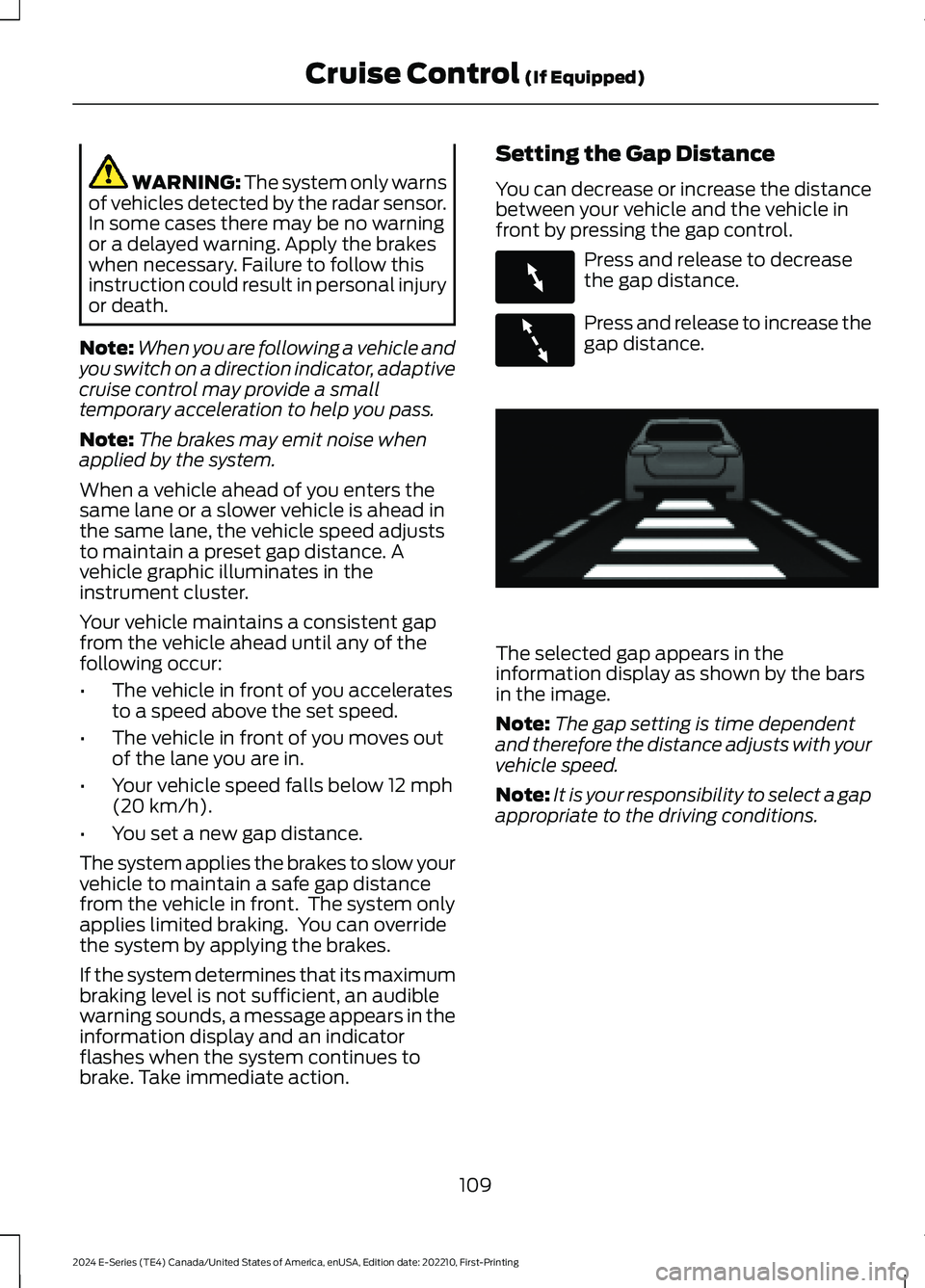
When a vehicle ahead of you enters thesame lane or a slower vehicle is ahead inthe same lane, the vehicle speed adjuststo maintain a preset gap distance. Avehicle graphic illuminates in theinstrument cluster.
Your vehicle maintains a consistent gapfrom the vehicle ahead until any of thefollowing occur:
•The vehicle in front of you acceleratesto a speed above the set speed.
•The vehicle in front of you moves outof the lane you are in.
•Your vehicle speed falls below 12 mph(20 km/h).
•You set a new gap distance.
The system applies the brakes to slow yourvehicle to maintain a safe gap distancefrom the vehicle in front. The system onlyapplies limited braking. You can overridethe system by applying the brakes.
If the system determines that its maximumbraking level is not sufficient, an audiblewarning sounds, a message appears in theinformation display and an indicatorflashes when the system continues tobrake. Take immediate action.
Setting the Gap Distance
You can decrease or increase the distancebetween your vehicle and the vehicle infront by pressing the gap control.
Press and release to decreasethe gap distance.
Press and release to increase thegap distance.
The selected gap appears in theinformation display as shown by the barsin the image.
Note:The gap setting is time dependentand therefore the distance adjusts with yourvehicle speed.
Note:It is your responsibility to select a gapappropriate to the driving conditions.
109
2024 E-Series (TE4) Canada/United States of America, enUSA, Edition date: 202210, First-PrintingCruise Control (If Equipped)E263697 E263696 E233874
Page 123 of 303
WARNING: Some situations andobjects prevent hazard detection. Forexample low or direct sunlight, inclementweather, unconventional vehicle types,and pedestrians. Apply the brakes whennecessary. Failure to follow thisinstruction could result in the loss ofcontrol of your vehicle, personal injury ordeath.
WARNING: Take additional care ifyour vehicle is heavily loaded or you aretowing a trailer. These conditions couldresult in reduced performance of thissystem. Failure to follow this instructioncould result in the loss of control of yourvehicle, personal injury or death.
WARNING: The system cannothelp prevent all crashes. Do not rely onthis system to replace driver judgmentand the need to maintain a safe distanceand speed.
Using the Pre-Collision AssistSystem
The pre-collision assist system is active atspeeds above 3 mph (5 km/h). Pedestriandetection functions at speeds up to50 mph (80 km/h).
If your vehicle is rapidly approachinganother stationary vehicle or a vehicletraveling in the same direction as yours,the system provides three levels offunctionality:
•Alert.
•Brake support.
•Active braking.
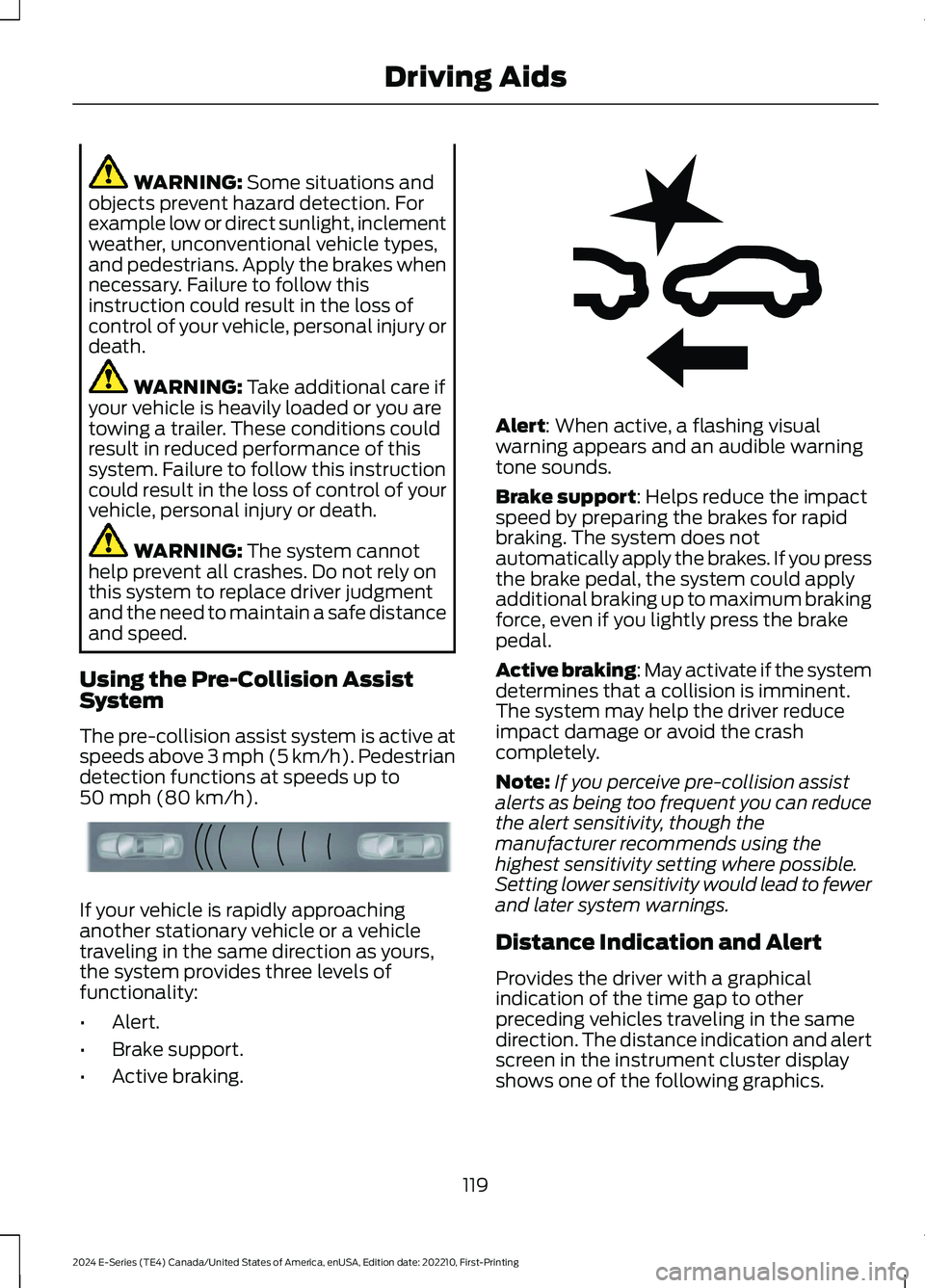
Alert: When active, a flashing visualwarning appears and an audible warningtone sounds.
Brake support: Helps reduce the impactspeed by preparing the brakes for rapidbraking. The system does notautomatically apply the brakes. If you pressthe brake pedal, the system could applyadditional braking up to maximum brakingforce, even if you lightly press the brakepedal.
Active braking: May activate if the systemdetermines that a collision is imminent.The system may help the driver reduceimpact damage or avoid the crashcompletely.
Note:If you perceive pre-collision assistalerts as being too frequent you can reducethe alert sensitivity, though themanufacturer recommends using thehighest sensitivity setting where possible.Setting lower sensitivity would lead to fewerand later system warnings.
Distance Indication and Alert
Provides the driver with a graphicalindication of the time gap to otherpreceding vehicles traveling in the samedirection. The distance indication and alertscreen in the instrument cluster displayshows one of the following graphics.
119
2024 E-Series (TE4) Canada/United States of America, enUSA, Edition date: 202210, First-PrintingDriving AidsE156130 E255268
Page 124 of 303
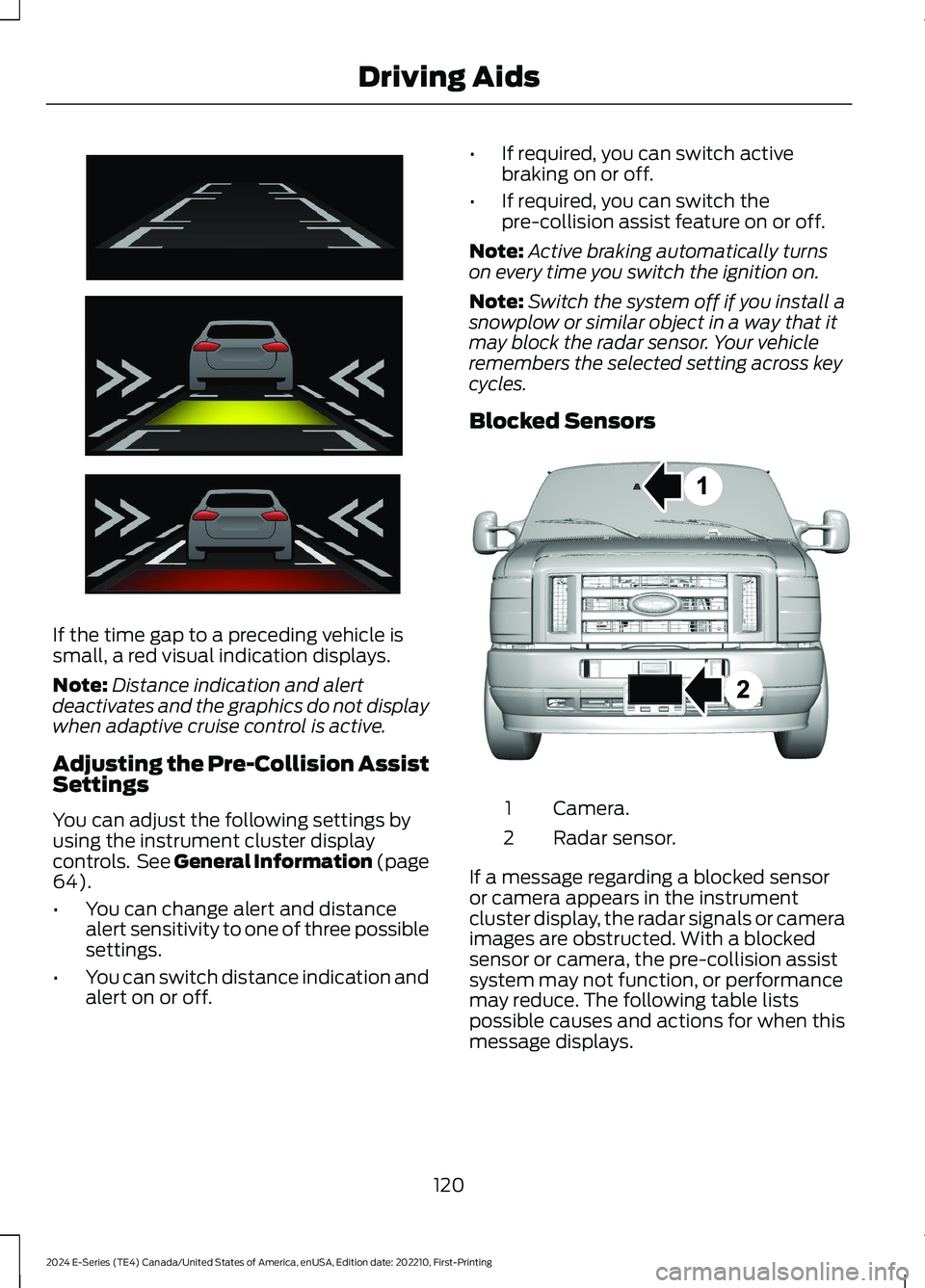
If the time gap to a preceding vehicle issmall, a red visual indication displays.
Note:Distance indication and alertdeactivates and the graphics do not displaywhen adaptive cruise control is active.
Adjusting the Pre-Collision AssistSettings
You can adjust the following settings byusing the instrument cluster displaycontrols. See General Information (page64).
•You can change alert and distancealert sensitivity to one of three possiblesettings.
•You can switch distance indication andalert on or off.
•If required, you can switch activebraking on or off.
•If required, you can switch thepre-collision assist feature on or off.
Note:Active braking automatically turnson every time you switch the ignition on.
Note:Switch the system off if you install asnowplow or similar object in a way that itmay block the radar sensor. Your vehicleremembers the selected setting across keycycles.
Blocked Sensors
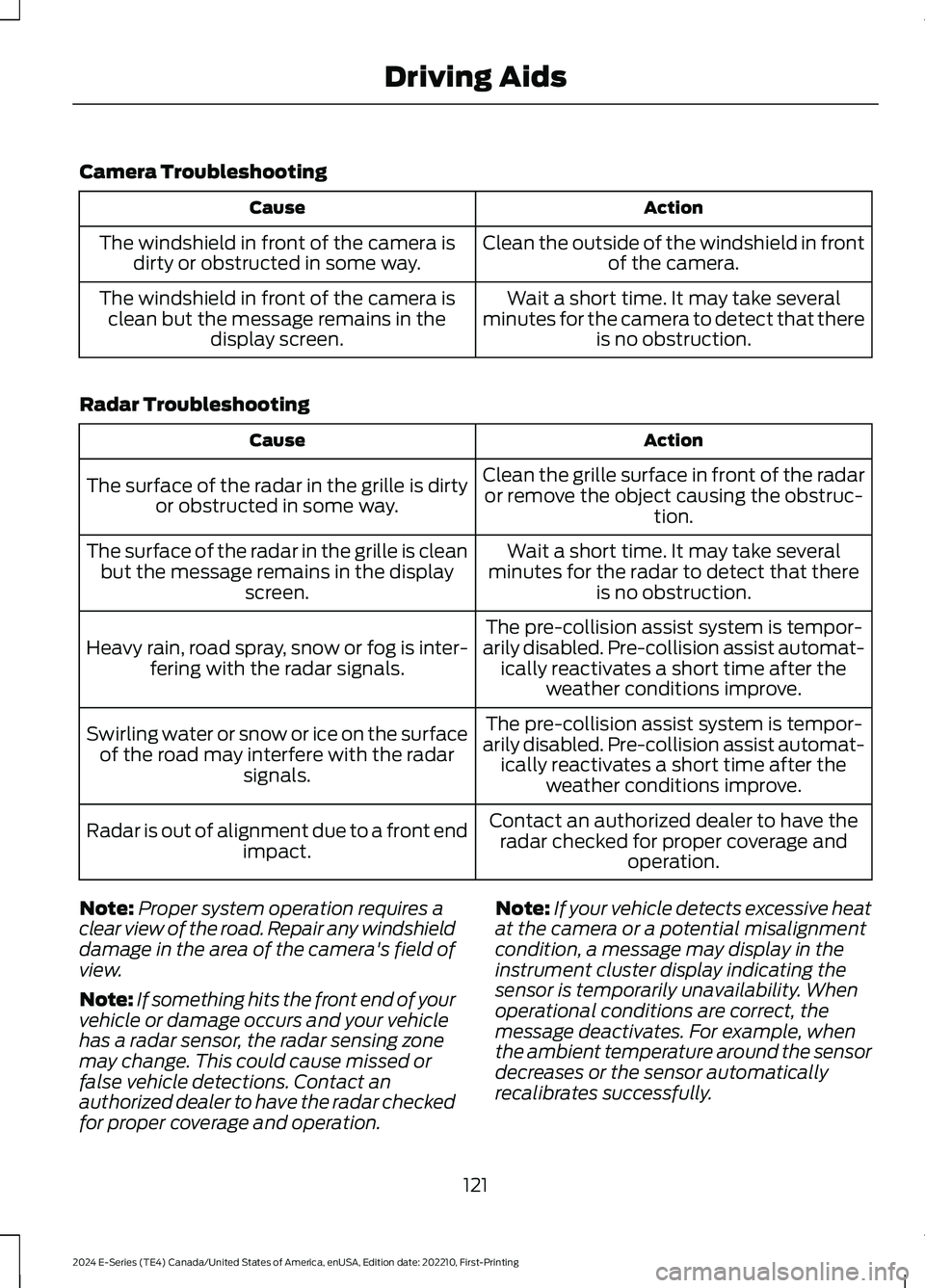
Camera.1
Radar sensor.2
If a message regarding a blocked sensoror camera appears in the instrumentcluster display, the radar signals or cameraimages are obstructed. With a blockedsensor or camera, the pre-collision assistsystem may not function, or performancemay reduce. The following table listspossible causes and actions for when thismessage displays.
120
2024 E-Series (TE4) Canada/United States of America, enUSA, Edition date: 202210, First-PrintingDriving AidsE254791 E310549
Page 125 of 303
Camera Troubleshooting
ActionCause
Clean the outside of the windshield in frontof the camera.The windshield in front of the camera isdirty or obstructed in some way.
Wait a short time. It may take severalminutes for the camera to detect that thereis no obstruction.
The windshield in front of the camera isclean but the message remains in thedisplay screen.
Radar Troubleshooting
ActionCause
Clean the grille surface in front of the radaror remove the object causing the obstruc-tion.
The surface of the radar in the grille is dirtyor obstructed in some way.
Wait a short time. It may take severalminutes for the radar to detect that thereis no obstruction.
The surface of the radar in the grille is cleanbut the message remains in the displayscreen.
The pre-collision assist system is tempor-arily disabled. Pre-collision assist automat-ically reactivates a short time after theweather conditions improve.
Heavy rain, road spray, snow or fog is inter-fering with the radar signals.
The pre-collision assist system is tempor-arily disabled. Pre-collision assist automat-ically reactivates a short time after theweather conditions improve.
Swirling water or snow or ice on the surfaceof the road may interfere with the radarsignals.
Contact an authorized dealer to have theradar checked for proper coverage andoperation.
Radar is out of alignment due to a front endimpact.
Note:Proper system operation requires aclear view of the road. Repair any windshielddamage in the area of the camera's field ofview.
Note:If something hits the front end of yourvehicle or damage occurs and your vehiclehas a radar sensor, the radar sensing zonemay change. This could cause missed orfalse vehicle detections. Contact anauthorized dealer to have the radar checkedfor proper coverage and operation.
Note:If your vehicle detects excessive heatat the camera or a potential misalignmentcondition, a message may display in theinstrument cluster display indicating thesensor is temporarily unavailability. Whenoperational conditions are correct, themessage deactivates. For example, whenthe ambient temperature around the sensordecreases or the sensor automaticallyrecalibrates successfully.
121
2024 E-Series (TE4) Canada/United States of America, enUSA, Edition date: 202210, First-PrintingDriving Aids