page 22 FORD ECOSPORT 2018 Owner's Manual
[x] Cancel search | Manufacturer: FORD, Model Year: 2018, Model line: ECOSPORT, Model: FORD ECOSPORT 2018Pages: 452, PDF Size: 17.04 MB
Page 62 of 452
Note:Your vehicle remains locked forlonger than three days, the system will enteran energy-saving mode. This is to reducethe discharge of your vehicle battery. Whenyour vehicle is unlocked while in this mode,the reaction time of the system may be alittle longer than normal. To exit theenergy-saving mode, unlock your vehicle.
With your intelligent access key within 5 ft(1 m) of your vehicle, touch the unlocksensor on the back of the door handle fora brief period and then pull on the doorhandle to unlock, being careful to nottouch the lock sensor at the same time orpulling the door handle too quickly. Theintelligent access system requires a briefdelay to authenticate your intelligentaccess key fob.
Note:Keep the door handle clean to makesure the system operates correctly.
Note:A valid passive key must be locatedwithin the detection range of that door.
One long flash of the direction indicatorsconfirms that all the doors and swing gatehave been unlocked and that the alarm (ifequipped) has been disarmed.
Unlocking only Driver Door
If the unlocking function is reprogrammedso that only the driver door is unlocked SeeRemote Control (page 45). Note thefollowing:
If the driver door is the first door which isunlocked, the other doors and swing gatewill remain locked. All the other doors canbe unlocked from inside your vehicle bypressing the unlock button located at thefront part of the front inner handles. Doorscan be unlocked individually by pulling theinterior door handles on those doors.
If the front passenger door is the first doorwhich is unlocked, all the doors will beunlocked.
Disabled Keys
Any keys left inside your vehicle interiorwhen it is locked will be disabled.
You cannot use a disabled key to switchthe ignition on or start the engine.
You must enable all Intelligent Accessagain in order to use them.
To enable all your Intelligent Access,unlock your vehicle using a passive key orthe remote control unlocking function.
All Intelligent Access will then be enabledif you switch the ignition on or your vehicleis started using a valid key.
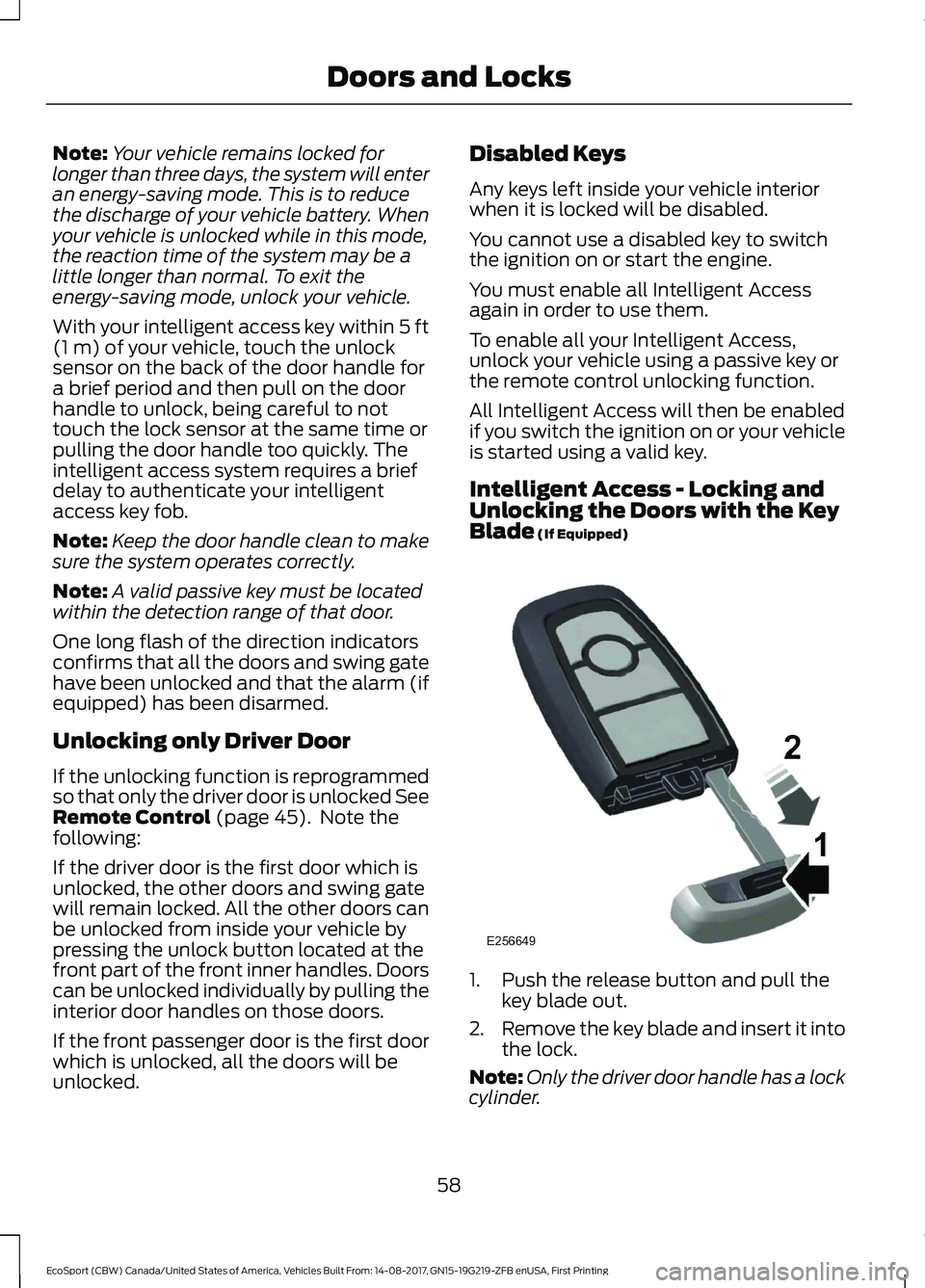
Intelligent Access - Locking andUnlocking the Doors with the KeyBlade (If Equipped)
1.Push the release button and pull thekey blade out.
2.Remove the key blade and insert it intothe lock.
Note:Only the driver door handle has a lockcylinder.
58EcoSport (CBW) Canada/United States of America, Vehicles Built From: 14-08-2017, GN15-19G219-ZFB enUSA, First PrintingDoors and Locks
Page 68 of 452
If the alarm is triggered, the alarm horn willsound for 30 seconds and the hazardwarning flasher will flash for five minutes.
Any further attempts to perform one of theabove will trigger the alarm again.
Arming the Alarm
With ignition OFF and doors closed, lockthe vehicle via Remote Control or exteriordoor handle. Alarm will be armed after 20seconds.
Arming the alarm can also be achieved bylocking the vehicle using the trim switcheswhile a side door is open and closing alldoors, or using the driver's door cylinder.In these two last cases, alarm will bearmed after 20 seconds.
Note:Alarm will arm due to an auto-relock.See Doors and Locks (page 54).
Disarming the Alarm
Vehicles Without Intelligent AccessSystem
Disarm and silence the alarm by unlockingthe doors with the key and switching yourvehicle on with a correctly coded key orunlocking the doors with the remotecontrol.
Vehicles with Intelligent AccessSystem
Note:A valid intelligent access key mustbe located within the detection range ofthat door for entry.
Disarm the alarm by performing aintelligent access entry, or switching yourvehicle on, or unlocking the vehicle withthe remote control.
Disarm the alarm by performing a keylessentry, or switching your vehicle on, orunlocking the vehicle with the remotecontrol.
64EcoSport (CBW) Canada/United States of America, Vehicles Built From: 14-08-2017, GN15-19G219-ZFB enUSA, First PrintingSecurity
Page 69 of 452
ADJUSTING THE STEERING
WHEEL
WARNING
Do not adjust the steering wheelwhen your vehicle is moving.
Note:Make sure that you are sitting in thecorrect position. See Sitting in the CorrectPosition (page 104).
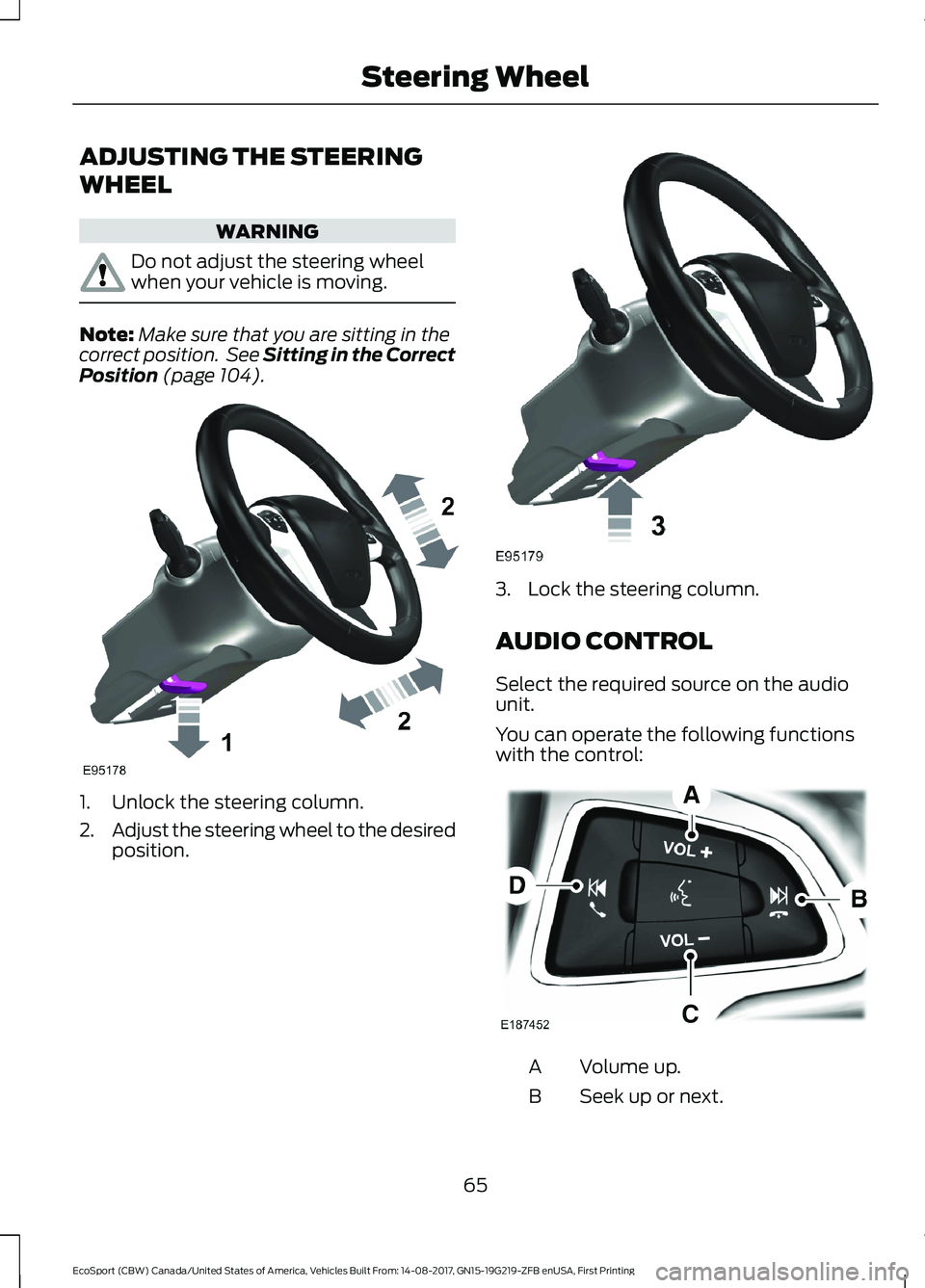
1.Unlock the steering column.
2.Adjust the steering wheel to the desiredposition.
3.Lock the steering column.
AUDIO CONTROL
Select the required source on the audiounit.
You can operate the following functionswith the control:
Volume up.A
Seek up or next.B
65EcoSport (CBW) Canada/United States of America, Vehicles Built From: 14-08-2017, GN15-19G219-ZFB enUSA, First PrintingSteering Wheel
Page 70 of 452
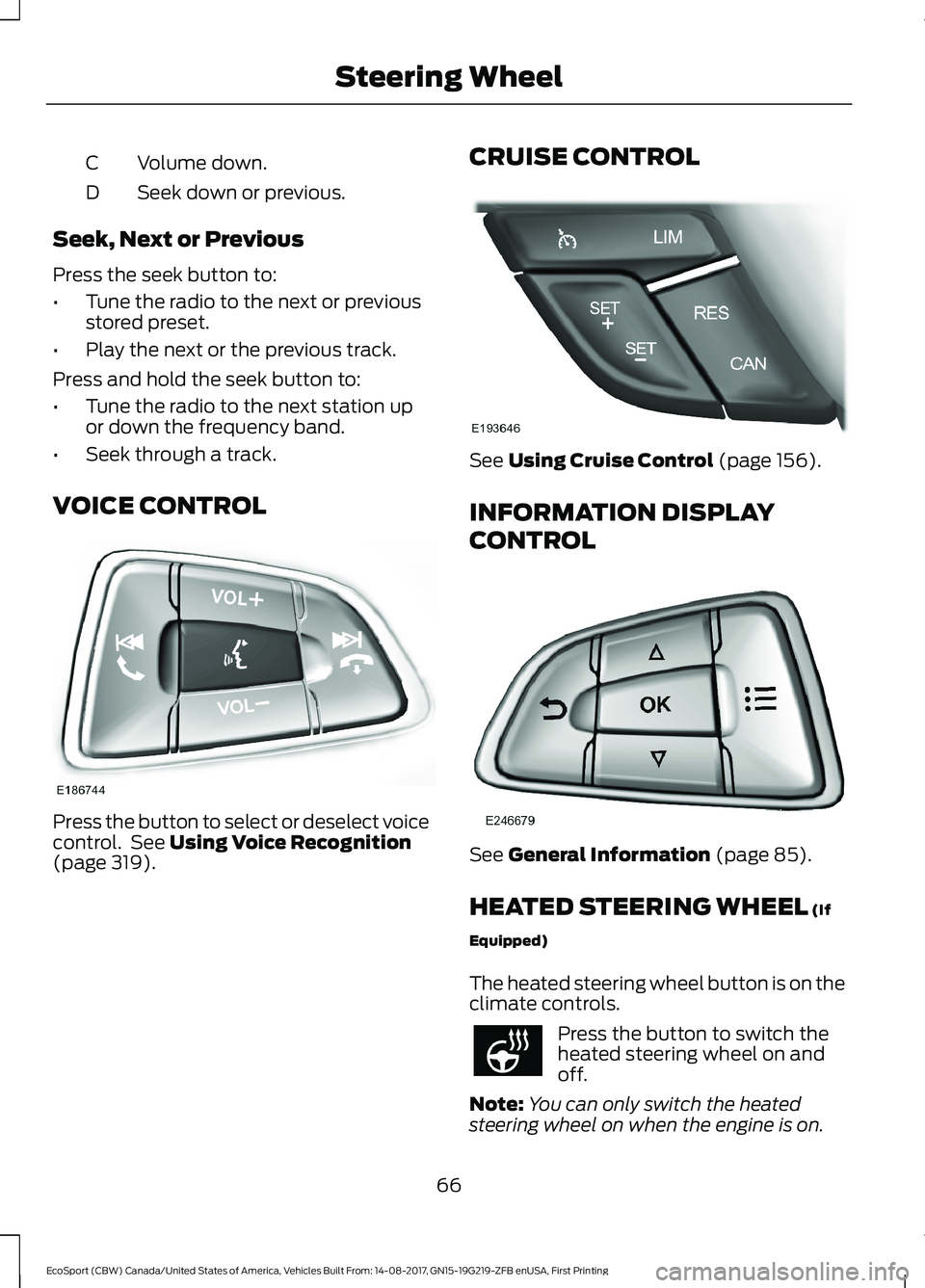
Volume down.C
Seek down or previous.D
Seek, Next or Previous
Press the seek button to:
•Tune the radio to the next or previousstored preset.
•Play the next or the previous track.
Press and hold the seek button to:
•Tune the radio to the next station upor down the frequency band.
•Seek through a track.
VOICE CONTROL
Press the button to select or deselect voicecontrol. See Using Voice Recognition(page 319).
CRUISE CONTROL
See Using Cruise Control (page 156).
INFORMATION DISPLAY
CONTROL
See General Information (page 85).
HEATED STEERING WHEEL (If
Equipped)
The heated steering wheel button is on theclimate controls.
Press the button to switch theheated steering wheel on andoff.
Note:You can only switch the heatedsteering wheel on when the engine is on.
66EcoSport (CBW) Canada/United States of America, Vehicles Built From: 14-08-2017, GN15-19G219-ZFB enUSA, First PrintingSteering Wheel
Page 71 of 452
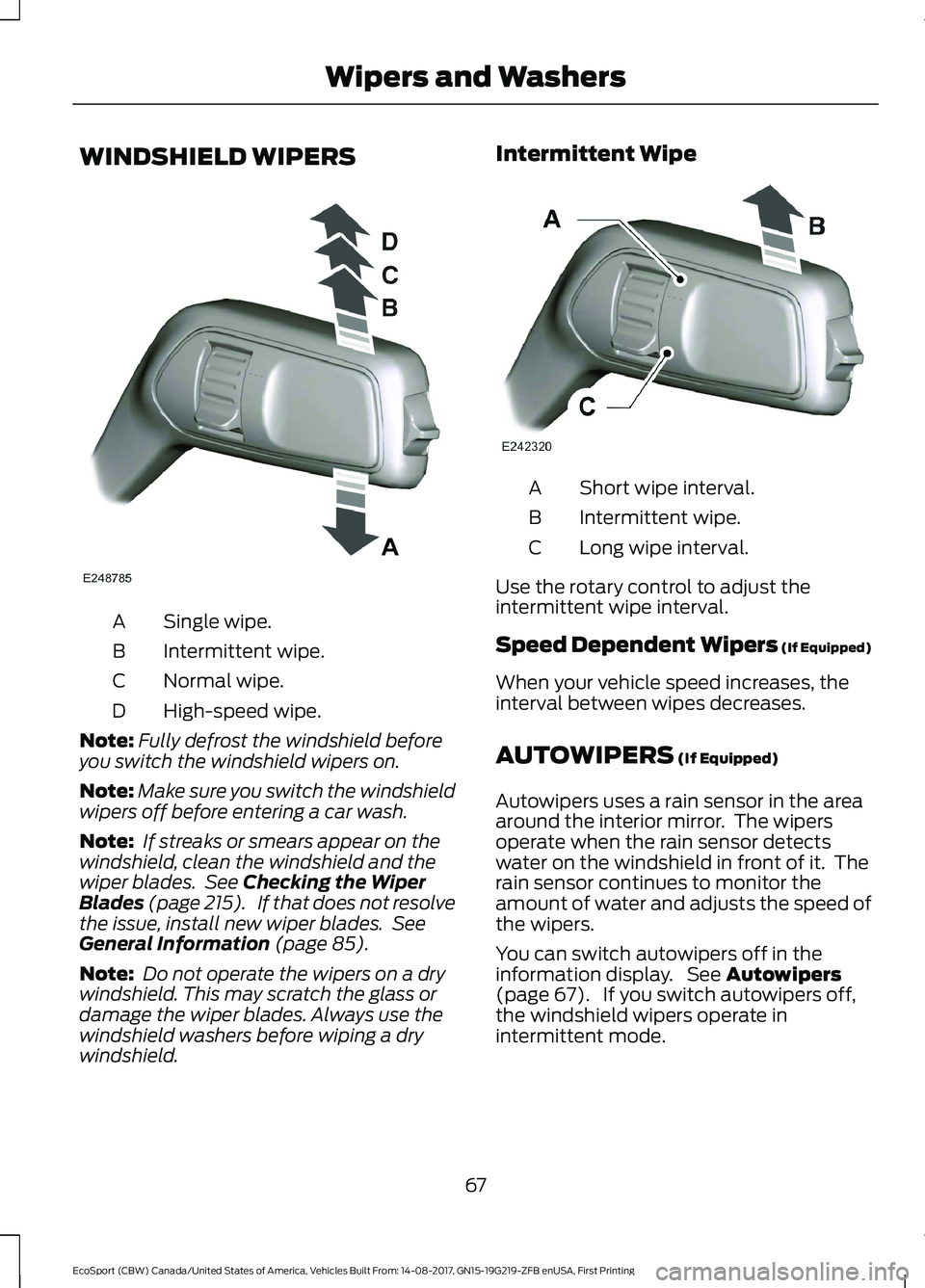
WINDSHIELD WIPERS
Single wipe.A
Intermittent wipe.B
Normal wipe.C
High-speed wipe.D
Note:Fully defrost the windshield beforeyou switch the windshield wipers on.
Note:Make sure you switch the windshieldwipers off before entering a car wash.
Note: If streaks or smears appear on thewindshield, clean the windshield and thewiper blades. See Checking the WiperBlades (page 215). If that does not resolvethe issue, install new wiper blades. SeeGeneral Information (page 85).
Note: Do not operate the wipers on a drywindshield. This may scratch the glass ordamage the wiper blades. Always use thewindshield washers before wiping a drywindshield.
Intermittent Wipe
Short wipe interval.A
Intermittent wipe.B
Long wipe interval.C
Use the rotary control to adjust theintermittent wipe interval.
Speed Dependent Wipers (If Equipped)
When your vehicle speed increases, theinterval between wipes decreases.
AUTOWIPERS (If Equipped)
Autowipers uses a rain sensor in the areaaround the interior mirror. The wipersoperate when the rain sensor detectswater on the windshield in front of it. Therain sensor continues to monitor theamount of water and adjusts the speed ofthe wipers.
You can switch autowipers off in theinformation display. See Autowipers(page 67). If you switch autowipers off,the windshield wipers operate inintermittent mode.
67EcoSport (CBW) Canada/United States of America, Vehicles Built From: 14-08-2017, GN15-19G219-ZFB enUSA, First PrintingWipers and Washers
Page 72 of 452
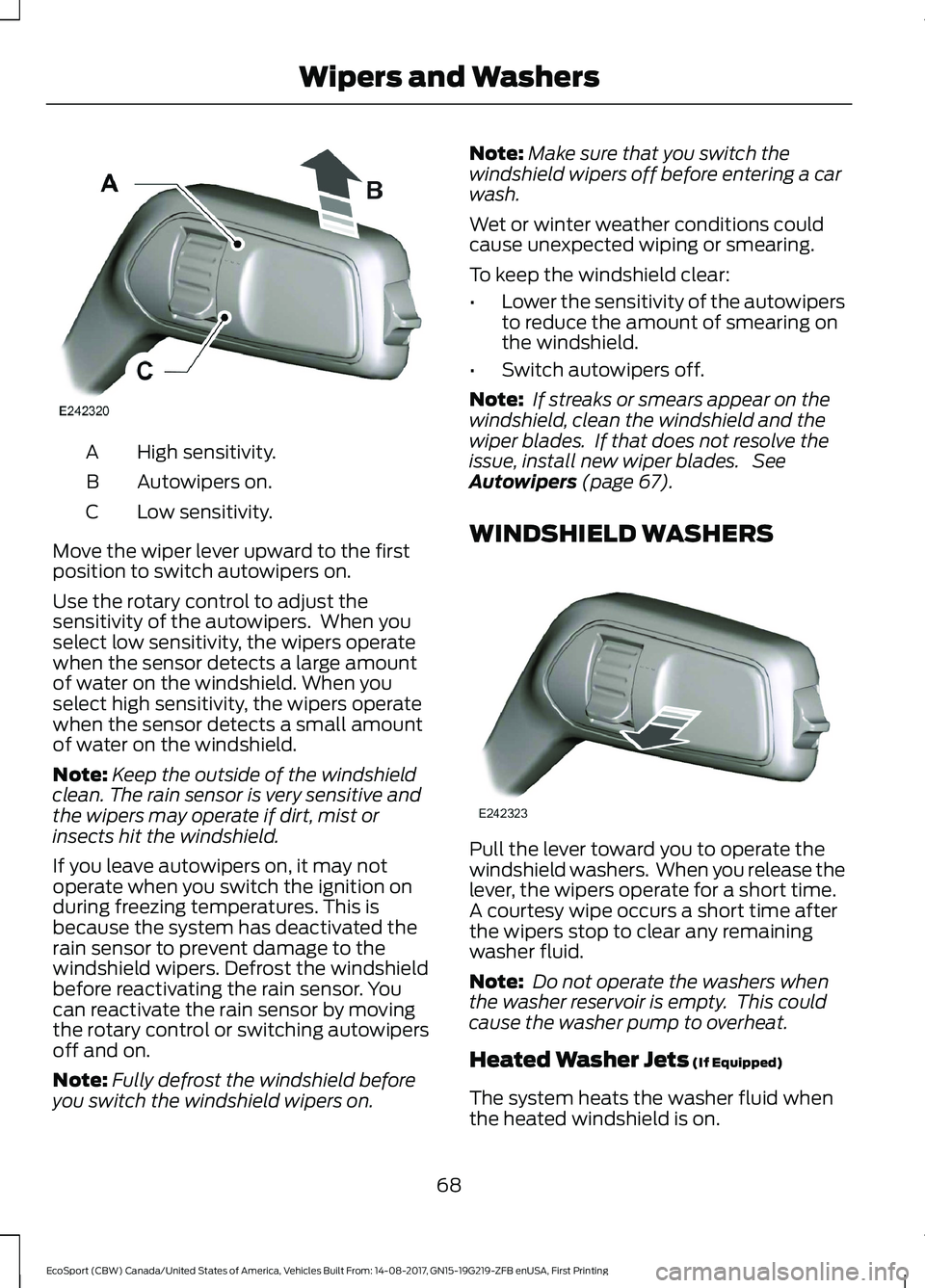
High sensitivity.A
Autowipers on.B
Low sensitivity.C
Move the wiper lever upward to the firstposition to switch autowipers on.
Use the rotary control to adjust thesensitivity of the autowipers. When youselect low sensitivity, the wipers operatewhen the sensor detects a large amountof water on the windshield. When youselect high sensitivity, the wipers operatewhen the sensor detects a small amountof water on the windshield.
Note:Keep the outside of the windshieldclean. The rain sensor is very sensitive andthe wipers may operate if dirt, mist orinsects hit the windshield.
If you leave autowipers on, it may notoperate when you switch the ignition onduring freezing temperatures. This isbecause the system has deactivated therain sensor to prevent damage to thewindshield wipers. Defrost the windshieldbefore reactivating the rain sensor. Youcan reactivate the rain sensor by movingthe rotary control or switching autowipersoff and on.
Note:Fully defrost the windshield beforeyou switch the windshield wipers on.
Note:Make sure that you switch thewindshield wipers off before entering a carwash.
Wet or winter weather conditions couldcause unexpected wiping or smearing.
To keep the windshield clear:
•Lower the sensitivity of the autowipersto reduce the amount of smearing onthe windshield.
•Switch autowipers off.
Note: If streaks or smears appear on thewindshield, clean the windshield and thewiper blades. If that does not resolve theissue, install new wiper blades. SeeAutowipers (page 67).
WINDSHIELD WASHERS
Pull the lever toward you to operate thewindshield washers. When you release thelever, the wipers operate for a short time.A courtesy wipe occurs a short time afterthe wipers stop to clear any remainingwasher fluid.
Note: Do not operate the washers whenthe washer reservoir is empty. This couldcause the washer pump to overheat.
Heated Washer Jets (If Equipped)
The system heats the washer fluid whenthe heated windshield is on.
68EcoSport (CBW) Canada/United States of America, Vehicles Built From: 14-08-2017, GN15-19G219-ZFB enUSA, First PrintingWipers and Washers
Page 76 of 452
Windshield Wiper ActivatedHeadlamps (If Equipped)
When the headlamp switch is in theAutolamps position, the windshield wiperactivated exterior lamps will turn on within10 seconds when you switch thewindshield wipers on. They turn offapproximately 60 seconds after you switchthe windshield wipers off.
This feature does not turn on the exteriorlamps:
•During a single wipe.
•While the wipers are on to clear washerfluid during a wash condition.
•If the wipers are in automatic orintermittent modes.
Note:If you have autolamps andautowipers switched on the low beamheadlamps will turn on automatically whenthe windshield wipers operate continuously.
Autolamps Delay (If Equipped)
When the Autolamps have the headlampsand position/parklamps turned on, and theignition is turned OFF, the headlamps andposition/parklamps will remain on for anadditional 20 seconds (the autolamp exitdelay) or until the Autolamps are disabled.
You can change the delay period in theinformation display. See InformationDisplays (page 85).
INSTRUMENT LIGHTING
DIMMER
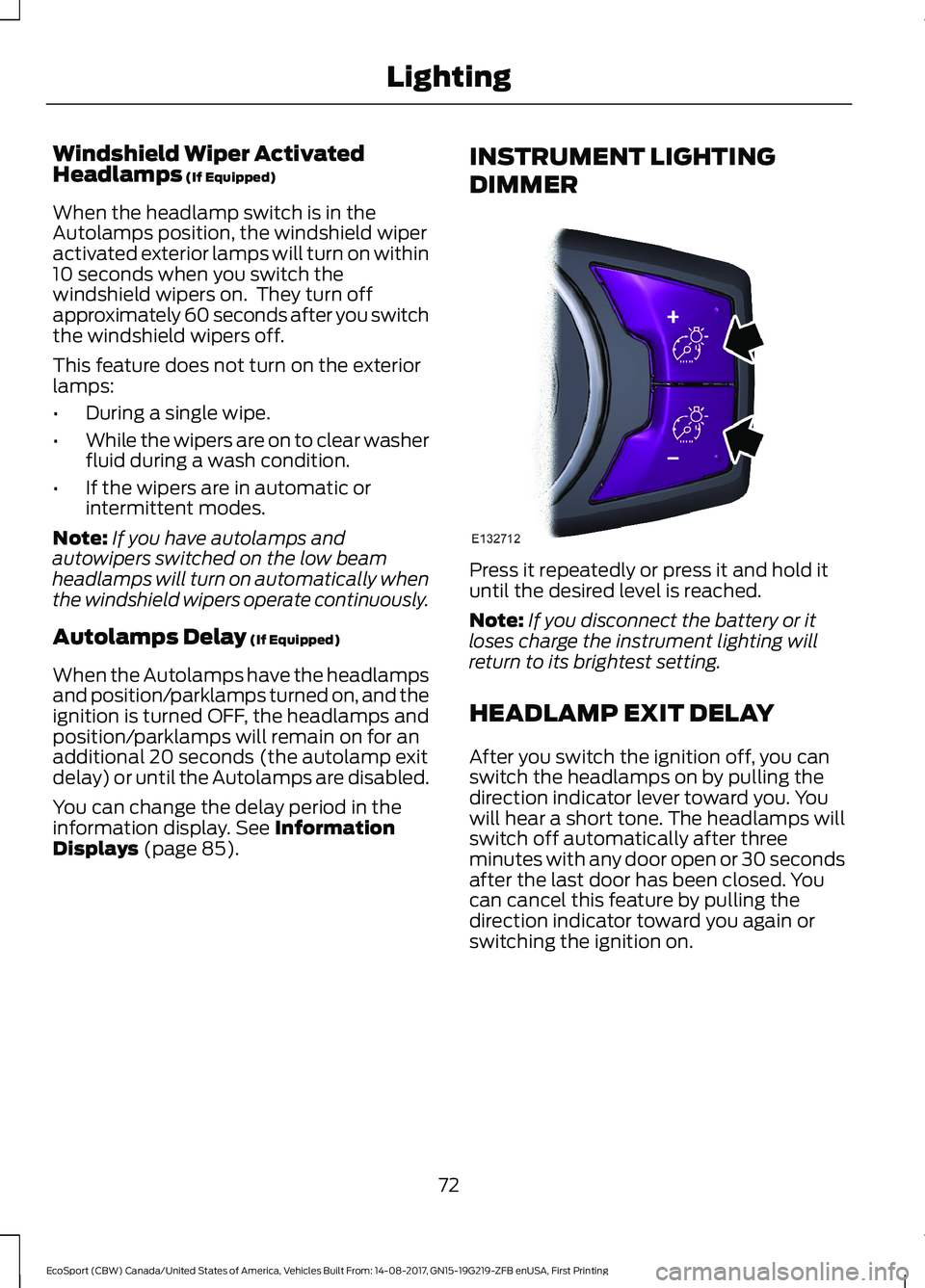
Press it repeatedly or press it and hold ituntil the desired level is reached.
Note:If you disconnect the battery or itloses charge the instrument lighting willreturn to its brightest setting.
HEADLAMP EXIT DELAY
After you switch the ignition off, you canswitch the headlamps on by pulling thedirection indicator lever toward you. Youwill hear a short tone. The headlamps willswitch off automatically after threeminutes with any door open or 30 secondsafter the last door has been closed. Youcan cancel this feature by pulling thedirection indicator toward you again orswitching the ignition on.
72EcoSport (CBW) Canada/United States of America, Vehicles Built From: 14-08-2017, GN15-19G219-ZFB enUSA, First PrintingLighting
Page 77 of 452
DAYTIME RUNNING LAMPS
WARNING
The daytime running lamps systemdoes not activate the rear lamps andmay not provide adequate lightingduring low visibility driving conditions.Make sure you switch the headlamps on,as appropriate, during all low visibilityconditions. Failure to do so may result in acrash.
Type 1 - Conventional (Non-Configurable)
The daytime running lamps turn on when:
1.You switch the ignition on.
2.The transmission is not in park (P) forvehicles with automatic transmissionsor the parking brake is released forvehicles with manual transmissions.
3.The lighting control is in the off, parkinglamp or autolamps lighting controlsensor must be detecting daylightpositions.
Type 2 - Configurable
You can switch this feature on or off in theinformation display. See InformationDisplays (page 85).
Switch the daytime running lamps on oroff using the information display controls.
The daytime running lamps turn on when:
1.You switch them on in the informationdisplay.
2.You switch the ignition on.
3.The transmission is not in park (P) forvehicles with automatic transmissionsor the parking brake is released forvehicles with manual transmissions.
4.The lighting control is in the autolampsposition.
5.The lighting control sensor detectsdaylight, and the headlamps or parkinglamps are off.
The other lighting control switch positionsdo not activate the daytime running lamps,and you can use them to temporarilyoverride autolamp control.
When you switch them off in theinformation display, the daytime runninglamps are off in all lighting control switchpositions.
FRONT FOG LAMPS (If Equipped)
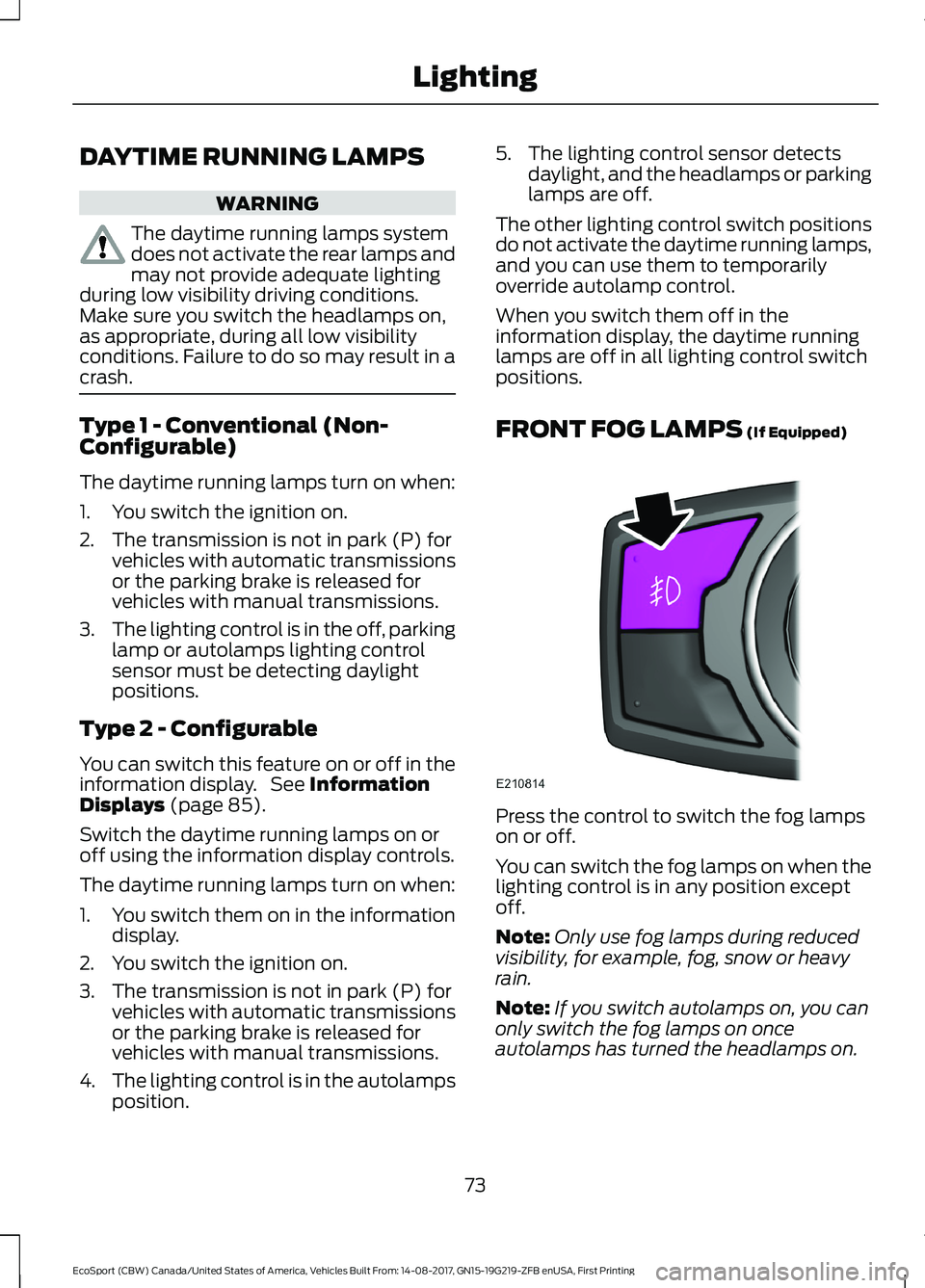
Press the control to switch the fog lampson or off.
You can switch the fog lamps on when thelighting control is in any position exceptoff.
Note:Only use fog lamps during reducedvisibility, for example, fog, snow or heavyrain.
Note:If you switch autolamps on, you canonly switch the fog lamps on onceautolamps has turned the headlamps on.
73EcoSport (CBW) Canada/United States of America, Vehicles Built From: 14-08-2017, GN15-19G219-ZFB enUSA, First PrintingLighting
Page 84 of 452
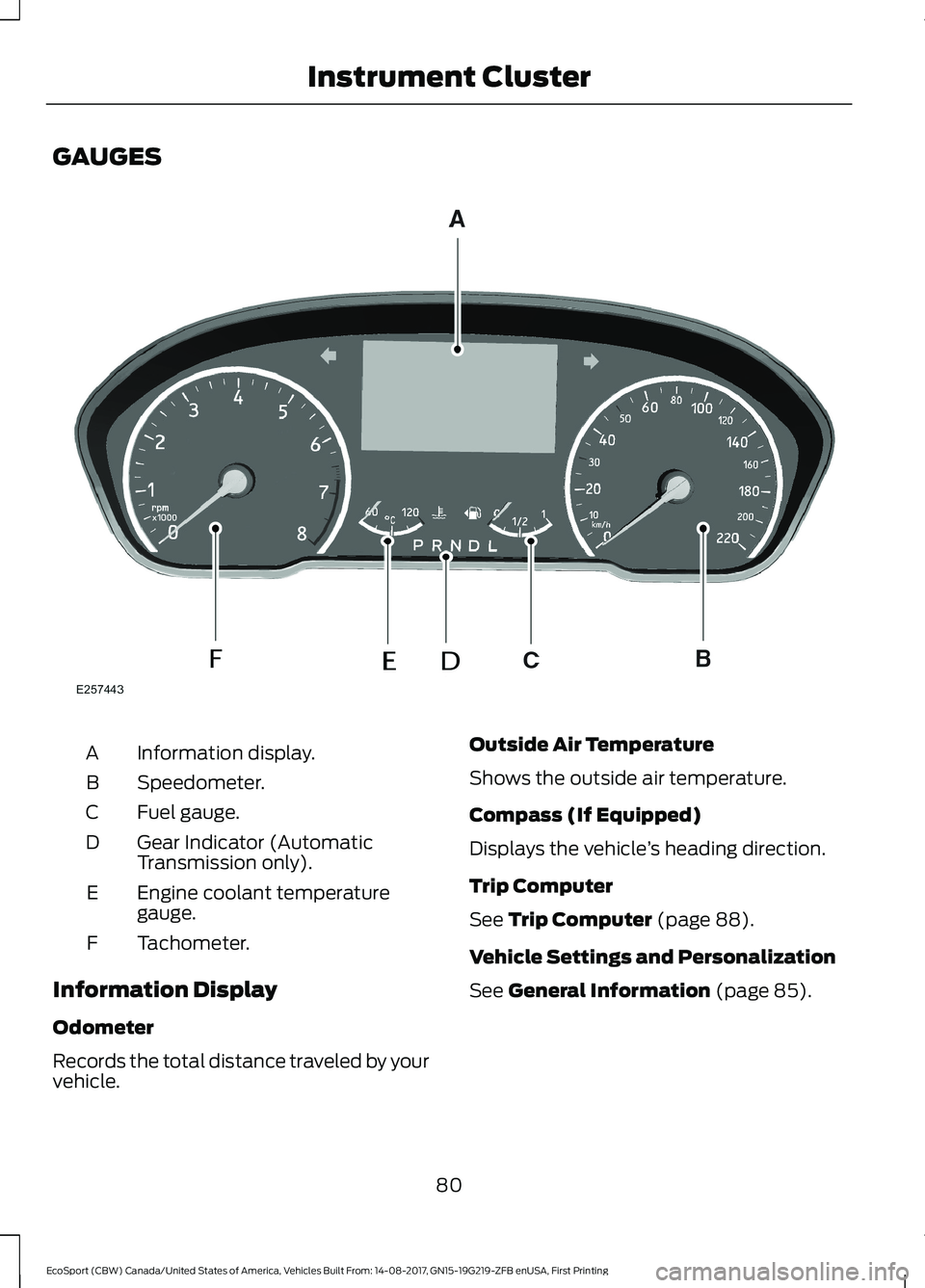
GAUGES
Information display.A
Speedometer.B
Fuel gauge.C
Gear Indicator (AutomaticTransmission only).D
Engine coolant temperaturegauge.E
Tachometer.F
Information Display
Odometer
Records the total distance traveled by yourvehicle.
Outside Air Temperature
Shows the outside air temperature.
Compass (If Equipped)
Displays the vehicle’s heading direction.
Trip Computer
See Trip Computer (page 88).
Vehicle Settings and Personalization
See General Information (page 85).
80EcoSport (CBW) Canada/United States of America, Vehicles Built From: 14-08-2017, GN15-19G219-ZFB enUSA, First PrintingInstrument Cluster
Page 85 of 452
Engine Coolant TemperatureGauge
WARNING
Do not remove the coolant reservoircap when the cooling system is hot.Wait 10 minutes for the coolingsystem to cool down. Cover the coolantreservoir cap with a thick cloth to preventthe possibility of scalding and slowlyremove the cap. Failure to follow thisinstruction could result in personal injury.
At normal operating temperature theindicator will remain in the center section.
If the needle enters the red section, theengine is overheating. Stop the engine,switch the ignition off and determine thecause once the engine has cooled down.See Engine Coolant Check (page 208).
Note:Do not restart the engine until thecause of overheating has been determinedand resolved.
Fuel Gauge
Switch the ignition on. The fuel gauge willindicate approximately how much fuel isleft in the fuel tank. The fuel gauge mayvary slightly when your vehicle is movingor on a gradient.
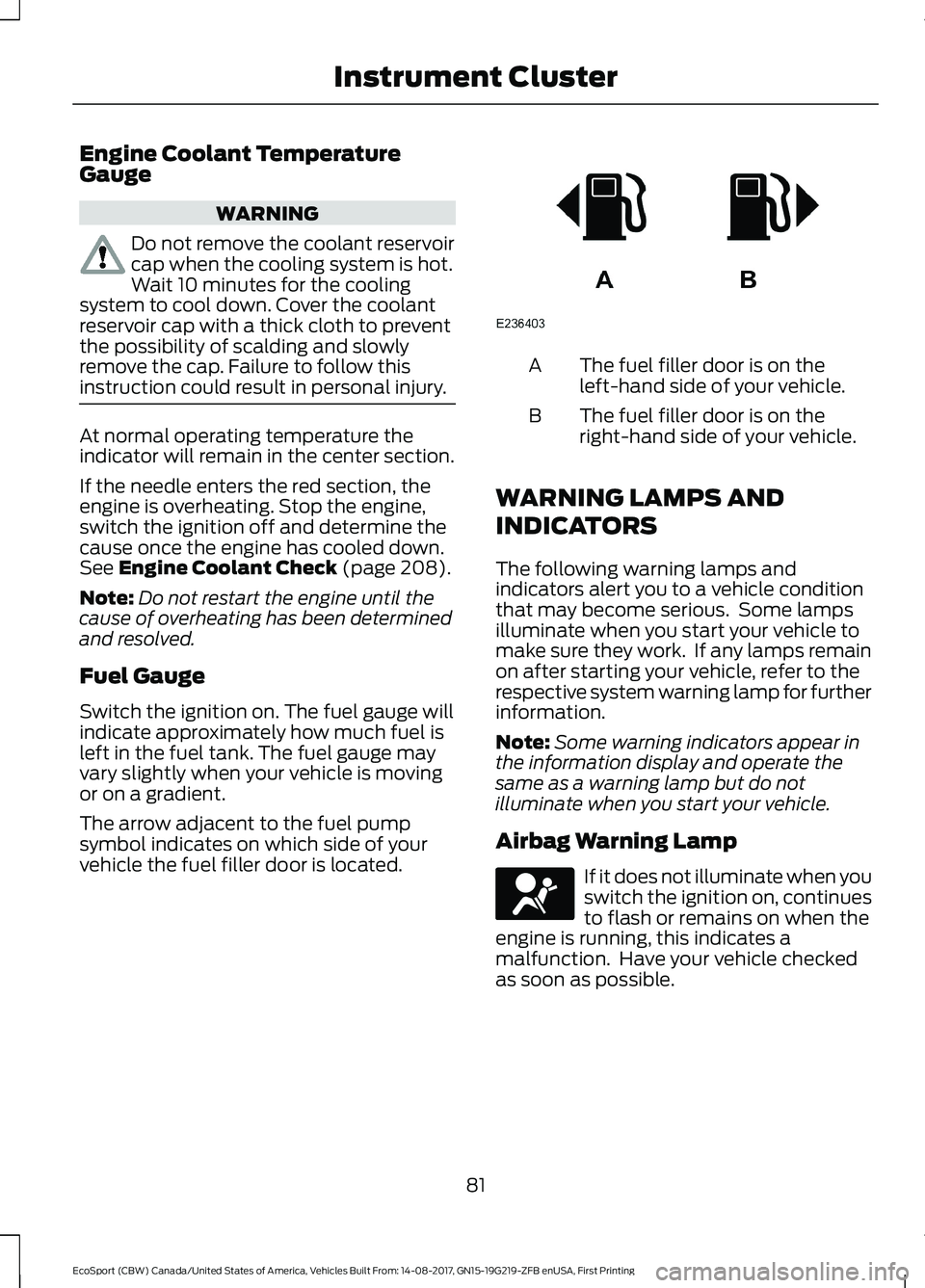
The arrow adjacent to the fuel pumpsymbol indicates on which side of yourvehicle the fuel filler door is located.
The fuel filler door is on theleft-hand side of your vehicle.A
The fuel filler door is on theright-hand side of your vehicle.B
WARNING LAMPS AND
INDICATORS
The following warning lamps andindicators alert you to a vehicle conditionthat may become serious. Some lampsilluminate when you start your vehicle tomake sure they work. If any lamps remainon after starting your vehicle, refer to therespective system warning lamp for furtherinformation.
Note:Some warning indicators appear inthe information display and operate thesame as a warning lamp but do notilluminate when you start your vehicle.
Airbag Warning Lamp
If it does not illuminate when youswitch the ignition on, continuesto flash or remains on when theengine is running, this indicates amalfunction. Have your vehicle checkedas soon as possible.
81EcoSport (CBW) Canada/United States of America, Vehicles Built From: 14-08-2017, GN15-19G219-ZFB enUSA, First PrintingInstrument Cluster