instrument cluster FORD EDGE 2011 1.G Service Manual
[x] Cancel search | Manufacturer: FORD, Model Year: 2011, Model line: EDGE, Model: FORD EDGE 2011 1.GPages: 403, PDF Size: 2.9 MB
Page 89 of 403
From either position, the control will automatically return to the 2 or O
(off) position.
Reverse wiper feature:The rear wiper will be automatically activated
in an intermittent setting when shifting into R (Reverse) if the front
wipers are activated. This feature may be enabled/disabled through the
message center. Refer toMessage centerin theInstrument Cluster
chapter.
TILT/TELESCOPE STEERING WHEEL
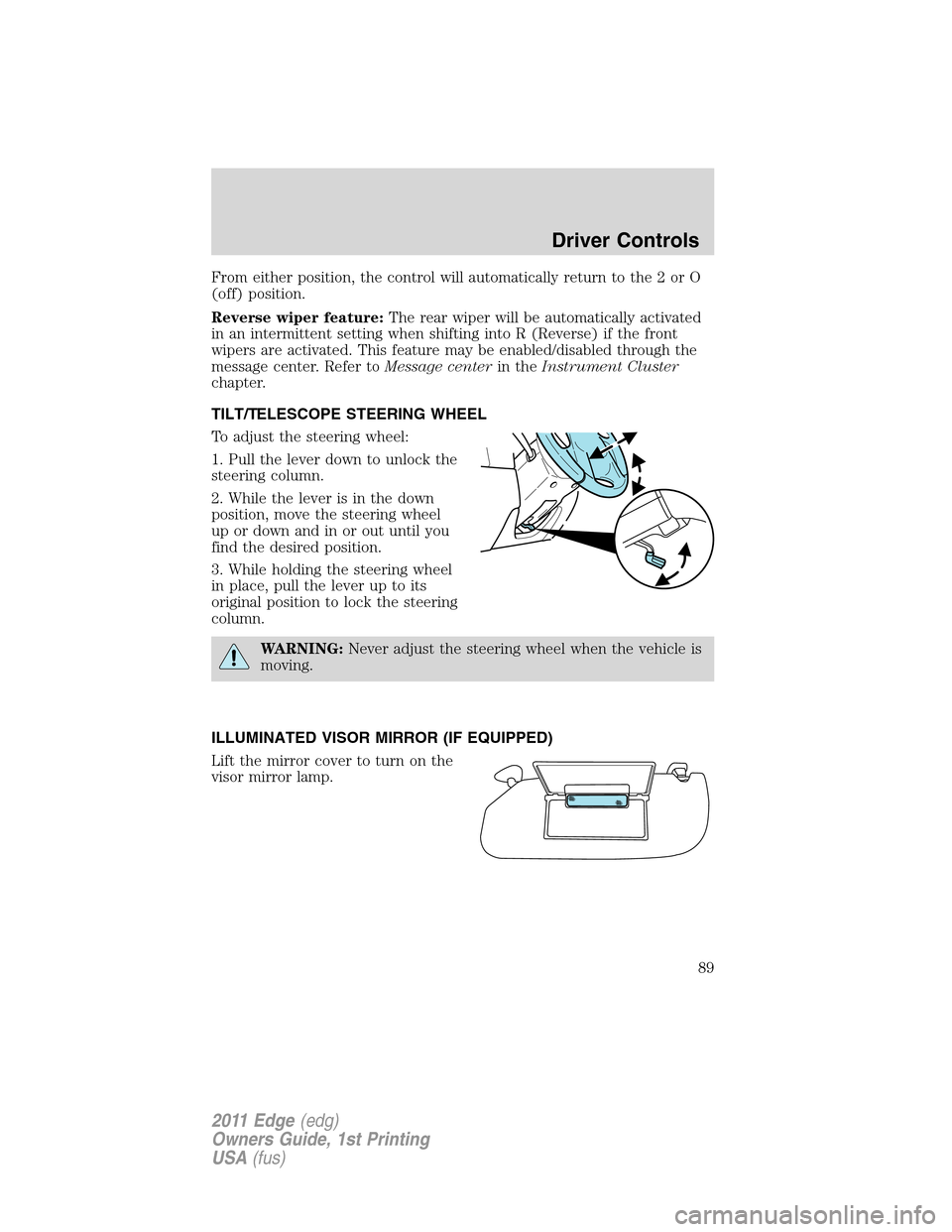
To adjust the steering wheel:
1. Pull the lever down to unlock the
steering column.
2. While the lever is in the down
position, move the steering wheel
up or down and in or out until you
find the desired position.
3. While holding the steering wheel
in place, pull the lever up to its
original position to lock the steering
column.
WARNING:Never adjust the steering wheel when the vehicle is
moving.
ILLUMINATED VISOR MIRROR (IF EQUIPPED)
Lift the mirror cover to turn on the
visor mirror lamp.
Driver Controls
89
2011 Edge(edg)
Owners Guide, 1st Printing
USA(fus)
Page 96 of 403
Using speed control
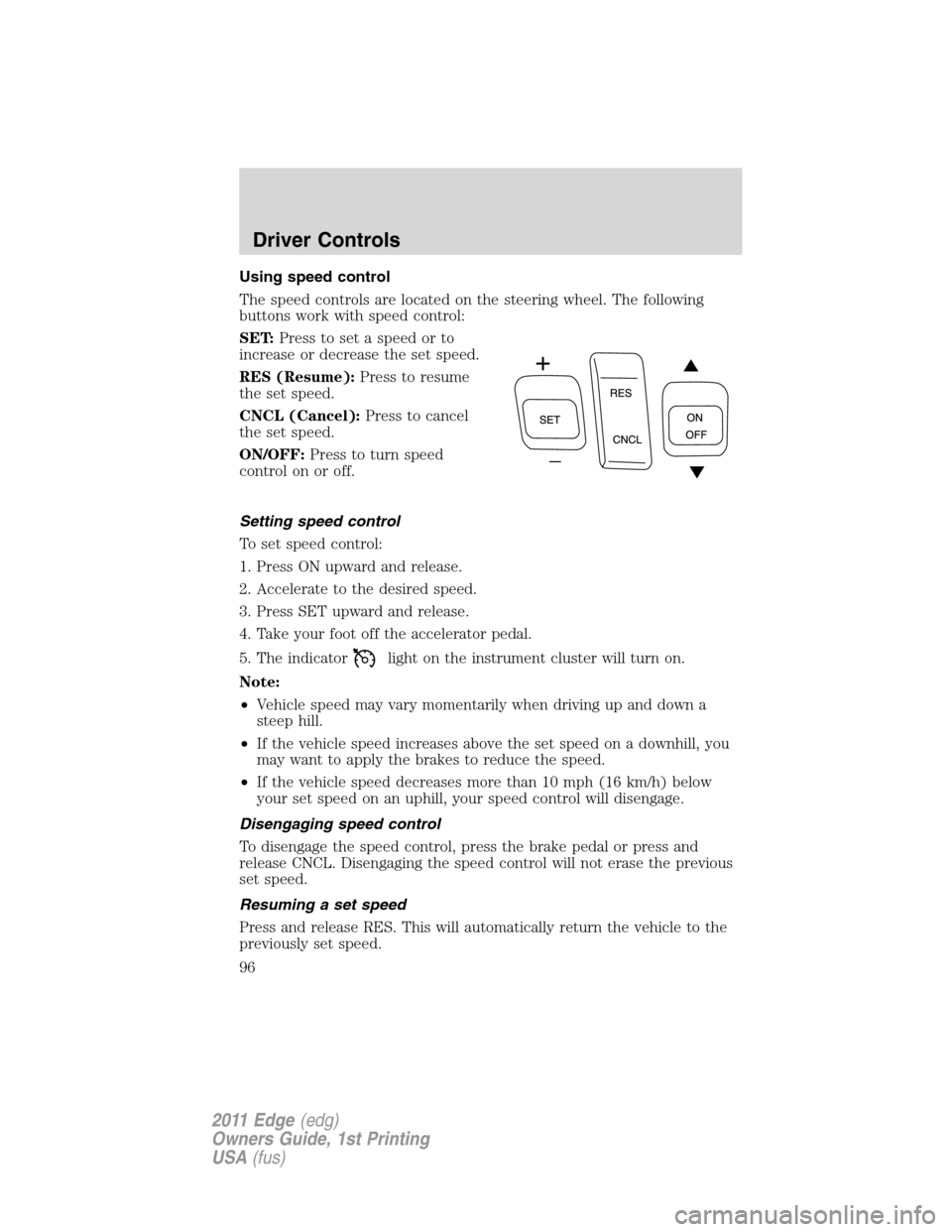
The speed controls are located on the steering wheel. The following
buttons work with speed control:
SET:Press to set a speed or to
increase or decrease the set speed.
RES (Resume):Press to resume
the set speed.
CNCL (Cancel):Press to cancel
the set speed.
ON/OFF:Press to turn speed
controlonoroff.
Setting speed control
To set speed control:
1. Press ON upward and release.
2. Accelerate to the desired speed.
3. Press SET upward and release.
4. Take your foot off the accelerator pedal.
5. The indicator
light on the instrument cluster will turn on.
Note:
•Vehicle speed may vary momentarily when driving up and down a
steep hill.
•If the vehicle speed increases above the set speed on a downhill, you
may want to apply the brakes to reduce the speed.
•If the vehicle speed decreases more than 10 mph (16 km/h) below
your set speed on an uphill, your speed control will disengage.
Disengaging speed control
To disengage the speed control, press the brake pedal or press and
release CNCL. Disengaging the speed control will not erase the previous
set speed.
Resuming a set speed
Press and release RES. This will automatically return the vehicle to the
previously set speed.
Driver Controls
96
2011 Edge(edg)
Owners Guide, 1st Printing
USA(fus)
Page 105 of 403
WARNING:Do not use tires sizes other than those
recommended because this can affect the normal operation of
ACC. Failing to do so may result in a loss of vehicle control, which
could result in serious injury.
Switching to normal cruise control
You can manually change from adaptive cruise control (ACC) to normal
cruise control through the message center. Refer toMessage centerin
theInstrument Clusterchapter. If normal cruise control is selected, the
ACC indicator light will be replaced with a
cruise control indicator
light. The gap setting will not be displayed, the system will not
automatically respond to lead vehicles and automatic braking will not be
activated. The system will default to ACC when the engine is started.
WARNING:Normal cruise control will not brake due to slower
vehicles. Always be aware of which mode is selected and apply
the brakes when necessary.
STEERING WHEEL CONTROLS
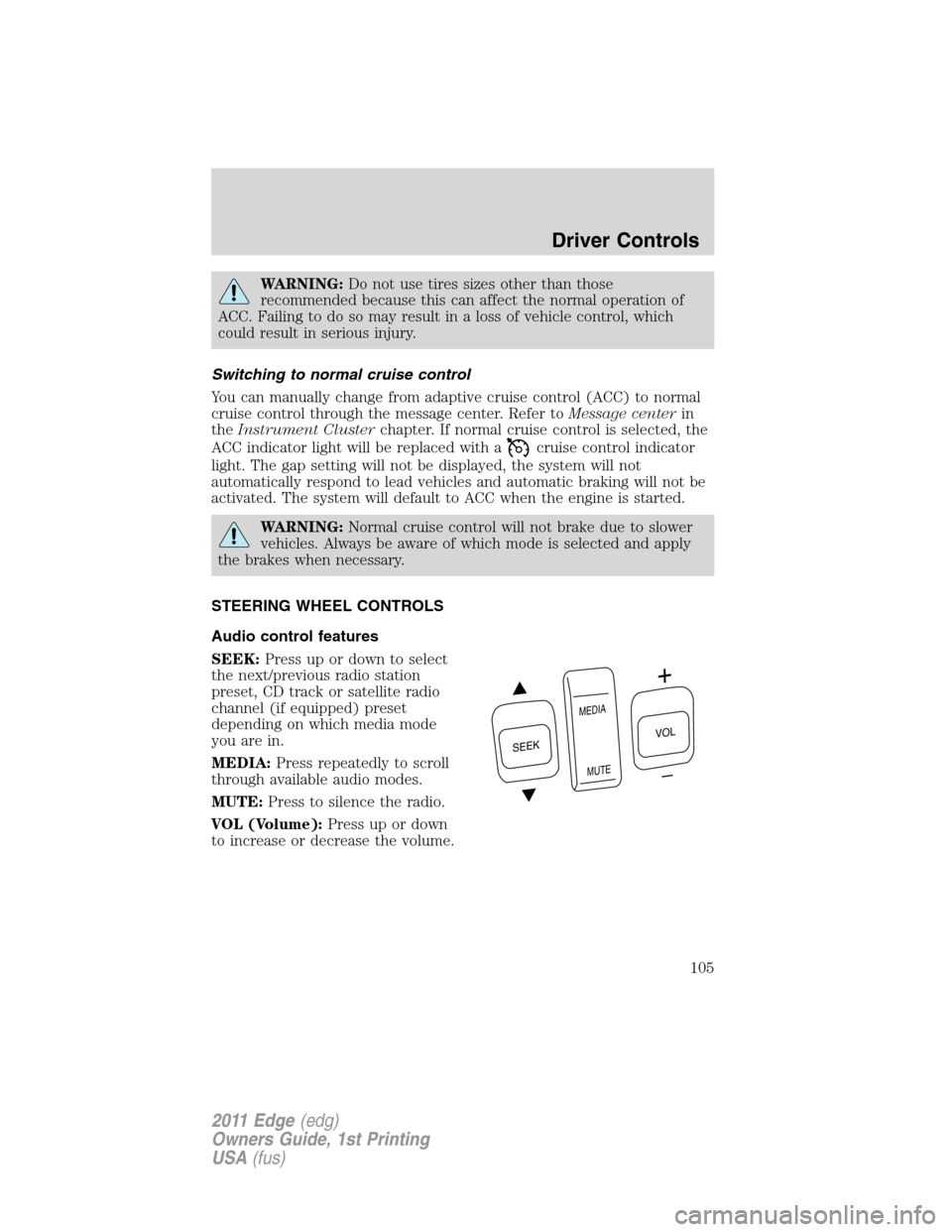
Audio control features
SEEK:Press up or down to select
the next/previous radio station
preset, CD track or satellite radio
channel (if equipped) preset
depending on which media mode
you are in.
MEDIA:Press repeatedly to scroll
through available audio modes.
MUTE:Press to silence the radio.
VOL (Volume):Press up or down
to increase or decrease the volume.
S
E
E
K
M
E
D
IA
M
U
T
E
VOL
Driver Controls
105
2011 Edge(edg)
Owners Guide, 1st Printing
USA(fus)
Page 114 of 403
failure. If any excessive load is removed and you still have a faster
chime, have the system serviced immediately by your authorized dealer.
Do not attempt to manually force the liftgate to travel faster than the
power system will permit. This will activate the obstacle detection
feature.
Note:Cycling the ignition prior to completely latching the liftgate could
result in damage to the liftgate and/or its power components. Make sure
the liftgate is fully latched before operating the vehicle.
Care should be exercised in starting the engine before the liftgate is fully
closed (latched). If the ignition is cycled during a liftgate power close
cycle and the liftgate is 6-10 inches (15–24 cm) from being latched, the
liftgate may reverse to the full open position. Verify that the gate is
closed before operating or moving the vehicle, especially in an enclosure,
like a garage or a parking structure. The liftgate or its components could
be damaged in an enclosure if the liftgate is open while the vehicle is
being operated.
When power operating the liftgate at temperatures below 32°F (0°C), the
liftgate may stop about 5 inches (12.7 cm) from the full open position.
The liftgate can be fully opened by pushing it upward to the maximum
open position.
The power liftgate feature can be enabled or disabled using the message
center controls. With the setting turned off, power operation is disabled
from the liftgate handle button and from the rear cargo area button. The
transmitter and instrument panel switch will still continue to operate the
liftgate regardless of the position state of the message center. Refer to
Message centerin theInstrument Clusterchapter.
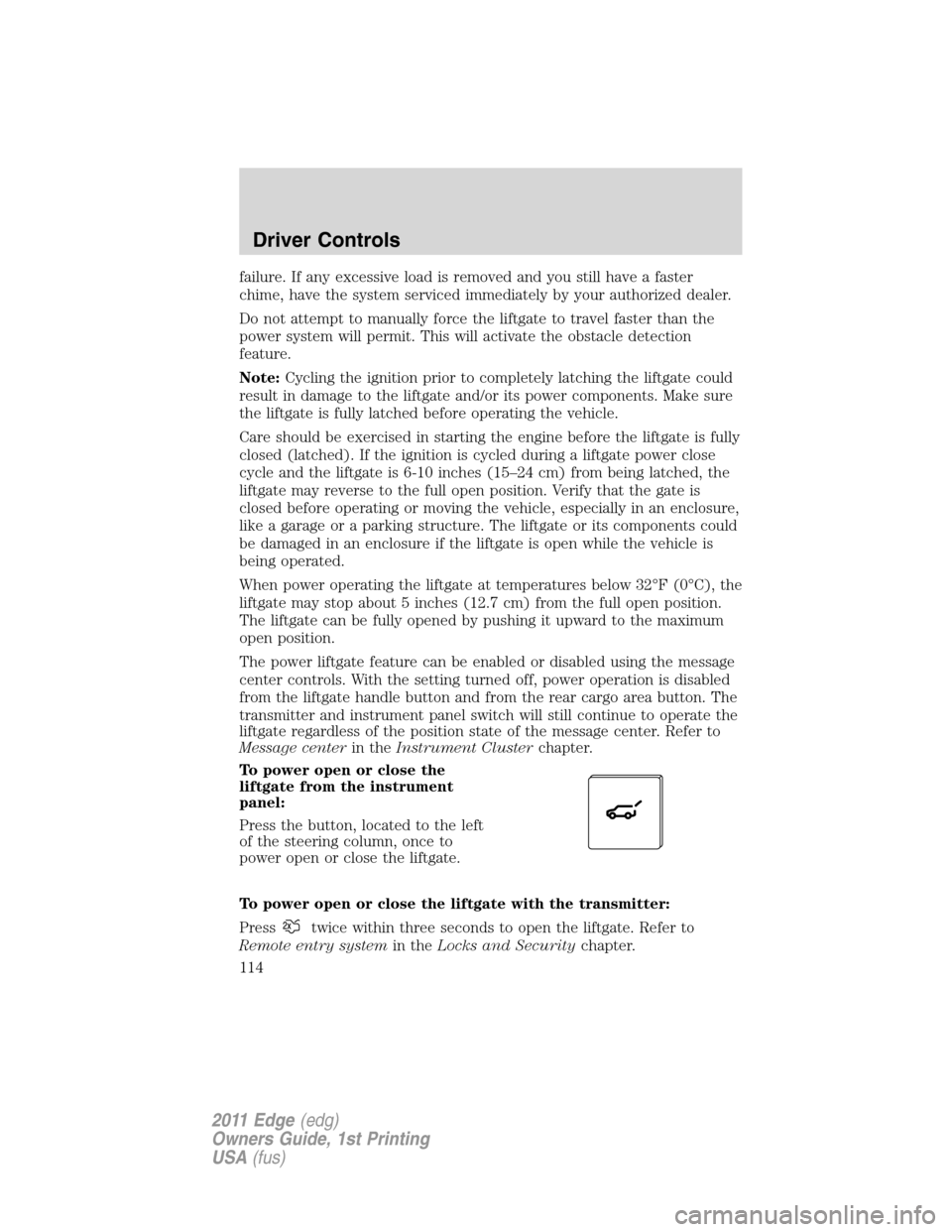
To power open or close the
liftgate from the instrument
panel:
Press the button, located to the left
of the steering column, once to
power open or close the liftgate.
To power open or close the liftgate with the transmitter:
Press
twice within three seconds to open the liftgate. Refer to
Remote entry systemin theLocks and Securitychapter.
Driver Controls
114
2011 Edge(edg)
Owners Guide, 1st Printing
USA(fus)
Page 115 of 403
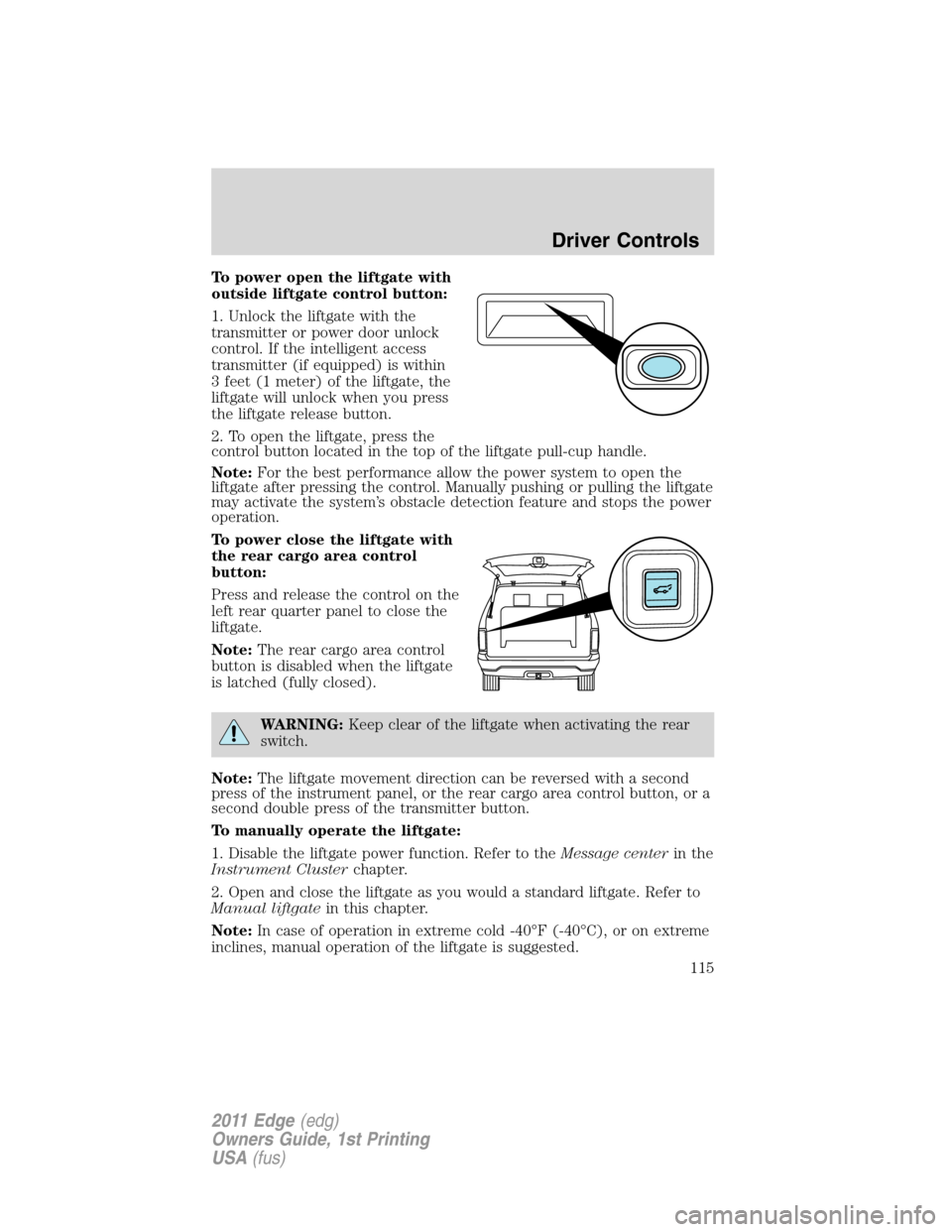
To power open the liftgate with
outside liftgate control button:
1. Unlock the liftgate with the
transmitter or power door unlock
control. If the intelligent access
transmitter (if equipped) is within
3 feet (1 meter) of the liftgate, the
liftgate will unlock when you press
the liftgate release button.
2. To open the liftgate, press the
control button located in the top of the liftgate pull-cup handle.
Note:For the best performance allow the power system to open the
liftgate after pressing the control. Manually pushing or pulling the liftgate
may activate the system’s obstacle detection feature and stops the power
operation.
To power close the liftgate with
the rear cargo area control
button:
Press and release the control on the
left rear quarter panel to close the
liftgate.
Note:The rear cargo area control
button is disabled when the liftgate
is latched (fully closed).
WARNING:Keep clear of the liftgate when activating the rear
switch.
Note:The liftgate movement direction can be reversed with a second
press of the instrument panel, or the rear cargo area control button, or a
second double press of the transmitter button.
To manually operate the liftgate:
1. Disable the liftgate power function. Refer to theMessage centerin the
Instrument Clusterchapter.
2. Open and close the liftgate as you would a standard liftgate. Refer to
Manual liftgatein this chapter.
Note:In case of operation in extreme cold -40°F (-40°C), or on extreme
inclines, manual operation of the liftgate is suggested.
Driver Controls
115
2011 Edge(edg)
Owners Guide, 1st Printing
USA(fus)
Page 123 of 403
•# ADMIN KEYS PROGRAMMED — Indicates how many admin keys
are programmed to the vehicle. Can be used to detect if an additional
spare key has been programmed to the vehicle
Refer toMessage centerin theInstrument Clusterchapter for MyKey™
system warnings displays.
Using MyKey™ with remote start systems
MyKey™ is not compatible with non Ford-approved aftermarket remote
start systems. If you choose to install a remote start system please see
your authorized dealer for a Ford-approved remote start system.
The following information MAY help customers who choose to use a non
Ford-approved remote start system. The actions proved below do NOT
make MyKey™ compatible with non Ford-approved remote start system,
but it MAY help you to retain some MyKey™ functions.
Vehicles equipped with traditional keys:
When using a non Ford-approved remote start system, the default
settings may recognize the remote start system as an additional admin
key with its associated privileges. This makes it NOT compatible with
MyKey™. The following action may help you to retain some MyKey™
functions:
1. Restart the engine when you insert a key into the ignition cylinder.
2. In addition to the key that you have already programmed as a
MyKey™., owners of vehicles equipped with traditional keys may want to
program the non Ford-approved remote start system as a MyKey™ if the
remote start fob is used by the MyKey driver.
To program a non Ford-approved remote start system as MyKey™, do
the following:
1. Enter the vehicle and close all doors.
2. Remote start the vehicle using a non Ford-approved remote start fob.
3. Follow steps 1-4 in theCreate a MyKey™section.
Vehicles equipped with an intelligent access key
(push button start)
•It is not possible to program any remote start system as MyKey™ on
vehicles equipped with intelligent access key (push button start).
Therefore, you should treat the remote start fob as you would any
other admin key. When the vehicle is started using remote start, the
system will stall the engine when you either enter the vehicle or shift
the vehicle into gear. Prior to the engine stall, the vehicle will have
Locks and Security
123
2011 Edge(edg)
Owners Guide, 1st Printing
USA(fus)
Page 127 of 403
If your vehicle’s perimeter alarm is in the armed state, the smart unlock
feature will not allow you to lock your IA key inside the vehicle. When
the alarm is armed, if the IA key is detected in the vehicle, the liftgate
will automatically be released, and the horn will chirp, as a reminder that
the IA key is inside. If you would like to intentionally lock your IA key in
your vehicle, first disarm the perimeter alarm by unlocking the vehicle,
then place the IA key in the rear cargo area, close the liftgate, and rearm
your perimeter alarm system by locking the vehicle using your keyless
entry keypad or another IA key. For more information on
arming/disarming of the perimeter alarm system, refer toPerimeter
alarm systemin this chapter.
Autolock feature
The autolock feature will lock all the doors when:
•all the doors are closed,
•the ignition on,
•you shift into any gear putting the vehicle in motion, and
•the vehicle attains a speed greater than 12 mph (20 km/h).
The autolock feature repeats when:
•any door is opened then closed while the ignition is on and the vehicle
speed is 9 mph (15 km/h) or lower, and
•the vehicle then attains a speed greater than 12 mph (20 km/h).
Deactivating/activating autolock feature
Your vehicle comes with the autolock features activated; there are four
methods to enable/disable this feature:
•Through your authorized dealer,
•by using a power door unlock/lock procedure,
•using a keypad procedure (if equipped), or
•or by using the instrument cluster message center (if equipped). Refer
toMessage centerin theInstrument Clusterchapter.
Note:The autolock feature can be activated/deactivated independently
of the autounlock feature.
Power door lock switch autolock enable/disable procedure
Before starting, ensure the ignition is off and all vehicle doors are closed.
You must complete Steps 1–5 within 30 seconds or the procedure will
have to be repeated. If the procedure needs to be repeated, wait a
minimum of 30 seconds before beginning again.
Locks and Security
127
2011 Edge(edg)
Owners Guide, 1st Printing
USA(fus)
Page 129 of 403
Note:The doors will not autounlock if the vehicle has been
electronically locked before the driver door is opened.
Deactivating/activating autounlock feature
Your vehicle comes with the autounlock features activated; there are four
methods to enable/disable this feature:
•Through your authorized dealer,
•by using a power door unlock/lock sequence,
•using a keypad procedure (if equipped), or
•or by using the instrument cluster message center (if equipped). Refer
toMessage centerin theInstrument Clusterchapter.
Note:The autounlock feature can be activated/deactivated
independently of the autolock feature.
Power door lock switch autounlock enable/disable procedure
Before starting, ensure the ignition is off and all vehicle doors are closed.
You must complete Steps 1–5 within 30 seconds or the procedure will
have to be repeated. If the procedure needs to be repeated, wait a
minimum of 30 seconds before beginning again.
1. Turn the ignition on.
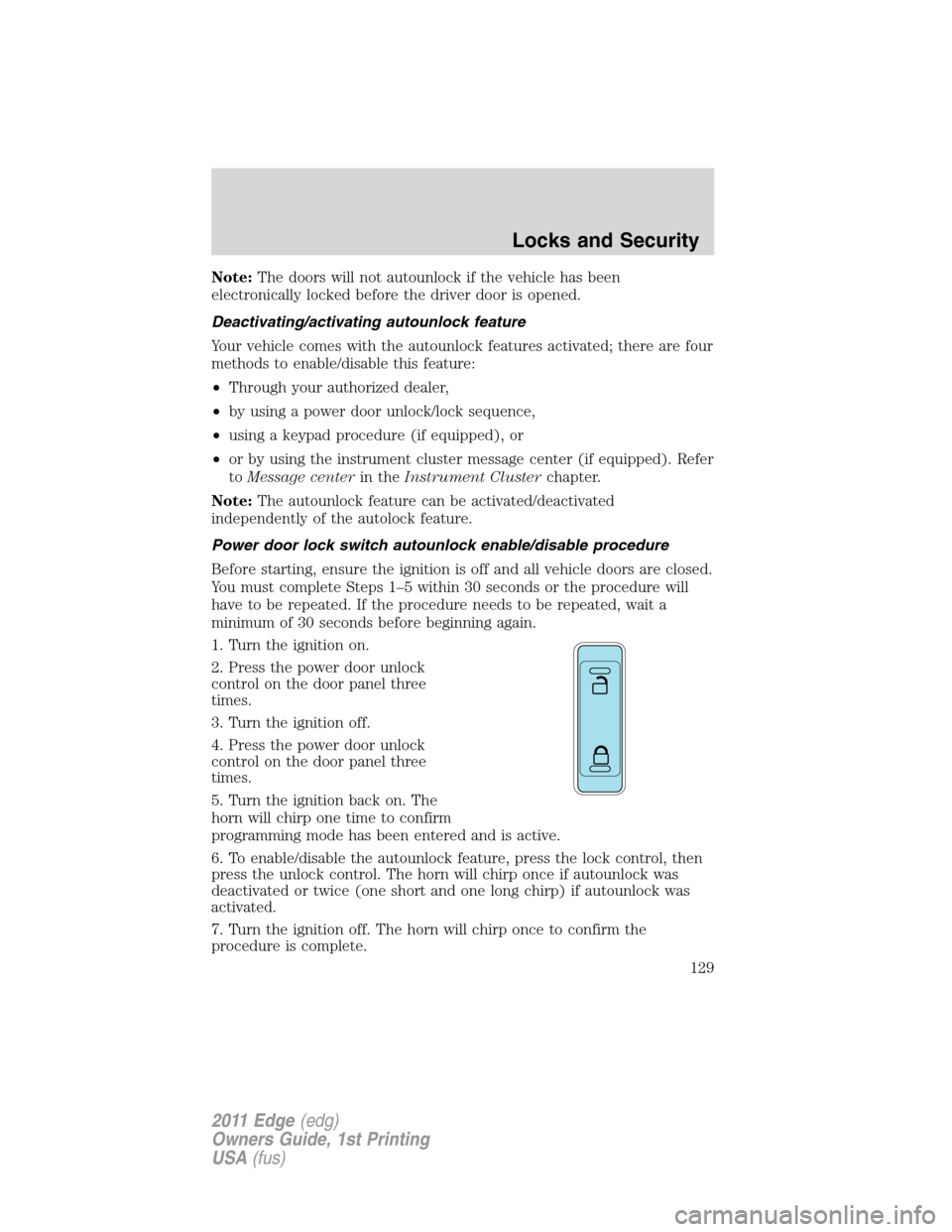
2. Press the power door unlock
control on the door panel three
times.
3. Turn the ignition off.
4. Press the power door unlock
control on the door panel three
times.
5. Turn the ignition back on. The
horn will chirp one time to confirm
programming mode has been entered and is active.
6. To enable/disable the autounlock feature, press the lock control, then
press the unlock control. The horn will chirp once if autounlock was
deactivated or twice (one short and one long chirp) if autounlock was
activated.
7. Turn the ignition off. The horn will chirp once to confirm the
procedure is complete.
Locks and Security
129
2011 Edge(edg)
Owners Guide, 1st Printing
USA(fus)
Page 138 of 403
remote start feature has an extended operating range which allows you
to remote start your vehicle from a farther distance from your vehicle.
All the buttons have this increased range performance capability when
equipped with remote start.
Vehicles with automatic climate control can be configured to operate
when the vehicle is started. Refer toRemote start climate optionsin
theClimate Controlschapter for more information and also refer to
Message centerin theInstrument Clusterchapter to learn how to
enable different climate options. A manual climate control system will
run at the setting it was set to when the vehicle was last turned off.
To help make the vehicle as comfortable as possible, the engine idle can
be increased during a remote start. You can enable or disable engine idle
increase by selecting Remote Start Quiet in the message center. Refer to
Message centerin theInstrument Clusterchapter.
Many states and provinces have restrictions for the use of remote start.
Check your local and state or provincial laws for specific requirements
regarding remote start systems.
Note:Do not use remote start if your vehicle is low on fuel.
WARNING:To avoid exhaust fumes, do not use remote start if
your vehicle is parked indoors or areas that are not well
ventilated.
The remote start system will not work if:
•The ignition is on.
•The alarm system is triggered.
•The feature has been disabled.
•The hood is not closed.
•Two remote vehicle starts have already been attempted within the last
hour.
•The vehicle is not in P (Park).
Starting the engine with remote start
The remote start label on your transmitter details the engine starting
procedure. To start the engine using remote start:
Note:Each button press must be done within three seconds of each
other. If this sequence is not followed, the vehicle will not remote start
and the horn will not chirp.
Locks and Security
138
2011 Edge(edg)
Owners Guide, 1st Printing
USA(fus)
Page 139 of 403
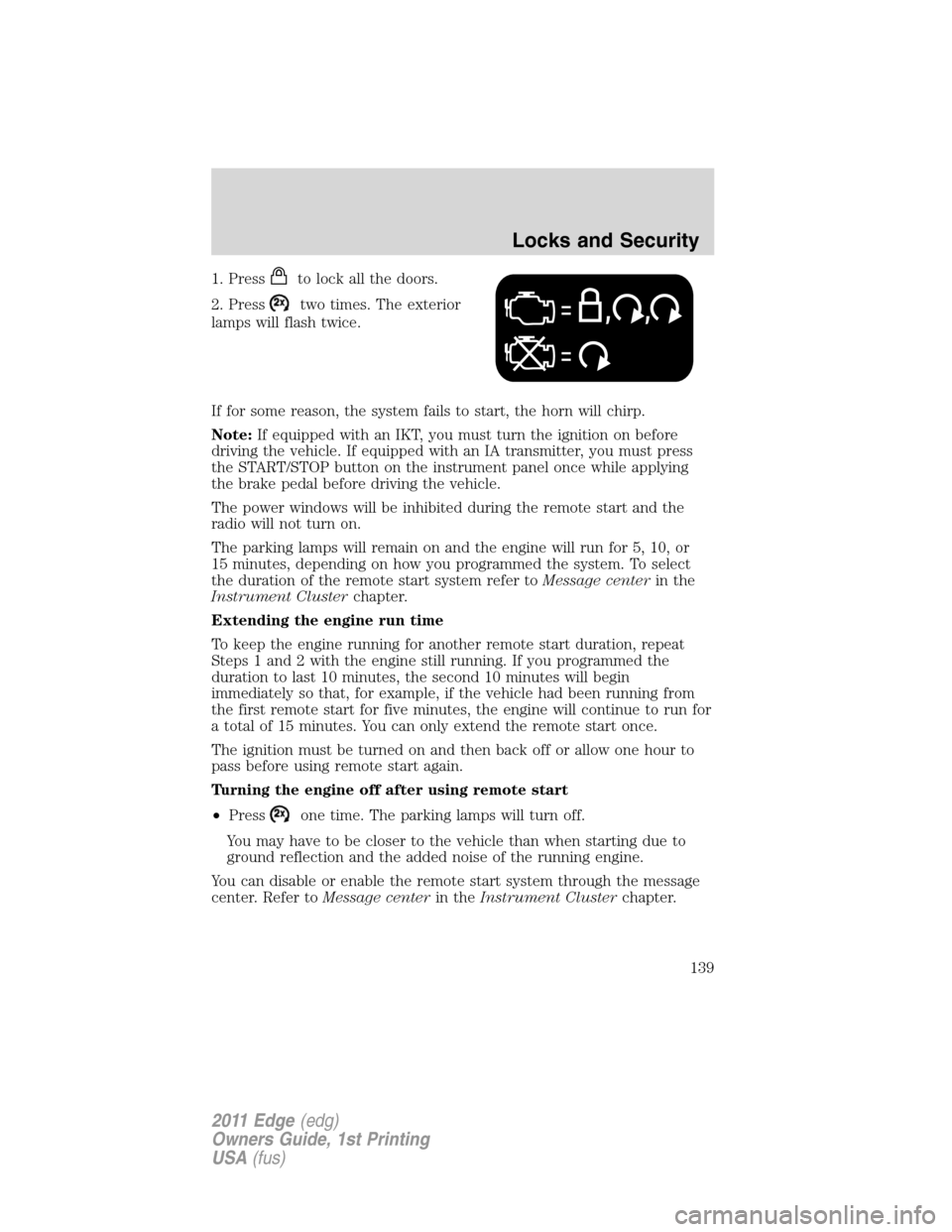
1. Pressto lock all the doors.
2. Press
two times. The exterior
lamps will flash twice.
If for some reason, the system fails to start, the horn will chirp.
Note:If equipped with an IKT, you must turn the ignition on before
driving the vehicle. If equipped with an IA transmitter, you must press
the START/STOP button on the instrument panel once while applying
the brake pedal before driving the vehicle.
The power windows will be inhibited during the remote start and the
radio will not turn on.
The parking lamps will remain on and the engine will run for 5, 10, or
15 minutes, depending on how you programmed the system. To select
the duration of the remote start system refer toMessage centerin the
Instrument Clusterchapter.
Extending the engine run time
To keep the engine running for another remote start duration, repeat
Steps 1 and 2 with the engine still running. If you programmed the
duration to last 10 minutes, the second 10 minutes will begin
immediately so that, for example, if the vehicle had been running from
the first remote start for five minutes, the engine will continue to run for
a total of 15 minutes. You can only extend the remote start once.
The ignition must be turned on and then back off or allow one hour to
pass before using remote start again.
Turning the engine off after using remote start
•Press
one time. The parking lamps will turn off.
You may have to be closer to the vehicle than when starting due to
ground reflection and the added noise of the running engine.
You can disable or enable the remote start system through the message
center. Refer toMessage centerin theInstrument Clusterchapter.
Locks and Security
139
2011 Edge(edg)
Owners Guide, 1st Printing
USA(fus)