buttons FORD EDGE 2014 1.G Owner's Guide
[x] Cancel search | Manufacturer: FORD, Model Year: 2014, Model line: EDGE, Model: FORD EDGE 2014 1.GPages: 540, PDF Size: 7.52 MB
Page 482 of 540
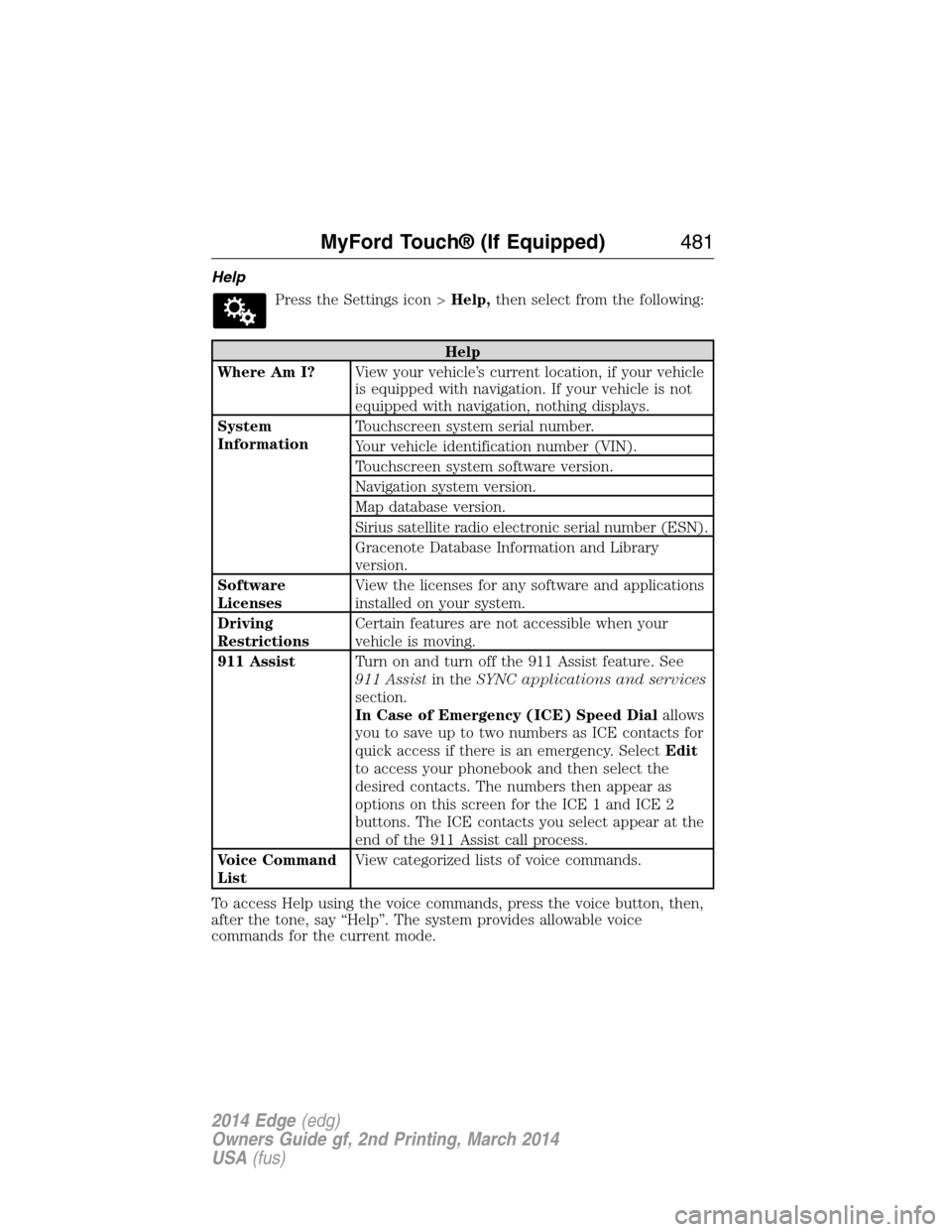
Help
Press the Settings icon >Help,then select from the following:
Help
Where Am I?View your vehicle’s current location, if your vehicle
is equipped with navigation. If your vehicle is not
equipped with navigation, nothing displays.
System
InformationTouchscreen system serial number.
Your vehicle identification number (VIN).
Touchscreen system software version.
Navigation system version.
Map database version.
Sirius satellite radio electronic serial number (ESN).
Gracenote Database Information and Library
version.
Software
LicensesView the licenses for any software and applications
installed on your system.
Driving
RestrictionsCertain features are not accessible when your
vehicle is moving.
911 AssistTurn on and turn off the 911 Assist feature. See
911 Assistin theSYNC applications and services
section.
In Case of Emergency (ICE) Speed Dialallows
you to save up to two numbers as ICE contacts for
quick access if there is an emergency. SelectEdit
to access your phonebook and then select the
desired contacts. The numbers then appear as
options on this screen for the ICE 1 and ICE 2
buttons. The ICE contacts you select appear at the
end of the 911 Assist call process.
Voice Command
ListView categorized lists of voice commands.
To access Help using the voice commands, press the voice button, then,
after the tone, say “Help”. The system provides allowable voice
commands for the current mode.
MyFord Touch® (If Equipped)481
2014 Edge(edg)
Owners Guide gf, 2nd Printing, March 2014
USA(fus)
Page 492 of 540
3D landmarksappear as clear, visible objects that are typically
recognizable and have a certain tourist value. The 3D landmarks appear
in 3D map mode only. Coverage varies, and improves with updated map
releases.
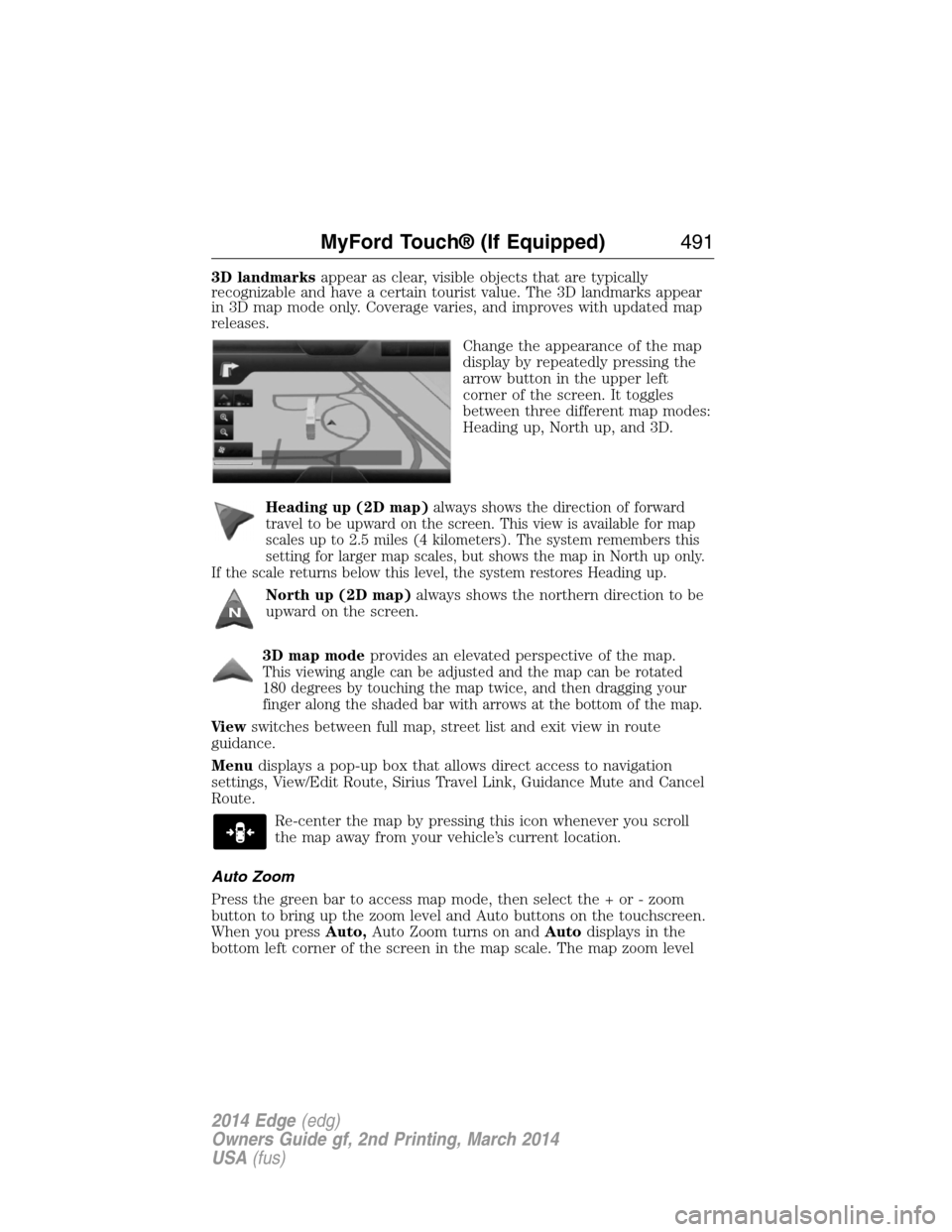
Change the appearance of the map
display by repeatedly pressing the
arrow button in the upper left
corner of the screen. It toggles
between three different map modes:
Heading up, North up, and 3D.
Heading up (2D map)
always shows the direction of forward
travel to be upward on the screen. This view is available for map
scales up to 2.5 miles (4 kilometers). The system remembers this
setting for larger map scales, but shows the map in North up only.
If the scale returns below this level, the system restores Heading up.
North up (2D map)always shows the northern direction to be
upward on the screen.
3D map modeprovides an elevated perspective of the map.
This viewing angle can be adjusted and the map can be rotated
180 degrees by touching the map twice, and then dragging your
finger along the shaded bar with arrows at the bottom of the map.
Vi e wswitches between full map, street list and exit view in route
guidance.
Menudisplays a pop-up box that allows direct access to navigation
settings, View/Edit Route, Sirius Travel Link, Guidance Mute and Cancel
Route.
Re-center the map by pressing this icon whenever you scroll
the map away from your vehicle’s current location.
Auto Zoom
Press the green bar to access map mode, then select the + or - zoom
button to bring up the zoom level and Auto buttons on the touchscreen.
When you pressAuto,Auto Zoom turns on andAutodisplays in the
bottom left corner of the screen in the map scale. The map zoom level
MyFord Touch® (If Equipped)491
2014 Edge(edg)
Owners Guide gf, 2nd Printing, March 2014
USA(fus)
Page 494 of 540
Next maneuver pointindicates the location of the next turn on
the planned route.
No GPS symbolindicates that insufficient GPS satellite signals
are available for accurate map positioning. This icon may display
under normal operation in an area with poor GPS access.
Quick-touch Buttons
When in map mode, touch anywhere on the map display to access more
features.
Set as Dest
Touch this button to select a scrolled location on the map as your
destination. You may scroll the map by pressing your index finger on the
map display. When you reach the desired location, simply let go and then
touchSet as Dest.
Set as Waypoint
Touch this button to set the current location as a waypoint.
Save to Favorites
Touch this button to save the current location to your favorites.
POI Icons
Touch this button to select icons to display on the map. You can select up to
three icons to display on the map at the same time. Turn theseONorOFF.
Cancel Route
Touch this button to cancel the active route.
View/Edit Route
Access these features when a route is active:
•View Route
•Edit Destination/Waypoints
•Edit Turn List
•Detour
•Edit Route Preferences
•Edit Traffic Preferences
•Cancel Route.
Nokia is the digital map provider for the navigation application. If you
find map data errors, you may report them directly to Nokia by going to
http://mapreporter.navteq.com. Nokia evaluates all reported map errors
and responds with the result of their investigation by e-mail.
MyFord Touch® (If Equipped)493
2014 Edge(edg)
Owners Guide gf, 2nd Printing, March 2014
USA(fus)
Page 537 of 540
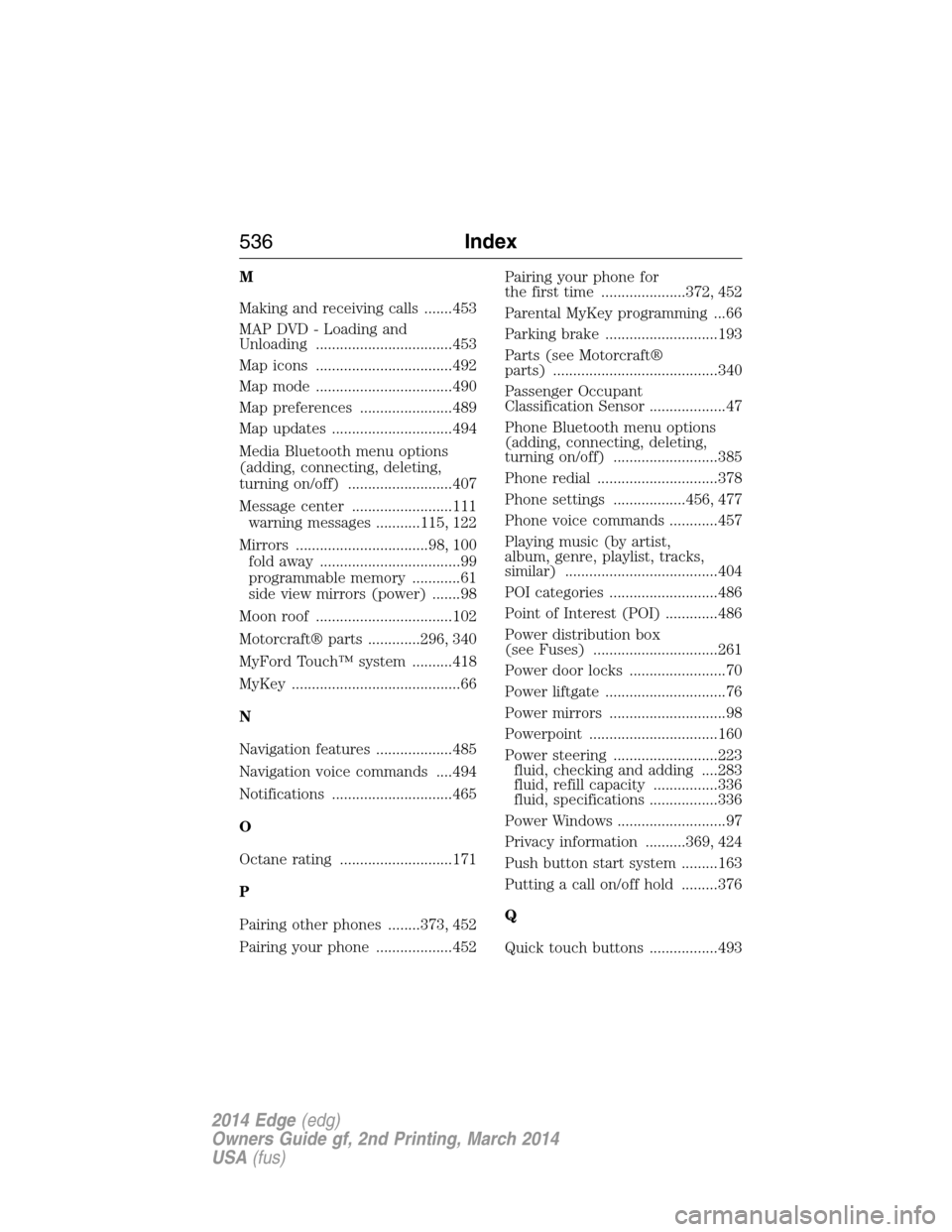
M
Making and receiving calls .......453
MAP DVD - Loading and
Unloading ..................................453
Map icons ..................................492
Map mode ..................................490
Map preferences .......................489
Map updates ..............................494
Media Bluetooth menu options
(adding, connecting, deleting,
turning on/off) ..........................407
Message center .........................111
warning messages ...........115, 122
Mirrors .................................98, 100
fold away ...................................99
programmable memory ............61
side view mirrors (power) .......98
Moon roof ..................................102
Motorcraft® parts .............296, 340
MyFord Touch™ system ..........418
MyKey ..........................................66
N
Navigation features ...................485
Navigation voice commands ....494
Notifications ..............................465
O
Octane rating ............................171
P
Pairing other phones ........373, 452
Pairing your phone ...................452Pairing your phone for
the first time .....................372, 452
Parental MyKey programming ...66
Parking brake ............................193
Parts (see Motorcraft®
parts) .........................................340
Passenger Occupant
Classification Sensor ...................47
Phone Bluetooth menu options
(adding, connecting, deleting,
turning on/off) ..........................385
Phone redial ..............................378
Phone settings ..................456, 477
Phone voice commands ............457
Playing music (by artist,
album, genre, playlist, tracks,
similar) ......................................404
POI categories ...........................486
Point of Interest (POI) .............486
Power distribution box
(see Fuses) ...............................261
Power door locks ........................70
Power liftgate ..............................76
Power mirrors .............................98
Powerpoint ................................160
Power steering ..........................223
fluid, checking and adding ....283
fluid, refill capacity ................336
fluid, specifications .................336
Power Windows ...........................97
Privacy information ..........369, 424
Push button start system .........163
Putting a call on/off hold .........376
Q
Quick touch buttons .................493
536Index
2014 Edge(edg)
Owners Guide gf, 2nd Printing, March 2014
USA(fus)