ignition FORD EDGE 2014 1.G Owner's Guide
[x] Cancel search | Manufacturer: FORD, Model Year: 2014, Model line: EDGE, Model: FORD EDGE 2014 1.GPages: 540, PDF Size: 7.52 MB
Page 109 of 540
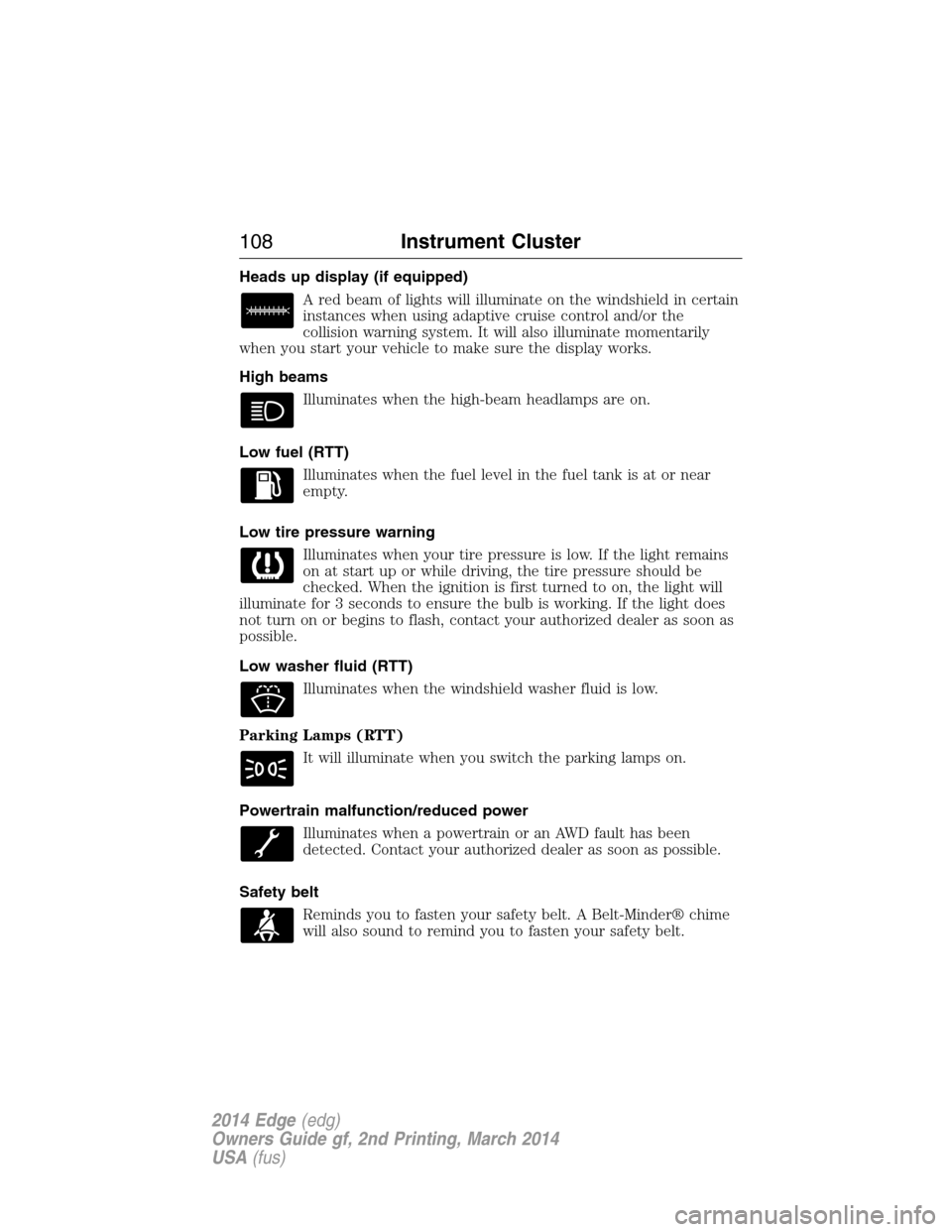
Heads up display (if equipped)
A red beam of lights will illuminate on the windshield in certain
instances when using adaptive cruise control and/or the
collision warning system. It will also illuminate momentarily
when you start your vehicle to make sure the display works.
High beams
Illuminates when the high-beam headlamps are on.
Low fuel (RTT)
Illuminates when the fuel level in the fuel tank is at or near
empty.
Low tire pressure warning
Illuminates when your tire pressure is low. If the light remains
on at start up or while driving, the tire pressure should be
checked. When the ignition is first turned to on, the light will
illuminate for 3 seconds to ensure the bulb is working. If the light does
not turn on or begins to flash, contact your authorized dealer as soon as
possible.
Low washer fluid (RTT)
Illuminates when the windshield washer fluid is low.
Parking Lamps (RTT)
It will illuminate when you switch the parking lamps on.
Powertrain malfunction/reduced power
Illuminates when a powertrain or an AWD fault has been
detected. Contact your authorized dealer as soon as possible.
Safety belt
Reminds you to fasten your safety belt. A Belt-Minder® chime
will also sound to remind you to fasten your safety belt.
108Instrument Cluster
2014 Edge(edg)
Owners Guide gf, 2nd Printing, March 2014
USA(fus)
Page 110 of 540
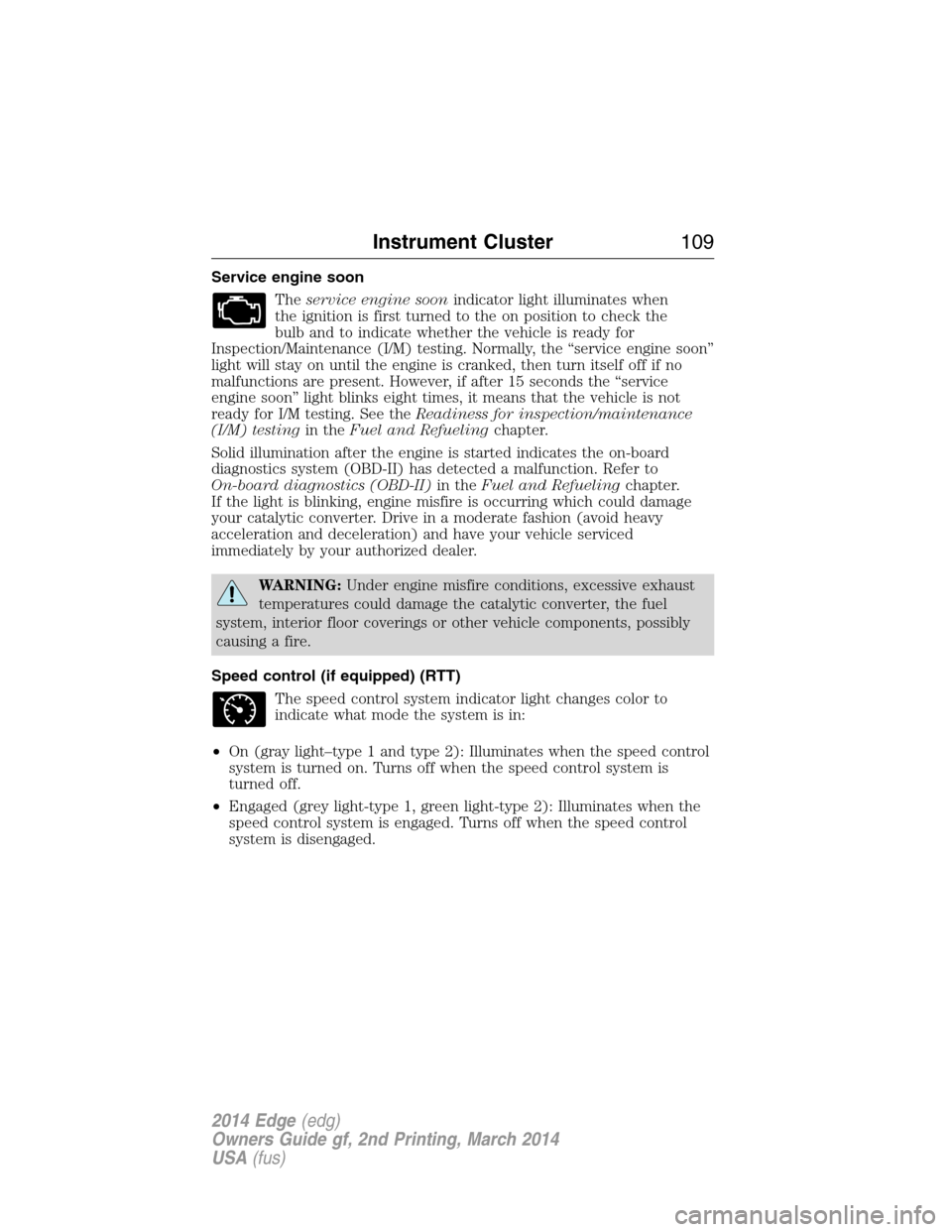
Service engine soon
Theservice engine soonindicator light illuminates when
the ignition is first turned to the on position to check the
bulb and to indicate whether the vehicle is ready for
Inspection/Maintenance (I/M) testing. Normally, the “service engine soon”
light will stay on until the engine is cranked, then turn itself off if no
malfunctions are present. However, if after 15 seconds the “service
engine soon” light blinks eight times, it means that the vehicle is not
ready for I/M testing. See theReadiness for inspection/maintenance
(I/M) testingin theFuel and Refuelingchapter.
Solid illumination after the engine is started indicates the on-board
diagnostics system (OBD-II) has detected a malfunction. Refer to
On-board diagnostics (OBD-II)in theFuel and Refuelingchapter.
If the light is blinking, engine misfire is occurring which could damage
your catalytic converter. Drive in a moderate fashion (avoid heavy
acceleration and deceleration) and have your vehicle serviced
immediately by your authorized dealer.
WARNING:Under engine misfire conditions, excessive exhaust
temperatures could damage the catalytic converter, the fuel
system, interior floor coverings or other vehicle components, possibly
causing a fire.
Speed control (if equipped) (RTT)
The speed control system indicator light changes color to
indicate what mode the system is in:
•On (gray light–type 1 and type 2): Illuminates when the speed control
system is turned on. Turns off when the speed control system is
turned off.
•Engaged (grey light-type 1, green light-type 2): Illuminates when the
speed control system is engaged. Turns off when the speed control
system is disengaged.
Instrument Cluster109
2014 Edge(edg)
Owners Guide gf, 2nd Printing, March 2014
USA(fus)
Page 111 of 540
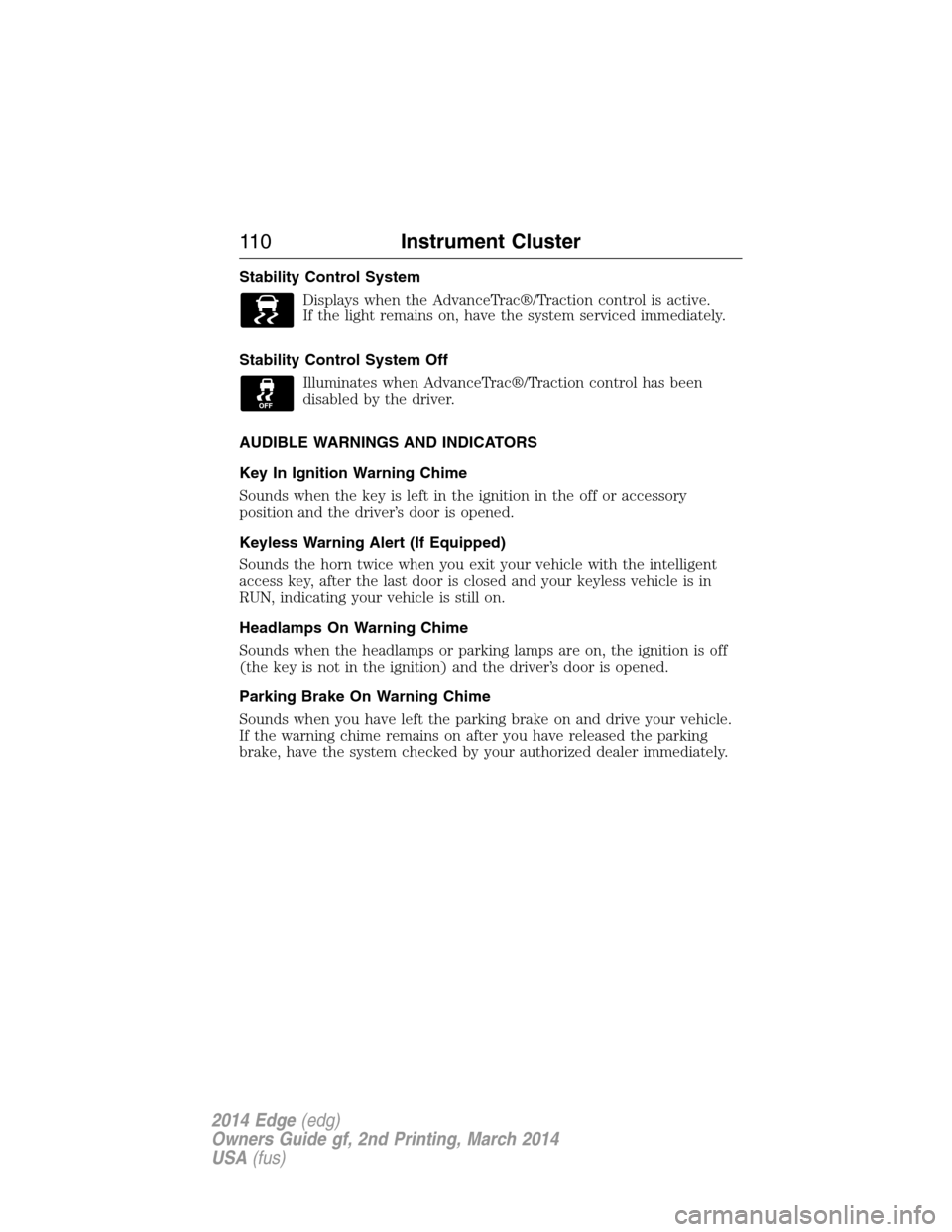
Stability Control System
Displays when the AdvanceTrac®/Traction control is active.
If the light remains on, have the system serviced immediately.
Stability Control System Off
Illuminates when AdvanceTrac®/Traction control has been
disabled by the driver.
AUDIBLE WARNINGS AND INDICATORS
Key In Ignition Warning Chime
Sounds when the key is left in the ignition in the off or accessory
position and the driver’s door is opened.
Keyless Warning Alert (If Equipped)
Sounds the horn twice when you exit your vehicle with the intelligent
access key, after the last door is closed and your keyless vehicle is in
RUN, indicating your vehicle is still on.
Headlamps On Warning Chime
Sounds when the headlamps or parking lamps are on, the ignition is off
(the key is not in the ignition) and the driver’s door is opened.
Parking Brake On Warning Chime
Sounds when you have left the parking brake on and drive your vehicle.
If the warning chime remains on after you have released the parking
brake, have the system checked by your authorized dealer immediately.
11 0Instrument Cluster
2014 Edge(edg)
Owners Guide gf, 2nd Printing, March 2014
USA(fus)
Page 124 of 540
Alarm/Security
MessagesAction / Description
To Stop Alarm, Start
VehicleDisplayed when the perimeter alarm system is
armed and the vehicle is entered using the key
on the driver’s side door. In order to prevent
the perimeter alarm system from triggering,
the ignition must be turned to start or on
before the 12 second chime expires.
AWD Messages Action / Description
AWD Off Displayed when the AWD system has been
automatically disabled to protect itself. This is
caused by operating the vehicle with the
compact spare tire installed or if the system is
overheating. The AWD system will resume
normal function and clear this message after
driving a short distance with the road tire
re-installed or after the system is allowed to
cool.
Check AWD Displayed in conjunction with the Throttle
Control/Transmission/AWD light when the
AWD system is not operating properly. If the
warning stays on or continues to come on,
contact your authorized dealer as soon as
possible.
Battery and
Charging System
MessagesAction / Description
Check Charging
SystemDisplayed when the charging system needs
servicing. If the warning stays on or continues
to come on, contact your authorized dealer as
soon as possible.
Information Displays123
2014 Edge(edg)
Owners Guide gf, 2nd Printing, March 2014
USA(fus)
Page 125 of 540
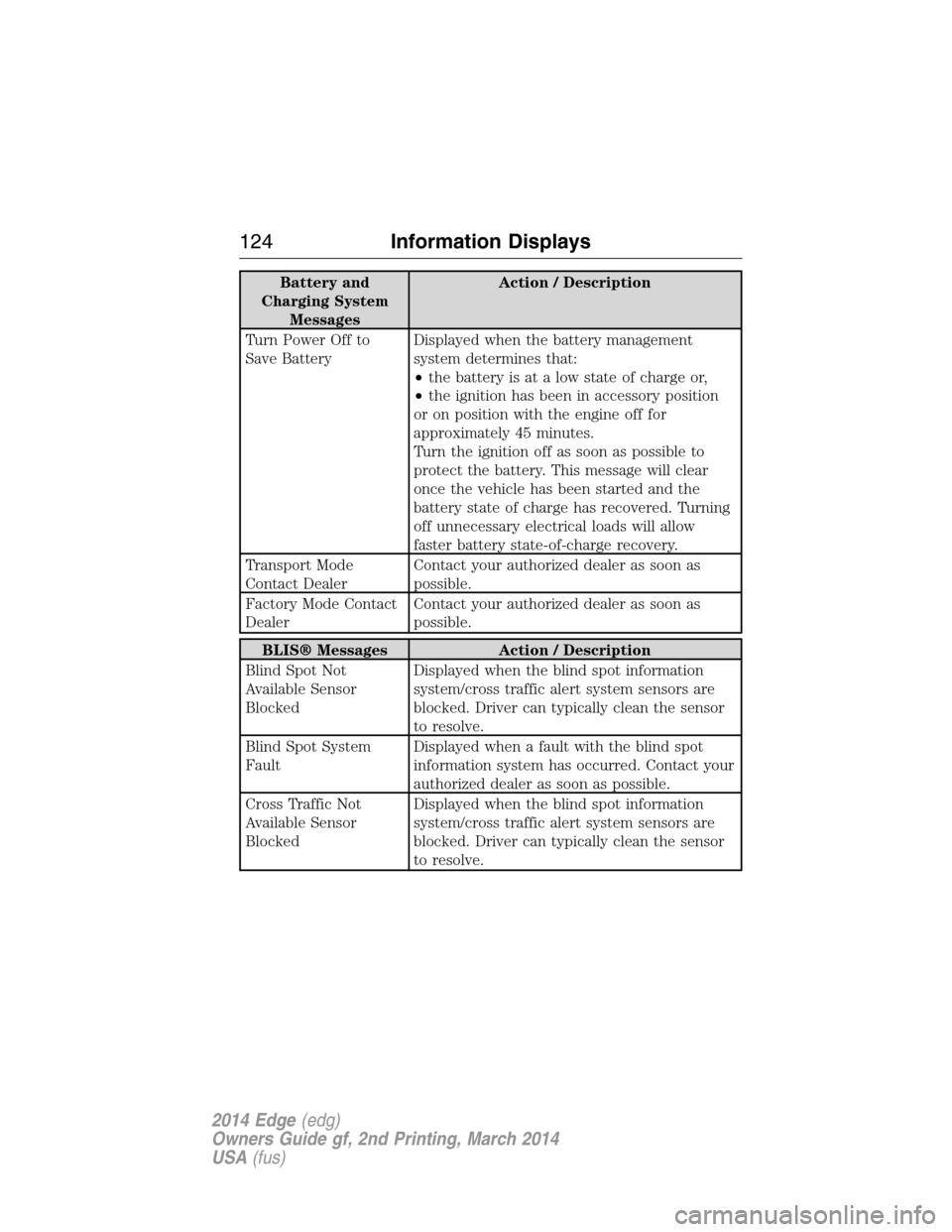
Battery and
Charging System
MessagesAction / Description
Turn Power Off to
Save BatteryDisplayed when the battery management
system determines that:
•the battery is at a low state of charge or,
•the ignition has been in accessory position
or on position with the engine off for
approximately 45 minutes.
Turn the ignition off as soon as possible to
protect the battery. This message will clear
once the vehicle has been started and the
battery state of charge has recovered. Turning
off unnecessary electrical loads will allow
faster battery state-of-charge recovery.
Transport Mode
Contact DealerContact your authorized dealer as soon as
possible.
Factory Mode Contact
DealerContact your authorized dealer as soon as
possible.
BLIS® Messages Action / Description
Blind Spot Not
Available Sensor
BlockedDisplayed when the blind spot information
system/cross traffic alert system sensors are
blocked. Driver can typically clean the sensor
to resolve.
Blind Spot System
FaultDisplayed when a fault with the blind spot
information system has occurred. Contact your
authorized dealer as soon as possible.
Cross Traffic Not
Available Sensor
BlockedDisplayed when the blind spot information
system/cross traffic alert system sensors are
blocked. Driver can typically clean the sensor
to resolve.
124Information Displays
2014 Edge(edg)
Owners Guide gf, 2nd Printing, March 2014
USA(fus)
Page 127 of 540
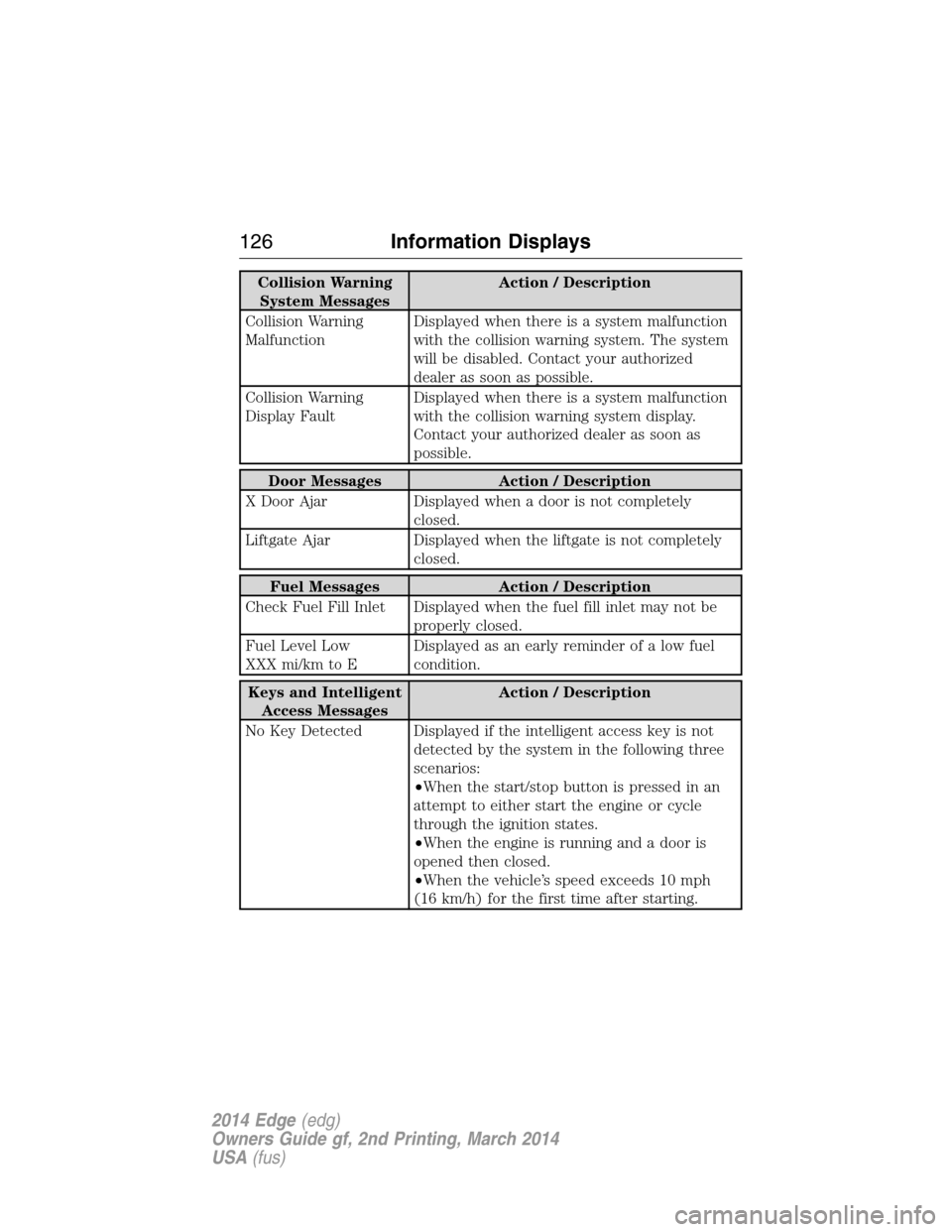
Collision Warning
System MessagesAction / Description
Collision Warning
MalfunctionDisplayed when there is a system malfunction
with the collision warning system. The system
will be disabled. Contact your authorized
dealer as soon as possible.
Collision Warning
Display FaultDisplayed when there is a system malfunction
with the collision warning system display.
Contact your authorized dealer as soon as
possible.
Door Messages Action / Description
X Door Ajar Displayed when a door is not completely
closed.
Liftgate Ajar Displayed when the liftgate is not completely
closed.
Fuel Messages Action / Description
Check Fuel Fill Inlet Displayed when the fuel fill inlet may not be
properly closed.
Fuel Level Low
XXX mi/km to EDisplayed as an early reminder of a low fuel
condition.
Keys and Intelligent
Access MessagesAction / Description
No Key Detected Displayed if the intelligent access key is not
detected by the system in the following three
scenarios:
•When the start/stop button is pressed in an
attempt to either start the engine or cycle
through the ignition states.
•When the engine is running and a door is
opened then closed.
•When the vehicle’s speed exceeds 10 mph
(16 km/h) for the first time after starting.
126Information Displays
2014 Edge(edg)
Owners Guide gf, 2nd Printing, March 2014
USA(fus)
Page 128 of 540
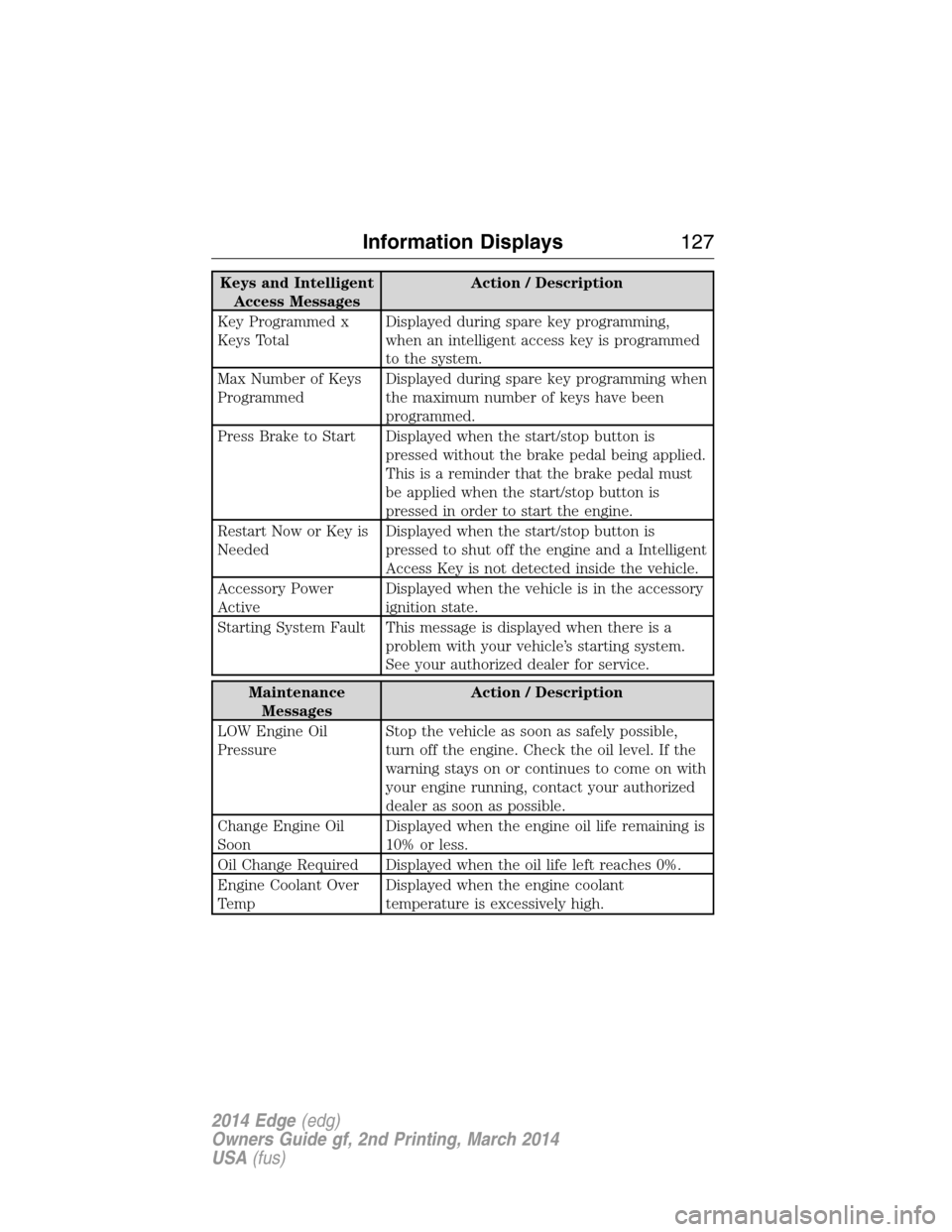
Keys and Intelligent
Access MessagesAction / Description
Key Programmed x
Keys TotalDisplayed during spare key programming,
when an intelligent access key is programmed
to the system.
Max Number of Keys
ProgrammedDisplayed during spare key programming when
the maximum number of keys have been
programmed.
Press Brake to Start Displayed when the start/stop button is
pressed without the brake pedal being applied.
This is a reminder that the brake pedal must
be applied when the start/stop button is
pressed in order to start the engine.
Restart Now or Key is
NeededDisplayed when the start/stop button is
pressed to shut off the engine and a Intelligent
Access Key is not detected inside the vehicle.
Accessory Power
ActiveDisplayed when the vehicle is in the accessory
ignition state.
Starting System Fault This message is displayed when there is a
problem with your vehicle’s starting system.
See your authorized dealer for service.
Maintenance
MessagesAction / Description
LOW Engine Oil
PressureStop the vehicle as soon as safely possible,
turn off the engine. Check the oil level. If the
warning stays on or continues to come on with
your engine running, contact your authorized
dealer as soon as possible.
Change Engine Oil
SoonDisplayed when the engine oil life remaining is
10% or less.
Oil Change Required Displayed when the oil life left reaches 0%.
Engine Coolant Over
TempDisplayed when the engine coolant
temperature is excessively high.
Information Displays127
2014 Edge(edg)
Owners Guide gf, 2nd Printing, March 2014
USA(fus)
Page 141 of 540
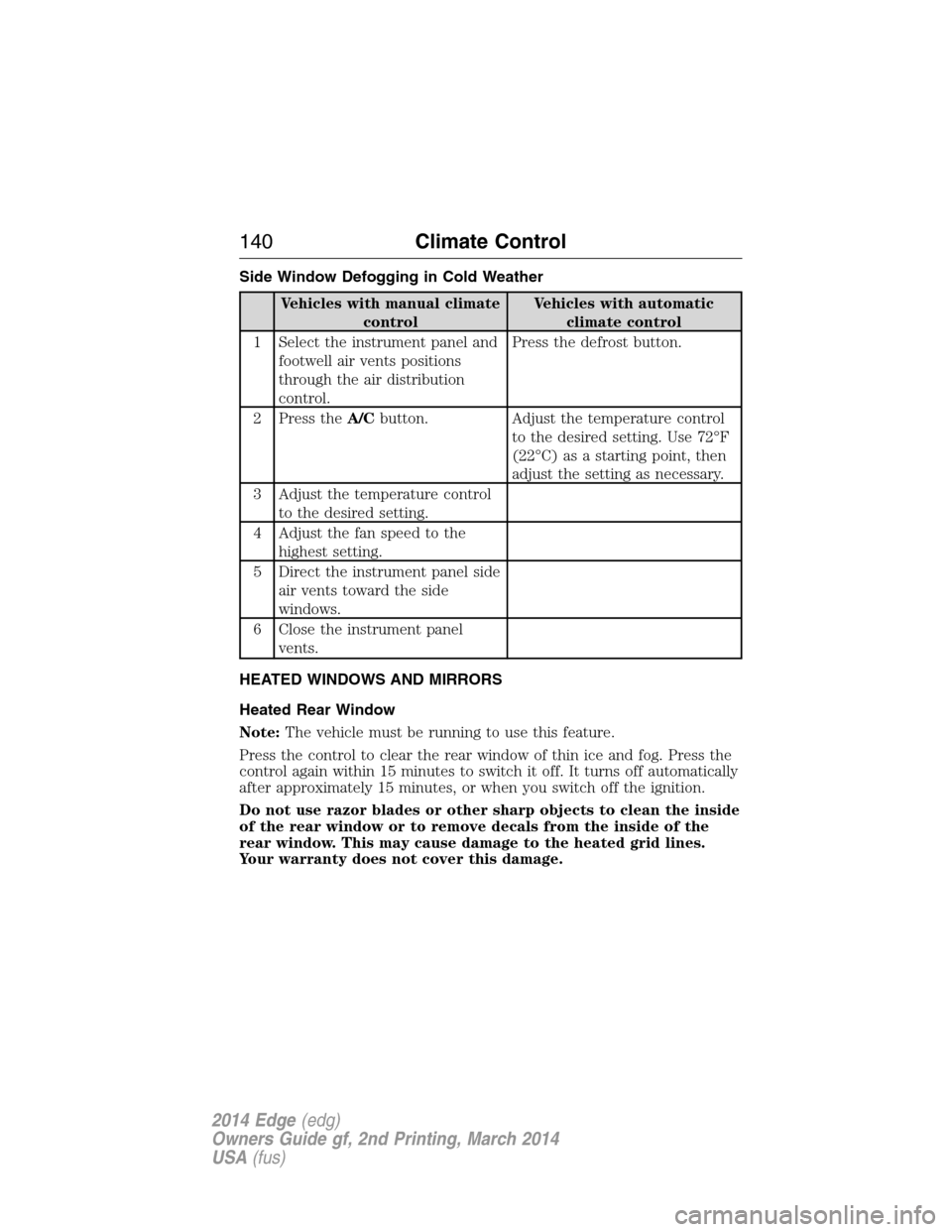
Side Window Defogging in Cold Weather
Vehicles with manual climate
controlVehicles with automatic
climate control
1 Select the instrument panel and
footwell air vents positions
through the air distribution
control.Press the defrost button.
2 Press theA/Cbutton. Adjust the temperature control
to the desired setting. Use 72°F
(22°C) as a starting point, then
adjust the setting as necessary.
3 Adjust the temperature control
to the desired setting.
4 Adjust the fan speed to the
highest setting.
5 Direct the instrument panel side
air vents toward the side
windows.
6 Close the instrument panel
vents.
HEATED WINDOWS AND MIRRORS
Heated Rear Window
Note:The vehicle must be running to use this feature.
Press the control to clear the rear window of thin ice and fog. Press the
control again within 15 minutes to switch it off. It turns off automatically
after approximately 15 minutes, or when you switch off the ignition.
Do not use razor blades or other sharp objects to clean the inside
of the rear window or to remove decals from the inside of the
rear window. This may cause damage to the heated grid lines.
Your warranty does not cover this damage.
140Climate Control
2014 Edge(edg)
Owners Guide gf, 2nd Printing, March 2014
USA(fus)
Page 143 of 540
REMOTE START (IF EQUIPPED)
The remote start feature allows you to pre-condition the interior of your
vehicle. The climate control system works to achieve comfort according
to your previous settings.
Note:You cannot adjust the system during remote start operation.
Turn the ignition on to return the system to its previous settings. You
can now make adjustments normally, but you need to turn certain
vehicle-dependent features back on, such as:
•Heated seats.
•Cooled seats.
•Heated steering wheel.
•Heated mirrors.
•Heated rear window.
You can adjust the default remote start settings using the information
display controls. See theInformation Displayschapter.
Automatic Climate Systems
Automatic Settings
You can set the climate control to operate in AUTO mode through the
information display setting: Remote Start > Climate Control > Heater –
A/C > Auto. The climate control system automatically sets the interior
temperature to 72°F (22°C).
In hot weather, the system is set to 72°F (22°C). Cooled seats are set to
high (if available, and selected to AUTO in the information display).
In moderate weather, the system either heats or cools (based on
previous settings). The rear defroster, heated mirrors and heated/cooled
seats are not automatically turned on.
In cold weather, the system is set to 72°F (22°C). The heated seats and
heated steering wheel are set to high (if available, and selected to AUTO
in the information display). The rear defroster and heated mirrors are
automatically turned on.
142Climate Control
2014 Edge(edg)
Owners Guide gf, 2nd Printing, March 2014
USA(fus)
Page 152 of 540
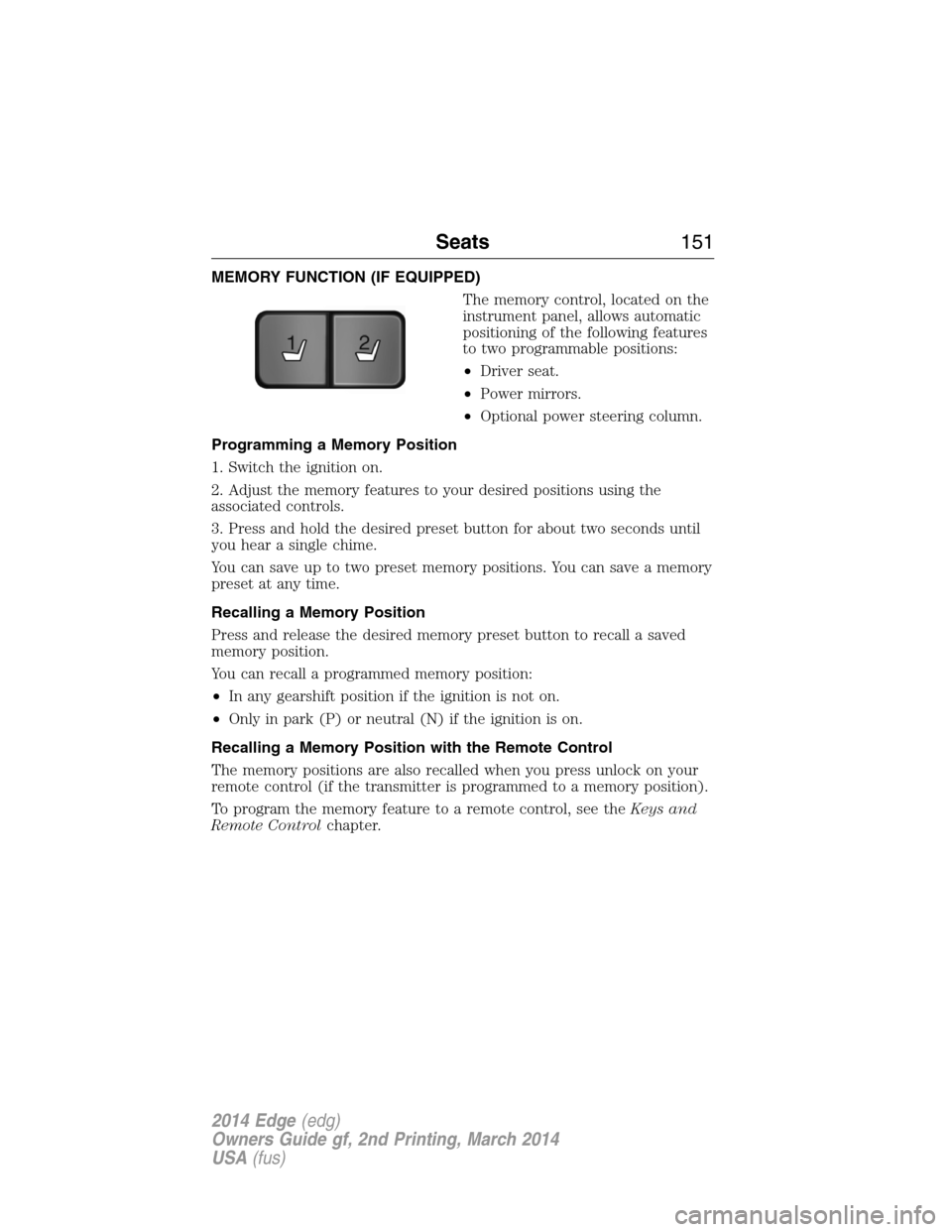
MEMORY FUNCTION (IF EQUIPPED)
The memory control, located on the
instrument panel, allows automatic
positioning of the following features
to two programmable positions:
•Driver seat.
•Power mirrors.
•Optional power steering column.
Programming a Memory Position
1. Switch the ignition on.
2. Adjust the memory features to your desired positions using the
associated controls.
3. Press and hold the desired preset button for about two seconds until
you hear a single chime.
You can save up to two preset memory positions. You can save a memory
preset at any time.
Recalling a Memory Position
Press and release the desired memory preset button to recall a saved
memory position.
You can recall a programmed memory position:
•In any gearshift position if the ignition is not on.
•Only in park (P) or neutral (N) if the ignition is on.
Recalling a Memory Position with the Remote Control
The memory positions are also recalled when you press unlock on your
remote control (if the transmitter is programmed to a memory position).
To program the memory feature to a remote control, see theKeys and
Remote Controlchapter.
21
Seats151
2014 Edge(edg)
Owners Guide gf, 2nd Printing, March 2014
USA(fus)