wheel FORD EDGE 2014 1.G Owners Manual
[x] Cancel search | Manufacturer: FORD, Model Year: 2014, Model line: EDGE, Model: FORD EDGE 2014 1.GPages: 540, PDF Size: 7.52 MB
Page 3 of 540
MyKey 66
Settings, MyKey.......................................66
Creating.............................................67
Clearing.............................................68
System status.........................................68
Remote start, MyKey...................................69
Troubleshooting, MyKey.................................69
Locks 70
Locking and unlocking..................................70
SecuriCode™ keyless entry keypad.........................78
Security 81
SecuriLock® passive anti-theft system.......................81
Anti-theft alarm.......................................84
Steering Wheel 86
Adjusting the steering wheel..............................86
Steering wheel controls.................................86
Wipers and Washers 89
Windshield wipers.....................................89
Rain-sensing wipers....................................89
Windshield washers....................................90
Rear-window wiper and washer............................90
Lighting 91
Lighting control.......................................91
Autolamps...........................................92
Instrument lighting dimmer...............................92
Headlamp exit delay....................................93
Daytime running lamps..................................93
Directionindicators ....................................94
Interior lamps........................................94
2Table of Contents
2014 Edge(edg)
Owners Guide gf, 2nd Printing, March 2014
USA(fus)
Page 5 of 540
Auxiliary Power Points 160
Storage Compartments 161
Center console.......................................161
Overhead console.....................................161
Starting and Stopping the Engine 162
Ignition switch.......................................163
Engine block heater...................................167
Fuel and Refueling 169
Fuel quality.........................................170
Running out of fuel....................................172
Refueling...........................................173
Fuel consumption.....................................175
Transmission 179
Automatic transmission.................................179
All-Wheel Drive (If Equipped) 185
All wheel drive.......................................185
Brakes 192
Brakes.............................................192
Hints on driving with anti-lock brakes......................193
Parking brake........................................193
Hill start assist.......................................194
Traction Control 195
TractionControl™ ....................................195
Stability Control 196
AdvanceTrac®.......................................197
Parking Aids 198
Sensing system.......................................198
Rear-view camera system...............................200
4Table of Contents
2014 Edge(edg)
Owners Guide gf, 2nd Printing, March 2014
USA(fus)
Page 8 of 540
Vehicle Care 296
Cleaning products.....................................296
Cleaning the exterior..................................296
Waxing.............................................298
Repairing minor paint damage............................298
Cleaning the engine...................................298
Cleaning the windows and wiper blades.....................299
Cleaning the interior...................................300
Cleaning the instrument panel and instrument cluster lens.......300
Cleaning leather seats..................................301
Cleaning the alloy wheels...............................302
Vehiclestorage.......................................303
Wheels and Tires 306
Tire care...........................................308
Using snow chains....................................323
Tire Pressure Monitoring System (TPMS)...................324
Changing a road wheel.................................328
Technical specifications.................................334
Wheel lug nut torque..................................334
Capacities and Specifications 335
Engine specifications..................................335
Part numbers........................................340
Vehicle identification number............................341
Vehicle certification label...............................342
Transmission code designation............................342
Accessories 343
Accessories.........................................343
Table of Contents7
2014 Edge(edg)
Owners Guide gf, 2nd Printing, March 2014
USA(fus)
Page 13 of 540
DATA RECORDING
Service Data Recording
Service data recorders in your vehicle are capable of collecting and
storing diagnostic information about your vehicle. This potentially
includes information about the performance or status of various systems
and modules in the vehicle, such as engine, throttle, steering or brake
systems. In order to properly diagnose and service your vehicle, Ford
Motor Company, Ford of Canada, and service and repair facilities may
access or share among them vehicle diagnostic information received
through a direct connection to your vehicle when diagnosing or servicing
your vehicle. Additionally, when your vehicle is in for service or repair,
Ford Motor Company, Ford of Canada, and service and repair facilities
may access or share among them data for vehicle improvement purposes.
For U.S. only (if equipped), if you choose to use the SYNC® Vehicle
Health Report, you consent that certain diagnostic information may also
be accessed electronically by Ford Motor Company and Ford authorized
service facilities, and that the diagnostic information may be used for any
purpose. See theSYNC®chapter for more information.
Event Data Recording
This vehicle is equipped with an event data recorder (EDR).
The main purpose of an EDR is to record, in certain crash or near
crash-like situations, such as an airbag deployment or hitting a
road obstacle; this data will assist in understanding how a
vehicle’s systems performed. The EDR is designed to record data
related to vehicle dynamics and safety systems for a short period
of time, typically 30 seconds or less. The EDR in this vehicle is
designed to record such data as:
•How various systems in your vehicle were operating;
•Whether or not the driver and passenger safety belts were
buckled/fastened;
•How far (if at all) the driver was depressing the accelerator
and/or the brake pedal;
•How fast the vehicle was travelling;
•Where the driver was positioning the steering wheel.
This data can help provide a better understanding of the
circumstances in which crashes and injuries occur.
12Introduction
2014 Edge(edg)
Owners Guide gf, 2nd Printing, March 2014
USA(fus)
Page 87 of 540
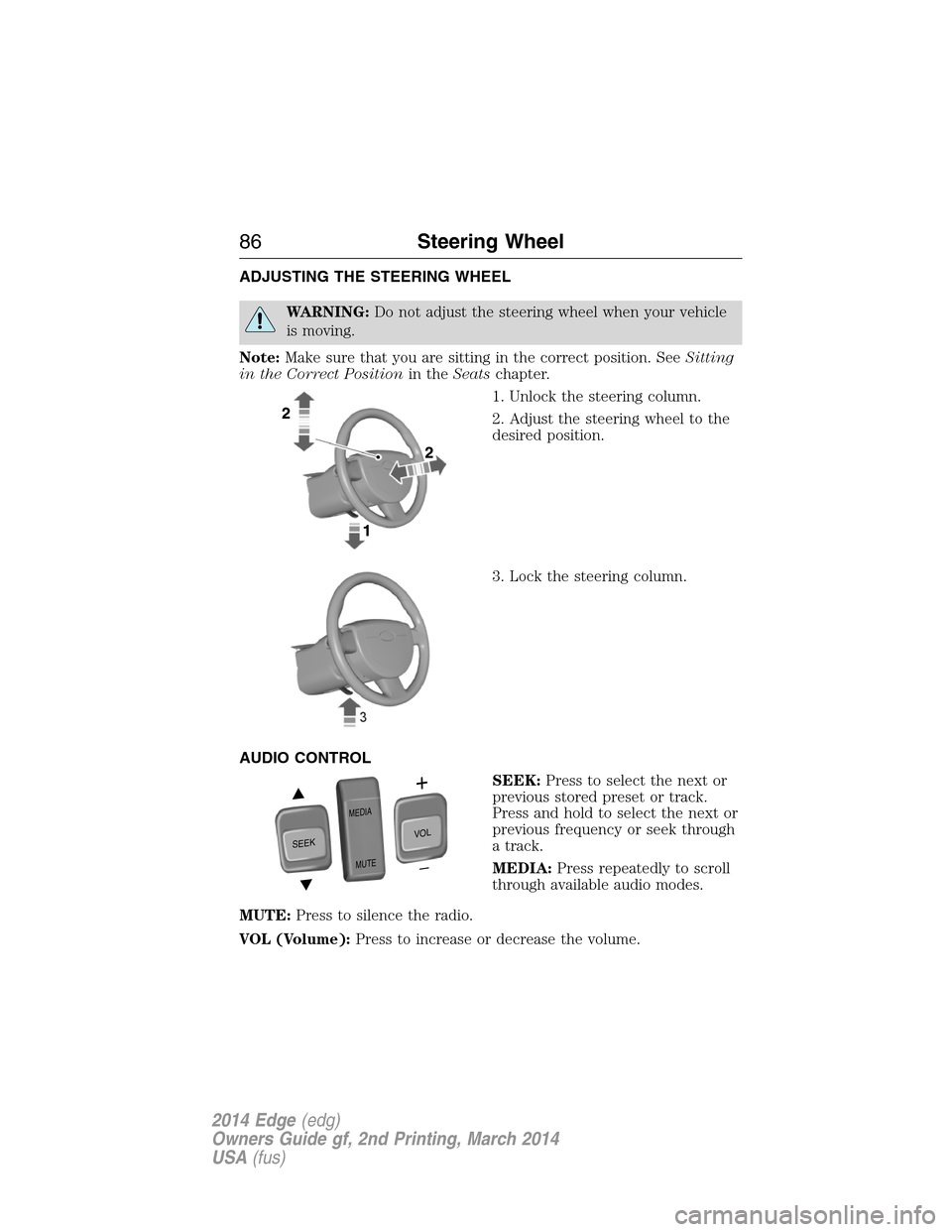
ADJUSTING THE STEERING WHEEL
WARNING:Do not adjust the steering wheel when your vehicle
is moving.
Note:Make sure that you are sitting in the correct position. SeeSitting
in the Correct Positionin theSeatschapter.
1. Unlock the steering column.
2. Adjust the steering wheel to the
desired position.
3. Lock the steering column.
AUDIO CONTROL
SEEK:Press to select the next or
previous stored preset or track.
Press and hold to select the next or
previous frequency or seek through
a track.
MEDIA:Press repeatedly to scroll
through available audio modes.
MUTE:Press to silence the radio.
VOL (Volume):Press to increase or decrease the volume.
SEEK
MEDIA
MUTE
V
O
L
86Steering Wheel
2014 Edge(edg)
Owners Guide gf, 2nd Printing, March 2014
USA(fus)
Page 88 of 540
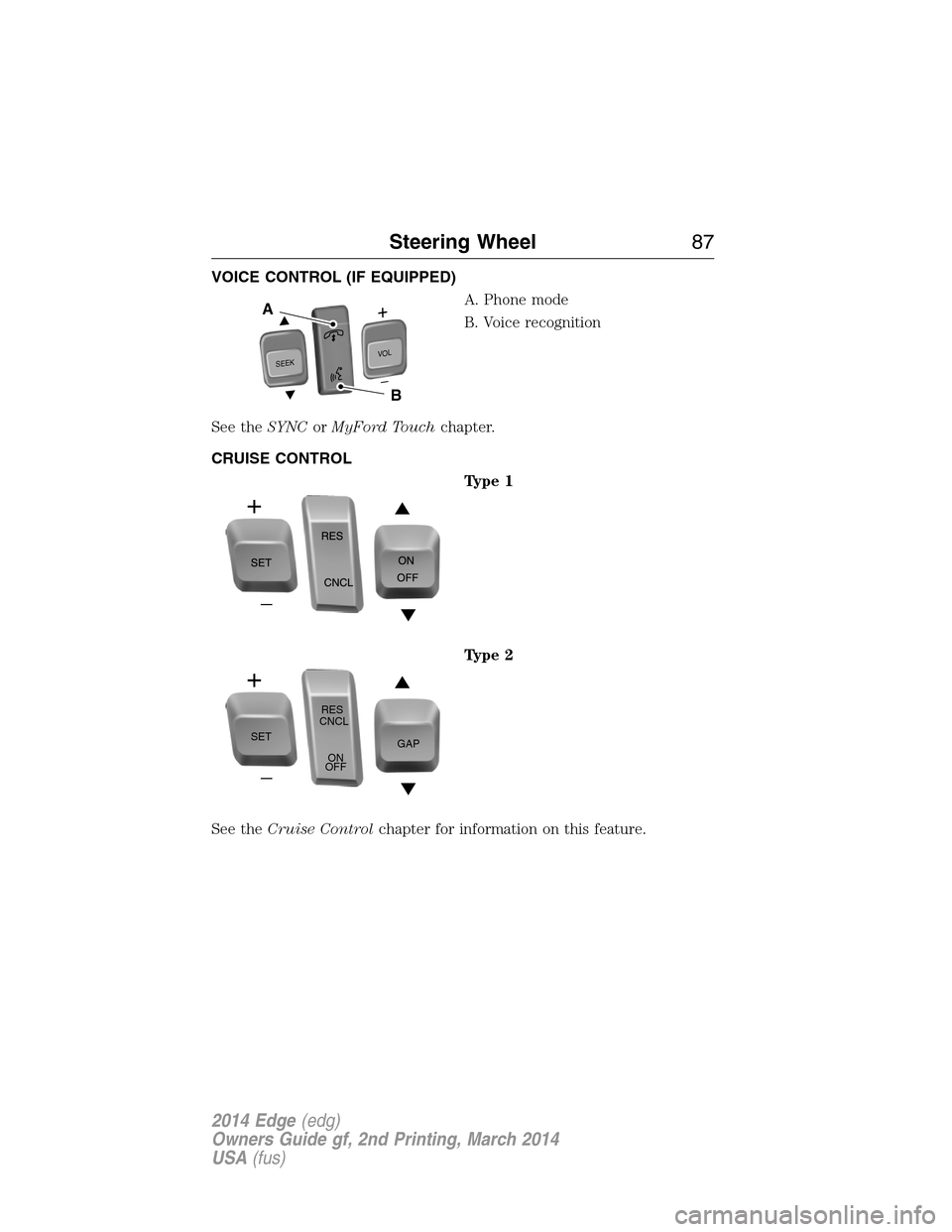
VOICE CONTROL (IF EQUIPPED)
A. Phone mode
B. Voice recognition
See theSYNCorMyFord Touchchapter.
CRUISE CONTROL
Type 1
Type 2
See theCruise Controlchapter for information on this feature.
S
E
E
KVOL
A
B
SETRES
CNCL
ON
OFFGAP
Steering Wheel87
2014 Edge(edg)
Owners Guide gf, 2nd Printing, March 2014
USA(fus)
Page 89 of 540
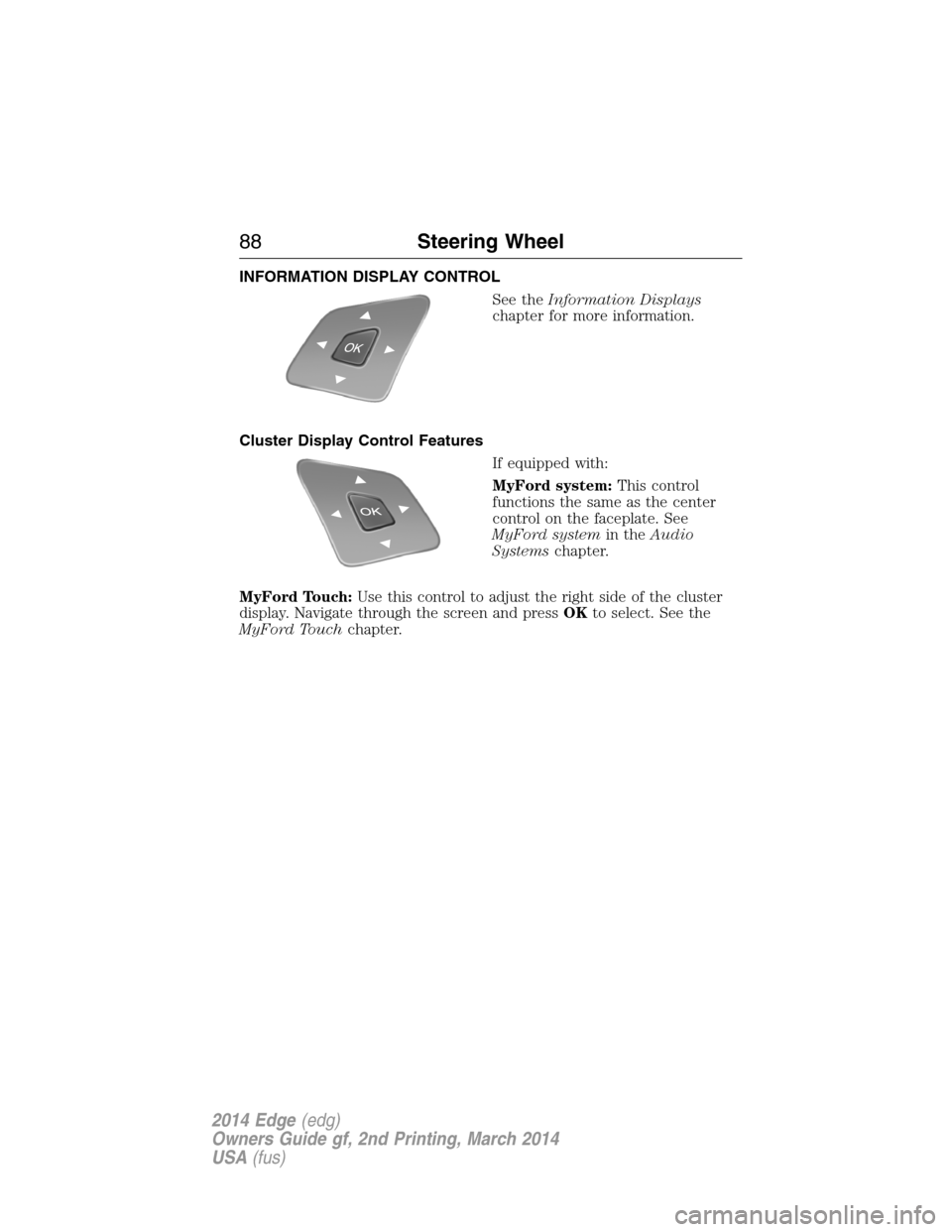
INFORMATION DISPLAY CONTROL
See theInformation Displays
chapter for more information.
Cluster Display Control Features
If equipped with:
MyFord system:This control
functions the same as the center
control on the faceplate. See
MyFord systemin theAudio
Systemschapter.
MyFord Touch:Use this control to adjust the right side of the cluster
display. Navigate through the screen and pressOKto select. See the
MyFord Touchchapter.
88Steering Wheel
2014 Edge(edg)
Owners Guide gf, 2nd Printing, March 2014
USA(fus)
Page 112 of 540
GENERAL INFORMATION
WARNING:Driving while distracted can result in loss of vehicle
control, crash and injury. We strongly recommend that you use
extreme caution when using any device that may take your focus off
the road. Your primary responsibility is the safe operation of your
vehicle. We recommend against the use of any handheld device while
driving and encourage the use of voice-operated systems when possible.
Make sure you are aware of all applicable local laws that may affect the
use of electronic devices while driving..
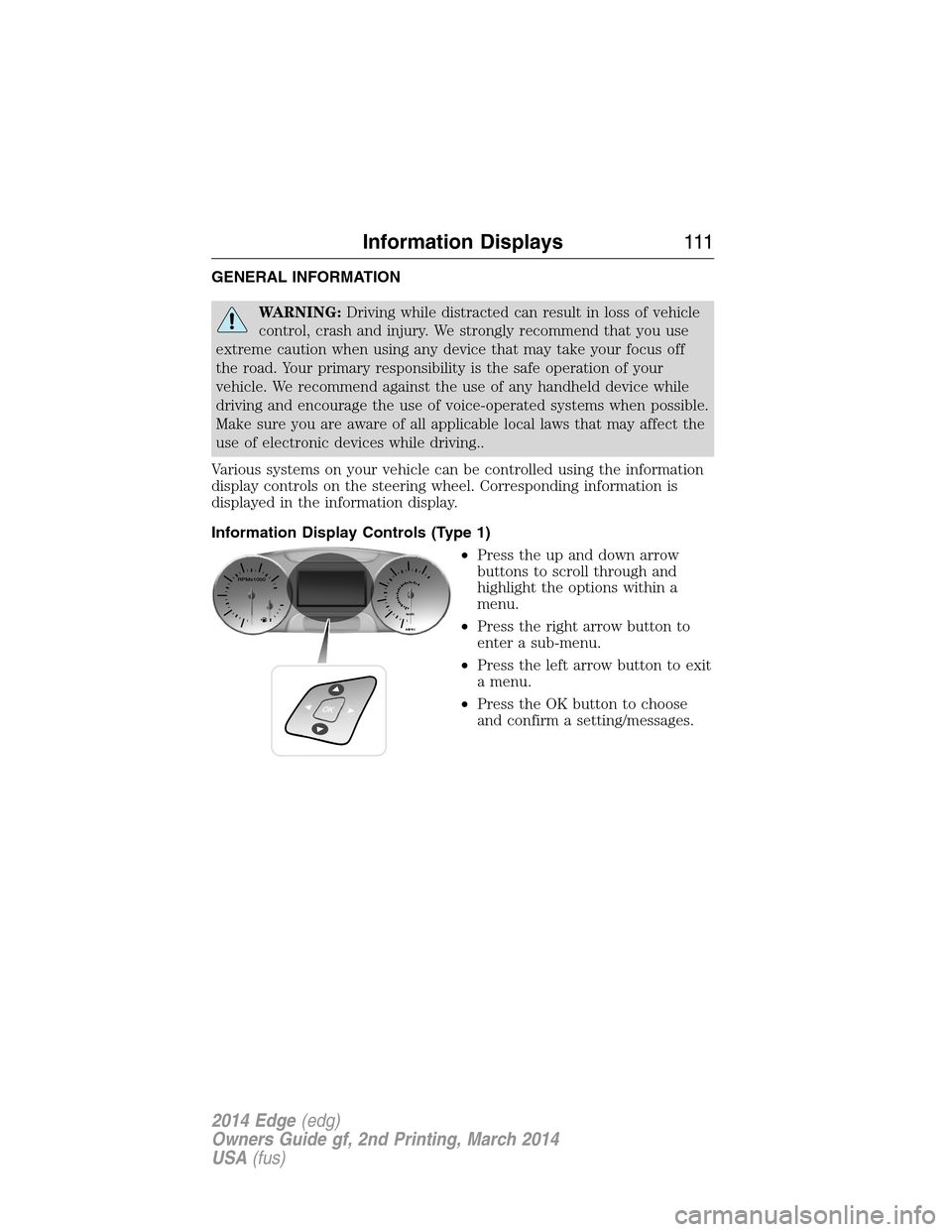
Various systems on your vehicle can be controlled using the information
display controls on the steering wheel. Corresponding information is
displayed in the information display.
Information Display Controls (Type 1)
•Press the up and down arrow
buttons to scroll through and
highlight the options within a
menu.
•Press the right arrow button to
enter a sub-menu.
•Press the left arrow button to exit
a menu.
•Press the OK button to choose
and confirm a setting/messages.
Information Displays111
2014 Edge(edg)
Owners Guide gf, 2nd Printing, March 2014
USA(fus)
Page 113 of 540
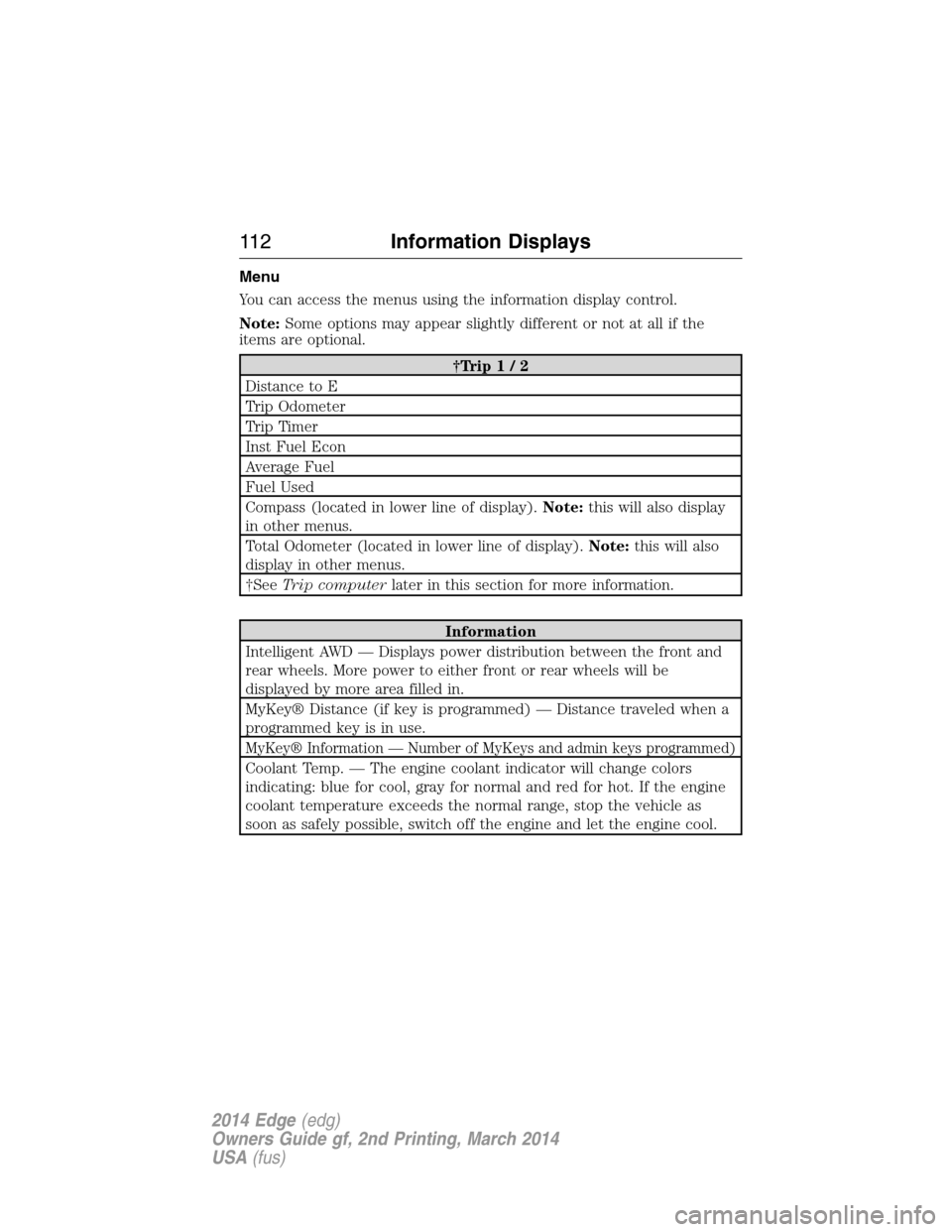
Menu
You can access the menus using the information display control.
Note:Some options may appear slightly different or not at all if the
items are optional.
†Trip1/2
Distance to E
Trip Odometer
Trip Timer
Inst Fuel Econ
Average Fuel
Fuel Used
Compass (located in lower line of display).Note:this will also display
in other menus.
Total Odometer (located in lower line of display).Note:this will also
display in other menus.
†SeeTrip computerlater in this section for more information.
Information
Intelligent AWD — Displays power distribution between the front and
rear wheels. More power to either front or rear wheels will be
displayed by more area filled in.
MyKey® Distance (if key is programmed) — Distance traveled when a
programmed key is in use.
MyKey® Information — Number of MyKeys and admin keys programmed)
Coolant Temp. — The engine coolant indicator will change colors
indicating: blue for cool, gray for normal and red for hot. If the engine
coolant temperature exceeds the normal range, stop the vehicle as
soon as safely possible, switch off the engine and let the engine cool.
11 2Information Displays
2014 Edge(edg)
Owners Guide gf, 2nd Printing, March 2014
USA(fus)
Page 115 of 540
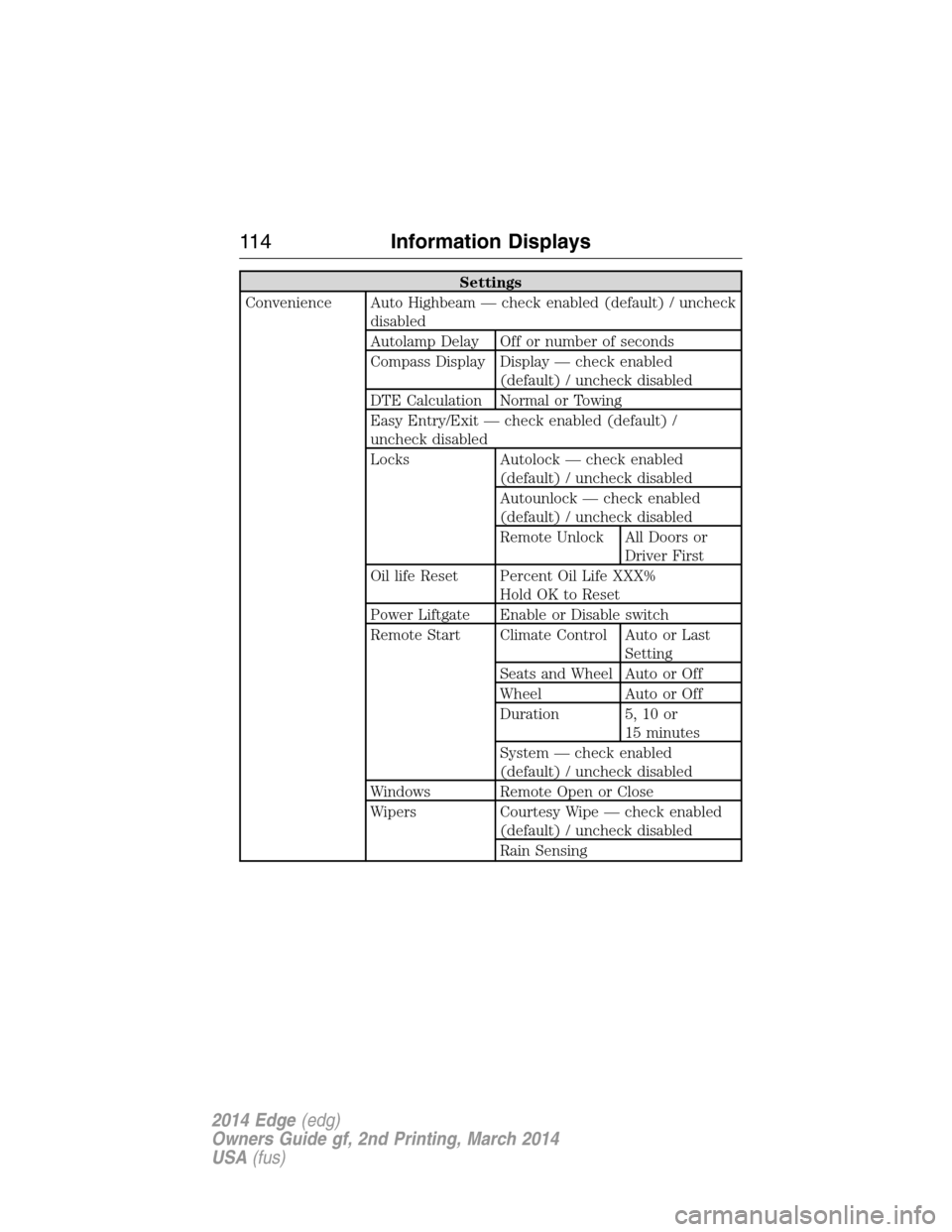
Settings
Convenience Auto Highbeam — check enabled (default) / uncheck
disabled
Autolamp Delay Off or number of seconds
Compass Display Display — check enabled
(default) / uncheck disabled
DTE Calculation Normal or Towing
Easy Entry/Exit — check enabled (default) /
uncheck disabled
Locks Autolock — check enabled
(default) / uncheck disabled
Autounlock — check enabled
(default) / uncheck disabled
Remote Unlock All Doors or
Driver First
Oil life Reset Percent Oil Life XXX%
Hold OK to Reset
Power Liftgate Enable or Disable switch
Remote Start Climate Control Auto or Last
Setting
Seats and Wheel Auto or Off
Wheel Auto or Off
Duration 5, 10 or
15 minutes
System — check enabled
(default) / uncheck disabled
Windows Remote Open or Close
Wipers Courtesy Wipe — check enabled
(default) / uncheck disabled
Rain Sensing
11 4Information Displays
2014 Edge(edg)
Owners Guide gf, 2nd Printing, March 2014
USA(fus)