radio FORD EDGE 2015 2.G Workshop Manual
[x] Cancel search | Manufacturer: FORD, Model Year: 2015, Model line: EDGE, Model: FORD EDGE 2015 2.GPages: 508, PDF Size: 6.2 MB
Page 426 of 508
Bluetooth Audio Voice Commands
If you are listening to a Bluetooth
audio device, press the voice
button on the steering wheel
control. When prompted, say "Next song",
"Pause", "Play" or "Previous song".
If you are not listening to a Bluetooth audio
device, press the voice button and, after
the tone, say "Next song", "Pause", "Play"
or "Previous song".
Line In WARNINGS
Driving while distracted can result in
loss of vehicle control, crash and
injury. We strongly recommend that
you use extreme caution when using any
device that may take your focus off the
road. Your primary responsibility is the safe
operation of your vehicle. We recommend
against the use of any handheld device
while driving and encourage the use of
voice-operated systems when possible.
Make sure you are aware of all applicable
local laws that may affect the use of
electronic devices while driving. For safety reasons, do not connect
or adjust the settings on your
portable music player while your
vehicle is moving. Store the portable music player in a
secure location, such as the center
console or the glove box, when your
vehicle is moving. Hard objects may
become projectiles in a crash or sudden
stop, which may increase the risk of serious
injury. The audio extension cable must be
long enough to allow the portable music
player to be safely stored while your
vehicle is moving. Your auxiliary input jack allows you to play
music from your portable music player over
your vehicle's speakers. The jack is located
in your center console.
Press the lower left corner of the
touchscreen, and then select Line In.
To use the auxiliary input jack feature,
make sure that your portable music player
is designed for use with headphones and
that it is fully charged. You also need an
audio extension cable with stereo male
1/8-inch (3.5 millimeter) connectors at
both ends.
1. Switch off the engine, radio and portable music player. Set the parking
brake and put the transmission in
position
P.
2. Attach one end of the audio extension
cable to the headphone output of your
player and the other end into the
adapter in one of the jacks inside the
center console.
3. Press the lower left corner on the touchscreen. Select either a tuned FM
station or a CD (if there is a CD already
loaded into the system).
4. Adjust the volume as desired.
5. Turn the portable music player on and adjust the volume to ½ the maximum.
6. Press the lower left corner on the touchscreen. Select the
Line In tab.
(You should hear audio from your
portable music player although it may
be low.)
7. Adjust the sound on your portable music player until it reaches the level
of the FM station or CD by switching
back and forth between the controls.
423
Edge/Galaxy/S-MAX (CDQ), enUSA, First Printing MyFord Touch
™
(If Equipped)E142599
Page 427 of 508
Troubleshooting
•
Do not connect the audio input jack to
a line level output. The jack only works
correctly with devices that have a
headphone output with a volume
control.
• Do not set the portable music player's
volume level higher than is necessary
to match the volume of the CD or FM
radio as this causes distortion and
reduces sound quality. •
If the music sounds distorted at lower
listening levels, turn the portable music
player volume down. If the problem
persists, replace or recharge the
batteries in the portable media player.
• Control the portable media player in
the same manner when used with
headphones, as the auxiliary input jack
does not provide control (such as Play
or Pause) over the attached portable
media player.
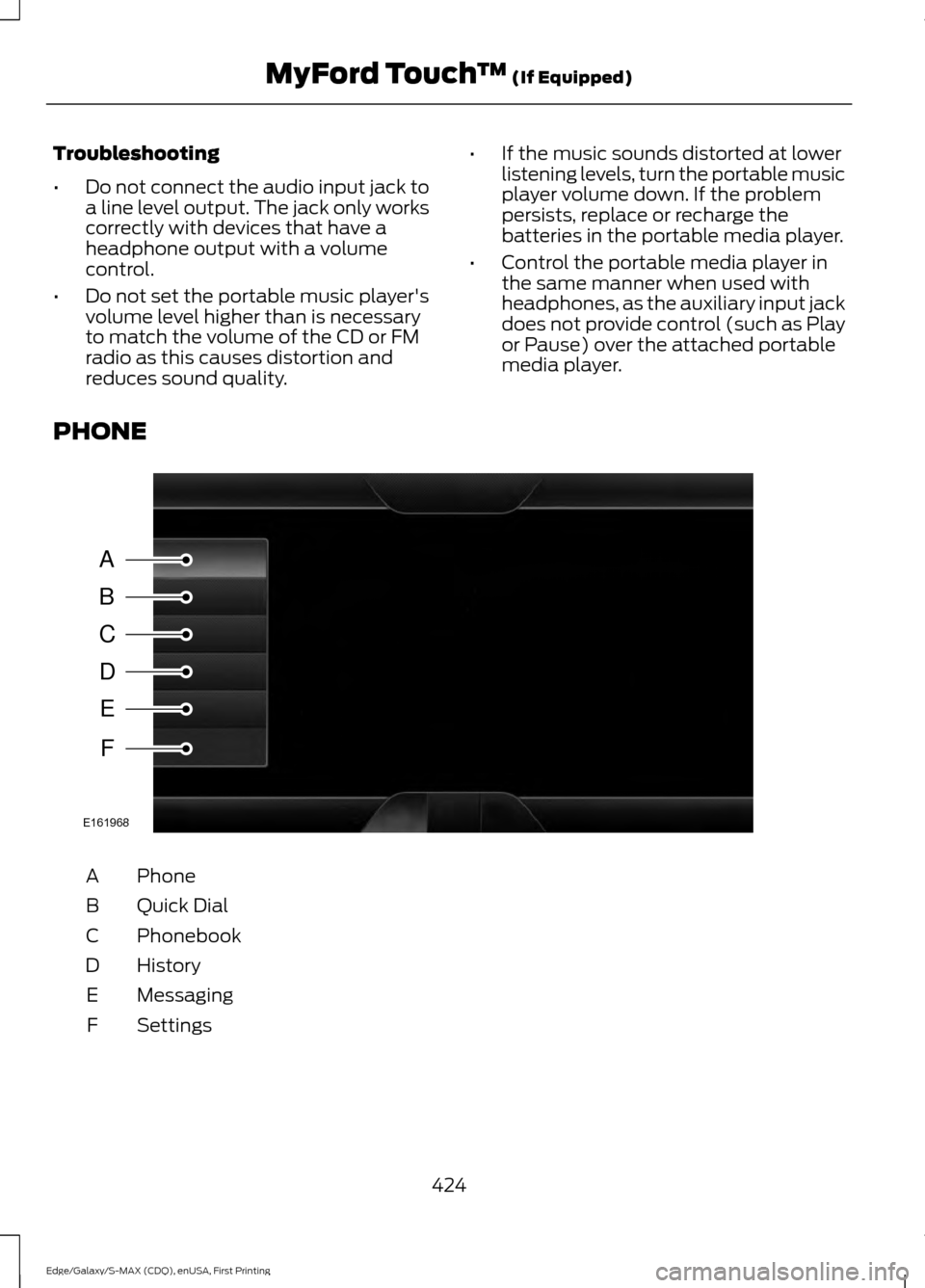
PHONE Phone
A
Quick Dial
B
Phonebook
C
History
D
Messaging
E
Settings
F
424
Edge/Galaxy/S-MAX (CDQ), enUSA, First Printing MyFord Touch
™ (If Equipped)A
B
C
D
E
F
E161968
Page 428 of 508
Hands-free calling is one of the main
features of SYNC. Once you pair your
phone, you can access many options using
the touchscreen or voice commands. While
the system supports a variety of features,
many are dependent on your cellular
phone
’s functionality.
At a minimum, most cellular phones with
Bluetooth wireless technology support the
following functions:
• Answering an incoming call.
• Ending a call.
• Using privacy mode.
• Dialing a number.
• Redialing.
• Call waiting notification.
• Caller ID.
Other features, such as text messaging
using Bluetooth and automatic phonebook
download, are phone-dependent features.
To check your phone ’s compatibility, see
your phone ’s user manual and visit
www.SYNCMyRide.com,
www.SYNCMyRide.ca or
www.syncmaroute.ca.
Pairing Your Phone for the First
Time WARNING
Driving while distracted can result in
loss of vehicle control, crash and
injury. We strongly recommend that
you use extreme caution when using any
device that may take your focus off the
road. Your primary responsibility is the safe
operation of your vehicle. We recommend
against the use of any handheld device
while driving and encourage the use of
voice-operated systems when possible.
Make sure you are aware of all applicable
local laws that may affect the use of
electronic devices while driving. The first thing you must do to use the
phone features of SYNC is to pair your
Bluetooth-enabled cellular phone with
SYNC. This allows you to use your phone
in a hands-free manner.
Note:
Put the transmission in park (P).
Switch on your vehicle ignition and the radio.
1. Touch Add Phone in the upper left
corner of the touchscreen. Find SYNC
appears on the screen, and instructs
you to begin the pairing process from
your device.
2. Make sure that Bluetooth is set to
On
and that your cellular phone is in the
proper mode. See your phone ’s manual
if necessary.
Note: Select
SYNC, and a six-digit PIN
appears on your device.
3. If prompted to enter a PIN on your device, it does not support Secure
Simple Pairing. To pair, enter the PIN
displayed on the touchscreen. Skip the
next step.
4. When prompted on your phone ’s
display, confirm that the PIN provided
by SYNC matches the PIN displayed
on your cellular phone.
5. The display indicates when the pairing
is successful.
SYNC may prompt you with more phone
options. For more information on your
phone's capability, see your phone's
manual and visit the website.
Pairing Subsequent Phones
Note: Put the transmission in park (P).
Switch on your vehicle ignition and the radio.
1. Press the
Phone corner of the
touchscreen > Settings > BT Devices
>
Add Device.
425
Edge/Galaxy/S-MAX (CDQ), enUSA, First Printing MyFord Touch
™
(If Equipped)
Page 455 of 508
For maximum vehicle performance, keep
the following information in mind when
adding accessories or equipment to your
vehicle:
•
When adding accessories, equipment,
passengers and luggage to your
vehicle, do not exceed the total weight
capacity of the vehicle or of the front
or rear axle (GVWR or GAWR as
indicated on the Safety Compliance
Certification label). Ask an authorized
dealer for specific weight information.
• The Federal Communications
Commission (FCC) and Canadian
Radio Telecommunications
Commission (CRTC) regulate the use
of mobile communications systems
that are equipped with radio
transmitters, for example, two-way
radios, telephones and theft alarms.
Any such equipment installed in your
vehicle should comply with Federal
Communications Commission (FCC)
and Canadian Radio
Telecommunications Commission
(CRTC) regulations and should be
installed only by an authorized dealer.
• Mobile communications systems may
harm the operation of your vehicle,
particularly if their manufacturer did
not design them specifically for
automotive use.
• If you or an authorized Ford dealer add
any non-Ford electrical or electronic
accessories or components to your
vehicle, you may adversely affect
battery performance and durability. In
addition, you may also adversely affect
the performance of other electrical
systems in the vehicle.
452
Edge/Galaxy/S-MAX (CDQ), enUSA, First Printing Accessories
Page 495 of 508
Vehicle with SYNC only
United States and Mexico
FCC ID: KMHSG1G1
IC: 1422A-SG1G1
Mexico
Model: KMHSG1P1
NOM-121-SCT1-2009
The operation of this equipment is subject
to the following two conditions: (1) This
equipment or device may not cause
harmful interference, and (2) this
equipment or device must accept any
interference, including interference that
may cause undesired operation.
Vehicle with SYNC with
Touchscreen/My Touch
FCC ID: KMHSYNCG2
IC: 1422A-SYNCG2
This device complies with Part 15 of the
FCC Rules and with RSS-210 of Industry
Canada. Operation is subject to the
following two conditions: (1) This device
may not cause harmful interference, and
(2) this device must accept any
interference received, including
interference that may cause undesired
operation.
WARNING
Changes or modifications not
expressively approved by the party
responsible for compliance could
void the user's authority to operate the
equipment. The term "IC" before the radio
certification number only signifies that
Industry Canada technical specifications
were met. The antenna used for this transmitter must
not be co-located or operating in
conjunction with any other antenna or
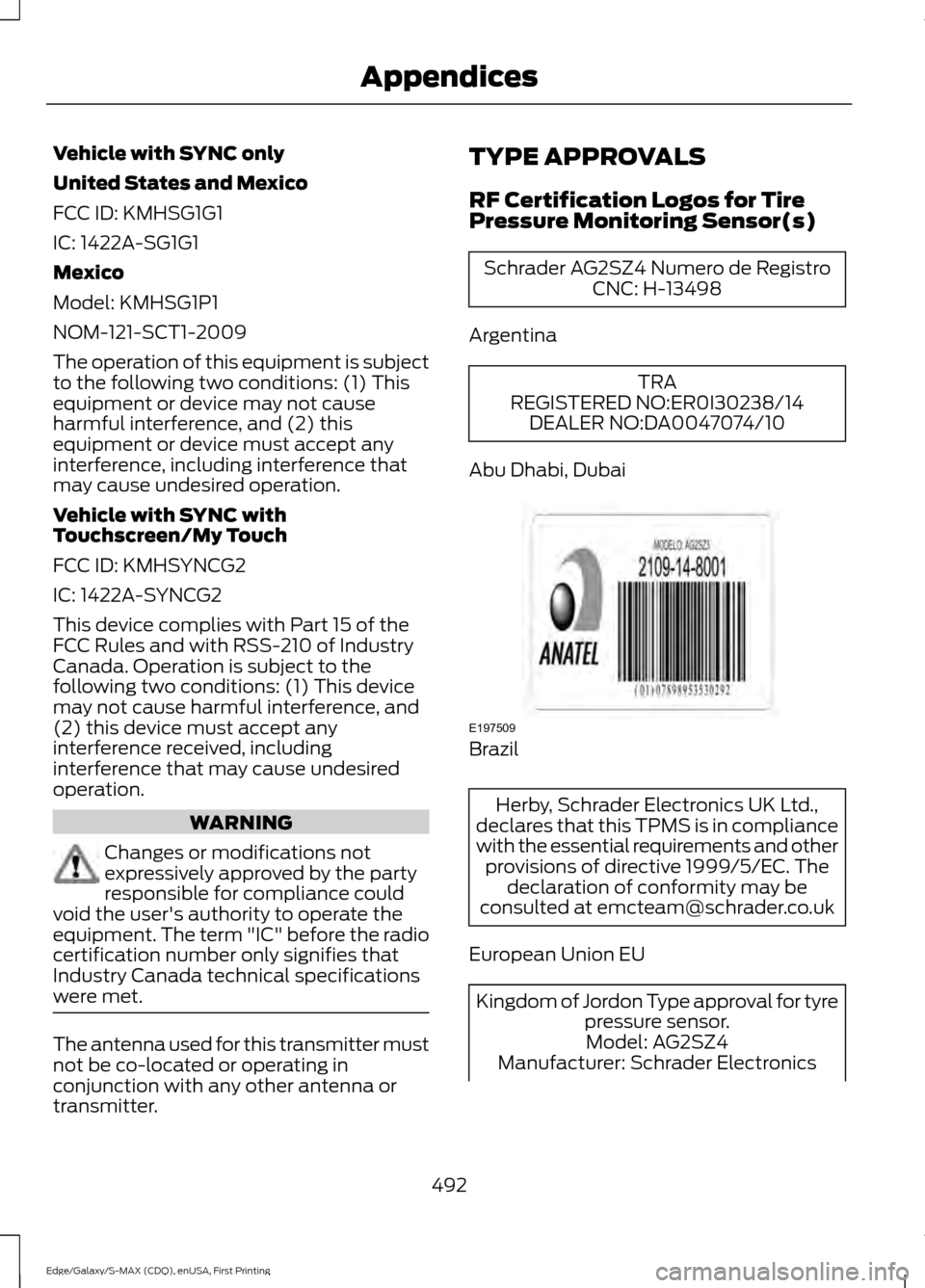
transmitter. TYPE APPROVALS
RF Certification Logos for Tire
Pressure Monitoring Sensor(s) Schrader AG2SZ4 Numero de Registro
CNC: H-13498
Argentina TRA
REGISTERED NO:ER0I30238/14 DEALER NO:DA0047074/10
Abu Dhabi, Dubai Brazil
Herby, Schrader Electronics UK Ltd.,
declares that this TPMS is in compliance
with the essential requirements and other provisions of directive 1999/5/EC. The declaration of conformity may be
consulted at [email protected]
European Union EU Kingdom of Jordon Type approval for tyre
pressure sensor.Model: AG2SZ4
Manufacturer: Schrader Electronics
492
Edge/Galaxy/S-MAX (CDQ), enUSA, First Printing AppendicesE197509
Page 500 of 508
Creating a MyKey............................................55
Programming/Changing Configurable
Settings............................................................... 55
Cruise Control
..................................................76
Principle of Operation...................................... 196
Type 1........................................................................\
. 76
Type 2........................................................................\
77
Cruise control See: Using Cruise Control................................ 196
Customer Assistance.................................242
D
Data Recording
..................................................9
Event Data Recording........................................... 9
Service Data Recording........................................ 9
Daytime Running Lamps
.............................83
Type 1 - Conventional
(Non-Configurable)....................................... 83
Type 2 - Configurable......................................... 83
Digital Radio
...................................................347
HD Radio Reception and Station
Troubleshooting............................................ 348
Direction Indicators
.......................................85
Drive Control...................................................215
Adaptive Steering............................................... 216
Driver Select Suspension................................. 215
Driver Alert.....................................................203 PRINCIPLE OF OPERATION.......................... 203
USING DRIVER ALERT.................................... 203
Driver and Passenger Airbags...................39 Children and Airbags.......................................... 39
Proper Driver and Front Passenger Seating Adjustment........................................................ 39
Driver and Passenger Knee Airbags........43
Driving Aids
....................................................203
Driving Hints...................................................234
Driving Through Water...............................234
DRL See: Daytime Running Lamps......................... 83
E
Economical Driving.....................................234 Electric Parking Brake
..................................176
Applying the Electric Parking brake.............176
Battery With No Charge................................... 178
Parking On a Hill (Vehicles With a Manual Transmission) ................................................. 176
Releasing the Electric Parking Brake............177
Emission Control System..........................163 On-Board Diagnostics (OBD-II)................... 164
Readiness for Inspection/Maintenance (I/M) Testing................................................... 164
End User License Agreement...................471 SYNC End User License Agreement
(EULA)............................................................... 471
Engine Block Heater....................................154 Using the Engine Block Heater...................... 155
Engine Coolant Check
...............................263
Adding Engine Coolant.................................... 264
Checking the Engine Coolant....................... 264
Recycled Engine Coolant................................ 265
Severe Climates................................................. 265
What You Should Know About Fail-Safe Cooling.............................................................. 265
Engine Immobilizer See: Passive Anti-Theft System...................... 71
Engine Oil Check..........................................262 Adding Engine Oil.............................................. 262
Engine Oil Dipstick - 2.0L EcoBoost™.................................................262
Engine Oil Dipstick - 2.7L EcoBoost™/ 3.5L
.................................................................262
Engine Specifications - 2.0L EcoBoost™..................................................321
Drivebelt Routing................................................ 321
Engine Specifications - 2.7L EcoBoost™..................................................321
Drivebelt Routing............................................... 322
Engine Specifications - 3.5L....................322 Drivebelt Routing............................................... 322
497
Edge/Galaxy/S-MAX (CDQ), enUSA, First Printing Index
Page 501 of 508
Entertainment..............................................407
AM/FM Radio..................................................... 409
Bluetooth Audio................................................. 422
Browsing Device Content............................... 407
CD........................................................................\
..... 418
Line In..................................................................... 423
SD Card Slot and USB Port............................ 419
SIRIUS® Satellite Radio (If Activated)......................................................... 414
Supported Media Players, Formats and Metadata Information................................. 422
Environment......................................................14
EPB See: Electric Parking Brake.............................. 176
Essential Towing Checks..........................229
Before Towing a Trailer.................................... 230
Hitches................................................................... 229
Launching or Retrieving a Boat or Personal Watercraft (PWC)........................................ 230
Safety Chains...................................................... 229
Trailer Brakes....................................................... 229
Trailer Lamps....................................................... 229
When Towing a Trailer..................................... 230
Event Data Recording See: Data Recording.............................................. 9
Export Unique Options..................................13
Extended Service Plan (ESP).................453 SERVICE PLANS (CANADA ONLY)............454
SERVICE PLANS (U.S. Only)......................... 453
Exterior Mirrors
................................................89
Auto-dimming Feature...................................... 89
Blind Spot Information System...................... 90
Direction Indicator Mirrors ............................... 89
Fold-Away Exterior Mirrors............................... 89
Heated Exterior Mirrors ..................................... 89
Integrated Blind Spot Mirror............................ 90
Memory Mirrors .................................................... 89
Power Exterior Mirrors........................................ 89
Puddle Lamps....................................................... 89
F
Fastening the Safety Belts
.........................30
Rear Inflatable Safety Belt................................ 32
Safety Belt Extension Assembly..................... 33
Safety Belt Locking Modes................................ 31
Using Safety Belts During Pregnancy............31
Using the Sliding Clip......................................... 30Flat Tire Inflation
See: Temporary Mobility Kit.......................... 288
Floor Mats
.......................................................235
Ford Credit..........................................................11
(U.S. Only)................................................................. 11
Front Parking Aid
..........................................184
Obstacle Distance Indicator........................... 184
Front Passenger Sensing System............40
Front View Camera
......................................214
Using the Front View Camera........................ 215
Fuel and Refueling.......................................158
Fuel Consumption
........................................162
Calculating Fuel Economy.............................. 163
Filling the Tank..................................................... 162
Fuel Filler Funnel Location........................159
Fuel Filter
........................................................269
Fuel Quality....................................................159
Choosing the Right Fuel................................... 159
Fuel Shutoff
...................................................238
Fuses................................................................248
Fuse Specification Chart..........................248
Passenger Compartment Fuse
Panel.................................................................. 254
Power Distribution Box.................................... 248
G
Garage Door Opener See: Universal Garage Door Opener............143
Gauges...............................................................93 Engine Coolant Temperature Gauge............94
Fuel Gauge............................................................. 94
Information Display............................................. 93
Left Information Display.................................... 95
Type 1........................................................................\
93
Type 2....................................................................... 95
General Information on Radio Frequencies...................................................47
Intelligent Access.................................................. 47
General Maintenance Information.......455 Multi-Point Inspection..................................... 457
Owner Checks and Services......................... 456
Protecting Your Investment........................... 455
Why Maintain Your Vehicle?......................... 455
Why Maintain Your Vehicle at Your Dealership?..................................................... 455
Getting Assistance Outside the U.S. and Canada.........................................................245
498
Edge/Galaxy/S-MAX (CDQ), enUSA, First Printing Index
Page 505 of 508
Refueling.........................................................160
Easy Fuel ™ Capless Fuel System.................161
Remote Control...............................................47 Car Finder................................................................. 51
Integrated Keyhead Transmitters .................. 47
Intelligent Access Key........................................ 48
Remote Start ......................................................... 51
Replacing the Battery......................................... 49
Sounding a Panic Alarm..................................... 51
Using the Key Blade............................................ 48
Remote Start...................................................131
Automatic Settings............................................ 132
Removing a Headlamp..............................274
Repairing Minor Paint Damage..............283
Replacement Parts Recommendation.........................................11
Collision Repairs..................................................... 11
Scheduled Maintenance and Mechanical Repairs................................................................... 11
Warranty on Replacement Parts..................... 12
Replacing a Lost Key or Remote Control.............................................................53
Reporting Safety Defects (Canada Only)..............................................................247
Reporting Safety Defects (U.S. Only)..............................................................246
Roadside Assistance...................................237 Vehicles Sold in Canada: Getting Roadside
Assistance........................................................ 237
Vehicles Sold in Canada: Using Roadside Assistance........................................................ 237
Vehicles Sold in the United States: Getting Roadside Assistance.................................... 237
Vehicles Sold in the United States: Using Roadside Assistance.................................... 237
Roadside Emergencies
..............................237
Roof Racks and Load Carriers..................217
Running-In See: Breaking-In................................................. 234
Running Out of Fuel....................................159 Adding Fuel From a Portable Fuel
Container.......................................................... 160
Filling a Portable Fuel Container.................. 160
S
Safety Belt Height Adjustment
.................34 Safety Belt Minder
.........................................35
Belt-Minder™........................................................ 35
Safety Belts
......................................................29
Principle of Operation........................................ 29
Safety Belt Warning Lamp and Indicator Chime..............................................................34
Conditions of operation..................................... 34
Safety Canopy ™
............................................44
Safety Precautions......................................158
Satellite Radio..............................................349 Satellite Radio Electronic Serial Number
(ESN)................................................................ 350
Satellite Radio Reception Factors..............350
SIRIUS® Satellite Radio Service.................350
Troubleshooting.................................................. 351
Scheduled Maintenance Record
...........463
Scheduled Maintenance...........................455
Seats..................................................................133
Security
................................................................71
Settings............................................................397 Clock....................................................................... 397
Display................................................................... 398
Settings................................................................ 400
Sound.................................................................... 398
Vehicle................................................................... 399
Side Airbags.....................................................42
Side Sensing System..................................185 Obstacle Distance Indicator.......................... 186
Sitting in the Correct Position..................133
Snow Chains See: Using Snow Chains................................... 311
Special Notices................................................12 New Vehicle Limited Warranty......................... 12
On-board Diagnostics (OBD-II)....................... 12
Special Instructions.............................................. 12
Special Operating Conditions Scheduled Maintenance...............................................461
Exceptions............................................................ 463
Speed Control See: Cruise Control............................................ 196
Stability Control
.............................................181
Principle of Operation........................................ 181
Starter Switch See: Ignition Switch........................................... 150
502
Edge/Galaxy/S-MAX (CDQ), enUSA, First Printing Index