door lock FORD EDGE 2021 User Guide
[x] Cancel search | Manufacturer: FORD, Model Year: 2021, Model line: EDGE, Model: FORD EDGE 2021Pages: 500, PDF Size: 8.52 MB
Page 78 of 500
KEYLESS ENTRY LIMITATIONS
Make sure your remote control is within 3 ft
(1 m) from the front door handles and the
tailgate.
The system could not function if:
• The remote control remains stationary
for about a minute.
• The vehicle battery has no charge.
• The remote control battery has no
charge.
• There is interference causing issues
with the remote control frequencies.
• The remote control is too close to
metal objects or electronic devices, for
example keys or a cell phone.
KEYLESS ENTRY SETTINGS
Switching Keyless Entry On and
Off
1. Switch the ignition on using an original
key that has not been created as a
MyKey.
2. Press
Settings on the touchscreen.
3. Press
Vehicle Settings.
4. Press
Locks.
Reprogramming the Unlocking
Function
You can enable two-stage unlocking
function allowing you to unlock only the
driver door when you touch the unlock
sensor.
Press and hold both the lock and unlock
buttons on the remote control for four
seconds to disable or enable two-stage
unlocking. If you program the unlocking function so
that only the driver door unlocks, you can
unlock all of the other doors from inside
your vehicle using the power door lock
control. You can unlock individual doors
by pulling the interior door handles on
those doors.
USING KEYLESS ENTRY
Unlocking the Doors
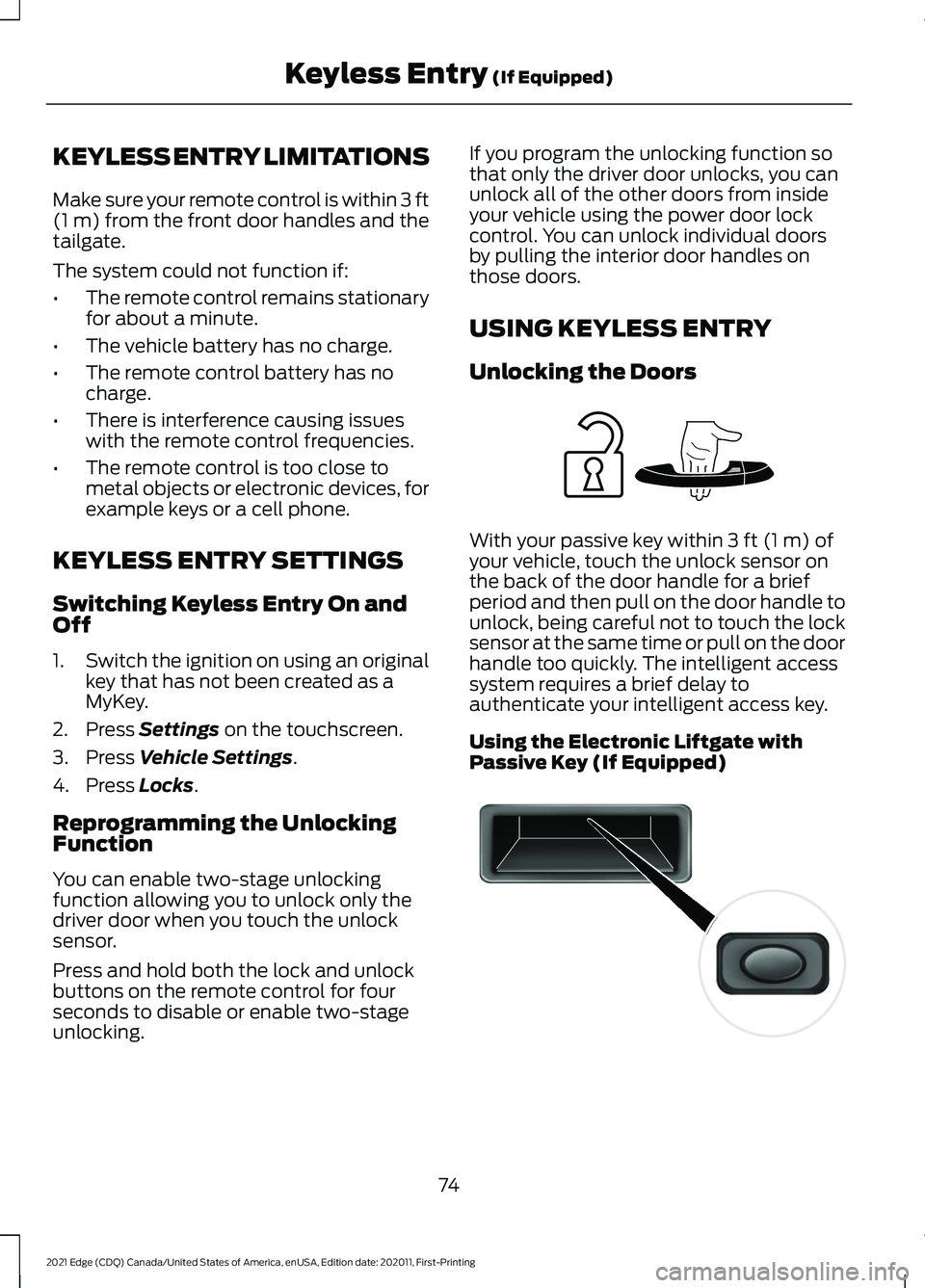
With your passive key within
3 ft (1 m) of
your vehicle, touch the unlock sensor on
the back of the door handle for a brief
period and then pull on the door handle to
unlock, being careful not to touch the lock
sensor at the same time or pull on the door
handle too quickly. The intelligent access
system requires a brief delay to
authenticate your intelligent access key.
Using the Electronic Liftgate with
Passive Key (If Equipped) 74
2021 Edge (CDQ) Canada/United States of America, enUSA, Edition date: 202011, First-Printing Keyless Entry
(If Equipped)E248553 E138632
Page 79 of 500
With your passive key within 3 ft (1 m) of
your vehicle, press the exterior liftgate
release button inside of the liftgate handle.
The liftgate unlocks and opens. See
Opening the Liftgate From Outside
Your Vehicle
(page 80).
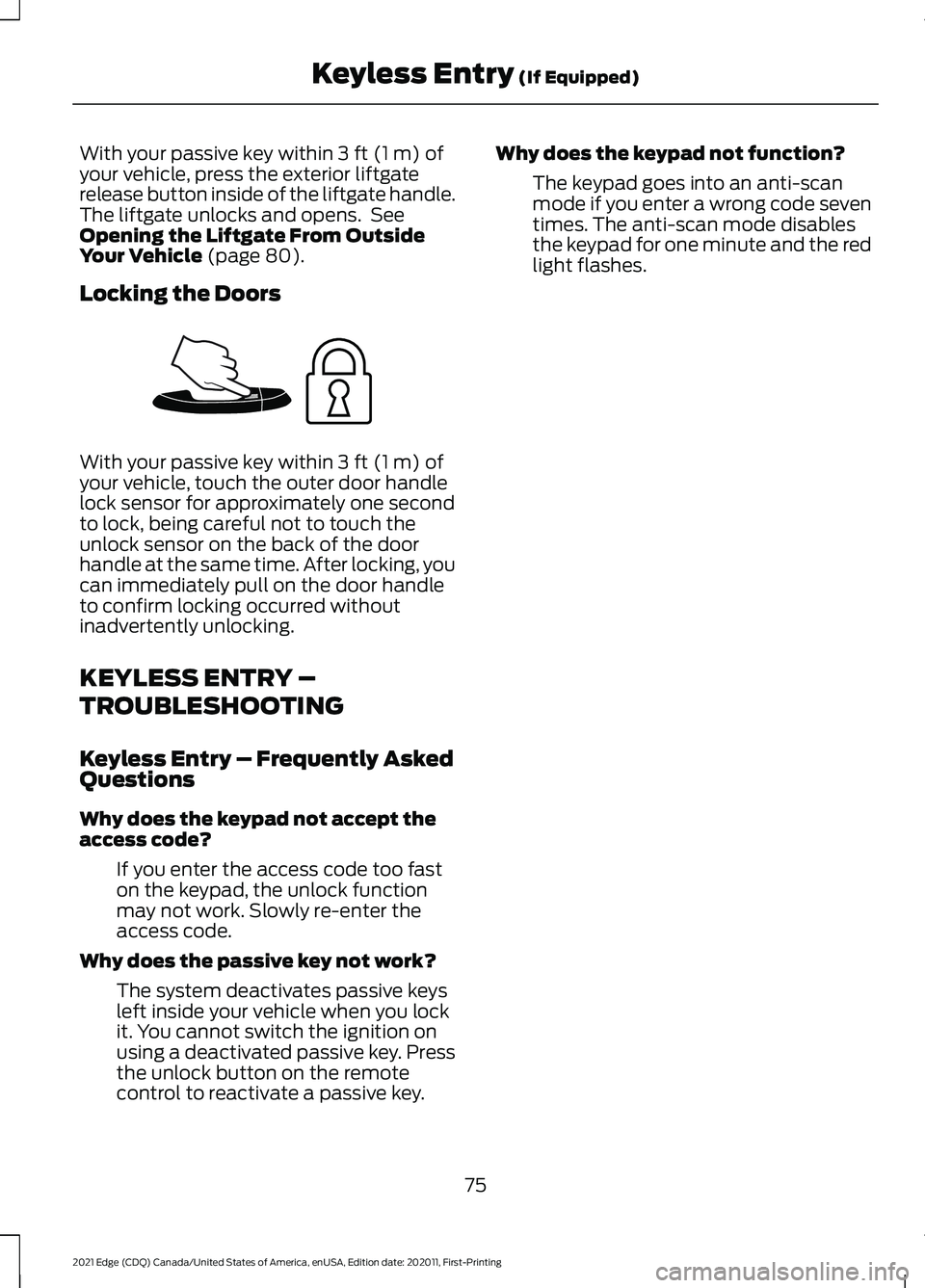
Locking the Doors With your passive key within
3 ft (1 m) of
your vehicle, touch the outer door handle
lock sensor for approximately one second
to lock, being careful not to touch the
unlock sensor on the back of the door
handle at the same time. After locking, you
can immediately pull on the door handle
to confirm locking occurred without
inadvertently unlocking.
KEYLESS ENTRY –
TROUBLESHOOTING
Keyless Entry – Frequently Asked
Questions
Why does the keypad not accept the
access code?
If you enter the access code too fast
on the keypad, the unlock function
may not work. Slowly re-enter the
access code.
Why does the passive key not work? The system deactivates passive keys
left inside your vehicle when you lock
it. You cannot switch the ignition on
using a deactivated passive key. Press
the unlock button on the remote
control to reactivate a passive key. Why does the keypad not function?
The keypad goes into an anti-scan
mode if you enter a wrong code seven
times. The anti-scan mode disables
the keypad for one minute and the red
light flashes.
75
2021 Edge (CDQ) Canada/United States of America, enUSA, Edition date: 202011, First-Printing Keyless Entry
(If Equipped)E248554
Page 80 of 500
WHAT IS THE KEYLESS ENTRY
KEYPAD
The keyless entry keypad allows you to
lock and unlock your vehicle using the
keypad on the window trim.
KEYLESS ENTRY KEYPAD
LIMITATIONS
The system may not function if:
•
The vehicle battery has no charge.
LOCATING THE KEYLESS
ENTRY KEYPAD
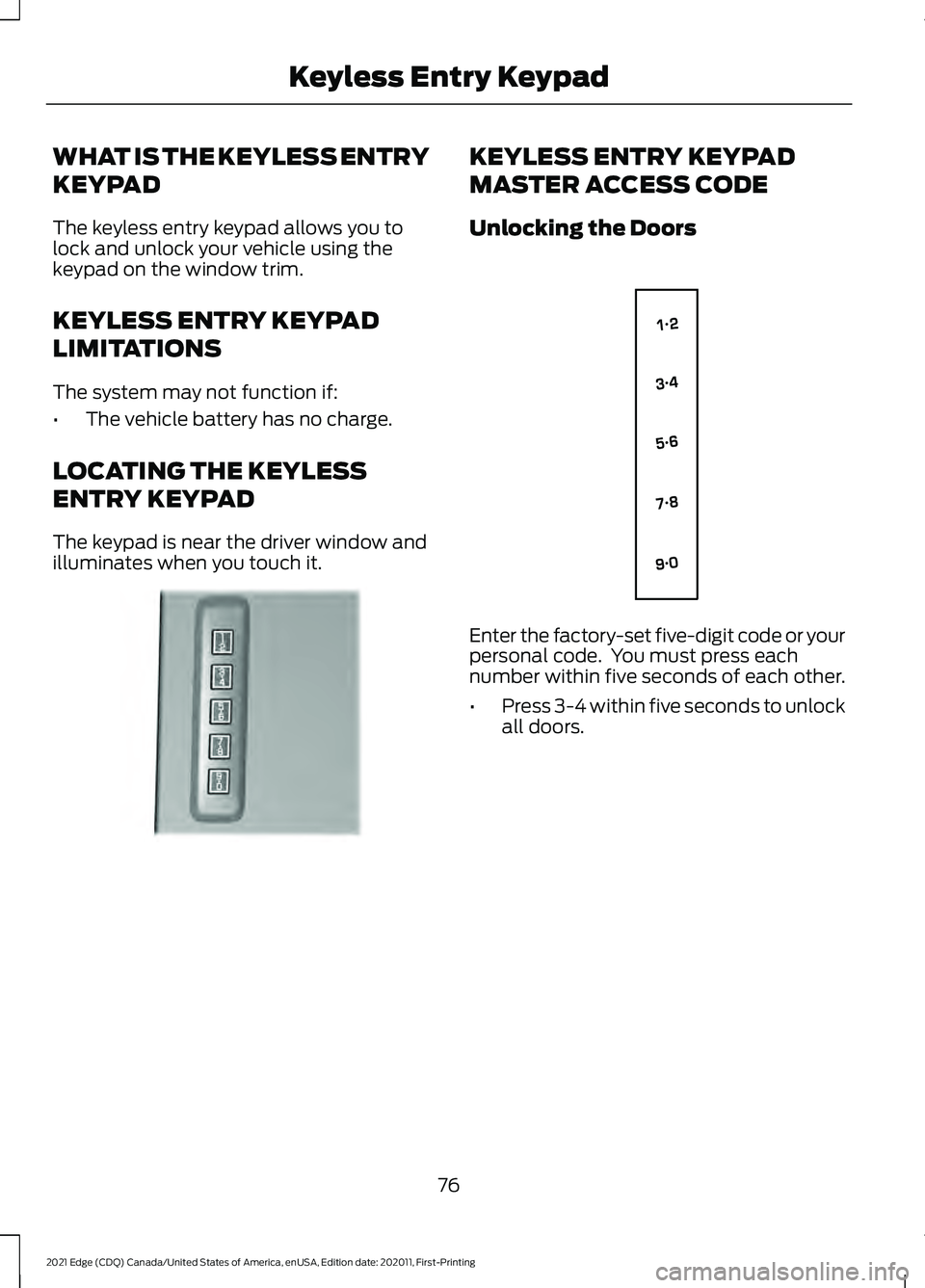
The keypad is near the driver window and
illuminates when you touch it. KEYLESS ENTRY KEYPAD
MASTER ACCESS CODE
Unlocking the Doors
Enter the factory-set five-digit code or your
personal code. You must press each
number within five seconds of each other.
•
Press 3-4 within five seconds to unlock
all doors.
76
2021 Edge (CDQ) Canada/United States of America, enUSA, Edition date: 202011, First-Printing Keyless Entry KeypadE190936 E138637
Page 81 of 500
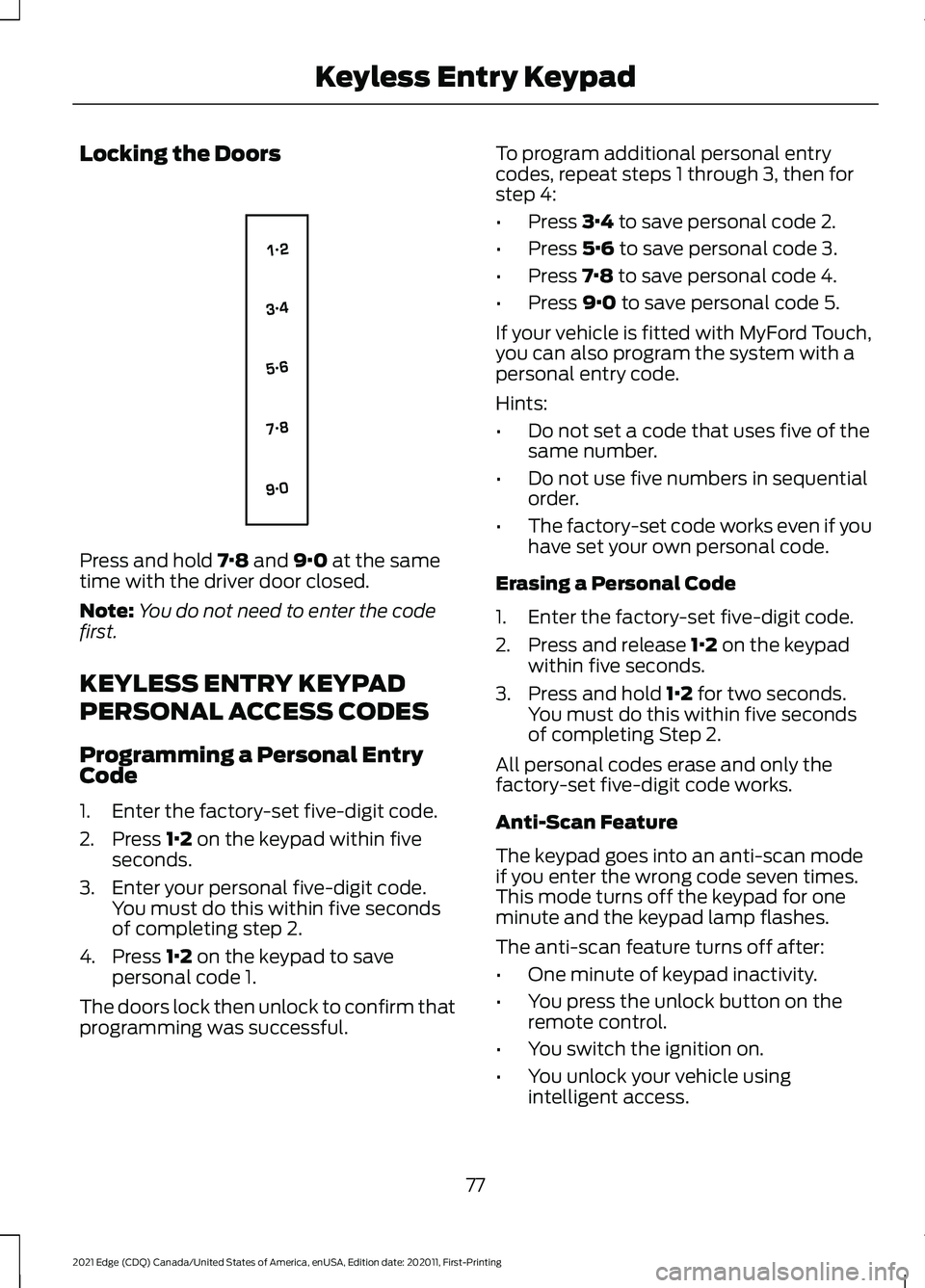
Locking the Doors
Press and hold 7·8 and 9·0 at the same
time with the driver door closed.
Note: You do not need to enter the code
first.
KEYLESS ENTRY KEYPAD
PERSONAL ACCESS CODES
Programming a Personal Entry
Code
1. Enter the factory-set five-digit code.
2. Press
1·2 on the keypad within five
seconds.
3. Enter your personal five-digit code. You must do this within five seconds
of completing step 2.
4. Press
1·2 on the keypad to save
personal code 1.
The doors lock then unlock to confirm that
programming was successful. To program additional personal entry
codes, repeat steps 1 through 3, then for
step 4:
•
Press
3·4 to save personal code 2.
• Press
5·6 to save personal code 3.
• Press
7·8 to save personal code 4.
• Press
9·0 to save personal code 5.
If your vehicle is fitted with MyFord Touch,
you can also program the system with a
personal entry code.
Hints:
• Do not set a code that uses five of the
same number.
• Do not use five numbers in sequential
order.
• The factory-set code works even if you
have set your own personal code.
Erasing a Personal Code
1. Enter the factory-set five-digit code.
2. Press and release
1·2 on the keypad
within five seconds.
3. Press and hold
1·2 for two seconds.
You must do this within five seconds
of completing Step 2.
All personal codes erase and only the
factory-set five-digit code works.
Anti-Scan Feature
The keypad goes into an anti-scan mode
if you enter the wrong code seven times.
This mode turns off the keypad for one
minute and the keypad lamp flashes.
The anti-scan feature turns off after:
• One minute of keypad inactivity.
• You press the unlock button on the
remote control.
• You switch the ignition on.
• You unlock your vehicle using
intelligent access.
77
2021 Edge (CDQ) Canada/United States of America, enUSA, Edition date: 202011, First-Printing Keyless Entry KeypadE138637
Page 82 of 500
USING THE KEYLESS ENTRY
KEYPAD
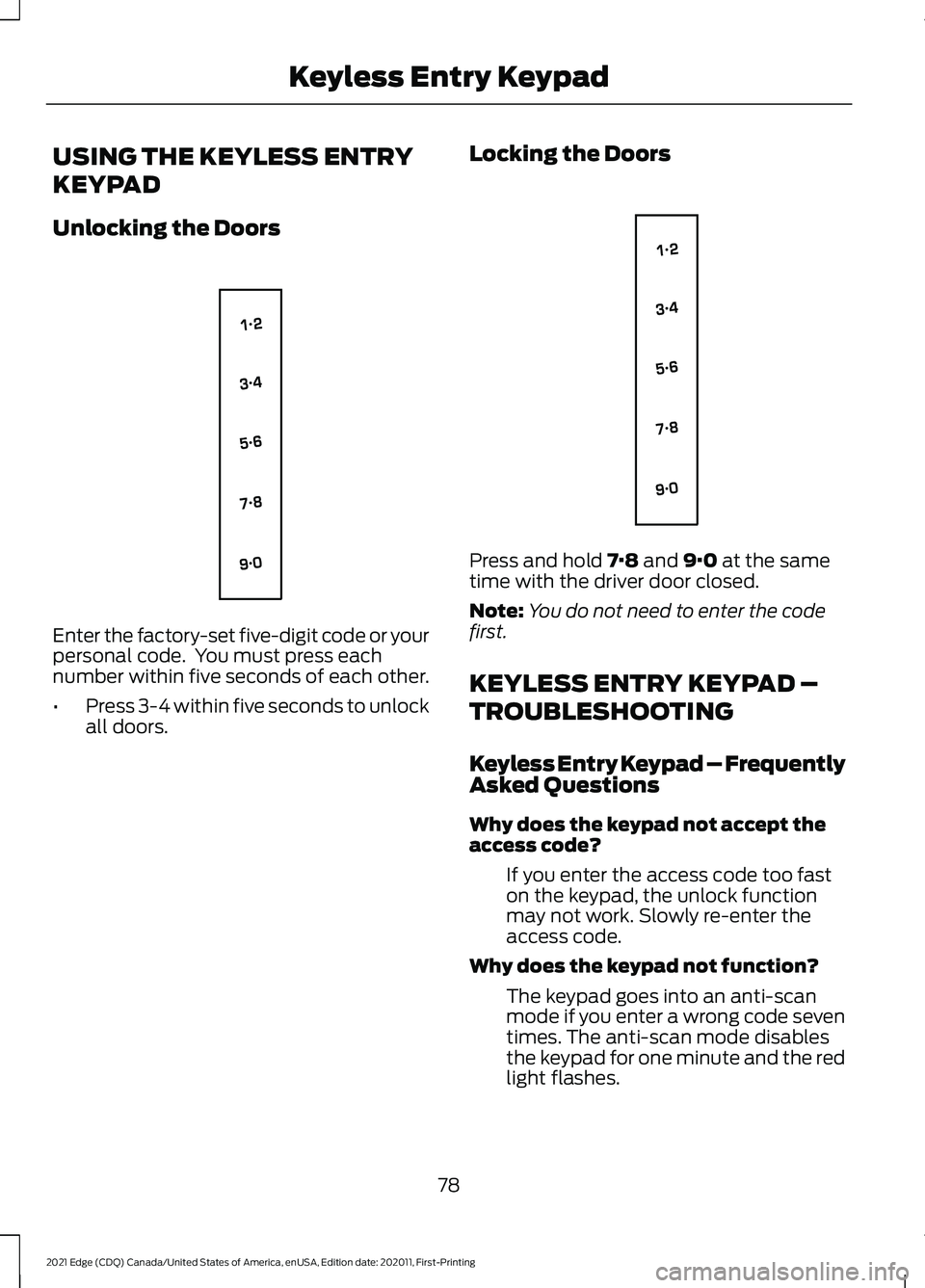
Unlocking the Doors
Enter the factory-set five-digit code or your
personal code. You must press each
number within five seconds of each other.
•
Press 3-4 within five seconds to unlock
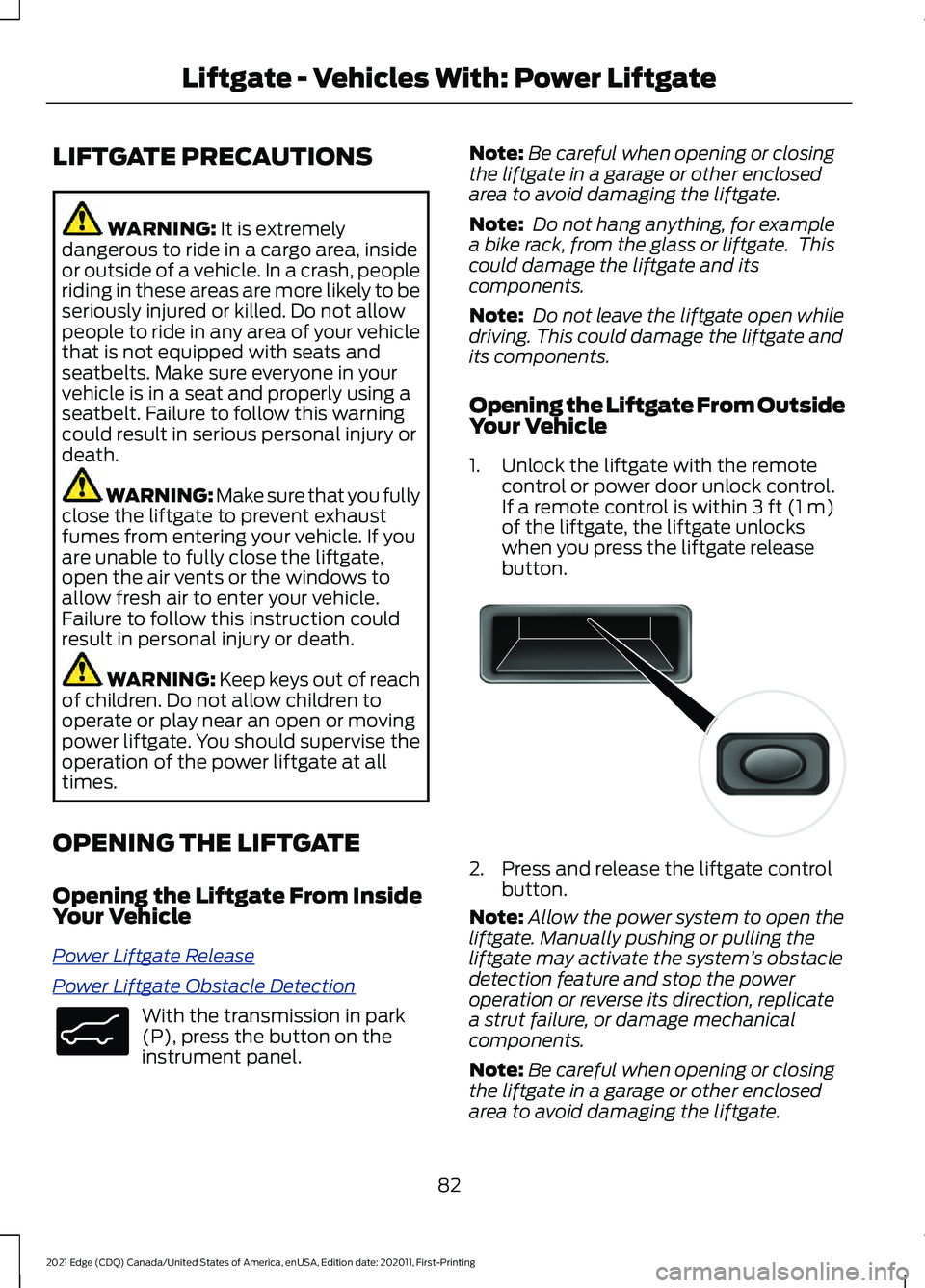
all doors. Locking the Doors Press and hold 7·8 and 9·0 at the same
time with the driver door closed.
Note: You do not need to enter the code
first.
KEYLESS ENTRY KEYPAD –
TROUBLESHOOTING
Keyless Entry Keypad – Frequently
Asked Questions
Why does the keypad not accept the
access code?
If you enter the access code too fast
on the keypad, the unlock function
may not work. Slowly re-enter the
access code.
Why does the keypad not function? The keypad goes into an anti-scan
mode if you enter a wrong code seven
times. The anti-scan mode disables
the keypad for one minute and the red
light flashes.
78
2021 Edge (CDQ) Canada/United States of America, enUSA, Edition date: 202011, First-Printing Keyless Entry KeypadE138637 E138637
Page 86 of 500
LIFTGATE PRECAUTIONS
WARNING: It is extremely
dangerous to ride in a cargo area, inside
or outside of a vehicle. In a crash, people
riding in these areas are more likely to be
seriously injured or killed. Do not allow
people to ride in any area of your vehicle
that is not equipped with seats and
seatbelts. Make sure everyone in your
vehicle is in a seat and properly using a
seatbelt. Failure to follow this warning
could result in serious personal injury or
death. WARNING:
Make sure that you fully
close the liftgate to prevent exhaust
fumes from entering your vehicle. If you
are unable to fully close the liftgate,
open the air vents or the windows to
allow fresh air to enter your vehicle.
Failure to follow this instruction could
result in personal injury or death. WARNING: Keep keys out of reach
of children. Do not allow children to
operate or play near an open or moving
power liftgate. You should supervise the
operation of the power liftgate at all
times.
OPENING THE LIFTGATE
Opening the Liftgate From Inside
Your Vehicle
P o w er Lift g a t e R el e a s e
P o w er Lift g a t e Ob s t a cl e D e t e c tion
With the transmission in park
(P), press the button on the
instrument panel. Note:
Be careful when opening or closing
the liftgate in a garage or other enclosed
area to avoid damaging the liftgate.
Note: Do not hang anything, for example
a bike rack, from the glass or liftgate. This
could damage the liftgate and its
components.
Note: Do not leave the liftgate open while
driving. This could damage the liftgate and
its components.
Opening the Liftgate From Outside
Your Vehicle
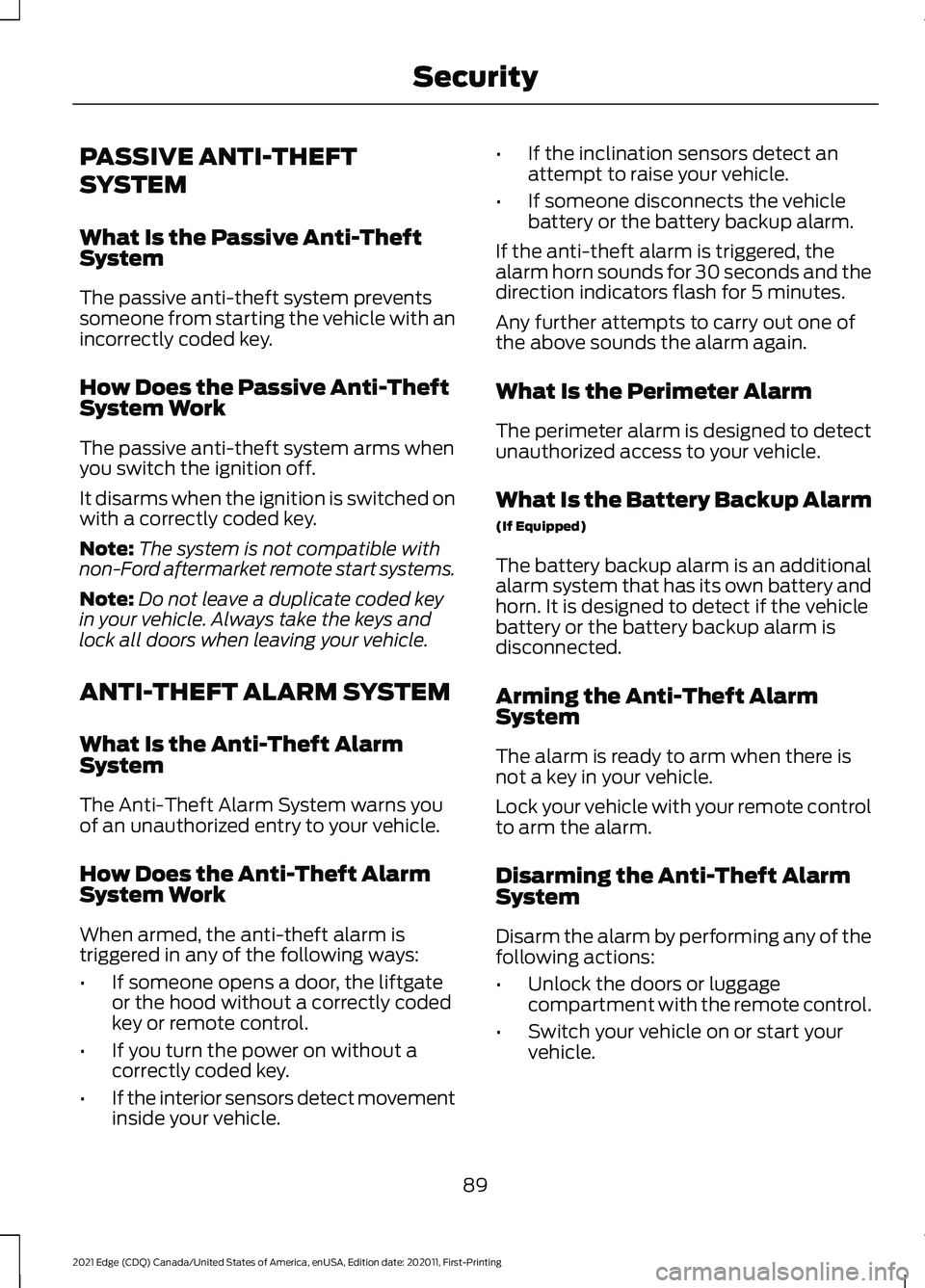
1. Unlock the liftgate with the remote control or power door unlock control.
If a remote control is within 3 ft (1 m)
of the liftgate, the liftgate unlocks
when you press the liftgate release
button. 2. Press and release the liftgate control
button.
Note: Allow the power system to open the
liftgate. Manually pushing or pulling the
liftgate may activate the system ’s obstacle
detection feature and stop the power
operation or reverse its direction, replicate
a strut failure, or damage mechanical
components.
Note: Be careful when opening or closing
the liftgate in a garage or other enclosed
area to avoid damaging the liftgate.
82
2021 Edge (CDQ) Canada/United States of America, enUSA, Edition date: 202011, First-Printing Liftgate - Vehicles With: Power LiftgateE138633 E138632
Page 93 of 500
PASSIVE ANTI-THEFT
SYSTEM
What Is the Passive Anti-Theft
System
The passive anti-theft system prevents
someone from starting the vehicle with an
incorrectly coded key.
How Does the Passive Anti-Theft
System Work
The passive anti-theft system arms when
you switch the ignition off.
It disarms when the ignition is switched on
with a correctly coded key.
Note:
The system is not compatible with
non-Ford aftermarket remote start systems.
Note: Do not leave a duplicate coded key
in your vehicle. Always take the keys and
lock all doors when leaving your vehicle.
ANTI-THEFT ALARM SYSTEM
What Is the Anti-Theft Alarm
System
The Anti-Theft Alarm System warns you
of an unauthorized entry to your vehicle.
How Does the Anti-Theft Alarm
System Work
When armed, the anti-theft alarm is
triggered in any of the following ways:
• If someone opens a door, the liftgate
or the hood without a correctly coded
key or remote control.
• If you turn the power on without a
correctly coded key.
• If the interior sensors detect movement
inside your vehicle. •
If the inclination sensors detect an
attempt to raise your vehicle.
• If someone disconnects the vehicle
battery or the battery backup alarm.
If the anti-theft alarm is triggered, the
alarm horn sounds for 30 seconds and the
direction indicators flash for 5 minutes.
Any further attempts to carry out one of
the above sounds the alarm again.
What Is the Perimeter Alarm
The perimeter alarm is designed to detect
unauthorized access to your vehicle.
What Is the Battery Backup Alarm
(If Equipped)
The battery backup alarm is an additional
alarm system that has its own battery and
horn. It is designed to detect if the vehicle
battery or the battery backup alarm is
disconnected.
Arming the Anti-Theft Alarm
System
The alarm is ready to arm when there is
not a key in your vehicle.
Lock your vehicle with your remote control
to arm the alarm.
Disarming the Anti-Theft Alarm
System
Disarm the alarm by performing any of the
following actions:
• Unlock the doors or luggage
compartment with the remote control.
• Switch your vehicle on or start your
vehicle.
89
2021 Edge (CDQ) Canada/United States of America, enUSA, Edition date: 202011, First-Printing Security
Page 111 of 500
OPENING AND CLOSING THE
WINDOWS
WARNING: Do not leave children
unattended in your vehicle and do not
let them play with the power windows.
Failure to follow this instruction could
result in personal injury. WARNING:
When closing the
power windows, verify they are free of
obstruction and make sure that children
and pets are not in the proximity of the
window openings. Press the window control switch
to open the window. Lift the
window control switch to close
the window.
Note: The power windows operate with the
ignition on, and for several minutes after you
switch the ignition off or until you open a
front door.
To reduce wind noise or pulsing noise when
one window is open, slightly open the
opposite window.
One-Touch Open
(If Equipped)
Fully press the window control switch and
release it. Press again or lift it to stop the
window.
One-Touch Close
(If Equipped)
Fully lift the window control switch and
release it. Press again or lift it to stop the
window.
Resetting One-Touch Close
Carry out all steps within 30 seconds of
starting the sequence.
1. Close the window. 2. Press and hold the window control
switch until the window is fully open.
Keep the window control switch
pressed for a few seconds.
3. Lift and hold the window control switch
until the window is fully closed. Keep
the window control switch held for a
few seconds.
4. Press and hold the window control switch until the window is fully open.
Keep the window control switch
pressed for a few seconds.
5. Lift and hold the window control switch
until the window is fully closed. Keep
the window control switch held for a
few seconds.
Note: Repeat the procedure if the window
does not close when you use one-touch.
Accessory Delay
The window switches remain operational
for several minutes when you switch the
ignition off or until you open either front
door.
GLOBAL OPENING
What Is Global Opening
You can use the remote control to open
the windows with the ignition off.
Using Global Opening
Gl ob al Open W indo w s
1.
Press and release the unlock button on
the remote control.
2. Press and hold the unlock button on the remote control.
3. Release the button when the windows
start to open.
Press the lock or the unlock button on the
remote control to stop global opening.
107
2021 Edge (CDQ) Canada/United States of America, enUSA, Edition date: 202011, First-Printing Windows
Page 118 of 500
Fuel Gauge Limitations
The fuel gauge may not provide an
accurate reading when your vehicle is on
an incline.
Locating the Fuel Filler Door
The arrow adjacent to the fuel pump
symbol indicates on which side of your
vehicle the fuel filler door is located.
What Is the Low Fuel Reminder
A low fuel level reminder displays and
sounds when the distance to empty
reaches 75 mi (120 km) to empty for
MyKey, and at 50 mi (80 km), 25 mi
(40 km), 12 mi (20 km) and 0 mi (0 km)
for all vehicle keys.
Note: The low fuel reminder can appear at
different fuel gauge positions depending on
fuel economy conditions. This variation is
normal.
What Is Distance to Empty
Indicates the approximate distance your
vehicle can travel on the fuel remaining in
the tank. Changes in driving pattern can
cause the value to not only decrease but
also increase or stay constant for periods
of time.
WHAT IS THE ENGINE
COOLANT TEMPERATURE
GAUGE
Indicates the engine coolant temperature. WHAT IS THE TURBO BOOST
GAUGE
Indicates the amount of manifold air
pressure in the engine.
Note:
This is a configurable gauge.
WHAT ARE THE INSTRUMENT
CLUSTER WARNING LAMPS
Warning lamps alert you to a vehicle
condition that could become serious.
Some lamps illuminate when you start
your vehicle to make sure they work. If any
lamps remain on after starting your vehicle,
refer to the respective system warning
lamp for further information.
INSTRUMENT CLUSTER
WARNING LAMPS
Anti-Lock Brake System If it illuminates when you are
driving, this indicates the system
requires service. Your vehicle
continues to have normal braking without
the anti-lock brake system function. Have
your vehicle checked as soon as possible.
Battery It illuminates when you switch
the ignition on.
If it illuminates when the engine
is running this indicates your vehicle
requires service. Have your vehicle
checked as soon as possible.
114
2021 Edge (CDQ) Canada/United States of America, enUSA, Edition date: 202011, First-Printing Instrument Cluster
Page 150 of 500
HOW DOES THE MEMORY
FUNCTION WORK
Memory S
e a t s
The memory function recalls the position
of these features:
•
Driver seat.
• Power mirrors.
• Optional power steering column.
MEMORY FUNCTION
PRECAUTIONS WARNING: Before activating the
memory seat, make sure that the area
immediately surrounding the seat is clear
of obstructions and that all occupants
are clear of moving parts. WARNING:
Do not use the memory
function when your vehicle is moving.
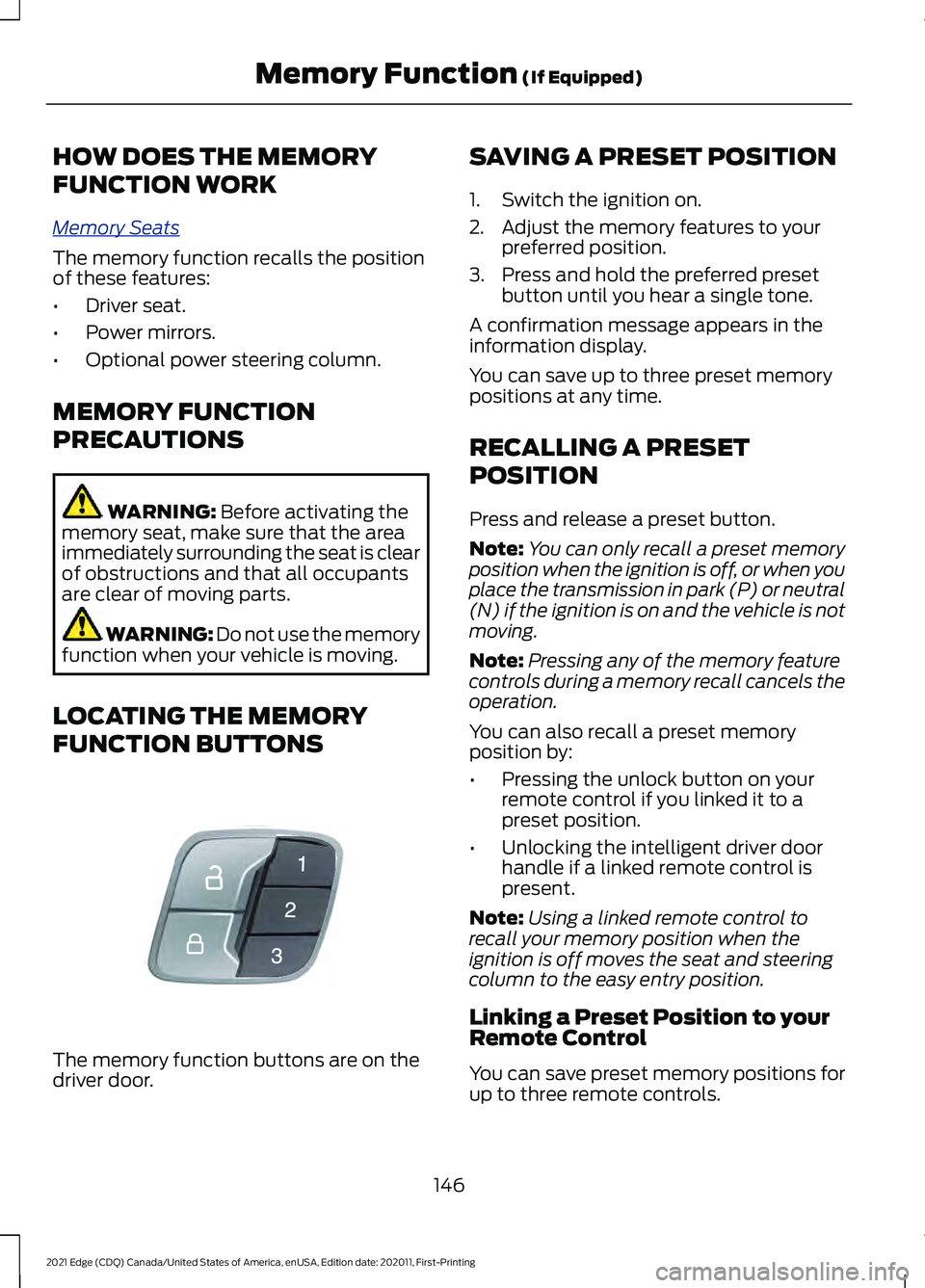
LOCATING THE MEMORY
FUNCTION BUTTONS The memory function buttons are on the
driver door. SAVING A PRESET POSITION
1. Switch the ignition on.
2. Adjust the memory features to your
preferred position.
3. Press and hold the preferred preset button until you hear a single tone.
A confirmation message appears in the
information display.
You can save up to three preset memory
positions at any time.
RECALLING A PRESET
POSITION
Press and release a preset button.
Note: You can only recall a preset memory
position when the ignition is off, or when you
place the transmission in park (P) or neutral
(N) if the ignition is on and the vehicle is not
moving.
Note: Pressing any of the memory feature
controls during a memory recall cancels the
operation.
You can also recall a preset memory
position by:
• Pressing the unlock button on your
remote control if you linked it to a
preset position.
• Unlocking the intelligent driver door
handle if a linked remote control is
present.
Note: Using a linked remote control to
recall your memory position when the
ignition is off moves the seat and steering
column to the easy entry position.
Linking a Preset Position to your
Remote Control
You can save preset memory positions for
up to three remote controls.
146
2021 Edge (CDQ) Canada/United States of America, enUSA, Edition date: 202011, First-Printing Memory Function
(If Equipped)E142554