wheel FORD EDGE 2021 Repair Manual
[x] Cancel search | Manufacturer: FORD, Model Year: 2021, Model line: EDGE, Model: FORD EDGE 2021Pages: 500, PDF Size: 8.52 MB
Page 229 of 500
The lane keeping system may not correctly
operate in any of the following conditions:
•
The lane keeping system does not
detect at least one lane marking.
• You switch the turn signal on.
• You apply direct steering, accelerate
fast or brake hard.
• The vehicle speed is less than 40 mph
(64 km/h).
• The anti-lock brake, stability control or
traction control system activates.
• The lane is too narrow.
• Something is obscuring the camera or
it is unable to detect the lane markings
due to environment, traffic or vehicle
conditions.
The lane keeping system may not correct
lane positioning in any of the following
conditions:
• High winds.
• Uneven road surfaces.
• Heavy or uneven loads.
• Incorrect tire pressure.
SWITCHING THE LANE
KEEPING SYSTEM ON AND
OFF To activate the lane keeping
system, press the button on the
turn signal lever.
Note: The system stores the on or off
setting until manually changed, unless it
detects a MyKey ™. If the system detects a
MyKey ™, it defaults to on and the mode is
set to alert.
Note: If the system detects a MyKey ™,
pressing the button does not affect the on
or off status of the system. You can only
change the mode and intensity settings. SWITCHING THE LANE
KEEPING SYSTEM MODE
The lane keeping system has different
settings that you can view or adjust using
the information display.
The system stores the last known selection
for each of these settings. You do not need
to readjust your settings each time you
switch on the system.
To change the lane keeping system mode,
use the instrument cluster display:
1. Using the instrument cluster display
controls on the steering wheel, select
Driver Assist
.
2. Select
Lane Keeping Sys.
3. Select
Mode.
4. Select a mode.
Note: The system remembers the last
setting when you start your vehicle. If the
system detects a MyKey ™, it defaults to the
last setting for that MyKey ™.
LANE KEEPING SYSTEM
SETTINGS
To change the steering wheel vibration,
use the instrument cluster display:
1. Using the instrument cluster display controls on the steering wheel, select
Driver Assist
.
2. Select
Lane Keeping Sys.
3. Select
Alert Intensity.
4. Select a setting.
225
2021 Edge (CDQ) Canada/United States of America, enUSA, Edition date: 202011, First-Printing Lane Keeping SystemE308131
Page 230 of 500
ALERT MODE
What Is Alert Mode
Alert mode vibrates the steering wheel
when it detects an unintended lane
departure.
How Does Alert Mode Work
When in alert mode, the lane keeping
system alerts you by vibrating the steering
wheel. The intensity of the vibration is set
through the lane keeping system menu.
AID MODE
What Is Aid Mode
Aid mode provides temporary steering
assistance toward the center of the lane. How Does Aid Mode Work The lane keeping system aids you when
an unintentional lane departure occurs.
The system provides a small steering input
to move the vehicle towards the center of
the lane.
ALERT AND AID MODE
What Is Alert and Aid Mode
Alert and aid mode uses multiple features
to keep you in your lane. The system first
provides a small steering input to bring
your vehicle back towards the center of
the lane. If your vehicle moves too far out
of the center of the lane the system alerts
you with vibration in the steering wheel.
226
2021 Edge (CDQ) Canada/United States of America, enUSA, Edition date: 202011, First-Printing Lane Keeping SystemE165515 E165516
Page 232 of 500
LANE KEEPING SYSTEM – TROUBLESHOOTING
Lane Keeping System – Information Messages
Action
Message
The system has malfunctioned. Have yourvehicle checked as soon as possible.
Lane Keeping Sys. Malfunction Service
Required
The system has detected a condition thathas caused the system to be temporarily unavailable.
Front Camera Temporarily Not Available
The system has detected a condition that
requires you to clean the windshield in order for it to operate properly.
Front Camera Low Visibility Clean Screen
The system has malfunctioned. Have yourvehicle checked as soon as possible.
Front Camera Malfunction Service Required
The system requests that you keep yourhands on the steering wheel.
Keep Hands on Steering Wheel
228
2021 Edge (CDQ) Canada/United States of America, enUSA, Edition date: 202011, First-Printing Lane Keeping System
Page 236 of 500
BLIND SPOT INFORMATION
SYSTEM REQUIREMENTS
Blind spot information system turns on
when all the following occur:
•
You start your vehicle.
• You shift into drive (D).
• The vehicle speed is greater than
6 mph (10 km/h).
SWITCHING BLIND SPOT
INFORMATION SYSTEM ON
AND OFF
To switch blind spot information system
on or off, use the instrument cluster
display:
1. Using the instrument cluster display controls on the steering wheel, select
Driver Assist
.
2. Switch
Blind Spot on or off.
When you switch blind spot information
system off, a warning lamp illuminates and
a message displays. When you switch the
system on or off, the alert indicators flash
twice.
Note: The system remembers the last
setting when you start your vehicle.
To permanently switch the system off,
contact an authorized dealer. LOCATING THE BLIND SPOT
INFORMATION SYSTEM
SENSORS The sensors are behind the rear bumper
on both sides of your vehicle.
Note:
Keep the sensors free from snow, ice
and large accumulations of dirt.
Note: Do not cover the sensors with bumper
stickers, repair compound or other objects.
Note: Blocked sensors may affect system
accuracy.
If the sensors become blocked, a message
may appear in the information display. The
alert indicators remain illuminated but the
system does not alert you.
BLIND SPOT INFORMATION
SYSTEM INDICATORS 232
2021 Edge (CDQ) Canada/United States of America, enUSA, Edition date: 202011, First-Printing Blind Spot Information SystemE205199 E309137
Page 239 of 500
1. Using the instrument cluster display
controls on the steering wheel, select
Driver Assist.
2. Switch
Cross Traffic Alert on or off.
LOCATING THE CROSS
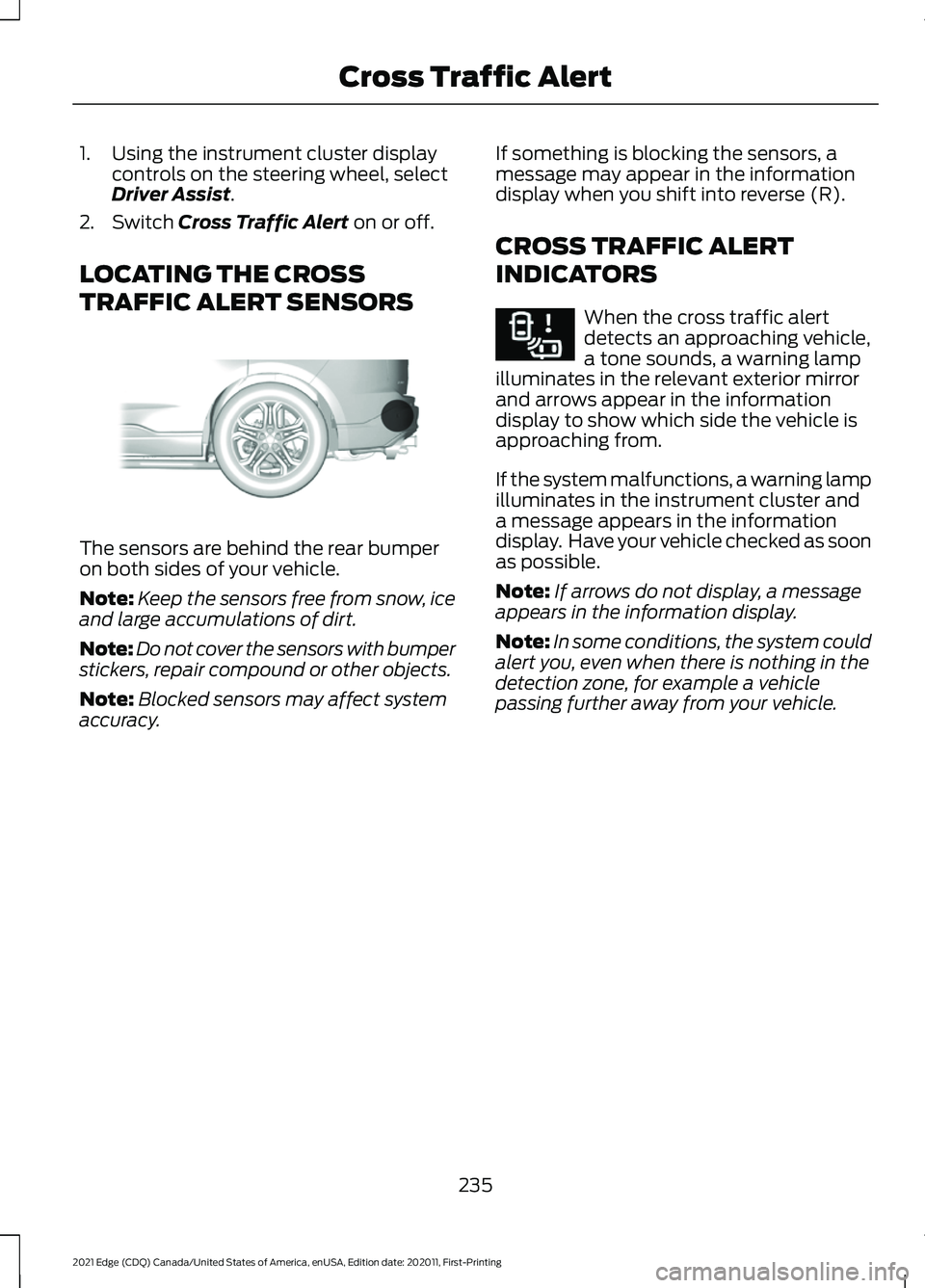
TRAFFIC ALERT SENSORS The sensors are behind the rear bumper
on both sides of your vehicle.
Note:
Keep the sensors free from snow, ice
and large accumulations of dirt.
Note: Do not cover the sensors with bumper
stickers, repair compound or other objects.
Note: Blocked sensors may affect system
accuracy. If something is blocking the sensors, a
message may appear in the information
display when you shift into reverse (R).
CROSS TRAFFIC ALERT
INDICATORS When the cross traffic alert
detects an approaching vehicle,
a tone sounds, a warning lamp
illuminates in the relevant exterior mirror
and arrows appear in the information
display to show which side the vehicle is
approaching from.
If the system malfunctions, a warning lamp
illuminates in the instrument cluster and
a message appears in the information
display. Have your vehicle checked as soon
as possible.
Note: If arrows do not display, a message
appears in the information display.
Note: In some conditions, the system could
alert you, even when there is nothing in the
detection zone, for example a vehicle
passing further away from your vehicle.
235
2021 Edge (CDQ) Canada/United States of America, enUSA, Edition date: 202011, First-Printing Cross Traffic AlertE205199 E268294
Page 242 of 500
WARNING: The system does not
detect vehicles that are driving in a
different direction, cyclists or animals.
Apply the brakes when necessary. Failure
to follow this instruction could result in
the loss of control of your vehicle,
personal injury or death. WARNING:
The system does not
operate during hard acceleration or
steering. Failure to take care may lead
to a crash or personal injury. WARNING: The system may fail or
operate with reduced function during
cold and severe weather conditions.
Snow, ice, rain, spray and fog can
adversely affect the system. Keep the
front camera and radar free of snow and
ice. Failure to take care may result in the
loss of control of your vehicle, serious
personal injury or death. WARNING:
Take additional care if
your vehicle is heavily loaded or you are
towing a trailer. These conditions could
result in reduced performance of this
system. Failure to follow this instruction
could result in the loss of control of your
vehicle, personal injury or death. WARNING:
The system cannot
help prevent all crashes. Do not rely on
this system to replace driver judgment
and the need to maintain a safe distance
and speed. WARNING:
In situations where the
vehicle camera has limited detection
capability, this may reduce system
performance. These situations include
but are not limited to direct or low
sunlight, vehicles at night without tail
lights, unconventional vehicle types,
pedestrians with complex backgrounds, running pedestrians, partly obscured
pedestrians, or pedestrians that the
system cannot distinguish from a group.
Failure to take care may result in the loss
of control of your vehicle, serious
personal injury or death.
PRE-COLLISION ASSIST
LIMITATIONS
Pre-collision assist depends on the
detection ability of its camera and sensors.
Any obstructions or damage to these areas
can limit detection or prevent the system
from functioning. See
Locating the
Pre-Collision Assist Sensors (page 239).
The system is active at speeds above
3 mph (5 km/h)
Note: The pre-collision assist system
disables when you select four-wheel drive
low or manually disable AdvanceTrac ™.
Note: Brake support and automatic
emergency braking are active at speeds up
to
75 mph (120 km/h). If the vehicle has a
radar sensor included with adaptive cruise
control, then brake support and automatic
emergency braking are active up to the
maximum speed of the vehicle.
Pedestrian Detection Limitations
Pedestrian detection is active at speeds
up to
50 mph (80 km/h).
Pedestrian detection functions optimally
when detected hazards are clearly
identifiable. System performance may
reduce in situations where pedestrians are
running, partly obscured, have a complex
background, or cannot be distinguished
from a group.
238
2021 Edge (CDQ) Canada/United States of America, enUSA, Edition date: 202011, First-Printing Pre-Collision Assist
Page 244 of 500
Switching Distance Indication On
and Off
To switch the system on or off, use the
instrument cluster display:
1. Using the instrument cluster display
controls on the steering wheel, select
Driver Assist.
2. Select
Pre-Collision.
3. Switch
Dist. Indication on or off.
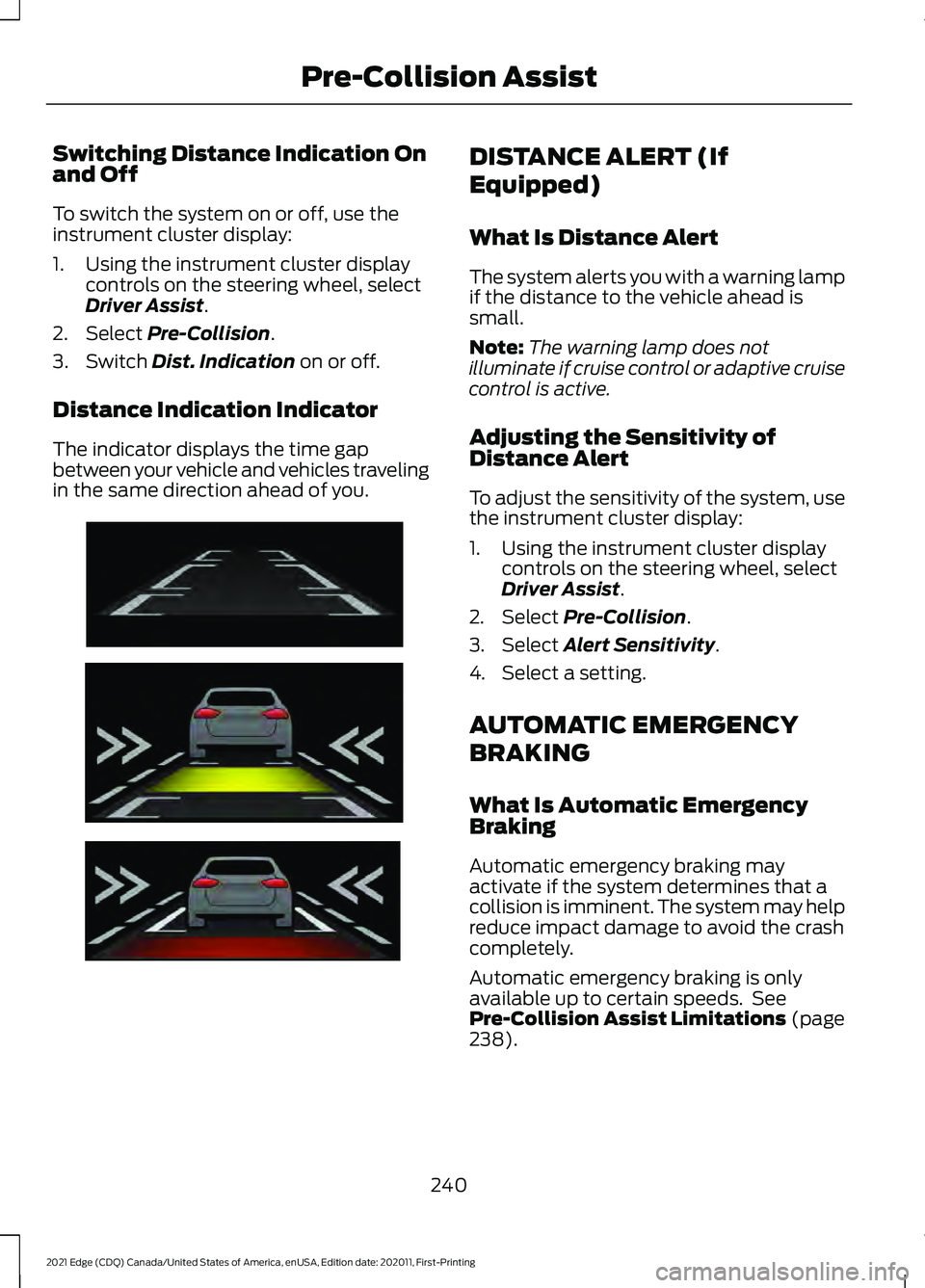
Distance Indication Indicator
The indicator displays the time gap
between your vehicle and vehicles traveling
in the same direction ahead of you. DISTANCE ALERT (If
Equipped)
What Is Distance Alert
The system alerts you with a warning lamp
if the distance to the vehicle ahead is
small.
Note:
The warning lamp does not
illuminate if cruise control or adaptive cruise
control is active.
Adjusting the Sensitivity of
Distance Alert
To adjust the sensitivity of the system, use
the instrument cluster display:
1. Using the instrument cluster display controls on the steering wheel, select
Driver Assist
.
2. Select
Pre-Collision.
3. Select
Alert Sensitivity.
4. Select a setting.
AUTOMATIC EMERGENCY
BRAKING
What Is Automatic Emergency
Braking
Automatic emergency braking may
activate if the system determines that a
collision is imminent. The system may help
reduce impact damage to avoid the crash
completely.
Automatic emergency braking is only
available up to certain speeds. See
Pre-Collision Assist Limitations
(page
238).
240
2021 Edge (CDQ) Canada/United States of America, enUSA, Edition date: 202011, First-Printing Pre-Collision AssistE254791
Page 245 of 500
Switching Automatic Emergency
Braking On and Off
To switch the system on or off, use the
instrument cluster display:
1. Using the instrument cluster display
controls on the steering wheel, select
Driver Assist.
2. Select
Pre-Collision.
3. Switch
Active Braking on or off.
Note: Automatic emergency braking
switches on every time you switch the
ignition on.
EVASIVE STEERING ASSIST
(If Equipped)
What Is Evasive Steering Assist
E v a siv e S t e ering A ssis t
If your vehicle is rapidly approaching a road
user, evasive steering assist helps you steer
around the road user.
After you turn the steering wheel in an
attempt to avoid a crash with the road
user, the system applies additional steering
torque to help you steer around the road
user. After you pass the road user, the
system applies steering torque when you
turn the steering wheel to steer back into
the lane. The system deactivates after you
fully pass the road user.
Note:
Road users are defined as obstacles
encountered on the road that the system is
able to detect. See
Pre-Collision Assist
Precautions (page 237). Evasive Steering Assist
Limitations
Evasive steering assist only activates when
all the following occur:
•
Automatic emergency braking and
evasive steering assist are on.
• The system detects a road user ahead
and starts to apply the brakes.
• You significantly turn the steering
wheel to steer around a road user.
Note: The system does not automatically
steer around a road user. If you do not turn
the steering wheel, the system does not
activate.
Note: The system does not activate if the
distance to the road user ahead is too small
and the system cannot avoid a crash.
Switching Evasive Steering Assist
On and Off
To switch the system on or off, use the
instrument cluster display:
1. Using the instrument cluster display controls on the steering wheel, select
Driver Assist
.
2. Select
Pre-Collision.
3. Switch
Evasive Steering on or off.
Note: If you switch automatic emergency
braking off, evasive steering assist turns off.
Note: Evasive steering assist switches on
every time you switch the ignition on.
241
2021 Edge (CDQ) Canada/United States of America, enUSA, Edition date: 202011, First-Printing Pre-Collision Assist
Page 249 of 500
SWITCHING DRIVER ALERT ON
AND OFF
1. Using the instrument cluster display
controls on the steering wheel, select
Driver Assist.
2. Switch
Driver Alert on or off. Note:
The system remains on or off
depending on how it was last set.
Resetting Driver Alert
You can reset the system by either:
• Switching the ignition off and on.
• Stopping the vehicle and then opening
and closing the driver door.
DRIVER ALERT – TROUBLESHOOTING
Driver Alert – Information Messages Action
Message
Stop and rest as soon as it is safe to do so.
Driver Alert Warning Rest Now
Take a rest soon.
Driver Alert Warning Rest Suggested
245
2021 Edge (CDQ) Canada/United States of America, enUSA, Edition date: 202011, First-Printing Driver Alert
Page 262 of 500
When towing a trailer:
•
Obey country specific regulations for
towing a trailer.
• Do not drive faster than 70 mph
(113 km/h) during the first 500 mi
(800 km).
• Do not make full-throttle starts.
• Check your hitch, electrical connections
and trailer wheel lug nuts thoroughly
after you have traveled 50 mi (80 km).
• When stopped in congested or heavy
traffic during hot weather, place the
transmission in park (P) to aid engine
and transmission cooling and to help
A/C performance.
• Turn off the speed control with heavy
loads or in hilly terrain. The speed
control may turn off when you are
towing on long, steep slopes.
• Shift to a lower gear when driving down
a long or steep hill. Do not continuously
apply the brakes, as they may overheat
and become less effective.
• If your transmission has Grade Assist
or Tow/Haul, use this feature when
towing. This provides engine braking
and helps eliminate excessive
transmission shifting for optimum fuel
economy and transmission cooling.
• If your vehicle has AdvanceTrac with
roll stability control, this system may
turn on during typical cornering
maneuvers with a heavily loaded trailer.
This is normal. Turning the corner at a
slower speed when towing may reduce
this tendency. •
Allow more distance for stopping with
a trailer attached. Anticipate stops and
gradually brake.
• Avoid parking on a slope. However, if
you must park on a slope, turn the
steering wheel to point your vehicle
tires away from traffic flow, set the
parking brake, place the transmission
in park (P) and place wheel chocks in
front and back of the trailer wheels.
Note: Chocks are not included with your
vehicle.
LAUNCHING OR RETRIEVING
A BOAT OR PERSONAL
WATERCRAFT
When backing down a ramp during boat
launching or retrieval:
• Do not allow the static water level to
rise above the bottom edge of the rear
bumper.
• Do not allow waves to break higher
than
6 in (15 cm) above the bottom
edge of the rear bumper.
Exceeding
6 in (15 cm) could allow water
to enter vehicle components, causing
internal damage to the components and
affecting driveability, emissions and
reliability.
Note: Replace the rear axle lubricant
anytime the rear axle has been submerged
in water.
Note: Disconnect the trailer wiring
connector before backing the trailer into the
water.
Note: Reconnect the trailer wiring
connector after removing the trailer from
the water.
258
2021 Edge (CDQ) Canada/United States of America, enUSA, Edition date: 202011, First-Printing Towing a Trailer