ECU FORD EDGE 2023 Service Manual
[x] Cancel search | Manufacturer: FORD, Model Year: 2023, Model line: EDGE, Model: FORD EDGE 2023Pages: 504, PDF Size: 14.96 MB
Page 367 of 504
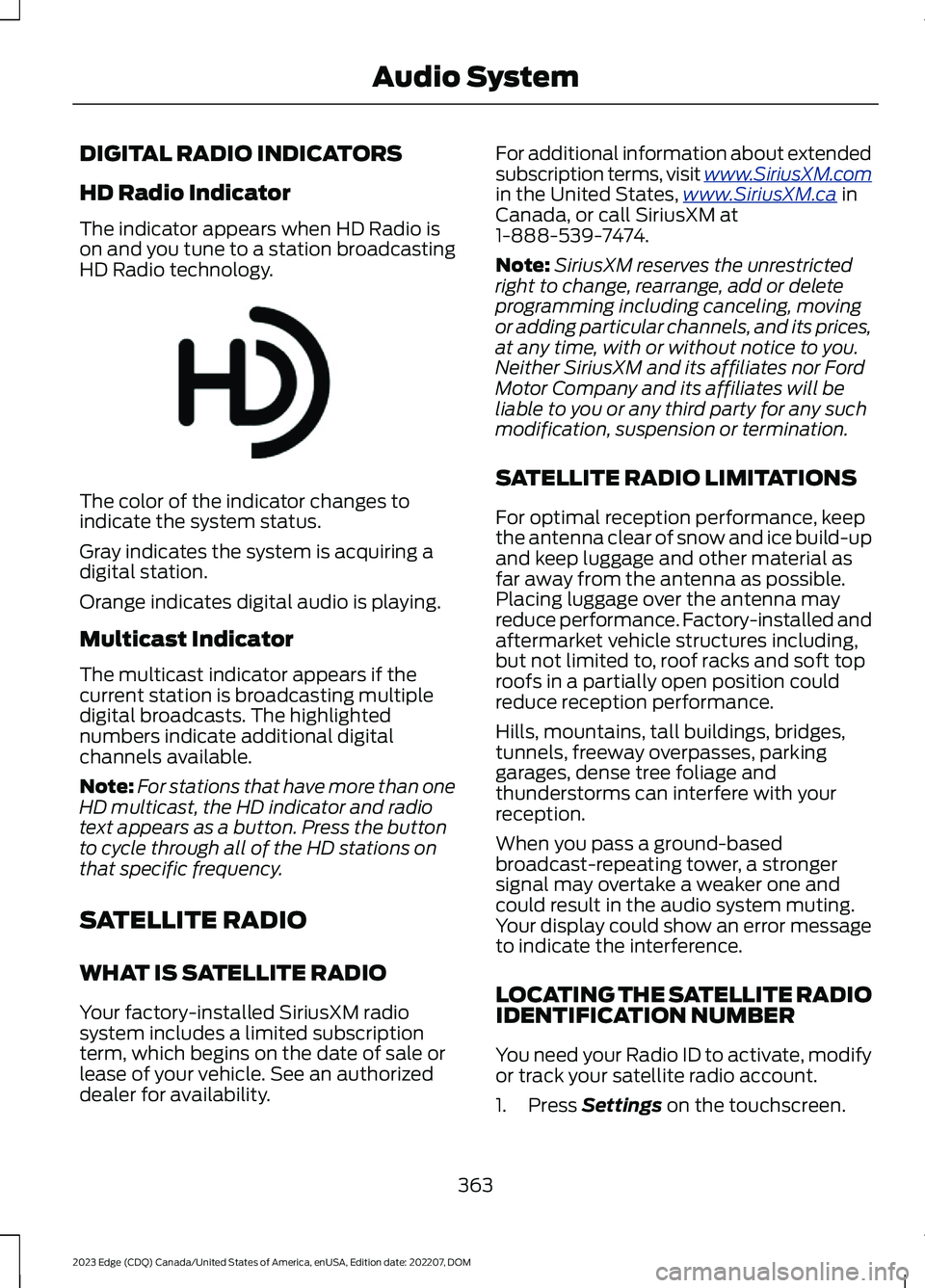
DIGITAL RADIO INDICATORS
HD Radio Indicator
The indicator appears when HD Radio ison and you tune to a station broadcastingHD Radio technology.
The color of the indicator changes toindicate the system status.
Gray indicates the system is acquiring adigital station.
Orange indicates digital audio is playing.
Multicast Indicator
The multicast indicator appears if thecurrent station is broadcasting multipledigital broadcasts. The highlightednumbers indicate additional digitalchannels available.
Note:For stations that have more than oneHD multicast, the HD indicator and radiotext appears as a button. Press the buttonto cycle through all of the HD stations onthat specific frequency.
SATELLITE RADIO
WHAT IS SATELLITE RADIO
Your factory-installed SiriusXM radiosystem includes a limited subscriptionterm, which begins on the date of sale orlease of your vehicle. See an authorizeddealer for availability.
For additional information about extendedsubscription terms, visit www.SiriusXM.comin the United States,www.SiriusXM.ca inCanada, or call SiriusXM at1-888-539-7474.
Note:SiriusXM reserves the unrestrictedright to change, rearrange, add or deleteprogramming including canceling, movingor adding particular channels, and its prices,at any time, with or without notice to you.Neither SiriusXM and its affiliates nor FordMotor Company and its affiliates will beliable to you or any third party for any suchmodification, suspension or termination.
SATELLITE RADIO LIMITATIONS
For optimal reception performance, keepthe antenna clear of snow and ice build-upand keep luggage and other material asfar away from the antenna as possible.Placing luggage over the antenna mayreduce performance. Factory-installed andaftermarket vehicle structures including,but not limited to, roof racks and soft toproofs in a partially open position couldreduce reception performance.
Hills, mountains, tall buildings, bridges,tunnels, freeway overpasses, parkinggarages, dense tree foliage andthunderstorms can interfere with yourreception.
When you pass a ground-basedbroadcast-repeating tower, a strongersignal may overtake a weaker one andcould result in the audio system muting.Your display could show an error messageto indicate the interference.
LOCATING THE SATELLITE RADIOIDENTIFICATION NUMBER
You need your Radio ID to activate, modifyor track your satellite radio account.
1.Press Settings on the touchscreen.
363
2023 Edge (CDQ) Canada/United States of America, enUSA, Edition date: 202207, DOMAudio SystemE142616
Page 368 of 504
2.Press SiriusXM Settings.
Note:This option in only available ifsatellite radio is the current audio source.
3.Press Radio ID.
SELECTING A CHANNEL
Manually Selecting a Channel
Press the button to find theprevious or next available radiochannel.
Linear Tuner
The linear tuner is displayed whenmanually selecting a channel. You canswipe left or right on the linear tunercarousel to navigate through the channellist. Tap on a channel title to listen to it.
Using Direct Tune
1.Press the channel up or down buttonto open the linear tuner screen.
2.Press Direct Tune to open the numberpad.
3.Enter the channel you prefer.
Using Browse
1.Press Browse.
2.Select a channel.
SATELLITE RADIO SETTINGS
Subscription
Your subscription status is displayed. Youcan subscribe or manage your subscriptiondirectly from the touchscreen.
SiriusXM Favorites
While you are listening to SiriusXM, you cansave favorites by:
•Tapping the currently tuned channelor show logo on the SiriusXM audioscreen.
•Tuning to a channel or show you wantto save as a favorite. Navigate to theSiriusXM Favorites screen and pressthe Add Current button. The currentlytuned channel or show is saved as afavorite.
•Saving a radio preset. This saves thecurrently tuned SiriusXM channel orshow as a favorite
Note:Requires a trial or active subscriptionto use.
Listening History
Listening history is a list of recently listenedto SiriusXM content. You can view, manageand reset the listening history using thecontrols on the touchscreen.
Note:Requires a trial or active subscriptionto use.
Help and Support
You can contact SiriusXM Customer Caredirectly from SYNC and view informationrequired to manage your SiriusXM account.
SETTING AN ALERT
Sets a notification for the current song,artist, or sports team. The system alertsyou when it plays again on any channel.Selecting this button allows you to enableand edit alerts.
Note:You can switch alerts on or off andedit them in the satellite radio settings.
364
2023 Edge (CDQ) Canada/United States of America, enUSA, Edition date: 202207, DOMAudio SystemE328569 E328570
Page 386 of 504
This introduces new features and providesupdates to the vehicle's software systems.Make sure to switch Automatic Updateson, set a recurring update schedule andconnect your vehicle to Wi-Fi. Updatescould take longer when not connected toWi-Fi or could not download at all. SeeConnecting the Vehicle to a Wi-FiNetwork (page 354).
Your vehicle may be able to receivedrivable software updates, non-drivablesoftware updates or both. Drivablesoftware updates happen during normalvehicle usage and require limited inputfrom you. You are notified on yourtouchscreen and connected device priorto a non-drivable update.
Most updates complete in less than 30minutes, although some updates couldtake up to a few hours. Check yourtouchscreen or connected device for themost accurate estimated update time.
You are notified of the status of the vehiclesoftware update in the touchscreen andon your connected device. See SoftwareUpdate Indicators (page 383).
Vehicle Software UpdateRequirements
Non-drivable software updates do notinstall if any of the following occur:
•Your vehicle is running.
•Your vehicle is switched on.
•Your vehicle is not parked.
•The 12 V battery charge is too low.
•The hazard indicators are switched on.
•The alarm is sounding.
•The doors are open.
•The parking lamps are switched on.
•You are pressing the brake pedal.
•An emergency call is in process.
•Your vehicle is in limp home mode.
Vehicle Software UpdateLimitations
Once you begin a non-drivable softwareupdate, you cannot:
•Cancel the update.
•Lock, unlock or enter your vehicleunless you have a key blade.
•You can open the doors using themechanical latch if child locks arenot on.
•Drive your vehicle.
•Start your vehicle.
•Use the remote control to lock, unlockor start your vehicle.
•Use the alarm, central locks or doortones.
•Use the electronic door locks.
•Charge your vehicle.
•Charging resumes once the updatecompletes.
SOFTWARE UPDATE
SETTINGS
To access the Software Updates menu:
1.Access the vehicle drawer on thetouchscreen.
2.Press SETTINGS.
3.Press Software Updates.
You can do the following in the SoftwareUpdates menu:
•Switch Automatic Updates on and off.
•Schedule and install software updates.
•View software update details.
Press the button next to a menuoption for more information.
382
2023 Edge (CDQ) Canada/United States of America, enUSA, Edition date: 202207, DOMVehicle Software UpdatesE366956
Page 387 of 504
Switching Automatic Updates Onand Off
Your vehicle may come with AutomaticUpdates switched on. To make sure yourvehicle always has the latest software,which could include security or otherenhancements, we do not recommendswitching Automatic Updates off.
Note:Software updates require approvalto download or install with AutomaticUpdates switched off.
Scheduling and InstallingSoftware Updates
Scheduling Software Updates
From the Software Updates menu:
1.Press Schedule Updates.
2.Select the days and time for updates.
3.Press Save.
The more days that updates arescheduled, the more frequently yourvehicle installs new updates. Werecommend selecting a time you normallydo not need your vehicle, such as overnight.
Some updates require your vehicle to beswitched off.
Note:The schedule you set is recurring. IfAutomatic Updates is on, every time anon-drivable update is available, it installson this schedule unless you change it. Youare notified on your touchscreen andconnected device prior to a non-drivableupdate, with an option to reschedule it.
Installing Software Updates
Using the Status Bar
1.Press a Software Update indicator onyour touchscreen when it appears.
2.Follow the instructions on thetouchscreen.
Using the Touchscreen
From the Software Updates menu:
1.Press Update Details.
2.Press Update Now.
Viewing Software Update Details
From the Software Updates menu:
1.Press Update Details.
SOFTWARE UPDATE
INDICATORS
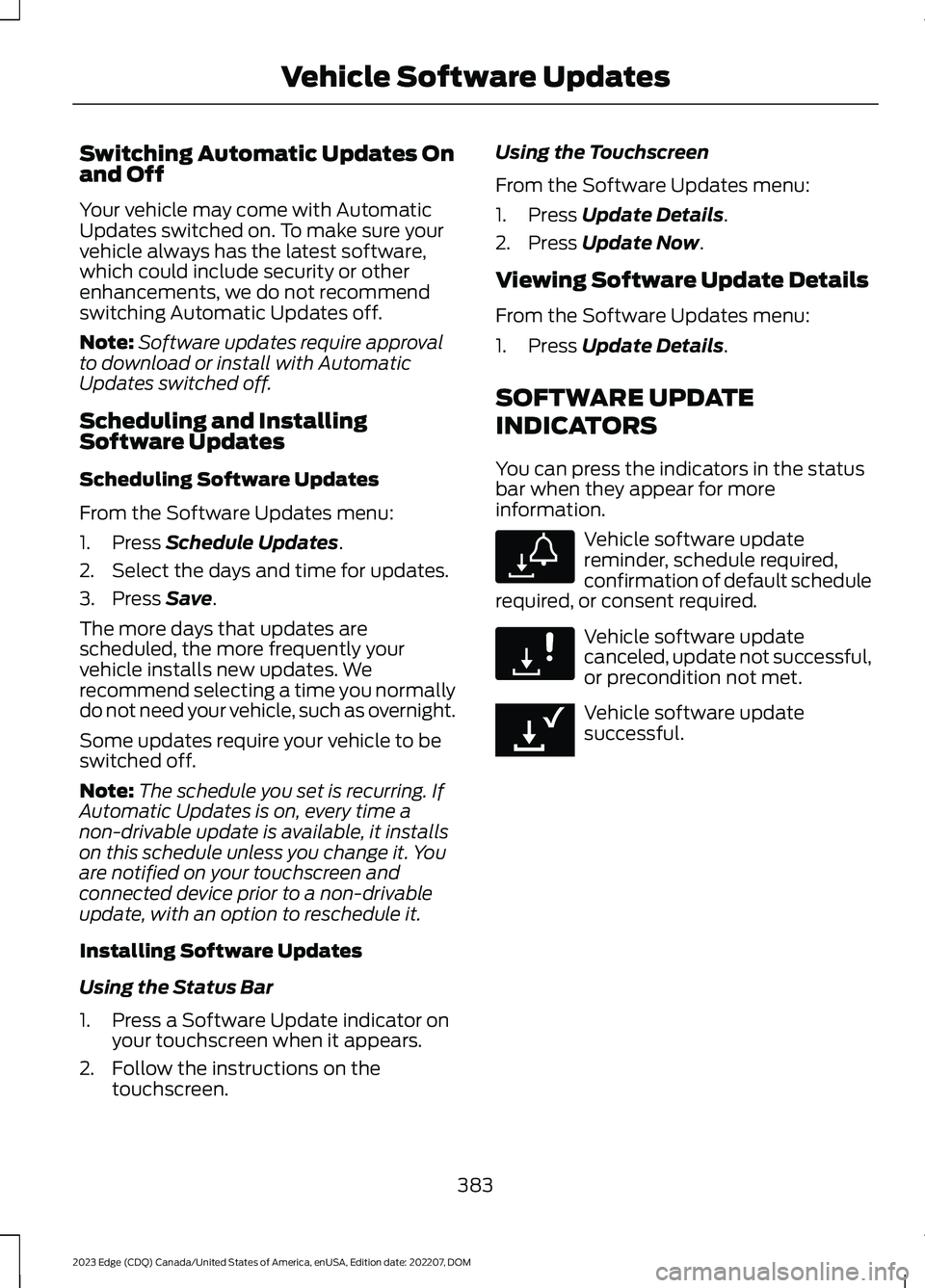
You can press the indicators in the statusbar when they appear for moreinformation.
Vehicle software updatereminder, schedule required,confirmation of default schedulerequired, or consent required.
Vehicle software updatecanceled, update not successful,or precondition not met.
Vehicle software updatesuccessful.
383
2023 Edge (CDQ) Canada/United States of America, enUSA, Edition date: 202207, DOMVehicle Software UpdatesE327787 E327788 E353218
Page 391 of 504

Less Cost to Properly Maintain YourVehicle
The Ford Protect extended service planalso offers a Premium Maintenance Planthat covers all scheduled maintenance,and selected wear items. The coverage isprepaid, so you never have to worry aboutthe cost of your vehicle’s maintenance.
Covered maintenance includes:
•Windshield wiper blades.
•Spark plugs.
•The clutch disc (if equipped).
•Brake pads and linings.
•Shock absorbers.
•Struts.
•Engine belts.
•Engine coolant hoses, clamps ando-rings.
•Diesel exhaust fluid replenishment (ifequipped).
•Cabin air filter replacement every20,000 mi (32,000 km) for electricvehicles only.
Interest Free Finance Options
Just a 5% down payment provides youwith an affordable, no interest, no feepayment program allowing you all thesecurity and benefits Ford Protectextended service plan has to offer whilepaying over time. You are pre-approvedwith no credit check or hassles. To learnmore, call our Ford Protect extendedservice plan specialists at 800-367-3377.
Ford Protect Extended Service PlanP.O. Box 321067Detroit, MI 48232
Ford Protect Extended ServicePlan (Canada Only)
You can get more protection for yourvehicle by purchasing a Ford Protectextended service plan. Ford Protectextended service plan is the only servicecontract backed by Ford Motor Companyof Canada, Limited. Depending on the planyou purchase, Ford Protect extendedservice plan provides benefits such as:
•Rental reimbursement.
•Coverage for certain maintenance andwear items.
•Protection against repair costs afteryour New Vehicle Limited WarrantyCoverage expires.
•Roadside Assistance benefits.
There are several Ford Protect extendedservice plans available in various time,distance and deductible combinations.Each plan is tailored to fit your own drivingneeds, including reimbursement for towingand rental. When you purchase FordProtect extended service plan, you receiveadded peace-of-mind protectionthroughout Canada, the United States andMexico, provided by a network ofparticipating authorized Ford MotorCompany dealers.
Note:Repairs performed outside of Canadaand the United States are not eligible forFord Protect extended service plancoverage.
This information is subject to change. Visityour local Ford of Canada dealer orwww.ford.ca to find the Ford Protectextended service plan that is right for you.
387
2023 Edge (CDQ) Canada/United States of America, enUSA, Edition date: 202207, DOMFord Protect
Page 453 of 504
hand-held device while driving andencourage the use of voice-operatedsystems when possible. Make sure youare aware of all applicable local lawsthat may affect the use of electronicdevices while driving.
Using mobile communications equipmentis becoming increasingly important in theconduct of business and personal affairs.However, you must not compromise yourown or others’ safety when using suchequipment. Mobile communications canenhance personal safety and security whenappropriately used, particularly inemergency situations. Safety must beparamount when using mobilecommunications equipment to avoidnegating these benefits. Mobilecommunication equipment includes, butis not limited to, cellular phones, pagers,portable email devices, text messagingdevices and portable two-way radios.
FEDERAL HIGHWAY
ADMINISTRATION
REGULATION
Regulations such as those issued by theFederal Highway Administration or issuedpursuant to the Occupational Safety andHealth Act (OSHA), and state and locallaws and regulations may requireadditional equipment for the way youintend to use your vehicle. It is theresponsibility of the registered owner todetermine the applicability of such lawsand regulations to your intended use forthe vehicle, and to arrange for theinstallation of required equipment. Thedealer has information about theavailability of equipment which can beordered for your vehicle.
END USER LICENSE
AGREEMENT
VEHICLE SOFTWARE END USERLICENSE AGREEMENT (EULA)
•You (“You” or “Your” as applicable)have acquired a vehicle having severaldevices, including SYNC ® and variouscontrol modules, ("DEVICES") thatinclude software licensed or owned byFord Motor Company and its affiliates("FORD MOTOR COMPANY"). Thosesoftware products of FORD MOTORCOMPANY origin, as well as associatedmedia, printed materials, and "online"or electronic documentation("SOFTWARE") are protected byinternational intellectual property lawsand treaties. The SOFTWARE islicensed, not sold. All rights reserved.
•The SOFTWARE may interface withand/or communicate with, or may belater upgraded to interface with and/orcommunicate with additional softwareand/or systems provided by FORDMOTOR COMPANY.
IF YOU DO NOT AGREE TO THIS ENDUSER LICENSE AGREEMENT ("EULA")DO NOT USE THE DEVICES OR COPYTHE SOFTWARE. ANY USE OF THESOFTWARE, INCLUDING BUT NOTLIMITED TO USE ON THE DEVICES,WILL CONSTITUTE YOUR AGREEMENTTO THIS EULA (OR RATIFICATION OFANY PREVIOUS CONSENT).
GRANT OF SOFTWARE LICENSE: ThisEULA grants you the following license:
•You may use the SOFTWARE asinstalled on the DEVICES and asotherwise interfacing with systemsand/or services provide by or throughFORD MOTOR COMPANY or its thirdparty software and service providers.
449
2023 Edge (CDQ) Canada/United States of America, enUSA, Edition date: 202207, DOMCustomer Information
Page 461 of 504
filing, AAA, and arbitrator’s fees andexpenses. It will not seek its attorney’sfees or expenses from you in anyarbitration. Fees and expenses are notcounted in determining how much adispute involves.
(h) Claims or disputes must be filedwithin one year. To the extent permittedby law, any claim or dispute under thisEULA to which this Section applies mustbe filed within one year in small claimscourt (Section c) or in arbitration (Sectiond). The one-year period begins when theclaim or dispute first could be filed. If sucha claim or dispute is not filed within oneyear, it is permanently barred.
(I) Severability. If the class action waiver(Section e) is found to be illegal orunenforceable as to all or some parts of adispute, then that portion of Section e willnot apply to those parts. Instead, thoseparts will be severed and proceed in a courtof law, with the remaining parts proceedingin arbitration. If any other provision of thatportion Section e is found to be illegal orunenforceable, that provision will besevered with the remainder of Section eremaining in full force and effect.
Telenav Software End User LicenseAgreement
Please read these terms and conditionscarefully before you use the TeleNavSoftware. Your use of the TeleNavSoftware indicates that you accept theseterms and conditions. If you do not acceptthese terms and conditions, do not breakthe seal of the package, launch, orotherwise use the TeleNav Software.TeleNav may revise this Agreement andthe privacy policy at any time, with orwithout notice to you. You agree to visithttp://www.telenav.com from time to timeto review the then current version of thisAgreement and of the privacy policy.
1. Safe and Lawful Use
You acknowledge that devoting attentionto the TeleNav Software may pose a riskof injury or death to you and others insituations that otherwise require yourundivided attention, and you thereforeagree to comply with the following whenusing the TeleNav Software:
(a) observe all traffic laws and otherwisedrive safely;
(b) use your own personal judgment whiledriving. If you feel that a route suggestedby the TeleNav Software instructs you toperform an unsafe or illegal maneuver,places you in an unsafe situation, or directsyou into an area that you consider to beunsafe, do not follow such instructions;
(c) do not input destinations, or otherwisemanipulate the TeleNav Software, unlessyour vehicle is stationary and parked;
(d) do not use the TeleNav Software forany illegal, unauthorized, unintended,unsafe, hazardous, or unlawful purposes,or in any manner inconsistent with thisAgreement;
(e) arrange all GPS and wireless devicesand cables necessary for use of theTeleNav Software in a secure manner inyour vehicle so that they will not interferewith your driving and will not prevent theoperation of any safety device (such as anairbag).
You agree to indemnify and hold TeleNavharmless against all claims resulting fromany dangerous or otherwise inappropriateuse of the TeleNav Software in any movingvehicle, including as a result of your failureto comply with the directions above.
457
2023 Edge (CDQ) Canada/United States of America, enUSA, Edition date: 202207, DOMCustomer Information
Page 466 of 504
Restrictions. Except where you have beenspecifically licensed to do so by Telenav,and without limiting the precedingparagraph, you may not use this Data (a)with any products, systems, or applicationsinstalled or otherwise connected to or incommunication with vehicles, capable ofvehicle navigation, positioning, dispatch,real time route guidance, fleetmanagement or similar applications; or (b)with or in communication with anypositioning devices or any mobile orwireless-connected electronic or computerdevices, including without limitationcellular phones, palmtop and handheldcomputers, pagers, and personal digitalassistants or PDAs.
Warning. The Data may containinaccurate or incomplete information dueto the passage of time, changingcircumstances, sources used and thenature of collecting comprehensivegeographic data, any of which may lead toincorrect results.
No Warranty. This Data is provided to you“as is,” and you agree to use it at your ownrisk. Telenav and its licensors (and theirlicensors and suppliers) make noguarantees, representations or warrantiesof any kind, express or implied, arising bylaw or otherwise, including but not limitedto, content, quality, accuracy,completeness, effectiveness, reliability,fitness for a particular purpose, usefulness,use or results to be obtained from thisData, or that the Data or server will beuninterrupted or error-free.
Disclaimer of Warranty: TELENAV ANDITS LICENSORS (INCLUDING THEIRLICENSORS AND SUPPLIERS) DISCLAIMANY WARRANTIES, EXPRESS OR IMPLIED,OF QUALITY, PERFORMANCE,MERCHANTABILITY, FITNESS FOR A
PARTICULAR PURPOSE ORNON-INFRINGEMENT. Some States,Territories and Countries do not allowcertain warranty exclusions, so to thatextent the above exclusion may not applyto you.
Disclaimer of Liability: TELENAV ANDITS LICENSORS (INCLUDING THEIRLICENSORS AND SUPPLIERS) SHALL NOTBE LIABLE TO YOU: IN RESPECT OF ANYCLAIM, DEMAND OR ACTION,IRRESPECTIVE OF THE NATURE OF THECAUSE OF THE CLAIM, DEMAND ORACTION ALLEGING ANY LOSS, INJURY ORDAMAGES, DIRECT OR INDIRECT, WHICHMAY RESULT FROM THE USE ORPOSSESSION OF THE INFORMATION; ORFOR ANY LOSS OF PROFIT, REVENUE,CONTRACTS OR SAVINGS, OR ANYOTHER DIRECT, INDIRECT, INCIDENTAL,SPECIAL OR CONSEQUENTIAL DAMAGESARISING OUT OF YOUR USE OF ORINABILITY TO USE THIS INFORMATION,ANY DEFECT IN THE INFORMATION, ORTHE BREACH OF THESE TERMS ORCONDITIONS, WHETHER IN AN ACTIONIN CONTRACT OR TORT OR BASED ON AWARRANTY, EVEN IF TELENAV OR ITSLICENSORS HAVE BEEN ADVISED OF THEPOSSIBILITY OF SUCH DAMAGES. SomeStates, Territories and Countries do notallow certain liability exclusions ordamages limitations, so to that extent theabove may not apply to you.
Export Control. You shall not export fromanywhere any part of the Data or any directproduct thereof except in compliance with,and with all licenses and approvalsrequired under, applicable export laws,rules and regulations, including but notlimited to the laws, rules and regulationsadministered by the Office of ForeignAssets Control of the U.S. Department ofCommerce and the Bureau of Industry andSecurity of the U.S. Department ofCommerce. To the extent that any such
462
2023 Edge (CDQ) Canada/United States of America, enUSA, Edition date: 202207, DOMCustomer Information
Page 469 of 504
either express or implied, arising bylaw or otherwise, including but notlimited to, effectiveness, complete-ness, accuracy or fitness for aparticular purpose. The licensors,including Her Majesty, Canada Postand NRCan, shall not be liable inrespect of any claim, demand oraction, irrespective of the nature ofthe cause of the claim, demand oraction alleging any loss, injury ordamages, direct or indirect, whichmay result from the use or posses-sion of the data or the Data. Thelicensors, including Her Majesty,Canada Post and NRCan, shall notbe liable in any way for loss ofrevenues or contracts, or any otherconsequential loss of any kindresulting from any defect in the dataor the Data.End User shall indemnify and saveharmless the licensors, including HerMajesty, Canada Post and NRCan,and their officers, employees andagents from and against any claim,demand or action, irrespective ofthe nature of the cause of the claim,demand or action, alleging loss,costs, expenses, damages or injuries(including injuries resulting in death)arising out of the use or possessionof the data or the Data.
4. Additional Provisions: The termscontained in this Section are in addi-tion to all of the rights and obligationsof the parties under the Agreement.To the extent that any of the provi-sions of this Section are inconsistentwith, or conflict with, any other provi-sions of the Agreement, the provisionsof this Section shall prevail.
II. Mexico. The following provision appliesto the Data for Mexico, which includescertain data from the Instituto Nacionalde Estadística y Geografía (“INEGI”):
A. Any and all copies of the Data and/orpackaging containing Data for Mexicoshall contain the following notice:“Fuente: INEGI (Instituto Nacional deEstadística y Geografía)”
III. Latin America Territory
A. Third Party Notices. Any and all copiesof the Data and/or packaging relatingthereto shall include the respective ThirdParty Notices set forth below and usedas described below corresponding tothe Territory (or portion thereof)included in such copy:
NoticeTerritory
IGN “INSTITUTOGEOGRAFICO NACIONALARGENTINO”
Argen-tina
“INSTITUTO GEOGRAFICOMILITAR DEL ECUADORAUTORIZACION N° IGM-2011-01- PCO-01 DEL 25 DEENERO DE 2011”
Ecuador
“source: © IGN 2009 - BDTOPO ®”
“Fuente: INEGI (InstitutoNacional de Estadística yGeografía)”
Guade-loupe,FrenchGuianaandMarti-niqueMexico
IV. Middle East Territory
465
2023 Edge (CDQ) Canada/United States of America, enUSA, Edition date: 202207, DOMCustomer Information
Page 472 of 504
“Información geográficapropiedad del CNIG”Spain
“Based upon electronicdata © National LandSurvey Sweden.”
Sweden
“TopografischeGrundlage: © Bundesamtfür Landestopographie.
Switzerland
E. Respective Country Distribution. Clientacknowledges that HERE has notreceived approvals to distribute mapdata for the following countries in suchrespective countries: Albania, Belarus,Kyrgyzstan, Moldova and Uzbekistan.HERE may update such list from time totime. The license rights granted to Clientunder this TL with respect to the Datafor such countries are contingent uponClient’s compliance with all applicablelaws and regulations, including, withoutlimitation, any required licenses orapprovals to distribute the Applicationincorporating such Data in suchrespective countries.
VI. Australia Territory
A. Third Party Notices. Any and all copiesof the Data and/or packaging relatingthereto shall include the respective ThirdParty Notices set forth below and usedas described below corresponding tothe Territory (or portion thereof)included in such copy:
Copyright. Based on data providedunder license from PSMA AustraliaLimited (www.psma.com.au).
Product incorporates data which is ©20XX Telstra Corporation Limited, GMHolden Limited, Intelematics AustraliaPty Ltd and Continental Pty Ltd.
B. Third Party Notices for Australia. Inaddition to the foregoing, the End-UserTerms for any Application containingRDS-TMC Traffic Codes for Australiashall contain the following notice:“Product incorporates traffic locationcodes which is © 20XX Telstra Corpora-tion Limited and its licensors.”
AT&T Vehicle Network CarrierTelematics Disclosure
END USER FOR PURPOSES OF THISSECTION MEANS YOU AND YOUR HEIRS,EXECUTORS, LEGAL PERSONALREPRESENTATITVES AND PERMITEDASSIGNS. FOR PURPOSES OF THISSECTION “UNDERLYING WIRELESSSERVICE CARRIER” INCLUDES ITSAFFILIATES AND CONTRACTORS ANDTHEIR RESPECTIVE OFFICERS,DIRECTORS, EMPLOYEES, SUCCESSORSAND ASSIGNS. END USER HAS NOCONTRACTUAL RELATIONSHIP WITHTHE UNDERLYING WIRELESS SERVICECARRIER AND END USER IS NOT A THIRDPARTY BENEFICIARY OF ANYAGREEMENT BETWEEN FORD ANDUNDERLYING CARRIER. END USERUNDERSTANDS AND AGREES THAT THEUNDERLYING CARRIER HAS NO LEGAL,EQUITABLE, OR OTHER LIABILITY OF ANYKIND TO END USER. IN ANY EVENT,REGARDLESS OF THE FORM OF THEACTION, WHETHER FOR BREACH OFCONTRACT, WARRANTY, NEGLIGENCE,STRICT LIABILITY IN TORT OROTHERWISE, END USER'S EXCLUSIVEREMEDY FOR CLAIMS ARISING IN ANYWAY IN CONNECTION WITH THISAGREEMENT, FOR ANY CAUSEWHATSOEVER, INCLUDING BUT NOTLIMITED TO ANY FAILURE OR
468
2023 Edge (CDQ) Canada/United States of America, enUSA, Edition date: 202207, DOMCustomer Information