steering wheel FORD EDGE 2023 Repair Manual
[x] Cancel search | Manufacturer: FORD, Model Year: 2023, Model line: EDGE, Model: FORD EDGE 2023Pages: 504, PDF Size: 14.96 MB
Page 285 of 504
Protected ComponentFuseRatingFuse orRelayNumber
Radio transceiver module.10 A31Multi-function display.Integrated control panel.
Radio.20 A32
Not used.–33
Run-start bus (fuse 17, 18, 21, 22, 35, 36, 37, circuit breaker 38).30 A34
Passenger airbag deactivation indicator.5 A35
Rear heated seat module.15 A36
Heated steering wheel.20 A37Auto-dimming interior mirror.Automatic high beam and lane departure mirror module.
Circuit breaker.30 A38Right-hand rear window power.Left-hand rear window power.
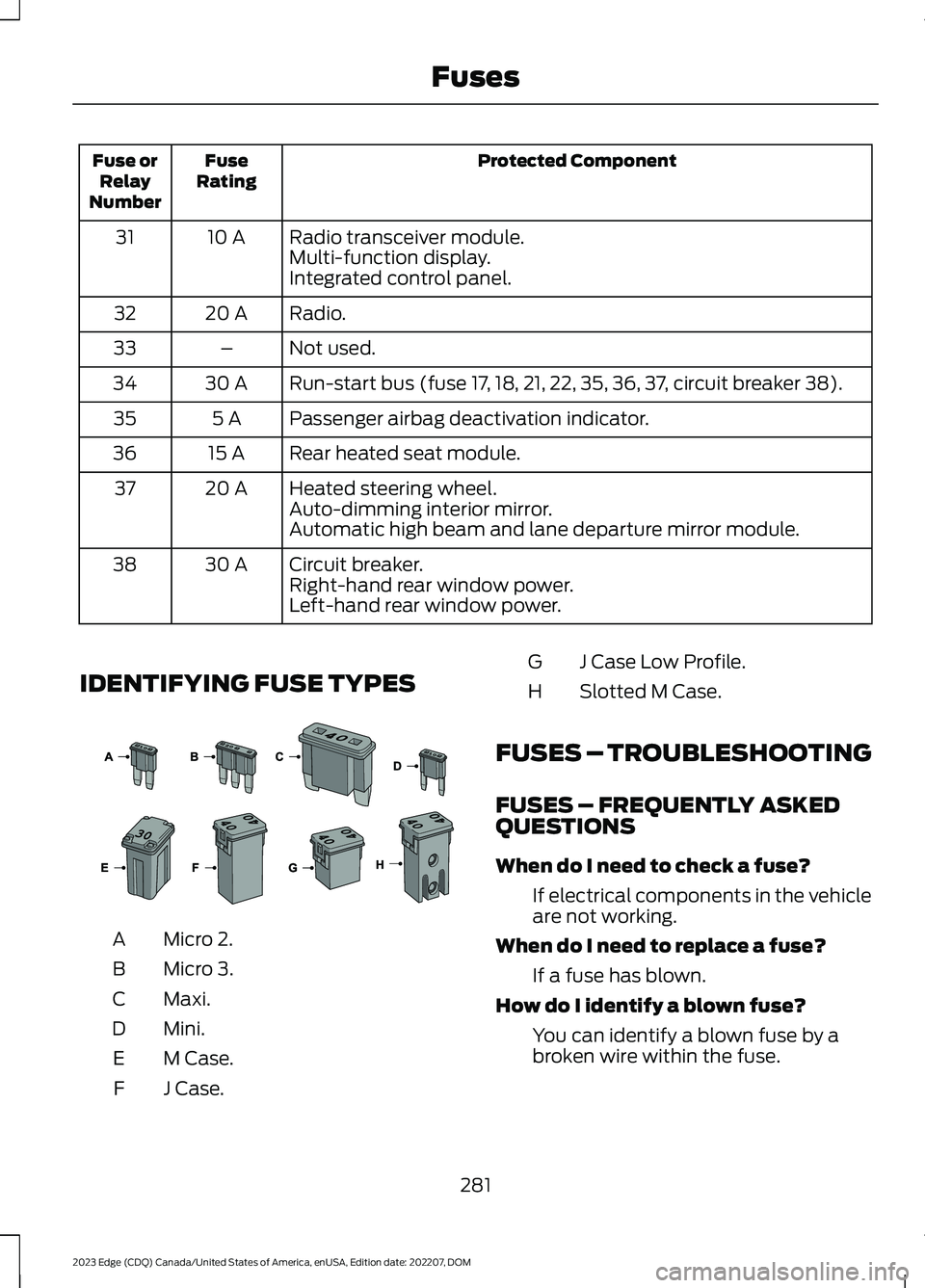
IDENTIFYING FUSE TYPES
Micro 2.A
Micro 3.B
Maxi.C
Mini.D
M Case.E
J Case.F
J Case Low Profile.G
Slotted M Case.H
FUSES – TROUBLESHOOTING
FUSES – FREQUENTLY ASKEDQUESTIONS
When do I need to check a fuse?
If electrical components in the vehicleare not working.
When do I need to replace a fuse?
If a fuse has blown.
How do I identify a blown fuse?
You can identify a blown fuse by abroken wire within the fuse.
281
2023 Edge (CDQ) Canada/United States of America, enUSA, Edition date: 202207, DOMFuses E267379
Page 290 of 504
WARNING: Do not add engine oilwhen the engine is hot. Failure to followthis instruction could result in personalinjury.
Do not use supplemental engine oiladditives because they are unnecessaryand could lead to engine damage that thevehicle warranty may not cover.
1.Clean the area surrounding the engineoil filler cap before you remove it.
2.Remove the engine oil filler cap.
3.Add engine oil that meets ourspecifications. See Capacities andSpecifications (page 341).
4.Reinstall the engine oil filler cap. Turnit clockwise until you feel a strongresistance.
Note: Do not add oil further than themaximum mark. Oil levels above themaximum mark may cause engine damage.
Note:Immediately soak up any oil spillagewith an absorbent cloth.
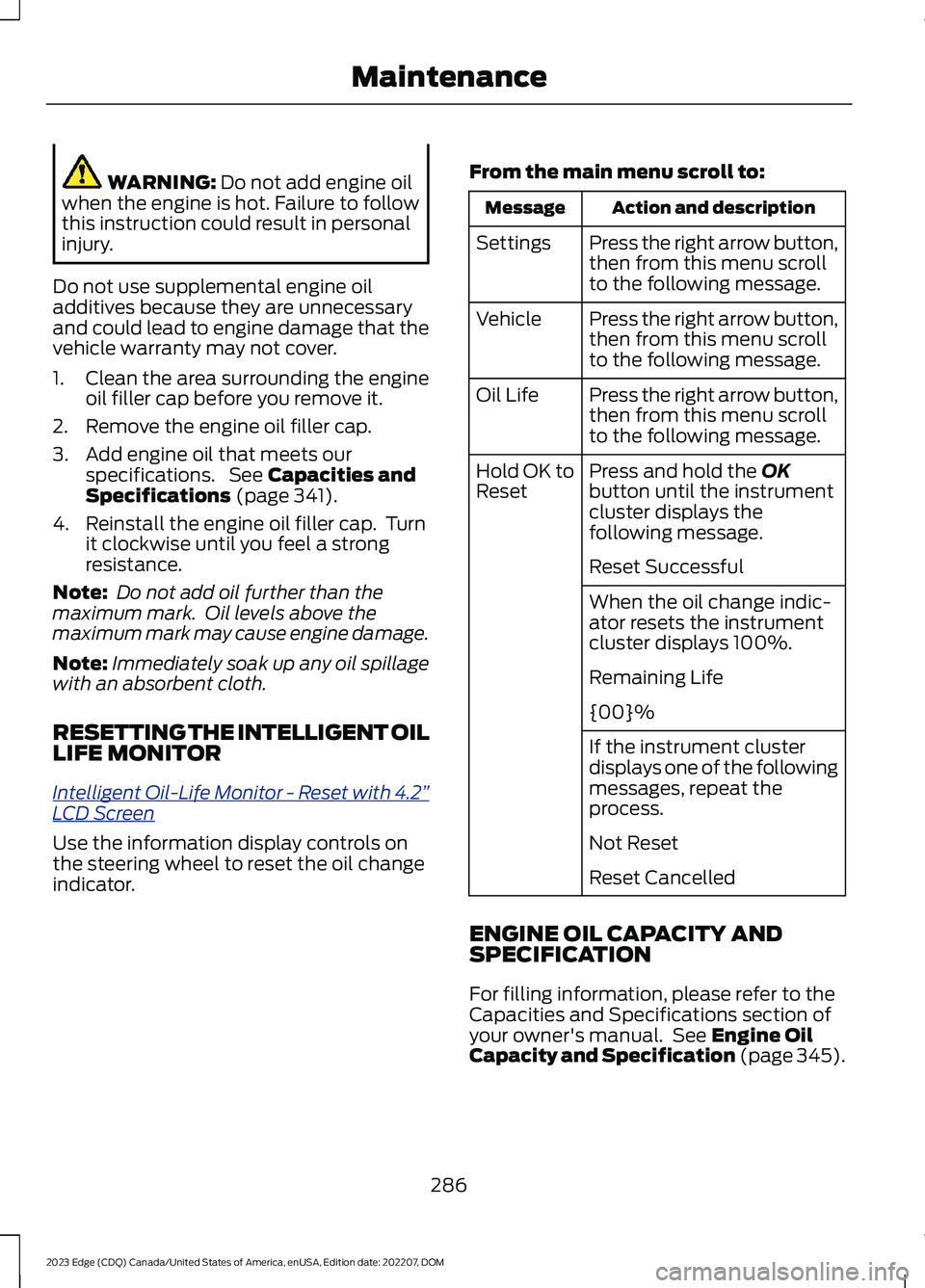
RESETTING THE INTELLIGENT OILLIFE MONITOR
Intelligent Oil-Life Monitor - Reset with 4.2”LCD Screen
Use the information display controls onthe steering wheel to reset the oil changeindicator.
From the main menu scroll to:
Action and descriptionMessage
Press the right arrow button,then from this menu scrollto the following message.
Settings
Press the right arrow button,then from this menu scrollto the following message.
Vehicle
Press the right arrow button,then from this menu scrollto the following message.
Oil Life
Press and hold the OKbutton until the instrumentcluster displays thefollowing message.
Hold OK toReset
Reset Successful
When the oil change indic-ator resets the instrumentcluster displays 100%.
Remaining Life
{00}%
If the instrument clusterdisplays one of the followingmessages, repeat theprocess.
Not Reset
Reset Cancelled
ENGINE OIL CAPACITY ANDSPECIFICATION
For filling information, please refer to theCapacities and Specifications section ofyour owner's manual. See Engine OilCapacity and Specification (page 345).
286
2023 Edge (CDQ) Canada/United States of America, enUSA, Edition date: 202207, DOMMaintenance
Page 298 of 504
Note:Before reconnecting the battery,make sure the ignition remains switched off.
Note:Make sure the battery cable terminalsare fully tightened.
Note:After cleaning or replacing thebattery, make sure you reinstall the batterycover or shield.
If you disconnect or replace the vehiclebattery, you must reset the followingfeatures:
•Window bounce-back. See Windows(page 107).
•Clock Settings.
•Pre-set radio stations.
•Steering Angle Sensor.
Note:To calibrate the steering anglesensor, drive the vehicle above 30 mph(50 km/h) for a minimum of 1.2 mi (2 km).Make sure to drive straight ahead for aminimum of 30 seconds. Several vehiclefunctions are disabled and a warning lightcould appear until the sensor is calibrated.
Note:The battery sensor must be resetwhen a new battery is installed. Install onlya battery approved by Ford for use in thevehicle. Use the following procedure toperform the battery sensor reset:
1.1. Turn ignition to on and leave engineoff. Steps 2 and 3 must be completedwithin 10 seconds.
2.2. Flash the high beams 5 times, endingwith the high beams off.
3.3. Press and release the brake pedal 3times.
The battery warning light on the clusterwill flash 3 times to confirm that the resetwas successful.
Battery Management System
The battery management system monitorsbattery conditions and takes actions toextend battery life. If excessive batterydrain is detected, the system temporarilydisables some of the following features:
•Heated rear window.
•Heated seats.
•Climate control.
•Heated steering wheel.
•Audio unit.
•Navigation system.
A message may appear in the informationdisplay to alert you that battery protectionactions are active.
After battery replacement, or in somecases after charging the battery with anexternal charger, the battery managementsystem requires eight hours of vehicle sleeptime to relearn the battery state of charge.During this time your vehicle must remainfully locked with the ignition off.
Note:If you add electrical accessories orcomponents to the vehicle, it may adverselyaffect battery performance and durability.This may also affect the performance ofother electrical systems in the vehicle.
Battery Disposal
Make sure that you dispose ofold batteries in anenvironmentally friendly way.Seek advice from your local authorityabout recycling old batteries.
294
2023 Edge (CDQ) Canada/United States of America, enUSA, Edition date: 202207, DOMMaintenanceE107998
Page 308 of 504
CLEANING THE INTERIOR
CLEANING THE INSTRUMENTPANEL
WARNING: Do not use chemicalsolvents or strong detergents whencleaning the steering wheel orinstrument panel to avoid contaminationof the airbag system.
We recommend that you only clean theinstrument panel and cluster lens with adamp soft cloth. Dry the area with a clean,soft cloth.
For additional information and assistance,we recommend that you contact anauthorized dealer.
Note:Avoid cleaners or polishes thatincrease the gloss of the upper portion ofthe instrument panel. The dull finish in thisarea helps protect you from undesirablewindshield reflection.
CLEANING PLASTIC
We recommend that you only use a mildsoap and water solution on a soft cloth.Dry the area with a clean, soft cloth.
CLEANING DISPLAYS ANDSCREENS
We recommend that you only use amicrofiber cloth in a circular motion toclean off the fingerprint or dust.
If dirt or fingerprints are still on the screen,apply a small amount of alcohol to thecloth and try to clean it again.
Note:Do not pour or spray alcohol onto thetouchscreen.
Note: Do not use detergent or any type ofsolvent to clean the touchscreen.
CLEANING FABRIC
WARNING: On vehicles equippedwith seat-mounted airbags, do not usechemical solvents or strong detergents.Such products could contaminate theside airbag system and affectperformance of the side airbag in a crash.
We recommend that you only clean fabricin the following way:
1.Remove dust and loose dirt with avacuum cleaner.
2.Wipe the surface with a soft, dampcloth and a mild soap and watersolution. Dry the area with a clean, softcloth.
3.For additional information andassistance, we recommend that youcontact an authorized dealer.
For heavy stains, spot clean the area. If aring forms on the fabric, clean the entirearea immediately, but do not oversaturateor the ring could set.
CLEANING LEATHER
WARNING: On vehicles equippedwith seat-mounted airbags, do not usechemical solvents or strong detergents.Such products could contaminate theside airbag system and affectperformance of the side airbag in a crash.
We recommend that you only clean theleather surfaces in the following way:
1.Remove dust and loose dirt with avacuum cleaner.
2.Wipe the surface with a soft, dampcloth and a mild soap and watersolution. Dry the area with a clean, softcloth.
304
2023 Edge (CDQ) Canada/United States of America, enUSA, Edition date: 202207, DOMVehicle Care
Page 323 of 504
U.S. DOT Tire IdentificationNumber
Both United States and CanadaFederal regulations require tiremanufacturers to placestandardized information on thesidewall of all tires. Thisinformation identifies anddescribes the fundamentalcharacteristics of the tire and alsoprovides a U.S. DOT TireIdentification Number for safetystandard certification and in caseof a recall.
This begins with the letters DOTand indicates that the tire meetsall federal standards. The nexttwo numbers or letters are theplant code designating where itwas manufactured, the next twoare the tire size code and the lastfour numbers represent the weekand year the tire was built. Forexample, the numbers 317 meanthe 31st week of 1997. After 2000,the numbers go to four digits. Forexample, 2501 means the 25thweek of 2001. The numbers inbetween are identification codesused for traceability. Thisinformation is used to contactcustomers if a tire defect requiresa recall.
USING SNOW CHAINS
WARNING: Do not exceed 30 mph(50 km/h). Failure to follow thisinstruction could result in the loss ofcontrol of your vehicle, personal injury ordeath.
WARNING: Do not use snow chainson snow-free roads.
WARNING: Only fit snow chains tospecified tires.
WARNING: If your vehicle is fittedwith wheel trims, remove them beforefitting snow chains.
WARNING: Wheels and tires mustbe the same size, load index and speedrating as those originally fitted on thevehicle. Use of any other tire or wheelcan affect the safety and performanceof your vehicle. Additionally, the use ofnon-recommended tires and wheels cancause steering, suspension, axle, transfercase or power transfer unit failure.Follow the recommended tire inflationpressures found on the SafetyCompliance Certification label, or theTire Label on the B-Pillar or the edge ofthe driver door. Failure to follow thisinstruction could result in loss of vehiclecontrol, vehicle rollover, or personal injuryor death.
WARNING: If you are driving inslippery conditions that require tirechains or cables, then it is critical thatyou drive cautiously. Keep speeds down,allow for longer stopping distances andavoid aggressive steering to reduce the
319
2023 Edge (CDQ) Canada/United States of America, enUSA, Edition date: 202207, DOMWheel and Tire Information
Page 329 of 504
WHAT IS THE TIRE SEALANT
AND INFLATOR KIT
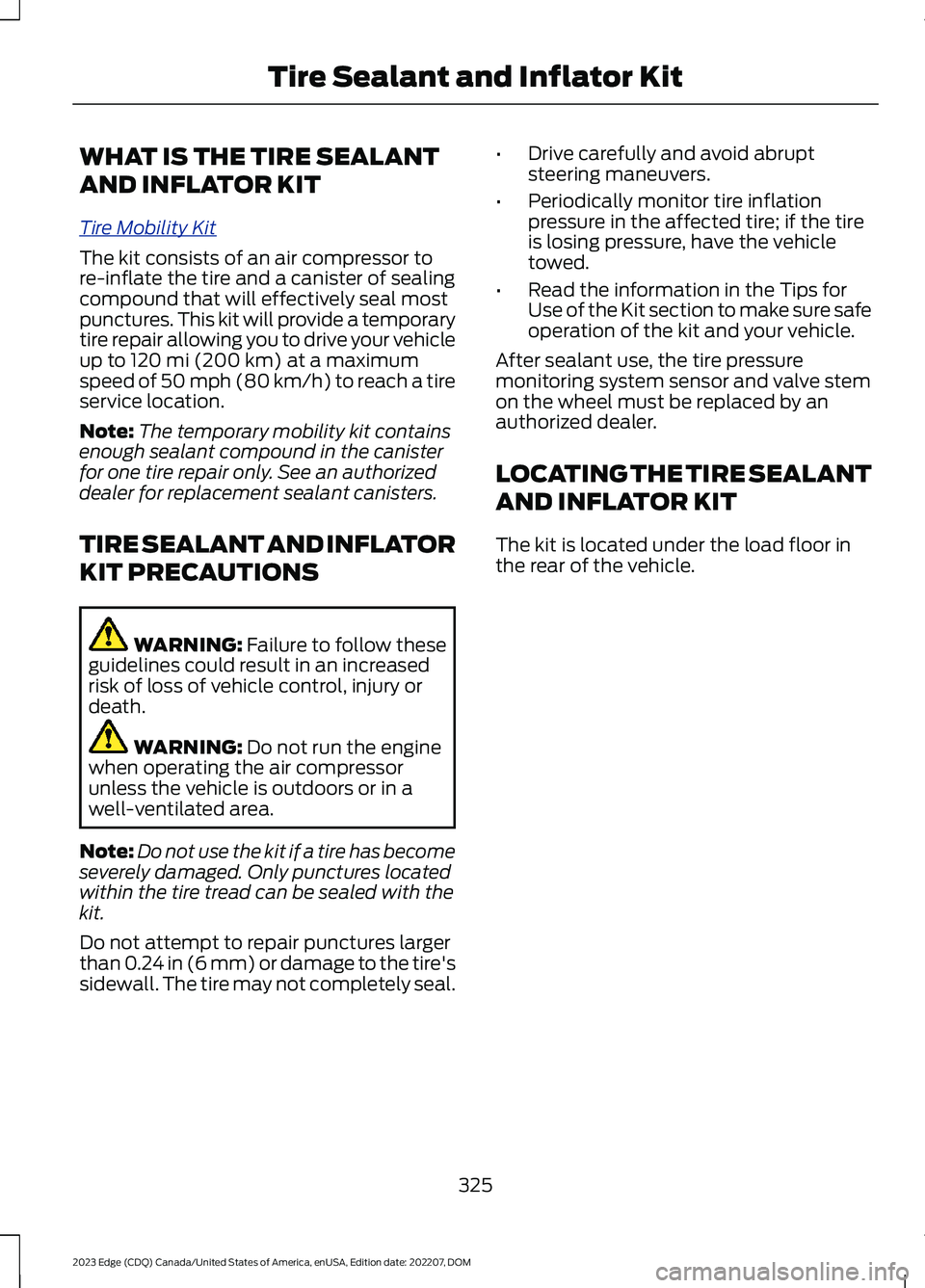
Tire Mobility Kit
The kit consists of an air compressor tore-inflate the tire and a canister of sealingcompound that will effectively seal mostpunctures. This kit will provide a temporarytire repair allowing you to drive your vehicleup to 120 mi (200 km) at a maximumspeed of 50 mph (80 km/h) to reach a tireservice location.
Note:The temporary mobility kit containsenough sealant compound in the canisterfor one tire repair only. See an authorizeddealer for replacement sealant canisters.
TIRE SEALANT AND INFLATOR
KIT PRECAUTIONS
WARNING: Failure to follow theseguidelines could result in an increasedrisk of loss of vehicle control, injury ordeath.
WARNING: Do not run the enginewhen operating the air compressorunless the vehicle is outdoors or in awell-ventilated area.
Note:Do not use the kit if a tire has becomeseverely damaged. Only punctures locatedwithin the tire tread can be sealed with thekit.
Do not attempt to repair punctures largerthan 0.24 in (6 mm) or damage to the tire'ssidewall. The tire may not completely seal.
•Drive carefully and avoid abruptsteering maneuvers.
•Periodically monitor tire inflationpressure in the affected tire; if the tireis losing pressure, have the vehicletowed.
•Read the information in the Tips forUse of the Kit section to make sure safeoperation of the kit and your vehicle.
After sealant use, the tire pressuremonitoring system sensor and valve stemon the wheel must be replaced by anauthorized dealer.
LOCATING THE TIRE SEALANT
AND INFLATOR KIT
The kit is located under the load floor inthe rear of the vehicle.
325
2023 Edge (CDQ) Canada/United States of America, enUSA, Edition date: 202207, DOMTire Sealant and Inflator Kit
Page 339 of 504
CHANGING A FLAT TIRE
WARNING: If the tire pressuremonitor sensor becomes damaged itmay not function.
If you get a flat tire while driving, do notapply the brake heavily. Instead, graduallydecrease your speed. Hold the steeringwheel firmly and slowly move to a safeplace on the side of the road.
Have a flat serviced by an authorizeddealer in order to prevent damage to thetire pressure monitoring system sensors.See What Is the Tire PressureMonitoring System (page 331). Replacethe spare tire with a road tire as soon aspossible. During repairing or replacing ofthe flat tire, have an authorized dealerinspect the tire pressure monitoring systemsensor for damage.
Note:The use of tire sealant could damageyour tire pressure monitoring sensor andshould only be used in roadsideemergencies. If you must use a sealant, usethe Tire Mobility Kit sealant. Replace the tirepressure monitoring system sensor andvalve stem on the wheel by an authorizeddealer after use of the sealant.
Note:The tire pressure monitoring systemindicator light will illuminate when the sparetire is in use. To restore the full function ofthe monitoring system, all road wheelsequipped with tire pressure monitoringsensors must be mounted on the vehicle.
Dissimilar Spare Wheel and TireAssembly Information
WARNING: Failure to follow theseguidelines could result in an increasedrisk of loss of vehicle control, injury ordeath.
If you have a dissimilar spare wheel andtire, then it is intended for temporary useonly. This means that if you need to use it,you should replace it as soon as possiblewith a road wheel and tire assembly thatis the same size and type as the road tiresand wheels that were originally providedon your vehicle. If the dissimilar spare tireor wheel is damaged, replace it instead ofrepairing it.
A dissimilar spare wheel and tire assemblyis defined as a spare wheel and tireassembly that is different in brand, size orappearance from the road tires and wheelsand can be one of three types:
1.T-type mini-spare: This spare tirebegins with the letter T for tire size andcould have Temporary Use Only moldedin the sidewall.
2.Full-size dissimilar spare with labelon wheel: This spare tire has a label onthe wheel that states: THIS WHEEL ANDTIRE ASSEMBLY FOR TEMPORARY USEONLY.
When driving with one of the dissimilarspare tires listed above, do not:
•Exceed 50 mph (80 km/h).
•Load the vehicle beyond maximumvehicle load rating listed on the SafetyCompliance Label.
•Tow a trailer.
•Use snow chains on the end of thevehicle with the dissimilar spare tire.
•Use more than one dissimilar spare tireat a time.
•Use commercial car washingequipment.
•Try to repair the dissimilar spare tire.
335
2023 Edge (CDQ) Canada/United States of America, enUSA, Edition date: 202207, DOMChanging a Road Wheel (If Equipped)
Page 341 of 504
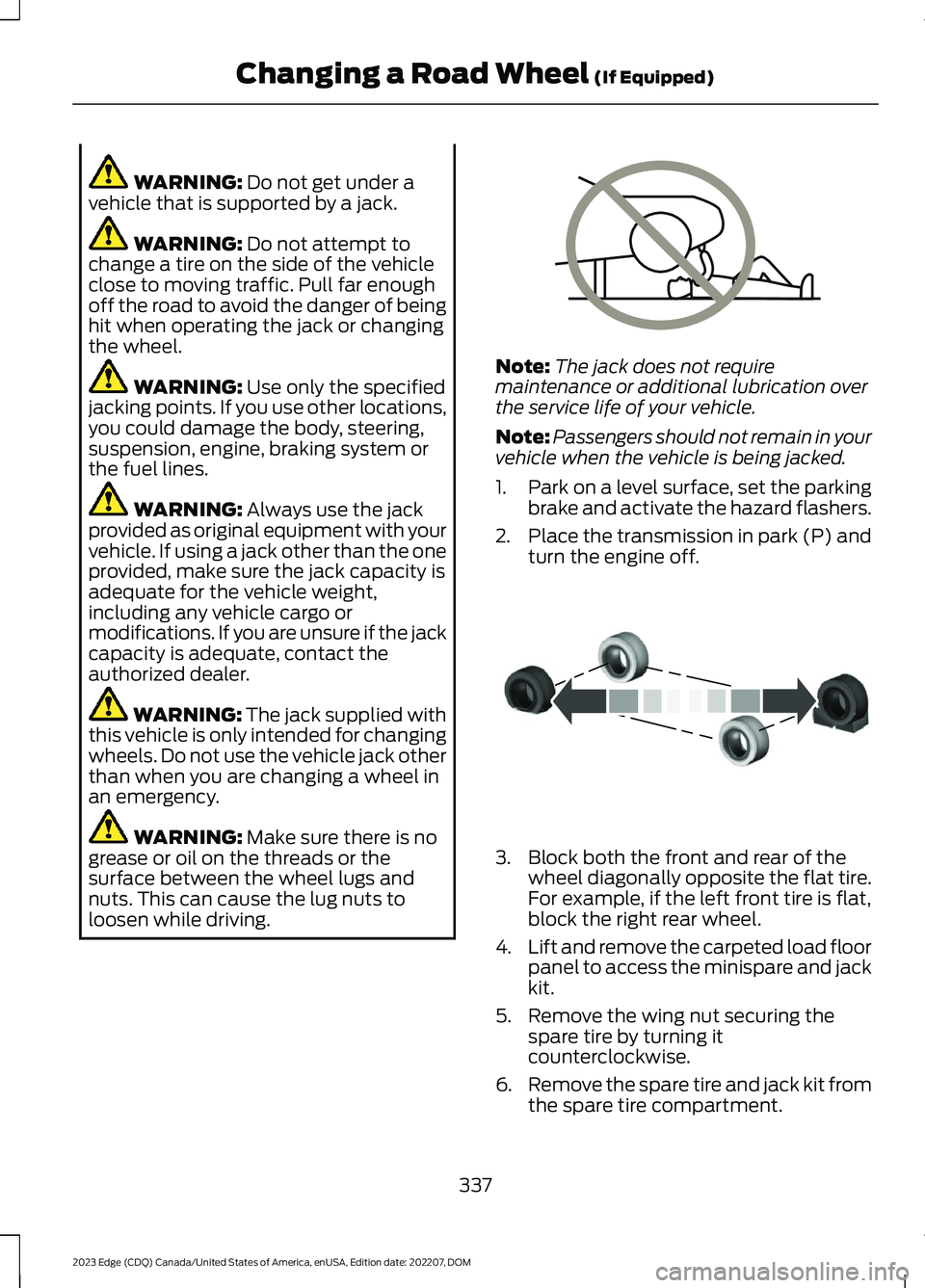
WARNING: Do not get under avehicle that is supported by a jack.
WARNING: Do not attempt tochange a tire on the side of the vehicleclose to moving traffic. Pull far enoughoff the road to avoid the danger of beinghit when operating the jack or changingthe wheel.
WARNING: Use only the specifiedjacking points. If you use other locations,you could damage the body, steering,suspension, engine, braking system orthe fuel lines.
WARNING: Always use the jackprovided as original equipment with yourvehicle. If using a jack other than the oneprovided, make sure the jack capacity isadequate for the vehicle weight,including any vehicle cargo ormodifications. If you are unsure if the jackcapacity is adequate, contact theauthorized dealer.
WARNING: The jack supplied withthis vehicle is only intended for changingwheels. Do not use the vehicle jack otherthan when you are changing a wheel inan emergency.
WARNING: Make sure there is nogrease or oil on the threads or thesurface between the wheel lugs andnuts. This can cause the lug nuts toloosen while driving.
Note:The jack does not requiremaintenance or additional lubrication overthe service life of your vehicle.
Note:Passengers should not remain in yourvehicle when the vehicle is being jacked.
1.Park on a level surface, set the parkingbrake and activate the hazard flashers.
2.Place the transmission in park (P) andturn the engine off.
3.Block both the front and rear of thewheel diagonally opposite the flat tire.For example, if the left front tire is flat,block the right rear wheel.
4.Lift and remove the carpeted load floorpanel to access the minispare and jackkit.
5.Remove the wing nut securing thespare tire by turning itcounterclockwise.
6.Remove the spare tire and jack kit fromthe spare tire compartment.
337
2023 Edge (CDQ) Canada/United States of America, enUSA, Edition date: 202207, DOMChanging a Road Wheel (If Equipped)E166722 E175447
Page 364 of 504
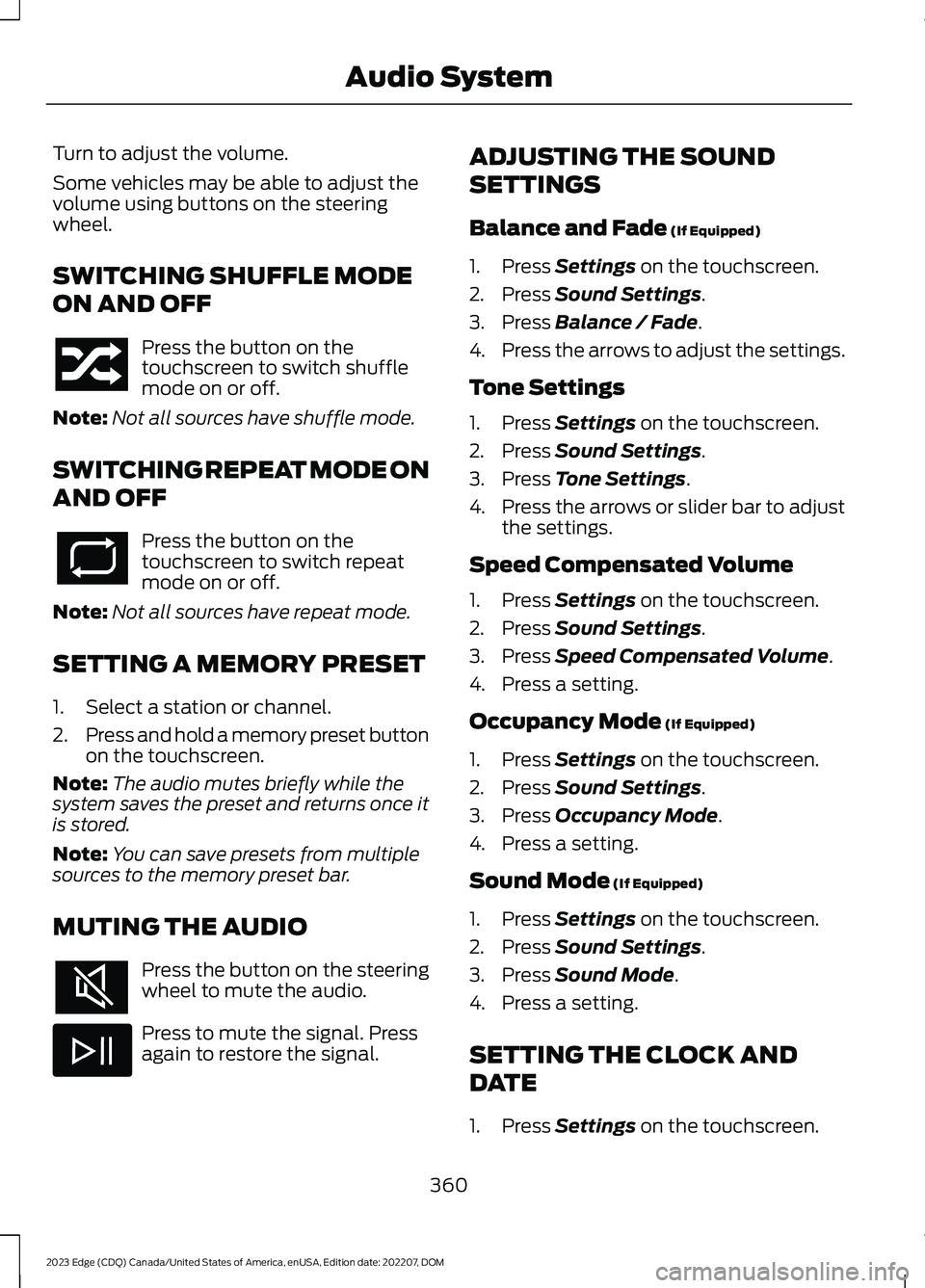
Turn to adjust the volume.
Some vehicles may be able to adjust thevolume using buttons on the steeringwheel.
SWITCHING SHUFFLE MODE
ON AND OFF
Press the button on thetouchscreen to switch shufflemode on or off.
Note:Not all sources have shuffle mode.
SWITCHING REPEAT MODE ON
AND OFF
Press the button on thetouchscreen to switch repeatmode on or off.
Note:Not all sources have repeat mode.
SETTING A MEMORY PRESET
1.Select a station or channel.
2.Press and hold a memory preset buttonon the touchscreen.
Note:The audio mutes briefly while thesystem saves the preset and returns once itis stored.
Note:You can save presets from multiplesources to the memory preset bar.
MUTING THE AUDIO
Press the button on the steeringwheel to mute the audio.
Press to mute the signal. Pressagain to restore the signal.
ADJUSTING THE SOUND
SETTINGS
Balance and Fade (If Equipped)
1.Press Settings on the touchscreen.
2.Press Sound Settings.
3.Press Balance / Fade.
4.Press the arrows to adjust the settings.
Tone Settings
1.Press Settings on the touchscreen.
2.Press Sound Settings.
3.Press Tone Settings.
4.Press the arrows or slider bar to adjustthe settings.
Speed Compensated Volume
1.Press Settings on the touchscreen.
2.Press Sound Settings.
3.Press Speed Compensated Volume.
4.Press a setting.
Occupancy Mode (If Equipped)
1.Press Settings on the touchscreen.
2.Press Sound Settings.
3.Press Occupancy Mode.
4.Press a setting.
Sound Mode (If Equipped)
1.Press Settings on the touchscreen.
2.Press Sound Settings.
3.Press Sound Mode.
4.Press a setting.
SETTING THE CLOCK AND
DATE
1.Press Settings on the touchscreen.
360
2023 Edge (CDQ) Canada/United States of America, enUSA, Edition date: 202207, DOMAudio System
Page 370 of 504
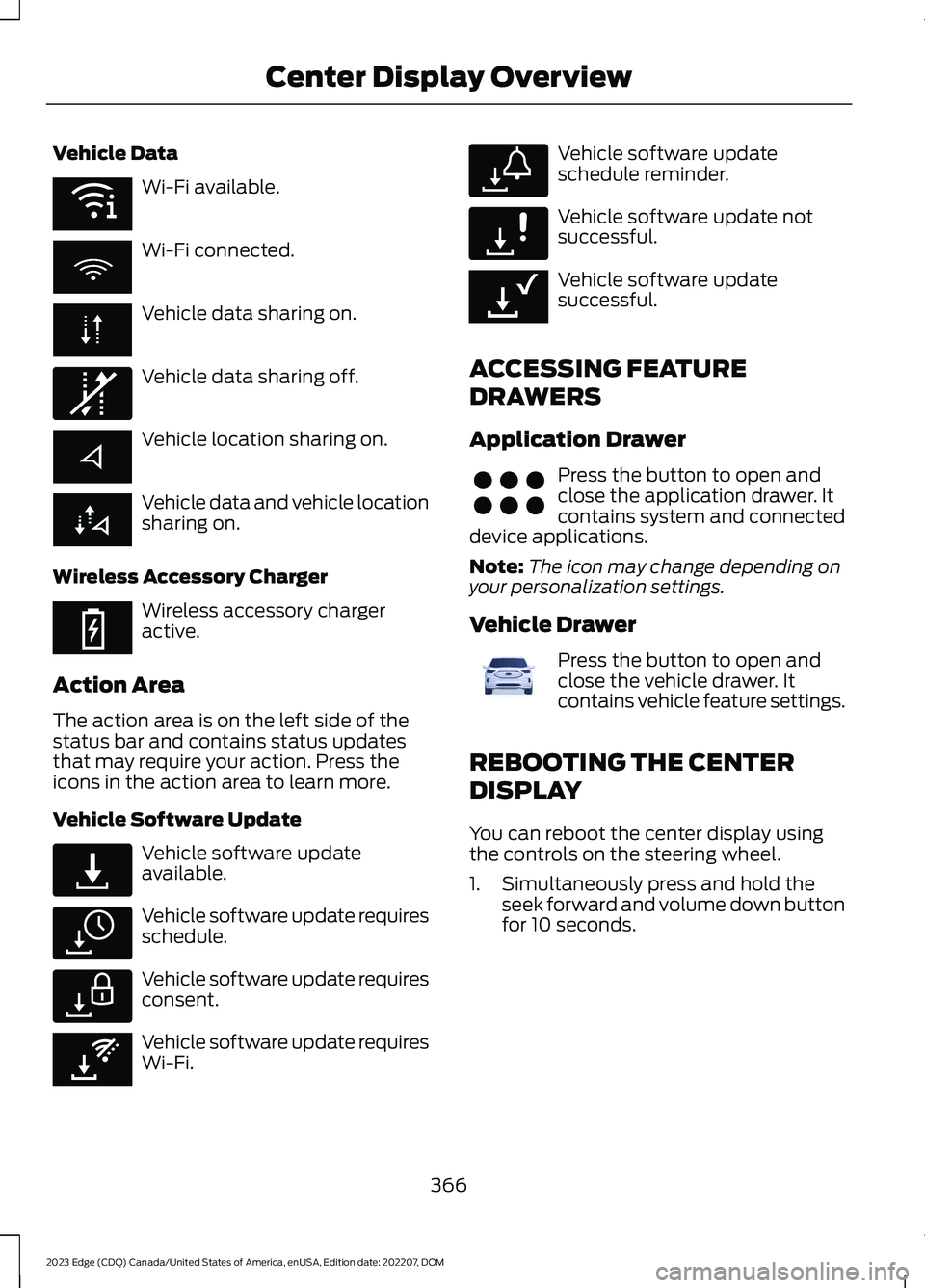
Vehicle Data
Wi-Fi available.
Wi-Fi connected.
Vehicle data sharing on.
Vehicle data sharing off.
Vehicle location sharing on.
Vehicle data and vehicle locationsharing on.
Wireless Accessory Charger
Wireless accessory chargeractive.
Action Area
The action area is on the left side of thestatus bar and contains status updatesthat may require your action. Press theicons in the action area to learn more.
Vehicle Software Update
Vehicle software updateavailable.
Vehicle software update requiresschedule.
Vehicle software update requiresconsent.
Vehicle software update requiresWi-Fi.
Vehicle software updateschedule reminder.
Vehicle software update notsuccessful.
Vehicle software updatesuccessful.
ACCESSING FEATURE
DRAWERS
Application Drawer
Press the button to open andclose the application drawer. Itcontains system and connecteddevice applications.
Note:The icon may change depending onyour personalization settings.
Vehicle Drawer
Press the button to open andclose the vehicle drawer. Itcontains vehicle feature settings.
REBOOTING THE CENTER
DISPLAY
You can reboot the center display usingthe controls on the steering wheel.
1.Simultaneously press and hold theseek forward and volume down buttonfor 10 seconds.
366
2023 Edge (CDQ) Canada/United States of America, enUSA, Edition date: 202207, DOMCenter Display OverviewE353219 E335292 E353214 E327789 E327785 E327786 E353217 E327787 E327788 E353218 E356583 E372641