cooling FORD ESCAPE 2013 3.G User Guide
[x] Cancel search | Manufacturer: FORD, Model Year: 2013, Model line: ESCAPE, Model: FORD ESCAPE 2013 3.GPages: 423, PDF Size: 4.59 MB
Page 222 of 423
1. Remove the filler cap.
2. Add engine oil that meets the Fordspecifications. See Capacities and
Specifications (page 267).
3. Replace the filler cap. Turn it until you feel a strong resistance.
Resetting the Oil Life Monitoring
System
Note: Reset the oil life monitoring only after
an oil change.
1. Turn the ignition key to the on position.
Do not start the engine. For vehicles
with push-button start, press and hold
the start button for two seconds
without pressing the brake pedal. Do
not attempt to start the engine.
2. Press both the accelerator and brake pedals at the same time.
3. Keep both pedals fully pressed.
4. After three seconds, the Service: Oil reset in prog. message will be
displayed.
5. After 25 seconds, the Service: Oil reset
complete message will be displayed.
6. Release both the accelerator and brake
pedals.
7. The Service: Oil reset complete message will no longer be displayed.
8. Rotate the key to the off position. For vehicles with push-button start, press
the start button to turn the vehicle off
completely.
ENGINE COOLANT CHECK
Checking the Engine Coolant
When the engine is cold, check the
concentration and level of the engine
coolant at the intervals listed in the
scheduled maintenance information. See
Scheduled Maintenance (page 396). Note:
Make sure that the level is between
the MIN and MAX marks on the coolant
reservoir.
Note: Coolant expands when it is hot. The
level may extend beyond the MAX mark
Note: If the level is at the MIN mark, below
the MIN mark, or empty, add coolant
immediately. See Adding Engine Coolant
in this chapter.
The coolant concentration should be
maintained at 50%.
Note: For best results, coolant
concentration should be tested with a
refractometer such as Rotunda tool
ROB75240 available from your dealer. Ford
does not recommend the use of
hydrometers or coolant test strips for
measuring coolant concentrations.
Note: Automotive fluids are not
interchangeable. Do not use engine coolant
or antifreeze or windshield washer fluid
outside of its specified function and vehicle
location.
Adding Engine Coolant
WARNINGS
Do not add engine coolant when the
engine is hot. Steam and scalding
liquids released from a hot cooling
system can burn you badly. Also, you can
be burned if you spill coolant on hot engine
parts.
Do not put engine coolant in the
windshield washer fluid container. If
sprayed on the windshield, engine
coolant could make it difficult to see
through the windshield.
To reduce the risk of personal injury,
make sure the engine is cool before
unscrewing the coolant pressure
relief cap. The cooling system is under
pressure; steam and hot liquid can come
out forcefully when the cap is loosened
slightly.
222
Maintenance
Page 223 of 423
WARNINGS
Do not add coolant further than the
MAX mark.
Note:Do not use stop leak pellets, cooling
system sealants, or additives as they can
cause damage to the engine cooling or
heating systems. This damage would not
be covered under your vehicle ’s warranty.
Note: During normal vehicle operation, the
engine coolant may change color from
orange to pink or light red. As long as the
engine coolant is clear and uncontaminated,
this color change does not indicate the
engine coolant has degraded nor does it
require the engine coolant to be drained, the
system to be flushed, or the engine coolant
to be replaced.
• Do not mix different colors or types of
coolant in your vehicle. Make sure the
correct coolant is used. Mixing of
engine coolants may harm your
engine ’s cooling system. The use of an
improper coolant may harm engine and
cooling system components and may
void the warranty. Use prediluted
engine coolant meeting the Ford
specification. See Capacities and
Specifications (page 267).
• In case of emergency, a large amount
of water without engine coolant may
be added in order to reach a vehicle
service location. In this instance, the
cooling system must be drained,
chemically cleaned with Motorcraft®
Premium Cooling System Flush, and
refilled with prediluted engine coolant
as soon as possible. Water alone
(without engine coolant) can cause
engine damage from corrosion,
overheating or freezing. •
Do not use alcohol, methanol, brine or
any engine coolants mixed with alcohol
or methanol antifreeze (coolant).
Alcohol and other liquids can cause
engine damage from overheating or
freezing.
• Do not add extra inhibitors or additives
to the coolant. These can be harmful
and compromise the corrosion
protection of the engine coolant.
Unscrew the cap slowly. Any pressure will
escape as you unscrew the cap.
Add prediluted engine coolant meeting the
Ford specification. See Capacities and
Specifications (page 267).
Whenever coolant has been added, the
coolant level in the coolant reservoir
should be checked the next few times you
drive the vehicle. If necessary, add enough
prediluted engine coolant to bring the
coolant level to the proper level.
Recycled Engine Coolant
Ford Motor Company does not recommend
the use of recycled engine coolant since a
Ford-approved recycling process is not yet
available.
Always dispose of used automotive fluids
in a responsible manner. Follow your
community ’s regulations and standards
for recycling and disposing of automotive
fluids.
223
Maintenance
Page 224 of 423
Severe Climates
If you drive in extremely cold climates:
•It may be necessary to have a Ford
authorized dealer increase the coolant
concentration above 50%.
• A coolant concentration of 60% will
provide improved freeze point
protection. Engine coolant
concentrations above 60% will
decrease the overheat protection
characteristics of the engine coolant
and may cause engine damage
If you drive in extremely hot climates:
• It may be necessary to have a Ford
authorized dealer decrease the coolant
concentration to 40%.
• A coolant concentration of 40% will
provide improved overheat protection.
Engine coolant concentrations below
40% will decrease the corrosion/freeze
protection characteristics of the engine
coolant and may cause engine
damage.
Vehicles driven year-round in non-extreme
climates should use prediluted engine
coolant for optimum cooling system and
engine protection.
What you Should Know About Fail-
Safe Cooling
If the engine coolant supply is depleted,
this feature allows the vehicle to be driven
temporarily before incremental component
damage is incurred. The “fail-safe”
distance depends on ambient
temperatures, vehicle load and terrain.
How Fail-Safe Cooling Works
If the engine begins to overheat, the engine
coolant temperature gauge will move to
the red (hot) area and:
The coolant temperature
warning light will illuminate.
The service engine soon
indicator will illuminate.
If the engine reaches a preset
over-temperature condition, the engine
will automatically switch to alternating
cylinder operation. Each disabled cylinder
acts as an air pump and cools the engine.
When this occurs the vehicle will still
operate. However:
• The engine power will be limited.
• The air conditioning system will be
disabled.
Continued operation will increase the
engine temperature and the engine will
completely shut down, causing steering
and braking effort to increase.
Once the engine temperature cools, the
engine can be re-started. Take your vehicle
to an authorized dealer as soon as possible
to minimize engine damage.
When Fail-Safe Mode Is Activated
WARNINGS
Fail-safe mode is for use during
emergencies only. Operate the
vehicle in fail-safe mode only as long
as necessary to bring the vehicle to rest in
a safe location and seek immediate repairs.
When in fail-safe mode, the vehicle will
have limited power, will not be able to
maintain high-speed operation, and may
completely shut down without warning,
potentially losing engine power, power
steering assist, and power brake assist,
which may increase the possibility of a
crash resulting in serious injury.
Never remove the coolant reservoir
cap while the engine is running or hot.
224
Maintenance
Page 241 of 423
Body
•Wash vehicle thoroughly to remove
dirt, grease, oil, tar or mud from exterior
surfaces, rear-wheel housing and
underside of front fenders.
• Periodically wash vehicles stored in
exposed locations.
• Touch-up raw or primed metal to
prevent rust
• Cover chrome and stainless steel parts
with a thick coat of auto wax to prevent
discoloration. Re-wax as necessary
when the vehicle is washed.
• Lubricate all hood, door and trunk lid
hinges, and latches with a light grade
oil.
• Cover interior trim to prevent fading.
• Keep all rubber parts free from oil and
solvents.
Engine
• The engine oil and filter should be
changed prior to storage, as used
engine oil contain contaminates that
may cause engine damage.
• Start the engine every 15 days. Run at
fast idle until it reaches normal
operating temperature
• With your foot on the brake, shift
through all the gears while the engine
is running.
Fuel system
• Fill the fuel tank with high-quality fuel
until the first automatic shutoff of the
fuel pump nozzle. Note:
During extended periods of vehicle
storage (30 days or more), fuel may
deteriorate due to oxidation. Add a quality
gas stabilizer product to the vehicle fuel
system whenever actual or expected
storage periods exceed 30 days. Follow the
instructions on the additive label. The
vehicle should then be operated at idle
speed to circulate the additive throughout
the fuel system.
Cooling system
• Protect against freezing temperatures.
• When removing vehicle from storage,
check coolant fluid level. Confirm there
are no cooling system leaks, and fluid
is at the recommended level.
Battery
• Check and recharge as necessary. Keep
connections clean.
• If storing your vehicle for more than 30
days without recharging the battery, it
may be advisable to disconnect the
battery cables to ensure battery charge
is maintained for quick starting.
Note: If battery cables are disconnected, it
will be necessary to reset memory features.
Brakes
• Make sure brakes and parking brake
are fully released.
Tires
• Maintain recommended air pressure.
Miscellaneous
• Make sure all linkages, cables, levers
and pins under vehicle are covered with
grease to prevent rust.
• Move vehicles at least 25 feet (8
meters) every 15 days to lubricate
working parts and prevent corrosion.
241
Vehicle Care
Page 368 of 423
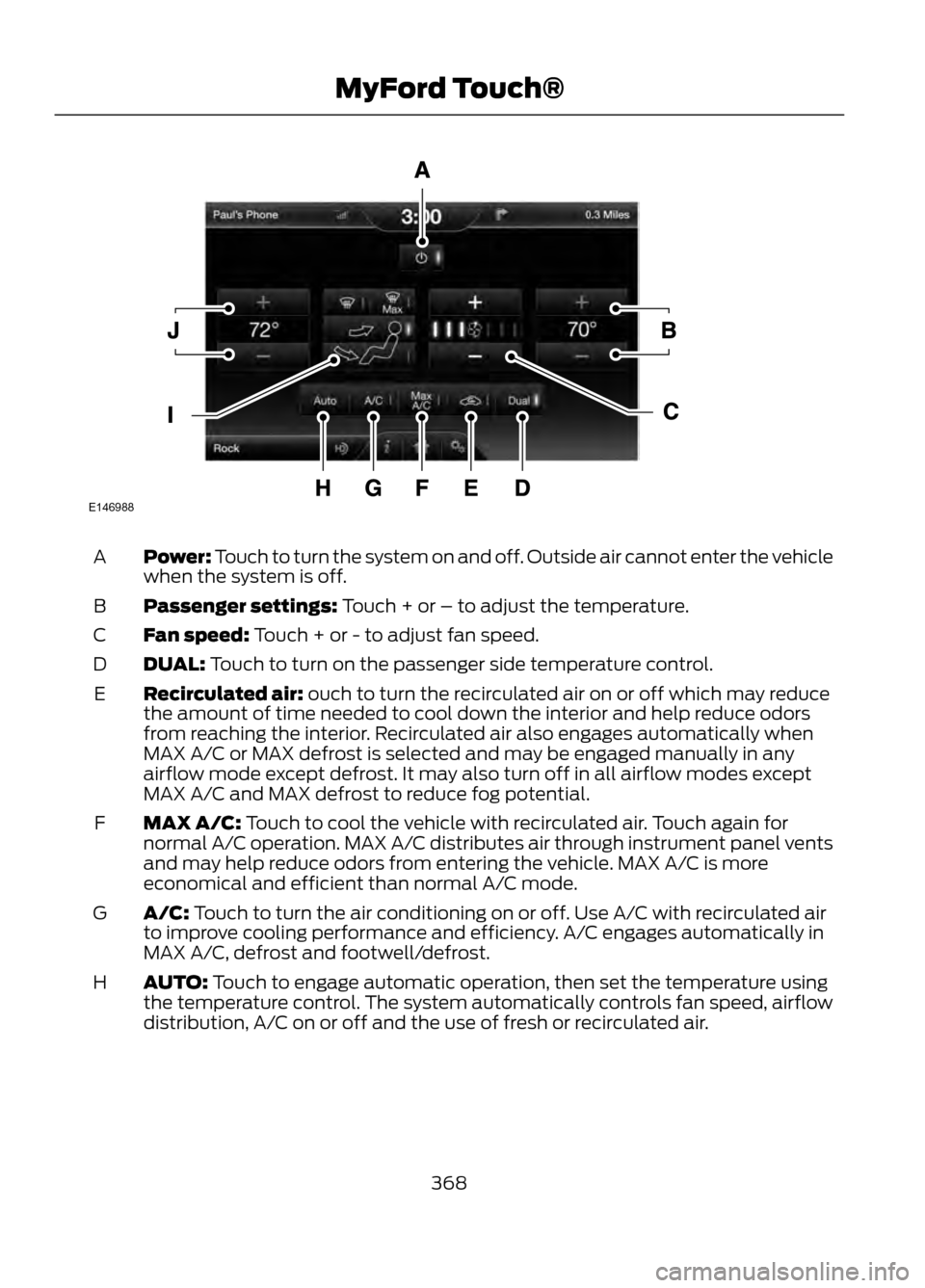
Power: Touch to turn the system on and off. Outside air cannot enter the vehicle
when the system is off.
A
Passenger settings: Touch + or – to adjust the temperature.
B
Fan speed: Touch + or - to adjust fan speed.
C
DUAL: Touch to turn on the passenger side temperature control.
D
Recirculated air: ouch to turn the recirculated air on or off which may reduce
the amount of time needed to cool down the interior and help reduce odors
from reaching the interior. Recirculated air also engages automatically when
MAX A/C or MAX defrost is selected and may be engaged manually in any
airflow mode except defrost. It may also turn off in all airflow modes except
MAX A/C and MAX defrost to reduce fog potential.
E
MAX A/C: Touch to cool the vehicle with recirculated air. Touch again for
normal A/C operation. MAX A/C distributes air through instrument panel vents
and may help reduce odors from entering the vehicle. MAX A/C is more
economical and efficient than normal A/C mode.
F
A/C: Touch to turn the air conditioning on or off. Use A/C with recirculated air
to improve cooling performance and efficiency. A/C engages automatically in
MAX A/C, defrost and footwell/defrost.
G
AUTO: Touch to engage automatic operation, then set the temperature using
the temperature control. The system automatically controls fan speed, airflow
distribution, A/C on or off and the use of fresh or recirculated air.
H
368
MyFord Touch®
E146988
Page 398 of 423
Check Every Six Months
•Battery connections. Clean if
necessary.
• Body and door drain holes for
obstructions. Clean if necessary.
• Cooling system fluid level and coolant
strength.
• Door weatherstrips for wear. Lubricate
if necessary.
• Hinges, latches and outside locks for
proper operation. Lubricate if
necessary.
• Parking brake for proper operation.
• Safety belts and seat latches for wear
and function. •
Safety warning lamps (brake, ABS,
airbag and safety belt) for operation.
• Washer spray and wiper operation.
Clean or replace blades as necessary.
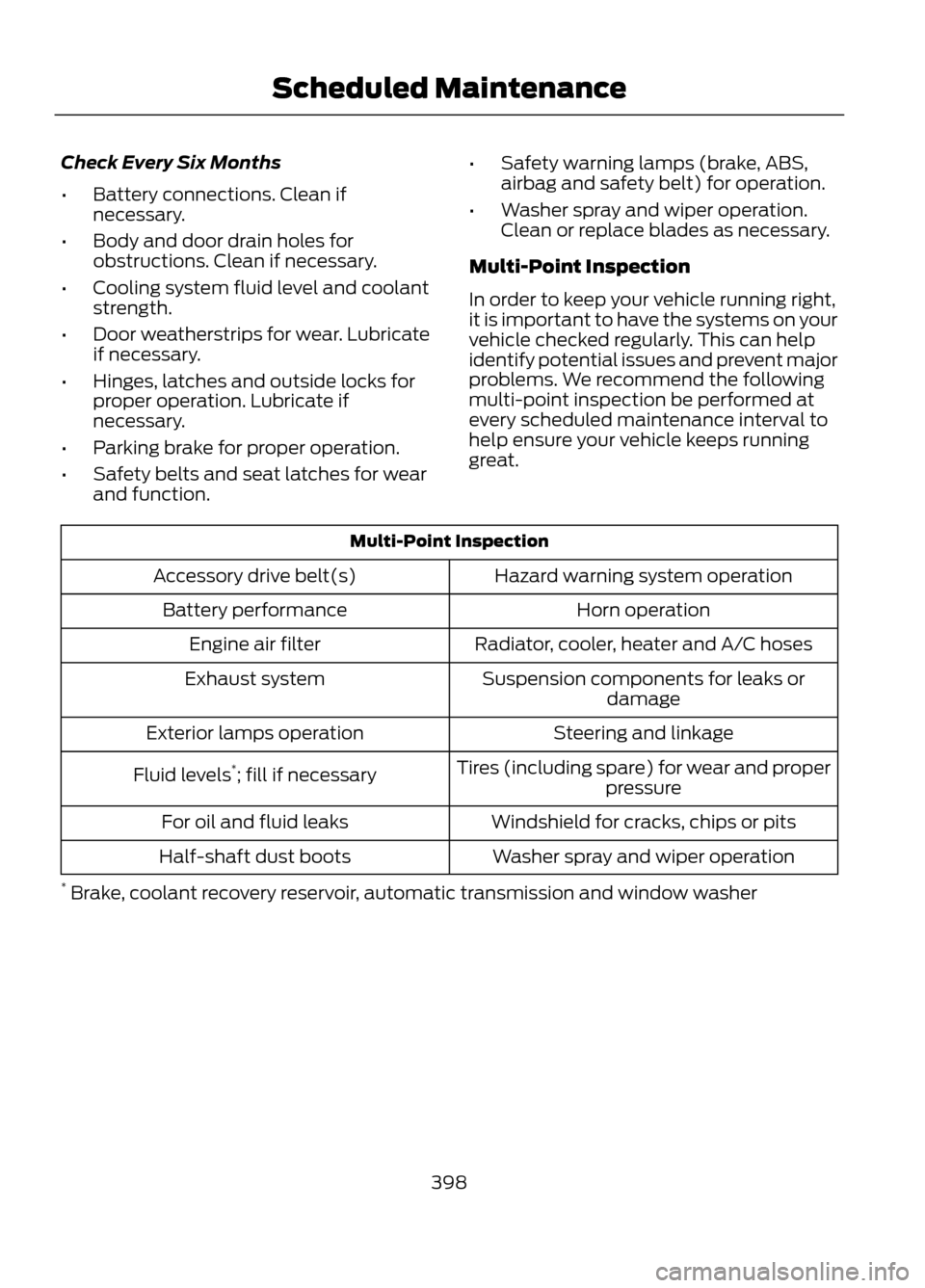
Multi-Point Inspection
In order to keep your vehicle running right,
it is important to have the systems on your
vehicle checked regularly. This can help
identify potential issues and prevent major
problems. We recommend the following
multi-point inspection be performed at
every scheduled maintenance interval to
help ensure your vehicle keeps running
great.
Multi-Point Inspection Hazard warning system operation
Accessory drive belt(s)
Horn operation
Battery performance
Radiator, cooler, heater and A/C hoses
Engine air filter
Suspension components for leaks ordamage
Exhaust system
Steering and linkage
Exterior lamps operation
Tires (including spare) for wear and properpressure
Fluid levels
*
; fill if necessary
Windshield for cracks, chips or pits
For oil and fluid leaks
Washer spray and wiper operation
Half-shaft dust boots
* Brake, coolant recovery reservoir, automatic transmission and window washer
398
Scheduled Maintenance
Page 400 of 423
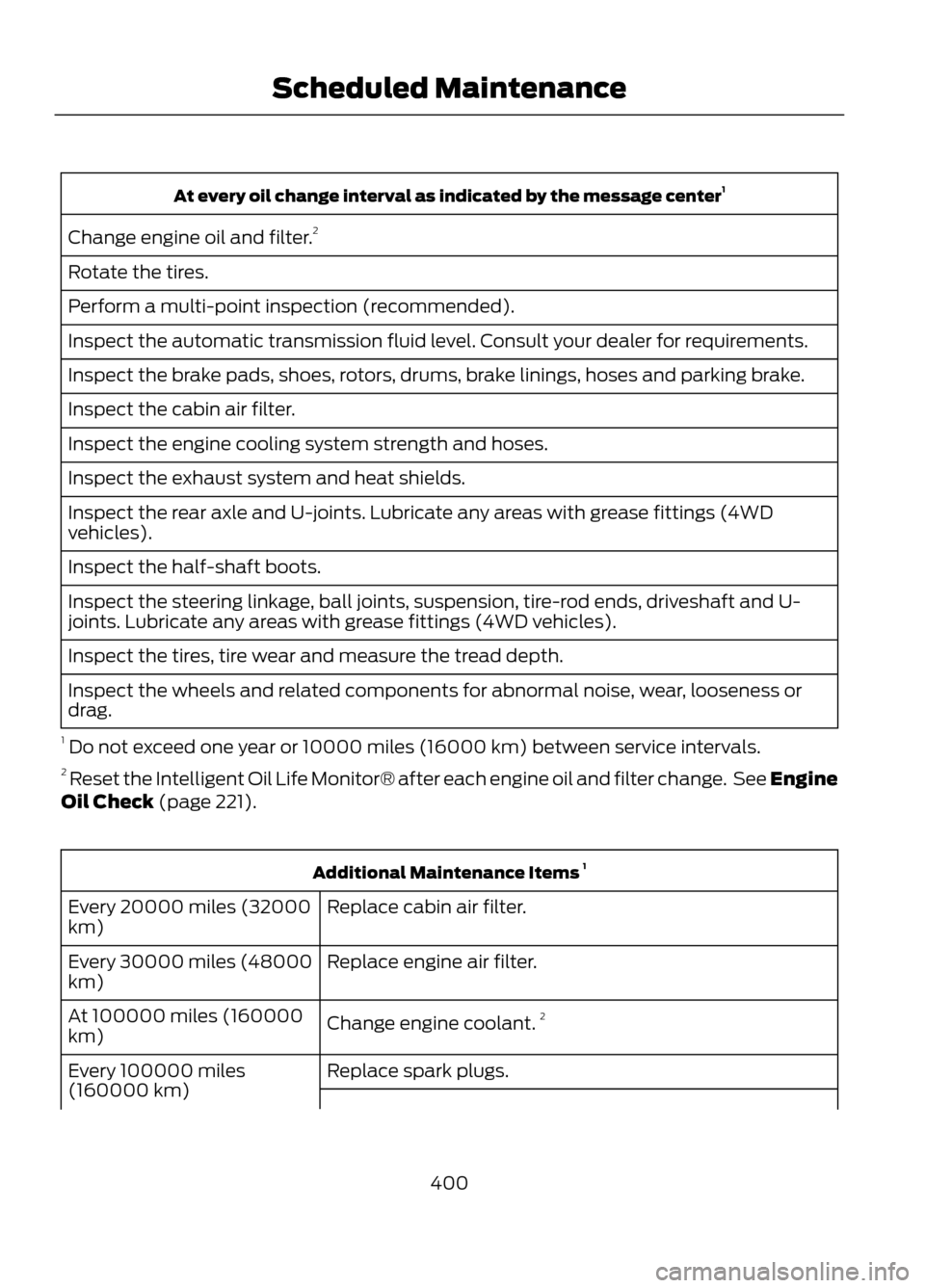
At every oil change interval as indicated by the message center1
Change engine oil and filter. 2
Rotate the tires.
Perform a multi-point inspection (recommended).
Inspect the automatic transmission fluid level. Consult your dealer for requirements.
Inspect the brake pads, shoes, rotors, drums, brake linings, hoses and parking brake.
Inspect the cabin air filter.
Inspect the engine cooling system strength and hoses.
Inspect the exhaust system and heat shields.
Inspect the rear axle and U-joints. Lubricate any areas with grease fittings (4WD
vehicles).
Inspect the half-shaft boots.
Inspect the steering linkage, ball joints, suspension, tire-rod ends, driveshaft and U-
joints. Lubricate any areas with grease fittings (4WD vehicles).
Inspect the tires, tire wear and measure the tread depth.
Inspect the wheels and related components for abnormal noise, wear, looseness or
drag.
1 Do not exceed one year or 10000 miles (16000 km) between service intervals.
2 Reset the Intelligent Oil Life Monitor® after each engine oil and filter change. See Engine
Oil Check (page 221).
Additional Maintenance Items 1
Replace cabin air filter.
Every 20000 miles (32000
km)
Replace engine air filter.
Every 30000 miles (48000
km)
Change engine coolant.2
At 100000 miles (160000
km)
Replace spark plugs.
Every 100000 miles
(160000 km)
400
Scheduled Maintenance
Page 415 of 423
E
Eco Mode.........................................................175Resetting Eco Mode........................................... 175
Type 1....................................................................... 175
Type 2 and 3.......................................................... 175
Economical Driving......................................194
Emission Control System..........................143 On-Board Diagnostics (OBD-II)................... 144
Readiness for Inspection/Maintenance (I/M) Testing................................................... 145
End User License Agreement.................380 SYNC® End User License Agreement
(EULA)............................................................. 380
Engine Block Heater....................................138 Using the Engine Block Heater...................... 139
Engine Coolant Check................................222 Adding Engine Coolant.................................... 222
Checking the Engine Coolant........................ 222
Recycled Engine Coolant................................ 223
Severe Climates................................................. 224
What you Should Know About Fail-Safe Cooling.............................................................. 224
Engine Immobilizer See: Passive Anti-Theft System..................... 62
Engine Oil Check...........................................221 Adding Engine Oil................................................ 221
Resetting the Oil Life Monitoring System.............................................................. 222
Engine Oil Dipstick - 1.6L EcoBoost®...................................................221
Engine Oil Dipstick - 2.5L/2.0L EcoBoost®...................................................221
Engine Specifications.................................267 Drivebelt Routing................................................ 267
Entertainment...............................................332 A/V Inputs............................................................. 351
AM/FM Radio...................................................... 333
Bluetooth Audio................................................. 350
Browsing Device Content................................ 332
CD........................................................................\
.... 344
SD Card Slot and USB Port........................... 346
SIRIUS® Satellite Radio (If Activated)........................................................ 339
Supported Media Players, Formats and Metadata Information................................ 349Essential Towing Checks..........................190
Before Towing a Trailer.................................... 190
Hitches................................................................... 190
Safety Chains...................................................... 190
Trailer Brakes....................................................... 190
Trailer Lamps....................................................... 190
When Towing a Trailer....................................... 191
Event Data Recording See: Data Recording.............................................. 9
Export Unique Options..................................13
Exterior Mirrors.................................................75 Blind Spot Monitor............................................... 76
Fold-Away Exterior Mirrors................................ 75
Heated Exterior Mirrors....................................... 75
Integrated Blind Spot Mirrors........................... 76
Memory Mirrors..................................................... 75
Power Exterior Mirrors......................................... 75
F
Fastening the Safety Belts..........................27 How to Extract Safety Belts in the Rear
Outboard Positions........................................ 29
Restraint of Pregnant Women......................... 27
Safety Belt Extension Assembly.................... 29
Safety Belt Locking Modes............................... 28
Floor Mats.......................................................195
Fog Lamps - Front See: Front Fog Lamps......................................... 72
Ford Credit..........................................................11 (U.S. Only)................................................................. 11
Ford Extended Service Plan (ESP).......276 SERVICE PLANS (CANADA ONLY).............277
SERVICE PLANS (U.S. only).......................... 276
Four-Wheel Drive...........................................151
Front Fog Lamps.............................................72
Front Passenger Sensing System.............37
Fuel and Refueling.......................................140
Fuel Consumption........................................145 Calculating Fuel Economy.............................. 146
Filling the Tank.................................................... 146
Fuel Cut-Off Switch....................................198
Fuel Filter........................................................225
Fuel Quality......................................................141 Choosing the Right Fuel.................................... 141
Octane Recommendations............................. 141
Fuses................................................................207
415
Index
Page 416 of 423
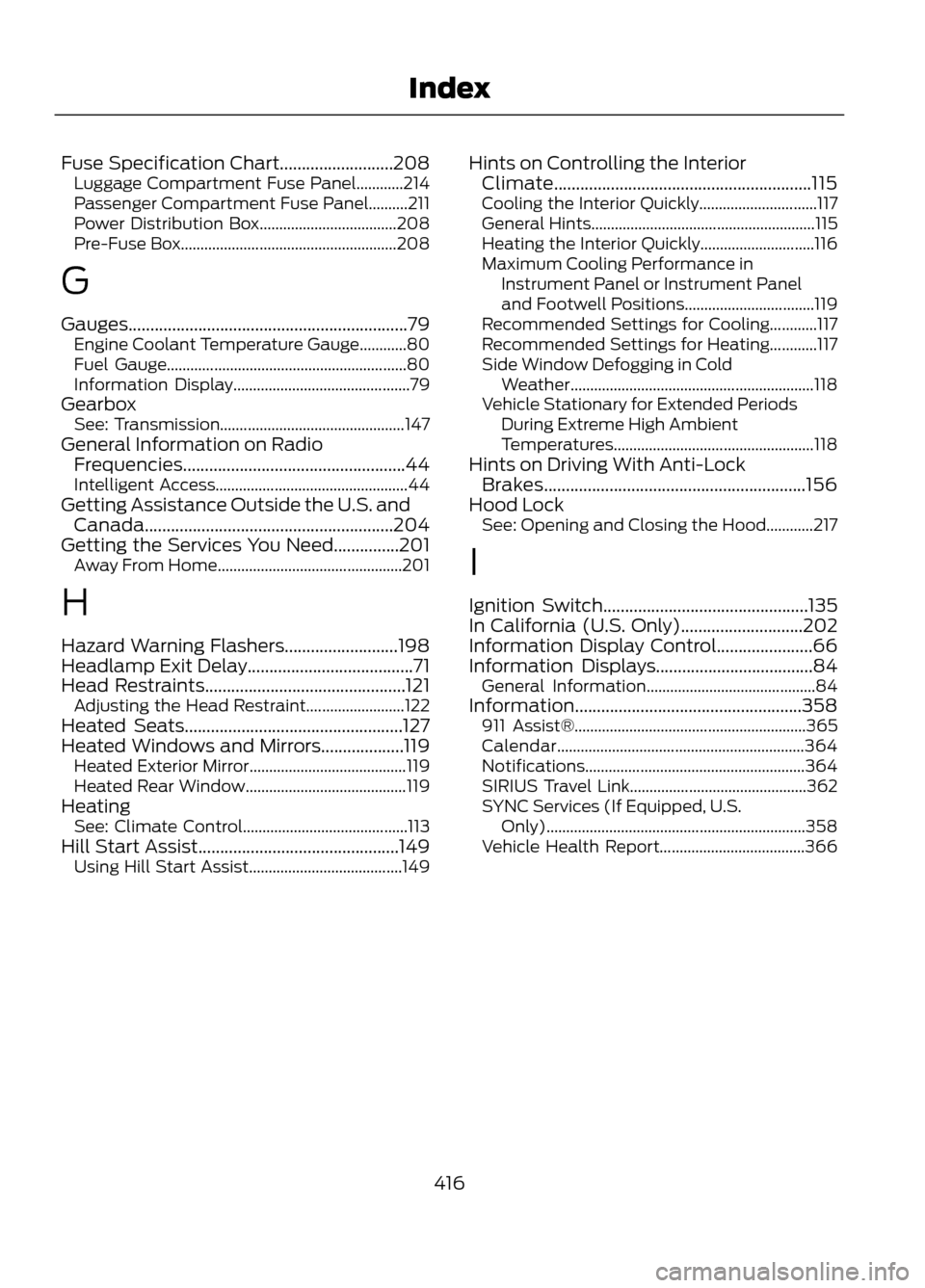
Fuse Specification Chart..........................208Luggage Compartment Fuse Panel............214
Passenger Compartment Fuse Panel..........211
Power Distribution Box................................... 208
Pre-Fuse Box....................................................... 208
G
Gauges................................................................79 Engine Coolant Temperature Gauge............80
Fuel Gauge............................................................. 80
Information Display............................................. 79
Gearbox See: Transmission............................................... 147
General Information on Radio Frequencies...................................................44
Intelligent Access................................................. 44
Getting Assistance Outside the U.S. and Canada.........................................................204
Getting the Services You Need...............201 Away From Home............................................... 201
H
Hazard Warning Flashers..........................198
Headlamp Exit Delay......................................71
Head Restraints..............................................121 Adjusting the Head Restraint......................... 122
Heated Seats..................................................127
Heated Windows and Mirrors...................119 Heated Exterior Mirror........................................ 119
Heated Rear Window......................................... 119
Heating See: Climate Control.......................................... 113
Hill Start Assist..............................................149 Using Hill Start Assist....................................... 149Hints on Controlling the Interior
Climate...........................................................115
Cooling the Interior Quickly.............................. 117
General Hints......................................................... 115
Heating the Interior Quickly............................. 116
Maximum Cooling Performance in Instrument Panel or Instrument Panel
and Footwell Positions................................. 119
Recommended Settings for Cooling............117
Recommended Settings for Heating............117
Side Window Defogging in Cold Weather.............................................................. 118
Vehicle Stationary for Extended Periods During Extreme High Ambient
Temperatures................................................... 118
Hints on Driving With Anti-Lock Brakes............................................................156
Hood Lock See: Opening and Closing the Hood............217
I
Ignition Switch...............................................135
In California (U.S. Only)............................202
Information Display Control......................66
Information Displays....................................84 General Information........................................... 84
Information....................................................358 911 Assist®........................................................... 365
Calendar............................................................... 364
Notifications........................................................ 364
SIRIUS Travel Link............................................. 362
SYNC Services (If Equipped, U.S. Only).................................................................. 358
Vehicle Health Report..................................... 366
416
Index
Page 421 of 423
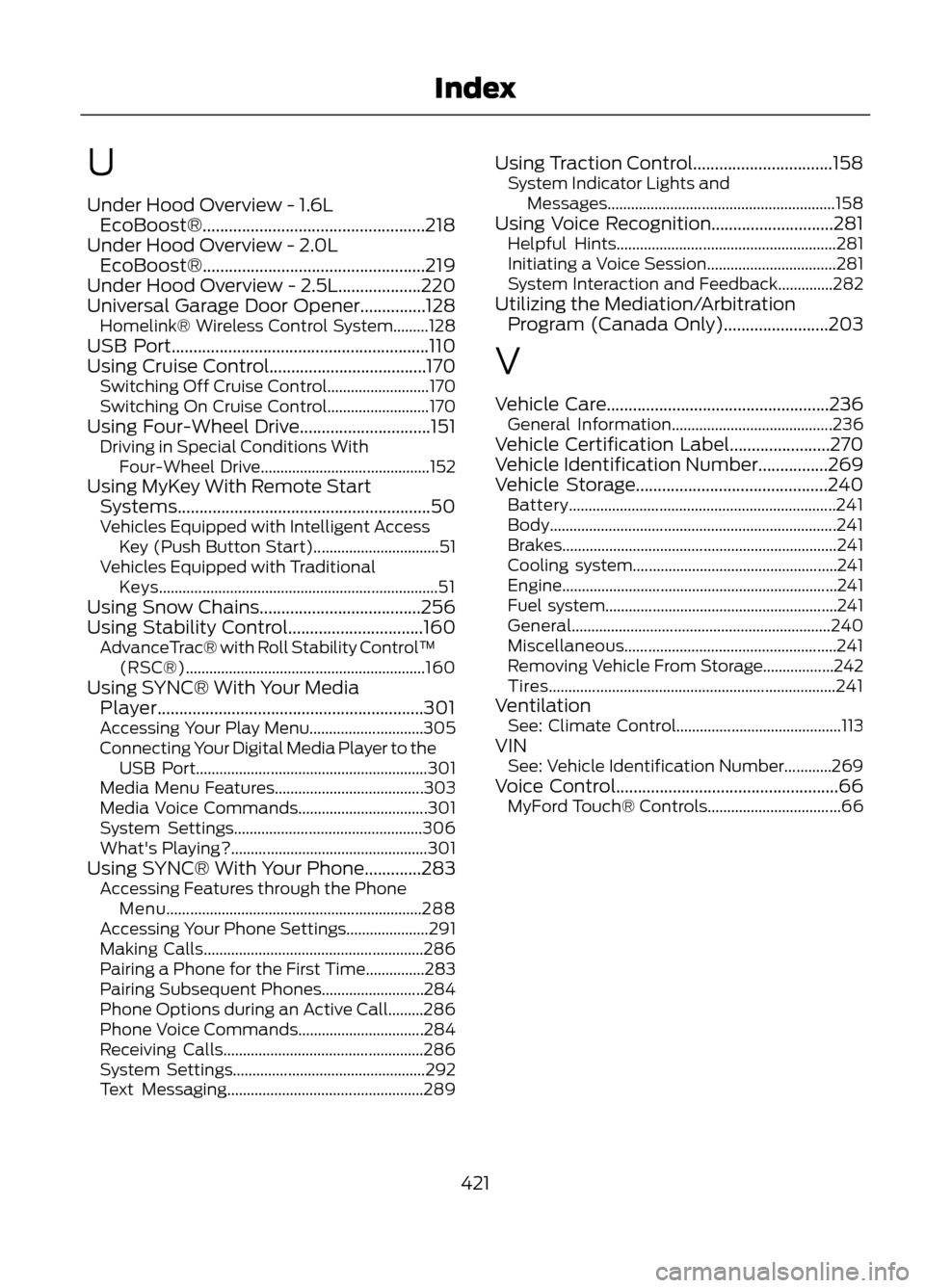
U
Under Hood Overview - 1.6LEcoBoost®...................................................218
Under Hood Overview - 2.0L EcoBoost®...................................................219
Under Hood Overview - 2.5L...................220
Universal Garage Door Opener...............128 Homelink® Wireless Control System.........128
USB Port...........................................................110
Using Cruise Control....................................170 Switching Off Cruise Control.......................... 170
Switching On Cruise Control.......................... 170
Using Four-Wheel Drive..............................151 Driving in Special Conditions With
Four-Wheel Drive........................................... 152
Using MyKey With Remote Start Systems..........................................................50
Vehicles Equipped with Intelligent Access Key (Push Button Start)................................ 51
Vehicles Equipped with Traditional Keys....................................................................... 51
Using Snow Chains.....................................256
Using Stability Control...............................160 AdvanceTrac® with Roll Stability Control ™
(RSC®)............................................................. 160
Using SYNC® With Your Media Player.............................................................301
Accessing Your Play Menu............................. 305
Connecting Your Digital Media Player to the USB Port........................................................... 301
Media Menu Features...................................... 303
Media Voice Commands................................. 301
System Settings................................................ 306
What's Playing?.................................................. 301
Using SYNC® With Your Phone.............283 Accessing Features through the Phone
Menu................................................................. 288
Accessing Your Phone Settings..................... 291
Making Calls........................................................ 286
Pairing a Phone for the First Time...............283
Pairing Subsequent Phones.......................... 284
Phone Options during an Active Call.........286
Phone Voice Commands................................ 284
Receiving Calls................................................... 286
System Settings................................................. 292
Text Messaging.................................................. 289Using Traction Control................................158
System Indicator Lights and
Messages.......................................................... 158
Using Voice Recognition............................281 Helpful Hints........................................................ 281
Initiating a Voice Session................................. 281
System Interaction and Feedback..............282
Utilizing the Mediation/Arbitration Program (Canada Only)........................203
V
Vehicle Care...................................................236 General Information......................................... 236
Vehicle Certification Label.......................270
Vehicle Identification Number................269
Vehicle Storage............................................240 Battery.................................................................... 241
Body........................................................................\
. 241
Brakes...................................................................... 241
Cooling system.................................................... 241
Engine...................................................................... 241
Fuel system........................................................... 241
General.................................................................. 240
Miscellaneous...................................................... 241
Removing Vehicle From Storage..................242
Tires........................................................................\
. 241
Ventilation See: Climate Control.......................................... 113
VIN See: Vehicle Identification Number............269
Voice Control...................................................66 MyFord Touch® Controls.................................. 66
421
Index