door lock FORD ESCAPE 2013 3.G User Guide
[x] Cancel search | Manufacturer: FORD, Model Year: 2013, Model line: ESCAPE, Model: FORD ESCAPE 2013 3.GPages: 423, PDF Size: 4.59 MB
Page 58 of 423
Three warning chimes will sound once as
the liftgate begins to power close. Five
short chimes indicate a problem with the
open or close request, caused by:
•the ignition is on and the transmission
is not in P (Park);
• or the battery voltage is below the
minimum operating voltage;
• or the vehicle speed is at or above 3
mph (5 km/h).
If the liftgate falls to the closed direction
after the liftgate has stopped in the open
position, four short warning chimes
indicate excessive weight on the gate or a
possible gas strut failure. See your
authorized dealer if you still have the issue
after the load is removed.
Opening and Closing the Liftgate
WARNING
Make sure all persons are clear of the
power liftgate area before using the
power liftgate control.
Note: Be careful when opening or closing
the liftgate in a garage or other enclosed
area to avoid damaging the liftgate.
Note: Do not leave the liftgate open while
driving. This could damage the liftgate and
its components.
To open or close from the
instrument panel: Press the
instrument panel button.
To open or close with the
remote control: Press the
remote control button twice
within three seconds.
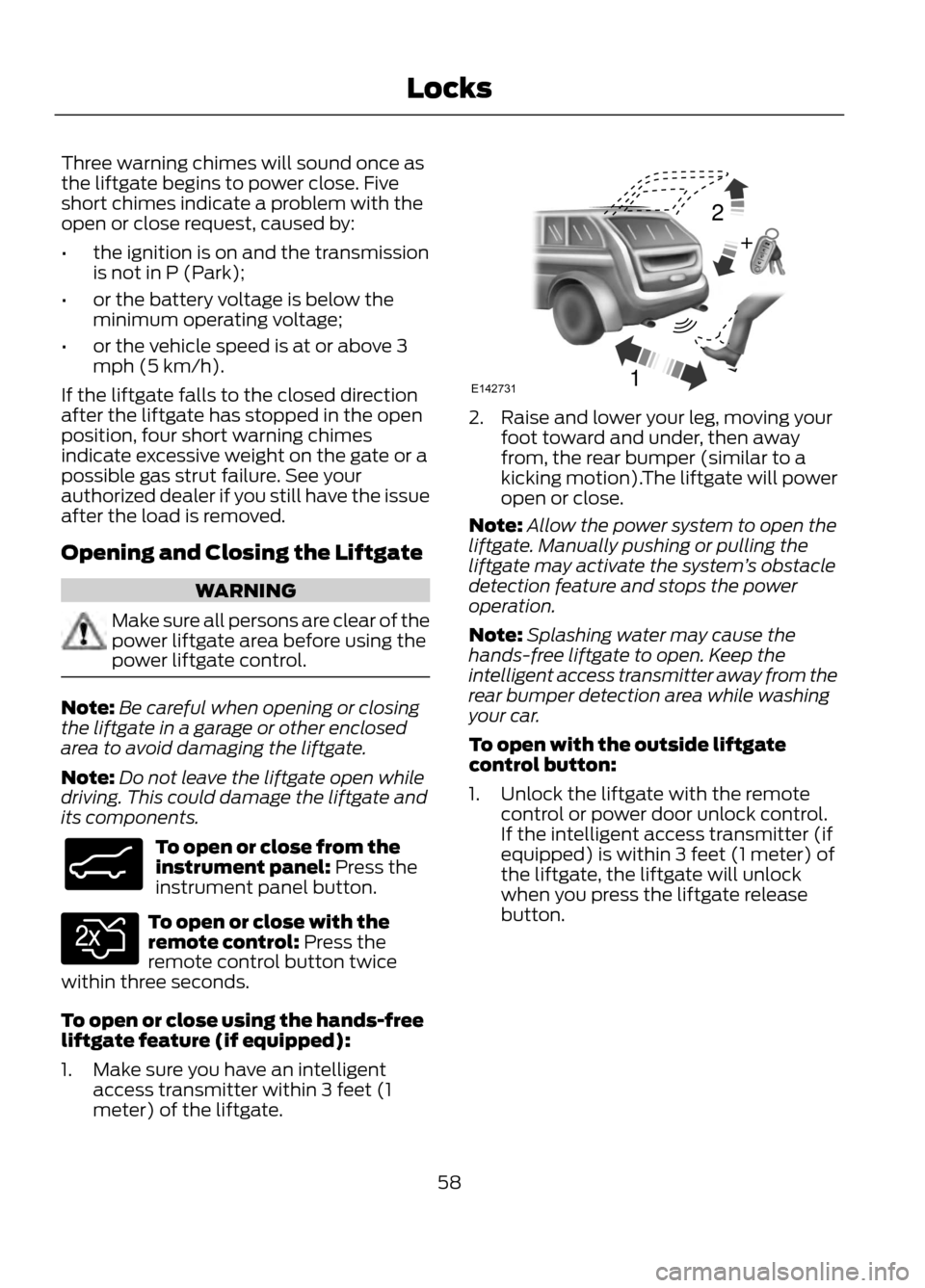
To open or close using the hands-free
liftgate feature (if equipped):
1. Make sure you have an intelligent access transmitter within 3 feet (1
meter) of the liftgate.
2. Raise and lower your leg, moving yourfoot toward and under, then away
from, the rear bumper (similar to a
kicking motion).The liftgate will power
open or close.
Note: Allow the power system to open the
liftgate. Manually pushing or pulling the
liftgate may activate the system ’s obstacle
detection feature and stops the power
operation.
Note: Splashing water may cause the
hands-free liftgate to open. Keep the
intelligent access transmitter away from the
rear bumper detection area while washing
your car.
To open with the outside liftgate
control button:
1. Unlock the liftgate with the remote control or power door unlock control.
If the intelligent access transmitter (if
equipped) is within 3 feet (1 meter) of
the liftgate, the liftgate will unlock
when you press the liftgate release
button.
58
Locks
E138633
E138630
12
+E142731
Page 59 of 423
2.Press the control button located in the
top of the liftgate pull-cup handle.
Note: Allow the power system to open the
liftgate after pressing the control. Manually
pushing or pulling the liftgate may activate
the system ’s obstacle detection feature and
stops the power operation.
To close with the control on the
liftgate: Press and release the button.
WARNING
Keep clear of the liftgate when
activating the rear switch.
Setting the Liftgate Open Height
1. Open the liftgate.
2. Manually move the liftgate to the desired height.
3. Press and hold the control button on the liftgate until a chime is heard,
indicating the new height has been
programmed.
Note: The height cannot be programmed
if the liftgate position is too low.
The new open liftgate height will now be
recalled when the power liftgate is opened.
To change the programmed height, repeat
the above procedure. Once the power
liftgate is opened it can be manually
moved to a different height.
When operating the power liftgate after a
lower height than full-open has been
programmed, the liftgate can be fully
opened by manually pushing it upward to
the maximum open position.
Obstacle Detection
When closing: The system will stop when
it detects an obstacle and two short
chimes will sound. Once the obstacle is
removed the liftgate can be closed under
power.
Note: Entering the vehicle while the liftgate
is closing can cause the vehicle to bounce
and activate obstacle detection. To prevent
this, allow the power liftgate to fully close
before entering the vehicle. Before driving
off, check the instrument cluster for a
liftgate or door ajar message or warning
indicator. Driving off without first checking
for the liftgate or door ajar message or
warning indicator could result in the liftgate
being left open, unintentionally, while you
are driving.
When opening: The system will stop and
two short chimes will sound when it
detects an obstacle. Remove the obstacle
to operate the liftgate.
59
Locks
E138632
E138636
Page 60 of 423
KEYLESS ENTRY (IF EQUIPPED)
SECURICODE™ KEYLESS ENTRY
KEYPAD
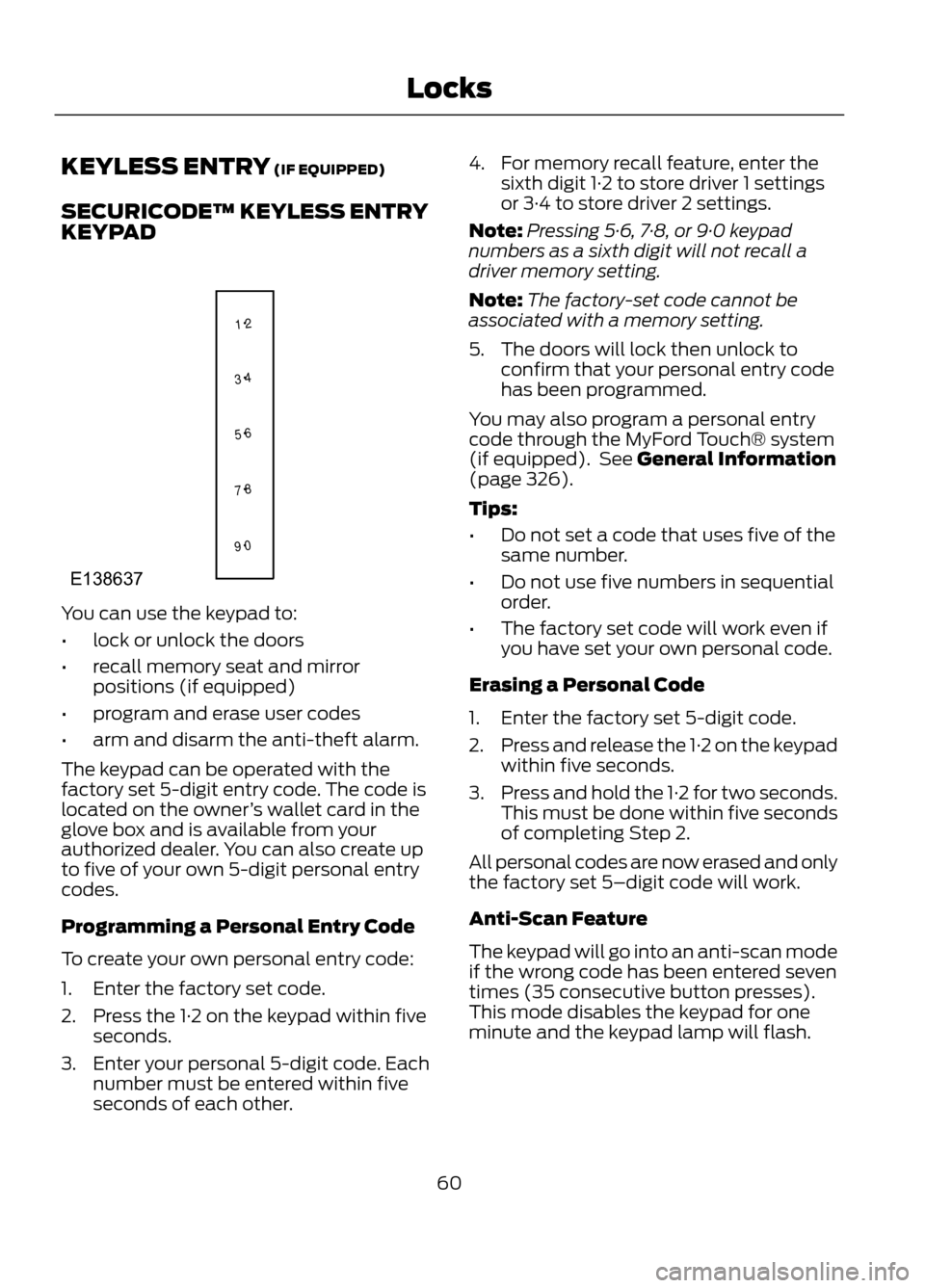
You can use the keypad to:
•lock or unlock the doors
• recall memory seat and mirror
positions (if equipped)
• program and erase user codes
• arm and disarm the anti-theft alarm.
The keypad can be operated with the
factory set 5-digit entry code. The code is
located on the owner ’s wallet card in the
glove box and is available from your
authorized dealer. You can also create up
to five of your own 5-digit personal entry
codes.
Programming a Personal Entry Code
To create your own personal entry code:
1. Enter the factory set code.
2. Press the 1·2 on the keypad within five seconds.
3. Enter your personal 5-digit code. Each number must be entered within five
seconds of each other. 4. For memory recall feature, enter the
sixth digit 1·2 to store driver 1 settings
or 3·4 to store driver 2 settings.
Note: Pressing 5·6, 7·8, or 9·0 keypad
numbers as a sixth digit will not recall a
driver memory setting.
Note: The factory-set code cannot be
associated with a memory setting.
5. The doors will lock then unlock to confirm that your personal entry code
has been programmed.
You may also program a personal entry
code through the MyFord Touch® system
(if equipped). See General Information
(page 326).
Tips:
• Do not set a code that uses five of the
same number.
• Do not use five numbers in sequential
order.
• The factory set code will work even if
you have set your own personal code.
Erasing a Personal Code
1. Enter the factory set 5-digit code.
2. Press and release the 1·2 on the keypad
within five seconds.
3. Press and hold the 1·2 for two seconds.
This must be done within five seconds
of completing Step 2.
All personal codes are now erased and only
the factory set 5–digit code will work.
Anti-Scan Feature
The keypad will go into an anti-scan mode
if the wrong code has been entered seven
times (35 consecutive button presses).
This mode disables the keypad for one
minute and the keypad lamp will flash.
60
Locks
1 2
3 4
5 6
7 8
9 0
E138637
Page 61 of 423
The anti-scan feature will turn off after:
•one minute of keypad inactivity
• pressing the unlock button on the
remote control
• the ignition is turned on
• unlocking the vehicle using intelligent
access (if equipped)
Unlocking and Locking the Doors
To Unlock the Driver ’s Door
Enter the factory set 5-digit code or your
personal code. Each number must be
pressed within five seconds of each other.
The interior lamps will illuminate.
Note: All doors will unlock if the two-stage
unlocking feature is disabled. See Locking
and Unlocking (page 54).
To Unlock All Doors
Enter the factory set code or your personal
code, then press the 3·4 control within five
seconds.
To Lock All Doors
Press and hold 7·8 and 9·0 at the same
time (with the driver ’s door closed). You
do not need to enter the keypad code first.
61
Locks
Page 62 of 423
PASSIVE ANTI-THEFT
SYSTEM
Note:The system is not compatible with
non-Ford aftermarket remote start systems.
Use of these systems may result in vehicle
starting problems and a loss of security
protection.
Note: Metallic objects, electronic devices
or a second coded key on the same key
chain may cause vehicle starting problems
if they are too close to the key when starting
the engine. Prevent these objects from
touching the coded key while starting the
engine. Switch the ignition off, move all
objects on the key chain away from the
coded key and restart the engine if a
problem occurs.
Note: Do not leave a duplicate coded key
in the vehicle. Always take your keys and
lock all doors when leaving the vehicle.
SecuriLock®
The system is an engine immobilization
system. It is designed to help prevent the
engine from being started unless a coded
key programmed to your vehicle is used.
Using the wrong key may prevent the
engine from starting. A message may
appear in the information display.
If you are unable to start the engine with a
correctly coded key, a malfunction has
happened and a message may appear in
the information display.
Automatic Arming
The vehicle is armed immediately after
switching the ignition off.
Automatic Disarming
Switching the ignition on with a coded key
disarms the vehicle. Replacement Keys
Note:
Your vehicle comes equipped with
two integrated keyhead transmitters or two
intelligent access keys.
The integrated keyhead transmitter
functions as a programmed ignition key
that operates all the locks and starts the
vehicle, as well as a remote control.
The intelligent access key functions as a
programmed key that operates the driver's
door lock and activates the intelligent
access with push button start systems, as
well as a remote control.
If your programmed transmitters or
standard SecuriLock coded keys
(integrated keyhead transmitters only) are
lost or stolen and you don ’t have an extra
coded key, you will need to have your
vehicle towed to an authorized dealer. The
key codes need to be erased from your
vehicle and new coded keys will need to
be programmed.
Store an extra programmed key away from
the vehicle in a safe place to help prevent
any inconveniences. See your authorized
dealer to purchase additional spare or
replacement keys.
Programming a Spare Integrated
Keyhead Transmitter
Note: A maximum of eight coded keys can
be programmed to your vehicle. All eight
can be integrated keyhead transmitters.
You can program your own integrated
keyhead transmitter or standard
SecuriLock coded keys to your vehicle. This
procedure will program both the engine
immobilizer keycode and the remote entry
portion of the remote control to your
vehicle
Only use integrated keyhead transmitters
or standard SecuriLock keys.
62
Security
Page 63 of 423
You must have two previously
programmed coded keys and the new
unprogrammed key readily accessible. See
your authorized dealer to have the spare
key programmed if two previously
programmed coded keys are not available.
Read and understand the entire procedure
before you begin.
1.Insert the first previously programmed
coded key into the ignition.
2. Switch the ignition from off to on. Keep
the ignition on for at least three
seconds, but no more than 10 seconds.
3. Switch the ignition off and remove the
first coded key from the ignition.
4. After three seconds but within 10 seconds of switching the ignition off,
insert the second previously coded key
into the ignition.
5. Switch the ignition from off to on. Keep
the ignition on for at least three
seconds, but no more than 10 seconds.
6. Switch the ignition off and remove the
second previously programmed coded
key from the ignition.
7. After three seconds but within 10 seconds of switching the ignition off
and removing the previously
programmed coded key, insert the new
unprogrammed key into the ignition.
8. Switch the ignition from off to on. Keep
the ignition on for at least six seconds.
9. Remove the newly programmed coded
key from the ignition.
If the key has been successfully
programmed it will start the engine and
operate the remote entry system (if the
new key is an integrated keyhead
transmitter).
If it was not programmed successfully,
wait 10 seconds and repeat Steps 1 through
8. If you are still unsuccessful, take your
vehicle to your authorized dealer. Programming a Spare Intelligent
Access Key
See your authorized dealer to have
additional keys programmed to your
vehicle.
ANTI-THEFT ALARM (IF EQUIPPED)
The system will warn you of an
unauthorized entry to your vehicle. It will
be triggered if any door, the luggage
compartment or the hood is opened
without using the key or the remote
control.
The park and turn lamps will flash and the
horn will sound if unauthorized entry is
attempted while the alarm is armed.
Take all remote controls to an authorized
dealer if there is any potential alarm
problem with your vehicle.
Arming the Alarm
The alarm is ready to arm when there is
not a key in the ignition. Lock the vehicle
to arm the alarm.
Disarming the Alarm
Disarm the alarm by any of the following
actions:
•
Unlock the doors or luggage
compartment with the remote control
or keyless entry keypad.
• Switch the ignition on or start the
vehicle.
• Use a key in the driver ’s door to unlock
the vehicle, then switch the ignition on
within 12 seconds.
63
Security
Page 73 of 423

Door function switch.
A
All lamps on and off switch.
B
Individual lamp on and off
switch.
C
Rear Interior Lamp (If Equipped)
You can switch individual map lamps on
independently by pressing switch A.
AMBIENT LIGHTING (IF EQUIPPED)
The ambient lighting system illuminates
the interior with a choice of several colors.
The ambient lighting control is located in
the overhead console.
Color palette
A
Control knob
B
Search mode
C
Rotate B past the first detent to switch on
and adjust to the desired brightness.
Press A to cycle through the color choices.
Press C to switch on all interior lamps and
the ambient lighting. Press C again to
switch off the interior lamps and return the
ambient lighting to the previously selected
color.
The ambient lighting will switch on when
the following conditions have been met:
• you switch the ignition on
• you switch the headlamps on
• the outside ambient light level is low.
The ambient lighting will remain on until
you switch the ignition off and one of the
following conditions have been met:
• you lock your vehicle
• the accessory delay timer expires.
73
Lighting
B
C
A
E142454
A
E142455
ABC
E142456
Page 80 of 423
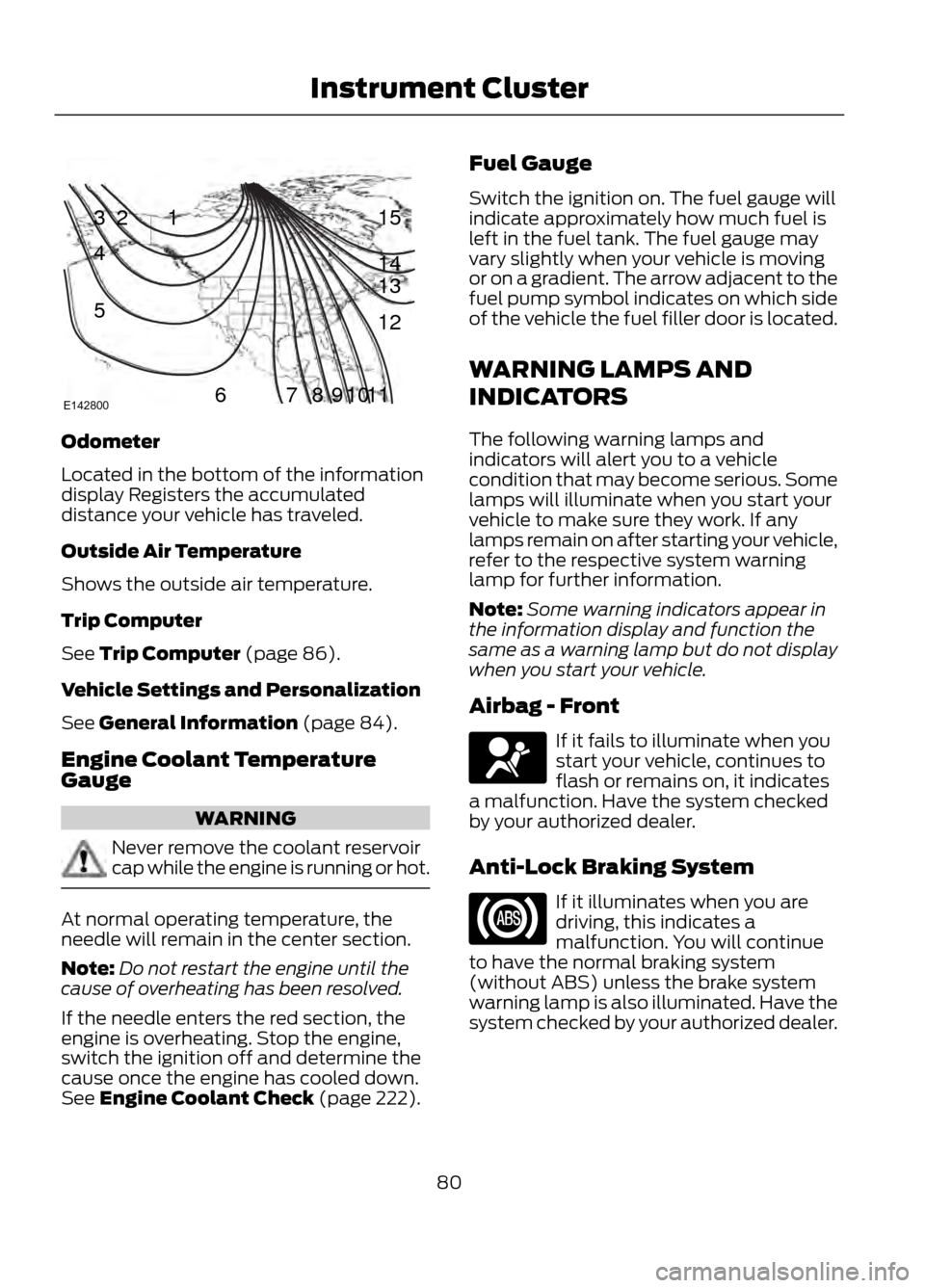
Odometer
Located in the bottom of the information
display Registers the accumulated
distance your vehicle has traveled.
Outside Air Temperature
Shows the outside air temperature.
Trip Computer
See Trip Computer (page 86).
Vehicle Settings and Personalization
See General Information (page 84).
Engine Coolant Temperature
Gauge
WARNING
Never remove the coolant reservoir
cap while the engine is running or hot.
At normal operating temperature, the
needle will remain in the center section.
Note:Do not restart the engine until the
cause of overheating has been resolved.
If the needle enters the red section, the
engine is overheating. Stop the engine,
switch the ignition off and determine the
cause once the engine has cooled down.
See Engine Coolant Check (page 222). Fuel Gauge
Switch the ignition on. The fuel gauge will
indicate approximately how much fuel is
left in the fuel tank. The fuel gauge may
vary slightly when your vehicle is moving
or on a gradient. The arrow adjacent to the
fuel pump symbol indicates on which side
of the vehicle the fuel filler door is located.
WARNING LAMPS AND
INDICATORS
The following warning lamps and
indicators will alert you to a vehicle
condition that may become serious. Some
lamps will illuminate when you start your
vehicle to make sure they work. If any
lamps remain on after starting your vehicle,
refer to the respective system warning
lamp for further information.
Note:
Some warning indicators appear in
the information display and function the
same as a warning lamp but do not display
when you start your vehicle.
Airbag - Front
If it fails to illuminate when you
start your vehicle, continues to
flash or remains on, it indicates
a malfunction. Have the system checked
by your authorized dealer.
Anti-Lock Braking System
If it illuminates when you are
driving, this indicates a
malfunction. You will continue
to have the normal braking system
(without ABS) unless the brake system
warning lamp is also illuminated. Have the
system checked by your authorized dealer.
80
Instrument Cluster
123
4
5
6 7 8 9 1011 12 13 14 15
E142800
Page 89 of 423
Action
Message
Indicator
Message
Displayed when the blind spot information
system and cross traffic alert system sensors are blocked. See Blind Spot Monitor (page 171).
Amber
Cross Traffic Sensor
blocked See manual
Displays when the system requires service dueto a malfunction. Contact your authorized dealer.
Amber
Cross Traffic fault
Service required
Displayed when the system is not available dueto trailer use. See Blind Spot Monitor (page 171).
-
Cross Traffic disabled
Trailer attached
Doors
Action
Message
Indicator
Message
Displays when the door(s) listed is not
completely closed and the vehicle is moving.
Red
X door open
Displays when the door(s) listed is notcompletely closed.
-
Displays when the luggage compartment is notcompletely closed and the vehicle is moving.
Red
trunk ajar
Displays when the luggage compartment is notcompletely closed.
-
Displays when the hood is not completelyclosed and the vehicle is moving.
Red
Hood open
Displays when the hood is not completelyclosed.
-
89
Information Displays
Page 126 of 423
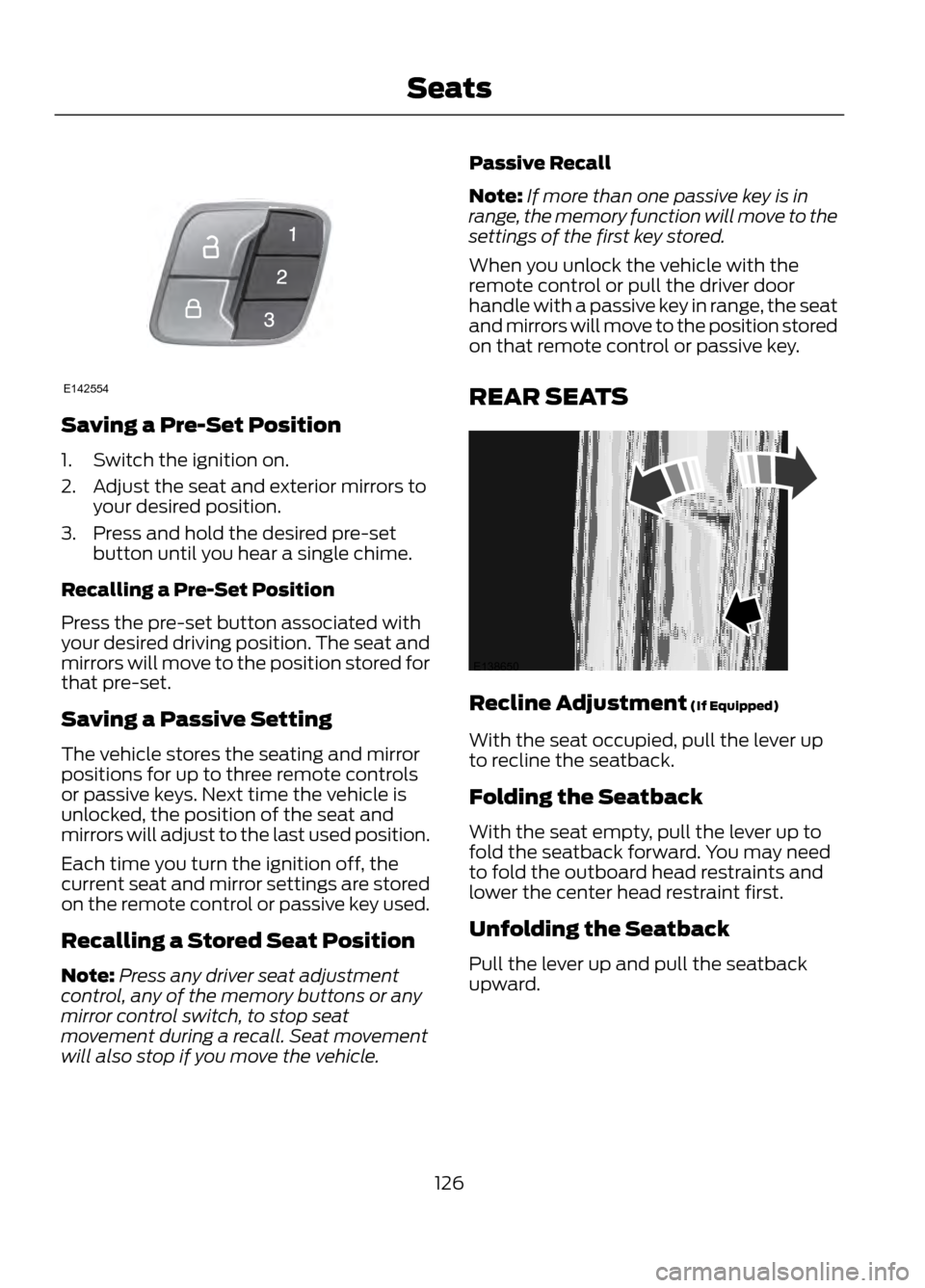
Saving a Pre-Set Position
1. Switch the ignition on.
2. Adjust the seat and exterior mirrors toyour desired position.
3. Press and hold the desired pre-set button until you hear a single chime.
Recalling a Pre-Set Position
Press the pre-set button associated with
your desired driving position. The seat and
mirrors will move to the position stored for
that pre-set.
Saving a Passive Setting
The vehicle stores the seating and mirror
positions for up to three remote controls
or passive keys. Next time the vehicle is
unlocked, the position of the seat and
mirrors will adjust to the last used position.
Each time you turn the ignition off, the
current seat and mirror settings are stored
on the remote control or passive key used.
Recalling a Stored Seat Position
Note: Press any driver seat adjustment
control, any of the memory buttons or any
mirror control switch, to stop seat
movement during a recall. Seat movement
will also stop if you move the vehicle. Passive Recall
Note:
If more than one passive key is in
range, the memory function will move to the
settings of the first key stored.
When you unlock the vehicle with the
remote control or pull the driver door
handle with a passive key in range, the seat
and mirrors will move to the position stored
on that remote control or passive key.
REAR SEATS
Recline Adjustment (If Equipped)
With the seat occupied, pull the lever up
to recline the seatback.
Folding the Seatback
With the seat empty, pull the lever up to
fold the seatback forward. You may need
to fold the outboard head restraints and
lower the center head restraint first.
Unfolding the Seatback
Pull the lever up and pull the seatback
upward.
126
Seats
E142554
E138650