traction control FORD ESCAPE 2013 3.G User Guide
[x] Cancel search | Manufacturer: FORD, Model Year: 2013, Model line: ESCAPE, Model: FORD ESCAPE 2013 3.GPages: 423, PDF Size: 4.59 MB
Page 195 of 423
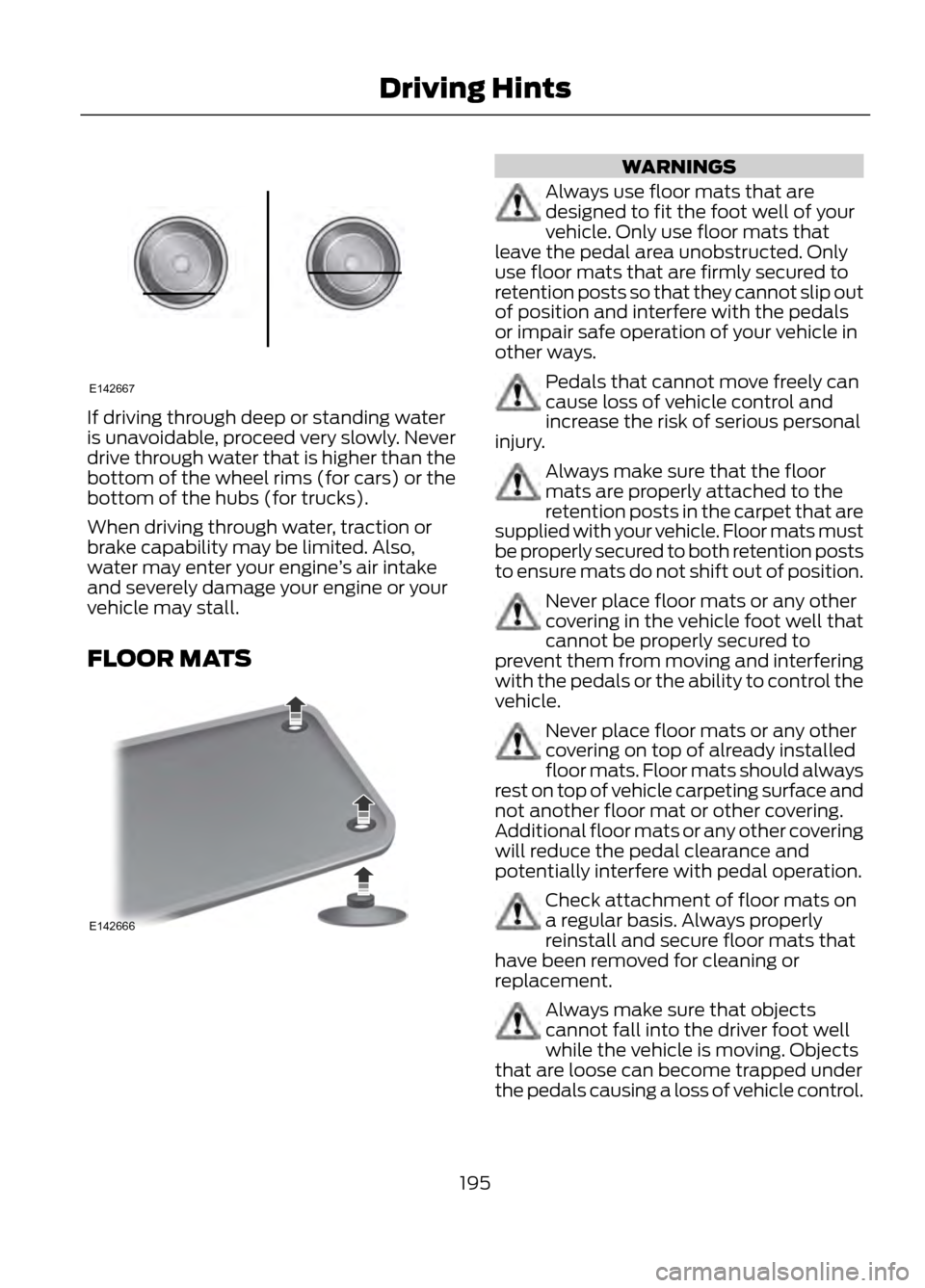
If driving through deep or standing water
is unavoidable, proceed very slowly. Never
drive through water that is higher than the
bottom of the wheel rims (for cars) or the
bottom of the hubs (for trucks).
When driving through water, traction or
brake capability may be limited. Also,
water may enter your engine’s air intake
and severely damage your engine or your
vehicle may stall.
FLOOR MATS
WARNINGS
Always use floor mats that are
designed to fit the foot well of your
vehicle. Only use floor mats that
leave the pedal area unobstructed. Only
use floor mats that are firmly secured to
retention posts so that they cannot slip out
of position and interfere with the pedals
or impair safe operation of your vehicle in
other ways.
Pedals that cannot move freely can
cause loss of vehicle control and
increase the risk of serious personal
injury.
Always make sure that the floor
mats are properly attached to the
retention posts in the carpet that are
supplied with your vehicle. Floor mats must
be properly secured to both retention posts
to ensure mats do not shift out of position.
Never place floor mats or any other
covering in the vehicle foot well that
cannot be properly secured to
prevent them from moving and interfering
with the pedals or the ability to control the
vehicle.
Never place floor mats or any other
covering on top of already installed
floor mats. Floor mats should always
rest on top of vehicle carpeting surface and
not another floor mat or other covering.
Additional floor mats or any other covering
will reduce the pedal clearance and
potentially interfere with pedal operation.
Check attachment of floor mats on
a regular basis. Always properly
reinstall and secure floor mats that
have been removed for cleaning or
replacement.
Always make sure that objects
cannot fall into the driver foot well
while the vehicle is moving. Objects
that are loose can become trapped under
the pedals causing a loss of vehicle control.
195
Driving Hints
E142667
E142666
Page 245 of 423
TIRE CARE
Information About Uniform Tire
Quality Grading
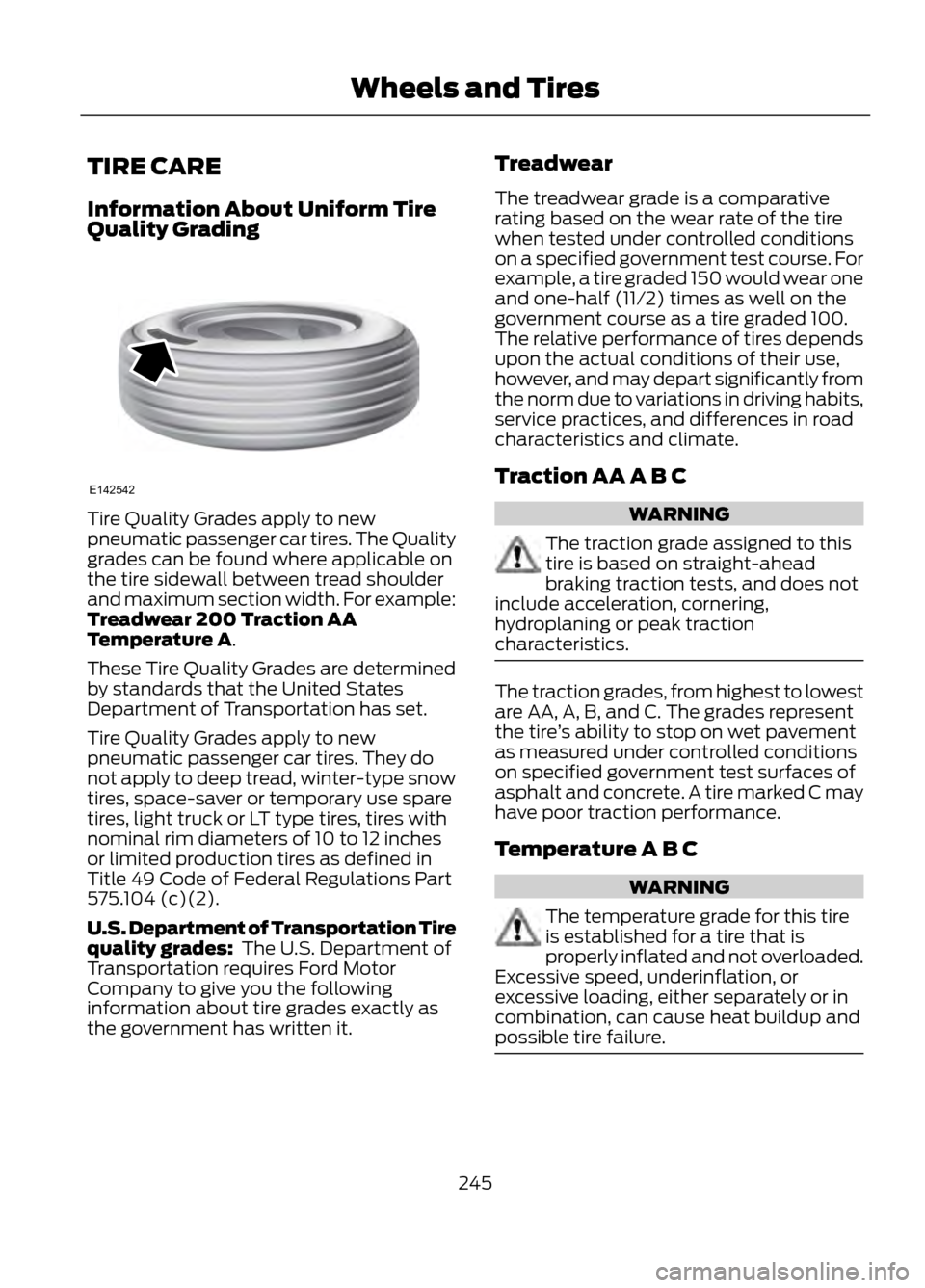
Tire Quality Grades apply to new
pneumatic passenger car tires. The Quality
grades can be found where applicable on
the tire sidewall between tread shoulder
and maximum section width. For example:
Treadwear 200 Traction AA
Temperature A.
These Tire Quality Grades are determined
by standards that the United States
Department of Transportation has set.
Tire Quality Grades apply to new
pneumatic passenger car tires. They do
not apply to deep tread, winter-type snow
tires, space-saver or temporary use spare
tires, light truck or LT type tires, tires with
nominal rim diameters of 10 to 12 inches
or limited production tires as defined in
Title 49 Code of Federal Regulations Part
575.104 (c)(2).
U.S. Department of Transportation Tire
quality grades: The U.S. Department of
Transportation requires Ford Motor
Company to give you the following
information about tire grades exactly as
the government has written it.Treadwear
The treadwear grade is a comparative
rating based on the wear rate of the tire
when tested under controlled conditions
on a specified government test course. For
example, a tire graded 150 would wear one
and one-half (11⁄2) times as well on the
government course as a tire graded 100.
The relative performance of tires depends
upon the actual conditions of their use,
however, and may depart significantly from
the norm due to variations in driving habits,
service practices, and differences in road
characteristics and climate.
Traction AA A B CWARNING
The traction grade assigned to this
tire is based on straight-ahead
braking traction tests, and does not
include acceleration, cornering,
hydroplaning or peak traction
characteristics.
The traction grades, from highest to lowest
are AA, A, B, and C. The grades represent
the tire ’s ability to stop on wet pavement
as measured under controlled conditions
on specified government test surfaces of
asphalt and concrete. A tire marked C may
have poor traction performance.
Temperature A B C
WARNING
The temperature grade for this tire
is established for a tire that is
properly inflated and not overloaded.
Excessive speed, underinflation, or
excessive loading, either separately or in
combination, can cause heat buildup and
possible tire failure.
245
Wheels and Tires
E142542
Page 248 of 423
Speed rating - mph (km/h)
Letter rating
168 mph (270 km/h)
W
186 mph (299 km/h)
Y
Note: For tires with a maximum speed
capability over 149 mph (240 km/h), tire
manufacturers sometimes use the letters
ZR. For those with a maximum speed
capability over 186 mph (299 km/h), tire
manufacturers always use the letters ZR.
H. U.S. DOT Tire Identification Number
(TIN): This begins with the letters DOT
and indicates that the tire meets all federal
standards. The next two numbers or letters
are the plant code designating where it
was manufactured, the next two are the
tire size code and the last four numbers
represent the week and year the tire was
built. For example, the numbers 317 mean
the 31st week of 1997. After 2000 the
numbers go to four digits. For example,
2501 means the 25th week of 2001. The
numbers in between are identification
codes used for traceability. This
information is used to contact customers
if a tire defect requires a recall.
I. M+S or M/S: Mud and Snow, or
AT: All Terrain, or
AS: All Season.
J. Tire Ply Composition and Material
Used: Indicates the number of plies or the
number of layers of rubber-coated fabric
in the tire tread and sidewall. Tire
manufacturers also must indicate the ply
materials in the tire and the sidewall, which
include steel, nylon, polyester, and others. K.
Maximum Load: Indicates the
maximum load in kilograms and pounds
that can be carried by the tire. Refer to the
Safety Compliance Certification Label
(affixed to either the door hinge pillar,
door-latch post, or the door edge that
meets the door-latch post, next to the
driver's seating position), for the correct
tire pressure for your vehicle.
L. Treadwear, Traction and
Temperature Grades:
• Treadwear The treadwear grade is a
comparative rating based on the wear
rate of the tire when tested under
controlled conditions on a specified
government test course. For example,
a tire graded 150 would wear one and
one-half times as well on the
government course as a tire graded
100.
• Traction: The traction grades, from
highest to lowest are AA, A, B, and C.
The grades represent the tire's ability
to stop on wet pavement as measured
under controlled conditions on
specified government test surfaces of
asphalt and concrete. A tire marked C
may have poor traction performance.
• Temperature: The temperature
grades are A (the highest), B and C,
representing the tire's resistance to the
generation of heat and its ability to
dissipate heat when tested under
controlled conditions on a specified
indoor laboratory test wheel.
248
Wheels and Tires
Page 256 of 423
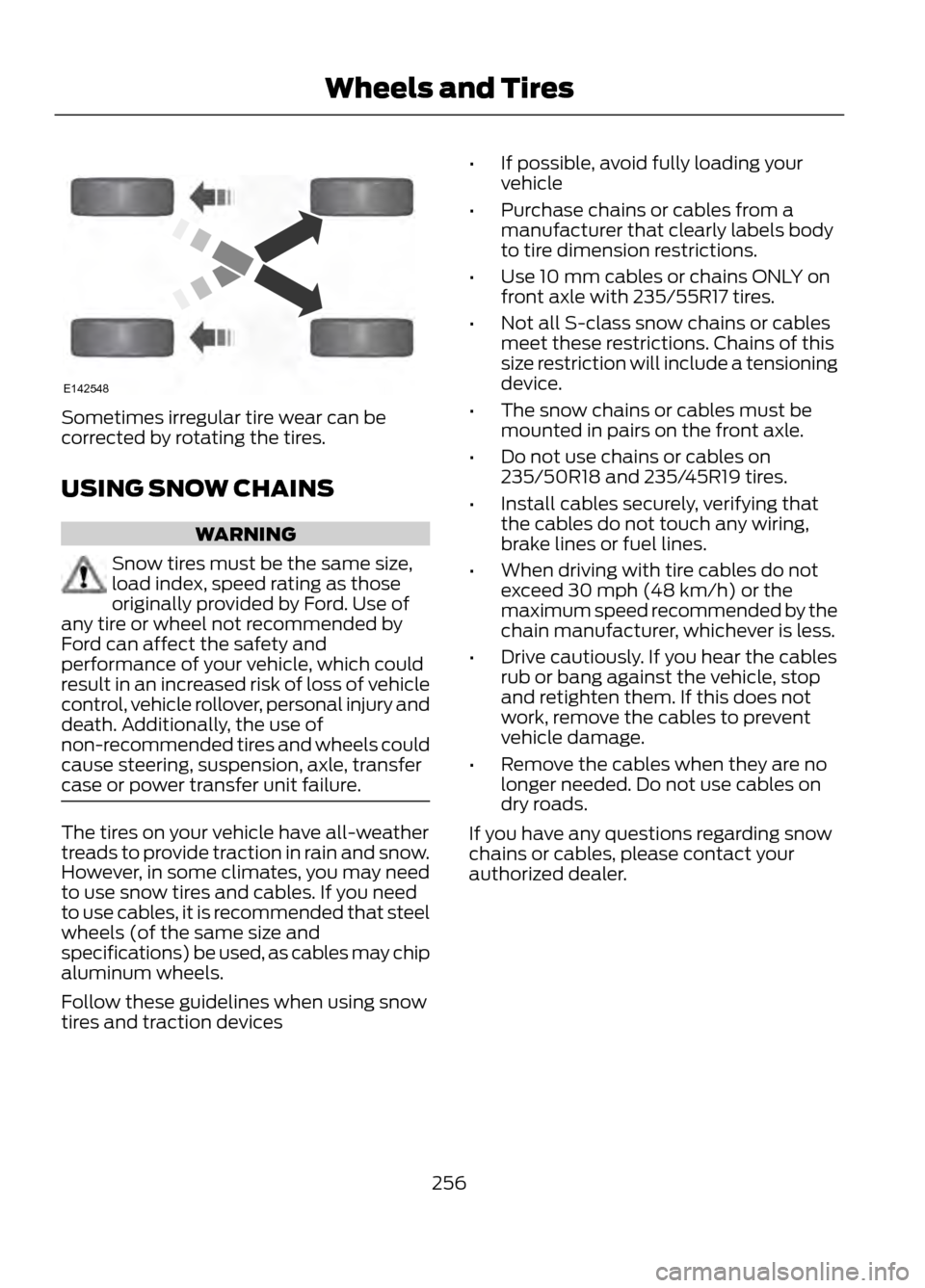
Sometimes irregular tire wear can be
corrected by rotating the tires.
USING SNOW CHAINS
WARNING
Snow tires must be the same size,
load index, speed rating as those
originally provided by Ford. Use of
any tire or wheel not recommended by
Ford can affect the safety and
performance of your vehicle, which could
result in an increased risk of loss of vehicle
control, vehicle rollover, personal injury and
death. Additionally, the use of
non-recommended tires and wheels could
cause steering, suspension, axle, transfer
case or power transfer unit failure.
The tires on your vehicle have all-weather
treads to provide traction in rain and snow.
However, in some climates, you may need
to use snow tires and cables. If you need
to use cables, it is recommended that steel
wheels (of the same size and
specifications) be used, as cables may chip
aluminum wheels.
Follow these guidelines when using snow
tires and traction devices •
If possible, avoid fully loading your
vehicle
• Purchase chains or cables from a
manufacturer that clearly labels body
to tire dimension restrictions.
• Use 10 mm cables or chains ONLY on
front axle with 235/55R17 tires.
• Not all S-class snow chains or cables
meet these restrictions. Chains of this
size restriction will include a tensioning
device.
• The snow chains or cables must be
mounted in pairs on the front axle.
• Do not use chains or cables on
235/50R18 and 235/45R19 tires.
• Install cables securely, verifying that
the cables do not touch any wiring,
brake lines or fuel lines.
• When driving with tire cables do not
exceed 30 mph (48 km/h) or the
maximum speed recommended by the
chain manufacturer, whichever is less.
• Drive cautiously. If you hear the cables
rub or bang against the vehicle, stop
and retighten them. If this does not
work, remove the cables to prevent
vehicle damage.
• Remove the cables when they are no
longer needed. Do not use cables on
dry roads.
If you have any questions regarding snow
chains or cables, please contact your
authorized dealer.
256
Wheels and Tires
E142548
Page 385 of 423
WARNING
Operating certain parts of this
system while driving can distract
your attention away from the road,
and possibly cause an accident or other
serious consequences. Do not change
system settings or enter data non-verbally
(using your hands) while driving. Stop the
vehicle in a safe and legal manner before
attempting these operations. This is
important since while setting up or
changing some functions you might be
required to distract your attention away
from the road and remove your hands from
the wheel.
General Operation
Voice Command Control: Functions
within the Windows Automotive-based
system may be accomplished using only
voice commands. Using voice commands
while driving allows you to operate the
system without removing your hands from
the wheel.
Prolonged Views of Screen: Do not
access any function requiring a prolonged
view of the screen while you are driving.
Pull over in a safe and legal manner before
attempting to access a function of the
system requiring prolonged attention. Even
occasional short scans to the screen may
be hazardous if your attention has been
diverted away from your driving task at a
critical time.
Volume Setting: Do not raise the volume
excessively. Keep the volume at a level
where you can still hear outside traffic and
emergency signals while driving. Driving
while unable to hear these sounds could
cause an accident. Use of Speech Recognition Functions:
Speech recognition software is inherently
a statistical process which is subject to
errors. It is your responsibility to monitor
any speech recognition functions included
in the system and address any errors.
Navigation Features: Any navigation
features included in the system are
intended to provide turn by turn
instructions to get you to a desired
destination. Please make certain all
persons using this system carefully read
and follow instructions and safety
information fully.
Distraction Hazard: Any navigation
features may require manual (non-verbal)
setup. Attempting to perform such set-up
or insert data while driving can seriously
distract your attention and could cause an
accident or other serious consequences.
Stop the vehicle in a safe and legal manner
before attempting these operations.
Let Your Judgment Prevail: Any
navigation features are provided only as
an aid. Make your driving decisions based
on your observations of local conditions
and existing traffic regulations. Any such
feature is not a substitute for your personal
judgment. Any route suggestions made by
this system should never replace any local
traffic regulations or your personal
judgment or knowledge of safe driving
practices.
Route Safety: Do not follow the route
suggestions if doing so would result in an
unsafe or illegal maneuver, if you would be
placed in an unsafe situation, or if you
would be directed into an area that you
consider unsafe. The driver is ultimately
responsible for the safe operation of the
vehicle and therefore, must evaluate
whether it is safe to follow the suggested
directions.
385
Appendices
Page 417 of 423

Information Messages..................................87Airbag........................................................................\
87
Alarm........................................................................\
88
Battery and Charging System......................... 88
Blind Spot Information and Cross Traffic Alert System..................................................... 88
Doors........................................................................\
89
Engine...................................................................... 90
Hill Start Assist..................................................... 90
Keyless Vehicle..................................................... 90
Lighting..................................................................... 91
Maintenance.......................................................... 92
Message indicator................................................ 87
MyKey....................................................................... 92
Park Aid.................................................................... 93
Park Brake............................................................... 93
Power Steering...................................................... 94
Starting System ................................................... 94
Tire Pressure Monitoring System................... 96
Traction Control................................................... 96
Transmission and Four-Wheel Drive............94
Installing Child Seats.....................................19 Using LAP AND SHOULDER BELTS...............19
Using Lower Anchors AND Tethers FOR
CHildren (LATCH)............................................ 22
Using Tether Straps............................................. 23
Instrument Cluster.........................................79
Instrument Lighting Dimmer.......................71 Vehicles With Front Fog Lamps....................... 71
Vehicles Without Front Fog Lamps................71
Interior Lamps..................................................72 Front Interior Lamp.............................................. 72
Rear Interior Lamp................................................ 73
Interior Mirror....................................................76 Auto-Dimming Mirror.......................................... 76
Introduction.........................................................7
J
Jump-Starting the Vehicle........................198 Connecting the Jumper Cables..................... 199
Jump Starting...................................................... 199
Preparing Your Vehicle..................................... 198
Removing the Jumper Cables........................ 199K
Keyless Entry...................................................60
SECURICODE™ KEYLESS ENTRY
KEYPAD.............................................................. 60
Keyless Starting.............................................135 Fast Restart........................................................... 137
Stopping the Engine When Your Vehicle is Moving................................................................ 137
Stopping the Engine When Your Vehicle is Stationary......................................................... 136
Keys and Remote Controls.........................44 Principle of Operation........................................ 44
Knee Airbag.......................................................37
L
Lighting Control..............................................70 Headlamp Flasher............................................... 70
High Beams............................................................ 70
Lighting..............................................................70
Load Carriers See: Roof Racks and Load Carriers..............178
Load Carrying..................................................177
Load Limit........................................................179 Vehicle loading - with and without a
trailer................................................................... 179
Locking and Unlocking.................................54 Activating Intelligent Access ........................... 55
Autolock and Autounlock ................................ 56
Battery Saver......................................................... 56
Illuminated Entry.................................................. 56
Illuminated Exit..................................................... 56
Power Door Locks................................................ 54
Remote Control.................................................... 54
Smart Unlocks For Integrated Keyhead Transmitter........................................................ 55
Smart Unlocks For Intelligent Access Keys ........................................................................\
........ 55
Locks...................................................................54
Luggage Covers..............................................177
M
Maintenance...................................................217 General Information........................................... 217
Manual Climate Control..............................113
Manual Liftgate...............................................57
417
Index
Page 420 of 423

Scheduled Maintenance..........................396Engine Coolant Change Record.................... 410
Exceptions........................................................... 409
General Maintenance Information.............396
Normal Scheduled Maintenance................399
Special Operating Conditions...................... 405
Seats...................................................................121
Security..............................................................62
Side Airbags.....................................................40
Sitting in the Correct Position...................121
Snow Chains See: Using Snow Chains................................. 256
Special Notices.................................................11 New Vehicle Limited Warranty.......................... 11
Notice to Owners of Pickup Trucks and Utility Type Vehicles........................................ 12
Special Instructions............................................... 11
Using Your Vehicle as an Ambulance............12
Using Your Vehicle With a Snowplow............12
Speed Control See: Cruise Control............................................. 170
Stability Control............................................159 Principle of Operation....................................... 159
Starter Switch See: Ignition Switch........................................... 135
Starting a Gasoline Engine........................137 Guarding Against Exhaust Fumes................138
Important Ventilating Information...............138
Starting and Stopping the Engine..........135 General Information.......................................... 135
Steering............................................................176 Electric Power Steering..................................... 176
Steering Wheel...............................................64
Storage Compartments.............................134
Sun Visors..........................................................77 Illuminated Vanity Mirror.................................... 77
Supplementary Restraints System.........35 Principle of Operation......................................... 35
Symbols Glossary.............................................7
SYNC® Applications and Services.......295 911 Assist............................................................... 295
SYNC Services: Traffic, Directions & Information (TDI)......................................... 298
Vehicle Health Report...................................... 297
SYNC®.............................................................279 General Information.......................................... 279
SYNC® Troubleshooting..........................308 T
Technical Specifications
See: Capacities and Specifications.............267
The Better Business Bureau (BBB) Auto Line Program (U.S. Only).......................203
Tire Care..........................................................245 Glossary of Tire Terminology........................ 246
Information About Uniform Tire Quality Grading............................................................. 245
Information Contained on the Tire Sidewall........................................................... 246
Temperature A B C............................................ 245
Traction AA A B C............................................... 245
Treadwear............................................................. 245
Tire Pressure Monitoring System...........257 Changing Tires with a Tire Pressure
Monitoring System....................................... 258
Understanding Your Tire Pressure Monitoring System ...................................... 258
Tire Pressures See: Technical Specifications....................... 265
Tires See: Wheels and Tires..................................... 243
Towing a Trailer.............................................188
Towing Points.................................................191 Installing the Towing Eye.................................. 191
Towing Eye Location........................................... 191
Towing the Vehicle on Four Wheels.............191
Towing the Vehicle on Four Wheels...........................................................192
Emergency Towing............................................. 192
Recreational Towing.......................................... 193
Towing..............................................................188
Traction Control............................................158 Principle of Operation....................................... 158
Trailer Sway Control....................................188
Transmission Code Designation............270
Transmission ...................................................147
Transporting the Vehicle............................192
Trip Computer.................................................86 All Value................................................................... 87
Average Fuel........................................................... 87
Fuel Used................................................................. 87
Resetting the Trip Computer........................... 86
Trip Odometer....................................................... 86
Trip Timer................................................................ 86
420
Index
Page 421 of 423
U
Under Hood Overview - 1.6LEcoBoost®...................................................218
Under Hood Overview - 2.0L EcoBoost®...................................................219
Under Hood Overview - 2.5L...................220
Universal Garage Door Opener...............128 Homelink® Wireless Control System.........128
USB Port...........................................................110
Using Cruise Control....................................170 Switching Off Cruise Control.......................... 170
Switching On Cruise Control.......................... 170
Using Four-Wheel Drive..............................151 Driving in Special Conditions With
Four-Wheel Drive........................................... 152
Using MyKey With Remote Start Systems..........................................................50
Vehicles Equipped with Intelligent Access Key (Push Button Start)................................ 51
Vehicles Equipped with Traditional Keys....................................................................... 51
Using Snow Chains.....................................256
Using Stability Control...............................160 AdvanceTrac® with Roll Stability Control ™
(RSC®)............................................................. 160
Using SYNC® With Your Media Player.............................................................301
Accessing Your Play Menu............................. 305
Connecting Your Digital Media Player to the USB Port........................................................... 301
Media Menu Features...................................... 303
Media Voice Commands................................. 301
System Settings................................................ 306
What's Playing?.................................................. 301
Using SYNC® With Your Phone.............283 Accessing Features through the Phone
Menu................................................................. 288
Accessing Your Phone Settings..................... 291
Making Calls........................................................ 286
Pairing a Phone for the First Time...............283
Pairing Subsequent Phones.......................... 284
Phone Options during an Active Call.........286
Phone Voice Commands................................ 284
Receiving Calls................................................... 286
System Settings................................................. 292
Text Messaging.................................................. 289Using Traction Control................................158
System Indicator Lights and
Messages.......................................................... 158
Using Voice Recognition............................281 Helpful Hints........................................................ 281
Initiating a Voice Session................................. 281
System Interaction and Feedback..............282
Utilizing the Mediation/Arbitration Program (Canada Only)........................203
V
Vehicle Care...................................................236 General Information......................................... 236
Vehicle Certification Label.......................270
Vehicle Identification Number................269
Vehicle Storage............................................240 Battery.................................................................... 241
Body........................................................................\
. 241
Brakes...................................................................... 241
Cooling system.................................................... 241
Engine...................................................................... 241
Fuel system........................................................... 241
General.................................................................. 240
Miscellaneous...................................................... 241
Removing Vehicle From Storage..................242
Tires........................................................................\
. 241
Ventilation See: Climate Control.......................................... 113
VIN See: Vehicle Identification Number............269
Voice Control...................................................66 MyFord Touch® Controls.................................. 66
421
Index