turn indicator FORD ESCAPE 2014 3.G Owner's Guide
[x] Cancel search | Manufacturer: FORD, Model Year: 2014, Model line: ESCAPE, Model: FORD ESCAPE 2014 3.GPages: 428, PDF Size: 16.6 MB
Page 190 of 428
HAZARD WARNING FLASHERS
Note:If used when the vehicle is not
running, the battery will lose charge. There
may be insufficient power to restart your
vehicle.
The hazard warning button is
located on the instrument panel.
Use it when your vehicle is
creating a safety hazard for other
motorists.
• Press the button to turn on the hazard
warning function, and the front and
rear direction indicators will flash.
• Press the button again to turn them
off.
FUEL SHUTOFF
WARNING
Failure to inspect and, if necessary,
repair fuel leaks after a collision may
increase the risk of fire and serious
injury. Ford Motor Company recommends
that the fuel system be inspected by an
authorized dealer after any collision.
In the event of a moderate to severe
collision, this vehicle is equipped with a
fuel pump shut-off feature that stops the
flow of fuel to the engine. Not every impact
will cause a shut-off.
Should your vehicle shut off after a
collision, you may restart your vehicle by
doing the following:
1. Turn the ignition off.
2. Turn the ignition to crank.
3. Turn the ignition off.
4. Turn the ignition on again to re-enable
the fuel pump.
For vehicles equipped with a push button
start system:1. Press the START/STOP button to
turn the ignition off.
2. Press the brake pedal and press the
START/STOP button (crank
attempt).
3. Remove your foot from the brake pedal
and press the START/STOP button
(ignition off).
4. Press the START/STOP button again
to re-enable the fuel system.
JUMP-STARTING THE VEHICLE
WARNINGS
The gases around the battery can
explode if exposed to flames, sparks,
or lit cigarettes. An explosion could
result in injury or vehicle damage.
Batteries contain sulfuric acid which
can burn skin, eyes and clothing, if
contacted.
Use only an adequate-sized cable
with insulated clamps.
Preparing Your Vehicle
Note:Do not attempt to push-start your
automatic transmission vehicle. Automatic
transmissions do not have push-start
capability. Attempting to push-start a
vehicle with an automatic transmission may
cause transmission damage.
Note:Use only a 12-volt supply to start your
vehicle.
Note:Do not disconnect the battery of the
disabled vehicle as this could damage the
vehicle's electrical system.
Park the booster vehicle close to the hood
of the disabled vehicle, making sure the
two vehicles do not touch. Turn all
accessories off.
187
Roadside Emergencies
Page 255 of 428
Please note that the TPMS is not a
substitute for proper tire maintenance, and
it is the driver’s responsibility to maintain
correct tire pressure, even if under-inflation
has not reached the level to trigger
illumination of the TPMS low tire pressure
telltale.
Your vehicle has also been equipped with
a TPMS malfunction indicator to indicate
when the system is not operating properly.
The TPMS malfunction indicator is
combined with the low tire pressure
telltale. When the system detects a
malfunction, the telltale will flash for
approximately one minute and then remain
continuously illuminated. This sequence
will continue upon subsequent vehicle
start-ups as long as the malfunction exists.
When the malfunction indicator is
illuminated, the system may not be able
to detect or signal low tire pressure as
intended. TPMS malfunctions may occur
for a variety of reasons, including the
installation of replacement or alternate
tires or wheels on the vehicle that prevent
the TPMS from functioning properly.
Always check the TPMS malfunction
telltale after replacing one or more tires or
wheels on your vehicle to ensure that the
replacement or alternate tires and wheels
allow the TPMS to continue to function
properly.
The tire pressure monitoring system
complies with part 15 of the FCC rules and
with RSS-210 of Industry Canada.
Operation is subject to the following two
conditions: (1) This device may not cause
harmful interference, and (2) This device
must accept any interference received,
including interference that may cause
undesired operation.Changing Tires With a Tire
Pressure Monitoring System
E142549
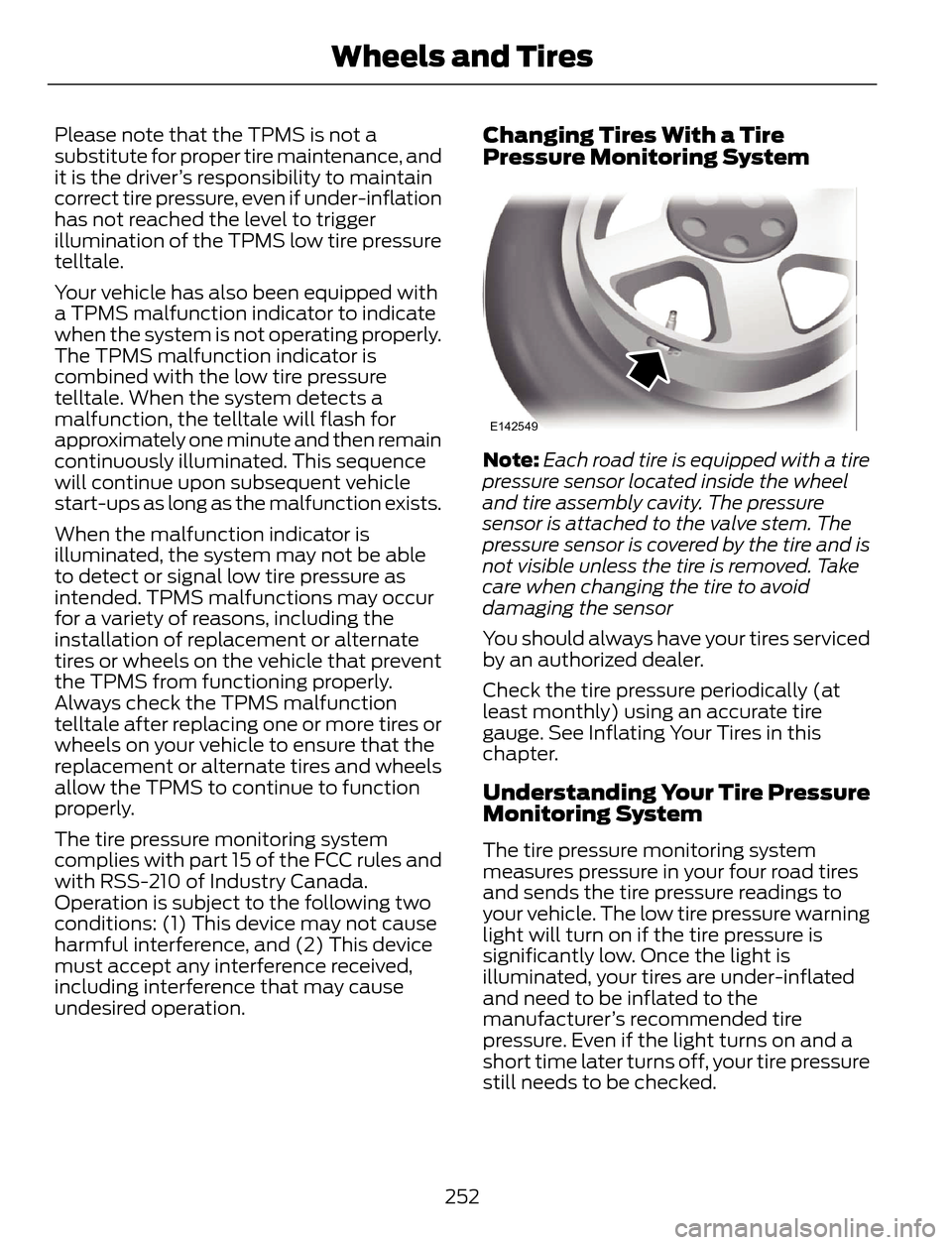
Note:Each road tire is equipped with a tire
pressure sensor located inside the wheel
and tire assembly cavity. The pressure
sensor is attached to the valve stem. The
pressure sensor is covered by the tire and is
not visible unless the tire is removed. Take
care when changing the tire to avoid
damaging the sensor
You should always have your tires serviced
by an authorized dealer.
Check the tire pressure periodically (at
least monthly) using an accurate tire
gauge. See Inflating Your Tires in this
chapter.
Understanding Your Tire Pressure
Monitoring System
The tire pressure monitoring system
measures pressure in your four road tires
and sends the tire pressure readings to
your vehicle. The low tire pressure warning
light will turn on if the tire pressure is
significantly low. Once the light is
illuminated, your tires are under-inflated
and need to be inflated to the
manufacturer’s recommended tire
pressure. Even if the light turns on and a
short time later turns off, your tire pressure
still needs to be checked.
252
Wheels and Tires
Page 342 of 428
Direct Tune
Touch this button to manually enter the
desired station number. Touch Enter when
you are done.
HD Radio™ Information (If Available)
Note:HD Radio broadcasts are not
available in all markets.
HD Radio technology is the digital
evolution of analog AM/FM radio. Your
system has a special receiver that allows
it to receive digital broadcasts (where
available) in addition to the analog
broadcasts, it already receives. Digital
broadcasts provide a better sound quality
than analog broadcasts with free,
crystal-clear audio and no static or
distortion. For more information, and a
guide to available stations and
programming, please visit
www.hdradio.com.
When HD Radio is on and you tune to a
station broadcasting HD Radio technology,
you may notice the following indicators on
your screen:
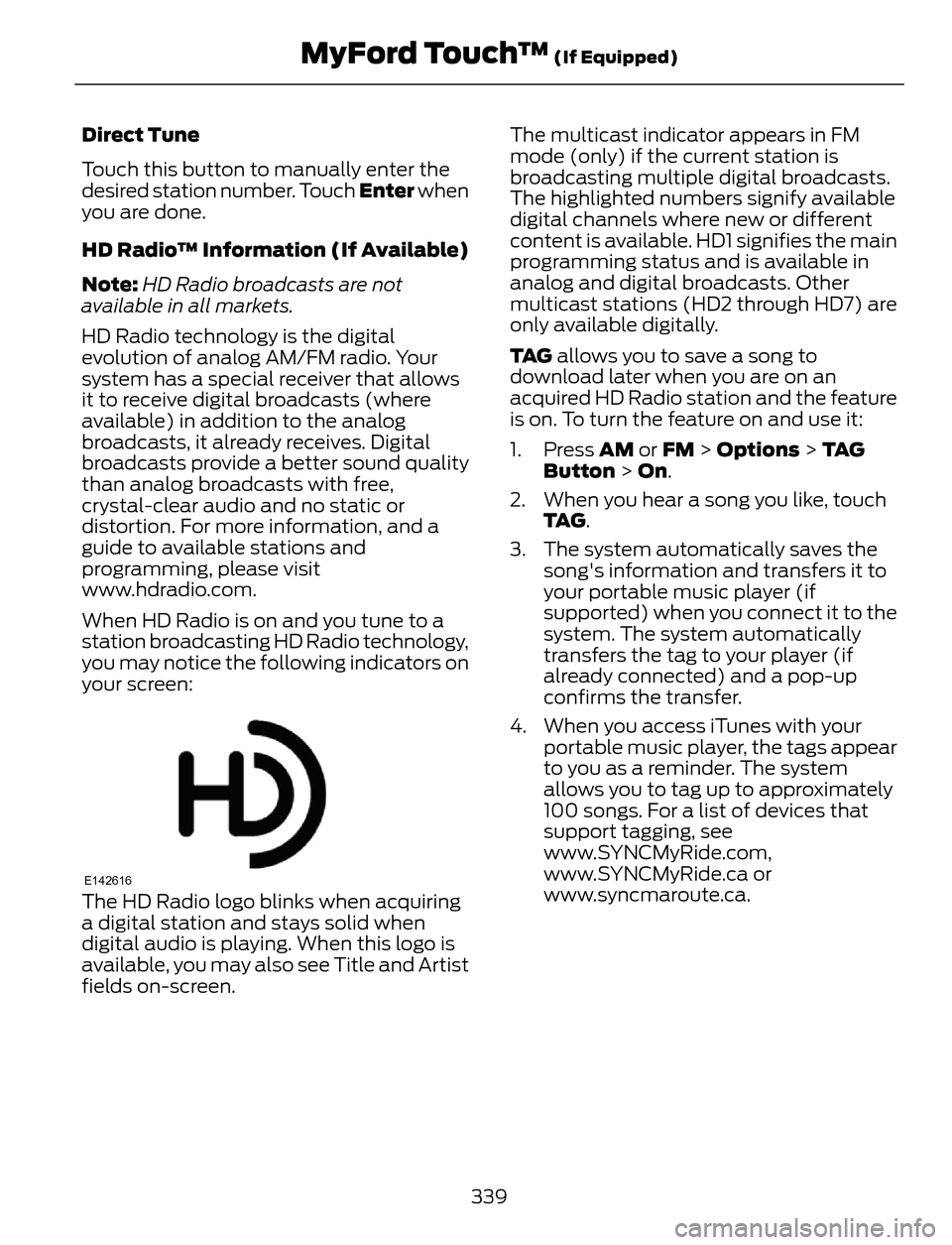
E142616The HD Radio logo blinks when acquiring
a digital station and stays solid when
digital audio is playing. When this logo is
available, you may also see Title and Artist
fields on-screen.The multicast indicator appears in FM
mode (only) if the current station is
broadcasting multiple digital broadcasts.
The highlighted numbers signify available
digital channels where new or different
content is available. HD1 signifies the main
programming status and is available in
analog and digital broadcasts. Other
multicast stations (HD2 through HD7) are
only available digitally.
TA G allows you to save a song to
download later when you are on an
acquired HD Radio station and the feature
is on. To turn the feature on and use it:
1. Press AM or FM > Options > TA G
Button > On.
2. When you hear a song you like, touch
TA G.
3. The system automatically saves the
song's information and transfers it to
your portable music player (if
supported) when you connect it to the
system. The system automatically
transfers the tag to your player (if
already connected) and a pop-up
confirms the transfer.
4. When you access iTunes with your
portable music player, the tags appear
to you as a reminder. The system
allows you to tag up to approximately
100 songs. For a list of devices that
support tagging, see
www.SYNCMyRide.com,
www.SYNCMyRide.ca or
www.syncmaroute.ca.
339
MyFord Touch™ (If Equipped)
Page 419 of 428
B
Blind Spot Monitor......................................160Blind Spot Information System (BLIS®)
with Cross Traffic Alert................................160
Bonnet LockSee: Opening and Closing the Hood..........206Booster Seats....................................................17Types of Booster Seats.......................................17Brake Fluid Check.........................................215
Brakes...............................................................145
General Information..........................................145Breaking-In......................................................183
Bulb Specification Chart...........................226
C
Cabin Air Filter................................................107
California Proposition 65..............................11
Capacities and Specifications.................261
Technical Specifications.................................265Car WashSee: Cleaning the Exterior...............................227Center Console..............................................122
Changing a Bulb...........................................222
Lamp Assembly Condensation....................222
Replacing Fog, Park and Turn Signal
Bulbs..................................................................224
Replacing Headlamp Bulbs...........................222
Replacing HID Headlamp Bulbs...................223
Replacing High-Mount Brake Lamp
Bulb....................................................................225
Replacing License Plate Lamp Bulb...........225
Replacing Reverse Lamp Assembly...........225
Replacing Side Marker Bulbs.........................224
Replacing Tail, Brake and Turn Signal
Bulbs..................................................................225
Changing a Fuse...........................................196Fuses.......................................................................196Changing a Road Wheel...........................255Dissimilar Spare Wheel and Tire Assembly
Information.....................................................255
Tire Change Procedure....................................256
Changing the 12V Battery..........................216
Changing the Engine Air Filter.................219
...................................................................................2 1 9
1.6L and 2.0L EcoBoost Engines...................219
2.5L Engine............................................................219
Changing the Wiper Blades......................218
Checking MyKey System Status..............50
Checking the Wiper Blades......................218
Child Restraint and Safety Belt
Maintenance.................................................32
Child Safety.......................................................14
General Information.............................................14Child Safety Locks..........................................24Left-Hand Side......................................................25
Right-Hand Side...................................................25
Child Seat Positioning...................................15
Cleaning Leather Seats..............................231
Cleaning Products........................................227
Cleaning the Alloy Wheels........................231
Cleaning the Engine....................................229
Cleaning the Exterior...................................227
Cleaning Plastic Exterior Parts.....................228
Exterior Chrome..................................................227
Stripes or Graphics (if equipped).................227
Underbody...........................................................228
Cleaning the Instrument Panel and
Instrument Cluster Lens........................230
Cleaning the Interior...................................229
Cleaning the Windows and Wiper
Blades...........................................................229
Clearing All MyKeys.......................................50
Climate............................................................368
Climate Control Voice Commands.............369Climate Control..............................................101
Coolant Check
See: Engine Coolant Check.............................212Crash Sensors and Airbag Indicator........42
Creating a MyKey...........................................50
Programming/Changing Configurable
Settings...............................................................50
Cruise Control.................................................68Principle of Operation.......................................159Cruise controlSee: Using Cruise Control................................159Customer Assistance.................................190
D
Data Recording..................................................9Event Data Recording...........................................9
Service Data Recording........................................9
416
Index