climate control FORD ESCAPE 2015 3.G Owner's Manual
[x] Cancel search | Manufacturer: FORD, Model Year: 2015, Model line: ESCAPE, Model: FORD ESCAPE 2015 3.GPages: 449, PDF Size: 5.36 MB
Page 335 of 449
•
Calendar
• Apps
ENTERTAINMENT
Press to select any of the following:
• AM
• FM
• SIRIUS
• CD
• USB
• BT Stereo
• SD Card
• A/V In
Depending on your vehicle and option
package, you may also have these controls
on your bezel:
• Power: Switch the media or climate
features off and on.
• VOL:
Control the volume of playing
media.
• Seek
and Tune: Use as you normally
would in media modes.
• Eject:
Eject a CD from the
entertainment system.
• SOURCE:
Touch the word repeatedly
to see all available media modes. The
screen does not change, but you see
the media change in the lower left
status bar.
• M:
Touch repeatedly to cycle through
available media modes.
• SOUND:
Touch the word to access the
Sound menu where you can adjust
settings such as: Bass, Treble,
Midrange, Balance and Fade, DSP
(Digital Signal Processing), Occupancy
Mode and Speed Compensated
Volume. (Your vehicle may not have
all of these sound options.) Using Your Steering Wheel
Controls
Depending on your vehicle and option
package, you can use your steering wheel
controls to interact with the touchscreen
system.
•
VOL:
Control the volume of audio
output.
• Seek:
•While in radio mode, press to seek
between memory presets or press
and hold to seek between stations.
• While in USB or CD mode, press to
seek between tracks or press and
hold to fast seek.
• Voice:
Press to start a voice session.
Press again to silence an active voice
prompt so you can begin speaking.
Press and hold to end a voice session.
• PHONE ACCEPT:
•Press to answer a call, or to switch
between calls.
• PHONE REJECT:
•Press to end a call, or to reject an
incoming call.
• HOME: Press to go to the home screen.
• I: Press to go to the information screen.
See
Steering Wheel (page 69).
Cleaning the Touchscreen Display
Use a clean, soft cloth such as one used
for cleaning glasses. If dirt or fingerprints
are still visible, apply a small amount of
alcohol to the cloth. Do not pour or spray
alcohol onto the display. Do not use
detergent or any type of solvent to clean
the display.
Support
The SYNC support team is available to
help you with any questions you are not
able to answer on your own.
332
Escape (TM2), enUSA, First Printing MyFord Touch
™
(If Equipped)
Page 339 of 449
Available voice commands
"Audio list of commands"
"Bluetooth audio list of commands" "Browse list of commands""CD list of commands"
"Climate control list of commands" "List of commands"
"Navigation list of commands" *
"Phone list of commands" "Radio list of commands"
"SD card list of commands"
"Sirius satellite list of commands" **
"Travel link list of commands" *
"USB list of commands"
"Voice instructions list of commands" "Voice settings list of commands" "Help"
* This command is only available when
your vehicle is equipped with the
navigation system, and the navigation
system SD card is in the card slot.
** This command is only available when
you have an active SIRIUS satellite radio
subscription.
Voice Settings
Voice settings allow you to customize the
level of system interaction, help and
feedback. The system defaults to standard
interaction that uses candidate lists and
confirmation prompts as these provide the
highest level of guidance and feedback. •
Interaction Mode: Novice mode
provides detailed interaction and
guidance while the advanced mode
has less audible interaction and more
tone prompts.
• Confirmation Prompts:
The system
uses these short questions to confirm
your voice request. If turned off, the
system simply makes a best guess as
to what you requested. The system
may still occasionally ask you to
confirm settings.
• Phone and Media Candidate Lists:
Candidate lists are lists of possible
results from your voice commands. The
system creates these lists when it has
the same confidence level of several
options based on your voice command.
To access these settings using the
touchscreen:
1. Press the Settings icon >
Settings >
Voice Control.
2. Select from:
• Interaction Mode
• Confirmation Prompts
• Media Candidate Lists
• Phone Candidate Lists
• Voice Control Volume.
To access these settings using voice
commands:
1. Press the voice icon. Wait for the prompt "Please say a command".
Another tone sounds to let you know
the system is listening.
2. Say any of the following commands: Voice settings using voice commands
"Confirmation prompts off""Confirmation prompts on"
"Interaction mode advanced"
336
Escape (TM2), enUSA, First Printing MyFord Touch
™
(If Equipped)
Page 343 of 449
Settings
Access and adjust system settings, voice
features, as well as phone, navigation and
wireless settings.
System Press the Settings icon >
Settings > System, then select
from the following: System
Select to have the touchscreen display in English, Spanish
or French.
Language
Select to display units in kilometers or miles.
Distance
Select to display units in Celsius or Fahrenheit.
Temperature
Adjust the volume of voice prompts from the system.
System Prompt Volume
Select to have the system beep to confirm choices made
through the touchscreen.
Touch Screen Button Beep
Select to have the system beep to confirm button choices
made through the climate or audio system.
Touch Panel Button Beep
Have the touchscreen keyboard display in QWERTY or
ABC format.
Keyboard Layout
Install any downloaded applications or view the current
software licenses.
Install Applications
Select to restore factory defaults. This erases all personal
settings and personal data.
Master Reset
Voice Control Press the Settings icon >
Settings
> Voice Control, then
select from the following:
340
Escape (TM2), enUSA, First Printing MyFord Touch
™
(If Equipped)E142607 E142607
Page 382 of 449
To run a report by voice
command, press the voice
button on the steering wheel
and, when prompted, say "Vehicle health
report".
Vehicle Health Report Privacy Notice
When you create a Vehicle Health Report,
Ford Motor Company may collect your
cellular phone number (to process your
report request) and diagnostic information
about your vehicle. Certain versions or
updates to Vehicle Health Report may also
collect more vehicle information. Ford may
use your vehicle information it collects for
any purpose. If you do not want to disclose your cellular phone number or vehicle
information, do not run the feature or set
up your Vehicle Health Report profile at
www.SYNCMyRide.com. See
www.SYNCMyRide.com (Vehicle Health
Report Terms and Conditions, and Privacy
Statement) for more information.
CLIMATE Press the lower right corner on
the touchscreen to access your
climate control features.
Depending on your vehicle line and option
package, your climate screen may look
different from the screen shown here. Power: Touch to switch the system off and on. Outside air cannot enter your
vehicle when you switch off the system.
A
Passenger settings:
Touch + or – to adjust the temperature.
B
Fan speed:
Touch + or - to adjust fan speed.
C
DUAL:
Touch to switch on the passenger temperature control.
D
379
Escape (TM2), enUSA, First Printing MyFord Touch
™
(If Equipped)E142599 E142612 E146988
Page 383 of 449
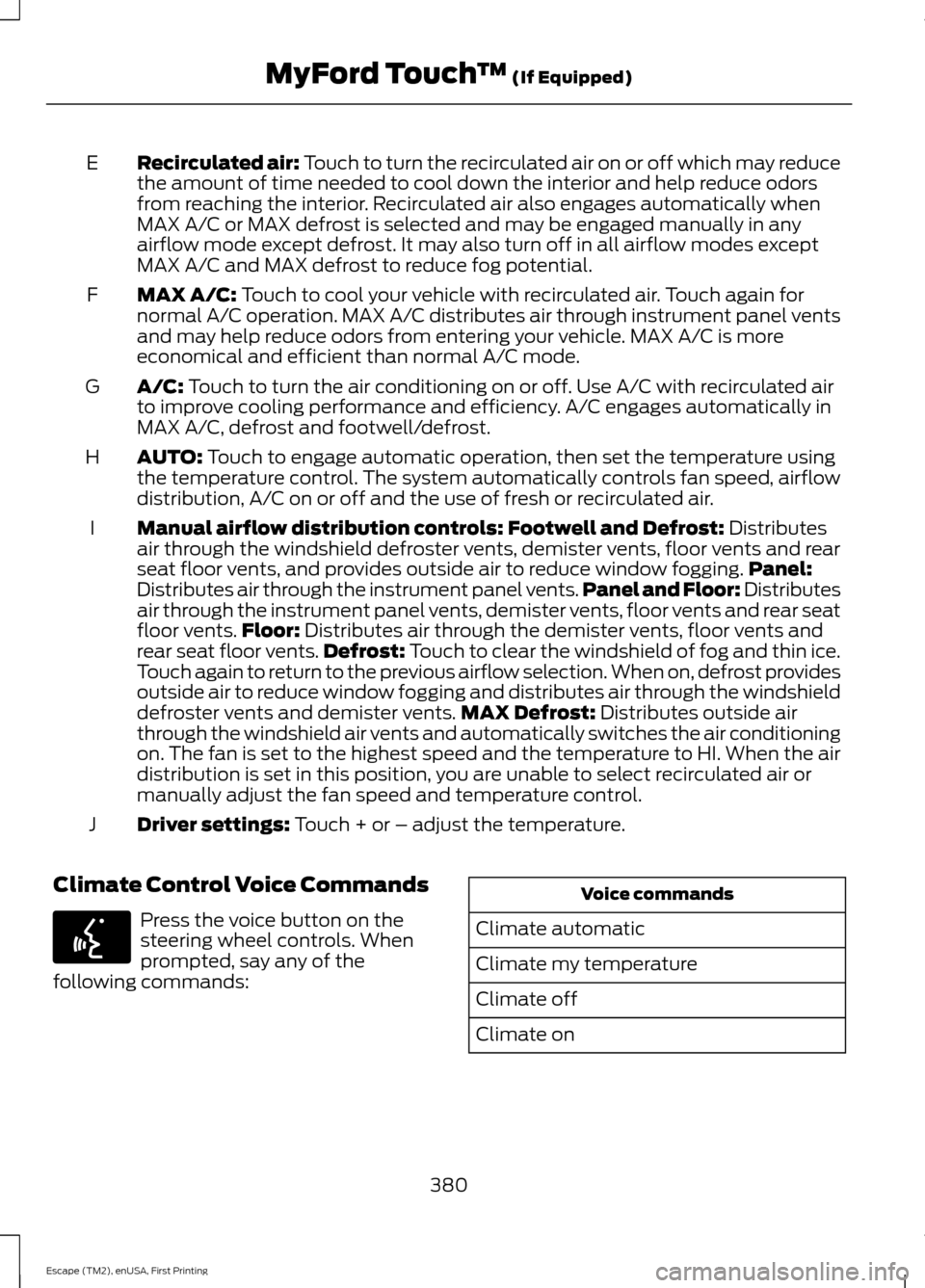
Recirculated air: Touch to turn the recirculated air on or off which may reduce
the amount of time needed to cool down the interior and help reduce odors
from reaching the interior. Recirculated air also engages automatically when
MAX A/C or MAX defrost is selected and may be engaged manually in any
airflow mode except defrost. It may also turn off in all airflow modes except
MAX A/C and MAX defrost to reduce fog potential.
E
MAX A/C: Touch to cool your vehicle with recirculated air. Touch again for
normal A/C operation. MAX A/C distributes air through instrument panel vents
and may help reduce odors from entering your vehicle. MAX A/C is more
economical and efficient than normal A/C mode.
F
A/C:
Touch to turn the air conditioning on or off. Use A/C with recirculated air
to improve cooling performance and efficiency. A/C engages automatically in
MAX A/C, defrost and footwell/defrost.
G
AUTO:
Touch to engage automatic operation, then set the temperature using
the temperature control. The system automatically controls fan speed, airflow
distribution, A/C on or off and the use of fresh or recirculated air.
H
Manual airflow distribution controls:
Footwell and Defrost: Distributes
air through the windshield defroster vents, demister vents, floor vents and rear
seat floor vents, and provides outside air to reduce window fogging. Panel:
Distributes air through the instrument panel vents. Panel and Floor: Distributes
air through the instrument panel vents, demister vents, floor vents and rear seat
floor vents. Floor:
Distributes air through the demister vents, floor vents and
I
rear seat floor vents. Defrost: Touch to clear the windshield of fog and thin ice.
Touch again to return to the previous airflow selection. When on, defrost provides
outside air to reduce window fogging and distributes air through the windshield
defroster vents and demister vents. MAX Defrost:
Distributes outside air
through the windshield air vents and automatically switches the air conditioning
on. The fan is set to the highest speed and the temperature to HI. When the air
distribution is set in this position, you are unable to select recirculated air or
manually adjust the fan speed and temperature control.
Driver settings:
Touch + or – adjust the temperature.
J
Climate Control Voice Commands Press the voice button on the
steering wheel controls. When
prompted, say any of the
following commands: Voice commands
Climate automatic
Climate my temperature
Climate off
Climate on
380
Escape (TM2), enUSA, First Printing MyFord Touch
™
(If Equipped)E142599
Page 384 of 449
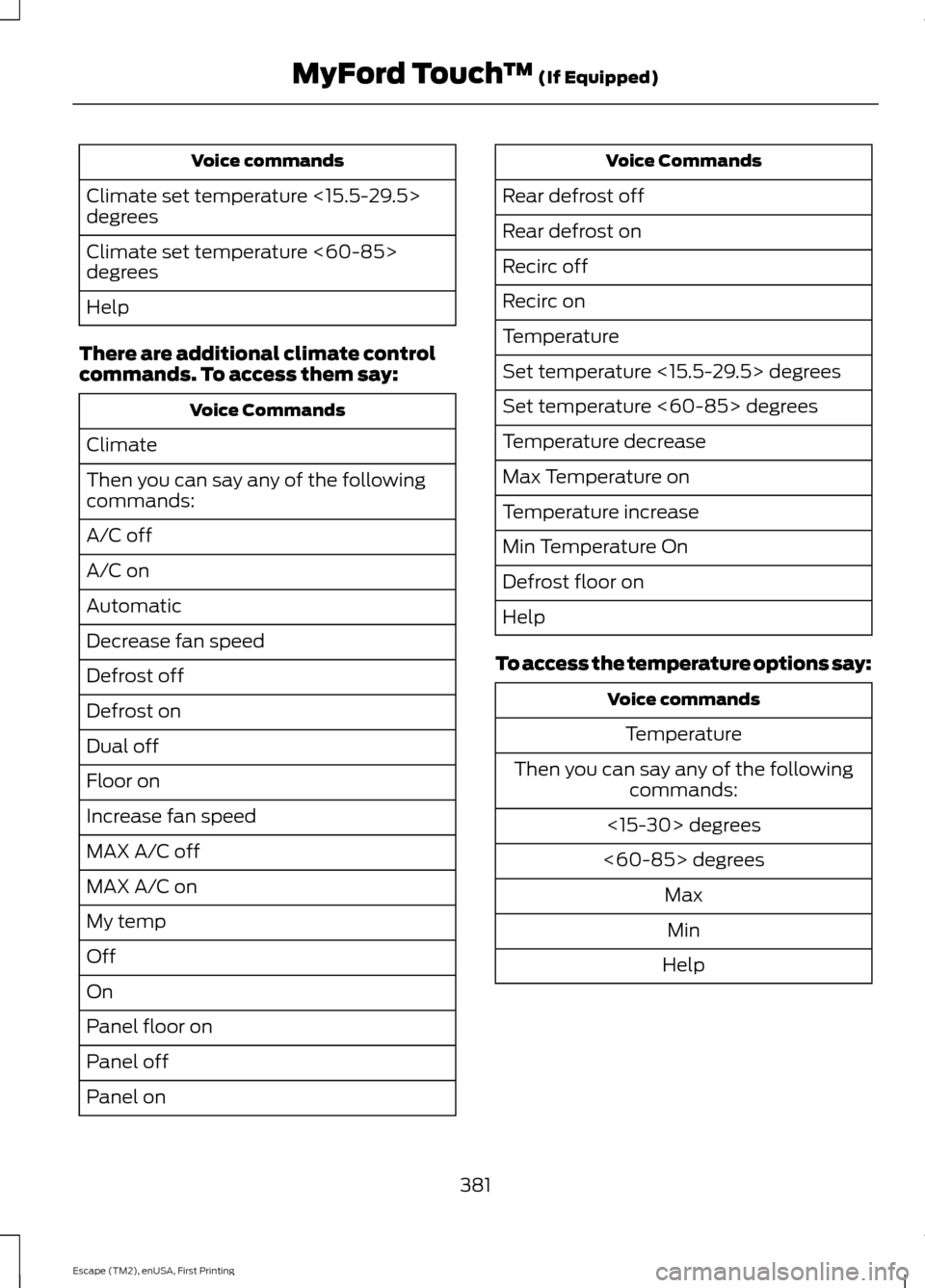
Voice commands
Climate set temperature <15.5-29.5>
degrees
Climate set temperature <60-85>
degrees
Help
There are additional climate control
commands. To access them say: Voice Commands
Climate
Then you can say any of the following
commands:
A/C off
A/C on
Automatic
Decrease fan speed
Defrost off
Defrost on
Dual off
Floor on
Increase fan speed
MAX A/C off
MAX A/C on
My temp
Off
On
Panel floor on
Panel off
Panel on Voice Commands
Rear defrost off
Rear defrost on
Recirc off
Recirc on
Temperature
Set temperature <15.5-29.5> degrees
Set temperature <60-85> degrees
Temperature decrease
Max Temperature on
Temperature increase
Min Temperature On
Defrost floor on
Help
To access the temperature options say: Voice commands
Temperature
Then you can say any of the following commands:
<15-30> degrees
<60-85> degrees MaxMin
Help
381
Escape (TM2), enUSA, First Printing MyFord Touch
™ (If Equipped)
Page 440 of 449
4
4WD
See: Four-Wheel Drive...................................... 142
A
A/C See: Climate Control......................................... 103
About This Manual...........................................7
ABS See: Brakes............................................................ 147
ABS driving hints See: Hints on Driving With Anti-Lock
Brakes................................................................. 147
Accessories....................................................396 Exterior Style....................................................... 396
Interior Style........................................................ 396
Lifestyle................................................................. 396
Peace of Mind..................................................... 396
Accessories See: Replacement Parts
Recommendation............................................. 11
Active Park Assist
.........................................154
Automatic Steering into Parking
Space................................................................. 155
Deactivating the Park Assist Feature..........156
Troubleshooting the System.......................... 157
Using Active Park Assist................................... 154
Adjusting the Headlamps
.........................222
Horizontal Aim Adjustment........................... 224
Vertical Aim Adjustment................................. 222
Adjusting the Steering Wheel...................69
Airbag Disposal...............................................47
Air Conditioning See: Climate Control......................................... 103
Alarm See: Anti-Theft Alarm........................................ 68
Ambient Lighting.............................................77
Anti-Theft Alarm
...........................................68
Arming the Alarm................................................ 68
Disarming the Alarm........................................... 68
Appendices....................................................398
At a Glance........................................................14 Front Exterior Overview...................................... 14
Instrument Panel Overview.............................. 16
Rear Exterior Overview........................................ 17
Vehicle Interior Overview.................................... 15Audible Warnings and Indicators.............88
Automatic Transmission Warning
Chime.................................................................. 89
Engine On Warning Chime............................... 88
Headlamps On Warning Chime..................... 89
Key in Ignition Warning Chime........................ 88
Keyless Warning Alert ....................................... 88
Parking Brake On Warning Chime.................89
Audio Control
..................................................69
Audio Input Jack..........................................289
Audio System.................................................272
General Information.......................................... 272
Audio Unit - Vehicles With: AM/FM/CD/ SYNC/Satellite Radio..............................277
Audio Unit - Vehicles With: AM/FM/CD/ SYNC..............................................................275
Audio Unit - Vehicles With: AM/FM/ CD....................................................................273
Audio Unit - Vehicles With: Premium AM/FM/CD
..................................................279
Audio Unit - Vehicles With: Sony AM/ FM/CD............................................................281
Menu Structure................................................... 282
Autolamps.........................................................74 Windshield Wiper Activated
Headlamps......................................................... 75
Automatic Climate Control......................104 Temperature Control........................................ 105
Automatic Transmission
............................139
Brake-Shift Interlock......................................... 140
If Your Vehicle Gets Stuck In Mud or Snow.................................................................... 141
SelectShift Automatic® Transmission................................................... 139
Understanding the Positions of Your Automatic Transmission............................. 139
Automatic Transmission Fluid Check.............................................................219
Autowipers.........................................................71
Auxiliary Power Points
................................122
110 Volt AC Power Point.................................... 122
12 Volt DC Power Point...................................... 122
Locations................................................................ 122
437
Escape (TM2), enUSA, First Printing Index
Page 441 of 449
B
Blind Spot Information System..............162
Blind Spot Information System (BLIS ™)
with Cross Traffic Alert................................ 162
Bonnet Lock See: Opening and Closing the Hood...........210
Booster Seats..................................................26 Types of Booster Seats....................................... 27
Brake Fluid Check.........................................219
Brakes................................................................147 General Information........................................... 147
Breaking-In.....................................................186
Bulb Specification Chart...........................228
C
Cabin Air Filter...............................................109
California Proposition 65..............................11
Capacities and Specifications
................264
Technical Specifications................................. 268
Car Wash See: Cleaning the Exterior................................ 231
Center Console
..............................................124
Changing a Bulb...........................................224 Lamp Assembly Condensation.................... 224
Replacing Fog, Park and Turn Signal Bulbs.................................................................. 226
Replacing Headlamp Bulbs........................... 225
Replacing HID Headlamp Bulbs................... 225
Replacing High-Mount Brake Lamp Bulb..................................................................... 227
Replacing License Plate Lamp Bulb...........227
Replacing Reverse Lamp Assembly............227
Replacing Side Marker Bulbs........................ 226
Replacing Tail, Brake and Turn Signal Bulbs.................................................................. 227
Changing a Fuse..........................................209 Fuses...................................................................... 209
Changing a Road Wheel...........................258 Dissimilar Spare Wheel and Tire Assembly
Information..................................................... 258
Tire Change Procedure.................................... 259
Changing the 12V Battery.........................220
Changing the Engine Air Filter.................229 1.6L and 2.0L EcoBoost Engines.................. 229
2.5L Engine........................................................... 230Changing the Wiper Blades
......................221
Front Wiper Blades............................................. 221
Rear Wiper Blade............................................... 222
Checking MyKey System Status...............55
Checking the Wiper Blades
.......................221
Child Restraint and Safety Belt Maintenance..................................................37
Child Safety
.......................................................19
General Information............................................. 19
Child Safety Locks
.........................................29
Left-Hand Side..................................................... 30
Right-Hand Side................................................... 30
Child Seat Positioning
..................................28
Cleaning Leather Seats.............................234
Cleaning Products
........................................231
Cleaning the Alloy Wheels.......................235
Cleaning the Engine
....................................232
Cleaning the Exterior...................................231 Cleaning Plastic Exterior Parts...................... 232
Exterior Chrome................................................... 231
Stripes or Graphics (if equipped).................231
Underbody............................................................ 232
Cleaning the Instrument Panel and Instrument Cluster Lens.........................233
Cleaning the Interior...................................233
Cleaning the Windows and Wiper Blades...........................................................233
Clearing All MyKeys
.......................................54
Climate............................................................379 Climate Control Voice Commands............380
Climate Control
.............................................103
Coolant Check See: Engine Coolant Check............................. 216
Crash Sensors and Airbag Indicator.......46
Creating a MyKey............................................53 Programming/Changing Configurable
Settings............................................................... 54
Cruise Control
..................................................70
Principle of Operation........................................ 161
Cruise control See: Using Cruise Control................................. 161
Customer Assistance
..................................194
D
Data Recording
..................................................9
Event Data Recording........................................... 9
Service Data Recording........................................ 9
438
Escape (TM2), enUSA, First Printing Index
Page 442 of 449
Daytime Running Lamps.............................76
Type 1 - Conventional
(Non-Configurable)........................................ 76
Type 2 - Configurable.......................................... 76
Digital Radio..................................................284
HD Radio Reception and Station
Troubleshooting............................................ 285
Direction Indicators
........................................77
Driver and Passenger Airbags...................40
Children and Airbags.......................................... 40
Proper Driver and Front Passenger Seating Adjustment....................................................... 40
Driver Knee Airbag
.........................................44
Driving Aids.....................................................162
Driving Hints...................................................186
Driving Through Water................................187
DRL See: Daytime Running Lamps......................... 76
E
Eco Mode
........................................................166
Resetting Eco Mode.......................................... 166
Type 1...................................................................... 166
Type 2 and 3......................................................... 166
Economical Driving
......................................186
Emission Control System..........................136 On-Board Diagnostics (OBD-II).................... 137
Readiness for Inspection/Maintenance (I/M) Testing.................................................... 137
End User License Agreement
.................398
SYNC End User License Agreement
(EULA)............................................................. 398
Engine Block Heater....................................129 Using the Engine Block Heater...................... 130
Engine Coolant Check
................................216
Adding Engine Coolant..................................... 217
Checking the Engine Coolant......................... 216
Recycled Engine Coolant................................. 217
Severe Climates................................................... 217
What You Should Know About Fail-Safe Cooling............................................................... 218
Engine Immobilizer See: Passive Anti-Theft System..................... 67
Engine Oil Check
...........................................215
Adding Engine Oil............................................... 215
Engine Oil Dipstick - 1.6L EcoBoost™..................................................215 Engine Oil Dipstick - 2.0L EcoBoost™/
2.5L..................................................................215
Engine Specifications
................................264
Drivebelt Routing............................................... 264
Entertainment...............................................347 A/V Inputs............................................................ 363
AM/FM Radio...................................................... 349
Bluetooth Audio................................................. 362
Browsing Device Content................................ 347
CD........................................................................\
.... 358
SD Card Slot and USB Port........................... 359
SIRIUS® Satellite Radio (If Activated)........................................................ 354
Supported Media Players, Formats and Metadata Information................................ 362
Essential Towing Checks
............................181
Before Towing a Trailer..................................... 182
Hitches..................................................................... 181
Launching or Retrieving a Boat or Personal Watercraft (PWC)......................................... 183
Safety Chains........................................................ 181
Trailer Brakes......................................................... 181
Trailer Lamps........................................................ 182
When Towing a Trailer...................................... 182
Event Data Recording See: Data Recording.............................................. 9
Export Unique Options..................................13
Extended Service Plan (ESP)..................418 SERVICE PLANS (CANADA ONLY).............419
SERVICE PLANS (U.S. Only).......................... 418
Exterior Mirrors
...............................................80
Blind Spot Monitor............................................... 82
Fold-Away Exterior Mirrors................................ 81
Heated Exterior Mirrors....................................... 81
Integrated Blind Spot Mirrors........................... 81
Memory Mirrors...................................................... 81
Power Exterior Mirrors........................................ 80
F
Fastening the Safety Belts..........................32 How to Extract Safety Belts in the Rear
Outboard Positions........................................ 34
Safety Belt Extension Assembly.................... 34
Safety Belt Locking Modes............................... 33
Using Safety Belts During Pregnancy...........32
Floor Mats........................................................187
439
Escape (TM2), enUSA, First Printing Index
Page 443 of 449
Fog Lamps - Front
See: Front Fog Lamps......................................... 77
Ford Credit..........................................................11
(U.S. Only)................................................................. 11
Four-Wheel Drive
..........................................142
Principle of Operation....................................... 142
Front Fog Lamps.............................................77
Front Passenger Sensing System.............41
Fuel and Refueling
........................................131
Fuel Consumption........................................135
Calculating Fuel Economy.............................. 136
Filling the Tank..................................................... 135
Fuel Filter
.........................................................219
Fuel Quality.....................................................132
Choosing the Right Fuel................................... 132
Octane Recommendations............................ 132
Fuel Shutoff
...................................................190
Fuses................................................................200
Fuse Specification Chart..........................200 Luggage Compartment Fuse Panel...........206
Passenger Compartment Fuse
Panel................................................................. 203
Power Distribution Box................................... 200
Pre-Fuse Box...................................................... 200
G
Garage Door Opener See: Universal Garage Door Opener............118
Gauges...............................................................84 Engine Coolant Temperature Gauge............85
Fuel Gauge.............................................................. 85
Information Display............................................. 84
General Information on Radio Frequencies...................................................48
Intelligent Access................................................. 48
General Maintenance Information.......420 Multi-Point Inspection..................................... 422
Owner Checks and Services........................... 421
Protecting Your Investment.......................... 420
Why Maintain Your Vehicle?......................... 420
Why Maintain Your Vehicle at Your Dealership?..................................................... 420
Getting Assistance Outside the U.S. and Canada..........................................................197
Getting the Services You Need...............194 Away From Home.............................................. 194Global Opening
..............................................80
Opening the Windows....................................... 80
H
Handbrake See: Parking Brake............................................. 148
Hazard Warning Flashers..........................190
Headlamp Exit Delay....................................76
Head Restraints
...............................................111
Adjusting the Head Restraint.......................... 112
Heated Seats
...................................................117
Heated Windows and Mirrors..................109 Heated Exterior Mirror...................................... 109
Heated Rear Window....................................... 109
Heating See: Climate Control......................................... 103
Hill Start Assist..............................................148 Using Hill Start Assist....................................... 148
Hints on Controlling the Interior Climate
..........................................................106
Cooling the Interior Quickly............................. 107
General Hints....................................................... 106
Heating the Interior Quickly............................ 106
Maximum Cooling Performance in Instrument Panel or Instrument Panel
and Footwell Positions............................... 109
Recommended Settings for Cooling ..........107
Recommended Settings for Heating..........107
Side Window Defogging in Cold Weather............................................................ 108
Vehicle Stationary for Extended Periods during Extreme High Ambient
Temperatures................................................. 108
Hints on Driving With Anti-Lock Brakes.............................................................147
Hood Lock See: Opening and Closing the Hood...........210
I
Ignition Switch
...............................................125
In California (U.S. Only).............................195
Information Display Control.......................70
Information Displays
....................................90
General Information........................................... 90
440
Escape (TM2), enUSA, First Printing Index