door lock FORD ESCAPE 2015 3.G Owners Manual
[x] Cancel search | Manufacturer: FORD, Model Year: 2015, Model line: ESCAPE, Model: FORD ESCAPE 2015 3.GPages: 449, PDF Size: 5.36 MB
Page 5 of 449
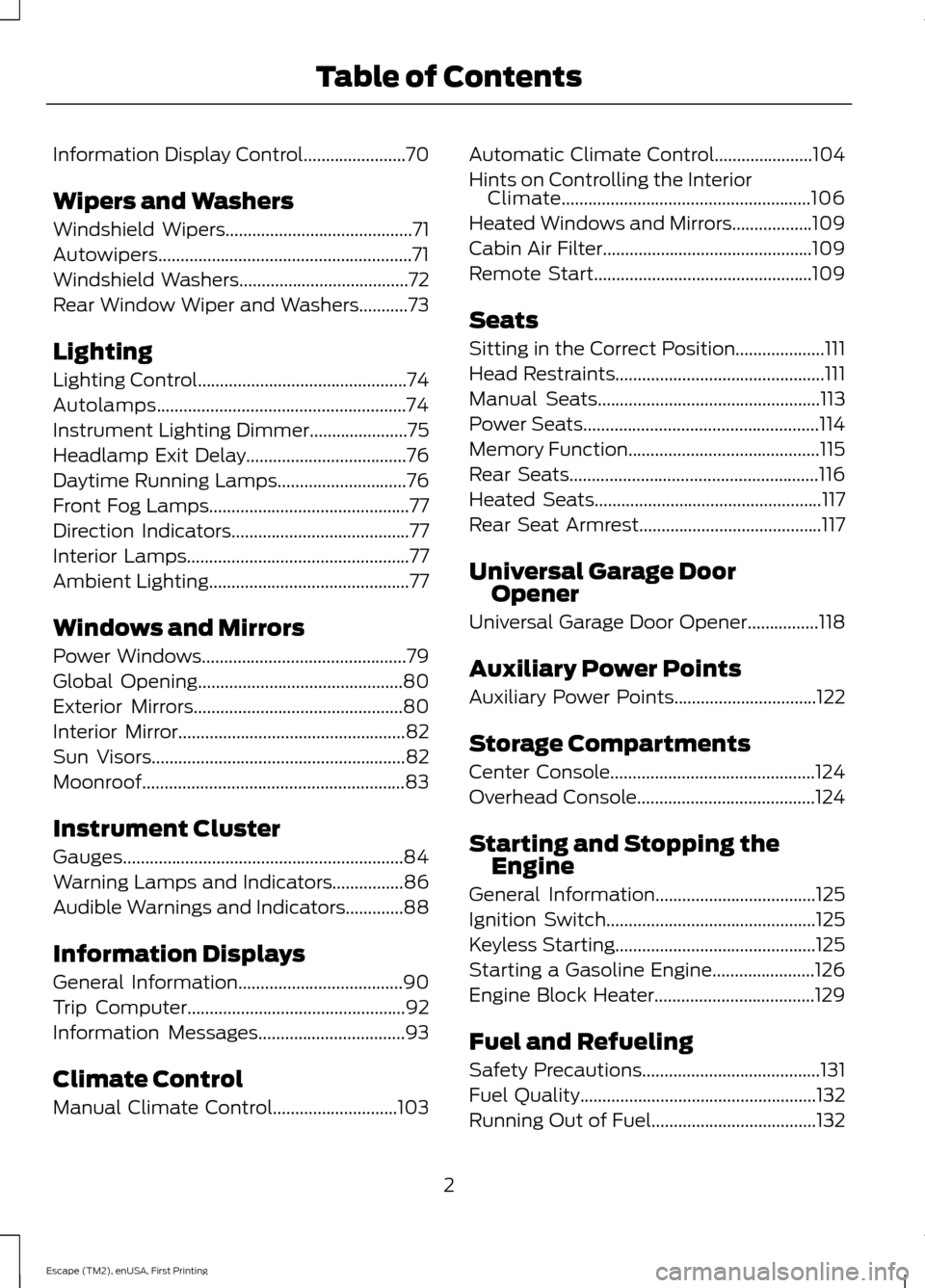
Information Display Control.......................70
Wipers and Washers
Windshield Wipers
..........................................71
Autowipers.........................................................71
Windshield Washers
......................................72
Rear Window Wiper and Washers...........73
Lighting
Lighting Control...............................................74
Autolamps........................................................74
Instrument Lighting Dimmer......................75
Headlamp Exit Delay....................................76
Daytime Running Lamps
.............................76
Front Fog Lamps.............................................77
Direction Indicators
........................................77
Interior Lamps
..................................................77
Ambient Lighting.............................................77
Windows and Mirrors
Power Windows
..............................................79
Global Opening
..............................................80
Exterior Mirrors
...............................................80
Interior Mirror
...................................................82
Sun Visors
.........................................................82
Moonroof...........................................................83
Instrument Cluster
Gauges...............................................................84
Warning Lamps and Indicators................86
Audible Warnings and Indicators.............88
Information Displays
General Information
.....................................90
Trip Computer.................................................92
Information Messages
.................................93
Climate Control
Manual Climate Control
............................103 Automatic Climate Control......................104
Hints on Controlling the Interior
Climate........................................................106
Heated Windows and Mirrors
..................109
Cabin Air Filter
...............................................109
Remote Start.................................................109
Seats
Sitting in the Correct Position....................111
Head Restraints
...............................................111
Manual Seats
..................................................113
Power Seats
.....................................................114
Memory Function
...........................................115
Rear Seats........................................................116
Heated Seats
...................................................117
Rear Seat Armrest.........................................117
Universal Garage Door Opener
Universal Garage Door Opener
................118
Auxiliary Power Points
Auxiliary Power Points
................................122
Storage Compartments
Center Console..............................................124
Overhead Console
........................................124
Starting and Stopping the Engine
General Information
....................................125
Ignition Switch
...............................................125
Keyless Starting.............................................125
Starting a Gasoline Engine
.......................126
Engine Block Heater....................................129
Fuel and Refueling
Safety Precautions
........................................131
Fuel Quality
.....................................................132
Running Out of Fuel.....................................132
2
Escape (TM2), enUSA, First Printing Table of Contents
Page 11 of 449
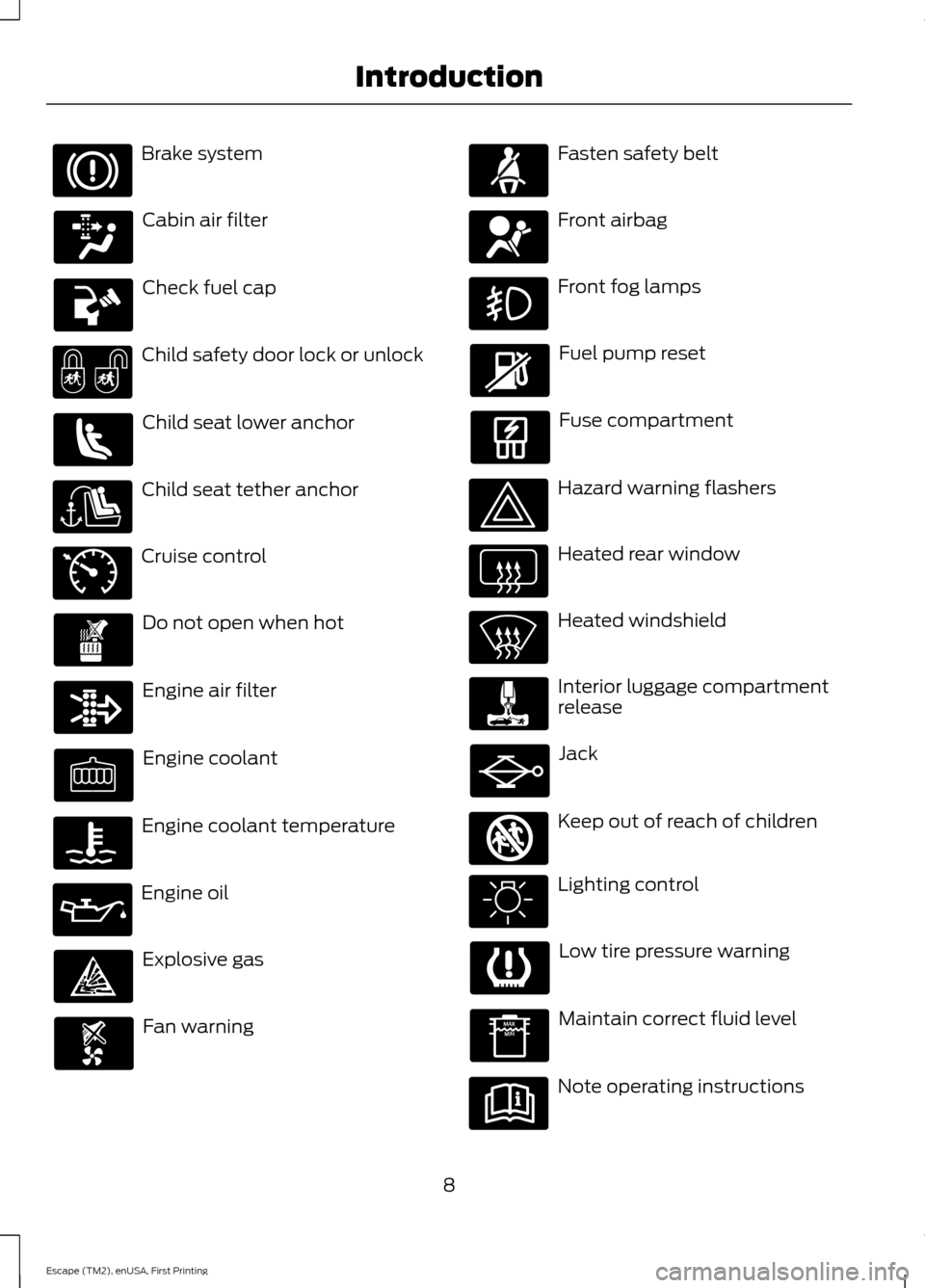
Brake system
Cabin air filter
Check fuel cap
Child safety door lock or unlock
Child seat lower anchor
Child seat tether anchor
Cruise control
Do not open when hot
Engine air filter
Engine coolant
Engine coolant temperature
Engine oil
Explosive gas
Fan warning Fasten safety belt
Front airbag
Front fog lamps
Fuel pump reset
Fuse compartment
Hazard warning flashers
Heated rear window
Heated windshield
Interior luggage compartment
release
Jack
Keep out of reach of children
Lighting control
Low tire pressure warning
Maintain correct fluid level
Note operating instructions
8
Escape (TM2), enUSA, First Printing Introduction E71340 E161353
Page 19 of 449
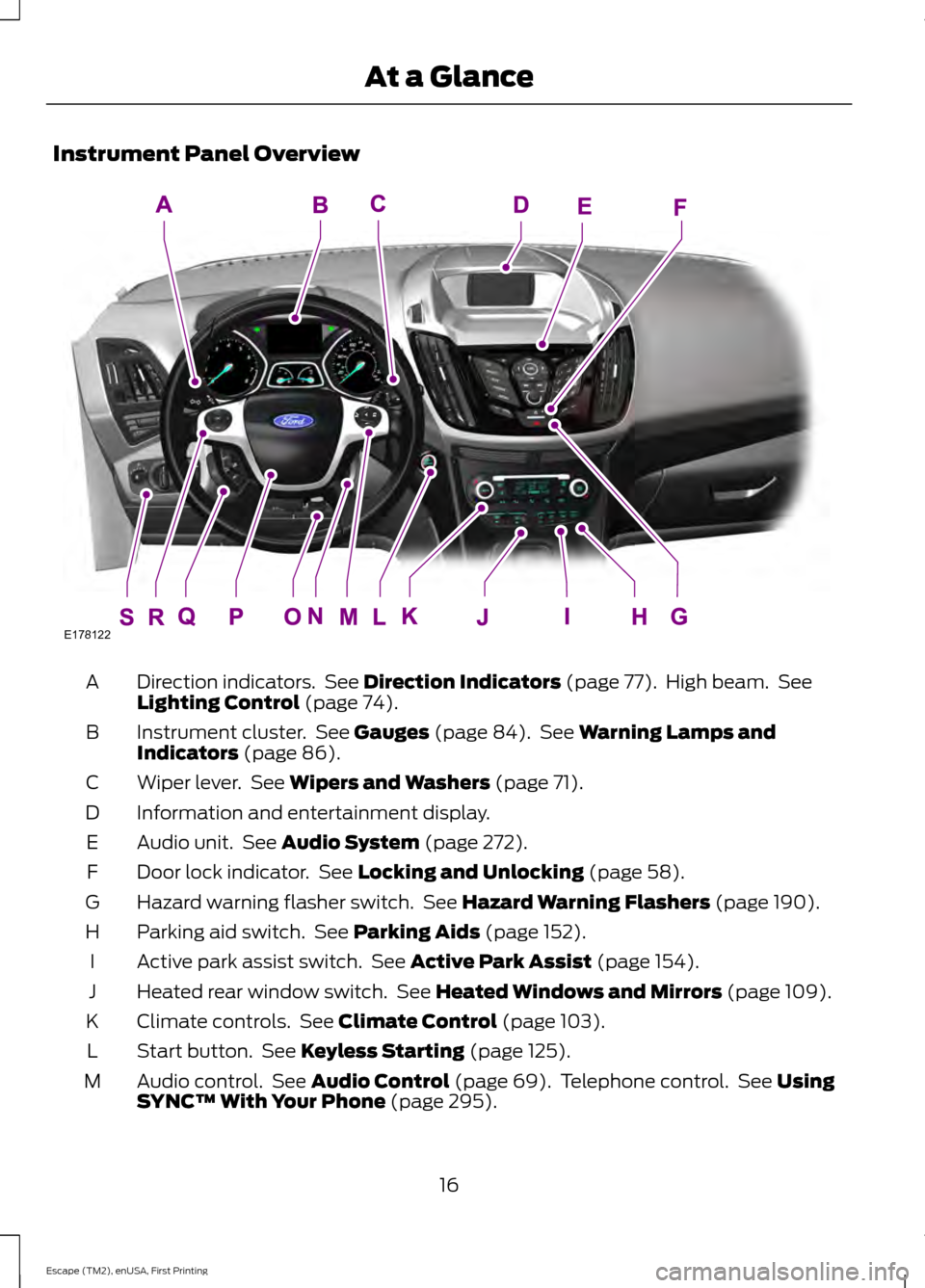
Instrument Panel Overview
Direction indicators. See Direction Indicators (page 77). High beam. See
Lighting Control (page 74).
A
Instrument cluster. See
Gauges (page 84). See Warning Lamps and
Indicators (page 86).
B
Wiper lever. See
Wipers and Washers (page 71).
C
Information and entertainment display.
D
Audio unit. See
Audio System (page 272).
E
Door lock indicator. See
Locking and Unlocking (page 58).
F
Hazard warning flasher switch. See
Hazard Warning Flashers (page 190).
G
Parking aid switch. See
Parking Aids (page 152).
H
Active park assist switch. See
Active Park Assist (page 154).
I
Heated rear window switch. See
Heated Windows and Mirrors (page 109).
J
Climate controls. See
Climate Control (page 103).
K
Start button. See
Keyless Starting (page 125).
L
Audio control. See
Audio Control (page 69). Telephone control. See Using
SYNC™ With Your Phone (page 295).
M
16
Escape (TM2), enUSA, First Printing At a GlanceE178122
Page 32 of 449
Recommendations for attaching child safety restraints for children
Use any attachment method as indicated below by X
Combined
weight ofchild and
child seat
Restraint
Type Safety belt
only
Safety belt
and LATCH
(lower
anchors and top tether
anchor)
Safety belt
and toptether
anchor
LATCH
(lower
anchors only)
LATCH
(lower
anchors and top tether
anchor)
X
X
Up to 65 lb
(29 kg)
Rear facing
child seat
X
Over 65 lb
(29 kg)
Rear facing
child seat
X
X
X
Up to 65 lb
(29 kg)
Forward
facing
child seat
X
X
Over 65 lb
(29 kg)
Forward
facing
child seat
Note: The child seat must rest tightly
against the vehicle seat upon which it is
installed. It may be necessary to lift or
remove the head restraint. See Seats (page
111).
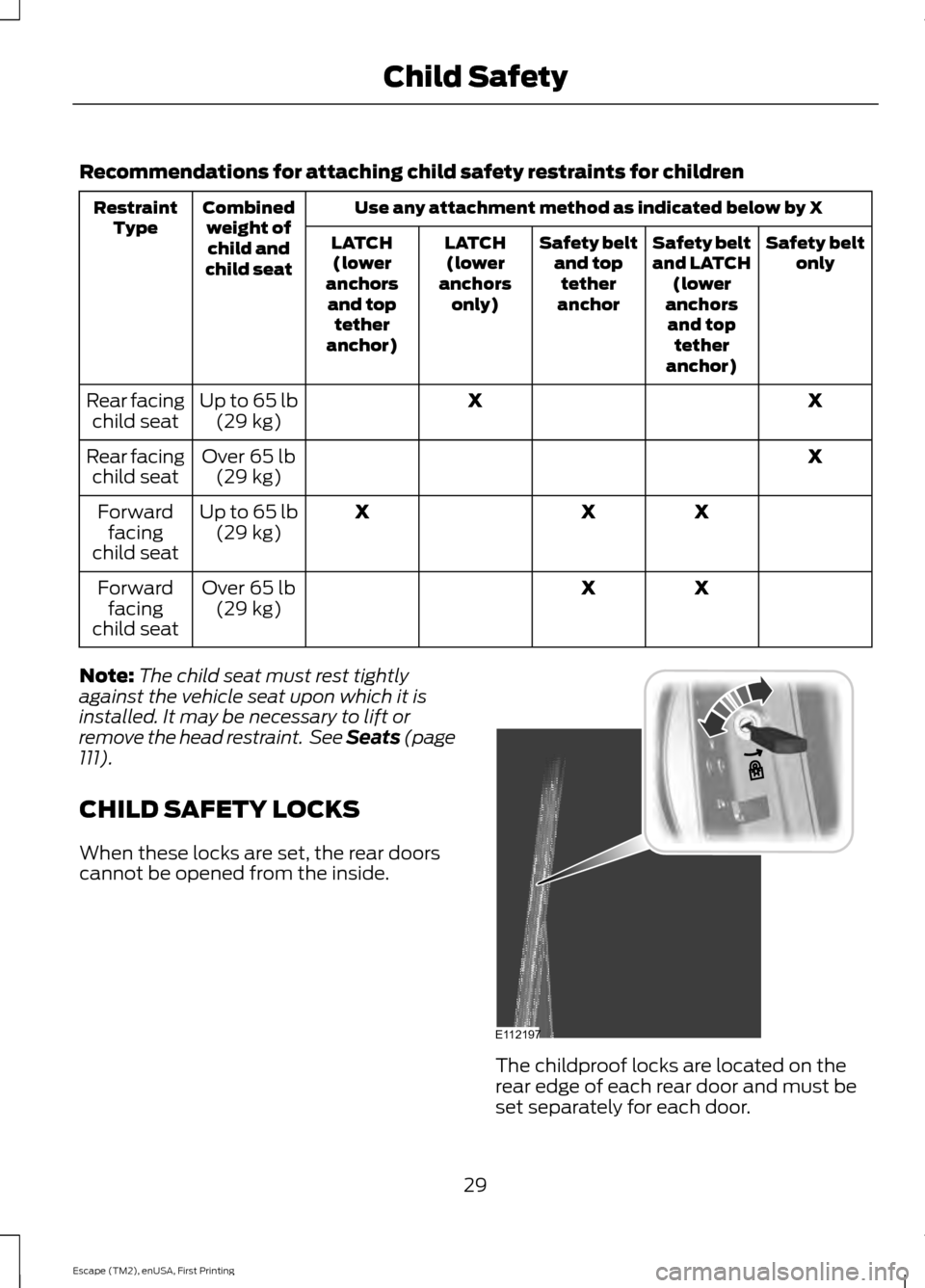
CHILD SAFETY LOCKS
When these locks are set, the rear doors
cannot be opened from the inside. The childproof locks are located on the
rear edge of each rear door and must be
set separately for each door.
29
Escape (TM2), enUSA, First Printing Child SafetyE112197
Page 51 of 449
PRINCIPLE OF OPERATION
The remote control allows you to:
•
Remotely lock or unlock the vehicle
doors.
• Unlock the doors without actively using
a key or remote control (intelligent
access only).
• Remotely open the power liftgate (if
equipped).
• Remotely start or stop the engine and
user pre-set features (if equipped).
• Arm and disarm the anti-theft system.
• Activate the panic alarm.
GENERAL INFORMATION ON
RADIO FREQUENCIES
This device complies with Part 15 of the
FCC Rules and with Industry Canada
license-exempt RSS standard(s).
Operation is subject to the following two
conditions: (1) This device may not cause
harmful interference, and (2) This device
must accept any interference received,
including interference that may cause
undesired operation.
Note: Changes or modifications not
expressively approved by the party
responsible for compliance could void the
user's authority to operate the equipment.
The term IC before the radio certification
number only signifies that Industry Canada
technical specifications were met.
The typical operating range for your
transmitter is approximately 33 feet (10
meters). Vehicles with the remote start
feature will have a greater range. One of
the following could cause a decrease in
operating range:
• Weather conditions.
• Nearby radio towers. •
Structures around the vehicle.
• Other vehicles parked next to your
vehicle.
The radio frequency used by your remote
control can also be used by other short
distance radio transmissions, for example
amateur radios, medical equipment,
wireless headphones, remote controls and
alarm systems. If the frequencies are
jammed, you will not be able to use your
remote control. You can lock and unlock
the doors with the key.
Note: Make sure to lock your vehicle before
leaving it unattended.
Note: If you are in range, the remote control
will operate if you press any button
unintentionally.
Intelligent Access
(If Equipped)
The system uses a radio frequency signal
to communicate with your vehicle and
authorize your vehicle to unlock when one
of the following conditions are met:
• You activate the front exterior door
handle switch.
• You press the luggage compartment
button.
• You press a button on the transmitter.
If excessive radio frequency interference
is present in the area or if the transmitter
battery is low, you may need to
mechanically unlock your door. You can
use the mechanical key blade in your
intelligent access key to open the driver
door in this situation. See
Remote
Control (page 49).
48
Escape (TM2), enUSA, First Printing Keys and Remote Controls
Page 52 of 449
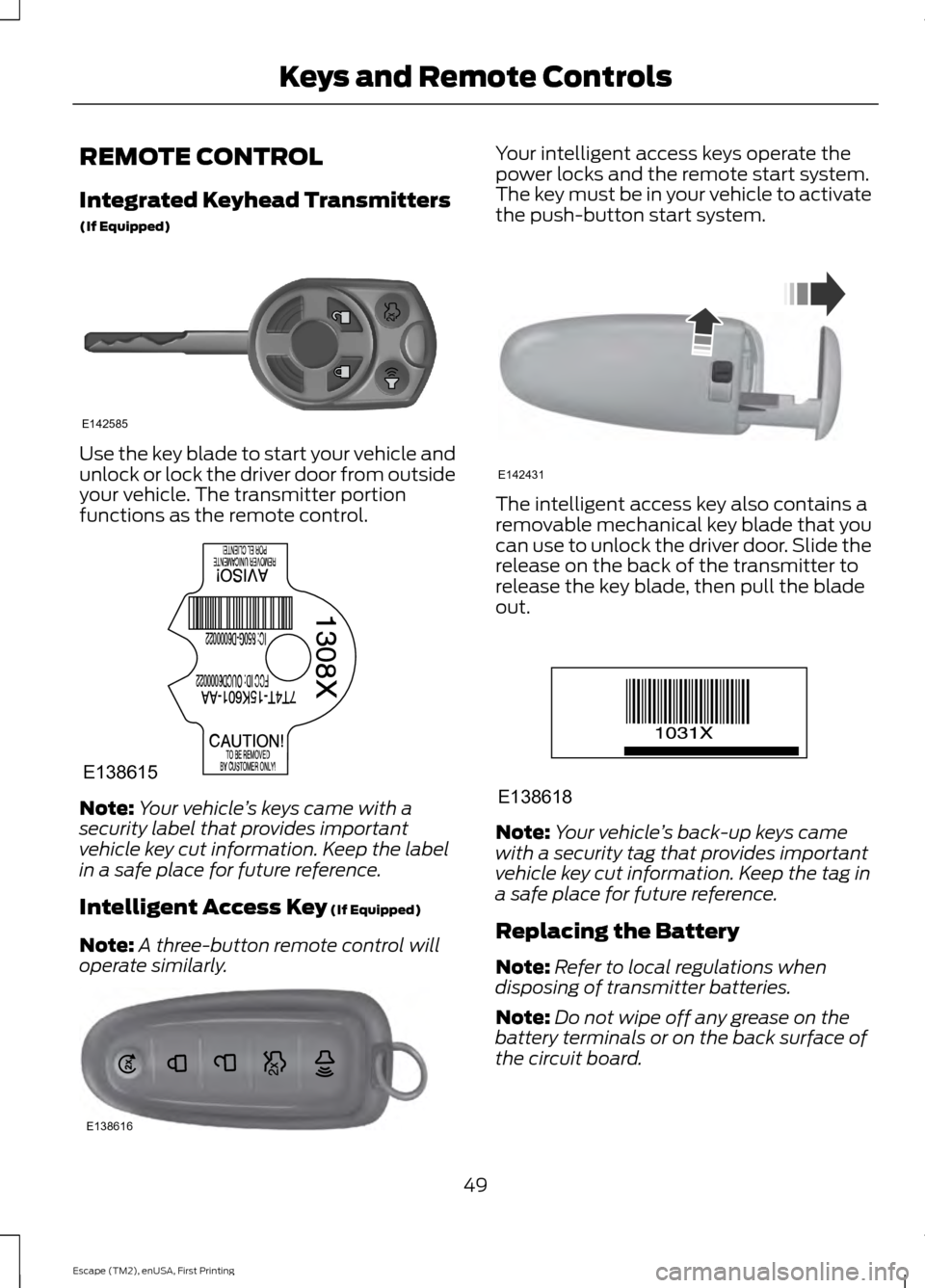
REMOTE CONTROL
Integrated Keyhead Transmitters
(If Equipped)
Use the key blade to start your vehicle and
unlock or lock the driver door from outside
your vehicle. The transmitter portion
functions as the remote control.
Note:
Your vehicle ’s keys came with a
security label that provides important
vehicle key cut information. Keep the label
in a safe place for future reference.
Intelligent Access Key (If Equipped)
Note: A three-button remote control will
operate similarly. Your intelligent access keys operate the
power locks and the remote start system.
The key must be in your vehicle to activate
the push-button start system.
The intelligent access key also contains a
removable mechanical key blade that you
can use to unlock the driver door. Slide the
release on the back of the transmitter to
release the key blade, then pull the blade
out.
Note:
Your vehicle ’s back-up keys came
with a security tag that provides important
vehicle key cut information. Keep the tag in
a safe place for future reference.
Replacing the Battery
Note: Refer to local regulations when
disposing of transmitter batteries.
Note: Do not wipe off any grease on the
battery terminals or on the back surface of
the circuit board.
49
Escape (TM2), enUSA, First Printing Keys and Remote ControlsE142585 E138615 E138616 E142431 E138618
Page 54 of 449
Note:
If locking was not successful or if any
door or the liftgate is open, or if the hood is
open on vehicles with a perimeter alarm or
remote start, the horn will sound twice and
the lamps will not flash.
Sounding a Panic Alarm
Note: The panic alarm will only operate
when the ignition is off. Press the button to activate the
alarm. Press the button again or
turn the ignition on to deactivate.
Remote Start (If Equipped) WARNING
To avoid exhaust fumes, do not use
remote start if your vehicle is parked
indoors or areas that are not well
ventilated. Note:
Do not use remote start if your vehicle
is low on fuel. The remote start button is on the
transmitter.
This feature allows you to start your
vehicle from outside the vehicle. The
transmitter has an extended operating
range.
Vehicles with automatic climate control
can be configured to operate when the
vehicle is remote started. See Automatic
Climate Control
(page 104).
Many states and provinces have
restrictions for the use of remote start.
Check your local and state or provincial
laws for specific requirements regarding
remote start systems.
The remote start system will not work if:
• the ignition is on
• the alarm system is triggered
• you disable the feature •
the hood is open
• the transmission is not in
P
• the vehicle battery voltage is too low
• the service engine soon indicator was
on the last time your vehicle was
driven.
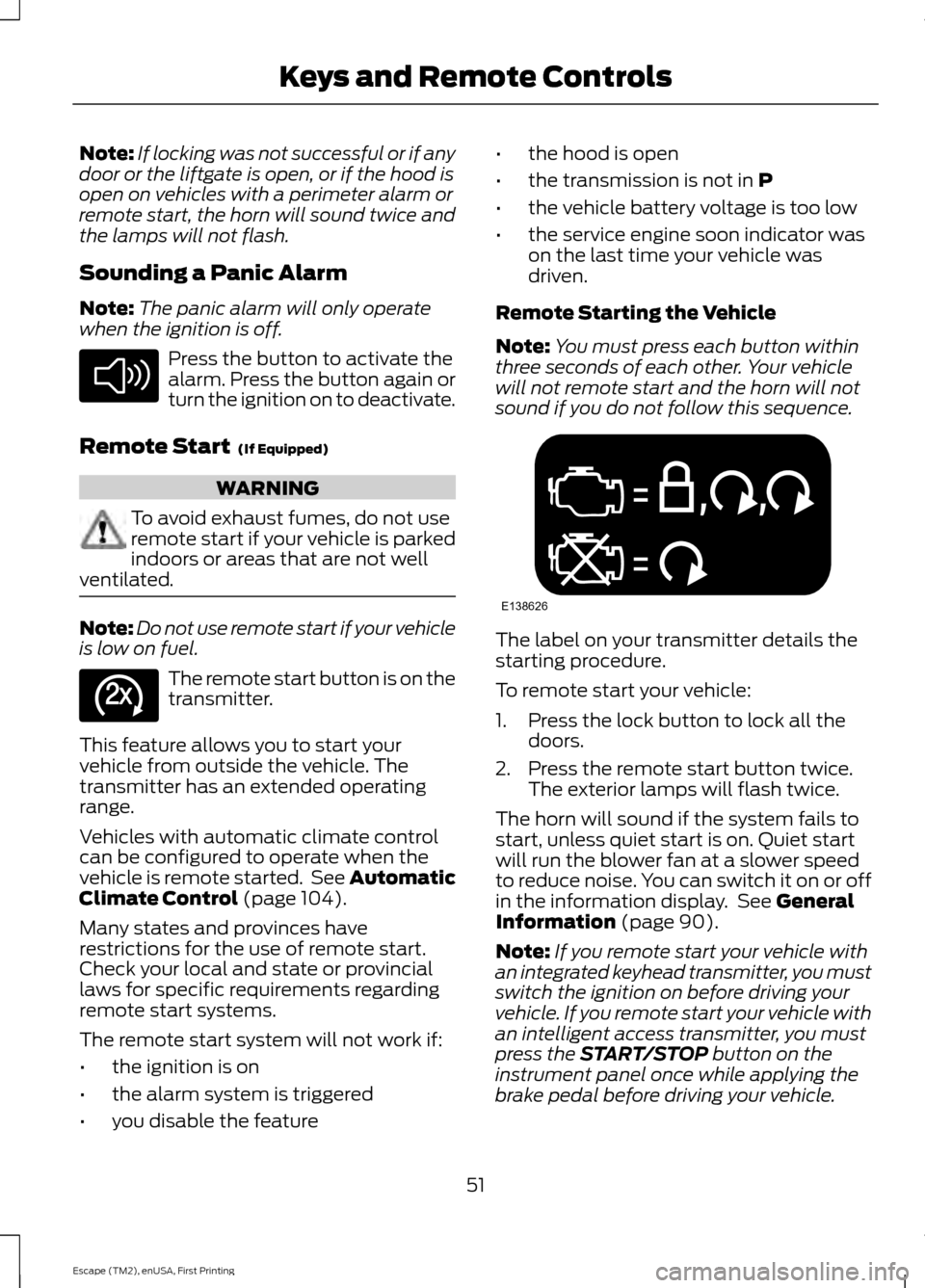
Remote Starting the Vehicle
Note: You must press each button within
three seconds of each other. Your vehicle
will not remote start and the horn will not
sound if you do not follow this sequence. The label on your transmitter details the
starting procedure.
To remote start your vehicle:
1. Press the lock button to lock all the
doors.
2. Press the remote start button twice. The exterior lamps will flash twice.
The horn will sound if the system fails to
start, unless quiet start is on. Quiet start
will run the blower fan at a slower speed
to reduce noise. You can switch it on or off
in the information display. See
General
Information (page 90).
Note: If you remote start your vehicle with
an integrated keyhead transmitter, you must
switch the ignition on before driving your
vehicle. If you remote start your vehicle with
an intelligent access transmitter, you must
press the
START/STOP button on the
instrument panel once while applying the
brake pedal before driving your vehicle.
51
Escape (TM2), enUSA, First Printing Keys and Remote ControlsE138624 E138625 E138626
Page 61 of 449
LOCKING AND UNLOCKING
You can use the power door lock control
or the remote control to lock and unlock
your vehicle.
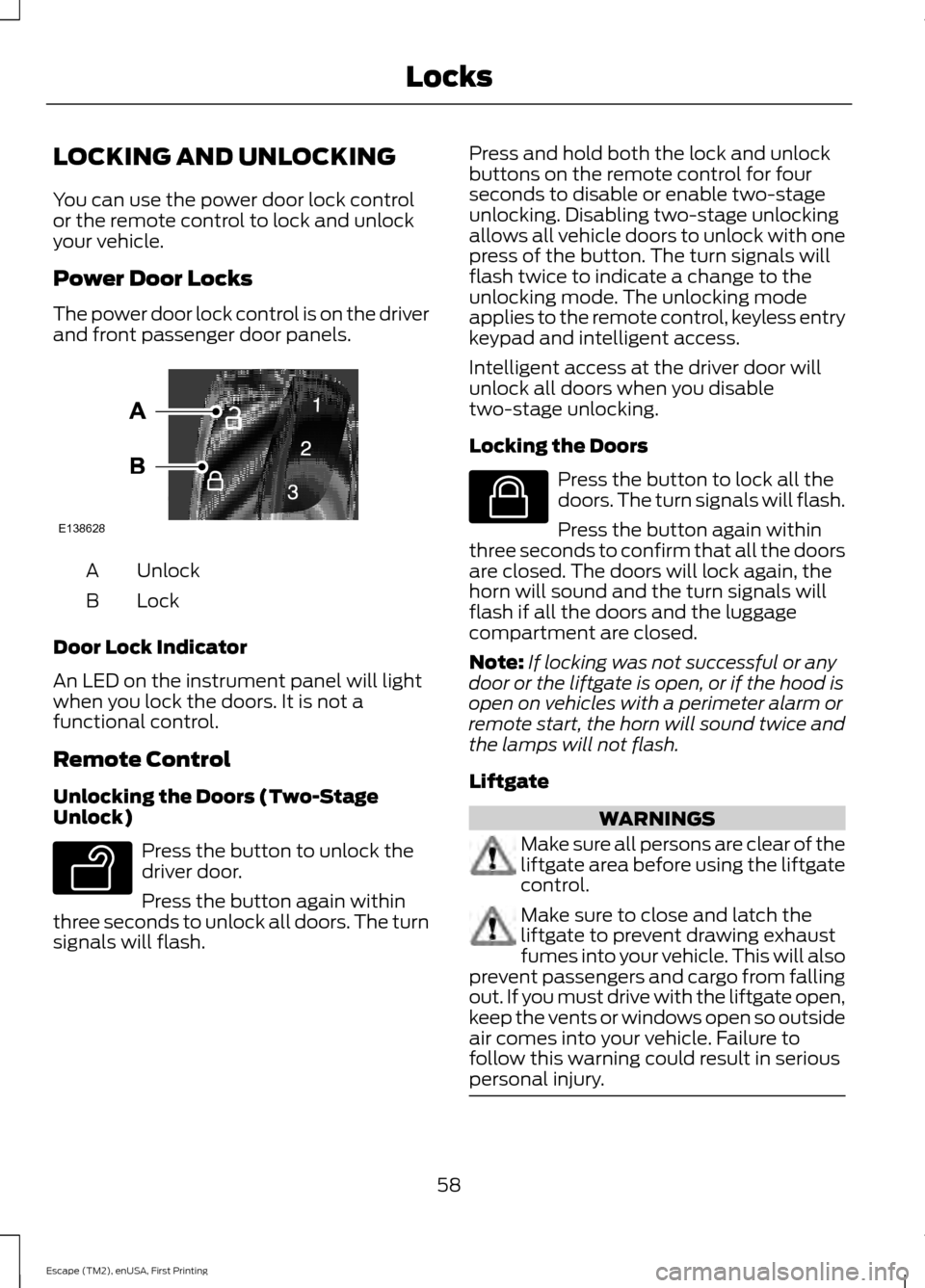
Power Door Locks
The power door lock control is on the driver
and front passenger door panels.
Unlock
A
Lock
B
Door Lock Indicator
An LED on the instrument panel will light
when you lock the doors. It is not a
functional control.
Remote Control
Unlocking the Doors (Two-Stage
Unlock) Press the button to unlock the
driver door.
Press the button again within
three seconds to unlock all doors. The turn
signals will flash. Press and hold both the lock and unlock
buttons on the remote control for four
seconds to disable or enable two-stage
unlocking. Disabling two-stage unlocking
allows all vehicle doors to unlock with one
press of the button. The turn signals will
flash twice to indicate a change to the
unlocking mode. The unlocking mode
applies to the remote control, keyless entry
keypad and intelligent access.
Intelligent access at the driver door will
unlock all doors when you disable
two-stage unlocking.
Locking the Doors
Press the button to lock all the
doors. The turn signals will flash.
Press the button again within
three seconds to confirm that all the doors
are closed. The doors will lock again, the
horn will sound and the turn signals will
flash if all the doors and the luggage
compartment are closed.
Note: If locking was not successful or any
door or the liftgate is open, or if the hood is
open on vehicles with a perimeter alarm or
remote start, the horn will sound twice and
the lamps will not flash.
Liftgate WARNINGS
Make sure all persons are clear of the
liftgate area before using the liftgate
control.
Make sure to close and latch the
liftgate to prevent drawing exhaust
fumes into your vehicle. This will also
prevent passengers and cargo from falling
out. If you must drive with the liftgate open,
keep the vents or windows open so outside
air comes into your vehicle. Failure to
follow this warning could result in serious
personal injury. 58
Escape (TM2), enUSA, First Printing LocksE138628 E138629 E138623
Page 62 of 449
Note:
Be careful when opening or closing
the liftgate in a garage or other enclosed
area to avoid damaging the liftgate. Press twice within three seconds
to:
• unlatch a manual liftgate
• open, close or stop the movement of
a power liftgate. See Power Liftgate
(page 63).
Mechanical Key
Turn the top of the key toward the front of
your vehicle once to lock all doors.
Turn the top of the key toward the rear of
your vehicle once to unlock the driver door
only.
Locking the Doors Individually
If the power locks fail to operate, lock the
doors individually using the key in the
position shown. Left-Hand Side
Turn clockwise to lock. Right-Hand Side
Turn counterclockwise to lock.
Opening a Rear Door from Inside
Pull the interior door release handle twice
to unlock and open a rear door. The first
pull unlocks the door and the second pull
will unlatch the door.
Activating Intelligent Access (If
Equipped)
The intelligent access key must be within
3 feet (1 meter) of your vehicle.
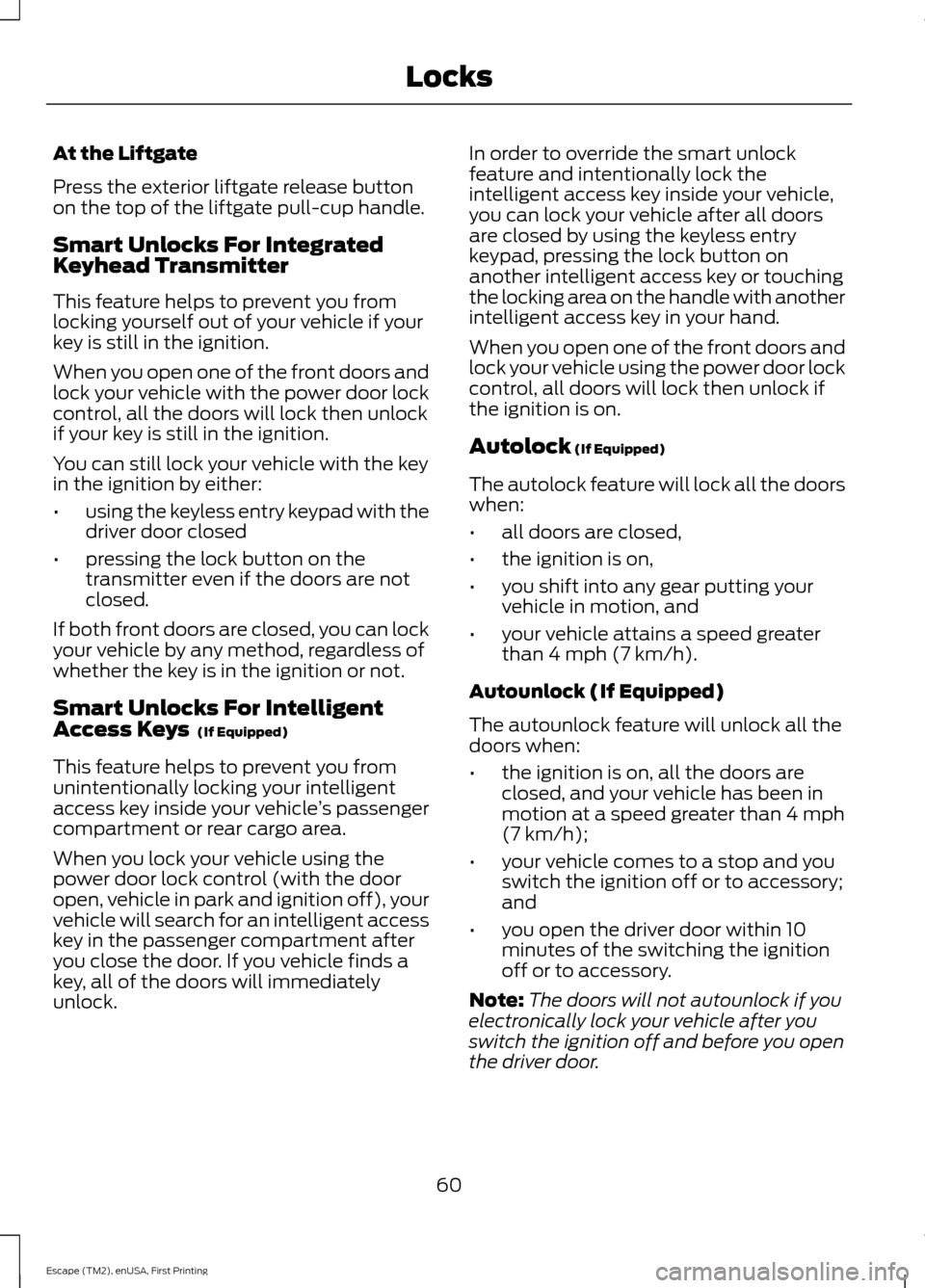
At the Front Doors
Pull a front exterior door handle to unlock
and open the door. The unlock sensor is on
the back of the handle. Make sure not to
touch the lock sensor area on the front of
the handle. Press and hold the lock sensor area for
about a second to lock your vehicle. To
avoid unlocking the door inadvertently,
make sure you only touch the lock sensor
and not other areas of the door handle.
After locking the doors with the lock
sensor, there is a brief delay before you can
unlock your vehicle. This delay lets you pull
the handle to make sure it locked.
Note:
Keep the door handle surface clean
to avoid issues with operation.
59
Escape (TM2), enUSA, First Printing LocksE138630 E112203 E87384
Page 63 of 449
At the Liftgate
Press the exterior liftgate release button
on the top of the liftgate pull-cup handle.
Smart Unlocks For Integrated
Keyhead Transmitter
This feature helps to prevent you from
locking yourself out of your vehicle if your
key is still in the ignition.
When you open one of the front doors and
lock your vehicle with the power door lock
control, all the doors will lock then unlock
if your key is still in the ignition.
You can still lock your vehicle with the key
in the ignition by either:
•
using the keyless entry keypad with the
driver door closed
• pressing the lock button on the
transmitter even if the doors are not
closed.
If both front doors are closed, you can lock
your vehicle by any method, regardless of
whether the key is in the ignition or not.
Smart Unlocks For Intelligent
Access Keys (If Equipped)
This feature helps to prevent you from
unintentionally locking your intelligent
access key inside your vehicle ’s passenger
compartment or rear cargo area.
When you lock your vehicle using the
power door lock control (with the door
open, vehicle in park and ignition off), your
vehicle will search for an intelligent access
key in the passenger compartment after
you close the door. If you vehicle finds a
key, all of the doors will immediately
unlock. In order to override the smart unlock
feature and intentionally lock the
intelligent access key inside your vehicle,
you can lock your vehicle after all doors
are closed by using the keyless entry
keypad, pressing the lock button on
another intelligent access key or touching
the locking area on the handle with another
intelligent access key in your hand.
When you open one of the front doors and
lock your vehicle using the power door lock
control, all doors will lock then unlock if
the ignition is on.
Autolock
(If Equipped)
The autolock feature will lock all the doors
when:
• all doors are closed,
• the ignition is on,
• you shift into any gear putting your
vehicle in motion, and
• your vehicle attains a speed greater
than 4 mph (7 km/h).
Autounlock (If Equipped)
The autounlock feature will unlock all the
doors when:
• the ignition is on, all the doors are
closed, and your vehicle has been in
motion at a speed greater than 4 mph
(7 km/h);
• your vehicle comes to a stop and you
switch the ignition off or to accessory;
and
• you open the driver door within 10
minutes of the switching the ignition
off or to accessory.
Note: The doors will not autounlock if you
electronically lock your vehicle after you
switch the ignition off and before you open
the driver door.
60
Escape (TM2), enUSA, First Printing Locks