door lock FORD ESCAPE 2021 User Guide
[x] Cancel search | Manufacturer: FORD, Model Year: 2021, Model line: ESCAPE, Model: FORD ESCAPE 2021Pages: 589, PDF Size: 9.2 MB
Page 77 of 589
5. Within 10 seconds, place a second
programmed intelligent access key in
the backup slot and press the push
button ignition switch.
The factory-set code appears in the
information display for a few seconds.
Note: You need to have two programmed
intelligent access keys for this procedure.
Note: The code may not display until after
any other warning messages first display.
KEYLESS ENTRY SETTINGS
Switching Keyless Entry On and
Off
1. Switch the ignition on using an original
key that has not been created as a
MyKey.
2. Press Settings on the touchscreen.
3. Press
Vehicle Settings.
4. Press
Locks.
Reprogramming the Unlocking
Function
You can enable two-stage unlocking
function allowing you to unlock only the
driver door when you touch the unlock
sensor.
Press and hold both the lock and unlock
buttons on the remote control for four
seconds to disable or enable two-stage
unlocking.
If you program the unlocking function so
that only the driver door unlocks, you can
unlock all of the other doors from inside
your vehicle using the power door lock
control. You can unlock individual doors
by pulling the interior door handles on
those doors. Creating Personal Access Codes
To create your own personal access code:
1. Enter the factory-set code.
2. Press
1·2 on the keypad within five
seconds.
3. Enter your personal five-digit code.
4. Press
1·2 on the keypad to save
personal code one.
The doors lock then unlock to confirm that
programming was successful.
To program additional personal access
codes, repeat Steps 1-3, then for Step 4:
• Press
3·4 to save personal code two.
• Press
5·6 to save personal code three.
• Press
7·8 to save personal code four.
• Press
9·0 to save personal code five.
Hints:
• Do not set a code that uses five of the
same number.
• Do not use five numbers in sequential
order.
• The factory-set code works even if you
have set your own personal code.
Clearing All Personal Access
Codes
1. Enter the factory-set five-digit code.
2. Press and release
1·2 on the keypad
within five seconds.
3. Press and hold
1·2 for a few seconds.
This must be done within five seconds
of completing Step 2.
All personal codes erase and only the
factory-set five-digit code works.
74
Escape (CTC) Canada/United States of America, Vehicles Built From: 02-11-2020, enUSA, Edition date: 202011, First-Printing Keyless Entry
(If Equipped)
Page 78 of 589
LOCKING AND UNLOCKING
THE DOORS USING KEYLESS
ENTRY
Unlocking the Doors - Vehicles
With: Keyless Entry and Push
Button Start
With your intelligent access key within 3 ft
(1 m) of your vehicle, touch the unlock
sensor on the back of the door handle for
a brief period and then pull on the door
handle to unlock, being careful to not
touch the lock sensor at the same time or
pulling the door handle too quickly. The
intelligent access system requires a brief
delay to authenticate your intelligent
access key.
Unlocking the Doors - Vehicles
With: Keypad
Enter the factory-set five-digit code or your
personal code. You must press each
number within five seconds of each other.
• Press 3-4 within five seconds to unlock
all doors.
• Press 5-6 within five seconds to release
or open the tailgate, if available. Locking the Doors - Vehicles With:
Keyless Entry and Push Button
Start With your intelligent access key within
3 ft
(1 m) of your vehicle, touch the outer door
handle lock sensor for approximately one
second to lock, being careful to not touch
the unlock sensor on the back of the door
handle at the same time. After locking, you
can immediately pull on the door handle
to confirm locking occurred without
inadvertently unlocking.
Locking the Doors - Vehicles With:
Keypad
Press and hold 7·8 and 9·0 at the same
time with the driver door closed.
Note: You do not need to enter the five digit
code first.
KEYLESS ENTRY –
TROUBLESHOOTING
Keyless Entry – Frequently Asked
Questions
Why does the keypad not accept the
access code?
If you enter the access code too fast
on the keypad, the unlock function
may not work. Slowly re-enter the
access code.
75
Escape (CTC) Canada/United States of America, Vehicles Built From: 02-11-2020, enUSA, Edition date: 202011, First-Printing Keyless Entry
(If Equipped)E248553 E248554
Page 83 of 589
LIFTGATE PRECAUTIONS
WARNING: It is extremely
dangerous to ride in a cargo area, inside
or outside of a vehicle. In a crash, people
riding in these areas are more likely to be
seriously injured or killed. Do not allow
people to ride in any area of your vehicle
that is not equipped with seats and
seatbelts. Make sure everyone in your
vehicle is in a seat and properly using a
seatbelt. Failure to follow this warning
could result in serious personal injury or
death. WARNING:
Make sure that you fully
close the liftgate to prevent exhaust
fumes from entering your vehicle. If you
are unable to fully close the liftgate,
open the air vents or the windows to
allow fresh air to enter your vehicle.
Failure to follow this instruction could
result in personal injury or death. WARNING: Keep keys out of reach
of children. Do not allow children to
operate or play near an open or moving
power liftgate. You should supervise the
operation of the power liftgate at all
times.
OPENING THE LIFTGATE
Opening the Liftgate From Inside
Your Vehicle With the transmission in park
(P), press the button on the
instrument panel.
Note: Be careful when opening or closing
the liftgate in a garage or other enclosed
area to avoid damaging the liftgate. Note:
Do not hang anything, for example
a bike rack, from the glass or liftgate. This
could damage the liftgate and its
components.
Note: Do not leave the liftgate open while
driving. This could damage the liftgate and
its components.
Opening the Liftgate From Outside
Your Vehicle
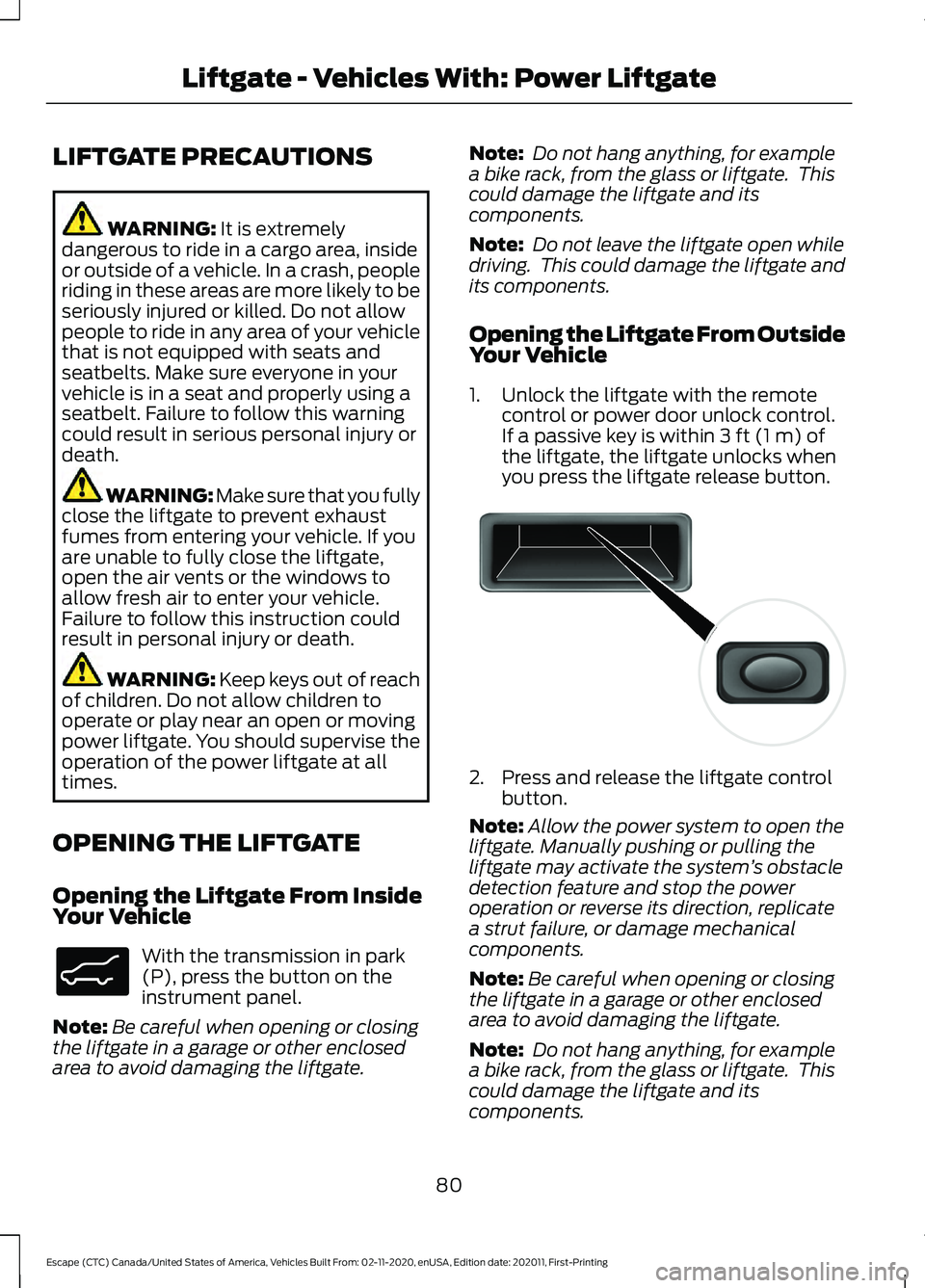
1. Unlock the liftgate with the remote control or power door unlock control.
If a passive key is within
3 ft (1 m) of
the liftgate, the liftgate unlocks when
you press the liftgate release button. 2. Press and release the liftgate control
button.
Note: Allow the power system to open the
liftgate. Manually pushing or pulling the
liftgate may activate the system ’s obstacle
detection feature and stop the power
operation or reverse its direction, replicate
a strut failure, or damage mechanical
components.
Note: Be careful when opening or closing
the liftgate in a garage or other enclosed
area to avoid damaging the liftgate.
Note: Do not hang anything, for example
a bike rack, from the glass or liftgate. This
could damage the liftgate and its
components.
80
Escape (CTC) Canada/United States of America, Vehicles Built From: 02-11-2020, enUSA, Edition date: 202011, First-Printing Liftgate - Vehicles With: Power LiftgateE138633 E138632
Page 90 of 589
PASSIVE ANTI-THEFT
SYSTEM
What Is the Passive Anti-Theft
System
The passive anti-theft system prevents
someone from starting the vehicle with an
incorrectly coded key.
How Does the Passive Anti-Theft
System Work
The passive anti-theft system arms when
you switch the ignition off.
It disarms when the ignition is switched on
with a correctly coded key.
Note:
The system is not compatible with
non-Ford aftermarket remote start systems.
Note: Do not leave a duplicate coded key
in your vehicle. Always take the keys and
lock all doors when leaving your vehicle.
ANTI-THEFT ALARM SYSTEM
What Is the Anti-Theft Alarm
System
The Anti-Theft Alarm System warns you
of an unauthorized entry to your vehicle.
How Does the Anti-Theft Alarm
System Work
When armed, the anti-theft alarm is
triggered in any of the following ways:
• If someone opens a door, the liftgate
or the hood without a correctly coded
key or remote control.
• If you turn the power on without a
correctly coded key.
• If the interior sensors detect movement
inside your vehicle. •
If the inclination sensors detect an
attempt to raise your vehicle.
• If someone disconnects the vehicle
battery or the battery backup alarm.
If the anti-theft alarm is triggered, the
alarm horn sounds for 30 seconds and the
direction indicators flash for 5 minutes.
Any further attempts to carry out one of
the above sounds the alarm again.
What Is the Perimeter Alarm
The perimeter alarm is designed to detect
unauthorized access to your vehicle.
What Are the Interior Sensors
The interior sensors are designed to detect
any movement inside your vehicle.
The interior sensors are in the overhead
console.
Note: Do not cover the interior sensors.
What Are the Inclination Sensors
The inclination sensor is designed to detect
an attempt to raise your vehicle, for
example to remove a wheel or to tow it
away.
What Is the Battery Backup Alarm
The battery backup alarm is an additional
alarm system that has its own battery and
horn. It is designed to detect if the vehicle
battery or the battery backup alarm is
disconnected.
Arming the Anti-Theft Alarm
System
The alarm is ready to arm when there is
not a key in your vehicle.
87
Escape (CTC) Canada/United States of America, Vehicles Built From: 02-11-2020, enUSA, Edition date: 202011, First-Printing Security
Page 91 of 589
Lock your vehicle with your remote control
to arm the alarm.
Disarming the Anti-Theft Alarm
System
Disarm the alarm by performing any of the
following actions:
•
Unlock the doors or luggage
compartment with the remote control.
• Switch your vehicle on or start your
vehicle.
ANTI-THEFT ALARM SYSTEM
SETTINGS
What are the Alarm Security Levels
You can select two levels of alarm security,
all sensors and perimeter sensing.
All Sensors
All sensors is the standard setting.
In all sensors, all equipped sensors are on
when you arm the alarm.
Note: Do not arm the alarm with all sensors
if passengers, animals or other moving
objects are inside your vehicle. Perimeter Sensing
In perimeter sensing, the interior sensors
are off when you arm the alarm.
All the other equipped sensors activate
when you arm the alarm in this mode.
Setting the Alarm Security Level
1. Press Settings on the touchscreen.
2. Press
Vehicle Settings.
3. Press
Alarm System.
4. Press
Motion Sensors.
5. Press a setting.
What Is Ask on Exit
You can choose which level of security you
require after you switch the ignition off.
Note: If you do not choose a setting, the
system defaults to all sensors.
Switching Ask on Exit On and Off
1. Press
Settings on the touchscreen.
2. Press
Vehicle Settings.
3. Press
Alarm System.
4. Switch
Ask on Exit on or off.
88
Escape (CTC) Canada/United States of America, Vehicles Built From: 02-11-2020, enUSA, Edition date: 202011, First-Printing Security
Page 123 of 589
INSTRUMENT CLUSTER
WARNING LAMPS
Anti-Lock Braking System
If it illuminates when you are
driving, this indicates your
vehicle requires service. Your
vehicle continues to have normal braking
without the anti-lock brake system
function. Have your vehicle checked as
soon as possible.
Battery It illuminates when you switch
the ignition on.
If it illuminates when the engine
is running, this indicates your vehicle
requires service. Have your vehicle
checked as soon as possible.
Brake System It illuminates when you apply the
parking brake and the ignition is
on. If it illuminates when your
vehicle is moving, make sure the
parking brake is released. If the
parking brake is released, this
indicates low brake fluid level or the brake
system requires service. Have your vehicle
checked as soon as possible.
Note: Indicators may vary depending on
region.
Door Ajar It illuminates when you switch
the ignition on and remains on if
any door is open. Electric Park Brake It illuminates or flashes when the
electric parking brake requires
service. Have your vehicle
checked as soon as possible.
Engine or Motor Coolant
Temperature If it illuminates, safely stop your
vehicle and switch your vehicle
off. Have your vehicle checked
as soon as possible.
Fasten Seatbelt It illuminates and a tone sounds
until you fasten the seatbelts.
Fasten Rear Seatbelt It illuminates and a tone sounds
until you fasten the rear
seatbelts.
High Voltage Electric System
Failure It illuminates if your vehicle has
an electrical component fault or
failure that causes your vehicle
to shutdown or enter a limited operating
mode. A message may appear in the
instrument cluster display.
Hood Ajar It illuminates when the ignition
is on and the hood is not
completely closed.
120
Escape (CTC) Canada/United States of America, Vehicles Built From: 02-11-2020, enUSA, Edition date: 202011, First-Printing Instrument Cluster E270480 E146190 E71880 E206718 E144693 E246598
Page 163 of 589
HOW DOES THE MEMORY
FUNCTION WORK
The memory function recalls the position
of these features:
•
Driver seat.
• Power mirrors.
MEMORY FUNCTION
PRECAUTIONS WARNING: Before activating the
memory seat, make sure that the area
immediately surrounding the seat is clear
of obstructions and that all occupants
are clear of moving parts. WARNING:
Do not use the memory
function when your vehicle is moving.
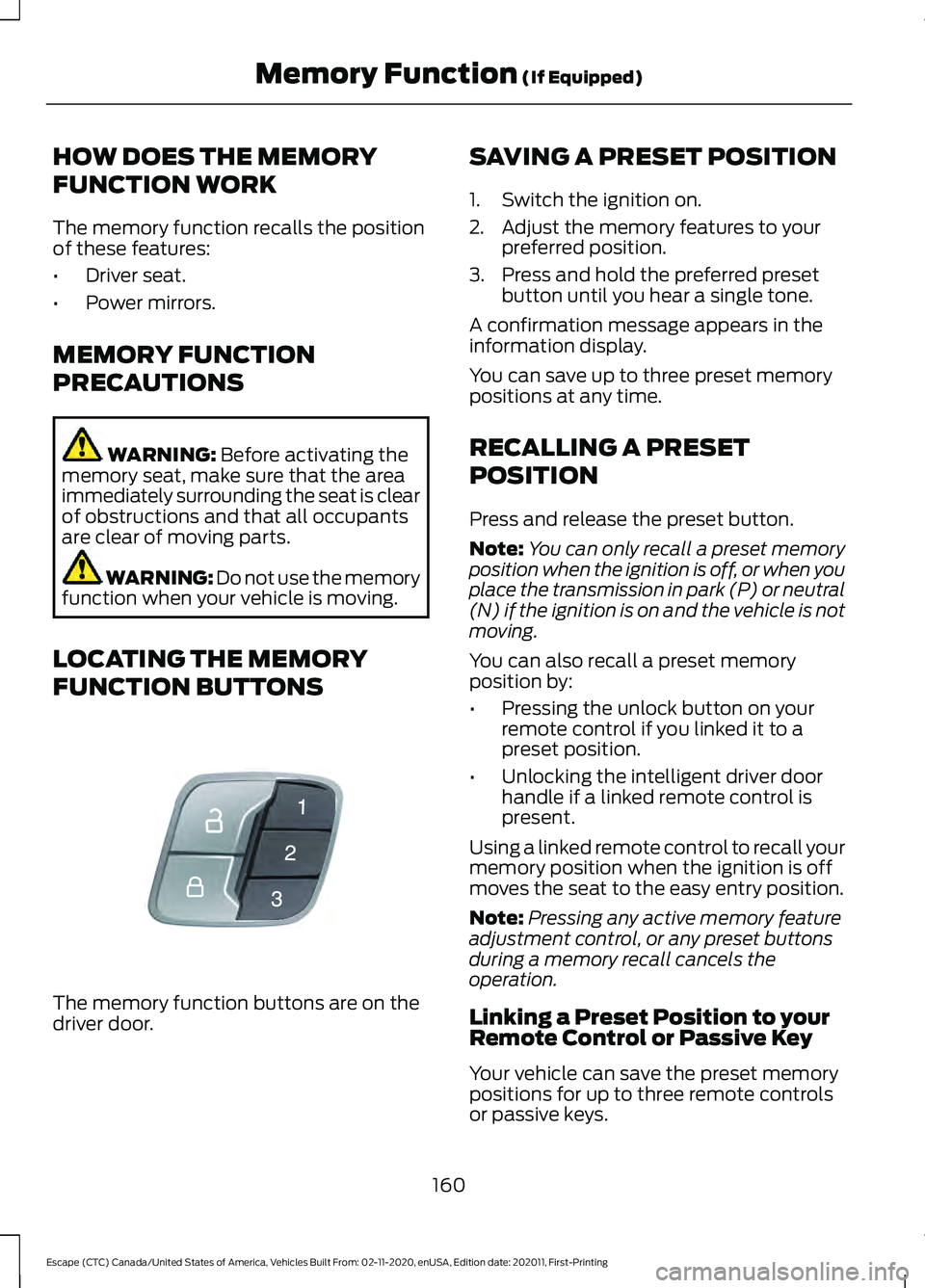
LOCATING THE MEMORY
FUNCTION BUTTONS The memory function buttons are on the
driver door. SAVING A PRESET POSITION
1. Switch the ignition on.
2. Adjust the memory features to your
preferred position.
3. Press and hold the preferred preset button until you hear a single tone.
A confirmation message appears in the
information display.
You can save up to three preset memory
positions at any time.
RECALLING A PRESET
POSITION
Press and release the preset button.
Note: You can only recall a preset memory
position when the ignition is off, or when you
place the transmission in park (P) or neutral
(N) if the ignition is on and the vehicle is not
moving.
You can also recall a preset memory
position by:
• Pressing the unlock button on your
remote control if you linked it to a
preset position.
• Unlocking the intelligent driver door
handle if a linked remote control is
present.
Using a linked remote control to recall your
memory position when the ignition is off
moves the seat to the easy entry position.
Note: Pressing any active memory feature
adjustment control, or any preset buttons
during a memory recall cancels the
operation.
Linking a Preset Position to your
Remote Control or Passive Key
Your vehicle can save the preset memory
positions for up to three remote controls
or passive keys.
160
Escape (CTC) Canada/United States of America, Vehicles Built From: 02-11-2020, enUSA, Edition date: 202011, First-Printing Memory Function
(If Equipped)E142554
Page 165 of 589
WHAT IS THE GARAGE DOOR
OPENER
HomeLink Wireless Control
System
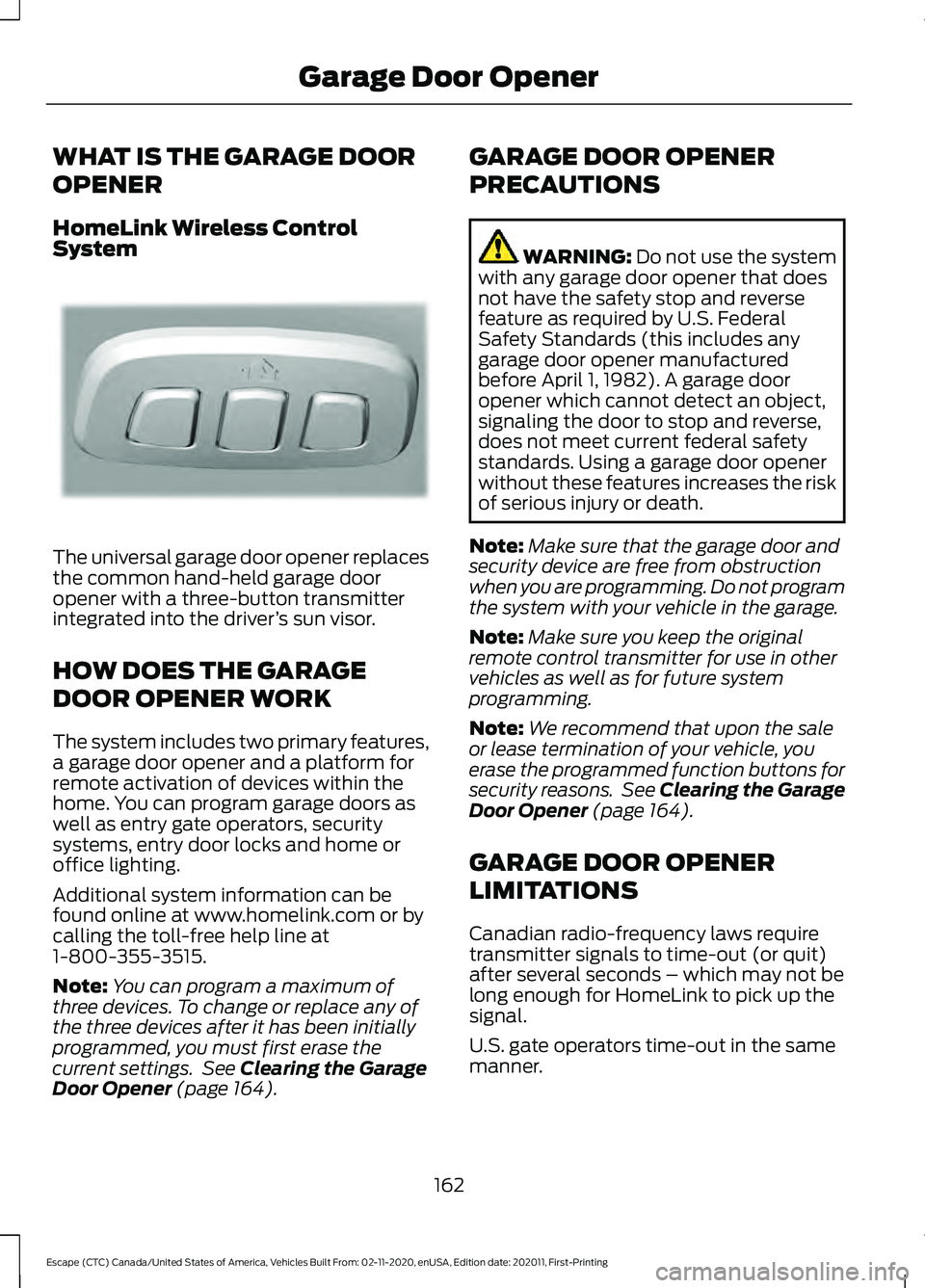
The universal garage door opener replaces
the common hand-held garage door
opener with a three-button transmitter
integrated into the driver
’s sun visor.
HOW DOES THE GARAGE
DOOR OPENER WORK
The system includes two primary features,
a garage door opener and a platform for
remote activation of devices within the
home. You can program garage doors as
well as entry gate operators, security
systems, entry door locks and home or
office lighting.
Additional system information can be
found online at www.homelink.com or by
calling the toll-free help line at
1-800-355-3515.
Note: You can program a maximum of
three devices. To change or replace any of
the three devices after it has been initially
programmed, you must first erase the
current settings. See Clearing the Garage
Door Opener (page 164). GARAGE DOOR OPENER
PRECAUTIONS WARNING:
Do not use the system
with any garage door opener that does
not have the safety stop and reverse
feature as required by U.S. Federal
Safety Standards (this includes any
garage door opener manufactured
before April 1, 1982). A garage door
opener which cannot detect an object,
signaling the door to stop and reverse,
does not meet current federal safety
standards. Using a garage door opener
without these features increases the risk
of serious injury or death.
Note: Make sure that the garage door and
security device are free from obstruction
when you are programming. Do not program
the system with your vehicle in the garage.
Note: Make sure you keep the original
remote control transmitter for use in other
vehicles as well as for future system
programming.
Note: We recommend that upon the sale
or lease termination of your vehicle, you
erase the programmed function buttons for
security reasons. See Clearing the Garage
Door Opener
(page 164).
GARAGE DOOR OPENER
LIMITATIONS
Canadian radio-frequency laws require
transmitter signals to time-out (or quit)
after several seconds – which may not be
long enough for HomeLink to pick up the
signal.
U.S. gate operators time-out in the same
manner.
162
Escape (CTC) Canada/United States of America, Vehicles Built From: 02-11-2020, enUSA, Edition date: 202011, First-Printing Garage Door OpenerE188211
Page 178 of 589
ENGINE BLOCK HEATER (If
Equipped)
Engine Block Heater Precautions
WARNING: Failure to follow engine
block heater instructions could result in
property damage or serious personal
injury. WARNING: Do not use your heater
with ungrounded electrical systems or
two-pronged adapters. There is a risk of
electrical shock. WARNING:
Do not fully close the
hood, or allow it to drop under its own
weight when using the engine block
heater. This could damage the power
cable and may cause an electrical short
resulting in fire, injury and property
damage.
We recommend that you do the following
for a safe and correct operation:
• Use a 16-gauge outdoor extension cord
that is product certified by
Underwriter ’s Laboratory (UL) or
Canadian Standards Association
(CSA). This extension cord must be
suitable for use outdoors, in cold
temperatures, and be clearly marked
Suitable for Use with Outdoor
Appliances. Do not use an indoor
extension cord outdoors. This could
result in an electric shock or become a
fire hazard.
• Use as short an extension cord as
possible.
• Do not use multiple extension cords. •
Make sure that when in operation, the
extension cord plug and engine block
heater cord plug connections are free
and clear of water. This could cause an
electric shock or fire.
• If the engine block heater cord is under
the hood, do not remove the wiring
from its original location. Do not close
the hood on the extension wiring.
• Park your vehicle in a clean area, clear
of combustible materials.
• Firmly connect the engine block heater
cord and the extension cord.
• Check the extension cord for heat
anywhere when the system has been
operating for approximately 30
minutes.
• Unplug and properly stow the system
before starting and driving your vehicle.
The protective cover seals the
terminals of the engine block heater
cord plug when not in use.
• Check the engine block heater system
for proper operation before winter.
How Does the Engine Block Heater
Work
The engine block heater warms the engine
coolant. This allows the climate control
system to quickly respond. The equipment
includes a heater element installed in the
engine block and a wire harness. You can
connect the system to a grounded
220-240 volt AC electrical source.
Note: The engine block heater is most
effective when outdoor temperatures are
below
0°F (-18°C).
Using the Engine Block Heater
Make sure the receptacle terminals are
clean and dry prior to use. Clean them with
a dry cloth if necessary.
175
Escape (CTC) Canada/United States of America, Vehicles Built From: 02-11-2020, enUSA, Edition date: 202011, First-Printing Starting and Stopping the Engine
Page 213 of 589
AUTOMATIC TRANSMISSION
PRECAUTIONS
WARNING: When your vehicle is
stationary, keep the brake pedal fully
pressed when shifting gears. Failure to
follow this instruction could result in
personal injury, death or property
damage. WARNING:
Do not apply the brake
pedal and accelerator pedal
simultaneously. Applying both pedals
simultaneously for more than a few
seconds will limit power, which may
result in difficulty maintaining speed in
traffic and could lead to serious injury.
Note: You may not be able to shift out of
park (P) unless the intelligent access key is
inside your vehicle.
AUTOMATIC TRANSMISSION
POSITIONS
Park (P)
This position locks the driveline and
prevents the wheels from turning.
The engine can start with the shifter in this
position.
The electric parking brake could apply if:
• You shift to park (P) on a slope.
• You shift to park (P) without the brake
pedal fully pressed.
Note: A warning tone sounds if you open
the driver door and you have not shifted the
transmission selector to park (P). Reverse (R)
This position allows your vehicle to move
backward. Come to a complete stop
before shifting into and out of reverse (R).
Neutral (N) WARNING:
In neutral (N) your
vehicle has the ability to roll freely. If you
intend to leave your vehicle, make sure
you apply the parking brake.
This position allows your vehicle to roll
freely. Hold the brake pedal down when in
this position.
The engine can start with the shifter in this
position.
Drive (D)
This position, drive (D), is the normal
driving position, and allows your vehicle to
move forward.
Low (L)
This mode is for driving on steep slopes.
The transmission will hold low gear for
maximum torque driving uphill and
maximum engine braking driving downhill.
You can enter this mode at any vehicle
speed.
Note: Prolonged use of this mode could
lower fuel economy. With your vehicle in
drive (D), press the L button to enter this
mode.
210
Escape (CTC) Canada/United States of America, Vehicles Built From: 02-11-2020, enUSA, Edition date: 202011, First-Printing Automatic Transmission