service FORD ESCAPE 2021 User Guide
[x] Cancel search | Manufacturer: FORD, Model Year: 2021, Model line: ESCAPE, Model: FORD ESCAPE 2021Pages: 589, PDF Size: 9.2 MB
Page 55 of 589
•
When the front passenger sensing
system enables the front passenger
frontal airbag, the passenger airbag
status indicator illuminates the on
lamp.
If a person of adult size is sitting in the front
passenger seat, but the passenger airbag
status indicator off lamp is illuminated, it
is possible that the person is not sitting
properly in the seat. If this happens:
• Switch your vehicle off and ask the
person to place the seat backrest in an
upright position.
• Have the person sit upright in the seat,
centered on the seat cushion, with the
person's legs comfortably extended.
• Restart your vehicle and have the
person remain in this position for about
two minutes. This allows the system
to detect that person and enable the
passenger frontal airbag.
• If the indicator off lamp remains
illuminated even after this, advise the
person to ride in the rear seat.
After all occupants have adjusted their
seats and put on seatbelts, it is very
important that they continue to sit upright,
leaning against the seat backrest, and
centered on the seat cushion, with their
feet comfortably extended on the floor.
Sitting improperly can increase the chance
of injury in a crash event. For example, if
an occupant slouches, lies down, turns
sideways, sits forward, leans forward or
sideways, or puts one or both feet up, the
chance of injury during a crash greatly
increases.
If you think that the state of the passenger
airbag status indicator lamp is incorrect,
check for the following:
• Objects lodged underneath the seat.
• Objects between the seat cushion and
the center console.
• Objects hanging off the seat backrest. •
Objects stowed in the seat backrest
map pocket.
• Objects placed on the occupant's lap.
• Cargo interference with the seat
• Other passengers pushing or pulling on
the seat.
• Rear passenger feet and knees resting
or pushing on the seat.
The listed conditions could cause the
weight of a properly seated occupant to
be incorrectly interpreted by the front
passenger sensing system. The person in
the front passenger seat could appear
heavier or lighter due to the conditions
listed. Make sure the front passenger
sensing system is operating
properly. See Crash Sensors
and Airbag Indicator (page 54).
If the airbag readiness light is on, do the
following:
• Pull your vehicle over.
• Switch your vehicle off.
• Check for any objects lodged
underneath the front passenger seat
or cargo interfering with the seat.
• Remove the obstruction if found.
• Restart your vehicle.
• Wait at least two minutes and verify
that the airbag readiness light in the
instrument cluster is no longer
illuminated.
• If the airbag readiness light in the
instrument cluster remains illuminated,
there may be a problem due to the
front passenger sensing system.
Do not attempt to repair or service the
system. Take your vehicle in for service
immediately.
52
Escape (CTC) Canada/United States of America, Vehicles Built From: 02-11-2020, enUSA, Edition date: 202011, First-Printing AirbagsE67017
Page 57 of 589
CRASH SENSORS AND
AIRBAG INDICATOR
WARNING: Modifying or adding
equipment to the front end of your
vehicle (including hood, bumper system,
frame, front end body structure, tow
hooks and hood pins) may affect the
performance of the airbag system,
increasing the risk of injury. Do not
modify or add equipment to the front
end of your vehicle.
Your vehicle has a collection of crash and
occupant sensors. These sensors provide
information to the restraints control
module which deploys (activates) the
following:
• Seatbelt pretensioners.
• Driver airbag.
• Passenger airbag.
• Knee airbag(s).
• Seat mounted side airbags.
• Safety Canopy.
Based on the type of crash, the restraints
control module deploys the appropriate
safety devices.
The restraints control module also
monitors the readiness of the above safety
devices plus the crash and occupant
sensors. The readiness of the safety
system is indicated by a warning indicator
light in the instrument cluster or by a
backup tone if the warning light is not
working. Routine maintenance of the
airbag is not required.
A difficulty with the system is indicated by
one or more of the following: The readiness light will not
illuminate immediately after you
switch the ignition on. •
The readiness light either flashes or
stays on.
• You hear a series of five beeps. The
tone pattern repeats periodically until
the problem, the light or both are
repaired.
If any of these things happen, even
intermittently, have the supplemental
restraint system serviced at an authorized
dealer immediately. Unless serviced, the
system may not function properly in the
event of a crash.
The fact that the seatbelt pretensioners
or front airbags did not activate for both
front seat occupants in a crash does not
mean that something is wrong with the
system. Rather, it means the restraints
control module determined the accident
conditions (crash severity, seatbelt usage)
were not appropriate to activate these
safety devices.
• The design of the front airbags is to
activate only in frontal and near-frontal
crashes (not rollovers, side impacts or
rear impacts) unless the crash causes
sufficient frontal deceleration.
• The design of the front seatbelt
pretensioners is to activate in frontal,
near-frontal and side crashes, and in
rollovers. The design of the rear
seatbelt pretensioners is to activate in
frontal crashes and in rollovers.
• The design of the knee airbag(s) is to
deploy based on crash severity and
occupant conditions.
54
Escape (CTC) Canada/United States of America, Vehicles Built From: 02-11-2020, enUSA, Edition date: 202011, First-Printing AirbagsE67017
Page 60 of 589
WHAT IS 911 ASSIST
911 Assist is a SYNC system feature that
can call for help.
For more information, visit
www
. o wner .f or d . c om .
EMERGENCY CALL
REQUIREMENTS WARNING: Do not wait for 911
Assist to make an emergency call if you
can do it yourself. Dial emergency
services immediately to avoid delayed
response time which could increase the
risk of serious injury or death after a
crash. If you do not hear 911 Assist within
five seconds of the crash, the system or
phone may be damaged or
non-functional. WARNING:
Always place your
phone in a secure location in your vehicle
so it does not become a projectile or get
damaged in a crash. Failure to do so may
cause serious injury to someone or
damage the phone which could prevent
911 Assist from working properly. WARNING:
Unless the 911 Assist
setting is set on before a crash, the
system will not dial for help which could
delay response time, potentially
increasing the risk of serious injury or
death after a crash.
• SYNC must be powered and working
properly at the time of the incident and
throughout feature activation and use.
• The 911 Assist feature must be set on
before the incident.
• You must pair and connect a
Bluetooth-enabled and compatible
cell phone to SYNC. •
A connected Bluetooth-enabled phone
must have the ability to make and
maintain an outgoing call at the time
of the incident.
• A connected Bluetooth-enabled phone
must have adequate network coverage,
battery power and signal strength.
• The vehicle must have battery power
and be located in the U.S., Canada or
in a territory in which 911 is the
emergency number.
Note: If any user sets 911 Assist to on or off,
that setting applies for all paired phones. If
911 Assist is off and the phone is connected
to SYNC, an icon displays on the status bar.
Note: Every phone operates differently.
While SYNC 911 Assist works with most
cellular phones, some may have trouble
using this feature.
EMERGENCY CALL
LIMITATIONS
The SYNC 911 Assist feature only operates
in the U.S., Canada or in a territory in which
911 is the emergency number. The following
are limitations of this feature:
• Your cellular phone or 911 Assist
hardware sustains damage in a crash.
• The vehicle's battery or the SYNC
system has no power.
• The phone(s) thrown from your vehicle
are the ones paired and connected to
the system.
57
Escape (CTC) Canada/United States of America, Vehicles Built From: 02-11-2020, enUSA, Edition date: 202011, First-Printing 911 Assist
Page 105 of 589
Overriding Automatic High Beam
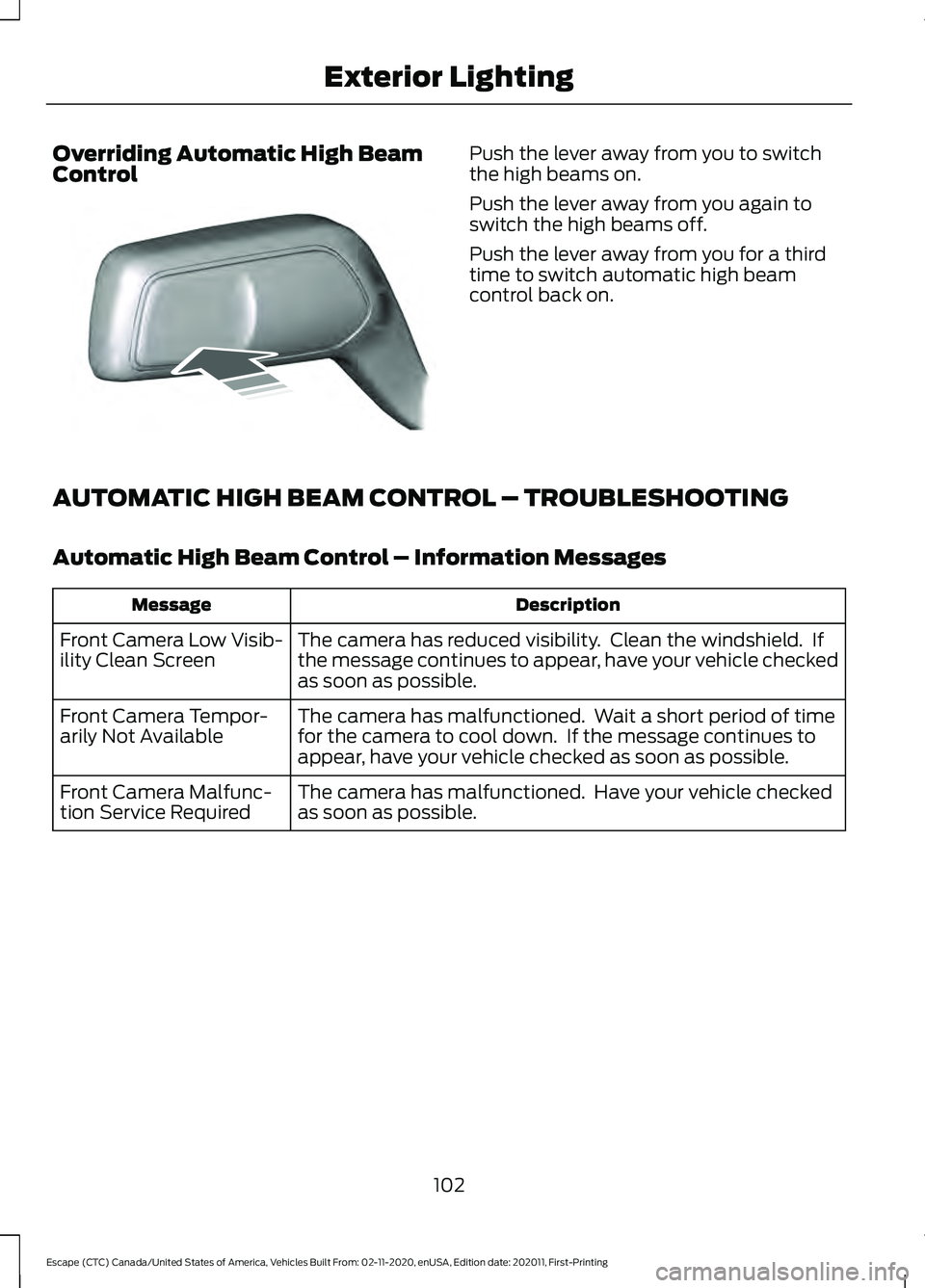
Control Push the lever away from you to switch
the high beams on.
Push the lever away from you again to
switch the high beams off.
Push the lever away from you for a third
time to switch automatic high beam
control back on.
AUTOMATIC HIGH BEAM CONTROL – TROUBLESHOOTING
Automatic High Beam Control – Information Messages Description
Message
The camera has reduced visibility. Clean the windshield. If
the message continues to appear, have your vehicle checked
as soon as possible.
Front Camera Low Visib-
ility Clean Screen
The camera has malfunctioned. Wait a short period of time
for the camera to cool down. If the message continues to
appear, have your vehicle checked as soon as possible.
Front Camera Tempor-
arily Not Available
The camera has malfunctioned. Have your vehicle checked
as soon as possible.
Front Camera Malfunc-
tion Service Required
102
Escape (CTC) Canada/United States of America, Vehicles Built From: 02-11-2020, enUSA, Edition date: 202011, First-Printing Exterior LightingE248603
Page 123 of 589
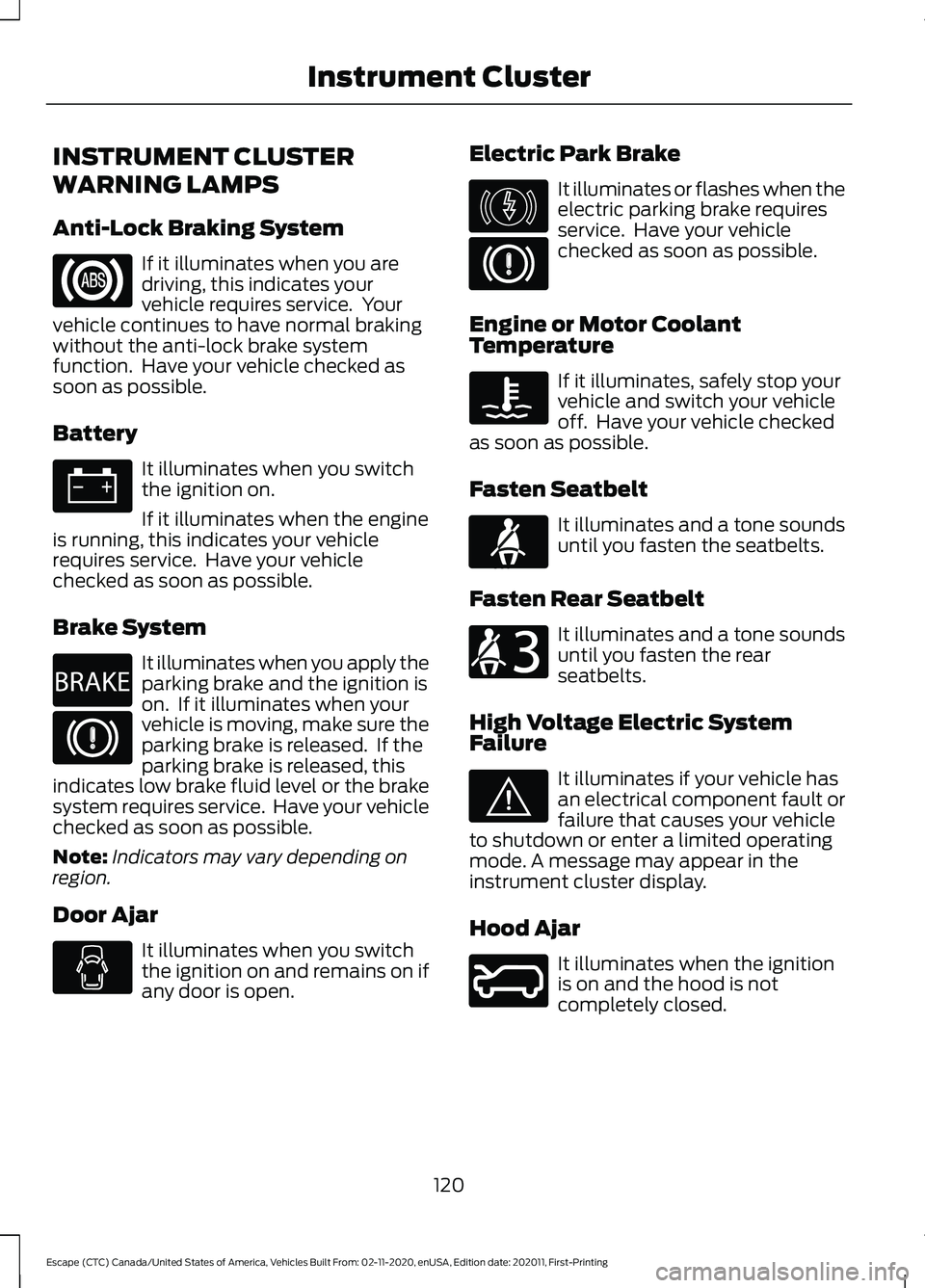
INSTRUMENT CLUSTER
WARNING LAMPS
Anti-Lock Braking System
If it illuminates when you are
driving, this indicates your
vehicle requires service. Your
vehicle continues to have normal braking
without the anti-lock brake system
function. Have your vehicle checked as
soon as possible.
Battery It illuminates when you switch
the ignition on.
If it illuminates when the engine
is running, this indicates your vehicle
requires service. Have your vehicle
checked as soon as possible.
Brake System It illuminates when you apply the
parking brake and the ignition is
on. If it illuminates when your
vehicle is moving, make sure the
parking brake is released. If the
parking brake is released, this
indicates low brake fluid level or the brake
system requires service. Have your vehicle
checked as soon as possible.
Note: Indicators may vary depending on
region.
Door Ajar It illuminates when you switch
the ignition on and remains on if
any door is open. Electric Park Brake It illuminates or flashes when the
electric parking brake requires
service. Have your vehicle
checked as soon as possible.
Engine or Motor Coolant
Temperature If it illuminates, safely stop your
vehicle and switch your vehicle
off. Have your vehicle checked
as soon as possible.
Fasten Seatbelt It illuminates and a tone sounds
until you fasten the seatbelts.
Fasten Rear Seatbelt It illuminates and a tone sounds
until you fasten the rear
seatbelts.
High Voltage Electric System
Failure It illuminates if your vehicle has
an electrical component fault or
failure that causes your vehicle
to shutdown or enter a limited operating
mode. A message may appear in the
instrument cluster display.
Hood Ajar It illuminates when the ignition
is on and the hood is not
completely closed.
120
Escape (CTC) Canada/United States of America, Vehicles Built From: 02-11-2020, enUSA, Edition date: 202011, First-Printing Instrument Cluster E270480 E146190 E71880 E206718 E144693 E246598
Page 124 of 589
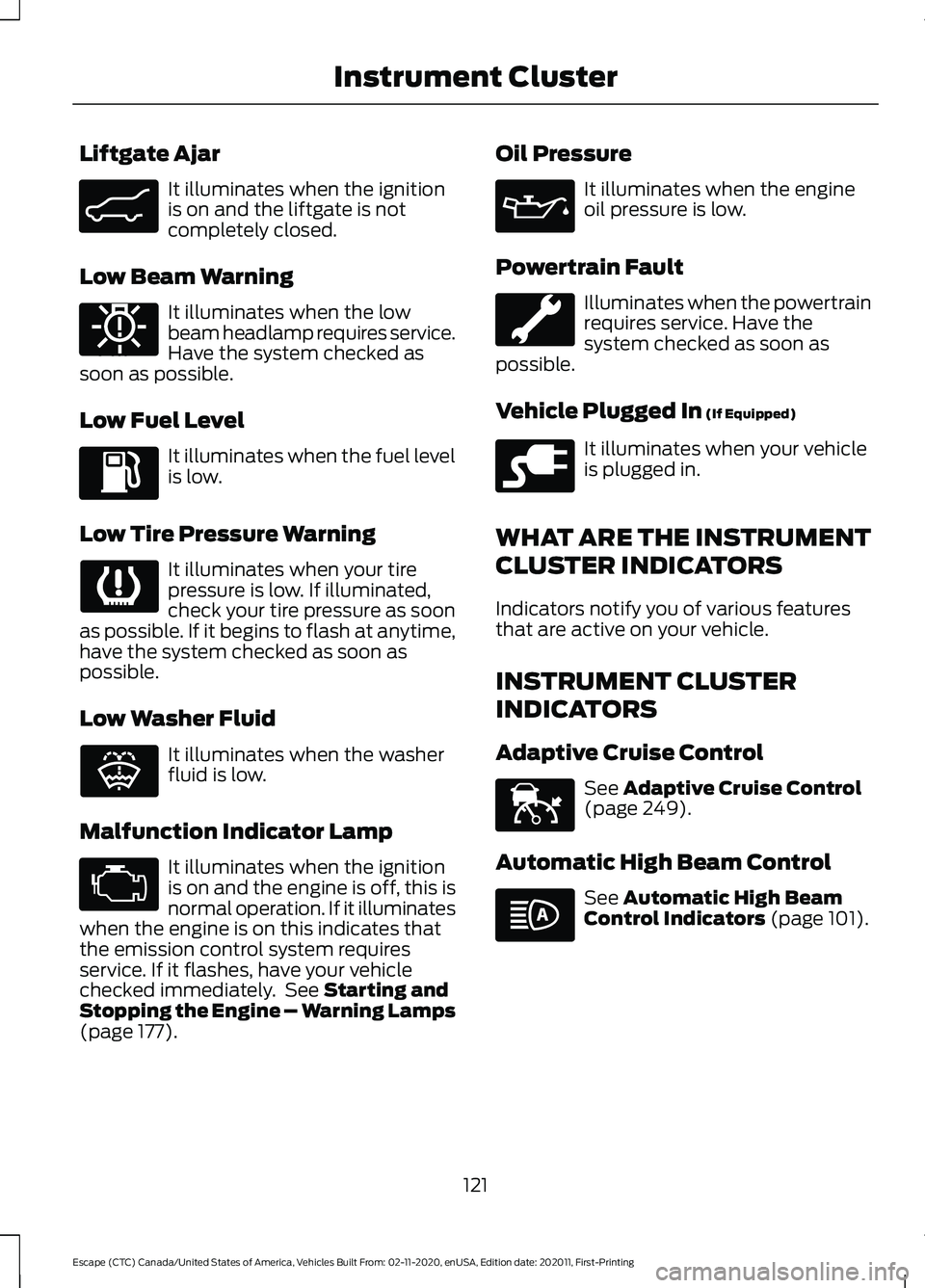
Liftgate Ajar
It illuminates when the ignition
is on and the liftgate is not
completely closed.
Low Beam Warning It illuminates when the low
beam headlamp requires service.
Have the system checked as
soon as possible.
Low Fuel Level It illuminates when the fuel level
is low.
Low Tire Pressure Warning It illuminates when your tire
pressure is low. If illuminated,
check your tire pressure as soon
as possible. If it begins to flash at anytime,
have the system checked as soon as
possible.
Low Washer Fluid It illuminates when the washer
fluid is low.
Malfunction Indicator Lamp It illuminates when the ignition
is on and the engine is off, this is
normal operation. If it illuminates
when the engine is on this indicates that
the emission control system requires
service. If it flashes, have your vehicle
checked immediately. See Starting and
Stopping the Engine – Warning Lamps
(page
177). Oil Pressure It illuminates when the engine
oil pressure is low.
Powertrain Fault Illuminates when the powertrain
requires service. Have the
system checked as soon as
possible.
Vehicle Plugged In
(If Equipped) It illuminates when your vehicle
is plugged in.
WHAT ARE THE INSTRUMENT
CLUSTER INDICATORS
Indicators notify you of various features
that are active on your vehicle.
INSTRUMENT CLUSTER
INDICATORS
Adaptive Cruise Control See
Adaptive Cruise Control
(page 249).
Automatic High Beam Control See
Automatic High Beam
Control Indicators (page 101).
121
Escape (CTC) Canada/United States of America, Vehicles Built From: 02-11-2020, enUSA, Edition date: 202011, First-Printing Instrument ClusterE162453 E181350 E132353 E228962 E144524
Page 172 of 589
WHAT IS THE WIRELESS
ACCESSORY CHARGER
The wireless accessory charger allows you
to charge one compatible Qi wireless
charging device on the charging area.
WIRELESS ACCESSORY
CHARGER PRECAUTIONS
WARNING: Wireless charging
devices can affect the operation of
implanted medical devices, including
cardiac pacemakers. If you have any
implanted medical devices, we
recommend that you consult with your
physician.
Tests on this equipment show that it
complies with part 18 of the FCC Rules.
• This equipment generates, uses and
can radiate radio frequency energy and
may cause harmful interference to
radio communications. There is no
guarantee that the interference will not
occur in a particular installation. If this
equipment does cause harmful
interference to radio or television
reception, please consult the dealer.
• This product is not end-user
serviceable. WARNING:
Changes or
modifications not expressively approved
by the party responsible for compliance
could void the user's authority to operate
the equipment. The term "IC:" before the
radio certification number only signifies
that Industry Canada technical
specifications were met. This device complies with Industry Canada
licence-exempt RSS standard(s).
Operation is subject to:
•
This device may not cause interference.
• This device must accept any
interference, including interference that
may cause undesired operation of the
device.
Keep the charging area clean and remove
foreign objects prior to charging a device.
Do not place items with a magnetic strip,
for example passports, parking tickets or
credit cards, near the charging area when
charging a device. Damage may occur to
the magnetic strip.
Do not place metal objects, for example
remote controls, coins and candy
wrappers, on or near the charging area
when charging a device. Metal objects may
heat up and degrade the charging
performance, in addition to causing error
messages and interruptions in charging.
Note: During charging, the device and the
charger could heat up, this is normal. If the
battery gets hotter than usual, the device
may stop charging.
LOCATING THE WIRELESS
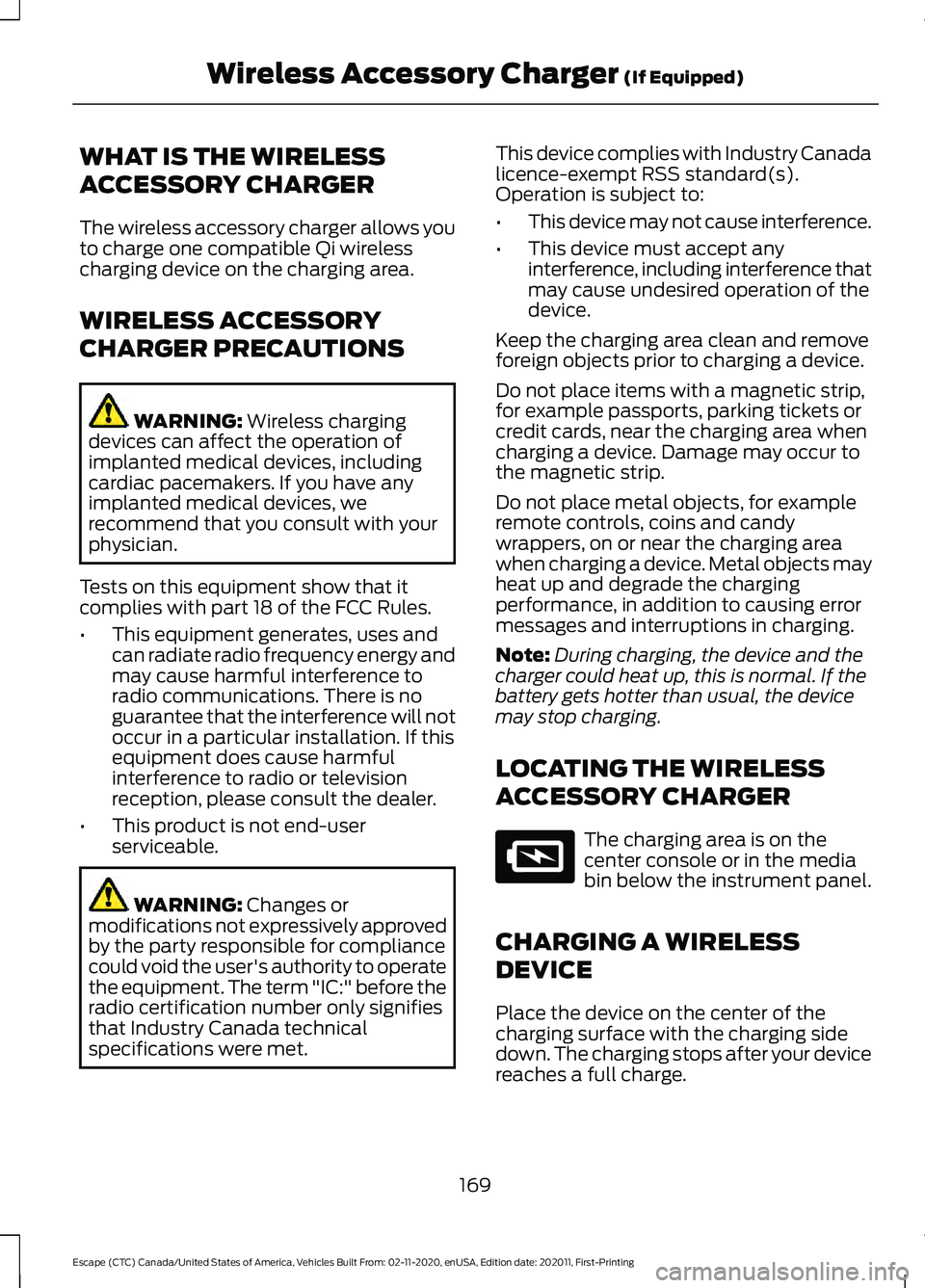
ACCESSORY CHARGER The charging area is on the
center console or in the media
bin below the instrument panel.
CHARGING A WIRELESS
DEVICE
Place the device on the center of the
charging surface with the charging side
down. The charging stops after your device
reaches a full charge.
169
Escape (CTC) Canada/United States of America, Vehicles Built From: 02-11-2020, enUSA, Edition date: 202011, First-Printing Wireless Accessory Charger
(If Equipped)E297549
Page 181 of 589
If it flashes, engine misfire could be
occurring. Increased exhaust gas
temperatures could damage the catalytic
converter or other vehicle components.
Avoid heavy acceleration and deceleration,
and have your vehicle checked as soon as
possible.
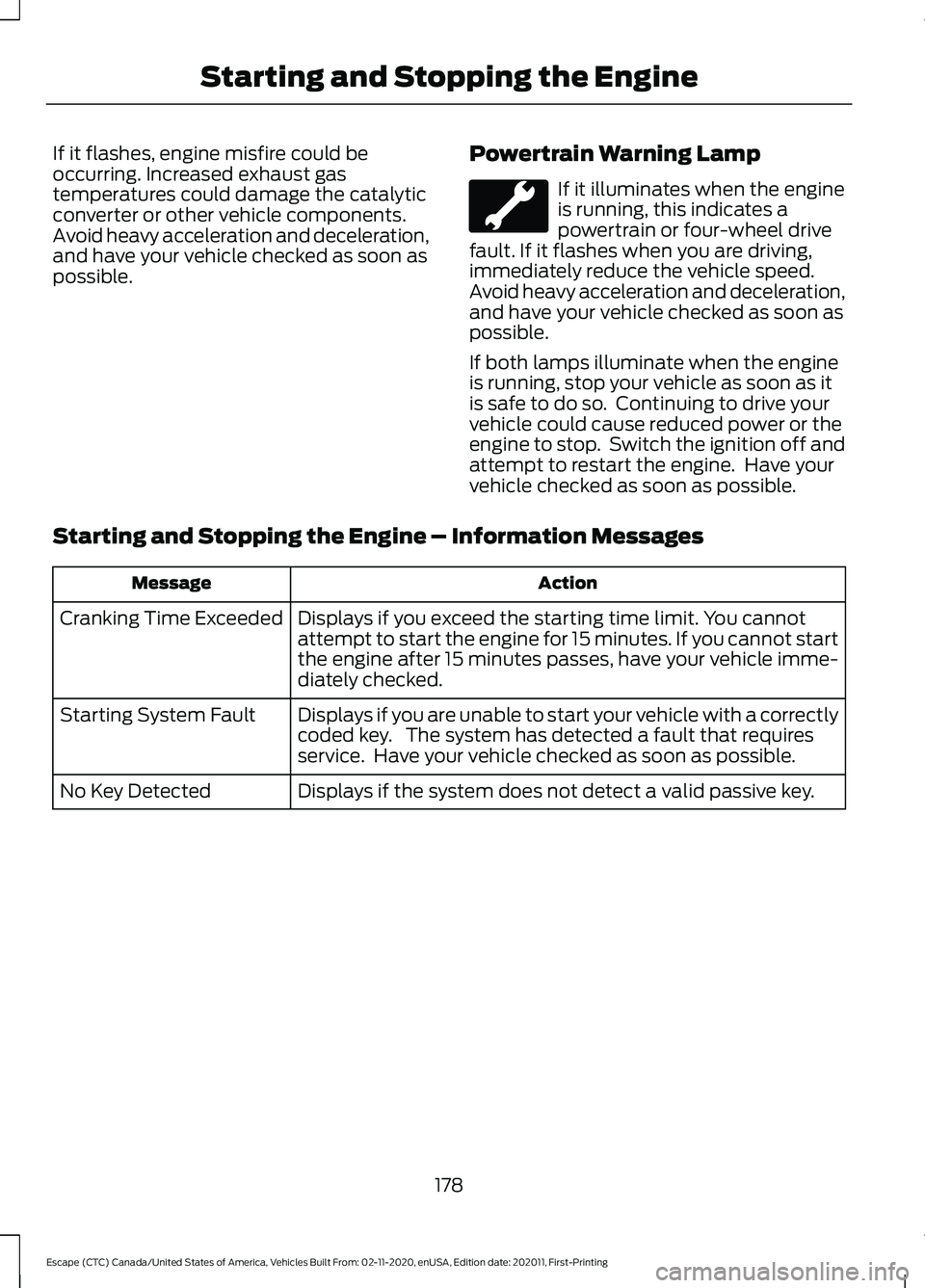
Powertrain Warning Lamp If it illuminates when the engine
is running, this indicates a
powertrain or four-wheel drive
fault. If it flashes when you are driving,
immediately reduce the vehicle speed.
Avoid heavy acceleration and deceleration,
and have your vehicle checked as soon as
possible.
If both lamps illuminate when the engine
is running, stop your vehicle as soon as it
is safe to do so. Continuing to drive your
vehicle could cause reduced power or the
engine to stop. Switch the ignition off and
attempt to restart the engine. Have your
vehicle checked as soon as possible.
Starting and Stopping the Engine – Information Messages Action
Message
Displays if you exceed the starting time limit. You cannot
attempt to start the engine for 15 minutes. If you cannot start
the engine after 15 minutes passes, have your vehicle imme-
diately checked.
Cranking Time Exceeded
Displays if you are unable to start your vehicle with a correctly
coded key. The system has detected a fault that requires
service. Have your vehicle checked as soon as possible.
Starting System Fault
Displays if the system does not detect a valid passive key.
No Key Detected
178
Escape (CTC) Canada/United States of America, Vehicles Built From: 02-11-2020, enUSA, Edition date: 202011, First-Printing Starting and Stopping the Engine
Page 186 of 589
You could also notice that your engine
continues to run instead of shutting off
during extended downhill driving. The
engine stays on during this engine braking
but is not using any fuel.
You could also hear a slight whine or
whistle when operating your vehicle. This
is the normal operation of the electric
motor in the hybrid system.
Plug-In Hybrid Electric Vehicle
Indicators
When you start your vehicle, a
green ready indicator light
appears in the instrument cluster
letting you know that your vehicle is ready
for driving.
The engine may not start because your
vehicle has a silent key start feature. This
fuel saving feature allows your vehicle to
be ready to drive without requiring the gas
engine to be running.
The indicator remains on when your vehicle
is on, whether the engine is running or not,
to indicate your vehicle is capable of
movement using the electric motor, gas
engine or both.
Typically, the engine does not start unless
the vehicle is cold, a climate control
change is requested or you press the
accelerator pedal.
What Is Low Engine Use Mode
Low engine use mode maintains proper
engine lubrication at sufficient temperature
and activates when you drive your vehicle
with limited engine operation. How Does Low Engine Use Mode
Work
When in low engine use mode, your vehicle
runs the engine as necessary. When low
engine use mode begins, a message
appears in the information display. If low
engine use mode does not complete
before you switch your vehicle off, it
continues the next time you start your
vehicle and the message reappears.
Note:
EV now mode is not available when
in low engine use mode.
Note: Cold temperatures affect the engine
warm up time and the low engine use mode
may operate more frequently.
Note: An oil change is not required but gives
you the option of not running a low engine
use cycle. Resetting the oil life monitoring
system suspends the low engine use mode.
PLUG-IN HYBRID ELECTRIC
VEHICLE INFORMATION –
TROUBLESHOOTING
Plug-In Hybrid Electric Vehicle
Information – Warning Lamps It illuminates if your vehicle's
electrical system requires service
to identify the cause for your
vehicle to shutdown or enter a limited
operating mode. A message may appear
in the instrument cluster display. Have your
vehicle checked as soon as possible.
183
Escape (CTC) Canada/United States of America, Vehicles Built From: 02-11-2020, enUSA, Edition date: 202011, First-Printing Hybrid Electric Vehicle Information (If Equipped)E293827 E144693
Page 188 of 589
WHAT IS AUTO-START-STOP
The system helps reduce fuel consumption
by stopping and restarting the engine when
your vehicle has stopped. The engine
restarts when you release the brake pedal.
In some situations, your vehicle could
restart before you release the brake pedal,
for example:
•
To maintain interior comfort.
• To recharge the battery.
AUTO-START-STOP
PRECAUTIONS WARNING: Apply the parking
brake, shift into park (P), switch the
ignition off and remove the key before
you leave your vehicle. Failure to follow
this instruction could result in personal
injury or death. WARNING:
Apply the parking
brake, shift into park (P), switch the
ignition off and remove the key before
you open the hood or have any service
or repair work completed. If you do not
switch the ignition off, the engine could
restart at any time. Failure to follow this
instruction could result in personal injury
or death.
SWITCHING AUTO-START-
STOP ON AND OFF
The system turns on when you switch the
ignition on. Press the button to switch the
system off.
Note: OFF
illuminates in the switch. Note:
Deactivating the system using the
button lasts only one key cycle.
Press the button again to switch the
system back on.
Note: The system turns off if it detects a
malfunction. If the system malfunctions,
have your vehicle checked as soon as
possible.
STOPPING THE ENGINE
Stop your vehicle, keep your foot on the
brake pedal and the transmission in drive
(D).
Note: Power assist steering turns off when
the engine stops.
RESTARTING THE ENGINE
Release the brake pedal or press the
accelerator pedal.
A message appears in the information
display if the system requires you to take
action.
AUTO-START-STOP
INDICATORS WARNING:
The system may
require the engine to automatically
restart when the auto-start-stop
indicator illuminates green or flashes
amber. Failure to follow this instruction
could result in personal injury. The Auto-Start-Stop indicator
illuminates green when the
engine stops. It flashes amber
and a message appears when you need to
take action.
185
Escape (CTC) Canada/United States of America, Vehicles Built From: 02-11-2020, enUSA, Edition date: 202011, First-Printing Auto-Start-Stop