liftgate FORD ESCAPE 2021 Owners Manual
[x] Cancel search | Manufacturer: FORD, Model Year: 2021, Model line: ESCAPE, Model: FORD ESCAPE 2021Pages: 589, PDF Size: 9.2 MB
Page 5 of 589
Changing the Remote Control Battery -
Vehicles With: Push Button Start .......60
Changing the Remote Control Battery - Vehicles With: Flip Key .............................
61
Replacing a Lost Key or Remote Control ........................................................................\
..
62
Programming the Remote Control .........
62
Keys and Remote Controls – Troubleshooting ........................................
63
MyKey ™
What Is MyKey ...............................................
64
MyKey Settings ..............................................
64
Creating a MyKey - Vehicles With: Push Button Start ................................................
65
Creating a MyKey - Vehicles With: Flip Key ..................................................................
65
Programming a MyKey ................................
65
Clearing All MyKeys ......................................
66
Checking MyKey System Status .............
66
Using MyKey With Remote Start Systems ........................................................
66
MyKey – Troubleshooting ..........................
66
Doors and Locks
Operating the Doors From Outside Your Vehicle ..........................................................
69
Operating the Doors From Inside Your Vehicle ..........................................................
69
Autounlock ......................................................
70
Autolock ............................................................
70
Mislock ..............................................................
70
Doors and Locks Audible Warnings .........
71
Doors and Locks – Troubleshooting ........................................................................\
....
71
Keyless Entry
Locating the Keyless Entry Keypad .........
73
Keyless Entry Limitations ...........................
73
Master Access Code .....................................
73
Keyless Entry Settings .................................
74Locking and Unlocking the Doors Using
Keyless Entry ...............................................
75
Keyless Entry – Troubleshooting .............
75
Easy Entry and Exit
How Does Easy Entry and Exit Work ........................................................................\
...
77
Switching Easy Entry and Exit On and Off ....................................................................
77
Liftgate - Vehicles With: Manual Liftgate
Opening the Liftgate ....................................
78
Closing the Liftgate ......................................
78
Liftgate - Vehicles With: Power Liftgate
Liftgate Precautions ....................................
80
Opening the Liftgate ...................................
80
Setting the Liftgate Opening Height ........................................................................\
..
82
Closing the Liftgate ......................................
82
Stopping the Liftgate Movement ...........
84
Liftgate Obstacle Detection .....................
84
Liftgate – Troubleshooting ........................
85
Security
Passive Anti-Theft System ........................
87
Anti-Theft Alarm System ...........................
87
Anti-Theft Alarm System Settings ........
88
Security – Troubleshooting .......................
89
Steering Wheel
Adjusting the Steering Wheel ...................
91
Horn .....................................................................
91
Switching the Heated Steering Wheel On and Off ....................................................
91
Wipers and Washers
Wipers ...............................................................
92
Autowipers ......................................................
92
2
Escape (CTC) Canada/United States of America, Vehicles Built From: 02-11-2020, enUSA, Edition date: 202011, First-Printing Table of Contents
Page 61 of 589
REMOTE CONTROL
LIMITATIONS
WARNING: Changes or
modifications not expressively approved
by the party responsible for compliance
could void the user's authority to operate
the equipment. The term "IC:" before the
radio certification number only signifies
that Industry Canada technical
specifications were met.
This device complies with Part 15 of the
FCC Rules and with Industry Canada
license-exempt RSS standard(s).
Operation is subject to the following two
conditions: (1) This device may not cause
harmful interference, and (2) This device
must accept any interference received,
including interference that may cause
undesired operation.
Make sure a valid remote control is within
5 ft (1.5 m)
from the front door handles
and rear of vehicle.
The system may not function if:
• The remote control remains stationary
for about a minute.
• The vehicle battery has no charge.
• The remote control battery has no
charge.
• There is interference causing issues
with the remote control frequencies.
• The remote control is too close to
metal objects or electronic devices, for
example keys or a cell phone.
USING THE REMOTE CONTROL
Use your remote control to access various
vehicle systems.
Note: The buttons on your remote may vary
depending on the vehicle region or options. Unlock Press the button to unlock all
doors. See
Unlocking and
Locking the Doors Using the
Remote Control
(page 69).
Lock Press the button to lock all
doors. See
Unlocking and
Locking the Doors Using the
Remote Control
(page 69).
Remote Start
(If Equipped) Press the button to remote start.
See
Remotely Starting and
Stopping the Vehicle (page
134).
Liftgate
(If Equipped) Press the button to open or close
the liftgate. See
Opening the
Liftgate Using the Remote
Control
(page 81).
Panic Alarm Press the button to sound the
panic alarm. See Sounding the
Panic Alarm
(page 59).
OPENING AND CLOSING THE
FLIP KEY
Opening Your Flip Key
Press the round button on the remote
control to extend the flip key.
58
Escape (CTC) Canada/United States of America, Vehicles Built From: 02-11-2020, enUSA, Edition date: 202011, First-Printing Keys and Remote ControlsE138629 E138623 E138625 E267940 E138624
Page 73 of 589
Individually Unlocking and Locking
the Doors Using the Locking
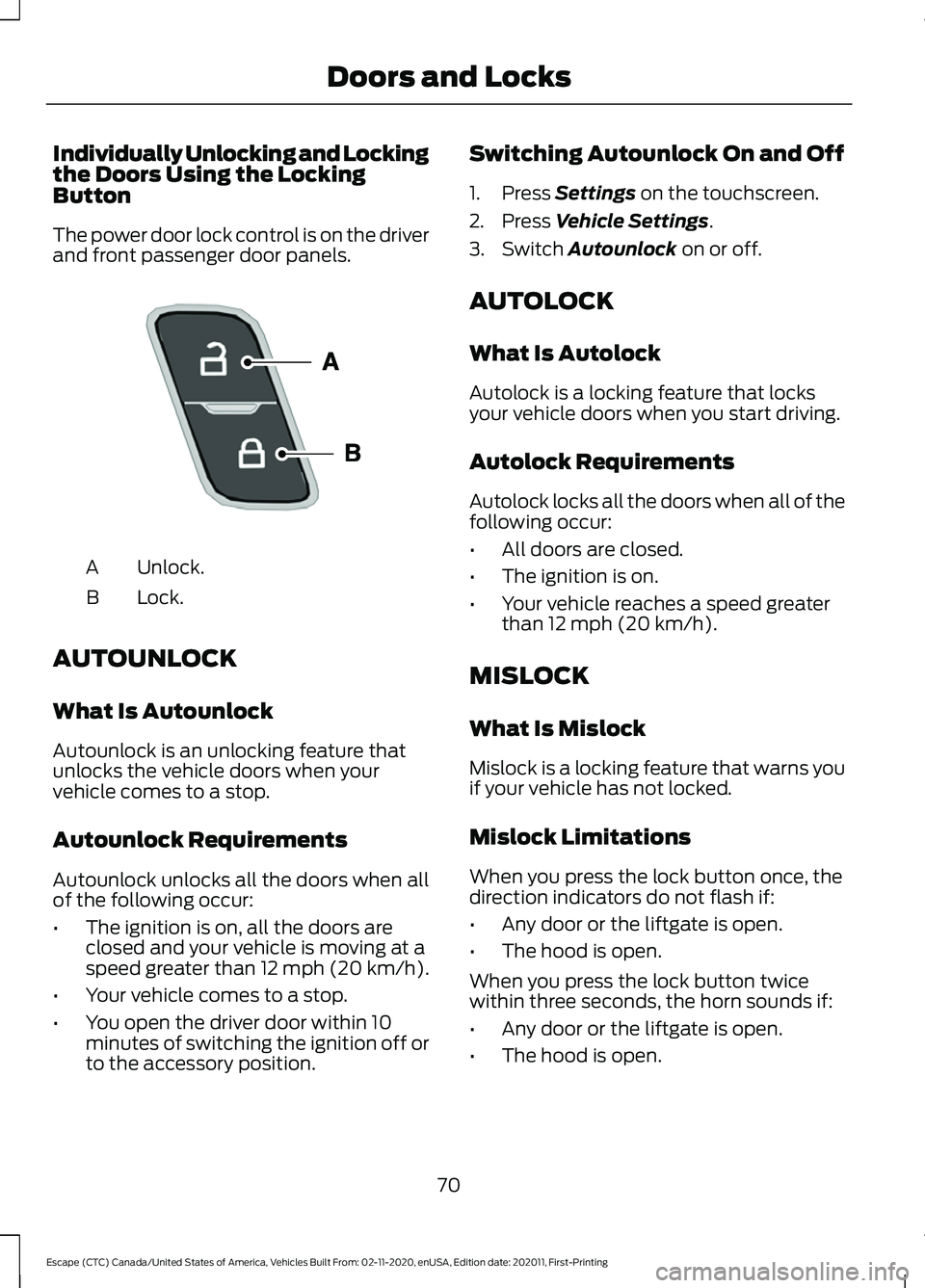
Button
The power door lock control is on the driver
and front passenger door panels.
Unlock.
A
Lock.
B
AUTOUNLOCK
What Is Autounlock
Autounlock is an unlocking feature that
unlocks the vehicle doors when your
vehicle comes to a stop.
Autounlock Requirements
Autounlock unlocks all the doors when all
of the following occur:
• The ignition is on, all the doors are
closed and your vehicle is moving at a
speed greater than 12 mph (20 km/h).
• Your vehicle comes to a stop.
• You open the driver door within 10
minutes of switching the ignition off or
to the accessory position. Switching Autounlock On and Off
1. Press Settings on the touchscreen.
2. Press
Vehicle Settings.
3. Switch
Autounlock on or off.
AUTOLOCK
What Is Autolock
Autolock is a locking feature that locks
your vehicle doors when you start driving.
Autolock Requirements
Autolock locks all the doors when all of the
following occur:
• All doors are closed.
• The ignition is on.
• Your vehicle reaches a speed greater
than
12 mph (20 km/h).
MISLOCK
What Is Mislock
Mislock is a locking feature that warns you
if your vehicle has not locked.
Mislock Limitations
When you press the lock button once, the
direction indicators do not flash if:
• Any door or the liftgate is open.
• The hood is open.
When you press the lock button twice
within three seconds, the horn sounds if:
• Any door or the liftgate is open.
• The hood is open.
70
Escape (CTC) Canada/United States of America, Vehicles Built From: 02-11-2020, enUSA, Edition date: 202011, First-Printing Doors and LocksE196954
Page 76 of 589
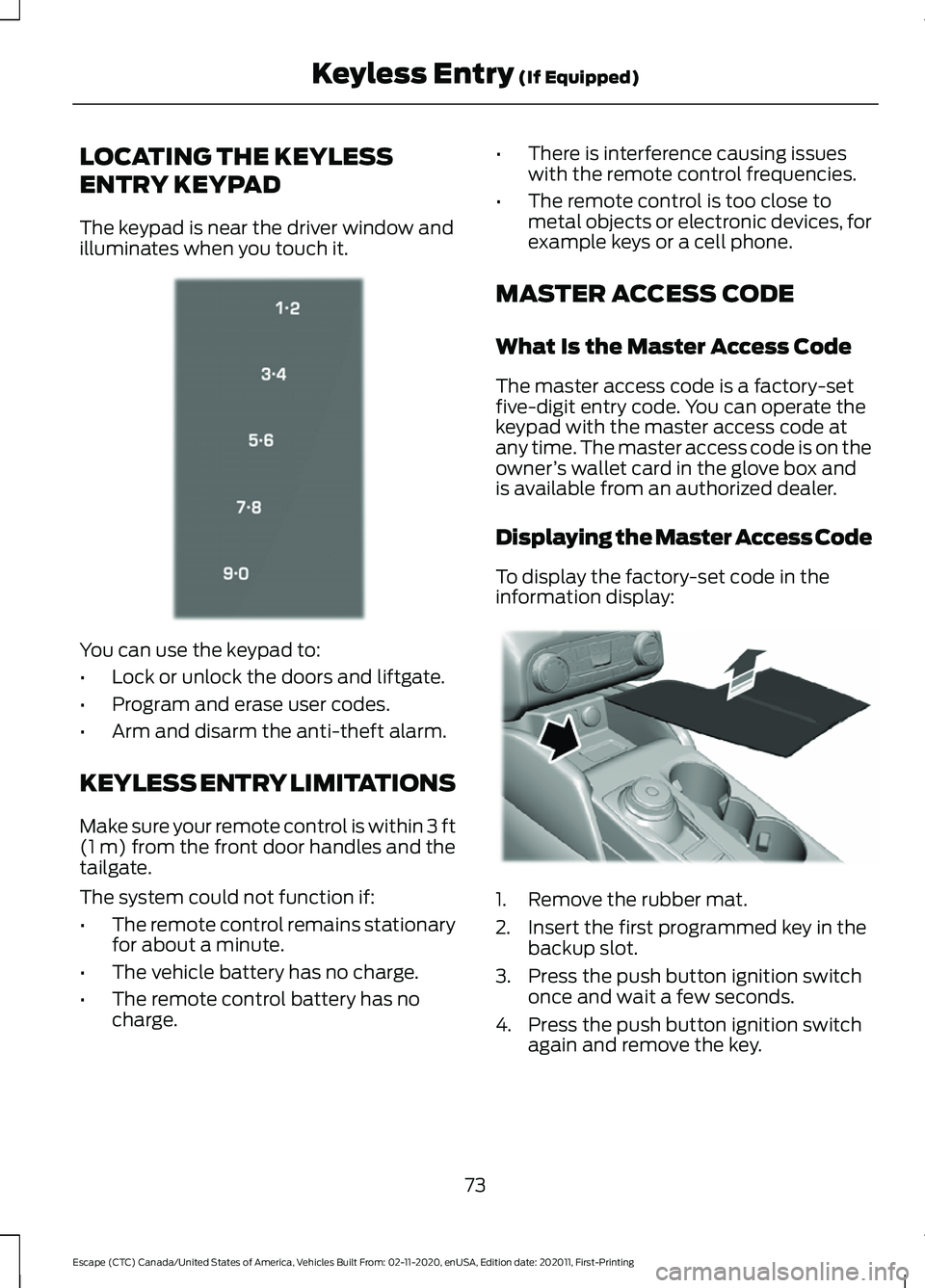
LOCATING THE KEYLESS
ENTRY KEYPAD
The keypad is near the driver window and
illuminates when you touch it.
You can use the keypad to:
•
Lock or unlock the doors and liftgate.
• Program and erase user codes.
• Arm and disarm the anti-theft alarm.
KEYLESS ENTRY LIMITATIONS
Make sure your remote control is within 3 ft
(1 m) from the front door handles and the
tailgate.
The system could not function if:
• The remote control remains stationary
for about a minute.
• The vehicle battery has no charge.
• The remote control battery has no
charge. •
There is interference causing issues
with the remote control frequencies.
• The remote control is too close to
metal objects or electronic devices, for
example keys or a cell phone.
MASTER ACCESS CODE
What Is the Master Access Code
The master access code is a factory-set
five-digit entry code. You can operate the
keypad with the master access code at
any time. The master access code is on the
owner ’s wallet card in the glove box and
is available from an authorized dealer.
Displaying the Master Access Code
To display the factory-set code in the
information display: 1. Remove the rubber mat.
2. Insert the first programmed key in the
backup slot.
3. Press the push button ignition switch once and wait a few seconds.
4. Press the push button ignition switch again and remove the key.
73
Escape (CTC) Canada/United States of America, Vehicles Built From: 02-11-2020, enUSA, Edition date: 202011, First-Printing Keyless Entry
(If Equipped)E333628 E306769
Page 81 of 589
OPENING THE LIFTGATE
Opening the Liftgate From Outside
Your Vehicle
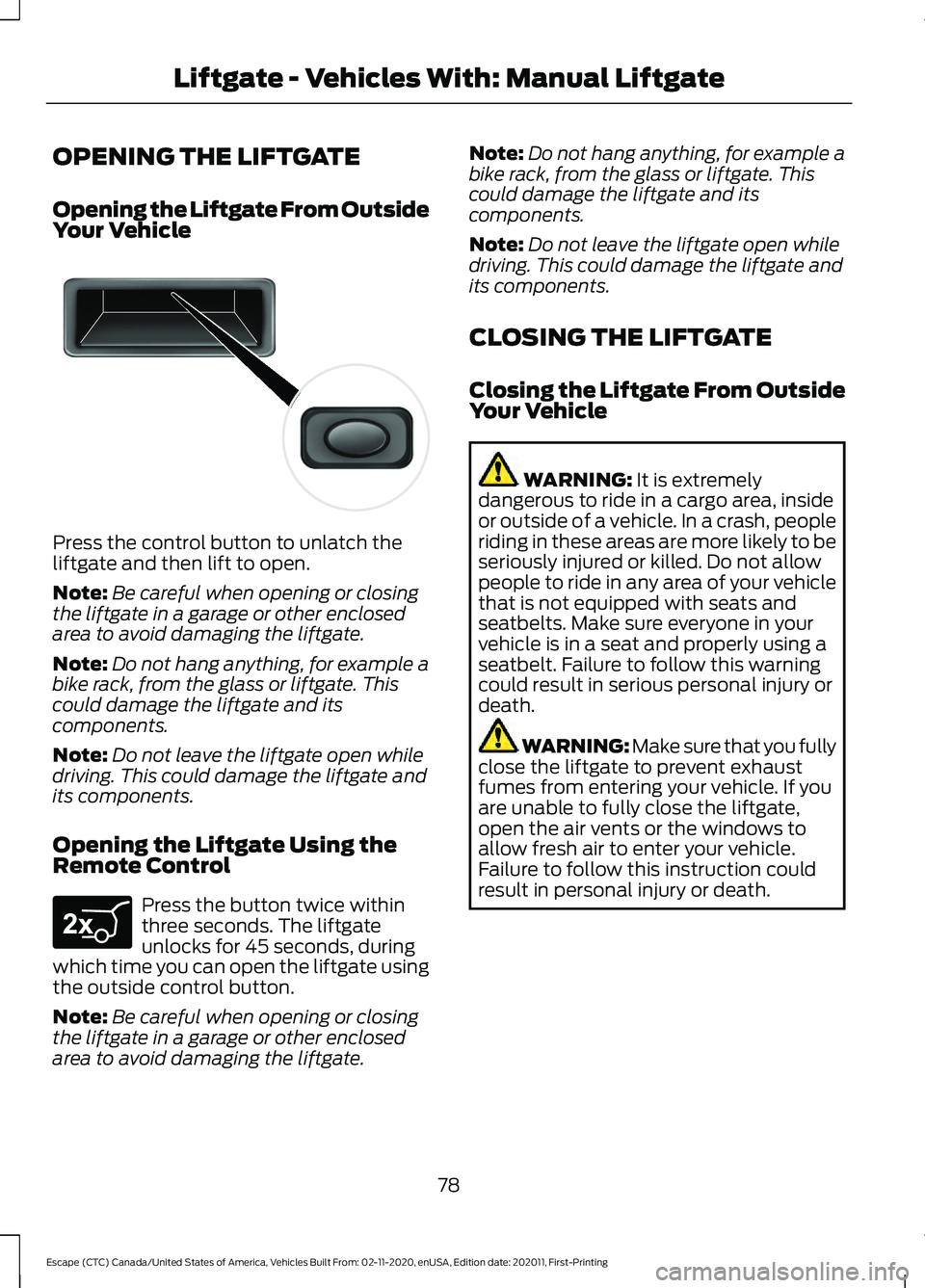
Press the control button to unlatch the
liftgate and then lift to open.
Note:
Be careful when opening or closing
the liftgate in a garage or other enclosed
area to avoid damaging the liftgate.
Note: Do not hang anything, for example a
bike rack, from the glass or liftgate. This
could damage the liftgate and its
components.
Note: Do not leave the liftgate open while
driving. This could damage the liftgate and
its components.
Opening the Liftgate Using the
Remote Control Press the button twice within
three seconds. The liftgate
unlocks for 45 seconds, during
which time you can open the liftgate using
the outside control button.
Note: Be careful when opening or closing
the liftgate in a garage or other enclosed
area to avoid damaging the liftgate. Note:
Do not hang anything, for example a
bike rack, from the glass or liftgate. This
could damage the liftgate and its
components.
Note: Do not leave the liftgate open while
driving. This could damage the liftgate and
its components.
CLOSING THE LIFTGATE
Closing the Liftgate From Outside
Your Vehicle WARNING: It is extremely
dangerous to ride in a cargo area, inside
or outside of a vehicle. In a crash, people
riding in these areas are more likely to be
seriously injured or killed. Do not allow
people to ride in any area of your vehicle
that is not equipped with seats and
seatbelts. Make sure everyone in your
vehicle is in a seat and properly using a
seatbelt. Failure to follow this warning
could result in serious personal injury or
death. WARNING:
Make sure that you fully
close the liftgate to prevent exhaust
fumes from entering your vehicle. If you
are unable to fully close the liftgate,
open the air vents or the windows to
allow fresh air to enter your vehicle.
Failure to follow this instruction could
result in personal injury or death.
78
Escape (CTC) Canada/United States of America, Vehicles Built From: 02-11-2020, enUSA, Edition date: 202011, First-Printing Liftgate - Vehicles With: Manual LiftgateE138632 E267940
Page 82 of 589
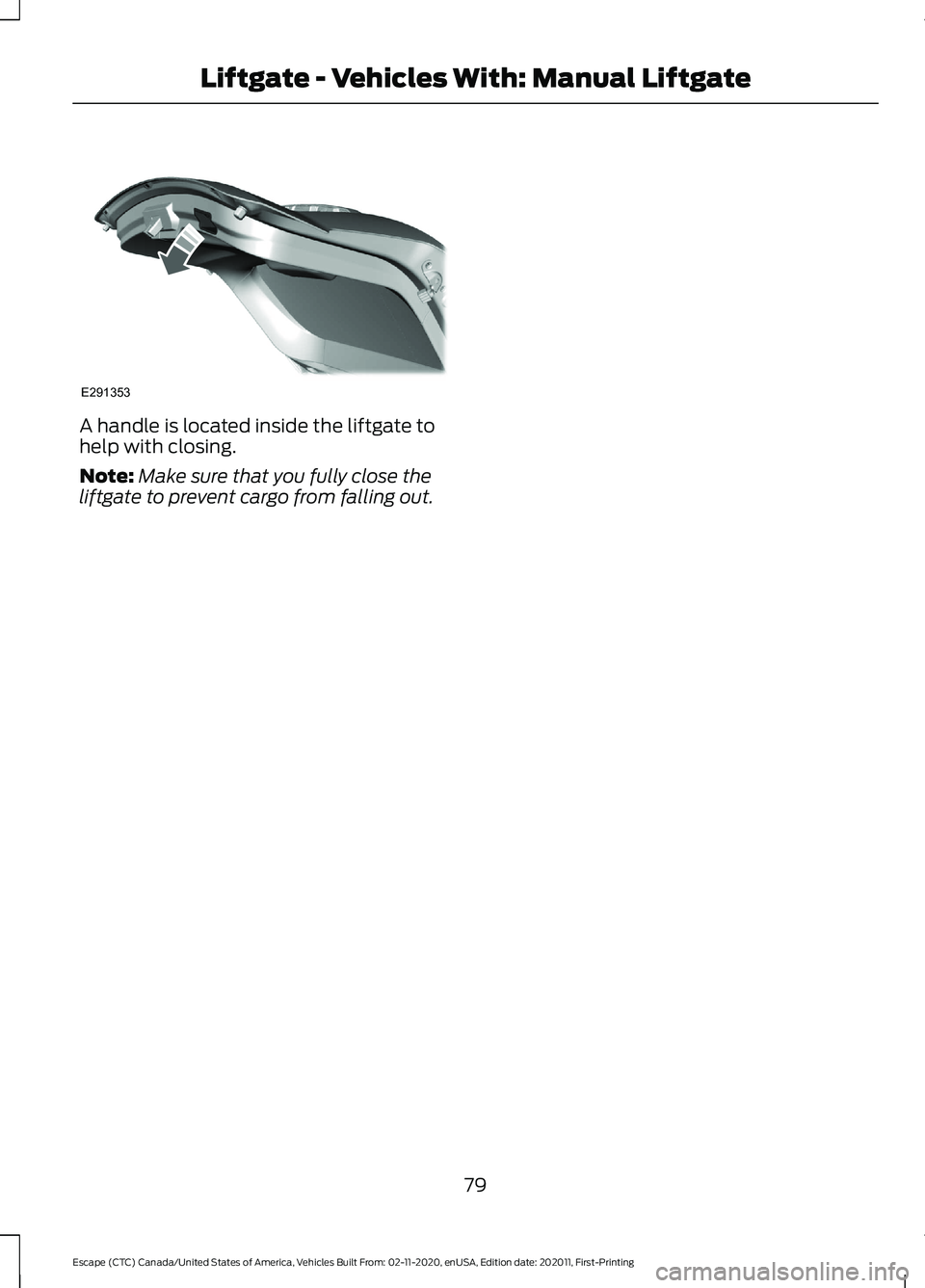
A handle is located inside the liftgate to
help with closing.
Note:
Make sure that you fully close the
liftgate to prevent cargo from falling out.
79
Escape (CTC) Canada/United States of America, Vehicles Built From: 02-11-2020, enUSA, Edition date: 202011, First-Printing Liftgate - Vehicles With: Manual LiftgateE291353
Page 83 of 589
LIFTGATE PRECAUTIONS
WARNING: It is extremely
dangerous to ride in a cargo area, inside
or outside of a vehicle. In a crash, people
riding in these areas are more likely to be
seriously injured or killed. Do not allow
people to ride in any area of your vehicle
that is not equipped with seats and
seatbelts. Make sure everyone in your
vehicle is in a seat and properly using a
seatbelt. Failure to follow this warning
could result in serious personal injury or
death. WARNING:
Make sure that you fully
close the liftgate to prevent exhaust
fumes from entering your vehicle. If you
are unable to fully close the liftgate,
open the air vents or the windows to
allow fresh air to enter your vehicle.
Failure to follow this instruction could
result in personal injury or death. WARNING: Keep keys out of reach
of children. Do not allow children to
operate or play near an open or moving
power liftgate. You should supervise the
operation of the power liftgate at all
times.
OPENING THE LIFTGATE
Opening the Liftgate From Inside
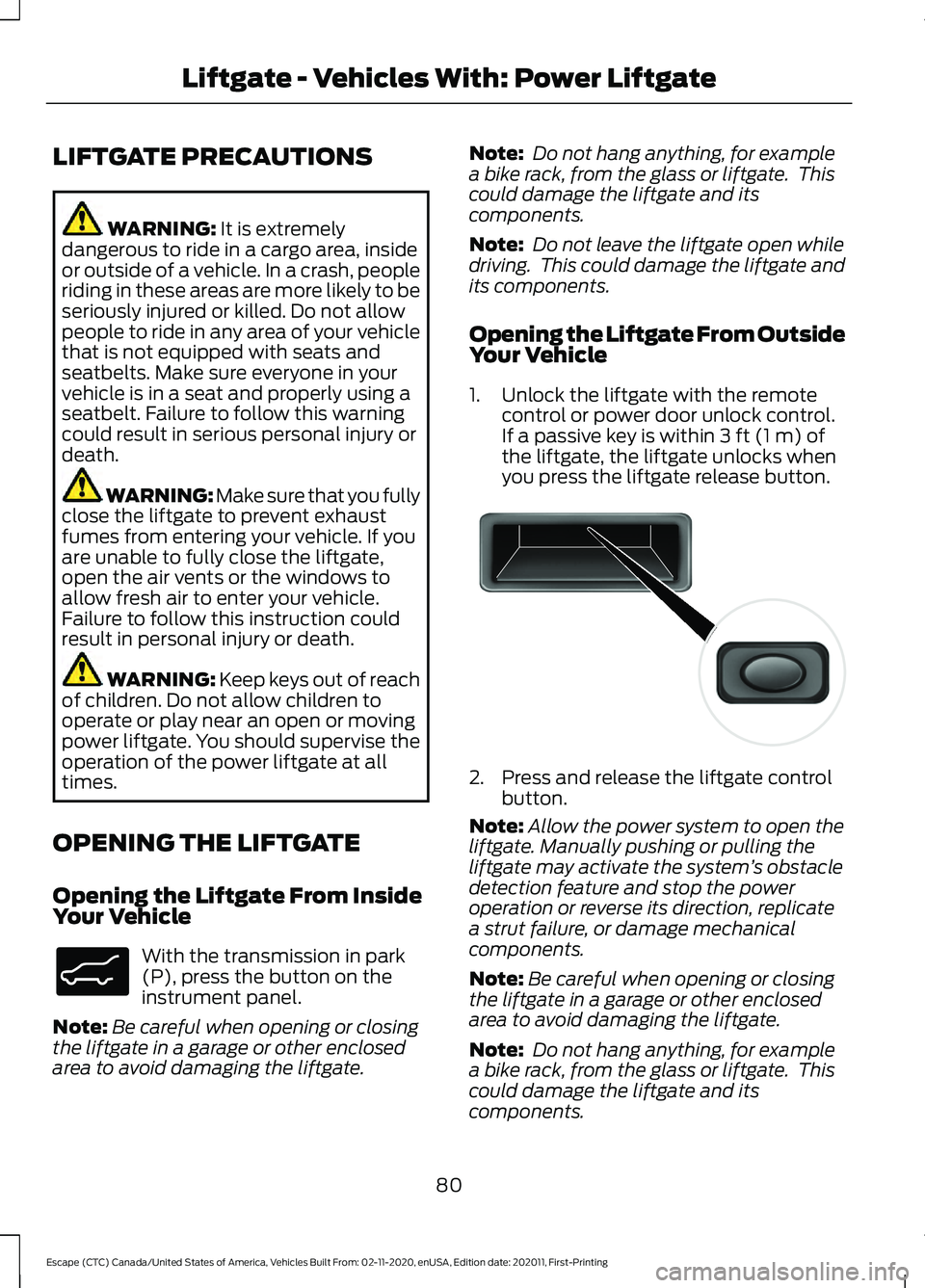
Your Vehicle With the transmission in park
(P), press the button on the
instrument panel.
Note: Be careful when opening or closing
the liftgate in a garage or other enclosed
area to avoid damaging the liftgate. Note:
Do not hang anything, for example
a bike rack, from the glass or liftgate. This
could damage the liftgate and its
components.
Note: Do not leave the liftgate open while
driving. This could damage the liftgate and
its components.
Opening the Liftgate From Outside
Your Vehicle
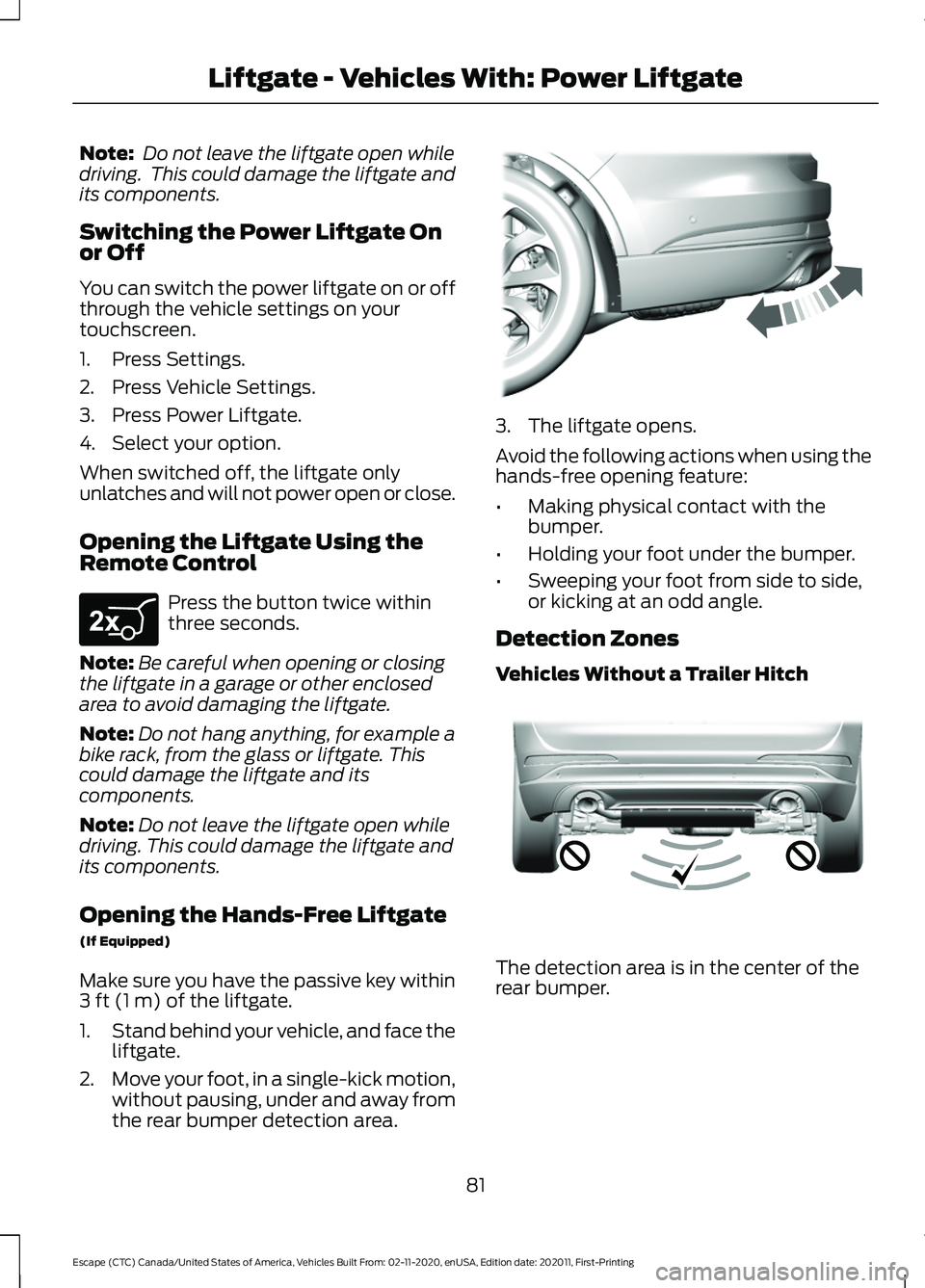
1. Unlock the liftgate with the remote control or power door unlock control.
If a passive key is within
3 ft (1 m) of
the liftgate, the liftgate unlocks when
you press the liftgate release button. 2. Press and release the liftgate control
button.
Note: Allow the power system to open the
liftgate. Manually pushing or pulling the
liftgate may activate the system ’s obstacle
detection feature and stop the power
operation or reverse its direction, replicate
a strut failure, or damage mechanical
components.
Note: Be careful when opening or closing
the liftgate in a garage or other enclosed
area to avoid damaging the liftgate.
Note: Do not hang anything, for example
a bike rack, from the glass or liftgate. This
could damage the liftgate and its
components.
80
Escape (CTC) Canada/United States of America, Vehicles Built From: 02-11-2020, enUSA, Edition date: 202011, First-Printing Liftgate - Vehicles With: Power LiftgateE138633 E138632
Page 84 of 589
Note:
Do not leave the liftgate open while
driving. This could damage the liftgate and
its components.
Switching the Power Liftgate On
or Off
You can switch the power liftgate on or off
through the vehicle settings on your
touchscreen.
1. Press Settings.
2. Press Vehicle Settings.
3. Press Power Liftgate.
4. Select your option.
When switched off, the liftgate only
unlatches and will not power open or close.
Opening the Liftgate Using the
Remote Control Press the button twice within
three seconds.
Note: Be careful when opening or closing
the liftgate in a garage or other enclosed
area to avoid damaging the liftgate.
Note: Do not hang anything, for example a
bike rack, from the glass or liftgate. This
could damage the liftgate and its
components.
Note: Do not leave the liftgate open while
driving. This could damage the liftgate and
its components.
Opening the Hands-Free Liftgate
(If Equipped)
Make sure you have the passive key within
3 ft (1 m) of the liftgate.
1. Stand behind your vehicle, and face the
liftgate.
2. Move your foot, in a single-kick motion,
without pausing, under and away from
the rear bumper detection area. 3. The liftgate opens.
Avoid the following actions when using the
hands-free opening feature:
•
Making physical contact with the
bumper.
• Holding your foot under the bumper.
• Sweeping your foot from side to side,
or kicking at an odd angle.
Detection Zones
Vehicles Without a Trailer Hitch The detection area is in the center of the
rear bumper.
81
Escape (CTC) Canada/United States of America, Vehicles Built From: 02-11-2020, enUSA, Edition date: 202011, First-Printing Liftgate - Vehicles With: Power LiftgateE267940 E300799 E310717
Page 85 of 589
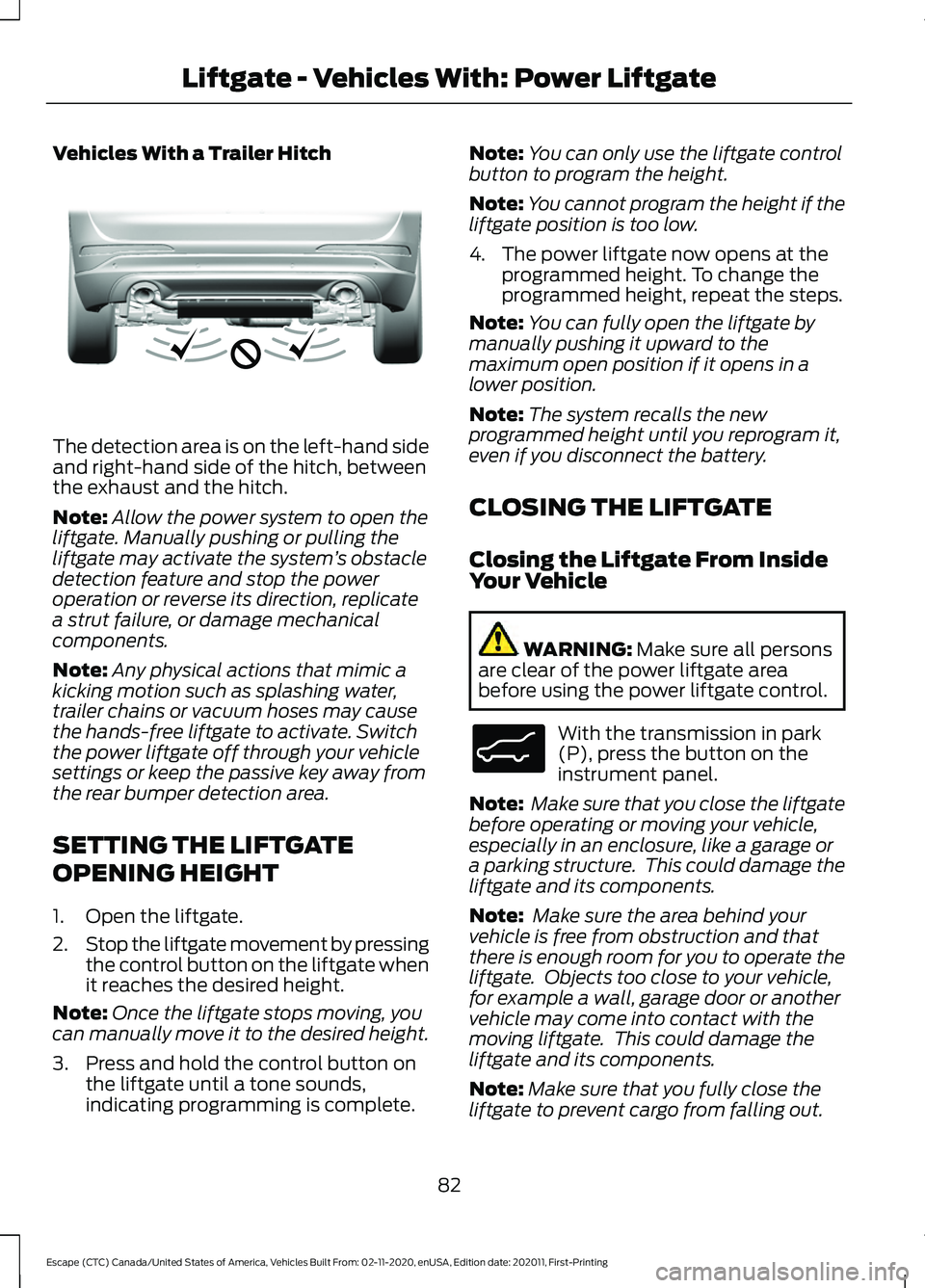
Vehicles With a Trailer Hitch
The detection area is on the left-hand side
and right-hand side of the hitch, between
the exhaust and the hitch.
Note:
Allow the power system to open the
liftgate. Manually pushing or pulling the
liftgate may activate the system ’s obstacle
detection feature and stop the power
operation or reverse its direction, replicate
a strut failure, or damage mechanical
components.
Note: Any physical actions that mimic a
kicking motion such as splashing water,
trailer chains or vacuum hoses may cause
the hands-free liftgate to activate. Switch
the power liftgate off through your vehicle
settings or keep the passive key away from
the rear bumper detection area.
SETTING THE LIFTGATE
OPENING HEIGHT
1. Open the liftgate.
2. Stop the liftgate movement by pressing
the control button on the liftgate when
it reaches the desired height.
Note: Once the liftgate stops moving, you
can manually move it to the desired height.
3. Press and hold the control button on the liftgate until a tone sounds,
indicating programming is complete. Note:
You can only use the liftgate control
button to program the height.
Note: You cannot program the height if the
liftgate position is too low.
4. The power liftgate now opens at the programmed height. To change the
programmed height, repeat the steps.
Note: You can fully open the liftgate by
manually pushing it upward to the
maximum open position if it opens in a
lower position.
Note: The system recalls the new
programmed height until you reprogram it,
even if you disconnect the battery.
CLOSING THE LIFTGATE
Closing the Liftgate From Inside
Your Vehicle WARNING: Make sure all persons
are clear of the power liftgate area
before using the power liftgate control. With the transmission in park
(P), press the button on the
instrument panel.
Note: Make sure that you close the liftgate
before operating or moving your vehicle,
especially in an enclosure, like a garage or
a parking structure. This could damage the
liftgate and its components.
Note: Make sure the area behind your
vehicle is free from obstruction and that
there is enough room for you to operate the
liftgate. Objects too close to your vehicle,
for example a wall, garage door or another
vehicle may come into contact with the
moving liftgate. This could damage the
liftgate and its components.
Note: Make sure that you fully close the
liftgate to prevent cargo from falling out.
82
Escape (CTC) Canada/United States of America, Vehicles Built From: 02-11-2020, enUSA, Edition date: 202011, First-Printing Liftgate - Vehicles With: Power LiftgateE310718 E138633
Page 86 of 589
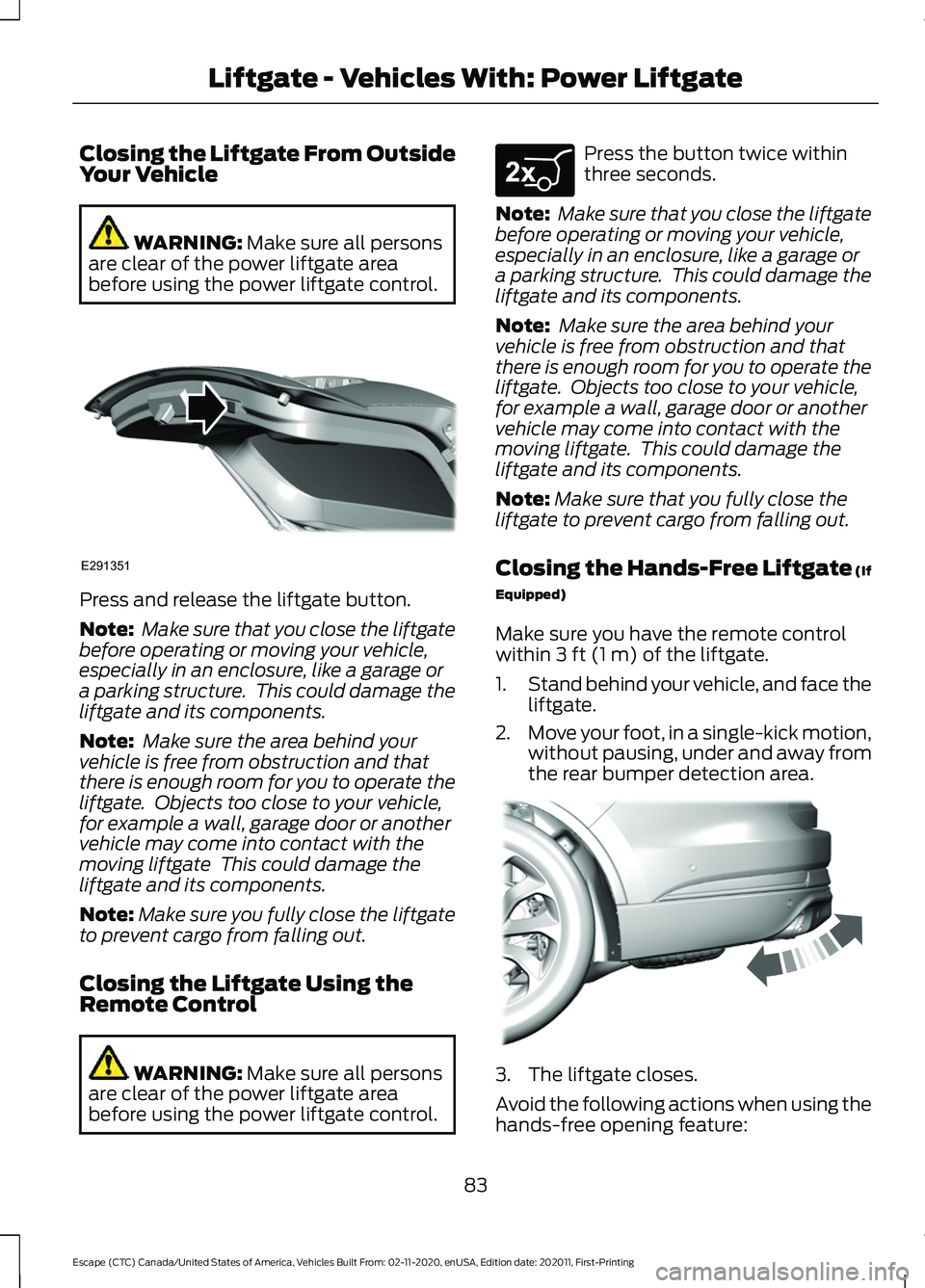
Closing the Liftgate From Outside
Your Vehicle
WARNING: Make sure all persons
are clear of the power liftgate area
before using the power liftgate control. Press and release the liftgate button.
Note:
Make sure that you close the liftgate
before operating or moving your vehicle,
especially in an enclosure, like a garage or
a parking structure. This could damage the
liftgate and its components.
Note: Make sure the area behind your
vehicle is free from obstruction and that
there is enough room for you to operate the
liftgate. Objects too close to your vehicle,
for example a wall, garage door or another
vehicle may come into contact with the
moving liftgate This could damage the
liftgate and its components.
Note: Make sure you fully close the liftgate
to prevent cargo from falling out.
Closing the Liftgate Using the
Remote Control WARNING:
Make sure all persons
are clear of the power liftgate area
before using the power liftgate control. Press the button twice within
three seconds.
Note: Make sure that you close the liftgate
before operating or moving your vehicle,
especially in an enclosure, like a garage or
a parking structure. This could damage the
liftgate and its components.
Note: Make sure the area behind your
vehicle is free from obstruction and that
there is enough room for you to operate the
liftgate. Objects too close to your vehicle,
for example a wall, garage door or another
vehicle may come into contact with the
moving liftgate. This could damage the
liftgate and its components.
Note: Make sure that you fully close the
liftgate to prevent cargo from falling out.
Closing the Hands-Free Liftgate (If
Equipped)
Make sure you have the remote control
within
3 ft (1 m) of the liftgate.
1. Stand behind your vehicle, and face the
liftgate.
2. Move your foot, in a single-kick motion,
without pausing, under and away from
the rear bumper detection area. 3. The liftgate closes.
Avoid the following actions when using the
hands-free opening feature:
83
Escape (CTC) Canada/United States of America, Vehicles Built From: 02-11-2020, enUSA, Edition date: 202011, First-Printing Liftgate - Vehicles With: Power LiftgateE291351 E267940 E300799