ESP FORD ESCAPE 2022 User Guide
[x] Cancel search | Manufacturer: FORD, Model Year: 2022, Model line: ESCAPE, Model: FORD ESCAPE 2022Pages: 585, PDF Size: 6.15 MB
Page 85 of 585
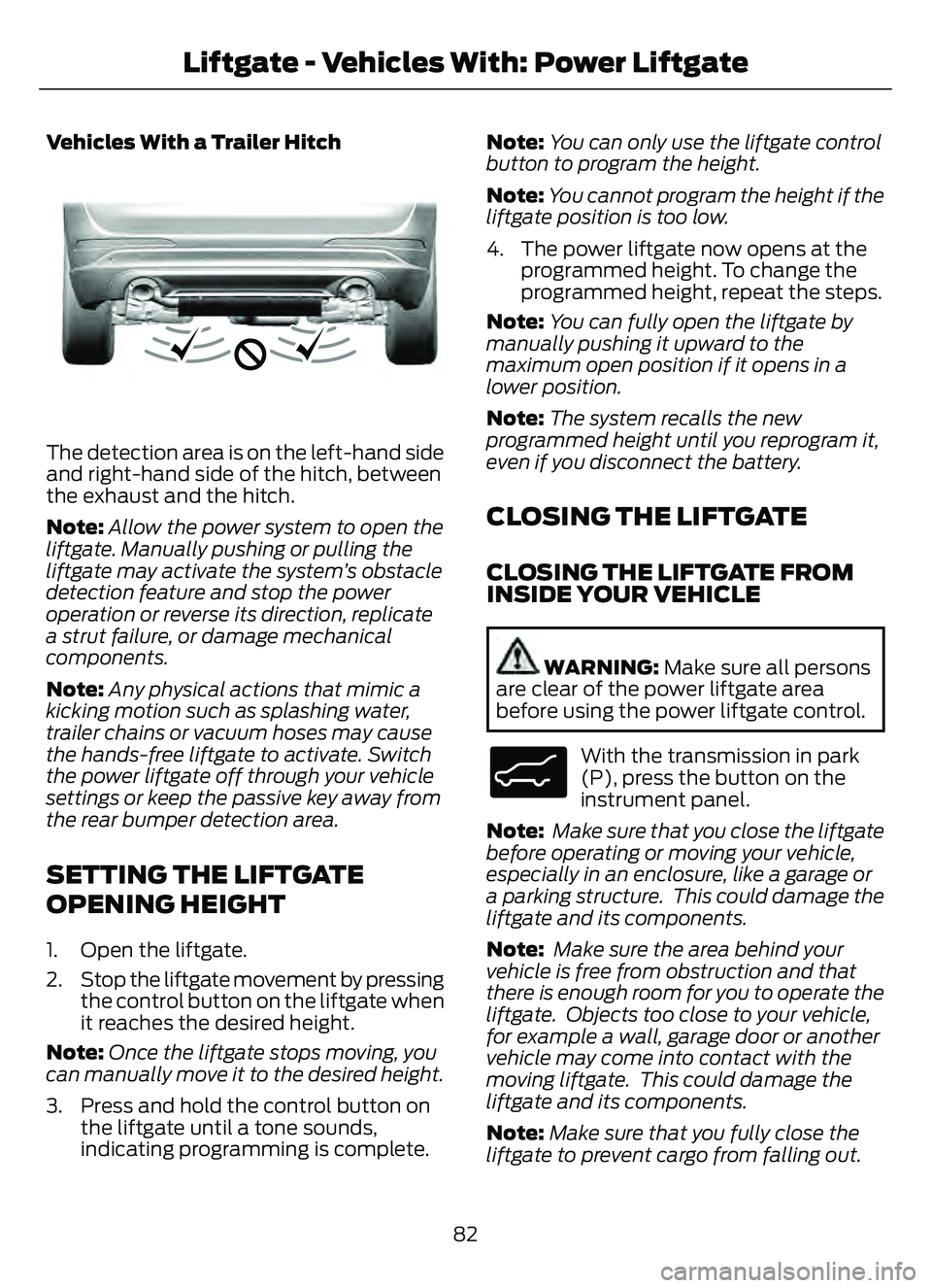
Vehicles With a Trailer Hitch
E310718E310718
The detection area is on the left-hand side
and right-hand side of the hitch, between
the exhaust and the hitch.
Note:Allow the power system to open the
liftgate. Manually pushing or pulling the
liftgate may activate the system’s obstacle
detection feature and stop the power
operation or reverse its direction, replicate
a strut failure, or damage mechanical
components.
Note: Any physical actions that mimic a
kicking motion such as splashing water,
trailer chains or vacuum hoses may cause
the hands-free liftgate to activate. Switch
the power liftgate off through your vehicle
settings or keep the passive key away from
the rear bumper detection area.
SETTING THE LIFTGATE
OPENING HEIGHT
1. Open the liftgate.
2. Stop the liftgate movement by pressing the control button on the liftgate when
it reaches the desired height.
Note: Once the liftgate stops moving, you
can manually move it to the desired height.
3. Press and hold the control button on the liftgate until a tone sounds,
indicating programming is complete. Note:
You can only use the liftgate control
button to program the height.
Note: You cannot program the height if the
liftgate position is too low.
4. The power liftgate now opens at the programmed height. To change the
programmed height, repeat the steps.
Note: You can fully open the liftgate by
manually pushing it upward to the
maximum open position if it opens in a
lower position.
Note: The system recalls the new
programmed height until you reprogram it,
even if you disconnect the battery.
CLOSING THE LIFTGATE
CLOSING THE LIFTGATE FROM
INSIDE YOUR VEHICLE
WARNING: Make sure all persons
are clear of the power liftgate area
before using the power liftgate control.
E138633
With the transmission in park
(P), press the button on the
instrument panel.
Note: Make sure that you close the liftgate
before operating or moving your vehicle,
especially in an enclosure, like a garage or
a parking structure. This could damage the
liftgate and its components.
Note: Make sure the area behind your
vehicle is free from obstruction and that
there is enough room for you to operate the
liftgate. Objects too close to your vehicle,
for example a wall, garage door or another
vehicle may come into contact with the
moving liftgate. This could damage the
liftgate and its components.
Note: Make sure that you fully close the
liftgate to prevent cargo from falling out.
82
Liftgate - Vehicles With: Power Liftgate
Page 86 of 585
CLOSING THE LIFTGATE FROM
OUTSIDE YOUR VEHICLE
WARNING: Make sure all persons
are clear of the power liftgate area
before using the power liftgate control.
E291351
Press and release the liftgate button.
Note: Make sure that you close the liftgate
before operating or moving your vehicle,
especially in an enclosure, like a garage or
a parking structure. This could damage the
liftgate and its components.
Note: Make sure the area behind your
vehicle is free from obstruction and that
there is enough room for you to operate the
liftgate. Objects too close to your vehicle,
for example a wall, garage door or another
vehicle may come into contact with the
moving liftgate This could damage the
liftgate and its components.
Note: Make sure you fully close the liftgate
to prevent cargo from falling out.
CLOSING THE LIFTGATE USING
THE REMOTE CONTROL
WARNING: Make sure all persons
are clear of the power liftgate area
before using the power liftgate control.
E267940
Press the button twice within
three seconds.
Note: Make sure that you close the liftgate
before operating or moving your vehicle,
especially in an enclosure, like a garage or
a parking structure. This could damage the
liftgate and its components.
Note: Make sure the area behind your
vehicle is free from obstruction and that
there is enough room for you to operate the
liftgate. Objects too close to your vehicle,
for example a wall, garage door or another
vehicle may come into contact with the
moving liftgate. This could damage the
liftgate and its components.
Note: Make sure that you fully close the
liftgate to prevent cargo from falling out.
CLOSING THE HANDS-FREE
LIFTGATE (If Equipped)
Make sure you have the remote control
within 3 ft (1 m) of the liftgate.
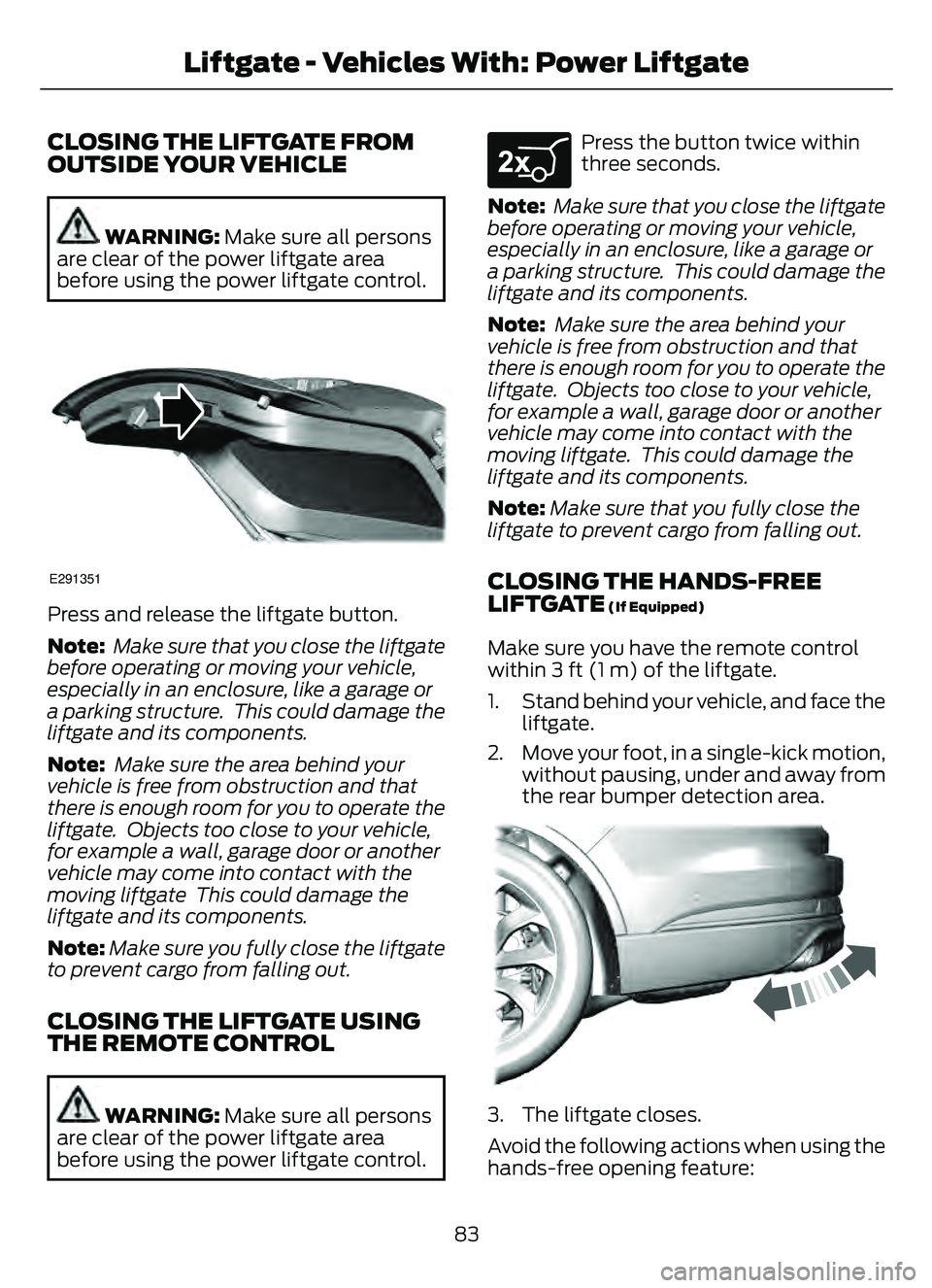
1. Stand behind your vehicle, and face the liftgate.
2. Move your foot, in a single-kick motion, without pausing, under and away from
the rear bumper detection area.
E300EE3EEEEE333799E300EEE30E3EEEE3E3E3E3E3E3E3E3030E30E30303030E300E300300300300300300300300300300EE300330300300E3E30033000300E3000E30000000E0E330E03E333377779977
3. The liftgate closes.
Avoid the following actions when using the
hands-free opening feature:
83
Liftgate - Vehicles With: Power Liftgate
Page 101 of 585
HEADLAMPS –
TROUBLESHOOTING
HEADLAMPS – FREQUENTLY
ASKED QUESTIONS
Why is there condensation in the
headlamps?Headlamps have vents to
accommodate normal changes in air
pressure. Condensation can be a
natural by-product of this design.
When moist air enters the lamp
assembly through the vents, there is a
possibility that condensation can
occur when the temperature is cold.
When normal condensation occurs, a
fine mist can form on the interior of the
lens. The fine mist eventually clears
and exits through the vents during
normal operation.
How much condensation is
acceptable? The presence of a fine mist, for
example no streaks, drip marks or
large droplets. A fine mist covers less
than 50% of the lens.
How long may it take for the
acceptable condensation to be
cleared? Clearing time may take as long as 48
hours under dry weather conditions.
How much condensation is
unacceptable? A water puddle inside the lamp.
Streaks, drip marks or large droplets
present on the interior of the lens.
What should I do if unacceptable
condensation is present? Have your vehicle checked as soon as
possible. Why do my headlamps turn off when I
have them switched on when I switch
my vehicle off?
The battery saver turns the headlamps
off after a short period of time after
you switch your vehicle off.AUTOLAMPS
WHAT ARE AUTOLAMPS
WARNING: The system does not
relieve you of your responsibility to drive
with due care and attention. You may
need to override the system if it does not
turn the headlamps on in low visibility
conditions, for example daytime fog.
Autolamps turn the headlamps on in low
light situations or when the windshield
wipers operate.
AUTOLAMP SETTINGS
1. Press Settings on the touchscreen.
2. Press Vehicle Settings .
3. Press Lighting.
4. Press Autolamp Delay.
5. Press a setting.
98
Exterior Lighting
Page 104 of 585
AUTOMATIC HIGH BEAM
CONTROL PRECAUTIONS
WARNING: The system does not
relieve you of your responsibility to drive
with due care and attention. You may
need to override the system if it does not
turn the high beams on or off.
WARNING: The system may not
switch the high beams off if the lights of
oncoming vehicles are hidden by
obstacles, for example guard rails.
WARNING: Do not use the system
in poor visibility, for example fog, heavy
rain, spray or snow.
WARNING: You may need to
override the system when approaching
other road users.
WARNING: You may need to
override the system during inclement
weather.
AUTOMATIC HIGH BEAM
CONTROL REQUIREMENTS
The system turns the high beams on if all
of the following occur:
• You switch the system on.
• You set the lighting control to the autolamps position.
• The ambient light level is low enough that you require high beams.
• There is no traffic in front of your vehicle.
• The vehicle speed is greater than approximately 32 mph (52 km/h).
AUTOMATIC HIGH BEAM
CONTROL LIMITATIONS
The system turns the high beams off if any
of the following occur:
• You switch the system off.
• You set the lighting control to anyposition except autolamps.
• The ambient light level is high enough that you do not require high beams.
• The system detects an approaching vehicle's headlamps or a leading
vehicle's tail lamps.
• The system detects severe rain, snow or fog.
• The system detects street lighting.
• The camera has reduced visibility.
• The vehicle speed falls below approximately 27 mph (44 km/h).
SWITCHING AUTOMATIC HIGH
BEAM CONTROL ON AND OFF
1. Press Settings on the touchscreen.
2. Press Vehicle Settings .
3. Press Lighting.
4. Switch Auto Highbeam on or off.
AUTOMATIC HIGH BEAM
CONTROL INDICATORS
Illuminates to confirm when the
system is ready to assist.
101
Exterior Lighting
Page 122 of 585
VEHICLE RANGE DISPLAY -
PLUG-IN HYBRID ELECTRIC
VEHICLE (PHEV)
E308653E308653
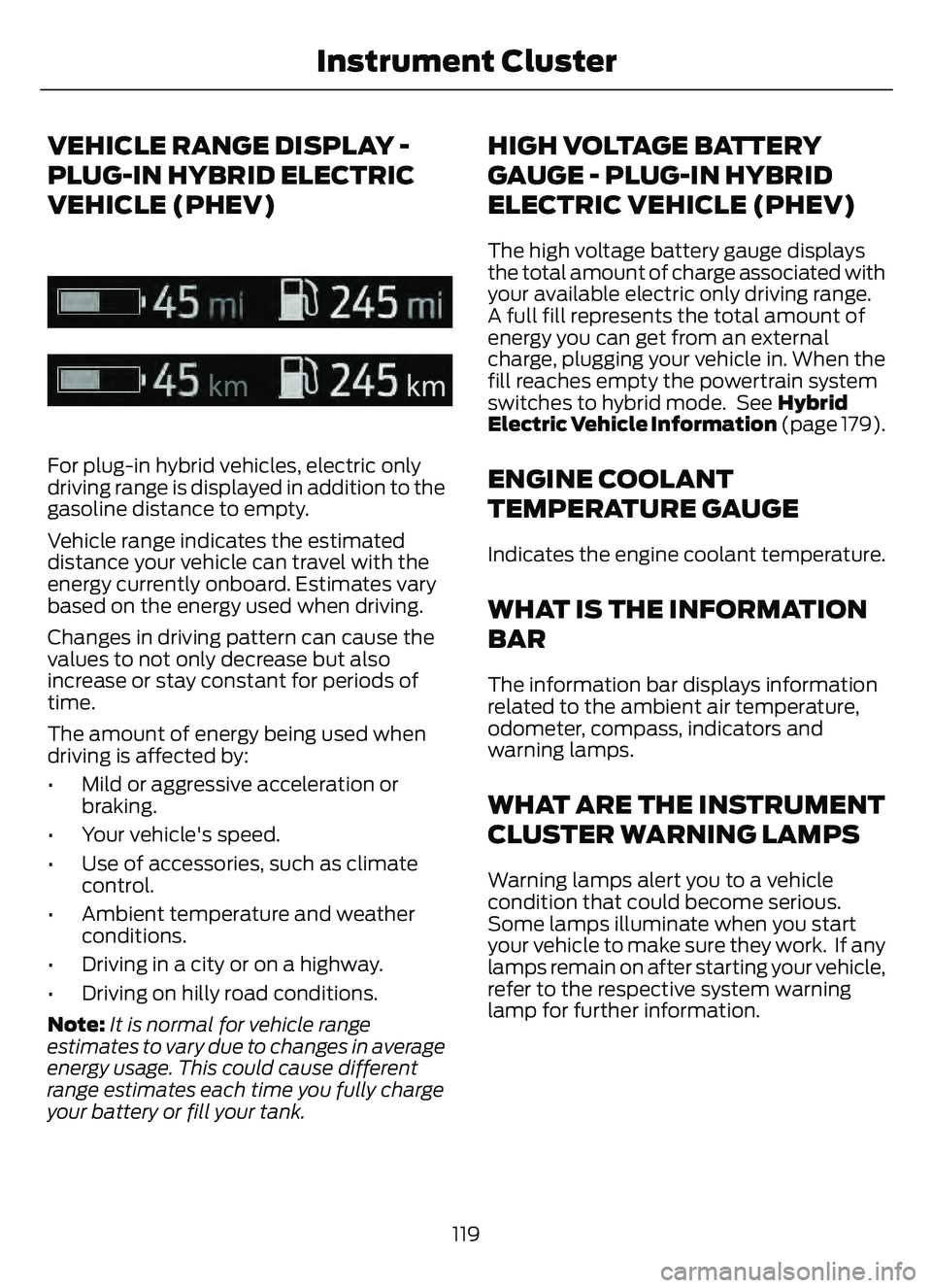
For plug-in hybrid vehicles, electric only
driving range is displayed in addition to the
gasoline distance to empty.
Vehicle range indicates the estimated
distance your vehicle can travel with the
energy currently onboard. Estimates vary
based on the energy used when driving.
Changes in driving pattern can cause the
values to not only decrease but also
increase or stay constant for periods of
time.
The amount of energy being used when
driving is affected by:
• Mild or aggressive acceleration orbraking.
• Your vehicle's speed.
• Use of accessories, such as climate control.
• Ambient temperature and weather conditions.
• Driving in a city or on a highway.
• Driving on hilly road conditions.
Note: It is normal for vehicle range
estimates to vary due to changes in average
energy usage. This could cause different
range estimates each time you fully charge
your battery or fill your tank.
HIGH VOLTAGE BATTERY
GAUGE - PLUG-IN HYBRID
ELECTRIC VEHICLE (PHEV)
The high voltage battery gauge displays
the total amount of charge associated with
your available electric only driving range.
A full fill represents the total amount of
energy you can get from an external
charge, plugging your vehicle in. When the
fill reaches empty the powertrain system
switches to hybrid mode. See Hybrid
Electric Vehicle Information (page 179).
ENGINE COOLANT
TEMPERATURE GAUGE
Indicates the engine coolant temperature.
WHAT IS THE INFORMATION
BAR
The information bar displays information
related to the ambient air temperature,
odometer, compass, indicators and
warning lamps.
WHAT ARE THE INSTRUMENT
CLUSTER WARNING LAMPS
Warning lamps alert you to a vehicle
condition that could become serious.
Some lamps illuminate when you start
your vehicle to make sure they work. If any
lamps remain on after starting your vehicle,
refer to the respective system warning
lamp for further information.
119
Instrument Cluster
Page 126 of 585
USING THE INSTRUMENT
CLUSTER DISPLAY CONTROLS
WARNING: Driving while distracted
can result in loss of vehicle control, crash
and injury. We strongly recommend that
you use extreme caution when using any
device that may take your focus off the
road. Your primary responsibility is the
safe operation of your vehicle. We
recommend against the use of any
hand-held device while driving and
encourage the use of voice-operated
systems when possible. Make sure you
are aware of all applicable local laws
that may affect the use of electronic
devices while driving.
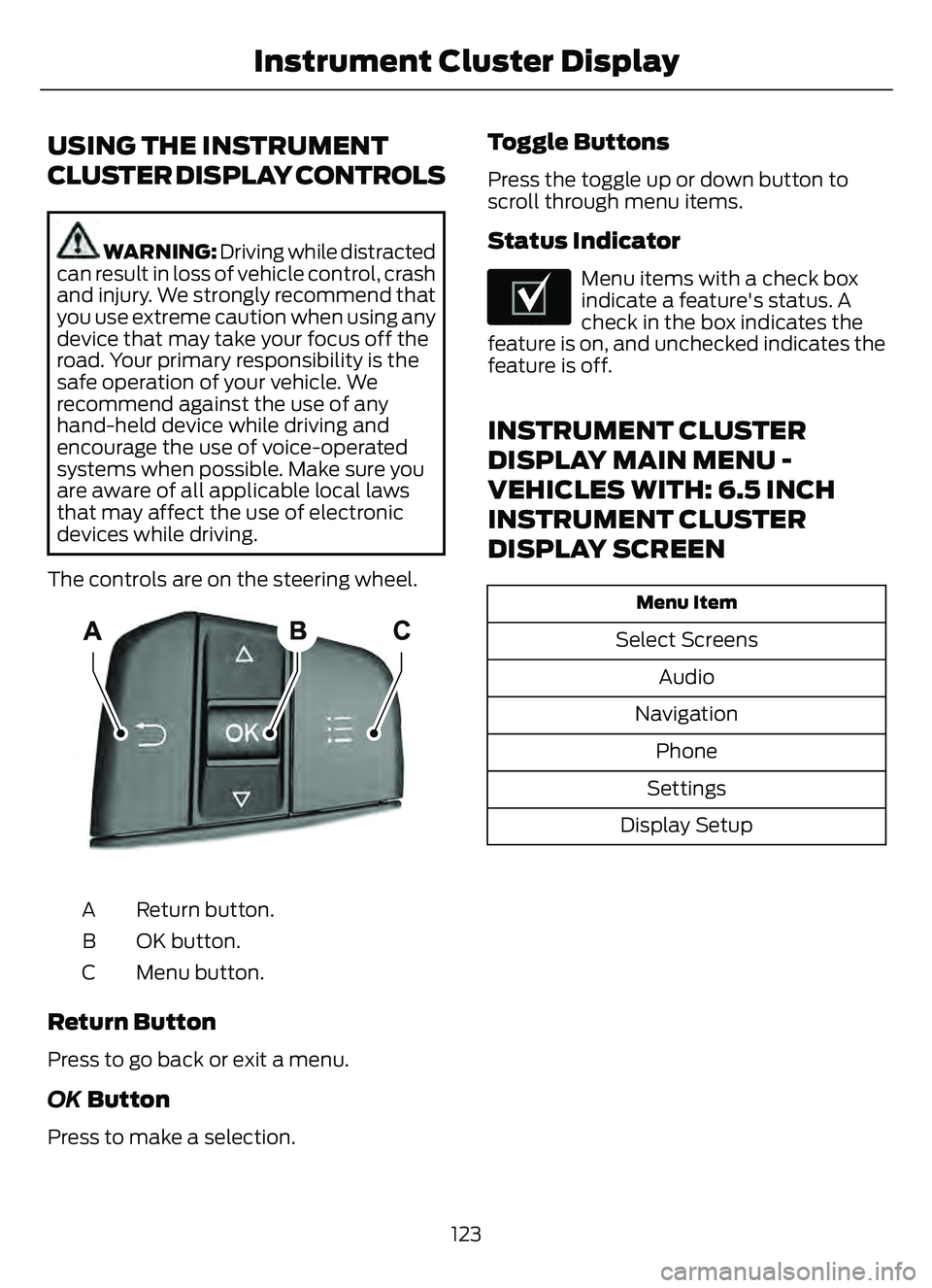
The controls are on the steering wheel.
5003E2500320032
Return button.
A
OK button.
B
Menu button.
C
Return Button
Press to go back or exit a menu.
OK Button
Press to make a selection.
Toggle Buttons
Press the toggle up or down button to
scroll through menu items.
Status Indicator
E204495
Menu items with a check box
indicate a feature's status. A
check in the box indicates the
feature is on, and unchecked indicates the
feature is off.
INSTRUMENT CLUSTER
DISPLAY MAIN MENU -
VEHICLES WITH: 6.5 INCH
INSTRUMENT CLUSTER
DISPLAY SCREEN
Menu Item
Select Screens
Audio
Navigation Phone
Settings
Display Setup
123
Instrument Cluster Display
Page 157 of 585
HEATED SEATS (IF EQUIPPED)
HEATED SEAT PRECAUTIONS
WARNING: Use caution when using
the heated seat if you are unable to feel
pain to your skin because of advanced
age, chronic illness, diabetes, spinal cord
injury, medication, alcohol use,
exhaustion or other physical conditions.
The heated seat could cause burns even
at low temperatures, especially if used
for long periods of time. Failure to follow
this instruction could result in personal
injury.
WARNING: Do not poke sharp
objects into the seat cushion or seat
backrest. This could damage the heated
seat element and cause it to overheat.
Failure to follow this instruction could
result in personal injury.
WARNING: Do not place anything
on the seat that blocks the heat, for
example a seat cover or a cushion. This
could cause the seat to overheat. Failure
to follow this instruction could result in
personal injury.
Do not:
• Place heavy objects on the seat.
• Operate the heated seat if water or any other liquid spills on the seat. Allow the
seat to dry.
SWITCHING THE HEATED SEATS
ON AND OFF
The vehicle must be running to use this
feature.
E146322
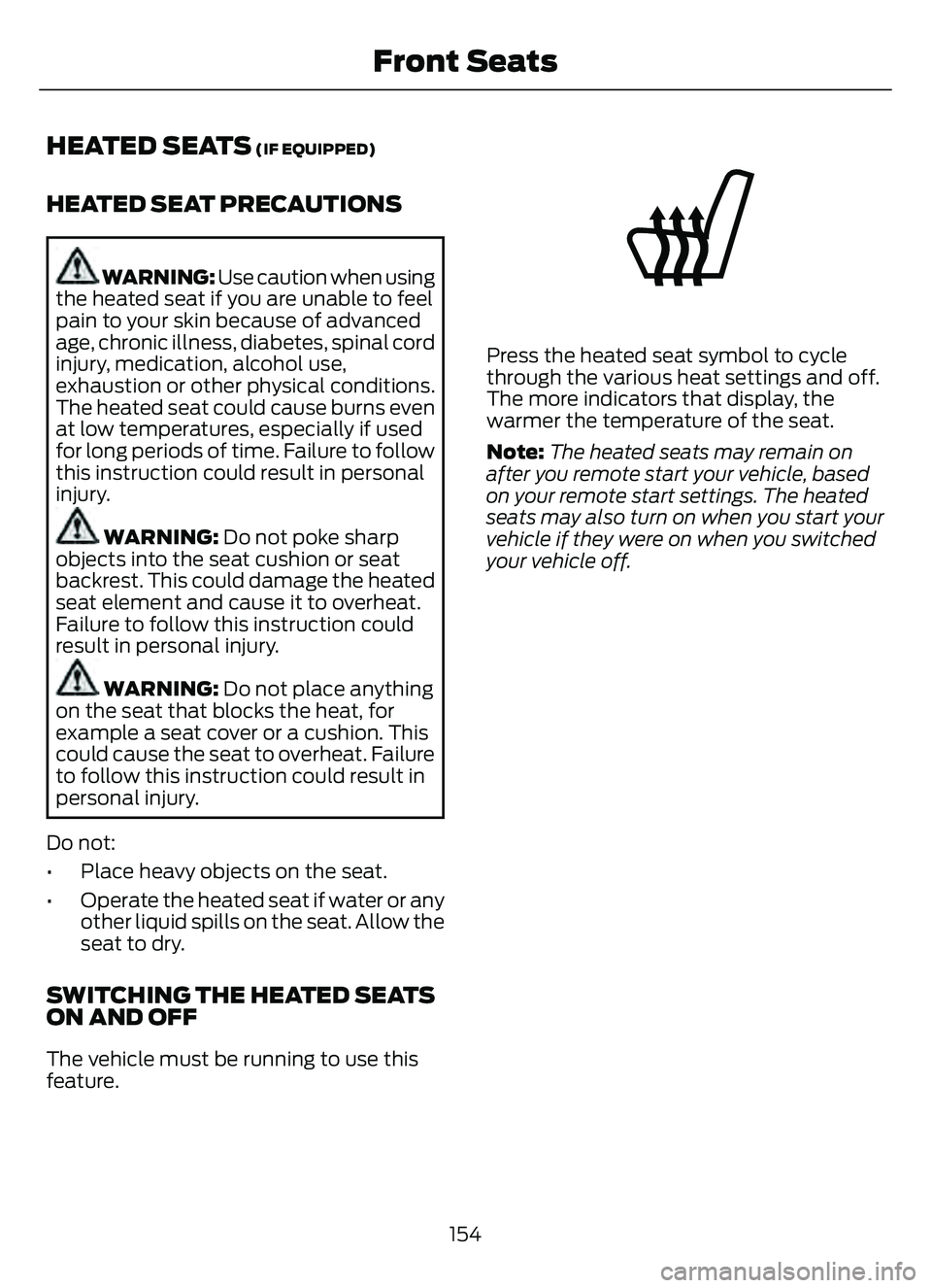
Press the heated seat symbol to cycle
through the various heat settings and off.
The more indicators that display, the
warmer the temperature of the seat.
Note: The heated seats may remain on
after you remote start your vehicle, based
on your remote start settings. The heated
seats may also turn on when you start your
vehicle if they were on when you switched
your vehicle off.
154
Front Seats
Page 168 of 585
2. When the indicator light flashes,release the buttons.
Note: You cannot erase individual buttons.
REPROGRAMMING THE
GARAGE DOOR OPENER
To program a device to a previously trained
button, follow these steps:
1. Press and hold the desired button. Do
NOT release the button.
2. The indicator light begins to flash after 20 seconds. Without releasing the
button, follow programming steps.
GARAGE DOOR OPENER
RADIO FREQUENCIES
FCC and RSS-210 Industry Canada
Compliance
WARNING: Changes or
modifications not expressively approved
by the party responsible for compliance
could void the user's authority to operate
the equipment. The term "IC:" before the
radio certification number only signifies
that Industry Canada technical
specifications were met.
This device complies with Part 15 of the
FCC Rules and with RSS-210 of Industry
Canada. Operation is subject to the
following two conditions: (1) this device
may not cause harmful interference, and
(2) this device must accept any
interference received, including
interference that could cause undesired
operation. This equipment complies with FCC
radiation exposure limits set forth for an
uncontrolled environment. End Users must
follow the specific operating instructions
for satisfying RF exposure compliance. This
transmitter must be at least 8 in (20 cm)
from the user and must not be co-located
or operating in conjunction with any other
antenna or transmitter.
165
Garage Door Opener
Page 169 of 585
LOCATING THE USB PORTS
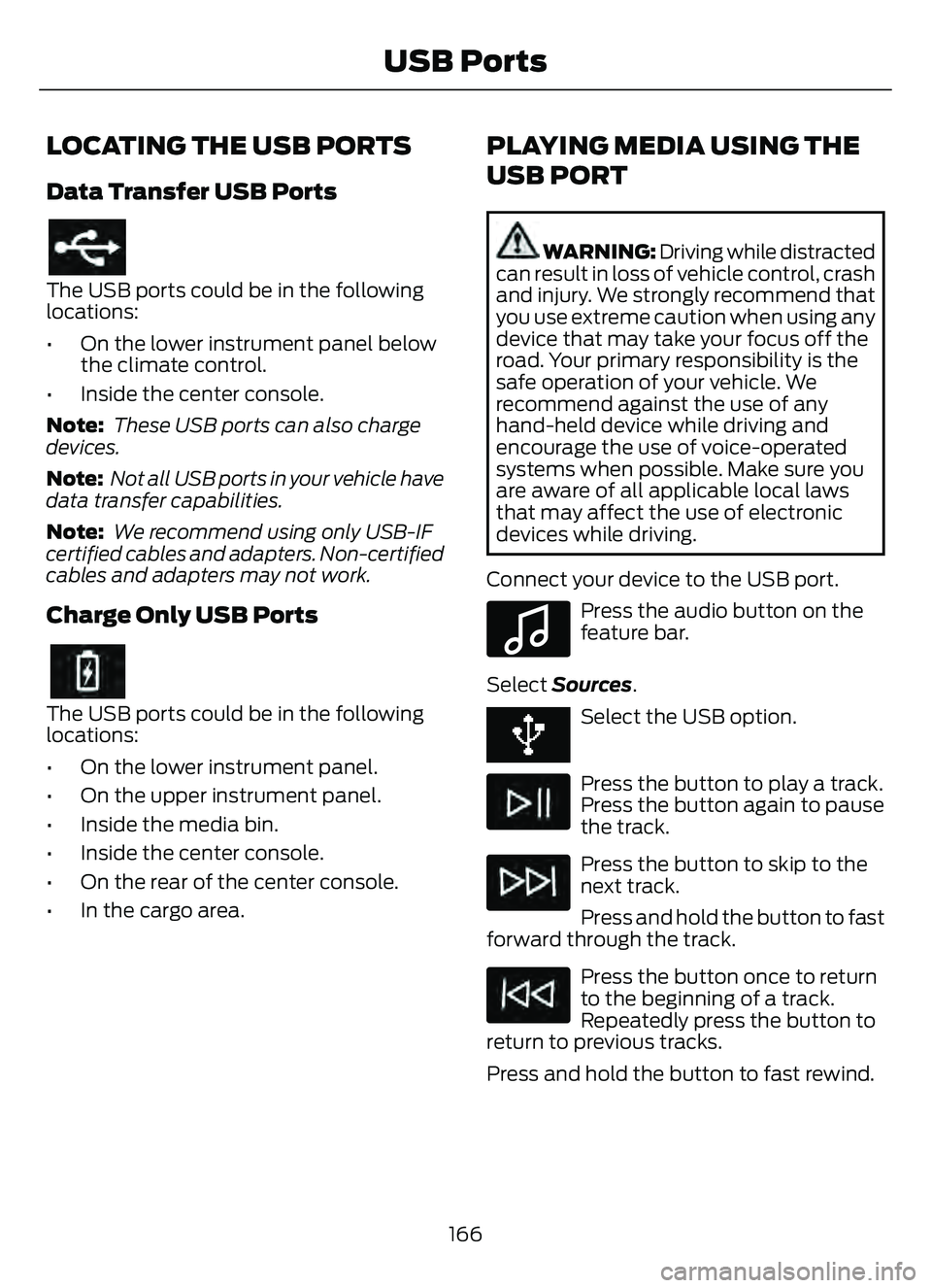
Data Transfer USB Ports
The USB ports could be in the following
locations:
• On the lower instrument panel belowthe climate control.
• Inside the center console.
Note: These USB ports can also charge
devices.
Note: Not all USB ports in your vehicle have
data transfer capabilities.
Note: We recommend using only USB-IF
certified cables and adapters. Non-certified
cables and adapters may not work.
Charge Only USB Ports
The USB ports could be in the following
locations:
• On the lower instrument panel.
• On the upper instrument panel.
• Inside the media bin.
• Inside the center console.
• On the rear of the center console.
• In the cargo area.
PLAYING MEDIA USING THE
USB PORT
WARNING: Driving while distracted
can result in loss of vehicle control, crash
and injury. We strongly recommend that
you use extreme caution when using any
device that may take your focus off the
road. Your primary responsibility is the
safe operation of your vehicle. We
recommend against the use of any
hand-held device while driving and
encourage the use of voice-operated
systems when possible. Make sure you
are aware of all applicable local laws
that may affect the use of electronic
devices while driving.
Connect your device to the USB port.
E100027
Press the audio button on the
feature bar.
Select Sources .
Select the USB option.
Press the button to play a track.
Press the button again to pause
the track.
Press the button to skip to the
next track.
Press and hold the button to fast
forward through the track.
Press the button once to return
to the beginning of a track.
Repeatedly press the button to
return to previous tracks.
Press and hold the button to fast rewind.
166
USB Ports
Page 177 of 585
ENGINE BLOCK HEATER (IF
EQUIPPED)
ENGINE BLOCK HEATER
PRECAUTIONS
WARNING: Failure to follow engine
block heater instructions could result in
property damage or serious personal
injury.
WARNING: Do not use your heater
with ungrounded electrical systems or
two-pronged adapters. There is a risk of
electrical shock.
WARNING: Do not fully close the
hood, or allow it to drop under its own
weight when using the engine block
heater. This could damage the power
cable and may cause an electrical short
resulting in fire, injury and property
damage.
We recommend that you do the following
for a safe and correct operation:
• Use a 16-gauge outdoor extension cord that is product certified by
Underwriter’s Laboratory (UL) or
Canadian Standards Association
(CSA). This extension cord must be
suitable for use outdoors, in cold
temperatures, and be clearly marked
Suitable for Use with Outdoor
Appliances. Do not use an indoor
extension cord outdoors. This could
result in an electric shock or become a
fire hazard.
• Use as short an extension cord as possible.
• Do not use multiple extension cords. • Make sure that when in operation, the
extension cord plug and engine block
heater cord plug connections are free
and clear of water. This could cause an
electric shock or fire.
• If the engine block heater cord is under the hood, do not remove the wiring
from its original location. Do not close
the hood on the extension wiring.
• Park your vehicle in a clean area, clear of combustible materials.
• Firmly connect the engine block heater cord and the extension cord.
• Check the extension cord for heat anywhere when the system has been
operating for approximately 30
minutes.
• Unplug and properly stow the system before starting and driving your vehicle.
The protective cover seals the
terminals of the engine block heater
cord plug when not in use.
• Check the engine block heater system for proper operation before winter.
HOW DOES THE ENGINE BLOCK
HEATER WORK
The engine block heater warms the engine
coolant. This allows the climate control
system to quickly respond. The equipment
includes a heater element installed in the
engine block and a wire harness. You can
connect the system to a grounded
220-240 volt AC electrical source.
Note: The engine block heater is most
effective when outdoor temperatures are
below 0°F (-18°C).
USING THE ENGINE BLOCK
HEATER
Make sure the receptacle terminals are
clean and dry prior to use. Clean them with
a dry cloth if necessary.
174
Starting and Stopping the Engine