climate settings FORD ESCAPE 2022 User Guide
[x] Cancel search | Manufacturer: FORD, Model Year: 2022, Model line: ESCAPE, Model: FORD ESCAPE 2022Pages: 585, PDF Size: 6.15 MB
Page 320 of 585
Note:If the parking brake is applied, a
message appears in the information display.
Note: If your vehicle has an ignition key, you
cannot remove the key from the ignition
when the transmission is in neutral (N) and
your vehicle is off.
Note: Start the engine and allow it to run
for a few minutes at the beginning of each
day, and every six hours or fewer. With the
engine running and your foot on the brake,
shift into drive (D) and then into reverse (R)
before shifting back into neutral (N). Before
continuing to tow, switch neutral tow on.
EMERGENCY TOWING -
HYBRID ELECTRIC VEHICLE
(HEV)/PLUG-IN HYBRID
ELECTRIC VEHICLE (PHEV)
If your vehicle becomes inoperable without
access to wheel dollies or a vehicle
transport trailer, it can be flat-towed with
all wheels on the ground, regardless of the
powertrain and transmission configuration,
under the following conditions:
• Your vehicle is facing forward for towing in a forward direction.
• You switch Neutral Tow on.
• You release the parking brake.
• Maximum speed is 35 mph (55 km/h).
• Maximum distance is 50 mi (80 km).
Switching Neutral Tow On
1. Switch your vehicle on in accessory mode.
2. Press the menu button on the steering wheel to enter the instrument cluster
display main menu.
3. Select Settings .
4. Select Neutral Tow.
5. Follow the instructions on the information display. 6. Fully press the brake pedal.
7. Shift into neutral (N).
8. Switch the ignition off.
Note:
Failure to follow these instructions
could result in damage to the transmission.
Note: Switching neutral tow on requires
battery power.
Note: Put your climate control system in
recirculated air mode to prevent exhaust
fumes from entering your vehicle. See
Climate Control (page 137).
Switching Neutral Tow Off
1. Switch your vehicle on in accessory
mode.
2. Fully press the brake pedal.
3. Shift into park (P).
EMERGENCY TOWING - 8-
SPEED AUTOMATIC
TRANSMISSION – 8F24
If you need to tow your vehicle, contact a
professional towing service or, if you are a
member of a roadside assistance program,
your roadside assistance service provider.
317
Towing Your Vehicle
Page 435 of 585
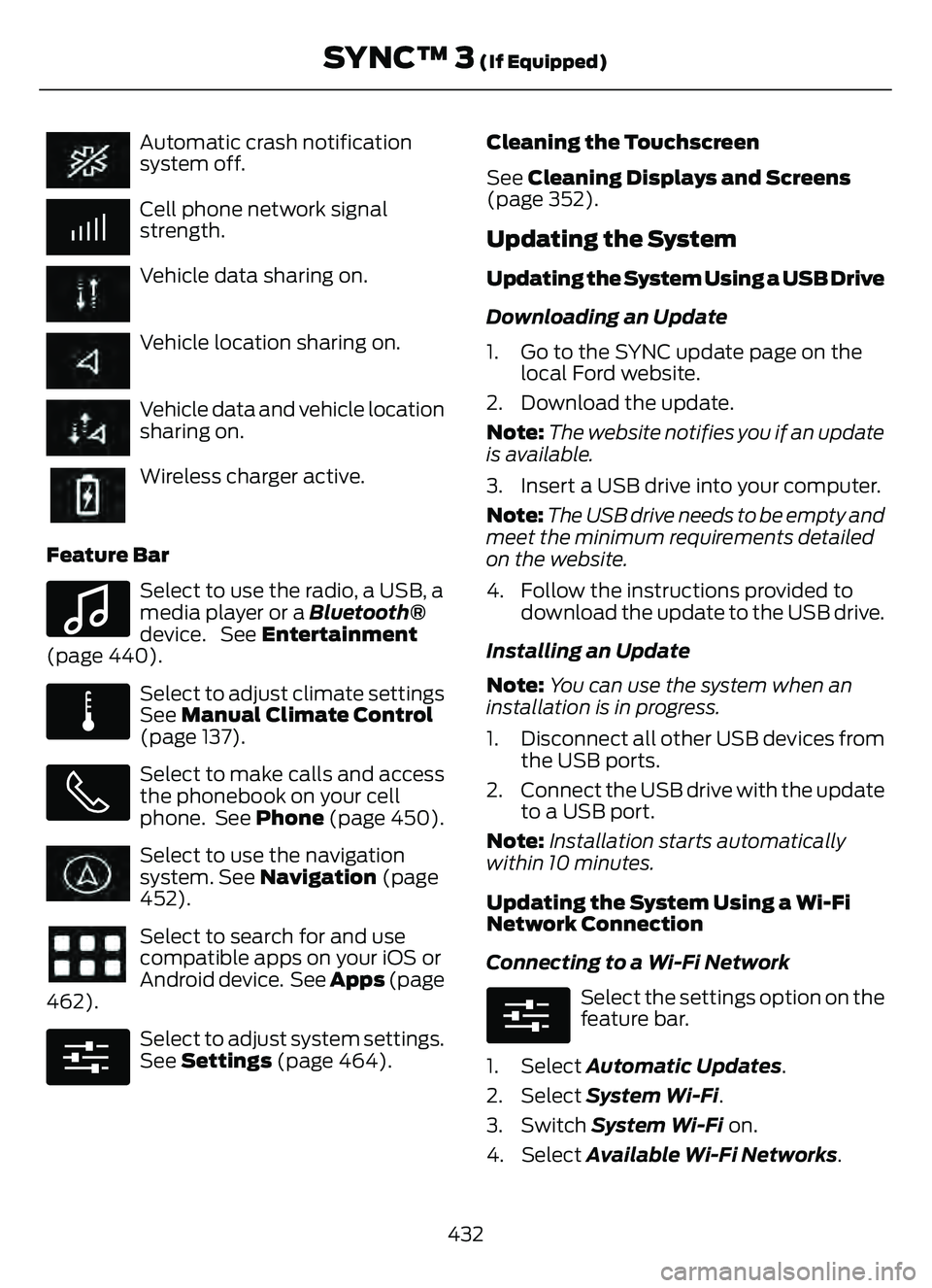
Automatic crash notification
system off.
Cell phone network signal
strength.
Vehicle data sharing on.
Vehicle location sharing on.
Vehicle data and vehicle location
sharing on.
Wireless charger active.
Feature Bar
E100027
Select to use the radio, a USB, a
media player or a Bluetooth®
device. See Entertainment
(page 440).
E283811
Select to adjust climate settings
See Manual Climate Control
(page 137).
Select to make calls and access
the phonebook on your cell
phone. See Phone (page 450).
Select to use the navigation
system. See Navigation (page
452).
Select to search for and use
compatible apps on your iOS or
Android device. See Apps (page
462).
E280315
Select to adjust system settings.
See Settings (page 464). Cleaning the Touchscreen
See
Cleaning Displays and Screens
(page 352).
Updating the System
Updating the System Using a USB Drive
Downloading an Update
1. Go to the SYNC update page on the local Ford website.
2. Download the update.
Note: The website notifies you if an update
is available.
3. Insert a USB drive into your computer.
Note: The USB drive needs to be empty and
meet the minimum requirements detailed
on the website.
4. Follow the instructions provided to download the update to the USB drive.
Installing an Update
Note: You can use the system when an
installation is in progress.
1. Disconnect all other USB devices from the USB ports.
2. Connect the USB drive with the update to a USB port.
Note: Installation starts automatically
within 10 minutes.
Updating the System Using a Wi-Fi
Network Connection
Connecting to a Wi-Fi Network
E280315
Select the settings option on the
feature bar.
1. Select Automatic Updates.
2. Select System Wi-Fi.
3. Switch System Wi-Fi on.
4. Select Available Wi-Fi Networks.
432
SYNC™ 3 (If Equipped)
Page 436 of 585
5. Select an available Wi-Fi network.
Note:Enter the network password to
connect to a secure network.
Switching Automatic System Updates
On
E280315
Select the settings option on the
feature bar.
1. Select Automatic Updates.
2. Switch Automatic System Updates on.
The system is now set to check for and
receive system updates when it is
connected to a Wi-Fi network.
Note: You can use the system when a
download is in progress.
Note: If the system is disconnected from
the Wi-Fi network when a download is in
progress, the download continues the next
time the system is connected to a Wi-Fi
network.
Additional Information and
Assistance
For additional information and assistance,
we recommend that you contact an
authorized dealer or refer to the local Ford
website.
USING VOICE RECOGNITION
The SYNC 3 system allows you to use voice
commands to control features like audio
and climate controls. By using voice
commands, you can keep your hands on
the wheel and your eyes on the road.
You can access each feature controlled by
SYNC 3 through a variety of commands.
E142599
To activate the SYNC 3 voice
commands push the voice
button on the steering wheel and
wait for the prompt.
___ is a dynamic listing, meaning that it can
be the name of anything, such as artist, the
name of contact or number. The context
and the description of the command tell
you what to say for this dynamic option.
There are some commands that work for
every feature, these commands are:
Action and Description
Voice Command
Brings you to the main menu.
Main Menu
Returns you to the previous screen.
Go back
Ends the voice session.
Cancel
Gives you a list of possible voice commands.
List of Commands
You can name any feature and the system gives a list of
commands available for the feature. For example, you could
say:
___ List of Commands
Phone List of Commands
Navigation List of Commands
433
SYNC™ 3 (If Equipped)
Page 438 of 585
Description
Voice Command
Play Audiobook ___
For USB audio only, you can say the name of an
artist, album, or a genre to browse by that selec-
tion. Your system must finish indexing before this
option is available. For example you can say
"Browse artist The Beatles" or "Browse genre
folk".
Browse ___
Browse Artist ___
Browse Album ___
Browse Genre ___
Browse Playlist ___
Browse Audiobook ___
Browse Podcast ___
1 This option may not be available in all markets or may require a subscription.
Climate Voice Commands (If Equipped)
You can control the temperature of the
vehicle using voice commands.
___ is a dynamic listing, meaning that for
climate voice commands it can be the
desired degrees for the temperature
setting.
To adjust the temperature, say:
Description
Voice Command
Adjust the temperature between 60–85°F
(15.5–29.5°C).
Set the Temperature to ____
Phone Voice Commands
Pairing a Phone
You can use voice commands to connect
your Bluetooth®-enabled phone to the
system.
To pair your phone, press the voice button and when prompted, say:
Description
Voice Command
Follow the on-screen instructions to complete the pairing
process. See Settings (page 464).
Pair Phone
435
SYNC™ 3 (If Equipped)
Page 443 of 585
Description
Voice Command
The system does not confirm before placing a call.
Phone Confirmation Off
The system displays a short list of available commands.
Voice Command Lists On
The system does not display the list of commands.
Voice Command Lists Off
You can use the volume control to adjust
the volume of the system voice prompts.
While prompt is active, adjust the volume
control up or down to your desired setting.
Note: Depending on the current climate
control settings, the fan speed may
automatically go down while issuing voice
commands or while making and receiving
phone calls via SYNC to reduce the amount
of background noise in the vehicle. The fan
speed will automatically return to normal
operation once the voice session ends. You
can adjust the fan speed during a voice
session, simply press the fan buttons (or
turn the fan knob) to increase or decrease
the fan speed to the setting you prefer.
To disable this automatic fan speed
reduction feature during voice sessions,
press and hold the climate control AC and
Recirculated air buttons simultaneously,
release and then increase fan speed within
2 seconds. To re-enable this feature, repeat
the above sequence.
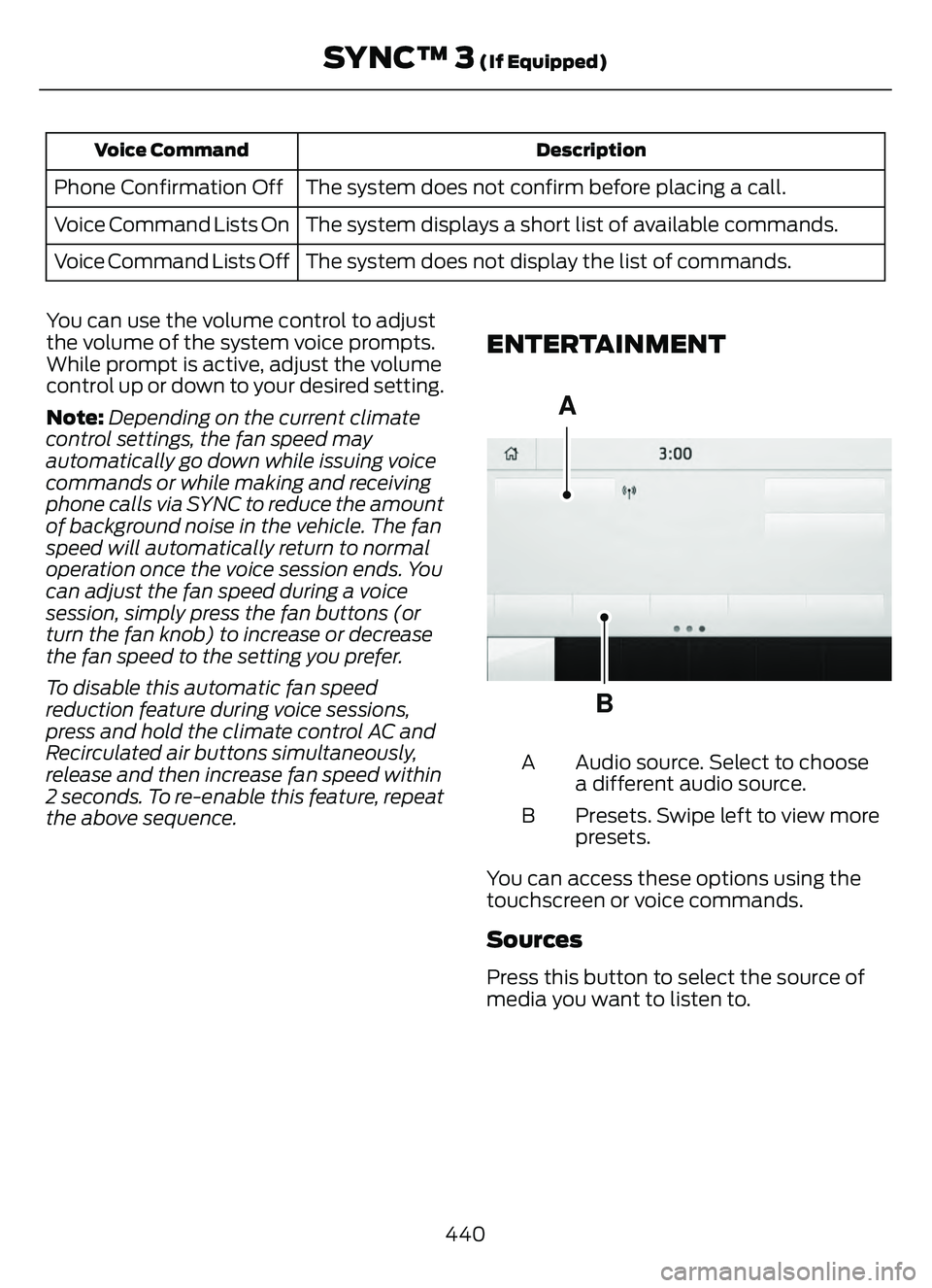
ENTERTAINMENT
A
B93 9E293491
Audio source. Select to choose
a different audio source.
A
Presets. Swipe left to view more
presets.
B
You can access these options using the
touchscreen or voice commands.
Sources
Press this button to select the source of
media you want to listen to.
440
SYNC™ 3 (If Equipped)
Page 566 of 585
1
12V Battery......................................................34112V Battery Precautions...................................341
Battery Management SystemLimitations.......................................................342
How Does the Battery Management System Work..................................................342
Recycling and Disposing of the 12V Battery..............................................................342
Resetting the Battery Sensor........................342
What Is the Battery Management System..............................................................342
9
911 Assist............................................................57
A
A/CSee: Climate Control..........................................137About This Publication..................................17
ABS
See: Brakes............................................................217Accessing the Trip Computer - VehiclesWith: 4.2 Inch Instrument Cluster
Display Screen............................................129
Accessing the Trip Computer - Vehicles With: 6.5 Inch Instrument Cluster
Display Screen/ 12.3 Inch Instrument
Cluster Display Screen.............................129
Accessories....................................................479
AC Charging...................................................205
Connecting the Charger..................................205
Stopping Charging............................................206
Active Park Assist........................................238Active Park Assist –
Trouble shooting............................................240
Active Park Assist Precautions...............238
Active Park Assist –
Troubleshooting........................................240
Active Park Assist – Frequently Asked
Questions ........................................................240
Active Park Assist – Information Messages.........................................................240
Adaptive Cruise Control............................244Adaptive Cruise Control –Troubleshooting............................................ 254
Intelligent Adaptive Cruise Control.............253
Lane Centering...................................................250
Adaptive Cruise Control Automatic Cancellation................................................247
Adaptive Cruise Control Indicators.......250
Adaptive Cruise Control Limitations..................................................245
Adaptive Cruise Control Precautions.................................................244
Adaptive Cruise Control – Troubleshooting........................................254
Adaptive Cruise Control – Information
Messages.........................................................254
Adjusting the Exterior Mirrors..................108
Adjusting the Headlamps........................344
Adjusting the Instrument Panel LightingBrightness....................................................103
Adjusting the Seatbelt Height...................42
Adjusting the Seatbelts During Pregnancy......................................................42
Adjusting the Sound Settings...................411
Adjusting the Steering Wheel....................91
Adjusting the Volume.................................410
Aid Mode.........................................................263
How Does Aid Mode Work.............................263
What Is Aid Mode..............................................263
Airbag Precautions........................................49
Airbags................................................................47
Front Passenger Sensing System...................51Air ConditioningSee: Climate Control..........................................137Air Conditioning System Capacity and Specification - 1.5L EcoBoost™.........400
Air Conditioning System Capacity and Specification - 2.0L EcoBoost™.........401
Air Conditioning System Capacity and Specification - 2.5L, Hybrid Electric
Vehicle (HEV)/Plug-In Hybrid Electric
Vehicle (PHEV).........................................402
Air Filter
See: Changing the Engine Air Filter - 1.5L
EcoBoost™/2.0L EcoBoost™.................338
See: Changing the Engine Air Filter - 2.5L, Hybrid Electric Vehicle (HEV)/Plug-In
Hybrid Electric Vehicle (PHEV)...............339
563
Index
Page 567 of 585
Alert and Aid Mode.....................................263How Does Alert and Aid Mode Work.........264
What Is Alert and Aid Mode...........................263
Alert Mode......................................................262Adjusting the Steering Wheel VibrationIntensit y............................................................263
How Does Alert Mode Work..........................263
What Is Alert Mode...........................................262
All-Wheel Drive.............................................216All-Wheel Drive – Troubleshooting.............216All-Wheel Drive Limitations.....................216
All-Wheel Drive Precautions....................216
All-Wheel Drive – Troubleshooting.......216
All-Wheel Drive – Information Messages..........................................................216
AM/FM Radio.................................................412AM/FM Radio Limitations...............................412
Selecting a Radio Station................................412
Ambient Lighting..........................................103Adjusting Ambient Lighting............................103
Switching Ambient Lighting On andOff.......................................................................1\
03
Anti-Lock Braking System.........................217Anti-Lock Braking System Indicators..........217
Anti-Lock Braking SystemLimitations........................................................217
Anti-Theft Alarm System............................87Arming the Anti-Theft Alarm System..........88
Disarming the Anti-Theft AlarmSystem................................................................88
How Does the Anti-Theft Alarm System Work.....................................................................87
What Are the Inclination Sensors..................87
What Are the Interior Sensors.........................87
What Is the Anti-Theft Alarm System..........87
What Is the Battery Backup Alarm...............88
What Is the Perimeter Alarm...........................87
Anti-Theft Alarm System Settings.........88Setting the Alarm Security Level...................88
Switching Ask on Exit On and Off.................88
What are the Alarm Security Levels.............88
What Is Ask on Exit.............................................88
Appendices ....................................................559
Applying the Electric Parking Brake.............................................................220
Applying the Electric Parking Brake in an Emergency..................................................220
Apps.................................................................462 At a Glance.......................................................26
Audio System................................................410
AM/FM Radio.......................................................412
Digital Radio.........................................................412
Satellite Radio.....................................................414
Audio System Precautions.......................410
Auto-Dimming Interior Mirror...................107
Auto-Dimming Interior Mirror
Limitations........................................................107
What Is the Auto-Dimming Interior Mirror...................................................................107
Auto Hold........................................................224
Auto Hold Indicators...................................224
Autolamps........................................................98
Autolamp Settings..............................................98
What Are Autolamps..........................................98
Autolock.............................................................70Autolock Requirements.....................................70
What Is Autolock..................................................70
Automatically Releasing the ElectricParking Brake...............................................221
Automatic Climate Control - Vehicles With: Dual Automatic Temperature
Control (DATC)...........................................138
Automatic Climate Control - Vehicles With: Electronic Automatic
Temperature Control (EATC).................141
Automatic Crash Shutoff..........................314
Automatic Crash Shutoff
Precautions......................................................314
Re-Enabling Your Vehicle................................314
What Is Automatic Crash Shutoff................314
Automatic Emergency Braking...............278Switching Automatic Emergency Braking On and Off.......................................................279
What Is Automatic Emergency Braking..............................................................278
Automatic Engine Stop..............................176How Does Automatic Engine StopWork....................................................................176
Overriding Automatic Engine Stop...............176
Switching Automatic Engine Stop On and Off........................................................................\
176
What Is Automatic Engine Stop....................176
Automatic High Beam Control...............100Automatic High Beam Control Indicator s........................................................... 101
564
Index
Page 577 of 585
Locating the USB Ports.............................166
Locating the Wireless AccessoryCharger..........................................................169
Locating Your Vehicle...................................59
Locking and Unlocking the Doors Using Keyless Entry.................................................75
Locking the Doors.................................................75
Unlocking the Doors............................................75
Locking the Rear WindowControls........................................................106
Luggage Compartment............................294
M
Maintenance.................................................32812V Battery............................................................341
Engine Oil..............................................................\
333
Exterior Bulbs......................................................345
Interior Bulbs.......................................................348
Maintenance Precautions........................328
Manual Climate Control.............................137
Manually Dimming the Interior Mirror..............................................................107
Manually Releasing the Electric Parking Brake.............................................................220
Manual Park Release - Gasoline.............212
Manual Park Release Precautions................212
Using Manual Park Release............................213
What Is Manual Park Release.........................212
Manual Seats.................................................149Adjusting the Head Restraint.........................149
Adjusting the Seat Backrest...........................150
Adjusting the Seat Height................................151
Folding the Seat Backrest...............................156
Head Restraint Components.........................149
Installing the Head Restraint.........................150
Moving the Seat Backward and
Forward............................................................. 150
Removing the Head Restraint.......................150
Unfolding the Seat Backrest...........................157
Master Access Code......................................73Displaying the Master Access Code..............73
What Is the Master Access Code....................73
Memory Function.........................................160
Memory Function Precautions................160
Mislock...............................................................70
Mislock Limitations...............................................71
Switching Mislock On and Off..........................71 What Is Mislock.....................................................70
Mobile Communications
Equipment....................................................531
Mobile Device Data........................................25
Moonroof Bounce-Back.............................110
Overriding Moonroof Bounce-Back.............110
What Is Moonroof Bounce-Back...................110
Moonroof.........................................................109Moonroof Bounce-Back...................................110Motorcraft Parts - 1.5L EcoBoost™................................................390
Motorcraft Parts - 2.0L EcoBoost™................................................390
Motorcraft Parts - 2.5L, Hybrid Electric Vehicle (HEV)/Plug-In Hybrid Electric
Vehicle (PHEV)..........................................391
Muting the Audio...........................................411
MyKey Settings...............................................64
Configurable MyKey Settings..........................64
Non-Configurable MyKey Settings................64
MyKey – Troubleshooting...........................66MyKey – Frequently Asked Questions.........68
MyKey – Information Messages.....................66
MyKey™.............................................................64MyKey Settings.....................................................64
MyKey – Troubleshooting.................................66
N
Navigation......................................................452
Normal Scheduled Maintenance..........485
O
Opening and Closing the Flip Key............58
Opening and Closing the Hood..............328
Opening and Closing the Moonroof......................................................109
Opening and Closing the Sun Shade............................................................109
Opening and Closing the Windows.......105
Opening the Liftgate.....................................78
Opening the Hands-Free Liftgate...................81
Opening the Liftgate From Inside Your
Vehicle................................................................80
Opening the Liftgate From Outside Your Vehicle.................................................................78
574
Index
Page 580 of 585
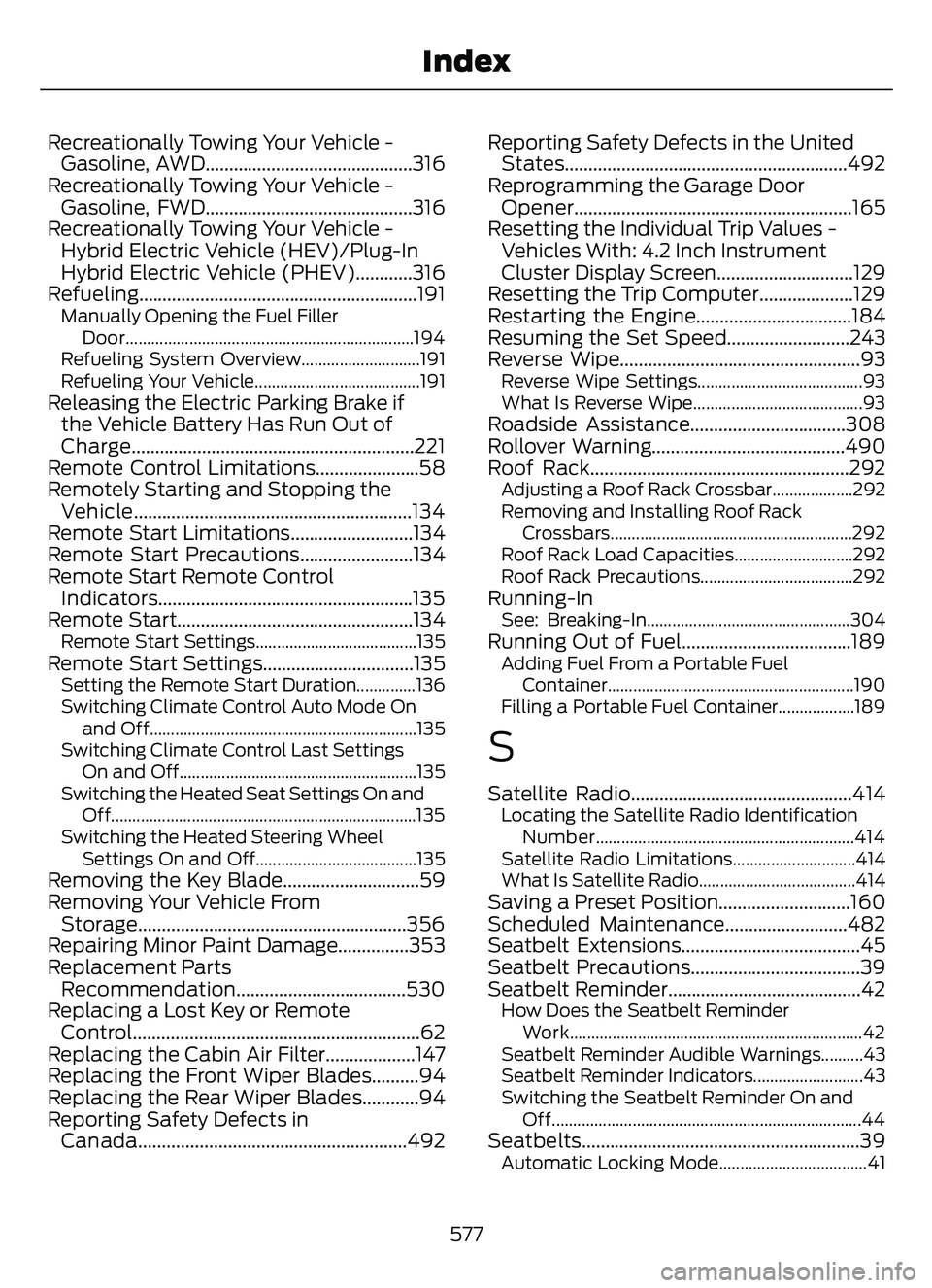
Recreationally Towing Your Vehicle -Gasoline, AWD............................................316
Recreationally Towing Your Vehicle - Gasoline, FWD............................................316
Recreationally Towing Your Vehicle - Hybrid Electric Vehicle (HEV)/Plug-In
Hybrid Electric Vehicle (PHEV)............316
Refueling ...........................................................191
Manually Opening the Fuel Filler
Door....................................................................194
Refueling System Overview............................191
Refueling Your Vehicle.......................................191
Releasing the Electric Parking Brake if the Vehicle Battery Has Run Out of
Charge............................................................221
Remote Control Limitations......................58
Remotely Starting and Stopping the Vehicle...........................................................134
Remote Start Limitations..........................134
Remote Start Precautions........................134
Remote Start Remote Control Indicators......................................................135
Remote Start..................................................134
Remote Start Settings......................................135Remote Start Settings................................135Setting the Remote Start Duration..............136
Switching Climate Control Auto Mode On
and Off...............................................................13\
5
Switching Climate Control Last Settings On and Off........................................................135
Switching the Heated Seat Settings On and Off........................................................................\
135
Switching the Heated Steering Wheel Settings On and Off......................................135
Removing the Key Blade.............................59
Removing Your Vehicle FromStorage.........................................................356
Repairing Minor Paint Damage...............353
Replacement Parts Recommendation....................................530
Replacing a Lost Key or Remote Control.............................................................62
Replacing the Cabin Air Filter...................147
Replacing the Front Wiper Blades..........94
Replacing the Rear Wiper Blades............94
Reporting Safety Defects in Canada.........................................................492 Reporting Safety Defects in the United
States............................................................492
Reprogramming the Garage Door Opener...........................................................165
Resetting the Individual Trip Values - Vehicles With: 4.2 Inch Instrument
Cluster Display Screen.............................129
Resetting the Trip Computer....................129
Restarting the Engine.................................184
Resuming the Set Speed..........................243
Reverse Wipe...................................................93
Reverse Wipe Settings.......................................93
What Is Reverse Wipe........................................93
Roadside Assistance.................................308
Rollover Warning.........................................490
Roof Rack.......................................................292
Adjusting a Roof Rack Crossbar...................292
Removing and Installing Roof Rack
Crossbars.........................................................292
Roof Rack Load Capacities............................292
Roof Rack Precautions....................................292
Running-InSee: Breaking-In................................................304Running Out of Fuel....................................189Adding Fuel From a Portable Fuel Cont ainer..........................................................190
Filling a Portable Fuel Container..................189
S
Satellite Radio...............................................414Locating the Satellite Radio Identification Number.............................................................414
Satellite Radio Limitations.............................414
What Is Satellite Radio.....................................414
Saving a Preset Position............................160
Scheduled Maintenance..........................482
Seatbelt Extensions......................................45
Seatbelt Precautions....................................39
Seatbelt Reminder.........................................42
How Does the Seatbelt Reminder Work.....................................................................42
Seatbelt Reminder Audible Warnings..........43
Seatbelt Reminder Indicators..........................43
Switching the Seatbelt Reminder On and Off........................................................................\
.44
Seatbel ts...........................................................39Automatic Locking Mode...................................41
577
Index